Introduction
• • Importanceof mobile forensics in digital
investigations
• • Android OS as the most used mobile
platform
• • Increasing need for automation in forensic
analysis
3.
Objectives
• • AutomateAndroid forensic tasks
• • Improve accuracy and efficiency
• • Reduce human errors in evidence collection
4.
What is AndroidForensics?
• • Definition and scope
• • Key goals: data acquisition, preservation,
analysis, and reporting
• • Typical evidence: call logs, messages,
browser history, app data
5.
Challenges in AndroidForensics
• • Device fragmentation
• • Frequent OS updates
• • Security mechanisms (e.g., encryption,
authentication)
• • Legal and ethical considerations
6.
Need for Automation
•• Manual forensic analysis is time-consuming
• • Repetitive tasks prone to error
• • Scalability for large investigations
7.
Overview of theForensic
Automator
• • Tool/Framework for automating data
extraction and analysis
• • Supports a wide range of Android devices
• • Integrates with existing forensic tools
8.
System Architecture
• •Device interface
• • Data acquisition module
• • Analysis engine
• • Reporting tool
9.
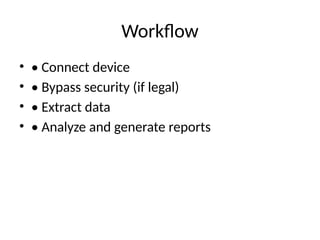
Workflow
• • Connectdevice
• • Bypass security (if legal)
• • Extract data
• • Analyze and generate reports
10.
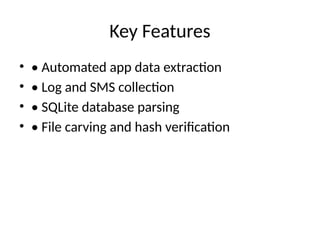
Key Features
• •Automated app data extraction
• • Log and SMS collection
• • SQLite database parsing
• • File carving and hash verification
11.
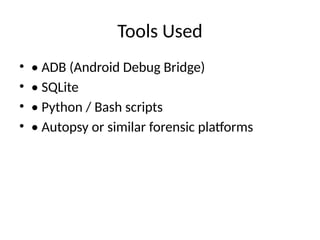
Tools Used
• •ADB (Android Debug Bridge)
• • SQLite
• • Python / Bash scripts
• • Autopsy or similar forensic platforms
12.
Case Study (Optional)
•• Example scenario using the automator
• • Results: Time saved, data types recovered
13.
Limitations
• • Somedevices may not be supported
• • Security updates may block certain methods
• • Requires root or access permissions
14.
Future Work
• •Support for newer Android versions
• • Integration with cloud-based forensics
• • Enhanced GUI and user experience
15.
Conclusion
• • Summaryof benefits
• • Importance in digital investigations
• • Call to action for further development and
research