
Android Apps
for Absolute Beginners
Vaclav Hnizda
vaclav.cz@gmail.com
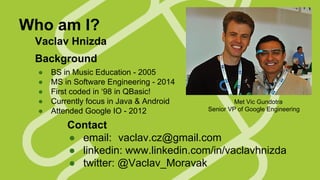
Who am I?
Vaclav Hnizda
Background
●
●
●
●
●

BS in Music Education - 2005
MS in Software Engineering - 2014
First coded in ‘98 in QBasic!
Currently focus in Java & Android
Attended Google IO - 2012

Met Vic Gundotra
Senior VP of Google Engineering

Contact
● email: vaclav.cz@gmail.com
● linkedin: www.linkedin.com/in/vaclavhnizda
● twitter: @Vaclav_Moravak
Android Past
● Dalvik VM on top of Linux-based OS
● designed with touch mobility in mind
● Initially developed by Android, Inc., backed by Google
● In 2005 purchased & publicly displayed in 2007
● Also in 2007 Open Handset Alliance created
● The first Android-powered phone was sold in October
2008.
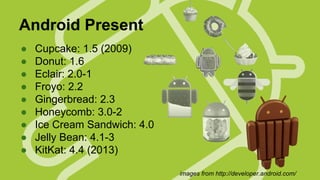
Android Present
●
●
●
●
●
●
●
●
●

Cupcake: 1.5 (2009)
Donut: 1.6
Eclair: 2.0-1
Froyo: 2.2
Gingerbread: 2.3
Honeycomb: 3.0-2
Ice Cream Sandwich: 4.0
Jelly Bean: 4.1-3
KitKat: 4.4 (2013)
images from http://developer.android.com/
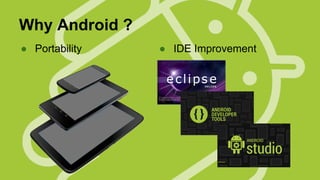
Why Android ?
● Portability

● IDE Improvement
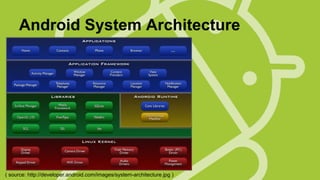
Android System Architecture

( source: http://developer.android.com/images/system-architecture.jpg )
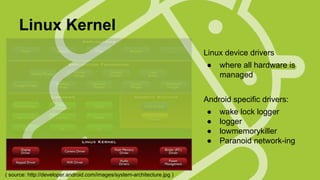
Linux Kernel
Linux device drivers
●

where all hardware is
managed

Android specific drivers:
●
●
●
●

( source: http://developer.android.com/images/system-architecture.jpg )

wake lock logger
logger
lowmemorykiller
Paranoid network-ing
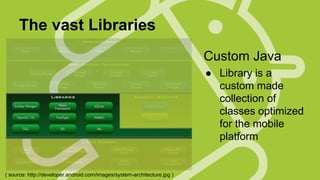
The vast Libraries
Custom Java
● Library is a
custom made
collection of
classes optimized
for the mobile
platform

( source: http://developer.android.com/images/system-architecture.jpg )
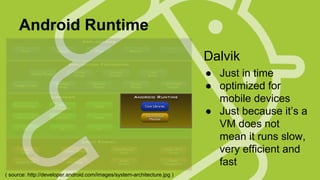
Android Runtime
Dalvik
● Just in time
● optimized for
mobile devices
● Just because it’s a
VM does not
mean it runs slow,
very efficient and
fast
( source: http://developer.android.com/images/system-architecture.jpg )
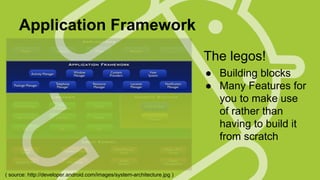
Application Framework
The legos!
● Building blocks
● Many Features for
you to make use
of rather than
having to build it
from scratch

( source: http://developer.android.com/images/system-architecture.jpg )
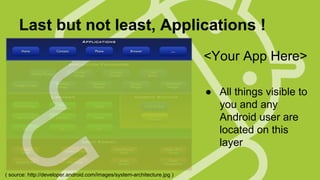
Last but not least, Applications !
<Your App Here>
● All things visible to
you and any
Android user are
located on this
layer
( source: http://developer.android.com/images/system-architecture.jpg )
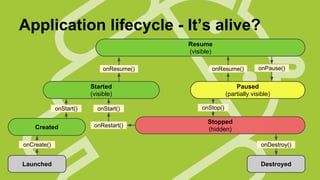
Application lifecycle - It’s alive?
Resume
(visible)
onResume()

onResume()

Started
(visible)
onStart()

Created

onStart()
onRestart()

onPause()

Paused
(partially visible)
onStop()

Stopped
(hidden)

onCreate()

onDestroy()

Launched

Destroyed
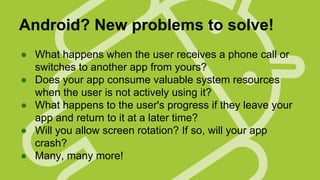
Android? New problems to solve!
● What happens when the user receives a phone call or
switches to another app from yours?
● Does your app consume valuable system resources
when the user is not actively using it?
● What happens to the user's progress if they leave your
app and return to it at a later time?
● Will you allow screen rotation? If so, will your app
crash?
● Many, many more!
Other questions to ask..
●
●
●
●
●

Will the app be stand alone?
Will it need a dedicated network connection?
Will a Phone data plan be enough?
Will data be stored locally, somewhere else?
Do I need something to run in the
background?
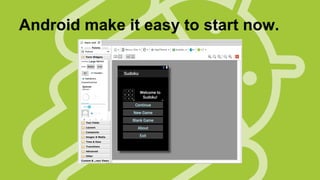
Android make it easy to start now.
Want more Visual Power?

● Canvas and Drawables
● Hardware Acceleration
● OpenGL
Media? Got that too.
There are libraries already built in to:
● play videos & music
● capture an image from the camera
● find your location with the GPS
● manage what the volume rocker does
● voice activation? ready for you!
Storage - so many options!
● Shared Preferences
● Internal Storage
● External Storage
● SQLite Databases
● Network Connection
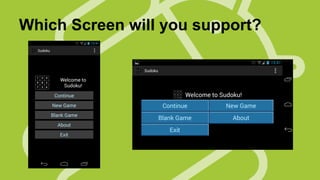
Which Screen will you support?
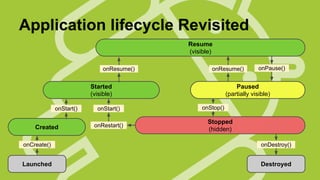
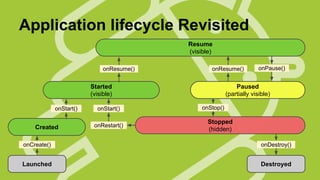
Application lifecycle Revisited
Resume
(visible)
onResume()

onResume()

Started
(visible)
onStart()

Created

onStart()
onRestart()

onPause()

Paused
(partially visible)
onStop()

Stopped
(hidden)

onCreate()

onDestroy()

Launched

Destroyed
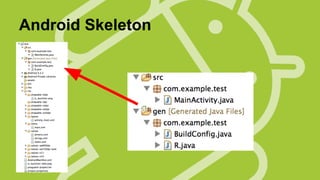
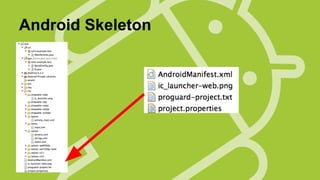
Android Skeleton
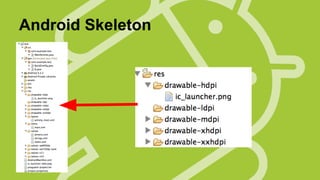
Android Skeleton
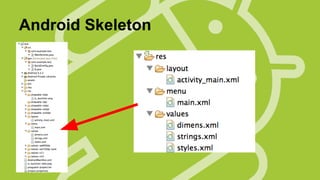
Android Skeleton
Android Skeleton
Application lifecycle Revisited
Resume
(visible)
onResume()

onResume()

Started
(visible)
onStart()

Created

onStart()
onRestart()

onPause()

Paused
(partially visible)
onStop()

Stopped
(hidden)

onCreate()

onDestroy()

Launched

Destroyed
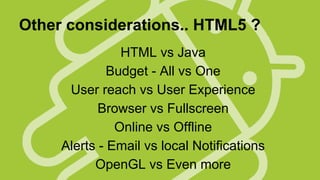
Other considerations.. HTML5 ?
HTML vs Java
Budget - All vs One
User reach vs User Experience
Browser vs Fullscreen
Online vs Offline
Alerts - Email vs local Notifications
OpenGL vs Even more
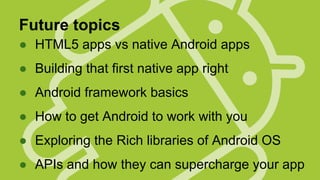
Future topics
● HTML5 apps vs native Android apps
● Building that first native app right
● Android framework basics
● How to get Android to work with you
● Exploring the Rich libraries of Android OS
● APIs and how they can supercharge your app
?

vaclav.cz@gmail.com
●
www.linkedin.com/in/vaclavhnizda/
●
@Vaclav_Moravak
More talks to come!

NS

IO

ST

E
QU

Thanks
for
coming!

Android Apps for Absolute Beginners