Tim
About Me
● NCTU AM96
● Android GDE
● Software Engineer in Amazon
● Android 十全大補
● Kotlin 全面啟動
● https://github.com/Jintin
● https://medium.com/@jintin
● https://www.facebook.com/jintinlin
Android
Android
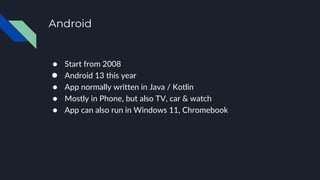
● Start from 2008
● Android 13 this year
● App normally written in Java / Kotlin
● Mostly in Phone, but also TV, car & watch
● App can also run in Windows 11, Chromebook
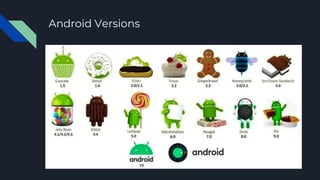
Android Versions
Historical Versions
Recent Versions
Kotlin
Kotlin
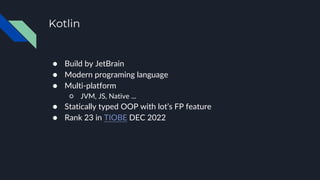
● Build by JetBrain
● Modern programing language
● Multi-platform
○ JVM, JS, Native ...
● Statically typed OOP with lot’s FP feature
● Rank 23 in TIOBE DEC 2022
Kotlin
● 100% compatible with Java
● No NPE (Null Pointer Exception)
● Less code to write, high productivity
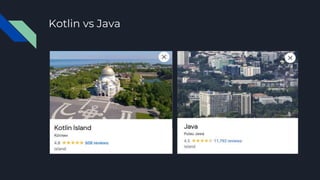
Kotlin vs Java
Kotlin & Android
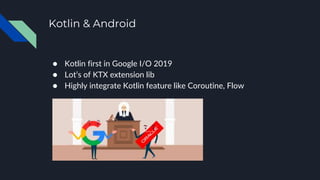
● Kotlin first in Google I/O 2019
● Lot’s of KTX extension lib
● Highly integrate Kotlin feature like Coroutine, Flow
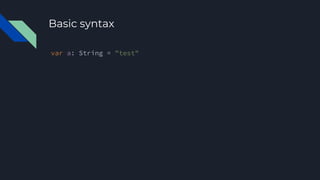
Basic syntax
var a: String = "test"
Type Omit
var a = "test"
Immutable
var a = "a"
val b = "b"
a = "new a"
b = "new b" //Error
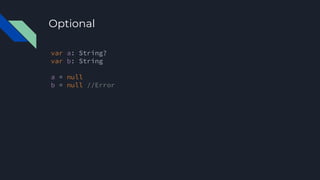
Optional
var a: String?
var b: String
a = null
b = null //Error
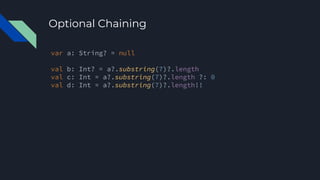
Optional Chaining
var a: String? = null
val b: Int? = a?.substring(7)?.length
val c: Int = a?.substring(7)?.length ?: 0
val d: Int = a?.substring(7)?.length!!
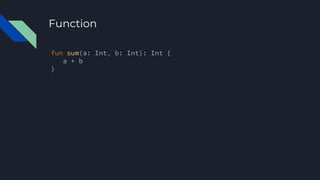
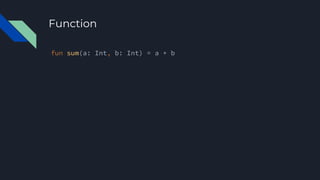
Function
fun sum(a: Int, b: Int): Int {
a + b
}
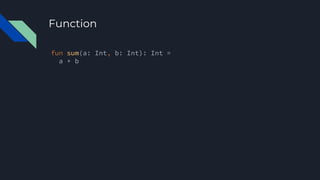
Function
fun sum(a: Int, b: Int): Int =
a + b
Function
fun sum(a: Int, b: Int) = a + b
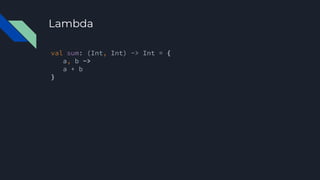
Lambda
val sum: (Int, Int) -> Int = {
a, b ->
a + b
}
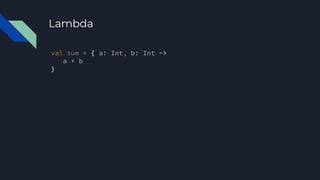
Lambda
val sum = { a: Int, b: Int ->
a + b
}
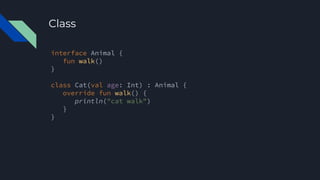
interface Animal {
fun walk()
}
class Cat(val age: Int) : Animal {
override fun walk() {
println("cat walk")
}
}
Class
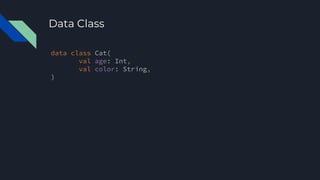
data class Cat(
val age: Int,
val color: String,
)
Data Class
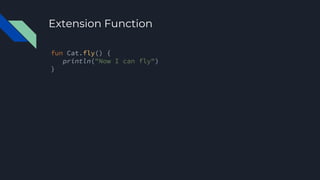
Extension Function
fun Cat.fly() {
println("Now I can fly")
}
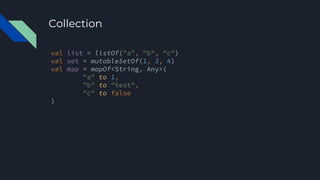
Collection
val list = listOf("a", "b", "c")
val set = mutableSetOf(1, 3, 4)
val map = mapOf<String, Any>(
"a" to 1,
"b" to "test",
"c" to false
)
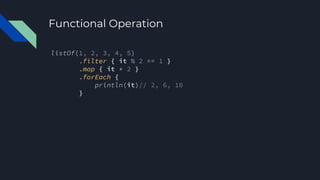
Functional Operation
listOf(1, 2, 3, 4, 5)
.filter { it % 2 == 1 }
.map { it * 2 }
.forEach {
println(it)// 2, 6, 10
}
Playground
https://play.kotlinlang.org
How to write Android Apps
● Java / Kotlin
● Android Studio
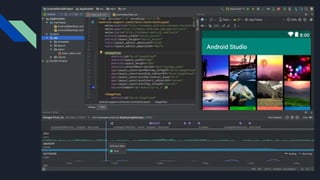
Android Studio
● Android IDE base on IntelliJ IDEA
○ IntelliJ IDEA is built by JetBrain, who built Kotlin
● Include full functionality we need
○ Build / Debug / Profile / Logging
○ Android SDK / Emulator management
○ Layout Preview / Inspect
● https://developer.android.com/studio
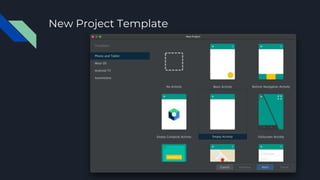
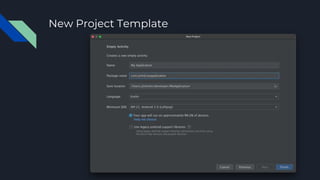
New Project Template
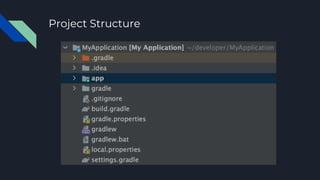
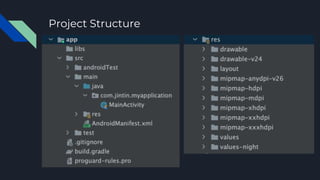
Project Structure
Project Structure
Demo
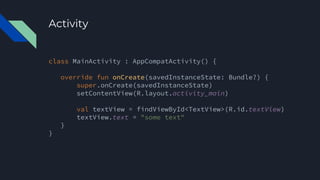
Activity
class MainActivity : AppCompatActivity() {
override fun onCreate(savedInstanceState: Bundle?) {
super.onCreate(savedInstanceState)
setContentView(R.layout.activity_main)
val textView = findViewById<TextView>(R.id.textView)
textView.text = "some text"
}
}
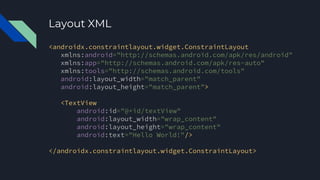
Layout XML
<androidx.constraintlayout.widget.ConstraintLayout
xmlns:android="http://schemas.android.com/apk/res/android"
xmlns:app="http://schemas.android.com/apk/res-auto"
xmlns:tools="http://schemas.android.com/tools"
android:layout_width="match_parent"
android:layout_height="match_parent">
<TextView
android:id="@+id/textView"
android:layout_width="wrap_content"
android:layout_height="wrap_content"
android:text="Hello World!"/>
</androidx.constraintlayout.widget.ConstraintLayout>
Activity
● Minimal Unit to display View/Page
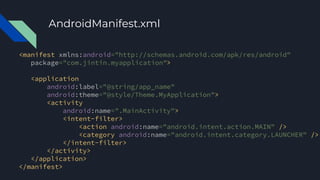
● Need register in AndroidManifest.xml
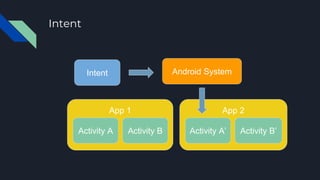
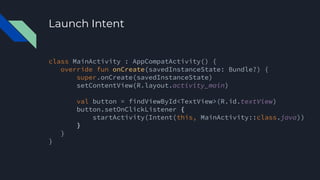
● Launched by Intent
AndroidManifest.xml
<manifest xmlns:android="http://schemas.android.com/apk/res/android"
package="com.jintin.myapplication">
<application
android:label="@string/app_name"
android:theme="@style/Theme.MyApplication">
<activity
android:name=".MainActivity">
<intent-filter>
<action android:name="android.intent.action.MAIN" />
<category android:name="android.intent.category.LAUNCHER" />
</intent-filter>
</activity>
</application>
</manifest>
Intent
Android System
App 1
Activity A Activity B
App 2
Activity A’ Activity B’
Intent
Launch Intent
class MainActivity : AppCompatActivity() {
override fun onCreate(savedInstanceState: Bundle?) {
super.onCreate(savedInstanceState)
setContentView(R.layout.activity_main)
val button = findViewById<TextView>(R.id.textView)
button.setOnClickListener {
startActivity(Intent(this, MainActivity::class.java))
}
}
}
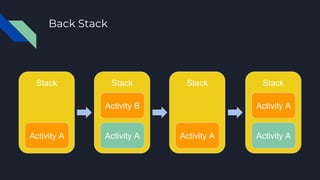
Back Stack
Stack
Activity A
Stack
Activity A
Activity B
Stack Stack
Activity A
Activity A
Activity A
Demo
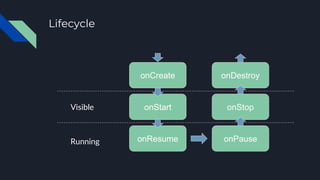
Lifecycle
onCreate
onStart
onResume
onDestroy
onStop
onPause
Running
Visible
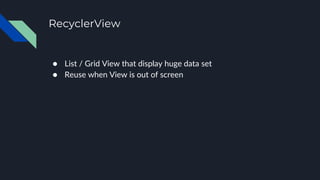
RecyclerView
● List / Grid View that display huge data set
● Reuse when View is out of screen
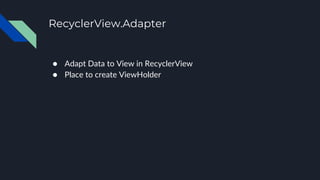
RecyclerView.Adapter
● Adapt Data to View in RecyclerView
● Place to create ViewHolder
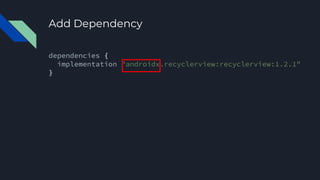
Add Dependency
dependencies {
implementation "androidx.recyclerview:recyclerview:1.2.1"
}
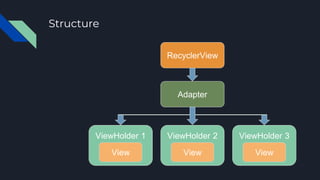
Structure
RecyclerView
Adapter
ViewHolder 1
View
ViewHolder 2
View
ViewHolder 3
View
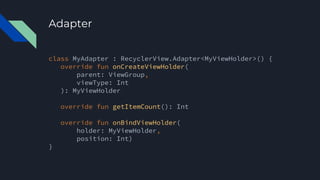
Adapter
class MyAdapter : RecyclerView.Adapter<MyViewHolder>() {
override fun onCreateViewHolder(
parent: ViewGroup,
viewType: Int
): MyViewHolder
override fun getItemCount(): Int
override fun onBindViewHolder(
holder: MyViewHolder,
position: Int)
}
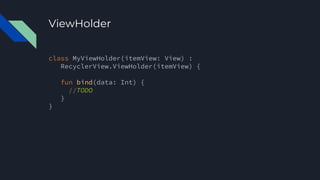
ViewHolder
class MyViewHolder(itemView: View) :
RecyclerView.ViewHolder(itemView) {
fun bind(data: Int) {
//TODO
}
}
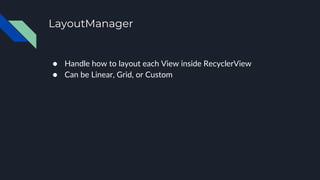
LayoutManager
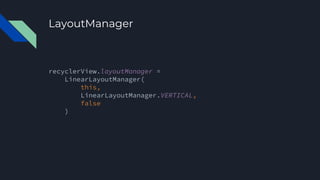
● Handle how to layout each View inside RecyclerView
● Can be Linear, Grid, or Custom
LayoutManager
recyclerView.layoutManager =
LinearLayoutManager(
this,
LinearLayoutManager.VERTICAL,
false
)
Demo
Retrofit
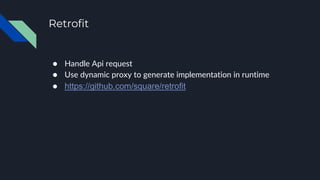
● Handle Api request
● Use dynamic proxy to generate implementation in runtime
● https://github.com/square/retrofit
Add Dependency
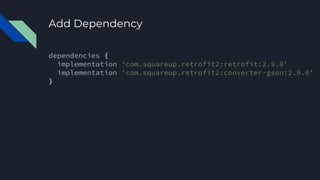
dependencies {
implementation 'com.squareup.retrofit2:retrofit:2.9.0'
implementation 'com.squareup.retrofit2:converter-gson:2.9.0'
}
Model
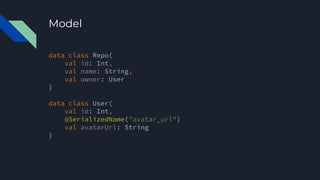
data class Repo(
val id: Int,
val name: String,
val owner: User
)
data class User(
val id: Int,
@SerializedName("avatar_url")
val avatarUrl: String
)
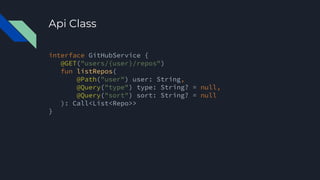
Api Class
interface GitHubService {
@GET("users/{user}/repos")
fun listRepos(
@Path("user") user: String,
@Query("type") type: String? = null,
@Query("sort") sort: String? = null
): Call<List<Repo>>
}
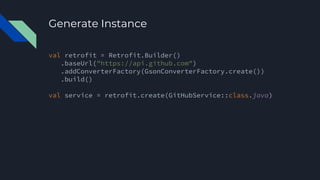
Generate Instance
val retrofit = Retrofit.Builder()
.baseUrl("https://api.github.com")
.addConverterFactory(GsonConverterFactory.create())
.build()
val service = retrofit.create(GitHubService::class.java)
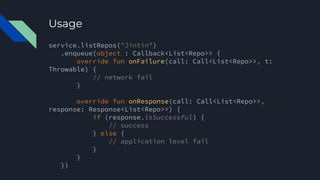
Usage
service.listRepos("Jintin")
.enqueue(object : Callback<List<Repo>> {
override fun onFailure(call: Call<List<Repo>>, t:
Throwable) {
// network fail
}
override fun onResponse(call: Call<List<Repo>>,
response: Response<List<Repo>>) {
if (response.isSuccessful) {
// success
} else {
// application level fail
}
}
})
Demo
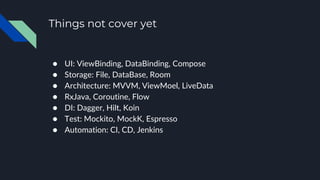
Things not cover yet
● UI: ViewBinding, DataBinding, Compose
● Storage: File, DataBase, Room
● Architecture: MVVM, ViewMoel, LiveData
● RxJava, Coroutine, Flow
● DI: Dagger, Hilt, Koin
● Test: Mockito, MockK, Espresso
● Automation: CI, CD, Jenkins
Resources - Official Site
● Android Developer
● https://developer.android.com/
● Kotlin
● https://kotlinlang.org/
● Basic Android in Kotlin
● https://developer.android.com/courses/android-basics-
kotlin/course
Resources - FB Group
● Android Taipei 開發者社群
● https://www.facebook.com/groups/382275241893545
● Android Developer開發讀書會
● https://www.facebook.com/groups/523386591081376
● Taiwan Kotlin User Group 討論區
● https://www.facebook.com/groups/725458374837125
● Kotlin Taipei
● https://www.facebook.com/groups/117755722221972
Resources - Blog
● Android Weekly
● https://androidweekly.net/
● Kotlin Weekly
● http://www.kotlinweekly.net/
● Android Developer Medium
● https://medium.com/androiddevelopers
● ProAndroidDev
● https://proandroiddev.com/
Resources - Conference
● DroidCon
● https://www.droidcon.com/
● Coscup
● https://coscup.org/
● Mopcon
● https://mopcon.org/
● JCConf
● https://jcconf.tw/
Q&A

從零開始學 Android