CHECKLIST
A Complete Guide on how to
add a product on Amazon
seller central
Credentials
You Will Need:
ü (Super) Admin Access to e-Commerce
Platform (Volusion, Bigcommerce, etc.)
ü Amazon Seller Account Log-in
Account Setup Required
Information (If no Amazon Seller Account)
ü Address
ü Phone
ü Tax information
ü Credit card/Bank information, and etc.	
  
Choose top products to sell
on Amazon
Excel Template Sheet Should
Include:
ü Product name (from client’s site)
ü Product URL (from client’s site)
ü Product Name (from Amazon)
ü Product URL (from Amazon)
	
  
Create Product Spreadsheet
From Amazon’s ASIN
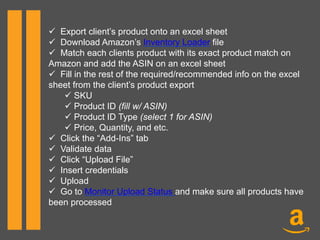
ü  Export client’s product onto an excel sheet
ü  Download Amazon’s Inventory Loader file
ü  Match each clients product with its exact product match on
Amazon and add the ASIN on an excel sheet
ü  Fill in the rest of the required/recommended info on the excel
sheet from the client’s product export
ü SKU
ü Product ID (fill w/ ASIN)
ü Product ID Type (select 1 for ASIN)
ü Price, Quantity, and etc.
ü  Click the “Add-Ins” tab
ü  Validate data
ü  Click “Upload File”
ü  Insert credentials
ü  Upload
ü  Go to Monitor Upload Status and make sure all products have
been processed
Create Product Spreadsheet
From Scratch
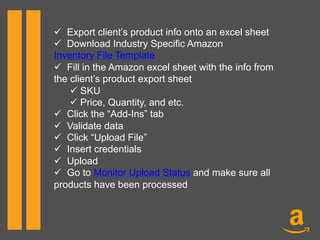
ü  Export client’s product info onto an excel sheet
ü  Download Industry Specific Amazon
Inventory File Template
ü  Fill in the Amazon excel sheet with the info from
the client’s product export sheet
ü SKU
ü Price, Quantity, and etc.
ü  Click the “Add-Ins” tab
ü  Validate data
ü  Click “Upload File”
ü  Insert credentials
ü  Upload
ü  Go to Monitor Upload Status and make sure all
products have been processed
You are now ready to sell your
products on Amazon!
Still have some questions? Don’t
hesitate to reach out to the experts at
Optimum7 today!

Amazon Setup

  • 1.
  • 2.
    A Complete Guideon how to add a product on Amazon seller central
  • 3.
  • 4.
    You Will Need: ü (Super)Admin Access to e-Commerce Platform (Volusion, Bigcommerce, etc.) ü Amazon Seller Account Log-in
  • 5.
    Account Setup Required Information(If no Amazon Seller Account)
  • 6.
  • 7.
    Choose top productsto sell on Amazon
  • 8.
    Excel Template SheetShould Include: ü Product name (from client’s site) ü Product URL (from client’s site) ü Product Name (from Amazon) ü Product URL (from Amazon)  
  • 9.
  • 10.
    ü  Export client’sproduct onto an excel sheet ü  Download Amazon’s Inventory Loader file ü  Match each clients product with its exact product match on Amazon and add the ASIN on an excel sheet ü  Fill in the rest of the required/recommended info on the excel sheet from the client’s product export ü SKU ü Product ID (fill w/ ASIN) ü Product ID Type (select 1 for ASIN) ü Price, Quantity, and etc. ü  Click the “Add-Ins” tab ü  Validate data ü  Click “Upload File” ü  Insert credentials ü  Upload ü  Go to Monitor Upload Status and make sure all products have been processed
  • 11.
  • 12.
    ü  Export client’sproduct info onto an excel sheet ü  Download Industry Specific Amazon Inventory File Template ü  Fill in the Amazon excel sheet with the info from the client’s product export sheet ü SKU ü Price, Quantity, and etc. ü  Click the “Add-Ins” tab ü  Validate data ü  Click “Upload File” ü  Insert credentials ü  Upload ü  Go to Monitor Upload Status and make sure all products have been processed
  • 13.
    You are nowready to sell your products on Amazon! Still have some questions? Don’t hesitate to reach out to the experts at Optimum7 today!