Allowed memory
size of X bytes exhausted
Piotr Pasich
piotr.pasich @xsolve.pl
@piotrpasich
„A good understanding
of how variables are stored
and manipulated
is essential to becoming
a Hacker.”
php.net
„A good understanding
of how variables are stored
and manipulated
is essential to becoming
a Hacker.”
php.net
Have you ever thought
why don't you do this?
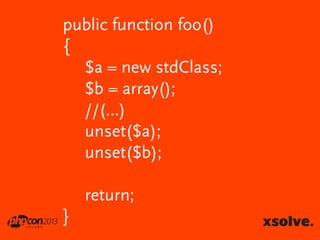
public function foo()
{
$a = new stdClass;
$b = array();
//(...)
unset($a);
unset($b);

return;
}
It might save memory
But it doesn't
It...
S...KS
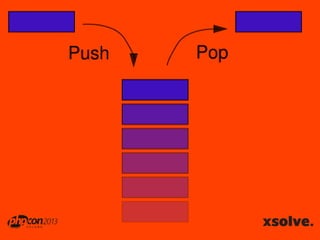
STACKS
First in, last out
It's mostly used to
store variables in functions
So, variables live only in functions
Not PHP functions,
but C functions
One PHP function != One C function
They are
allocated and freed
automatically
At function return the stack is popped
public function foo($file1, $file2){
$obj = new Obj();
$data = array();
$data[] = $obj->importAFile($file1);
$data[] = $obj->importAFile($file2);

return $data;
}
Does the memory allocated
for $obj get freed after the return?
Yes, it is
And when it isn't?
public function foo($file1, $file2){
$obj = new Obj();
$data = array();
$data[] = $obj->importAFile($file1);
$data[] = $obj->importAFile($file2);

return $data;
}
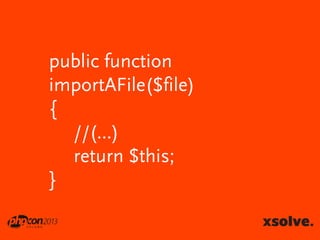
public function
importAFile($file)
{
//(...)
return $this;
}
It frees all variables to which
there are no references left
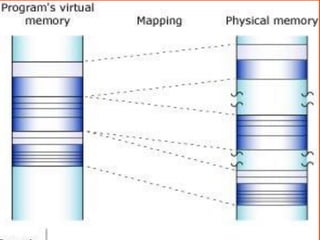
Size limited by OS
HEAPS
Fragmented
No limit on memory size*
You have to manage it
Variables can be accessed globally
Extensions
Parsed code
Variables
EXTENSIONS
Consume memory
memory_get_usage()
profiles the heap
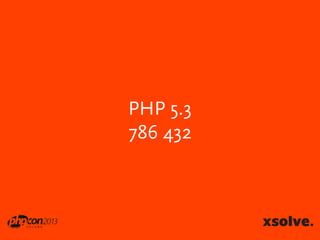
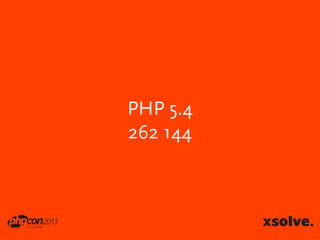
echo memory_get_usage(true);
PHP 5.3
786 432
PHP 5.4
262 144
Upgrade!
Also extensions
PARSED CODE
more code == more memory
more code == more time
but...
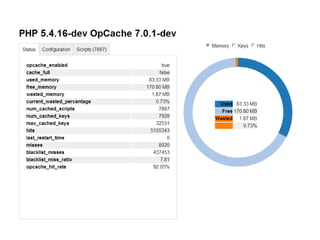
OPcache
sudo pecl install zendopcache-7.0.2
Substitute for APC
Stores precompiled
script bytecode
in shared memory
Difference
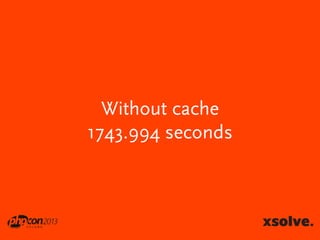
ab -n 10000 -c 20
Without cache
1743.994 seconds
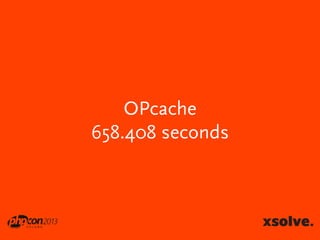
OPcache
658.408 seconds
VARIABLES
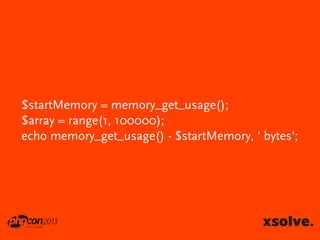
$startMemory = memory_get_usage();
$array = range(1, 100000);
echo memory_get_usage() - $startMemory, ' bytes';
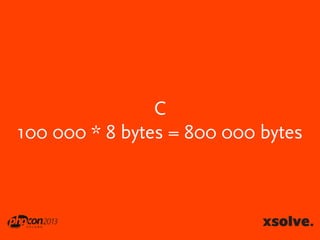
C
100 000 * 8 bytes = 800 000 bytes
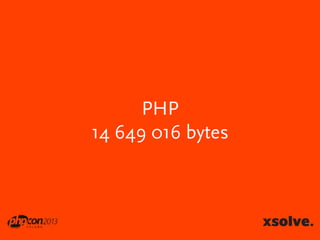
PHP
14 649 016 bytes
!?
All variables
are represented
by one structure
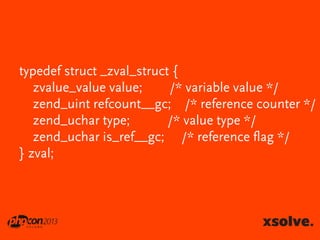
The zval
typedef struct _zval_struct {
zvalue_value value;
/* variable value */
zend_uint refcount__gc; /* reference counter */
zend_uchar type;
/* value type */
zend_uchar is_ref__gc; /* reference flag */
} zval;
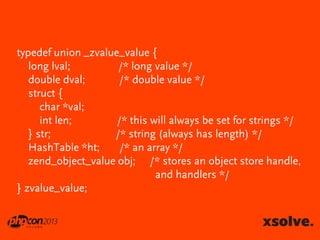
typedef union _zvalue_value {
long lval;
/* long value */
double dval;
/* double value */
struct {
char *val;
int len;
/* this will always be set for strings */
} str;
/* string (always has length) */
HashTable *ht;
/* an array */
zend_object_value obj; /* stores an object store handle,
and handlers */
} zvalue_value;
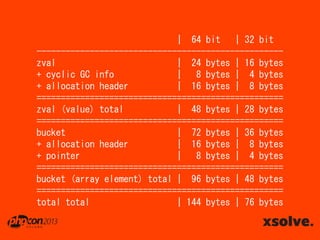
Each variable
needs much more
memory than in C
| 64 bit | 32 bit
--------------------------------------------------zval
| 24 bytes | 16 bytes
+ cyclic GC info
|
8 bytes | 4 bytes
+ allocation header
| 16 bytes | 8 bytes
===================================================
zval (value) total
| 48 bytes | 28 bytes
===================================================
bucket
| 72 bytes | 36 bytes
+ allocation header
| 16 bytes | 8 bytes
+ pointer
|
8 bytes | 4 bytes
===================================================
bucket (array element) total | 96 bytes | 48 bytes
===================================================
total total
| 144 bytes | 76 bytes
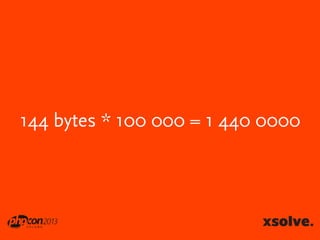
144 bytes * 100 000 = 1 440 0000
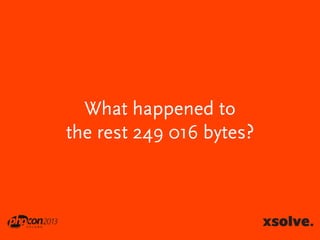
What happened to
the rest 249 016 bytes?
Unfilled buckets in C
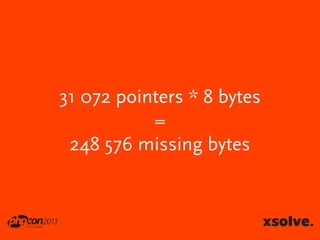
2^17 = 131 072
131 072 – 100 000 = 31 072 pointers
31 072 pointers * 8 bytes
=
248 576 missing bytes
PHP ain’t C
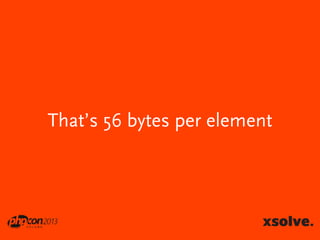
We can use SplFixedArray
That’s 56 bytes per element
SplFixedArray is
writting 33 % faster
reading 10% faster
Uff, now you know a lot
„Am I a hacker now?”
Not yet, wait a second
Be like a ninja!
Looking for leaks
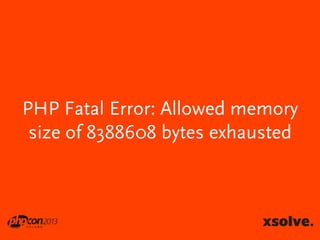
PHP Fatal Error: Allowed memory
size of 8388608 bytes exhausted
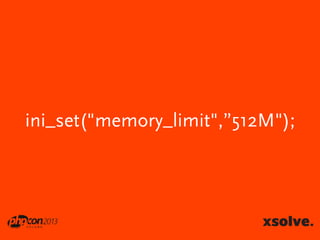
ini_set("memory_limit","12M");
ini_set("memory_limit",”512M");
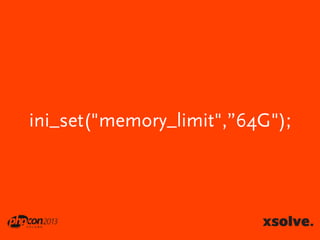
ini_set("memory_limit",”64G");
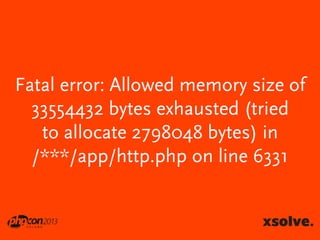
Fatal error: Allowed memory size of
33554432 bytes exhausted (tried
to allocate 2798048 bytes) in
/***/app/http.php on line 6331
That’s the one way
Let’s move to another
Xdebug will help you
Memory needs time
You can debug it
step by step
or by
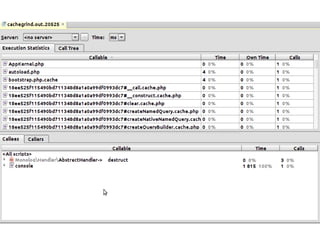
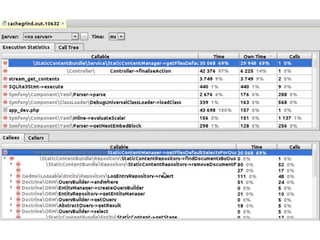
xdebug profiler
xdebug.profiler_enable=1
xdebug.profiler_output_dir=/var/logs/profiler
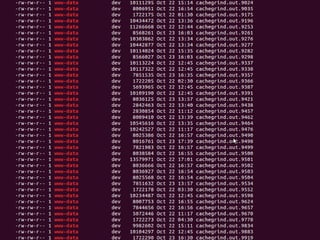
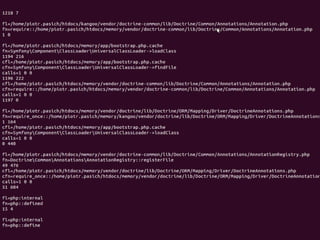
xdebug profiler
Holy moly!
xdebug.trace_output_name
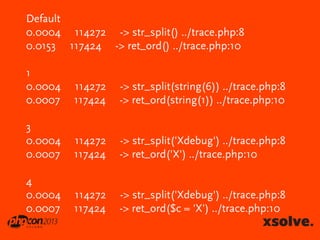
xdebug.collect_params
Default
0.0004 114272 -> str_split() ../trace.php:8
0.0153 117424 -> ret_ord() ../trace.php:10
1
0.0004
0.0007

114272
117424

-> str_split(string(6)) ../trace.php:8
-> ret_ord(string(1)) ../trace.php:10

3
0.0004
0.0007

114272
117424

-> str_split('Xdebug') ../trace.php:8
-> ret_ord('X') ../trace.php:10

4
0.0004
0.0007

114272
117424

-> str_split('Xdebug') ../trace.php:8
-> ret_ord($c = 'X') ../trace.php:10
What's inside?
What's inside?
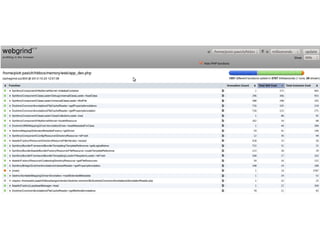
You can use Webgrind
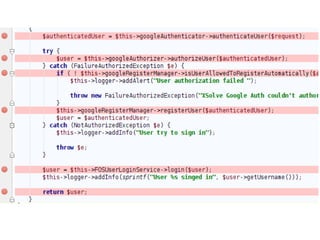
Analyzer in PHPStorm
After all
Everything consumes memory
Thank you!

PHPConPl 2013 - Allowed memory size of X bytes exhausted