Mentor :- Presented By-
DEEPAK KUMAR VARMA(2208400109003)
ANKIT YADAV(2208400109002)
Dharamraj Yadav
Department of Computer Science Engineering
Rajkiya Engineering College, Mainpuri, Uttar Pradesh
AI VIRTUAL MOUSE SYSTEM
INTRODUCTION
o A HANDS-FREE MOUSE SYSTEM THAT USES A CAMERA
TO TRACK HAND GESTURES AND FACIAL MOVEMENTS
TO SIMULATE MOUSE ACTIONS (E.G., LEFT CLICK, RIGHT
CLICK, DRAG, AND SCROLL).
o OVERVIEW: INTRODUCTION TO THE CONCEPT OF AN
AI VIRTUAL MOUSE SYSTEM.
o OBJECTIVE: EXPLAIN THE GOAL OF CREATING A
VIRTUAL MOUSE CONTROLLED BY HAND GESTURES
USING AI.
SYSTEM ARCHITECTURE
•Hardware:
•A webcam or built-in camera.
•Software:
•Python-based application using OpenCV and Mediapipe.
•AI/ML models for gesture and motion detection.
•Components:
•Gesture recognition.
•Cursor movement control.
•Click and drag simulation.
FEATURES
•Gesture Detection:
•Open hand: Move cursor.
•Pinch gesture: Drag.
•Thumb up: Left click.
•Two-finger gesture: Right click.
•Facial Interaction:
•Eye blink: Click actions.
•Smile: Confirmation for specific tasks.
•Adaptability:
•Customizable gestures for different users.
WORKFLOW
•Camera Input:
•Captures live feed.
•Preprocessing:
•Detect hands and facial features using OpenCV.
•Gesture Recognition:
•Classify gestures using AI models
(Mediapipe/Custom TensorFlow model).
•Mouse Action Mapping:
•Map gestures to corresponding actions like click,
drag, and scroll.
•Output:
•Control cursor and perform operations on screen.
TOOLS & TECHNOLOGIES
•Languages: Python.
•Libraries/Frameworks:
•OpenCV, Mediapipe, NumPy, PyAutoGUI.
•Hardware: Standard camera and computing device.
•AI Models:
•Pretrained hand and face landmark models (Mediapipe).
APPLICATIONS
•Accessibility:
•Empower people with motor impairments.
•Professional Use:
•Hands-free interactions for presentations or multitasking.
•Gaming:
•Gesture-based gaming controls.
•Education:
•Remote teaching and interactive lessons.
MARKET
COMPARISON
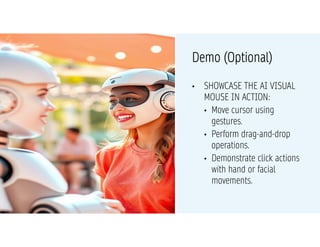
• SHOWCASE THE AI VISUAL
MOUSE IN ACTION:
• Move cursor using
gestures.
• Perform drag-and-drop
operations.
• Demonstrate click actions
with hand or facial
movements.
Demo (Optional)
MODEL TRAINING
o Selection Model: Describe the type of model used
(e.g., CNN, RNN).
o Training Process: Outline the process and
parameters.
o Evaluation Metrics: Mention metrics used to evaluate
model performance (accuracy, precision, recall).
CONCLUSION
•Summary:
•AI Visual Mouse is an innovative solution to revolutionize the
way we interact with computers.
•It’s accessible, practical, and has a wide range of real-world
applications.
•Call to Action:
•Support further research and development to make this
technology more robust and widespread.
THANK YOU

AI NEW MOUSE using python open cv ,thrasehold .pdf

  • 1.
    Mentor :- PresentedBy- DEEPAK KUMAR VARMA(2208400109003) ANKIT YADAV(2208400109002) Dharamraj Yadav Department of Computer Science Engineering Rajkiya Engineering College, Mainpuri, Uttar Pradesh AI VIRTUAL MOUSE SYSTEM
  • 2.
  • 3.
    INTRODUCTION o A HANDS-FREEMOUSE SYSTEM THAT USES A CAMERA TO TRACK HAND GESTURES AND FACIAL MOVEMENTS TO SIMULATE MOUSE ACTIONS (E.G., LEFT CLICK, RIGHT CLICK, DRAG, AND SCROLL). o OVERVIEW: INTRODUCTION TO THE CONCEPT OF AN AI VIRTUAL MOUSE SYSTEM. o OBJECTIVE: EXPLAIN THE GOAL OF CREATING A VIRTUAL MOUSE CONTROLLED BY HAND GESTURES USING AI.
  • 4.
    SYSTEM ARCHITECTURE •Hardware: •A webcamor built-in camera. •Software: •Python-based application using OpenCV and Mediapipe. •AI/ML models for gesture and motion detection. •Components: •Gesture recognition. •Cursor movement control. •Click and drag simulation.
  • 5.
    FEATURES •Gesture Detection: •Open hand:Move cursor. •Pinch gesture: Drag. •Thumb up: Left click. •Two-finger gesture: Right click. •Facial Interaction: •Eye blink: Click actions. •Smile: Confirmation for specific tasks. •Adaptability: •Customizable gestures for different users.
  • 6.
    WORKFLOW •Camera Input: •Captures livefeed. •Preprocessing: •Detect hands and facial features using OpenCV. •Gesture Recognition: •Classify gestures using AI models (Mediapipe/Custom TensorFlow model). •Mouse Action Mapping: •Map gestures to corresponding actions like click, drag, and scroll. •Output: •Control cursor and perform operations on screen.
  • 7.
    TOOLS & TECHNOLOGIES •Languages:Python. •Libraries/Frameworks: •OpenCV, Mediapipe, NumPy, PyAutoGUI. •Hardware: Standard camera and computing device. •AI Models: •Pretrained hand and face landmark models (Mediapipe).
  • 8.
    APPLICATIONS •Accessibility: •Empower people withmotor impairments. •Professional Use: •Hands-free interactions for presentations or multitasking. •Gaming: •Gesture-based gaming controls. •Education: •Remote teaching and interactive lessons.
  • 9.
    MARKET COMPARISON • SHOWCASE THEAI VISUAL MOUSE IN ACTION: • Move cursor using gestures. • Perform drag-and-drop operations. • Demonstrate click actions with hand or facial movements. Demo (Optional)
  • 10.
    MODEL TRAINING o SelectionModel: Describe the type of model used (e.g., CNN, RNN). o Training Process: Outline the process and parameters. o Evaluation Metrics: Mention metrics used to evaluate model performance (accuracy, precision, recall).
  • 11.
    CONCLUSION •Summary: •AI Visual Mouseis an innovative solution to revolutionize the way we interact with computers. •It’s accessible, practical, and has a wide range of real-world applications. •Call to Action: •Support further research and development to make this technology more robust and widespread.
  • 12.