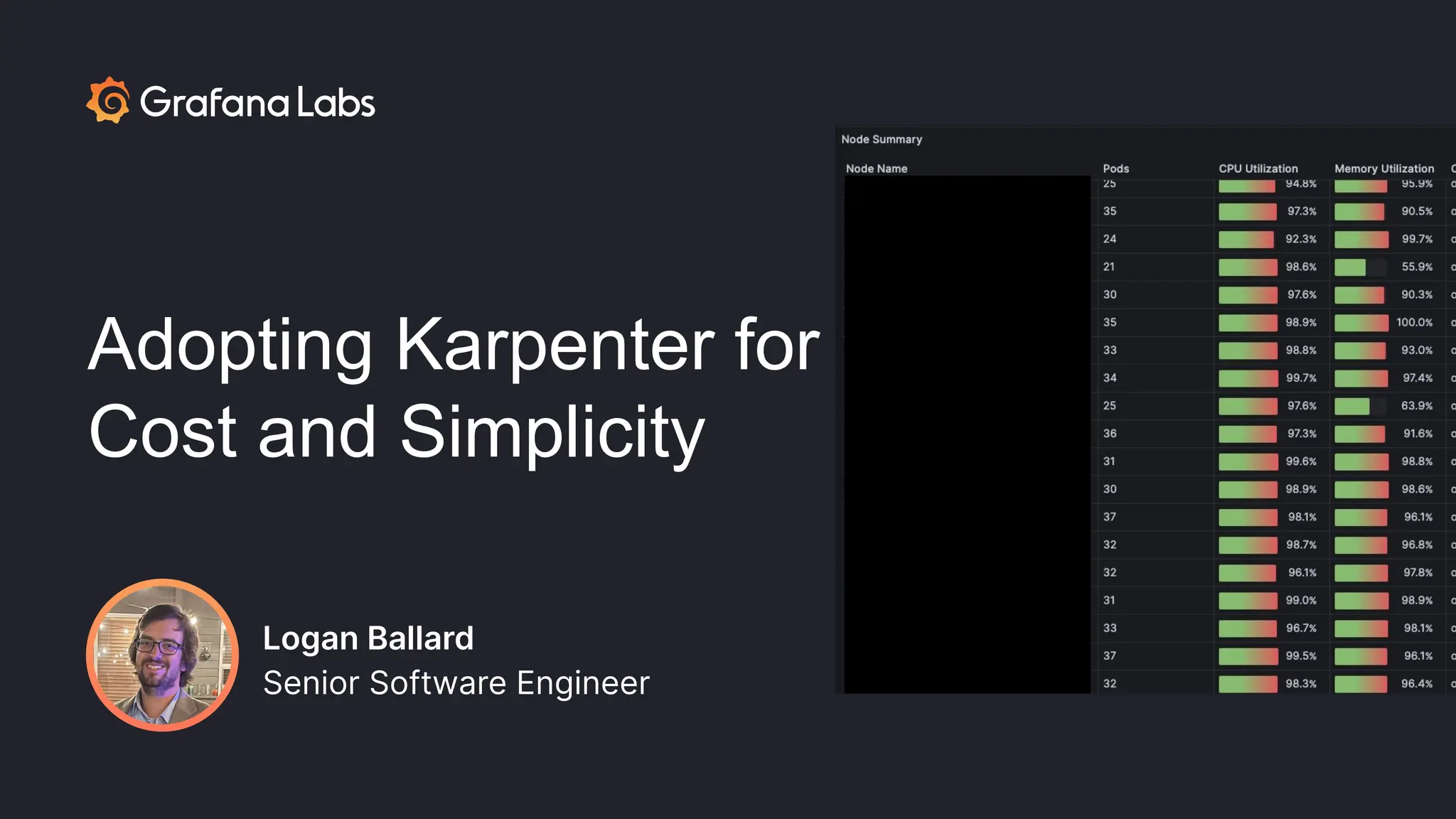
Adopting Karpenter for
Cost and Simplicity
Logan Ballard
Senior Software Engineer
Logan Ballard
Senior Software Engineer
When Cluster Autoscaler isn’t meeting your
needs in EKS, consider Karpenter. We will walk
through our journey to Karpenter, alternatives
we considered, associated trade offs, and why
Karpenter ultimately has helped us reduce
costs and complexity to better serve our
customers on AWS.
Adopting
Karpenter for
Cost and
Simplicity
Optimizing Autoscaling
Overview of platform engineering at Grafana Labs
● Company goal: one-stop-shop for observability
○ “Query, visualize, alert on, and understand your data no matter where it’s stored. With Grafana you can
create, explore, and share all of your data through beautiful, flexible dashboards.”
Overview of platform engineering at Grafana Labs
● Company goal: one-stop-shop for observability
○ “Query, visualize, alert on, and understand your data no matter where it’s stored. With Grafana you can
create, explore, and share all of your data through beautiful, flexible dashboards.”
● Grafana platform team provides a PaaS for the product layer
○ Managing k8s, CI/CD, and interfaces for the “golden path”
Overview of platform engineering at Grafana Labs
● Company goal: one-stop-shop for observability
○ “Query, visualize, alert on, and understand your data no matter where it’s stored. With Grafana you can
create, explore, and share all of your data through beautiful, flexible dashboards.”
● Grafana platform team provides a PaaS for the product layer
○ Managing k8s, CI/CD, and interfaces for the “golden path”
● To deliver the platform, we use managed Kubernetes offerings
○ GKE (Google)
○ EKS (Amazon)
○ AKS (Azure)
Overview of platform engineering at Grafana Labs
● Company goal: one-stop-shop for observability
○ “Query, visualize, alert on, and understand your data no matter where it’s stored. With Grafana you can
create, explore, and share all of your data through beautiful, flexible dashboards.”
● Grafana platform team provides a PaaS for the product layer
○ Managing k8s, CI/CD, and interfaces for the “golden path”
● To deliver the platform, we use managed Kubernetes offerings
○ GKE (Google)
○ EKS (Amazon)
○ AKS (Azure)
● Platform team is further divided into sub-specialties, one of which is capacity
Overview of capacity at Grafana Labs
● Capacity is responsible for engineering around usage optimization as well as reliability
○ Observability into cost and utilization
○ Ownership of scaling tools
○ Company-wide efforts to optimize resource usage
● Today we’ll be focusing on autoscaling
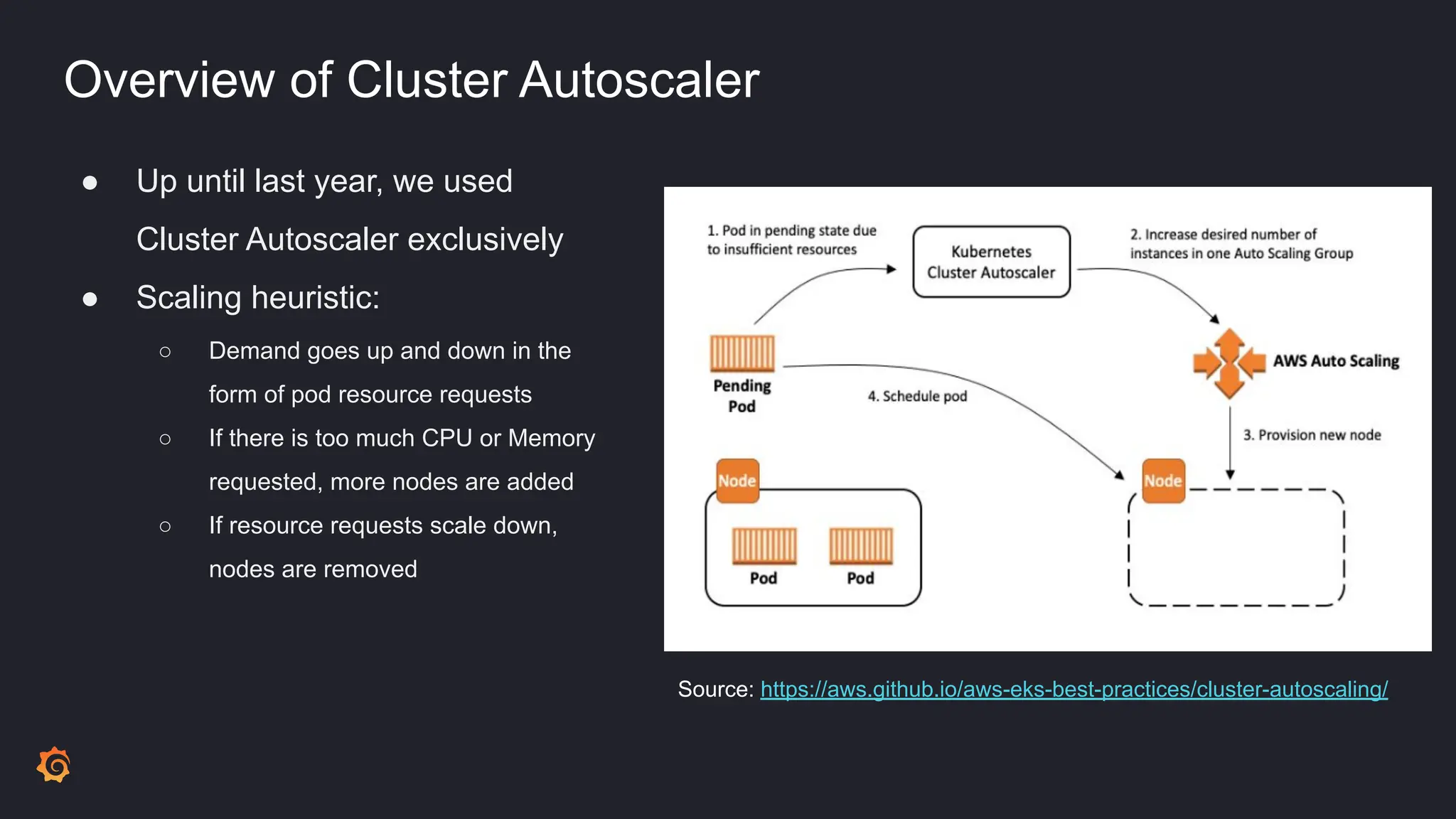
Overview of Cluster Autoscaler
● Up until last year, we used
Cluster Autoscaler exclusively
● Scaling heuristic:
○ Demand goes up and down in the
form of pod resource requests
○ If there is too much CPU or Memory
requested, more nodes are added
○ If resource requests scale down,
nodes are removed
Source: https://aws.github.io/aws-eks-best-practices/cluster-autoscaling/
What we liked about Cluster Autoscaler
● Simple, standardized, and has lots of support
What we liked about Cluster Autoscaler
● Simple, standardized, and has lots of support
● Accomplished basic scaling needs
What we liked about Cluster Autoscaler
● Simple, standardized, and has lots of support
● Accomplished basic scaling needs
● Infrastructure was managed in a standardized way
○ Node Groups defined in Terraform
What we liked about Cluster Autoscaler
● Simple, standardized, and has lots of support
● Accomplished basic scaling needs
● Infrastructure was managed in a standardized way
○ Node Groups defined in Terraform
● Deployment was managed in a standardized way, as either:

○ GKE: part of the managed offering
○ EKS: as-code in jsonnet, same as all our other workloads

What we liked about Cluster Autoscaler
● Simple, standardized, and has lots of support
● Accomplished basic scaling needs
● Infrastructure was managed in a standardized way
○ Node Groups defined in Terraform
● Deployment was managed in a standardized way, as either:
○ GKE: part of the managed offering
○ EKS: as-code in jsonnet, same as all our other workloads
● …we already had it
What we didn’t like about Cluster Autoscaler
● Lots of overhead when defining diverse machine types
What we didn’t like about Cluster Autoscaler
● Lots of overhead when defining diverse machine types
● Inability to understand max pod IP restrictions when making scaling decisions
What we didn’t like about Cluster Autoscaler
● Lots of overhead when defining diverse machine types
● Inability to understand max pod IP restrictions when making scaling decisions
● No support for “soft” scheduling constraints
○ E.g. preferredDuringSchedulingIgnoredDuringExecution
What we didn’t like about Cluster Autoscaler
● Lots of overhead when defining diverse machine types
● Inability to understand max pod IP restrictions when making scaling decisions
● No support for “soft” scheduling constraints
○ E.g. preferredDuringSchedulingIgnoredDuringExecution
● Experimentation was challenging
What we didn’t like about Cluster Autoscaler
● Lots of overhead when defining diverse machine types
● Inability to understand max pod IP restrictions when making scaling decisions
● No support for “soft” scheduling constraints
○ E.g. preferredDuringSchedulingIgnoredDuringExecution
● Experimentation was challenging
● Upgrades were a long process
What we didn’t like about Cluster Autoscaler
● Lots of overhead when defining diverse machine types
● Inability to understand max pod IP restrictions when making scaling decisions
● No support for “soft” scheduling constraints
○ E.g. preferredDuringSchedulingIgnoredDuringExecution
● Experimentation was challenging
● Upgrades were a long process
● No fallback for workloads from spot nodes -> on demand nodes
Why change?
Why change?
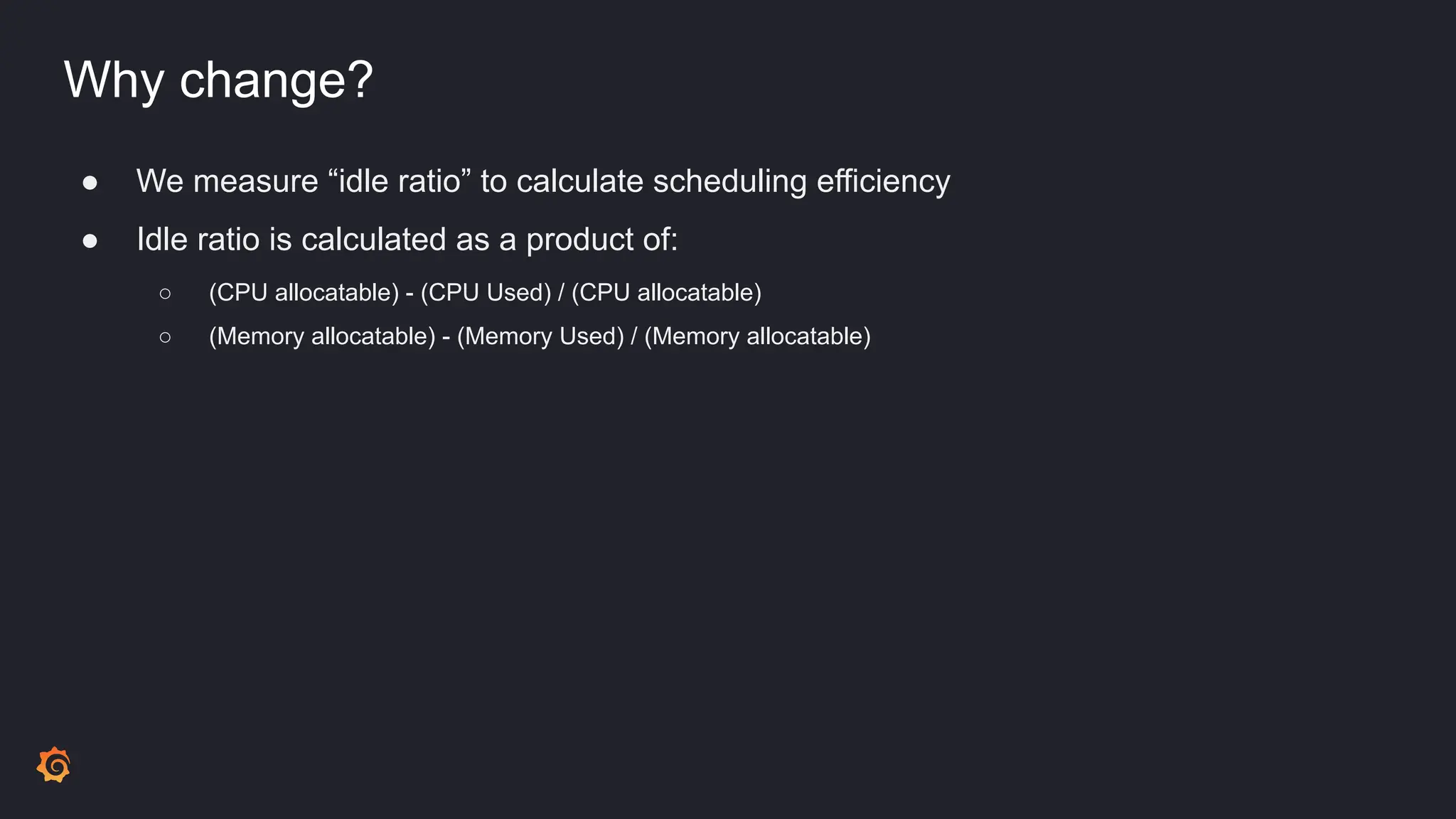
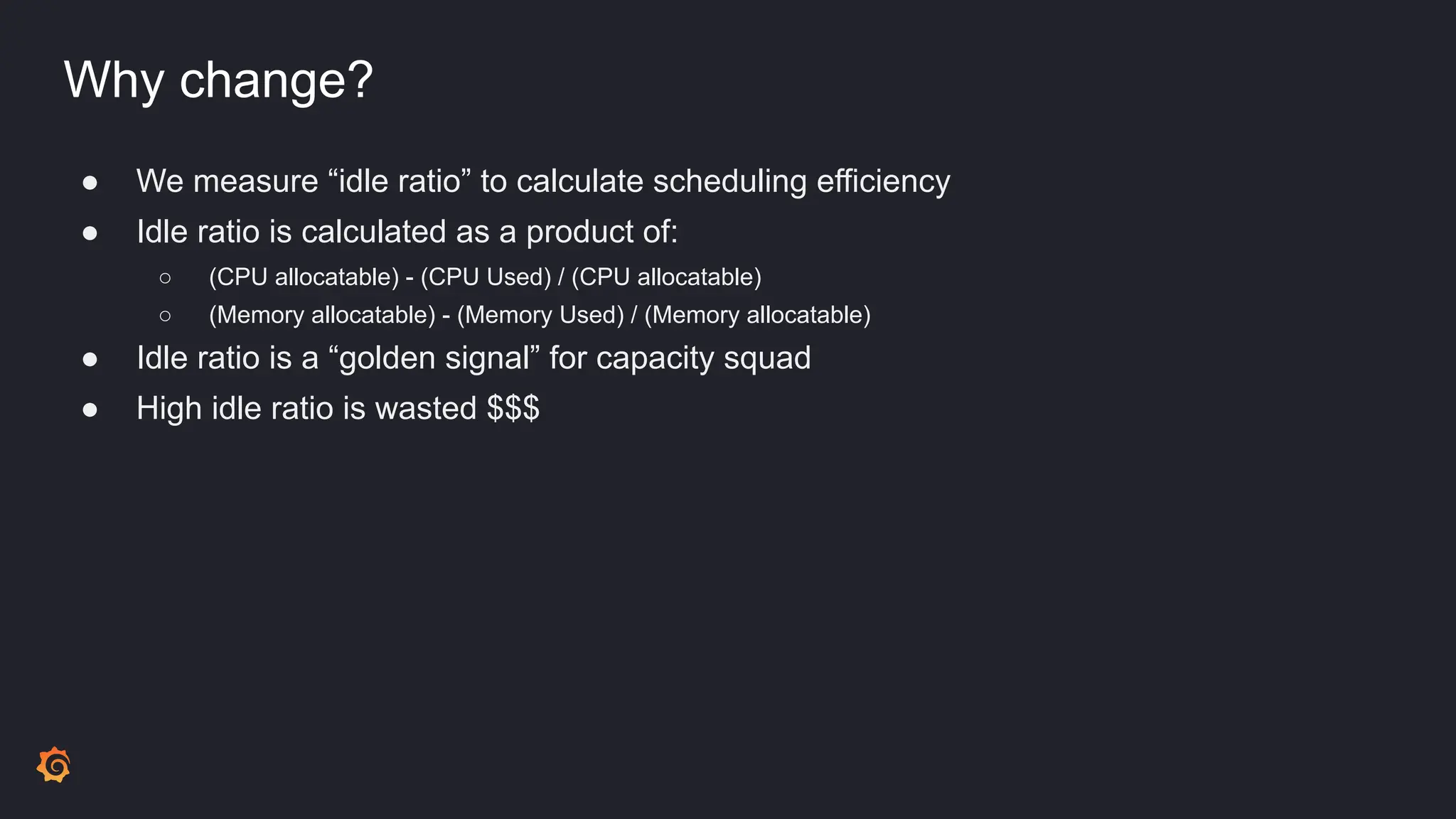
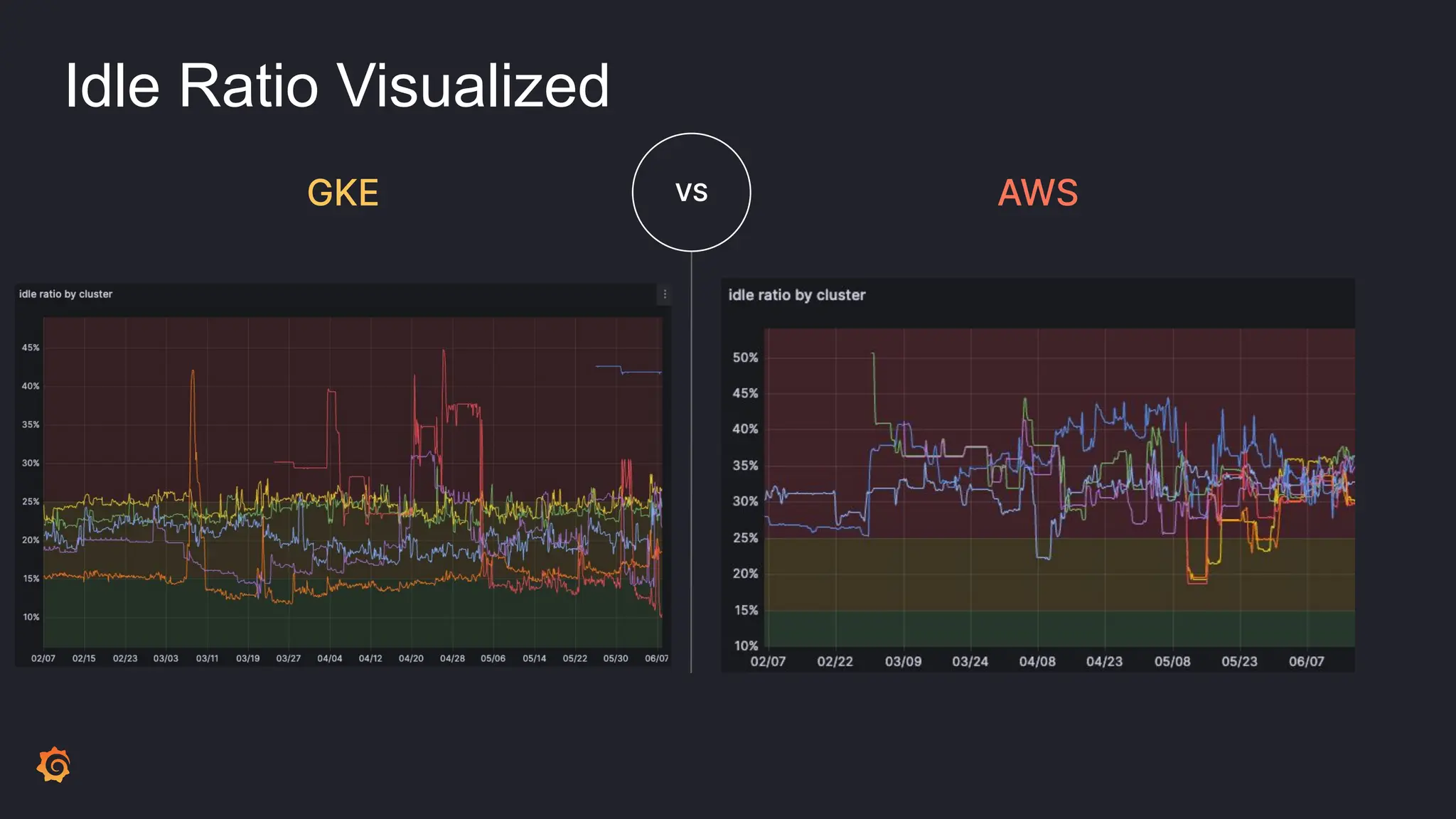
● We measure “idle ratio” to calculate scheduling efficiency
Why change?
● We measure “idle ratio” to calculate scheduling efficiency
● Idle ratio is calculated as a product of:
○ (CPU allocatable) - (CPU Used) / (CPU allocatable)
○ (Memory allocatable) - (Memory Used) / (Memory allocatable)
Why change?
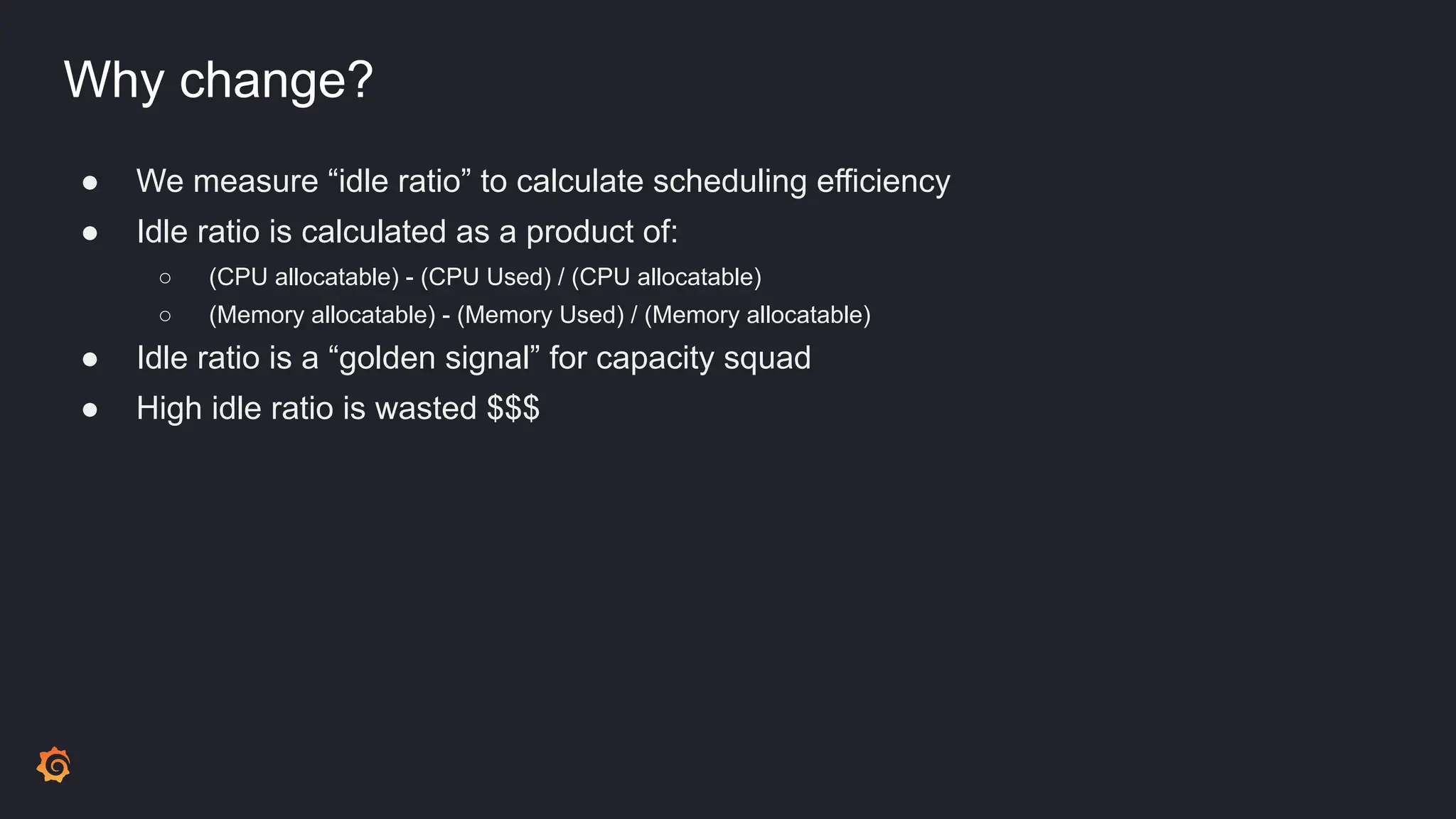
● We measure “idle ratio” to calculate scheduling efficiency
● Idle ratio is calculated as a product of:
○ (CPU allocatable) - (CPU Used) / (CPU allocatable)
○ (Memory allocatable) - (Memory Used) / (Memory allocatable)
● Idle ratio is a “golden signal” for capacity squad
● High idle ratio is wasted $$$
Why change?
● We measure “idle ratio” to calculate scheduling efficiency
● Idle ratio is calculated as a product of:
○ (CPU allocatable) - (CPU Used) / (CPU allocatable)
○ (Memory allocatable) - (Memory Used) / (Memory allocatable)
● Idle ratio is a “golden signal” for capacity squad
● High idle ratio is wasted $$$
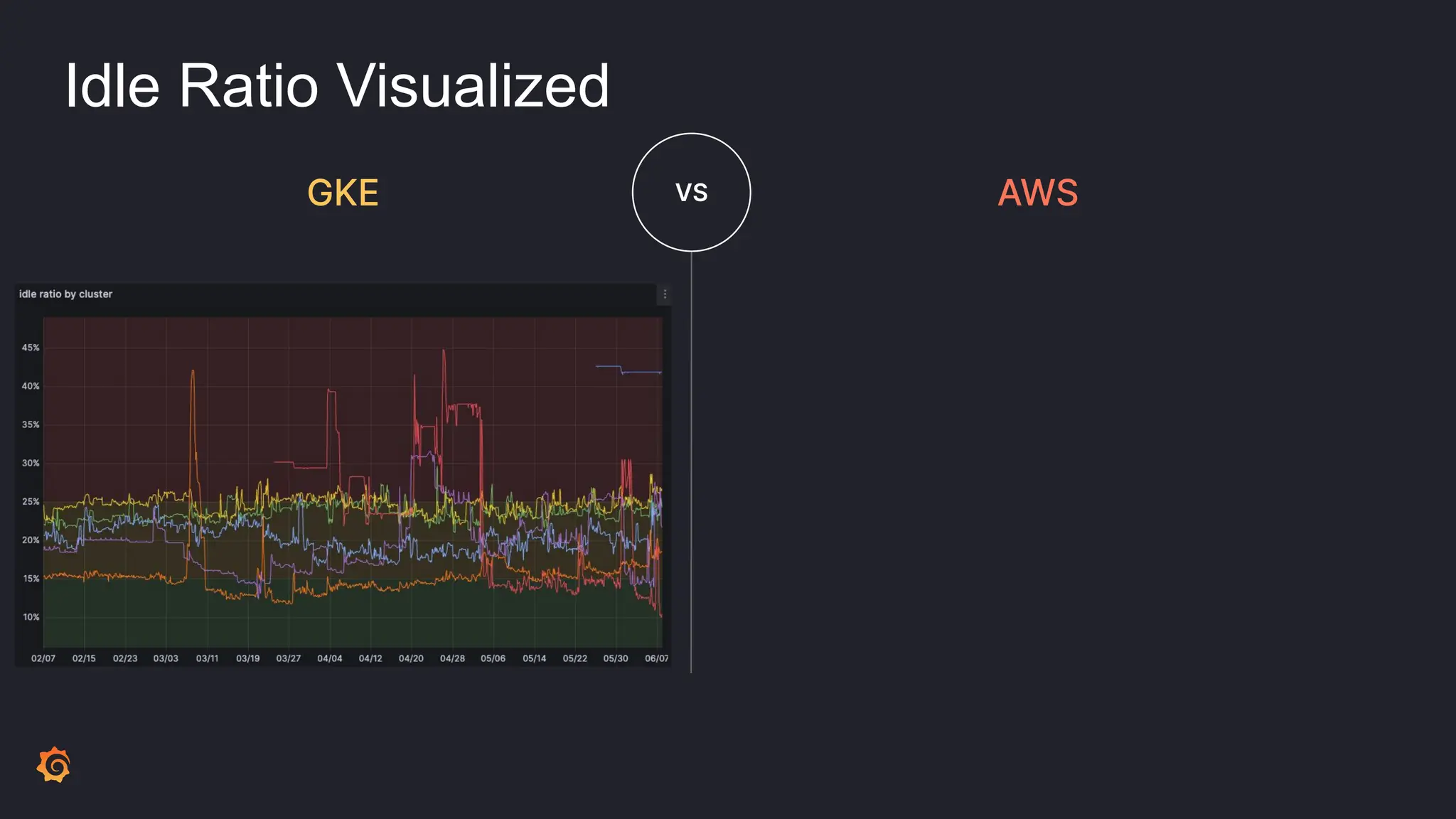
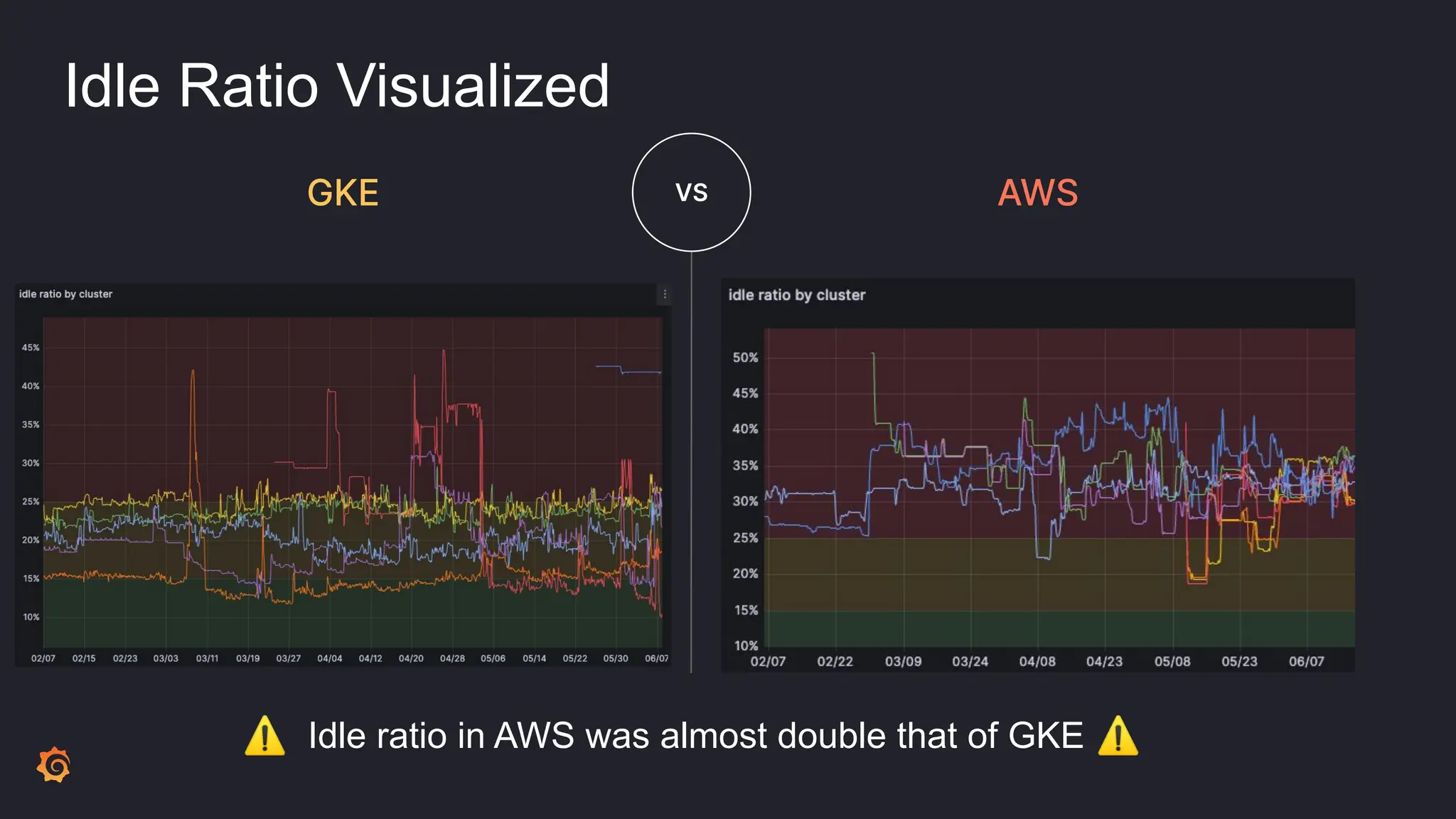
Idle Ratio Visualized
GKE VS AWS
Idle Ratio Visualized
GKE VS AWS
Idle Ratio Visualized
GKE VS AWS
⚠ Idle ratio in AWS was almost double that of GKE ⚠
What to do?
What to do?
● Nothing?
What to do?
● Nothing?
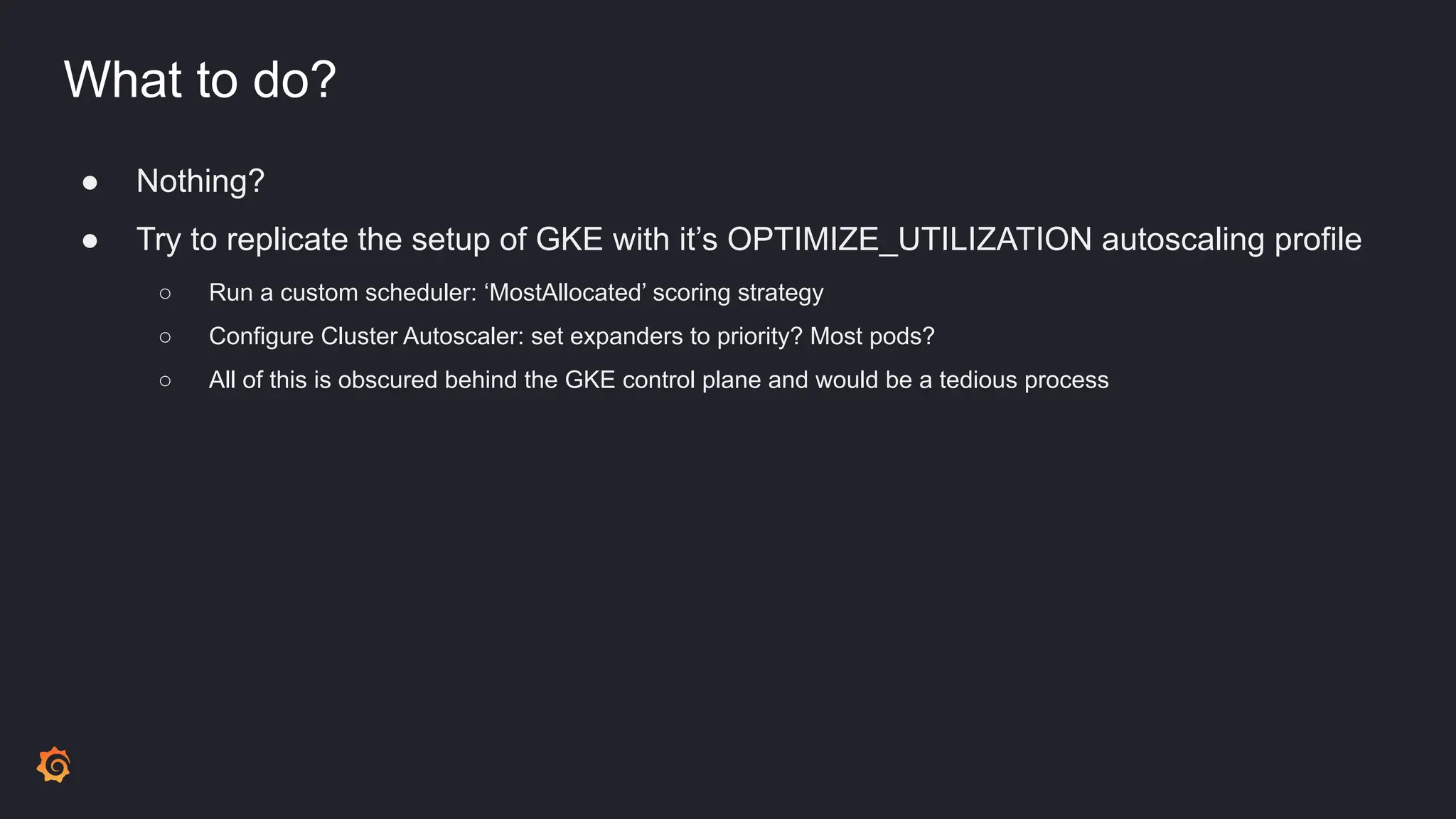
● Try to replicate the setup of GKE with it’s OPTIMIZE_UTILIZATION autoscaling profile
○ Run a custom scheduler: ‘MostAllocated’ scoring strategy
○ Configure Cluster Autoscaler: set expanders to priority? Most pods?
○ All of this is obscured behind the GKE control plane and would be a tedious process
What to do?
● Nothing?
● Try to replicate the setup of GKE with it’s OPTIMIZE_UTILIZATION autoscaling profile
○ Run a custom scheduler: ‘MostAllocated’ scoring strategy
○ Configure Cluster Autoscaler: set expanders to priority? Most pods?
○ All of this is obscured behind the GKE control plane and would be a tedious process
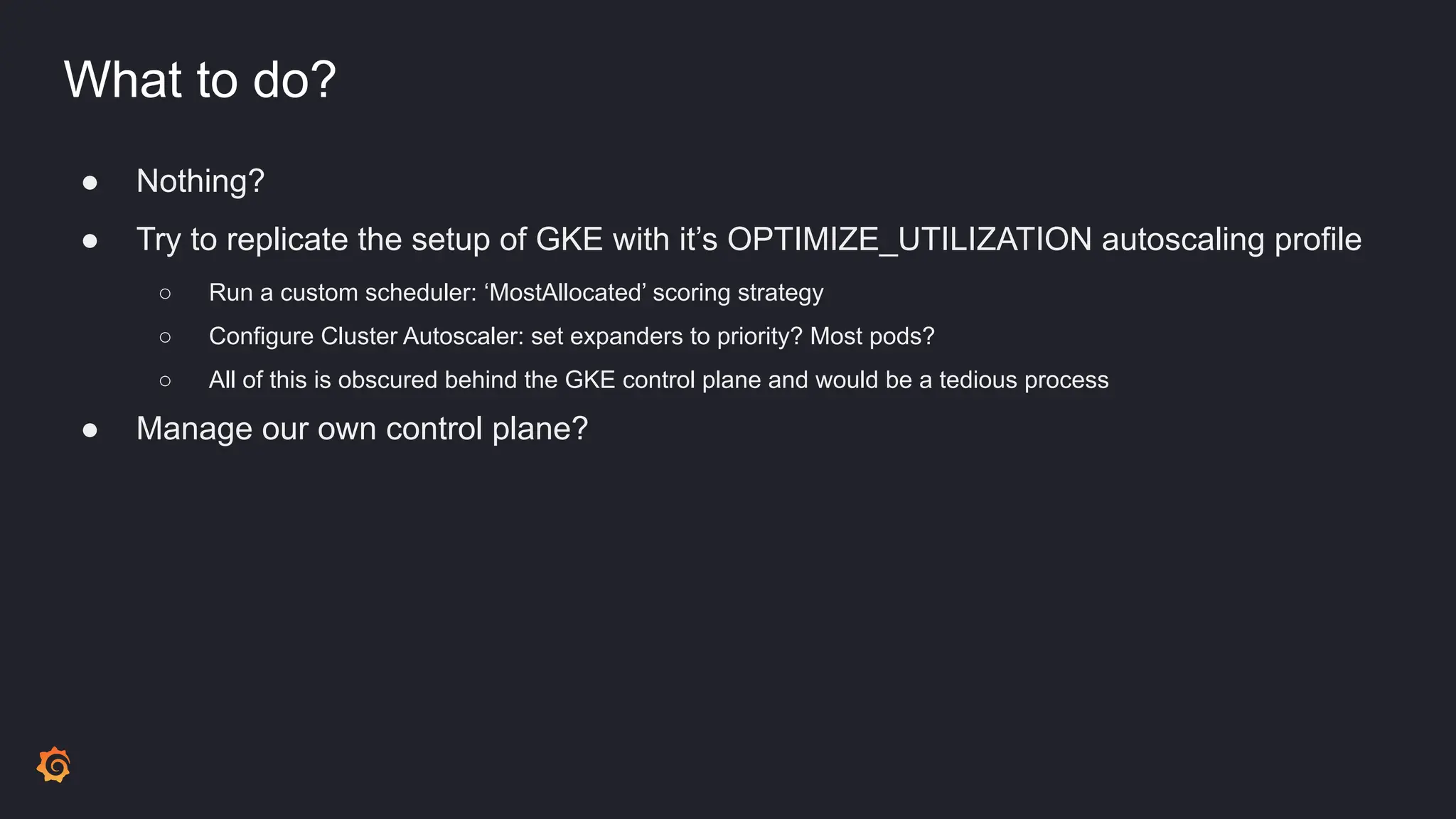
● Manage our own control plane?
What to do?
● Nothing?
● Try to replicate the setup of GKE with it’s OPTIMIZE_UTILIZATION autoscaling profile
○ Run a custom scheduler: ‘MostAllocated’ scoring strategy
○ Configure Cluster Autoscaler: set expanders to priority? Most pods?
○ All of this is obscured behind the GKE control plane and would be a tedious process
● Manage our own control plane?
○ No
What to do?
● Nothing?
● Try to replicate the setup of GKE with it’s OPTIMIZE_UTILIZATION autoscaling profile
○ Run a custom scheduler: ‘MostAllocated’ scoring strategy
○ Configure Cluster Autoscaler: set expanders to priority? Most pods?
○ All of this is obscured behind the GKE control plane and would be a tedious process
● Manage our own control plane?
○ No
● Karpenter?
Overview of Karpenter
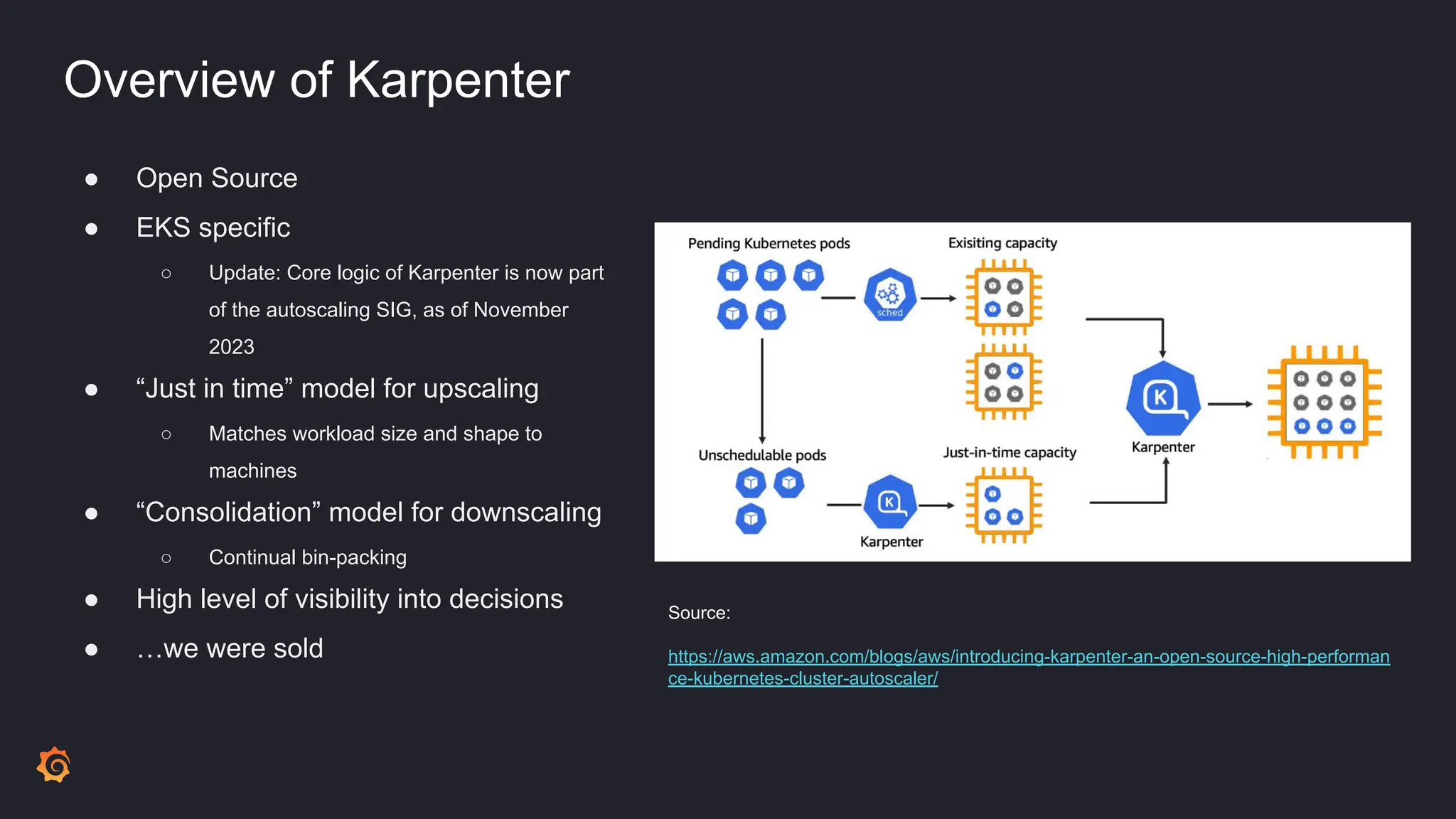
● Open Source
● EKS specific
○ Update: Core logic of Karpenter is now part
of the autoscaling SIG, as of November
2023
● “Just in time” model for upscaling
○ Matches workload size and shape to
machines
● “Consolidation” model for downscaling
○ Continual bin-packing
● High level of visibility into decisions
● …we were sold
Source:
https://aws.amazon.com/blogs/aws/introducing-karpenter-an-open-source-high-performan
ce-kubernetes-cluster-autoscaler/
Goals to get there
Goals to get there
● Zero or minimal downtime
Goals to get there
● Zero or minimal downtime
● Transparent to end-users of platform
Goals to get there
● Zero or minimal downtime
● Transparent to end-users of platform
● Reproducible migration across different environments
Goals to get there
● Zero or minimal downtime
● Transparent to end-users of platform
● Reproducible migration across different environments
● Observability in all steps of the migration
Migration details
Migration details
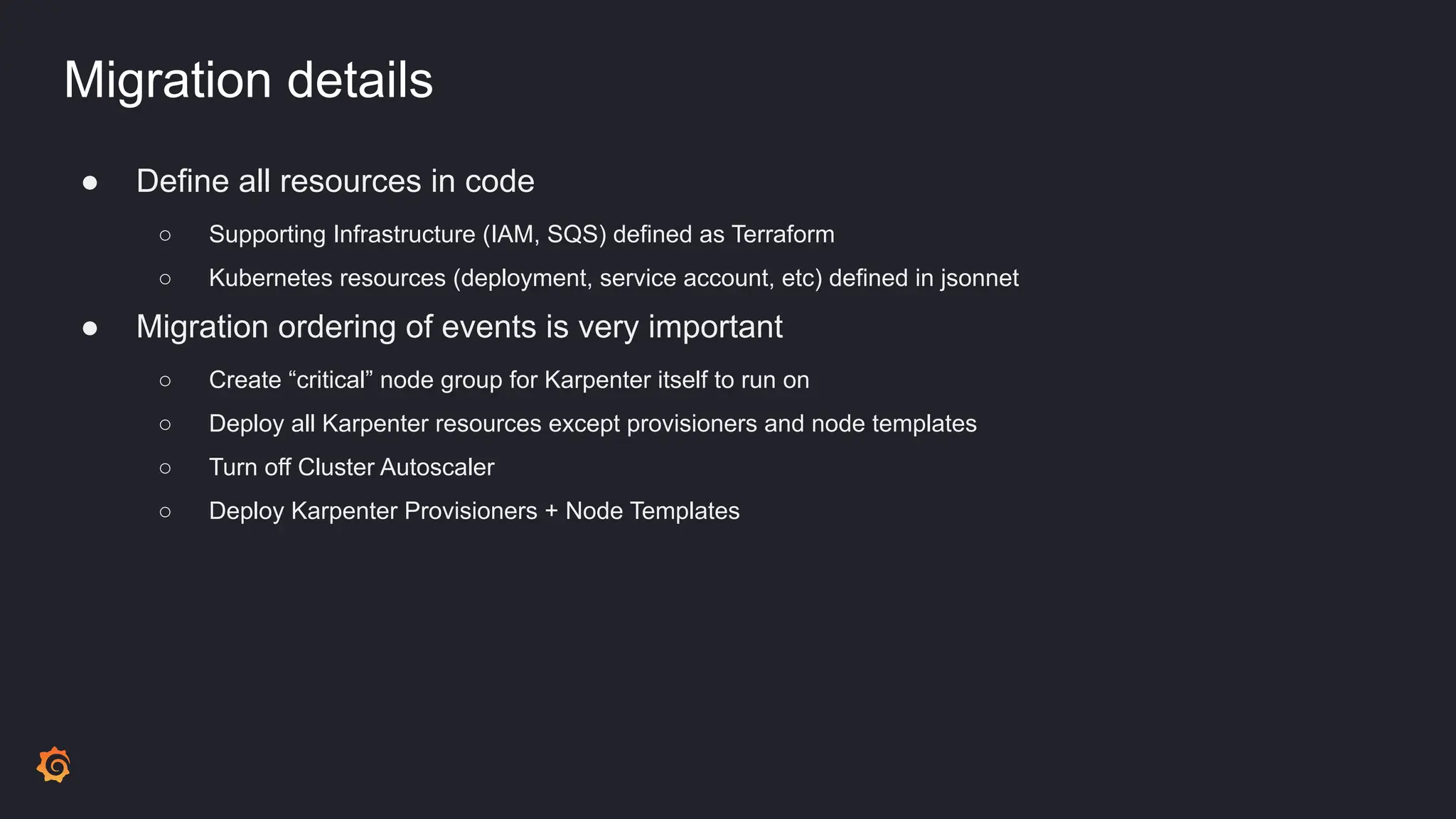
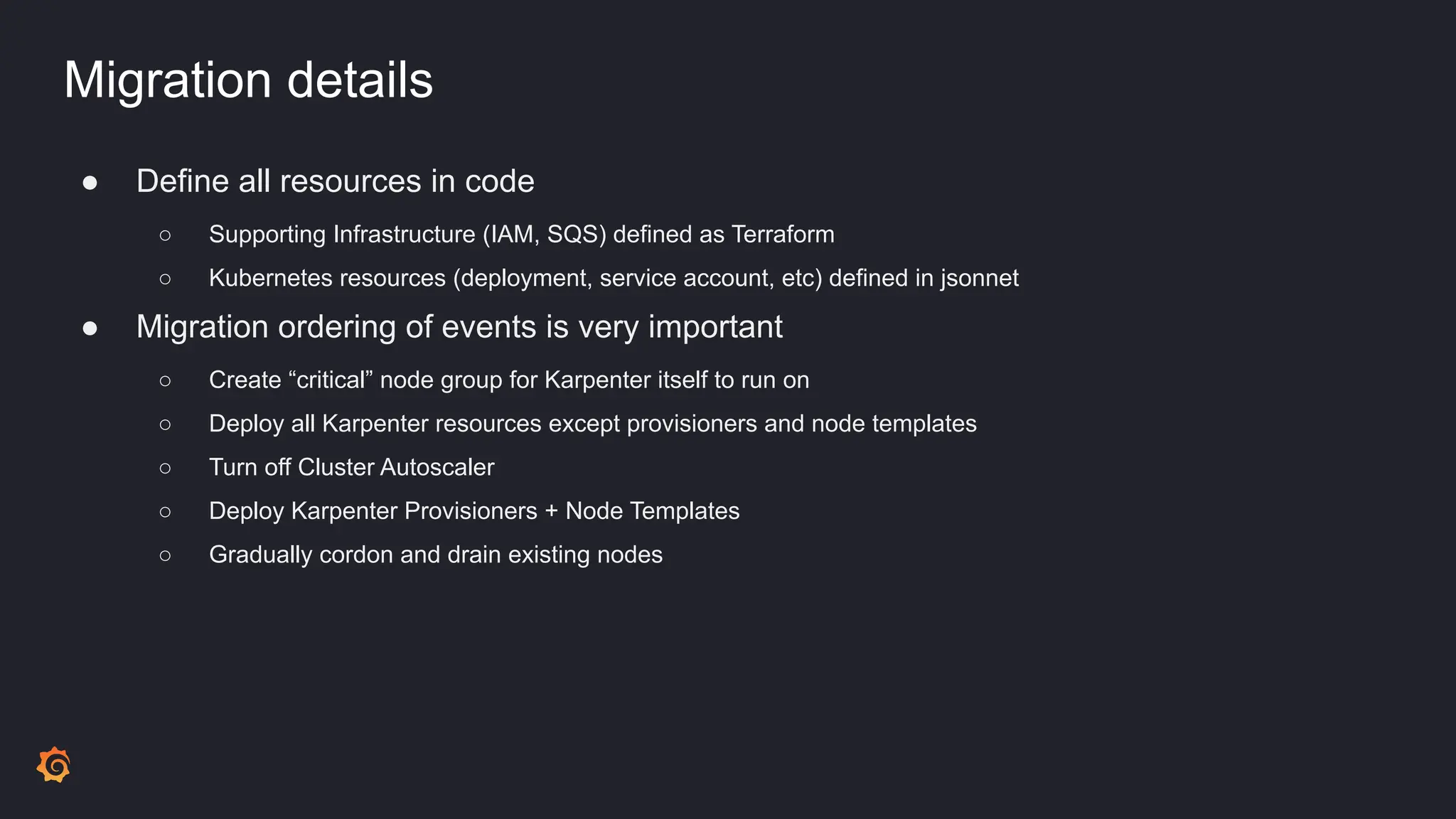
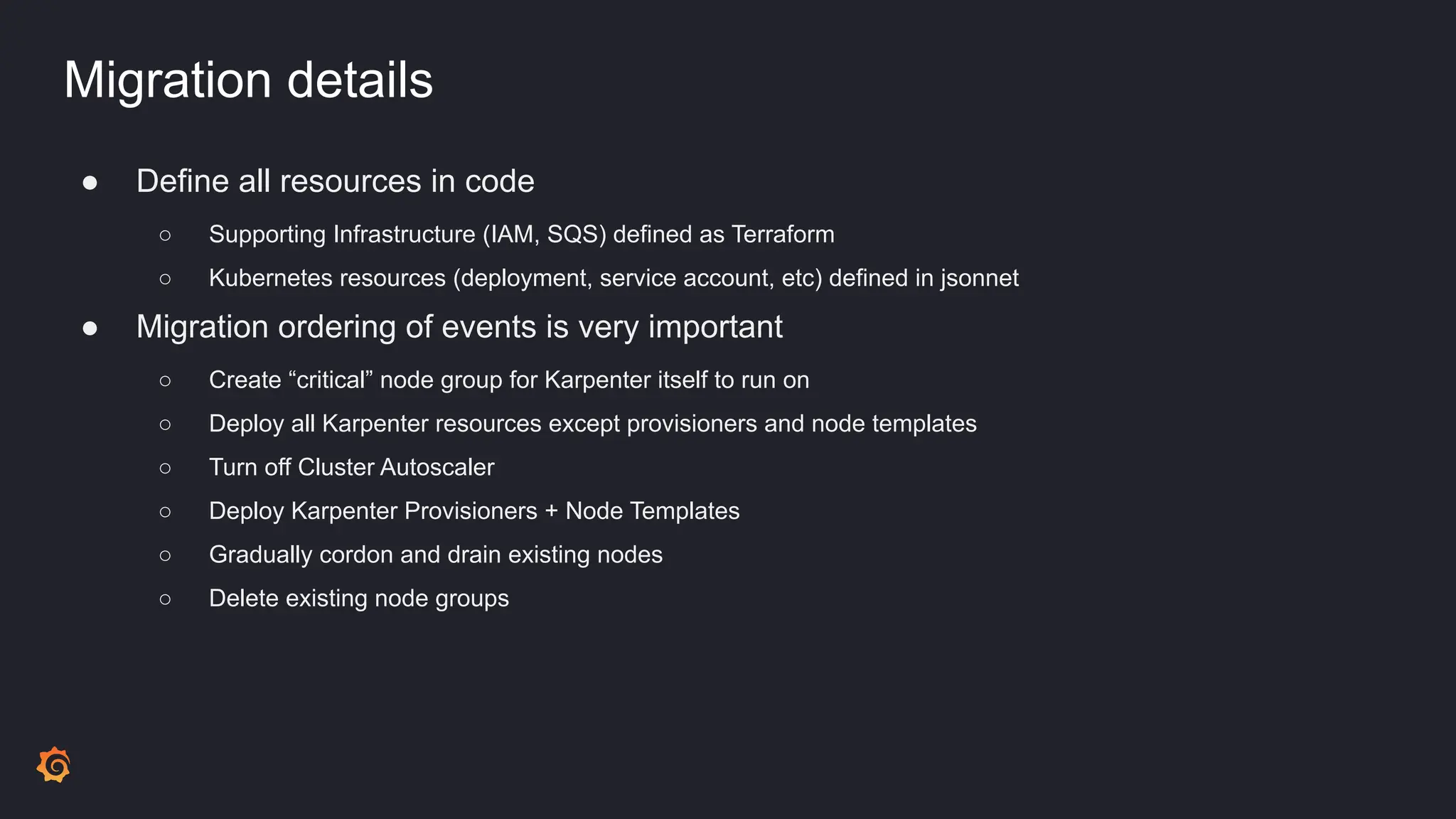
● Define all resources in code
○ Supporting Infrastructure (IAM, SQS) defined as Terraform
○ Kubernetes resources (deployment, service account, etc) defined in jsonnet
Migration details
● Define all resources in code
○ Supporting Infrastructure (IAM, SQS) defined as Terraform
○ Kubernetes resources (deployment, service account, etc) defined in jsonnet
● Migration ordering of events is very important
Migration details
● Define all resources in code
○ Supporting Infrastructure (IAM, SQS) defined as Terraform
○ Kubernetes resources (deployment, service account, etc) defined in jsonnet
● Migration ordering of events is very important
○ Create “critical” node group for Karpenter itself to run on
Migration details
● Define all resources in code
○ Supporting Infrastructure (IAM, SQS) defined as Terraform
○ Kubernetes resources (deployment, service account, etc) defined in jsonnet
● Migration ordering of events is very important
○ Create “critical” node group for Karpenter itself to run on
○ Deploy all Karpenter resources except provisioners and node templates
Migration details
● Define all resources in code
○ Supporting Infrastructure (IAM, SQS) defined as Terraform
○ Kubernetes resources (deployment, service account, etc) defined in jsonnet
● Migration ordering of events is very important
○ Create “critical” node group for Karpenter itself to run on
○ Deploy all Karpenter resources except provisioners and node templates
○ Turn off Cluster Autoscaler
○ Deploy Karpenter Provisioners + Node Templates
Migration details
● Define all resources in code
○ Supporting Infrastructure (IAM, SQS) defined as Terraform
○ Kubernetes resources (deployment, service account, etc) defined in jsonnet
● Migration ordering of events is very important
○ Create “critical” node group for Karpenter itself to run on
○ Deploy all Karpenter resources except provisioners and node templates
○ Turn off Cluster Autoscaler
○ Deploy Karpenter Provisioners + Node Templates
○ Gradually cordon and drain existing nodes
Migration details
● Define all resources in code
○ Supporting Infrastructure (IAM, SQS) defined as Terraform
○ Kubernetes resources (deployment, service account, etc) defined in jsonnet
● Migration ordering of events is very important
○ Create “critical” node group for Karpenter itself to run on
○ Deploy all Karpenter resources except provisioners and node templates
○ Turn off Cluster Autoscaler
○ Deploy Karpenter Provisioners + Node Templates
○ Gradually cordon and drain existing nodes
○ Delete existing node groups
Results
Results
● Migration accomplished without downtime
Results
● Migration accomplished without downtime
● Massively lowered idle ratio, costs
○ More effective distribution of resources
○ Allowed us to take advantage of varying machine types
Results
● Migration accomplished without downtime
● Massively lowered idle ratio, costs
○ More effective distribution of resources
○ Allowed us to take advantage of varying machine types
● Improved reliability
Results
● Migration accomplished without downtime
● Massively lowered idle ratio, costs
○ More effective distribution of resources
○ Allowed us to take advantage of varying machine types
● Improved reliability
● Better developer experience
Results
● Migration accomplished without downtime
● Massively lowered idle ratio, costs
○ More effective distribution of resources
○ Allowed us to take advantage of varying machine types
● Improved reliability
● Better developer experience
● Simplified infrastructure
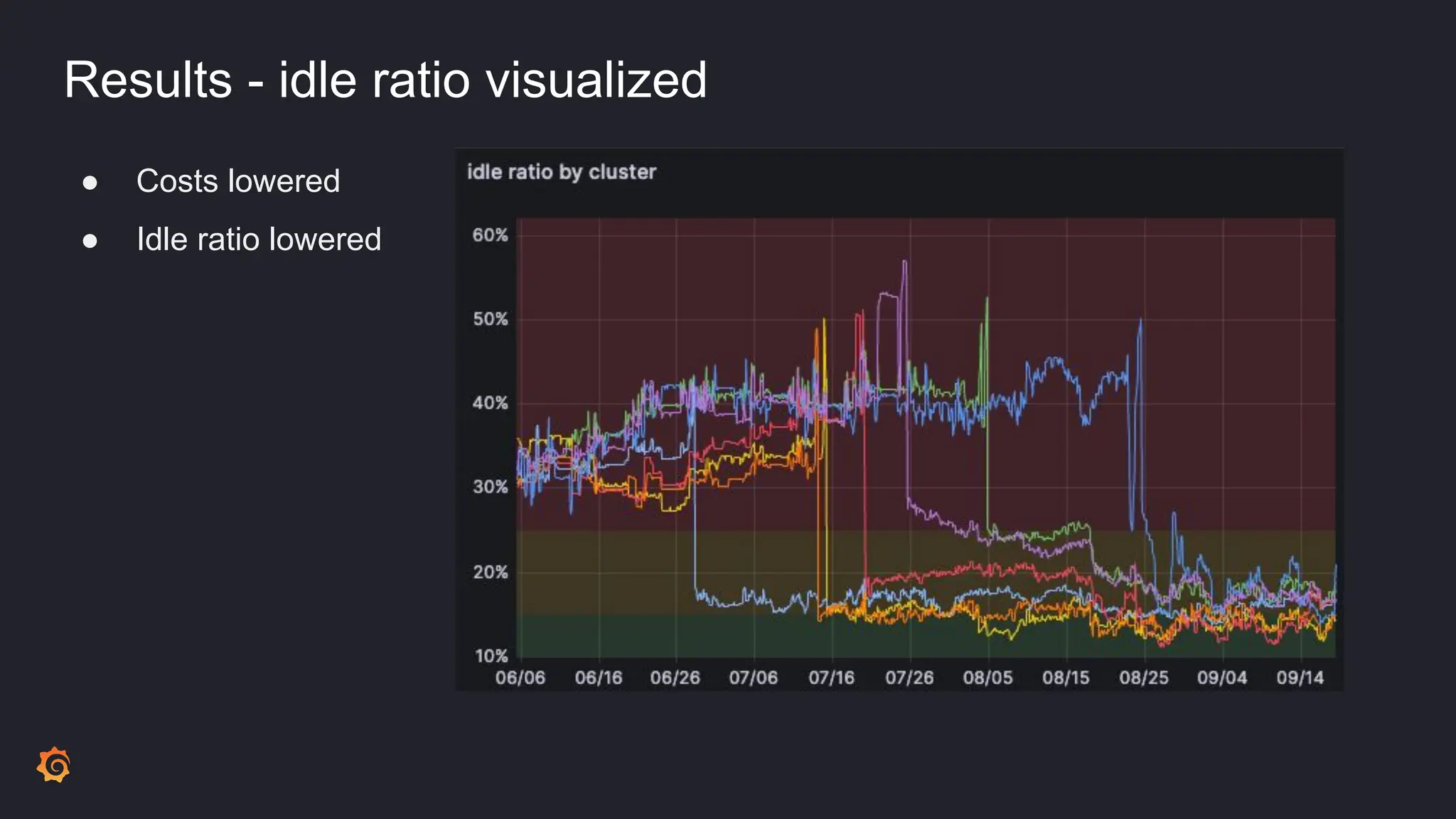
Results - idle ratio visualized
● Costs lowered
● Idle ratio lowered
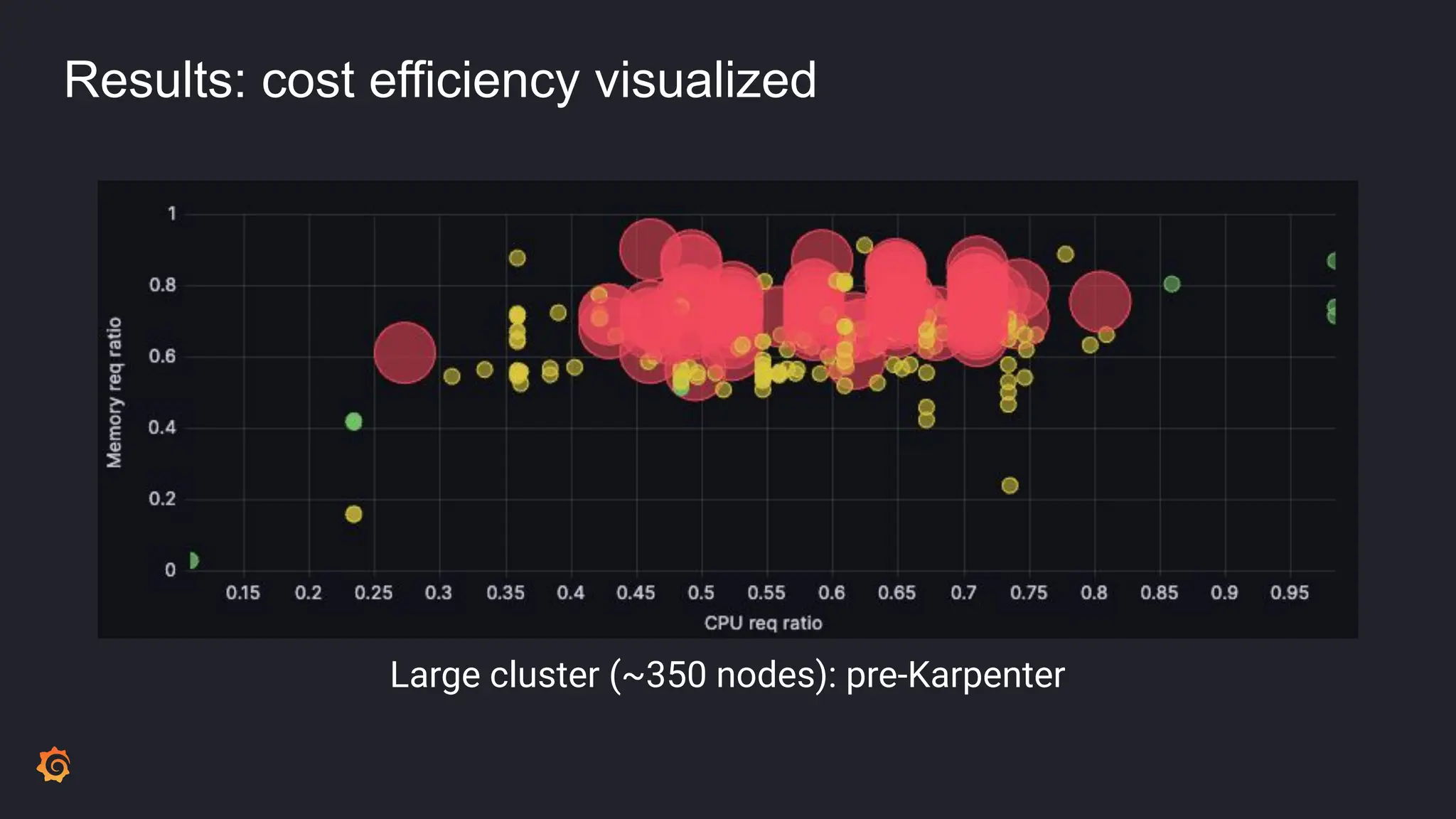
Results: cost efficiency visualized
Large cluster (~350 nodes): pre-Karpenter
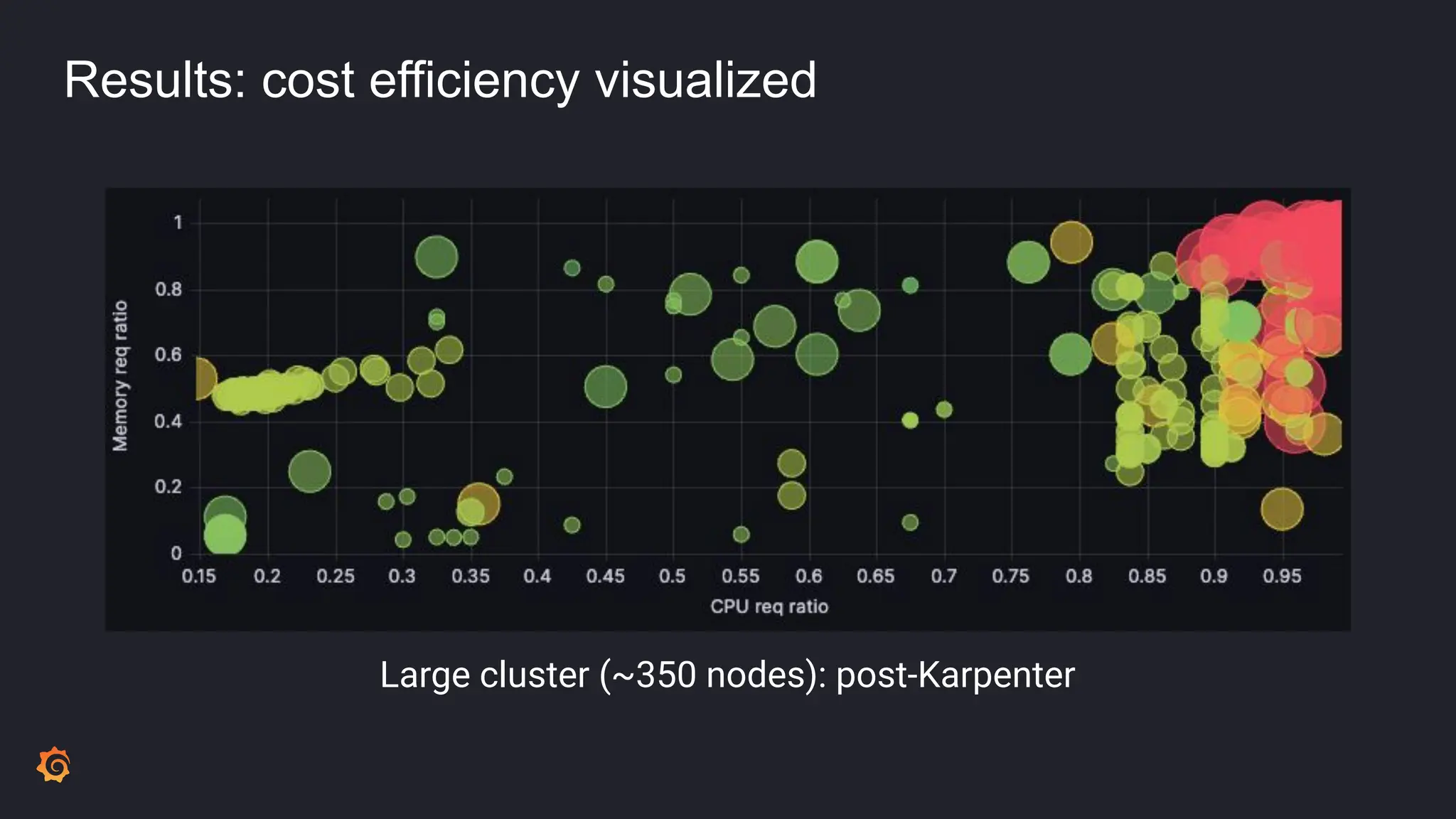
Results: cost efficiency visualized
Large cluster (~350 nodes): post-Karpenter
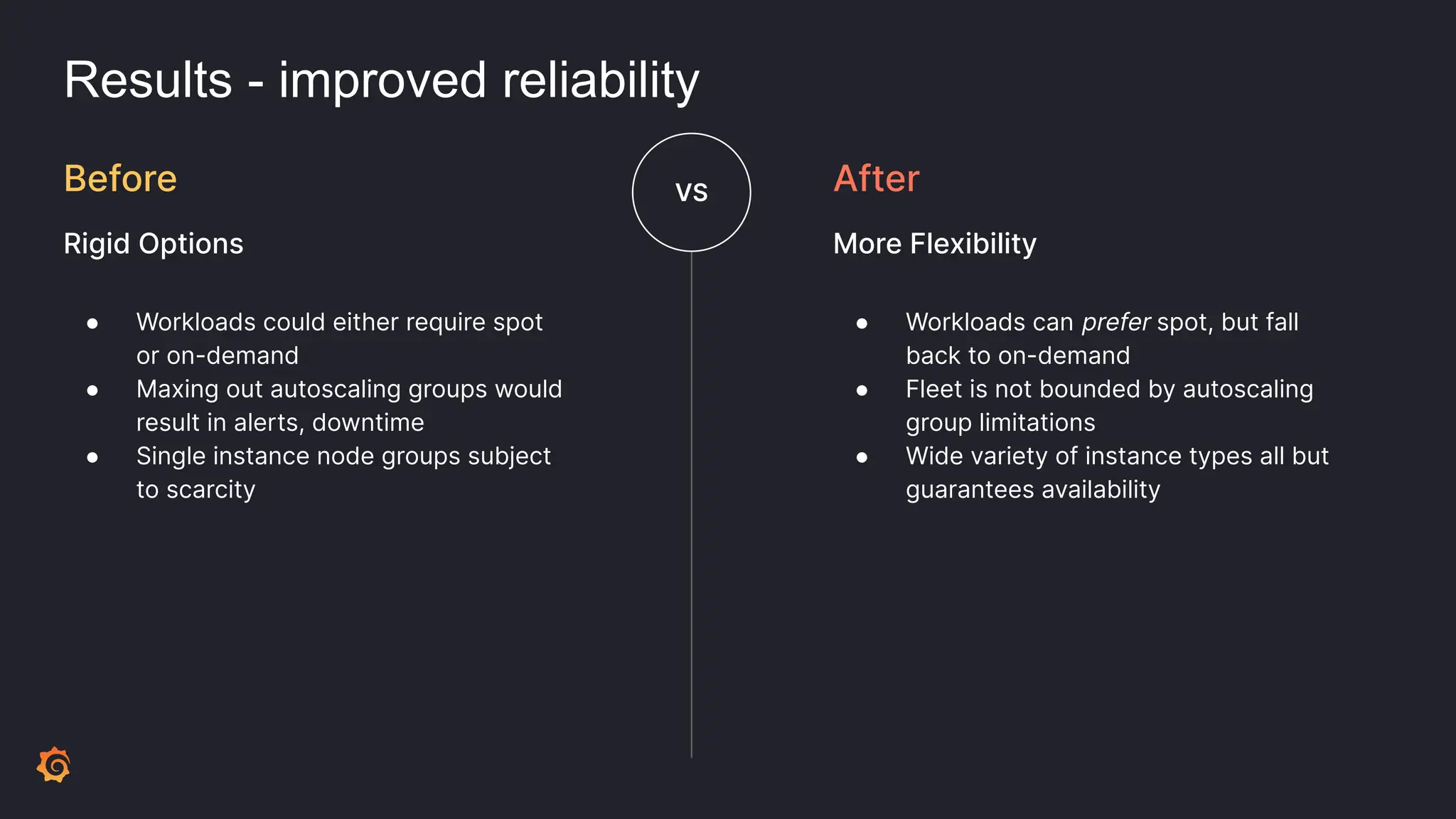
Results - improved reliability
● Workloads could either require spot
or on-demand
● Maxing out autoscaling groups would
result in alerts, downtime
● Single instance node groups subject
to scarcity
Before
Rigid Options
VS
● Workloads can prefer spot, but fall
back to on-demand
● Fleet is not bounded by autoscaling
group limitations
● Wide variety of instance types all but
guarantees availability
After
More Flexibility
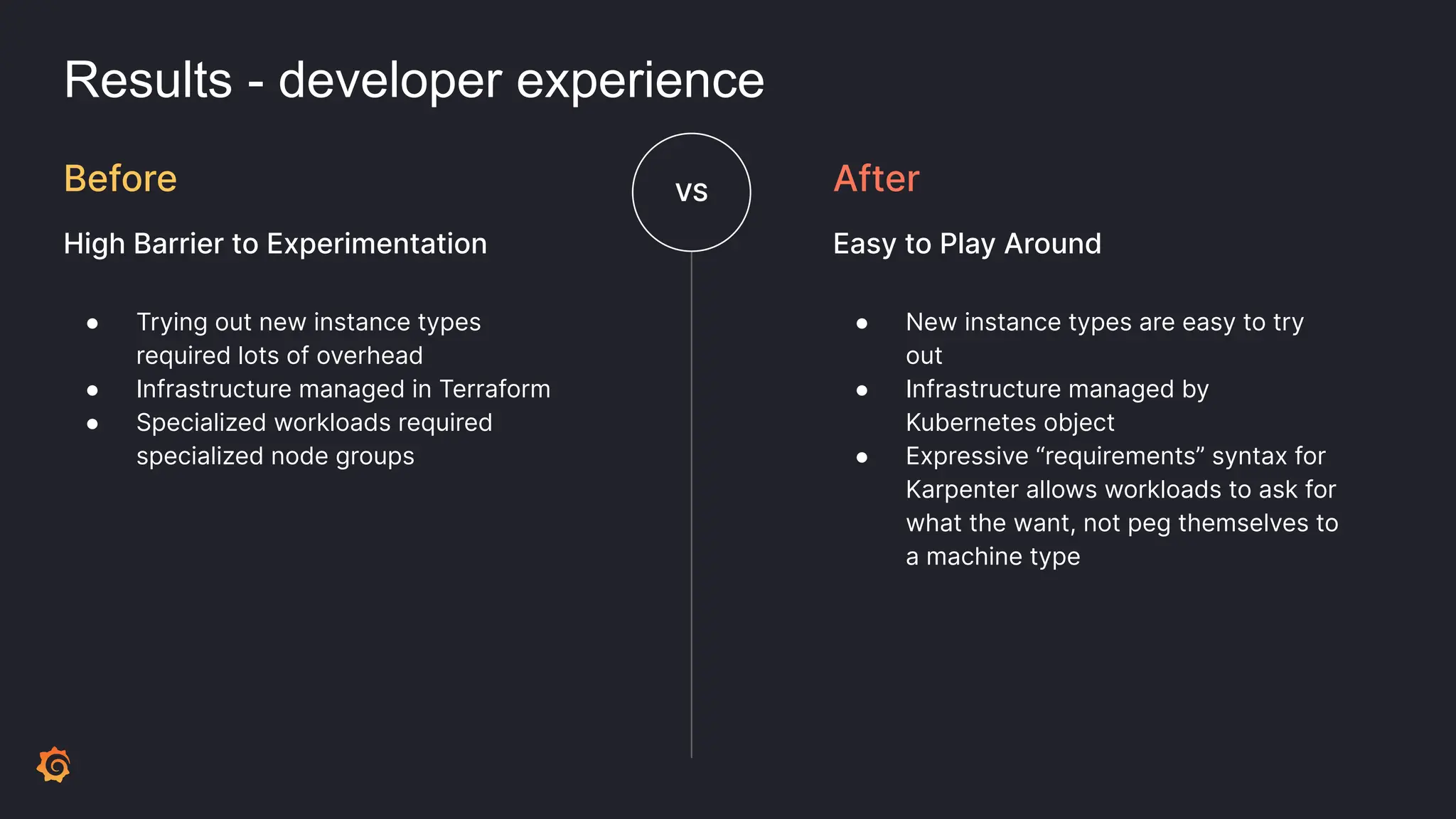
Results - developer experience
● Trying out new instance types
required lots of overhead
● Infrastructure managed in Terraform
● Specialized workloads required
specialized node groups
Before
High Barrier to Experimentation
VS
● New instance types are easy to try
out
● Infrastructure managed by
Kubernetes object
● Expressive “requirements” syntax for
Karpenter allows workloads to ask for
what the want, not peg themselves to
a machine type
After
Easy to Play Around
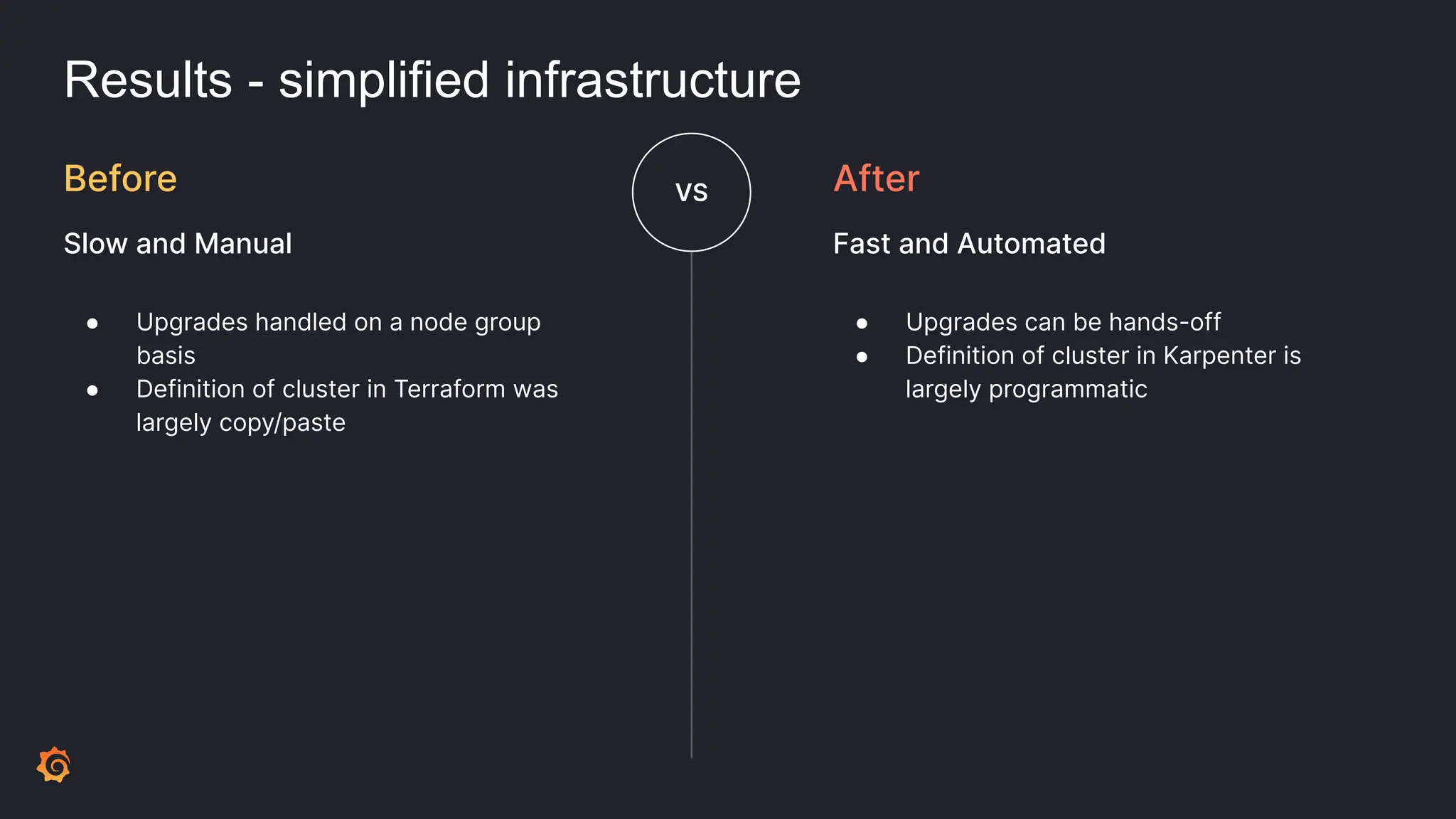
Results - simplified infrastructure
● Upgrades handled on a node group
basis
● Definition of cluster in Terraform was
largely copy/paste
Before
Slow and Manual
VS
● Upgrades can be hands-off
● Definition of cluster in Karpenter is
largely programmatic
After
Fast and Automated
Trade-offs
Trade-offs
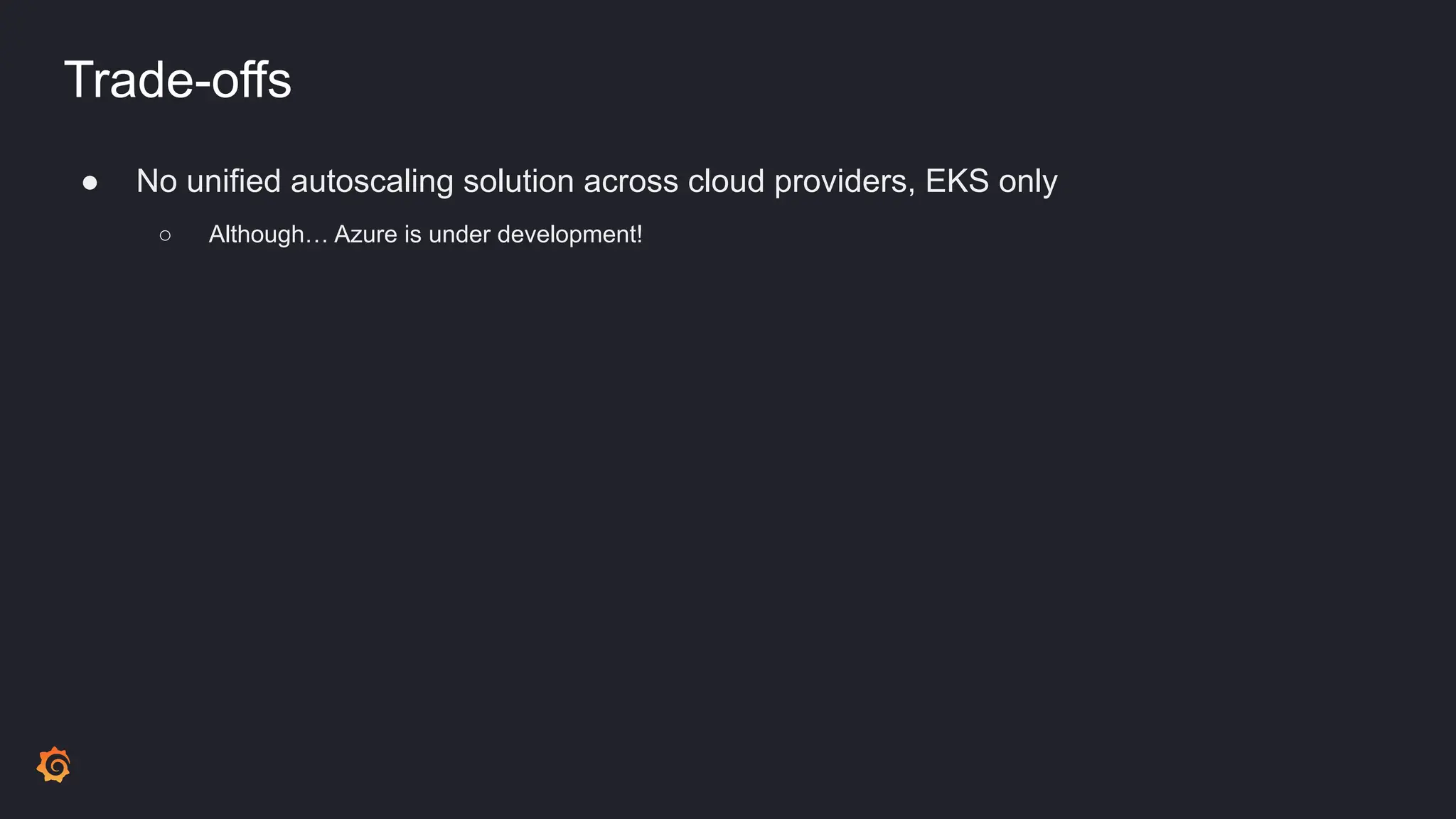
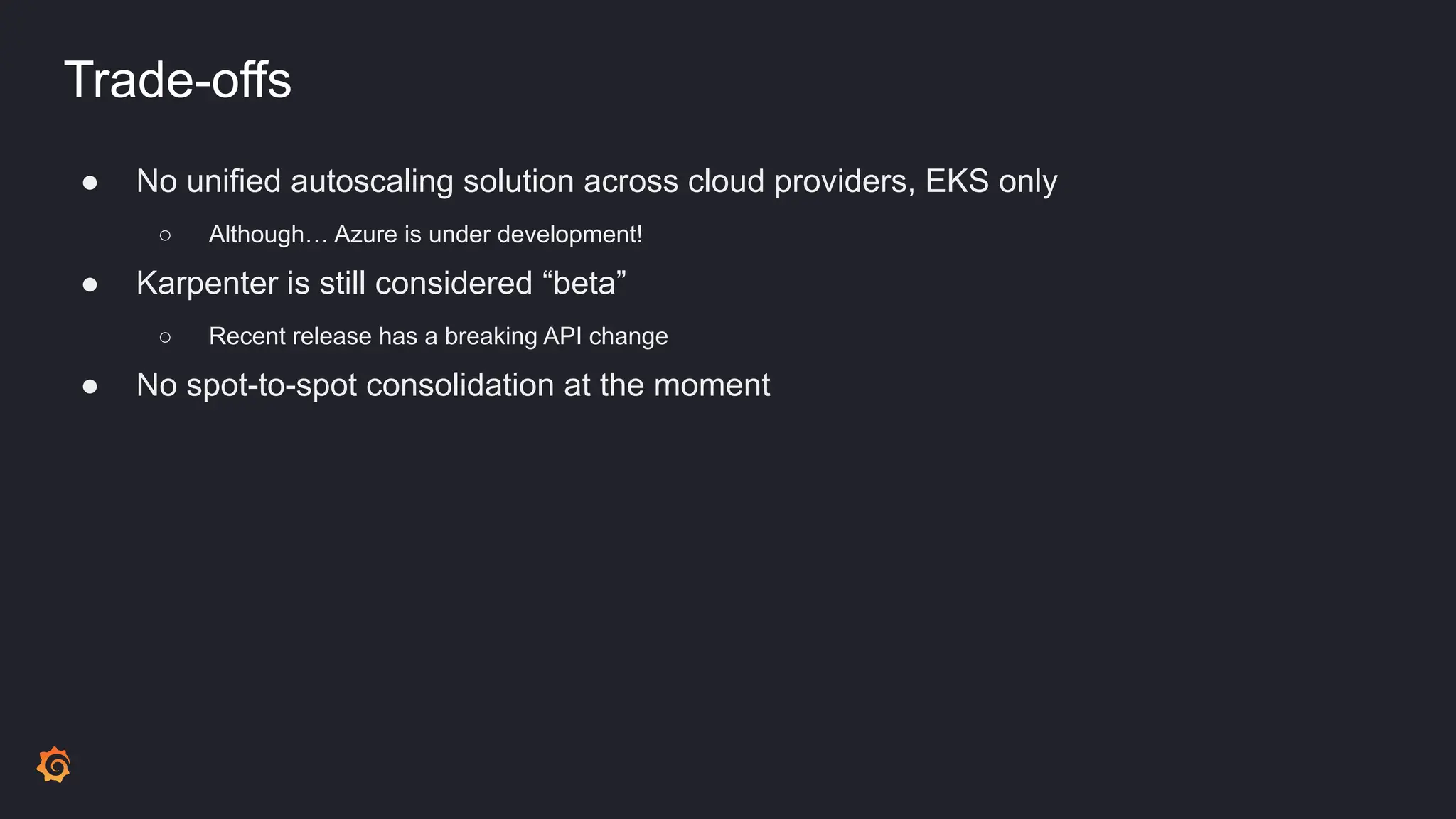
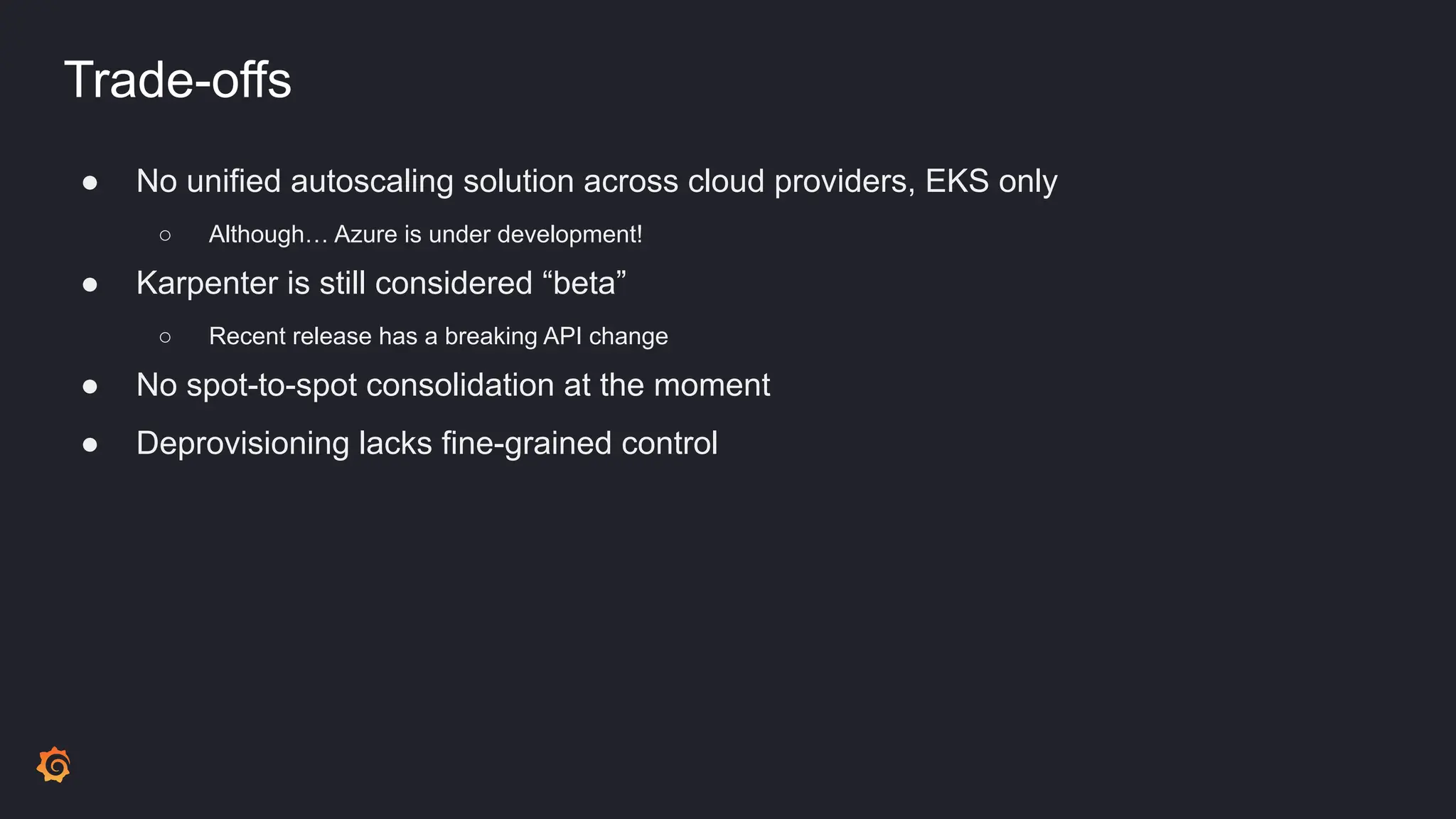
● No unified autoscaling solution across cloud providers, EKS only
○ Although… Azure is under development!
Trade-offs
● No unified autoscaling solution across cloud providers, EKS only
○ Although… Azure is under development!
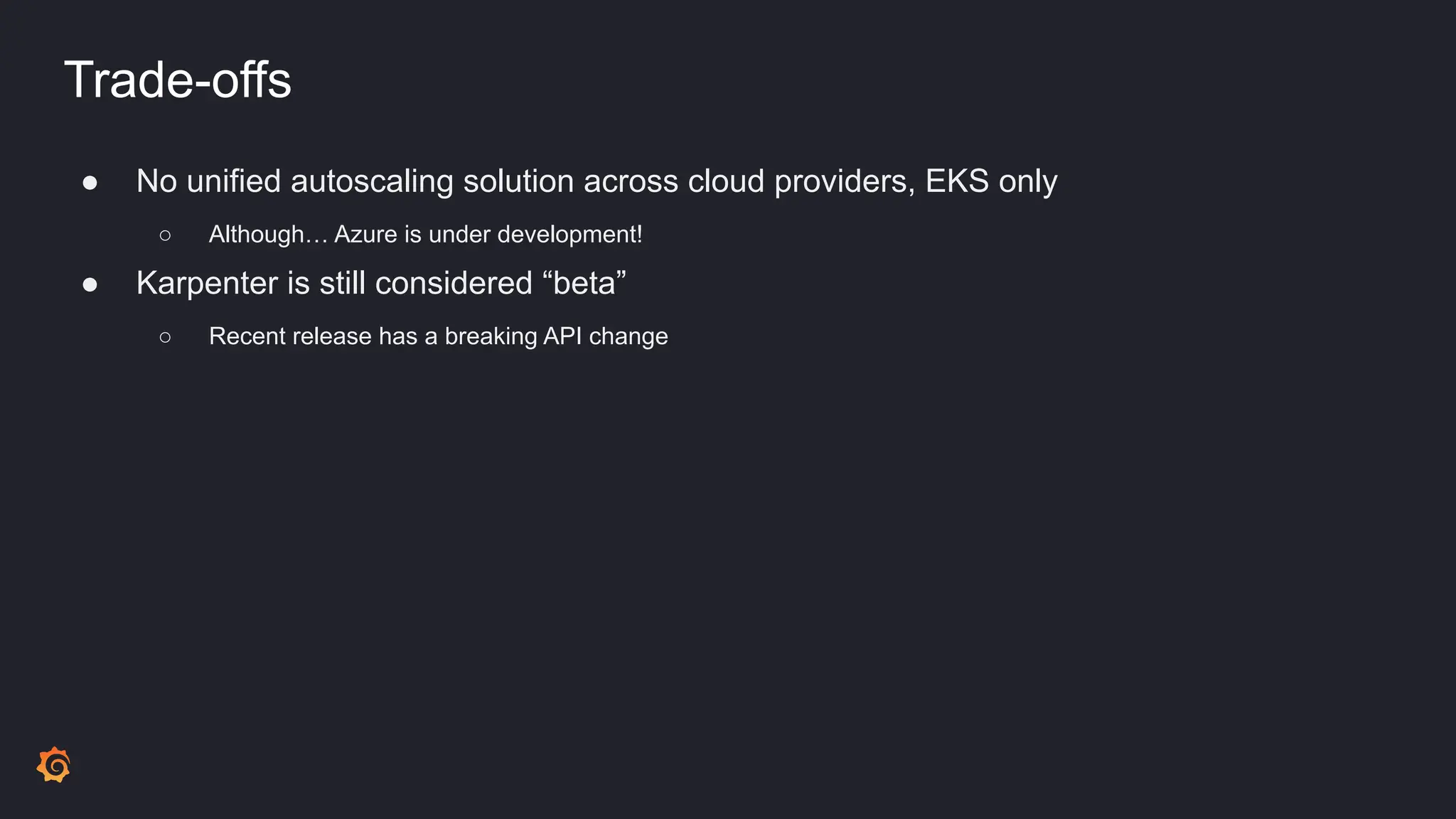
● Karpenter is still considered “beta”
○ Recent release has a breaking API change
Trade-offs
● No unified autoscaling solution across cloud providers, EKS only
○ Although… Azure is under development!
● Karpenter is still considered “beta”
○ Recent release has a breaking API change
● No spot-to-spot consolidation at the moment
Trade-offs
● No unified autoscaling solution across cloud providers, EKS only
○ Although… Azure is under development!
● Karpenter is still considered “beta”
○ Recent release has a breaking API change
● No spot-to-spot consolidation at the moment
● Deprovisioning lacks fine-grained control
Wrap-up
Wrap-up
● Measuring idleness helps greatly for cost optimization
Wrap-up
● Measuring idleness helps greatly for cost optimization
● Karpenter requires buy-in, but is a significant EKS opportunity
Wrap-up
● Measuring idleness helps greatly for cost optimization
● Karpenter requires buy-in, but is a significant EKS opportunity
● Ensuring a smooth migration was high effort, but worth it
Wrap-up
● Measuring idleness helps greatly for cost optimization
● Karpenter requires buy-in, but is a significant EKS opportunity
● Ensuring a smooth migration was high effort, but worth it
● Passing information on to end-users of the platform yielded and continues to yield high
benefits
Wrap-up
● Measuring idleness helps greatly for cost optimization
● Karpenter requires buy-in, but is a significant EKS opportunity
● Ensuring a smooth migration was high effort, but worth it
● Passing information on to end-users of the platform yielded and continues to yield high
benefits
● We are excited to see where this tool goes!
Questions?
Additional Info
● Contact me
○ loganballard@gmail.com
○ https://github.com/logyball
● Karpenter
○ https://karpenter.sh/
● Grafana
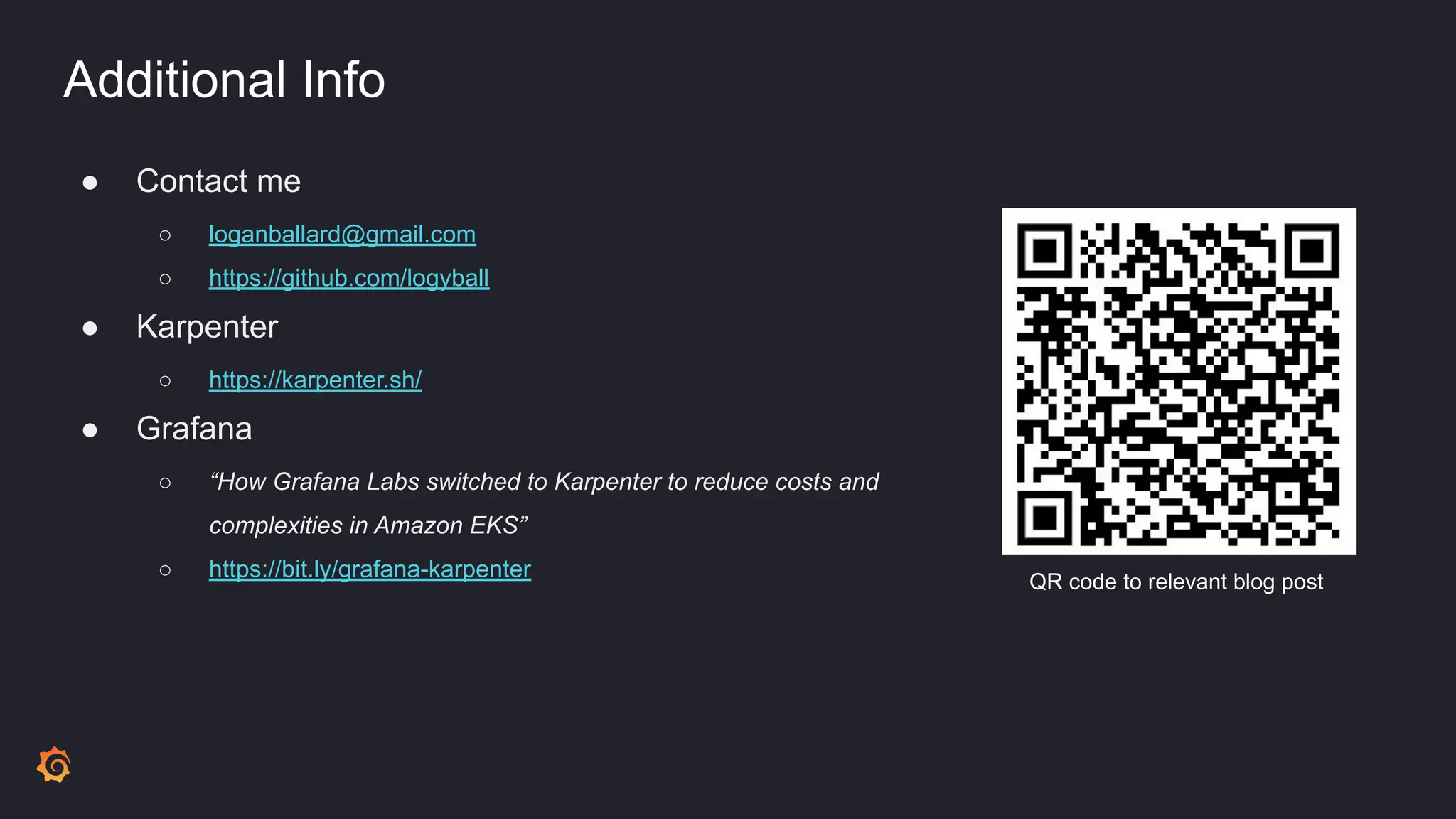
○ “How Grafana Labs switched to Karpenter to reduce costs and
complexities in Amazon EKS”
○ https://bit.ly/grafana-karpenter QR code to relevant blog post
Take Grafana Labs
Observability Survey

Adopting Karpenter for Cost and Simplicity at Grafana Labs.pdf

  • 1.
    Adopting Karpenter for Costand Simplicity Logan Ballard Senior Software Engineer
  • 2.
  • 3.
    When Cluster Autoscalerisn’t meeting your needs in EKS, consider Karpenter. We will walk through our journey to Karpenter, alternatives we considered, associated trade offs, and why Karpenter ultimately has helped us reduce costs and complexity to better serve our customers on AWS. Adopting Karpenter for Cost and Simplicity Optimizing Autoscaling
  • 4.
    Overview of platformengineering at Grafana Labs ● Company goal: one-stop-shop for observability ○ “Query, visualize, alert on, and understand your data no matter where it’s stored. With Grafana you can create, explore, and share all of your data through beautiful, flexible dashboards.”
  • 5.
    Overview of platformengineering at Grafana Labs ● Company goal: one-stop-shop for observability ○ “Query, visualize, alert on, and understand your data no matter where it’s stored. With Grafana you can create, explore, and share all of your data through beautiful, flexible dashboards.” ● Grafana platform team provides a PaaS for the product layer ○ Managing k8s, CI/CD, and interfaces for the “golden path”
  • 6.
    Overview of platformengineering at Grafana Labs ● Company goal: one-stop-shop for observability ○ “Query, visualize, alert on, and understand your data no matter where it’s stored. With Grafana you can create, explore, and share all of your data through beautiful, flexible dashboards.” ● Grafana platform team provides a PaaS for the product layer ○ Managing k8s, CI/CD, and interfaces for the “golden path” ● To deliver the platform, we use managed Kubernetes offerings ○ GKE (Google) ○ EKS (Amazon) ○ AKS (Azure)
  • 7.
    Overview of platformengineering at Grafana Labs ● Company goal: one-stop-shop for observability ○ “Query, visualize, alert on, and understand your data no matter where it’s stored. With Grafana you can create, explore, and share all of your data through beautiful, flexible dashboards.” ● Grafana platform team provides a PaaS for the product layer ○ Managing k8s, CI/CD, and interfaces for the “golden path” ● To deliver the platform, we use managed Kubernetes offerings ○ GKE (Google) ○ EKS (Amazon) ○ AKS (Azure) ● Platform team is further divided into sub-specialties, one of which is capacity
  • 8.
    Overview of capacityat Grafana Labs ● Capacity is responsible for engineering around usage optimization as well as reliability ○ Observability into cost and utilization ○ Ownership of scaling tools ○ Company-wide efforts to optimize resource usage ● Today we’ll be focusing on autoscaling
  • 9.
    Overview of ClusterAutoscaler ● Up until last year, we used Cluster Autoscaler exclusively ● Scaling heuristic: ○ Demand goes up and down in the form of pod resource requests ○ If there is too much CPU or Memory requested, more nodes are added ○ If resource requests scale down, nodes are removed Source: https://aws.github.io/aws-eks-best-practices/cluster-autoscaling/
  • 10.
    What we likedabout Cluster Autoscaler ● Simple, standardized, and has lots of support
  • 11.
    What we likedabout Cluster Autoscaler ● Simple, standardized, and has lots of support ● Accomplished basic scaling needs
  • 12.
    What we likedabout Cluster Autoscaler ● Simple, standardized, and has lots of support ● Accomplished basic scaling needs ● Infrastructure was managed in a standardized way ○ Node Groups defined in Terraform
  • 13.
    What we likedabout Cluster Autoscaler ● Simple, standardized, and has lots of support ● Accomplished basic scaling needs ● Infrastructure was managed in a standardized way ○ Node Groups defined in Terraform ● Deployment was managed in a standardized way, as either: ○ GKE: part of the managed offering ○ EKS: as-code in jsonnet, same as all our other workloads
  • 14.
    What we likedabout Cluster Autoscaler ● Simple, standardized, and has lots of support ● Accomplished basic scaling needs ● Infrastructure was managed in a standardized way ○ Node Groups defined in Terraform ● Deployment was managed in a standardized way, as either: ○ GKE: part of the managed offering ○ EKS: as-code in jsonnet, same as all our other workloads ● …we already had it
  • 15.
    What we didn’tlike about Cluster Autoscaler ● Lots of overhead when defining diverse machine types
  • 16.
    What we didn’tlike about Cluster Autoscaler ● Lots of overhead when defining diverse machine types ● Inability to understand max pod IP restrictions when making scaling decisions
  • 17.
    What we didn’tlike about Cluster Autoscaler ● Lots of overhead when defining diverse machine types ● Inability to understand max pod IP restrictions when making scaling decisions ● No support for “soft” scheduling constraints ○ E.g. preferredDuringSchedulingIgnoredDuringExecution
  • 18.
    What we didn’tlike about Cluster Autoscaler ● Lots of overhead when defining diverse machine types ● Inability to understand max pod IP restrictions when making scaling decisions ● No support for “soft” scheduling constraints ○ E.g. preferredDuringSchedulingIgnoredDuringExecution ● Experimentation was challenging
  • 19.
    What we didn’tlike about Cluster Autoscaler ● Lots of overhead when defining diverse machine types ● Inability to understand max pod IP restrictions when making scaling decisions ● No support for “soft” scheduling constraints ○ E.g. preferredDuringSchedulingIgnoredDuringExecution ● Experimentation was challenging ● Upgrades were a long process
  • 20.
    What we didn’tlike about Cluster Autoscaler ● Lots of overhead when defining diverse machine types ● Inability to understand max pod IP restrictions when making scaling decisions ● No support for “soft” scheduling constraints ○ E.g. preferredDuringSchedulingIgnoredDuringExecution ● Experimentation was challenging ● Upgrades were a long process ● No fallback for workloads from spot nodes -> on demand nodes
  • 21.
  • 22.
    Why change? ● Wemeasure “idle ratio” to calculate scheduling efficiency
  • 23.
    Why change? ● Wemeasure “idle ratio” to calculate scheduling efficiency ● Idle ratio is calculated as a product of: ○ (CPU allocatable) - (CPU Used) / (CPU allocatable) ○ (Memory allocatable) - (Memory Used) / (Memory allocatable)
  • 24.
    Why change? ● Wemeasure “idle ratio” to calculate scheduling efficiency ● Idle ratio is calculated as a product of: ○ (CPU allocatable) - (CPU Used) / (CPU allocatable) ○ (Memory allocatable) - (Memory Used) / (Memory allocatable) ● Idle ratio is a “golden signal” for capacity squad ● High idle ratio is wasted $$$
  • 25.
    Why change? ● Wemeasure “idle ratio” to calculate scheduling efficiency ● Idle ratio is calculated as a product of: ○ (CPU allocatable) - (CPU Used) / (CPU allocatable) ○ (Memory allocatable) - (Memory Used) / (Memory allocatable) ● Idle ratio is a “golden signal” for capacity squad ● High idle ratio is wasted $$$
  • 26.
  • 27.
  • 28.
    Idle Ratio Visualized GKEVS AWS ⚠ Idle ratio in AWS was almost double that of GKE ⚠
  • 29.
  • 30.
  • 31.
    What to do? ●Nothing? ● Try to replicate the setup of GKE with it’s OPTIMIZE_UTILIZATION autoscaling profile ○ Run a custom scheduler: ‘MostAllocated’ scoring strategy ○ Configure Cluster Autoscaler: set expanders to priority? Most pods? ○ All of this is obscured behind the GKE control plane and would be a tedious process
  • 32.
    What to do? ●Nothing? ● Try to replicate the setup of GKE with it’s OPTIMIZE_UTILIZATION autoscaling profile ○ Run a custom scheduler: ‘MostAllocated’ scoring strategy ○ Configure Cluster Autoscaler: set expanders to priority? Most pods? ○ All of this is obscured behind the GKE control plane and would be a tedious process ● Manage our own control plane?
  • 33.
    What to do? ●Nothing? ● Try to replicate the setup of GKE with it’s OPTIMIZE_UTILIZATION autoscaling profile ○ Run a custom scheduler: ‘MostAllocated’ scoring strategy ○ Configure Cluster Autoscaler: set expanders to priority? Most pods? ○ All of this is obscured behind the GKE control plane and would be a tedious process ● Manage our own control plane? ○ No
  • 34.
    What to do? ●Nothing? ● Try to replicate the setup of GKE with it’s OPTIMIZE_UTILIZATION autoscaling profile ○ Run a custom scheduler: ‘MostAllocated’ scoring strategy ○ Configure Cluster Autoscaler: set expanders to priority? Most pods? ○ All of this is obscured behind the GKE control plane and would be a tedious process ● Manage our own control plane? ○ No ● Karpenter?
  • 35.
    Overview of Karpenter ●Open Source ● EKS specific ○ Update: Core logic of Karpenter is now part of the autoscaling SIG, as of November 2023 ● “Just in time” model for upscaling ○ Matches workload size and shape to machines ● “Consolidation” model for downscaling ○ Continual bin-packing ● High level of visibility into decisions ● …we were sold Source: https://aws.amazon.com/blogs/aws/introducing-karpenter-an-open-source-high-performan ce-kubernetes-cluster-autoscaler/
  • 36.
  • 37.
    Goals to getthere ● Zero or minimal downtime
  • 38.
    Goals to getthere ● Zero or minimal downtime ● Transparent to end-users of platform
  • 39.
    Goals to getthere ● Zero or minimal downtime ● Transparent to end-users of platform ● Reproducible migration across different environments
  • 40.
    Goals to getthere ● Zero or minimal downtime ● Transparent to end-users of platform ● Reproducible migration across different environments ● Observability in all steps of the migration
  • 41.
  • 42.
    Migration details ● Defineall resources in code ○ Supporting Infrastructure (IAM, SQS) defined as Terraform ○ Kubernetes resources (deployment, service account, etc) defined in jsonnet
  • 43.
    Migration details ● Defineall resources in code ○ Supporting Infrastructure (IAM, SQS) defined as Terraform ○ Kubernetes resources (deployment, service account, etc) defined in jsonnet ● Migration ordering of events is very important
  • 44.
    Migration details ● Defineall resources in code ○ Supporting Infrastructure (IAM, SQS) defined as Terraform ○ Kubernetes resources (deployment, service account, etc) defined in jsonnet ● Migration ordering of events is very important ○ Create “critical” node group for Karpenter itself to run on
  • 45.
    Migration details ● Defineall resources in code ○ Supporting Infrastructure (IAM, SQS) defined as Terraform ○ Kubernetes resources (deployment, service account, etc) defined in jsonnet ● Migration ordering of events is very important ○ Create “critical” node group for Karpenter itself to run on ○ Deploy all Karpenter resources except provisioners and node templates
  • 46.
    Migration details ● Defineall resources in code ○ Supporting Infrastructure (IAM, SQS) defined as Terraform ○ Kubernetes resources (deployment, service account, etc) defined in jsonnet ● Migration ordering of events is very important ○ Create “critical” node group for Karpenter itself to run on ○ Deploy all Karpenter resources except provisioners and node templates ○ Turn off Cluster Autoscaler ○ Deploy Karpenter Provisioners + Node Templates
  • 47.
    Migration details ● Defineall resources in code ○ Supporting Infrastructure (IAM, SQS) defined as Terraform ○ Kubernetes resources (deployment, service account, etc) defined in jsonnet ● Migration ordering of events is very important ○ Create “critical” node group for Karpenter itself to run on ○ Deploy all Karpenter resources except provisioners and node templates ○ Turn off Cluster Autoscaler ○ Deploy Karpenter Provisioners + Node Templates ○ Gradually cordon and drain existing nodes
  • 48.
    Migration details ● Defineall resources in code ○ Supporting Infrastructure (IAM, SQS) defined as Terraform ○ Kubernetes resources (deployment, service account, etc) defined in jsonnet ● Migration ordering of events is very important ○ Create “critical” node group for Karpenter itself to run on ○ Deploy all Karpenter resources except provisioners and node templates ○ Turn off Cluster Autoscaler ○ Deploy Karpenter Provisioners + Node Templates ○ Gradually cordon and drain existing nodes ○ Delete existing node groups
  • 49.
  • 50.
  • 51.
    Results ● Migration accomplishedwithout downtime ● Massively lowered idle ratio, costs ○ More effective distribution of resources ○ Allowed us to take advantage of varying machine types
  • 52.
    Results ● Migration accomplishedwithout downtime ● Massively lowered idle ratio, costs ○ More effective distribution of resources ○ Allowed us to take advantage of varying machine types ● Improved reliability
  • 53.
    Results ● Migration accomplishedwithout downtime ● Massively lowered idle ratio, costs ○ More effective distribution of resources ○ Allowed us to take advantage of varying machine types ● Improved reliability ● Better developer experience
  • 54.
    Results ● Migration accomplishedwithout downtime ● Massively lowered idle ratio, costs ○ More effective distribution of resources ○ Allowed us to take advantage of varying machine types ● Improved reliability ● Better developer experience ● Simplified infrastructure
  • 55.
    Results - idleratio visualized ● Costs lowered ● Idle ratio lowered
  • 56.
    Results: cost efficiencyvisualized Large cluster (~350 nodes): pre-Karpenter
  • 57.
    Results: cost efficiencyvisualized Large cluster (~350 nodes): post-Karpenter
  • 58.
    Results - improvedreliability ● Workloads could either require spot or on-demand ● Maxing out autoscaling groups would result in alerts, downtime ● Single instance node groups subject to scarcity Before Rigid Options VS ● Workloads can prefer spot, but fall back to on-demand ● Fleet is not bounded by autoscaling group limitations ● Wide variety of instance types all but guarantees availability After More Flexibility
  • 59.
    Results - developerexperience ● Trying out new instance types required lots of overhead ● Infrastructure managed in Terraform ● Specialized workloads required specialized node groups Before High Barrier to Experimentation VS ● New instance types are easy to try out ● Infrastructure managed by Kubernetes object ● Expressive “requirements” syntax for Karpenter allows workloads to ask for what the want, not peg themselves to a machine type After Easy to Play Around
  • 60.
    Results - simplifiedinfrastructure ● Upgrades handled on a node group basis ● Definition of cluster in Terraform was largely copy/paste Before Slow and Manual VS ● Upgrades can be hands-off ● Definition of cluster in Karpenter is largely programmatic After Fast and Automated
  • 61.
  • 62.
    Trade-offs ● No unifiedautoscaling solution across cloud providers, EKS only ○ Although… Azure is under development!
  • 63.
    Trade-offs ● No unifiedautoscaling solution across cloud providers, EKS only ○ Although… Azure is under development! ● Karpenter is still considered “beta” ○ Recent release has a breaking API change
  • 64.
    Trade-offs ● No unifiedautoscaling solution across cloud providers, EKS only ○ Although… Azure is under development! ● Karpenter is still considered “beta” ○ Recent release has a breaking API change ● No spot-to-spot consolidation at the moment
  • 65.
    Trade-offs ● No unifiedautoscaling solution across cloud providers, EKS only ○ Although… Azure is under development! ● Karpenter is still considered “beta” ○ Recent release has a breaking API change ● No spot-to-spot consolidation at the moment ● Deprovisioning lacks fine-grained control
  • 66.
  • 67.
    Wrap-up ● Measuring idlenesshelps greatly for cost optimization
  • 68.
    Wrap-up ● Measuring idlenesshelps greatly for cost optimization ● Karpenter requires buy-in, but is a significant EKS opportunity
  • 69.
    Wrap-up ● Measuring idlenesshelps greatly for cost optimization ● Karpenter requires buy-in, but is a significant EKS opportunity ● Ensuring a smooth migration was high effort, but worth it
  • 70.
    Wrap-up ● Measuring idlenesshelps greatly for cost optimization ● Karpenter requires buy-in, but is a significant EKS opportunity ● Ensuring a smooth migration was high effort, but worth it ● Passing information on to end-users of the platform yielded and continues to yield high benefits
  • 71.
    Wrap-up ● Measuring idlenesshelps greatly for cost optimization ● Karpenter requires buy-in, but is a significant EKS opportunity ● Ensuring a smooth migration was high effort, but worth it ● Passing information on to end-users of the platform yielded and continues to yield high benefits ● We are excited to see where this tool goes!
  • 72.
  • 73.
    Additional Info ● Contactme ○ loganballard@gmail.com ○ https://github.com/logyball ● Karpenter ○ https://karpenter.sh/ ● Grafana ○ “How Grafana Labs switched to Karpenter to reduce costs and complexities in Amazon EKS” ○ https://bit.ly/grafana-karpenter QR code to relevant blog post
  • 74.