Lucas Jellema
OUGF Harmony 2014 – 4-5 June 2014 – Finland
ADF in action – getting
(re)acquainted with Oracle’s premier
application development framework
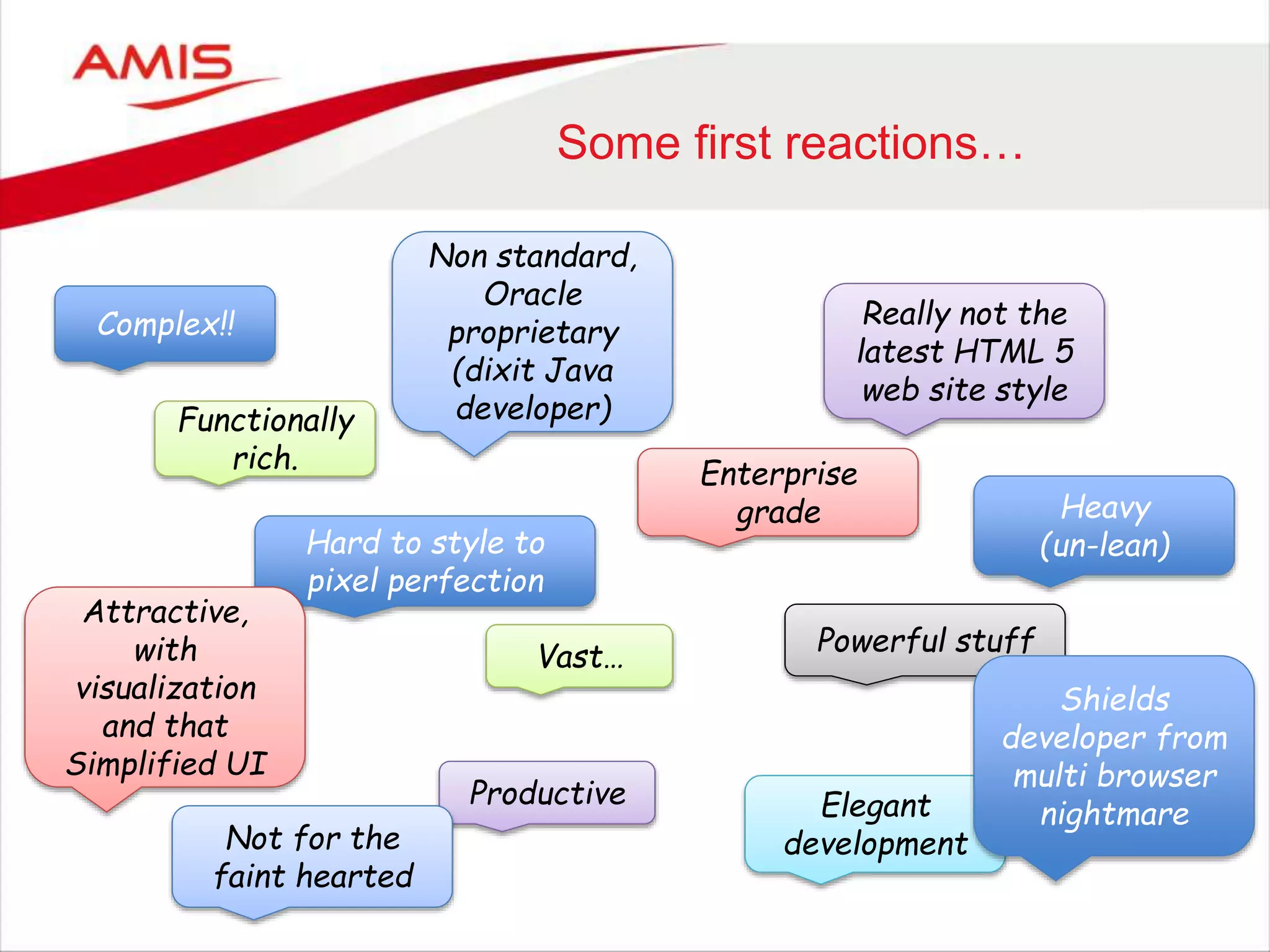
Some first reactions…
Complex!!
Functionally
rich.
Hard to style to
pixel perfection
Really not the
latest HTML 5
web site style
Powerful stuff
Attractive,
with
visualization
and that
Simplified UI
Non standard,
Oracle
proprietary
(dixit Java
developer)
Enterprise
grade
Vast…
Productive Elegant
development
Heavy
(un-lean)
Shields
developer from
multi browser
nightmare
Not for the
faint hearted
Overview
• From where to where
• Developing Applications
• Business Service
– From Middle Tier to Database
– Demo
• User Interface
– From Middle Tier to Browser
– Demo
• Advanced features in the ADF Framework
– Demo
• How to get started
4
Origins
• ADF = Application Development Framework
• Launch of ADF: 2004
– Birth of BC4J (now ADF BC): 1999
– First incarnation of JDeveloper: 1998
• Oracle’s toolstack for developing enterprise applications
– As such: the successor to Oracle Forms
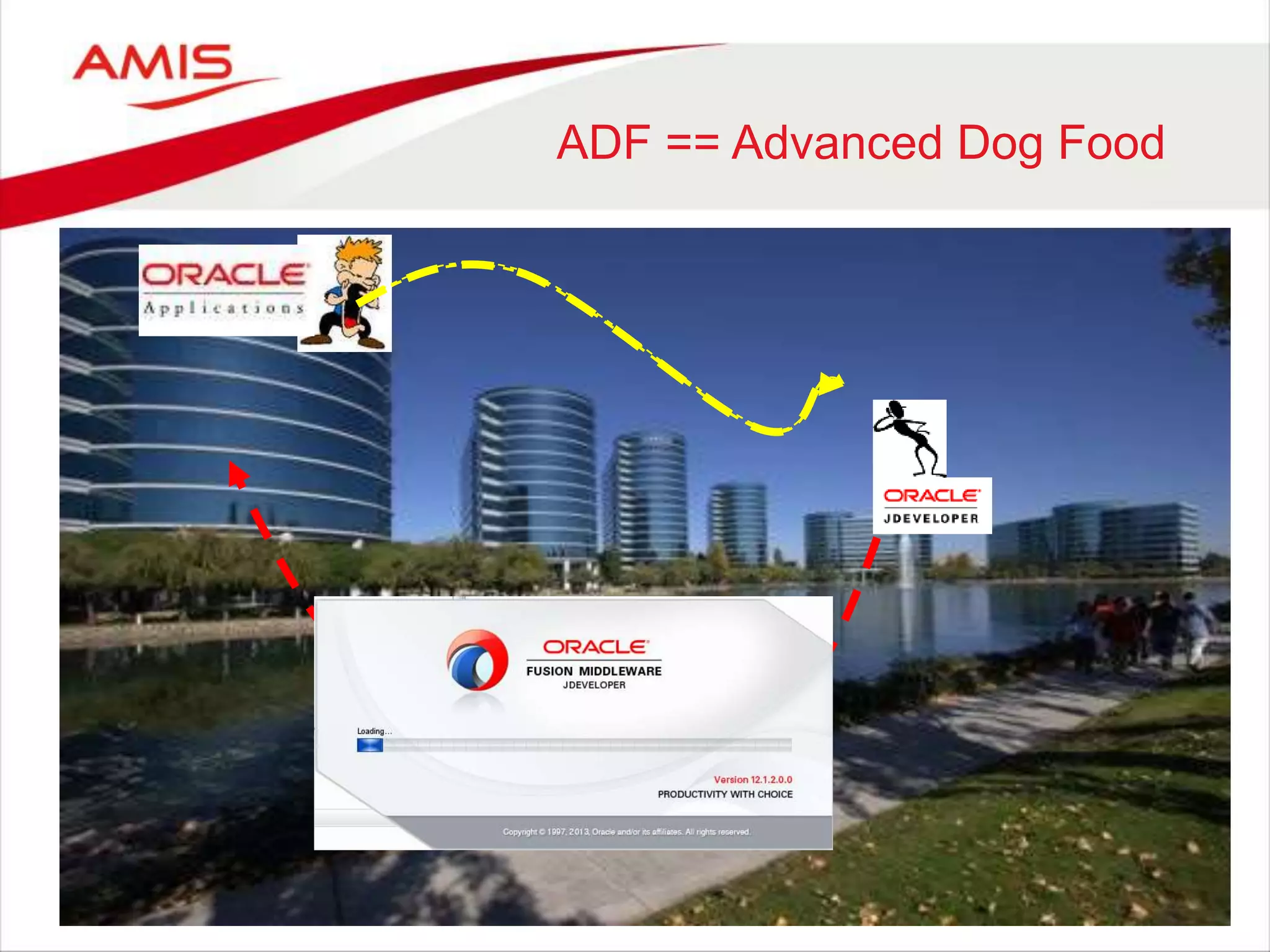
ADF == Advanced Dog Food
6
ADF at Oracle
• ADF == Advanced Dog Food
• ADF is used inside Oracle for development of
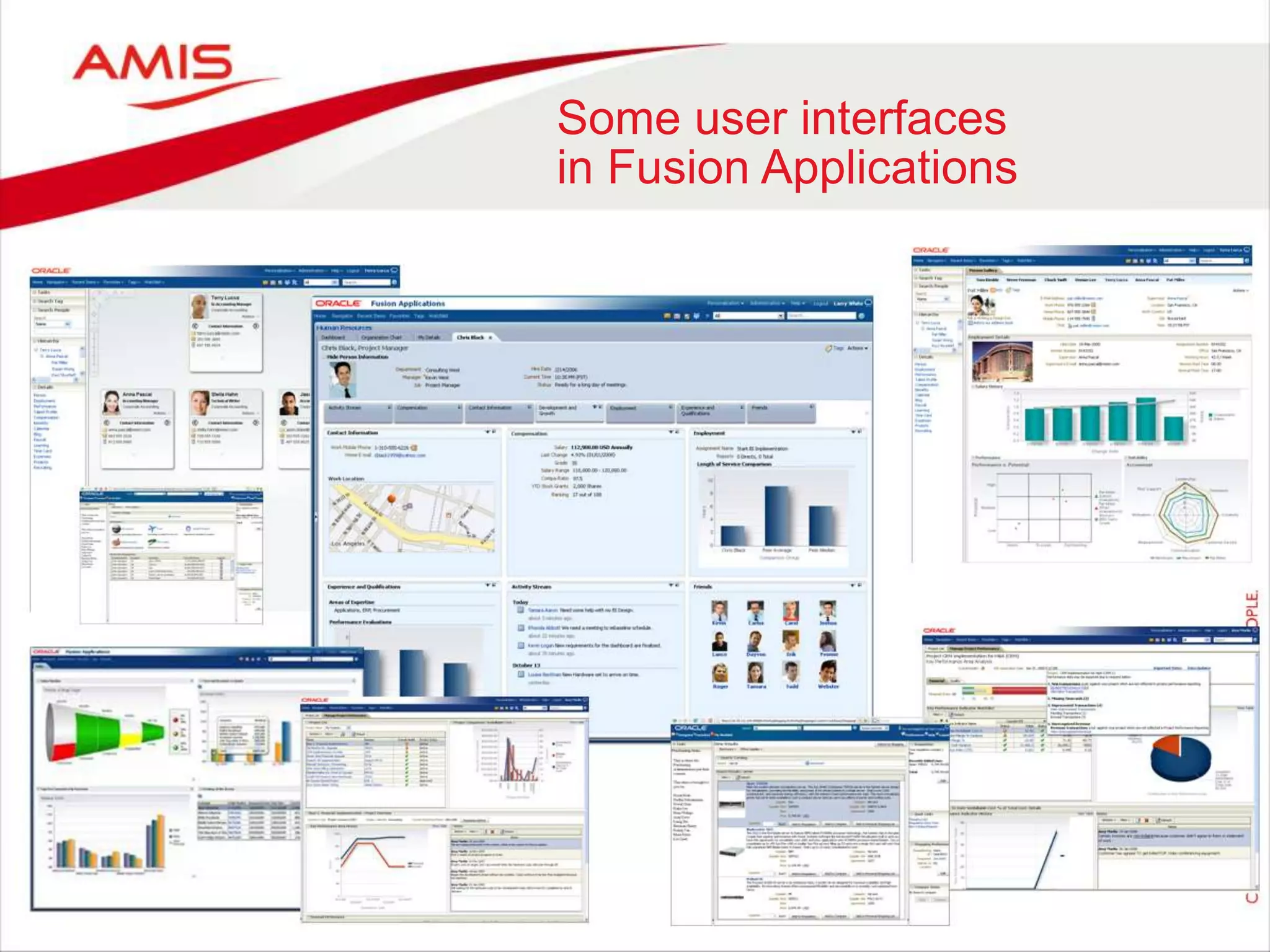
– Fusion Applications
– Large parts of most Oracle Applications products
– User interfaces in many other FMW products (GoldenGate, Enterprise Manager, OBI
EE, WebCenter, IdM)
– User interfaces in Oracle Cloud services
• Over 10,000 developers within Oracle use ADF for their daily work
• Oracle’s investment in and dependence on ADF is enormous
– ADF is strategic, long term
Some user interfaces
in Fusion Applications
8
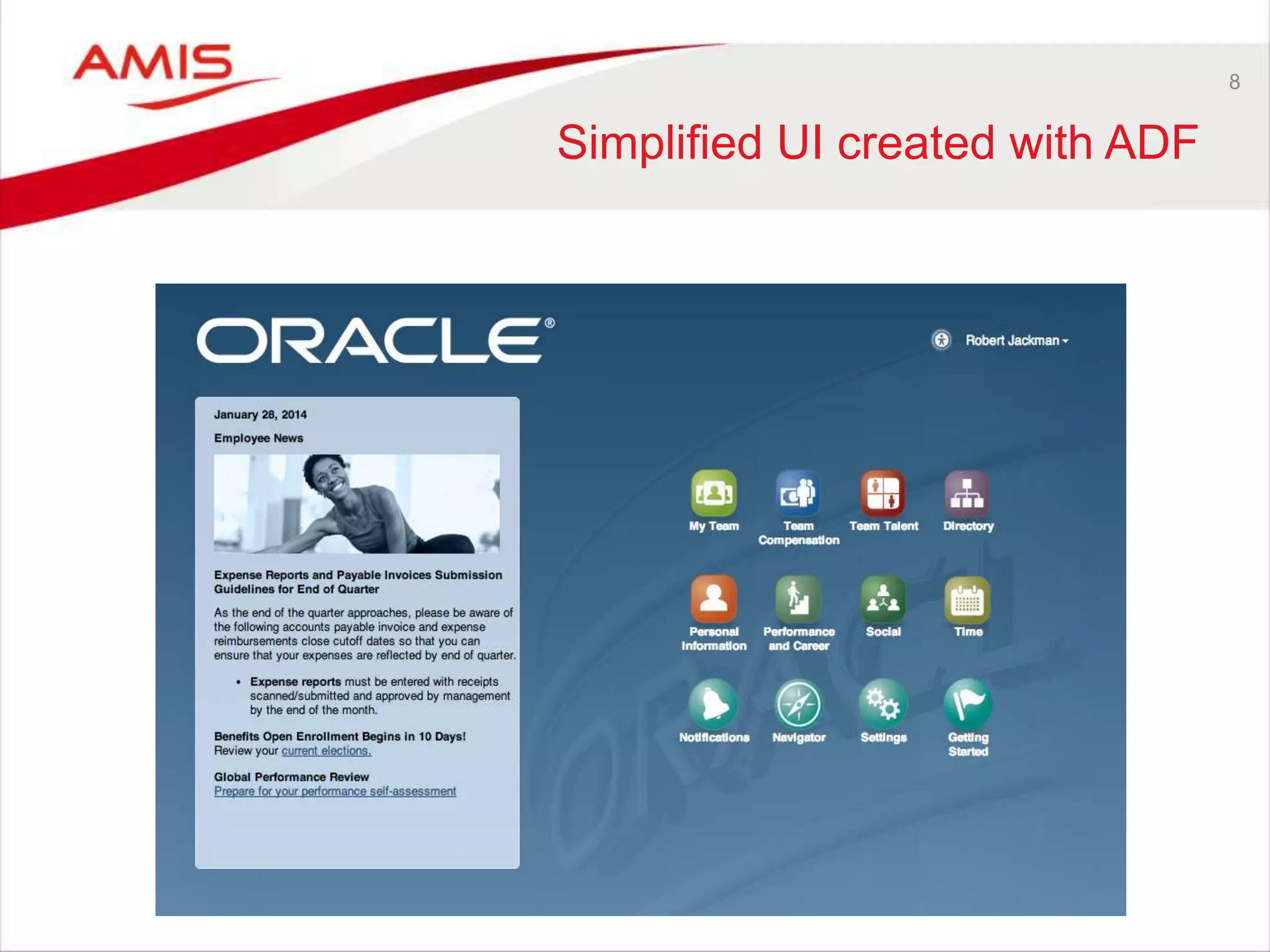
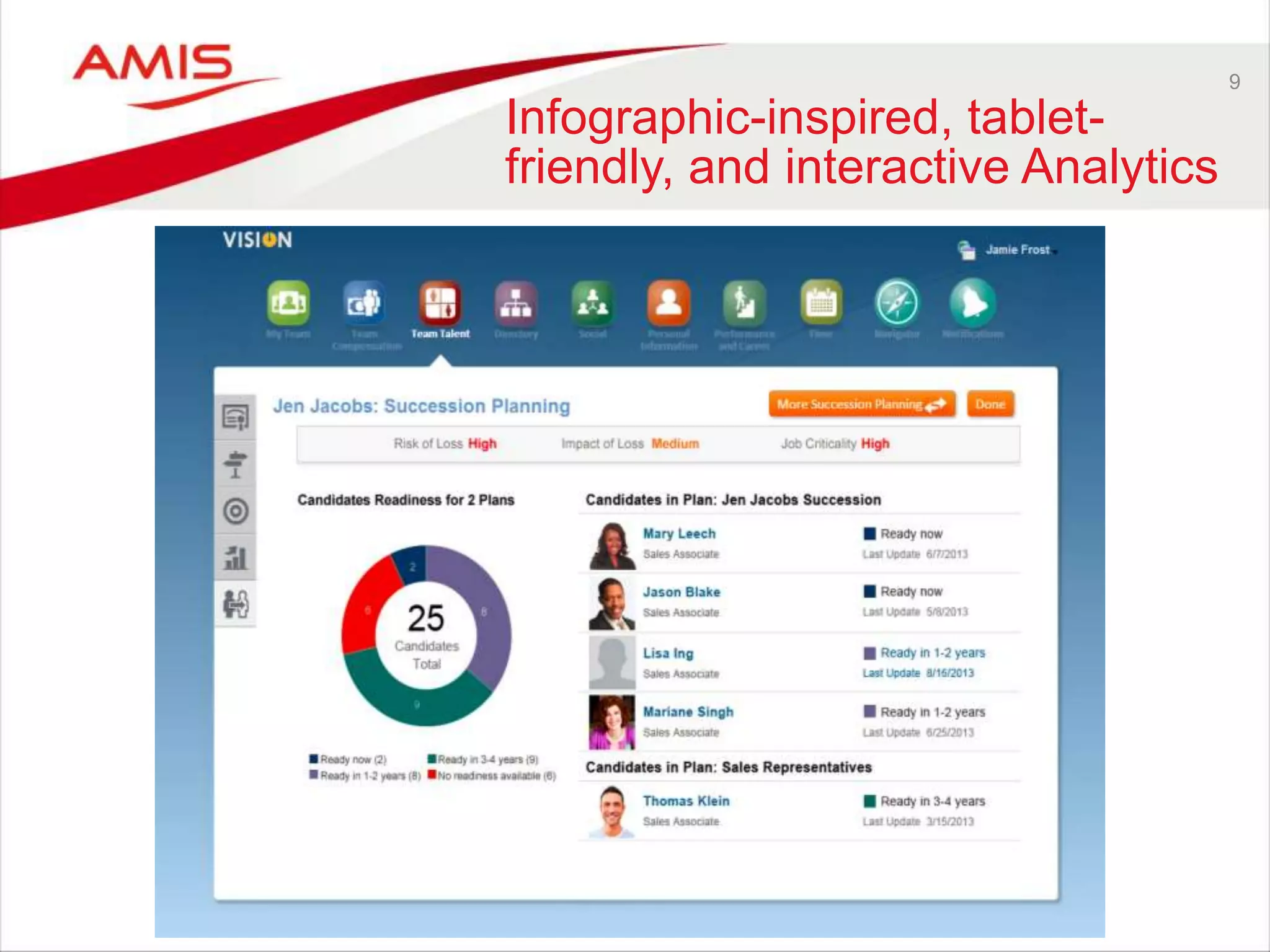
Simplified UI created with ADF
9
Infographic-inspired, tablet-
friendly, and interactive Analytics
10
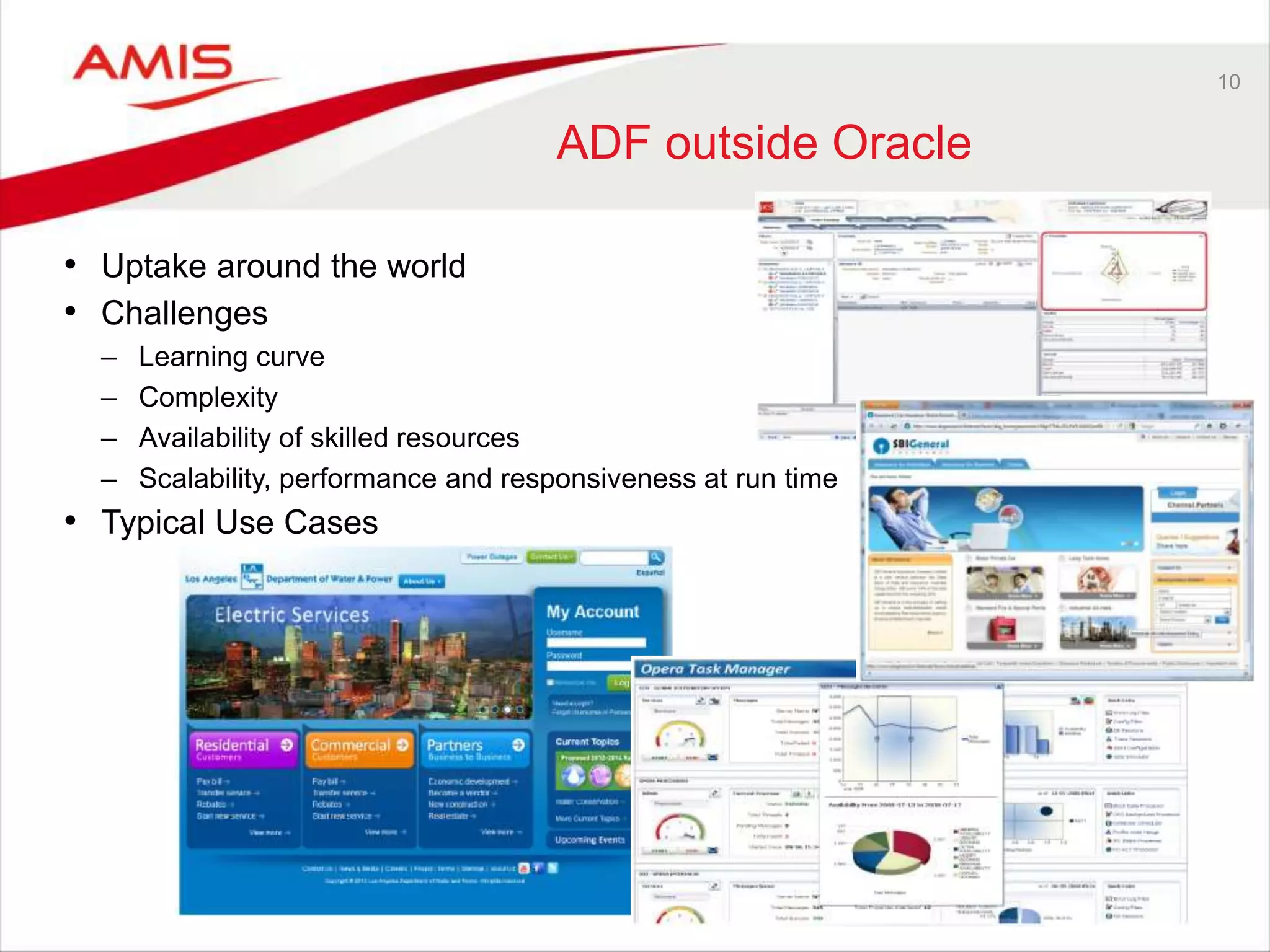
ADF outside Oracle
• Uptake around the world
• Challenges
– Learning curve
– Complexity
– Availability of skilled resources
– Scalability, performance and responsiveness at run time
• Typical Use Cases
11
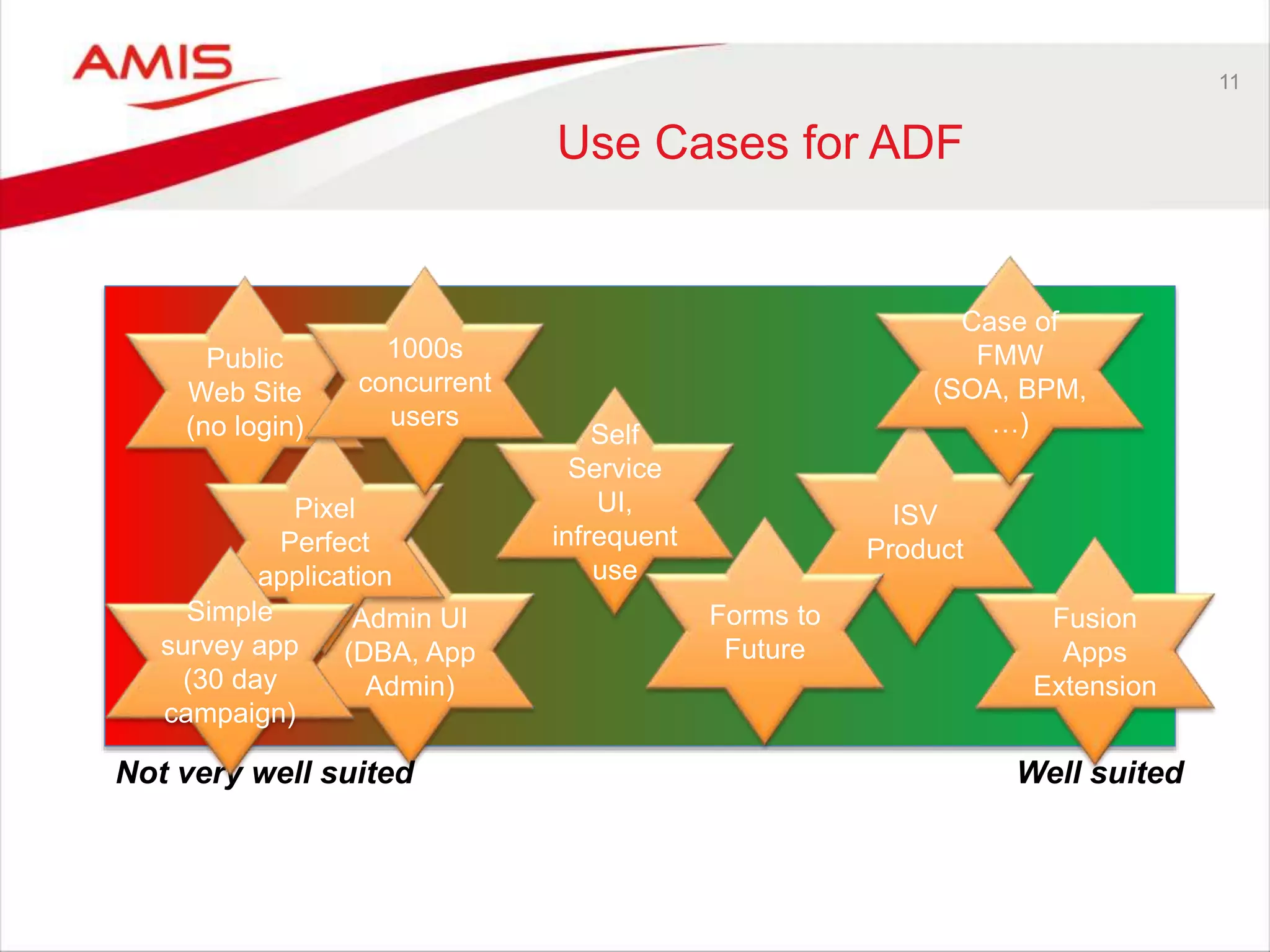
Use Cases for ADF
Fusion
Apps
Extension
Public
Web Site
(no login)
Admin UI
(DBA, App
Admin)
Pixel
Perfect
application
ISV
Product
Case of
FMW
(SOA, BPM,
…)
1000s
concurrent
users
Self
Service
UI,
infrequent
use
Forms to
Future
Not very well suited Well suited
Simple
survey app
(30 day
campaign)
12
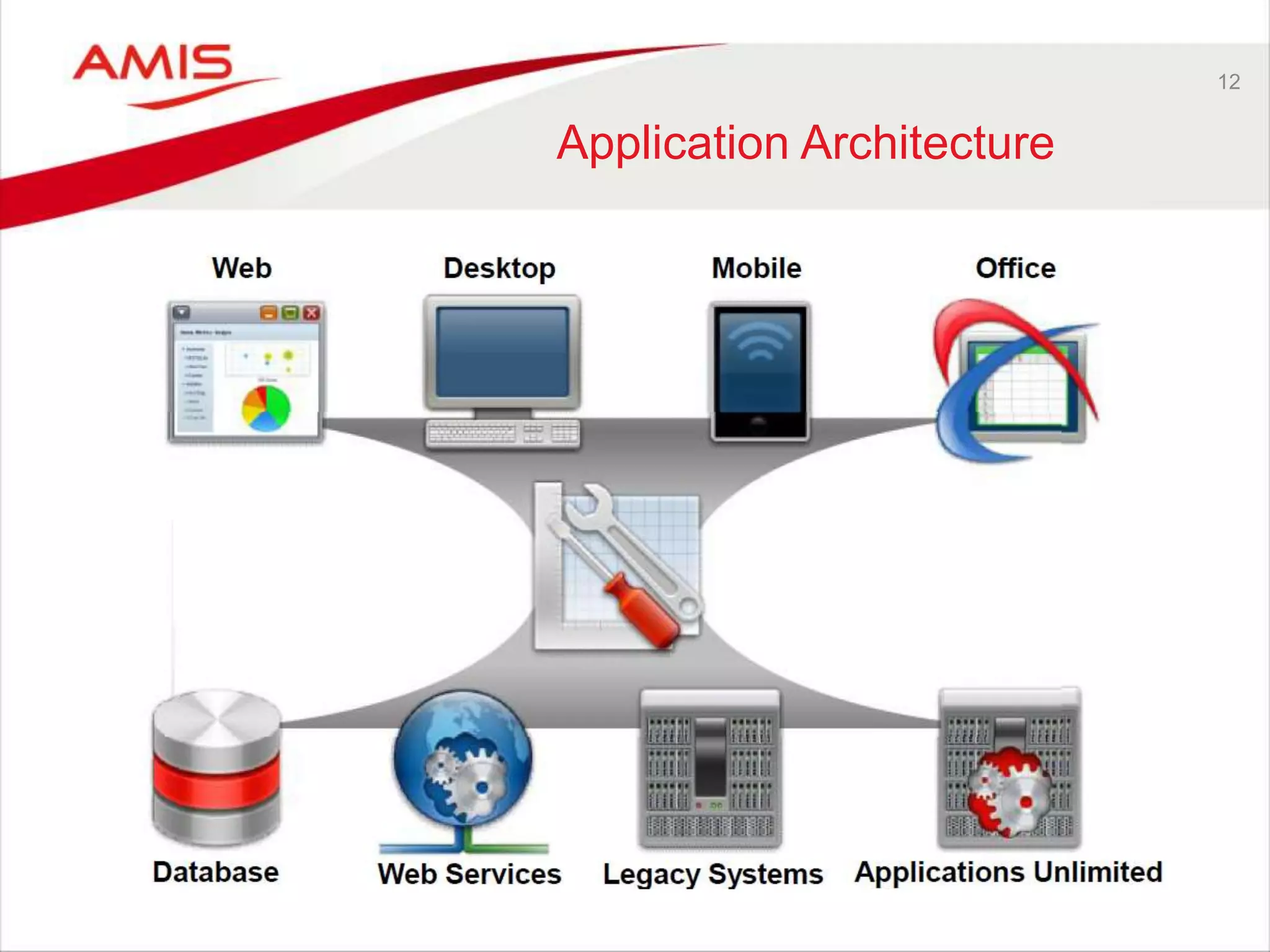
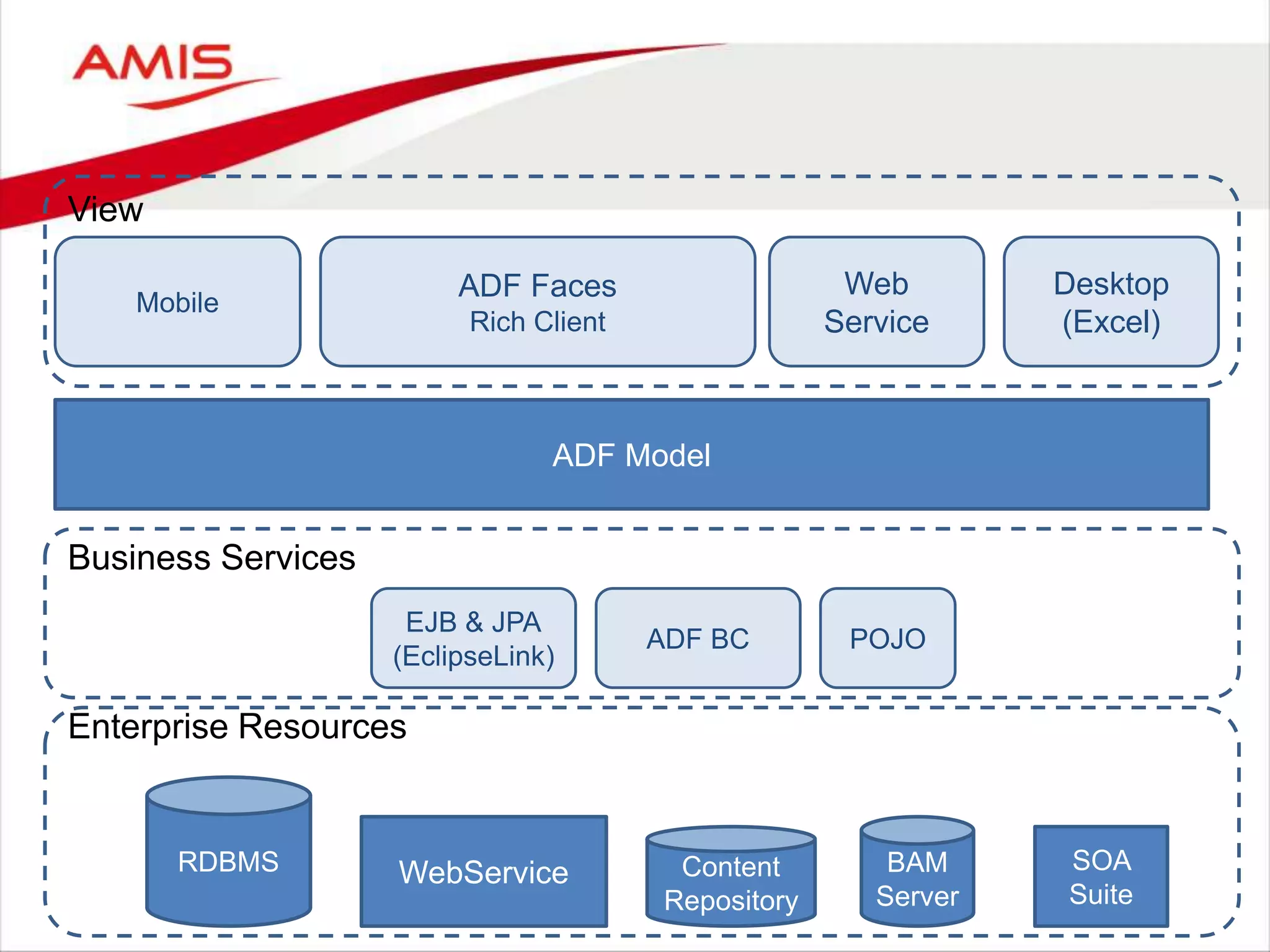
Application Architecture
ADF Model
RDBMS
EJB & JPA
(EclipseLink)
ADF BC
WebService Content
Repository
BAM
Server
POJO
SOA
Suite
Mobile
ADF Faces
Rich Client
Web
Service
Desktop
(Excel)
View
Business Services
Enterprise Resources
14
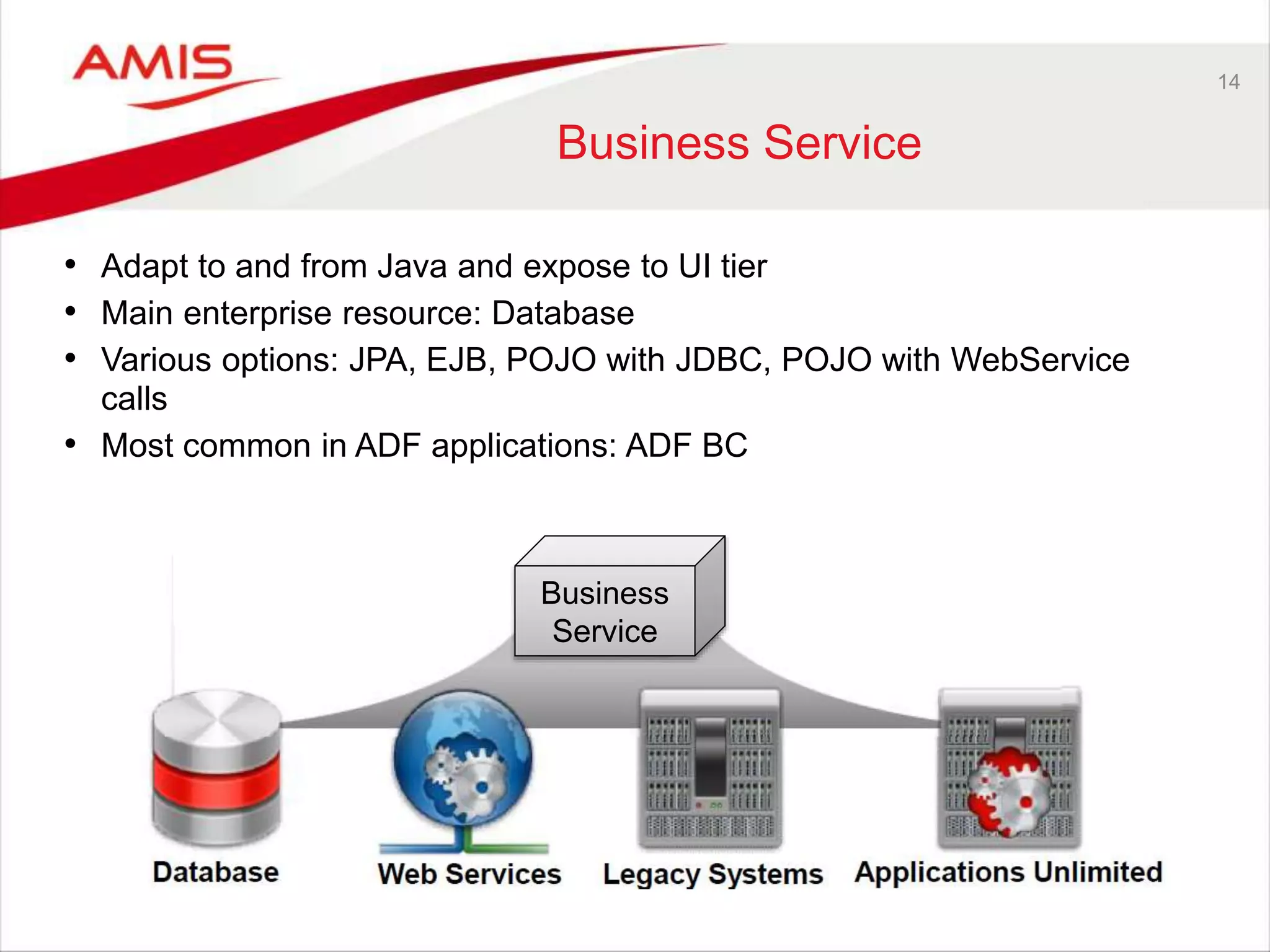
Business Service
• Adapt to and from Java and expose to UI tier
• Main enterprise resource: Database
• Various options: JPA, EJB, POJO with JDBC, POJO with WebService
calls
• Most common in ADF applications: ADF BC
Business
Service
15
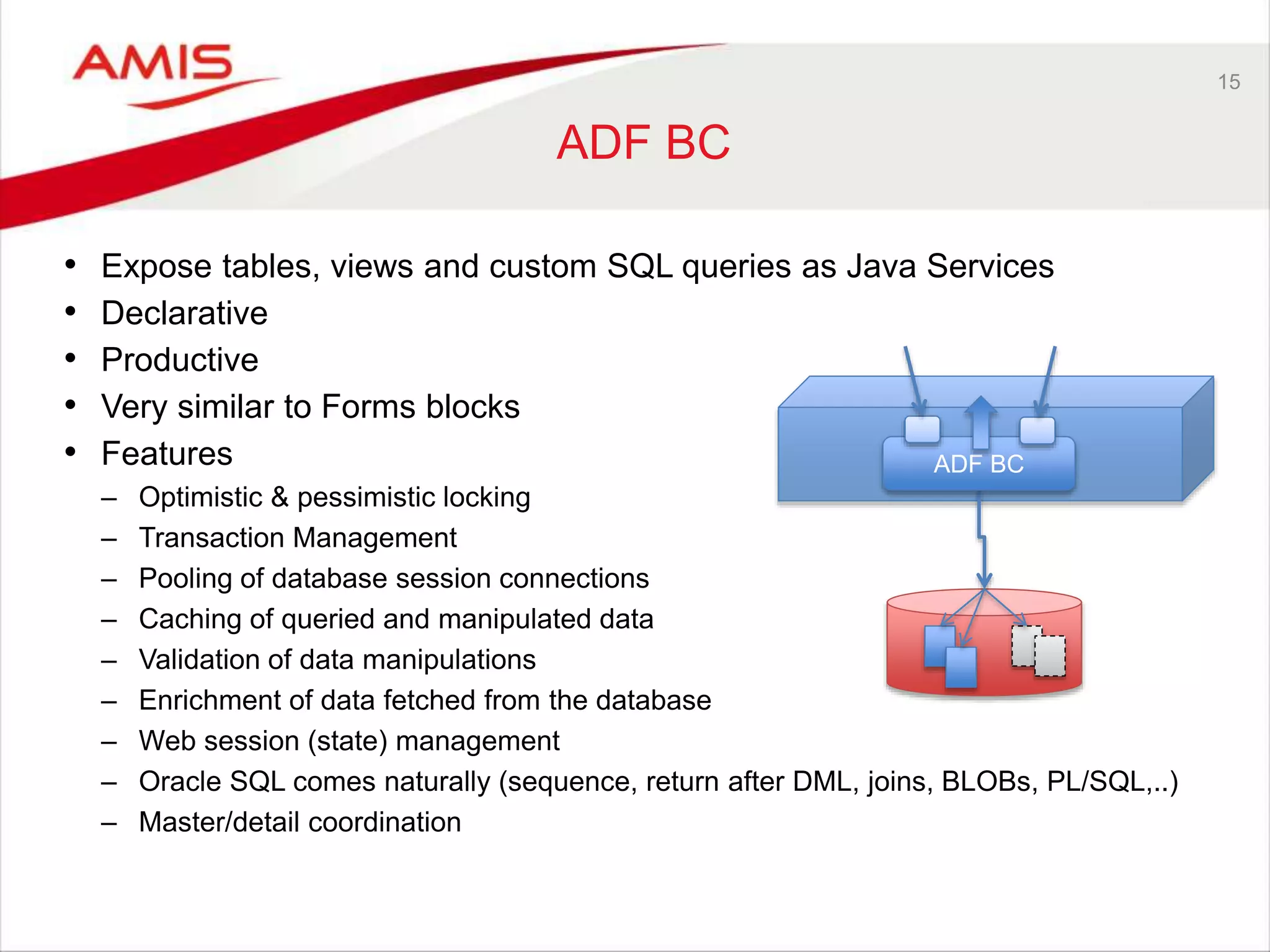
ADF BC
• Expose tables, views and custom SQL queries as Java Services
• Declarative
• Productive
• Very similar to Forms blocks
• Features
– Optimistic & pessimistic locking
– Transaction Management
– Pooling of database session connections
– Caching of queried and manipulated data
– Validation of data manipulations
– Enrichment of data fetched from the database
– Web session (state) management
– Oracle SQL comes naturally (sequence, return after DML, joins, BLOBs, PL/SQL,..)
– Master/detail coordination
ADF BC
16
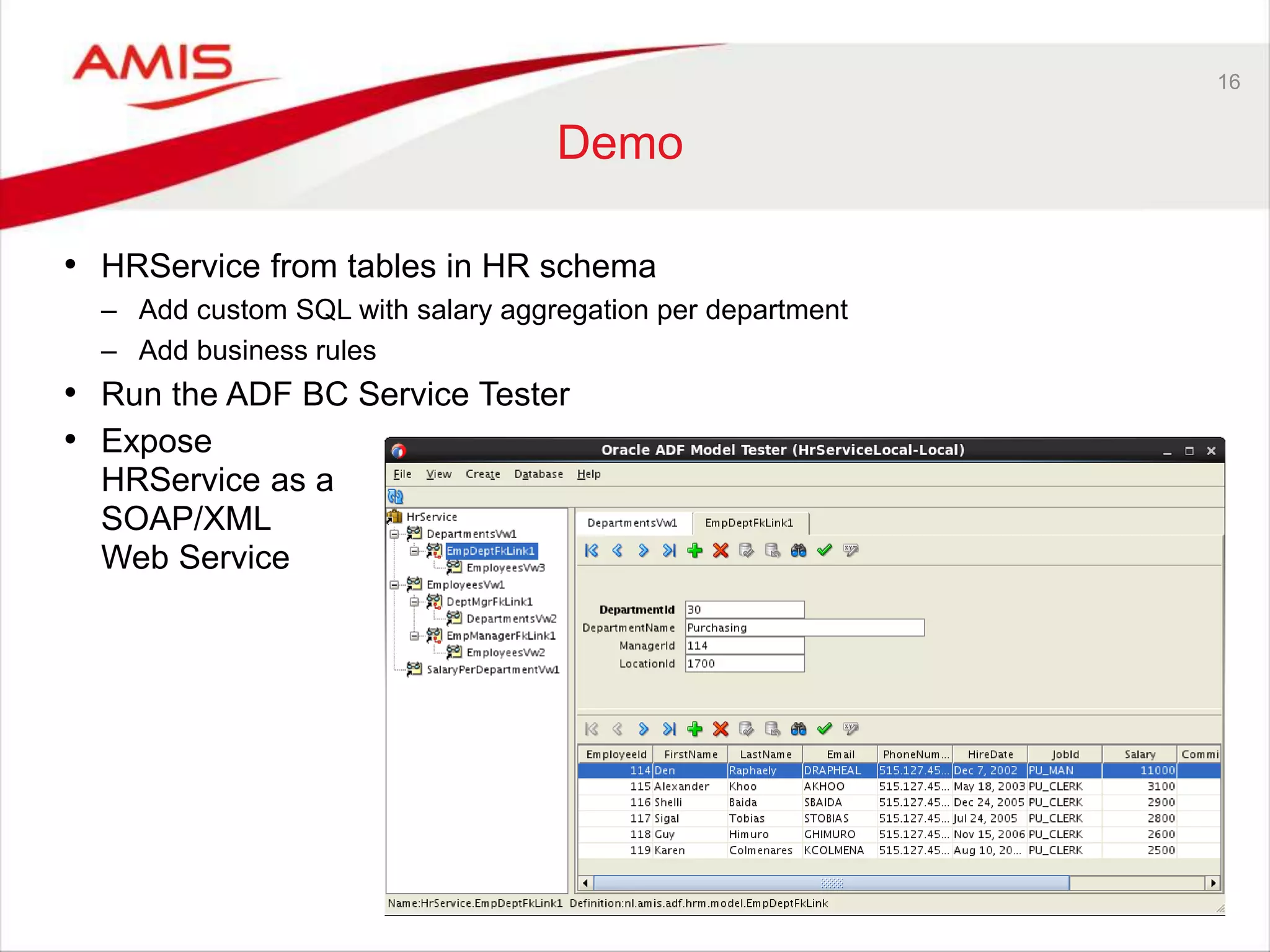
Demo
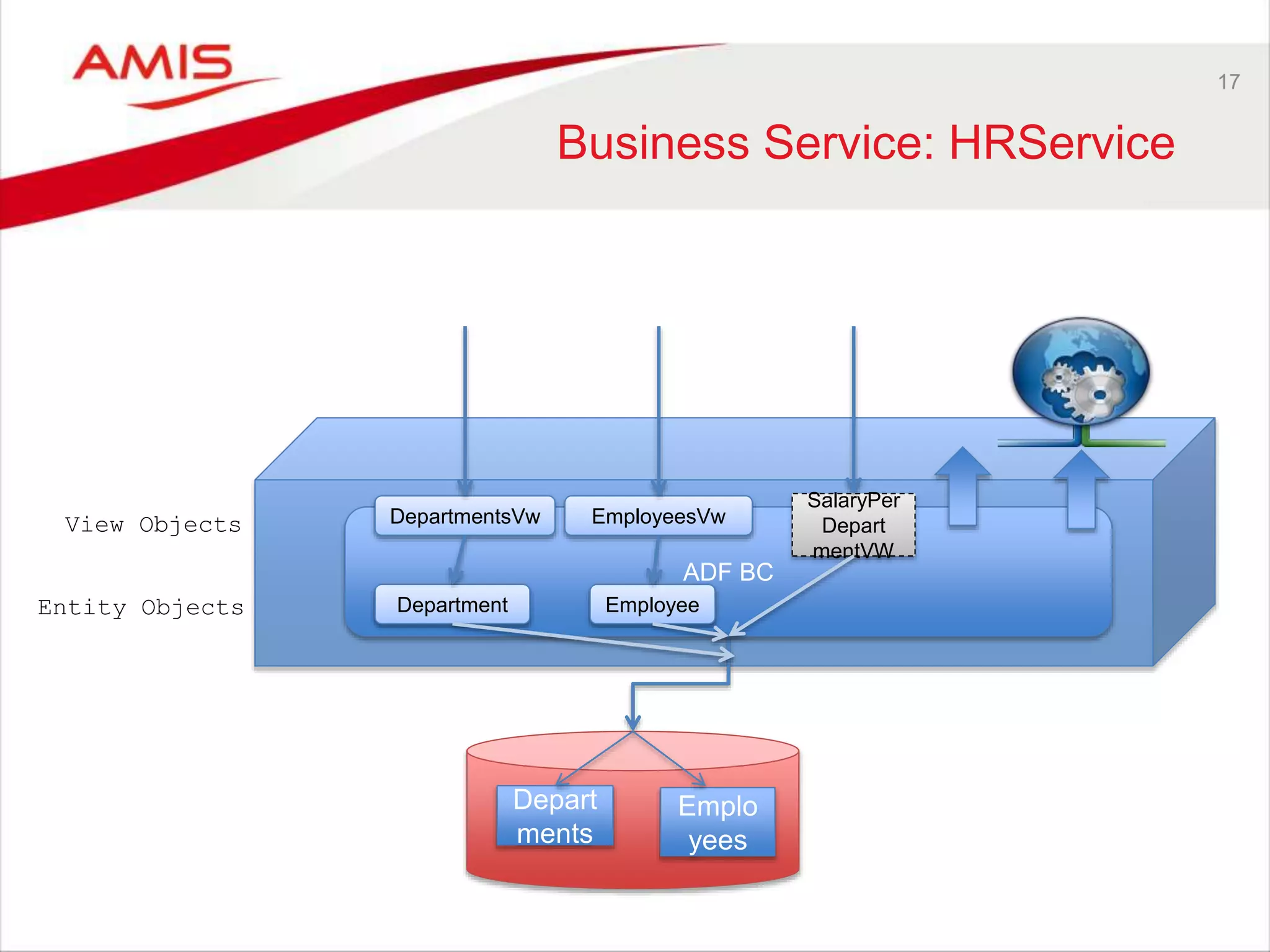
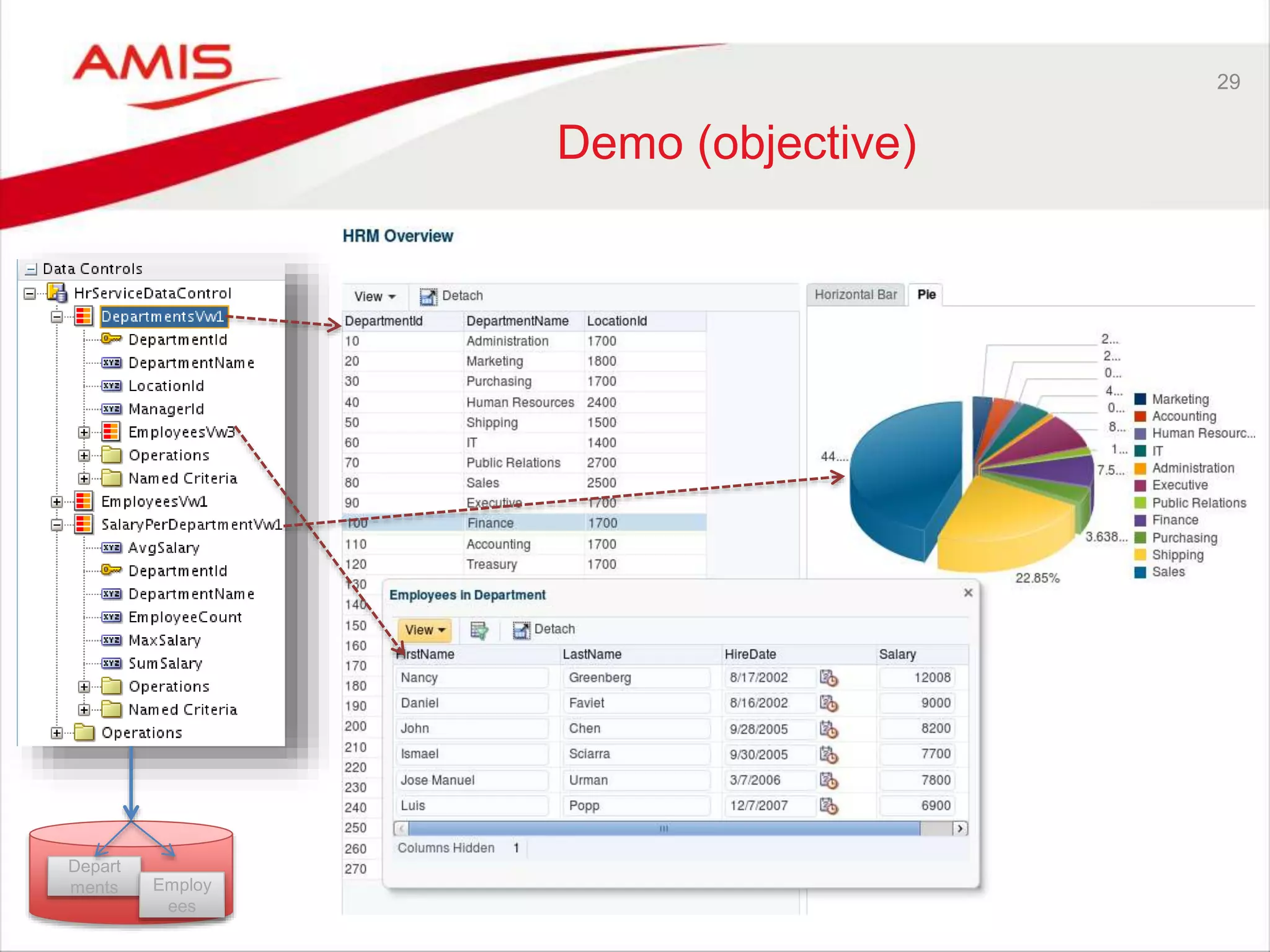
• HRService from tables in HR schema
– Add custom SQL with salary aggregation per department
– Add business rules
• Run the ADF BC Service Tester
• Expose
HRService as a
SOAP/XML
Web Service
17
Business Service: HRService
ADF BC
Depart
ments
Emplo
yees
SalaryPer
Depart
mentVW
DepartmentsVw EmployeesVw
EmployeeDepartmentEntity Objects
View Objects
18
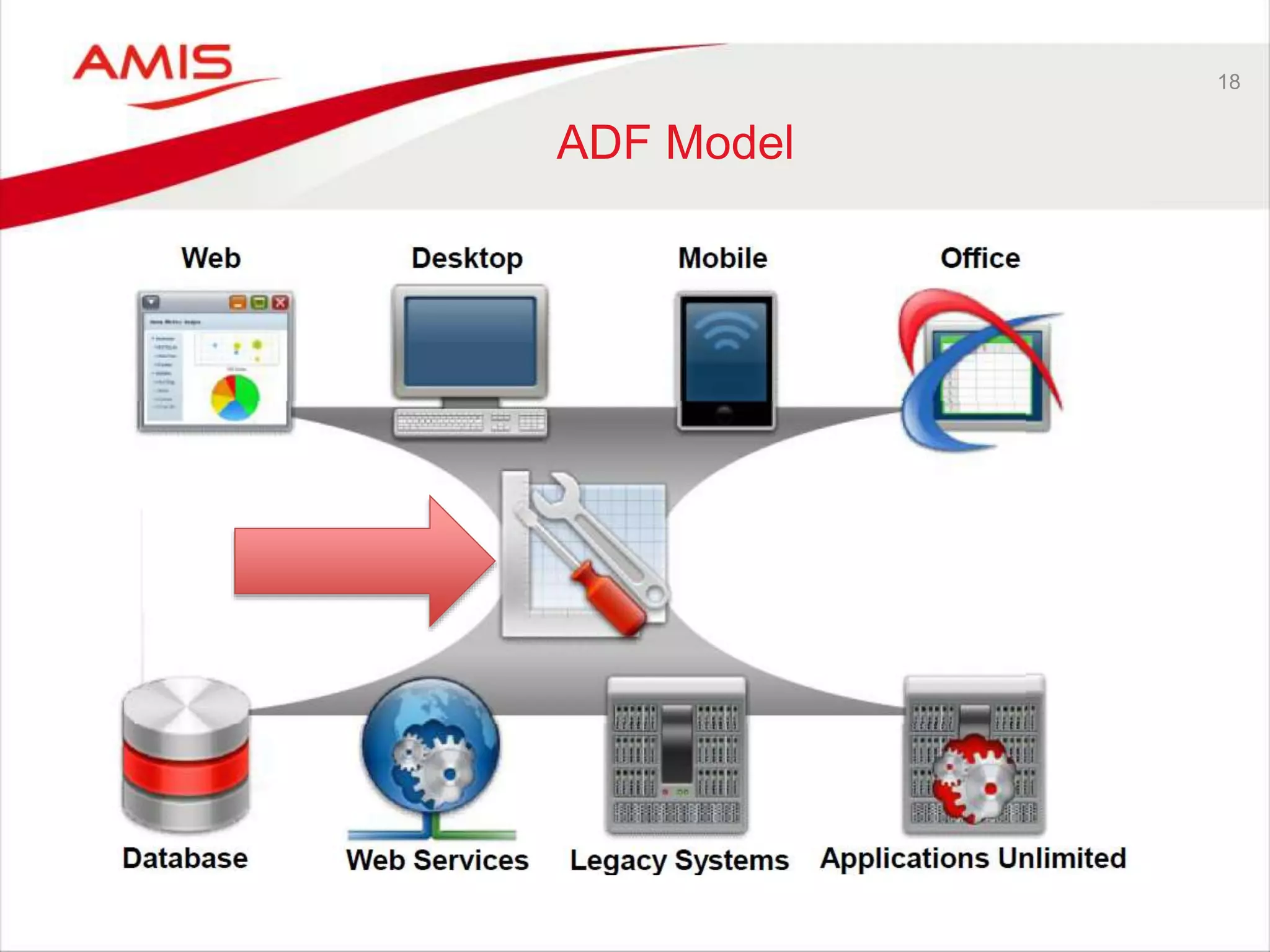
ADF Model
19
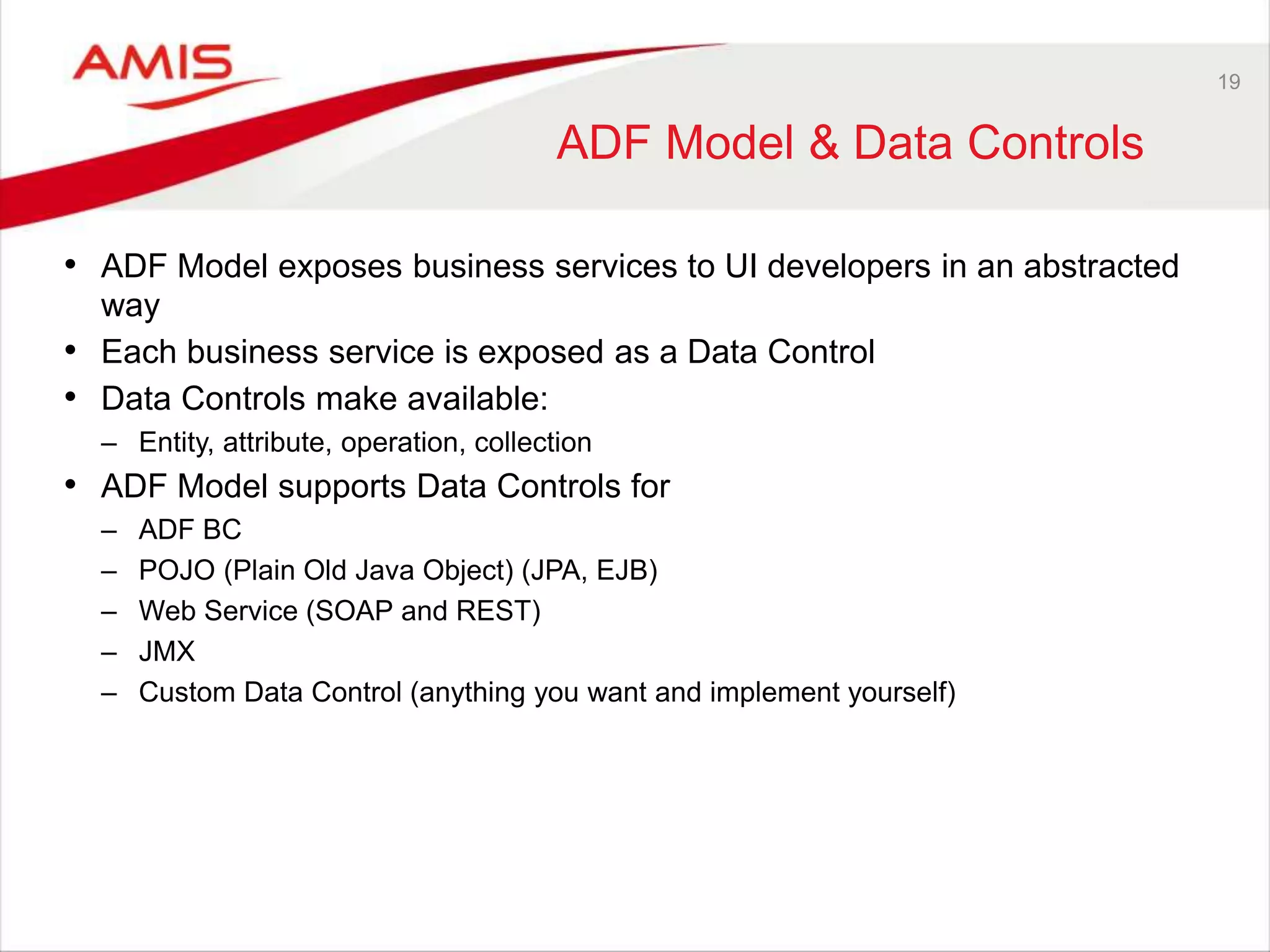
ADF Model & Data Controls
• ADF Model exposes business services to UI developers in an abstracted
way
• Each business service is exposed as a Data Control
• Data Controls make available:
– Entity, attribute, operation, collection
• ADF Model supports Data Controls for
– ADF BC
– POJO (Plain Old Java Object) (JPA, EJB)
– Web Service (SOAP and REST)
– JMX
– Custom Data Control (anything you want and implement yourself)
20
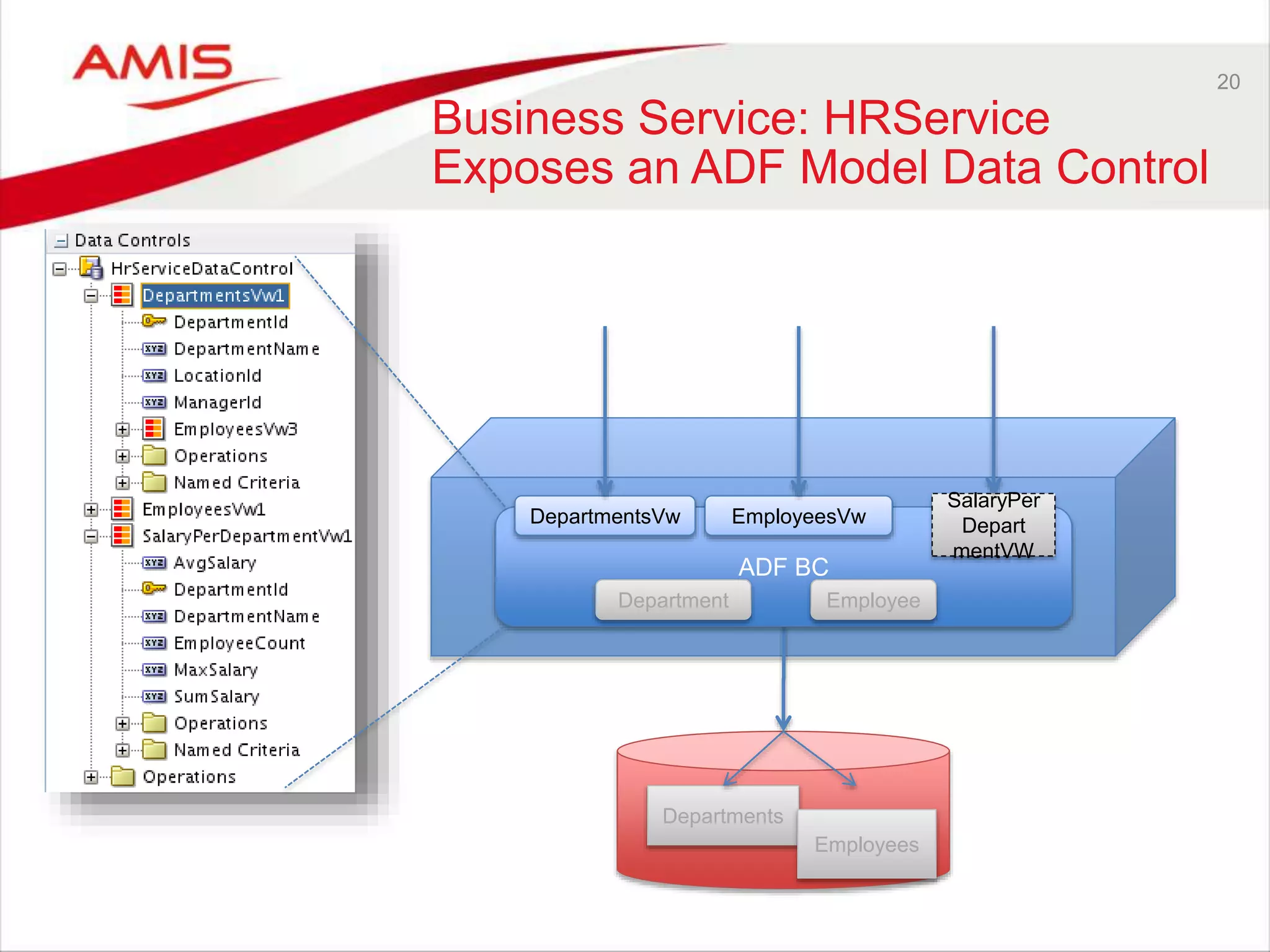
Business Service: HRService
Exposes an ADF Model Data Control
ADF BC
Departments
Employees
SalaryPer
Depart
mentVW
DepartmentsVw EmployeesVw
EmployeeDepartment
21
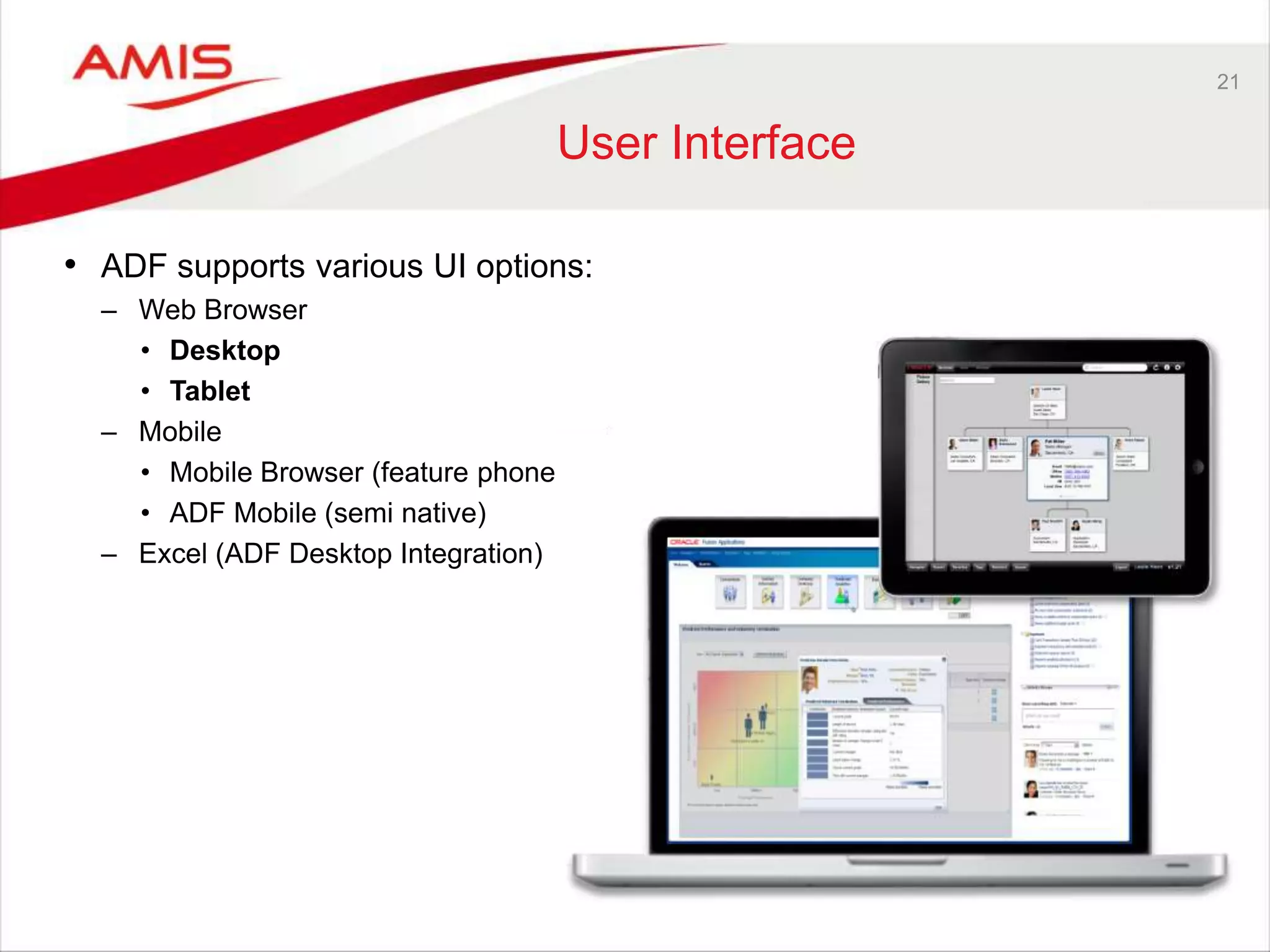
User Interface
• ADF supports various UI options:
– Web Browser
• Desktop
• Tablet
– Mobile
• Mobile Browser (feature phone)
• ADF Mobile (semi native)
– Excel (ADF Desktop Integration)
22
Primary focus: ADF Faces for
Web Browser desktop/tablet
• Run time technologies
– Browser: HTML 5, JavaScript, CSS 3
– Server:
WebLogic Server (Java, Java EE: JavaServer Faces, Servlet)
Or:
ADF Essentials – run on JBoss, Tomcat, Glassfish (and MySQL or Oracle XE)
23
ADF Faces and ADF Data
Binding
• Data Binding connects UI components to Data Controls
– Thereby breathing data into these components, making them come alive!
• Based on standards (JavaServer Faces)
• Declarative
• Productive (*
• Rich functionality
• Modular
• Geared towards reuse
• Enterprise scale development
• Browser independence
• Framework and embraces hides “raw” technology
– For example replacement of Flash with HTML 5
24
Some characteristics of ADF
Faces
• Rich data bound components (table, form, tree, input elements)
declaratively bound to data controls with easy business service access
• AJAX (partial page refresh)
• Skinning for consistent and attractive look and feel
• Client side support for validation, calculation, drag & drop etc.
• Customization and Personalization
• Security through integration with WebLogic OPSS
• Data Push
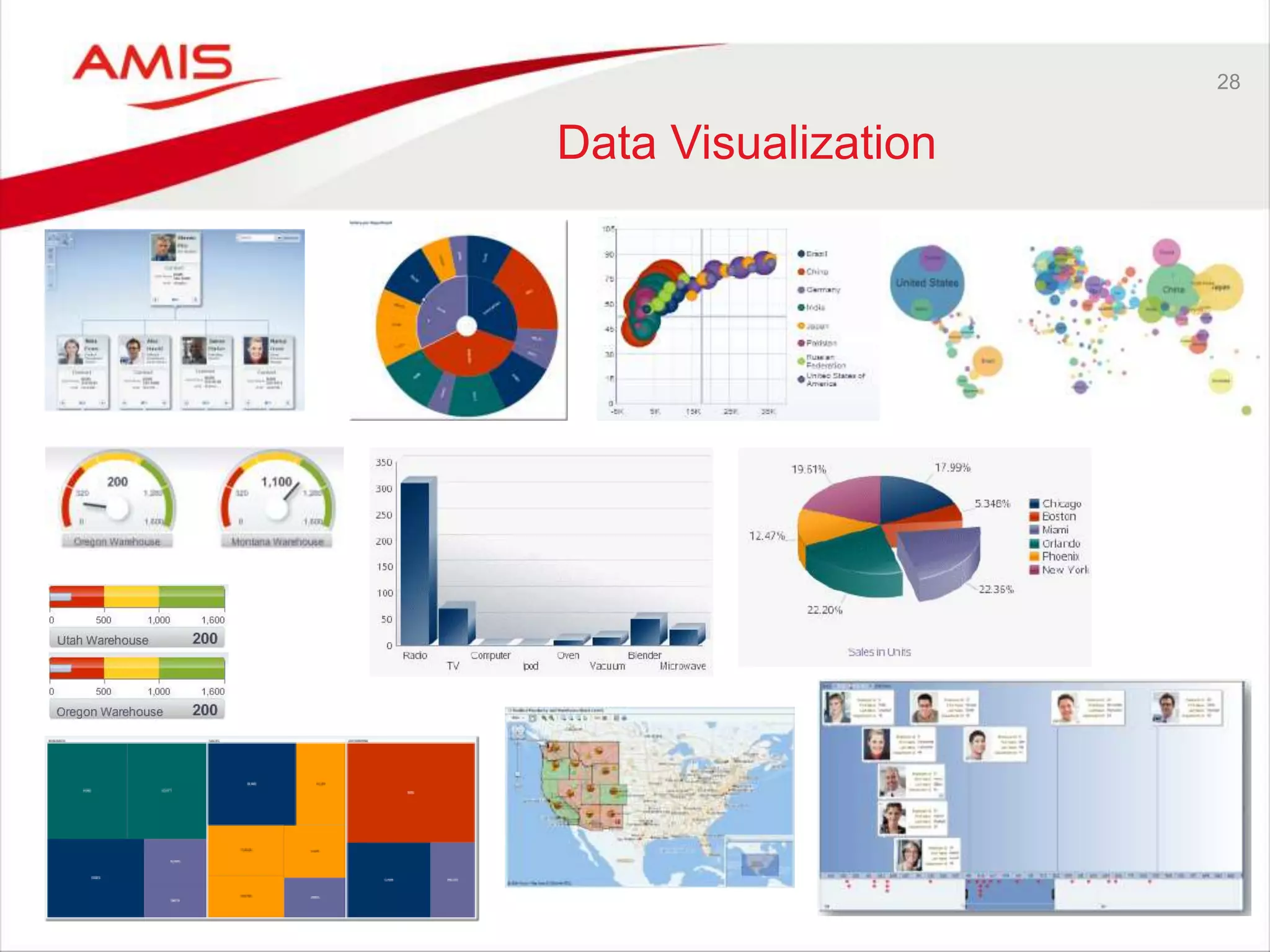
• Fantastic set of Data Visualization components
• Quick start followed by steep learning curve
– Specialization recommended for team members
• Resource intensive on the middle tier
• Smooth experience as long as you work with the framework
– For example: forget pixel perfect designs
25
Audience Challenge
26
Audience Challenge – 1/2
27
Audience Challenge – 2/2
28
Data Visualization
29
Demo (objective)
Depart
ments Employ
ees
30
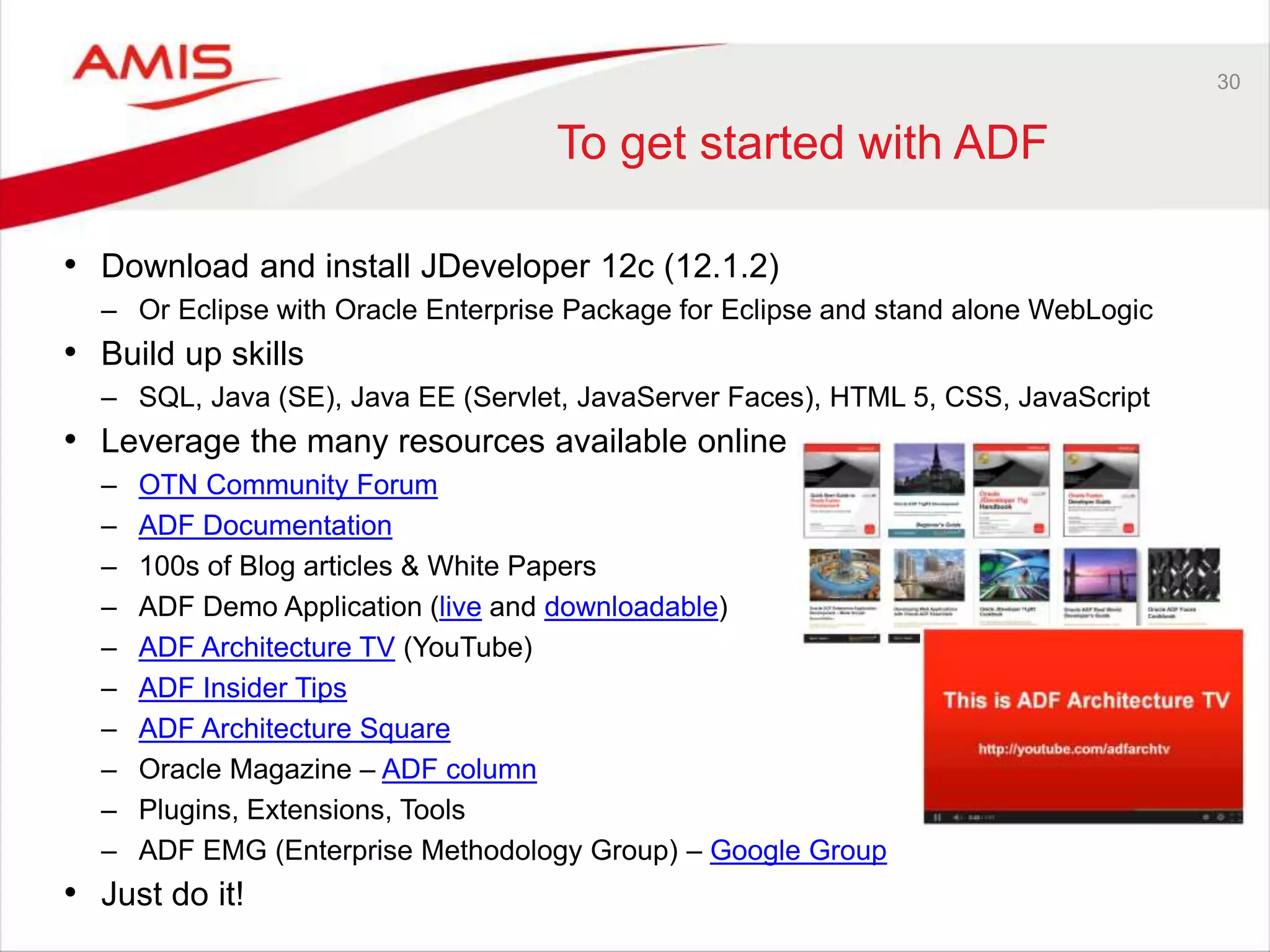
To get started with ADF
• Download and install JDeveloper 12c (12.1.2)
– Or Eclipse with Oracle Enterprise Package for Eclipse and stand alone WebLogic
• Build up skills
– SQL, Java (SE), Java EE (Servlet, JavaServer Faces), HTML 5, CSS, JavaScript
• Leverage the many resources available online
– OTN Community Forum
– ADF Documentation
– 100s of Blog articles & White Papers
– ADF Demo Application (live and downloadable)
– ADF Architecture TV (YouTube)
– ADF Insider Tips
– ADF Architecture Square
– Oracle Magazine – ADF column
– Plugins, Extensions, Tools
– ADF EMG (Enterprise Methodology Group) – Google Group
• Just do it!
31
Summary
• Oracle’s strategic application development solution
– Taken the place Oracle Forms used to occupy
• Enterprise scale development of enterprise applications
– As Oracle itself puts into practice
• High productivity through rich
framework and declarative development
– As long as you work with the framework (and accept its limitations)
• Developing end to end ADF applications requires many skills
– Specialization is probably a good strategy
• The imminent 12.1.3 release continues a long history of evolution
– No major upheaval – new features, ease of development, more tablet and more UX
• ADF Essentials makes free ADF development and deployment possible
– ADF Essentials on [Glassfish | JBoss | Tomcat] against [MySQL | Oracle XE]
ADF
ADF in Action - getting (re)acquainted with Oracle’s premier application development framework - OUGF 2014 Harmony

ADF in Action - getting (re)acquainted with Oracle’s premier application development framework - OUGF 2014 Harmony

  • 1.
    Lucas Jellema OUGF Harmony2014 – 4-5 June 2014 – Finland ADF in action – getting (re)acquainted with Oracle’s premier application development framework
  • 2.
    Some first reactions… Complex!! Functionally rich. Hardto style to pixel perfection Really not the latest HTML 5 web site style Powerful stuff Attractive, with visualization and that Simplified UI Non standard, Oracle proprietary (dixit Java developer) Enterprise grade Vast… Productive Elegant development Heavy (un-lean) Shields developer from multi browser nightmare Not for the faint hearted
  • 3.
    Overview • From whereto where • Developing Applications • Business Service – From Middle Tier to Database – Demo • User Interface – From Middle Tier to Browser – Demo • Advanced features in the ADF Framework – Demo • How to get started
  • 4.
    4 Origins • ADF =Application Development Framework • Launch of ADF: 2004 – Birth of BC4J (now ADF BC): 1999 – First incarnation of JDeveloper: 1998 • Oracle’s toolstack for developing enterprise applications – As such: the successor to Oracle Forms
  • 5.
  • 6.
    6 ADF at Oracle •ADF == Advanced Dog Food • ADF is used inside Oracle for development of – Fusion Applications – Large parts of most Oracle Applications products – User interfaces in many other FMW products (GoldenGate, Enterprise Manager, OBI EE, WebCenter, IdM) – User interfaces in Oracle Cloud services • Over 10,000 developers within Oracle use ADF for their daily work • Oracle’s investment in and dependence on ADF is enormous – ADF is strategic, long term
  • 7.
    Some user interfaces inFusion Applications
  • 8.
  • 9.
  • 10.
    10 ADF outside Oracle •Uptake around the world • Challenges – Learning curve – Complexity – Availability of skilled resources – Scalability, performance and responsiveness at run time • Typical Use Cases
  • 11.
    11 Use Cases forADF Fusion Apps Extension Public Web Site (no login) Admin UI (DBA, App Admin) Pixel Perfect application ISV Product Case of FMW (SOA, BPM, …) 1000s concurrent users Self Service UI, infrequent use Forms to Future Not very well suited Well suited Simple survey app (30 day campaign)
  • 12.
  • 13.
    ADF Model RDBMS EJB &JPA (EclipseLink) ADF BC WebService Content Repository BAM Server POJO SOA Suite Mobile ADF Faces Rich Client Web Service Desktop (Excel) View Business Services Enterprise Resources
  • 14.
    14 Business Service • Adaptto and from Java and expose to UI tier • Main enterprise resource: Database • Various options: JPA, EJB, POJO with JDBC, POJO with WebService calls • Most common in ADF applications: ADF BC Business Service
  • 15.
    15 ADF BC • Exposetables, views and custom SQL queries as Java Services • Declarative • Productive • Very similar to Forms blocks • Features – Optimistic & pessimistic locking – Transaction Management – Pooling of database session connections – Caching of queried and manipulated data – Validation of data manipulations – Enrichment of data fetched from the database – Web session (state) management – Oracle SQL comes naturally (sequence, return after DML, joins, BLOBs, PL/SQL,..) – Master/detail coordination ADF BC
  • 16.
    16 Demo • HRService fromtables in HR schema – Add custom SQL with salary aggregation per department – Add business rules • Run the ADF BC Service Tester • Expose HRService as a SOAP/XML Web Service
  • 17.
    17 Business Service: HRService ADFBC Depart ments Emplo yees SalaryPer Depart mentVW DepartmentsVw EmployeesVw EmployeeDepartmentEntity Objects View Objects
  • 18.
  • 19.
    19 ADF Model &Data Controls • ADF Model exposes business services to UI developers in an abstracted way • Each business service is exposed as a Data Control • Data Controls make available: – Entity, attribute, operation, collection • ADF Model supports Data Controls for – ADF BC – POJO (Plain Old Java Object) (JPA, EJB) – Web Service (SOAP and REST) – JMX – Custom Data Control (anything you want and implement yourself)
  • 20.
    20 Business Service: HRService Exposesan ADF Model Data Control ADF BC Departments Employees SalaryPer Depart mentVW DepartmentsVw EmployeesVw EmployeeDepartment
  • 21.
    21 User Interface • ADFsupports various UI options: – Web Browser • Desktop • Tablet – Mobile • Mobile Browser (feature phone) • ADF Mobile (semi native) – Excel (ADF Desktop Integration)
  • 22.
    22 Primary focus: ADFFaces for Web Browser desktop/tablet • Run time technologies – Browser: HTML 5, JavaScript, CSS 3 – Server: WebLogic Server (Java, Java EE: JavaServer Faces, Servlet) Or: ADF Essentials – run on JBoss, Tomcat, Glassfish (and MySQL or Oracle XE)
  • 23.
    23 ADF Faces andADF Data Binding • Data Binding connects UI components to Data Controls – Thereby breathing data into these components, making them come alive! • Based on standards (JavaServer Faces) • Declarative • Productive (* • Rich functionality • Modular • Geared towards reuse • Enterprise scale development • Browser independence • Framework and embraces hides “raw” technology – For example replacement of Flash with HTML 5
  • 24.
    24 Some characteristics ofADF Faces • Rich data bound components (table, form, tree, input elements) declaratively bound to data controls with easy business service access • AJAX (partial page refresh) • Skinning for consistent and attractive look and feel • Client side support for validation, calculation, drag & drop etc. • Customization and Personalization • Security through integration with WebLogic OPSS • Data Push • Fantastic set of Data Visualization components • Quick start followed by steep learning curve – Specialization recommended for team members • Resource intensive on the middle tier • Smooth experience as long as you work with the framework – For example: forget pixel perfect designs
  • 25.
  • 26.
  • 27.
  • 28.
  • 29.
  • 30.
    30 To get startedwith ADF • Download and install JDeveloper 12c (12.1.2) – Or Eclipse with Oracle Enterprise Package for Eclipse and stand alone WebLogic • Build up skills – SQL, Java (SE), Java EE (Servlet, JavaServer Faces), HTML 5, CSS, JavaScript • Leverage the many resources available online – OTN Community Forum – ADF Documentation – 100s of Blog articles & White Papers – ADF Demo Application (live and downloadable) – ADF Architecture TV (YouTube) – ADF Insider Tips – ADF Architecture Square – Oracle Magazine – ADF column – Plugins, Extensions, Tools – ADF EMG (Enterprise Methodology Group) – Google Group • Just do it!
  • 31.
    31 Summary • Oracle’s strategicapplication development solution – Taken the place Oracle Forms used to occupy • Enterprise scale development of enterprise applications – As Oracle itself puts into practice • High productivity through rich framework and declarative development – As long as you work with the framework (and accept its limitations) • Developing end to end ADF applications requires many skills – Specialization is probably a good strategy • The imminent 12.1.3 release continues a long history of evolution – No major upheaval – new features, ease of development, more tablet and more UX • ADF Essentials makes free ADF development and deployment possible – ADF Essentials on [Glassfish | JBoss | Tomcat] against [MySQL | Oracle XE] ADF

Editor's Notes

  • #3 ADF is the strategic application development framework for Oracle, a core element in Fusion Middleware. ADF can be used to create large scale, enterprise applications. It can be used to create entirely license free applications. It can be used to create cloud applications and also applications that can be used from all kinds of mobile devices. This session provides an overview of ADF: what is consists of, what it can be used for, what it is better not be used for, how does it compare to APEX and well does it integrate with Oracle Database. What does it take to (learn how to) develop ADF applications is in important question that is addressed. The presentation features several demonstrations of the both the first HelloEmployees application as well as a number of advanced ADF mechanisms such as Data Visualization, Personalization and Security. If you have not recently - or ever at all - seen ADF in action, and application development does take place in your organization, this session is a valuable quick introduction and overview.
  • #5 http://www.oracle.com/technetwork/developer-tools/jdev/jdev-history-099970.html