Appellate Briefs
in the Era of E-Filing

         Don Cruse
         Todd Smith


State Bar “Adaptable Lawyer” Track
2012 Annual Meeting (Houston, TX)
E-Filing
Changes to Appellate Practice

•   E-Filing: Electronic submission of documents
    to appellate courts for decision and action
•   Texas Appeals Management and E-Filing
    System (TAMES): PACER-like online
    document submission and access
• E-Briefs: Documents prepared for e-filing in
    compliance with court rules
Appellate E-Filing


• Not “e-copies”—electronic copies of briefs
  tendered for court’s convenience
• True e-filing is sufficient to satisfy deadlines
  and join issues, even if follow-up paper
  copies are required
Why File Electronically?

• Many courts now require it
• To simplify and streamline your practice
• To make the job of deciding your appeal
  easier for the court
• Adds some flexibility—a document is
  timely if filed by 11:59 p.m. on date due
Where Can You E-File?
• 5th Circuit: Mandatory since March 2010
• SCOTX: Mandatory since September 2011
• Among 14 intermediate appellate courts,
  mandatory in 1st, 3rd, 7th, and 14th
• Currently permissive in 2nd, 4th, 5th, 6th,
  9th, 11th & 13th
• 8th, 10th & 12th will permit soon
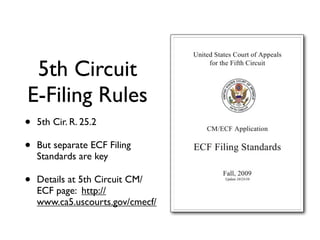
5th Circuit
E-Filing Rules
•   5th Cir. R. 25.2

•   But separate ECF Filing
    Standards are key

•   Details at 5th Circuit CM/
    ECF page: http://
    www.ca5.uscourts.gov/cmecf/
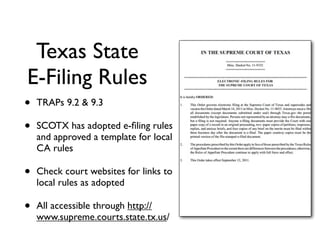
Texas State
E-Filing Rules
•   TRAPs 9.2 & 9.3

•   SCOTX has adopted e-filing rules
    and approved a template for local
    CA rules

•   Check court websites for links to
    local rules as adopted

•   All accessible through http://
    www.supreme.courts.state.tx.us/
How to E-File:
 5th Circuit
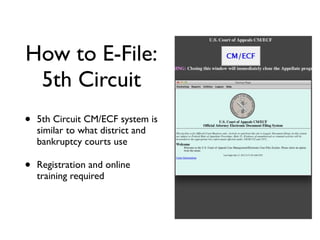
•   5th Circuit CM/ECF system is
    similar to what district and
    bankruptcy courts use

•   Registration and online
    training required
How to E-File:
Texas State Courts
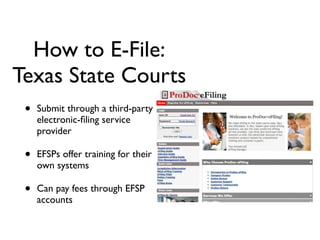
 •   Submit through a third-party
     electronic-filing service
     provider

 •   EFSPs offer training for their
     own systems

 •   Can pay fees through EFSP
     accounts
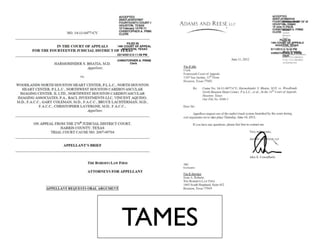
TAMES
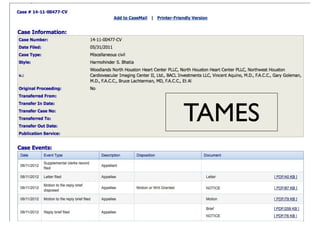
• More documents online: Fourteenth Court
  site now publishes all motions, briefs, orders
• But might be at a cost: Courts are debating
  asking for a PACER-type fee for each viewing
• This technology would allow searching all
  appellate briefs through one portal
• Electronic notices could replace U.S. mail
TAMES
TAMES
E-Briefs
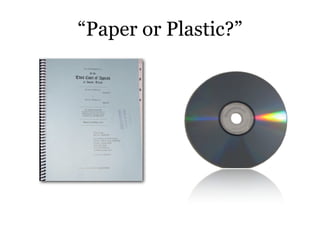
“Paper or Plastic?”
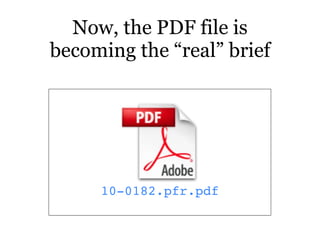
Now, the PDF file is
becoming the “real” brief


     10-0182.pfr.pdf
But “PDF” is just a file format.

    Knowing it’s filed in that format
    doesn’t tell you how the judges
       will actually see that file.
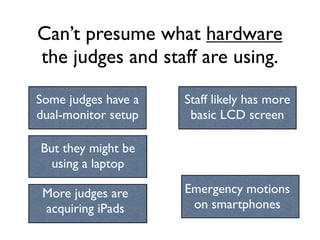
Can’t presume what hardware
the judges and staff are using.

Some judges have a   Staff likely has more
dual-monitor setup    basic LCD screen

But they might be
  using a laptop

 More judges are     Emergency motions
 acquiring iPads      on smartphones
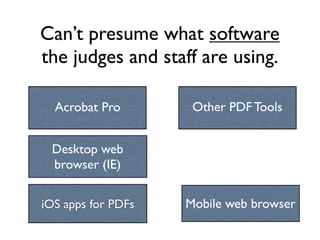
Can’t presume what software
the judges and staff are using.

Acrobat Pro
  Acrobat            Other PDF Tools


 Desktop web
 browser (IE)


iOS apps for PDFs   Mobile web browser
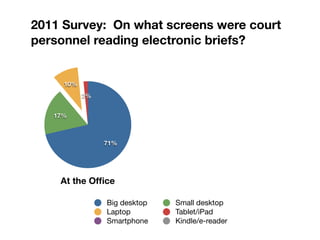
2011 Survey: On what screens were court
personnel reading electronic briefs?
2011 Survey: On what screens were court
personnel reading electronic briefs?


     10%
           2%


   17%


                71%


    At the Office

                Big desktop   Small desktop
                Laptop        Tablet/iPad
                Smartphone    Kindle/e-reader
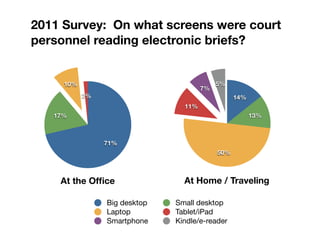
2011 Survey: On what screens were court
personnel reading electronic briefs?


     10%                                   5%
                                      7%
           2%                                    14%
                                11%
   17%                                                 13%


                71%
                                           50%


    At the Office                At Home / Traveling

                Big desktop   Small desktop
                Laptop        Tablet/iPad
                Smartphone    Kindle/e-reader
Searchable
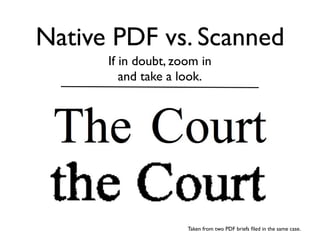
Native PDF vs. Scanned
      If in doubt, zoom in
         and take a look.


                     Taken from two PDF briefs filed in the same case.
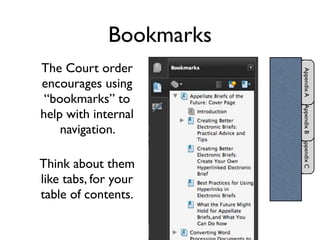
Bookmarks
Bookmarks
The Court order


                         Appendix A
encourages using
 “bookmarks” to


                         Appendix B Appendix C
help with internal
    navigation.

Think about them
like tabs, for your
table of contents.
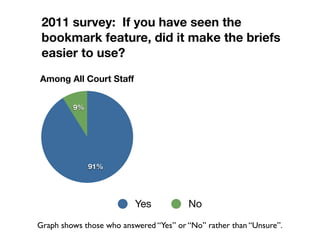
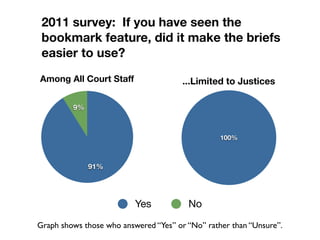
2011 survey: If you have seen the
 bookmark feature, did it make the briefs
 easier to use?
Among All Court Staff


         9%


              91%


                          Yes           No

Graph shows those who answered “Yes” or “No” rather than “Unsure”.
2011 survey: If you have seen the
 bookmark feature, did it make the briefs
 easier to use?
Among All Court Staff                  ...Limited to Justices

         9%


                                                 100%


              91%


                          Yes           No

Graph shows those who answered “Yes” or “No” rather than “Unsure”.
Hyperlinks
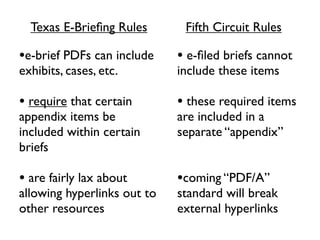
Texas E-Briefing Rules       Fifth Circuit Rules

•e-brief PDFs can include    • e-filed briefs cannot
exhibits, cases, etc.        include these items

• require that certain       • these required items
appendix items be            are included in a
included within certain      separate “appendix”
briefs

• are fairly lax about       •coming “PDF/A”
allowing hyperlinks out to   standard will break
other resources              external hyperlinks
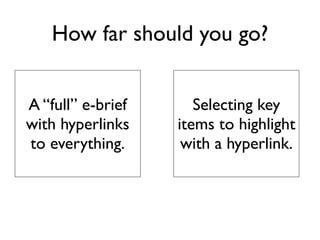
How far should you go?


A “full” e-brief      Selecting key
with hyperlinks    items to highlight
to everything.      with a hyperlink.
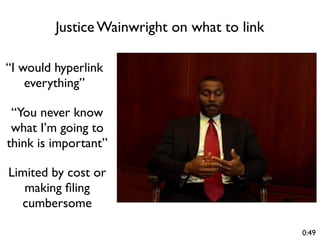
Justice Wainwright on what to link

“I would hyperlink
    everything”

 “You never know
 what I’m going to
think is important”

Limited by cost or
   making filing
  cumbersome

                                              0:49
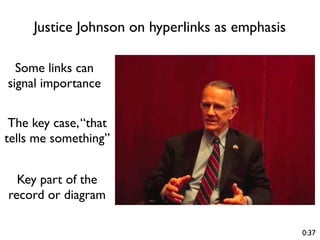
Justice Johnson on hyperlinks as emphasis

  Some links can
signal importance


 The key case, “that
tells me something”


  Key part of the
record or diagram

                                                 0:37
What to link?
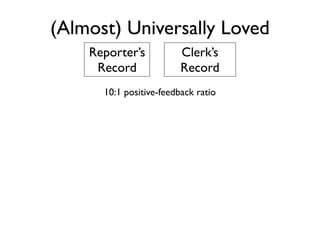
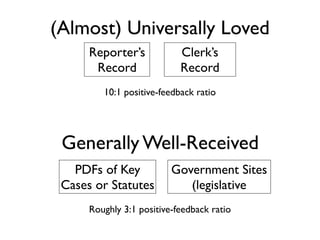
(Almost) Universally Loved
    Reporter’s           Clerk’s
     Record              Record
      10:1 positive-feedback ratio
(Almost) Universally Loved
      Reporter’s            Clerk’s
       Record               Record
         10:1 positive-feedback ratio


 Generally Well-Received
   PDFs of Key            Government Sites
 Cases or Statutes           (legislative
      Roughly 3:1 positive-feedback ratio
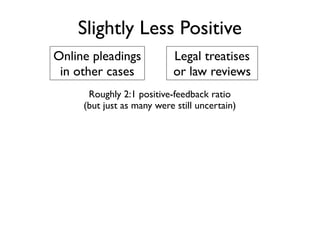
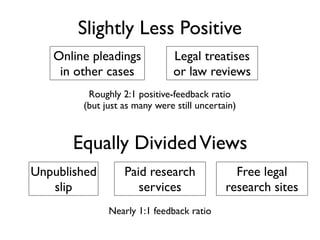
Slightly Less Positive
Online pleadings           Legal treatises
 in other cases            or law reviews
      Roughly 2:1 positive-feedback ratio
     (but just as many were still uncertain)
Slightly Less Positive
   Online pleadings           Legal treatises
    in other cases            or law reviews
         Roughly 2:1 positive-feedback ratio
        (but just as many were still uncertain)


       Equally Divided Views
Unpublished       Paid research               Free legal
   slip              services               research sites
              Nearly 1:1 feedback ratio
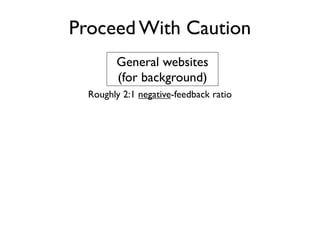
Proceed With Caution
        General websites
        (for background)
  Roughly 2:1 negative-feedback ratio
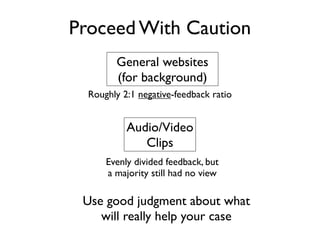
Proceed With Caution
        General websites
        (for background)
  Roughly 2:1 negative-feedback ratio


           Audio/Video
              Clips
      Evenly divided feedback, but
      a majority still had no view

 Use good judgment about what
    will really help your case

Adaptable Lawyer 2012 Slidedeck

  • 1.
    Appellate Briefs in theEra of E-Filing Don Cruse Todd Smith State Bar “Adaptable Lawyer” Track 2012 Annual Meeting (Houston, TX)
  • 2.
  • 3.
    Changes to AppellatePractice • E-Filing: Electronic submission of documents to appellate courts for decision and action • Texas Appeals Management and E-Filing System (TAMES): PACER-like online document submission and access • E-Briefs: Documents prepared for e-filing in compliance with court rules
  • 4.
    Appellate E-Filing • Not“e-copies”—electronic copies of briefs tendered for court’s convenience • True e-filing is sufficient to satisfy deadlines and join issues, even if follow-up paper copies are required
  • 5.
    Why File Electronically? •Many courts now require it • To simplify and streamline your practice • To make the job of deciding your appeal easier for the court • Adds some flexibility—a document is timely if filed by 11:59 p.m. on date due
  • 6.
    Where Can YouE-File? • 5th Circuit: Mandatory since March 2010 • SCOTX: Mandatory since September 2011 • Among 14 intermediate appellate courts, mandatory in 1st, 3rd, 7th, and 14th • Currently permissive in 2nd, 4th, 5th, 6th, 9th, 11th & 13th • 8th, 10th & 12th will permit soon
  • 7.
    5th Circuit E-Filing Rules • 5th Cir. R. 25.2 • But separate ECF Filing Standards are key • Details at 5th Circuit CM/ ECF page: http:// www.ca5.uscourts.gov/cmecf/
  • 8.
    Texas State E-Filing Rules • TRAPs 9.2 & 9.3 • SCOTX has adopted e-filing rules and approved a template for local CA rules • Check court websites for links to local rules as adopted • All accessible through http:// www.supreme.courts.state.tx.us/
  • 9.
    How to E-File: 5th Circuit • 5th Circuit CM/ECF system is similar to what district and bankruptcy courts use • Registration and online training required
  • 10.
    How to E-File: TexasState Courts • Submit through a third-party electronic-filing service provider • EFSPs offer training for their own systems • Can pay fees through EFSP accounts
  • 11.
    TAMES • More documentsonline: Fourteenth Court site now publishes all motions, briefs, orders • But might be at a cost: Courts are debating asking for a PACER-type fee for each viewing • This technology would allow searching all appellate briefs through one portal • Electronic notices could replace U.S. mail
  • 12.
  • 13.
  • 14.
  • 15.
  • 16.
    Now, the PDFfile is becoming the “real” brief 10-0182.pfr.pdf
  • 17.
    But “PDF” isjust a file format. Knowing it’s filed in that format doesn’t tell you how the judges will actually see that file.
  • 18.
    Can’t presume whathardware the judges and staff are using. Some judges have a Staff likely has more dual-monitor setup basic LCD screen But they might be using a laptop More judges are Emergency motions acquiring iPads on smartphones
  • 19.
    Can’t presume whatsoftware the judges and staff are using. Acrobat Pro Acrobat Other PDF Tools Desktop web browser (IE) iOS apps for PDFs Mobile web browser
  • 20.
    2011 Survey: Onwhat screens were court personnel reading electronic briefs?
  • 21.
    2011 Survey: Onwhat screens were court personnel reading electronic briefs? 10% 2% 17% 71% At the Office Big desktop Small desktop Laptop Tablet/iPad Smartphone Kindle/e-reader
  • 22.
    2011 Survey: Onwhat screens were court personnel reading electronic briefs? 10% 5% 7% 2% 14% 11% 17% 13% 71% 50% At the Office At Home / Traveling Big desktop Small desktop Laptop Tablet/iPad Smartphone Kindle/e-reader
  • 25.
  • 26.
    Native PDF vs.Scanned If in doubt, zoom in and take a look. Taken from two PDF briefs filed in the same case.
  • 27.
  • 28.
    Bookmarks The Court order Appendix A encourages using “bookmarks” to Appendix B Appendix C help with internal navigation. Think about them like tabs, for your table of contents.
  • 29.
    2011 survey: Ifyou have seen the bookmark feature, did it make the briefs easier to use? Among All Court Staff 9% 91% Yes No Graph shows those who answered “Yes” or “No” rather than “Unsure”.
  • 30.
    2011 survey: Ifyou have seen the bookmark feature, did it make the briefs easier to use? Among All Court Staff ...Limited to Justices 9% 100% 91% Yes No Graph shows those who answered “Yes” or “No” rather than “Unsure”.
  • 31.
  • 32.
    Texas E-Briefing Rules Fifth Circuit Rules •e-brief PDFs can include • e-filed briefs cannot exhibits, cases, etc. include these items • require that certain • these required items appendix items be are included in a included within certain separate “appendix” briefs • are fairly lax about •coming “PDF/A” allowing hyperlinks out to standard will break other resources external hyperlinks
  • 33.
    How far shouldyou go? A “full” e-brief Selecting key with hyperlinks items to highlight to everything. with a hyperlink.
  • 34.
    Justice Wainwright onwhat to link “I would hyperlink everything” “You never know what I’m going to think is important” Limited by cost or making filing cumbersome 0:49
  • 35.
    Justice Johnson onhyperlinks as emphasis Some links can signal importance The key case, “that tells me something” Key part of the record or diagram 0:37
  • 36.
  • 37.
    (Almost) Universally Loved Reporter’s Clerk’s Record Record 10:1 positive-feedback ratio
  • 38.
    (Almost) Universally Loved Reporter’s Clerk’s Record Record 10:1 positive-feedback ratio Generally Well-Received PDFs of Key Government Sites Cases or Statutes (legislative Roughly 3:1 positive-feedback ratio
  • 39.
  • 40.
    Slightly Less Positive Onlinepleadings Legal treatises in other cases or law reviews Roughly 2:1 positive-feedback ratio (but just as many were still uncertain)
  • 41.
    Slightly Less Positive Online pleadings Legal treatises in other cases or law reviews Roughly 2:1 positive-feedback ratio (but just as many were still uncertain) Equally Divided Views Unpublished Paid research Free legal slip services research sites Nearly 1:1 feedback ratio
  • 42.
  • 43.
    Proceed With Caution General websites (for background) Roughly 2:1 negative-feedback ratio
  • 44.
    Proceed With Caution General websites (for background) Roughly 2:1 negative-feedback ratio Audio/Video Clips Evenly divided feedback, but a majority still had no view Use good judgment about what will really help your case

Editor's Notes

  • #2 \n
  • #3 \n
  • #4 Overview of recent developments brought about by technological advances and necessity\nHow are the appellate bar and courts adapting their work to mandatory e-filing?\nSome practical “how to” points along the way\n
  • #5 \n
  • #6 Appellate e-filing has become a fact of life in both federal and state practice. If you handle appeals at all, you need to get up to speed on it now.\n\nRecords have gone or are all-electronic too.\n\nAnyone aspiring to a paperless practice should get on board. Simplifies by reducing paper and allowing you to serve opposing counsel electronically.\n\nAbility to hyperlink to record and authorities is big benefit. Don will talk about that in more detail.\n\nPotential problem created by e-filing late: service rule hasn’t caught up.\n
  • #7 Mandatory in civil cases\n\n\n
  • #8 \n
  • #9 \n
  • #10 Counsel or designee must register and complete training modules that simulate e-filing\n\nMust have on file a form for entry of appearance in that specific case\n\nInterface is a little clunky because it’s build on an older platform, but it’s functional, and filing is free\n\nFlaw in this system is that paper copies are still required\n
  • #11 ProDoc is just one vendor. CaseFileXPress is another.\n\nFrom user side, main issue with this system is fees. Can be expensive.\n\nMovement away from requiring paper copies.\n\n\n
  • #12 Rollout in process now\n
  • #13 14th Court’s implementation of TAMES\n\nNotice the links to the right--downloadable PDFs\n\nTo be deployed in 1st CA this month and SCOTX next month.\n
  • #14 14th Court’s implementation of TAMES\n\nNotice the links to the right--downloadable PDFs\n\nTo be deployed in 1st CA this month and SCOTX next month.\n
  • #15 Under old system, viewing documents was not possible.\n\nNow, rather than just “letter filed,” you can pull up the letter and see what it’s about. Useful in viewing correspondence from clerks, court reporters, etc.\n\nTransition to Don re e-briefs\n
  • #16 \n
  • #17 \n
  • #18 Standard supermarket question...\nWhen advanced was the CD platters --> coasters like AOL\n
  • #19 The number of paper copies --> going down\n-- just a handful in SCOTX\n-- and ZERO for MFRs, if that tells you anything\n\nSome COAs down to ZERO for all briefs (Eastland Court, for example)\n
  • #20 Think about it from the reader's point of view\n\nIn all writing, that's basic courtesy \nHere, the reader is the one who decides if you win or lose\n \n
  • #21 Judges and staff are people, too --> same variety of screens you might use\n\nLaptops are convenient\niPads are increasingly common\n
  • #22 \n
  • #23 The judges do have full Acrobat -- might not at home // staff & clerks not at all\n\nWhat if open in WEB BROWSER --> then have PDF there experience\n\nThen there are iPad/iOS apps --> variety of them, each a little different\n\nAnd iOS web browser, with its somewhat quirky tabs\n
  • #24 \n
  • #25 Survey from 2011\n\nWas before ANY were provided with iPads, etc. Even using personal devices, still had a wide variety of screens on which judges might see your brief or your motion.\n\nNote difference: In office, big screen. Out of office, sliced to smaller screen.\n
  • #26 Survey from 2011\n\nWas before ANY were provided with iPads, etc. Even using personal devices, still had a wide variety of screens on which judges might see your brief or your motion.\n\nNote difference: In office, big screen. Out of office, sliced to smaller screen.\n
  • #27 \n
  • #28 \n
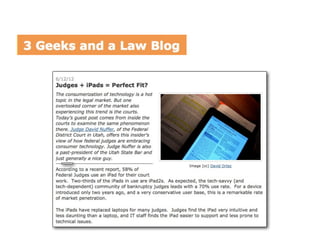
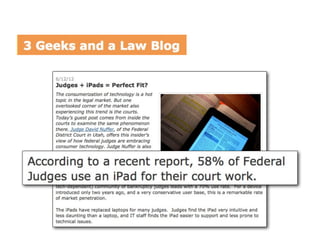
  • #29 Spreading to federal courts, too\n\nJudge Nuffer (UT) - 58% use it\n\n\n
  • #30 \n
  • #31 Makes a big difference in how easy it is to read on the screen\n==> retina display => even BIGGER difference\n\nThe obvious win though is SEARCH\nMakes up for lots of other flaws\n
  • #32 \n
  • #33 \n
  • #34 Middle column here is how it looks in Acrobat\n\nLooks a little different in each app -- judges do rely on it // am told some have chosen iPad apps based on how this looks\n\nYou control length / nesting\n
  • #35 \n
  • #36 \n
  • #37 Very different world - state and federal\n\n\n
  • #38 This is a current debate among appellate lawyers -- and judges.\n\nWe’re learning as the technology changes. I have my own strong views --> but they are still loosely held as I learn what really works.\n
  • #39 \n
  • #40 \n
  • #41 \n
  • #42 Data taken from 2011 survey that Blake Hawthorne and I put together for Texas appellate judges\n
  • #43 \n
  • #44 \n
  • #45 \n
  • #46 \n
  • #47 \n
  • #48 \n
  • #49 Each device/app is a little different about how -- they all have this in there somewhere. Some show it by default. Acrobat requires you to change a setting to show it. Can always use keyboard shortcut.\n\nKNOW that the judge reading will figure it out ONCE and then fix their software.\n