Actionize Tutorial - 2.1


                                                                                                               Overview Dashboard

               Chapter Overview Dashboard

             Summary This chapter shows all functions that you find on the Dashboard.


             Table of Contents


             Dashboard.............................................................................................................................. 1
             Charts .................................................................................................................................... 2
             Messages ............................................................................................................................... 2
             Open a message ..................................................................................................................... 3
             Alerts ..................................................................................................................................... 4
             Open an alert ......................................................................................................................... 4


                                                             ManualizerStart – Textmarke - nicht löschen


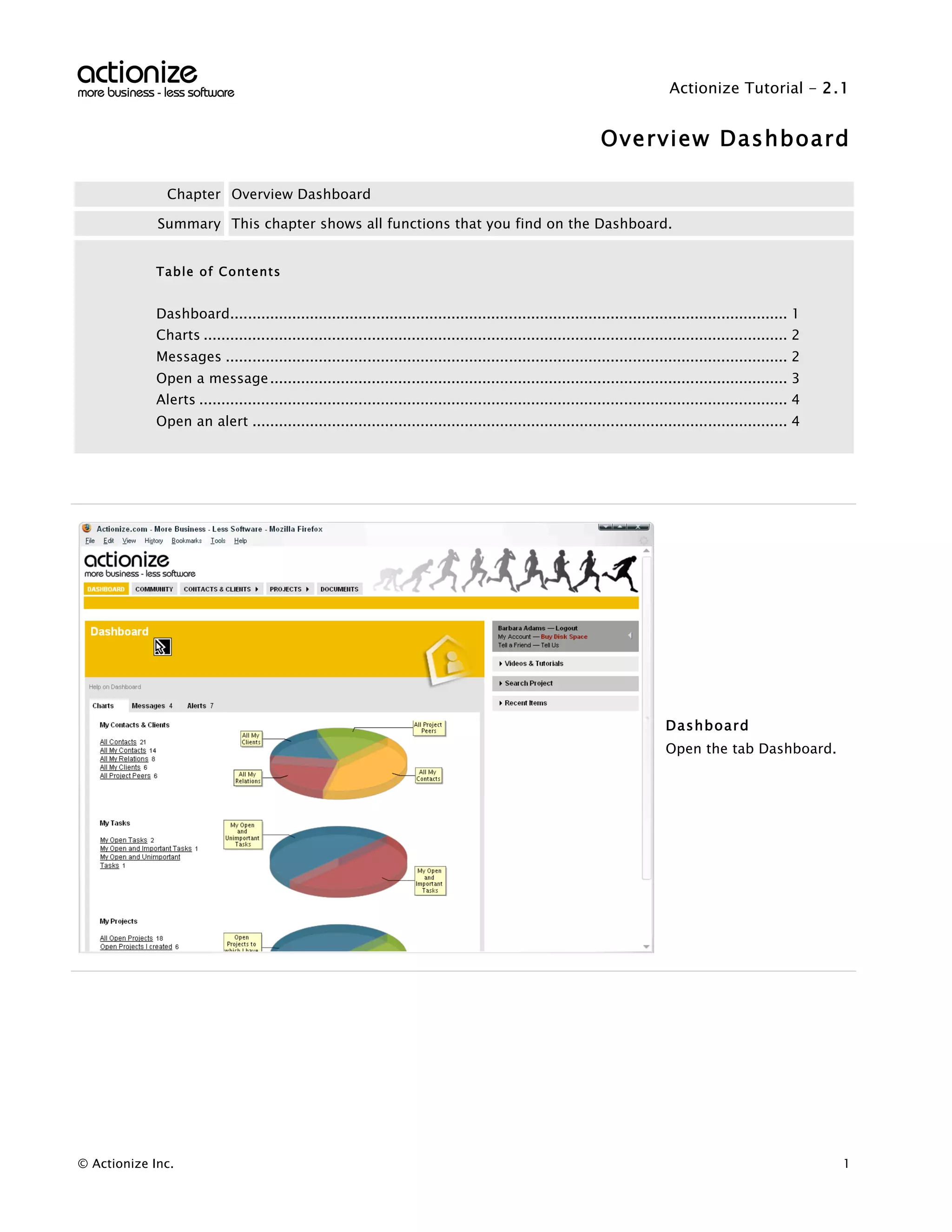
                                                                                                                             Dashboard
                                                                                                                             Open the tab Dashboard.


© Actionize Inc.                                                                                                                                              1
Actionize Tutorial - 2.1


                   Overview Dashboard


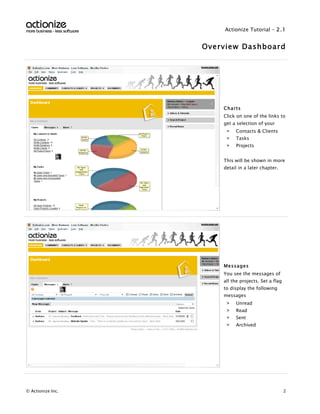
                       Charts
                       Click on one of the links to
                       get a selection of your
                        >   Contacts & Clients
                        >   Tasks
                        >   Projects


                       This will be shown in more
                       detail in a later chapter.


                       Messages
                       You see the messages of
                       all the projects. Set a flag
                       to display the following
                       messages
                        >   Unread
                        >   Read
                        >   Sent
                        >   Archived


© Actionize Inc.                                      2
Actionize Tutorial - 2.1


                   Overview Dashboard


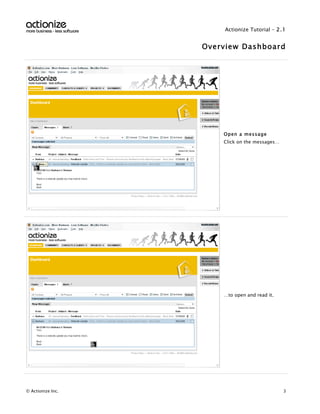
                       Open a message
                       Click on the messages…


                       …to open and read it.


© Actionize Inc.                                3
Actionize Tutorial - 2.1


                   Overview Dashboard


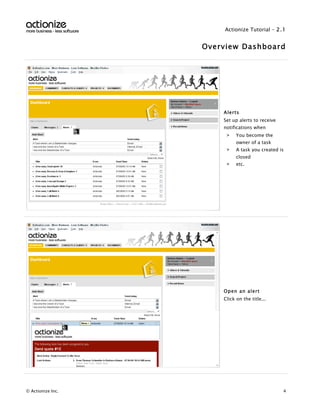
                       Alerts
                       Set up alerts to receive
                       notifications when
                        >    You become the
                             owner of a task
                        >    A task you created is
                             closed
                        >    etc.


                       Open an alert
                       Click on the title...


© Actionize Inc.                                  4
Actionize Tutorial - 2.1


                   Overview Dashboard


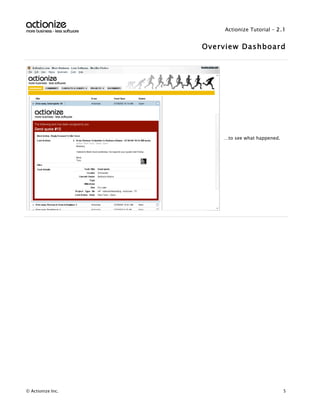
                       …to see what happened.


© Actionize Inc.                                5

Actionize

  • 1.
    Actionize Tutorial -2.1 Overview Dashboard Chapter Overview Dashboard Summary This chapter shows all functions that you find on the Dashboard. Table of Contents Dashboard.............................................................................................................................. 1 Charts .................................................................................................................................... 2 Messages ............................................................................................................................... 2 Open a message ..................................................................................................................... 3 Alerts ..................................................................................................................................... 4 Open an alert ......................................................................................................................... 4 ManualizerStart – Textmarke - nicht löschen Dashboard Open the tab Dashboard. © Actionize Inc. 1
  • 2.
    Actionize Tutorial -2.1 Overview Dashboard Charts Click on one of the links to get a selection of your > Contacts & Clients > Tasks > Projects This will be shown in more detail in a later chapter. Messages You see the messages of all the projects. Set a flag to display the following messages > Unread > Read > Sent > Archived © Actionize Inc. 2
  • 3.
    Actionize Tutorial -2.1 Overview Dashboard Open a message Click on the messages… …to open and read it. © Actionize Inc. 3
  • 4.
    Actionize Tutorial -2.1 Overview Dashboard Alerts Set up alerts to receive notifications when > You become the owner of a task > A task you created is closed > etc. Open an alert Click on the title... © Actionize Inc. 4
  • 5.
    Actionize Tutorial -2.1 Overview Dashboard …to see what happened. © Actionize Inc. 5