Access Modifiers in Java
Java access modifiers control the scope of your code. There are four
types: public, private, protected, and default.
Public Access Modifier
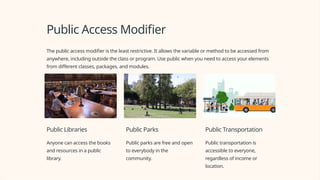
The public access modifier is the least restrictive. It allows the variable or method to be accessed from
anywhere, including outside the class or program. Use public when you need to access your elements
from different classes, packages, and modules.
Public Libraries
Anyone can access the books
and resources in a public
library.
Public Parks
Public parks are free and open
to everybody in the
community.
Public Transportation
Public transportation is
accessible to everyone,
regardless of income or
location.
Private Access Modifier
The private access modifier is the opposite of public. It allows only the elements within the same class
to access the variable or method. Use private when you want to restrict access to elements of the class,
as well as hide implementation details.
Passwords
Passwords, for example,
should be kept private
because they store
sensitive information.
Bank Accounts
Bank accounts should also
be kept private because
they store financial data.
Classify Employees
In a company's employee
management system, the
employee's salary can be
kept private to protect
confidentiality.
Protected Access Modifier
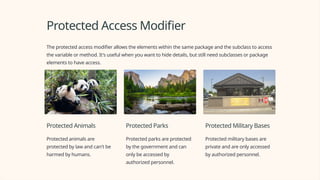
The protected access modifier allows the elements within the same package and the subclass to access
the variable or method. It's useful when you want to hide details, but still need subclasses or package
elements to have access.
Protected Animals
Protected animals are
protected by law and can't be
harmed by humans.
Protected Parks
Protected parks are protected
by the government and can
only be accessed by
authorized personnel.
Protected Military Bases
Protected military bases are
private and are only accessed
by authorized personnel.
Default Access Modifier
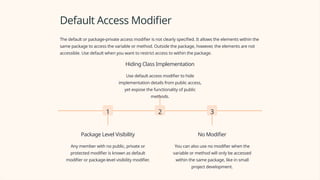
The default or package-private access modifier is not clearly specified. It allows the elements within the
same package to access the variable or method. Outside the package, however, the elements are not
accessible. Use default when you want to restrict access to within the package.
1
Package Level Visibility
Any member with no public, private or
protected modifier is known as default
modifier or package-level visibility modifier.
2
Hiding Class Implementation
Use default access modifier to hide
implementation details from public access,
yet expose the functionality of public
methods.
3
No Modifier
You can also use no modifier when the
variable or method will only be accessed
within the same package, like in small
project development.
When to Use Each Access
Modifier
In summary, use the public access modifier to allow access from anywhere,
use the private access modifier to restrict access to the same class, use the
protected access modifier to restrict access to the package and subclass, use
the default access modifier to restrict access within the same package.
1 Think about what is
necessary
Consider the trade-offs
between flexibility and
security to decide on the
level of access needed
2 Design for proper
encapsulation
Hide implementation details
and expose the functionality
of public methods
3 Keep things simple
The less code exposed to other classes, the easier it is to maintain
Conclusion and Summary
In Java, access modifiers are an essential part of coding best practices. Each modifier has a unique
purpose and usage. It's essential to use them properly to ensure the security and maintainability of
your code. In summary, public is the least restrictive while default is the most restrictive. Private
restricts access to the same class while protected restricts access to the same package and subclass.
Keep in mind that proper encapsulation means hiding implementation details and exposing
functionality through public methods.
Any Question?
THANK YOU
by 22IT141 SHARADKUMAR SAVALIYA

Access-Modifiers-in-Java-by-sharad-.pptx

  • 1.
    Access Modifiers inJava Java access modifiers control the scope of your code. There are four types: public, private, protected, and default.
  • 2.
    Public Access Modifier Thepublic access modifier is the least restrictive. It allows the variable or method to be accessed from anywhere, including outside the class or program. Use public when you need to access your elements from different classes, packages, and modules. Public Libraries Anyone can access the books and resources in a public library. Public Parks Public parks are free and open to everybody in the community. Public Transportation Public transportation is accessible to everyone, regardless of income or location.
  • 3.
    Private Access Modifier Theprivate access modifier is the opposite of public. It allows only the elements within the same class to access the variable or method. Use private when you want to restrict access to elements of the class, as well as hide implementation details. Passwords Passwords, for example, should be kept private because they store sensitive information. Bank Accounts Bank accounts should also be kept private because they store financial data. Classify Employees In a company's employee management system, the employee's salary can be kept private to protect confidentiality.
  • 4.
    Protected Access Modifier Theprotected access modifier allows the elements within the same package and the subclass to access the variable or method. It's useful when you want to hide details, but still need subclasses or package elements to have access. Protected Animals Protected animals are protected by law and can't be harmed by humans. Protected Parks Protected parks are protected by the government and can only be accessed by authorized personnel. Protected Military Bases Protected military bases are private and are only accessed by authorized personnel.
  • 5.
    Default Access Modifier Thedefault or package-private access modifier is not clearly specified. It allows the elements within the same package to access the variable or method. Outside the package, however, the elements are not accessible. Use default when you want to restrict access to within the package. 1 Package Level Visibility Any member with no public, private or protected modifier is known as default modifier or package-level visibility modifier. 2 Hiding Class Implementation Use default access modifier to hide implementation details from public access, yet expose the functionality of public methods. 3 No Modifier You can also use no modifier when the variable or method will only be accessed within the same package, like in small project development.
  • 6.
    When to UseEach Access Modifier In summary, use the public access modifier to allow access from anywhere, use the private access modifier to restrict access to the same class, use the protected access modifier to restrict access to the package and subclass, use the default access modifier to restrict access within the same package. 1 Think about what is necessary Consider the trade-offs between flexibility and security to decide on the level of access needed 2 Design for proper encapsulation Hide implementation details and expose the functionality of public methods 3 Keep things simple The less code exposed to other classes, the easier it is to maintain
  • 7.
    Conclusion and Summary InJava, access modifiers are an essential part of coding best practices. Each modifier has a unique purpose and usage. It's essential to use them properly to ensure the security and maintainability of your code. In summary, public is the least restrictive while default is the most restrictive. Private restricts access to the same class while protected restricts access to the same package and subclass. Keep in mind that proper encapsulation means hiding implementation details and exposing functionality through public methods.
  • 8.
  • 9.
    THANK YOU by 22IT141SHARADKUMAR SAVALIYA