Mastering
Git & GitHub
Table of Contents
Here will know what is git and
github. Also why we use git.
Introduction
Installation and configuration
Here will create a github account
and install git in your computer.
Implementation
You will learn basic git commands
and be dealing with merge
conflicts.
BONUS
01
02
03
04
Introduction
01
What is Version Control System?
It’s a software tools that help
software teams manage changes
to source code over time.
What is git?
is a distributed version control
system (DVCS) that tracks
changes to code, enables
collaboration among developers,
and manages different versions
of projects.
What is GitHub?
Is a platform built on Git for
hosting repositories and
collaborating on projects.
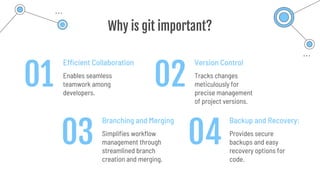
Why is git important?
Efficient Collaboration
Enables seamless
teamwork among
developers.
Version Control
Tracks changes
meticulously for
precise management
of project versions.
Branching and Merging
Simplifies workflow
management through
streamlined branch
creation and merging.
Backup and Recovery:
Provides secure
backups and easy
recovery options for
code.
01
03 04
02
Installation and
Configuration
02
1. Creating a GitHub Account
2. Installing VsCode
3. Installing git
4. Configure git on your computer
Todo
git config - -global user.name "John Doe"
git config - -global user.email johndoe@example.com
git config - -global core.editor “code – - wait”
git config - -global core.autocrlf true
git config - -global core.autocrlf input
Configurations
Implementation
03
Git Workflow
1. git init
2. git status
3. git add .
4. git commit -m <<message>>
5. git push
6. git log
7. git merge
8. git branch
9. git checkout
Basic Commands
Merge Conflict
BONUS
04
GitHub Student Developer Pack
The GitHub Student Developer Pack is a collection of tools
and services offered to students for free or at a
discounted rate.
Q&A

A crash course on git as version control system and GitHub

  • 1.
  • 2.
    Table of Contents Herewill know what is git and github. Also why we use git. Introduction Installation and configuration Here will create a github account and install git in your computer. Implementation You will learn basic git commands and be dealing with merge conflicts. BONUS 01 02 03 04
  • 3.
  • 4.
    What is VersionControl System? It’s a software tools that help software teams manage changes to source code over time.
  • 5.
    What is git? isa distributed version control system (DVCS) that tracks changes to code, enables collaboration among developers, and manages different versions of projects.
  • 6.
    What is GitHub? Isa platform built on Git for hosting repositories and collaborating on projects.
  • 7.
    Why is gitimportant? Efficient Collaboration Enables seamless teamwork among developers. Version Control Tracks changes meticulously for precise management of project versions. Branching and Merging Simplifies workflow management through streamlined branch creation and merging. Backup and Recovery: Provides secure backups and easy recovery options for code. 01 03 04 02
  • 8.
  • 9.
    1. Creating aGitHub Account 2. Installing VsCode 3. Installing git 4. Configure git on your computer Todo
  • 10.
    git config --global user.name "John Doe" git config - -global user.email johndoe@example.com git config - -global core.editor “code – - wait” git config - -global core.autocrlf true git config - -global core.autocrlf input Configurations
  • 11.
  • 12.
  • 13.
    1. git init 2.git status 3. git add . 4. git commit -m <<message>> 5. git push 6. git log 7. git merge 8. git branch 9. git checkout Basic Commands
  • 14.
  • 15.
  • 16.
    GitHub Student DeveloperPack The GitHub Student Developer Pack is a collection of tools and services offered to students for free or at a discounted rate.
  • 17.