Business Process: CSMT PI Reporting 2016
1
Correct as at: 10/03/17
CSMT PI Reporting
Estimated Time Requirement: 30 minutes
This report is completed once the PEP and Absence Analysis worksheets have been updated for the
month and the information collated for the monthly Virtual School Performance Dashboards.
Monthly information for CSMT report and Covalent (corporate Risk Reporting tool) update.
File Location (path): J:D&P TEAM5 EDUCATIONassessmentVirtual SchoolVS ProjectCSMT
Reporting
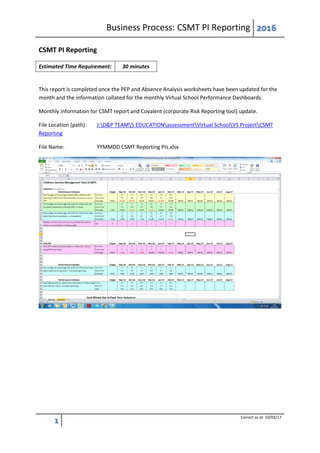
File Name: YYMMDD CSMT Reporting PIs.xlsx
Business Process: CSMT PI Reporting 2016
2
Correct as at: 10/03/17
Performance Indicators cover:
1. Percentage of all LAC who have had a PEP in the last six months (not including first PEP for
new LAC);
2. Percentage of persistent absence – less than 90% attendance (LAC for longer than one year)
cumulative percentage over academic year;
3. Percentage of LAC for longer than one year exclusions (Fixed Term) – cumulative percentage
over academic year;
4. Number of LAC not on a school roll but placement being sought.
How to get source data and subsequent calculations
1. On Virtual School Performance Dashboard for All LAC (section 9):
Report Manager – Social_Care – Looked After Children – PEP – PEPs Cohort (list)
Filter for Reception to Year 11 only - remove years 12 and 13 (denominator)
Use last PEP date to get all PEPs in last six months (numerator)
2. On Virtual School Performance Dashboard for LAC greater than 1 Year (Section 3):
Use Welfare Call attendance data on shared drive G:Education & AttendanceWelfare
CallWFC ReportsAttendance Analysis2015-2016 and the relevant month.
Insert formula to calculate LAC for greater than one year.
Add calculation for absence greater than 90%.
Filter information to get for LAC for more than a year (denominator) and persistent absence
over 90% (numerator)
3. On Virtual School Performance Dashboard for LAC greater than 1 Year (section 5):
Business Process: CSMT PI Reporting 2016
3
Correct as at: 10/03/17
Use Welfare Call monthly report on shared drive G:Education & AttendanceWelfare
CallWFC ReportsExclusions2015-16 and the relevant month (note – this report reports
cumulative data, not monthly data).
4. This information is provided by the Head of the Virtual School.
Abbreviations:
CSMT – Children’s Services Management Team
LAC – Looked After Children
PEP – Personal Education Plan
WFC – Welfare Call (third party school attendance provider)
Once the updated information has been agreed by the Head of the Virtual School, it is forwarded to:
 Christopher Williams (mail to: christopherwilliams@another.gov.uk) for CSMT reporting; and
 Keith Howson (mail to: keithhowson@another.gov.uk) for Covalent reporting.
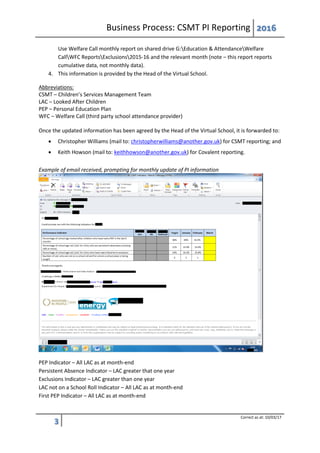
Example of email received, prompting for monthly update of PI information
PEP Indicator – All LAC as at month-end
Persistent Absence Indicator – LAC greater that one year
Exclusions Indicator – LAC greater than one year
LAC not on a School Roll Indicator – All LAC as at month-end
First PEP Indicator – All LAC as at month-end

4.1 CSMT PI Reporting Business Process

  • 1.
    Business Process: CSMTPI Reporting 2016 1 Correct as at: 10/03/17 CSMT PI Reporting Estimated Time Requirement: 30 minutes This report is completed once the PEP and Absence Analysis worksheets have been updated for the month and the information collated for the monthly Virtual School Performance Dashboards. Monthly information for CSMT report and Covalent (corporate Risk Reporting tool) update. File Location (path): J:D&P TEAM5 EDUCATIONassessmentVirtual SchoolVS ProjectCSMT Reporting File Name: YYMMDD CSMT Reporting PIs.xlsx
  • 2.
    Business Process: CSMTPI Reporting 2016 2 Correct as at: 10/03/17 Performance Indicators cover: 1. Percentage of all LAC who have had a PEP in the last six months (not including first PEP for new LAC); 2. Percentage of persistent absence – less than 90% attendance (LAC for longer than one year) cumulative percentage over academic year; 3. Percentage of LAC for longer than one year exclusions (Fixed Term) – cumulative percentage over academic year; 4. Number of LAC not on a school roll but placement being sought. How to get source data and subsequent calculations 1. On Virtual School Performance Dashboard for All LAC (section 9): Report Manager – Social_Care – Looked After Children – PEP – PEPs Cohort (list) Filter for Reception to Year 11 only - remove years 12 and 13 (denominator) Use last PEP date to get all PEPs in last six months (numerator) 2. On Virtual School Performance Dashboard for LAC greater than 1 Year (Section 3): Use Welfare Call attendance data on shared drive G:Education & AttendanceWelfare CallWFC ReportsAttendance Analysis2015-2016 and the relevant month. Insert formula to calculate LAC for greater than one year. Add calculation for absence greater than 90%. Filter information to get for LAC for more than a year (denominator) and persistent absence over 90% (numerator) 3. On Virtual School Performance Dashboard for LAC greater than 1 Year (section 5):
  • 3.
    Business Process: CSMTPI Reporting 2016 3 Correct as at: 10/03/17 Use Welfare Call monthly report on shared drive G:Education & AttendanceWelfare CallWFC ReportsExclusions2015-16 and the relevant month (note – this report reports cumulative data, not monthly data). 4. This information is provided by the Head of the Virtual School. Abbreviations: CSMT – Children’s Services Management Team LAC – Looked After Children PEP – Personal Education Plan WFC – Welfare Call (third party school attendance provider) Once the updated information has been agreed by the Head of the Virtual School, it is forwarded to:  Christopher Williams (mail to: christopherwilliams@another.gov.uk) for CSMT reporting; and  Keith Howson (mail to: keithhowson@another.gov.uk) for Covalent reporting. Example of email received, prompting for monthly update of PI information PEP Indicator – All LAC as at month-end Persistent Absence Indicator – LAC greater that one year Exclusions Indicator – LAC greater than one year LAC not on a School Roll Indicator – All LAC as at month-end First PEP Indicator – All LAC as at month-end