33 Software Development Tools
that Drive Dialexa’s Success
by Samer Fallouh
https://by.dialexa.com/33-software-development-tools-that-drive-dialexas-success
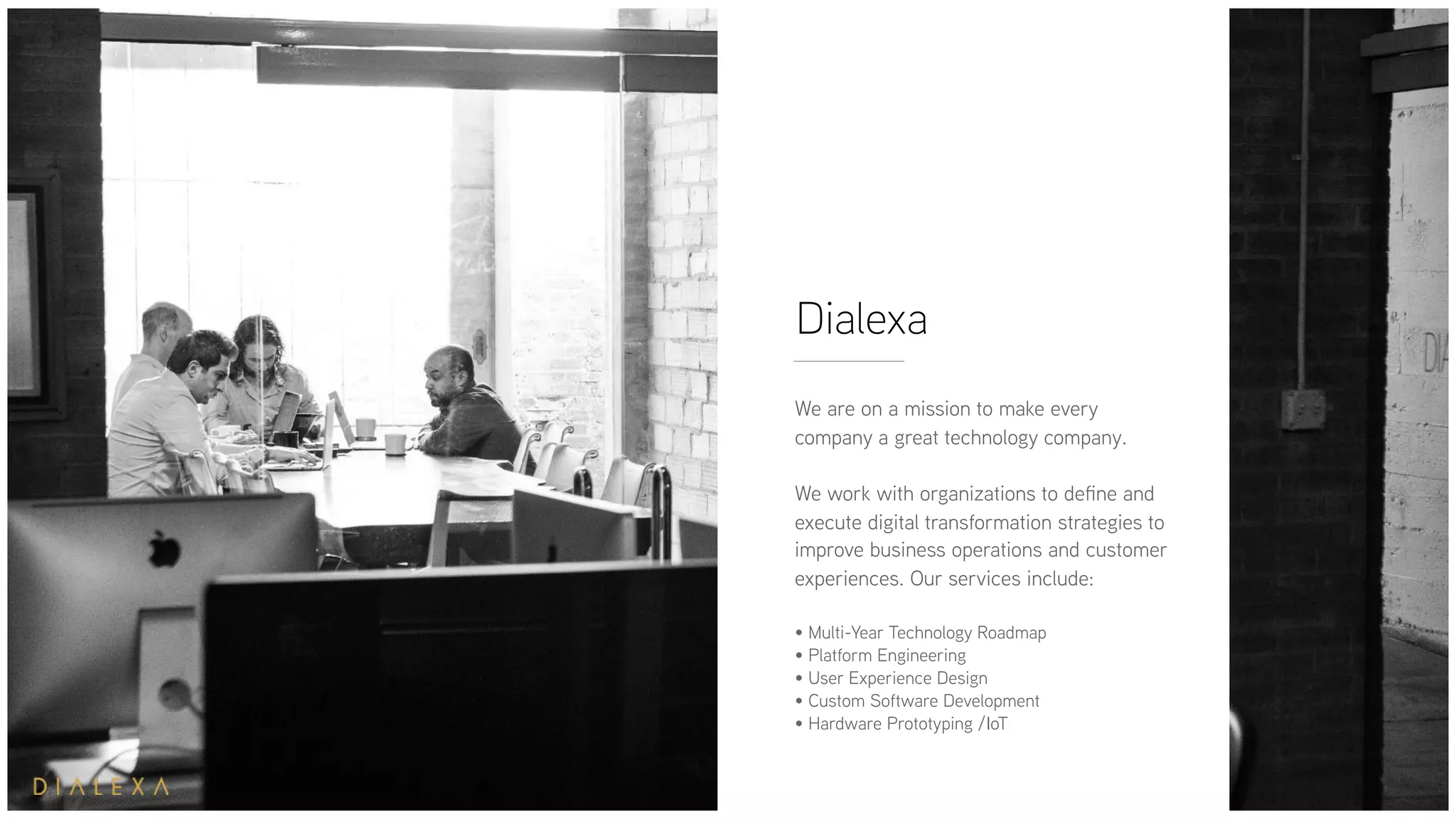
Dialexa
We are on a mission to make every
company a great technology company.
We work with organizations to define and
execute digital transformation strategies to
improve business operations and customer
experiences. Our services include:
• Multi-Year Technology Roadmap
• Platform Engineering
• User Experience Design
• Custom Software Development
• Hardware Prototyping /IoT
It would be helpful if there was a
definitive list of software
development tools that could lead
any team to successful execution.
But when you work at a services
company, every project is different
and requires a slightly different set
of tools.
Get the full write up of
this slideshare HERE
The following tools
may not definitively
be “the best” options
collectively, but each
plays a critical role
across multiple teams
and projects within
our organization.
Check out these 33
software
development tools
and see which
combination will help
you execute to your
fullest potential.
Get the full write up of
this slideshare HERE
EDITORS
Get the full write up of
this slideshare HERE
1. Visual Studio (and Visual Studio Code): 
Microsoft’s Visual Studio is an integrated
development environment (IDE) that helps
you create websites, web apps and services
with Microsoft platforms like Windows API
and Microsoft Silverlight. Visual Studio Code
is a free open source text editor that is very
close to being an IDE and it runs across all
platforms. Some of the powerful tools it
comes with are IntelliSense code completion
and debugging.
EDITORS
Get the full write up of
this slideshare HERE
2. Atom: A fully-customizable text editor
made by GitHub. Similar to Sublime Text
2, Atom gives developers a dedicated
editor that is more approachable than
other options. It is open source and
widely adapted by the community that
built wide range of packages, Atom might
be the right choice for you.
HOSTING PROVIDERS
Get the full write up of
this slideshare HERE
3. Amazon Web Services: Choosing a
hosting provider goes beyond simple
access to virtual machines. AWS is our
favorite hosting provider because of the
depth of services available to
developers. For example, when RDS
released an adaptation of PostgreSQL a
couple of years ago, it made a huge
difference for our projects. Unless our
clients specifically need a different
provider or a specific GCP/Azure
service is necessary, AWS is our choice.
HOSTING PROVIDERS
Get the full write up of
this slideshare HERE
4. Google Cloud Platform: With all of
the basic features you’d expect from a
hosting provider today, we choose
Google Cloud Platform when Kubernetes
support is critical. Because the container
cluster manager was originally designed
by Google, GCP comes with built-in
support that can sometimes streamline
the DevOps process in a project.
HOSTING PROVIDERS
Get the full write up of
this slideshare HERE
5. Microsoft Azure: As is often
the case with Microsoft products/
services, Azure comes with
heavy support for the wide range
of additional Microsoft tools.
When a client relies on Microsoft,
Azure might be our best choice.
SOFTWARE PROJECT MANAGEMENT
AND AGILE BOARDS
Get the full write up of
this slideshare HERE
6. JIRA Software: Without a doubt, JIRA
is always the number one option for our
team. It’s favorite tool for scrum, Kanban
boards, and planning projects in general.
And with a deep library of useful plug-ins
for scoping, timelines, versioning,
releases and more, it’s hard to go wrong
with JIRA. As long as you’re not afraid of
tackling its complexity of course.
SOFTWARE PROJECT MANAGEMENT
AND AGILE BOARDS
Get the full write up of
this slideshare HERE
7. Waffle: When we’re looking
for a lightweight alternative to
JIRA for a certain project, Waffle
is a great (free) project
management option. It sits on top
of GitHub repos and issues and
lets you modify as if they’re
boards rather than dealing with
GitHub tags manually.
SOFTWARE PROJECT MANAGEMENT
AND AGILE BOARDS
Get the full write up of
this slideshare HERE
8. GitHub Projects: We love
GitHub (more on that later), so
when they recently released
built-in project management
boards for code repos, they had
our attention. This feature is still
in the early stages, but it might be
an alternative that works for you.
SOFTWARE PROJECT MANAGEMENT
AND AGILE BOARDS
Get the full write up of
this slideshare HERE
9. Trello: We wouldn’t necessarily use
Trello to track the stories of specific
projects. But as a means to track
personal tasks or task management
within a team related to a project, Trello
has served us well. We’re watching it
closely after the recent announcement
of Atlassian acquiring Trello for $425M.
To read more you can find the full article at
https://by.dialexa.com/33-software-development-tools-
that-drive-dialexas-success
CONTINUOUS INTEGRATION
Get the full write up of
this slideshare HERE
10. CircleCI: This tools gives you the
features necessary to integrate your
entire stack with support for a wide
range of build tools and multiple
compilers built right into the platform.
We started using CircleCI specifically
for its support for iOS builds. You
commit your CI configurations to your
project repos in YAML files and extend
it with scripts referenced in the YAML.
Get the full write up of
this slideshare HERE
11. TeamCity: Another full-feature CI
tool, we rely heavily on TeamCity when
we need Windows support. Unlike
CircleCI, TeamCity lets us configure
builds within the tool itself. There are
many other CI tools, but CircleCI and
TeamCity are by far our most used.
CONTINUOUS INTEGRATION
Get the full write up of
this slideshare HERE
12.Contentful: This API-driven content
management system is a pretty
awesome step forward from traditional
CMS tools. It lets us communicate with
it as an API to build standalone front
ends and add data from there. We use
Contentful because it fits nicely with our
RESTful API positioning.
CONTENT MANAGEMENT SYSTEMS
Get the full write up of
this slideshare HERE
13.Statamic: Rather that
competing as just another full-
fledged CMS, Statamic started off
as a bare bones, minimalist
option. While it has continued to
add more features, sometimes all
we need is a flat file CMS and
Statamic gives us just that.
CONTENT MANAGEMENT SYSTEMS
Get the full write up of
this slideshare HERE
14.Quay: As you’d expect, this Docker Repository
tools builds, analyzes and distributes your container
images. It’s our preferred option because it gives us
immediate security scanning and an ability to dig into
details for image uploading.
DOCKER REPOSITORIES
Get the full write up of
this slideshare HERE
15.Docker Hub (Official): It’s often best
to use the software vendor’s tools for
support, but in this case we’re still sticking
to Quay. Docker understandably focused
more on the tech behind Docker Hub
rather than the front end, which meant we
missed features like basic crowd
functionality. Docker Hub is gaining
ground for our repository needs, but for
now we’ll stick to Quay when possible.
DOCKER REPOSITORIES
Get the full write up of
this slideshare HERE
16.Selenium: Industry standard for
automating web applications. It runs
across many browsers and operating
systems, and has the flexibility to be
controlled by a variety of languages
and frameworks.
TESTING
Get the full write up of
this slideshare HERE
17.Nightwatch.js: Testing solution that allows you
to write end-to-end tests in Node.js that quickly
run against a Selenium/WebDriver server.
TESTING
Get the full write up of
this slideshare HERE
18.Sketch: If you’ve read anything of ours,
you know that design is a critical aspect of
every software development project at Dialexa.
To that end, we often rely on Sketch as a
lightweight tool to visualize our user interface
as we go through our agile approach.
DESIGN
Get the full write up of
this slideshare HERE
19.InVision: Another tool we use in
conjunction with our designers, InVision is a
bit more full-featured and acts as a powerful
prototyping, collaboration, and workflow
platform as we work through UI. Our design
team uses InVision for interaction design
and passing it to the rest of the team.
DESIGN
If you want to learn more about what it takes to
leverage technology properly in your business…
Download our free eBook:
Enterprise Technology for Business Outcomes
Get the full write up of
this slideshare HERE
20. GitHub: You can’t get by in software
development without knowing GitHub—it’s
just that important. Anything from repos to
wiki pages, open source and everything in
between, we rely on GitHub across almost
all projects. It doesn’t really fit into one of
our specific categories in this post, but we
can’t talk about software development tools
without mentioning GitHub specifically.
HONORARY MENTIONS IN OUR
SOFTWARE DEVELOPMENT TOOL BELT
Get the full write up of
this slideshare HERE
21.Todoist: This task management
app certainly wouldn’t replace JIRA,
but it can be a powerful tool when
managing organizational tasks. Todoist
is great for one-to-one feedback and
acknowledgement between people like
project leads and engineers.
HONORARY MENTIONS IN OUR
SOFTWARE DEVELOPMENT TOOL BELT
Get the full write up of
this slideshare HERE
22. Paw: This API testing tool makes
our lives easier when we have
complicated schemes within a project.
Rather than repeating API calls, you can
save them and store the sequence for
quicker access. And it has a powerful
sharing tool for teams.
HONORARY MENTIONS IN OUR
SOFTWARE DEVELOPMENT TOOL BELT
Get the full write up of
this slideshare HERE
23. Bear: Bear isn’t your average notetaking
tool. It quickly overtook other options and
became my favorite because it’s markdown
driven. I wrote code for 10 years so I’m just
not used to relying on a mouse for work—if I
can do something on my keyboard, I’ll do it
faster that way. Bear is a new tool, but if you
love markdown it might work for you as well
as it does for me.
HONORARY MENTIONS IN OUR
SOFTWARE DEVELOPMENT TOOL BELT
Get the full write up of
this slideshare HERE
24. Apiary/Dredd: At Dialexa, we’re all
about a documentation-first approach to
API design. We list these two tools
together because as a team, they allow
us to collaborate and visualize projects
and give us a powerful testing
framework to ensure parity between
documentation and functionality.
HONORARY MENTIONS IN OUR
SOFTWARE DEVELOPMENT TOOL BELT
Get the full write up of
this slideshare HERE
25. Docker: The leading software
containerization platform might not need
much of an introduction. It’s an obvious item
in our list of software development tools and
we rely on it across a wide range of client
projects because it standardizes application
packaging. Docker helped us revolutionize our
Continuous Integration, Continuous Delivery,
and Continuous Deployment workflows.
HONORARY MENTIONS IN OUR
SOFTWARE DEVELOPMENT TOOL BELT
Get the full write up of
this slideshare HERE
26. Slack: Slack seems to be taking over
the business world as a means of team
communication. One of the biggest reasons
is the wide range of useful integrations
included in this platform. I don’t love Slack
personally, but it’s admittedly a great way
to unify key notifications in project-specific
groups.
HONORARY MENTIONS IN OUR
SOFTWARE DEVELOPMENT TOOL BELT
Get the full write up of
this slideshare HERE
27. SourceTree: This Git client gives you
built-in visualization of branches
and Gitflow workflow (releases, features,
hotfixes, etc.)—all in a well-done, nicely
visualized package. We especially
appreciate the feature that doesn’t let
you work with blank commits, a problem
that has broken other Git user tools.
HONORARY MENTIONS IN OUR
SOFTWARE DEVELOPMENT TOOL BELT
Get the full write up of
this slideshare HERE
28. Postico: PostgreSQL has been
around for a long time and it’s incredibly
powerful. Postico is a PostgreSQL client
that connects to the database, saving
schema for your team to make things
more approachable.
HONORARY MENTIONS IN OUR
SOFTWARE DEVELOPMENT TOOL BELT
Get the full write up of
this slideshare HERE
29. iTerm2: This Terminal emulator comes
with a lot of fancy features for those that
aren’t quite happy with the standard
Terminal. This isn’t really a project-specific
tool—more like a personal choice for some
of those on our team.
HONORARY MENTIONS IN OUR
SOFTWARE DEVELOPMENT TOOL BELT
Get the full write up of
this slideshare HERE
30. Bees with Machine Guns: 
A utility that helps you validate your
loadbalancing and autoscaling rules in
a platform. You basically unleash these
“Bees” to fire requests against your
servers to see how much they can
handle before they go down.
HONORARY MENTIONS IN OUR
SOFTWARE DEVELOPMENT TOOL BELT
Get the full write up of
this slideshare HERE
31.VMware: If you’re working with
desktop or server virtualization and
need to switch operating systems
without changing hardware,
VMware is your tool.
HONORARY MENTIONS IN OUR
SOFTWARE DEVELOPMENT TOOL BELT
Get the full write up of
this slideshare HERE
32. Loggly: Logs are getting increasingly
complex as cloud services become more
essential to our projects. But with
Loggly, we can get a bird’s-eye view of
our logs and see the data/insights that
really matter to produce great software.
HONORARY MENTIONS IN OUR
SOFTWARE DEVELOPMENT TOOL BELT
Get the full write up of
this slideshare HERE
33. New Relic: The Digital Intelligence
Platform helps us get the most out of our
software development tools and processes
when we use it on certain projects. With
the ability to monitor the entire technology
stack, we can validate performance as we
move through agile development.
HONORARY MENTIONS IN OUR
SOFTWARE DEVELOPMENT TOOL BELT
We hope some of these tools will
help you as much as they help us
with our client projects. But if
you’re a products business, you
might be overwhelmed by the
sheer length of this list (especially
if you aren’t already using some
of these tools yourself).
Get the full write up of
this slideshare HERE
Software development tools will help you get
out ahead of digital disruption and create
better products faster—but only if they are
implemented correctly and are aligned with
your whole technology organization.
Get the full write up of
this slideshare HERE
PROPERTY OF DIALEXA LLC ©2017 - CONFIDENTIAL & PROPRIETARY
Thank You
Doug Platts
VP of Marketing
marketing@dialexa.com
If you are looking to undertake a
digital transformation initiative,
contact Dialexa today and see how
we can help make your company a
great technology company.
Get the full write up of this slideshare at https://
by.dialexa.com/33-software-development-tools-that-drive-
dialexas-success

33 Software Development Tools that Drive Dialexa’s Success

  • 1.
    33 Software DevelopmentTools that Drive Dialexa’s Success by Samer Fallouh https://by.dialexa.com/33-software-development-tools-that-drive-dialexas-success
  • 2.
    Dialexa We are ona mission to make every company a great technology company. We work with organizations to define and execute digital transformation strategies to improve business operations and customer experiences. Our services include: • Multi-Year Technology Roadmap • Platform Engineering • User Experience Design • Custom Software Development • Hardware Prototyping /IoT
  • 3.
    It would behelpful if there was a definitive list of software development tools that could lead any team to successful execution. But when you work at a services company, every project is different and requires a slightly different set of tools. Get the full write up of this slideshare HERE
  • 4.
    The following tools maynot definitively be “the best” options collectively, but each plays a critical role across multiple teams and projects within our organization. Check out these 33 software development tools and see which combination will help you execute to your fullest potential. Get the full write up of this slideshare HERE
  • 5.
    EDITORS Get the fullwrite up of this slideshare HERE 1. Visual Studio (and Visual Studio Code):  Microsoft’s Visual Studio is an integrated development environment (IDE) that helps you create websites, web apps and services with Microsoft platforms like Windows API and Microsoft Silverlight. Visual Studio Code is a free open source text editor that is very close to being an IDE and it runs across all platforms. Some of the powerful tools it comes with are IntelliSense code completion and debugging.
  • 6.
    EDITORS Get the fullwrite up of this slideshare HERE 2. Atom: A fully-customizable text editor made by GitHub. Similar to Sublime Text 2, Atom gives developers a dedicated editor that is more approachable than other options. It is open source and widely adapted by the community that built wide range of packages, Atom might be the right choice for you.
  • 7.
    HOSTING PROVIDERS Get thefull write up of this slideshare HERE 3. Amazon Web Services: Choosing a hosting provider goes beyond simple access to virtual machines. AWS is our favorite hosting provider because of the depth of services available to developers. For example, when RDS released an adaptation of PostgreSQL a couple of years ago, it made a huge difference for our projects. Unless our clients specifically need a different provider or a specific GCP/Azure service is necessary, AWS is our choice.
  • 8.
    HOSTING PROVIDERS Get thefull write up of this slideshare HERE 4. Google Cloud Platform: With all of the basic features you’d expect from a hosting provider today, we choose Google Cloud Platform when Kubernetes support is critical. Because the container cluster manager was originally designed by Google, GCP comes with built-in support that can sometimes streamline the DevOps process in a project.
  • 9.
    HOSTING PROVIDERS Get thefull write up of this slideshare HERE 5. Microsoft Azure: As is often the case with Microsoft products/ services, Azure comes with heavy support for the wide range of additional Microsoft tools. When a client relies on Microsoft, Azure might be our best choice.
  • 10.
    SOFTWARE PROJECT MANAGEMENT ANDAGILE BOARDS Get the full write up of this slideshare HERE 6. JIRA Software: Without a doubt, JIRA is always the number one option for our team. It’s favorite tool for scrum, Kanban boards, and planning projects in general. And with a deep library of useful plug-ins for scoping, timelines, versioning, releases and more, it’s hard to go wrong with JIRA. As long as you’re not afraid of tackling its complexity of course.
  • 11.
    SOFTWARE PROJECT MANAGEMENT ANDAGILE BOARDS Get the full write up of this slideshare HERE 7. Waffle: When we’re looking for a lightweight alternative to JIRA for a certain project, Waffle is a great (free) project management option. It sits on top of GitHub repos and issues and lets you modify as if they’re boards rather than dealing with GitHub tags manually.
  • 12.
    SOFTWARE PROJECT MANAGEMENT ANDAGILE BOARDS Get the full write up of this slideshare HERE 8. GitHub Projects: We love GitHub (more on that later), so when they recently released built-in project management boards for code repos, they had our attention. This feature is still in the early stages, but it might be an alternative that works for you.
  • 13.
    SOFTWARE PROJECT MANAGEMENT ANDAGILE BOARDS Get the full write up of this slideshare HERE 9. Trello: We wouldn’t necessarily use Trello to track the stories of specific projects. But as a means to track personal tasks or task management within a team related to a project, Trello has served us well. We’re watching it closely after the recent announcement of Atlassian acquiring Trello for $425M.
  • 14.
    To read moreyou can find the full article at https://by.dialexa.com/33-software-development-tools- that-drive-dialexas-success
  • 15.
    CONTINUOUS INTEGRATION Get thefull write up of this slideshare HERE 10. CircleCI: This tools gives you the features necessary to integrate your entire stack with support for a wide range of build tools and multiple compilers built right into the platform. We started using CircleCI specifically for its support for iOS builds. You commit your CI configurations to your project repos in YAML files and extend it with scripts referenced in the YAML.
  • 16.
    Get the fullwrite up of this slideshare HERE 11. TeamCity: Another full-feature CI tool, we rely heavily on TeamCity when we need Windows support. Unlike CircleCI, TeamCity lets us configure builds within the tool itself. There are many other CI tools, but CircleCI and TeamCity are by far our most used. CONTINUOUS INTEGRATION
  • 17.
    Get the fullwrite up of this slideshare HERE 12.Contentful: This API-driven content management system is a pretty awesome step forward from traditional CMS tools. It lets us communicate with it as an API to build standalone front ends and add data from there. We use Contentful because it fits nicely with our RESTful API positioning. CONTENT MANAGEMENT SYSTEMS
  • 18.
    Get the fullwrite up of this slideshare HERE 13.Statamic: Rather that competing as just another full- fledged CMS, Statamic started off as a bare bones, minimalist option. While it has continued to add more features, sometimes all we need is a flat file CMS and Statamic gives us just that. CONTENT MANAGEMENT SYSTEMS
  • 19.
    Get the fullwrite up of this slideshare HERE 14.Quay: As you’d expect, this Docker Repository tools builds, analyzes and distributes your container images. It’s our preferred option because it gives us immediate security scanning and an ability to dig into details for image uploading. DOCKER REPOSITORIES
  • 20.
    Get the fullwrite up of this slideshare HERE 15.Docker Hub (Official): It’s often best to use the software vendor’s tools for support, but in this case we’re still sticking to Quay. Docker understandably focused more on the tech behind Docker Hub rather than the front end, which meant we missed features like basic crowd functionality. Docker Hub is gaining ground for our repository needs, but for now we’ll stick to Quay when possible. DOCKER REPOSITORIES
  • 21.
    Get the fullwrite up of this slideshare HERE 16.Selenium: Industry standard for automating web applications. It runs across many browsers and operating systems, and has the flexibility to be controlled by a variety of languages and frameworks. TESTING
  • 22.
    Get the fullwrite up of this slideshare HERE 17.Nightwatch.js: Testing solution that allows you to write end-to-end tests in Node.js that quickly run against a Selenium/WebDriver server. TESTING
  • 23.
    Get the fullwrite up of this slideshare HERE 18.Sketch: If you’ve read anything of ours, you know that design is a critical aspect of every software development project at Dialexa. To that end, we often rely on Sketch as a lightweight tool to visualize our user interface as we go through our agile approach. DESIGN
  • 24.
    Get the fullwrite up of this slideshare HERE 19.InVision: Another tool we use in conjunction with our designers, InVision is a bit more full-featured and acts as a powerful prototyping, collaboration, and workflow platform as we work through UI. Our design team uses InVision for interaction design and passing it to the rest of the team. DESIGN
  • 25.
    If you wantto learn more about what it takes to leverage technology properly in your business… Download our free eBook: Enterprise Technology for Business Outcomes
  • 26.
    Get the fullwrite up of this slideshare HERE 20. GitHub: You can’t get by in software development without knowing GitHub—it’s just that important. Anything from repos to wiki pages, open source and everything in between, we rely on GitHub across almost all projects. It doesn’t really fit into one of our specific categories in this post, but we can’t talk about software development tools without mentioning GitHub specifically. HONORARY MENTIONS IN OUR SOFTWARE DEVELOPMENT TOOL BELT
  • 27.
    Get the fullwrite up of this slideshare HERE 21.Todoist: This task management app certainly wouldn’t replace JIRA, but it can be a powerful tool when managing organizational tasks. Todoist is great for one-to-one feedback and acknowledgement between people like project leads and engineers. HONORARY MENTIONS IN OUR SOFTWARE DEVELOPMENT TOOL BELT
  • 28.
    Get the fullwrite up of this slideshare HERE 22. Paw: This API testing tool makes our lives easier when we have complicated schemes within a project. Rather than repeating API calls, you can save them and store the sequence for quicker access. And it has a powerful sharing tool for teams. HONORARY MENTIONS IN OUR SOFTWARE DEVELOPMENT TOOL BELT
  • 29.
    Get the fullwrite up of this slideshare HERE 23. Bear: Bear isn’t your average notetaking tool. It quickly overtook other options and became my favorite because it’s markdown driven. I wrote code for 10 years so I’m just not used to relying on a mouse for work—if I can do something on my keyboard, I’ll do it faster that way. Bear is a new tool, but if you love markdown it might work for you as well as it does for me. HONORARY MENTIONS IN OUR SOFTWARE DEVELOPMENT TOOL BELT
  • 30.
    Get the fullwrite up of this slideshare HERE 24. Apiary/Dredd: At Dialexa, we’re all about a documentation-first approach to API design. We list these two tools together because as a team, they allow us to collaborate and visualize projects and give us a powerful testing framework to ensure parity between documentation and functionality. HONORARY MENTIONS IN OUR SOFTWARE DEVELOPMENT TOOL BELT
  • 31.
    Get the fullwrite up of this slideshare HERE 25. Docker: The leading software containerization platform might not need much of an introduction. It’s an obvious item in our list of software development tools and we rely on it across a wide range of client projects because it standardizes application packaging. Docker helped us revolutionize our Continuous Integration, Continuous Delivery, and Continuous Deployment workflows. HONORARY MENTIONS IN OUR SOFTWARE DEVELOPMENT TOOL BELT
  • 32.
    Get the fullwrite up of this slideshare HERE 26. Slack: Slack seems to be taking over the business world as a means of team communication. One of the biggest reasons is the wide range of useful integrations included in this platform. I don’t love Slack personally, but it’s admittedly a great way to unify key notifications in project-specific groups. HONORARY MENTIONS IN OUR SOFTWARE DEVELOPMENT TOOL BELT
  • 33.
    Get the fullwrite up of this slideshare HERE 27. SourceTree: This Git client gives you built-in visualization of branches and Gitflow workflow (releases, features, hotfixes, etc.)—all in a well-done, nicely visualized package. We especially appreciate the feature that doesn’t let you work with blank commits, a problem that has broken other Git user tools. HONORARY MENTIONS IN OUR SOFTWARE DEVELOPMENT TOOL BELT
  • 34.
    Get the fullwrite up of this slideshare HERE 28. Postico: PostgreSQL has been around for a long time and it’s incredibly powerful. Postico is a PostgreSQL client that connects to the database, saving schema for your team to make things more approachable. HONORARY MENTIONS IN OUR SOFTWARE DEVELOPMENT TOOL BELT
  • 35.
    Get the fullwrite up of this slideshare HERE 29. iTerm2: This Terminal emulator comes with a lot of fancy features for those that aren’t quite happy with the standard Terminal. This isn’t really a project-specific tool—more like a personal choice for some of those on our team. HONORARY MENTIONS IN OUR SOFTWARE DEVELOPMENT TOOL BELT
  • 36.
    Get the fullwrite up of this slideshare HERE 30. Bees with Machine Guns:  A utility that helps you validate your loadbalancing and autoscaling rules in a platform. You basically unleash these “Bees” to fire requests against your servers to see how much they can handle before they go down. HONORARY MENTIONS IN OUR SOFTWARE DEVELOPMENT TOOL BELT
  • 37.
    Get the fullwrite up of this slideshare HERE 31.VMware: If you’re working with desktop or server virtualization and need to switch operating systems without changing hardware, VMware is your tool. HONORARY MENTIONS IN OUR SOFTWARE DEVELOPMENT TOOL BELT
  • 38.
    Get the fullwrite up of this slideshare HERE 32. Loggly: Logs are getting increasingly complex as cloud services become more essential to our projects. But with Loggly, we can get a bird’s-eye view of our logs and see the data/insights that really matter to produce great software. HONORARY MENTIONS IN OUR SOFTWARE DEVELOPMENT TOOL BELT
  • 39.
    Get the fullwrite up of this slideshare HERE 33. New Relic: The Digital Intelligence Platform helps us get the most out of our software development tools and processes when we use it on certain projects. With the ability to monitor the entire technology stack, we can validate performance as we move through agile development. HONORARY MENTIONS IN OUR SOFTWARE DEVELOPMENT TOOL BELT
  • 40.
    We hope someof these tools will help you as much as they help us with our client projects. But if you’re a products business, you might be overwhelmed by the sheer length of this list (especially if you aren’t already using some of these tools yourself). Get the full write up of this slideshare HERE
  • 41.
    Software development toolswill help you get out ahead of digital disruption and create better products faster—but only if they are implemented correctly and are aligned with your whole technology organization. Get the full write up of this slideshare HERE
  • 42.
    PROPERTY OF DIALEXALLC ©2017 - CONFIDENTIAL & PROPRIETARY Thank You Doug Platts VP of Marketing marketing@dialexa.com If you are looking to undertake a digital transformation initiative, contact Dialexa today and see how we can help make your company a great technology company. Get the full write up of this slideshare at https:// by.dialexa.com/33-software-development-tools-that-drive- dialexas-success