Design Thinking
Emphatize in Design
Thinking
Mampu menjelaskan tahapan Emphatize
dengan tepat dan detil
Capaian Pembelajaran
Review Materi 2
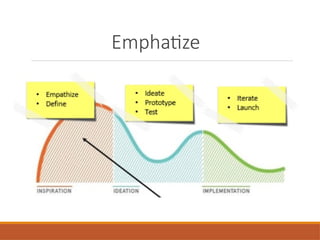
Emphatize
Emphatize Tools
Build an
Emphaty Map
Outline
Emphatize
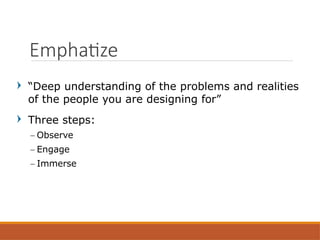
“Deep understanding of the problems and realities
of the people you are designing for”
Three steps:
– Observe
– Engage
– Immerse
Emphatize
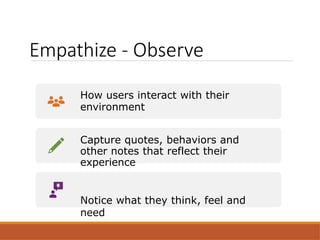
Empathize - Observe
How users interact with their
environment
Capture quotes, behaviors and
other notes that reflect their
experience
Notice what they think, feel and
need
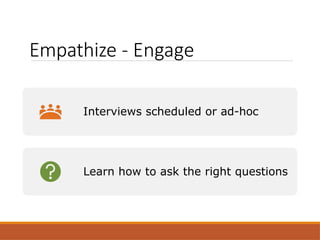
Empathize - Engage
Interviews scheduled or ad-hoc
Learn how to ask the right questions
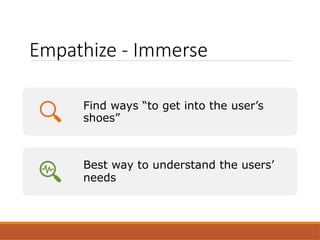
Empathize - Immerse
Find ways “to get into the user’s
shoes”
Best way to understand the users’
needs
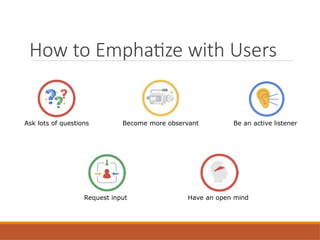
How to Emphatize with Users
Ask lots of questions Become more observant Be an active listener
Request input Have an open mind
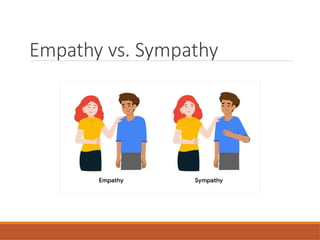
Empathy vs. Sympathy
Determine research goals and
questions
You want to ensure that the interviews you conduct are
worthwhile, both for you and for the participants. To make the
most of your time together, you need to determine clear goals for
the interview.
What do you want to learn from the interviews? Are there certain
user problems or pain points that you need to empathize with?
Here are some examples of common research goals when it
comes
to empathizing with users:
– I want to understand the processes and emotions that people experience
around the problem my product is trying to solve.
– I want to identify common user behaviors and experiences with tasks that
my product is trying to address.
– I want to understand user needs and frustrations as they relate to the
product I’m
designing.
Determine research goals
Keeping the goals of the interview in mind, you
can write your interview questions. The more
aligned the interview questions are with your
goals, the more useful the data you obtain will be.
There are a few best practices to keep in mind
when writing interview questions:
1.Ask open-ended questions
2.Keep questions short and simple
3.Ask follow-up questions
Write interview questions
Emphatize
Tools
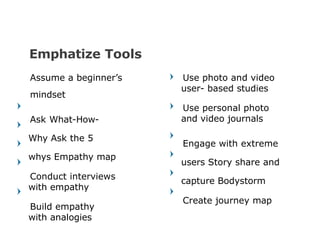
Emphatize Tools
Assume a beginner’s
mindset
Ask What-How-
Why Ask the 5
whys Empathy map
Conduct interviews
with empathy
Build empathy
with analogies
Use photo and video
user- based studies
Use personal photo
and video journals
Engage with extreme
users Story share and
capture Bodystorm
Create journey map
10/7/2022 15
Forget your assumptions
and personal beliefs
Misconceptions or
stereotypes limit the
amount of real empathy
you can build
A beginner’s mindset
allows you:
– to put aside biases
and
approach
– design with fresh
eyes
Assume a beginner’s mindset
(1)
What you should do:
– don’t judge
– question everything
– be truly curious
– find patterns
– Listen without thinking how
you’re going to respond
Assume a beginner’s mindset
(2)
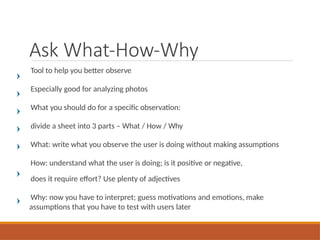
Ask What-How-Why
Tool to help you better observe
Especially good for analyzing photos
What you should do for a specific observation:
divide a sheet into 3 parts – What / How / Why
What: write what you observe the user is doing without making assumptions
How: understand what the user is doing; is it positive or negative,
does it require effort? Use plenty of adjectives
Why: now you have to interpret; guess motivations and emotions, make
assumptions that you have to test with users later
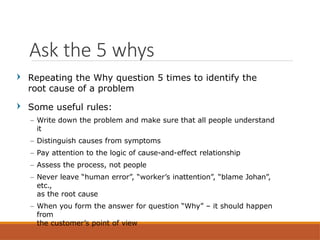
Repeating the Why question 5 times to identify the
root cause of a problem
Some useful rules:
– Write down the problem and make sure that all people understand
it
– Distinguish causes from symptoms
– Pay attention to the logic of cause-and-effect relationship
– Assess the process, not people
– Never leave “human error”, “worker’s inattention”, “blame Johan”,
etc.,
as the root cause
– When you form the answer for question “Why” – it should happen
from
the customer’s point of view
Ask the 5 whys
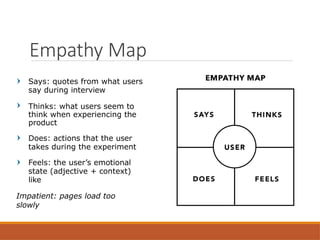
Says: quotes from what users
say during interview
Thinks: what users seem to
think when experiencing the
product
Does: actions that the user
takes during the experiment
Feels: the user’s emotional
state (adjective + context)
like
Impatient: pages load too
slowly
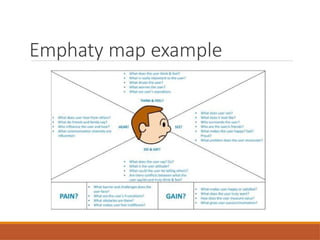
Empathy Map
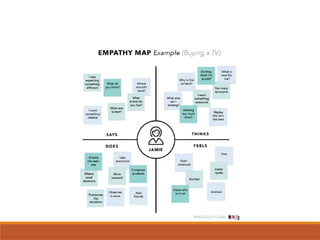
Emphaty map example
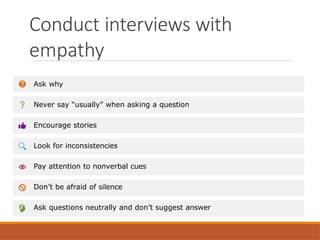
Conduct interviews with
empathy
Ask why
Never say “usually” when asking a question
Encourage stories
Look for inconsistencies
Pay attention to nonverbal cues
Don’t be afraid of silence
Ask questions neutrally and don’t suggest answer
Build empathy with analogies
Use analogies to gain a fresh way of looking at an environment, and in
instances where direct observation is hard to achieve
Analogies allow us to express our ideas or to explain complex matters in
an understandable and motivating way
Start by identifying the aspects of a situation that are most important,
interesting or problematic
Find other experiences that contain some of these aspects – it will help you gain
a better understanding of your users’ problems, and it will also spark new ideas
to improve their experiences
Create an inspiration space for analogies. You can do so by pinning photos and
anecdotes of the analogues experiences you have found
Use video recordings of users performing their
regular activities
Try to make the study as casual as possible so
that the user doesn’t feel any pressure
Use different techniques like how-what-why to
examine the videos or photos or frames taken
from the videos
Use photo and video user-
based studies
Determine who’s extreme
– Extreme users can be described as the people on either
end of the spectrum of users of a product or service
Engage
– Observe and interview extreme users just like other
folks.
Look for work-arounds (or other extreme behaviors) to
spark inspiration and uncover insights
Look at the extreme in all of us
– Look to extreme users to spur wild ideas, then narrow
in on what resonates with the primary users that you’re
designing for
Engage with extreme
users
Take a moment to unpack your observations and stories you
have collected
One by one, each team member shares their observations
they made in the field in the form of stories and notes on
what they observed
While a team member is sharing their stories, the rest of the
team will note down interesting insights, headlines or
quotes
By the end of the sharing session, you would have a wall
or board filled with post-it notes. This helps your team
understand what is going on with your users, and can
kickstart an ideation or space saturate and group session
Story share and capture
Bodystorm
Bodystorming is a unique method that spans empathy work, ideation, and prototyping
Technique of physically experiencing a situation to derive new ideas
Requires setting up an experience – complete with necessary artifacts and people – and
physically “testing” it
Can include physically changing your space during ideation
You’re focused on here is the way you interact with your environment and
the choices you make while in it
Example: when thinking about a product for blind people try to actually experiment not
using your eyes during an experiment and try to see what you can achieve and what your
needs are
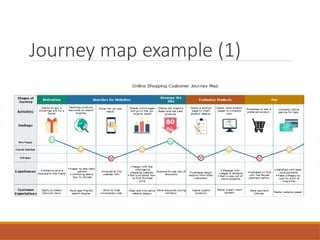
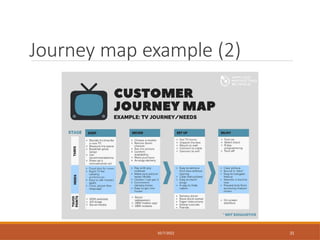
Create journey maps
Visual representation of the process a customer or prospect goes
through to achieve a goal with your company/products
Identity the customer’s needs and pain points
Steps:
– Set clear objectives for the map
– Profile your personas and define their goals
– List out all the touchpoints (places in the app/site where you can interact
with the customer)
– Identify the elements you want your map to show
– Take the customer journey yourself
– Make necessary changes
Journey map example (1)
Journey map example (2)
10/7/2022 31
How to Distinguish Pain Point
and Solutions
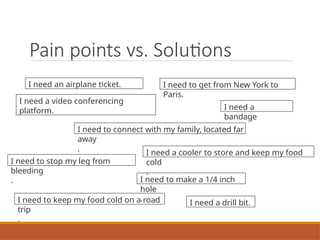
Pain points vs. Solutions
I need to get from New York to
Paris.
I need to keep my food cold on a road
trip
.
I need to connect with my family, located far
away
.
I need a video conferencing
platform.
I need a cooler to store and keep my food
cold
.
I need to stop my leg from
bleeding
.
I need a
bandage
.
I need to make a 1/4 inch
hole
. I need a drill bit.
I need an airplane ticket.
Build an Emphaty
Map
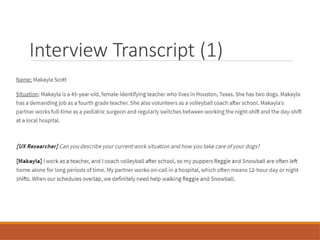
Interview Transcript (1)
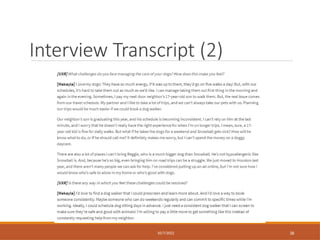
Interview Transcript (2)
10/7/2022 36
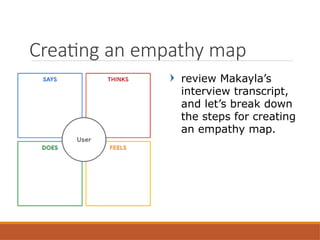
review Makayla’s
interview transcript,
and let’s break down
the steps for creating
an empathy map.
Creating an empathy map
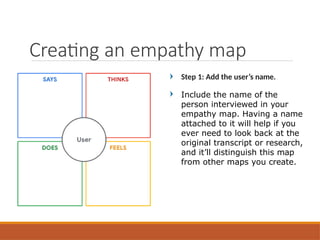
Step 1: Add the user’s name.
Include the name of the
person interviewed in your
empathy map. Having a name
attached to it will help if you
ever need to look back at the
original transcript or research,
and it’ll distinguish this map
from other maps you create.
Creating an empathy map
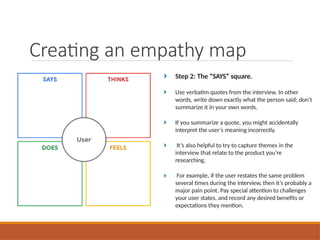
Step 2: The “SAYS” square.
Use verbatim quotes from the interview. In other
words, write down exactly what the person said; don’t
summarize it in your own words.
If you summarize a quote, you might accidentally
interpret the user’s meaning incorrectly.
It’s also helpful to try to capture themes in the
interview that relate to the product you’re
researching.
For example, if the user restates the same problem
several times during the interview, then it’s probably a
major pain point. Pay special attention to challenges
your user states, and record any desired benefits or
expectations they mention.
Creating an empathy map
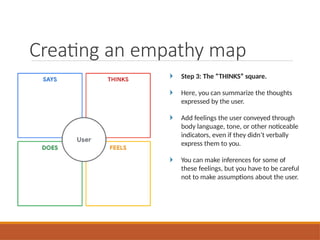
Step 3: The “THINKS” square.
Here, you can summarize the thoughts
expressed by the user.
Add feelings the user conveyed through
body language, tone, or other noticeable
indicators, even if they didn’t verbally
express them to you.
You can make inferences for some of
these feelings, but you have to be careful
not to make assumptions about the user.
Creating an empathy map
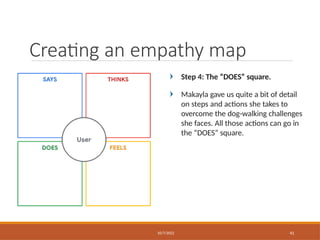
Step 4: The “DOES” square.
Makayla gave us quite a bit of detail
on steps and actions she takes to
overcome the dog-walking challenges
she faces. All those actions can go in
the “DOES” square.
Creating an empathy map
10/7/2022 41
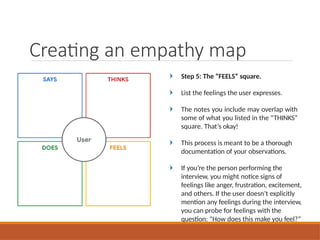
Step 5: The “FEELS” square.
List the feelings the user expresses.
The notes you include may overlap with
some of what you listed in the “THINKS”
square. That’s okay!
This process is meant to be a thorough
documentation of your observations.
If you’re the person performing the
interview, you might notice signs of
feelings like anger, frustration, excitement,
and others. If the user doesn’t explicitly
mention any feelings during the interview,
you can probe for feelings with the
question: “How does this make you feel?”
Creating an empathy map
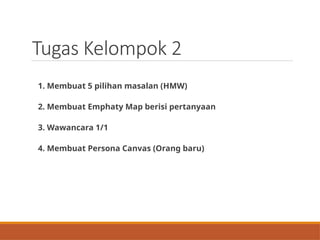
Tugas Kelompok 2
1. Membuat 5 pilihan masalan (HMW)
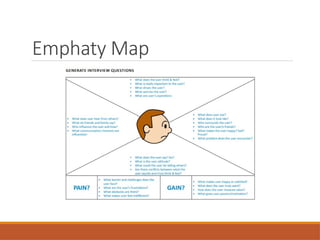
2. Membuat Emphaty Map berisi pertanyaan
3. Wawancara 1/1
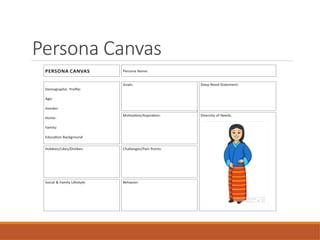
4. Membuat Persona Canvas (Orang baru)
Emphaty Map
Persona Canvas
THANK YOU

3. Empathize in Design Thinking - Tugas 2.pptx

  • 1.
  • 2.
    Mampu menjelaskan tahapanEmphatize dengan tepat dan detil Capaian Pembelajaran
  • 3.
    Review Materi 2 Emphatize EmphatizeTools Build an Emphaty Map Outline
  • 4.
  • 5.
    “Deep understanding ofthe problems and realities of the people you are designing for” Three steps: – Observe – Engage – Immerse Emphatize
  • 6.
    Empathize - Observe Howusers interact with their environment Capture quotes, behaviors and other notes that reflect their experience Notice what they think, feel and need
  • 7.
    Empathize - Engage Interviewsscheduled or ad-hoc Learn how to ask the right questions
  • 8.
    Empathize - Immerse Findways “to get into the user’s shoes” Best way to understand the users’ needs
  • 9.
    How to Emphatizewith Users Ask lots of questions Become more observant Be an active listener Request input Have an open mind
  • 10.
  • 11.
  • 12.
    You want toensure that the interviews you conduct are worthwhile, both for you and for the participants. To make the most of your time together, you need to determine clear goals for the interview. What do you want to learn from the interviews? Are there certain user problems or pain points that you need to empathize with? Here are some examples of common research goals when it comes to empathizing with users: – I want to understand the processes and emotions that people experience around the problem my product is trying to solve. – I want to identify common user behaviors and experiences with tasks that my product is trying to address. – I want to understand user needs and frustrations as they relate to the product I’m designing. Determine research goals
  • 13.
    Keeping the goalsof the interview in mind, you can write your interview questions. The more aligned the interview questions are with your goals, the more useful the data you obtain will be. There are a few best practices to keep in mind when writing interview questions: 1.Ask open-ended questions 2.Keep questions short and simple 3.Ask follow-up questions Write interview questions
  • 14.
  • 15.
    Emphatize Tools Assume abeginner’s mindset Ask What-How- Why Ask the 5 whys Empathy map Conduct interviews with empathy Build empathy with analogies Use photo and video user- based studies Use personal photo and video journals Engage with extreme users Story share and capture Bodystorm Create journey map 10/7/2022 15
  • 16.
    Forget your assumptions andpersonal beliefs Misconceptions or stereotypes limit the amount of real empathy you can build A beginner’s mindset allows you: – to put aside biases and approach – design with fresh eyes Assume a beginner’s mindset (1)
  • 17.
    What you shoulddo: – don’t judge – question everything – be truly curious – find patterns – Listen without thinking how you’re going to respond Assume a beginner’s mindset (2)
  • 18.
    Ask What-How-Why Tool tohelp you better observe Especially good for analyzing photos What you should do for a specific observation: divide a sheet into 3 parts – What / How / Why What: write what you observe the user is doing without making assumptions How: understand what the user is doing; is it positive or negative, does it require effort? Use plenty of adjectives Why: now you have to interpret; guess motivations and emotions, make assumptions that you have to test with users later
  • 19.
    Repeating the Whyquestion 5 times to identify the root cause of a problem Some useful rules: – Write down the problem and make sure that all people understand it – Distinguish causes from symptoms – Pay attention to the logic of cause-and-effect relationship – Assess the process, not people – Never leave “human error”, “worker’s inattention”, “blame Johan”, etc., as the root cause – When you form the answer for question “Why” – it should happen from the customer’s point of view Ask the 5 whys
  • 20.
    Says: quotes fromwhat users say during interview Thinks: what users seem to think when experiencing the product Does: actions that the user takes during the experiment Feels: the user’s emotional state (adjective + context) like Impatient: pages load too slowly Empathy Map
  • 22.
  • 23.
    Conduct interviews with empathy Askwhy Never say “usually” when asking a question Encourage stories Look for inconsistencies Pay attention to nonverbal cues Don’t be afraid of silence Ask questions neutrally and don’t suggest answer
  • 24.
    Build empathy withanalogies Use analogies to gain a fresh way of looking at an environment, and in instances where direct observation is hard to achieve Analogies allow us to express our ideas or to explain complex matters in an understandable and motivating way Start by identifying the aspects of a situation that are most important, interesting or problematic Find other experiences that contain some of these aspects – it will help you gain a better understanding of your users’ problems, and it will also spark new ideas to improve their experiences Create an inspiration space for analogies. You can do so by pinning photos and anecdotes of the analogues experiences you have found
  • 25.
    Use video recordingsof users performing their regular activities Try to make the study as casual as possible so that the user doesn’t feel any pressure Use different techniques like how-what-why to examine the videos or photos or frames taken from the videos Use photo and video user- based studies
  • 26.
    Determine who’s extreme –Extreme users can be described as the people on either end of the spectrum of users of a product or service Engage – Observe and interview extreme users just like other folks. Look for work-arounds (or other extreme behaviors) to spark inspiration and uncover insights Look at the extreme in all of us – Look to extreme users to spur wild ideas, then narrow in on what resonates with the primary users that you’re designing for Engage with extreme users
  • 27.
    Take a momentto unpack your observations and stories you have collected One by one, each team member shares their observations they made in the field in the form of stories and notes on what they observed While a team member is sharing their stories, the rest of the team will note down interesting insights, headlines or quotes By the end of the sharing session, you would have a wall or board filled with post-it notes. This helps your team understand what is going on with your users, and can kickstart an ideation or space saturate and group session Story share and capture
  • 28.
    Bodystorm Bodystorming is aunique method that spans empathy work, ideation, and prototyping Technique of physically experiencing a situation to derive new ideas Requires setting up an experience – complete with necessary artifacts and people – and physically “testing” it Can include physically changing your space during ideation You’re focused on here is the way you interact with your environment and the choices you make while in it Example: when thinking about a product for blind people try to actually experiment not using your eyes during an experiment and try to see what you can achieve and what your needs are
  • 29.
    Create journey maps Visualrepresentation of the process a customer or prospect goes through to achieve a goal with your company/products Identity the customer’s needs and pain points Steps: – Set clear objectives for the map – Profile your personas and define their goals – List out all the touchpoints (places in the app/site where you can interact with the customer) – Identify the elements you want your map to show – Take the customer journey yourself – Make necessary changes
  • 30.
  • 31.
    Journey map example(2) 10/7/2022 31
  • 32.
    How to DistinguishPain Point and Solutions
  • 33.
    Pain points vs.Solutions I need to get from New York to Paris. I need to keep my food cold on a road trip . I need to connect with my family, located far away . I need a video conferencing platform. I need a cooler to store and keep my food cold . I need to stop my leg from bleeding . I need a bandage . I need to make a 1/4 inch hole . I need a drill bit. I need an airplane ticket.
  • 34.
  • 35.
  • 36.
  • 37.
    review Makayla’s interview transcript, andlet’s break down the steps for creating an empathy map. Creating an empathy map
  • 38.
    Step 1: Addthe user’s name. Include the name of the person interviewed in your empathy map. Having a name attached to it will help if you ever need to look back at the original transcript or research, and it’ll distinguish this map from other maps you create. Creating an empathy map
  • 39.
    Step 2: The“SAYS” square. Use verbatim quotes from the interview. In other words, write down exactly what the person said; don’t summarize it in your own words. If you summarize a quote, you might accidentally interpret the user’s meaning incorrectly. It’s also helpful to try to capture themes in the interview that relate to the product you’re researching. For example, if the user restates the same problem several times during the interview, then it’s probably a major pain point. Pay special attention to challenges your user states, and record any desired benefits or expectations they mention. Creating an empathy map
  • 40.
    Step 3: The“THINKS” square. Here, you can summarize the thoughts expressed by the user. Add feelings the user conveyed through body language, tone, or other noticeable indicators, even if they didn’t verbally express them to you. You can make inferences for some of these feelings, but you have to be careful not to make assumptions about the user. Creating an empathy map
  • 41.
    Step 4: The“DOES” square. Makayla gave us quite a bit of detail on steps and actions she takes to overcome the dog-walking challenges she faces. All those actions can go in the “DOES” square. Creating an empathy map 10/7/2022 41
  • 42.
    Step 5: The“FEELS” square. List the feelings the user expresses. The notes you include may overlap with some of what you listed in the “THINKS” square. That’s okay! This process is meant to be a thorough documentation of your observations. If you’re the person performing the interview, you might notice signs of feelings like anger, frustration, excitement, and others. If the user doesn’t explicitly mention any feelings during the interview, you can probe for feelings with the question: “How does this make you feel?” Creating an empathy map
  • 43.
    Tugas Kelompok 2 1.Membuat 5 pilihan masalan (HMW) 2. Membuat Emphaty Map berisi pertanyaan 3. Wawancara 1/1 4. Membuat Persona Canvas (Orang baru)
  • 44.
  • 45.
  • 46.