COMPUTER SYSTEM
SERVICING
OBJECTIVES 1. Discuss the types of
components and objects to be
measured;
2. Identify the name of
components and its measurement;
and
3. Appreciate the importance of
knowing the components and
objects to be measured.
RECAP
1. What was our lesson
yesterday?
2. What have you learned
from our previous lesson?
TYPES OF COMPONENTS &
OBJECTS TO BE MEASURED
Think of this!
1. What do you think of the computer
components mentioned earlier—can they be
measured?
2. If they can be measured, what are we
measuring with these components?
3. Based on what you’ve understood about our
activity, do these computer components
have an impact on the performance of the
computer?
4. Will you cite an example that might affect
the computer?
Think of this!
1. What do you think of the computer
components mentioned earlier—can they be
measured?
2. If they can be measured, what are we
measuring with these components?
3. Based on what you’ve understood about our
activity, do these computer components
have an impact on the performance of the
computer?
4. Will you cite an example that might affect
the computer?
MENSURATION
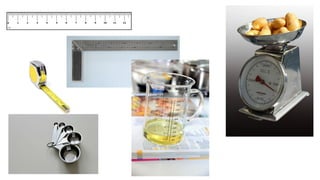
Mensuration refers to the process of measuring the computer components
and objects to fully understand the needed requirements and capacity.
The results of measurements taken are the calculations that are usually
considered in building a computer.
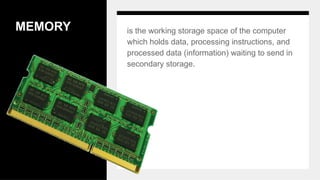
MEMORY is the working storage space of the computer
which holds data, processing instructions, and
processed data (information) waiting to send in
secondary storage.
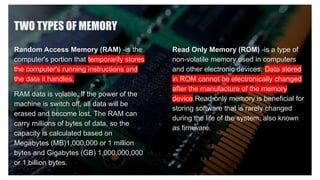
TWO TYPES OF MEMORY
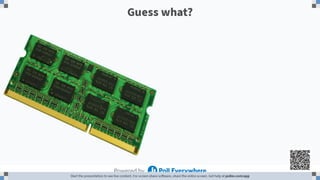
Random Access Memory (RAM) -is the
computer's portion that temporarily stores
the computer's running instructions and
the data it handles.
RAM data is volatile. If the power of the
machine is switch off, all data will be
erased and become lost. The RAM can
carry millions of bytes of data, so the
capacity is calculated based on
Megabytes (MB)1,000,000 or 1 million
bytes and Gigabytes (GB) 1,000,000,000
or 1 billion bytes.
Read Only Memory (ROM) -is a type of
non-volatile memory used in computers
and other electronic devices. Data stored
in ROM cannot be electronically changed
after the manufacture of the memory
device.Read-only memory is beneficial for
storing software that is rarely changed
during the life of the system, also known
as firmware.
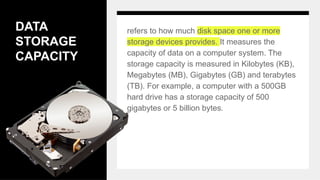
DATA
STORAGE
CAPACITY
refers to how much disk space one or more
storage devices provides. It measures the
capacity of data on a computer system. The
storage capacity is measured in Kilobytes (KB),
Megabytes (MB), Gigabytes (GB) and terabytes
(TB). For example, a computer with a 500GB
hard drive has a storage capacity of 500
gigabytes or 5 billion bytes.
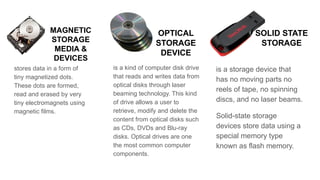
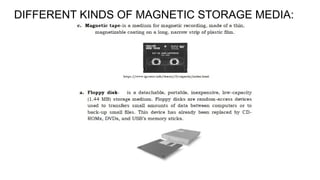
MAGNETIC
STORAGE
MEDIA &
DEVICES
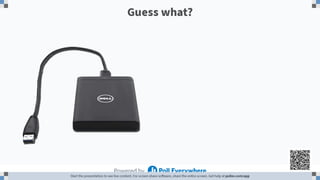
stores data in a form of
tiny magnetized dots.
These dots are formed,
read and erased by very
tiny electromagnets using
magnetic films.
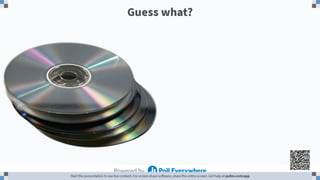
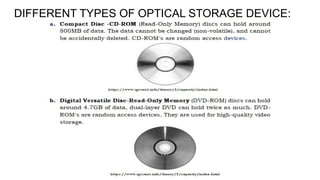
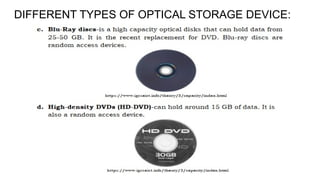
is a kind of computer disk drive
that reads and writes data from
optical disks through laser
beaming technology. This kind
of drive allows a user to
retrieve, modify and delete the
content from optical disks such
as CDs, DVDs and Blu-ray
disks. Optical drives are one
the most common computer
components.
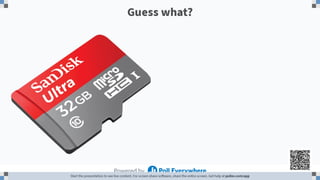
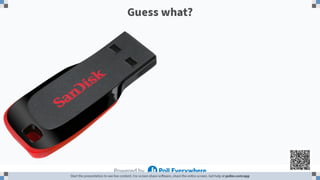
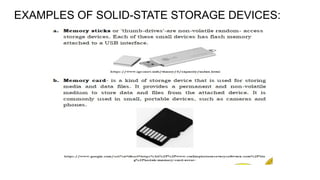
is a storage device that
has no moving parts no
reels of tape, no spinning
discs, and no laser beams.
Solid-state storage
devices store data using a
special memory type
known as flash memory.
OPTICAL
STORAGE
DEVICE
SOLID STATE
STORAGE
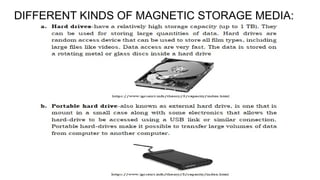
DIFFERENT KINDS OF MAGNETIC STORAGE MEDIA:
DIFFERENT TYPES OF OPTICAL STORAGE DEVICE:
EXAMPLES OF SOLID-STATE STORAGE DEVICES:
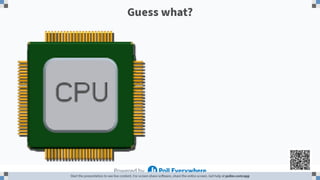
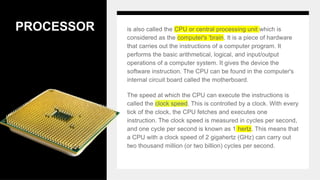
PROCESSOR is also called the CPU or central processing unit which is
considered as the computer's 'brain. It is a piece of hardware
that carries out the instructions of a computer program. It
performs the basic arithmetical, logical, and input/output
operations of a computer system. It gives the device the
software instruction. The CPU can be found in the computer's
internal circuit board called the motherboard.
The speed at which the CPU can execute the instructions is
called the clock speed. This is controlled by a clock. With every
tick of the clock, the CPU fetches and executes one
instruction. The clock speed is measured in cycles per second,
and one cycle per second is known as 1 hertz. This means that
a CPU with a clock speed of 2 gigahertz (GHz) can carry out
two thousand million (or two billion) cycles per second.
VIDEO
CARD
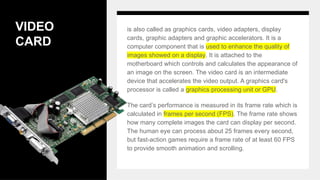
is also called as graphics cards, video adapters, display
cards, graphic adapters and graphic accelerators. It is a
computer component that is used to enhance the quality of
images showed on a display. It is attached to the
motherboard which controls and calculates the appearance of
an image on the screen. The video card is an intermediate
device that accelerates the video output. A graphics card's
processor is called a graphics processing unit or GPU.
The card’s performance is measured in its frame rate which is
calculated in frames per second (FPS). The frame rate shows
how many complete images the card can display per second.
The human eye can process about 25 frames every second,
but fast-action games require a frame rate of at least 60 FPS
to provide smooth animation and scrolling.
“The true measure of a man is how he treats someone who can
do him absolutely no good”.
- Samuel Johnson
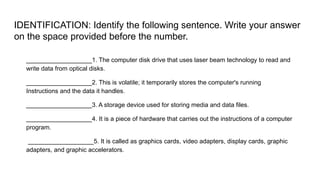
IDENTIFICATION: Identify the following sentence. Write your answer
on the space provided before the number.
___________________1. The computer disk drive that uses laser beam technology to read and
write data from optical disks.
___________________2. This is volatile; it temporarily stores the computer's running
Instructions and the data it handles.
___________________3. A storage device used for storing media and data files.
___________________4. It is a piece of hardware that carries out the instructions of a computer
program.
___________________5. It is called as graphics cards, video adapters, display cards, graphic
adapters, and graphic accelerators.

22-23cot2typesofcomponentsandobjectstobemeasured-230111134205-68f8e5f6.pptx

  • 1.
  • 2.
    OBJECTIVES 1. Discussthe types of components and objects to be measured; 2. Identify the name of components and its measurement; and 3. Appreciate the importance of knowing the components and objects to be measured.
  • 3.
    RECAP 1. What wasour lesson yesterday? 2. What have you learned from our previous lesson?
  • 6.
    TYPES OF COMPONENTS& OBJECTS TO BE MEASURED
  • 13.
    Think of this! 1.What do you think of the computer components mentioned earlier—can they be measured? 2. If they can be measured, what are we measuring with these components? 3. Based on what you’ve understood about our activity, do these computer components have an impact on the performance of the computer? 4. Will you cite an example that might affect the computer?
  • 14.
    Think of this! 1.What do you think of the computer components mentioned earlier—can they be measured? 2. If they can be measured, what are we measuring with these components? 3. Based on what you’ve understood about our activity, do these computer components have an impact on the performance of the computer? 4. Will you cite an example that might affect the computer?
  • 15.
    MENSURATION Mensuration refers tothe process of measuring the computer components and objects to fully understand the needed requirements and capacity. The results of measurements taken are the calculations that are usually considered in building a computer.
  • 16.
    MEMORY is theworking storage space of the computer which holds data, processing instructions, and processed data (information) waiting to send in secondary storage.
  • 17.
    TWO TYPES OFMEMORY Random Access Memory (RAM) -is the computer's portion that temporarily stores the computer's running instructions and the data it handles. RAM data is volatile. If the power of the machine is switch off, all data will be erased and become lost. The RAM can carry millions of bytes of data, so the capacity is calculated based on Megabytes (MB)1,000,000 or 1 million bytes and Gigabytes (GB) 1,000,000,000 or 1 billion bytes. Read Only Memory (ROM) -is a type of non-volatile memory used in computers and other electronic devices. Data stored in ROM cannot be electronically changed after the manufacture of the memory device.Read-only memory is beneficial for storing software that is rarely changed during the life of the system, also known as firmware.
  • 18.
    DATA STORAGE CAPACITY refers to howmuch disk space one or more storage devices provides. It measures the capacity of data on a computer system. The storage capacity is measured in Kilobytes (KB), Megabytes (MB), Gigabytes (GB) and terabytes (TB). For example, a computer with a 500GB hard drive has a storage capacity of 500 gigabytes or 5 billion bytes.
  • 19.
    MAGNETIC STORAGE MEDIA & DEVICES stores datain a form of tiny magnetized dots. These dots are formed, read and erased by very tiny electromagnets using magnetic films. is a kind of computer disk drive that reads and writes data from optical disks through laser beaming technology. This kind of drive allows a user to retrieve, modify and delete the content from optical disks such as CDs, DVDs and Blu-ray disks. Optical drives are one the most common computer components. is a storage device that has no moving parts no reels of tape, no spinning discs, and no laser beams. Solid-state storage devices store data using a special memory type known as flash memory. OPTICAL STORAGE DEVICE SOLID STATE STORAGE
  • 20.
    DIFFERENT KINDS OFMAGNETIC STORAGE MEDIA:
  • 21.
    DIFFERENT KINDS OFMAGNETIC STORAGE MEDIA:
  • 22.
    DIFFERENT TYPES OFOPTICAL STORAGE DEVICE:
  • 23.
    DIFFERENT TYPES OFOPTICAL STORAGE DEVICE:
  • 24.
    EXAMPLES OF SOLID-STATESTORAGE DEVICES:
  • 25.
    PROCESSOR is alsocalled the CPU or central processing unit which is considered as the computer's 'brain. It is a piece of hardware that carries out the instructions of a computer program. It performs the basic arithmetical, logical, and input/output operations of a computer system. It gives the device the software instruction. The CPU can be found in the computer's internal circuit board called the motherboard. The speed at which the CPU can execute the instructions is called the clock speed. This is controlled by a clock. With every tick of the clock, the CPU fetches and executes one instruction. The clock speed is measured in cycles per second, and one cycle per second is known as 1 hertz. This means that a CPU with a clock speed of 2 gigahertz (GHz) can carry out two thousand million (or two billion) cycles per second.
  • 26.
    VIDEO CARD is also calledas graphics cards, video adapters, display cards, graphic adapters and graphic accelerators. It is a computer component that is used to enhance the quality of images showed on a display. It is attached to the motherboard which controls and calculates the appearance of an image on the screen. The video card is an intermediate device that accelerates the video output. A graphics card's processor is called a graphics processing unit or GPU. The card’s performance is measured in its frame rate which is calculated in frames per second (FPS). The frame rate shows how many complete images the card can display per second. The human eye can process about 25 frames every second, but fast-action games require a frame rate of at least 60 FPS to provide smooth animation and scrolling.
  • 28.
    “The true measureof a man is how he treats someone who can do him absolutely no good”. - Samuel Johnson
  • 29.
    IDENTIFICATION: Identify thefollowing sentence. Write your answer on the space provided before the number. ___________________1. The computer disk drive that uses laser beam technology to read and write data from optical disks. ___________________2. This is volatile; it temporarily stores the computer's running Instructions and the data it handles. ___________________3. A storage device used for storing media and data files. ___________________4. It is a piece of hardware that carries out the instructions of a computer program. ___________________5. It is called as graphics cards, video adapters, display cards, graphic adapters, and graphic accelerators.