サンプラーアプリを作ってみた 
中国Firefox OS勉強会2nd, 2014/08/30 
Mozilla Japan テクニカルマーケティング 
清水智公
about:me 
2
FFiirreeffooxx を 
よろしくね!
清水智公(しみずのりただ) 
• Mozilla Japan 
テクニカルマーケティング 
• 慶應義塾大学 
政策・メディア研究科非常勤 
• @chikoski 
• https://slideshare.net/chikoski/ 
4
サンプラーをつくってみた 
5
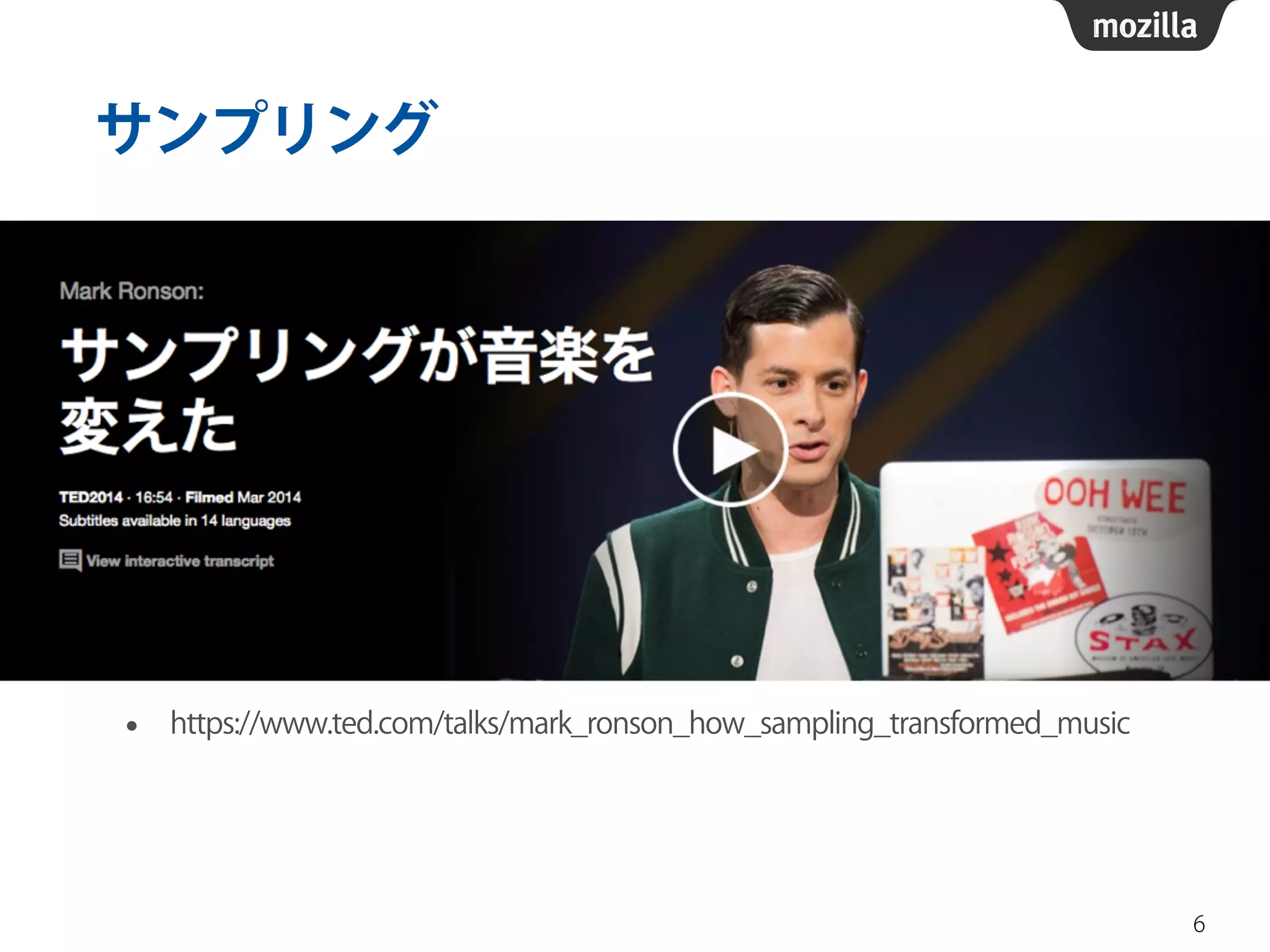
サンプリング 
• https://www.ted.com/talks/mark_ronson_how_sampling_transformed_music 
6
Audio 要素 
• 音声コンテンツを表すHTML要素 
• src属性で埋め込む音声リソースを指定 
• コントロール、ロード方法なども属性で指定 
7 
<audio src="foo.mp3" autoplay control loop></audio>
Web Audio API 
• 音声の処理を行うためのAPI 
• できること 
• 音声データのデコード 
• 変調、FFT、ミキシング、パンニング 
• オシレーション 
• オーディオグラフ 
8
オーディオグラフ 
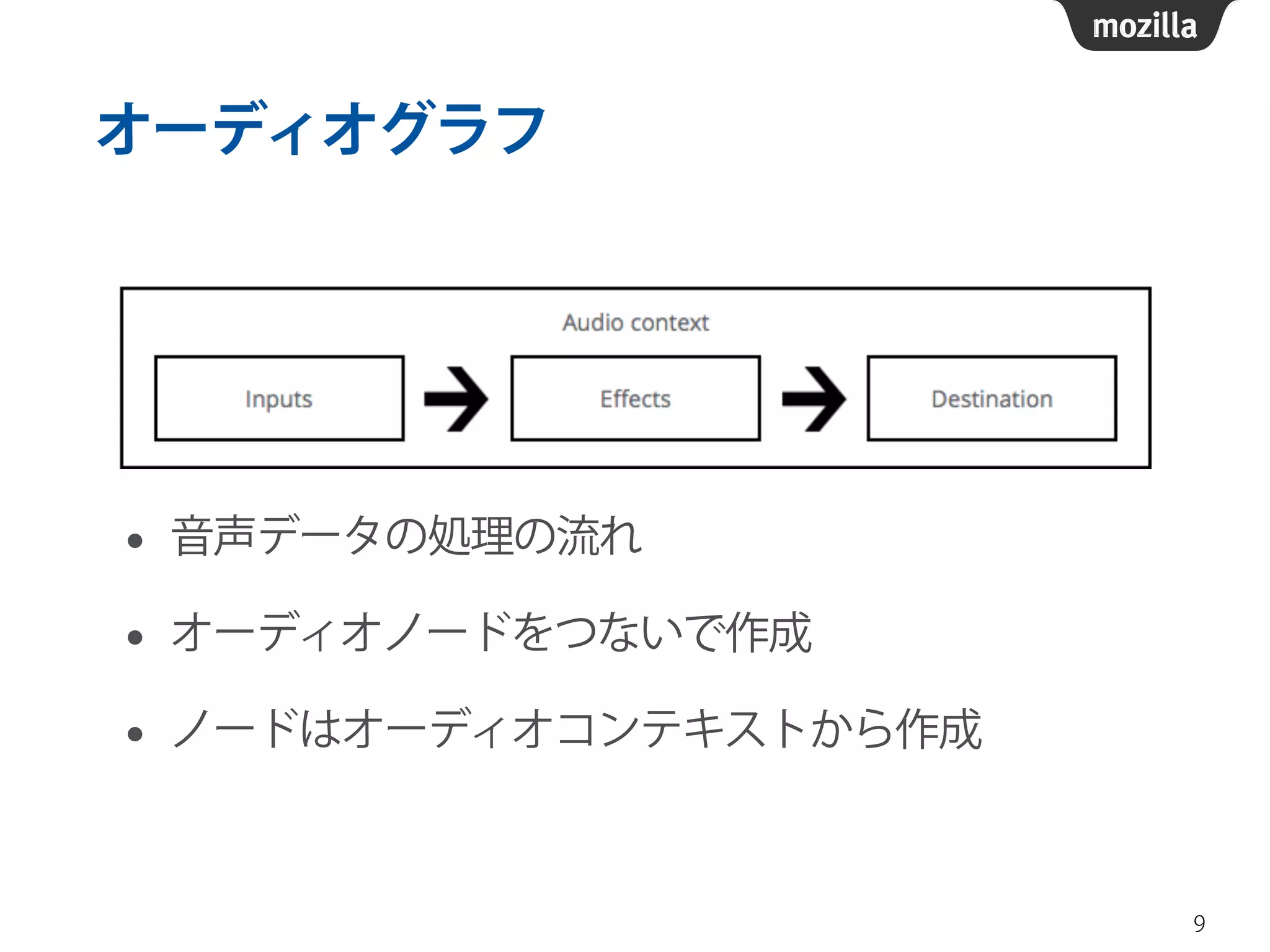
• 音声データの処理の流れ 
• オーディオノードをつないで作成 
• ノードはオーディオコンテキストから作成 
9
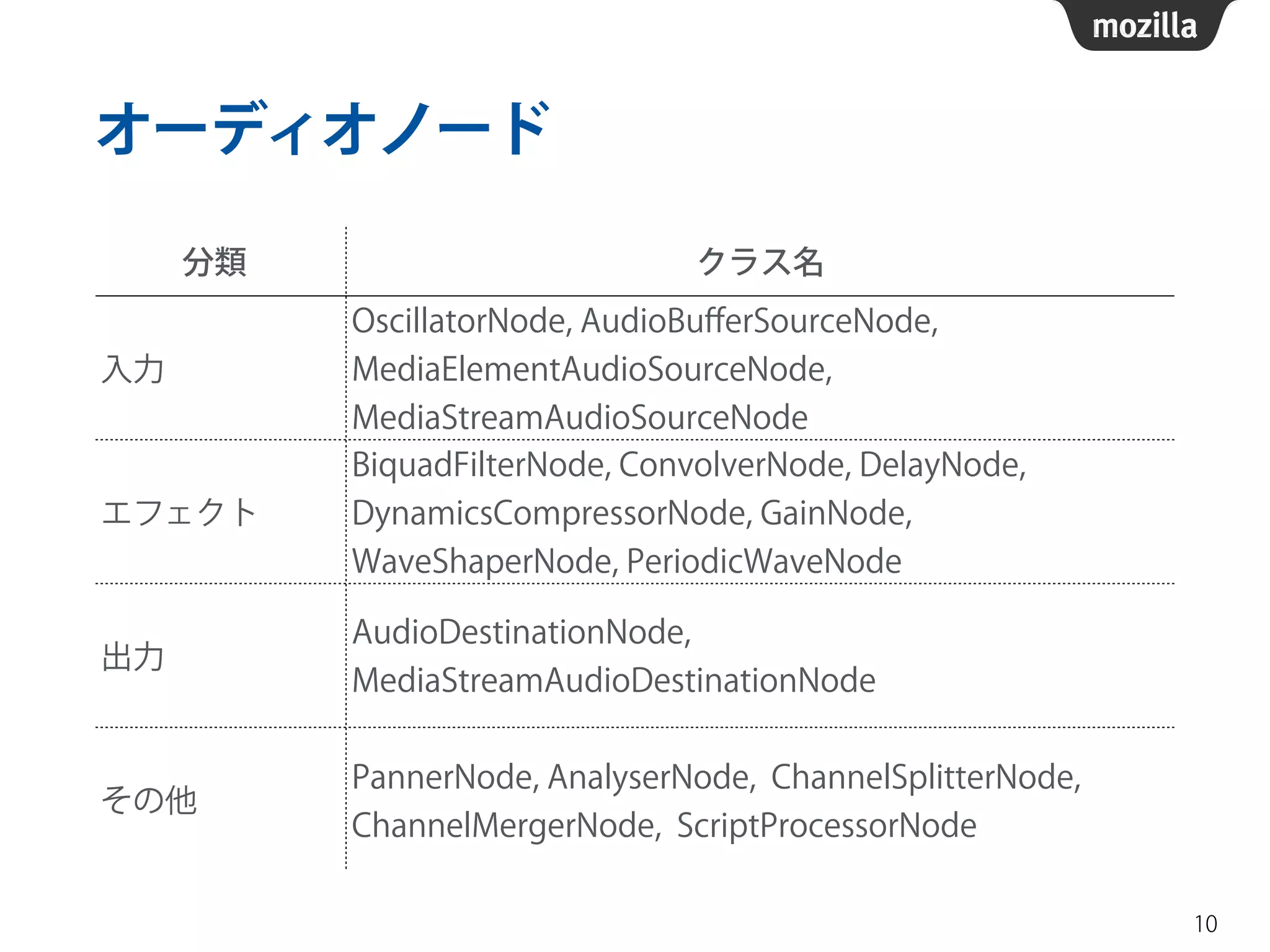
オーディオノード 
10 
分類クラス名 
入力 
OscillatorNode, AudioBufferSourceNode, 
MediaElementAudioSourceNode, 
MediaStreamAudioSourceNode 
エフェクト 
BiquadFilterNode, ConvolverNode, DelayNode, 
DynamicsCompressorNode, GainNode, 
WaveShaperNode, PeriodicWaveNode 
出力AudioDestinationNode, 
MediaStreamAudioDestinationNode 
その他PannerNode, AnalyserNode, ChannelSplitterNode, 
ChannelMergerNode, ScriptProcessorNode
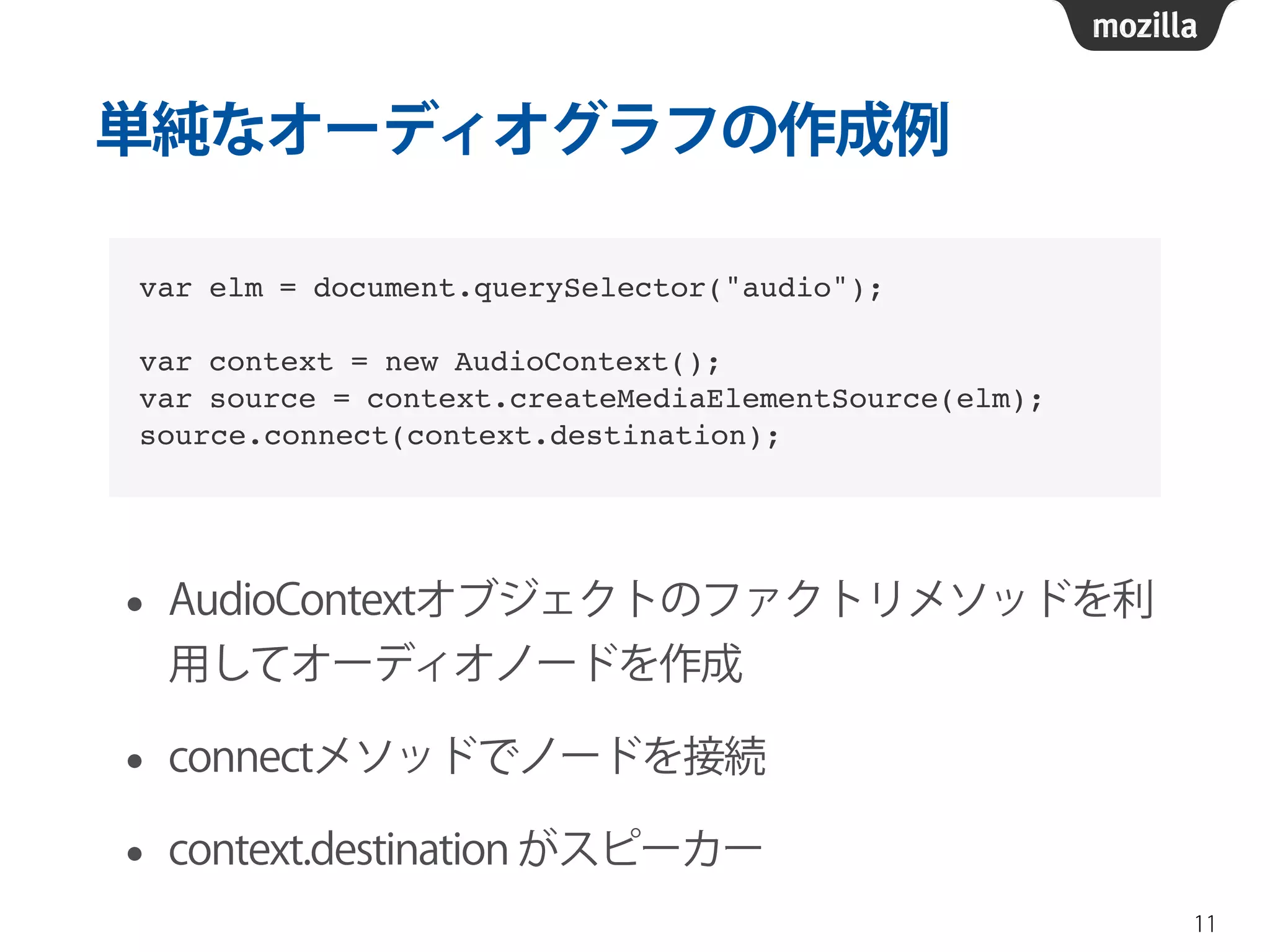
単純なオーディオグラフの作成例 
• AudioContextオブジェクトのファクトリメソッドを利 
用してオーディオノードを作成 
• connectメソッドでノードを接続 
• context.destination がスピーカー 
11 
var elm = document.querySelector("audio");! 
! 
var context = new AudioContext();! 
var source = context.createMediaElementSource(elm);! 
source.connect(context.destination);
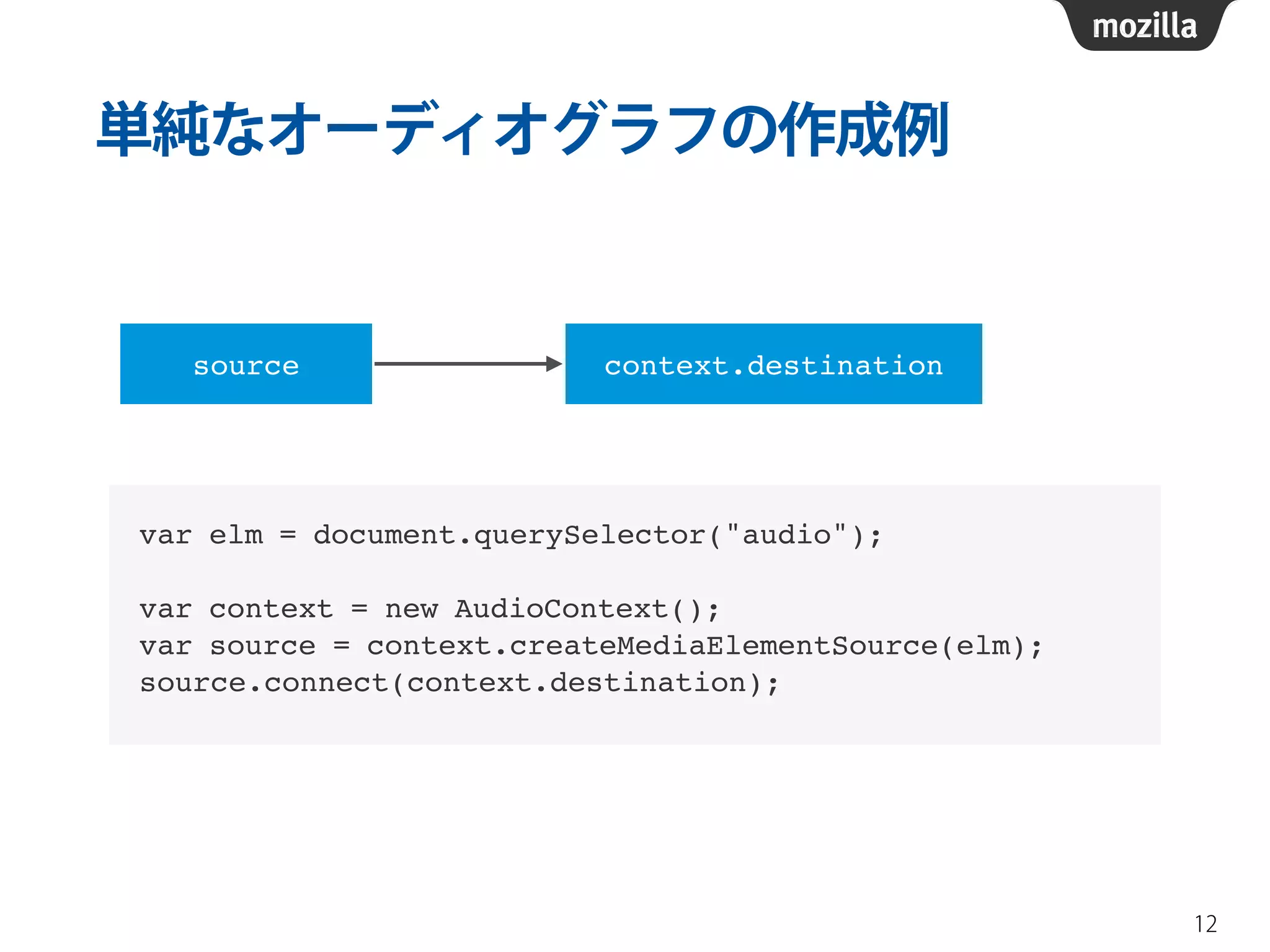
単純なオーディオグラフの作成例 
12 
source context.destination 
var elm = document.querySelector("audio");! 
! 
var context = new AudioContext();! 
var source = context.createMediaElementSource(elm);! 
source.connect(context.destination);
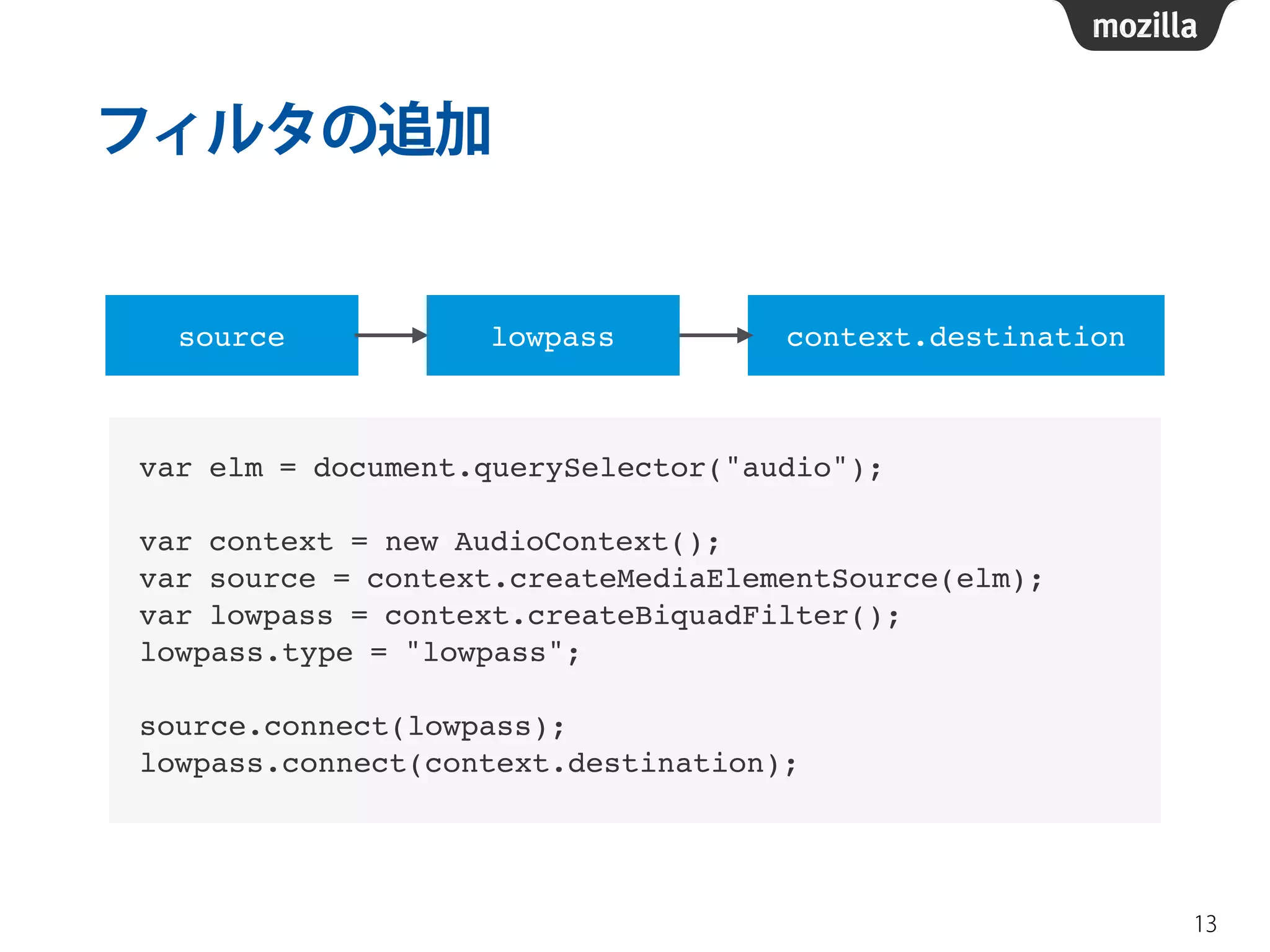
フィルタの追加 
13 
source lowpass context.destination 
var elm = document.querySelector("audio");! 
! 
var context = new AudioContext();! 
var source = context.createMediaElementSource(elm);! 
var lowpass = context.createBiquadFilter();! 
lowpass.type = "lowpass";! 
! 
source.connect(lowpass);! 
lowpass.connect(context.destination);
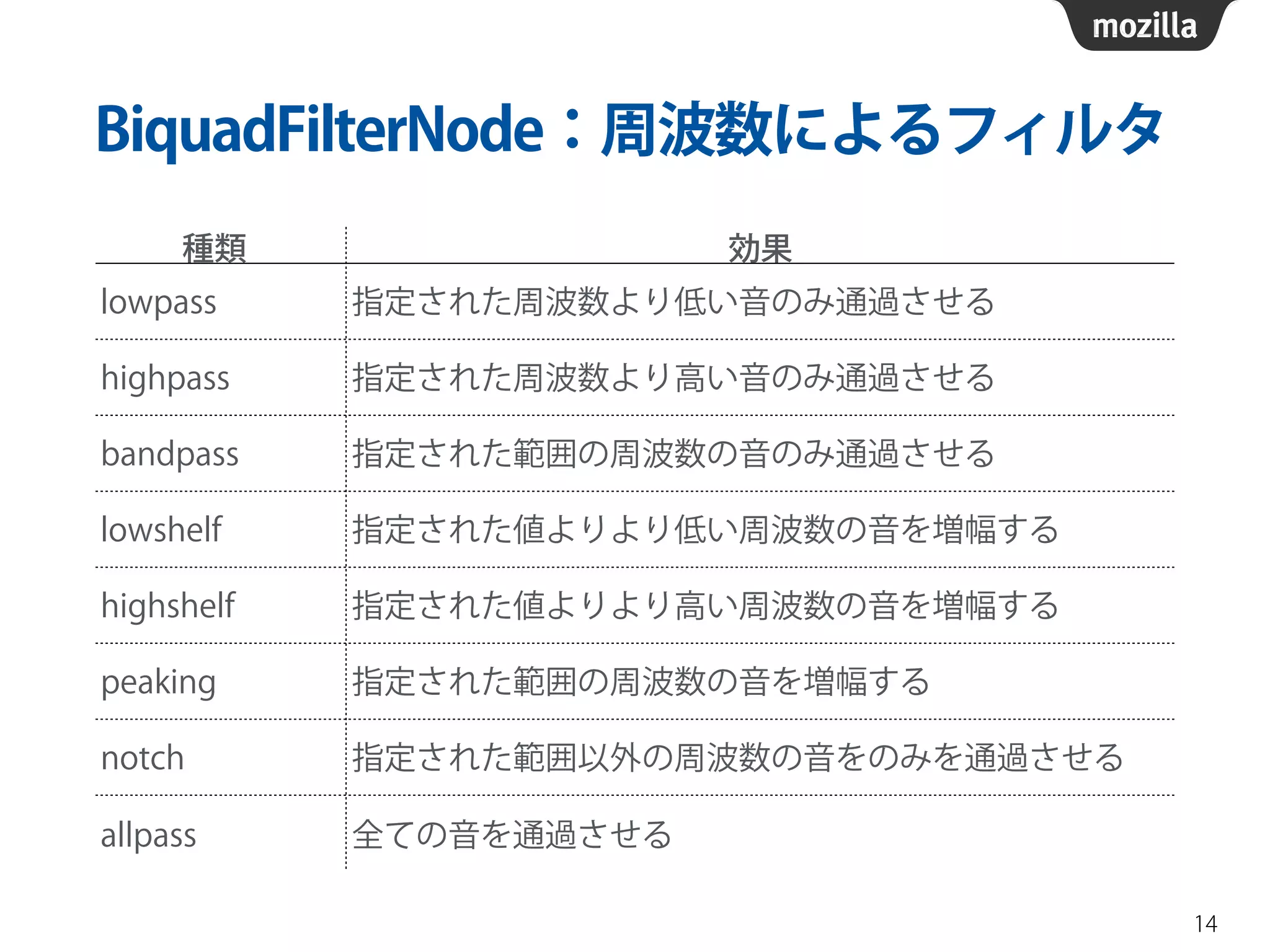
BiquadFilterNode:周波数によるフィルタ 
14 
種類効果 
lowpass 指定された周波数より低い音のみ通過させる 
highpass 指定された周波数より高い音のみ通過させる 
bandpass 指定された範囲の周波数の音のみ通過させる 
lowshelf 指定された値よりより低い周波数の音を増幅する 
highshelf 指定された値よりより高い周波数の音を増幅する 
peaking 指定された範囲の周波数の音を増幅する 
notch 指定された範囲以外の周波数の音をのみを通過させる 
allpass 全ての音を通過させる
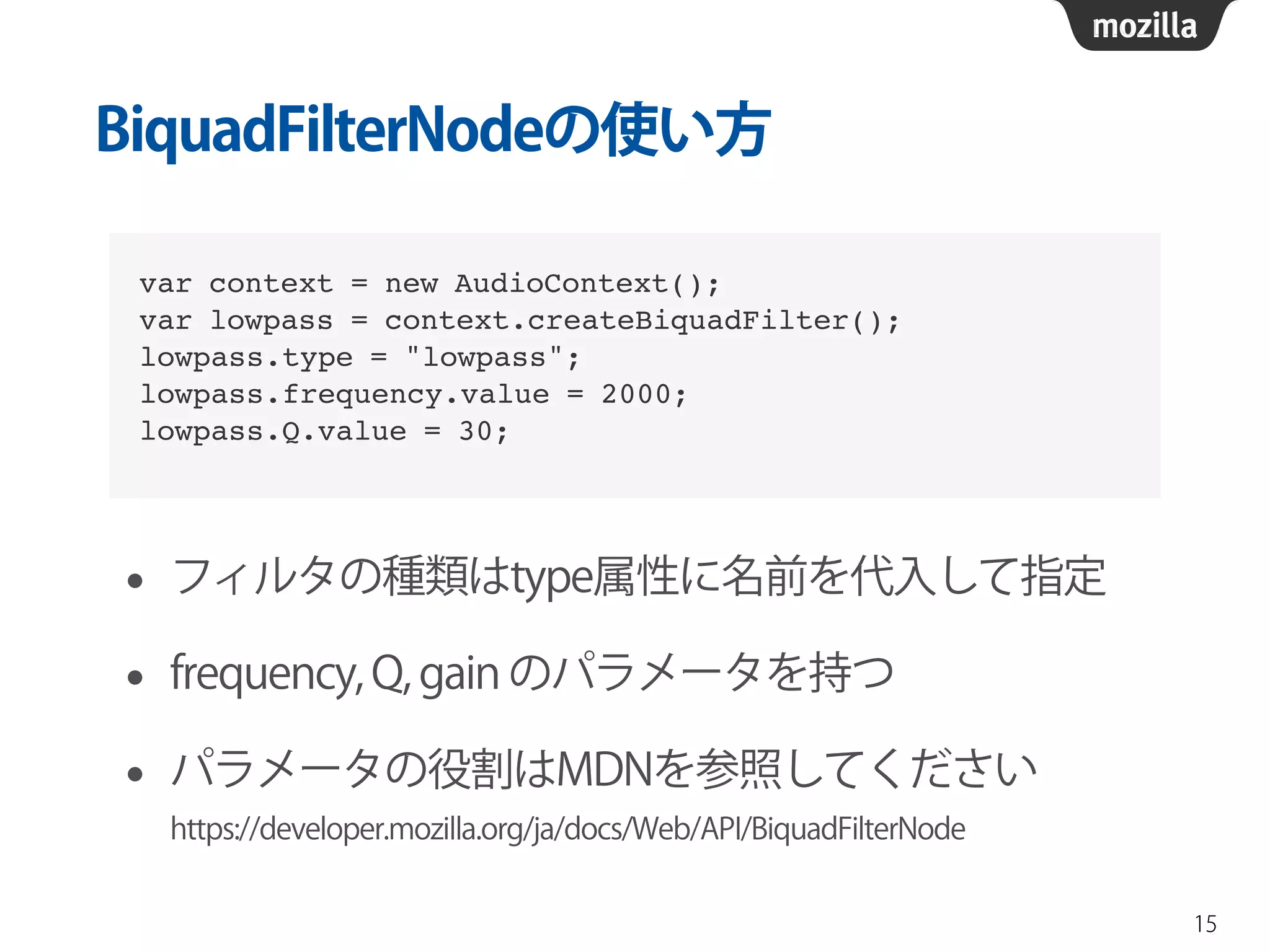
BiquadFilterNodeの使い方 
• フィルタの種類はtype属性に名前を代入して指定 
• frequency, Q, gain のパラメータを持つ 
• パラメータの役割はMDNを参照してください 
https://developer.mozilla.org/ja/docs/Web/API/BiquadFilterNode 
15 
var context = new AudioContext();! 
var lowpass = context.createBiquadFilter();! 
lowpass.type = "lowpass";! 
lowpass.frequency.value = 2000;! 
lowpass.Q.value = 30;
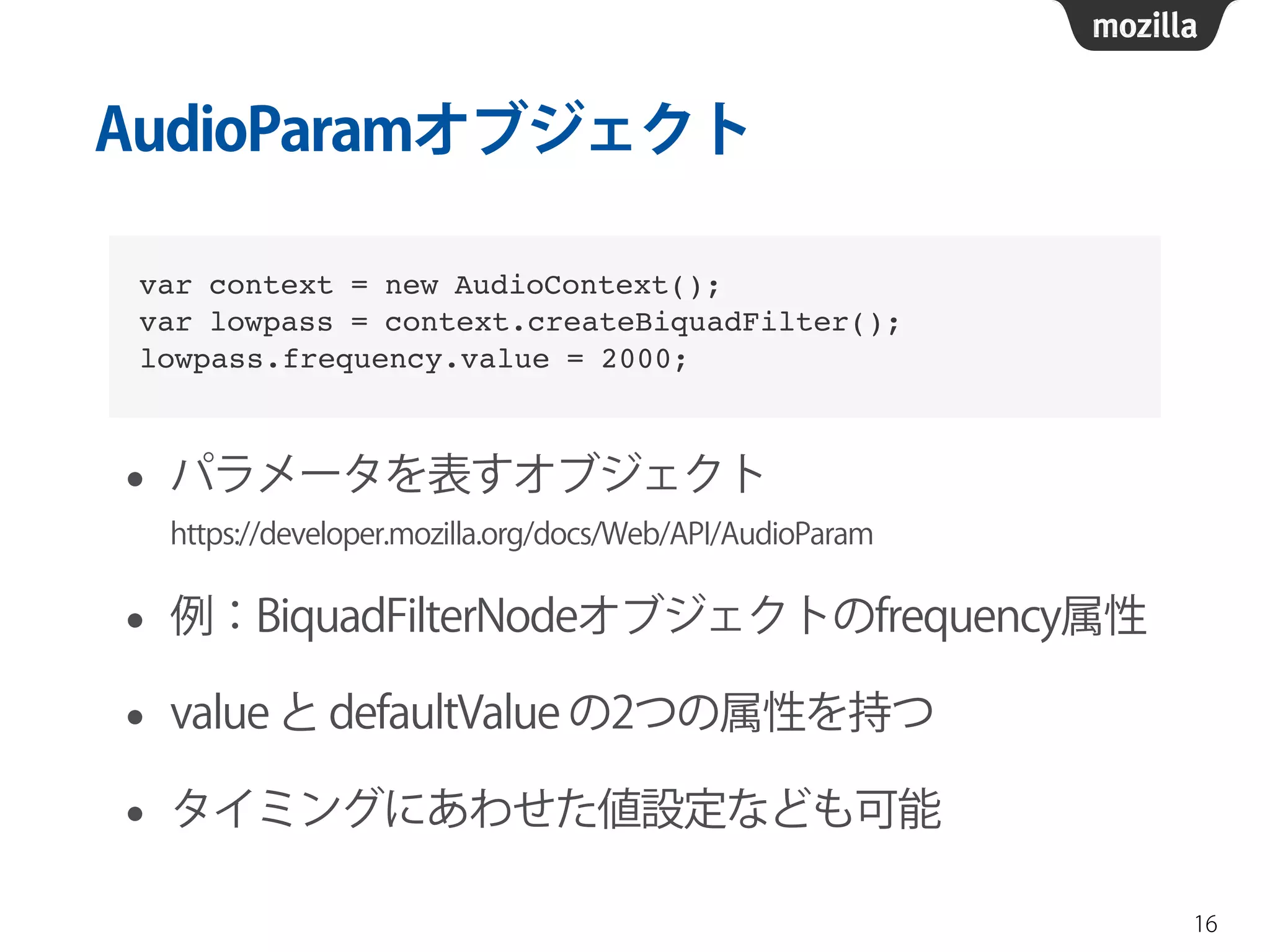
AudioParamオブジェクト 
• パラメータを表すオブジェクト 
https://developer.mozilla.org/docs/Web/API/AudioParam 
• 例:BiquadFilterNodeオブジェクトのfrequency属性 
• value と defaultValue の2つの属性を持つ 
• タイミングにあわせた値設定なども可能 
16 
var context = new AudioContext();! 
var lowpass = context.createBiquadFilter();! 
lowpass.frequency.value = 2000;
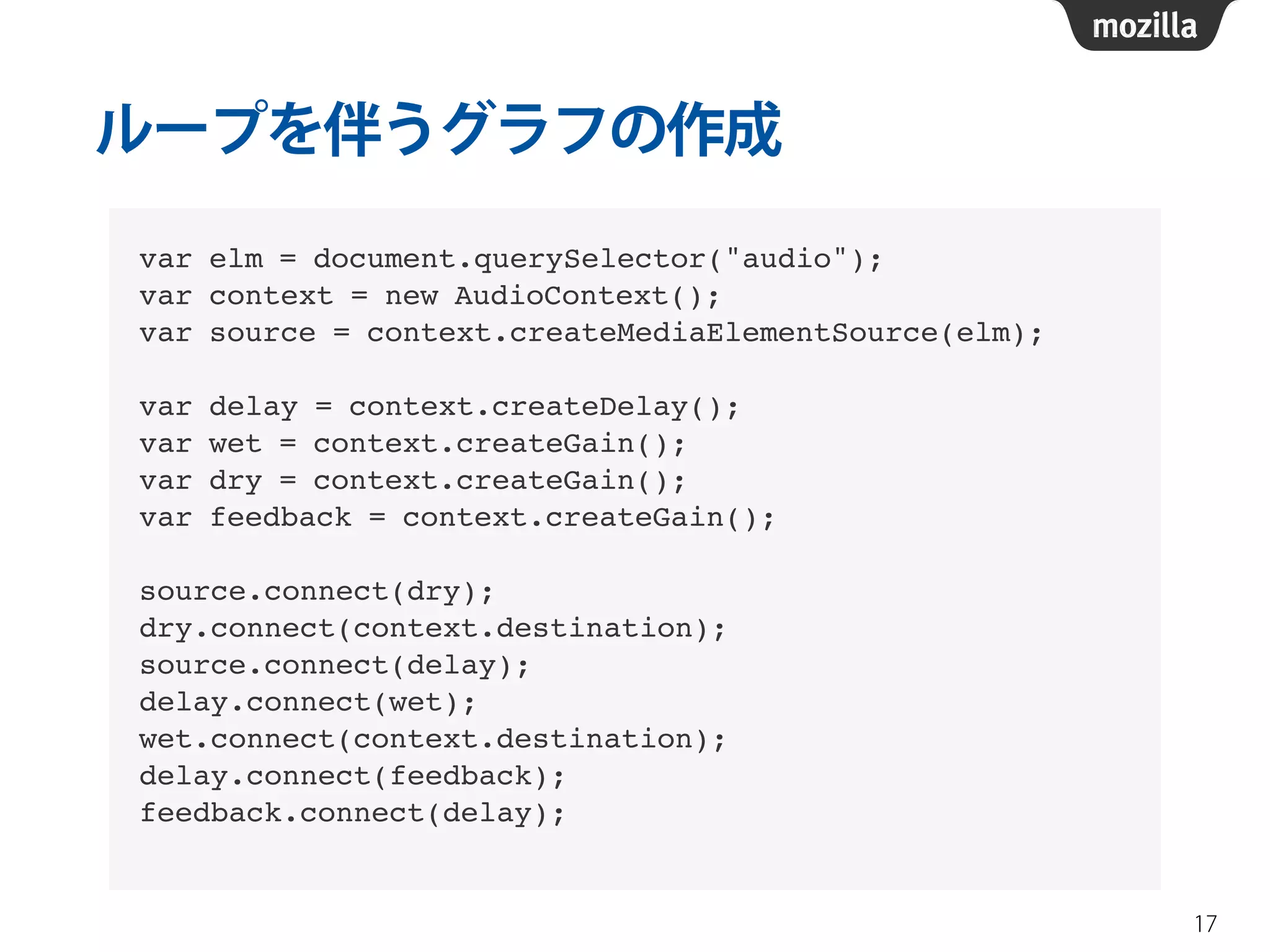
ループを伴うグラフの作成 
17 
var elm = document.querySelector("audio");! 
var context = new AudioContext();! 
var source = context.createMediaElementSource(elm);! 
! 
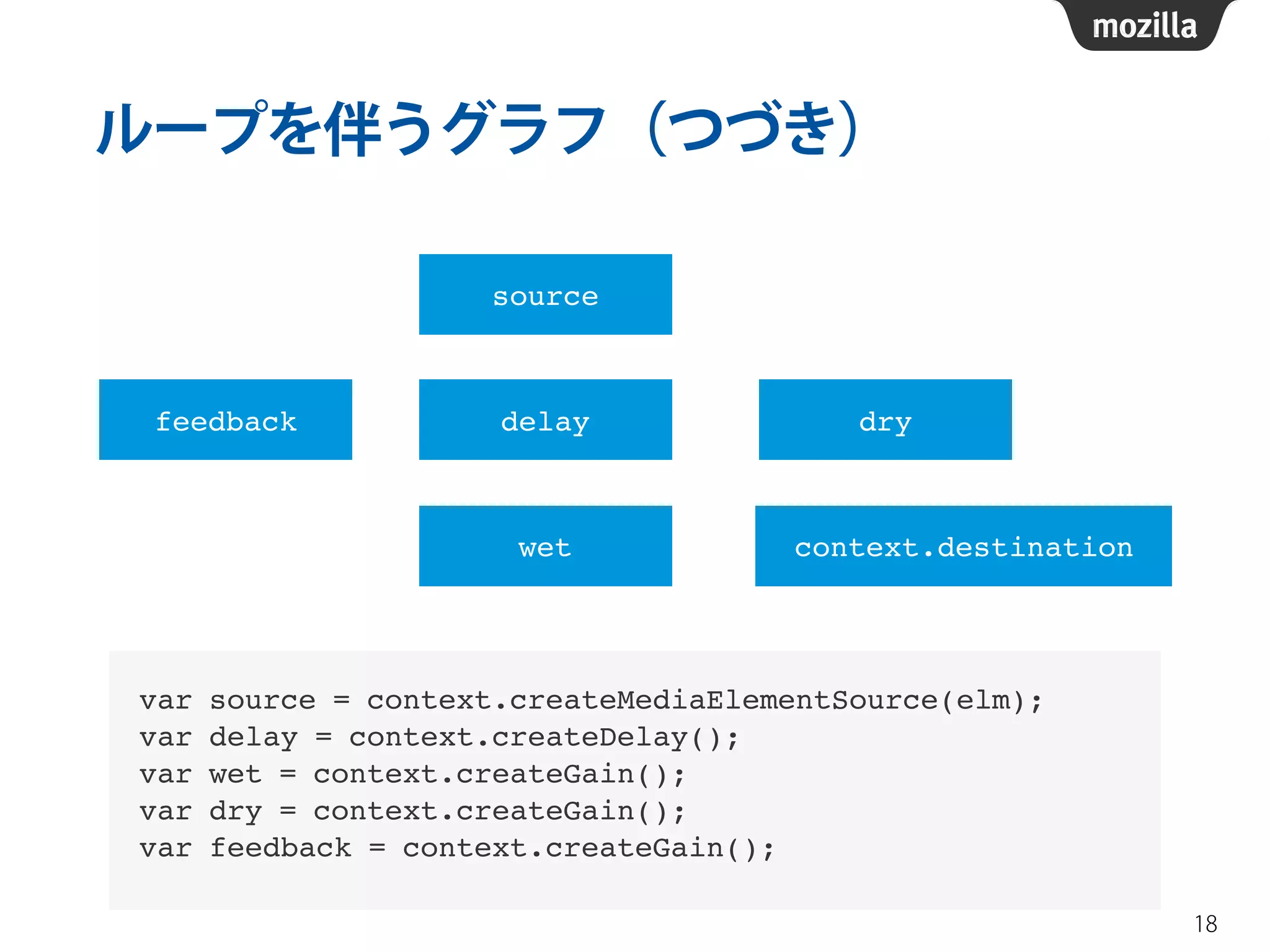
var delay = context.createDelay();! 
var wet = context.createGain();! 
var dry = context.createGain();! 
var feedback = context.createGain();! 
! 
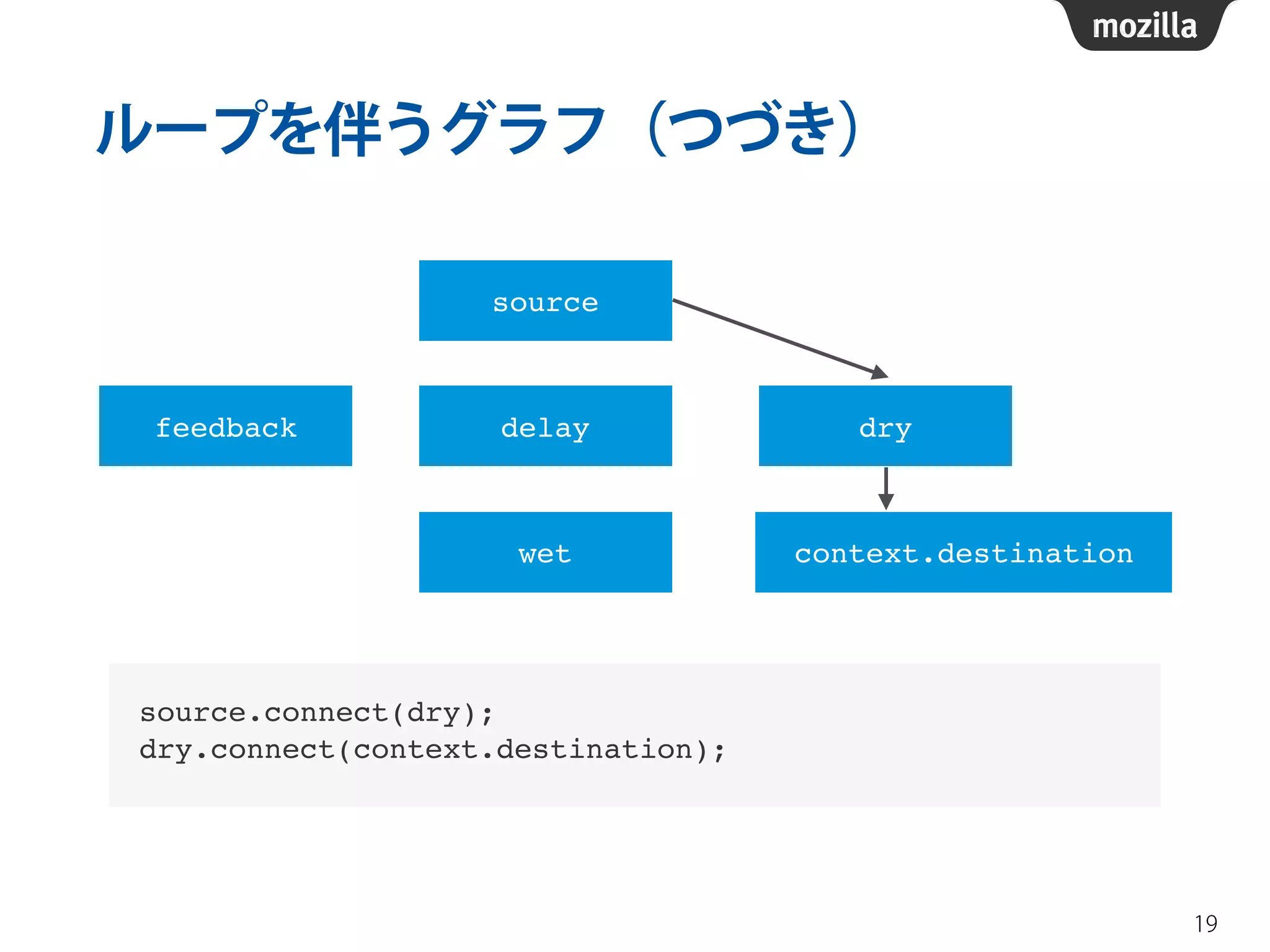
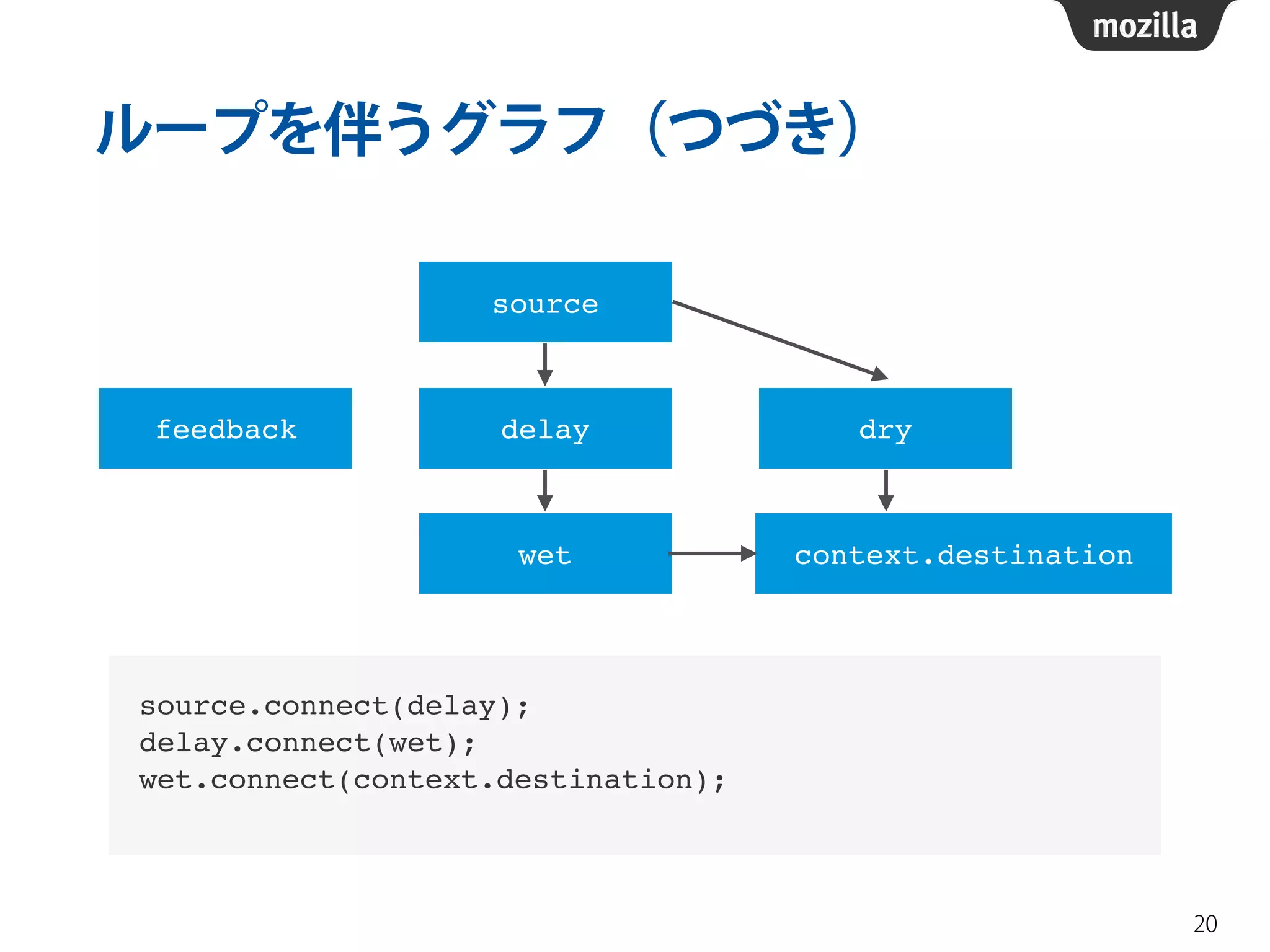
source.connect(dry);! 
dry.connect(context.destination);! 
source.connect(delay);! 
delay.connect(wet);! 
wet.connect(context.destination);! 
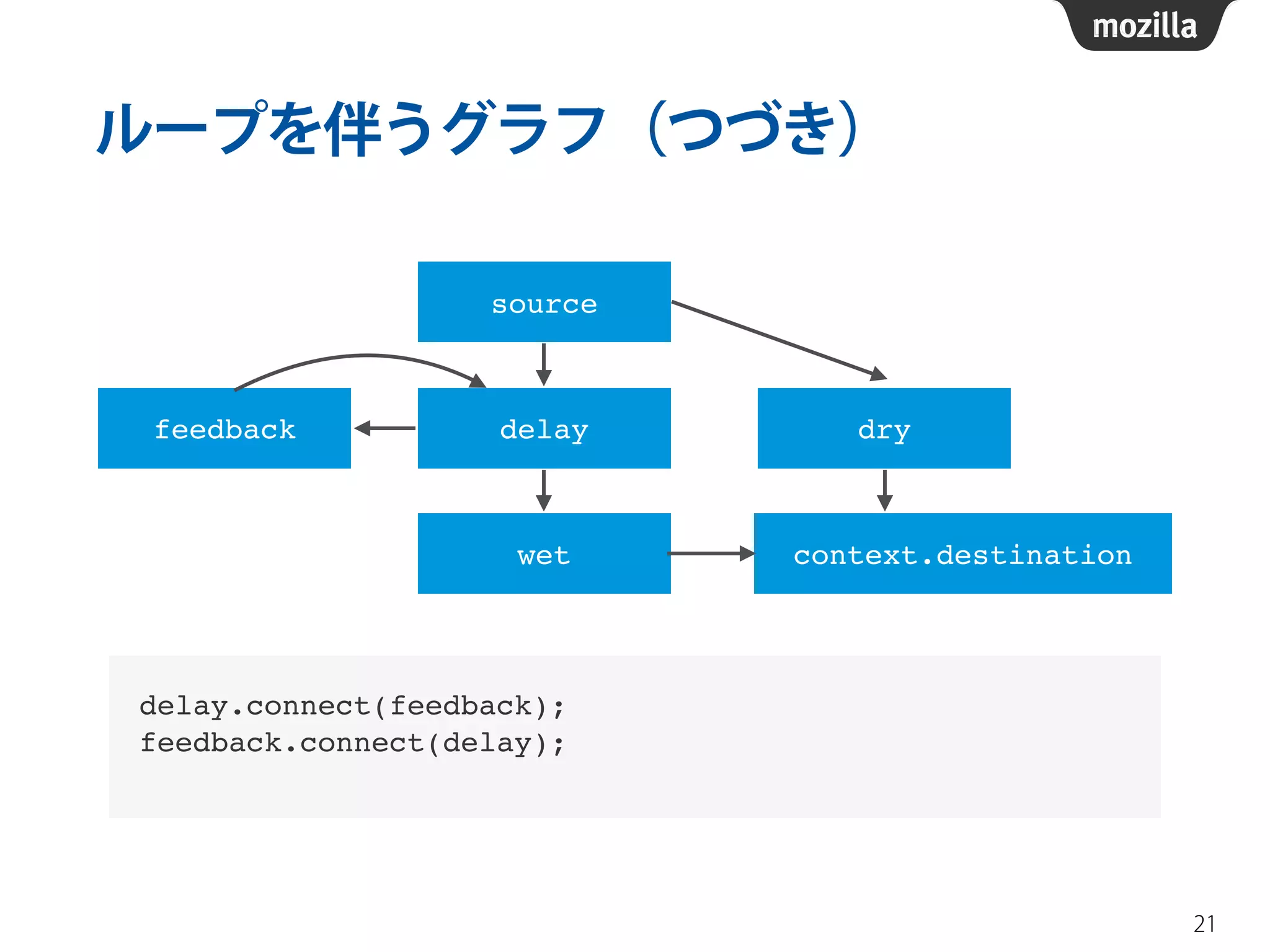
delay.connect(feedback);! 
feedback.connect(delay);!
ループを伴うグラフ(つづき) 
18 
source 
feedback delay dry 
context.destination 
wet 
var source = context.createMediaElementSource(elm);! 
var delay = context.createDelay();! 
var wet = context.createGain();! 
var dry = context.createGain();! 
var feedback = context.createGain();
ループを伴うグラフ(つづき) 
19 
source 
feedback delay dry 
context.destination 
wet 
source.connect(dry);! 
dry.connect(context.destination);
ループを伴うグラフ(つづき) 
20 
source 
feedback delay dry 
context.destination 
wet 
source.connect(delay);! 
delay.connect(wet);! 
wet.connect(context.destination);!
ループを伴うグラフ(つづき) 
21 
source 
feedback delay dry 
context.destination 
wet 
delay.connect(feedback);! 
feedback.connect(delay);!
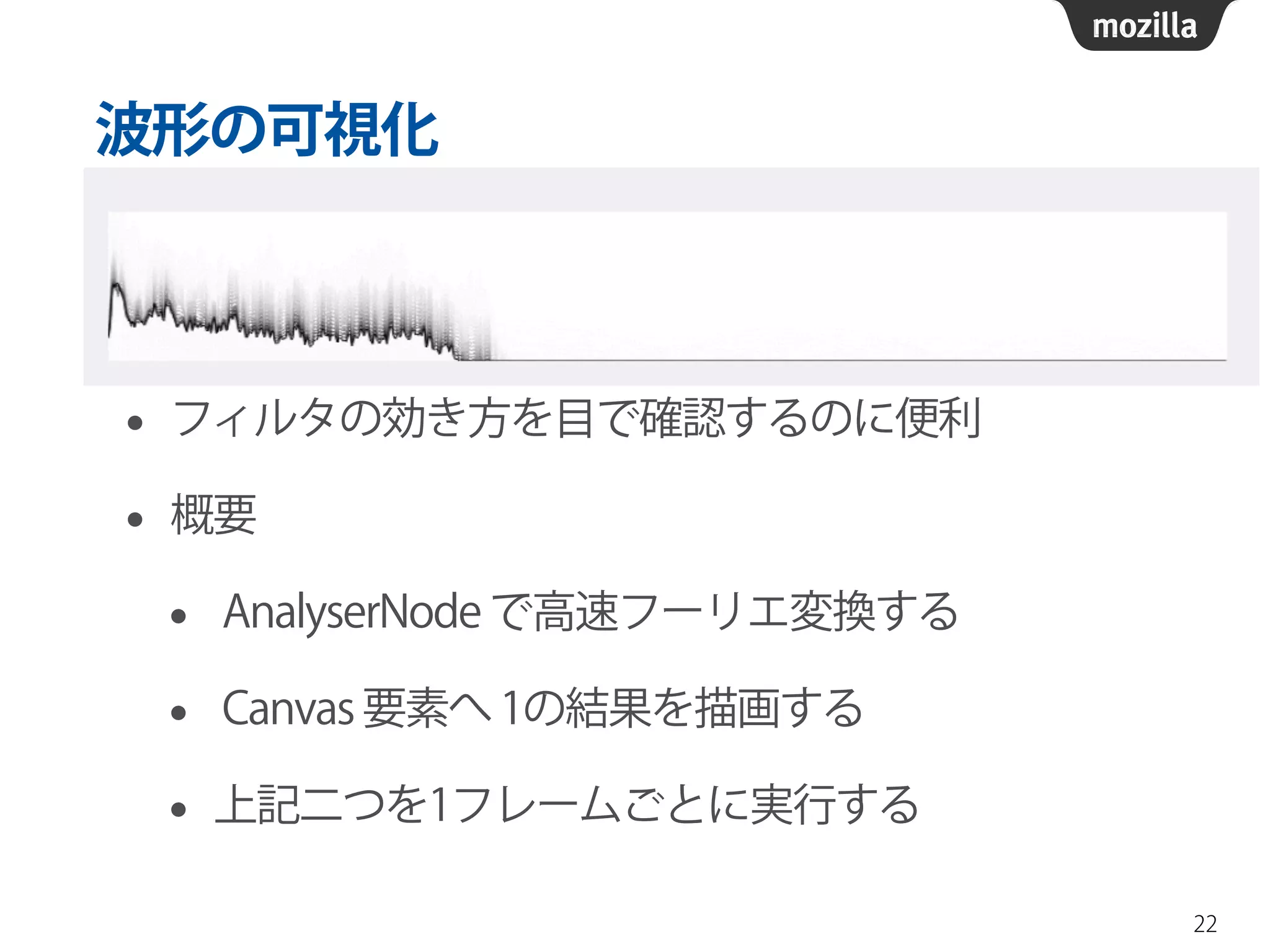
波形の可視化 
• フィルタの効き方を目で確認するのに便利 
• 概要 
• AnalyserNode で高速フーリエ変換する 
• Canvas 要素へ 1の結果を描画する 
• 上記二つを1フレームごとに実行する 
22
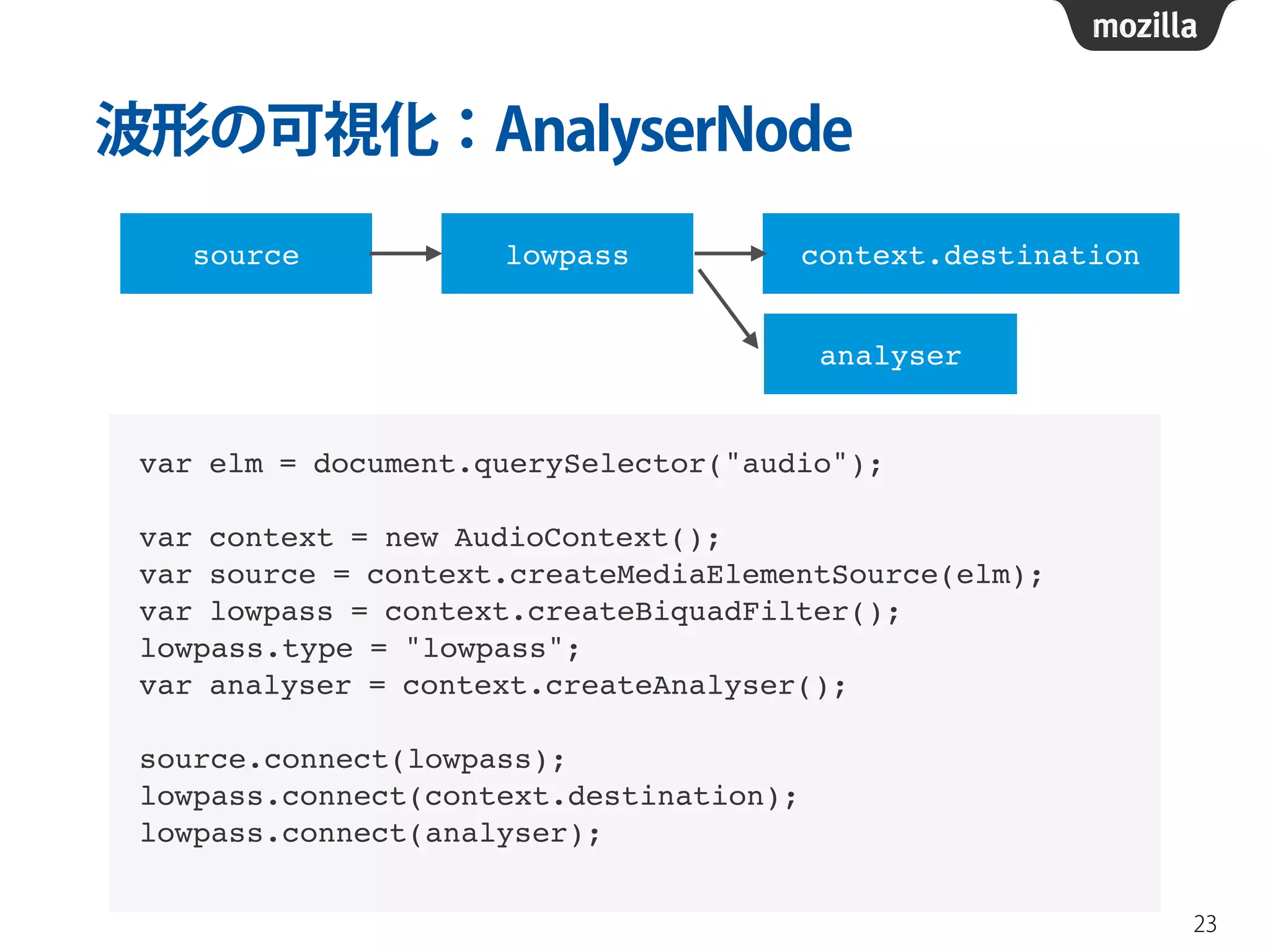
波形の可視化:AnalyserNode 
23 
source lowpass context.destination 
analyser 
var elm = document.querySelector("audio");! 
! 
var context = new AudioContext();! 
var source = context.createMediaElementSource(elm);! 
var lowpass = context.createBiquadFilter();! 
lowpass.type = "lowpass";! 
var analyser = context.createAnalyser();! 
! 
source.connect(lowpass);! 
lowpass.connect(context.destination);! 
lowpass.connect(analyser);
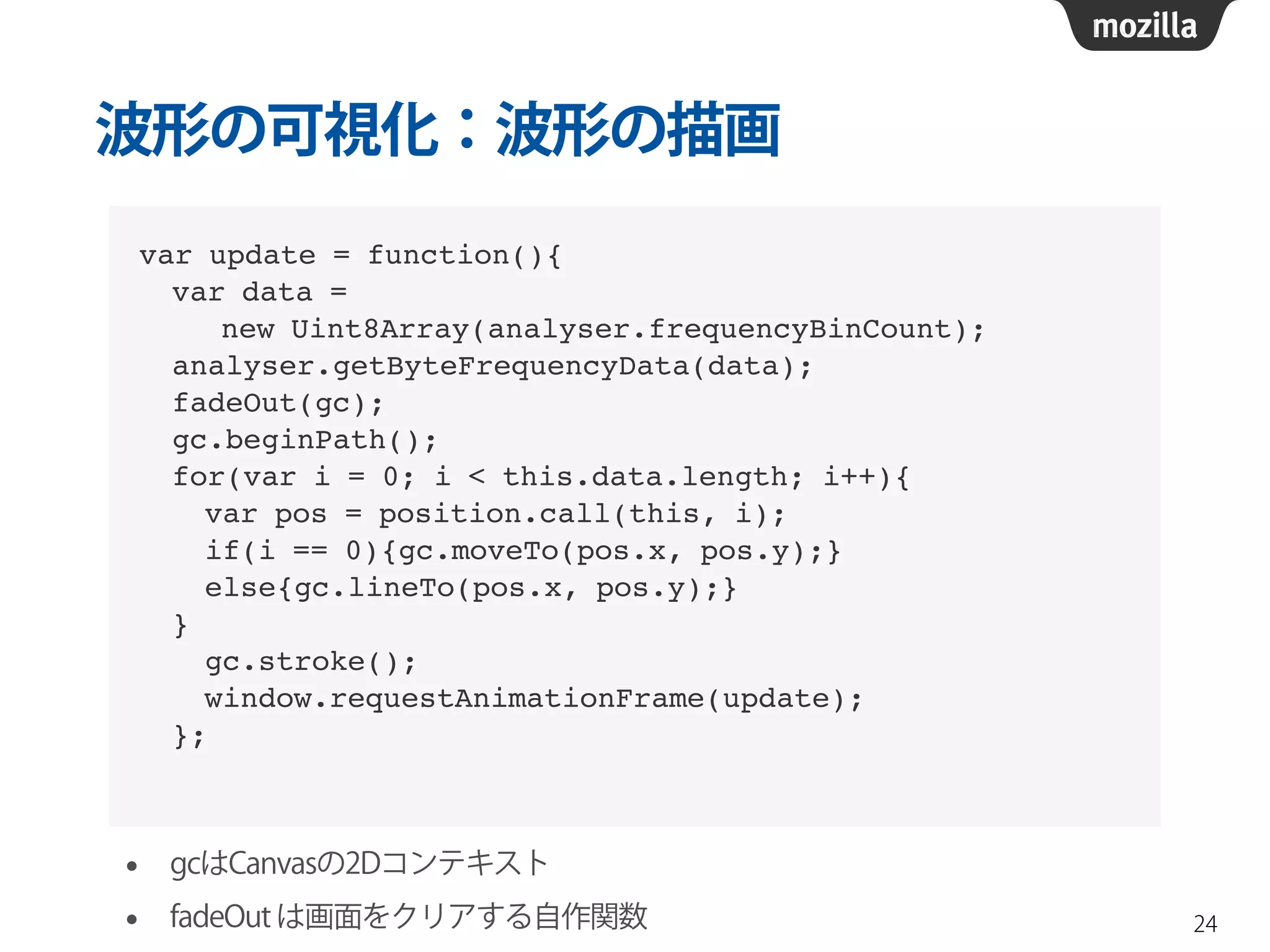
波形の可視化:波形の描画 
24 
var update = function(){! 
var data = ! 
new Uint8Array(analyser.frequencyBinCount);! 
analyser.getByteFrequencyData(data);! 
fadeOut(gc);! 
gc.beginPath();! 
for(var i = 0; i < this.data.length; i++){! 
var pos = position.call(this, i);! 
if(i == 0){gc.moveTo(pos.x, pos.y);}! 
else{gc.lineTo(pos.x, pos.y);}! 
}! 
gc.stroke();! 
window.requestAnimationFrame(update);! 
}; 
• gcはCanvasの2Dコンテキスト 
• fadeOut は画面をクリアする自作関数
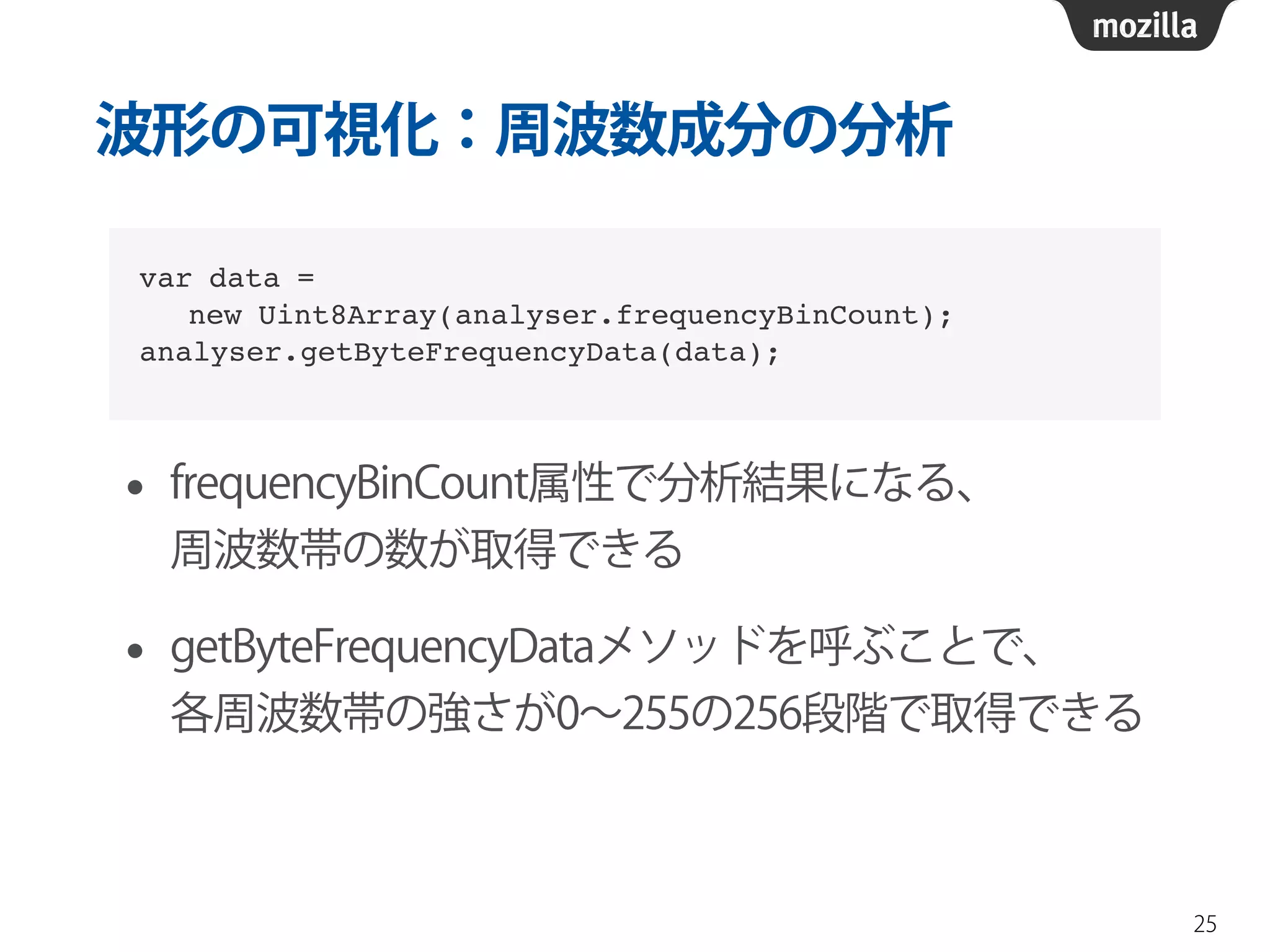
波形の可視化:周波数成分の分析 
• frequencyBinCount属性で分析結果になる、 
周波数帯の数が取得できる 
• getByteFrequencyDataメソッドを呼ぶことで、 
各周波数帯の強さが0~255の256段階で取得できる 
25 
var data = ! 
new Uint8Array(analyser.frequencyBinCount);! 
analyser.getByteFrequencyData(data);
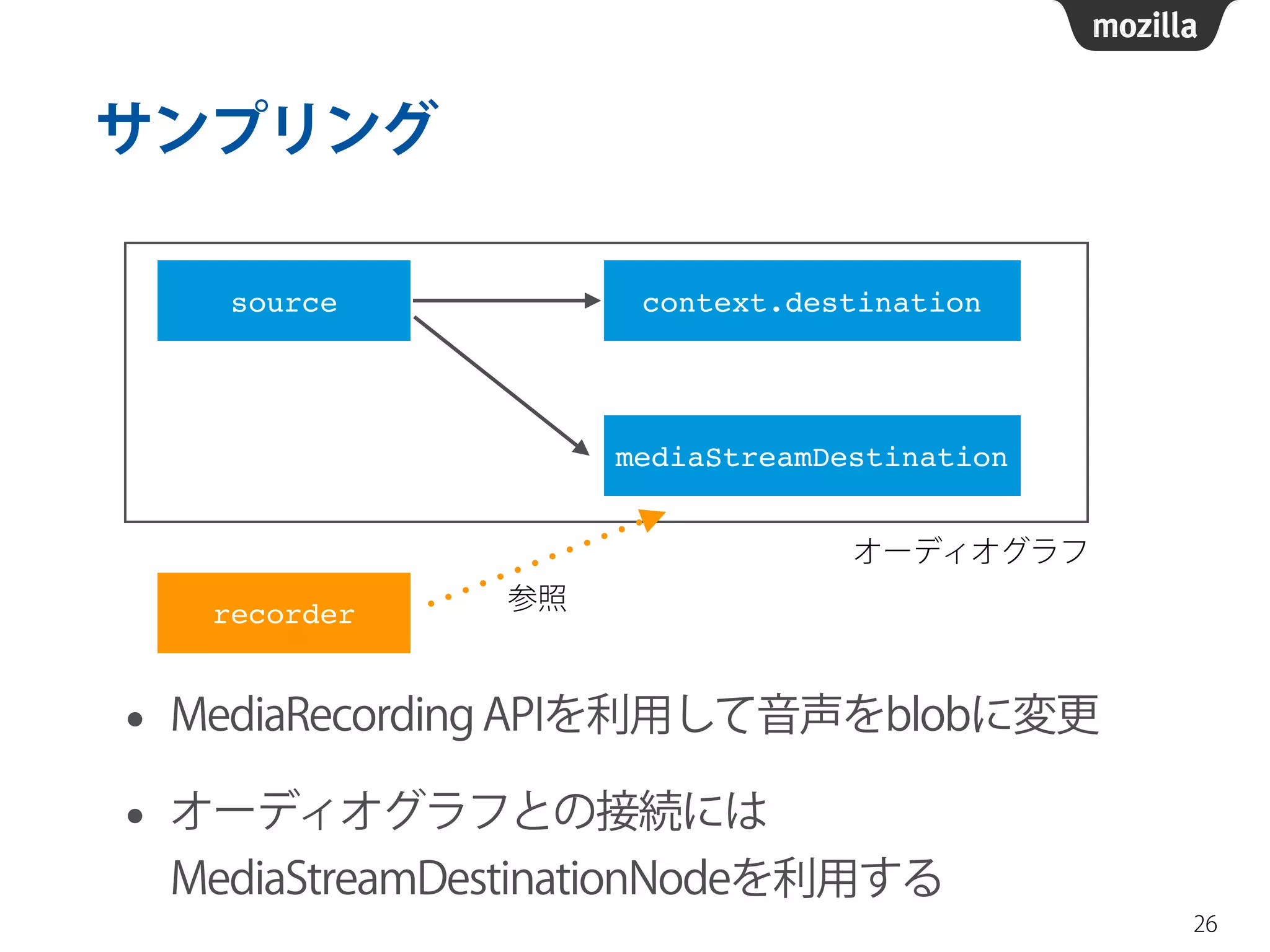
サンプリング 
• MediaRecording APIを利用して音声をblobに変更 
• オーディオグラフとの接続には 
MediaStreamDestinationNodeを利用する 
26 
source context.destination 
mediaStreamDestination 
recorder 
オーディオグラフ 
参照
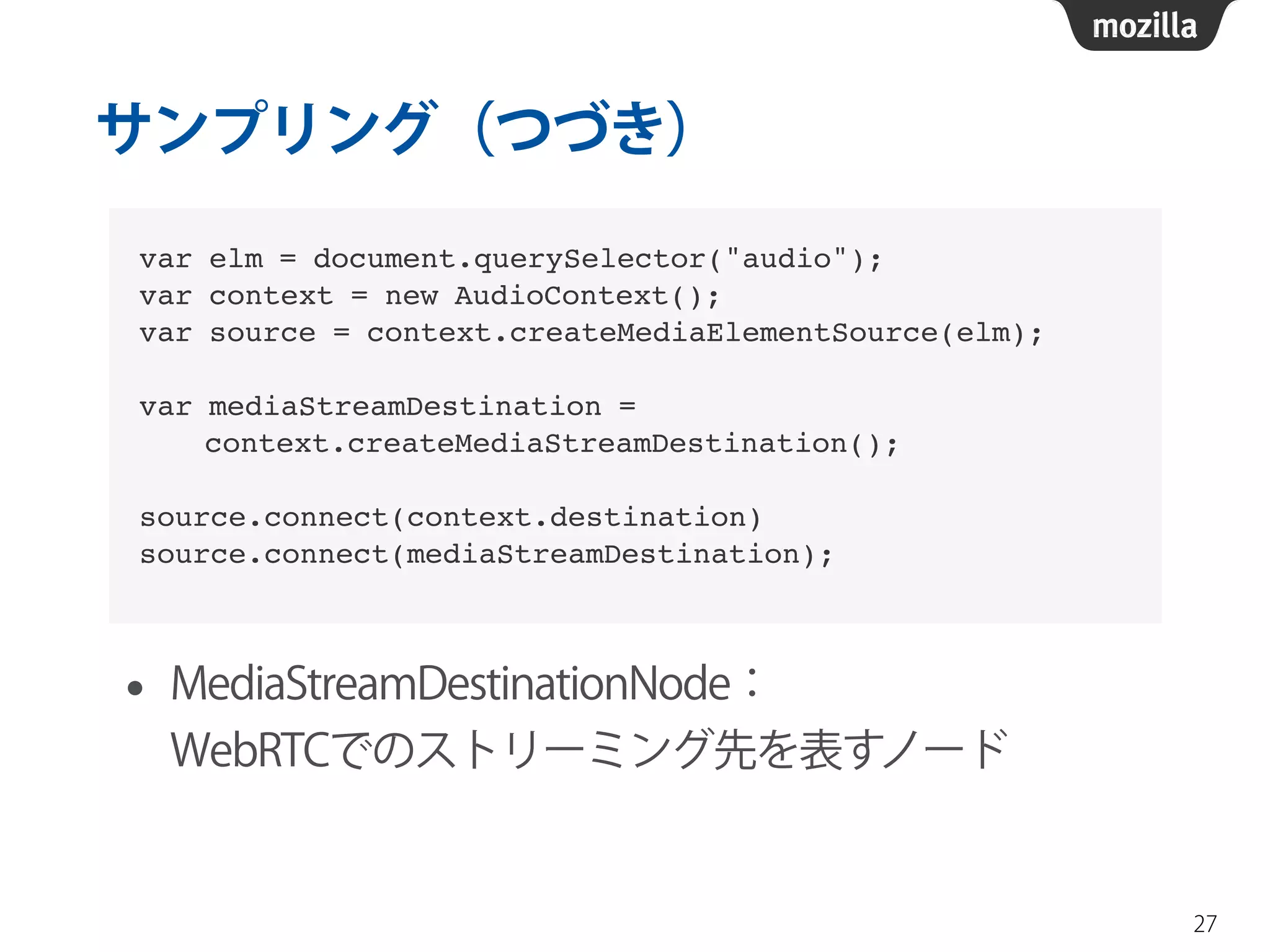
サンプリング(つづき) 
• MediaStreamDestinationNode: 
WebRTCでのストリーミング先を表すノード 
27 
var elm = document.querySelector("audio");! 
var context = new AudioContext();! 
var source = context.createMediaElementSource(elm);! 
! 
var mediaStreamDestination = ! 
context.createMediaStreamDestination();! 
! 
source.connect(context.destination)! 
source.connect(mediaStreamDestination);
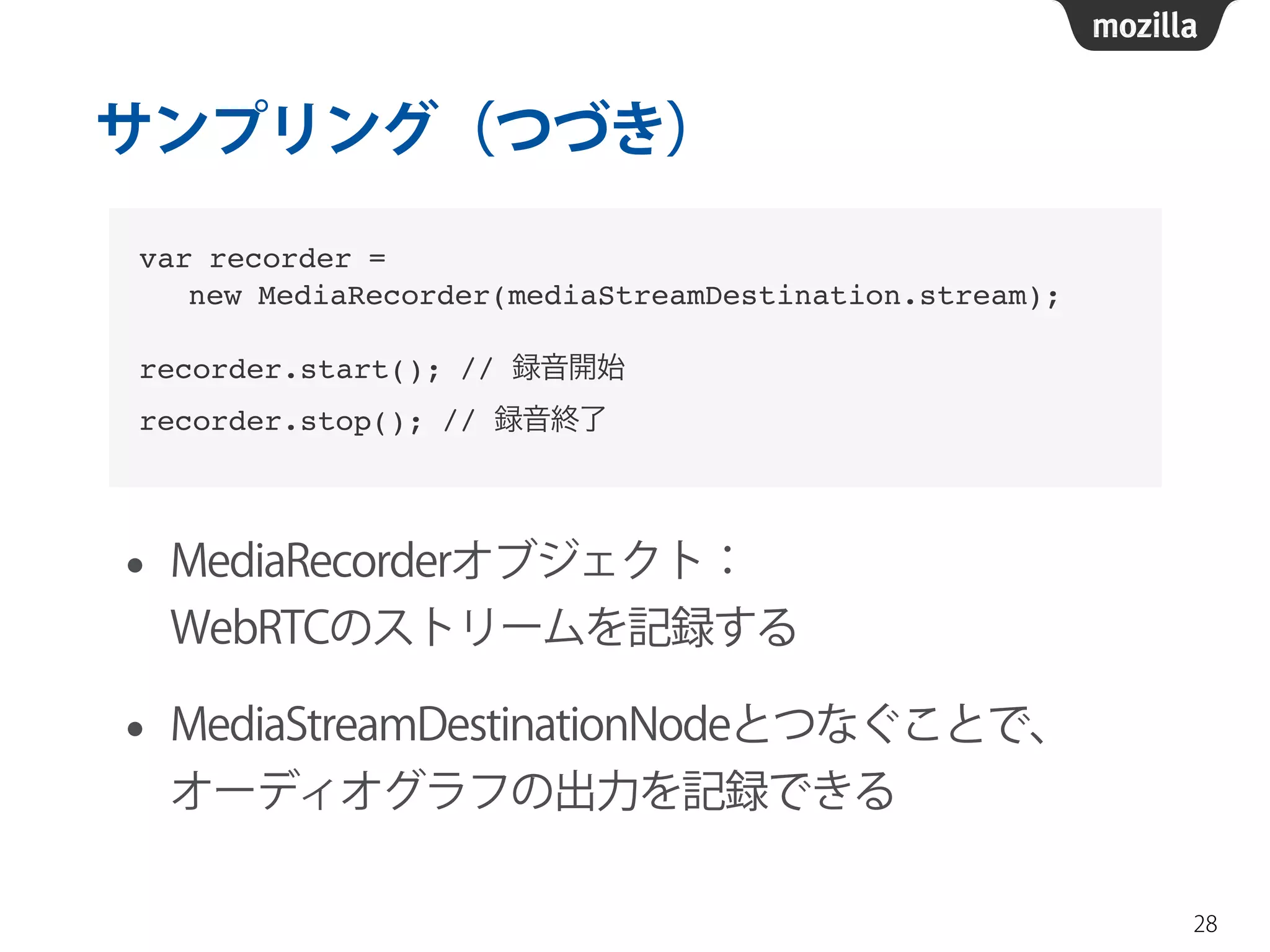
サンプリング(つづき) 
• MediaRecorderオブジェクト: 
WebRTCのストリームを記録する 
• MediaStreamDestinationNodeとつなぐことで、 
オーディオグラフの出力を記録できる 
28 
var recorder =! 
new MediaRecorder(mediaStreamDestination.stream);! 
! 
recorder.start(); // 録音開始! 
recorder.stop(); // 録音終了
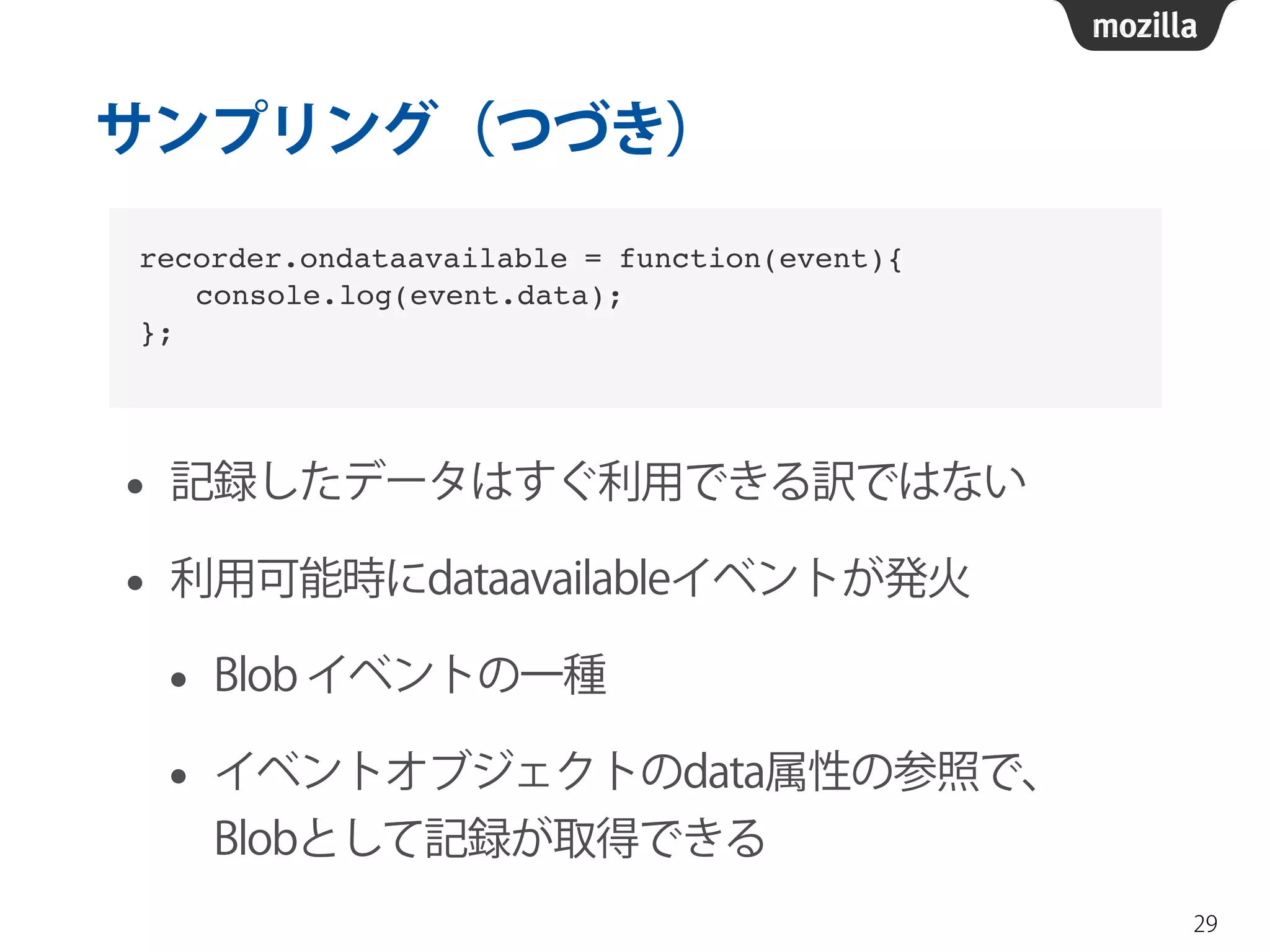
サンプリング(つづき) 
• 記録したデータはすぐ利用できる訳ではない 
• 利用可能時にdataavailableイベントが発火 
• Blob イベントの一種 
• イベントオブジェクトのdata属性の参照で、 
Blobとして記録が取得できる 
29 
recorder.ondataavailable = function(event){! 
  console.log(event.data);! 
};
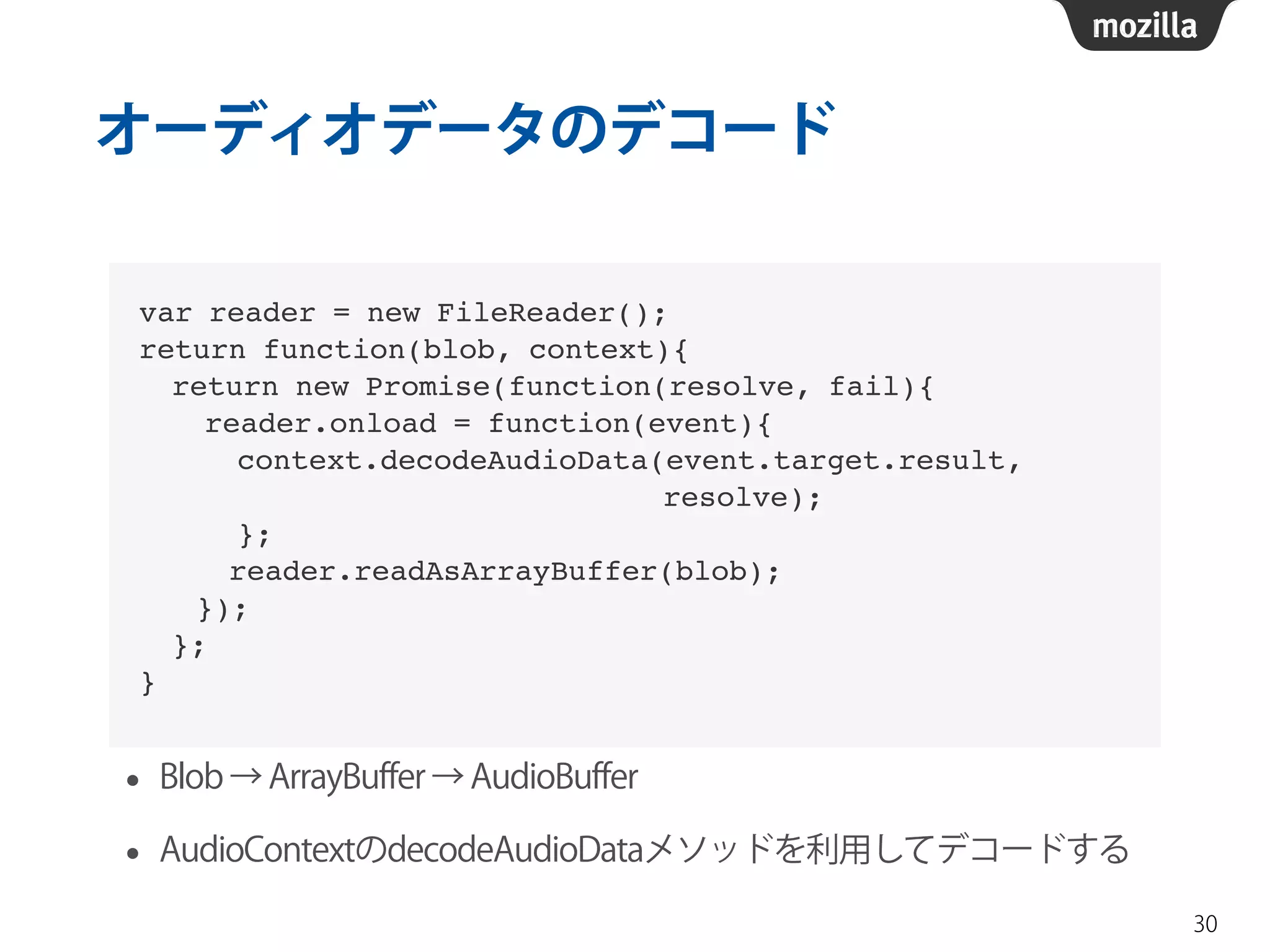
オーディオデータのデコード 
• Blob → ArrayBuffer → AudioBuffer 
• AudioContextのdecodeAudioDataメソッドを利用してデコードする 
30 
var reader = new FileReader();! 
return function(blob, context){! 
return new Promise(function(resolve, fail){! 
reader.onload = function(event){! 
context.decodeAudioData(event.target.result, ! 
resolve);! 
};! 
! reader.readAsArrayBuffer(blob);! 
! });! 
};! 
}
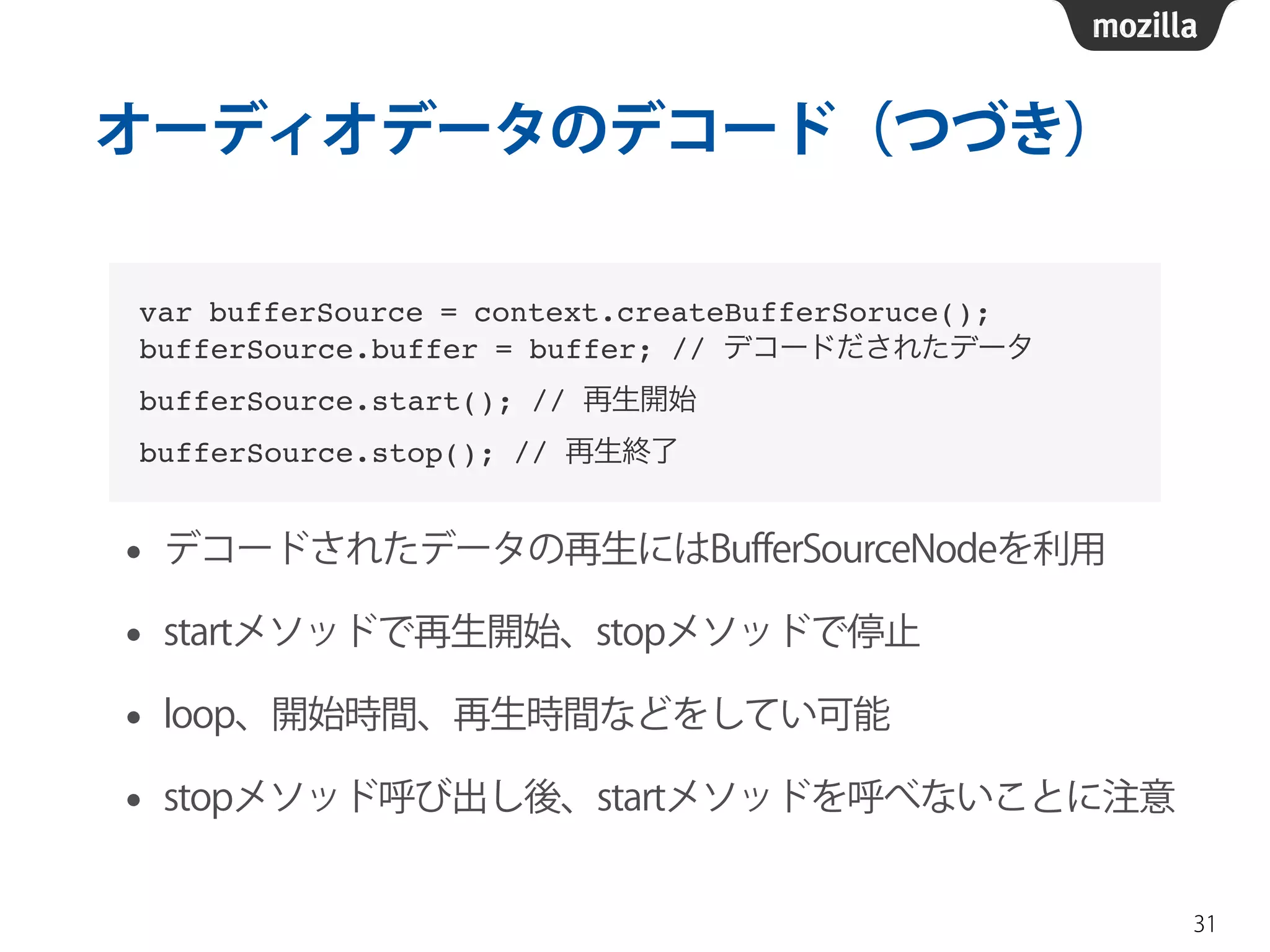
オーディオデータのデコード(つづき) 
• デコードされたデータの再生にはBufferSourceNodeを利用 
• startメソッドで再生開始、stopメソッドで停止 
• loop、開始時間、再生時間などをしてい可能 
• stopメソッド呼び出し後、startメソッドを呼べないことに注意 
31 
var bufferSource = context.createBufferSoruce();! 
bufferSource.buffer = buffer; // デコードだされたデータ! 
bufferSource.start(); // 再生開始! 
bufferSource.stop(); // 再生終了
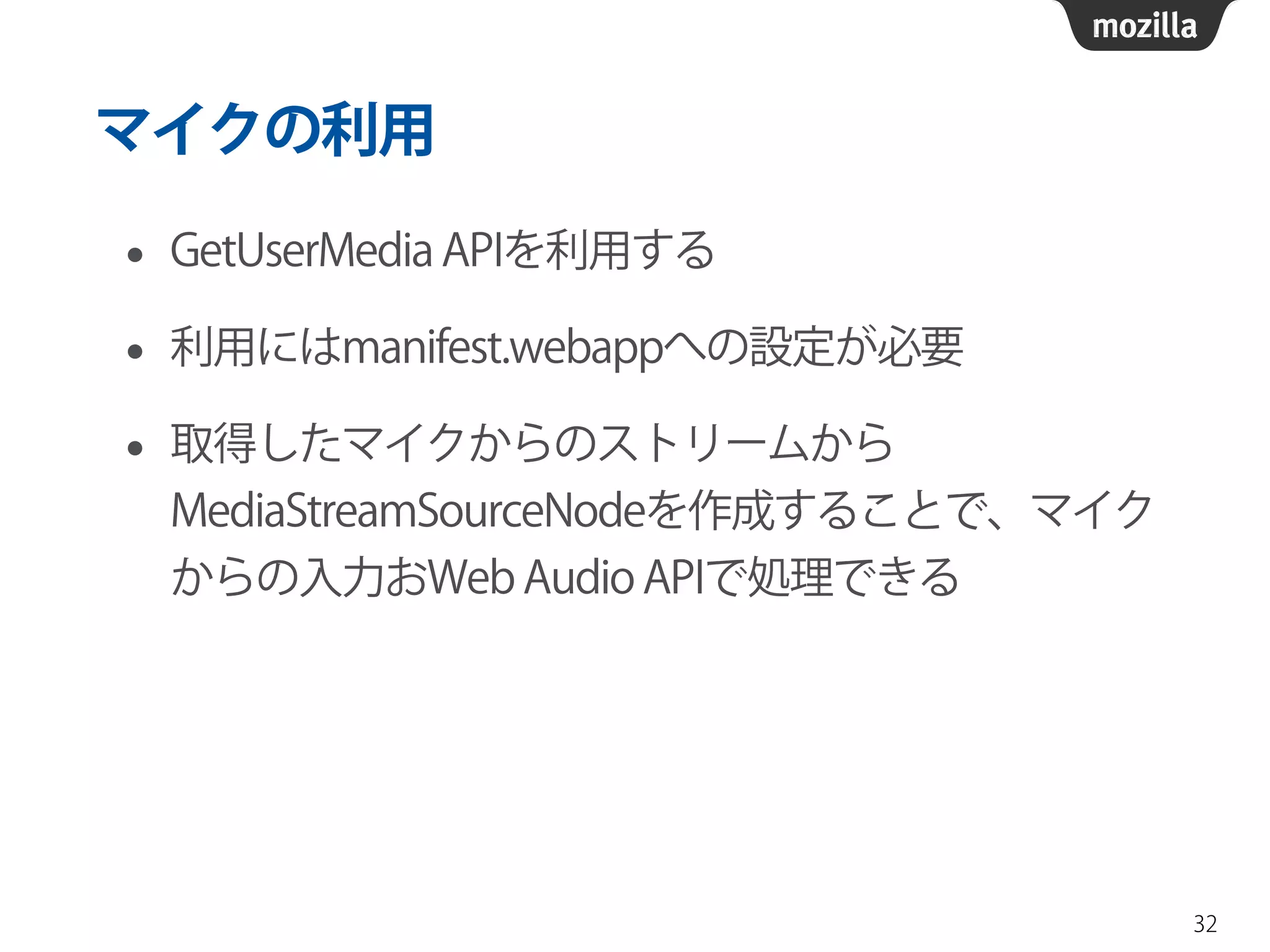
マイクの利用 
• GetUserMedia APIを利用する 
• 利用にはmanifest.webappへの設定が必要 
• 取得したマイクからのストリームから 
MediaStreamSourceNodeを作成することで、マイク 
からの入力おWeb Audio APIで処理できる 
32
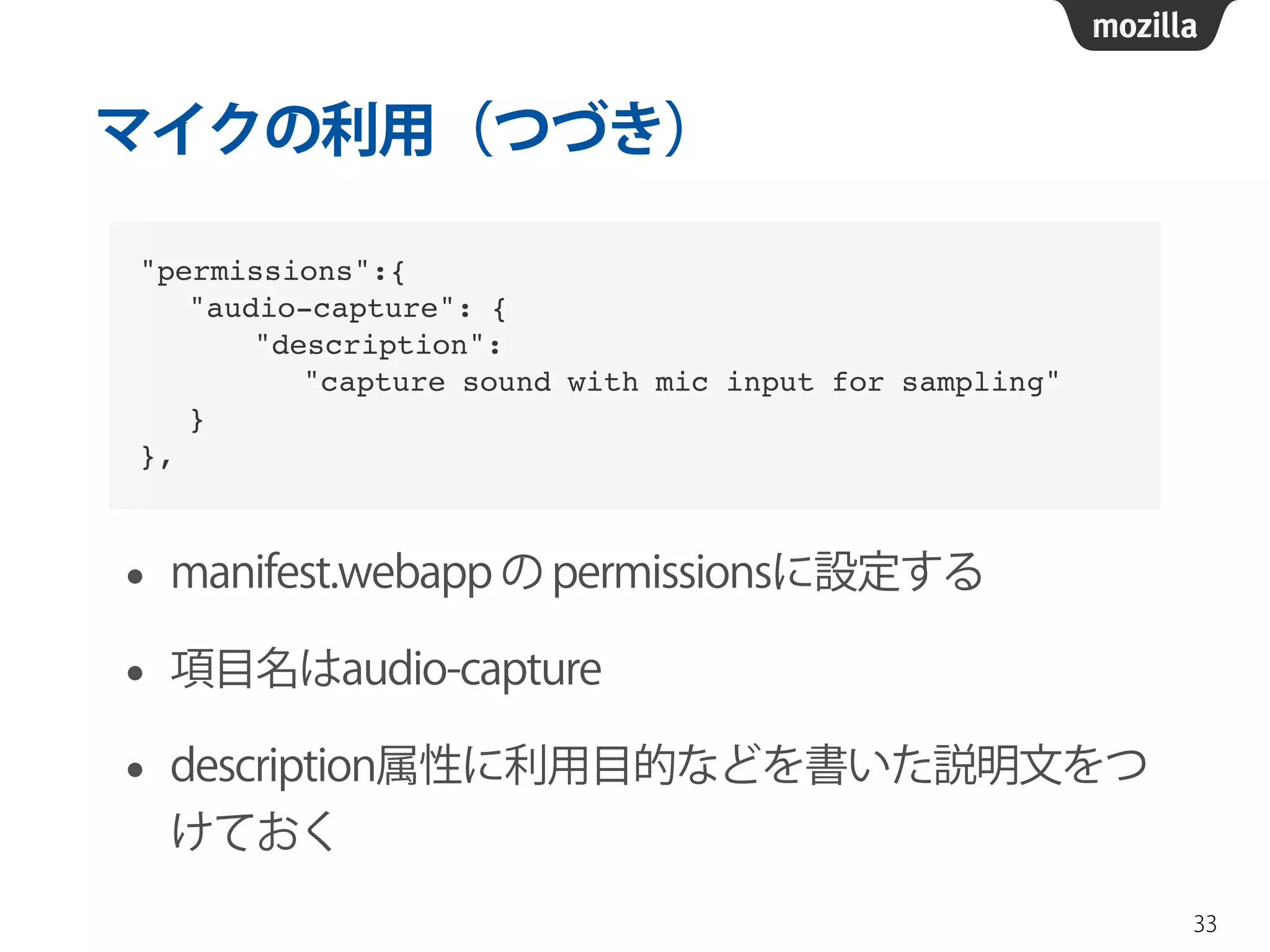
マイクの利用(つづき) 
• manifest.webapp の permissionsに設定する 
• 項目名はaudio-capture 
• description属性に利用目的などを書いた説明文をつ 
けておく 
33 
"permissions":{! 
"audio-capture": {! 
"description": ! 
"capture sound with mic input for sampling"! 
}! 
},
マイクの利用(つづき) 
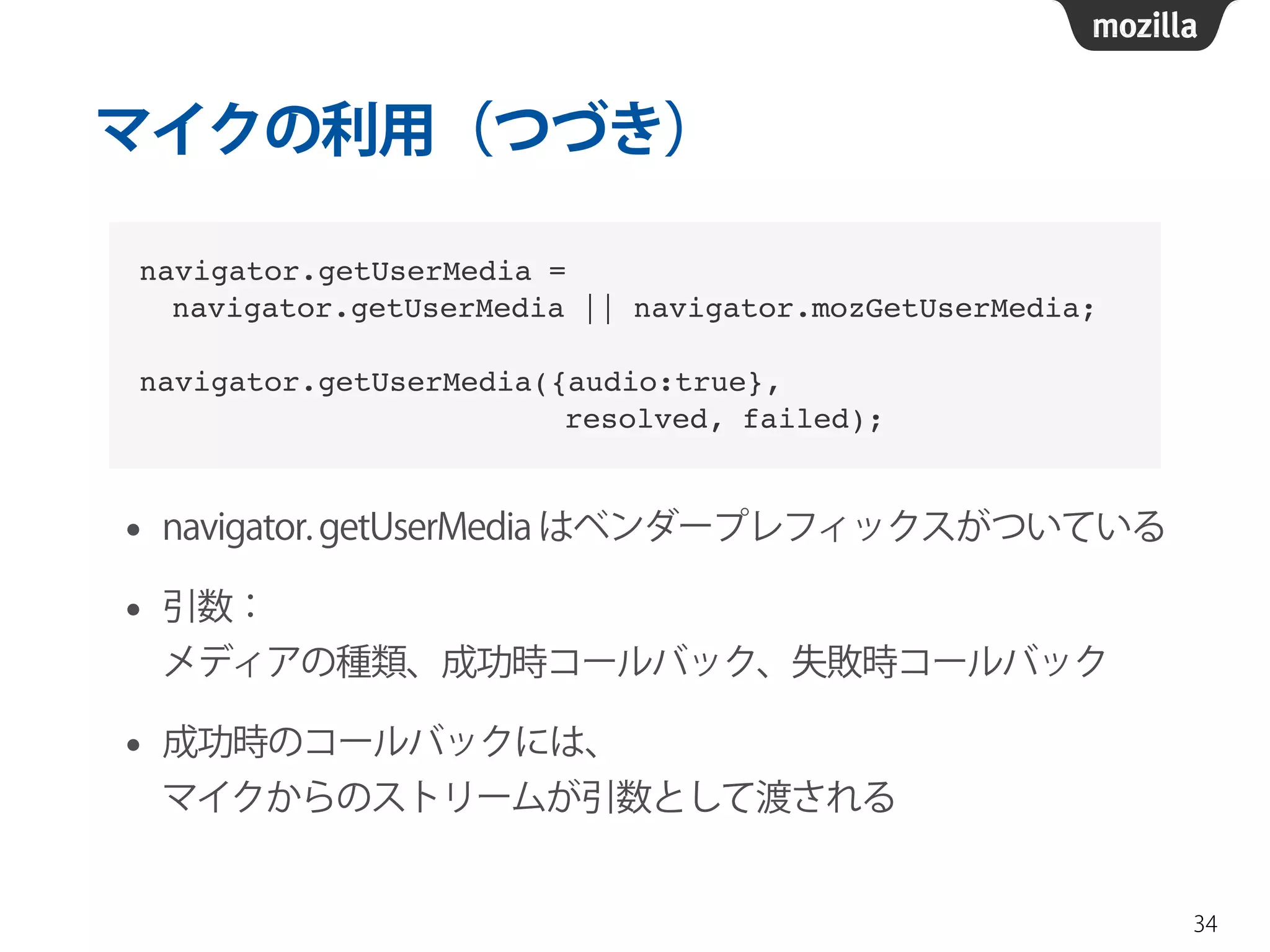
• navigator. getUserMedia はベンダープレフィックスがついている 
• 引数: 
メディアの種類、成功時コールバック、失敗時コールバック 
• 成功時のコールバックには、 
マイクからのストリームが引数として渡される 
34 
navigator.getUserMedia = ! 
navigator.getUserMedia || navigator.mozGetUserMedia;! 
! 
navigator.getUserMedia({audio:true}, ! 
resolved, failed);
マイクの利用(つづき) 
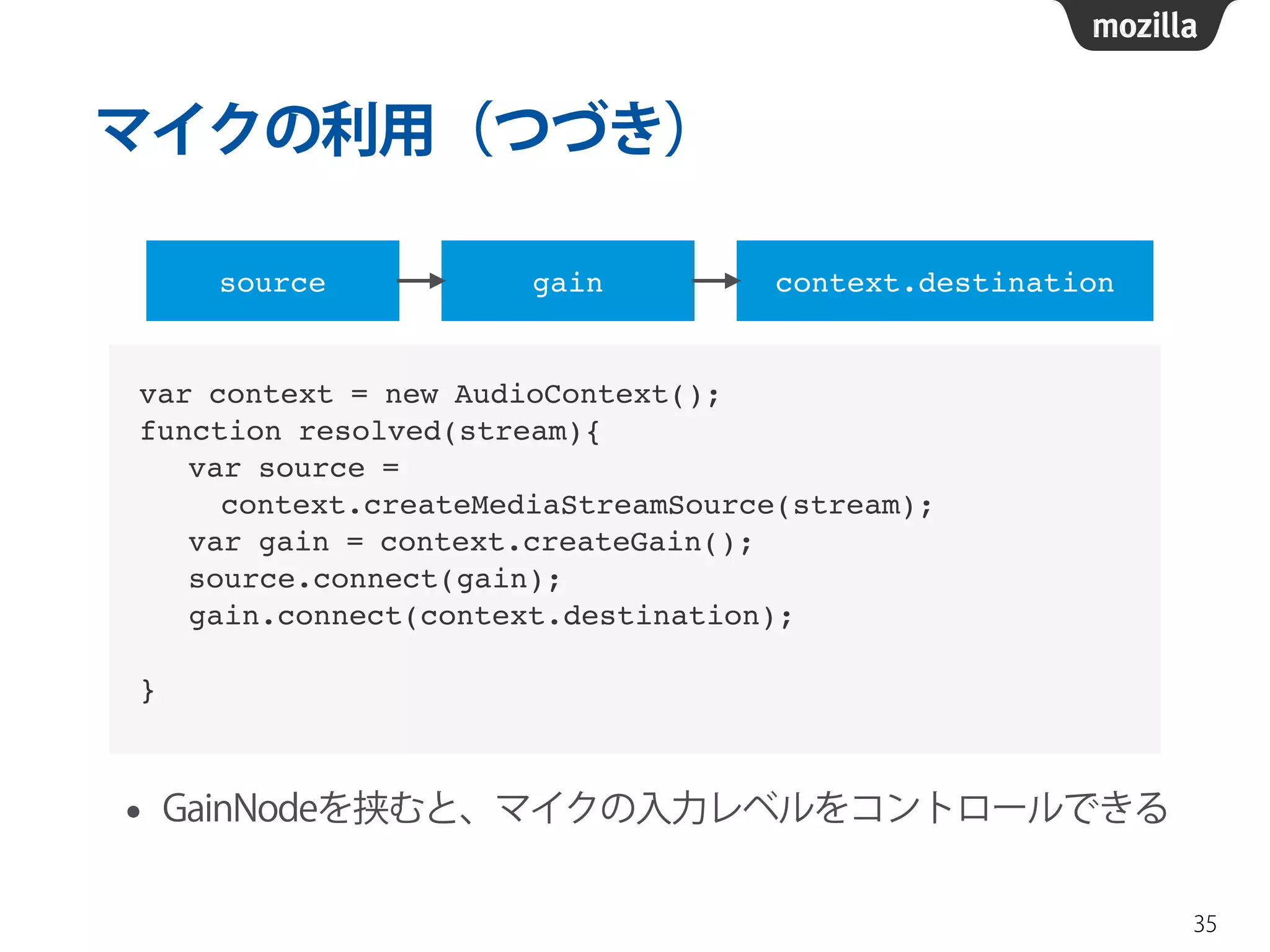
• GainNodeを挟むと、マイクの入力レベルをコントロールできる 
35 
var context = new AudioContext();! 
function resolved(stream){! 
var source = ! 
context.createMediaStreamSource(stream);! 
var gain = context.createGain();! 
source.connect(gain);! 
gain.connect(context.destination);! 
! 
} 
source gain context.destination
マイクの利用(つづき) 
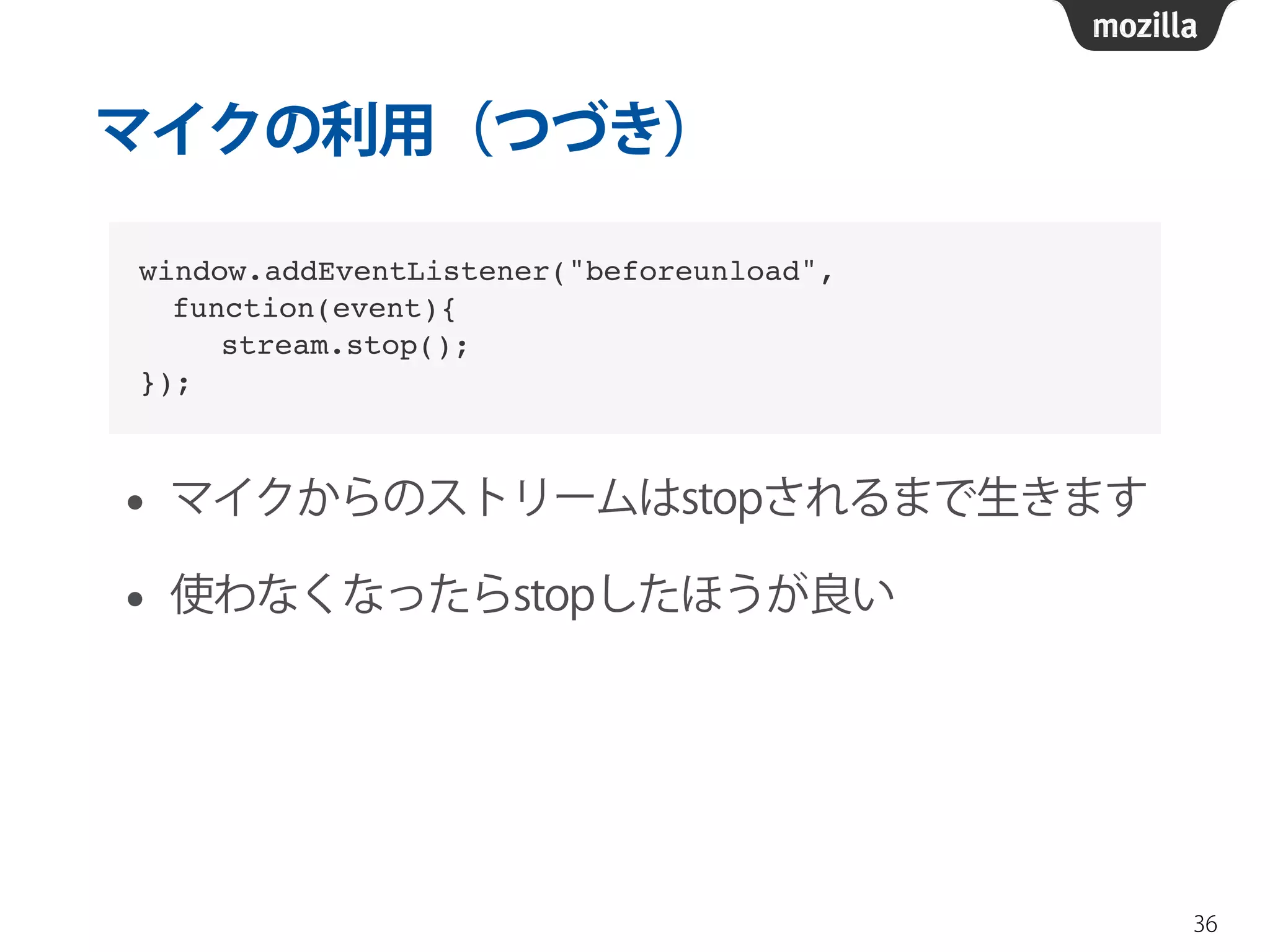
• マイクからのストリームはstopされるまで生きます 
• 使わなくなったらstopしたほうが良い 
36 
window.addEventListener("beforeunload", ! 
function(event){! 
stream.stop();! 
});
まとめ 
37
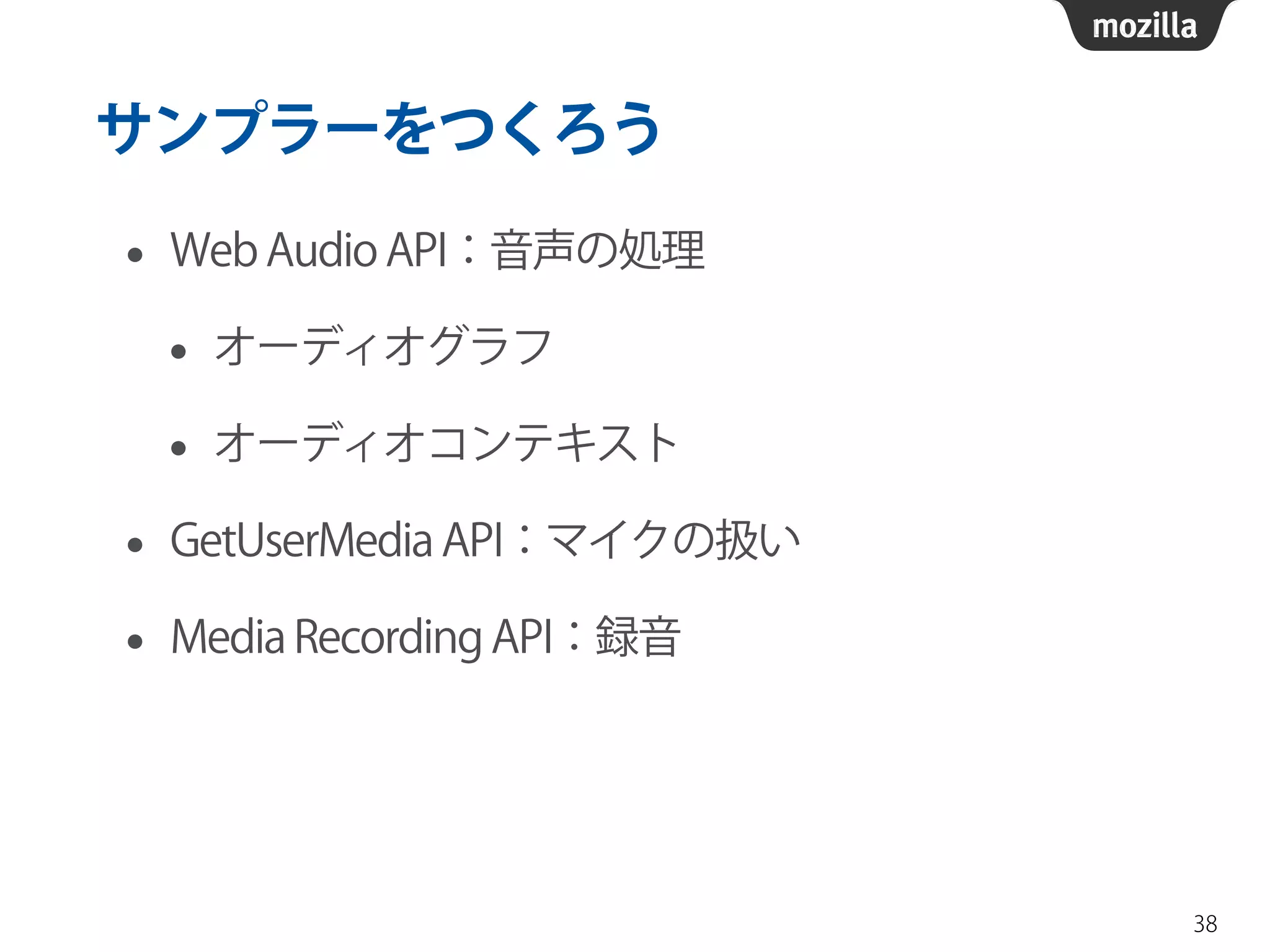
サンプラーをつくろう 
• Web Audio API:音声の処理 
• オーディオグラフ 
• オーディオコンテキスト 
• GetUserMedia API:マイクの扱い 
• Media Recording API:録音 
38
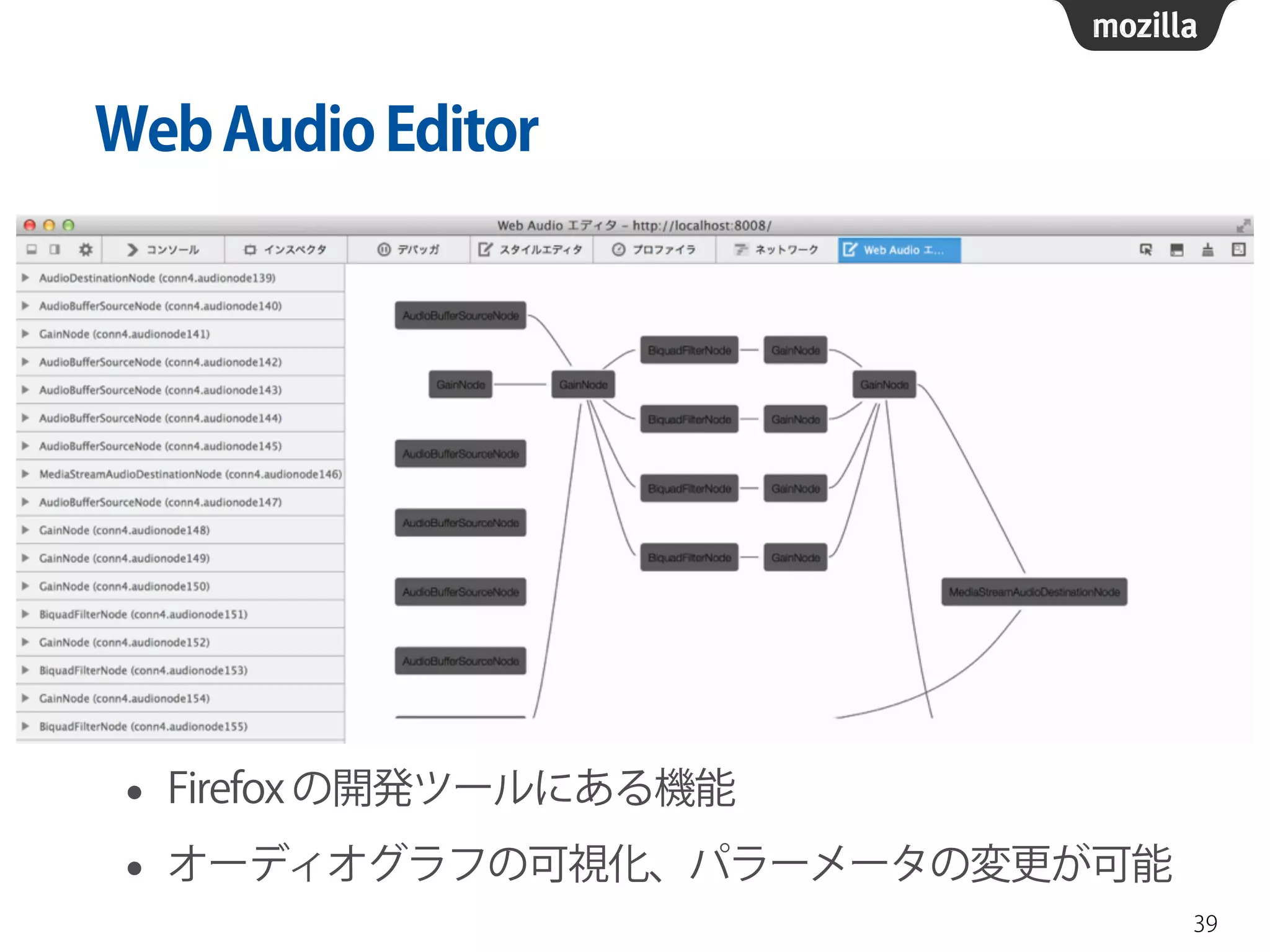
Web Audio Editor 
• Firefox の開発ツールにある機能 
• オーディオグラフの可視化、パラーメータの変更が可能 
39
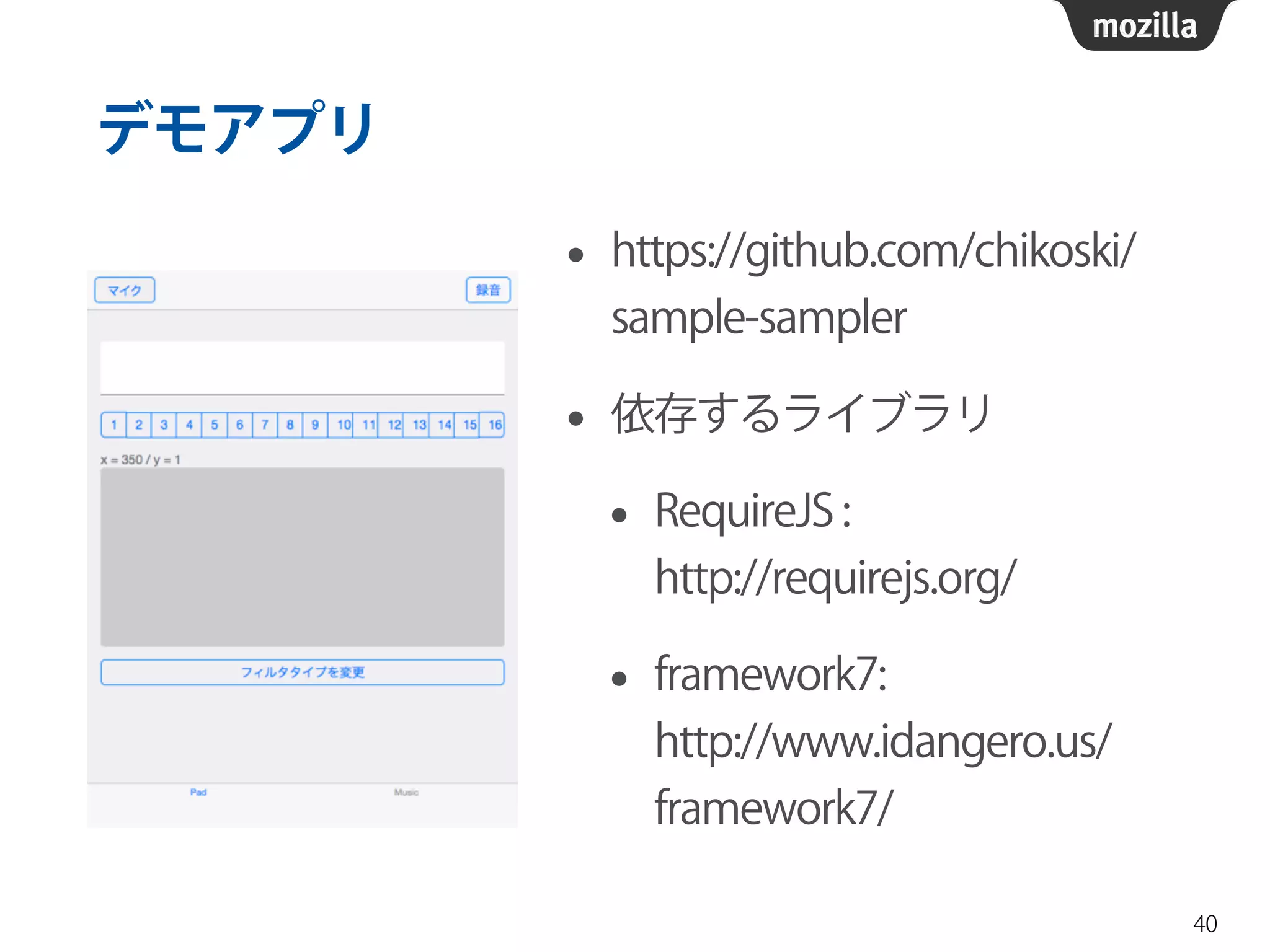
デモアプリ 
• https://github.com/chikoski/ 
sample-sampler 
• 依存するライブラリ 
• RequireJS : 
http://requirejs.org/ 
• framework7: 
http://www.idangero.us/ 
framework7/ 
40
レファレンス 
• Web Audio API の利用 
https://developer.mozilla.org/ja/docs/Web/API/ 
Web_Audio_API/Using_Web_Audio_API 
• Web Audio API 
https://developer.mozilla.org/ja/docs/Web/API/ 
Web_Audio_API 
• Web Audio Toy 
http://uglyhack.appspot.com/webaudiotoy/ 
• Vocoder 
http://webaudiodemos.appspot.com/Vocoder/ 
41
20140830 firefox os-sampler

  • 1.
    サンプラーアプリを作ってみた 中国Firefox OS勉強会2nd,2014/08/30 Mozilla Japan テクニカルマーケティング 清水智公
  • 2.
  • 3.
  • 4.
    清水智公(しみずのりただ) • MozillaJapan テクニカルマーケティング • 慶應義塾大学 政策・メディア研究科非常勤 • @chikoski • https://slideshare.net/chikoski/ 4
  • 5.
  • 6.
  • 7.
    Audio 要素 •音声コンテンツを表すHTML要素 • src属性で埋め込む音声リソースを指定 • コントロール、ロード方法なども属性で指定 7 <audio src="foo.mp3" autoplay control loop></audio>
  • 8.
    Web Audio API • 音声の処理を行うためのAPI • できること • 音声データのデコード • 変調、FFT、ミキシング、パンニング • オシレーション • オーディオグラフ 8
  • 9.
    オーディオグラフ • 音声データの処理の流れ • オーディオノードをつないで作成 • ノードはオーディオコンテキストから作成 9
  • 10.
    オーディオノード 10 分類クラス名 入力 OscillatorNode, AudioBufferSourceNode, MediaElementAudioSourceNode, MediaStreamAudioSourceNode エフェクト BiquadFilterNode, ConvolverNode, DelayNode, DynamicsCompressorNode, GainNode, WaveShaperNode, PeriodicWaveNode 出力AudioDestinationNode, MediaStreamAudioDestinationNode その他PannerNode, AnalyserNode, ChannelSplitterNode, ChannelMergerNode, ScriptProcessorNode
  • 11.
    単純なオーディオグラフの作成例 • AudioContextオブジェクトのファクトリメソッドを利 用してオーディオノードを作成 • connectメソッドでノードを接続 • context.destination がスピーカー 11 var elm = document.querySelector("audio");! ! var context = new AudioContext();! var source = context.createMediaElementSource(elm);! source.connect(context.destination);
  • 12.
    単純なオーディオグラフの作成例 12 sourcecontext.destination var elm = document.querySelector("audio");! ! var context = new AudioContext();! var source = context.createMediaElementSource(elm);! source.connect(context.destination);
  • 13.
    フィルタの追加 13 sourcelowpass context.destination var elm = document.querySelector("audio");! ! var context = new AudioContext();! var source = context.createMediaElementSource(elm);! var lowpass = context.createBiquadFilter();! lowpass.type = "lowpass";! ! source.connect(lowpass);! lowpass.connect(context.destination);
  • 14.
    BiquadFilterNode:周波数によるフィルタ 14 種類効果 lowpass 指定された周波数より低い音のみ通過させる highpass 指定された周波数より高い音のみ通過させる bandpass 指定された範囲の周波数の音のみ通過させる lowshelf 指定された値よりより低い周波数の音を増幅する highshelf 指定された値よりより高い周波数の音を増幅する peaking 指定された範囲の周波数の音を増幅する notch 指定された範囲以外の周波数の音をのみを通過させる allpass 全ての音を通過させる
  • 15.
    BiquadFilterNodeの使い方 • フィルタの種類はtype属性に名前を代入して指定 • frequency, Q, gain のパラメータを持つ • パラメータの役割はMDNを参照してください https://developer.mozilla.org/ja/docs/Web/API/BiquadFilterNode 15 var context = new AudioContext();! var lowpass = context.createBiquadFilter();! lowpass.type = "lowpass";! lowpass.frequency.value = 2000;! lowpass.Q.value = 30;
  • 16.
    AudioParamオブジェクト • パラメータを表すオブジェクト https://developer.mozilla.org/docs/Web/API/AudioParam • 例:BiquadFilterNodeオブジェクトのfrequency属性 • value と defaultValue の2つの属性を持つ • タイミングにあわせた値設定なども可能 16 var context = new AudioContext();! var lowpass = context.createBiquadFilter();! lowpass.frequency.value = 2000;
  • 17.
    ループを伴うグラフの作成 17 varelm = document.querySelector("audio");! var context = new AudioContext();! var source = context.createMediaElementSource(elm);! ! var delay = context.createDelay();! var wet = context.createGain();! var dry = context.createGain();! var feedback = context.createGain();! ! source.connect(dry);! dry.connect(context.destination);! source.connect(delay);! delay.connect(wet);! wet.connect(context.destination);! delay.connect(feedback);! feedback.connect(delay);!
  • 18.
    ループを伴うグラフ(つづき) 18 source feedback delay dry context.destination wet var source = context.createMediaElementSource(elm);! var delay = context.createDelay();! var wet = context.createGain();! var dry = context.createGain();! var feedback = context.createGain();
  • 19.
    ループを伴うグラフ(つづき) 19 source feedback delay dry context.destination wet source.connect(dry);! dry.connect(context.destination);
  • 20.
    ループを伴うグラフ(つづき) 20 source feedback delay dry context.destination wet source.connect(delay);! delay.connect(wet);! wet.connect(context.destination);!
  • 21.
    ループを伴うグラフ(つづき) 21 source feedback delay dry context.destination wet delay.connect(feedback);! feedback.connect(delay);!
  • 22.
    波形の可視化 • フィルタの効き方を目で確認するのに便利 • 概要 • AnalyserNode で高速フーリエ変換する • Canvas 要素へ 1の結果を描画する • 上記二つを1フレームごとに実行する 22
  • 23.
    波形の可視化:AnalyserNode 23 sourcelowpass context.destination analyser var elm = document.querySelector("audio");! ! var context = new AudioContext();! var source = context.createMediaElementSource(elm);! var lowpass = context.createBiquadFilter();! lowpass.type = "lowpass";! var analyser = context.createAnalyser();! ! source.connect(lowpass);! lowpass.connect(context.destination);! lowpass.connect(analyser);
  • 24.
    波形の可視化:波形の描画 24 varupdate = function(){! var data = ! new Uint8Array(analyser.frequencyBinCount);! analyser.getByteFrequencyData(data);! fadeOut(gc);! gc.beginPath();! for(var i = 0; i < this.data.length; i++){! var pos = position.call(this, i);! if(i == 0){gc.moveTo(pos.x, pos.y);}! else{gc.lineTo(pos.x, pos.y);}! }! gc.stroke();! window.requestAnimationFrame(update);! }; • gcはCanvasの2Dコンテキスト • fadeOut は画面をクリアする自作関数
  • 25.
    波形の可視化:周波数成分の分析 • frequencyBinCount属性で分析結果になる、 周波数帯の数が取得できる • getByteFrequencyDataメソッドを呼ぶことで、 各周波数帯の強さが0~255の256段階で取得できる 25 var data = ! new Uint8Array(analyser.frequencyBinCount);! analyser.getByteFrequencyData(data);
  • 26.
    サンプリング • MediaRecordingAPIを利用して音声をblobに変更 • オーディオグラフとの接続には MediaStreamDestinationNodeを利用する 26 source context.destination mediaStreamDestination recorder オーディオグラフ 参照
  • 27.
    サンプリング(つづき) • MediaStreamDestinationNode: WebRTCでのストリーミング先を表すノード 27 var elm = document.querySelector("audio");! var context = new AudioContext();! var source = context.createMediaElementSource(elm);! ! var mediaStreamDestination = ! context.createMediaStreamDestination();! ! source.connect(context.destination)! source.connect(mediaStreamDestination);
  • 28.
    サンプリング(つづき) • MediaRecorderオブジェクト: WebRTCのストリームを記録する • MediaStreamDestinationNodeとつなぐことで、 オーディオグラフの出力を記録できる 28 var recorder =! new MediaRecorder(mediaStreamDestination.stream);! ! recorder.start(); // 録音開始! recorder.stop(); // 録音終了
  • 29.
    サンプリング(つづき) • 記録したデータはすぐ利用できる訳ではない • 利用可能時にdataavailableイベントが発火 • Blob イベントの一種 • イベントオブジェクトのdata属性の参照で、 Blobとして記録が取得できる 29 recorder.ondataavailable = function(event){!   console.log(event.data);! };
  • 30.
    オーディオデータのデコード • Blob→ ArrayBuffer → AudioBuffer • AudioContextのdecodeAudioDataメソッドを利用してデコードする 30 var reader = new FileReader();! return function(blob, context){! return new Promise(function(resolve, fail){! reader.onload = function(event){! context.decodeAudioData(event.target.result, ! resolve);! };! ! reader.readAsArrayBuffer(blob);! ! });! };! }
  • 31.
    オーディオデータのデコード(つづき) • デコードされたデータの再生にはBufferSourceNodeを利用 • startメソッドで再生開始、stopメソッドで停止 • loop、開始時間、再生時間などをしてい可能 • stopメソッド呼び出し後、startメソッドを呼べないことに注意 31 var bufferSource = context.createBufferSoruce();! bufferSource.buffer = buffer; // デコードだされたデータ! bufferSource.start(); // 再生開始! bufferSource.stop(); // 再生終了
  • 32.
    マイクの利用 • GetUserMediaAPIを利用する • 利用にはmanifest.webappへの設定が必要 • 取得したマイクからのストリームから MediaStreamSourceNodeを作成することで、マイク からの入力おWeb Audio APIで処理できる 32
  • 33.
    マイクの利用(つづき) • manifest.webappの permissionsに設定する • 項目名はaudio-capture • description属性に利用目的などを書いた説明文をつ けておく 33 "permissions":{! "audio-capture": {! "description": ! "capture sound with mic input for sampling"! }! },
  • 34.
    マイクの利用(つづき) • navigator.getUserMedia はベンダープレフィックスがついている • 引数: メディアの種類、成功時コールバック、失敗時コールバック • 成功時のコールバックには、 マイクからのストリームが引数として渡される 34 navigator.getUserMedia = ! navigator.getUserMedia || navigator.mozGetUserMedia;! ! navigator.getUserMedia({audio:true}, ! resolved, failed);
  • 35.
    マイクの利用(つづき) • GainNodeを挟むと、マイクの入力レベルをコントロールできる 35 var context = new AudioContext();! function resolved(stream){! var source = ! context.createMediaStreamSource(stream);! var gain = context.createGain();! source.connect(gain);! gain.connect(context.destination);! ! } source gain context.destination
  • 36.
    マイクの利用(つづき) • マイクからのストリームはstopされるまで生きます • 使わなくなったらstopしたほうが良い 36 window.addEventListener("beforeunload", ! function(event){! stream.stop();! });
  • 37.
  • 38.
    サンプラーをつくろう • WebAudio API:音声の処理 • オーディオグラフ • オーディオコンテキスト • GetUserMedia API:マイクの扱い • Media Recording API:録音 38
  • 39.
    Web Audio Editor • Firefox の開発ツールにある機能 • オーディオグラフの可視化、パラーメータの変更が可能 39
  • 40.
    デモアプリ • https://github.com/chikoski/ sample-sampler • 依存するライブラリ • RequireJS : http://requirejs.org/ • framework7: http://www.idangero.us/ framework7/ 40
  • 41.
    レファレンス • WebAudio API の利用 https://developer.mozilla.org/ja/docs/Web/API/ Web_Audio_API/Using_Web_Audio_API • Web Audio API https://developer.mozilla.org/ja/docs/Web/API/ Web_Audio_API • Web Audio Toy http://uglyhack.appspot.com/webaudiotoy/ • Vocoder http://webaudiodemos.appspot.com/Vocoder/ 41