



Essen%al	
  
Ques%ons	
  for	
  an	
  	
  
Online	
  Presence	
  

   Christopher	
  Wells	
  
SchoolTechPolicies.com	
  
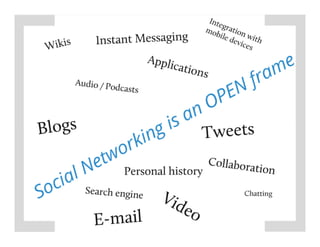
Social	
  Media?	


                       2	
  
Discussion	
  
     When	
  is	
  the	
  best	
  %me	
  to	
  use	
  a(n)…	
  
•    Blog	
  
•    Tweet	
  
•    Email	
  
•    Instant	
  Message	
  
•    Podcast	
  
•    Social	
  media	
  tool	
  
•    Wiki	
  
©2012,	
  GwinneN	
  County	
  Public	
  Schools.	
  All	
  
                                                               5	
  
              rights	
  Reserved.	
  
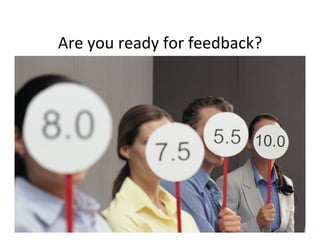
Are	
  you	
  ready	
  for	
  feedback?	


                                              6	
  
Feedback	
  
•  Technology-­‐enabled	
  
•  Face-­‐to-­‐face	


                                    7	
  
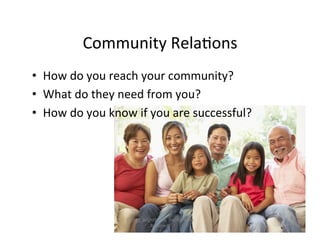
Community	
  Rela%ons	
  
•  How	
  do	
  you	
  reach	
  your	
  community?	
  
•  What	
  do	
  they	
  need	
  from	
  you?	
  
•  How	
  do	
  you	
  know	
  if	
  you	
  are	
  successful?	


                           ©2012,	
  BrightScribe,	
  Inc.	
  All	
  rights	
  
                                                                                  8	
  
                                         Reserved.	
  
Ac%vity	
  
•  In	
  groups	
  of	
  2-­‐3	
  par%cipants,	
  briefly	
  discuss	
  a	
  
   situa%on	
  where	
  miscommunica%on	
  has	
  
   occurred	
  at	
  your	
  school	
  or	
  office	
  

•  Are	
  these	
  related	
  to	
  Feedback,	
  Receiver	
  /	
  
   Audience,	
  Message,	
  Medium,	
  or	
  Sender?	


                                                                               9	
  
Overcoming	
  
       Barriers	
  
•  Appropriate	
  use	
  
•  Time	
  requirements	
  
•  Training	
  
   requirements	
  
•  Perceived	
  benefits	
  
•  Perceived	
  harm	
  
•  Loss	
  of	
  control	
  
•  Who	
  owns	
  the	
  data?	
  

                                     10	
  
Pick	
  and	
  Choose	
  Your	
  Presence	
  
                Carefully!	


                                                11	
  
Save	
  Yourself!	
  
•  One	
  person	
  is	
  not	
  
   enough	
  

•  No	
  plan	
  =	
  no	
  clarity	
  

•  Revisit	
  goals	
  regularly	


                            ©2012,	
  GwinneN	
  County	
  Public	
  Schools.	
  All	
  
                                                                                           12	
  
                                          rights	
  Reserved.	
  
Ac%on	
  Steps	
  
•  Make	
  a	
  plan	
  
•  Choose	
  the	
  right	
  
   tools	
  
•  Assign	
  the	
  right	
  
   people	
  
•  Discuss	
  Personal	
  
   vs.	
  Professional	


                                                 13	
  
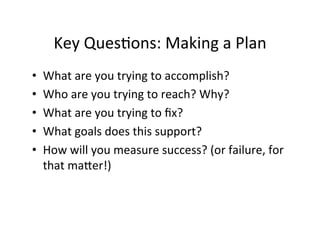
Key	
  Ques%ons:	
  Making	
  a	
  Plan	
  
•    What	
  are	
  you	
  trying	
  to	
  accomplish?	
  
•    Who	
  are	
  you	
  trying	
  to	
  reach?	
  Why?	
  
•    What	
  are	
  you	
  trying	
  to	
  fix?	
  
•    What	
  goals	
  does	
  this	
  support?	
  
•    How	
  will	
  you	
  measure	
  success?	
  (or	
  failure,	
  for	
  
     that	
  maNer!)	
  
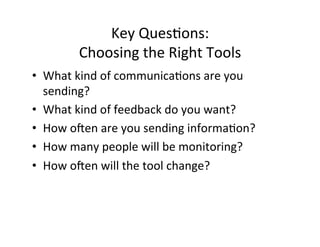
Key	
  Ques%ons:	
  	
  
            Choosing	
  the	
  Right	
  Tools	
  
•  What	
  kind	
  of	
  communica%ons	
  are	
  you	
  
   sending?	
  
•  What	
  kind	
  of	
  feedback	
  do	
  you	
  want?	
  
•  How	
  oien	
  are	
  you	
  sending	
  informa%on?	
  
•  How	
  many	
  people	
  will	
  be	
  monitoring?	
  
•  How	
  oien	
  will	
  the	
  tool	
  change?	
  
Key	
  Ques%ons:	
  
             Assigning	
  the	
  Right	
  People	
  
•    How	
  will	
  you	
  choose	
  your	
  “owners”?	
  
•    How	
  oien	
  will	
  updates	
  be	
  required?	
  
•    What	
  training	
  will	
  be	
  needed?	
  
•    What	
  if	
  there	
  are	
  personnel	
  changes?	
  

•  Other	
  points:	
  
     –  Access	
  hours	
  
     –  Access	
  loca%ons	
  
     –  Expecta%ons	
  	
  
Final	
  Thoughts	
  
•  How	
  will	
  this	
  be	
  publicized?	
  
•  How	
  will	
  you	
  monitor	
  par%cipa%on?	
  
•  What	
  plans	
  do	
  you	
  have	
  for	
  “spoofing”	
  and	
  
   “bombing”?	
  
•  Are	
  you	
  able	
  to	
  turn	
  it	
  off?	
  
•  What	
  is	
  the	
  opportunity	
  cost?	
  	
  
Ques%ons?	


Christopher Wells
info@schooltechpolicies.com

2012 digital learning conference

  • 1.
    Essen%al   Ques%ons  for  an     Online  Presence   Christopher  Wells   SchoolTechPolicies.com  
  • 2.
  • 4.
    Discussion   When  is  the  best  %me  to  use  a(n)…   •  Blog   •  Tweet   •  Email   •  Instant  Message   •  Podcast   •  Social  media  tool   •  Wiki  
  • 5.
    ©2012,  GwinneN  County  Public  Schools.  All   5   rights  Reserved.  
  • 6.
    Are  you  ready  for  feedback?   6  
  • 7.
    Feedback   •  Technology-­‐enabled   •  Face-­‐to-­‐face   7  
  • 8.
    Community  Rela%ons   • How  do  you  reach  your  community?   •  What  do  they  need  from  you?   •  How  do  you  know  if  you  are  successful?   ©2012,  BrightScribe,  Inc.  All  rights   8   Reserved.  
  • 9.
    Ac%vity   •  In  groups  of  2-­‐3  par%cipants,  briefly  discuss  a   situa%on  where  miscommunica%on  has   occurred  at  your  school  or  office   •  Are  these  related  to  Feedback,  Receiver  /   Audience,  Message,  Medium,  or  Sender?   9  
  • 10.
    Overcoming   Barriers   •  Appropriate  use   •  Time  requirements   •  Training   requirements   •  Perceived  benefits   •  Perceived  harm   •  Loss  of  control   •  Who  owns  the  data?   10  
  • 11.
    Pick  and  Choose  Your  Presence   Carefully!   11  
  • 12.
    Save  Yourself!   • One  person  is  not   enough   •  No  plan  =  no  clarity   •  Revisit  goals  regularly   ©2012,  GwinneN  County  Public  Schools.  All   12   rights  Reserved.  
  • 13.
    Ac%on  Steps   • Make  a  plan   •  Choose  the  right   tools   •  Assign  the  right   people   •  Discuss  Personal   vs.  Professional   13  
  • 14.
    Key  Ques%ons:  Making  a  Plan   •  What  are  you  trying  to  accomplish?   •  Who  are  you  trying  to  reach?  Why?   •  What  are  you  trying  to  fix?   •  What  goals  does  this  support?   •  How  will  you  measure  success?  (or  failure,  for   that  maNer!)  
  • 15.
    Key  Ques%ons:     Choosing  the  Right  Tools   •  What  kind  of  communica%ons  are  you   sending?   •  What  kind  of  feedback  do  you  want?   •  How  oien  are  you  sending  informa%on?   •  How  many  people  will  be  monitoring?   •  How  oien  will  the  tool  change?  
  • 16.
    Key  Ques%ons:   Assigning  the  Right  People   •  How  will  you  choose  your  “owners”?   •  How  oien  will  updates  be  required?   •  What  training  will  be  needed?   •  What  if  there  are  personnel  changes?   •  Other  points:   –  Access  hours   –  Access  loca%ons   –  Expecta%ons    
  • 17.
    Final  Thoughts   • How  will  this  be  publicized?   •  How  will  you  monitor  par%cipa%on?   •  What  plans  do  you  have  for  “spoofing”  and   “bombing”?   •  Are  you  able  to  turn  it  off?   •  What  is  the  opportunity  cost?    
  • 18.