2
What is SoftwareRequirements?
A software requirements can be defined as:
• Definition 1: A condition or capability that must be met or
possessed by a product or product component to satisfy a
contract, standard, specification, or other formally imposed
document. [Source: IEEE definition]
• Simpler definition: the descriptions of the system services and
constraints that are generated during the requirements
engineering process.
• requirements: specify what to build
– Tell "what" and not "how"
– Tell the problem, not the solution (in detail)
Prepared by Dr. Osman Ibrahim
3.
3
Why is RequirementsActivity Important?
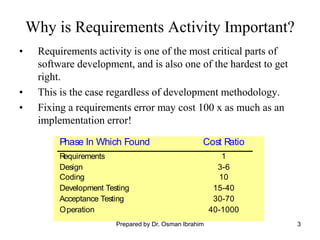
• Requirements activity is one of the most critical parts of
software development, and is also one of the hardest to get
right.
• This is the case regardless of development methodology.
• Fixing a requirements error may cost 100 x as much as an
implementation error!
Phase In Which Found Cost Ratio
Requirements 1
Design 3-6
Coding 10
Development Testing 15-40
Acceptance Testing 30-70
Operation 40-1000
Prepared by Dr. Osman Ibrahim
4.
4
Difficulties with RequirementsActivity
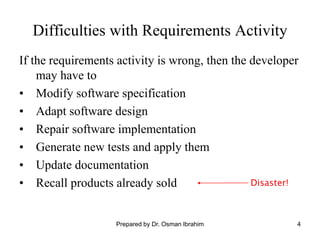
If the requirements activity is wrong, then the developer
may have to
• Modify software specification
• Adapt software design
• Repair software implementation
• Generate new tests and apply them
• Update documentation
• Recall products already sold Disaster!
Prepared by Dr. Osman Ibrahim
5.
5
Why Good RequirementsAre Critical
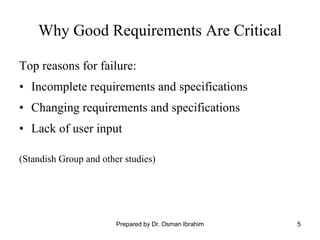
Top reasons for failure:
• Incomplete requirements and specifications
• Changing requirements and specifications
• Lack of user input
(Standish Group and other studies)
Prepared by Dr. Osman Ibrahim
6.
6
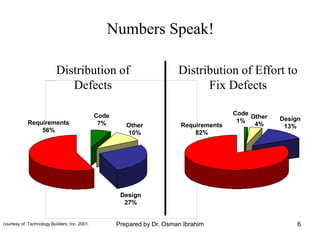
Distribution of Effortto
Fix Defects
Code
7% Other
10%
Design
27%
Requirements
56%
Code
1%
Other
4%
Design
13%
Requirements
82%
Numbers Speak!
Distribution of
Defects
courtesy of Technology Builders, Inc. 2001. Prepared by Dr. Osman Ibrahim
7.
7
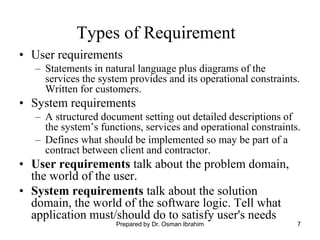
Types of Requirement
•User requirements
– Statements in natural language plus diagrams of the
services the system provides and its operational constraints.
Written for customers.
• System requirements
– A structured document setting out detailed descriptions of
the system’s functions, services and operational constraints.
– Defines what should be implemented so may be part of a
contract between client and contractor.
• User requirements talk about the problem domain,
the world of the user.
• System requirements talk about the solution
domain, the world of the software logic. Tell what
application must/should do to satisfy user's needs
Prepared by Dr. Osman Ibrahim
8.
8
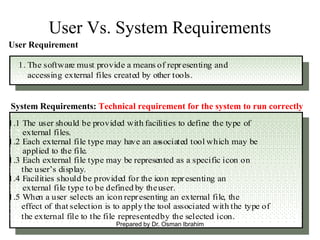
User Vs. SystemRequirements
1. The software must provide a means of representing and
1. accessing external files created by other tools.
1.1 The user should be provided with facilities to define the type of
1.2 external files.
1.2 Each external file type may have an associated tool which may be
1.2 applied to the file.
1.3 Each external file type may be represented as a specific icon on
1.2 the user’s display.
1.4 Facilities should be provided for the icon representing an
1.2 external file type to be defined by theuser.
1.5 When a user selects an icon representing an external file, the
1.2 effect of that selection is to apply the tool associated with the type of
1.2 the external file to the file representedby the selected icon.
Requirements definition
Requirements specification
User Requirement
System Requirements: Technical requirement for the system to run correctly
Prepared by Dr. Osman Ibrahim
9.
20
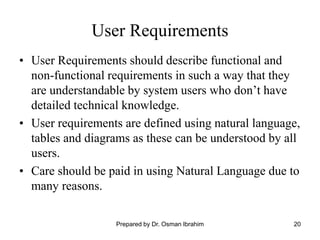
User Requirements
• UserRequirements should describe functional and
non-functional requirements in such a way that they
are understandable by system users who don’t have
detailed technical knowledge.
• User requirements are defined using natural language,
tables and diagrams as these can be understood by all
users.
• Care should be paid in using Natural Language due to
many reasons.
Prepared by Dr. Osman Ibrahim
10.
22
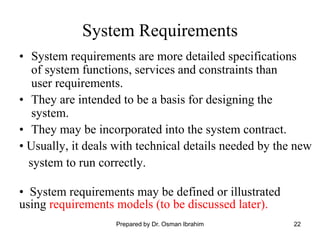
System Requirements
• Systemrequirements are more detailed specifications
of system functions, services and constraints than
user requirements.
• They are intended to be a basis for designing the
system.
• They may be incorporated into the system contract.
• Usually, it deals with technical details needed by the new
system to run correctly.
• System requirements may be defined or illustrated
using requirements models (to be discussed later).
Prepared by Dr. Osman Ibrahim
11.
9
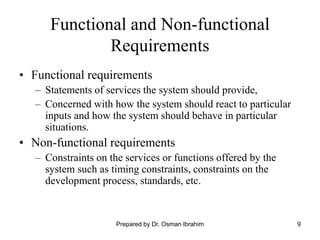
Functional and Non-functional
Requirements
•Functional requirements
– Statements of services the system should provide,
– Concerned with how the system should react to particular
inputs and how the system should behave in particular
situations.
• Non-functional requirements
– Constraints on the services or functions offered by the
system such as timing constraints, constraints on the
development process, standards, etc.
Prepared by Dr. Osman Ibrahim
12.
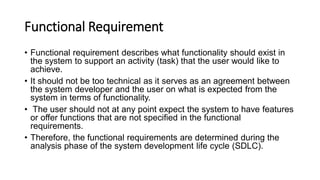
Functional Requirement
• Functionalrequirement describes what functionality should exist in
the system to support an activity (task) that the user would like to
achieve.
• It should not be too technical as it serves as an agreement between
the system developer and the user on what is expected from the
system in terms of functionality.
• The user should not at any point expect the system to have features
or offer functions that are not specified in the functional
requirements.
• Therefore, the functional requirements are determined during the
analysis phase of the system development life cycle (SDLC).
13.
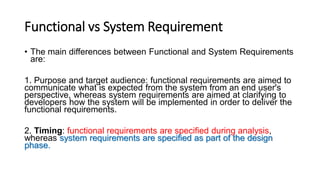
Functional vs SystemRequirement
• The main differences between Functional and System Requirements
are:
1. Purpose and target audience: functional requirements are aimed to
communicate what is expected from the system from an end user's
perspective, whereas system requirements are aimed at clarifying to
developers how the system will be implemented in order to deliver the
functional requirements.
2. Timing: functional requirements are specified during analysis,
whereas system requirements are specified as part of the design
phase.
14.
10
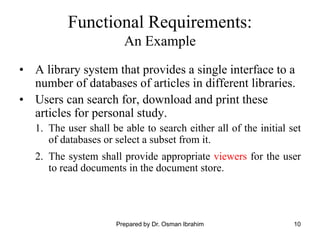
Functional Requirements:
An Example
•A library system that provides a single interface to a
number of databases of articles in different libraries.
• Users can search for, download and print these
articles for personal study.
1. The user shall be able to search either all of the initial set
of databases or select a subset from it.
2. The system shall provide appropriate viewers for the user
to read documents in the document store.
Prepared by Dr. Osman Ibrahim
15.
11
Vague (Imprecise) Requirements
•Problems arise when requirements are not precisely
stated.
• Ambiguous requirements may be interpreted in
different ways by developers and users.
• Consider the term ‘appropriate viewers’
– User intention - special purpose viewer for each
different document type;
– Developer interpretation - Provide a text viewer
that shows the contents of the document.
Prepared by Dr. Osman Ibrahim
16.
12
Requirements Completeness and
Consistency
•Requirements should be both complete and consistent.
• Complete
– They should include descriptions of all facilities required.
• Consistent
– There should be no conflicts or contradictions in the
descriptions of the system facilities.
• In practice, it is impossible to have a complete and
consistent requirements document.
Prepared by Dr. Osman Ibrahim
17.
13
Non-Functional Requirements
• Non-FunctionalRequirements define system properties
and constraints e.g. reliability, response time and
storage requirements.
• Process requirements may also be specified
mandating a particular IDE system, programming
language or development method.
• Non-functional requirements may be more critical
than functional requirements.
• In some cases, If Non-Functional Requirements are not
met, the system is useless.
Prepared by Dr. Osman Ibrahim
18.
14
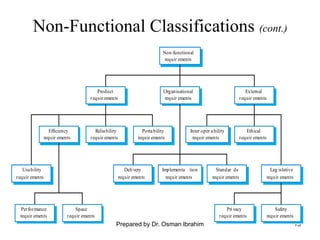
Non-Functional Classifications
• Productrequirements
– Requirements which specify that the delivered product
must behave in a particular way e.g. execution speed,
reliability, etc.
• Organisational requirements
– Requirements which are a consequence of organisational
policies and procedures e.g. process standards used,
implementation requirements, etc.
• External requirements
– Requirements which arise from factors which are external
to the system and its development process e.g.
interoperability requirements, legislative requirements, etc.
Prepared by Dr. Osman Ibrahim
19.
15
Non-Functional Classifications (cont.)
Performance
requirements
Space
requir ements
Usability
requir ements
Efficiency
requir ements
Reliability
requir ements
Portability
requir ements
Inter oper ability
requir ements
Ethical
requir ements
Leg islative
requir ements
Implementa tion
requir ements
Standar ds
requir ements
Delivery
requir ements
Safety
requir ements
Privacy
requir ements
Product
requir ements
Organisational
requir ements
External
requir ements
Non-functional
requir ements
Prepared by Dr. Osman Ibrahim
20.
16
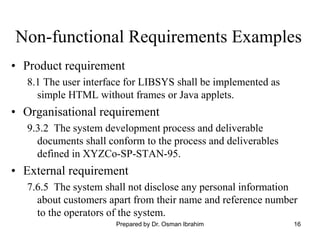
Non-functional Requirements Examples
•Product requirement
8.1 The user interface for LIBSYS shall be implemented as
simple HTML without frames or Java applets.
• Organisational requirement
9.3.2 The system development process and deliverable
documents shall conform to the process and deliverables
defined in XYZCo-SP-STAN-95.
• External requirement
7.6.5 The system shall not disclose any personal information
about customers apart from their name and reference number
to the operators of the system.
Prepared by Dr. Osman Ibrahim
21.
17
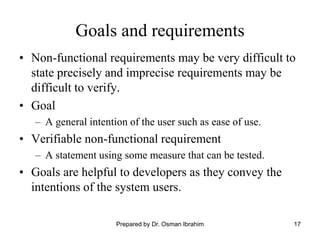
Goals and requirements
•Non-functional requirements may be very difficult to
state precisely and imprecise requirements may be
difficult to verify.
• Goal
– A general intention of the user such as ease of use.
• Verifiable non-functional requirement
– A statement using some measure that can be tested.
• Goals are helpful to developers as they convey the
intentions of the system users.
Prepared by Dr. Osman Ibrahim
22.
18
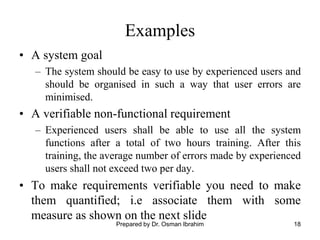
Examples
• A systemgoal
– The system should be easy to use by experienced users and
should be organised in such a way that user errors are
minimised.
• A verifiable non-functional requirement
– Experienced users shall be able to use all the system
functions after a total of two hours training. After this
training, the average number of errors made by experienced
users shall not exceed two per day.
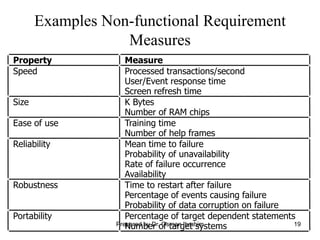
• To make requirements verifiable you need to make
them quantified; i.e associate them with some
measure as shown on the next slide
Prepared by Dr. Osman Ibrahim
23.
19
Examples Non-functional Requirement
Measures
PropertyMeasure
Speed Processed transactions/second
User/Event response time
Screen refresh time
Size K Bytes
Number of RAM chips
Ease of use Training time
Number of help frames
Reliability Mean time to failure
Probability of unavailability
Rate of failure occurrence
Availability
Robustness Time to restart after failure
Percentage of events causing failure
Probability of data corruption on failure
Portability Percentage of target dependent statements
Number of target systems
Prepared by Dr. Osman Ibrahim
24.
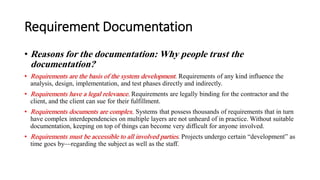
Requirement Documentation
• Reasonsfor the documentation: Why people trust the
documentation?
• Requirements are the basis of the system development. Requirements of any kind influence the
analysis, design, implementation, and test phases directly and indirectly.
• Requirements have a legal relevance. Requirements are legally binding for the contractor and the
client, and the client can sue for their fulfillment.
• Requirements documents are complex. Systems that possess thousands of requirements that in turn
have complex interdependencies on multiple layers are not unheard of in practice. Without suitable
documentation, keeping on top of things can become very difficult for anyone involved.
• Requirements must be accessible to all involved parties. Projects undergo certain “development” as
time goes by—regarding the subject as well as the staff.
25.
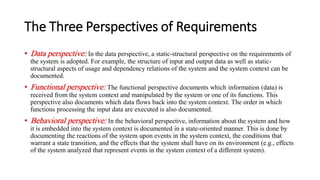
The Three Perspectivesof Requirements
• Data perspective: In the data perspective, a static-structural perspective on the requirements of
the system is adopted. For example, the structure of input and output data as well as static-
structural aspects of usage and dependency relations of the system and the system context can be
documented.
• Functional perspective: The functional perspective documents which information (data) is
received from the system context and manipulated by the system or one of its functions. This
perspective also documents which data flows back into the system context. The order in which
functions processing the input data are executed is also documented.
• Behavioral perspective: In the behavioral perspective, information about the system and how
it is embedded into the system context is documented in a state-oriented manner. This is done by
documenting the reactions of the system upon events in the system context, the conditions that
warrant a state transition, and the effects that the system shall have on its environment (e.g., effects
of the system analyzed that represent events in the system context of a different system).
26.
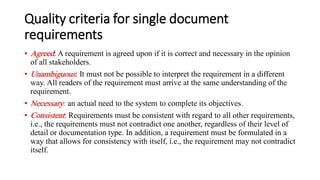
Quality criteria forsingle document
requirements
• Agreed: A requirement is agreed upon if it is correct and necessary in the opinion
of all stakeholders.
• Unambiguous: It must not be possible to interpret the requirement in a different
way. All readers of the requirement must arrive at the same understanding of the
requirement.
• Necessary: an actual need to the system to complete its objectives.
• Consistent: Requirements must be consistent with regard to all other requirements,
i.e., the requirements must not contradict one another, regardless of their level of
detail or documentation type. In addition, a requirement must be formulated in a
way that allows for consistency with itself, i.e., the requirement may not contradict
itself.
27.
Quality criteria forsingle document
requirements
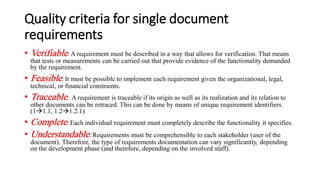
• Verifiable: A requirement must be described in a way that allows for verification. That means
that tests or measurements can be carried out that provide evidence of the functionality demanded
by the requirement.
• Feasible: It must be possible to implement each requirement given the organizational, legal,
technical, or financial constraints.
• Traceable: A requirement is traceable if its origin as well as its realization and its relation to
other documents can be retraced. This can be done by means of unique requirement identifiers.
(1→1.1, 1.2→1.2.1)
• Complete: Each individual requirement must completely describe the functionality it specifies.
• Understandable: Requirements must be comprehensible to each stakeholder (user of the
document). Therefore, the type of requirements documentation can vary significantly, depending
on the development phase (and therefore, depending on the involved staff).
28.
Fundamental principles ofunderstandability
• Short sentences and short paragraphs: As human short-
term memory is very limited, circumstances that belong
together should be described in no more than seven
sentences.
• Formulate only one requirement per sentence: Formulate
requirements using active voice and use only one process
verb. Long, complicated interlaced sentences must be
avoided.
29.
21
Guidelines for WritingRequirements
• Invent a standard format and use it for all
requirements.
• Use language in a consistent way. Use shall for
mandatory requirements, should for desirable
requirements.
• Use text highlighting to identify key parts of the
requirement.
• Avoid the use of computer jargon.
Prepared by Dr. Osman Ibrahim
30.
23
Problems with NaturalLanguages in
Expressing System Requirement
• Ambiguity
– The readers and writers of the requirement must interpret
the same words in the same way.
– NL is naturally ambiguous so this is very difficult.
• Over-flexibility
– The same thing may be said in a number of different ways
in the specification.
• Lack of modularisation
– NL structures are inadequate to structure system
requirements.
• Other alternatives are available to use in specifying
systems (see next slide)
Prepared by Dr. Osman Ibrahim
31.
24
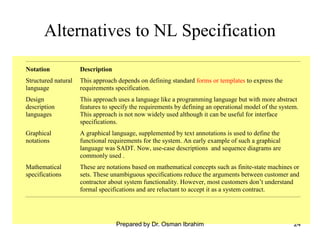
Alternatives to NLSpecification
Notation Description
Structured natural
language
This approach depends on defining standard forms or templates to express the
requirements specification.
Design
description
languages
This approach uses a language like a programming language but with more abstract
features to specify the requirements by defining an operational model of the system.
This approach is not now widely used although it can be useful for interface
specifications.
Graphical
notations
A graphical language, supplemented by text annotations is used to define the
functional requirements for the system. An early example of such a graphical
language was SADT. Now, use-case descriptions and sequence diagrams are
commonly used .
Mathematical
specifications
These are notations based on mathematical concepts such as finite-state machines or
sets. These unambiguous specifications reduce the arguments between customer and
contractor about system functionality. However, most customers don’t understand
formal specifications and are reluctant to accept it as a system contract.
Prepared by Dr. Osman Ibrahim
32.
25
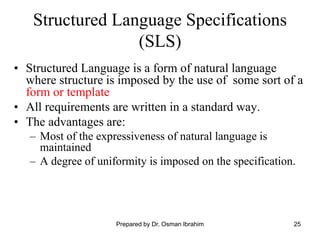
Structured Language Specifications
(SLS)
•Structured Language is a form of natural language
where structure is imposed by the use of some sort of a
form or template
• All requirements are written in a standard way.
• The advantages are:
– Most of the expressiveness of natural language is
maintained
– A degree of uniformity is imposed on the specification.
Prepared by Dr. Osman Ibrahim
33.
26
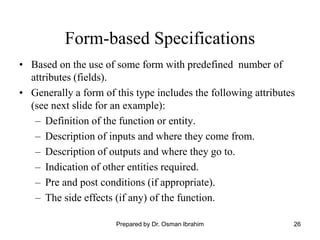
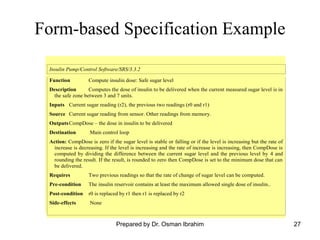
Form-based Specifications
• Basedon the use of some form with predefined number of
attributes (fields).
• Generally a form of this type includes the following attributes
(see next slide for an example):
– Definition of the function or entity.
– Description of inputs and where they come from.
– Description of outputs and where they go to.
– Indication of other entities required.
– Pre and post conditions (if appropriate).
– The side effects (if any) of the function.
Prepared by Dr. Osman Ibrahim
34.
27
Form-based Specification Example
InsulinPump/Control Software/SRS/3.3.2
Function Compute insulin dose: Safe sugar level
Description Computes the dose of insulin to be delivered when the current measured sugar level is in
the safe zone between 3 and 7 units.
Inputs Current sugar reading (r2), the previous two readings (r0 and r1)
Source Current sugar reading from sensor. Other readings from memory.
OutputsCompDose – the dose in insulin to be delivered
Destination Main control loop
Action: CompDose is zero if the sugar level is stable or falling or if the level is increasing but the rate of
increase is decreasing. If the level is increasing and the rate of increase is increasing, then CompDose is
computed by dividing the difference between the current sugar level and the previous level by 4 and
rounding the result. If the result, is rounded to zero then CompDose is set to the minimum dose that can
be delivered.
Requires Two previous readings so that the rate of change of sugar level can be computed.
Pre-condition The insulin reservoir contains at least the maximum allowed single dose of insulin..
Post-condition r0 is replaced by r1 then r1 is replaced by r2
Side-effects None
Prepared by Dr. Osman Ibrahim
35.
28
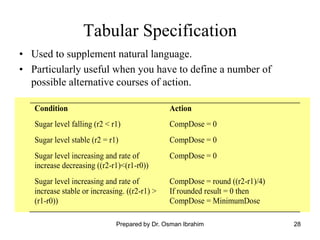
Tabular Specification
Condition Action
Sugarlevel falling (r2 < r1) CompDose = 0
Sugar level stable (r2 = r1) CompDose = 0
Sugar level increasing and rate of
increase decreasing ((r2-r1)<(r1-r0))
CompDose = 0
Sugar level increasing and rate of
increase stable or increasing. ((r2-r1) >
(r1-r0))
CompDose = round ((r2-r1)/4)
If rounded result = 0 then
CompDose = MinimumDose
• Used to supplement natural language.
• Particularly useful when you have to define a number of
possible alternative courses of action.
Prepared by Dr. Osman Ibrahim
36.
29
Graphical Models
• Graphicalmodels are most useful when you need to
show how state changes or where you need to
describe a sequence of actions.
• Different graphical models are explained later in
requirements modeling part.
Prepared by Dr. Osman Ibrahim
37.
30
Interface specification
• Interfacesmust be specified as part of the
requirements.
• Types of interface that may be defined include:
– Procedural interfaces;
– Data structures that are exchanged;
• Programming language-based interface specification
is commonly used – called Program Design Language
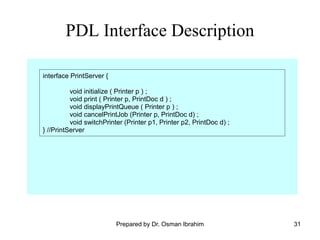
(PDL) - see next slide for an example.
Prepared by Dr. Osman Ibrahim
38.
31
PDL Interface Description
interfacePrintServer {
void initialize ( Printer p ) ;
void print ( Printer p, PrintDoc d ) ;
void displayPrintQueue ( Printer p ) ;
void cancelPrintJob (Printer p, PrintDoc d) ;
void switchPrinter (Printer p1, Printer p2, PrintDoc d) ;
} //PrintServer
Prepared by Dr. Osman Ibrahim

![2
What is Software Requirements?
A software requirements can be defined as:
• Definition 1: A condition or capability that must be met or
possessed by a product or product component to satisfy a
contract, standard, specification, or other formally imposed
document. [Source: IEEE definition]
• Simpler definition: the descriptions of the system services and
constraints that are generated during the requirements
engineering process.
• requirements: specify what to build
– Tell "what" and not "how"
– Tell the problem, not the solution (in detail)
Prepared by Dr. Osman Ibrahim](https://image.slidesharecdn.com/2-reqversion2-250808222758-05d684c1/85/2-Reqerwsrhfdfsfgtdrttddjdiuiversion-2-pdf-2-320.jpg)