Oracle Database 11g: SQL
Fundamentals I
Electronic Presentation
D49996GC11
Edition 1.1
April 2009
Copyright © 2009, Oracle. All rights reserved.
Disclaimer
This document contains proprietary information and is protected by copyright and other intellectual
property laws. You may copy and print this document solely for your own use in an Oracle training
course. The document may not be modified or altered in any way. Except where your use constitutes
"fair use" under copyright law, you may not use, share, download, upload, copy, print, display,
perform, reproduce, publish, license, post, transmit, or distribute this document in whole or in part
without the express authorization of Oracle.
The information contained in this document is subject to change without notice. If you find any
problems in the document, please report them in writing to: Oracle University, 500 Oracle Parkway,
Redwood Shores, California 94065 USA. This document is not warranted to be error-free.
Restricted Rights Notice
If this documentation is delivered to the United States Government or anyone using the
documentation on behalf of the United States Government, the following notice is applicable:
U.S. GOVERNMENT RIGHTS
The U.S. Government’s rights to use, modify, reproduce, release, perform, display, or disclose these
training materials are restricted by the terms of the applicable Oracle license agreement and/or the
applicable U.S. Government contract.
Trademark Notice
Oracle is a registered trademark of Oracle Corporation and/or its affiliates. Other names may be
trademarks of their respective owners.
Authors
Puja Singh
Brian Pottle
Technical Contributors
and Reviewers
Claire Bennett
Tom Best
Purjanti Chang
Ken Cooper
László Czinkóczki
Burt Demchick
Mark Fleming
Gerlinde Frenzen
Nancy Greenberg
Chaitanya Koratamaddi
Wendy Lo
Timothy Mcglue
Alan Paulson
Bryan Roberts
Abhishek Singh
Lori Tritz
Michael Versaci
Lex van der Werff
Editors
Amitha Narayan
Vijayalakshmi Narasimhan
Raj Kumar
Graphic Designer
Satish Bettegowda
Publishers
Sujatha Nagendra
Syed Ali
Copyright © 2009, Oracle. All rights reserved.
Introduction
Copyright © 2009, Oracle. All rights reserved.
I - 2
Lesson Objectives
After completing this lesson, you should be able to do the
following:
• Understand the goals of the course
• List the features of Oracle Database 11g
• Discuss the theoretical and physical aspects of a relational
database
• Describe Oracle server’s implementation of RDBMS and
object relational database management system
(ORDBMS)
• Identify the development environments that can be used
for this course
• Describe the database and schema used in this course
Copyright © 2009, Oracle. All rights reserved.
I - 3
Lesson Agenda
• Course objectives, agenda, and appendixes used in the
course
• Overview of Oracle Database 11g and related products
• Overview of relational database management concepts
and terminologies
• Introduction to SQL and its development environments
• The HR schema and the tables used in this course
• Oracle Database 11g documentation and additional
resources
Copyright © 2009, Oracle. All rights reserved.
I - 4
Course Objectives
After completing this course, you should be able to:
• Identify the major components of Oracle Database 11g
• Retrieve row and column data from tables with the SELECT
statement
• Create reports of sorted and restricted data
• Employ SQL functions to generate and retrieve customized
data
• Run complex queries to retrieve data from multiple tables
• Run data manipulation language (DML) statements to
update data in Oracle Database 11g
• Run data definition language (DDL) statements to create
and manage schema objects
Copyright © 2009, Oracle. All rights reserved.
I - 5
Course Agenda
• Day 1:
– Introduction
– Retrieving Data Using the SQL SELECT Statement
– Restricting and Sorting Data
– Using Single-Row Functions to Customize Output
– Using Conversion Functions and Conditional Expressions
• Day 2:
– Reporting Aggregated Data Using the Group Functions
– Displaying Data from Multiple Tables
– Using Subqueries to Solve Queries
– Using the Set Operators
Copyright © 2009, Oracle. All rights reserved.
I - 6
Course Agenda
• Day 3:
– Manipulating Data
– Using DDL Statements to Create and Manage Tables
– Creating Other Schema Objects
Copyright © 2009, Oracle. All rights reserved.
I - 7
Appendixes Used in the Course
• Appendix A: Practice Solutions
• Appendix B: Table Descriptions
• Appendix C: Oracle Join Syntax
• Appendix D: Using SQL*Plus
• Appendix E: Using SQL Developer
• Additional Practices
• Additional Practices Solutions
Copyright © 2009, Oracle. All rights reserved.
I - 8
Lesson Agenda
• Course objectives, course agenda, and appendixes used
in this course
• Overview of Oracle Database 11g and related products
• Overview of relational database management concepts
and terminologies
• Introduction to SQL and its development environments
• The HR schema and the tables used in this course
• Oracle Database 11g documentation and additional
resources
Copyright © 2009, Oracle. All rights reserved.
I - 9
Oracle Database 11g: Focus Areas
Infrastructure
Grids
Information
Management
Application
Development
Copyright © 2009, Oracle. All rights reserved.
I - 10
Oracle Database 11g
Manageability
High availability
Performance
Security
Information integration
Copyright © 2009, Oracle. All rights reserved.
I - 11
Oracle Database 11g
Manageability
High availability
Performance
Security
Information integration
Copyright © 2009, Oracle. All rights reserved.
I - 12
Oracle Fusion Middleware
Portfolio of leading, standards-based, and customer-proven
software products that spans a range of tools and services from
J2EE and developer tools, through integration services,
business intelligence, collaboration, and content management
Copyright © 2009, Oracle. All rights reserved.
I - 13
Oracle Enterprise Manager Grid Control 10g
• Efficient Oracle Fusion Middleware management
• Simplifying application and infrastructure life cycle
management
• Improved database administration and application
management capabilities
Copyright © 2009, Oracle. All rights reserved.
I - 14
Oracle BI Publisher
• Provides a central architecture for authoring, managing,
and delivering information in secure and multiple formats
• Reduces complexity and time to develop, test, and deploy
all kinds of reports
– Financial Reports, Invoices, Sales or Purchase orders, XML,
and EDI/EFT(eText documents)
• Enables flexible customizations
– For example, a Microsoft Word document report can be
generated in multiple formats such as PDF, HTML, Excel,
RTF, and so on.
BI PUBLISHER
PDF
HTML
Excel
Microsoft Word
Copyright © 2009, Oracle. All rights reserved.
I - 15
Lesson Agenda
• Course objectives, course agenda, and appendixes used
in this course
• Overview of Oracle Database 11g and related products
• Overview of relational database management concepts
and terminologies
• Introduction to SQL and its development environments
• The HR schema and the tables used in this course
• Oracle Database 11g documentation and additional
resources
Copyright © 2009, Oracle. All rights reserved.
I - 16
Relational and Object Relational
Database Management Systems
• Relational model and object relational model
• User-defined data types and objects
• Fully compatible with relational database
• Supports multimedia and large objects
• High-quality database server features
Copyright © 2009, Oracle. All rights reserved.
I - 17
Data Storage on Different Media
Electronic
spreadsheet
Filing cabinet Database
Copyright © 2009, Oracle. All rights reserved.
I - 18
Relational Database Concept
• Dr. E. F. Codd proposed the relational model for database
systems in 1970.
• It is the basis for the relational database management
system (RDBMS).
• The relational model consists of the following:
– Collection of objects or relations
– Set of operators to act on the relations
– Data integrity for accuracy and consistency
Copyright © 2009, Oracle. All rights reserved.
I - 19
Definition of a Relational Database
A relational database is a collection of relations or
two-dimensional tables.
Oracle
server
Table name: EMPLOYEES Table name: DEPARTMENTS
… …
Copyright © 2009, Oracle. All rights reserved.
I - 20
Data Models
Model of
system
in client’s
mind
Entity model of
client’s model
Tables on disk
Oracle
server
Table model
of entity model
Copyright © 2009, Oracle. All rights reserved.
I - 21
Entity Relationship Model
• Create an entity relationship diagram from business
specifications or narratives:
• Scenario:
– “. . . Assign one or more employees to a
department . . .”
– “. . . Some departments do not yet have assigned employees
. . .”
EMPLOYEE
#* number
* name
o job title
DEPARTMENT
#* number
* name
o location
assigned to
composed of
Copyright © 2009, Oracle. All rights reserved.
I - 23
Entity Relationship
Modeling Conventions
Entity:
• Singular, unique name
• Uppercase
• Soft box
• Synonym in parentheses
Unique Identifier (UID)
Primary marked with “#”
Secondary marked with “(#)”
EMPLOYEE
#* number
* name
o job title
DEPARTMENT
#* number
* name
o location
assigned to
composed of
Attribute:
• Singular name
• Lowercase
• Mandatory marked with “*”
• Optional marked with “o”
Copyright © 2009, Oracle. All rights reserved.
I - 25
Relating Multiple Tables
• Each row of data in a table is uniquely identified by a
primary key.
• You can logically relate data from multiple tables using
foreign keys.
Table name: EMPLOYEES
Table name: DEPARTMENTS
Primary key Primary key
Foreign key
…
Copyright © 2009, Oracle. All rights reserved.
I - 27
Relational Database Terminology
1
2
3
4
6
5
Copyright © 2009, Oracle. All rights reserved.
I - 29
Lesson Agenda
• Course objectives, course agenda, and appendixes used
in this course
• Overview of Oracle Database 11g and related products
• Overview of relational database management concepts
and terminologies
• Introduction to SQL and its development environments
• The HR schema and the tables used in this course
• Oracle Database 11g documentation and additional
resources
Copyright © 2009, Oracle. All rights reserved.
I - 30
Using SQL to Query Your Database
Structured query language (SQL) is:
• The ANSI standard language for operating relational
databases
• Efficient, easy to learn, and use
• Functionally complete (With SQL, you can define, retrieve,
and manipulate data in the tables.)
SELECT department_name
FROM departments;
Oracle
server
Copyright © 2009, Oracle. All rights reserved.
I - 31
SQL Statements
SELECT
INSERT
UPDATE
DELETE
MERGE
CREATE
ALTER
DROP
RENAME
TRUNCATE
COMMENT
GRANT
REVOKE
COMMIT
ROLLBACK
SAVEPOINT
Data manipulation language (DML)
Data definition language (DDL)
Transaction control
Data control language (DCL)
Copyright © 2009, Oracle. All rights reserved.
I - 32
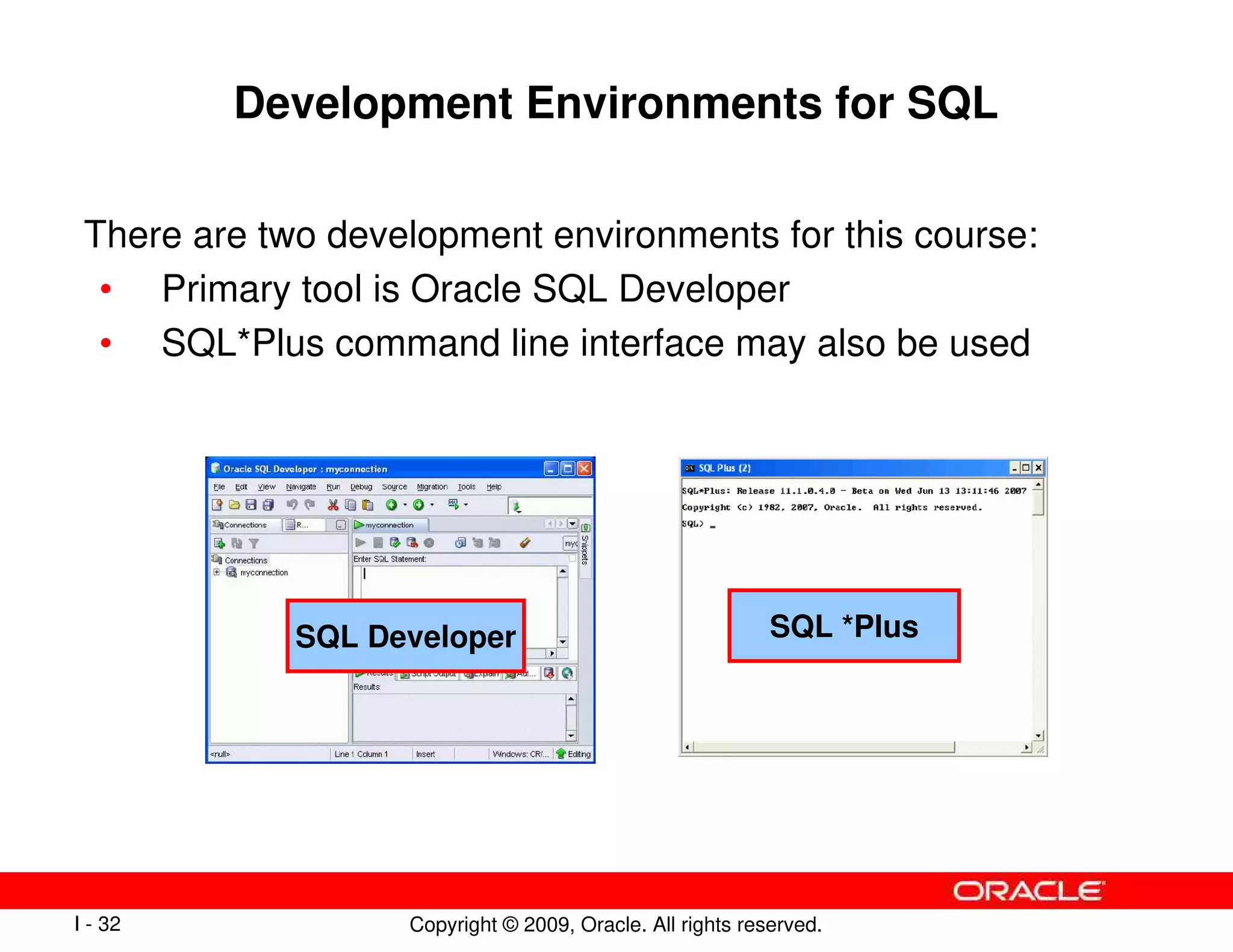
Development Environments for SQL
There are two development environments for this course:
• Primary tool is Oracle SQL Developer
• SQL*Plus command line interface may also be used
SQL Developer SQL *Plus
Copyright © 2009, Oracle. All rights reserved.
I - 33
Lesson Agenda
• Course objectives, course agenda, and appendixes used
in this course
• Overview of Oracle Database 11g and related products
• Overview of relational database management concepts
and terminologies
• Introduction to SQL and its development environments
• The HR schema and the tables used in this course
• Oracle Database 11g documentation and additional
resources
Copyright © 2009, Oracle. All rights reserved.
I - 34
The Human Resources (HR) Schema
DEPARTMENTS
department_id
department_name
manager_id
location_id
LOCATIONS
location_id
street_address
postal_code
city
state_province
country_id
COUNTRIES
country_id
country_name
region_id
REGIONS
region_id
region_name
EMPLOYEES
employee_id
first_name
last_name
email
phone_number
hire_date
job_id
salary
commission_pct
manager_id
department_id
JOBS
job_id
job_title
min_salary
max_salary
JOB_HISTORY
employee_id
start_date
end_date
job_id
department_id
Copyright © 2009, Oracle. All rights reserved.
I - 35
Tables Used in the Course
EMPLOYEES
DEPARTMENTS JOB_GRADES
Copyright © 2009, Oracle. All rights reserved.
I - 36
Lesson Agenda
• Course objectives, course agenda, and appendixes used
in this course
• Overview of Oracle Database 11g and related products
• Overview of relational database management concepts
and terminologies
• Introduction to SQL and its development environments
• The HR schema and the tables used in this course
• Oracle Database 11g documentation and additional
resources
Copyright © 2009, Oracle. All rights reserved.
I - 37
Oracle Database 11g Documentation
• Oracle Database New Features Guide 11g,
Release 1 (11.1)
• Oracle Database Reference 11g, Release 1 (11.1)
• Oracle Database SQL Language Reference 11g,
Release 1 (11.1)
• Oracle Database Concepts 11g, Release 1 (11.1)
• Oracle Database SQL Developer User's Guide,
Release 1.2
Copyright © 2009, Oracle. All rights reserved.
I - 38
Additional Resources
For additional information about the Oracle Database 11g, refer
to the following:
• Oracle Database 11g: New Features eStudies
• Oracle by Example series (OBE): Oracle Database 11g
– http://www.oracle.com/technology/obe/11gr1_db/index.htm
Copyright © 2009, Oracle. All rights reserved.
I - 39
Summary
In this lesson, you should have learned that:
• Oracle Database 11g extends:
– The benefits of infrastructure grids
– The existing information management capabilities
– The capabilities to use the major application development
environments such as PL/SQL, Java/JDBC, .NET, XML, and
so on
• The database is based on ORDBMS
• Relational databases are composed of relations, managed
by relational operations, and governed by data integrity
constraints
• With the Oracle server, you can store and manage
information by using SQL
Copyright © 2009, Oracle. All rights reserved.
I - 40
Practice I: Overview
This practice covers the following topics:
• Running the Oracle SQL Developer demo
• Starting Oracle SQL Developer, creating a new database
connection, and browsing the HR tables
Copyright © 2009, Oracle. All rights reserved.
Retrieving Data Using
the SQL SELECT Statement
Copyright © 2009, Oracle. All rights reserved.
1 - 2
Objectives
After completing this lesson, you should be able to do the
following:
• List the capabilities of SQL SELECT statements
• Execute a basic SELECT statement
Copyright © 2009, Oracle. All rights reserved.
1 - 3
Lesson Agenda
• Basic SELECT statement
• Arithmetic expressions and NULL values in the SELECT
statement
• Column aliases
• Use of concatenation operator, literal character strings,
alternative quote operator, and the DISTINCT keyword
• DESCRIBE command
Copyright © 2009, Oracle. All rights reserved.
1 - 4
Capabilities of SQL SELECT Statements
Selection
Projection
Table 1 Table 2
Table 1
Table 1
Join
Copyright © 2009, Oracle. All rights reserved.
1 - 5
Basic SELECT Statement
• SELECT identifies the columns to be displayed.
• FROM identifies the table containing those columns.
SELECT *|{[DISTINCT] column|expression [alias],...}
FROM table;
Copyright © 2009, Oracle. All rights reserved.
1 - 6
Selecting All Columns
SELECT *
FROM departments;
Copyright © 2009, Oracle. All rights reserved.
1 - 7
Selecting Specific Columns
SELECT department_id, location_id
FROM departments;
Copyright © 2009, Oracle. All rights reserved.
1 - 8
Writing SQL Statements
• SQL statements are not case-sensitive.
• SQL statements can be entered on one or more lines.
• Keywords cannot be abbreviated or split across lines.
• Clauses are usually placed on separate lines.
• Indents are used to enhance readability.
• In SQL Developer, SQL statements can optionally be
terminated by a semicolon (;). Semicolons are required
when you execute multiple SQL statements.
• In SQL*Plus, you are required to end each SQL statement
with a semicolon (;).
Copyright © 2009, Oracle. All rights reserved.
1 - 9
Column Heading Defaults
• SQL Developer:
– Default heading alignment: Left-aligned
– Default heading display: Uppercase
• SQL*Plus:
– Character and Date column headings are left-aligned.
– Number column headings are right-aligned.
– Default heading display: Uppercase
Copyright © 2009, Oracle. All rights reserved.
1 - 10
Lesson Agenda
• Basic SELECT statement
• Arithmetic expressions and NULL values in the SELECT
statement
• Column Aliases
• Use of concatenation operator, literal character strings,
alternative quote operator, and the DISTINCT keyword
• DESCRIBE command
Copyright © 2009, Oracle. All rights reserved.
1 - 11
Arithmetic Expressions
Create expressions with number and date data by using
arithmetic operators.
Multiply
*
Divide
/
Subtract
-
Add
+
Description
Operator
Copyright © 2009, Oracle. All rights reserved.
1 - 12
SELECT last_name, salary, salary + 300
FROM employees;
Using Arithmetic Operators
…
Copyright © 2009, Oracle. All rights reserved.
1 - 13
SELECT last_name, salary, 12*salary+100
FROM employees;
Operator Precedence
SELECT last_name, salary, 12*(salary+100)
FROM employees;
…
…
1
2
Copyright © 2009, Oracle. All rights reserved.
1 - 14
Defining a Null Value
• Null is a value that is unavailable, unassigned, unknown,
or inapplicable.
• Null is not the same as zero or a blank space.
SELECT last_name, job_id, salary, commission_pct
FROM employees;
…
…
Copyright © 2009, Oracle. All rights reserved.
1 - 15
SELECT last_name, 12*salary*commission_pct
FROM employees;
Null Values in Arithmetic Expressions
Arithmetic expressions containing a null value evaluate to null.
…
…
Copyright © 2009, Oracle. All rights reserved.
1 - 16
Lesson Agenda
• Basic SELECT statement
• Arithmetic expressions and NULL values in the SELECT
statement
• Column aliases
• Use of concatenation operator, literal character strings,
alternative quote operator, and the DISTINCT keyword
• DESCRIBE command
Copyright © 2009, Oracle. All rights reserved.
1 - 17
Defining a Column Alias
A column alias:
• Renames a column heading
• Is useful with calculations
• Immediately follows the column name (There can also be
the optional AS keyword between the column name and
alias.)
• Requires double quotation marks if it contains spaces or
special characters, or if it is case-sensitive
Copyright © 2009, Oracle. All rights reserved.
1 - 18
Using Column Aliases
SELECT last_name "Name" , salary*12 "Annual Salary"
FROM employees;
SELECT last_name AS name, commission_pct comm
FROM employees;
…
…
Copyright © 2009, Oracle. All rights reserved.
1 - 19
Lesson Agenda
• Basic SELECT Statement
• Arithmetic Expressions and NULL values in SELECT
statement
• Column Aliases
• Use of concatenation operator, literal character strings,
alternative quote operator, and the DISTINCT keyword
• DESCRIBE command
Copyright © 2009, Oracle. All rights reserved.
1 - 20
Concatenation Operator
A concatenation operator:
• Links columns or character strings to other columns
• Is represented by two vertical bars (||)
• Creates a resultant column that is a character expression
SELECT last_name||job_id AS "Employees"
FROM employees;
…
Copyright © 2009, Oracle. All rights reserved.
1 - 21
Literal Character Strings
• A literal is a character, a number, or a date that is included
in the SELECT statement.
• Date and character literal values must be enclosed within
single quotation marks.
• Each character string is output once for each row returned.
Copyright © 2009, Oracle. All rights reserved.
1 - 22
Using Literal Character Strings
…
SELECT last_name ||' is a '||job_id
AS "Employee Details"
FROM employees;
Copyright © 2009, Oracle. All rights reserved.
1 - 23
Alternative Quote (q) Operator
• Specify your own quotation mark delimiter.
• Select any delimiter.
• Increase readability and usability.
SELECT department_name || q'[ Department's Manager Id: ]'
|| manager_id
AS "Department and Manager"
FROM departments;
Copyright © 2009, Oracle. All rights reserved.
1 - 24
Duplicate Rows
The default display of queries is all rows, including duplicate
rows.
SELECT department_id
FROM employees;
SELECT DISTINCT department_id
FROM employees;
1
2
…
…
Copyright © 2009, Oracle. All rights reserved.
1 - 25
Lesson Agenda
• Basic SELECT statement
• Arithmetic expressions and NULL values in the SELECT
statement
• Column aliases
• Use of concatenation operator, literal character strings,
alternative quote operator, and the DISTINCT keyword
• DESCRIBE command
Copyright © 2009, Oracle. All rights reserved.
1 - 26
Displaying the Table Structure
• Use the DESCRIBE command to display the structure of a
table.
• Or, select the table in the Connections tree and use the
Columns tab to view the table structure.
DESC[RIBE] tablename
Copyright © 2009, Oracle. All rights reserved.
1 - 27
Using the DESCRIBE Command
DESCRIBE employees
Copyright © 2009, Oracle. All rights reserved.
1 - 28
Quiz
Identify the SELECT statements that execute successfully.
1.
2.
3.
4.
SELECT first_name, last_name, job_id, salary*12
AS Yearly Sal
FROM employees;
SELECT first_name, last_name, job_id, salary*12
yearly sal
FROM employees;
SELECT first_name, last_name, job_id, salary AS
yearly sal
FROM employees;
SELECT first_name+last_name AS name, job_Id,
salary*12 yearly sal
FROM employees;
Copyright © 2009, Oracle. All rights reserved.
1 - 29
Summary
In this lesson, you should have learned how to:
• Write a SELECT statement that:
– Returns all rows and columns from a table
– Returns specified columns from a table
– Uses column aliases to display more descriptive column
headings
SELECT *|{[DISTINCT] column|expression [alias],...}
FROM table;
Copyright © 2009, Oracle. All rights reserved.
1 - 30
Practice 1: Overview
This practice covers the following topics:
• Selecting all data from different tables
• Describing the structure of tables
• Performing arithmetic calculations and specifying column
names
Copyright © 2009, Oracle. All rights reserved.
Restricting and Sorting Data
Copyright © 2009, Oracle. All rights reserved.
2 - 2
Objectives
After completing this lesson, you should be able to do the
following:
• Limit the rows that are retrieved by a query
• Sort the rows that are retrieved by a query
• Use ampersand substitution to restrict and sort output at
run time
Copyright © 2009, Oracle. All rights reserved.
2 - 3
Lesson Agenda
• Limiting rows with:
– The WHERE clause
– The comparison conditions using =, <=, BETWEEN, IN, LIKE,
and NULL conditions
– Logical conditions using AND, OR, and NOT operators
• Rules of precedence for operators in an expression
• Sorting rows using the ORDER BY clause
• Substitution variables
• DEFINE and VERIFY commands
Copyright © 2009, Oracle. All rights reserved.
2 - 4
Limiting Rows Using a Selection
“retrieve all
employees in
department 90”
EMPLOYEES
…
Copyright © 2009, Oracle. All rights reserved.
2 - 5
Limiting the Rows That Are Selected
• Restrict the rows that are returned by using the WHERE
clause:
• The WHERE clause follows the FROM clause.
SELECT *|{[DISTINCT] column|expression [alias],...}
FROM table
[WHERE condition(s)];
Copyright © 2009, Oracle. All rights reserved.
2 - 6
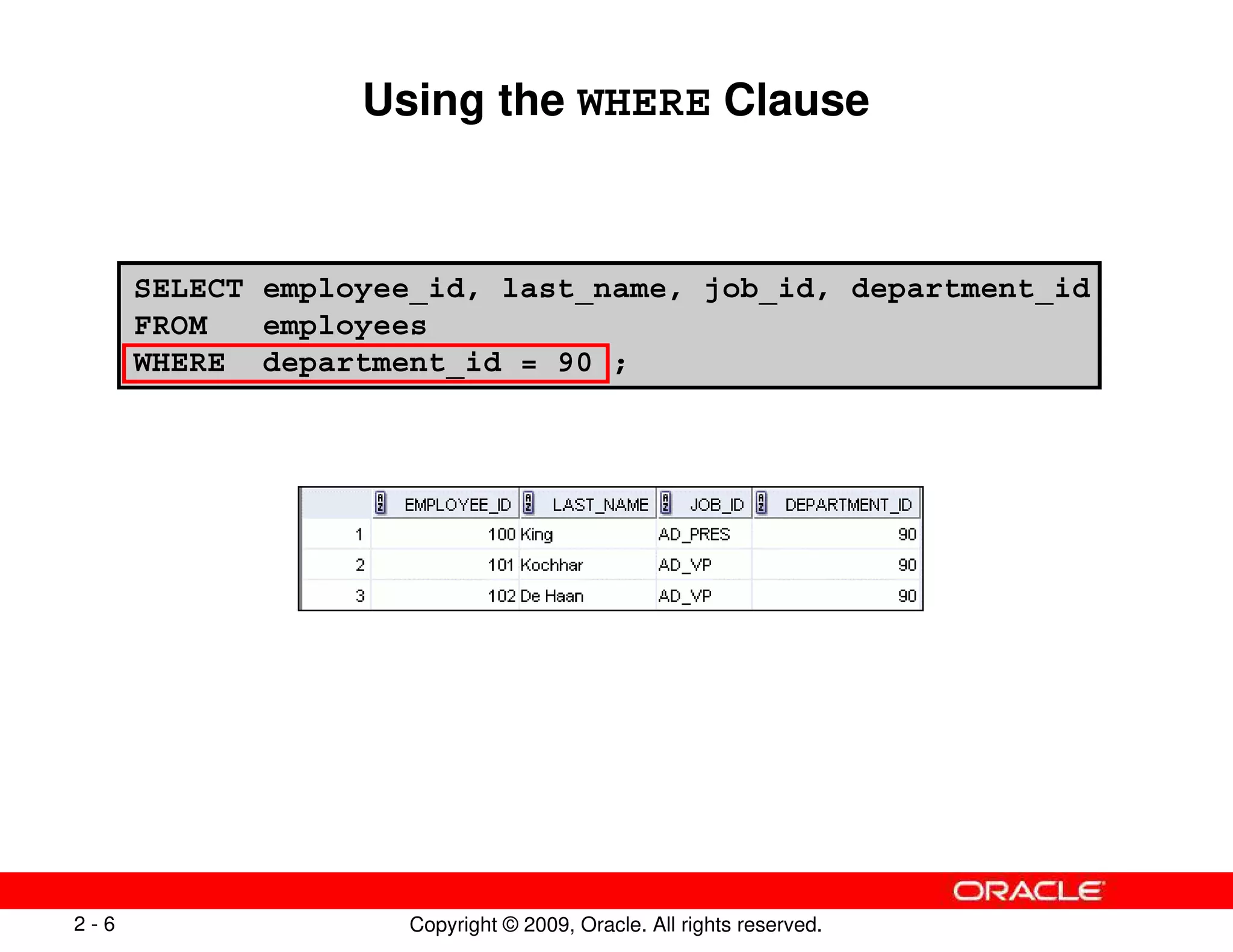
SELECT employee_id, last_name, job_id, department_id
FROM employees
WHERE department_id = 90 ;
Using the WHERE Clause
Copyright © 2009, Oracle. All rights reserved.
2 - 7
SELECT last_name, job_id, department_id
FROM employees
WHERE last_name = 'Whalen' ;
Character Strings and Dates
• Character strings and date values are enclosed with single
quotation marks.
• Character values are case-sensitive and date values are
format-sensitive.
• The default date display format is DD-MON-RR.
SELECT last_name
FROM employees
WHERE hire_date = '17-FEB-96' ;
Copyright © 2009, Oracle. All rights reserved.
2 - 8
Comparison Operators
Not equal to
<>
Between two values (inclusive)
BETWEEN
...AND...
Match any of a list of values
IN(set)
Match a character pattern
LIKE
Is a null value
IS NULL
Less than
<
Less than or equal to
<=
Greater than or equal to
>=
Greater than
>
Equal to
=
Meaning
Operator
Copyright © 2009, Oracle. All rights reserved.
2 - 9
SELECT last_name, salary
FROM employees
WHERE salary <= 3000 ;
Using Comparison Operators
Copyright © 2009, Oracle. All rights reserved.
2 - 10
SELECT last_name, salary
FROM employees
WHERE salary BETWEEN 2500 AND 3500 ;
Range Conditions Using the BETWEEN Operator
Use the BETWEEN operator to display rows based on a range of
values:
Lower limit Upper limit
Copyright © 2009, Oracle. All rights reserved.
2 - 11
SELECT employee_id, last_name, salary, manager_id
FROM employees
WHERE manager_id IN (100, 101, 201) ;
Membership Condition Using the IN Operator
Use the IN operator to test for values in a list:
Copyright © 2009, Oracle. All rights reserved.
2 - 12
SELECT first_name
FROM employees
WHERE first_name LIKE 'S%' ;
Pattern Matching Using the LIKE Operator
• Use the LIKE operator to perform wildcard searches of
valid search string values.
• Search conditions can contain either literal characters or
numbers:
– % denotes zero or many characters.
– _ denotes one character.
Copyright © 2009, Oracle. All rights reserved.
2 - 13
Combining Wildcard Characters
• You can combine the two wildcard characters (%, _) with
literal characters for pattern matching:
• You can use the ESCAPE identifier to search for the actual
% and _ symbols.
SELECT last_name
FROM employees
WHERE last_name LIKE '_o%' ;
Copyright © 2009, Oracle. All rights reserved.
2 - 14
SELECT last_name, manager_id
FROM employees
WHERE manager_id IS NULL ;
Using the NULL Conditions
Test for nulls with the IS NULL operator.
Copyright © 2009, Oracle. All rights reserved.
2 - 15
Defining Conditions Using the Logical Operators
Returns TRUE if the condition is false
NOT
Returns TRUE if either component condition
is true
OR
Returns TRUE if both component conditions
are true
AND
Meaning
Operator
Copyright © 2009, Oracle. All rights reserved.
2 - 16
SELECT employee_id, last_name, job_id, salary
FROM employees
WHERE salary >= 10000
AND job_id LIKE '%MAN%' ;
Using the AND Operator
AND requires both the component conditions to be true:
Copyright © 2009, Oracle. All rights reserved.
2 - 17
SELECT employee_id, last_name, job_id, salary
FROM employees
WHERE salary >= 10000
OR job_id LIKE '%MAN%' ;
Using the OR Operator
OR requires either component condition to be true:
Copyright © 2009, Oracle. All rights reserved.
2 - 18
SELECT last_name, job_id
FROM employees
WHERE job_id
NOT IN ('IT_PROG', 'ST_CLERK', 'SA_REP') ;
Using the NOT Operator
Copyright © 2009, Oracle. All rights reserved.
2 - 19
Lesson Agenda
• Limiting rows with:
– The WHERE clause
– The comparison conditions using =, <=, BETWEEN, IN, LIKE,
and NULL operators
– Logical conditions using AND, OR, and NOT operators
• Rules of precedence for operators in an expression
• Sorting rows using the ORDER BY clause
• Substitution variables
• DEFINE and VERIFY commands
Copyright © 2009, Oracle. All rights reserved.
2 - 20
Rules of Precedence
You can use parentheses to override rules of precedence.
Not equal to
6
NOT logical condition
7
AND logical condition
8
OR logical condition
9
IS [NOT] NULL, LIKE, [NOT] IN
4
[NOT] BETWEEN
5
Comparison conditions
3
Concatenation operator
2
Arithmetic operators
1
Meaning
Operator
Copyright © 2009, Oracle. All rights reserved.
2 - 21
SELECT last_name, job_id, salary
FROM employees
WHERE job_id = 'SA_REP'
OR job_id = 'AD_PRES'
AND salary > 15000;
Rules of Precedence
SELECT last_name, job_id, salary
FROM employees
WHERE (job_id = 'SA_REP'
OR job_id = 'AD_PRES')
AND salary > 15000;
1
2
Copyright © 2009, Oracle. All rights reserved.
2 - 22
Lesson Agenda
• Limiting rows with:
– The WHERE clause
– The comparison conditions using =, <=, BETWEEN, IN, LIKE,
and NULL operators
– Logical conditions using AND, OR, and NOT operators
• Rules of precedence for operators in an expression
• Sorting rows using the ORDER BY clause
• Substitution variables
• DEFINE and VERIFY commands
Copyright © 2009, Oracle. All rights reserved.
2 - 23
Using the ORDER BY Clause
• Sort retrieved rows with the ORDER BY clause:
– ASC: Ascending order, default
– DESC: Descending order
• The ORDER BY clause comes last in the SELECT
statement:
SELECT last_name, job_id, department_id, hire_date
FROM employees
ORDER BY hire_date ;
…
Copyright © 2009, Oracle. All rights reserved.
2 - 24
Sorting
• Sorting in descending order:
• Sorting by column alias:
SELECT last_name, job_id, department_id, hire_date
FROM employees
ORDER BY hire_date DESC ; 1
SELECT employee_id, last_name, salary*12 annsal
FROM employees
ORDER BY annsal ;
2
Copyright © 2009, Oracle. All rights reserved.
2 - 25
Sorting
• Sorting by using the column’s numeric position:
• Sorting by multiple columns:
SELECT last_name, job_id, department_id, hire_date
FROM employees
ORDER BY 3; 3
SELECT last_name, department_id, salary
FROM employees
ORDER BY department_id, salary DESC;
4
Copyright © 2009, Oracle. All rights reserved.
2 - 26
Lesson Agenda
• Limiting rows with:
– The WHERE clause
– The comparison conditions using =, <=, BETWEEN, IN, LIKE,
and NULL operators
– Logical conditions using AND, OR, and NOT operators
• Rules of precedence for operators in an expression
• Sorting rows using the ORDER BY clause
• Substitution variables
• DEFINE and VERIFY commands
Copyright © 2009, Oracle. All rights reserved.
2 - 27
Substitution Variables
... salary = ? …
… department_id = ? …
... last_name = ? ...
I want
to query
different
values.
Copyright © 2009, Oracle. All rights reserved.
2 - 28
Substitution Variables
• Use substitution variables to:
– Temporarily store values with single-ampersand (&) and
double-ampersand (&&) substitution
• Use substitution variables to supplement the following:
– WHERE conditions
– ORDER BY clauses
– Column expressions
– Table names
– Entire SELECT statements
Copyright © 2009, Oracle. All rights reserved.
2 - 29
SELECT employee_id, last_name, salary, department_id
FROM employees
WHERE employee_id = &employee_num ;
Using the Single-Ampersand Substitution
Variable
Use a variable prefixed with an ampersand (&) to prompt the
user for a value:
Copyright © 2009, Oracle. All rights reserved.
2 - 30
Using the Single-Ampersand Substitution
Variable
Copyright © 2009, Oracle. All rights reserved.
2 - 31
SELECT last_name, department_id, salary*12
FROM employees
WHERE job_id = '&job_title' ;
Character and Date Values with
Substitution Variables
Use single quotation marks for date and character values:
Copyright © 2009, Oracle. All rights reserved.
2 - 32
Specifying Column Names,
Expressions, and Text
SELECT employee_id, last_name, job_id,&column_name
FROM employees
WHERE &condition
ORDER BY &order_column ;
Copyright © 2009, Oracle. All rights reserved.
2 - 33
SELECT employee_id, last_name, job_id, &&column_name
FROM employees
ORDER BY &column_name ;
…
Using the Double-Ampersand
Substitution Variable
Use double ampersand (&&) if you want to reuse the variable
value without prompting the user each time:
Copyright © 2009, Oracle. All rights reserved.
2 - 34
Lesson Agenda
• Limiting rows with:
– The WHERE clause
– The comparison conditions using =, <=, BETWEEN, IN, LIKE,
and NULL operators
– Logical conditions using AND, OR, and NOT operators
• Rules of precedence for operators in an expression
• Sorting rows using the ORDER BY clause
• Substitution variables
• DEFINE and VERIFY commands
Copyright © 2009, Oracle. All rights reserved.
2 - 35
Using the DEFINE Command
• Use the DEFINE command to create and assign a value to
a variable.
• Use the UNDEFINE command to remove a variable.
DEFINE employee_num = 200
SELECT employee_id, last_name, salary, department_id
FROM employees
WHERE employee_id = &employee_num ;
UNDEFINE employee_num
Copyright © 2009, Oracle. All rights reserved.
2 - 36
SET VERIFY ON
SELECT employee_id, last_name, salary
FROM employees
WHERE employee_id = &employee_num;
Using the VERIFY Command
Use the VERIFY command to toggle the display of the
substitution variable, both before and after SQL Developer
replaces substitution variables with values:
Copyright © 2009, Oracle. All rights reserved.
2 - 37
Quiz
Which of the following are valid operators for the WHERE
clause?
1. >=
2. IS NULL
3. !=
4. IS LIKE
5. IN BETWEEN
6. <>
Copyright © 2009, Oracle. All rights reserved.
2 - 38
In this lesson, you should have learned how to:
• Use the WHERE clause to restrict rows of output:
– Use the comparison conditions
– Use the BETWEEN, IN, LIKE, and NULL operators
– Apply the logical AND, OR, and NOT operators
• Use the ORDER BY clause to sort rows of output:
• Use ampersand substitution to restrict and sort output at
run time
SELECT *|{[DISTINCT] column|expression [alias],...}
FROM table
[WHERE condition(s)]
[ORDER BY {column, expr, alias} [ASC|DESC]] ;
Summary
Copyright © 2009, Oracle. All rights reserved.
2 - 39
Practice 2: Overview
This practice covers the following topics:
• Selecting data and changing the order of the rows
that are displayed
• Restricting rows by using the WHERE clause
• Sorting rows by using the ORDER BY clause
• Using substitution variables to add flexibility to your
SQL SELECT statements
Copyright © 2009, Oracle. All rights reserved.
Using Single-Row Functions to
Customize Output
Copyright © 2009, Oracle. All rights reserved.
3 - 2
Objectives
After completing this lesson, you should be able to do the
following:
• Describe various types of functions available in SQL
• Use character, number, and date functions in SELECT
statements
Copyright © 2009, Oracle. All rights reserved.
3 - 3
Lesson Agenda
• Single-row SQL functions
• Character functions
• Number functions
• Working with dates
• Date functions
Copyright © 2009, Oracle. All rights reserved.
3 - 4
SQL Functions
Function
Input
arg 1
arg 2
arg n
Function performs
action
Output
Result
value
Copyright © 2009, Oracle. All rights reserved.
3 - 5
Two Types of SQL Functions
Single-row
functions
Multiple-row
functions
Return one result
per row
Return one result
per set of rows
Functions
Copyright © 2009, Oracle. All rights reserved.
3 - 6
Single-Row Functions
Single-row functions:
• Manipulate data items
• Accept arguments and return one value
• Act on each row that is returned
• Return one result per row
• May modify the data type
• Can be nested
• Accept arguments that can be a column or an expression
function_name [(arg1, arg2,...)]
Copyright © 2009, Oracle. All rights reserved.
3 - 7
Single-Row Functions
Conversion
Character
Number
Date
General
Single-row
functions
Copyright © 2009, Oracle. All rights reserved.
3 - 8
Lesson Agenda
• Single-row SQL functions
• Character functions
• Number functions
• Working with dates
• Date functions
Copyright © 2009, Oracle. All rights reserved.
3 - 9
Character Functions
Character
functions
LOWER
UPPER
INITCAP
CONCAT
SUBSTR
LENGTH
INSTR
LPAD | RPAD
TRIM
REPLACE
Case-conversion
functions
Character-manipulation
functions
Copyright © 2009, Oracle. All rights reserved.
3 - 11
Case-Conversion Functions
These functions convert the case for character strings:
sql course
LOWER('SQL Course')
Sql Course
INITCAP('SQL Course')
SQL COURSE
UPPER('SQL Course')
Result
Function
Copyright © 2009, Oracle. All rights reserved.
3 - 12
SELECT employee_id, last_name, department_id
FROM employees
WHERE LOWER(last_name) = 'higgins';
Using Case-Conversion Functions
Display the employee number, name, and department number
for employee Higgins:
SELECT employee_id, last_name, department_id
FROM employees
WHERE last_name = 'higgins';
Copyright © 2009, Oracle. All rights reserved.
3 - 13
Character-Manipulation Functions
These functions manipulate character strings:
BLACK and BLUE
REPLACE
('JACK and JUE','J','BL')
10
LENGTH('HelloWorld')
6
INSTR('HelloWorld', 'W')
*****24000
LPAD(salary,10,'*')
24000*****
RPAD(salary, 10, '*')
HelloWorld
CONCAT('Hello', 'World')
elloWorld
TRIM('H' FROM 'HelloWorld')
Hello
SUBSTR('HelloWorld',1,5)
Result
Function
Copyright © 2009, Oracle. All rights reserved.
3 - 14
SELECT employee_id, CONCAT(first_name, last_name) NAME,
job_id, LENGTH (last_name),
INSTR(last_name, 'a') "Contains 'a'?"
FROM employees
WHERE SUBSTR(job_id, 4) = 'REP';
Using the Character-Manipulation Functions
2
3
1 2
1
3
Copyright © 2009, Oracle. All rights reserved.
3 - 15
Lesson Agenda
• Single-row SQL functions
• Character functions
• Number functions
• Working with dates
• Date Functions
Copyright © 2009, Oracle. All rights reserved.
3 - 16
Number Functions
• ROUND: Rounds value to a specified decimal
• TRUNC: Truncates value to a specified decimal
• MOD: Returns remainder of division
100
MOD(1600, 300)
45.93
ROUND(45.926, 2)
45.92
TRUNC(45.926, 2)
Result
Function
Copyright © 2009, Oracle. All rights reserved.
3 - 17
SELECT ROUND(45.923,2), ROUND(45.923,0),
ROUND(45.923,-1)
FROM DUAL;
Using the ROUND Function
DUAL is a dummy table that you can use to view results
from functions and calculations.
3
3
1 2
1 2
Copyright © 2009, Oracle. All rights reserved.
3 - 18
Using the TRUNC Function
SELECT TRUNC(45.923,2), TRUNC(45.923),
TRUNC(45.923,-1)
FROM DUAL;
3
3
1 2
1 2
Copyright © 2009, Oracle. All rights reserved.
3 - 19
SELECT last_name, salary, MOD(salary, 5000)
FROM employees
WHERE job_id = 'SA_REP';
Using the MOD Function
For all employees with the job title of Sales Representative,
calculate the remainder of the salary after it is divided by 5,000.
Copyright © 2009, Oracle. All rights reserved.
3 - 20
Lesson Agenda
• Single-row SQL functions
• Character functions
• Number functions
• Working with dates
• Date functions
Copyright © 2009, Oracle. All rights reserved.
3 - 21
SELECT last_name, hire_date
FROM employees
WHERE hire_date < '
'01-FEB-88';
';
Working with Dates
• The Oracle database stores dates in an internal numeric
format: century, year, month, day, hours, minutes, and
seconds.
• The default date display format is DD-MON-RR.
– Enables you to store 21st-century dates in the 20th century
by specifying only the last two digits of the year
– Enables you to store 20th-century dates in the
21st century in the same way
Copyright © 2009, Oracle. All rights reserved.
3 - 22
RR Date Format
Current Year
1995
1995
2001
2001
27-OCT-95
27-OCT-17
27-OCT-17
27-OCT-95
1995
2017
2017
1995
1995
1917
2017
2095
If two digits
of the
current
year are:
0–49
0–49 50–99
50–99
The return date is in
the current century
The return date is in
the century after
the current one
The return date is in
the century before
the current one
The return date is in
the current century
If the specified two-digit year is:
YY Format
RR Format
Specified Date
Current Year
Copyright © 2009, Oracle. All rights reserved.
3 - 24
Using the SYSDATE Function
SYSDATE is a function that returns:
• Date
• Time
SELECT sysdate
FROM dual;
;
Copyright © 2009, Oracle. All rights reserved.
3 - 25
Arithmetic with Dates
• Add or subtract a number to or from a date for a resultant
date value.
• Subtract two dates to find the number of days between
those dates.
• Add hours to a date by dividing the number of hours by 24.
Copyright © 2009, Oracle. All rights reserved.
3 - 26
SELECT last_name, (SYSDATE-hire_date)/7 AS WEEKS
FROM employees
WHERE department_id = 90;
Using Arithmetic Operators
with Dates
Copyright © 2009, Oracle. All rights reserved.
3 - 27
Lesson Agenda
• Single-row SQL functions
• Character functions
• Number functions
• Working with dates
• Date functions
Copyright © 2009, Oracle. All rights reserved.
3 - 28
Date-Manipulation Functions
Next day of the date specified
NEXT_DAY
Last day of the month
LAST_DAY
Round date
ROUND
Truncate date
TRUNC
Number of months between two dates
MONTHS_BETWEEN
Add calendar months to date
ADD_MONTHS
Result
Function
Copyright © 2009, Oracle. All rights reserved.
3 - 29
Using Date Functions
'08-SEP-95'
NEXT_DAY ('01-SEP-95','FRIDAY')
'28-FEB-95'
LAST_DAY ('01-FEB-95')
19.6774194
MONTHS_BETWEEN
('01-SEP-95','11-JAN-94')
‘29-FEB-96'
ADD_MONTHS (‘31-JAN-96',1)
Result
Function
Copyright © 2009, Oracle. All rights reserved.
3 - 30
Using ROUND and TRUNC Functions with Dates
Assume SYSDATE = '25-JUL-03':
01-JUL-03
TRUNC(SYSDATE ,'MONTH')
01-JAN-03
TRUNC(SYSDATE ,'YEAR')
01-AUG-03
ROUND(SYSDATE,'MONTH')
01-JAN-04
ROUND(SYSDATE ,'YEAR')
Result
Function
Copyright © 2009, Oracle. All rights reserved.
3 - 31
Quiz
Which of the following statements are true about single-row
functions?
1. Manipulate data items
2. Accept arguments and return one value per argument
3. Act on each row that is returned
4. Return one result per set of rows
5. May not modify the data type
6. Can be nested
7. Accept arguments that can be a column or an expression
Copyright © 2009, Oracle. All rights reserved.
3 - 32
Summary
In this lesson, you should have learned how to:
• Perform calculations on data using functions
• Modify individual data items using functions
Copyright © 2009, Oracle. All rights reserved.
3 - 33
Practice 3: Overview
This practice covers the following topics:
• Writing a query that displays the current date
• Creating queries that require the use of numeric,
character, and date functions
• Performing calculations of years and months of service for
an employee
Copyright © 2009, Oracle. All rights reserved.
Using Conversion Functions and
Conditional Expressions
Copyright © 2009, Oracle. All rights reserved.
4 - 2
Objectives
After completing this lesson, you should be able to do the
following:
• Describe various types of conversion functions that are
available in SQL
• Use the TO_CHAR, TO_NUMBER, and TO_DATE conversion
functions
• Apply conditional expressions in a SELECT statement
Copyright © 2009, Oracle. All rights reserved.
4 - 3
Lesson Agenda
• Implicit and explicit data type conversion
• TO_CHAR, TO_DATE, TO_NUMBER functions
• Nesting functions
• General functions:
– NVL
– NVL2
– NULLIF
– COALESCE
• Conditional expressions:
– CASE
– DECODE
Copyright © 2009, Oracle. All rights reserved.
4 - 4
Conversion Functions
Implicit data type
conversion
Explicit data type
conversion
Data type
conversion
Copyright © 2009, Oracle. All rights reserved.
4 - 5
Implicit Data Type Conversion
In expressions, the Oracle server can automatically convert the
following:
NUMBER
VARCHAR2 or CHAR
DATE
VARCHAR2 or CHAR
To
From
Copyright © 2009, Oracle. All rights reserved.
4 - 6
Implicit Data Type Conversion
For expression evaluation, the Oracle server can automatically
convert the following:
VARCHAR2 or CHAR
NUMBER
VARCHAR2 or CHAR
DATE
To
From
Copyright © 2009, Oracle. All rights reserved.
4 - 7
Explicit Data Type Conversion
NUMBER CHARACTER
TO_CHAR
TO_NUMBER
DATE
TO_CHAR
TO_DATE
Copyright © 2009, Oracle. All rights reserved.
4 - 8
Explicit Data Type Conversion
NUMBER CHARACTER
TO_CHAR
TO_NUMBER
DATE
TO_CHAR
TO_DATE
Copyright © 2009, Oracle. All rights reserved.
4 - 10
Lesson Agenda
• Implicit and explicit data type conversion
• TO_CHAR, TO_DATE, TO_NUMBER functions
• Nesting functions
• General functions:
– NVL
– NVL2
– NULLIF
– COALESCE
• Conditional expressions:
– CASE
– DECODE
Copyright © 2009, Oracle. All rights reserved.
4 - 11
Using the TO_CHAR Function with Dates
The format model:
• Must be enclosed with single quotation marks
• Is case-sensitive
• Can include any valid date format element
• Has an fm element to remove padded blanks or suppress
leading zeros
• Is separated from the date value by a comma
TO_CHAR(date, 'format_model')
Copyright © 2009, Oracle. All rights reserved.
4 - 12
Elements of the Date Format Model
Three-letter abbreviation of the day of the week
DY
Full name of the day of the week
DAY
Two-digit value for the month
MM
Full name of the month
MONTH
Three-letter abbreviation of the month
MON
Numeric day of the month
DD
Full year in numbers
YYYY
Year spelled out (in English)
YEAR
Result
Element
Copyright © 2009, Oracle. All rights reserved.
4 - 14
Elements of the Date Format Model
• Time elements format the time portion of the date:
• Add character strings by enclosing them with double
quotation marks:
• Number suffixes spell out numbers:
DD "of" MONTH 12 of OCTOBER
ddspth fourteenth
HH24:MI:SS AM 15:45:32 PM
Copyright © 2009, Oracle. All rights reserved.
4 - 16
SELECT last_name,
TO_CHAR(hire_date, 'fmDD Month YYYY')
AS HIREDATE
FROM employees;
Using the TO_CHAR Function with Dates
…
Copyright © 2009, Oracle. All rights reserved.
4 - 17
Using the TO_CHAR Function with Numbers
These are some of the format elements that you can use with
the TO_CHAR function to display a number value as a
character:
Prints a decimal point
.
Prints a comma as a thousands indicator
,
Places a floating dollar sign
$
Uses the floating local currency symbol
L
Represents a number
9
Forces a zero to be displayed
0
Result
Element
TO_CHAR(number, 'format_model')
Copyright © 2009, Oracle. All rights reserved.
4 - 19
SELECT TO_CHAR(salary, '$99,999.00') SALARY
FROM employees
WHERE last_name = 'Ernst';
Using the TO_CHAR Function with Numbers
Copyright © 2009, Oracle. All rights reserved.
4 - 20
Using the TO_NUMBER and TO_DATE Functions
• Convert a character string to a number format using the
TO_NUMBER function:
• Convert a character string to a date format using the
TO_DATE function:
• These functions have an fx modifier. This modifier
specifies the exact match for the character argument and
date format model of a TO_DATE function.
TO_NUMBER(char[, 'format_model'])
TO_DATE(char[, 'format_model'])
Copyright © 2009, Oracle. All rights reserved.
4 - 22
Using the TO_CHAR and TO_DATE Function
with RR Date Format
To find employees hired before 1990, use the RR date format,
which produces the same results whether the command is run
in 1999 or now:
SELECT last_name, TO_CHAR(hire_date, 'DD-Mon-YYYY')
FROM employees
WHERE hire_date < TO_DATE('01-Jan-90','DD-Mon-RR');
Copyright © 2009, Oracle. All rights reserved.
4 - 23
Lesson Agenda
• Implicit and explicit data type conversion
• TO_CHAR, TO_DATE, TO_NUMBER functions
• Nesting functions
• General functions:
– NVL
– NVL2
– NULLIF
– COALESCE
• Conditional expressions:
– CASE
– DECODE
Copyright © 2009, Oracle. All rights reserved.
4 - 24
Nesting Functions
• Single-row functions can be nested to any level.
• Nested functions are evaluated from the deepest level to
the least deep level.
F3(F2(F1(col,arg1),arg2),arg3)
Step 1 = Result 1
Step 2 = Result 2
Step 3 = Result 3
Copyright © 2009, Oracle. All rights reserved.
4 - 25
SELECT last_name,
UPPER(CONCAT(SUBSTR (LAST_NAME, 1, 8), '_US'))
FROM employees
WHERE department_id = 60;
Nesting Functions
Copyright © 2009, Oracle. All rights reserved.
4 - 26
Lesson Agenda
• Implicit and explicit data type conversion
• TO_CHAR, TO_DATE, TO_NUMBER functions
• Nesting functions
• General functions:
– NVL
– NVL2
– NULLIF
– COALESCE
• Conditional expressions:
– CASE
– DECODE
Copyright © 2009, Oracle. All rights reserved.
4 - 27
General Functions
The following functions work with any data type and pertain to
using nulls:
• NVL (expr1, expr2)
• NVL2 (expr1, expr2, expr3)
• NULLIF (expr1, expr2)
• COALESCE (expr1, expr2, ..., exprn)
Copyright © 2009, Oracle. All rights reserved.
4 - 28
NVL Function
Converts a null value to an actual value:
• Data types that can be used are date, character, and
number.
• Data types must match:
– NVL(commission_pct,0)
– NVL(hire_date,'01-JAN-97')
– NVL(job_id,'No Job Yet')
Copyright © 2009, Oracle. All rights reserved.
4 - 29
SELECT last_name, salary, NVL(commission_pct, 0),
(salary*12) + (salary*12*NVL(commission_pct, 0)) AN_SAL
FROM employees;
Using the NVL Function
…
1
1 2
2
Copyright © 2009, Oracle. All rights reserved.
4 - 30
SELECT last_name, salary, commission_pct,
NVL2(commission_pct,
'SAL+COMM', 'SAL') income
FROM employees WHERE department_id IN (50, 80);
Using the NVL2 Function
1 2
2
1
Copyright © 2009, Oracle. All rights reserved.
4 - 31
SELECT first_name, LENGTH(first_name) "expr1",
last_name, LENGTH(last_name) "expr2",
NULLIF(LENGTH(first_name), LENGTH(last_name)) result
FROM employees;
Using the NULLIF Function
…
1
2
3
1 2 3
Copyright © 2009, Oracle. All rights reserved.
4 - 32
Using the COALESCE Function
• The advantage of the COALESCE function over the NVL
function is that the COALESCE function can take multiple
alternate values.
• If the first expression is not null, the COALESCE function
returns that expression; otherwise, it does a COALESCE of
the remaining expressions.
Copyright © 2009, Oracle. All rights reserved.
4 - 33
SELECT last_name, employee_id,
COALESCE(TO_CHAR(commission_pct),TO_CHAR(manager_id),
'No commission and no manager')
FROM employees;
Using the COALESCE Function
…
…
Copyright © 2009, Oracle. All rights reserved.
4 - 35
Lesson Agenda
• Implicit and explicit data type conversion
• TO_CHAR, TO_DATE, TO_NUMBER functions
• Nesting functions
• General functions:
– NVL
– NVL2
– NULLIF
– COALESCE
• Conditional expressions:
– CASE
– DECODE
Copyright © 2009, Oracle. All rights reserved.
4 - 36
Conditional Expressions
• Provide the use of the IF-THEN-ELSE logic within a SQL
statement
• Use two methods:
– CASE expression
– DECODE function
Copyright © 2009, Oracle. All rights reserved.
4 - 37
CASE Expression
Facilitates conditional inquiries by doing the work of an
IF-THEN-ELSE statement:
CASE expr WHEN comparison_expr1 THEN return_expr1
[WHEN comparison_expr2 THEN return_expr2
WHEN comparison_exprn THEN return_exprn
ELSE else_expr]
END
Copyright © 2009, Oracle. All rights reserved.
4 - 38
SELECT last_name, job_id, salary,
CASE job_id WHEN 'IT_PROG' THEN 1.10*salary
WHEN 'ST_CLERK' THEN 1.15*salary
WHEN 'SA_REP' THEN 1.20*salary
ELSE salary END "REVISED_SALARY"
FROM employees;
Using the CASE Expression
Facilitates conditional inquiries by doing the work of an
IF-THEN-ELSE statement:
…
…
…
Copyright © 2009, Oracle. All rights reserved.
4 - 39
DECODE Function
Facilitates conditional inquiries by doing the work of a CASE
expression or an IF-THEN-ELSE statement:
DECODE(col|expression, search1, result1
[, search2, result2,...,]
[, default])
Copyright © 2009, Oracle. All rights reserved.
4 - 40
SELECT last_name, job_id, salary,
DECODE(job_id, 'IT_PROG', 1.10*salary,
'ST_CLERK', 1.15*salary,
'SA_REP', 1.20*salary,
salary)
REVISED_SALARY
FROM employees;
Using the DECODE Function
…
…
…
Copyright © 2009, Oracle. All rights reserved.
4 - 41
SELECT last_name, salary,
DECODE (TRUNC(salary/2000, 0),
0, 0.00,
1, 0.09,
2, 0.20,
3, 0.30,
4, 0.40,
5, 0.42,
6, 0.44,
0.45) TAX_RATE
FROM employees
WHERE department_id = 80;
Using the DECODE Function
Display the applicable tax rate for each employee in
department 80:
Copyright © 2009, Oracle. All rights reserved.
4 - 42
Quiz
The TO_NUMBER function converts either character strings or
date values to a number in the format specified by the optional
format model.
1. True
2. False
Copyright © 2009, Oracle. All rights reserved.
4 - 43
Summary
In this lesson, you should have learned how to:
• Alter date formats for display using functions
• Convert column data types using functions
• Use NVL functions
• Use IF-THEN-ELSE logic and other conditional
expressions in a SELECT statement
Copyright © 2009, Oracle. All rights reserved.
4 - 44
Practice 4: Overview
This practice covers the following topics:
• Creating queries that use TO_CHAR, TO_DATE, and other
DATE functions
• Creating queries that use conditional expressions such as
DECODE and CASE
Copyright © 2009, Oracle. All rights reserved.
Reporting Aggregated Data
Using the Group Functions
Copyright © 2009, Oracle. All rights reserved.
5 - 2
Objectives
After completing this lesson, you should be able to do the
following:
• Identify the available group functions
• Describe the use of group functions
• Group data by using the GROUP BY clause
• Include or exclude grouped rows by using the HAVING
clause
Copyright © 2009, Oracle. All rights reserved.
5 - 3
Lesson Agenda
• Group functions:
– Types and syntax
– Use AVG, SUM, MIN, MAX, COUNT
– Use DISTINCT keyword within group functions
– NULL values in a group function
• Grouping rows:
– GROUP BY clause
– HAVING clause
• Nesting group functions
Copyright © 2009, Oracle. All rights reserved.
5 - 4
What Are Group Functions?
Group functions operate on sets of rows to give one result per
group.
EMPLOYEES
Maximum salary in
EMPLOYEES table
…
Copyright © 2009, Oracle. All rights reserved.
5 - 5
Types of Group Functions
• AVG
• COUNT
• MAX
• MIN
• STDDEV
• SUM
• VARIANCE
Group
functions
Copyright © 2009, Oracle. All rights reserved.
5 - 6
SELECT group_function(column), ...
FROM table
[WHERE condition]
[ORDER BY column];
Group Functions: Syntax
Copyright © 2009, Oracle. All rights reserved.
5 - 7
SELECT AVG(salary), MAX(salary),
MIN(salary), SUM(salary)
FROM employees
WHERE job_id LIKE '%REP%';
Using the AVG and SUM Functions
You can use AVG and SUM for numeric data.
Copyright © 2009, Oracle. All rights reserved.
5 - 8
SELECT MIN(hire_date), MAX(hire_date)
FROM employees;
Using the MIN and MAX Functions
You can use MIN and MAX for numeric, character, and date
data types.
Copyright © 2009, Oracle. All rights reserved.
5 - 9
Using the COUNT Function
COUNT(*) returns the number of rows in a table:
COUNT(expr) returns the number of rows with non-null values
for expr:
SELECT COUNT(commission_pct)
FROM employees
WHERE department_id = 80;
SELECT COUNT(*)
FROM employees
WHERE department_id = 50;
1
2
Copyright © 2009, Oracle. All rights reserved.
5 - 10
SELECT COUNT(DISTINCT department_id)
FROM employees;
Using the DISTINCT Keyword
• COUNT(DISTINCT expr) returns the number of distinct
non-null values of expr.
• To display the number of distinct department values in the
EMPLOYEES table:
Copyright © 2009, Oracle. All rights reserved.
5 - 11
Group Functions and Null Values
Group functions ignore null values in the column:
The NVL function forces group functions to include null values:
SELECT AVG(commission_pct)
FROM employees;
SELECT AVG(NVL(commission_pct, 0))
FROM employees;
1
2
Copyright © 2009, Oracle. All rights reserved.
5 - 12
Lesson Agenda
• Group functions:
– Types and syntax
– Use AVG, SUM, MIN, MAX, COUNT
– Use DISTINCT keyword within group functions
– NULL values in a group function
• Grouping rows:
– GROUP BY clause
– HAVING clause
• Nesting group functions
Copyright © 2009, Oracle. All rights reserved.
5 - 13
Creating Groups of Data
EMPLOYEES
…
4400
9500
3500
6400
10033
Average salary in
EMPLOYEES table for
each department
Copyright © 2009, Oracle. All rights reserved.
5 - 14
Creating Groups of Data:
GROUP BY Clause Syntax
You can divide rows in a table into smaller groups by using the
GROUP BY clause.
SELECT column, group_function(column)
FROM table
[WHERE condition]
[GROUP BY group_by_expression]
[ORDER BY column];
Copyright © 2009, Oracle. All rights reserved.
5 - 15
SELECT department_id, AVG(salary)
FROM employees
GROUP BY department_id ;
Using the GROUP BY Clause
All columns in the SELECT list that are not in group functions
must be in the GROUP BY clause.
Copyright © 2009, Oracle. All rights reserved.
5 - 16
Using the GROUP BY Clause
The GROUP BY column does not have to be in the SELECT list.
SELECT AVG(salary)
FROM employees
GROUP BY department_id ;
Copyright © 2009, Oracle. All rights reserved.
5 - 17
Grouping by More than One Column
EMPLOYEES Add the salaries in the EMPLOYEES
table for each job, grouped by
department.
…
Copyright © 2009, Oracle. All rights reserved.
5 - 18
SELECT department_id, job_id, SUM(salary)
FROM employees
WHERE department_id > 40
GROUP BY department_id, job_id
ORDER BY department_id;
Using the GROUP BY Clause
on Multiple Columns
Copyright © 2009, Oracle. All rights reserved.
5 - 19
Illegal Queries
Using Group Functions
Any column or expression in the SELECT list that is not an
aggregate function must be in the GROUP BY clause:
SELECT department_id, COUNT(last_name)
FROM employees;
SELECT department_id, job_id, COUNT(last_name)
FROM employees
GROUP BY department_id;
A GROUP BY clause must be added to
count the last names for each
department_id.
Either add job_id in the GROUP BY or
remove the job_id column from the
SELECT list.
Copyright © 2009, Oracle. All rights reserved.
5 - 20
Illegal Queries
Using Group Functions
• You cannot use the WHERE clause to restrict groups.
• You use the HAVING clause to restrict groups.
• You cannot use group functions in the WHERE clause.
SELECT department_id, AVG(salary)
FROM employees
WHERE AVG(salary) > 8000
GROUP BY department_id;
Cannot use the
WHERE clause to
restrict groups
Copyright © 2009, Oracle. All rights reserved.
5 - 21
Restricting Group Results
EMPLOYEES
…
The maximum salary per
department when it is
greater than $10,000
Copyright © 2009, Oracle. All rights reserved.
5 - 22
SELECT column, group_function
FROM table
[WHERE condition]
[GROUP BY group_by_expression]
[HAVING group_condition]
[ORDER BY column];
Restricting Group Results
with the HAVING Clause
When you use the HAVING clause, the Oracle server restricts
groups as follows:
1. Rows are grouped.
2. The group function is applied.
3. Groups matching the HAVING clause are displayed.
Copyright © 2009, Oracle. All rights reserved.
5 - 23
SELECT department_id, MAX(salary)
FROM employees
GROUP BY department_id
HAVING MAX(salary)>10000 ;
Using the HAVING Clause
Copyright © 2009, Oracle. All rights reserved.
5 - 24
SELECT job_id, SUM(salary) PAYROLL
FROM employees
WHERE job_id NOT LIKE '%REP%'
GROUP BY job_id
HAVING SUM(salary) > 13000
ORDER BY SUM(salary);
Using the HAVING Clause
Copyright © 2009, Oracle. All rights reserved.
5 - 25
Lesson Agenda
• Group functions:
– Types and syntax
– Use AVG, SUM, MIN, MAX, COUNT
– Use DISTINCT keyword within group functions
– NULL values in a group function
• Grouping rows:
– GROUP BY clause
– HAVING clause
• Nesting group functions
Copyright © 2009, Oracle. All rights reserved.
5 - 26
SELECT MAX(AVG(salary))
FROM employees
GROUP BY department_id;
Nesting Group Functions
Display the maximum average salary:
Copyright © 2009, Oracle. All rights reserved.
5 - 27
Quiz
Identify the guidelines for group functions and the GROUP BY
clause.
1. You cannot use a column alias in the GROUP BY clause.
2. The GROUP BY column must be in the SELECT clause.
3. By using a WHERE clause, you can exclude rows before
dividing them into groups.
4. The GROUP BY clause groups rows and ensures order of
the result set.
5. If you include a group function in a SELECT clause, you
cannot select individual results as well.
Copyright © 2009, Oracle. All rights reserved.
5 - 28
SELECT column, group_function
FROM table
[WHERE condition]
[GROUP BY group_by_expression]
[HAVING group_condition]
[ORDER BY column];
Summary
In this lesson, you should have learned how to:
• Use the group functions COUNT, MAX, MIN, SUM, and AVG
• Write queries that use the GROUP BY clause
• Write queries that use the HAVING clause
Copyright © 2009, Oracle. All rights reserved.
5 - 29
Practice 5: Overview
This practice covers the following topics:
• Writing queries that use the group functions
• Grouping by rows to achieve more than one result
• Restricting groups by using the HAVING clause
Copyright © 2009, Oracle. All rights reserved.
Displaying Data
from Multiple Tables
Copyright © 2009, Oracle. All rights reserved.
6 - 2
Objectives
After completing this lesson, you should be able to do the
following:
• Write SELECT statements to access data from more than
one table using equijoins and nonequijoins
• Join a table to itself by using a self-join
• View data that generally does not meet a join condition by
using OUTER joins
• Generate a Cartesian product of all rows from two or more
tables
Copyright © 2009, Oracle. All rights reserved.
6 - 3
Lesson Agenda
• Types of JOINS and its syntax
• Natural join:
– USING clause
– ON clause
• Self-join
• Nonequijoins
• OUTER join:
– LEFT OUTER join
– RIGHT OUTER join
– FULL OUTER join
• Cartesian product
– Cross join
Copyright © 2009, Oracle. All rights reserved.
6 - 4
Obtaining Data from Multiple Tables
EMPLOYEES DEPARTMENTS
…
…
Copyright © 2009, Oracle. All rights reserved.
6 - 5
Types of Joins
Joins that are compliant with the SQL:1999 standard include
the following:
• Natural joins:
– NATURAL JOIN clause
– USING clause
– ON clause
• OUTER joins:
– LEFT OUTER JOIN
– RIGHT OUTER JOIN
– FULL OUTER JOIN
• Cross joins
Copyright © 2009, Oracle. All rights reserved.
6 - 6
Joining Tables Using SQL:1999 Syntax
Use a join to query data from more than one table:
SELECT table1.column, table2.column
FROM table1
[NATURAL JOIN table2] |
[JOIN table2 USING (column_name)] |
[JOIN table2
ON (table1.column_name = table2.column_name)]|
[LEFT|RIGHT|FULL OUTER JOIN table2
ON (table1.column_name = table2.column_name)]|
[CROSS JOIN table2];
Copyright © 2009, Oracle. All rights reserved.
6 - 7
Qualifying Ambiguous
Column Names
• Use table prefixes to qualify column names that are in
multiple tables.
• Use table prefixes to improve performance.
• Instead of full table name prefixes, use table aliases.
• Table alias gives a table a shorter name:
– Keeps SQL code smaller, uses less memory
• Use column aliases to distinguish columns that have
identical names, but reside in different tables.
Copyright © 2009, Oracle. All rights reserved.
6 - 8
Lesson Agenda
• Types of JOINS and its syntax
• Natural join:
– USING clause
– ON clause
• Self-join
• Nonequijoins
• OUTER join:
– LEFT OUTER join
– RIGHT OUTER join
– FULL OUTER join
• Cartesian product
– Cross join
Copyright © 2009, Oracle. All rights reserved.
6 - 9
Creating Natural Joins
• The NATURAL JOIN clause is based on all columns in the
two tables that have the same name.
• It selects rows from the two tables that have equal values
in all matched columns.
• If the columns having the same names have different data
types, an error is returned.
Copyright © 2009, Oracle. All rights reserved.
6 - 10
SELECT department_id, department_name,
location_id, city
FROM departments
NATURAL JOIN locations ;
Retrieving Records with Natural Joins
Copyright © 2009, Oracle. All rights reserved.
6 - 11
Creating Joins with the USING Clause
• If several columns have the same names but the data
types do not match, use the USING clause to specify the
columns for the equijoin.
• Use the USING clause to match only one column when
more than one column matches.
• The NATURAL JOIN and USING clauses are mutually
exclusive.
Copyright © 2009, Oracle. All rights reserved.
6 - 12
Joining Column Names
EMPLOYEES DEPARTMENTS
Foreign key
Primary key
…
Copyright © 2009, Oracle. All rights reserved.
6 - 13
SELECT employee_id, last_name,
location_id, department_id
FROM employees JOIN departments
USING (department_id) ;
Retrieving Records with the USING Clause
…
Copyright © 2009, Oracle. All rights reserved.
6 - 14
SELECT l.city, d.department_name
FROM locations l JOIN departments d
USING (location_id)
WHERE d.location_id = 1400;
Using Table Aliases with the USING Clause
• Do not qualify a column that is used in the USING clause.
• If the same column is used elsewhere in the SQL
statement, do not alias it.
Copyright © 2009, Oracle. All rights reserved.
6 - 15
Creating Joins with the ON Clause
• The join condition for the natural join is basically an
equijoin of all columns with the same name.
• Use the ON clause to specify arbitrary conditions or specify
columns to join.
• The join condition is separated from other search
conditions.
• The ON clause makes code easy to understand.
Copyright © 2009, Oracle. All rights reserved.
6 - 16
SELECT e.employee_id, e.last_name, e.department_id,
d.department_id, d.location_id
FROM employees e JOIN departments d
ON (e.department_id = d.department_id);
Retrieving Records with the ON Clause
…
Copyright © 2009, Oracle. All rights reserved.
6 - 17
SELECT employee_id, city, department_name
FROM employees e
JOIN departments d
ON d.department_id = e.department_id
JOIN locations l
ON d.location_id = l.location_id;
Creating Three-Way Joins with
the ON Clause
…
Copyright © 2009, Oracle. All rights reserved.
6 - 18
SELECT e.employee_id, e.last_name, e.department_id,
d.department_id, d.location_id
FROM employees e JOIN departments d
ON (e.department_id = d.department_id)
AND e.manager_id = 149 ;
Applying Additional Conditions
to a Join
Use the AND clause or the WHERE clause to apply additional
conditions:
SELECT e.employee_id, e.last_name, e.department_id,
d.department_id, d.location_id
FROM employees e JOIN departments d
ON (e.department_id = d.department_id)
WHERE e.manager_id = 149 ;
Or
Copyright © 2009, Oracle. All rights reserved.
6 - 19
Lesson Agenda
• Types of JOINS and its syntax
• Natural join:
– USING clause
– ON clause
• Self-join
• Nonequijoins
• OUTER join:
– LEFT OUTER join
– RIGHT OUTER join
– FULL OUTER join
• Cartesian product
– Cross join
Copyright © 2009, Oracle. All rights reserved.
6 - 20
Joining a Table to Itself
MANAGER_ID in the WORKER table is equal to
EMPLOYEE_ID in the MANAGER table.
EMPLOYEES (WORKER) EMPLOYEES (MANAGER)
… …
Copyright © 2009, Oracle. All rights reserved.
6 - 21
Self-Joins Using the ON Clause
SELECT worker.last_name emp, manager.last_name mgr
FROM employees worker JOIN employees manager
ON (worker.manager_id = manager.employee_id);
…
Copyright © 2009, Oracle. All rights reserved.
6 - 22
Lesson Agenda
• Types of JOINS and its syntax
• Natural join:
– USING clause
– ON clause
• Self-join
• Nonequijoins
• OUTER join:
– LEFT OUTER join
– RIGHT OUTER join
– FULL OUTER join
• Cartesian product
– Cross join
Copyright © 2009, Oracle. All rights reserved.
6 - 23
Nonequijoins
EMPLOYEES JOB_GRADES
…
JOB_GRADES table defines the
LOWEST_SAL and HIGHEST_SAL range
of values for each GRADE_LEVEL.
Hence, the GRADE_LEVEL column can
be used to assign grades to each
employee.
Copyright © 2009, Oracle. All rights reserved.
6 - 24
SELECT e.last_name, e.salary, j.grade_level
FROM employees e JOIN job_grades j
ON e.salary
BETWEEN j.lowest_sal AND j.highest_sal;
Retrieving Records
with Nonequijoins
…
Copyright © 2009, Oracle. All rights reserved.
6 - 25
Lesson Agenda
• Types of JOINS and its syntax
• Natural join:
– USING clause
– ON clause
• Self-join
• Nonequijo
uijoins
• OUTER join:
– LEFT OUTER join
– RIGHT OUTER join
– FULL OUTER join
• Cartesian product
– Cross join
Copyright © 2009, Oracle. All rights reserved.
6 - 26
Returning Records with No Direct Match
Using OUTER Joins
Equijoin with EMPLOYEES
DEPARTMENTS
There are no employees
in department 190.
Employee “Grant” has
not been assigned a
department ID.
…
Copyright © 2009, Oracle. All rights reserved.
6 - 27
INNER Versus OUTER Joins
• In SQL:1999, the join of two tables returning only matched
rows is called an INNER join.
• A join between two tables that returns the results of the
INNER join as well as the unmatched rows from the left (or
right) table is called a left (or right) OUTER join.
• A join between two tables that returns the results of an
INNER join as well as the results of a left and right join is a
full OUTER join.
Copyright © 2009, Oracle. All rights reserved.
6 - 28
SELECT e.last_name, e.department_id, d.department_name
FROM employees e LEFT OUTER JOIN departments d
ON (e.department_id = d.department_id) ;
LEFT OUTER JOIN
…
Copyright © 2009, Oracle. All rights reserved.
6 - 29
SELECT e.last_name, d.department_id, d.department_name
FROM employees e RIGHT OUTER JOIN departments d
ON (e.department_id = d.department_id) ;
RIGHT OUTER JOIN
…
Copyright © 2009, Oracle. All rights reserved.
6 - 30
SELECT e.last_name, d.department_id, d.department_name
FROM employees e FULL OUTER JOIN departments d
ON (e.department_id = d.department_id) ;
FULL OUTER JOIN
…
Copyright © 2009, Oracle. All rights reserved.
6 - 31
Lesson Agenda
• Types of JOINS and its syntax
• Natural join:
– USING clause
– ON clause
• Self-join
• Nonequiijoin
• OUTER join:
– LEFT OUTER join
– RIGHT OUTER join
– FULL OUTER join
• Cartesian product
– Cross join
Copyright © 2009, Oracle. All rights reserved.
6 - 32
Cartesian Products
• A Cartesian product is formed when:
– A join condition is omitted
– A join condition is invalid
– All rows in the first table are joined to all rows in the second
table
• To avoid a Cartesian product, always include a valid join
condition.
Copyright © 2009, Oracle. All rights reserved.
6 - 33
Generating a Cartesian Product
Cartesian product:
20 x 8 = 160 rows
EMPLOYEES (20 rows) DEPARTMENTS (8 rows)
…
…
Copyright © 2009, Oracle. All rights reserved.
6 - 34
SELECT last_name, department_name
FROM employees
CROSS JOIN departments ;
Creating Cross Joins
• The CROSS JOIN clause produces the cross-product of
two tables.
• This is also called a Cartesian product between the two
tables.
…
Copyright © 2009, Oracle. All rights reserved.
6 - 35
Quiz
The SQL:1999 standard join syntax supports the following
types of joins. Which of these join types does Oracle join syntax
support?
1. Equijoins
2. Nonequijoins
3. Left OUTER join
4. Right OUTER join
5. Full OUTER join
6. Self joins
7. Natural joins
8. Cartesian products
Copyright © 2009, Oracle. All rights reserved.
6 - 36
Summary
In this lesson, you should have learned how to use joins to
display data from multiple tables by using:
• Equijoins
• Nonequijoins
• OUTER joins
• Self-joins
• Cross joins
• Natural joins
• Full (or two-sided) OUTER joins
Copyright © 2009, Oracle. All rights reserved.
6 - 37
Practice 6: Overview
This practice covers the following topics:
• Joining tables using an equijoin
• Performing outer and self-joins
• Adding conditions
Copyright © 2009, Oracle. All rights reserved.
Using Subqueries to Solve Queries
Copyright © 2009, Oracle. All rights reserved.
7 - 2
Objectives
After completing this lesson, you should be able to do the
following:
• Define subqueries
• Describe the types of problems that the subqueries can
solve
• List the types of subqueries
• Write single-row and multiple-row subqueries
Copyright © 2009, Oracle. All rights reserved.
7 - 3
Lesson Agenda
• Subquery: Types, syntax, and guidelines
• Single-row subqueries:
– Group functions in a subquery
– HAVING clause with subqueries
• Multiple-row subqueries
– Use ALL or ANY operator.
• Null values in a subquery
Copyright © 2009, Oracle. All rights reserved.
7 - 4
Using a Subquery to Solve a Problem
Who has a salary greater than Abel’s?
Which employees have salaries greater than Abel’s
salary?
Main query:
What is Abel’s salary?
Subquery:
Copyright © 2009, Oracle. All rights reserved.
7 - 5
Subquery Syntax
• The subquery (inner query) executes before the main
query (outer query).
• The result of the subquery is used by the main query.
SELECT select_list
FROM table
WHERE expr operator
(SELECT select_list
FROM table);
Copyright © 2009, Oracle. All rights reserved.
7 - 6
SELECT last_name, salary
FROM employees
WHERE salary >
(SELECT salary
FROM employees
WHERE last_name = 'Abel');
Using a Subquery
11000
Copyright © 2009, Oracle. All rights reserved.
7 - 7
Guidelines for Using Subqueries
• Enclose subqueries in parentheses.
• Place subqueries on the right side of the comparison
condition for readability (However, the subquery can
appear on either side of the comparison operator.).
• Use single-row operators with single-row subqueries and
multiple-row operators with multiple-row subqueries.
Copyright © 2009, Oracle. All rights reserved.
7 - 8
Types of Subqueries
• Single-row subquery
• Multiple-row subquery
Main query
Subquery
returns
ST_CLERK
ST_CLERK
SA_MAN
Main query
Subquery
returns
Copyright © 2009, Oracle. All rights reserved.
7 - 9
Lesson Agenda
• Subquery: Types, syntax, and guidelines
• Single-row subqueries:
– Group functions in a subquery
– HAVING clause with subqueries
• Multiple-row subqueries
– Use ALL or ANY operator
• Null values in a subquery
Copyright © 2009, Oracle. All rights reserved.
7 - 10
Single-Row Subqueries
• Return only one row
• Use single-row comparison operators
Greater than or equal to
>=
Less than
<
Less than or equal to
<=
Equal to
=
Not equal to
<>
Greater than
>
Meaning
Operator
Copyright © 2009, Oracle. All rights reserved.
7 - 11
SELECT last_name, job_id, salary
FROM employees
WHERE job_id =
(SELECT job_id
FROM employees
WHERE last_name = ‘Taylor’)
AND salary >
(SELECT salary
FROM employees
WHERE last_name = ‘Taylor’);
Executing Single-Row Subqueries
SA_REP
8600
Copyright © 2009, Oracle. All rights reserved.
7 - 12
SELECT last_name, job_id, salary
FROM employees
WHERE salary =
(SELECT MIN(salary)
FROM employees);
Using Group Functions in a Subquery
2500
Copyright © 2009, Oracle. All rights reserved.
7 - 13
SELECT department_id, MIN(salary)
FROM employees
GROUP BY department_id
HAVING MIN(salary) >
(SELECT MIN(salary)
FROM employees
WHERE department_id = 50);
The HAVING Clause with Subqueries
• The Oracle server executes the subqueries first.
• The Oracle server returns results into the HAVING clause
of the main query.
2500
…
Copyright © 2009, Oracle. All rights reserved.
7 - 14
SELECT employee_id, last_name
FROM employees
WHERE salary =
(SELECT MIN(salary)
FROM employees
GROUP BY department_id);
What Is Wrong with This Statement?
Single-row operator
with multiple-row
subquery
Copyright © 2009, Oracle. All rights reserved.
7 - 15
SELECT last_name, job_id
FROM employees
WHERE job_id =
(SELECT job_id
FROM employees
WHERE last_name = 'Haas');
No Rows Returned by the Inner Query
Subquery returns no rows because there is no
employee named “Haas.”
Copyright © 2009, Oracle. All rights reserved.
7 - 16
Lesson Agenda
• Subquery: Types, syntax, and guidelines
• Single-row subqueries:
– Group functions in a subquery
– HAVING clause with subqueries
• Multiple-row subqueries
– Use ALL or ANY operator
• Null values in a subquery
Copyright © 2009, Oracle. All rights reserved.
7 - 17
Multiple-Row Subqueries
• Return more than one row
• Use multiple-row comparison operators
Must be preceded by =, !=, >, <, <=, >=.
Compares a value to every value in a list or
returned by a query. Evaluates to TRUE if the
query returns no rows.
ALL
Equal to any member in the list
IN
Must be preceded by =, !=, >, <, <=, >=.
Compares a value to each value in a list or
returned by a query. Evaluates to FALSE if the
query returns no rows.
ANY
Meaning
Operator
Copyright © 2009, Oracle. All rights reserved.
7 - 18
SELECT employee_id, last_name, job_id, salary
FROM employees
WHERE salary < ANY
(SELECT salary
FROM employees
WHERE job_id = 'IT_PROG')
AND job_id <> 'IT_PROG';
Using the ANY Operator
in Multiple-Row Subqueries
9000, 6000, 4200
…
Copyright © 2009, Oracle. All rights reserved.
7 - 19
SELECT employee_id, last_name, job_id, salary
FROM employees
WHERE salary < ALL
(SELECT salary
FROM employees
WHERE job_id = 'IT_PROG')
AND job_id <> 'IT_PROG';
Using the ALL Operator
in Multiple-Row Subqueries
9000, 6000, 4200
Copyright © 2009, Oracle. All rights reserved.
7 - 20
Lesson Agenda
• Subquery: Types, syntax, and guidelines
• Single-row subqueries:
– Group functions in a subquery
– HAVING clause with subqueries
• Multiple-row subqueries
– Use ALL or ANY operator
• Null values in a subquery
Copyright © 2009, Oracle. All rights reserved.
7 - 21
SELECT emp.last_name
FROM employees emp
WHERE emp.employee_id NOT IN
(SELECT mgr.manager_id
FROM employees mgr);
Null Values in a Subquery
Copyright © 2009, Oracle. All rights reserved.
7 - 23
Quiz
Using a subquery is equivalent to performing two sequential
queries and using the result of the first query as the search
value(s) in the second query.
1. True
2. False
Copyright © 2009, Oracle. All rights reserved.
7 - 24
SELECT select_list
FROM table
WHERE expr operator
(SELECT select_list
FROM table);
Summary
In this lesson, you should have learned how to:
• Identify when a subquery can help solve a problem
• Write subqueries when a query is based on unknown
values
Copyright © 2009, Oracle. All rights reserved.
7 - 25
Practice 7: Overview
This practice covers the following topics:
• Creating subqueries to query values based on unknown
criteria
• Using subqueries to find out the values that exist in one set
of data and not in another
Copyright © 2009, Oracle. All rights reserved.
Using the Set Operators
Copyright © 2009, Oracle. All rights reserved.
8 - 2
Objectives
After completing this lesson, you should be able to do the
following:
• Describe set operators
• Use a set operator to combine multiple queries into a
single query
• Control the order of rows returned
Copyright © 2009, Oracle. All rights reserved.
8 - 3
Lesson Agenda
• Set Operators: Types and guidelines
• Tables used in this lesson
• UNION and UNION ALL operator
• INTERSECT operator
• MINUS operator
• Matching the SELECT statements
• Using the ORDER BY clause in set operations
Copyright © 2009, Oracle. All rights reserved.
8 - 4
Set Operators
UNION/UNION ALL
A B A B
A B
INTERSECT
A B
MINUS
Copyright © 2009, Oracle. All rights reserved.
8 - 5
Set Operator Guidelines
• The expressions in the SELECT lists must match in
number.
• The data type of each column in the second query must
match the data type of its corresponding column in the first
query.
• Parentheses can be used to alter the sequence of
execution.
• ORDER BY clause can appear only at the very end of the
statement.
Copyright © 2009, Oracle. All rights reserved.
8 - 6
The Oracle Server and Set Operators
• Duplicate rows are automatically eliminated except in
UNION ALL.
• Column names from the first query appear in the result.
• The output is sorted in ascending order by default except
in UNION ALL.
Copyright © 2009, Oracle. All rights reserved.
8 - 7
Lesson Agenda
• Set Operators: Types and guidelines
• Tables used in this lesson
• UNION and UNION ALL operator
• INTERSECT operator
• MINUS operator
• Matching the SELECT statements
• Using the ORDER BY clause in set operations
Copyright © 2009, Oracle. All rights reserved.
8 - 8
Tables Used in This Lesson
The tables used in this lesson are:
• EMPLOYEES: Provides details regarding all current
employees
• JOB_HISTORY: Records the details of the start date and
end date of the former job, and the job identification
number and department when an employee switches jobs
Copyright © 2009, Oracle. All rights reserved.
8 - 12
Lesson Agenda
• Set Operators: Types and guidelines
• Tables used in this lesson
• UNION and UNION ALL operator
• INTERSECT operator
• MINUS operator
• Matching the SELECT statements
• Using the ORDER BY clause in set operations
Copyright © 2009, Oracle. All rights reserved.
8 - 13
UNION Operator
A B
The UNION operator returns rows from both queries after eliminating
duplications.
Copyright © 2009, Oracle. All rights reserved.
8 - 14
Using the UNION Operator
Display the current and previous job details of all employees.
Display each employee only once.
SELECT employee_id, job_id
FROM employees
UNION
SELECT employee_id, job_id
FROM job_history;
…
…
Copyright © 2009, Oracle. All rights reserved.
8 - 16
UNION ALL Operator
The UNION ALL operator returns rows from both queries, including all
duplications.
A B
Copyright © 2009, Oracle. All rights reserved.
8 - 17
Using the UNION ALL Operator
Display the current and previous departments of all employees.
SELECT employee_id, job_id, department_id
FROM employees
UNION ALL
SELECT employee_id, job_id, department_id
FROM job_history
ORDER BY employee_id;
…
…
Copyright © 2009, Oracle. All rights reserved.
8 - 18
Lesson Agenda
• Set Operators: Types and guidelines
• Tables used in this lesson
• UNION and UNION ALL operator
• INTERSECT operator
• MINUS operator
• Matching the SELECT statements
• Using ORDER BY clause in set operations
Copyright © 2009, Oracle. All rights reserved.
8 - 19
INTERSECT Operator
A B
The INTERSECT operator returns rows that are common to both queries.
Copyright © 2009, Oracle. All rights reserved.
8 - 20
Using the INTERSECT Operator
Display the employee IDs and job IDs of those employees who
currently have a job title that is the same as their previous one
(that is, they changed jobs but have now gone back to doing
the same job they did previously).
SELECT employee_id, job_id
FROM employees
INTERSECT
SELECT employee_id, job_id
FROM job_history;
Copyright © 2009, Oracle. All rights reserved.
8 - 21
Lesson Agenda
• Set Operators: Types and guidelines
• Tables used in this lesson
• UNION and UNION ALL operator
• INTERSECT operator
• MINUS operator
• Matching the SELECT statements
• Using the ORDER BY clause in set operations
Copyright © 2009, Oracle. All rights reserved.
8 - 22
MINUS Operator
A B
The MINUS operator returns all the distinct rows selected by the first
query, but not present in the second query result set.
Copyright © 2009, Oracle. All rights reserved.
8 - 23
Using the MINUS Operator
Display the employee IDs of those employees who have not
changed their jobs even once.
SELECT employee_id
FROM employees
MINUS
SELECT employee_id
FROM job_history;
…
Copyright © 2009, Oracle. All rights reserved.
8 - 24
Lesson Agenda
• Set Operators: Types and guidelines
• Tables used in this lesson
• UNION and UNION ALL operator
• INTERSECT operator
• MINUS operator
• Matching the SELECT statements
• Using ORDER BY clause in set operations
Copyright © 2009, Oracle. All rights reserved.
8 - 25
Matching the SELECT Statements
• Using the UNION operator, display the location ID,
department name, and the state where it is located.
• You must match the data type (using the TO_CHAR
function or any other conversion functions) when columns
do not exist in one or the other table.
SELECT location_id, department_name "Department",
TO_CHAR(NULL) "Warehouse location"
FROM departments
UNION
SELECT location_id, TO_CHAR(NULL) "Department",
state_province
FROM locations;
Copyright © 2009, Oracle. All rights reserved.
8 - 26
Matching the SELECT Statement: Example
Using the UNION operator, display the employee ID, job ID, and
salary of all employees.
SELECT employee_id, job_id,salary
FROM employees
UNION
SELECT employee_id, job_id,0
FROM job_history;
…
Copyright © 2009, Oracle. All rights reserved.
8 - 27
Lesson Agenda
• Set Operators: Types and guidelines
• Tables used in this lesson
• UNION and UNION ALL operator
• INTERSECT operator
• MINUS operator
• Matching the SELECT statements
• Using the ORDER BY clause in set operations
Copyright © 2009, Oracle. All rights reserved.
8 - 28
Using the ORDER BY Clause in Set Operations
• The ORDER BY clause can appear only once at the end of
the compound query.
• Component queries cannot have individual ORDER BY
clauses.
• ORDER BY clause recognizes only the columns of the first
SELECT query.
• By default, the first column of the first SELECT query is
used to sort the output in an ascending order.
Copyright © 2009, Oracle. All rights reserved.
8 - 29
Quiz
Identify the set operator guidelines.
1. The expressions in the SELECT lists must match in
number.
2. Parentheses may not be used to alter the sequence of
execution.
3. The data type of each column in the second query must
match the data type of its corresponding column in the first
query.
4. The ORDER BY clause can be used only once in a
compound query, unless a UNION ALL operator is used.
Copyright © 2009, Oracle. All rights reserved.
8 - 30
Summary
In this lesson, you should have learned how to use:
• UNION to return all distinct rows
• UNION ALL to return all rows, including duplicates
• INTERSECT to return all rows that are shared by both
queries
• MINUS to return all distinct rows that are selected by the
first query, but not by the second
• ORDER BY only at the very end of the statement
Copyright © 2009, Oracle. All rights reserved.
8 - 31
Practice 8: Overview
In this practice, you create reports by using:
• The UNION operator
• The INTERSECTION operator
• The MINUS operator
Copyright © 2009, Oracle. All rights reserved.
Manipulating Data
Copyright © 2009, Oracle. All rights reserved.
9 - 2
Objectives
After completing this lesson, you should be able to do the
following:
• Describe each data manipulation language (DML)
statement
• Insert rows into a table
• Update rows in a table
• Delete rows from a table
• Control transactions
Copyright © 2009, Oracle. All rights reserved.
9 - 3
Lesson Agenda
• Adding new rows in a table
– INSERT statement
• Changing data in a table
– UPDATE statement
• Removing rows from a table:
– DELETE statement
– TRUNCATE statement
• Database transactions control using COMMIT, ROLLBACK,
and SAVEPOINT
• Read consistency
• FOR UPDATE clause in a SELECT statement
Copyright © 2009, Oracle. All rights reserved.
9 - 4
Data Manipulation Language
• A DML statement is executed when you:
– Add new rows to a table
– Modify existing rows in a table
– Remove existing rows from a table
• A transaction consists of a collection of DML statements
that form a logical unit of work.
Copyright © 2009, Oracle. All rights reserved.
9 - 5
Adding a New Row to a Table
DEPARTMENTS
New
row
Insert new row
into the
DEPARTMENTS table.
Copyright © 2009, Oracle. All rights reserved.
9 - 6
INSERT Statement Syntax
• Add new rows to a table by using the INSERT statement:
• With this syntax, only one row is inserted at a time.
INSERT INTO table [(column [, column...])]
VALUES (value [, value...]);
Copyright © 2009, Oracle. All rights reserved.
9 - 7
Inserting New Rows
• Insert a new row containing values for each column.
• List values in the default order of the columns in the table.
• Optionally, list the columns in the INSERT clause.
• Enclose character and date values within single quotation
marks.
INSERT INTO departments(department_id,
department_name, manager_id, location_id)
VALUES (70, 'Public Relations', 100, 1700);
Copyright © 2009, Oracle. All rights reserved.
9 - 8
• Implicit method: Omit the column from the
column list.
• Explicit method: Specify the NULL keyword in the VALUES
clause.
INSERT INTO departments
VALUES (100, 'Finance', NULL, NULL);
INSERT INTO departments (department_id,
department_name)
VALUES (30, 'Purchasing');
Inserting Rows with Null Values
Copyright © 2009, Oracle. All rights reserved.
9 - 9
INSERT INTO employees (employee_id,
first_name, last_name,
email, phone_number,
hire_date, job_id, salary,
commission_pct, manager_id,
department_id)
VALUES (113,
'Louis', 'Popp',
'LPOPP', '515.124.4567',
SYSDATE, 'AC_ACCOUNT', 6900,
NULL, 205, 110);
Inserting Special Values
The SYSDATE function records the current date and time.
Copyright © 2009, Oracle. All rights reserved.
9 - 10
Inserting Specific Date and Time Values
• Add a new employee.
• Verify your addition.
INSERT INTO employees
VALUES (114,
'Den', 'Raphealy',
'DRAPHEAL', '515.127.4561',
TO_DATE('FEB 3, 1999', 'MON DD, YYYY'),
'SA_REP', 11000, 0.2, 100, 60);
Copyright © 2009, Oracle. All rights reserved.
9 - 11
INSERT INTO departments
(department_id, department_name, location_id)
VALUES (&department_id, '&department_name',&location);
Creating a Script
• Use & substitution in a SQL statement to prompt for
values.
• & is a placeholder for the variable value.
Copyright © 2009, Oracle. All rights reserved.
9 - 12
Copying Rows
from Another Table
• Write your INSERT statement with a subquery:
• Do not use the VALUES clause.
• Match the number of columns in the INSERT clause to
those in the subquery.
• Inserts all the rows returned by the subquery in the table,
sales_reps.
INSERT INTO sales_reps(id, name, salary, commission_pct)
SELECT employee_id, last_name, salary, commission_pct
FROM employees
WHERE job_id LIKE '%REP%';
Copyright © 2009, Oracle. All rights reserved.
9 - 13
Lesson Agenda
• Adding new rows in a table
– INSERT statement
• Changing data in a table
– UPDATE statement
• Removing rows from a table:
– DELETE statement
– TRUNCATE statement
• Database transactions control using COMMIT, ROLLBACK,
and SAVEPOINT
• Read consistency
• FOR UPDATE clause in a SELECT statement
Copyright © 2009, Oracle. All rights reserved.
9 - 14
Changing Data in a Table
EMPLOYEES
Update rows in the EMPLOYEES table:
Copyright © 2009, Oracle. All rights reserved.
9 - 15
UPDATE Statement Syntax
• Modify existing values in a table with the UPDATE
statement:
• Update more than one row at a time (if required).
UPDATE table
SET column = value [, column = value, ...]
[WHERE condition];
Copyright © 2009, Oracle. All rights reserved.
9 - 16
Updating Rows in a Table
• Values for a specific row or rows are modified if you
specify the WHERE clause:
• Values for all the rows in the table are modified if you omit
the WHERE clause:
• Specify SET column_name= NULL to update a column
value to NULL.
UPDATE employees
SET department_id = 50
WHERE employee_id = 113;
UPDATE copy_emp
SET department_id = 110;
Copyright © 2009, Oracle. All rights reserved.
9 - 17
UPDATE employees
SET job_id = (SELECT job_id
FROM employees
WHERE employee_id = 205),
salary = (SELECT salary
FROM employees
WHERE employee_id = 205)
WHERE employee_id = 113;
Updating Two Columns with a Subquery
Update employee 113’s job and salary to match those of
employee 205.
Copyright © 2009, Oracle. All rights reserved.
9 - 18
UPDATE copy_emp
SET department_id = (SELECT department_id
FROM employees
WHERE employee_id = 100)
WHERE job_id = (SELECT job_id
FROM employees
WHERE employee_id = 200);
Updating Rows Based
on Another Table
Use the subqueries in the UPDATE statements to update row
values in a table based on values from another table:
Copyright © 2009, Oracle. All rights reserved.
9 - 19
Lesson Agenda
• Adding new rows in a table
– INSERT statement
• Changing data in a table
– UPDATE statement
• Removing rows from a table:
– DELETE statement
– TRUNCATE statement
• Database transactions control using COMMIT, ROLLBACK,
and SAVEPOINT
• Read consistency
• FOR UPDATE clause in a SELECT statement
Copyright © 2009, Oracle. All rights reserved.
9 - 20
Delete a row from the DEPARTMENTS table:
Removing a Row from a Table
DEPARTMENTS
Copyright © 2009, Oracle. All rights reserved.
9 - 21
DELETE Statement
You can remove existing rows from a table by using the
DELETE statement:
DELETE [FROM] table
[WHERE condition];
Copyright © 2009, Oracle. All rights reserved.
9 - 22
Deleting Rows from a Table
• Specific rows are deleted if you specify the WHERE clause:
• All rows in the table are deleted if you omit the WHERE
clause:
DELETE FROM departments
WHERE department_name = ‘Finance';
DELETE FROM copy_emp;
Copyright © 2009, Oracle. All rights reserved.
9 - 23
Deleting Rows Based
on Another Table
Use the subqueries in the DELETE statements to remove rows
from a table based on values from another table:
DELETE FROM employees
WHERE department_id =
(SELECT department_id
FROM departments
WHERE department_name
LIKE '%Public%');
Copyright © 2009, Oracle. All rights reserved.
9 - 24
TRUNCATE Statement
• Removes all rows from a table, leaving the table empty
and the table structure intact
• Is a data definition language (DDL) statement rather than a
DML statement; cannot easily be undone
• Syntax:
• Example:
TRUNCATE TABLE table_name;
TRUNCATE TABLE copy_emp;
Copyright © 2009, Oracle. All rights reserved.
9 - 25
Lesson Agenda
• Adding new rows in a table
– INSERT statement
• Changing data in a table
– UPDATE statement
• Removing rows from a table:
– DELETE statement
– TRUNCATE statement
• Database transactions control using COMMIT, ROLLBACK,
and SAVEPOINT
• Read consistency
• FOR UPDATE clause in a SELECT statement
Copyright © 2009, Oracle. All rights reserved.
9 - 26
Database Transactions
A database transaction consists of one of the following:
• DML statements that constitute one consistent change to
the data
• One DDL statement
• One data control language (DCL) statement
Copyright © 2009, Oracle. All rights reserved.
9 - 27
Database Transactions: Start and End
• Begin when the first DML SQL statement is executed.
• End with one of the following events:
– A COMMIT or ROLLBACK statement is issued.
– A DDL or DCL statement executes (automatic commit).
– The user exits SQL Developer or SQL*Plus.
– The system crashes.
Copyright © 2009, Oracle. All rights reserved.
9 - 28
Advantages of COMMIT
and ROLLBACK Statements
With COMMIT and ROLLBACK statements, you can:
• Ensure data consistency
• Preview data changes before making changes permanent
• Group logically-related operations
Copyright © 2009, Oracle. All rights reserved.
9 - 29
Explicit Transaction Control Statements
SAVEPOINT B
SAVEPOINT A
DELETE
INSERT
UPDATE
INSERT
COMMIT
Time
Transaction
ROLLBACK
to SAVEPOINT B
ROLLBACK
to SAVEPOINT A
ROLLBACK
Copyright © 2009, Oracle. All rights reserved.
9 - 30
UPDATE...
SAVEPOINT update_done;
INSERT...
ROLLBACK TO update_done;
Rolling Back Changes to a Marker
• Create a marker in the current transaction by using the
SAVEPOINT statement.
• Roll back to that marker by using the ROLLBACK TO
SAVEPOINT statement.
Copyright © 2009, Oracle. All rights reserved.
9 - 31
Implicit Transaction Processing
• An automatic commit occurs in the following
circumstances:
– A DDL statement is issued
– A DCL statement is issued
– Normal exit from SQL Developer or SQL*Plus, without
explicitly issuing COMMIT or ROLLBACK statements
• An automatic rollback occurs when there is an abnormal
termination of SQL Developer or SQL*Plus or a system
failure.
Copyright © 2009, Oracle. All rights reserved.
9 - 33
State of the Data
Before COMMIT or ROLLBACK
• The previous state of the data can be recovered.
• The current user can review the results of the DML
operations by using the SELECT statement.
• Other users cannot view the results of the DML statements
issued by the current user.
• The affected rows are locked; other users cannot change
the data in the affected rows.
Copyright © 2009, Oracle. All rights reserved.
9 - 34
State of the Data After COMMIT
• Data changes are saved in the database.
• The previous state of the data is overwritten.
• All users can view the results.
• Locks on the affected rows are released; those rows are
available for other users to manipulate.
• All savepoints are erased.
Copyright © 2009, Oracle. All rights reserved.
9 - 35
COMMIT;
Committing Data
• Make the changes:
• Commit the changes:
DELETE FROM employees
WHERE employee_id = 99999;
INSERT INTO departments
VALUES (290, 'Corporate Tax', NULL, 1700);
Copyright © 2009, Oracle. All rights reserved.
9 - 36
DELETE FROM copy_emp;
ROLLBACK ;
State of the Data After ROLLBACK
Discard all pending changes by using the ROLLBACK
statement:
• Data changes are undone.
• Previous state of the data is restored.
• Locks on the affected rows are released.
Copyright © 2009, Oracle. All rights reserved.
9 - 37
State of the Data After ROLLBACK: Example
DELETE FROM test;
25,000 rows deleted.
ROLLBACK;
Rollback complete.
DELETE FROM test WHERE id = 100;
1 row deleted.
SELECT * FROM test WHERE id = 100;
No rows selected.
COMMIT;
Commit complete.
Copyright © 2009, Oracle. All rights reserved.
9 - 38
Statement-Level Rollback
• If a single DML statement fails during execution, only that
statement is rolled back.
• The Oracle server implements an implicit savepoint.
• All other changes are retained.
• The user should terminate transactions explicitly by
executing a COMMIT or ROLLBACK statement.
Copyright © 2009, Oracle. All rights reserved.
9 - 39
Lesson Agenda
• Adding new rows in a table
– INSERT statement
• Changing data in a table
– UPDATE statement
• Removing rows from a table:
– DELETE statement
– TRUNCATE statement
• Database transactions control using COMMIT, ROLLBACK,
and SAVEPOINT
• Read consistency
• FOR UPDATE clause in a SELECT statement
Copyright © 2009, Oracle. All rights reserved.
9 - 40
Read Consistency
• Read consistency guarantees a consistent view of the data
at all times.
• Changes made by one user do not conflict with the
changes made by another user.
• Read consistency ensures that, on the same data:
– Readers do not wait for writers
– Writers do not wait for readers
– Writers wait for writers
Copyright © 2009, Oracle. All rights reserved.
9 - 41
Implementing Read Consistency
SELECT *
FROM userA.employees;
UPDATE employees
SET salary = 7000
WHERE last_name = 'Grant';
Data
blocks
Undo
segments
Changed
and
unchanged
data
Before
change
(“old” data)
User A
User B
Read-
consistent
image
Copyright © 2009, Oracle. All rights reserved.
9 - 42
Lesson Agenda
• Adding new rows in a table
– INSERT statement
• Changing data in a table
– UPDATE statement
• Removing rows from a table:
– DELETE statement
– TRUNCATE statement
• Database transactions control using COMMIT, ROLLBACK,
and SAVEPOINT
• Read consistency
• FOR UPDATE clause in a SELECT statement
Copyright © 2009, Oracle. All rights reserved.
9 - 43
FOR UPDATE Clause in a SELECT Statement
• Locks the rows in the EMPLOYEES table where job_id is
SA_REP.
• Lock is released only when you issue a ROLLBACK or a
COMMIT.
• If the SELECT statement attempts to lock a row that is
locked by another user, then the database waits until the
row is available, and then returns the results of the
SELECT statement.
SELECT employee_id, salary, commission_pct, job_id
FROM employees
WHERE job_id = 'SA_REP'
FOR UPDATE
ORDER BY employee_id;
Copyright © 2009, Oracle. All rights reserved.
9 - 44
FOR UPDATE Clause: Examples
• You can use the FOR UPDATE clause in a SELECT
statement against multiple tables.
• Rows from both the EMPLOYEES and DEPARTMENTS tables
are locked.
• Use FOR UPDATE OF column_name to qualify the column
you intend to change, then only the rows from that specific
table are locked.
SELECT e.employee_id, e.salary, e.commission_pct
FROM employees e JOIN departments d
USING (department_id)
WHERE job_id = 'ST_CLERK‘
AND location_id = 1500
FOR UPDATE
ORDER BY e.employee_id;
Copyright © 2009, Oracle. All rights reserved.
9 - 46
Quiz
The following statements produce the same results:
1. True
2. False
DELETE FROM copy_emp;
TRUNCATE TABLE copy_emp;
Copyright © 2009, Oracle. All rights reserved.
9 - 47
Summary
In this lesson, you should have learned how to use the
following statements:
Locks rows identified by the SELECT query
FOR UPDATE clause
in SELECT
Removes all rows from a table
TRUNCATE
Adds a new row to the table
INSERT
Modifies existing rows in the table
UPDATE
Removes existing rows from the table
DELETE
Makes all pending changes permanent
COMMIT
Discards all pending data changes
ROLLBACK
Is used to roll back to the savepoint marker
SAVEPOINT
Description
Function
Copyright © 2009, Oracle. All rights reserved.
9 - 48
Practice 9: Overview
This practice covers the following topics:
• Inserting rows into the tables
• Updating and deleting rows in the table
• Controlling transactions
Copyright © 2009, Oracle. All rights reserved.
Using DDL Statements
to Create and Manage Tables
Copyright © 2009, Oracle. All rights reserved.
10 - 2
Objectives
After completing this lesson, you should be able to do the
following:
• Categorize the main database objects
• Review the table structure
• List the data types that are available for columns
• Create a simple table
• Explain how constraints are created at the time of table
creation
• Describe how schema objects work
Copyright © 2009, Oracle. All rights reserved.
10 - 3
Lesson Agenda
• Database objects
– Naming rules
• CREATE TABLE statement:
– Access another user’s tables
– DEFAULT option
• Data types
• Overview of constraints: NOT NULL, UNIQUE, PRIMARY
KEY, FOREIGN KEY, CHECK constraints
• Creating a table using a subquery
• ALTER TABLE
– Read-only tables
• DROP TABLE statement
Copyright © 2009, Oracle. All rights reserved.
10 - 4
Database Objects
Logically represents subsets of data from one or
more tables
View
Generates numeric values
Sequence
Basic unit of storage; composed of rows
Table
Gives alternative name to an object
Synonym
Improves the performance of some queries
Index
Description
Object
Copyright © 2009, Oracle. All rights reserved.
10 - 5
Naming Rules
Table names and column names:
• Must begin with a letter
• Must be 1–30 characters long
• Must contain only A–Z, a–z, 0–9, _, $, and #
• Must not duplicate the name of another object owned by
the same user
• Must not be an Oracle server–reserved word
Copyright © 2009, Oracle. All rights reserved.
10 - 6
Lesson Agenda
• Database objects
– Naming rules
• CREATE TABLE statement:
– Access another user’s tables
– DEFAULT option
• Data types
• Overview of constraints: NOT NULL, UNIQUE, PRIMARY
KEY, FOREIGN KEY, CHECK constraints
• Creating a table using a subquery
• ALTER TABLE
– Read-only tables
• DROP TABLE statement
Copyright © 2009, Oracle. All rights reserved.
10 - 7
CREATE TABLE Statement
• You must have:
– CREATE TABLE privilege
– A storage area
• You specify:
– Table name
– Column name, column data type, and column size
CREATE TABLE [schema.]table
(column datatype [DEFAULT expr][, ...]);
Copyright © 2009, Oracle. All rights reserved.
10 - 8
Referencing Another User’s Tables
• Tables belonging to other users are not in the user’s
schema.
• You should use the owner’s name as a prefix to those
tables.
USERB
USERA
SELECT *
FROM userB.employees;
SELECT *
FROM userA.employees;
Copyright © 2009, Oracle. All rights reserved.
10 - 9
DEFAULT Option
• Specify a default value for a column during an insert.
• Literal values, expressions, or SQL functions are legal
values.
• Another column’s name or a pseudocolumn are illegal
values.
• The default data type must match the column data type.
... hire_date DATE DEFAULT SYSDATE, ...
CREATE TABLE hire_dates
(id NUMBER(8),
hire_date DATE DEFAULT SYSDATE);
Copyright © 2009, Oracle. All rights reserved.
10 - 10
Creating Tables
• Create the table:
• Confirm table creation:
DESCRIBE dept
CREATE TABLE dept
(deptno NUMBER(2),
dname VARCHAR2(14),
loc VARCHAR2(13),
create_date DATE DEFAULT SYSDATE);
Copyright © 2009, Oracle. All rights reserved.
10 - 11
Lesson Agenda
• Database objects
– Naming rules
• CREATE TABLE statement:
– Access another user’s tables
– DEFAULT option
• Data types
• Overview of constraints: NOT NULL, UNIQUE, PRIMARY
KEY, FOREIGN KEY, CHECK constraints
• Creating a table using a subquery
• ALTER TABLE
– Read-only tables
• DROP TABLE statement
Copyright © 2009, Oracle. All rights reserved.
10 - 12
Data Types
Raw binary data
RAW and LONG
RAW
Binary data (up to 4 GB)
BLOB
Binary data stored in an external file (up to 4 GB)
BFILE
Date and time values
DATE
Variable-length character data (up to 2 GB)
LONG
Character data (up to 4 GB)
CLOB
A base-64 number system representing the unique
address of a row in its table
ROWID
Fixed-length character data
CHAR(size)
Variable-length numeric data
NUMBER(p,s)
Variable-length character data
VARCHAR2(size)
Description
Data Type
Copyright © 2009, Oracle. All rights reserved.
10 - 14
Datetime Data Types
You can use several datetime data types:
Stored as an interval of years
and months
INTERVAL YEAR TO
MONTH
Stored as an interval of days, hours, minutes,
and seconds
INTERVAL DAY TO
SECOND
Date with fractional seconds
TIMESTAMP
Description
Data Type
Copyright © 2009, Oracle. All rights reserved.
10 - 15
Lesson Agenda
• Database objects
– Naming rules
• CREATE TABLE statement:
– Access another user’s tables
– DEFAULT option
• Data types
• Overview of constraints: NOT NULL, UNIQUE, PRIMARY
KEY, FOREIGN KEY, CHECK constraints
• Creating a table using a subquery
• ALTER TABLE
– Read-only tables
• DROP TABLE statement
Copyright © 2009, Oracle. All rights reserved.
10 - 16
Including Constraints
• Constraints enforce rules at the table level.
• Constraints prevent the deletion of a table if there
are dependencies.
• The following constraint types are valid:
– NOT NULL
– UNIQUE
– PRIMARY KEY
– FOREIGN KEY
– CHECK
Copyright © 2009, Oracle. All rights reserved.
10 - 17
Constraint Guidelines
• You can name a constraint, or the Oracle server generates
a name by using the SYS_Cn format.
• Create a constraint at either of the following times:
– At the same time as the creation of the table
– After the creation of the table
• Define a constraint at the column or table level.
• View a constraint in the data dictionary.
Copyright © 2009, Oracle. All rights reserved.
10 - 18
Defining Constraints
• Syntax:
• Column-level constraint syntax:
• Table-level constraint syntax:
CREATE TABLE [schema.]table
(column datatype [DEFAULT expr]
[column_constraint],
...
[table_constraint][,...]);
column,...
[CONSTRAINT constraint_name] constraint_type
(column, ...),
column [CONSTRAINT constraint_name] constraint_type,
Copyright © 2009, Oracle. All rights reserved.
10 - 19
Defining Constraints
• Example of a column-level constraint:
• Example of a table-level constraint:
CREATE TABLE employees(
employee_id NUMBER(6)
CONSTRAINT emp_emp_id_pk PRIMARY KEY,
first_name VARCHAR2(20),
...);
CREATE TABLE employees(
employee_id NUMBER(6),
first_name VARCHAR2(20),
...
job_id VARCHAR2(10) NOT NULL,
CONSTRAINT emp_emp_id_pk
PRIMARY KEY (EMPLOYEE_ID));
1
2
Copyright © 2009, Oracle. All rights reserved.
10 - 20
NOT NULL Constraint
Ensures that null values are not permitted for the column:
NOT NULL constraint
(Primary Key enforces
NOT NULL constraint.)
Absence of NOT NULL
constraint (Any row can
contain a null value for
this column.)
NOT NULL
constraint
…
Copyright © 2009, Oracle. All rights reserved.
10 - 21
UNIQUE Constraint
EMPLOYEES
UNIQUE constraint
INSERT INTO
Not allowed:
already exists
Allowed
…
Copyright © 2009, Oracle. All rights reserved.
10 - 22
UNIQUE Constraint
Defined at either the table level or the column level:
CREATE TABLE employees(
employee_id NUMBER(6),
last_name VARCHAR2(25) NOT NULL,
email VARCHAR2(25),
salary NUMBER(8,2),
commission_pct NUMBER(2,2),
hire_date DATE NOT NULL,
...
CONSTRAINT emp_email_uk UNIQUE(email));
Copyright © 2009, Oracle. All rights reserved.
10 - 23
PRIMARY KEY Constraint
DEPARTMENTS PRIMARY KEY
INSERT INTO
Not allowed
(null value)
Not allowed
(50 already exists)
Copyright © 2009, Oracle. All rights reserved.
10 - 24
FOREIGN KEY Constraint
DEPARTMENTS
EMPLOYEES
FOREIGN
KEY
INSERT INTO Not allowed
(9 does not
exist)
Allowed
PRIMARY
KEY
…
…
Copyright © 2009, Oracle. All rights reserved.
10 - 25
FOREIGN KEY Constraint
Defined at either the table level or the column level:
CREATE TABLE employees(
employee_id NUMBER(6),
last_name VARCHAR2(25) NOT NULL,
email VARCHAR2(25),
salary NUMBER(8,2),
commission_pct NUMBER(2,2),
hire_date DATE NOT NULL,
...
department_id NUMBER(4),
CONSTRAINT emp_dept_fk FOREIGN KEY (department_id)
REFERENCES departments(department_id),
CONSTRAINT emp_email_uk UNIQUE(email));
Copyright © 2009, Oracle. All rights reserved.
10 - 26
FOREIGN KEY Constraint:
Keywords
• FOREIGN KEY: Defines the column in the child table at the
table-constraint level
• REFERENCES: Identifies the table and column in the parent
table
• ON DELETE CASCADE: Deletes the dependent rows in the
child table when a row in the parent table is deleted
• ON DELETE SET NULL: Converts dependent foreign key
values to null
Copyright © 2009, Oracle. All rights reserved.
10 - 27
CHECK Constraint
• Defines a condition that each row must satisfy
• The following expressions are not allowed:
– References to CURRVAL, NEXTVAL, LEVEL, and ROWNUM
pseudocolumns
– Calls to SYSDATE, UID, USER, and USERENV functions
– Queries that refer to other values in other rows
..., salary NUMBER(2)
CONSTRAINT emp_salary_min
CHECK (salary > 0),...
Copyright © 2009, Oracle. All rights reserved.
10 - 28
CREATE TABLE: Example
CREATE TABLE employees
( employee_id NUMBER(6)
CONSTRAINT emp_employee_id PRIMARY KEY
, first_name VARCHAR2(20)
, last_name VARCHAR2(25)
CONSTRAINT emp_last_name_nn NOT NULL
, email VARCHAR2(25)
CONSTRAINT emp_email_nn NOT NULL
CONSTRAINT emp_email_uk UNIQUE
, phone_number VARCHAR2(20)
, hire_date DATE
CONSTRAINT emp_hire_date_nn NOT NULL
, job_id VARCHAR2(10)
CONSTRAINT emp_job_nn NOT NULL
, salary NUMBER(8,2)
CONSTRAINT emp_salary_ck CHECK (salary>0)
, commission_pct NUMBER(2,2)
, manager_id NUMBER(6)
CONSTRAINT emp_manager_fk REFERENCES
employees (employee_id)
, department_id NUMBER(4)
CONSTRAINT emp_dept_fk REFERENCES
departments (department_id));
Copyright © 2009, Oracle. All rights reserved.
10 - 29
UPDATE employees
SET department_id = 55
WHERE department_id = 110;
Violating Constraints
Department 55 does not exist.
Copyright © 2009, Oracle. All rights reserved.
10 - 30
Violating Constraints
You cannot delete a row that contains a primary key that is
used as a foreign key in another table.
DELETE FROM departments
WHERE department_id = 60;
Copyright © 2009, Oracle. All rights reserved.
10 - 31
Lesson Agenda
• Database objects
– Naming rules
• CREATE TABLE statement:
– Access another user’s tables
– DEFAULT option
• Data types
• Overview of constraints: NOT NULL, UNIQUE, PRIMARY
KEY, FOREIGN KEY, CHECK constraints
• Creating a table using a subquery
• ALTER TABLE
– Read-only tables
• DROP TABLE statement
Copyright © 2009, Oracle. All rights reserved.
10 - 32
Creating a Table
Using a Subquery
• Create a table and insert rows by combining the CREATE
TABLE statement and the AS subquery option.
• Match the number of specified columns to the number of
subquery columns.
• Define columns with column names and default values.
CREATE TABLE table
[(column, column...)]
AS subquery;
Copyright © 2009, Oracle. All rights reserved.
10 - 33
CREATE TABLE dept80
AS
SELECT employee_id, last_name,
salary*12 ANNSAL,
hire_date
FROM employees
WHERE department_id = 80;
Creating a Table
Using a Subquery
DESCRIBE dept80
Copyright © 2009, Oracle. All rights reserved.
10 - 34
Lesson Agenda
• Database objects
– Naming rules
• CREATE TABLE statement:
– Access another user’s tables
– DEFAULT option
• Data types
• Overview of constraints: NOT NULL, UNIQUE, PRIMARY
KEY, FOREIGN KEY, CHECK constraints
• Creating a table using a subquery
• ALTER TABLE
– Read-only tables
• DROP TABLE statement
Copyright © 2009, Oracle. All rights reserved.
10 - 35
ALTER TABLE Statement
Use the ALTER TABLE statement to:
• Add a new column
• Modify an existing column definition
• Define a default value for the new column
• Drop a column
• Rename a column
• Change table to read-only status
Copyright © 2009, Oracle. All rights reserved.
10 - 36
Read-Only Tables
You can use the ALTER TABLE syntax to:
• Put a table into read-only mode, which prevents DDL or
DML changes during table maintenance
• Put the table back into read/write mode
ALTER TABLE employees READ ONLY;
-- perform table maintenance and then
-- return table back to read/write mode
ALTER TABLE employees READ WRITE;
Copyright © 2009, Oracle. All rights reserved.
10 - 37
Lesson Agenda
• Database objects
– Naming rules
• CREATE TABLE statement:
– Access another user’s tables
– DEFAULT option
• Data types
• Overview of constraints: NOT NULL, UNIQUE, PRIMARY
KEY, FOREIGN KEY, CHECK constraints
• Creating a table using a subquery
• ALTER TABLE
– Read-only tables
• DROP TABLE statement
Copyright © 2009, Oracle. All rights reserved.
10 - 38
Dropping a Table
• Moves a table to the recycle bin
• Removes the table and all its data entirely if the PURGE
clause is specified
• Invalidates dependent objects and removes object
privileges on the table
DROP TABLE dept80;
Copyright © 2009, Oracle. All rights reserved.
10 - 39
Quiz
You can use constraints to do the following:
1. Enforce rules on the data in a table whenever a row is
inserted, updated, or deleted.
2. Prevent the deletion of a table.
3. Prevent the creation of a table.
4. Prevent the creation of data in a table.
Copyright © 2009, Oracle. All rights reserved.
10 - 40
Summary
In this lesson, you should have learned how to use the CREATE
TABLE statement to create a table and include constraints:
• Categorize the main database objects
• Review the table structure
• List the data types that are available for columns
• Create a simple table
• Explain how constraints are created at the time of table
creation
• Describe how schema objects work
Copyright © 2009, Oracle. All rights reserved.
10 - 41
Practice 10: Overview
This practice covers the following topics:
• Creating new tables
• Creating a new table by using the CREATE TABLE AS
syntax
• Verifying that tables exist
• Setting a table to read-only status
• Dropping tables
Copyright © 2009, Oracle. All rights reserved.
Creating Other Schema Objects
Copyright © 2009, Oracle. All rights reserved.
11 - 2
Objectives
After completing this lesson, you should be able to do the
following:
• Create simple and complex views
• Retrieve data from views
• Create, maintain, and use sequences
• Create and maintain indexes
• Create private and public synonyms
Copyright © 2009, Oracle. All rights reserved.
11 - 3
Lesson Agenda
• Overview of views:
– Creating, modifying, and retrieving data from a view
– Data manipulation language (DML) operations on a view
– Dropping a view
• Overview of sequences:
– Creating, using, and modifying a sequence
– Cache sequence values
– NEXTVAL and CURRVAL pseudocolumns
• Overview of indexes
– Creating, dropping indexes
• Overview of synonyms
– Creating, dropping synonyms
Copyright © 2009, Oracle. All rights reserved.
11 - 4
Database Objects
Logically represents subsets of data from one or
more tables
View
Generates numeric values
Sequence
Basic unit of storage; composed of rows
Table
Gives alternative names to objects
Synonym
Improves the performance of data retrieval
queries
Index
Description
Object
Copyright © 2009, Oracle. All rights reserved.
11 - 5
What Is a View?
EMPLOYEES table
Copyright © 2009, Oracle. All rights reserved.
11 - 6
Advantages of Views
To restrict
data access
To make complex
queries easy
To provide
data
independence
To present
different views of
the same data
Copyright © 2009, Oracle. All rights reserved.
11 - 7
Simple Views and Complex Views
Yes
No
No
One
Simple Views
Yes
Contain functions
Yes
Contain groups of data
One or more
Number of tables
Not always
DML operations through a
view
Complex Views
Feature
Copyright © 2009, Oracle. All rights reserved.
11 - 8
Creating a View
• You embed a subquery in the CREATE VIEW statement:
• The subquery can contain complex SELECT syntax.
CREATE [OR REPLACE] [FORCE|NOFORCE] VIEW view
[(alias[, alias]...)]
AS subquery
[WITH CHECK OPTION [CONSTRAINT constraint]]
[WITH READ ONLY [CONSTRAINT constraint]];
Copyright © 2009, Oracle. All rights reserved.
11 - 9
Creating a View
• Create the EMPVU80 view, which contains details of the
employees in department 80:
• Describe the structure of the view by using the iSQL*Plus
DESCRIBE command:
DESCRIBE empvu80
CREATE VIEW empvu80
AS SELECT employee_id, last_name, salary
FROM employees
WHERE department_id = 80;
Copyright © 2009, Oracle. All rights reserved.
11 - 10
Creating a View
• Create a view by using column aliases in the subquery:
• Select the columns from this view by the given alias
names.
CREATE VIEW salvu50
AS SELECT employee_id ID_NUMBER, last_name NAME,
salary*12 ANN_SALARY
FROM employees
WHERE department_id = 50;
Copyright © 2009, Oracle. All rights reserved.
11 - 11
SELECT *
FROM salvu50;
Retrieving Data from a View
Copyright © 2009, Oracle. All rights reserved.
11 - 12
Modifying a View
• Modify the EMPVU80 view by using a CREATE OR REPLACE
VIEW clause. Add an alias for each column name:
• Column aliases in the CREATE OR REPLACE VIEW clause
are listed in the same order as the columns in the
subquery.
CREATE OR REPLACE VIEW empvu80
(id_number, name, sal, department_id)
AS SELECT employee_id, first_name || ' '
|| last_name, salary, department_id
FROM employees
WHERE department_id = 80;
Copyright © 2009, Oracle. All rights reserved.
11 - 13
Creating a Complex View
Create a complex view that contains group functions to display
values from two tables:
CREATE OR REPLACE VIEW dept_sum_vu
(name, minsal, maxsal, avgsal)
AS SELECT d.department_name, MIN(e.salary),
MAX(e.salary),AVG(e.salary)
FROM employees e JOIN departments d
ON (e.department_id = d.department_id)
GROUP BY d.department_name;
Copyright © 2009, Oracle. All rights reserved.
11 - 14
Rules for Performing
DML Operations on a View
• You can usually perform DML operations on
simple views.
• You cannot remove a row if the view contains the
following:
– Group functions
– A GROUP BY clause
– The DISTINCT keyword
– The pseudocolumn ROWNUM keyword
Copyright © 2009, Oracle. All rights reserved.
11 - 15
Rules for Performing
DML Operations on a View
You cannot modify data in a view if it contains:
• Group functions
• A GROUP BY clause
• The DISTINCT keyword
• The pseudocolumn ROWNUM keyword
• Columns defined by expressions
Copyright © 2009, Oracle. All rights reserved.
11 - 16
Rules for Performing
DML Operations on a View
You cannot add data through a view if the view includes:
• Group functions
• A GROUP BY clause
• The DISTINCT keyword
• The pseudocolumn ROWNUM keyword
• Columns defined by expressions
• NOT NULL columns in the base tables that are not selected
by the view
Copyright © 2009, Oracle. All rights reserved.
11 - 17
Using the WITH CHECK OPTION Clause
• You can ensure that DML operations performed on the
view stay in the domain of the view by using the WITH
CHECK OPTION clause:
• Any attempt to INSERT a row with a department_id
other than 20, or to UPDATE the department number for
any row in the view fails because it violates the WITH
CHECK OPTION constraint.
CREATE OR REPLACE VIEW empvu20
AS SELECT *
FROM employees
WHERE department_id = 20
WITH CHECK OPTION CONSTRAINT empvu20_ck ;
Copyright © 2009, Oracle. All rights reserved.
11 - 18
Denying DML Operations
• You can ensure that no DML operations occur by adding
the WITH READ ONLY option to your view definition.
• Any attempt to perform a DML operation on any row in the
view results in an Oracle server error.
Copyright © 2009, Oracle. All rights reserved.
11 - 19
CREATE OR REPLACE VIEW empvu10
(employee_number, employee_name, job_title)
AS SELECT employee_id, last_name, job_id
FROM employees
WHERE department_id = 10
WITH READ ONLY ;
Denying DML Operations
Copyright © 2009, Oracle. All rights reserved.
11 - 20
Removing a View
You can remove a view without losing data because a view is
based on underlying tables in the database.
DROP VIEW view;
DROP VIEW empvu80;
Copyright © 2009, Oracle. All rights reserved.
11 - 21
Practice 11: Overview of Part 1
This practice covers the following topics:
• Creating a simple view
• Creating a complex view
• Creating a view with a check constraint
• Attempting to modify data in the view
• Removing views
Copyright © 2009, Oracle. All rights reserved.
11 - 22
Lesson Agenda
• Overview of views:
– Creating, modifying, and retrieving data from a view
– DML operations on a view
– Dropping a view
• Overview of sequences:
– Creating, using, and modifying a sequence
– Cache sequence values
– NEXTVAL and CURRVAL pseudocolumns
• Overview of indexes
– Creating, dropping indexes
• Overview of synonyms
– Creating, dropping synonyms
Copyright © 2009, Oracle. All rights reserved.
11 - 23
Sequences
Logically represents subsets of data from one or
more tables
View
Generates numeric values
Sequence
Basic unit of storage; composed of rows
Table
Gives alternative names to objects
Synonym
Improves the performance of some queries
Index
Description
Object
Copyright © 2009, Oracle. All rights reserved.
11 - 24
Sequences
A sequence:
• Can automatically generate unique numbers
• Is a shareable object
• Can be used to create a primary key value
• Replaces application code
• Speeds up the efficiency of accessing sequence values
when cached in memory
2 4
3 5
6 8
7
10
9
1
Copyright © 2009, Oracle. All rights reserved.
11 - 25
CREATE SEQUENCE Statement:
Syntax
Define a sequence to generate sequential numbers
automatically:
CREATE SEQUENCE sequence
[INCREMENT BY n]
[START WITH n]
[{MAXVALUE n | NOMAXVALUE}]
[{MINVALUE n | NOMINVALUE}]
[{CYCLE | NOCYCLE}]
[{CACHE n | NOCACHE}];
Copyright © 2009, Oracle. All rights reserved.
11 - 26
Creating a Sequence
• Create a sequence named DEPT_DEPTID_SEQ to be used
for the primary key of the DEPARTMENTS table.
• Do not use the CYCLE option.
CREATE SEQUENCE dept_deptid_seq
INCREMENT BY 10
START WITH 120
MAXVALUE 9999
NOCACHE
NOCYCLE;
Copyright © 2009, Oracle. All rights reserved.
11 - 27
NEXTVAL and CURRVAL Pseudocolumns
• NEXTVAL returns the next available sequence value. It
returns a unique value every time it is referenced, even for
different users.
• CURRVAL obtains the current sequence value.
• NEXTVAL must be issued for that sequence before
CURRVAL contains a value.
Copyright © 2009, Oracle. All rights reserved.
11 - 29
Using a Sequence
• Insert a new department named “Support” in location ID
2500:
• View the current value for the DEPT_DEPTID_SEQ
sequence:
INSERT INTO departments(department_id,
department_name, location_id)
VALUES (dept_deptid_seq.NEXTVAL,
'Support', 2500);
SELECT dept_deptid_seq.CURRVAL
FROM dual;
Copyright © 2009, Oracle. All rights reserved.
11 - 30
Caching Sequence Values
• Caching sequence values in memory gives faster access
to those values.
• Gaps in sequence values can occur when:
– A rollback occurs
– The system crashes
– A sequence is used in another table
Copyright © 2009, Oracle. All rights reserved.
11 - 31
Modifying a Sequence
Change the increment value, maximum value, minimum value,
cycle option, or cache option:
ALTER SEQUENCE dept_deptid_seq
INCREMENT BY 20
MAXVALUE 999999
NOCACHE
NOCYCLE;
Copyright © 2009, Oracle. All rights reserved.
11 - 32
Guidelines for Modifying
a Sequence
• You must be the owner or have the ALTER privilege for the
sequence.
• Only future sequence numbers are affected.
• The sequence must be dropped and re-created to restart
the sequence at a different number.
• Some validation is performed.
• To remove a sequence, use the DROP statement:
DROP SEQUENCE dept_deptid_seq;
Copyright © 2009, Oracle. All rights reserved.
11 - 33
Lesson Agenda
• Overview of views:
– Creating, modifying, and retrieving data from a view
– DML operations on a view
– Dropping a view
• Overview of sequences:
– Creating, using, and modifying a sequence
– Cache sequence values
– NEXTVAL and CURRVAL pseudocolumns
• Overview of indexes
– Creating, dropping indexes
• Overview of synonyms
– Creating, dropping synonyms
Copyright © 2009, Oracle. All rights reserved.
11 - 34
Indexes
Logically represents subsets of data from one or
more tables
View
Generates numeric values
Sequence
Basic unit of storage; composed of rows
Table
Gives alternative names to objects
Synonym
Improves the performance of some queries
Index
Description
Object
Copyright © 2009, Oracle. All rights reserved.
11 - 35
Indexes
An index:
• Is a schema object
• May be used by the Oracle server to speed up the retrieval
of rows by using a pointer
• Can reduce disk input/output (I/O) by using a rapid path
access method to locate data quickly
• Is independent of the table that it indexes
• Is used and maintained automatically by the Oracle server
Copyright © 2009, Oracle. All rights reserved.
11 - 36
How Are Indexes Created?
• Automatically: A unique index is created automatically
when you define a PRIMARY KEY or UNIQUE constraint in
a table definition.
• Manually: Users can create nonunique indexes on
columns to speed up access to the rows.
Copyright © 2009, Oracle. All rights reserved.
11 - 37
Creating an Index
• Create an index on one or more columns:
• Improve the speed of query access to the LAST_NAME
column in the EMPLOYEES table:
CREATE INDEX emp_last_name_idx
ON employees(last_name);
CREATE [UNIQUE][BITMAP]INDEX index
ON table (column[, column]...);
Copyright © 2009, Oracle. All rights reserved.
11 - 38
Index Creation Guidelines
Do not create an index when:
The columns are not often used as a condition in the query
The table is small or most queries are expected to retrieve more than 2%
to 4% of the rows in the table
The table is updated frequently
A column contains a large number of null values
One or more columns are frequently used together in a WHERE clause or
a join condition
A column contains a wide range of values
The indexed columns are referenced as part of an expression
The table is large and most queries are expected to retrieve less than 2%
to 4% of the rows in the table
Create an index when:
Copyright © 2009, Oracle. All rights reserved.
11 - 39
Removing an Index
• Remove an index from the data dictionary by using the
DROP INDEX command:
• Remove the emp_last_name_idx index from the data
dictionary:
• To drop an index, you must be the owner of the index or
have the DROP ANY INDEX privilege.
DROP INDEX emp_last_name_idx;
DROP INDEX index;
Copyright © 2009, Oracle. All rights reserved.
11 - 40
Lesson Agenda
• Overview of views:
– Creating, modifying, and retrieving data from a view
– DML operations on a view
– Dropping a view
• Overview of sequences:
– Creating, using, and modifying a sequence
– Cache sequence values
– NEXTVAL and CURRVAL pseudocolumns
• Overview of indexes
– Creating, dropping indexes
• Overview of synonyms
– Creating, dropping synonyms
Copyright © 2009, Oracle. All rights reserved.
11 - 41
Synonyms
Logically represents subsets of data from one or
more tables
View
Generates numeric values
Sequence
Basic unit of storage; composed of rows
Table
Gives alternative names to objects
Synonym
Improves the performance of some queries
Index
Description
Object
Copyright © 2009, Oracle. All rights reserved.
11 - 42
Creating a Synonym for an Object
Simplify access to objects by creating a synonym (another
name for an object). With synonyms, you can:
• Create an easier reference to a table that is owned by
another user
• Shorten lengthy object names
CREATE [PUBLIC] SYNONYM synonym
FOR object;
Copyright © 2009, Oracle. All rights reserved.
11 - 43
Creating and Removing Synonyms
• Create a shortened name for the DEPT_SUM_VU view:
• Drop a synonym:
CREATE SYNONYM d_sum
FOR dept_sum_vu;
DROP SYNONYM d_sum;
Copyright © 2009, Oracle. All rights reserved.
11 - 44
Quiz
Indexes must be created manually and serve to speed up
access to rows in a table.
1. True
2. False
Copyright © 2009, Oracle. All rights reserved.
11 - 45
Summary
In this lesson, you should have learned how to:
• Create, use, and remove views
• Automatically generate sequence numbers by using a
sequence generator
• Create indexes to improve speed of query retrieval
• Use synonyms to provide alternative names for objects
Copyright © 2009, Oracle. All rights reserved.
11 - 46
Practice 11: Overview of Part 2
This practice covers the following topics:
• Creating sequences
• Using sequences
• Creating nonunique indexes
• Creating synonyms
Copyright © 2009, Oracle. All rights reserved.
Oracle Join Syntax
Copyright © 2009, Oracle. All rights reserved.
C - 2
Objectives
After completing this appendix, you should be able to do the
following:
• Write SELECT statements to access data from more than
one table using equijoins and nonequijoins
• Join a table to itself by using a self-join
• View data that generally does not meet a join condition by
using outer joins
• Generate a Cartesian product of all rows from two or more
tables
Copyright © 2009, Oracle. All rights reserved.
C - 3
Obtaining Data from Multiple Tables
EMPLOYEES DEPARTMENTS
…
…
Copyright © 2009, Oracle. All rights reserved.
C - 4
Cartesian Products
• A Cartesian product is formed when:
– A join condition is omitted
– A join condition is invalid
– All rows in the first table are joined to all rows in the second
table
• To avoid a Cartesian product, always include a valid join
condition in a WHERE clause.
Copyright © 2009, Oracle. All rights reserved.
C - 5
Generating a Cartesian Product
Cartesian product:
20 x 8 = 160 rows
EMPLOYEES (20 rows) DEPARTMENTS (8 rows)
…
…
Copyright © 2009, Oracle. All rights reserved.
C - 6
Types of Oracle-Proprietary Joins
• Equijoin
• Nonequijoin
• Outer join
• Self-join
Copyright © 2009, Oracle. All rights reserved.
C - 7
Joining Tables Using Oracle Syntax
Use a join to query data from more than one table:
• Write the join condition in the WHERE clause.
• Prefix the column name with the table name when the
same column name appears in more than one table.
SELECT table1.column, table2.column
FROM table1, table2
WHERE table1.column1 = table2.column2;
Copyright © 2009, Oracle. All rights reserved.
C - 8
Qualifying Ambiguous
Column Names
• Use table prefixes to qualify column names that are in
multiple tables.
• Use table prefixes to improve performance.
• Instead of full table name prefixes, use table aliases.
• Table aliases give a table a shorter name.
– Keeps SQL code smaller, uses less memory
• Use column aliases to distinguish columns that have
identical names, but reside in different tables.
Copyright © 2009, Oracle. All rights reserved.
C - 9
Equijoins
EMPLOYEES DEPARTMENTS
Foreign key
Primary key
…
Copyright © 2009, Oracle. All rights reserved.
C - 10
SELECT e.employee_id, e.last_name, e.department_id,
d.department_id, d.location_id
FROM employees e, departments d
WHERE e.department_id = d.department_id;
Retrieving Records with Equijoins
…
Copyright © 2009, Oracle. All rights reserved.
C - 11
SELECT d.department_id, d.department_name,
d.location_id, l.city
FROM departments d, locations l
WHERE d.location_id = l.location_id;
Retrieving Records with Equijoins: Example
Copyright © 2009, Oracle. All rights reserved.
C - 12
Additional Search Conditions
Using the AND Operator
SELECT d.department_id, d.department_name, l.city
FROM departments d, locations l
WHERE d.location_id = l.location_id
AND d.department_id IN (20, 50);
Copyright © 2009, Oracle. All rights reserved.
C - 13
Joining More than Two Tables
To join n tables together, you need a minimum of n–1
join conditions. For example, to join three tables, a
minimum of two joins is required.
EMPLOYEES LOCATIONS
DEPARTMENTS
…
Copyright © 2009, Oracle. All rights reserved.
C - 14
Nonequijoins
EMPLOYEES JOB_GRADES
…
JOB_GRADES table defines LOWEST_SAL
and HIGHEST_SAL range of values for
each GRADE_LEVEL. Hence, the
GRADE_LEVEL column can be used to
assign grades to each employee.
Copyright © 2009, Oracle. All rights reserved.
C - 15
SELECT e.last_name, e.salary, j.grade_level
FROM employees e, job_grades j
WHERE e.salary
BETWEEN j.lowest_sal AND j.highest_sal;
Retrieving Records
with Nonequijoins
…
Copyright © 2009, Oracle. All rights reserved.
C - 16
Returning Records with No Direct Match
with Outer Joins
EMPLOYEES
DEPARTMENTS
There are no employees in
department 190.
…
Copyright © 2009, Oracle. All rights reserved.
C - 17
Outer Joins: Syntax
• You use an outer join to see rows that do not meet the join
condition.
• The outer join operator is the plus sign (+).
SELECT table1.column, table2.column
FROM table1, table2
WHERE table1.column(+) = table2.column;
SELECT table1.column, table2.column
FROM table1, table2
WHERE table1.column = table2.column(+);
Copyright © 2009, Oracle. All rights reserved.
C - 18
SELECT e.last_name, e.department_id, d.department_name
FROM employees e, departments d
WHERE e.department_id(+) = d.department_id ;
Using Outer Joins
…
Copyright © 2009, Oracle. All rights reserved.
C - 19
SELECT e.last_name, e.department_id, d.department_name
FROM employees e, departments d
WHERE e.department_id = d.department_id(+) ;
Outer Join: Another Example
…
Copyright © 2009, Oracle. All rights reserved.
C - 20
Joining a Table to Itself
MANAGER_ID in the WORKER table is equal to
EMPLOYEE_ID in the MANAGER table.
EMPLOYEES(WORKER) EMPLOYEES(MANAGER)
… …
Copyright © 2009, Oracle. All rights reserved.
C - 21
Self-Join: Example
SELECT worker.last_name || ' works for '
|| manager.last_name
FROM employees worker, employees manager
WHERE worker.manager_id = manager.employee_id ;
…
Copyright © 2009, Oracle. All rights reserved.
C - 22
Summary
In this appendix, you should have learned how to use joins to
display data from multiple tables by using Oracle-proprietary
syntax.
Copyright © 2009, Oracle. All rights reserved.
C - 23
Practice C: Overview
This practice covers the following topics:
• Joining tables by using an equijoin
• Performing outer and self-joins
• Adding conditions
Copyright © 2009, Oracle. All rights reserved.
Using SQL*Plus
Copyright © 2009, Oracle. All rights reserved.
D - 2
Objectives
After completing this appendix, you should be able to do the
following:
• Log in to SQL*Plus
• Edit SQL commands
• Format output using SQL*Plus commands
• Interact with script files
Copyright © 2009, Oracle. All rights reserved.
D - 3
SQL and SQL*Plus Interaction
Buffer
Server
SQL statements
Query results
SQL
scripts
SQL*Plus
Copyright © 2009, Oracle. All rights reserved.
D - 4
SQL Statements Versus
SQL*Plus Commands
SQL
• A language
• ANSI-standard
• Keywords cannot be
abbreviated
• Statements manipulate
data
and table definitions in the
database
SQL
statements
SQL
buffer
SQL*Plus
commands
SQL*Plus
buffer
SQL*Plus
• An environment
• Oracle-proprietary
• Keywords can be
abbreviated
• Commands do not
allow manipulation of
values in the database
Copyright © 2009, Oracle. All rights reserved.
D - 5
Overview of SQL*Plus
• Log in to SQL*Plus.
• Describe the table structure.
• Edit your SQL statement.
• Execute SQL from SQL*Plus.
• Save SQL statements to files and append SQL statements
to files.
• Execute saved files.
• Load commands from file to buffer to edit.
Copyright © 2009, Oracle. All rights reserved.
D - 6
sqlplus [username[/password[@database]]]
Logging In to SQL*Plus
1
2
Copyright © 2009, Oracle. All rights reserved.
D - 7
Changing the Settings of SQL*Plus Environment
Copyright © 2009, Oracle. All rights reserved.
D - 8
Displaying Table Structure
Use the SQL*Plus DESCRIBE command to display the structure
of a table:
DESC[RIBE] tablename
Copyright © 2009, Oracle. All rights reserved.
D - 9
Displaying Table Structure
Name Null? Type
----------------------- -------- ------------
DEPARTMENT_ID NOT NULL NUMBER(4)
DEPARTMENT_NAME NOT NULL VARCHAR2(30)
MANAGER_ID NUMBER(6)
LOCATION_ID NUMBER(4)
DESCRIBE departments
Copyright © 2009, Oracle. All rights reserved.
D - 10
SQL*Plus Editing Commands
• A[PPEND] text
• C[HANGE] / old / new
• C[HANGE] / text /
• CL[EAR] BUFF[ER]
• DEL
• DEL n
• DEL m n
Copyright © 2009, Oracle. All rights reserved.
D - 11
SQL*Plus Editing Commands
• I[NPUT]
• I[NPUT] text
• L[IST]
• L[IST] n
• L[IST] m n
• R[UN]
• n
• n text
• 0 text
Copyright © 2009, Oracle. All rights reserved.
D - 12
Using LIST, n, and APPEND
LIST
1 SELECT last_name
2* FROM employees
1
1* SELECT last_name
A , job_id
1* SELECT last_name, job_id
LIST
1 SELECT last_name, job_id
2* FROM employees
Copyright © 2009, Oracle. All rights reserved.
D - 13
Using the CHANGE Command
LIST
1* SELECT * from employees
c/employees/departments
1* SELECT * from departments
LIST
1* SELECT * from departments
Copyright © 2009, Oracle. All rights reserved.
D - 14
SQL*Plus File Commands
• SAVE filename
• GET filename
• START filename
• @ filename
• EDIT filename
• SPOOL filename
• EXIT
Copyright © 2009, Oracle. All rights reserved.
D - 15
Using the SAVE, START, and EDIT Commands
LIST
1 SELECT last_name, manager_id, department_id
2* FROM employees
SAVE my_query
Created file my_query
START my_query
LAST_NAME MANAGER_ID DEPARTMENT_ID
------------------------- ---------- -------------
King 90
Kochhar 100 90
...
107 rows selected.
Copyright © 2009, Oracle. All rights reserved.
D - 16
Using the SAVE, START, and EDIT Commands
EDIT my_query
Copyright © 2009, Oracle. All rights reserved.
D - 17
SERVEROUTPUT Command
• Use the SET SERVEROUT[PUT] command to control
whether to display the output of stored procedures or
PL/SQL blocks in SQL*Plus.
• The DBMS_OUTPUT line length limit is increased from 255
bytes to 32767 bytes.
• The default size is now unlimited.
• Resources are not preallocated when SERVEROUTPUT is
set.
• Because there is no performance penalty, use UNLIMITED
unless you want to conserve physical memory.
SET SERVEROUT[PUT] {ON | OFF} [SIZE {n | UNL[IMITED]}]
[FOR[MAT] {WRA[PPED] | WOR[D_WRAPPED] | TRU[NCATED]}]
Copyright © 2009, Oracle. All rights reserved.
D - 18
Using the SQL*Plus SPOOL Command
SPO[OL] [file_name[.ext] [CRE[ATE] | REP[LACE] |
APP[END]] | OFF | OUT]
Stops spooling and sends the file to your computer's
standard (default) printer
OUT
Stops spooling
OFF
Spools output to the specified file name
file_name[.ext]
APP[END]
REP[LACE]
CRE[ATE]
Option
Creates a new file with the name specified
Adds the contents of the buffer to the end of the file
you specify
Replaces the contents of an existing file. If the file
does not exist, REPLACE creates the file.
Description
Copyright © 2009, Oracle. All rights reserved.
D - 19
Using the AUTOTRACE Command
• Displays a report after the successful execution of SQL
DML statements such as SELECT, INSERT, UPDATE, or
DELETE
• May optionally include the query execution path and
execution statistics
SET AUTOT[RACE] {ON | OFF | TRACE[ONLY]} [EXP[LAIN]]
[STAT[ISTICS]]
SET AUTOTRACE ON
-- The AUTOTRACE report includes both the optimizer
-- execution path and the SQL statement execution
-- statistics
Copyright © 2009, Oracle. All rights reserved.
D - 20
Summary
In this appendix, you should have learned how to use SQL*Plus
as an environment to do the following:
• Execute SQL statements
• Edit SQL statements
• Format output
• Interact with script files
Copyright © 2009, Oracle. All rights reserved.
Using SQL Developer
Copyright © 2009, Oracle. All rights reserved.
E - 2
Objectives
After completing this appendix, you should be able to do the
following:
• List the key features of Oracle SQL Developer
• Install Oracle SQL Developer 1.2.1
• Identify menu items of Oracle SQL Developer
• Create a database connection
• Manage database objects
• Use SQL Worksheet
• Save and Run SQL scripts
• Create and save reports
• Install and use Oracle SQL Developer 1.5.3
Copyright © 2009, Oracle. All rights reserved.
E - 3
What Is Oracle SQL Developer?
• Oracle SQL Developer is a graphical tool that enhances
productivity and simplifies database development tasks.
• You can connect to any target Oracle database schema by
using standard Oracle database authentication.
SQL Developer
Copyright © 2009, Oracle. All rights reserved.
E - 4
Specifications of SQL Developer
• Developed in Java
• Supports Windows, Linux, and Mac OS X platforms
• Default connectivity by using the JDBC Thin driver
• Does not require an installer
– Unzip the downloaded SQL Developer kit and double-click
sqldeveloper.exe to start SQL Developer.
• Connects to Oracle Database version 9.2.0.1 and later
• Freely downloadable from the following link:
– http://www.oracle.com/technology/products/database/sql_de
veloper/index.html
• Needs JDK 1.5 installed on your system that can be
downloaded from the following link:
– http://java.sun.com/javase/downloads/index_jdk5.jsp
Copyright © 2009, Oracle. All rights reserved.
E - 5
Installing SQL Developer
Download the Oracle SQL Developer kit and unzip into any
directory on your machine.
Copyright © 2009, Oracle. All rights reserved.
E - 6
SQL Developer 1.2 Interface
You must define a
connection to start
using SQL Developer
for running SQL queries
on a database schema.
Copyright © 2009, Oracle. All rights reserved.
E - 7
Creating a Database Connection
• You must have at least one database connection to use
SQL Developer.
• You can create and test connections for:
– Multiple databases
– Multiple schemas
• SQL Developer automatically imports any connections
defined in the tnsnames.ora file on your system.
• You can export connections to an Extensible Markup
Language (XML) file.
• Each additional database connection created is listed in
the Connections Navigator hierarchy.
Copyright © 2009, Oracle. All rights reserved.
E - 8
Creating a Database Connection
1
2
3
Copyright © 2009, Oracle. All rights reserved.
E - 10
Browsing Database Objects
Use the Connections Navigator to:
• Browse through many objects in a database schema
• Review the definitions of objects at a glance
Copyright © 2009, Oracle. All rights reserved.
E - 11
Creating a Schema Object
• SQL Developer supports the creation of any schema
object by:
– Executing a SQL statement in SQL Worksheet
– Using the context menu
• Edit the objects by using an edit dialog or one of the many
context-sensitive menus.
• View the data definition language (DDL) for adjustments
such as creating a new object or editing an existing
schema object.
Copyright © 2009, Oracle. All rights reserved.
E - 12
Creating a New Table: Example
Copyright © 2009, Oracle. All rights reserved.
E - 13
Using the SQL Worksheet
• Use the SQL Worksheet to enter and execute SQL,
PL/SQL, and SQL *Plus statements.
• Specify any actions that can be processed by the database
connection associated with the worksheet.
Click the Open SQL
Worksheet icon.
Select SQL
Worksheet from the
Tools menu, or
Copyright © 2009, Oracle. All rights reserved.
E - 14
Using the SQL Worksheet
1
2
3
4
5
6
7
8
9
Copyright © 2009, Oracle. All rights reserved.
E - 15
Using the SQL Worksheet
• Use the SQL Worksheet to enter and execute SQL,
PL/SQL, and SQL*Plus statements.
• Specify any actions that can be processed by the database
connection associated with the worksheet.
Enter SQL
statements.
Results are
shown here.
Copyright © 2009, Oracle. All rights reserved.
E - 16
Executing SQL Statements
Use the Enter SQL Statement box to enter single or multiple
SQL statements.
Use the Enter SQL
Statement box to
enter single or
multiple SQL
statements.
View the results on
the Script Output
tabbed page.
Copyright © 2009, Oracle. All rights reserved.
E - 17
Saving SQL Scripts
Click the Save icon to
save your SQL
statement to a file.
The contents of the
saved file are visible
and editable in your
SQL Worksheet
window.
Enter a file name and
identify a location to
save the file, and
click Save.
Copyright © 2009, Oracle. All rights reserved.
E - 18
Executing Saved Script Files: Method 1
Right-click in the SQL
Worksheet area, and select
Open File from the shortcut
menu.
Select (or navigate
to) the script file that
you want to open.
Click Open.
To run the code, click
the Run Script (F5) icon.
Copyright © 2009, Oracle. All rights reserved.
E - 19
Executing Saved Script Files: Method 2
Use the @ command
followed by the location and
name of the file you want to
execute, and click the Run
Script icon.
The output from the
script is displayed on
the Script Output
tabbed page.
Copyright © 2009, Oracle. All rights reserved.
E - 20
Executing SQL Statements
Use the Enter SQL Statement box to enter single or multiple
SQL statements.
F9 F5
F9
F5
Copyright © 2009, Oracle. All rights reserved.
E - 21
Formatting the SQL Code
Before
formatting
After
formatting
Copyright © 2009, Oracle. All rights reserved.
E - 22
Using Snippets
Snippets are code fragments that may be just syntax or
examples.
When you place your cursor here,
it shows the Snippets window.
From the drop-down list, you can
select the functions category you
want.
Copyright © 2009, Oracle. All rights reserved.
E - 23
Using Snippets: Example
Inserting a
snippet
Editing the
snippet
Copyright © 2009, Oracle. All rights reserved.
E - 24
Using SQL*Plus
• You can invoke the SQL*Plus command-line interface from
SQL Developer.
• Close all the SQL Worksheets to enable the SQL*Plus
menu option.
Provide the
location of the
sqlplus.exe
file only the
first time you
invoke
SQL*Plus.
Copyright © 2009, Oracle. All rights reserved.
E - 25
Debugging Procedures and Functions
• Use SQL Developer to debug
PL/SQL functions and
procedures.
• Use the Compile for Debug
option to perform a PL/SQL
compilation so that the
procedure can be debugged.
• Use Debug menu options to set
breakpoints, and to perform step
into, step over tasks.
Copyright © 2009, Oracle. All rights reserved.
E - 26
Database Reporting
SQL Developer provides a number of predefined reports about
the database and its objects.
Copyright © 2009, Oracle. All rights reserved.
E - 27
Creating a User-Defined Report
Create and save user-defined reports for repeated use.
Organize reports in folders.
Copyright © 2009, Oracle. All rights reserved.
E - 28
Search Engines and External Tools
Links to popular
search engines and
discussion forums
Shortcuts to
frequently used tools
1
2
Copyright © 2009, Oracle. All rights reserved.
E - 29
Setting Preferences
• Customize the SQL Developer interface and environment.
• In the Tools menu, select Preferences.
Copyright © 2009, Oracle. All rights reserved.
E - 30
Specifications of SQL Developer 1.5.3
• SQL Developer 1.5.3 is the first translation release, and is
a patch to Oracle SQL Developer 1.5.
• New feature list is available at:
– http://www.oracle.com/technology/products/database/sql_de
veloper/files/newFeatures_v15.html
• Supports Windows, Linux, and Mac OS X platforms
• To install, unzip the downloaded SQL Developer kit, which
includes the required minimum JDK (JDK1.5.0_06).
• To start, double-click sqldeveloper.exe
• Connects to Oracle Database version 9.2.0.1 and later
• Freely downloadable from the following link:
– http://www.oracle.com/technology/products/database/sql_de
veloper/index.html
Copyright © 2009, Oracle. All rights reserved.
E - 31
Installing SQL Developer 1.5.3
Download the Oracle SQL Developer kit and unzip into any
directory on your machine.
Copyright © 2009, Oracle. All rights reserved.
E - 32
SQL Developer 1.5.3 Interface
You must define a
connection to start
using SQL Developer
for running SQL queries
on a database schema.
Copyright © 2009, Oracle. All rights reserved.
E - 34
Summary
In this appendix, you should have learned how to use SQL
Developer to do the following:
• Browse, create, and edit database objects
• Execute SQL statements and scripts in SQL Worksheet
• Create and save custom reports

11g-sql-fundamentals-ppt.pdf

  • 1.
    Oracle Database 11g:SQL Fundamentals I Electronic Presentation D49996GC11 Edition 1.1 April 2009
  • 2.
    Copyright © 2009,Oracle. All rights reserved. Disclaimer This document contains proprietary information and is protected by copyright and other intellectual property laws. You may copy and print this document solely for your own use in an Oracle training course. The document may not be modified or altered in any way. Except where your use constitutes "fair use" under copyright law, you may not use, share, download, upload, copy, print, display, perform, reproduce, publish, license, post, transmit, or distribute this document in whole or in part without the express authorization of Oracle. The information contained in this document is subject to change without notice. If you find any problems in the document, please report them in writing to: Oracle University, 500 Oracle Parkway, Redwood Shores, California 94065 USA. This document is not warranted to be error-free. Restricted Rights Notice If this documentation is delivered to the United States Government or anyone using the documentation on behalf of the United States Government, the following notice is applicable: U.S. GOVERNMENT RIGHTS The U.S. Government’s rights to use, modify, reproduce, release, perform, display, or disclose these training materials are restricted by the terms of the applicable Oracle license agreement and/or the applicable U.S. Government contract. Trademark Notice Oracle is a registered trademark of Oracle Corporation and/or its affiliates. Other names may be trademarks of their respective owners. Authors Puja Singh Brian Pottle Technical Contributors and Reviewers Claire Bennett Tom Best Purjanti Chang Ken Cooper László Czinkóczki Burt Demchick Mark Fleming Gerlinde Frenzen Nancy Greenberg Chaitanya Koratamaddi Wendy Lo Timothy Mcglue Alan Paulson Bryan Roberts Abhishek Singh Lori Tritz Michael Versaci Lex van der Werff Editors Amitha Narayan Vijayalakshmi Narasimhan Raj Kumar Graphic Designer Satish Bettegowda Publishers Sujatha Nagendra Syed Ali
  • 3.
    Copyright © 2009,Oracle. All rights reserved. Introduction
  • 4.
    Copyright © 2009,Oracle. All rights reserved. I - 2 Lesson Objectives After completing this lesson, you should be able to do the following: • Understand the goals of the course • List the features of Oracle Database 11g • Discuss the theoretical and physical aspects of a relational database • Describe Oracle server’s implementation of RDBMS and object relational database management system (ORDBMS) • Identify the development environments that can be used for this course • Describe the database and schema used in this course
  • 5.
    Copyright © 2009,Oracle. All rights reserved. I - 3 Lesson Agenda • Course objectives, agenda, and appendixes used in the course • Overview of Oracle Database 11g and related products • Overview of relational database management concepts and terminologies • Introduction to SQL and its development environments • The HR schema and the tables used in this course • Oracle Database 11g documentation and additional resources
  • 6.
    Copyright © 2009,Oracle. All rights reserved. I - 4 Course Objectives After completing this course, you should be able to: • Identify the major components of Oracle Database 11g • Retrieve row and column data from tables with the SELECT statement • Create reports of sorted and restricted data • Employ SQL functions to generate and retrieve customized data • Run complex queries to retrieve data from multiple tables • Run data manipulation language (DML) statements to update data in Oracle Database 11g • Run data definition language (DDL) statements to create and manage schema objects
  • 7.
    Copyright © 2009,Oracle. All rights reserved. I - 5 Course Agenda • Day 1: – Introduction – Retrieving Data Using the SQL SELECT Statement – Restricting and Sorting Data – Using Single-Row Functions to Customize Output – Using Conversion Functions and Conditional Expressions • Day 2: – Reporting Aggregated Data Using the Group Functions – Displaying Data from Multiple Tables – Using Subqueries to Solve Queries – Using the Set Operators
  • 8.
    Copyright © 2009,Oracle. All rights reserved. I - 6 Course Agenda • Day 3: – Manipulating Data – Using DDL Statements to Create and Manage Tables – Creating Other Schema Objects
  • 9.
    Copyright © 2009,Oracle. All rights reserved. I - 7 Appendixes Used in the Course • Appendix A: Practice Solutions • Appendix B: Table Descriptions • Appendix C: Oracle Join Syntax • Appendix D: Using SQL*Plus • Appendix E: Using SQL Developer • Additional Practices • Additional Practices Solutions
  • 10.
    Copyright © 2009,Oracle. All rights reserved. I - 8 Lesson Agenda • Course objectives, course agenda, and appendixes used in this course • Overview of Oracle Database 11g and related products • Overview of relational database management concepts and terminologies • Introduction to SQL and its development environments • The HR schema and the tables used in this course • Oracle Database 11g documentation and additional resources
  • 11.
    Copyright © 2009,Oracle. All rights reserved. I - 9 Oracle Database 11g: Focus Areas Infrastructure Grids Information Management Application Development
  • 12.
    Copyright © 2009,Oracle. All rights reserved. I - 10 Oracle Database 11g Manageability High availability Performance Security Information integration
  • 13.
    Copyright © 2009,Oracle. All rights reserved. I - 11 Oracle Database 11g Manageability High availability Performance Security Information integration
  • 14.
    Copyright © 2009,Oracle. All rights reserved. I - 12 Oracle Fusion Middleware Portfolio of leading, standards-based, and customer-proven software products that spans a range of tools and services from J2EE and developer tools, through integration services, business intelligence, collaboration, and content management
  • 15.
    Copyright © 2009,Oracle. All rights reserved. I - 13 Oracle Enterprise Manager Grid Control 10g • Efficient Oracle Fusion Middleware management • Simplifying application and infrastructure life cycle management • Improved database administration and application management capabilities
  • 16.
    Copyright © 2009,Oracle. All rights reserved. I - 14 Oracle BI Publisher • Provides a central architecture for authoring, managing, and delivering information in secure and multiple formats • Reduces complexity and time to develop, test, and deploy all kinds of reports – Financial Reports, Invoices, Sales or Purchase orders, XML, and EDI/EFT(eText documents) • Enables flexible customizations – For example, a Microsoft Word document report can be generated in multiple formats such as PDF, HTML, Excel, RTF, and so on. BI PUBLISHER PDF HTML Excel Microsoft Word
  • 17.
    Copyright © 2009,Oracle. All rights reserved. I - 15 Lesson Agenda • Course objectives, course agenda, and appendixes used in this course • Overview of Oracle Database 11g and related products • Overview of relational database management concepts and terminologies • Introduction to SQL and its development environments • The HR schema and the tables used in this course • Oracle Database 11g documentation and additional resources
  • 18.
    Copyright © 2009,Oracle. All rights reserved. I - 16 Relational and Object Relational Database Management Systems • Relational model and object relational model • User-defined data types and objects • Fully compatible with relational database • Supports multimedia and large objects • High-quality database server features
  • 19.
    Copyright © 2009,Oracle. All rights reserved. I - 17 Data Storage on Different Media Electronic spreadsheet Filing cabinet Database
  • 20.
    Copyright © 2009,Oracle. All rights reserved. I - 18 Relational Database Concept • Dr. E. F. Codd proposed the relational model for database systems in 1970. • It is the basis for the relational database management system (RDBMS). • The relational model consists of the following: – Collection of objects or relations – Set of operators to act on the relations – Data integrity for accuracy and consistency
  • 21.
    Copyright © 2009,Oracle. All rights reserved. I - 19 Definition of a Relational Database A relational database is a collection of relations or two-dimensional tables. Oracle server Table name: EMPLOYEES Table name: DEPARTMENTS … …
  • 22.
    Copyright © 2009,Oracle. All rights reserved. I - 20 Data Models Model of system in client’s mind Entity model of client’s model Tables on disk Oracle server Table model of entity model
  • 23.
    Copyright © 2009,Oracle. All rights reserved. I - 21 Entity Relationship Model • Create an entity relationship diagram from business specifications or narratives: • Scenario: – “. . . Assign one or more employees to a department . . .” – “. . . Some departments do not yet have assigned employees . . .” EMPLOYEE #* number * name o job title DEPARTMENT #* number * name o location assigned to composed of
  • 24.
    Copyright © 2009,Oracle. All rights reserved. I - 23 Entity Relationship Modeling Conventions Entity: • Singular, unique name • Uppercase • Soft box • Synonym in parentheses Unique Identifier (UID) Primary marked with “#” Secondary marked with “(#)” EMPLOYEE #* number * name o job title DEPARTMENT #* number * name o location assigned to composed of Attribute: • Singular name • Lowercase • Mandatory marked with “*” • Optional marked with “o”
  • 25.
    Copyright © 2009,Oracle. All rights reserved. I - 25 Relating Multiple Tables • Each row of data in a table is uniquely identified by a primary key. • You can logically relate data from multiple tables using foreign keys. Table name: EMPLOYEES Table name: DEPARTMENTS Primary key Primary key Foreign key …
  • 26.
    Copyright © 2009,Oracle. All rights reserved. I - 27 Relational Database Terminology 1 2 3 4 6 5
  • 27.
    Copyright © 2009,Oracle. All rights reserved. I - 29 Lesson Agenda • Course objectives, course agenda, and appendixes used in this course • Overview of Oracle Database 11g and related products • Overview of relational database management concepts and terminologies • Introduction to SQL and its development environments • The HR schema and the tables used in this course • Oracle Database 11g documentation and additional resources
  • 28.
    Copyright © 2009,Oracle. All rights reserved. I - 30 Using SQL to Query Your Database Structured query language (SQL) is: • The ANSI standard language for operating relational databases • Efficient, easy to learn, and use • Functionally complete (With SQL, you can define, retrieve, and manipulate data in the tables.) SELECT department_name FROM departments; Oracle server
  • 29.
    Copyright © 2009,Oracle. All rights reserved. I - 31 SQL Statements SELECT INSERT UPDATE DELETE MERGE CREATE ALTER DROP RENAME TRUNCATE COMMENT GRANT REVOKE COMMIT ROLLBACK SAVEPOINT Data manipulation language (DML) Data definition language (DDL) Transaction control Data control language (DCL)
  • 30.
    Copyright © 2009,Oracle. All rights reserved. I - 32 Development Environments for SQL There are two development environments for this course: • Primary tool is Oracle SQL Developer • SQL*Plus command line interface may also be used SQL Developer SQL *Plus
  • 31.
    Copyright © 2009,Oracle. All rights reserved. I - 33 Lesson Agenda • Course objectives, course agenda, and appendixes used in this course • Overview of Oracle Database 11g and related products • Overview of relational database management concepts and terminologies • Introduction to SQL and its development environments • The HR schema and the tables used in this course • Oracle Database 11g documentation and additional resources
  • 32.
    Copyright © 2009,Oracle. All rights reserved. I - 34 The Human Resources (HR) Schema DEPARTMENTS department_id department_name manager_id location_id LOCATIONS location_id street_address postal_code city state_province country_id COUNTRIES country_id country_name region_id REGIONS region_id region_name EMPLOYEES employee_id first_name last_name email phone_number hire_date job_id salary commission_pct manager_id department_id JOBS job_id job_title min_salary max_salary JOB_HISTORY employee_id start_date end_date job_id department_id
  • 33.
    Copyright © 2009,Oracle. All rights reserved. I - 35 Tables Used in the Course EMPLOYEES DEPARTMENTS JOB_GRADES
  • 34.
    Copyright © 2009,Oracle. All rights reserved. I - 36 Lesson Agenda • Course objectives, course agenda, and appendixes used in this course • Overview of Oracle Database 11g and related products • Overview of relational database management concepts and terminologies • Introduction to SQL and its development environments • The HR schema and the tables used in this course • Oracle Database 11g documentation and additional resources
  • 35.
    Copyright © 2009,Oracle. All rights reserved. I - 37 Oracle Database 11g Documentation • Oracle Database New Features Guide 11g, Release 1 (11.1) • Oracle Database Reference 11g, Release 1 (11.1) • Oracle Database SQL Language Reference 11g, Release 1 (11.1) • Oracle Database Concepts 11g, Release 1 (11.1) • Oracle Database SQL Developer User's Guide, Release 1.2
  • 36.
    Copyright © 2009,Oracle. All rights reserved. I - 38 Additional Resources For additional information about the Oracle Database 11g, refer to the following: • Oracle Database 11g: New Features eStudies • Oracle by Example series (OBE): Oracle Database 11g – http://www.oracle.com/technology/obe/11gr1_db/index.htm
  • 37.
    Copyright © 2009,Oracle. All rights reserved. I - 39 Summary In this lesson, you should have learned that: • Oracle Database 11g extends: – The benefits of infrastructure grids – The existing information management capabilities – The capabilities to use the major application development environments such as PL/SQL, Java/JDBC, .NET, XML, and so on • The database is based on ORDBMS • Relational databases are composed of relations, managed by relational operations, and governed by data integrity constraints • With the Oracle server, you can store and manage information by using SQL
  • 38.
    Copyright © 2009,Oracle. All rights reserved. I - 40 Practice I: Overview This practice covers the following topics: • Running the Oracle SQL Developer demo • Starting Oracle SQL Developer, creating a new database connection, and browsing the HR tables
  • 39.
    Copyright © 2009,Oracle. All rights reserved. Retrieving Data Using the SQL SELECT Statement
  • 40.
    Copyright © 2009,Oracle. All rights reserved. 1 - 2 Objectives After completing this lesson, you should be able to do the following: • List the capabilities of SQL SELECT statements • Execute a basic SELECT statement
  • 41.
    Copyright © 2009,Oracle. All rights reserved. 1 - 3 Lesson Agenda • Basic SELECT statement • Arithmetic expressions and NULL values in the SELECT statement • Column aliases • Use of concatenation operator, literal character strings, alternative quote operator, and the DISTINCT keyword • DESCRIBE command
  • 42.
    Copyright © 2009,Oracle. All rights reserved. 1 - 4 Capabilities of SQL SELECT Statements Selection Projection Table 1 Table 2 Table 1 Table 1 Join
  • 43.
    Copyright © 2009,Oracle. All rights reserved. 1 - 5 Basic SELECT Statement • SELECT identifies the columns to be displayed. • FROM identifies the table containing those columns. SELECT *|{[DISTINCT] column|expression [alias],...} FROM table;
  • 44.
    Copyright © 2009,Oracle. All rights reserved. 1 - 6 Selecting All Columns SELECT * FROM departments;
  • 45.
    Copyright © 2009,Oracle. All rights reserved. 1 - 7 Selecting Specific Columns SELECT department_id, location_id FROM departments;
  • 46.
    Copyright © 2009,Oracle. All rights reserved. 1 - 8 Writing SQL Statements • SQL statements are not case-sensitive. • SQL statements can be entered on one or more lines. • Keywords cannot be abbreviated or split across lines. • Clauses are usually placed on separate lines. • Indents are used to enhance readability. • In SQL Developer, SQL statements can optionally be terminated by a semicolon (;). Semicolons are required when you execute multiple SQL statements. • In SQL*Plus, you are required to end each SQL statement with a semicolon (;).
  • 47.
    Copyright © 2009,Oracle. All rights reserved. 1 - 9 Column Heading Defaults • SQL Developer: – Default heading alignment: Left-aligned – Default heading display: Uppercase • SQL*Plus: – Character and Date column headings are left-aligned. – Number column headings are right-aligned. – Default heading display: Uppercase
  • 48.
    Copyright © 2009,Oracle. All rights reserved. 1 - 10 Lesson Agenda • Basic SELECT statement • Arithmetic expressions and NULL values in the SELECT statement • Column Aliases • Use of concatenation operator, literal character strings, alternative quote operator, and the DISTINCT keyword • DESCRIBE command
  • 49.
    Copyright © 2009,Oracle. All rights reserved. 1 - 11 Arithmetic Expressions Create expressions with number and date data by using arithmetic operators. Multiply * Divide / Subtract - Add + Description Operator
  • 50.
    Copyright © 2009,Oracle. All rights reserved. 1 - 12 SELECT last_name, salary, salary + 300 FROM employees; Using Arithmetic Operators …
  • 51.
    Copyright © 2009,Oracle. All rights reserved. 1 - 13 SELECT last_name, salary, 12*salary+100 FROM employees; Operator Precedence SELECT last_name, salary, 12*(salary+100) FROM employees; … … 1 2
  • 52.
    Copyright © 2009,Oracle. All rights reserved. 1 - 14 Defining a Null Value • Null is a value that is unavailable, unassigned, unknown, or inapplicable. • Null is not the same as zero or a blank space. SELECT last_name, job_id, salary, commission_pct FROM employees; … …
  • 53.
    Copyright © 2009,Oracle. All rights reserved. 1 - 15 SELECT last_name, 12*salary*commission_pct FROM employees; Null Values in Arithmetic Expressions Arithmetic expressions containing a null value evaluate to null. … …
  • 54.
    Copyright © 2009,Oracle. All rights reserved. 1 - 16 Lesson Agenda • Basic SELECT statement • Arithmetic expressions and NULL values in the SELECT statement • Column aliases • Use of concatenation operator, literal character strings, alternative quote operator, and the DISTINCT keyword • DESCRIBE command
  • 55.
    Copyright © 2009,Oracle. All rights reserved. 1 - 17 Defining a Column Alias A column alias: • Renames a column heading • Is useful with calculations • Immediately follows the column name (There can also be the optional AS keyword between the column name and alias.) • Requires double quotation marks if it contains spaces or special characters, or if it is case-sensitive
  • 56.
    Copyright © 2009,Oracle. All rights reserved. 1 - 18 Using Column Aliases SELECT last_name "Name" , salary*12 "Annual Salary" FROM employees; SELECT last_name AS name, commission_pct comm FROM employees; … …
  • 57.
    Copyright © 2009,Oracle. All rights reserved. 1 - 19 Lesson Agenda • Basic SELECT Statement • Arithmetic Expressions and NULL values in SELECT statement • Column Aliases • Use of concatenation operator, literal character strings, alternative quote operator, and the DISTINCT keyword • DESCRIBE command
  • 58.
    Copyright © 2009,Oracle. All rights reserved. 1 - 20 Concatenation Operator A concatenation operator: • Links columns or character strings to other columns • Is represented by two vertical bars (||) • Creates a resultant column that is a character expression SELECT last_name||job_id AS "Employees" FROM employees; …
  • 59.
    Copyright © 2009,Oracle. All rights reserved. 1 - 21 Literal Character Strings • A literal is a character, a number, or a date that is included in the SELECT statement. • Date and character literal values must be enclosed within single quotation marks. • Each character string is output once for each row returned.
  • 60.
    Copyright © 2009,Oracle. All rights reserved. 1 - 22 Using Literal Character Strings … SELECT last_name ||' is a '||job_id AS "Employee Details" FROM employees;
  • 61.
    Copyright © 2009,Oracle. All rights reserved. 1 - 23 Alternative Quote (q) Operator • Specify your own quotation mark delimiter. • Select any delimiter. • Increase readability and usability. SELECT department_name || q'[ Department's Manager Id: ]' || manager_id AS "Department and Manager" FROM departments;
  • 62.
    Copyright © 2009,Oracle. All rights reserved. 1 - 24 Duplicate Rows The default display of queries is all rows, including duplicate rows. SELECT department_id FROM employees; SELECT DISTINCT department_id FROM employees; 1 2 … …
  • 63.
    Copyright © 2009,Oracle. All rights reserved. 1 - 25 Lesson Agenda • Basic SELECT statement • Arithmetic expressions and NULL values in the SELECT statement • Column aliases • Use of concatenation operator, literal character strings, alternative quote operator, and the DISTINCT keyword • DESCRIBE command
  • 64.
    Copyright © 2009,Oracle. All rights reserved. 1 - 26 Displaying the Table Structure • Use the DESCRIBE command to display the structure of a table. • Or, select the table in the Connections tree and use the Columns tab to view the table structure. DESC[RIBE] tablename
  • 65.
    Copyright © 2009,Oracle. All rights reserved. 1 - 27 Using the DESCRIBE Command DESCRIBE employees
  • 66.
    Copyright © 2009,Oracle. All rights reserved. 1 - 28 Quiz Identify the SELECT statements that execute successfully. 1. 2. 3. 4. SELECT first_name, last_name, job_id, salary*12 AS Yearly Sal FROM employees; SELECT first_name, last_name, job_id, salary*12 yearly sal FROM employees; SELECT first_name, last_name, job_id, salary AS yearly sal FROM employees; SELECT first_name+last_name AS name, job_Id, salary*12 yearly sal FROM employees;
  • 67.
    Copyright © 2009,Oracle. All rights reserved. 1 - 29 Summary In this lesson, you should have learned how to: • Write a SELECT statement that: – Returns all rows and columns from a table – Returns specified columns from a table – Uses column aliases to display more descriptive column headings SELECT *|{[DISTINCT] column|expression [alias],...} FROM table;
  • 68.
    Copyright © 2009,Oracle. All rights reserved. 1 - 30 Practice 1: Overview This practice covers the following topics: • Selecting all data from different tables • Describing the structure of tables • Performing arithmetic calculations and specifying column names
  • 69.
    Copyright © 2009,Oracle. All rights reserved. Restricting and Sorting Data
  • 70.
    Copyright © 2009,Oracle. All rights reserved. 2 - 2 Objectives After completing this lesson, you should be able to do the following: • Limit the rows that are retrieved by a query • Sort the rows that are retrieved by a query • Use ampersand substitution to restrict and sort output at run time
  • 71.
    Copyright © 2009,Oracle. All rights reserved. 2 - 3 Lesson Agenda • Limiting rows with: – The WHERE clause – The comparison conditions using =, <=, BETWEEN, IN, LIKE, and NULL conditions – Logical conditions using AND, OR, and NOT operators • Rules of precedence for operators in an expression • Sorting rows using the ORDER BY clause • Substitution variables • DEFINE and VERIFY commands
  • 72.
    Copyright © 2009,Oracle. All rights reserved. 2 - 4 Limiting Rows Using a Selection “retrieve all employees in department 90” EMPLOYEES …
  • 73.
    Copyright © 2009,Oracle. All rights reserved. 2 - 5 Limiting the Rows That Are Selected • Restrict the rows that are returned by using the WHERE clause: • The WHERE clause follows the FROM clause. SELECT *|{[DISTINCT] column|expression [alias],...} FROM table [WHERE condition(s)];
  • 74.
    Copyright © 2009,Oracle. All rights reserved. 2 - 6 SELECT employee_id, last_name, job_id, department_id FROM employees WHERE department_id = 90 ; Using the WHERE Clause
  • 75.
    Copyright © 2009,Oracle. All rights reserved. 2 - 7 SELECT last_name, job_id, department_id FROM employees WHERE last_name = 'Whalen' ; Character Strings and Dates • Character strings and date values are enclosed with single quotation marks. • Character values are case-sensitive and date values are format-sensitive. • The default date display format is DD-MON-RR. SELECT last_name FROM employees WHERE hire_date = '17-FEB-96' ;
  • 76.
    Copyright © 2009,Oracle. All rights reserved. 2 - 8 Comparison Operators Not equal to <> Between two values (inclusive) BETWEEN ...AND... Match any of a list of values IN(set) Match a character pattern LIKE Is a null value IS NULL Less than < Less than or equal to <= Greater than or equal to >= Greater than > Equal to = Meaning Operator
  • 77.
    Copyright © 2009,Oracle. All rights reserved. 2 - 9 SELECT last_name, salary FROM employees WHERE salary <= 3000 ; Using Comparison Operators
  • 78.
    Copyright © 2009,Oracle. All rights reserved. 2 - 10 SELECT last_name, salary FROM employees WHERE salary BETWEEN 2500 AND 3500 ; Range Conditions Using the BETWEEN Operator Use the BETWEEN operator to display rows based on a range of values: Lower limit Upper limit
  • 79.
    Copyright © 2009,Oracle. All rights reserved. 2 - 11 SELECT employee_id, last_name, salary, manager_id FROM employees WHERE manager_id IN (100, 101, 201) ; Membership Condition Using the IN Operator Use the IN operator to test for values in a list:
  • 80.
    Copyright © 2009,Oracle. All rights reserved. 2 - 12 SELECT first_name FROM employees WHERE first_name LIKE 'S%' ; Pattern Matching Using the LIKE Operator • Use the LIKE operator to perform wildcard searches of valid search string values. • Search conditions can contain either literal characters or numbers: – % denotes zero or many characters. – _ denotes one character.
  • 81.
    Copyright © 2009,Oracle. All rights reserved. 2 - 13 Combining Wildcard Characters • You can combine the two wildcard characters (%, _) with literal characters for pattern matching: • You can use the ESCAPE identifier to search for the actual % and _ symbols. SELECT last_name FROM employees WHERE last_name LIKE '_o%' ;
  • 82.
    Copyright © 2009,Oracle. All rights reserved. 2 - 14 SELECT last_name, manager_id FROM employees WHERE manager_id IS NULL ; Using the NULL Conditions Test for nulls with the IS NULL operator.
  • 83.
    Copyright © 2009,Oracle. All rights reserved. 2 - 15 Defining Conditions Using the Logical Operators Returns TRUE if the condition is false NOT Returns TRUE if either component condition is true OR Returns TRUE if both component conditions are true AND Meaning Operator
  • 84.
    Copyright © 2009,Oracle. All rights reserved. 2 - 16 SELECT employee_id, last_name, job_id, salary FROM employees WHERE salary >= 10000 AND job_id LIKE '%MAN%' ; Using the AND Operator AND requires both the component conditions to be true:
  • 85.
    Copyright © 2009,Oracle. All rights reserved. 2 - 17 SELECT employee_id, last_name, job_id, salary FROM employees WHERE salary >= 10000 OR job_id LIKE '%MAN%' ; Using the OR Operator OR requires either component condition to be true:
  • 86.
    Copyright © 2009,Oracle. All rights reserved. 2 - 18 SELECT last_name, job_id FROM employees WHERE job_id NOT IN ('IT_PROG', 'ST_CLERK', 'SA_REP') ; Using the NOT Operator
  • 87.
    Copyright © 2009,Oracle. All rights reserved. 2 - 19 Lesson Agenda • Limiting rows with: – The WHERE clause – The comparison conditions using =, <=, BETWEEN, IN, LIKE, and NULL operators – Logical conditions using AND, OR, and NOT operators • Rules of precedence for operators in an expression • Sorting rows using the ORDER BY clause • Substitution variables • DEFINE and VERIFY commands
  • 88.
    Copyright © 2009,Oracle. All rights reserved. 2 - 20 Rules of Precedence You can use parentheses to override rules of precedence. Not equal to 6 NOT logical condition 7 AND logical condition 8 OR logical condition 9 IS [NOT] NULL, LIKE, [NOT] IN 4 [NOT] BETWEEN 5 Comparison conditions 3 Concatenation operator 2 Arithmetic operators 1 Meaning Operator
  • 89.
    Copyright © 2009,Oracle. All rights reserved. 2 - 21 SELECT last_name, job_id, salary FROM employees WHERE job_id = 'SA_REP' OR job_id = 'AD_PRES' AND salary > 15000; Rules of Precedence SELECT last_name, job_id, salary FROM employees WHERE (job_id = 'SA_REP' OR job_id = 'AD_PRES') AND salary > 15000; 1 2
  • 90.
    Copyright © 2009,Oracle. All rights reserved. 2 - 22 Lesson Agenda • Limiting rows with: – The WHERE clause – The comparison conditions using =, <=, BETWEEN, IN, LIKE, and NULL operators – Logical conditions using AND, OR, and NOT operators • Rules of precedence for operators in an expression • Sorting rows using the ORDER BY clause • Substitution variables • DEFINE and VERIFY commands
  • 91.
    Copyright © 2009,Oracle. All rights reserved. 2 - 23 Using the ORDER BY Clause • Sort retrieved rows with the ORDER BY clause: – ASC: Ascending order, default – DESC: Descending order • The ORDER BY clause comes last in the SELECT statement: SELECT last_name, job_id, department_id, hire_date FROM employees ORDER BY hire_date ; …
  • 92.
    Copyright © 2009,Oracle. All rights reserved. 2 - 24 Sorting • Sorting in descending order: • Sorting by column alias: SELECT last_name, job_id, department_id, hire_date FROM employees ORDER BY hire_date DESC ; 1 SELECT employee_id, last_name, salary*12 annsal FROM employees ORDER BY annsal ; 2
  • 93.
    Copyright © 2009,Oracle. All rights reserved. 2 - 25 Sorting • Sorting by using the column’s numeric position: • Sorting by multiple columns: SELECT last_name, job_id, department_id, hire_date FROM employees ORDER BY 3; 3 SELECT last_name, department_id, salary FROM employees ORDER BY department_id, salary DESC; 4
  • 94.
    Copyright © 2009,Oracle. All rights reserved. 2 - 26 Lesson Agenda • Limiting rows with: – The WHERE clause – The comparison conditions using =, <=, BETWEEN, IN, LIKE, and NULL operators – Logical conditions using AND, OR, and NOT operators • Rules of precedence for operators in an expression • Sorting rows using the ORDER BY clause • Substitution variables • DEFINE and VERIFY commands
  • 95.
    Copyright © 2009,Oracle. All rights reserved. 2 - 27 Substitution Variables ... salary = ? … … department_id = ? … ... last_name = ? ... I want to query different values.
  • 96.
    Copyright © 2009,Oracle. All rights reserved. 2 - 28 Substitution Variables • Use substitution variables to: – Temporarily store values with single-ampersand (&) and double-ampersand (&&) substitution • Use substitution variables to supplement the following: – WHERE conditions – ORDER BY clauses – Column expressions – Table names – Entire SELECT statements
  • 97.
    Copyright © 2009,Oracle. All rights reserved. 2 - 29 SELECT employee_id, last_name, salary, department_id FROM employees WHERE employee_id = &employee_num ; Using the Single-Ampersand Substitution Variable Use a variable prefixed with an ampersand (&) to prompt the user for a value:
  • 98.
    Copyright © 2009,Oracle. All rights reserved. 2 - 30 Using the Single-Ampersand Substitution Variable
  • 99.
    Copyright © 2009,Oracle. All rights reserved. 2 - 31 SELECT last_name, department_id, salary*12 FROM employees WHERE job_id = '&job_title' ; Character and Date Values with Substitution Variables Use single quotation marks for date and character values:
  • 100.
    Copyright © 2009,Oracle. All rights reserved. 2 - 32 Specifying Column Names, Expressions, and Text SELECT employee_id, last_name, job_id,&column_name FROM employees WHERE &condition ORDER BY &order_column ;
  • 101.
    Copyright © 2009,Oracle. All rights reserved. 2 - 33 SELECT employee_id, last_name, job_id, &&column_name FROM employees ORDER BY &column_name ; … Using the Double-Ampersand Substitution Variable Use double ampersand (&&) if you want to reuse the variable value without prompting the user each time:
  • 102.
    Copyright © 2009,Oracle. All rights reserved. 2 - 34 Lesson Agenda • Limiting rows with: – The WHERE clause – The comparison conditions using =, <=, BETWEEN, IN, LIKE, and NULL operators – Logical conditions using AND, OR, and NOT operators • Rules of precedence for operators in an expression • Sorting rows using the ORDER BY clause • Substitution variables • DEFINE and VERIFY commands
  • 103.
    Copyright © 2009,Oracle. All rights reserved. 2 - 35 Using the DEFINE Command • Use the DEFINE command to create and assign a value to a variable. • Use the UNDEFINE command to remove a variable. DEFINE employee_num = 200 SELECT employee_id, last_name, salary, department_id FROM employees WHERE employee_id = &employee_num ; UNDEFINE employee_num
  • 104.
    Copyright © 2009,Oracle. All rights reserved. 2 - 36 SET VERIFY ON SELECT employee_id, last_name, salary FROM employees WHERE employee_id = &employee_num; Using the VERIFY Command Use the VERIFY command to toggle the display of the substitution variable, both before and after SQL Developer replaces substitution variables with values:
  • 105.
    Copyright © 2009,Oracle. All rights reserved. 2 - 37 Quiz Which of the following are valid operators for the WHERE clause? 1. >= 2. IS NULL 3. != 4. IS LIKE 5. IN BETWEEN 6. <>
  • 106.
    Copyright © 2009,Oracle. All rights reserved. 2 - 38 In this lesson, you should have learned how to: • Use the WHERE clause to restrict rows of output: – Use the comparison conditions – Use the BETWEEN, IN, LIKE, and NULL operators – Apply the logical AND, OR, and NOT operators • Use the ORDER BY clause to sort rows of output: • Use ampersand substitution to restrict and sort output at run time SELECT *|{[DISTINCT] column|expression [alias],...} FROM table [WHERE condition(s)] [ORDER BY {column, expr, alias} [ASC|DESC]] ; Summary
  • 107.
    Copyright © 2009,Oracle. All rights reserved. 2 - 39 Practice 2: Overview This practice covers the following topics: • Selecting data and changing the order of the rows that are displayed • Restricting rows by using the WHERE clause • Sorting rows by using the ORDER BY clause • Using substitution variables to add flexibility to your SQL SELECT statements
  • 108.
    Copyright © 2009,Oracle. All rights reserved. Using Single-Row Functions to Customize Output
  • 109.
    Copyright © 2009,Oracle. All rights reserved. 3 - 2 Objectives After completing this lesson, you should be able to do the following: • Describe various types of functions available in SQL • Use character, number, and date functions in SELECT statements
  • 110.
    Copyright © 2009,Oracle. All rights reserved. 3 - 3 Lesson Agenda • Single-row SQL functions • Character functions • Number functions • Working with dates • Date functions
  • 111.
    Copyright © 2009,Oracle. All rights reserved. 3 - 4 SQL Functions Function Input arg 1 arg 2 arg n Function performs action Output Result value
  • 112.
    Copyright © 2009,Oracle. All rights reserved. 3 - 5 Two Types of SQL Functions Single-row functions Multiple-row functions Return one result per row Return one result per set of rows Functions
  • 113.
    Copyright © 2009,Oracle. All rights reserved. 3 - 6 Single-Row Functions Single-row functions: • Manipulate data items • Accept arguments and return one value • Act on each row that is returned • Return one result per row • May modify the data type • Can be nested • Accept arguments that can be a column or an expression function_name [(arg1, arg2,...)]
  • 114.
    Copyright © 2009,Oracle. All rights reserved. 3 - 7 Single-Row Functions Conversion Character Number Date General Single-row functions
  • 115.
    Copyright © 2009,Oracle. All rights reserved. 3 - 8 Lesson Agenda • Single-row SQL functions • Character functions • Number functions • Working with dates • Date functions
  • 116.
    Copyright © 2009,Oracle. All rights reserved. 3 - 9 Character Functions Character functions LOWER UPPER INITCAP CONCAT SUBSTR LENGTH INSTR LPAD | RPAD TRIM REPLACE Case-conversion functions Character-manipulation functions
  • 117.
    Copyright © 2009,Oracle. All rights reserved. 3 - 11 Case-Conversion Functions These functions convert the case for character strings: sql course LOWER('SQL Course') Sql Course INITCAP('SQL Course') SQL COURSE UPPER('SQL Course') Result Function
  • 118.
    Copyright © 2009,Oracle. All rights reserved. 3 - 12 SELECT employee_id, last_name, department_id FROM employees WHERE LOWER(last_name) = 'higgins'; Using Case-Conversion Functions Display the employee number, name, and department number for employee Higgins: SELECT employee_id, last_name, department_id FROM employees WHERE last_name = 'higgins';
  • 119.
    Copyright © 2009,Oracle. All rights reserved. 3 - 13 Character-Manipulation Functions These functions manipulate character strings: BLACK and BLUE REPLACE ('JACK and JUE','J','BL') 10 LENGTH('HelloWorld') 6 INSTR('HelloWorld', 'W') *****24000 LPAD(salary,10,'*') 24000***** RPAD(salary, 10, '*') HelloWorld CONCAT('Hello', 'World') elloWorld TRIM('H' FROM 'HelloWorld') Hello SUBSTR('HelloWorld',1,5) Result Function
  • 120.
    Copyright © 2009,Oracle. All rights reserved. 3 - 14 SELECT employee_id, CONCAT(first_name, last_name) NAME, job_id, LENGTH (last_name), INSTR(last_name, 'a') "Contains 'a'?" FROM employees WHERE SUBSTR(job_id, 4) = 'REP'; Using the Character-Manipulation Functions 2 3 1 2 1 3
  • 121.
    Copyright © 2009,Oracle. All rights reserved. 3 - 15 Lesson Agenda • Single-row SQL functions • Character functions • Number functions • Working with dates • Date Functions
  • 122.
    Copyright © 2009,Oracle. All rights reserved. 3 - 16 Number Functions • ROUND: Rounds value to a specified decimal • TRUNC: Truncates value to a specified decimal • MOD: Returns remainder of division 100 MOD(1600, 300) 45.93 ROUND(45.926, 2) 45.92 TRUNC(45.926, 2) Result Function
  • 123.
    Copyright © 2009,Oracle. All rights reserved. 3 - 17 SELECT ROUND(45.923,2), ROUND(45.923,0), ROUND(45.923,-1) FROM DUAL; Using the ROUND Function DUAL is a dummy table that you can use to view results from functions and calculations. 3 3 1 2 1 2
  • 124.
    Copyright © 2009,Oracle. All rights reserved. 3 - 18 Using the TRUNC Function SELECT TRUNC(45.923,2), TRUNC(45.923), TRUNC(45.923,-1) FROM DUAL; 3 3 1 2 1 2
  • 125.
    Copyright © 2009,Oracle. All rights reserved. 3 - 19 SELECT last_name, salary, MOD(salary, 5000) FROM employees WHERE job_id = 'SA_REP'; Using the MOD Function For all employees with the job title of Sales Representative, calculate the remainder of the salary after it is divided by 5,000.
  • 126.
    Copyright © 2009,Oracle. All rights reserved. 3 - 20 Lesson Agenda • Single-row SQL functions • Character functions • Number functions • Working with dates • Date functions
  • 127.
    Copyright © 2009,Oracle. All rights reserved. 3 - 21 SELECT last_name, hire_date FROM employees WHERE hire_date < ' '01-FEB-88'; '; Working with Dates • The Oracle database stores dates in an internal numeric format: century, year, month, day, hours, minutes, and seconds. • The default date display format is DD-MON-RR. – Enables you to store 21st-century dates in the 20th century by specifying only the last two digits of the year – Enables you to store 20th-century dates in the 21st century in the same way
  • 128.
    Copyright © 2009,Oracle. All rights reserved. 3 - 22 RR Date Format Current Year 1995 1995 2001 2001 27-OCT-95 27-OCT-17 27-OCT-17 27-OCT-95 1995 2017 2017 1995 1995 1917 2017 2095 If two digits of the current year are: 0–49 0–49 50–99 50–99 The return date is in the current century The return date is in the century after the current one The return date is in the century before the current one The return date is in the current century If the specified two-digit year is: YY Format RR Format Specified Date Current Year
  • 129.
    Copyright © 2009,Oracle. All rights reserved. 3 - 24 Using the SYSDATE Function SYSDATE is a function that returns: • Date • Time SELECT sysdate FROM dual; ;
  • 130.
    Copyright © 2009,Oracle. All rights reserved. 3 - 25 Arithmetic with Dates • Add or subtract a number to or from a date for a resultant date value. • Subtract two dates to find the number of days between those dates. • Add hours to a date by dividing the number of hours by 24.
  • 131.
    Copyright © 2009,Oracle. All rights reserved. 3 - 26 SELECT last_name, (SYSDATE-hire_date)/7 AS WEEKS FROM employees WHERE department_id = 90; Using Arithmetic Operators with Dates
  • 132.
    Copyright © 2009,Oracle. All rights reserved. 3 - 27 Lesson Agenda • Single-row SQL functions • Character functions • Number functions • Working with dates • Date functions
  • 133.
    Copyright © 2009,Oracle. All rights reserved. 3 - 28 Date-Manipulation Functions Next day of the date specified NEXT_DAY Last day of the month LAST_DAY Round date ROUND Truncate date TRUNC Number of months between two dates MONTHS_BETWEEN Add calendar months to date ADD_MONTHS Result Function
  • 134.
    Copyright © 2009,Oracle. All rights reserved. 3 - 29 Using Date Functions '08-SEP-95' NEXT_DAY ('01-SEP-95','FRIDAY') '28-FEB-95' LAST_DAY ('01-FEB-95') 19.6774194 MONTHS_BETWEEN ('01-SEP-95','11-JAN-94') ‘29-FEB-96' ADD_MONTHS (‘31-JAN-96',1) Result Function
  • 135.
    Copyright © 2009,Oracle. All rights reserved. 3 - 30 Using ROUND and TRUNC Functions with Dates Assume SYSDATE = '25-JUL-03': 01-JUL-03 TRUNC(SYSDATE ,'MONTH') 01-JAN-03 TRUNC(SYSDATE ,'YEAR') 01-AUG-03 ROUND(SYSDATE,'MONTH') 01-JAN-04 ROUND(SYSDATE ,'YEAR') Result Function
  • 136.
    Copyright © 2009,Oracle. All rights reserved. 3 - 31 Quiz Which of the following statements are true about single-row functions? 1. Manipulate data items 2. Accept arguments and return one value per argument 3. Act on each row that is returned 4. Return one result per set of rows 5. May not modify the data type 6. Can be nested 7. Accept arguments that can be a column or an expression
  • 137.
    Copyright © 2009,Oracle. All rights reserved. 3 - 32 Summary In this lesson, you should have learned how to: • Perform calculations on data using functions • Modify individual data items using functions
  • 138.
    Copyright © 2009,Oracle. All rights reserved. 3 - 33 Practice 3: Overview This practice covers the following topics: • Writing a query that displays the current date • Creating queries that require the use of numeric, character, and date functions • Performing calculations of years and months of service for an employee
  • 139.
    Copyright © 2009,Oracle. All rights reserved. Using Conversion Functions and Conditional Expressions
  • 140.
    Copyright © 2009,Oracle. All rights reserved. 4 - 2 Objectives After completing this lesson, you should be able to do the following: • Describe various types of conversion functions that are available in SQL • Use the TO_CHAR, TO_NUMBER, and TO_DATE conversion functions • Apply conditional expressions in a SELECT statement
  • 141.
    Copyright © 2009,Oracle. All rights reserved. 4 - 3 Lesson Agenda • Implicit and explicit data type conversion • TO_CHAR, TO_DATE, TO_NUMBER functions • Nesting functions • General functions: – NVL – NVL2 – NULLIF – COALESCE • Conditional expressions: – CASE – DECODE
  • 142.
    Copyright © 2009,Oracle. All rights reserved. 4 - 4 Conversion Functions Implicit data type conversion Explicit data type conversion Data type conversion
  • 143.
    Copyright © 2009,Oracle. All rights reserved. 4 - 5 Implicit Data Type Conversion In expressions, the Oracle server can automatically convert the following: NUMBER VARCHAR2 or CHAR DATE VARCHAR2 or CHAR To From
  • 144.
    Copyright © 2009,Oracle. All rights reserved. 4 - 6 Implicit Data Type Conversion For expression evaluation, the Oracle server can automatically convert the following: VARCHAR2 or CHAR NUMBER VARCHAR2 or CHAR DATE To From
  • 145.
    Copyright © 2009,Oracle. All rights reserved. 4 - 7 Explicit Data Type Conversion NUMBER CHARACTER TO_CHAR TO_NUMBER DATE TO_CHAR TO_DATE
  • 146.
    Copyright © 2009,Oracle. All rights reserved. 4 - 8 Explicit Data Type Conversion NUMBER CHARACTER TO_CHAR TO_NUMBER DATE TO_CHAR TO_DATE
  • 147.
    Copyright © 2009,Oracle. All rights reserved. 4 - 10 Lesson Agenda • Implicit and explicit data type conversion • TO_CHAR, TO_DATE, TO_NUMBER functions • Nesting functions • General functions: – NVL – NVL2 – NULLIF – COALESCE • Conditional expressions: – CASE – DECODE
  • 148.
    Copyright © 2009,Oracle. All rights reserved. 4 - 11 Using the TO_CHAR Function with Dates The format model: • Must be enclosed with single quotation marks • Is case-sensitive • Can include any valid date format element • Has an fm element to remove padded blanks or suppress leading zeros • Is separated from the date value by a comma TO_CHAR(date, 'format_model')
  • 149.
    Copyright © 2009,Oracle. All rights reserved. 4 - 12 Elements of the Date Format Model Three-letter abbreviation of the day of the week DY Full name of the day of the week DAY Two-digit value for the month MM Full name of the month MONTH Three-letter abbreviation of the month MON Numeric day of the month DD Full year in numbers YYYY Year spelled out (in English) YEAR Result Element
  • 150.
    Copyright © 2009,Oracle. All rights reserved. 4 - 14 Elements of the Date Format Model • Time elements format the time portion of the date: • Add character strings by enclosing them with double quotation marks: • Number suffixes spell out numbers: DD "of" MONTH 12 of OCTOBER ddspth fourteenth HH24:MI:SS AM 15:45:32 PM
  • 151.
    Copyright © 2009,Oracle. All rights reserved. 4 - 16 SELECT last_name, TO_CHAR(hire_date, 'fmDD Month YYYY') AS HIREDATE FROM employees; Using the TO_CHAR Function with Dates …
  • 152.
    Copyright © 2009,Oracle. All rights reserved. 4 - 17 Using the TO_CHAR Function with Numbers These are some of the format elements that you can use with the TO_CHAR function to display a number value as a character: Prints a decimal point . Prints a comma as a thousands indicator , Places a floating dollar sign $ Uses the floating local currency symbol L Represents a number 9 Forces a zero to be displayed 0 Result Element TO_CHAR(number, 'format_model')
  • 153.
    Copyright © 2009,Oracle. All rights reserved. 4 - 19 SELECT TO_CHAR(salary, '$99,999.00') SALARY FROM employees WHERE last_name = 'Ernst'; Using the TO_CHAR Function with Numbers
  • 154.
    Copyright © 2009,Oracle. All rights reserved. 4 - 20 Using the TO_NUMBER and TO_DATE Functions • Convert a character string to a number format using the TO_NUMBER function: • Convert a character string to a date format using the TO_DATE function: • These functions have an fx modifier. This modifier specifies the exact match for the character argument and date format model of a TO_DATE function. TO_NUMBER(char[, 'format_model']) TO_DATE(char[, 'format_model'])
  • 155.
    Copyright © 2009,Oracle. All rights reserved. 4 - 22 Using the TO_CHAR and TO_DATE Function with RR Date Format To find employees hired before 1990, use the RR date format, which produces the same results whether the command is run in 1999 or now: SELECT last_name, TO_CHAR(hire_date, 'DD-Mon-YYYY') FROM employees WHERE hire_date < TO_DATE('01-Jan-90','DD-Mon-RR');
  • 156.
    Copyright © 2009,Oracle. All rights reserved. 4 - 23 Lesson Agenda • Implicit and explicit data type conversion • TO_CHAR, TO_DATE, TO_NUMBER functions • Nesting functions • General functions: – NVL – NVL2 – NULLIF – COALESCE • Conditional expressions: – CASE – DECODE
  • 157.
    Copyright © 2009,Oracle. All rights reserved. 4 - 24 Nesting Functions • Single-row functions can be nested to any level. • Nested functions are evaluated from the deepest level to the least deep level. F3(F2(F1(col,arg1),arg2),arg3) Step 1 = Result 1 Step 2 = Result 2 Step 3 = Result 3
  • 158.
    Copyright © 2009,Oracle. All rights reserved. 4 - 25 SELECT last_name, UPPER(CONCAT(SUBSTR (LAST_NAME, 1, 8), '_US')) FROM employees WHERE department_id = 60; Nesting Functions
  • 159.
    Copyright © 2009,Oracle. All rights reserved. 4 - 26 Lesson Agenda • Implicit and explicit data type conversion • TO_CHAR, TO_DATE, TO_NUMBER functions • Nesting functions • General functions: – NVL – NVL2 – NULLIF – COALESCE • Conditional expressions: – CASE – DECODE
  • 160.
    Copyright © 2009,Oracle. All rights reserved. 4 - 27 General Functions The following functions work with any data type and pertain to using nulls: • NVL (expr1, expr2) • NVL2 (expr1, expr2, expr3) • NULLIF (expr1, expr2) • COALESCE (expr1, expr2, ..., exprn)
  • 161.
    Copyright © 2009,Oracle. All rights reserved. 4 - 28 NVL Function Converts a null value to an actual value: • Data types that can be used are date, character, and number. • Data types must match: – NVL(commission_pct,0) – NVL(hire_date,'01-JAN-97') – NVL(job_id,'No Job Yet')
  • 162.
    Copyright © 2009,Oracle. All rights reserved. 4 - 29 SELECT last_name, salary, NVL(commission_pct, 0), (salary*12) + (salary*12*NVL(commission_pct, 0)) AN_SAL FROM employees; Using the NVL Function … 1 1 2 2
  • 163.
    Copyright © 2009,Oracle. All rights reserved. 4 - 30 SELECT last_name, salary, commission_pct, NVL2(commission_pct, 'SAL+COMM', 'SAL') income FROM employees WHERE department_id IN (50, 80); Using the NVL2 Function 1 2 2 1
  • 164.
    Copyright © 2009,Oracle. All rights reserved. 4 - 31 SELECT first_name, LENGTH(first_name) "expr1", last_name, LENGTH(last_name) "expr2", NULLIF(LENGTH(first_name), LENGTH(last_name)) result FROM employees; Using the NULLIF Function … 1 2 3 1 2 3
  • 165.
    Copyright © 2009,Oracle. All rights reserved. 4 - 32 Using the COALESCE Function • The advantage of the COALESCE function over the NVL function is that the COALESCE function can take multiple alternate values. • If the first expression is not null, the COALESCE function returns that expression; otherwise, it does a COALESCE of the remaining expressions.
  • 166.
    Copyright © 2009,Oracle. All rights reserved. 4 - 33 SELECT last_name, employee_id, COALESCE(TO_CHAR(commission_pct),TO_CHAR(manager_id), 'No commission and no manager') FROM employees; Using the COALESCE Function … …
  • 167.
    Copyright © 2009,Oracle. All rights reserved. 4 - 35 Lesson Agenda • Implicit and explicit data type conversion • TO_CHAR, TO_DATE, TO_NUMBER functions • Nesting functions • General functions: – NVL – NVL2 – NULLIF – COALESCE • Conditional expressions: – CASE – DECODE
  • 168.
    Copyright © 2009,Oracle. All rights reserved. 4 - 36 Conditional Expressions • Provide the use of the IF-THEN-ELSE logic within a SQL statement • Use two methods: – CASE expression – DECODE function
  • 169.
    Copyright © 2009,Oracle. All rights reserved. 4 - 37 CASE Expression Facilitates conditional inquiries by doing the work of an IF-THEN-ELSE statement: CASE expr WHEN comparison_expr1 THEN return_expr1 [WHEN comparison_expr2 THEN return_expr2 WHEN comparison_exprn THEN return_exprn ELSE else_expr] END
  • 170.
    Copyright © 2009,Oracle. All rights reserved. 4 - 38 SELECT last_name, job_id, salary, CASE job_id WHEN 'IT_PROG' THEN 1.10*salary WHEN 'ST_CLERK' THEN 1.15*salary WHEN 'SA_REP' THEN 1.20*salary ELSE salary END "REVISED_SALARY" FROM employees; Using the CASE Expression Facilitates conditional inquiries by doing the work of an IF-THEN-ELSE statement: … … …
  • 171.
    Copyright © 2009,Oracle. All rights reserved. 4 - 39 DECODE Function Facilitates conditional inquiries by doing the work of a CASE expression or an IF-THEN-ELSE statement: DECODE(col|expression, search1, result1 [, search2, result2,...,] [, default])
  • 172.
    Copyright © 2009,Oracle. All rights reserved. 4 - 40 SELECT last_name, job_id, salary, DECODE(job_id, 'IT_PROG', 1.10*salary, 'ST_CLERK', 1.15*salary, 'SA_REP', 1.20*salary, salary) REVISED_SALARY FROM employees; Using the DECODE Function … … …
  • 173.
    Copyright © 2009,Oracle. All rights reserved. 4 - 41 SELECT last_name, salary, DECODE (TRUNC(salary/2000, 0), 0, 0.00, 1, 0.09, 2, 0.20, 3, 0.30, 4, 0.40, 5, 0.42, 6, 0.44, 0.45) TAX_RATE FROM employees WHERE department_id = 80; Using the DECODE Function Display the applicable tax rate for each employee in department 80:
  • 174.
    Copyright © 2009,Oracle. All rights reserved. 4 - 42 Quiz The TO_NUMBER function converts either character strings or date values to a number in the format specified by the optional format model. 1. True 2. False
  • 175.
    Copyright © 2009,Oracle. All rights reserved. 4 - 43 Summary In this lesson, you should have learned how to: • Alter date formats for display using functions • Convert column data types using functions • Use NVL functions • Use IF-THEN-ELSE logic and other conditional expressions in a SELECT statement
  • 176.
    Copyright © 2009,Oracle. All rights reserved. 4 - 44 Practice 4: Overview This practice covers the following topics: • Creating queries that use TO_CHAR, TO_DATE, and other DATE functions • Creating queries that use conditional expressions such as DECODE and CASE
  • 177.
    Copyright © 2009,Oracle. All rights reserved. Reporting Aggregated Data Using the Group Functions
  • 178.
    Copyright © 2009,Oracle. All rights reserved. 5 - 2 Objectives After completing this lesson, you should be able to do the following: • Identify the available group functions • Describe the use of group functions • Group data by using the GROUP BY clause • Include or exclude grouped rows by using the HAVING clause
  • 179.
    Copyright © 2009,Oracle. All rights reserved. 5 - 3 Lesson Agenda • Group functions: – Types and syntax – Use AVG, SUM, MIN, MAX, COUNT – Use DISTINCT keyword within group functions – NULL values in a group function • Grouping rows: – GROUP BY clause – HAVING clause • Nesting group functions
  • 180.
    Copyright © 2009,Oracle. All rights reserved. 5 - 4 What Are Group Functions? Group functions operate on sets of rows to give one result per group. EMPLOYEES Maximum salary in EMPLOYEES table …
  • 181.
    Copyright © 2009,Oracle. All rights reserved. 5 - 5 Types of Group Functions • AVG • COUNT • MAX • MIN • STDDEV • SUM • VARIANCE Group functions
  • 182.
    Copyright © 2009,Oracle. All rights reserved. 5 - 6 SELECT group_function(column), ... FROM table [WHERE condition] [ORDER BY column]; Group Functions: Syntax
  • 183.
    Copyright © 2009,Oracle. All rights reserved. 5 - 7 SELECT AVG(salary), MAX(salary), MIN(salary), SUM(salary) FROM employees WHERE job_id LIKE '%REP%'; Using the AVG and SUM Functions You can use AVG and SUM for numeric data.
  • 184.
    Copyright © 2009,Oracle. All rights reserved. 5 - 8 SELECT MIN(hire_date), MAX(hire_date) FROM employees; Using the MIN and MAX Functions You can use MIN and MAX for numeric, character, and date data types.
  • 185.
    Copyright © 2009,Oracle. All rights reserved. 5 - 9 Using the COUNT Function COUNT(*) returns the number of rows in a table: COUNT(expr) returns the number of rows with non-null values for expr: SELECT COUNT(commission_pct) FROM employees WHERE department_id = 80; SELECT COUNT(*) FROM employees WHERE department_id = 50; 1 2
  • 186.
    Copyright © 2009,Oracle. All rights reserved. 5 - 10 SELECT COUNT(DISTINCT department_id) FROM employees; Using the DISTINCT Keyword • COUNT(DISTINCT expr) returns the number of distinct non-null values of expr. • To display the number of distinct department values in the EMPLOYEES table:
  • 187.
    Copyright © 2009,Oracle. All rights reserved. 5 - 11 Group Functions and Null Values Group functions ignore null values in the column: The NVL function forces group functions to include null values: SELECT AVG(commission_pct) FROM employees; SELECT AVG(NVL(commission_pct, 0)) FROM employees; 1 2
  • 188.
    Copyright © 2009,Oracle. All rights reserved. 5 - 12 Lesson Agenda • Group functions: – Types and syntax – Use AVG, SUM, MIN, MAX, COUNT – Use DISTINCT keyword within group functions – NULL values in a group function • Grouping rows: – GROUP BY clause – HAVING clause • Nesting group functions
  • 189.
    Copyright © 2009,Oracle. All rights reserved. 5 - 13 Creating Groups of Data EMPLOYEES … 4400 9500 3500 6400 10033 Average salary in EMPLOYEES table for each department
  • 190.
    Copyright © 2009,Oracle. All rights reserved. 5 - 14 Creating Groups of Data: GROUP BY Clause Syntax You can divide rows in a table into smaller groups by using the GROUP BY clause. SELECT column, group_function(column) FROM table [WHERE condition] [GROUP BY group_by_expression] [ORDER BY column];
  • 191.
    Copyright © 2009,Oracle. All rights reserved. 5 - 15 SELECT department_id, AVG(salary) FROM employees GROUP BY department_id ; Using the GROUP BY Clause All columns in the SELECT list that are not in group functions must be in the GROUP BY clause.
  • 192.
    Copyright © 2009,Oracle. All rights reserved. 5 - 16 Using the GROUP BY Clause The GROUP BY column does not have to be in the SELECT list. SELECT AVG(salary) FROM employees GROUP BY department_id ;
  • 193.
    Copyright © 2009,Oracle. All rights reserved. 5 - 17 Grouping by More than One Column EMPLOYEES Add the salaries in the EMPLOYEES table for each job, grouped by department. …
  • 194.
    Copyright © 2009,Oracle. All rights reserved. 5 - 18 SELECT department_id, job_id, SUM(salary) FROM employees WHERE department_id > 40 GROUP BY department_id, job_id ORDER BY department_id; Using the GROUP BY Clause on Multiple Columns
  • 195.
    Copyright © 2009,Oracle. All rights reserved. 5 - 19 Illegal Queries Using Group Functions Any column or expression in the SELECT list that is not an aggregate function must be in the GROUP BY clause: SELECT department_id, COUNT(last_name) FROM employees; SELECT department_id, job_id, COUNT(last_name) FROM employees GROUP BY department_id; A GROUP BY clause must be added to count the last names for each department_id. Either add job_id in the GROUP BY or remove the job_id column from the SELECT list.
  • 196.
    Copyright © 2009,Oracle. All rights reserved. 5 - 20 Illegal Queries Using Group Functions • You cannot use the WHERE clause to restrict groups. • You use the HAVING clause to restrict groups. • You cannot use group functions in the WHERE clause. SELECT department_id, AVG(salary) FROM employees WHERE AVG(salary) > 8000 GROUP BY department_id; Cannot use the WHERE clause to restrict groups
  • 197.
    Copyright © 2009,Oracle. All rights reserved. 5 - 21 Restricting Group Results EMPLOYEES … The maximum salary per department when it is greater than $10,000
  • 198.
    Copyright © 2009,Oracle. All rights reserved. 5 - 22 SELECT column, group_function FROM table [WHERE condition] [GROUP BY group_by_expression] [HAVING group_condition] [ORDER BY column]; Restricting Group Results with the HAVING Clause When you use the HAVING clause, the Oracle server restricts groups as follows: 1. Rows are grouped. 2. The group function is applied. 3. Groups matching the HAVING clause are displayed.
  • 199.
    Copyright © 2009,Oracle. All rights reserved. 5 - 23 SELECT department_id, MAX(salary) FROM employees GROUP BY department_id HAVING MAX(salary)>10000 ; Using the HAVING Clause
  • 200.
    Copyright © 2009,Oracle. All rights reserved. 5 - 24 SELECT job_id, SUM(salary) PAYROLL FROM employees WHERE job_id NOT LIKE '%REP%' GROUP BY job_id HAVING SUM(salary) > 13000 ORDER BY SUM(salary); Using the HAVING Clause
  • 201.
    Copyright © 2009,Oracle. All rights reserved. 5 - 25 Lesson Agenda • Group functions: – Types and syntax – Use AVG, SUM, MIN, MAX, COUNT – Use DISTINCT keyword within group functions – NULL values in a group function • Grouping rows: – GROUP BY clause – HAVING clause • Nesting group functions
  • 202.
    Copyright © 2009,Oracle. All rights reserved. 5 - 26 SELECT MAX(AVG(salary)) FROM employees GROUP BY department_id; Nesting Group Functions Display the maximum average salary:
  • 203.
    Copyright © 2009,Oracle. All rights reserved. 5 - 27 Quiz Identify the guidelines for group functions and the GROUP BY clause. 1. You cannot use a column alias in the GROUP BY clause. 2. The GROUP BY column must be in the SELECT clause. 3. By using a WHERE clause, you can exclude rows before dividing them into groups. 4. The GROUP BY clause groups rows and ensures order of the result set. 5. If you include a group function in a SELECT clause, you cannot select individual results as well.
  • 204.
    Copyright © 2009,Oracle. All rights reserved. 5 - 28 SELECT column, group_function FROM table [WHERE condition] [GROUP BY group_by_expression] [HAVING group_condition] [ORDER BY column]; Summary In this lesson, you should have learned how to: • Use the group functions COUNT, MAX, MIN, SUM, and AVG • Write queries that use the GROUP BY clause • Write queries that use the HAVING clause
  • 205.
    Copyright © 2009,Oracle. All rights reserved. 5 - 29 Practice 5: Overview This practice covers the following topics: • Writing queries that use the group functions • Grouping by rows to achieve more than one result • Restricting groups by using the HAVING clause
  • 206.
    Copyright © 2009,Oracle. All rights reserved. Displaying Data from Multiple Tables
  • 207.
    Copyright © 2009,Oracle. All rights reserved. 6 - 2 Objectives After completing this lesson, you should be able to do the following: • Write SELECT statements to access data from more than one table using equijoins and nonequijoins • Join a table to itself by using a self-join • View data that generally does not meet a join condition by using OUTER joins • Generate a Cartesian product of all rows from two or more tables
  • 208.
    Copyright © 2009,Oracle. All rights reserved. 6 - 3 Lesson Agenda • Types of JOINS and its syntax • Natural join: – USING clause – ON clause • Self-join • Nonequijoins • OUTER join: – LEFT OUTER join – RIGHT OUTER join – FULL OUTER join • Cartesian product – Cross join
  • 209.
    Copyright © 2009,Oracle. All rights reserved. 6 - 4 Obtaining Data from Multiple Tables EMPLOYEES DEPARTMENTS … …
  • 210.
    Copyright © 2009,Oracle. All rights reserved. 6 - 5 Types of Joins Joins that are compliant with the SQL:1999 standard include the following: • Natural joins: – NATURAL JOIN clause – USING clause – ON clause • OUTER joins: – LEFT OUTER JOIN – RIGHT OUTER JOIN – FULL OUTER JOIN • Cross joins
  • 211.
    Copyright © 2009,Oracle. All rights reserved. 6 - 6 Joining Tables Using SQL:1999 Syntax Use a join to query data from more than one table: SELECT table1.column, table2.column FROM table1 [NATURAL JOIN table2] | [JOIN table2 USING (column_name)] | [JOIN table2 ON (table1.column_name = table2.column_name)]| [LEFT|RIGHT|FULL OUTER JOIN table2 ON (table1.column_name = table2.column_name)]| [CROSS JOIN table2];
  • 212.
    Copyright © 2009,Oracle. All rights reserved. 6 - 7 Qualifying Ambiguous Column Names • Use table prefixes to qualify column names that are in multiple tables. • Use table prefixes to improve performance. • Instead of full table name prefixes, use table aliases. • Table alias gives a table a shorter name: – Keeps SQL code smaller, uses less memory • Use column aliases to distinguish columns that have identical names, but reside in different tables.
  • 213.
    Copyright © 2009,Oracle. All rights reserved. 6 - 8 Lesson Agenda • Types of JOINS and its syntax • Natural join: – USING clause – ON clause • Self-join • Nonequijoins • OUTER join: – LEFT OUTER join – RIGHT OUTER join – FULL OUTER join • Cartesian product – Cross join
  • 214.
    Copyright © 2009,Oracle. All rights reserved. 6 - 9 Creating Natural Joins • The NATURAL JOIN clause is based on all columns in the two tables that have the same name. • It selects rows from the two tables that have equal values in all matched columns. • If the columns having the same names have different data types, an error is returned.
  • 215.
    Copyright © 2009,Oracle. All rights reserved. 6 - 10 SELECT department_id, department_name, location_id, city FROM departments NATURAL JOIN locations ; Retrieving Records with Natural Joins
  • 216.
    Copyright © 2009,Oracle. All rights reserved. 6 - 11 Creating Joins with the USING Clause • If several columns have the same names but the data types do not match, use the USING clause to specify the columns for the equijoin. • Use the USING clause to match only one column when more than one column matches. • The NATURAL JOIN and USING clauses are mutually exclusive.
  • 217.
    Copyright © 2009,Oracle. All rights reserved. 6 - 12 Joining Column Names EMPLOYEES DEPARTMENTS Foreign key Primary key …
  • 218.
    Copyright © 2009,Oracle. All rights reserved. 6 - 13 SELECT employee_id, last_name, location_id, department_id FROM employees JOIN departments USING (department_id) ; Retrieving Records with the USING Clause …
  • 219.
    Copyright © 2009,Oracle. All rights reserved. 6 - 14 SELECT l.city, d.department_name FROM locations l JOIN departments d USING (location_id) WHERE d.location_id = 1400; Using Table Aliases with the USING Clause • Do not qualify a column that is used in the USING clause. • If the same column is used elsewhere in the SQL statement, do not alias it.
  • 220.
    Copyright © 2009,Oracle. All rights reserved. 6 - 15 Creating Joins with the ON Clause • The join condition for the natural join is basically an equijoin of all columns with the same name. • Use the ON clause to specify arbitrary conditions or specify columns to join. • The join condition is separated from other search conditions. • The ON clause makes code easy to understand.
  • 221.
    Copyright © 2009,Oracle. All rights reserved. 6 - 16 SELECT e.employee_id, e.last_name, e.department_id, d.department_id, d.location_id FROM employees e JOIN departments d ON (e.department_id = d.department_id); Retrieving Records with the ON Clause …
  • 222.
    Copyright © 2009,Oracle. All rights reserved. 6 - 17 SELECT employee_id, city, department_name FROM employees e JOIN departments d ON d.department_id = e.department_id JOIN locations l ON d.location_id = l.location_id; Creating Three-Way Joins with the ON Clause …
  • 223.
    Copyright © 2009,Oracle. All rights reserved. 6 - 18 SELECT e.employee_id, e.last_name, e.department_id, d.department_id, d.location_id FROM employees e JOIN departments d ON (e.department_id = d.department_id) AND e.manager_id = 149 ; Applying Additional Conditions to a Join Use the AND clause or the WHERE clause to apply additional conditions: SELECT e.employee_id, e.last_name, e.department_id, d.department_id, d.location_id FROM employees e JOIN departments d ON (e.department_id = d.department_id) WHERE e.manager_id = 149 ; Or
  • 224.
    Copyright © 2009,Oracle. All rights reserved. 6 - 19 Lesson Agenda • Types of JOINS and its syntax • Natural join: – USING clause – ON clause • Self-join • Nonequijoins • OUTER join: – LEFT OUTER join – RIGHT OUTER join – FULL OUTER join • Cartesian product – Cross join
  • 225.
    Copyright © 2009,Oracle. All rights reserved. 6 - 20 Joining a Table to Itself MANAGER_ID in the WORKER table is equal to EMPLOYEE_ID in the MANAGER table. EMPLOYEES (WORKER) EMPLOYEES (MANAGER) … …
  • 226.
    Copyright © 2009,Oracle. All rights reserved. 6 - 21 Self-Joins Using the ON Clause SELECT worker.last_name emp, manager.last_name mgr FROM employees worker JOIN employees manager ON (worker.manager_id = manager.employee_id); …
  • 227.
    Copyright © 2009,Oracle. All rights reserved. 6 - 22 Lesson Agenda • Types of JOINS and its syntax • Natural join: – USING clause – ON clause • Self-join • Nonequijoins • OUTER join: – LEFT OUTER join – RIGHT OUTER join – FULL OUTER join • Cartesian product – Cross join
  • 228.
    Copyright © 2009,Oracle. All rights reserved. 6 - 23 Nonequijoins EMPLOYEES JOB_GRADES … JOB_GRADES table defines the LOWEST_SAL and HIGHEST_SAL range of values for each GRADE_LEVEL. Hence, the GRADE_LEVEL column can be used to assign grades to each employee.
  • 229.
    Copyright © 2009,Oracle. All rights reserved. 6 - 24 SELECT e.last_name, e.salary, j.grade_level FROM employees e JOIN job_grades j ON e.salary BETWEEN j.lowest_sal AND j.highest_sal; Retrieving Records with Nonequijoins …
  • 230.
    Copyright © 2009,Oracle. All rights reserved. 6 - 25 Lesson Agenda • Types of JOINS and its syntax • Natural join: – USING clause – ON clause • Self-join • Nonequijo uijoins • OUTER join: – LEFT OUTER join – RIGHT OUTER join – FULL OUTER join • Cartesian product – Cross join
  • 231.
    Copyright © 2009,Oracle. All rights reserved. 6 - 26 Returning Records with No Direct Match Using OUTER Joins Equijoin with EMPLOYEES DEPARTMENTS There are no employees in department 190. Employee “Grant” has not been assigned a department ID. …
  • 232.
    Copyright © 2009,Oracle. All rights reserved. 6 - 27 INNER Versus OUTER Joins • In SQL:1999, the join of two tables returning only matched rows is called an INNER join. • A join between two tables that returns the results of the INNER join as well as the unmatched rows from the left (or right) table is called a left (or right) OUTER join. • A join between two tables that returns the results of an INNER join as well as the results of a left and right join is a full OUTER join.
  • 233.
    Copyright © 2009,Oracle. All rights reserved. 6 - 28 SELECT e.last_name, e.department_id, d.department_name FROM employees e LEFT OUTER JOIN departments d ON (e.department_id = d.department_id) ; LEFT OUTER JOIN …
  • 234.
    Copyright © 2009,Oracle. All rights reserved. 6 - 29 SELECT e.last_name, d.department_id, d.department_name FROM employees e RIGHT OUTER JOIN departments d ON (e.department_id = d.department_id) ; RIGHT OUTER JOIN …
  • 235.
    Copyright © 2009,Oracle. All rights reserved. 6 - 30 SELECT e.last_name, d.department_id, d.department_name FROM employees e FULL OUTER JOIN departments d ON (e.department_id = d.department_id) ; FULL OUTER JOIN …
  • 236.
    Copyright © 2009,Oracle. All rights reserved. 6 - 31 Lesson Agenda • Types of JOINS and its syntax • Natural join: – USING clause – ON clause • Self-join • Nonequiijoin • OUTER join: – LEFT OUTER join – RIGHT OUTER join – FULL OUTER join • Cartesian product – Cross join
  • 237.
    Copyright © 2009,Oracle. All rights reserved. 6 - 32 Cartesian Products • A Cartesian product is formed when: – A join condition is omitted – A join condition is invalid – All rows in the first table are joined to all rows in the second table • To avoid a Cartesian product, always include a valid join condition.
  • 238.
    Copyright © 2009,Oracle. All rights reserved. 6 - 33 Generating a Cartesian Product Cartesian product: 20 x 8 = 160 rows EMPLOYEES (20 rows) DEPARTMENTS (8 rows) … …
  • 239.
    Copyright © 2009,Oracle. All rights reserved. 6 - 34 SELECT last_name, department_name FROM employees CROSS JOIN departments ; Creating Cross Joins • The CROSS JOIN clause produces the cross-product of two tables. • This is also called a Cartesian product between the two tables. …
  • 240.
    Copyright © 2009,Oracle. All rights reserved. 6 - 35 Quiz The SQL:1999 standard join syntax supports the following types of joins. Which of these join types does Oracle join syntax support? 1. Equijoins 2. Nonequijoins 3. Left OUTER join 4. Right OUTER join 5. Full OUTER join 6. Self joins 7. Natural joins 8. Cartesian products
  • 241.
    Copyright © 2009,Oracle. All rights reserved. 6 - 36 Summary In this lesson, you should have learned how to use joins to display data from multiple tables by using: • Equijoins • Nonequijoins • OUTER joins • Self-joins • Cross joins • Natural joins • Full (or two-sided) OUTER joins
  • 242.
    Copyright © 2009,Oracle. All rights reserved. 6 - 37 Practice 6: Overview This practice covers the following topics: • Joining tables using an equijoin • Performing outer and self-joins • Adding conditions
  • 243.
    Copyright © 2009,Oracle. All rights reserved. Using Subqueries to Solve Queries
  • 244.
    Copyright © 2009,Oracle. All rights reserved. 7 - 2 Objectives After completing this lesson, you should be able to do the following: • Define subqueries • Describe the types of problems that the subqueries can solve • List the types of subqueries • Write single-row and multiple-row subqueries
  • 245.
    Copyright © 2009,Oracle. All rights reserved. 7 - 3 Lesson Agenda • Subquery: Types, syntax, and guidelines • Single-row subqueries: – Group functions in a subquery – HAVING clause with subqueries • Multiple-row subqueries – Use ALL or ANY operator. • Null values in a subquery
  • 246.
    Copyright © 2009,Oracle. All rights reserved. 7 - 4 Using a Subquery to Solve a Problem Who has a salary greater than Abel’s? Which employees have salaries greater than Abel’s salary? Main query: What is Abel’s salary? Subquery:
  • 247.
    Copyright © 2009,Oracle. All rights reserved. 7 - 5 Subquery Syntax • The subquery (inner query) executes before the main query (outer query). • The result of the subquery is used by the main query. SELECT select_list FROM table WHERE expr operator (SELECT select_list FROM table);
  • 248.
    Copyright © 2009,Oracle. All rights reserved. 7 - 6 SELECT last_name, salary FROM employees WHERE salary > (SELECT salary FROM employees WHERE last_name = 'Abel'); Using a Subquery 11000
  • 249.
    Copyright © 2009,Oracle. All rights reserved. 7 - 7 Guidelines for Using Subqueries • Enclose subqueries in parentheses. • Place subqueries on the right side of the comparison condition for readability (However, the subquery can appear on either side of the comparison operator.). • Use single-row operators with single-row subqueries and multiple-row operators with multiple-row subqueries.
  • 250.
    Copyright © 2009,Oracle. All rights reserved. 7 - 8 Types of Subqueries • Single-row subquery • Multiple-row subquery Main query Subquery returns ST_CLERK ST_CLERK SA_MAN Main query Subquery returns
  • 251.
    Copyright © 2009,Oracle. All rights reserved. 7 - 9 Lesson Agenda • Subquery: Types, syntax, and guidelines • Single-row subqueries: – Group functions in a subquery – HAVING clause with subqueries • Multiple-row subqueries – Use ALL or ANY operator • Null values in a subquery
  • 252.
    Copyright © 2009,Oracle. All rights reserved. 7 - 10 Single-Row Subqueries • Return only one row • Use single-row comparison operators Greater than or equal to >= Less than < Less than or equal to <= Equal to = Not equal to <> Greater than > Meaning Operator
  • 253.
    Copyright © 2009,Oracle. All rights reserved. 7 - 11 SELECT last_name, job_id, salary FROM employees WHERE job_id = (SELECT job_id FROM employees WHERE last_name = ‘Taylor’) AND salary > (SELECT salary FROM employees WHERE last_name = ‘Taylor’); Executing Single-Row Subqueries SA_REP 8600
  • 254.
    Copyright © 2009,Oracle. All rights reserved. 7 - 12 SELECT last_name, job_id, salary FROM employees WHERE salary = (SELECT MIN(salary) FROM employees); Using Group Functions in a Subquery 2500
  • 255.
    Copyright © 2009,Oracle. All rights reserved. 7 - 13 SELECT department_id, MIN(salary) FROM employees GROUP BY department_id HAVING MIN(salary) > (SELECT MIN(salary) FROM employees WHERE department_id = 50); The HAVING Clause with Subqueries • The Oracle server executes the subqueries first. • The Oracle server returns results into the HAVING clause of the main query. 2500 …
  • 256.
    Copyright © 2009,Oracle. All rights reserved. 7 - 14 SELECT employee_id, last_name FROM employees WHERE salary = (SELECT MIN(salary) FROM employees GROUP BY department_id); What Is Wrong with This Statement? Single-row operator with multiple-row subquery
  • 257.
    Copyright © 2009,Oracle. All rights reserved. 7 - 15 SELECT last_name, job_id FROM employees WHERE job_id = (SELECT job_id FROM employees WHERE last_name = 'Haas'); No Rows Returned by the Inner Query Subquery returns no rows because there is no employee named “Haas.”
  • 258.
    Copyright © 2009,Oracle. All rights reserved. 7 - 16 Lesson Agenda • Subquery: Types, syntax, and guidelines • Single-row subqueries: – Group functions in a subquery – HAVING clause with subqueries • Multiple-row subqueries – Use ALL or ANY operator • Null values in a subquery
  • 259.
    Copyright © 2009,Oracle. All rights reserved. 7 - 17 Multiple-Row Subqueries • Return more than one row • Use multiple-row comparison operators Must be preceded by =, !=, >, <, <=, >=. Compares a value to every value in a list or returned by a query. Evaluates to TRUE if the query returns no rows. ALL Equal to any member in the list IN Must be preceded by =, !=, >, <, <=, >=. Compares a value to each value in a list or returned by a query. Evaluates to FALSE if the query returns no rows. ANY Meaning Operator
  • 260.
    Copyright © 2009,Oracle. All rights reserved. 7 - 18 SELECT employee_id, last_name, job_id, salary FROM employees WHERE salary < ANY (SELECT salary FROM employees WHERE job_id = 'IT_PROG') AND job_id <> 'IT_PROG'; Using the ANY Operator in Multiple-Row Subqueries 9000, 6000, 4200 …
  • 261.
    Copyright © 2009,Oracle. All rights reserved. 7 - 19 SELECT employee_id, last_name, job_id, salary FROM employees WHERE salary < ALL (SELECT salary FROM employees WHERE job_id = 'IT_PROG') AND job_id <> 'IT_PROG'; Using the ALL Operator in Multiple-Row Subqueries 9000, 6000, 4200
  • 262.
    Copyright © 2009,Oracle. All rights reserved. 7 - 20 Lesson Agenda • Subquery: Types, syntax, and guidelines • Single-row subqueries: – Group functions in a subquery – HAVING clause with subqueries • Multiple-row subqueries – Use ALL or ANY operator • Null values in a subquery
  • 263.
    Copyright © 2009,Oracle. All rights reserved. 7 - 21 SELECT emp.last_name FROM employees emp WHERE emp.employee_id NOT IN (SELECT mgr.manager_id FROM employees mgr); Null Values in a Subquery
  • 264.
    Copyright © 2009,Oracle. All rights reserved. 7 - 23 Quiz Using a subquery is equivalent to performing two sequential queries and using the result of the first query as the search value(s) in the second query. 1. True 2. False
  • 265.
    Copyright © 2009,Oracle. All rights reserved. 7 - 24 SELECT select_list FROM table WHERE expr operator (SELECT select_list FROM table); Summary In this lesson, you should have learned how to: • Identify when a subquery can help solve a problem • Write subqueries when a query is based on unknown values
  • 266.
    Copyright © 2009,Oracle. All rights reserved. 7 - 25 Practice 7: Overview This practice covers the following topics: • Creating subqueries to query values based on unknown criteria • Using subqueries to find out the values that exist in one set of data and not in another
  • 267.
    Copyright © 2009,Oracle. All rights reserved. Using the Set Operators
  • 268.
    Copyright © 2009,Oracle. All rights reserved. 8 - 2 Objectives After completing this lesson, you should be able to do the following: • Describe set operators • Use a set operator to combine multiple queries into a single query • Control the order of rows returned
  • 269.
    Copyright © 2009,Oracle. All rights reserved. 8 - 3 Lesson Agenda • Set Operators: Types and guidelines • Tables used in this lesson • UNION and UNION ALL operator • INTERSECT operator • MINUS operator • Matching the SELECT statements • Using the ORDER BY clause in set operations
  • 270.
    Copyright © 2009,Oracle. All rights reserved. 8 - 4 Set Operators UNION/UNION ALL A B A B A B INTERSECT A B MINUS
  • 271.
    Copyright © 2009,Oracle. All rights reserved. 8 - 5 Set Operator Guidelines • The expressions in the SELECT lists must match in number. • The data type of each column in the second query must match the data type of its corresponding column in the first query. • Parentheses can be used to alter the sequence of execution. • ORDER BY clause can appear only at the very end of the statement.
  • 272.
    Copyright © 2009,Oracle. All rights reserved. 8 - 6 The Oracle Server and Set Operators • Duplicate rows are automatically eliminated except in UNION ALL. • Column names from the first query appear in the result. • The output is sorted in ascending order by default except in UNION ALL.
  • 273.
    Copyright © 2009,Oracle. All rights reserved. 8 - 7 Lesson Agenda • Set Operators: Types and guidelines • Tables used in this lesson • UNION and UNION ALL operator • INTERSECT operator • MINUS operator • Matching the SELECT statements • Using the ORDER BY clause in set operations
  • 274.
    Copyright © 2009,Oracle. All rights reserved. 8 - 8 Tables Used in This Lesson The tables used in this lesson are: • EMPLOYEES: Provides details regarding all current employees • JOB_HISTORY: Records the details of the start date and end date of the former job, and the job identification number and department when an employee switches jobs
  • 275.
    Copyright © 2009,Oracle. All rights reserved. 8 - 12 Lesson Agenda • Set Operators: Types and guidelines • Tables used in this lesson • UNION and UNION ALL operator • INTERSECT operator • MINUS operator • Matching the SELECT statements • Using the ORDER BY clause in set operations
  • 276.
    Copyright © 2009,Oracle. All rights reserved. 8 - 13 UNION Operator A B The UNION operator returns rows from both queries after eliminating duplications.
  • 277.
    Copyright © 2009,Oracle. All rights reserved. 8 - 14 Using the UNION Operator Display the current and previous job details of all employees. Display each employee only once. SELECT employee_id, job_id FROM employees UNION SELECT employee_id, job_id FROM job_history; … …
  • 278.
    Copyright © 2009,Oracle. All rights reserved. 8 - 16 UNION ALL Operator The UNION ALL operator returns rows from both queries, including all duplications. A B
  • 279.
    Copyright © 2009,Oracle. All rights reserved. 8 - 17 Using the UNION ALL Operator Display the current and previous departments of all employees. SELECT employee_id, job_id, department_id FROM employees UNION ALL SELECT employee_id, job_id, department_id FROM job_history ORDER BY employee_id; … …
  • 280.
    Copyright © 2009,Oracle. All rights reserved. 8 - 18 Lesson Agenda • Set Operators: Types and guidelines • Tables used in this lesson • UNION and UNION ALL operator • INTERSECT operator • MINUS operator • Matching the SELECT statements • Using ORDER BY clause in set operations
  • 281.
    Copyright © 2009,Oracle. All rights reserved. 8 - 19 INTERSECT Operator A B The INTERSECT operator returns rows that are common to both queries.
  • 282.
    Copyright © 2009,Oracle. All rights reserved. 8 - 20 Using the INTERSECT Operator Display the employee IDs and job IDs of those employees who currently have a job title that is the same as their previous one (that is, they changed jobs but have now gone back to doing the same job they did previously). SELECT employee_id, job_id FROM employees INTERSECT SELECT employee_id, job_id FROM job_history;
  • 283.
    Copyright © 2009,Oracle. All rights reserved. 8 - 21 Lesson Agenda • Set Operators: Types and guidelines • Tables used in this lesson • UNION and UNION ALL operator • INTERSECT operator • MINUS operator • Matching the SELECT statements • Using the ORDER BY clause in set operations
  • 284.
    Copyright © 2009,Oracle. All rights reserved. 8 - 22 MINUS Operator A B The MINUS operator returns all the distinct rows selected by the first query, but not present in the second query result set.
  • 285.
    Copyright © 2009,Oracle. All rights reserved. 8 - 23 Using the MINUS Operator Display the employee IDs of those employees who have not changed their jobs even once. SELECT employee_id FROM employees MINUS SELECT employee_id FROM job_history; …
  • 286.
    Copyright © 2009,Oracle. All rights reserved. 8 - 24 Lesson Agenda • Set Operators: Types and guidelines • Tables used in this lesson • UNION and UNION ALL operator • INTERSECT operator • MINUS operator • Matching the SELECT statements • Using ORDER BY clause in set operations
  • 287.
    Copyright © 2009,Oracle. All rights reserved. 8 - 25 Matching the SELECT Statements • Using the UNION operator, display the location ID, department name, and the state where it is located. • You must match the data type (using the TO_CHAR function or any other conversion functions) when columns do not exist in one or the other table. SELECT location_id, department_name "Department", TO_CHAR(NULL) "Warehouse location" FROM departments UNION SELECT location_id, TO_CHAR(NULL) "Department", state_province FROM locations;
  • 288.
    Copyright © 2009,Oracle. All rights reserved. 8 - 26 Matching the SELECT Statement: Example Using the UNION operator, display the employee ID, job ID, and salary of all employees. SELECT employee_id, job_id,salary FROM employees UNION SELECT employee_id, job_id,0 FROM job_history; …
  • 289.
    Copyright © 2009,Oracle. All rights reserved. 8 - 27 Lesson Agenda • Set Operators: Types and guidelines • Tables used in this lesson • UNION and UNION ALL operator • INTERSECT operator • MINUS operator • Matching the SELECT statements • Using the ORDER BY clause in set operations
  • 290.
    Copyright © 2009,Oracle. All rights reserved. 8 - 28 Using the ORDER BY Clause in Set Operations • The ORDER BY clause can appear only once at the end of the compound query. • Component queries cannot have individual ORDER BY clauses. • ORDER BY clause recognizes only the columns of the first SELECT query. • By default, the first column of the first SELECT query is used to sort the output in an ascending order.
  • 291.
    Copyright © 2009,Oracle. All rights reserved. 8 - 29 Quiz Identify the set operator guidelines. 1. The expressions in the SELECT lists must match in number. 2. Parentheses may not be used to alter the sequence of execution. 3. The data type of each column in the second query must match the data type of its corresponding column in the first query. 4. The ORDER BY clause can be used only once in a compound query, unless a UNION ALL operator is used.
  • 292.
    Copyright © 2009,Oracle. All rights reserved. 8 - 30 Summary In this lesson, you should have learned how to use: • UNION to return all distinct rows • UNION ALL to return all rows, including duplicates • INTERSECT to return all rows that are shared by both queries • MINUS to return all distinct rows that are selected by the first query, but not by the second • ORDER BY only at the very end of the statement
  • 293.
    Copyright © 2009,Oracle. All rights reserved. 8 - 31 Practice 8: Overview In this practice, you create reports by using: • The UNION operator • The INTERSECTION operator • The MINUS operator
  • 294.
    Copyright © 2009,Oracle. All rights reserved. Manipulating Data
  • 295.
    Copyright © 2009,Oracle. All rights reserved. 9 - 2 Objectives After completing this lesson, you should be able to do the following: • Describe each data manipulation language (DML) statement • Insert rows into a table • Update rows in a table • Delete rows from a table • Control transactions
  • 296.
    Copyright © 2009,Oracle. All rights reserved. 9 - 3 Lesson Agenda • Adding new rows in a table – INSERT statement • Changing data in a table – UPDATE statement • Removing rows from a table: – DELETE statement – TRUNCATE statement • Database transactions control using COMMIT, ROLLBACK, and SAVEPOINT • Read consistency • FOR UPDATE clause in a SELECT statement
  • 297.
    Copyright © 2009,Oracle. All rights reserved. 9 - 4 Data Manipulation Language • A DML statement is executed when you: – Add new rows to a table – Modify existing rows in a table – Remove existing rows from a table • A transaction consists of a collection of DML statements that form a logical unit of work.
  • 298.
    Copyright © 2009,Oracle. All rights reserved. 9 - 5 Adding a New Row to a Table DEPARTMENTS New row Insert new row into the DEPARTMENTS table.
  • 299.
    Copyright © 2009,Oracle. All rights reserved. 9 - 6 INSERT Statement Syntax • Add new rows to a table by using the INSERT statement: • With this syntax, only one row is inserted at a time. INSERT INTO table [(column [, column...])] VALUES (value [, value...]);
  • 300.
    Copyright © 2009,Oracle. All rights reserved. 9 - 7 Inserting New Rows • Insert a new row containing values for each column. • List values in the default order of the columns in the table. • Optionally, list the columns in the INSERT clause. • Enclose character and date values within single quotation marks. INSERT INTO departments(department_id, department_name, manager_id, location_id) VALUES (70, 'Public Relations', 100, 1700);
  • 301.
    Copyright © 2009,Oracle. All rights reserved. 9 - 8 • Implicit method: Omit the column from the column list. • Explicit method: Specify the NULL keyword in the VALUES clause. INSERT INTO departments VALUES (100, 'Finance', NULL, NULL); INSERT INTO departments (department_id, department_name) VALUES (30, 'Purchasing'); Inserting Rows with Null Values
  • 302.
    Copyright © 2009,Oracle. All rights reserved. 9 - 9 INSERT INTO employees (employee_id, first_name, last_name, email, phone_number, hire_date, job_id, salary, commission_pct, manager_id, department_id) VALUES (113, 'Louis', 'Popp', 'LPOPP', '515.124.4567', SYSDATE, 'AC_ACCOUNT', 6900, NULL, 205, 110); Inserting Special Values The SYSDATE function records the current date and time.
  • 303.
    Copyright © 2009,Oracle. All rights reserved. 9 - 10 Inserting Specific Date and Time Values • Add a new employee. • Verify your addition. INSERT INTO employees VALUES (114, 'Den', 'Raphealy', 'DRAPHEAL', '515.127.4561', TO_DATE('FEB 3, 1999', 'MON DD, YYYY'), 'SA_REP', 11000, 0.2, 100, 60);
  • 304.
    Copyright © 2009,Oracle. All rights reserved. 9 - 11 INSERT INTO departments (department_id, department_name, location_id) VALUES (&department_id, '&department_name',&location); Creating a Script • Use & substitution in a SQL statement to prompt for values. • & is a placeholder for the variable value.
  • 305.
    Copyright © 2009,Oracle. All rights reserved. 9 - 12 Copying Rows from Another Table • Write your INSERT statement with a subquery: • Do not use the VALUES clause. • Match the number of columns in the INSERT clause to those in the subquery. • Inserts all the rows returned by the subquery in the table, sales_reps. INSERT INTO sales_reps(id, name, salary, commission_pct) SELECT employee_id, last_name, salary, commission_pct FROM employees WHERE job_id LIKE '%REP%';
  • 306.
    Copyright © 2009,Oracle. All rights reserved. 9 - 13 Lesson Agenda • Adding new rows in a table – INSERT statement • Changing data in a table – UPDATE statement • Removing rows from a table: – DELETE statement – TRUNCATE statement • Database transactions control using COMMIT, ROLLBACK, and SAVEPOINT • Read consistency • FOR UPDATE clause in a SELECT statement
  • 307.
    Copyright © 2009,Oracle. All rights reserved. 9 - 14 Changing Data in a Table EMPLOYEES Update rows in the EMPLOYEES table:
  • 308.
    Copyright © 2009,Oracle. All rights reserved. 9 - 15 UPDATE Statement Syntax • Modify existing values in a table with the UPDATE statement: • Update more than one row at a time (if required). UPDATE table SET column = value [, column = value, ...] [WHERE condition];
  • 309.
    Copyright © 2009,Oracle. All rights reserved. 9 - 16 Updating Rows in a Table • Values for a specific row or rows are modified if you specify the WHERE clause: • Values for all the rows in the table are modified if you omit the WHERE clause: • Specify SET column_name= NULL to update a column value to NULL. UPDATE employees SET department_id = 50 WHERE employee_id = 113; UPDATE copy_emp SET department_id = 110;
  • 310.
    Copyright © 2009,Oracle. All rights reserved. 9 - 17 UPDATE employees SET job_id = (SELECT job_id FROM employees WHERE employee_id = 205), salary = (SELECT salary FROM employees WHERE employee_id = 205) WHERE employee_id = 113; Updating Two Columns with a Subquery Update employee 113’s job and salary to match those of employee 205.
  • 311.
    Copyright © 2009,Oracle. All rights reserved. 9 - 18 UPDATE copy_emp SET department_id = (SELECT department_id FROM employees WHERE employee_id = 100) WHERE job_id = (SELECT job_id FROM employees WHERE employee_id = 200); Updating Rows Based on Another Table Use the subqueries in the UPDATE statements to update row values in a table based on values from another table:
  • 312.
    Copyright © 2009,Oracle. All rights reserved. 9 - 19 Lesson Agenda • Adding new rows in a table – INSERT statement • Changing data in a table – UPDATE statement • Removing rows from a table: – DELETE statement – TRUNCATE statement • Database transactions control using COMMIT, ROLLBACK, and SAVEPOINT • Read consistency • FOR UPDATE clause in a SELECT statement
  • 313.
    Copyright © 2009,Oracle. All rights reserved. 9 - 20 Delete a row from the DEPARTMENTS table: Removing a Row from a Table DEPARTMENTS
  • 314.
    Copyright © 2009,Oracle. All rights reserved. 9 - 21 DELETE Statement You can remove existing rows from a table by using the DELETE statement: DELETE [FROM] table [WHERE condition];
  • 315.
    Copyright © 2009,Oracle. All rights reserved. 9 - 22 Deleting Rows from a Table • Specific rows are deleted if you specify the WHERE clause: • All rows in the table are deleted if you omit the WHERE clause: DELETE FROM departments WHERE department_name = ‘Finance'; DELETE FROM copy_emp;
  • 316.
    Copyright © 2009,Oracle. All rights reserved. 9 - 23 Deleting Rows Based on Another Table Use the subqueries in the DELETE statements to remove rows from a table based on values from another table: DELETE FROM employees WHERE department_id = (SELECT department_id FROM departments WHERE department_name LIKE '%Public%');
  • 317.
    Copyright © 2009,Oracle. All rights reserved. 9 - 24 TRUNCATE Statement • Removes all rows from a table, leaving the table empty and the table structure intact • Is a data definition language (DDL) statement rather than a DML statement; cannot easily be undone • Syntax: • Example: TRUNCATE TABLE table_name; TRUNCATE TABLE copy_emp;
  • 318.
    Copyright © 2009,Oracle. All rights reserved. 9 - 25 Lesson Agenda • Adding new rows in a table – INSERT statement • Changing data in a table – UPDATE statement • Removing rows from a table: – DELETE statement – TRUNCATE statement • Database transactions control using COMMIT, ROLLBACK, and SAVEPOINT • Read consistency • FOR UPDATE clause in a SELECT statement
  • 319.
    Copyright © 2009,Oracle. All rights reserved. 9 - 26 Database Transactions A database transaction consists of one of the following: • DML statements that constitute one consistent change to the data • One DDL statement • One data control language (DCL) statement
  • 320.
    Copyright © 2009,Oracle. All rights reserved. 9 - 27 Database Transactions: Start and End • Begin when the first DML SQL statement is executed. • End with one of the following events: – A COMMIT or ROLLBACK statement is issued. – A DDL or DCL statement executes (automatic commit). – The user exits SQL Developer or SQL*Plus. – The system crashes.
  • 321.
    Copyright © 2009,Oracle. All rights reserved. 9 - 28 Advantages of COMMIT and ROLLBACK Statements With COMMIT and ROLLBACK statements, you can: • Ensure data consistency • Preview data changes before making changes permanent • Group logically-related operations
  • 322.
    Copyright © 2009,Oracle. All rights reserved. 9 - 29 Explicit Transaction Control Statements SAVEPOINT B SAVEPOINT A DELETE INSERT UPDATE INSERT COMMIT Time Transaction ROLLBACK to SAVEPOINT B ROLLBACK to SAVEPOINT A ROLLBACK
  • 323.
    Copyright © 2009,Oracle. All rights reserved. 9 - 30 UPDATE... SAVEPOINT update_done; INSERT... ROLLBACK TO update_done; Rolling Back Changes to a Marker • Create a marker in the current transaction by using the SAVEPOINT statement. • Roll back to that marker by using the ROLLBACK TO SAVEPOINT statement.
  • 324.
    Copyright © 2009,Oracle. All rights reserved. 9 - 31 Implicit Transaction Processing • An automatic commit occurs in the following circumstances: – A DDL statement is issued – A DCL statement is issued – Normal exit from SQL Developer or SQL*Plus, without explicitly issuing COMMIT or ROLLBACK statements • An automatic rollback occurs when there is an abnormal termination of SQL Developer or SQL*Plus or a system failure.
  • 325.
    Copyright © 2009,Oracle. All rights reserved. 9 - 33 State of the Data Before COMMIT or ROLLBACK • The previous state of the data can be recovered. • The current user can review the results of the DML operations by using the SELECT statement. • Other users cannot view the results of the DML statements issued by the current user. • The affected rows are locked; other users cannot change the data in the affected rows.
  • 326.
    Copyright © 2009,Oracle. All rights reserved. 9 - 34 State of the Data After COMMIT • Data changes are saved in the database. • The previous state of the data is overwritten. • All users can view the results. • Locks on the affected rows are released; those rows are available for other users to manipulate. • All savepoints are erased.
  • 327.
    Copyright © 2009,Oracle. All rights reserved. 9 - 35 COMMIT; Committing Data • Make the changes: • Commit the changes: DELETE FROM employees WHERE employee_id = 99999; INSERT INTO departments VALUES (290, 'Corporate Tax', NULL, 1700);
  • 328.
    Copyright © 2009,Oracle. All rights reserved. 9 - 36 DELETE FROM copy_emp; ROLLBACK ; State of the Data After ROLLBACK Discard all pending changes by using the ROLLBACK statement: • Data changes are undone. • Previous state of the data is restored. • Locks on the affected rows are released.
  • 329.
    Copyright © 2009,Oracle. All rights reserved. 9 - 37 State of the Data After ROLLBACK: Example DELETE FROM test; 25,000 rows deleted. ROLLBACK; Rollback complete. DELETE FROM test WHERE id = 100; 1 row deleted. SELECT * FROM test WHERE id = 100; No rows selected. COMMIT; Commit complete.
  • 330.
    Copyright © 2009,Oracle. All rights reserved. 9 - 38 Statement-Level Rollback • If a single DML statement fails during execution, only that statement is rolled back. • The Oracle server implements an implicit savepoint. • All other changes are retained. • The user should terminate transactions explicitly by executing a COMMIT or ROLLBACK statement.
  • 331.
    Copyright © 2009,Oracle. All rights reserved. 9 - 39 Lesson Agenda • Adding new rows in a table – INSERT statement • Changing data in a table – UPDATE statement • Removing rows from a table: – DELETE statement – TRUNCATE statement • Database transactions control using COMMIT, ROLLBACK, and SAVEPOINT • Read consistency • FOR UPDATE clause in a SELECT statement
  • 332.
    Copyright © 2009,Oracle. All rights reserved. 9 - 40 Read Consistency • Read consistency guarantees a consistent view of the data at all times. • Changes made by one user do not conflict with the changes made by another user. • Read consistency ensures that, on the same data: – Readers do not wait for writers – Writers do not wait for readers – Writers wait for writers
  • 333.
    Copyright © 2009,Oracle. All rights reserved. 9 - 41 Implementing Read Consistency SELECT * FROM userA.employees; UPDATE employees SET salary = 7000 WHERE last_name = 'Grant'; Data blocks Undo segments Changed and unchanged data Before change (“old” data) User A User B Read- consistent image
  • 334.
    Copyright © 2009,Oracle. All rights reserved. 9 - 42 Lesson Agenda • Adding new rows in a table – INSERT statement • Changing data in a table – UPDATE statement • Removing rows from a table: – DELETE statement – TRUNCATE statement • Database transactions control using COMMIT, ROLLBACK, and SAVEPOINT • Read consistency • FOR UPDATE clause in a SELECT statement
  • 335.
    Copyright © 2009,Oracle. All rights reserved. 9 - 43 FOR UPDATE Clause in a SELECT Statement • Locks the rows in the EMPLOYEES table where job_id is SA_REP. • Lock is released only when you issue a ROLLBACK or a COMMIT. • If the SELECT statement attempts to lock a row that is locked by another user, then the database waits until the row is available, and then returns the results of the SELECT statement. SELECT employee_id, salary, commission_pct, job_id FROM employees WHERE job_id = 'SA_REP' FOR UPDATE ORDER BY employee_id;
  • 336.
    Copyright © 2009,Oracle. All rights reserved. 9 - 44 FOR UPDATE Clause: Examples • You can use the FOR UPDATE clause in a SELECT statement against multiple tables. • Rows from both the EMPLOYEES and DEPARTMENTS tables are locked. • Use FOR UPDATE OF column_name to qualify the column you intend to change, then only the rows from that specific table are locked. SELECT e.employee_id, e.salary, e.commission_pct FROM employees e JOIN departments d USING (department_id) WHERE job_id = 'ST_CLERK‘ AND location_id = 1500 FOR UPDATE ORDER BY e.employee_id;
  • 337.
    Copyright © 2009,Oracle. All rights reserved. 9 - 46 Quiz The following statements produce the same results: 1. True 2. False DELETE FROM copy_emp; TRUNCATE TABLE copy_emp;
  • 338.
    Copyright © 2009,Oracle. All rights reserved. 9 - 47 Summary In this lesson, you should have learned how to use the following statements: Locks rows identified by the SELECT query FOR UPDATE clause in SELECT Removes all rows from a table TRUNCATE Adds a new row to the table INSERT Modifies existing rows in the table UPDATE Removes existing rows from the table DELETE Makes all pending changes permanent COMMIT Discards all pending data changes ROLLBACK Is used to roll back to the savepoint marker SAVEPOINT Description Function
  • 339.
    Copyright © 2009,Oracle. All rights reserved. 9 - 48 Practice 9: Overview This practice covers the following topics: • Inserting rows into the tables • Updating and deleting rows in the table • Controlling transactions
  • 340.
    Copyright © 2009,Oracle. All rights reserved. Using DDL Statements to Create and Manage Tables
  • 341.
    Copyright © 2009,Oracle. All rights reserved. 10 - 2 Objectives After completing this lesson, you should be able to do the following: • Categorize the main database objects • Review the table structure • List the data types that are available for columns • Create a simple table • Explain how constraints are created at the time of table creation • Describe how schema objects work
  • 342.
    Copyright © 2009,Oracle. All rights reserved. 10 - 3 Lesson Agenda • Database objects – Naming rules • CREATE TABLE statement: – Access another user’s tables – DEFAULT option • Data types • Overview of constraints: NOT NULL, UNIQUE, PRIMARY KEY, FOREIGN KEY, CHECK constraints • Creating a table using a subquery • ALTER TABLE – Read-only tables • DROP TABLE statement
  • 343.
    Copyright © 2009,Oracle. All rights reserved. 10 - 4 Database Objects Logically represents subsets of data from one or more tables View Generates numeric values Sequence Basic unit of storage; composed of rows Table Gives alternative name to an object Synonym Improves the performance of some queries Index Description Object
  • 344.
    Copyright © 2009,Oracle. All rights reserved. 10 - 5 Naming Rules Table names and column names: • Must begin with a letter • Must be 1–30 characters long • Must contain only A–Z, a–z, 0–9, _, $, and # • Must not duplicate the name of another object owned by the same user • Must not be an Oracle server–reserved word
  • 345.
    Copyright © 2009,Oracle. All rights reserved. 10 - 6 Lesson Agenda • Database objects – Naming rules • CREATE TABLE statement: – Access another user’s tables – DEFAULT option • Data types • Overview of constraints: NOT NULL, UNIQUE, PRIMARY KEY, FOREIGN KEY, CHECK constraints • Creating a table using a subquery • ALTER TABLE – Read-only tables • DROP TABLE statement
  • 346.
    Copyright © 2009,Oracle. All rights reserved. 10 - 7 CREATE TABLE Statement • You must have: – CREATE TABLE privilege – A storage area • You specify: – Table name – Column name, column data type, and column size CREATE TABLE [schema.]table (column datatype [DEFAULT expr][, ...]);
  • 347.
    Copyright © 2009,Oracle. All rights reserved. 10 - 8 Referencing Another User’s Tables • Tables belonging to other users are not in the user’s schema. • You should use the owner’s name as a prefix to those tables. USERB USERA SELECT * FROM userB.employees; SELECT * FROM userA.employees;
  • 348.
    Copyright © 2009,Oracle. All rights reserved. 10 - 9 DEFAULT Option • Specify a default value for a column during an insert. • Literal values, expressions, or SQL functions are legal values. • Another column’s name or a pseudocolumn are illegal values. • The default data type must match the column data type. ... hire_date DATE DEFAULT SYSDATE, ... CREATE TABLE hire_dates (id NUMBER(8), hire_date DATE DEFAULT SYSDATE);
  • 349.
    Copyright © 2009,Oracle. All rights reserved. 10 - 10 Creating Tables • Create the table: • Confirm table creation: DESCRIBE dept CREATE TABLE dept (deptno NUMBER(2), dname VARCHAR2(14), loc VARCHAR2(13), create_date DATE DEFAULT SYSDATE);
  • 350.
    Copyright © 2009,Oracle. All rights reserved. 10 - 11 Lesson Agenda • Database objects – Naming rules • CREATE TABLE statement: – Access another user’s tables – DEFAULT option • Data types • Overview of constraints: NOT NULL, UNIQUE, PRIMARY KEY, FOREIGN KEY, CHECK constraints • Creating a table using a subquery • ALTER TABLE – Read-only tables • DROP TABLE statement
  • 351.
    Copyright © 2009,Oracle. All rights reserved. 10 - 12 Data Types Raw binary data RAW and LONG RAW Binary data (up to 4 GB) BLOB Binary data stored in an external file (up to 4 GB) BFILE Date and time values DATE Variable-length character data (up to 2 GB) LONG Character data (up to 4 GB) CLOB A base-64 number system representing the unique address of a row in its table ROWID Fixed-length character data CHAR(size) Variable-length numeric data NUMBER(p,s) Variable-length character data VARCHAR2(size) Description Data Type
  • 352.
    Copyright © 2009,Oracle. All rights reserved. 10 - 14 Datetime Data Types You can use several datetime data types: Stored as an interval of years and months INTERVAL YEAR TO MONTH Stored as an interval of days, hours, minutes, and seconds INTERVAL DAY TO SECOND Date with fractional seconds TIMESTAMP Description Data Type
  • 353.
    Copyright © 2009,Oracle. All rights reserved. 10 - 15 Lesson Agenda • Database objects – Naming rules • CREATE TABLE statement: – Access another user’s tables – DEFAULT option • Data types • Overview of constraints: NOT NULL, UNIQUE, PRIMARY KEY, FOREIGN KEY, CHECK constraints • Creating a table using a subquery • ALTER TABLE – Read-only tables • DROP TABLE statement
  • 354.
    Copyright © 2009,Oracle. All rights reserved. 10 - 16 Including Constraints • Constraints enforce rules at the table level. • Constraints prevent the deletion of a table if there are dependencies. • The following constraint types are valid: – NOT NULL – UNIQUE – PRIMARY KEY – FOREIGN KEY – CHECK
  • 355.
    Copyright © 2009,Oracle. All rights reserved. 10 - 17 Constraint Guidelines • You can name a constraint, or the Oracle server generates a name by using the SYS_Cn format. • Create a constraint at either of the following times: – At the same time as the creation of the table – After the creation of the table • Define a constraint at the column or table level. • View a constraint in the data dictionary.
  • 356.
    Copyright © 2009,Oracle. All rights reserved. 10 - 18 Defining Constraints • Syntax: • Column-level constraint syntax: • Table-level constraint syntax: CREATE TABLE [schema.]table (column datatype [DEFAULT expr] [column_constraint], ... [table_constraint][,...]); column,... [CONSTRAINT constraint_name] constraint_type (column, ...), column [CONSTRAINT constraint_name] constraint_type,
  • 357.
    Copyright © 2009,Oracle. All rights reserved. 10 - 19 Defining Constraints • Example of a column-level constraint: • Example of a table-level constraint: CREATE TABLE employees( employee_id NUMBER(6) CONSTRAINT emp_emp_id_pk PRIMARY KEY, first_name VARCHAR2(20), ...); CREATE TABLE employees( employee_id NUMBER(6), first_name VARCHAR2(20), ... job_id VARCHAR2(10) NOT NULL, CONSTRAINT emp_emp_id_pk PRIMARY KEY (EMPLOYEE_ID)); 1 2
  • 358.
    Copyright © 2009,Oracle. All rights reserved. 10 - 20 NOT NULL Constraint Ensures that null values are not permitted for the column: NOT NULL constraint (Primary Key enforces NOT NULL constraint.) Absence of NOT NULL constraint (Any row can contain a null value for this column.) NOT NULL constraint …
  • 359.
    Copyright © 2009,Oracle. All rights reserved. 10 - 21 UNIQUE Constraint EMPLOYEES UNIQUE constraint INSERT INTO Not allowed: already exists Allowed …
  • 360.
    Copyright © 2009,Oracle. All rights reserved. 10 - 22 UNIQUE Constraint Defined at either the table level or the column level: CREATE TABLE employees( employee_id NUMBER(6), last_name VARCHAR2(25) NOT NULL, email VARCHAR2(25), salary NUMBER(8,2), commission_pct NUMBER(2,2), hire_date DATE NOT NULL, ... CONSTRAINT emp_email_uk UNIQUE(email));
  • 361.
    Copyright © 2009,Oracle. All rights reserved. 10 - 23 PRIMARY KEY Constraint DEPARTMENTS PRIMARY KEY INSERT INTO Not allowed (null value) Not allowed (50 already exists)
  • 362.
    Copyright © 2009,Oracle. All rights reserved. 10 - 24 FOREIGN KEY Constraint DEPARTMENTS EMPLOYEES FOREIGN KEY INSERT INTO Not allowed (9 does not exist) Allowed PRIMARY KEY … …
  • 363.
    Copyright © 2009,Oracle. All rights reserved. 10 - 25 FOREIGN KEY Constraint Defined at either the table level or the column level: CREATE TABLE employees( employee_id NUMBER(6), last_name VARCHAR2(25) NOT NULL, email VARCHAR2(25), salary NUMBER(8,2), commission_pct NUMBER(2,2), hire_date DATE NOT NULL, ... department_id NUMBER(4), CONSTRAINT emp_dept_fk FOREIGN KEY (department_id) REFERENCES departments(department_id), CONSTRAINT emp_email_uk UNIQUE(email));
  • 364.
    Copyright © 2009,Oracle. All rights reserved. 10 - 26 FOREIGN KEY Constraint: Keywords • FOREIGN KEY: Defines the column in the child table at the table-constraint level • REFERENCES: Identifies the table and column in the parent table • ON DELETE CASCADE: Deletes the dependent rows in the child table when a row in the parent table is deleted • ON DELETE SET NULL: Converts dependent foreign key values to null
  • 365.
    Copyright © 2009,Oracle. All rights reserved. 10 - 27 CHECK Constraint • Defines a condition that each row must satisfy • The following expressions are not allowed: – References to CURRVAL, NEXTVAL, LEVEL, and ROWNUM pseudocolumns – Calls to SYSDATE, UID, USER, and USERENV functions – Queries that refer to other values in other rows ..., salary NUMBER(2) CONSTRAINT emp_salary_min CHECK (salary > 0),...
  • 366.
    Copyright © 2009,Oracle. All rights reserved. 10 - 28 CREATE TABLE: Example CREATE TABLE employees ( employee_id NUMBER(6) CONSTRAINT emp_employee_id PRIMARY KEY , first_name VARCHAR2(20) , last_name VARCHAR2(25) CONSTRAINT emp_last_name_nn NOT NULL , email VARCHAR2(25) CONSTRAINT emp_email_nn NOT NULL CONSTRAINT emp_email_uk UNIQUE , phone_number VARCHAR2(20) , hire_date DATE CONSTRAINT emp_hire_date_nn NOT NULL , job_id VARCHAR2(10) CONSTRAINT emp_job_nn NOT NULL , salary NUMBER(8,2) CONSTRAINT emp_salary_ck CHECK (salary>0) , commission_pct NUMBER(2,2) , manager_id NUMBER(6) CONSTRAINT emp_manager_fk REFERENCES employees (employee_id) , department_id NUMBER(4) CONSTRAINT emp_dept_fk REFERENCES departments (department_id));
  • 367.
    Copyright © 2009,Oracle. All rights reserved. 10 - 29 UPDATE employees SET department_id = 55 WHERE department_id = 110; Violating Constraints Department 55 does not exist.
  • 368.
    Copyright © 2009,Oracle. All rights reserved. 10 - 30 Violating Constraints You cannot delete a row that contains a primary key that is used as a foreign key in another table. DELETE FROM departments WHERE department_id = 60;
  • 369.
    Copyright © 2009,Oracle. All rights reserved. 10 - 31 Lesson Agenda • Database objects – Naming rules • CREATE TABLE statement: – Access another user’s tables – DEFAULT option • Data types • Overview of constraints: NOT NULL, UNIQUE, PRIMARY KEY, FOREIGN KEY, CHECK constraints • Creating a table using a subquery • ALTER TABLE – Read-only tables • DROP TABLE statement
  • 370.
    Copyright © 2009,Oracle. All rights reserved. 10 - 32 Creating a Table Using a Subquery • Create a table and insert rows by combining the CREATE TABLE statement and the AS subquery option. • Match the number of specified columns to the number of subquery columns. • Define columns with column names and default values. CREATE TABLE table [(column, column...)] AS subquery;
  • 371.
    Copyright © 2009,Oracle. All rights reserved. 10 - 33 CREATE TABLE dept80 AS SELECT employee_id, last_name, salary*12 ANNSAL, hire_date FROM employees WHERE department_id = 80; Creating a Table Using a Subquery DESCRIBE dept80
  • 372.
    Copyright © 2009,Oracle. All rights reserved. 10 - 34 Lesson Agenda • Database objects – Naming rules • CREATE TABLE statement: – Access another user’s tables – DEFAULT option • Data types • Overview of constraints: NOT NULL, UNIQUE, PRIMARY KEY, FOREIGN KEY, CHECK constraints • Creating a table using a subquery • ALTER TABLE – Read-only tables • DROP TABLE statement
  • 373.
    Copyright © 2009,Oracle. All rights reserved. 10 - 35 ALTER TABLE Statement Use the ALTER TABLE statement to: • Add a new column • Modify an existing column definition • Define a default value for the new column • Drop a column • Rename a column • Change table to read-only status
  • 374.
    Copyright © 2009,Oracle. All rights reserved. 10 - 36 Read-Only Tables You can use the ALTER TABLE syntax to: • Put a table into read-only mode, which prevents DDL or DML changes during table maintenance • Put the table back into read/write mode ALTER TABLE employees READ ONLY; -- perform table maintenance and then -- return table back to read/write mode ALTER TABLE employees READ WRITE;
  • 375.
    Copyright © 2009,Oracle. All rights reserved. 10 - 37 Lesson Agenda • Database objects – Naming rules • CREATE TABLE statement: – Access another user’s tables – DEFAULT option • Data types • Overview of constraints: NOT NULL, UNIQUE, PRIMARY KEY, FOREIGN KEY, CHECK constraints • Creating a table using a subquery • ALTER TABLE – Read-only tables • DROP TABLE statement
  • 376.
    Copyright © 2009,Oracle. All rights reserved. 10 - 38 Dropping a Table • Moves a table to the recycle bin • Removes the table and all its data entirely if the PURGE clause is specified • Invalidates dependent objects and removes object privileges on the table DROP TABLE dept80;
  • 377.
    Copyright © 2009,Oracle. All rights reserved. 10 - 39 Quiz You can use constraints to do the following: 1. Enforce rules on the data in a table whenever a row is inserted, updated, or deleted. 2. Prevent the deletion of a table. 3. Prevent the creation of a table. 4. Prevent the creation of data in a table.
  • 378.
    Copyright © 2009,Oracle. All rights reserved. 10 - 40 Summary In this lesson, you should have learned how to use the CREATE TABLE statement to create a table and include constraints: • Categorize the main database objects • Review the table structure • List the data types that are available for columns • Create a simple table • Explain how constraints are created at the time of table creation • Describe how schema objects work
  • 379.
    Copyright © 2009,Oracle. All rights reserved. 10 - 41 Practice 10: Overview This practice covers the following topics: • Creating new tables • Creating a new table by using the CREATE TABLE AS syntax • Verifying that tables exist • Setting a table to read-only status • Dropping tables
  • 380.
    Copyright © 2009,Oracle. All rights reserved. Creating Other Schema Objects
  • 381.
    Copyright © 2009,Oracle. All rights reserved. 11 - 2 Objectives After completing this lesson, you should be able to do the following: • Create simple and complex views • Retrieve data from views • Create, maintain, and use sequences • Create and maintain indexes • Create private and public synonyms
  • 382.
    Copyright © 2009,Oracle. All rights reserved. 11 - 3 Lesson Agenda • Overview of views: – Creating, modifying, and retrieving data from a view – Data manipulation language (DML) operations on a view – Dropping a view • Overview of sequences: – Creating, using, and modifying a sequence – Cache sequence values – NEXTVAL and CURRVAL pseudocolumns • Overview of indexes – Creating, dropping indexes • Overview of synonyms – Creating, dropping synonyms
  • 383.
    Copyright © 2009,Oracle. All rights reserved. 11 - 4 Database Objects Logically represents subsets of data from one or more tables View Generates numeric values Sequence Basic unit of storage; composed of rows Table Gives alternative names to objects Synonym Improves the performance of data retrieval queries Index Description Object
  • 384.
    Copyright © 2009,Oracle. All rights reserved. 11 - 5 What Is a View? EMPLOYEES table
  • 385.
    Copyright © 2009,Oracle. All rights reserved. 11 - 6 Advantages of Views To restrict data access To make complex queries easy To provide data independence To present different views of the same data
  • 386.
    Copyright © 2009,Oracle. All rights reserved. 11 - 7 Simple Views and Complex Views Yes No No One Simple Views Yes Contain functions Yes Contain groups of data One or more Number of tables Not always DML operations through a view Complex Views Feature
  • 387.
    Copyright © 2009,Oracle. All rights reserved. 11 - 8 Creating a View • You embed a subquery in the CREATE VIEW statement: • The subquery can contain complex SELECT syntax. CREATE [OR REPLACE] [FORCE|NOFORCE] VIEW view [(alias[, alias]...)] AS subquery [WITH CHECK OPTION [CONSTRAINT constraint]] [WITH READ ONLY [CONSTRAINT constraint]];
  • 388.
    Copyright © 2009,Oracle. All rights reserved. 11 - 9 Creating a View • Create the EMPVU80 view, which contains details of the employees in department 80: • Describe the structure of the view by using the iSQL*Plus DESCRIBE command: DESCRIBE empvu80 CREATE VIEW empvu80 AS SELECT employee_id, last_name, salary FROM employees WHERE department_id = 80;
  • 389.
    Copyright © 2009,Oracle. All rights reserved. 11 - 10 Creating a View • Create a view by using column aliases in the subquery: • Select the columns from this view by the given alias names. CREATE VIEW salvu50 AS SELECT employee_id ID_NUMBER, last_name NAME, salary*12 ANN_SALARY FROM employees WHERE department_id = 50;
  • 390.
    Copyright © 2009,Oracle. All rights reserved. 11 - 11 SELECT * FROM salvu50; Retrieving Data from a View
  • 391.
    Copyright © 2009,Oracle. All rights reserved. 11 - 12 Modifying a View • Modify the EMPVU80 view by using a CREATE OR REPLACE VIEW clause. Add an alias for each column name: • Column aliases in the CREATE OR REPLACE VIEW clause are listed in the same order as the columns in the subquery. CREATE OR REPLACE VIEW empvu80 (id_number, name, sal, department_id) AS SELECT employee_id, first_name || ' ' || last_name, salary, department_id FROM employees WHERE department_id = 80;
  • 392.
    Copyright © 2009,Oracle. All rights reserved. 11 - 13 Creating a Complex View Create a complex view that contains group functions to display values from two tables: CREATE OR REPLACE VIEW dept_sum_vu (name, minsal, maxsal, avgsal) AS SELECT d.department_name, MIN(e.salary), MAX(e.salary),AVG(e.salary) FROM employees e JOIN departments d ON (e.department_id = d.department_id) GROUP BY d.department_name;
  • 393.
    Copyright © 2009,Oracle. All rights reserved. 11 - 14 Rules for Performing DML Operations on a View • You can usually perform DML operations on simple views. • You cannot remove a row if the view contains the following: – Group functions – A GROUP BY clause – The DISTINCT keyword – The pseudocolumn ROWNUM keyword
  • 394.
    Copyright © 2009,Oracle. All rights reserved. 11 - 15 Rules for Performing DML Operations on a View You cannot modify data in a view if it contains: • Group functions • A GROUP BY clause • The DISTINCT keyword • The pseudocolumn ROWNUM keyword • Columns defined by expressions
  • 395.
    Copyright © 2009,Oracle. All rights reserved. 11 - 16 Rules for Performing DML Operations on a View You cannot add data through a view if the view includes: • Group functions • A GROUP BY clause • The DISTINCT keyword • The pseudocolumn ROWNUM keyword • Columns defined by expressions • NOT NULL columns in the base tables that are not selected by the view
  • 396.
    Copyright © 2009,Oracle. All rights reserved. 11 - 17 Using the WITH CHECK OPTION Clause • You can ensure that DML operations performed on the view stay in the domain of the view by using the WITH CHECK OPTION clause: • Any attempt to INSERT a row with a department_id other than 20, or to UPDATE the department number for any row in the view fails because it violates the WITH CHECK OPTION constraint. CREATE OR REPLACE VIEW empvu20 AS SELECT * FROM employees WHERE department_id = 20 WITH CHECK OPTION CONSTRAINT empvu20_ck ;
  • 397.
    Copyright © 2009,Oracle. All rights reserved. 11 - 18 Denying DML Operations • You can ensure that no DML operations occur by adding the WITH READ ONLY option to your view definition. • Any attempt to perform a DML operation on any row in the view results in an Oracle server error.
  • 398.
    Copyright © 2009,Oracle. All rights reserved. 11 - 19 CREATE OR REPLACE VIEW empvu10 (employee_number, employee_name, job_title) AS SELECT employee_id, last_name, job_id FROM employees WHERE department_id = 10 WITH READ ONLY ; Denying DML Operations
  • 399.
    Copyright © 2009,Oracle. All rights reserved. 11 - 20 Removing a View You can remove a view without losing data because a view is based on underlying tables in the database. DROP VIEW view; DROP VIEW empvu80;
  • 400.
    Copyright © 2009,Oracle. All rights reserved. 11 - 21 Practice 11: Overview of Part 1 This practice covers the following topics: • Creating a simple view • Creating a complex view • Creating a view with a check constraint • Attempting to modify data in the view • Removing views
  • 401.
    Copyright © 2009,Oracle. All rights reserved. 11 - 22 Lesson Agenda • Overview of views: – Creating, modifying, and retrieving data from a view – DML operations on a view – Dropping a view • Overview of sequences: – Creating, using, and modifying a sequence – Cache sequence values – NEXTVAL and CURRVAL pseudocolumns • Overview of indexes – Creating, dropping indexes • Overview of synonyms – Creating, dropping synonyms
  • 402.
    Copyright © 2009,Oracle. All rights reserved. 11 - 23 Sequences Logically represents subsets of data from one or more tables View Generates numeric values Sequence Basic unit of storage; composed of rows Table Gives alternative names to objects Synonym Improves the performance of some queries Index Description Object
  • 403.
    Copyright © 2009,Oracle. All rights reserved. 11 - 24 Sequences A sequence: • Can automatically generate unique numbers • Is a shareable object • Can be used to create a primary key value • Replaces application code • Speeds up the efficiency of accessing sequence values when cached in memory 2 4 3 5 6 8 7 10 9 1
  • 404.
    Copyright © 2009,Oracle. All rights reserved. 11 - 25 CREATE SEQUENCE Statement: Syntax Define a sequence to generate sequential numbers automatically: CREATE SEQUENCE sequence [INCREMENT BY n] [START WITH n] [{MAXVALUE n | NOMAXVALUE}] [{MINVALUE n | NOMINVALUE}] [{CYCLE | NOCYCLE}] [{CACHE n | NOCACHE}];
  • 405.
    Copyright © 2009,Oracle. All rights reserved. 11 - 26 Creating a Sequence • Create a sequence named DEPT_DEPTID_SEQ to be used for the primary key of the DEPARTMENTS table. • Do not use the CYCLE option. CREATE SEQUENCE dept_deptid_seq INCREMENT BY 10 START WITH 120 MAXVALUE 9999 NOCACHE NOCYCLE;
  • 406.
    Copyright © 2009,Oracle. All rights reserved. 11 - 27 NEXTVAL and CURRVAL Pseudocolumns • NEXTVAL returns the next available sequence value. It returns a unique value every time it is referenced, even for different users. • CURRVAL obtains the current sequence value. • NEXTVAL must be issued for that sequence before CURRVAL contains a value.
  • 407.
    Copyright © 2009,Oracle. All rights reserved. 11 - 29 Using a Sequence • Insert a new department named “Support” in location ID 2500: • View the current value for the DEPT_DEPTID_SEQ sequence: INSERT INTO departments(department_id, department_name, location_id) VALUES (dept_deptid_seq.NEXTVAL, 'Support', 2500); SELECT dept_deptid_seq.CURRVAL FROM dual;
  • 408.
    Copyright © 2009,Oracle. All rights reserved. 11 - 30 Caching Sequence Values • Caching sequence values in memory gives faster access to those values. • Gaps in sequence values can occur when: – A rollback occurs – The system crashes – A sequence is used in another table
  • 409.
    Copyright © 2009,Oracle. All rights reserved. 11 - 31 Modifying a Sequence Change the increment value, maximum value, minimum value, cycle option, or cache option: ALTER SEQUENCE dept_deptid_seq INCREMENT BY 20 MAXVALUE 999999 NOCACHE NOCYCLE;
  • 410.
    Copyright © 2009,Oracle. All rights reserved. 11 - 32 Guidelines for Modifying a Sequence • You must be the owner or have the ALTER privilege for the sequence. • Only future sequence numbers are affected. • The sequence must be dropped and re-created to restart the sequence at a different number. • Some validation is performed. • To remove a sequence, use the DROP statement: DROP SEQUENCE dept_deptid_seq;
  • 411.
    Copyright © 2009,Oracle. All rights reserved. 11 - 33 Lesson Agenda • Overview of views: – Creating, modifying, and retrieving data from a view – DML operations on a view – Dropping a view • Overview of sequences: – Creating, using, and modifying a sequence – Cache sequence values – NEXTVAL and CURRVAL pseudocolumns • Overview of indexes – Creating, dropping indexes • Overview of synonyms – Creating, dropping synonyms
  • 412.
    Copyright © 2009,Oracle. All rights reserved. 11 - 34 Indexes Logically represents subsets of data from one or more tables View Generates numeric values Sequence Basic unit of storage; composed of rows Table Gives alternative names to objects Synonym Improves the performance of some queries Index Description Object
  • 413.
    Copyright © 2009,Oracle. All rights reserved. 11 - 35 Indexes An index: • Is a schema object • May be used by the Oracle server to speed up the retrieval of rows by using a pointer • Can reduce disk input/output (I/O) by using a rapid path access method to locate data quickly • Is independent of the table that it indexes • Is used and maintained automatically by the Oracle server
  • 414.
    Copyright © 2009,Oracle. All rights reserved. 11 - 36 How Are Indexes Created? • Automatically: A unique index is created automatically when you define a PRIMARY KEY or UNIQUE constraint in a table definition. • Manually: Users can create nonunique indexes on columns to speed up access to the rows.
  • 415.
    Copyright © 2009,Oracle. All rights reserved. 11 - 37 Creating an Index • Create an index on one or more columns: • Improve the speed of query access to the LAST_NAME column in the EMPLOYEES table: CREATE INDEX emp_last_name_idx ON employees(last_name); CREATE [UNIQUE][BITMAP]INDEX index ON table (column[, column]...);
  • 416.
    Copyright © 2009,Oracle. All rights reserved. 11 - 38 Index Creation Guidelines Do not create an index when: The columns are not often used as a condition in the query The table is small or most queries are expected to retrieve more than 2% to 4% of the rows in the table The table is updated frequently A column contains a large number of null values One or more columns are frequently used together in a WHERE clause or a join condition A column contains a wide range of values The indexed columns are referenced as part of an expression The table is large and most queries are expected to retrieve less than 2% to 4% of the rows in the table Create an index when:
  • 417.
    Copyright © 2009,Oracle. All rights reserved. 11 - 39 Removing an Index • Remove an index from the data dictionary by using the DROP INDEX command: • Remove the emp_last_name_idx index from the data dictionary: • To drop an index, you must be the owner of the index or have the DROP ANY INDEX privilege. DROP INDEX emp_last_name_idx; DROP INDEX index;
  • 418.
    Copyright © 2009,Oracle. All rights reserved. 11 - 40 Lesson Agenda • Overview of views: – Creating, modifying, and retrieving data from a view – DML operations on a view – Dropping a view • Overview of sequences: – Creating, using, and modifying a sequence – Cache sequence values – NEXTVAL and CURRVAL pseudocolumns • Overview of indexes – Creating, dropping indexes • Overview of synonyms – Creating, dropping synonyms
  • 419.
    Copyright © 2009,Oracle. All rights reserved. 11 - 41 Synonyms Logically represents subsets of data from one or more tables View Generates numeric values Sequence Basic unit of storage; composed of rows Table Gives alternative names to objects Synonym Improves the performance of some queries Index Description Object
  • 420.
    Copyright © 2009,Oracle. All rights reserved. 11 - 42 Creating a Synonym for an Object Simplify access to objects by creating a synonym (another name for an object). With synonyms, you can: • Create an easier reference to a table that is owned by another user • Shorten lengthy object names CREATE [PUBLIC] SYNONYM synonym FOR object;
  • 421.
    Copyright © 2009,Oracle. All rights reserved. 11 - 43 Creating and Removing Synonyms • Create a shortened name for the DEPT_SUM_VU view: • Drop a synonym: CREATE SYNONYM d_sum FOR dept_sum_vu; DROP SYNONYM d_sum;
  • 422.
    Copyright © 2009,Oracle. All rights reserved. 11 - 44 Quiz Indexes must be created manually and serve to speed up access to rows in a table. 1. True 2. False
  • 423.
    Copyright © 2009,Oracle. All rights reserved. 11 - 45 Summary In this lesson, you should have learned how to: • Create, use, and remove views • Automatically generate sequence numbers by using a sequence generator • Create indexes to improve speed of query retrieval • Use synonyms to provide alternative names for objects
  • 424.
    Copyright © 2009,Oracle. All rights reserved. 11 - 46 Practice 11: Overview of Part 2 This practice covers the following topics: • Creating sequences • Using sequences • Creating nonunique indexes • Creating synonyms
  • 425.
    Copyright © 2009,Oracle. All rights reserved. Oracle Join Syntax
  • 426.
    Copyright © 2009,Oracle. All rights reserved. C - 2 Objectives After completing this appendix, you should be able to do the following: • Write SELECT statements to access data from more than one table using equijoins and nonequijoins • Join a table to itself by using a self-join • View data that generally does not meet a join condition by using outer joins • Generate a Cartesian product of all rows from two or more tables
  • 427.
    Copyright © 2009,Oracle. All rights reserved. C - 3 Obtaining Data from Multiple Tables EMPLOYEES DEPARTMENTS … …
  • 428.
    Copyright © 2009,Oracle. All rights reserved. C - 4 Cartesian Products • A Cartesian product is formed when: – A join condition is omitted – A join condition is invalid – All rows in the first table are joined to all rows in the second table • To avoid a Cartesian product, always include a valid join condition in a WHERE clause.
  • 429.
    Copyright © 2009,Oracle. All rights reserved. C - 5 Generating a Cartesian Product Cartesian product: 20 x 8 = 160 rows EMPLOYEES (20 rows) DEPARTMENTS (8 rows) … …
  • 430.
    Copyright © 2009,Oracle. All rights reserved. C - 6 Types of Oracle-Proprietary Joins • Equijoin • Nonequijoin • Outer join • Self-join
  • 431.
    Copyright © 2009,Oracle. All rights reserved. C - 7 Joining Tables Using Oracle Syntax Use a join to query data from more than one table: • Write the join condition in the WHERE clause. • Prefix the column name with the table name when the same column name appears in more than one table. SELECT table1.column, table2.column FROM table1, table2 WHERE table1.column1 = table2.column2;
  • 432.
    Copyright © 2009,Oracle. All rights reserved. C - 8 Qualifying Ambiguous Column Names • Use table prefixes to qualify column names that are in multiple tables. • Use table prefixes to improve performance. • Instead of full table name prefixes, use table aliases. • Table aliases give a table a shorter name. – Keeps SQL code smaller, uses less memory • Use column aliases to distinguish columns that have identical names, but reside in different tables.
  • 433.
    Copyright © 2009,Oracle. All rights reserved. C - 9 Equijoins EMPLOYEES DEPARTMENTS Foreign key Primary key …
  • 434.
    Copyright © 2009,Oracle. All rights reserved. C - 10 SELECT e.employee_id, e.last_name, e.department_id, d.department_id, d.location_id FROM employees e, departments d WHERE e.department_id = d.department_id; Retrieving Records with Equijoins …
  • 435.
    Copyright © 2009,Oracle. All rights reserved. C - 11 SELECT d.department_id, d.department_name, d.location_id, l.city FROM departments d, locations l WHERE d.location_id = l.location_id; Retrieving Records with Equijoins: Example
  • 436.
    Copyright © 2009,Oracle. All rights reserved. C - 12 Additional Search Conditions Using the AND Operator SELECT d.department_id, d.department_name, l.city FROM departments d, locations l WHERE d.location_id = l.location_id AND d.department_id IN (20, 50);
  • 437.
    Copyright © 2009,Oracle. All rights reserved. C - 13 Joining More than Two Tables To join n tables together, you need a minimum of n–1 join conditions. For example, to join three tables, a minimum of two joins is required. EMPLOYEES LOCATIONS DEPARTMENTS …
  • 438.
    Copyright © 2009,Oracle. All rights reserved. C - 14 Nonequijoins EMPLOYEES JOB_GRADES … JOB_GRADES table defines LOWEST_SAL and HIGHEST_SAL range of values for each GRADE_LEVEL. Hence, the GRADE_LEVEL column can be used to assign grades to each employee.
  • 439.
    Copyright © 2009,Oracle. All rights reserved. C - 15 SELECT e.last_name, e.salary, j.grade_level FROM employees e, job_grades j WHERE e.salary BETWEEN j.lowest_sal AND j.highest_sal; Retrieving Records with Nonequijoins …
  • 440.
    Copyright © 2009,Oracle. All rights reserved. C - 16 Returning Records with No Direct Match with Outer Joins EMPLOYEES DEPARTMENTS There are no employees in department 190. …
  • 441.
    Copyright © 2009,Oracle. All rights reserved. C - 17 Outer Joins: Syntax • You use an outer join to see rows that do not meet the join condition. • The outer join operator is the plus sign (+). SELECT table1.column, table2.column FROM table1, table2 WHERE table1.column(+) = table2.column; SELECT table1.column, table2.column FROM table1, table2 WHERE table1.column = table2.column(+);
  • 442.
    Copyright © 2009,Oracle. All rights reserved. C - 18 SELECT e.last_name, e.department_id, d.department_name FROM employees e, departments d WHERE e.department_id(+) = d.department_id ; Using Outer Joins …
  • 443.
    Copyright © 2009,Oracle. All rights reserved. C - 19 SELECT e.last_name, e.department_id, d.department_name FROM employees e, departments d WHERE e.department_id = d.department_id(+) ; Outer Join: Another Example …
  • 444.
    Copyright © 2009,Oracle. All rights reserved. C - 20 Joining a Table to Itself MANAGER_ID in the WORKER table is equal to EMPLOYEE_ID in the MANAGER table. EMPLOYEES(WORKER) EMPLOYEES(MANAGER) … …
  • 445.
    Copyright © 2009,Oracle. All rights reserved. C - 21 Self-Join: Example SELECT worker.last_name || ' works for ' || manager.last_name FROM employees worker, employees manager WHERE worker.manager_id = manager.employee_id ; …
  • 446.
    Copyright © 2009,Oracle. All rights reserved. C - 22 Summary In this appendix, you should have learned how to use joins to display data from multiple tables by using Oracle-proprietary syntax.
  • 447.
    Copyright © 2009,Oracle. All rights reserved. C - 23 Practice C: Overview This practice covers the following topics: • Joining tables by using an equijoin • Performing outer and self-joins • Adding conditions
  • 448.
    Copyright © 2009,Oracle. All rights reserved. Using SQL*Plus
  • 449.
    Copyright © 2009,Oracle. All rights reserved. D - 2 Objectives After completing this appendix, you should be able to do the following: • Log in to SQL*Plus • Edit SQL commands • Format output using SQL*Plus commands • Interact with script files
  • 450.
    Copyright © 2009,Oracle. All rights reserved. D - 3 SQL and SQL*Plus Interaction Buffer Server SQL statements Query results SQL scripts SQL*Plus
  • 451.
    Copyright © 2009,Oracle. All rights reserved. D - 4 SQL Statements Versus SQL*Plus Commands SQL • A language • ANSI-standard • Keywords cannot be abbreviated • Statements manipulate data and table definitions in the database SQL statements SQL buffer SQL*Plus commands SQL*Plus buffer SQL*Plus • An environment • Oracle-proprietary • Keywords can be abbreviated • Commands do not allow manipulation of values in the database
  • 452.
    Copyright © 2009,Oracle. All rights reserved. D - 5 Overview of SQL*Plus • Log in to SQL*Plus. • Describe the table structure. • Edit your SQL statement. • Execute SQL from SQL*Plus. • Save SQL statements to files and append SQL statements to files. • Execute saved files. • Load commands from file to buffer to edit.
  • 453.
    Copyright © 2009,Oracle. All rights reserved. D - 6 sqlplus [username[/password[@database]]] Logging In to SQL*Plus 1 2
  • 454.
    Copyright © 2009,Oracle. All rights reserved. D - 7 Changing the Settings of SQL*Plus Environment
  • 455.
    Copyright © 2009,Oracle. All rights reserved. D - 8 Displaying Table Structure Use the SQL*Plus DESCRIBE command to display the structure of a table: DESC[RIBE] tablename
  • 456.
    Copyright © 2009,Oracle. All rights reserved. D - 9 Displaying Table Structure Name Null? Type ----------------------- -------- ------------ DEPARTMENT_ID NOT NULL NUMBER(4) DEPARTMENT_NAME NOT NULL VARCHAR2(30) MANAGER_ID NUMBER(6) LOCATION_ID NUMBER(4) DESCRIBE departments
  • 457.
    Copyright © 2009,Oracle. All rights reserved. D - 10 SQL*Plus Editing Commands • A[PPEND] text • C[HANGE] / old / new • C[HANGE] / text / • CL[EAR] BUFF[ER] • DEL • DEL n • DEL m n
  • 458.
    Copyright © 2009,Oracle. All rights reserved. D - 11 SQL*Plus Editing Commands • I[NPUT] • I[NPUT] text • L[IST] • L[IST] n • L[IST] m n • R[UN] • n • n text • 0 text
  • 459.
    Copyright © 2009,Oracle. All rights reserved. D - 12 Using LIST, n, and APPEND LIST 1 SELECT last_name 2* FROM employees 1 1* SELECT last_name A , job_id 1* SELECT last_name, job_id LIST 1 SELECT last_name, job_id 2* FROM employees
  • 460.
    Copyright © 2009,Oracle. All rights reserved. D - 13 Using the CHANGE Command LIST 1* SELECT * from employees c/employees/departments 1* SELECT * from departments LIST 1* SELECT * from departments
  • 461.
    Copyright © 2009,Oracle. All rights reserved. D - 14 SQL*Plus File Commands • SAVE filename • GET filename • START filename • @ filename • EDIT filename • SPOOL filename • EXIT
  • 462.
    Copyright © 2009,Oracle. All rights reserved. D - 15 Using the SAVE, START, and EDIT Commands LIST 1 SELECT last_name, manager_id, department_id 2* FROM employees SAVE my_query Created file my_query START my_query LAST_NAME MANAGER_ID DEPARTMENT_ID ------------------------- ---------- ------------- King 90 Kochhar 100 90 ... 107 rows selected.
  • 463.
    Copyright © 2009,Oracle. All rights reserved. D - 16 Using the SAVE, START, and EDIT Commands EDIT my_query
  • 464.
    Copyright © 2009,Oracle. All rights reserved. D - 17 SERVEROUTPUT Command • Use the SET SERVEROUT[PUT] command to control whether to display the output of stored procedures or PL/SQL blocks in SQL*Plus. • The DBMS_OUTPUT line length limit is increased from 255 bytes to 32767 bytes. • The default size is now unlimited. • Resources are not preallocated when SERVEROUTPUT is set. • Because there is no performance penalty, use UNLIMITED unless you want to conserve physical memory. SET SERVEROUT[PUT] {ON | OFF} [SIZE {n | UNL[IMITED]}] [FOR[MAT] {WRA[PPED] | WOR[D_WRAPPED] | TRU[NCATED]}]
  • 465.
    Copyright © 2009,Oracle. All rights reserved. D - 18 Using the SQL*Plus SPOOL Command SPO[OL] [file_name[.ext] [CRE[ATE] | REP[LACE] | APP[END]] | OFF | OUT] Stops spooling and sends the file to your computer's standard (default) printer OUT Stops spooling OFF Spools output to the specified file name file_name[.ext] APP[END] REP[LACE] CRE[ATE] Option Creates a new file with the name specified Adds the contents of the buffer to the end of the file you specify Replaces the contents of an existing file. If the file does not exist, REPLACE creates the file. Description
  • 466.
    Copyright © 2009,Oracle. All rights reserved. D - 19 Using the AUTOTRACE Command • Displays a report after the successful execution of SQL DML statements such as SELECT, INSERT, UPDATE, or DELETE • May optionally include the query execution path and execution statistics SET AUTOT[RACE] {ON | OFF | TRACE[ONLY]} [EXP[LAIN]] [STAT[ISTICS]] SET AUTOTRACE ON -- The AUTOTRACE report includes both the optimizer -- execution path and the SQL statement execution -- statistics
  • 467.
    Copyright © 2009,Oracle. All rights reserved. D - 20 Summary In this appendix, you should have learned how to use SQL*Plus as an environment to do the following: • Execute SQL statements • Edit SQL statements • Format output • Interact with script files
  • 468.
    Copyright © 2009,Oracle. All rights reserved. Using SQL Developer
  • 469.
    Copyright © 2009,Oracle. All rights reserved. E - 2 Objectives After completing this appendix, you should be able to do the following: • List the key features of Oracle SQL Developer • Install Oracle SQL Developer 1.2.1 • Identify menu items of Oracle SQL Developer • Create a database connection • Manage database objects • Use SQL Worksheet • Save and Run SQL scripts • Create and save reports • Install and use Oracle SQL Developer 1.5.3
  • 470.
    Copyright © 2009,Oracle. All rights reserved. E - 3 What Is Oracle SQL Developer? • Oracle SQL Developer is a graphical tool that enhances productivity and simplifies database development tasks. • You can connect to any target Oracle database schema by using standard Oracle database authentication. SQL Developer
  • 471.
    Copyright © 2009,Oracle. All rights reserved. E - 4 Specifications of SQL Developer • Developed in Java • Supports Windows, Linux, and Mac OS X platforms • Default connectivity by using the JDBC Thin driver • Does not require an installer – Unzip the downloaded SQL Developer kit and double-click sqldeveloper.exe to start SQL Developer. • Connects to Oracle Database version 9.2.0.1 and later • Freely downloadable from the following link: – http://www.oracle.com/technology/products/database/sql_de veloper/index.html • Needs JDK 1.5 installed on your system that can be downloaded from the following link: – http://java.sun.com/javase/downloads/index_jdk5.jsp
  • 472.
    Copyright © 2009,Oracle. All rights reserved. E - 5 Installing SQL Developer Download the Oracle SQL Developer kit and unzip into any directory on your machine.
  • 473.
    Copyright © 2009,Oracle. All rights reserved. E - 6 SQL Developer 1.2 Interface You must define a connection to start using SQL Developer for running SQL queries on a database schema.
  • 474.
    Copyright © 2009,Oracle. All rights reserved. E - 7 Creating a Database Connection • You must have at least one database connection to use SQL Developer. • You can create and test connections for: – Multiple databases – Multiple schemas • SQL Developer automatically imports any connections defined in the tnsnames.ora file on your system. • You can export connections to an Extensible Markup Language (XML) file. • Each additional database connection created is listed in the Connections Navigator hierarchy.
  • 475.
    Copyright © 2009,Oracle. All rights reserved. E - 8 Creating a Database Connection 1 2 3
  • 476.
    Copyright © 2009,Oracle. All rights reserved. E - 10 Browsing Database Objects Use the Connections Navigator to: • Browse through many objects in a database schema • Review the definitions of objects at a glance
  • 477.
    Copyright © 2009,Oracle. All rights reserved. E - 11 Creating a Schema Object • SQL Developer supports the creation of any schema object by: – Executing a SQL statement in SQL Worksheet – Using the context menu • Edit the objects by using an edit dialog or one of the many context-sensitive menus. • View the data definition language (DDL) for adjustments such as creating a new object or editing an existing schema object.
  • 478.
    Copyright © 2009,Oracle. All rights reserved. E - 12 Creating a New Table: Example
  • 479.
    Copyright © 2009,Oracle. All rights reserved. E - 13 Using the SQL Worksheet • Use the SQL Worksheet to enter and execute SQL, PL/SQL, and SQL *Plus statements. • Specify any actions that can be processed by the database connection associated with the worksheet. Click the Open SQL Worksheet icon. Select SQL Worksheet from the Tools menu, or
  • 480.
    Copyright © 2009,Oracle. All rights reserved. E - 14 Using the SQL Worksheet 1 2 3 4 5 6 7 8 9
  • 481.
    Copyright © 2009,Oracle. All rights reserved. E - 15 Using the SQL Worksheet • Use the SQL Worksheet to enter and execute SQL, PL/SQL, and SQL*Plus statements. • Specify any actions that can be processed by the database connection associated with the worksheet. Enter SQL statements. Results are shown here.
  • 482.
    Copyright © 2009,Oracle. All rights reserved. E - 16 Executing SQL Statements Use the Enter SQL Statement box to enter single or multiple SQL statements. Use the Enter SQL Statement box to enter single or multiple SQL statements. View the results on the Script Output tabbed page.
  • 483.
    Copyright © 2009,Oracle. All rights reserved. E - 17 Saving SQL Scripts Click the Save icon to save your SQL statement to a file. The contents of the saved file are visible and editable in your SQL Worksheet window. Enter a file name and identify a location to save the file, and click Save.
  • 484.
    Copyright © 2009,Oracle. All rights reserved. E - 18 Executing Saved Script Files: Method 1 Right-click in the SQL Worksheet area, and select Open File from the shortcut menu. Select (or navigate to) the script file that you want to open. Click Open. To run the code, click the Run Script (F5) icon.
  • 485.
    Copyright © 2009,Oracle. All rights reserved. E - 19 Executing Saved Script Files: Method 2 Use the @ command followed by the location and name of the file you want to execute, and click the Run Script icon. The output from the script is displayed on the Script Output tabbed page.
  • 486.
    Copyright © 2009,Oracle. All rights reserved. E - 20 Executing SQL Statements Use the Enter SQL Statement box to enter single or multiple SQL statements. F9 F5 F9 F5
  • 487.
    Copyright © 2009,Oracle. All rights reserved. E - 21 Formatting the SQL Code Before formatting After formatting
  • 488.
    Copyright © 2009,Oracle. All rights reserved. E - 22 Using Snippets Snippets are code fragments that may be just syntax or examples. When you place your cursor here, it shows the Snippets window. From the drop-down list, you can select the functions category you want.
  • 489.
    Copyright © 2009,Oracle. All rights reserved. E - 23 Using Snippets: Example Inserting a snippet Editing the snippet
  • 490.
    Copyright © 2009,Oracle. All rights reserved. E - 24 Using SQL*Plus • You can invoke the SQL*Plus command-line interface from SQL Developer. • Close all the SQL Worksheets to enable the SQL*Plus menu option. Provide the location of the sqlplus.exe file only the first time you invoke SQL*Plus.
  • 491.
    Copyright © 2009,Oracle. All rights reserved. E - 25 Debugging Procedures and Functions • Use SQL Developer to debug PL/SQL functions and procedures. • Use the Compile for Debug option to perform a PL/SQL compilation so that the procedure can be debugged. • Use Debug menu options to set breakpoints, and to perform step into, step over tasks.
  • 492.
    Copyright © 2009,Oracle. All rights reserved. E - 26 Database Reporting SQL Developer provides a number of predefined reports about the database and its objects.
  • 493.
    Copyright © 2009,Oracle. All rights reserved. E - 27 Creating a User-Defined Report Create and save user-defined reports for repeated use. Organize reports in folders.
  • 494.
    Copyright © 2009,Oracle. All rights reserved. E - 28 Search Engines and External Tools Links to popular search engines and discussion forums Shortcuts to frequently used tools 1 2
  • 495.
    Copyright © 2009,Oracle. All rights reserved. E - 29 Setting Preferences • Customize the SQL Developer interface and environment. • In the Tools menu, select Preferences.
  • 496.
    Copyright © 2009,Oracle. All rights reserved. E - 30 Specifications of SQL Developer 1.5.3 • SQL Developer 1.5.3 is the first translation release, and is a patch to Oracle SQL Developer 1.5. • New feature list is available at: – http://www.oracle.com/technology/products/database/sql_de veloper/files/newFeatures_v15.html • Supports Windows, Linux, and Mac OS X platforms • To install, unzip the downloaded SQL Developer kit, which includes the required minimum JDK (JDK1.5.0_06). • To start, double-click sqldeveloper.exe • Connects to Oracle Database version 9.2.0.1 and later • Freely downloadable from the following link: – http://www.oracle.com/technology/products/database/sql_de veloper/index.html
  • 497.
    Copyright © 2009,Oracle. All rights reserved. E - 31 Installing SQL Developer 1.5.3 Download the Oracle SQL Developer kit and unzip into any directory on your machine.
  • 498.
    Copyright © 2009,Oracle. All rights reserved. E - 32 SQL Developer 1.5.3 Interface You must define a connection to start using SQL Developer for running SQL queries on a database schema.
  • 499.
    Copyright © 2009,Oracle. All rights reserved. E - 34 Summary In this appendix, you should have learned how to use SQL Developer to do the following: • Browse, create, and edit database objects • Execute SQL statements and scripts in SQL Worksheet • Create and save custom reports