1
Coding
At the end of the design phase we have:
module structure of the system
module specifications:
data structures and algorithms for each module.
Objective of coding phase:
transform design into code
unit test the code.
2
Coding Standards
Good software development
organizations require their
programmers to:
adhere some standard style
of coding
called coding standards.
3
Coding Standards
Many software development
organizations:
formulate their own coding
standards that suits them most,
require their engineers to follow
these standards.
4
Coding Standards
Advantage of adhering to a
standard style of coding:
it gives a uniform appearance to
the codes written by different
engineers,
it enhances code understanding,
encourages good programming
practices.
5
Coding Standards
A coding standard
sets out standard ways of
doing several things:
the way variables are named,
code is laid out,
maximum number of source
lines allowed per function, etc.
6
Coding guidelines
Provide general suggestions
regarding coding style to be
followed.
7
Code inspection and
code walk throughs
After a module has been
coded,
code inspection and code
walk through are carried out
ensures that coding
standards are followed
helps detect as many errors
as possible before testing.
8
Code inspection and
code walk throughs
Detect as many errors as
possible during inspection and
walkthrough:
detected errors require less effort
for correction
much higher effort needed if errors
were to be detected during
integration or system testing.
9
Coding Standards and
Guidelines
Good organizations usually develop
their own coding standards and
guidelines:
depending on what best suits their
organization.
10
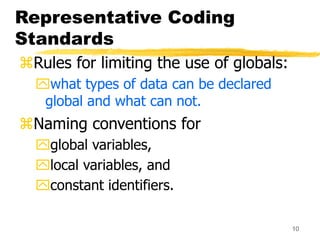
Representative Coding
Standards
Rules for limiting the use of globals:
what types of data can be declared
global and what can not.
Naming conventions for
global variables,
local variables, and
constant identifiers.
11
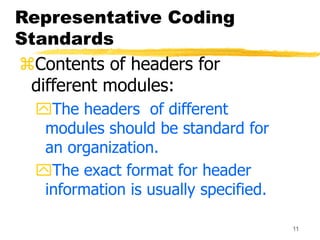
Representative Coding
Standards
Contents of headers for
different modules:
The headers of different
modules should be standard for
an organization.
The exact format for header
information is usually specified.
12
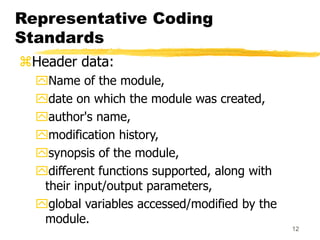
Representative Coding
Standards
Header data:
Name of the module,
date on which the module was created,
author's name,
modification history,
synopsis of the module,
different functions supported, along with
their input/output parameters,
global variables accessed/modified by the
module.
13
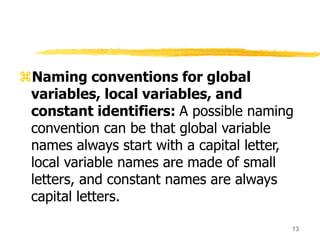
Naming conventions for global
variables, local variables, and
constant identifiers: A possible naming
convention can be that global variable
names always start with a capital letter,
local variable names are made of small
letters, and constant names are always
capital letters.
14
Representative Coding
Standards
Error return conventions and
exception handling mechanisms.
the way error and exception
conditions are handled should be
standard within an organization.
For example, when different functions
encounter error conditions
should either return a 0 or 1
consistently.
15
Representative Coding
Guidelines
Do not use too clever and difficult to
understand coding style.
Code should be easy to understand.
Many inexperienced engineers
actually take pride:
in writing cryptic and incomprehensible
code.
16
Representative Coding
Guidelines
Clever coding can obscure meaning
of the code:
hampers understanding.
makes later maintenance
difficult.
Avoid obscure side effects.
17
Representative Coding
Guidelines
Code should be well-documented.
Rules of thumb:
on the average there must be at least
one comment line
for every three source lines.
The length of any function should not
exceed 10 source lines.
18
Representative Coding
Guidelines
Lengthy functions:
usually very difficult to
understand
probably do too many different
things.
19
Representative Coding
Guidelines
Do not use goto statements.
Use of goto statements:
make a program unstructured
make it very difficult to
understand.
20
Code review
Code review for a model is carried out after the
module is successfully compiled and the all the
syntax errors have been eliminated.
Normally, two types of reviews are carried out
on the code of a module.
These two types code review techniques are
code inspection and code walk through.
21
Code Walk Through
An informal code analysis technique.
undertaken after the coding of a module is
complete.
A few members of the development team
select some test cases:
simulate execution of the code by hand using
these test cases.
Discussion should focus on discovery of
errors:
and not on how to fix the discovered errors.
22
The main objectives of the walk through are to
discover the algorithmic and logical errors in the
code.
The members note down their findings to
discuss these in a walk through meeting where
the coder of the module is present.
The team performing code walk through should
not be either too big or too small.
Ideally, it should consist of between three to seven
members.
23
Code Inspection
 In contrast to code walk through, the aim of code
inspection is to discover some common types of errors
caused due to oversight and improper programming.
 In addition to the commonly made errors, adherence to
coding standards is also checked during code inspection.
 Good software development companies collect statistics
regarding different types of errors commonly committed
by their engineers and identify the type of errors most
frequently committed.
 Such a list of commonly committed errors can be used
during code inspection to look out for possible errors.
24
Commonly made errors
Use of uninitialized variables.
Nonterminating loops.
Array indices out of bounds.
Improper storage allocation and
deallocation.
Actual and formal parameter mismatch in
procedure calls.
Jumps into loops.
25
Code Inspection
Use of incorrect logical operators
or incorrect precedence among operators.
Improper modification of loop variables.
Comparison of equality of floating point
values, etc.
Also during code inspection,
adherence to coding standards is checked.
26
Programming (Coding) Style &
Conventions
Check for errors early and often.
Return from errors immediately.
Have you checked for compiler warnings?
Warnings often point to real bugs.
If possible reduce object and file dependencies.
Eliminate needless import or include statements.
Check again for warnings or errors before
committing source code.
27

11. Lecture 19 Code standards and review.ppt

  • 1.
    1 Coding At the endof the design phase we have: module structure of the system module specifications: data structures and algorithms for each module. Objective of coding phase: transform design into code unit test the code.
  • 2.
    2 Coding Standards Good softwaredevelopment organizations require their programmers to: adhere some standard style of coding called coding standards.
  • 3.
    3 Coding Standards Many softwaredevelopment organizations: formulate their own coding standards that suits them most, require their engineers to follow these standards.
  • 4.
    4 Coding Standards Advantage ofadhering to a standard style of coding: it gives a uniform appearance to the codes written by different engineers, it enhances code understanding, encourages good programming practices.
  • 5.
    5 Coding Standards A codingstandard sets out standard ways of doing several things: the way variables are named, code is laid out, maximum number of source lines allowed per function, etc.
  • 6.
    6 Coding guidelines Provide generalsuggestions regarding coding style to be followed.
  • 7.
    7 Code inspection and codewalk throughs After a module has been coded, code inspection and code walk through are carried out ensures that coding standards are followed helps detect as many errors as possible before testing.
  • 8.
    8 Code inspection and codewalk throughs Detect as many errors as possible during inspection and walkthrough: detected errors require less effort for correction much higher effort needed if errors were to be detected during integration or system testing.
  • 9.
    9 Coding Standards and Guidelines Goodorganizations usually develop their own coding standards and guidelines: depending on what best suits their organization.
  • 10.
    10 Representative Coding Standards Rules forlimiting the use of globals: what types of data can be declared global and what can not. Naming conventions for global variables, local variables, and constant identifiers.
  • 11.
    11 Representative Coding Standards Contents ofheaders for different modules: The headers of different modules should be standard for an organization. The exact format for header information is usually specified.
  • 12.
    12 Representative Coding Standards Header data: Nameof the module, date on which the module was created, author's name, modification history, synopsis of the module, different functions supported, along with their input/output parameters, global variables accessed/modified by the module.
  • 13.
    13 Naming conventions forglobal variables, local variables, and constant identifiers: A possible naming convention can be that global variable names always start with a capital letter, local variable names are made of small letters, and constant names are always capital letters.
  • 14.
    14 Representative Coding Standards Error returnconventions and exception handling mechanisms. the way error and exception conditions are handled should be standard within an organization. For example, when different functions encounter error conditions should either return a 0 or 1 consistently.
  • 15.
    15 Representative Coding Guidelines Do notuse too clever and difficult to understand coding style. Code should be easy to understand. Many inexperienced engineers actually take pride: in writing cryptic and incomprehensible code.
  • 16.
    16 Representative Coding Guidelines Clever codingcan obscure meaning of the code: hampers understanding. makes later maintenance difficult. Avoid obscure side effects.
  • 17.
    17 Representative Coding Guidelines Code shouldbe well-documented. Rules of thumb: on the average there must be at least one comment line for every three source lines. The length of any function should not exceed 10 source lines.
  • 18.
    18 Representative Coding Guidelines Lengthy functions: usuallyvery difficult to understand probably do too many different things.
  • 19.
    19 Representative Coding Guidelines Do notuse goto statements. Use of goto statements: make a program unstructured make it very difficult to understand.
  • 20.
    20 Code review Code reviewfor a model is carried out after the module is successfully compiled and the all the syntax errors have been eliminated. Normally, two types of reviews are carried out on the code of a module. These two types code review techniques are code inspection and code walk through.
  • 21.
    21 Code Walk Through Aninformal code analysis technique. undertaken after the coding of a module is complete. A few members of the development team select some test cases: simulate execution of the code by hand using these test cases. Discussion should focus on discovery of errors: and not on how to fix the discovered errors.
  • 22.
    22 The main objectivesof the walk through are to discover the algorithmic and logical errors in the code. The members note down their findings to discuss these in a walk through meeting where the coder of the module is present. The team performing code walk through should not be either too big or too small. Ideally, it should consist of between three to seven members.
  • 23.
    23 Code Inspection  Incontrast to code walk through, the aim of code inspection is to discover some common types of errors caused due to oversight and improper programming.  In addition to the commonly made errors, adherence to coding standards is also checked during code inspection.  Good software development companies collect statistics regarding different types of errors commonly committed by their engineers and identify the type of errors most frequently committed.  Such a list of commonly committed errors can be used during code inspection to look out for possible errors.
  • 24.
    24 Commonly made errors Useof uninitialized variables. Nonterminating loops. Array indices out of bounds. Improper storage allocation and deallocation. Actual and formal parameter mismatch in procedure calls. Jumps into loops.
  • 25.
    25 Code Inspection Use ofincorrect logical operators or incorrect precedence among operators. Improper modification of loop variables. Comparison of equality of floating point values, etc. Also during code inspection, adherence to coding standards is checked.
  • 26.
    26 Programming (Coding) Style& Conventions Check for errors early and often. Return from errors immediately. Have you checked for compiler warnings? Warnings often point to real bugs. If possible reduce object and file dependencies. Eliminate needless import or include statements. Check again for warnings or errors before committing source code.
  • 27.