Downloaded 18 times

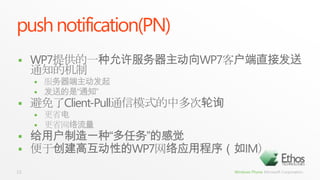
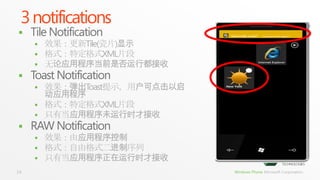
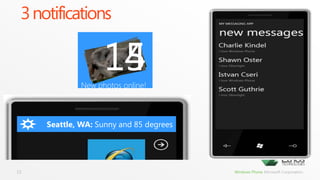
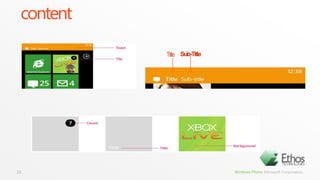
![send notification// <Notification Channel URI>在Chanel创建时由MPNS生成,是Chanel的唯一标识stringsubscriptionUri = "<Notification Channel URI>";HttpWebRequestsendNotificationRequest = (HttpWebRequest)WebRequest.Create(subscriptionUri); //必须使用POST方法发送通知sendNotificationRequest.Method= "POST"; // 添加HTTP头X-MessageID作为消息标识(可选)sendNotificationRequest.Headers.Add("X-MessageID", "<UUID>"); sendNotificationRequest.ContentLength= notificationMessage.Length; // 设置要发送的通知内容<payload>byte[] notificationMessage = new byte[] {<payload>}; using(Stream requestStream = sendNotificationRequest.GetRequestStream()) { requestStream.Write(notificationMessage, 0, notificationMessage.Length); } //向MPNS发送通知并获取响应HttpWebResponseresponse = (HttpWebResponse)sendNotificationRequest.GetResponse(); //从响应的HTTP头中提取相关结果stringnotificationStatus = response.Headers["X-NotificationStatus"]; stringnotificationChannelStatus = response.Headers["X-SubscriptionStatus"]; stringdeviceConnectionStatus = response.Headers["X-DeviceConnectionStatus"];21](https://image.slidesharecdn.com/08wp7-pushnotification-110720020959-phpapp01/85/08-wp7-push-notification-21-320.jpg)
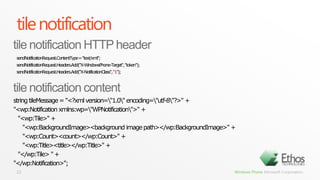
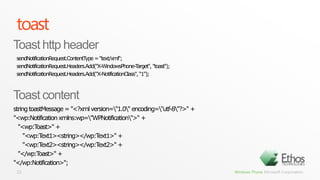
![send notification// <Notification Channel URI>在Chanel创建时由MPNS生成,是Chanel的唯一标识stringsubscriptionUri = "<Notification Channel URI>";HttpWebRequestsendNotificationRequest = (HttpWebRequest)WebRequest.Create(subscriptionUri); //必须使用POST方法发送通知sendNotificationRequest.Method= "POST"; // 添加HTTP头X-MessageID作为消息标识(可选)sendNotificationRequest.Headers.Add("X-MessageID", "<UUID>"); sendNotificationRequest.ContentLength= notificationMessage.Length; // 设置要发送的通知内容<payload>byte[] notificationMessage = new byte[] {<payload>}; using(Stream requestStream = sendNotificationRequest.GetRequestStream()) { requestStream.Write(notificationMessage, 0, notificationMessage.Length); } //向MPNS发送通知并获取响应HttpWebResponseresponse = (HttpWebResponse)sendNotificationRequest.GetResponse(); //从响应的HTTP头中提取相关结果stringnotificationStatus = response.Headers["X-NotificationStatus"]; stringnotificationChannelStatus = response.Headers["X-SubscriptionStatus"]; stringdeviceConnectionStatus = response.Headers["X-DeviceConnectionStatus"];24](https://image.slidesharecdn.com/08wp7-pushnotification-110720020959-phpapp01/85/08-wp7-push-notification-24-320.jpg)
![raw notificaitionsendNotificationRequest.Headers.Add("X-NotificationClass", “1");25RAW http headerRAWhttp contentnew byte[] {0x01, 0x02, 0x03, 0x04, 0x05, 0x06, 0x07, 0x08};](https://image.slidesharecdn.com/08wp7-pushnotification-110720020959-phpapp01/85/08-wp7-push-notification-25-320.jpg)


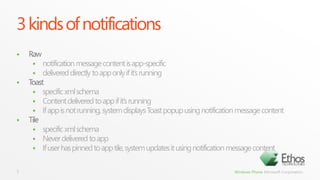
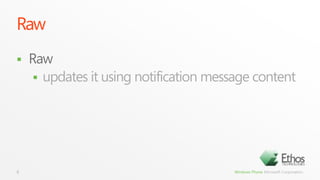
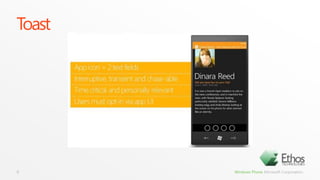
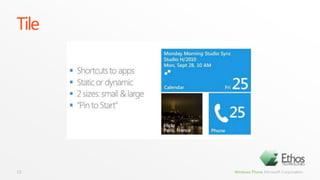
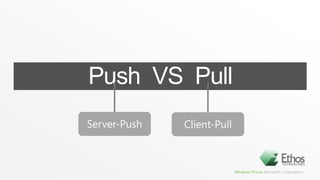
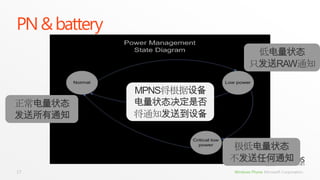
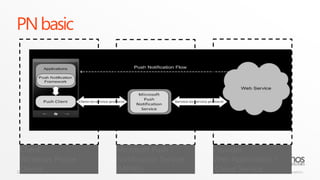
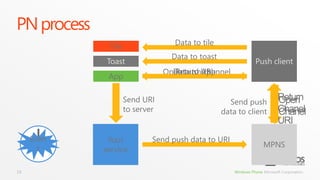
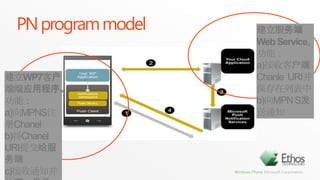
This document discusses Windows Phone 7 push notifications. It describes the three types of notifications - tile, toast, and raw notifications. Tile notifications update the app tile without launching the app. Toast notifications display a popup message that can launch the app. Raw notifications are delivered directly to an running app. The document provides code examples for sending each type of notification and details the notification protocols.


