Online Quiz
System
Prepared by:-
1.Avijit Karmakar(11/CSE/17)
2.Satyaki Mitra(11/CSE/49)
3.Pranab Sahoo(11/CSE/59)
4.Souradeep Hazra(11/CSE/51)
Project Coordinator:-
Abhijit Saha
Table of contents
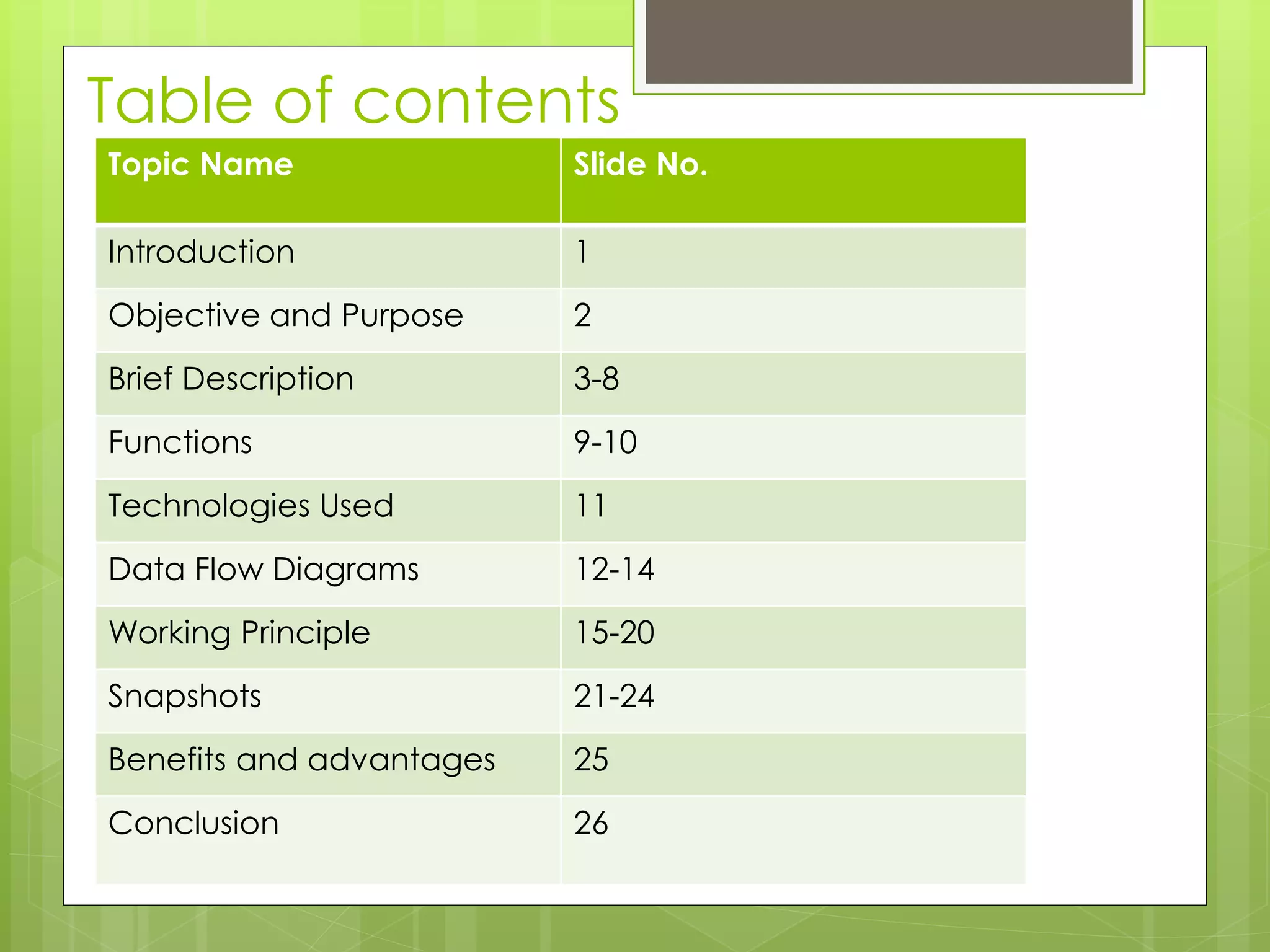
Topic Name Slide No.
Introduction 1
Objective and Purpose 2
Brief Description 3-8
Functions 9-10
Technologies Used 11
Data Flow Diagrams 12-14
Working Principle 15-20
Snapshots 21-24
Benefits and advantages 25
Conclusion 26
Introduction
ď‚› We have designed this website with the
purpose of allowing the students to give exams
and view their results. This site is an attempt to
remove the existing flaws in the manual system
of conducting exams.
ď‚› Students are provided the flexibility to choose
among different types of aptitude and
programming language tests.
Objective and Purpose
ď‚› After learning sophisticated subjects like Database
Management System , Networking and JAVA in the
field of Computer Science, we did not have much
opportunity to use them to develop some real life
applications.
ď‚› Moreover, we were yet to step into the ocean of web
development. These are the reasons which
encouraged us to take a topic like this and develop
our own online quiz application which covers the areas
mentioned above.
ď‚› This topic also allowed us to gain the necessary insights
to develop a real world application.
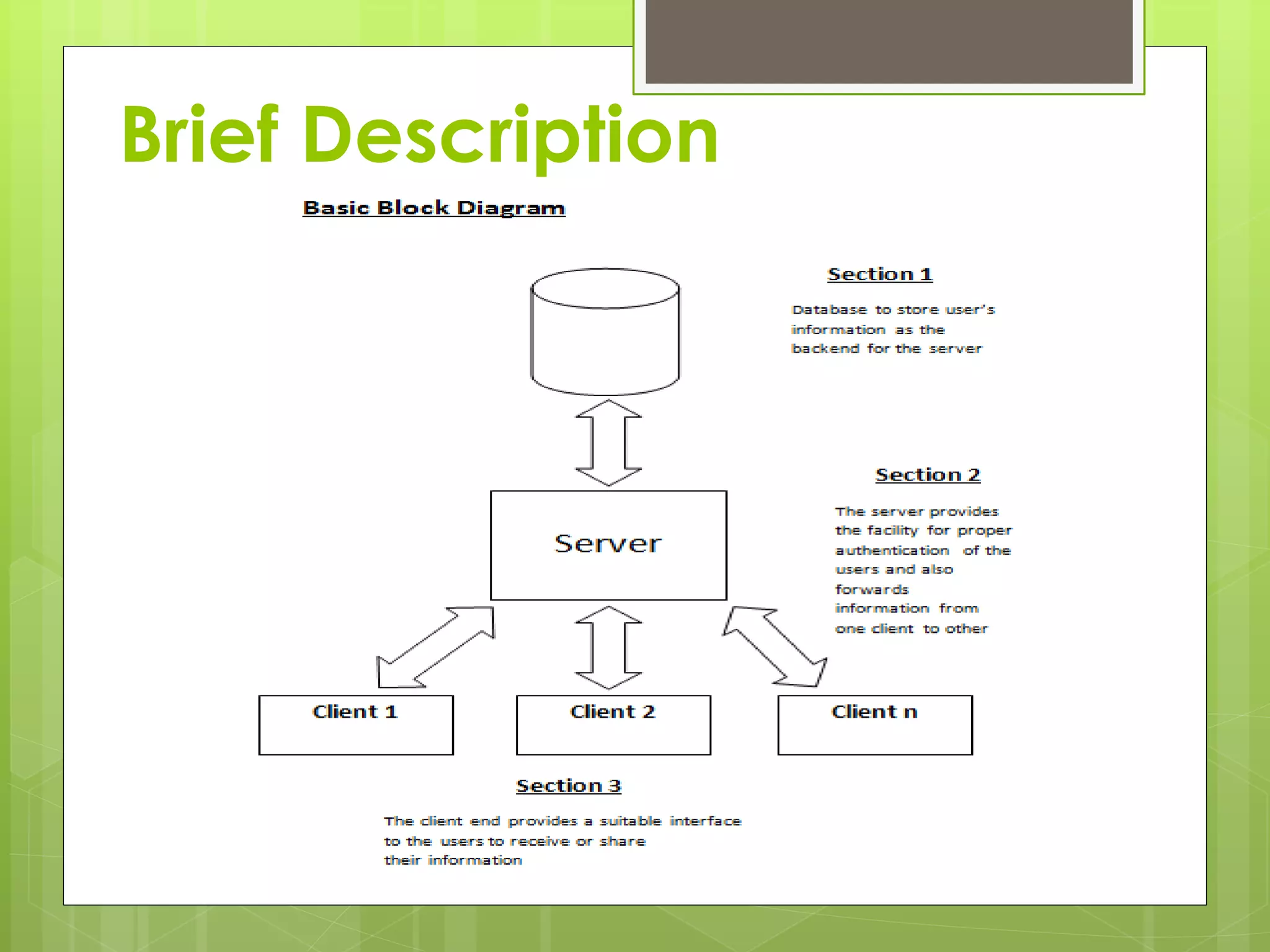
Brief Description
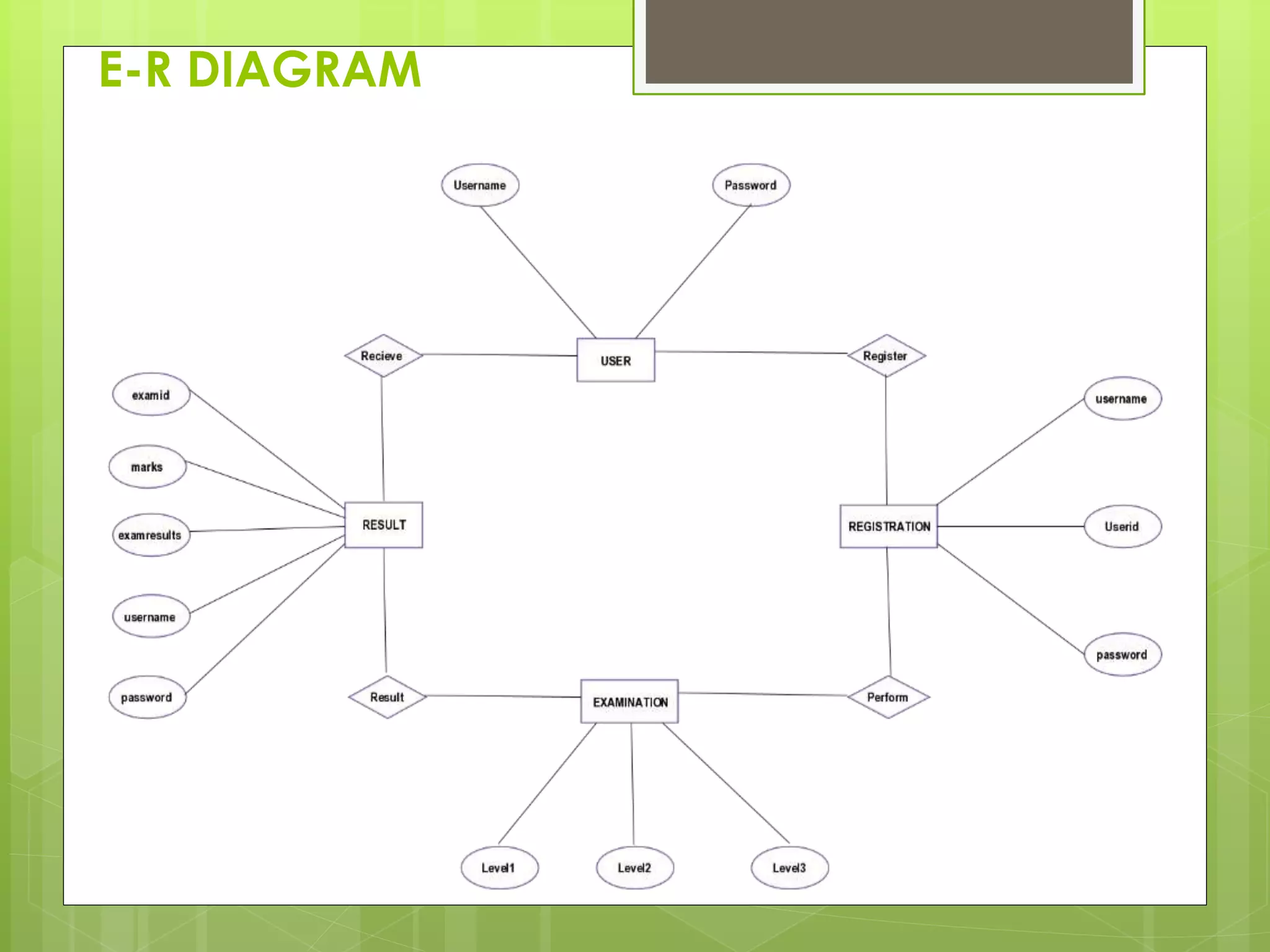
E-R DIAGRAM
Functions
Server End:
The functions of Server End are:
ď‚› To register an user who will appear for the
first time
ď‚› To authenticate an existing user
ď‚› And the most important to route the
information from source client to
appropriate destination client
Client End:
The functions of the Client End are:
ď‚›To instruct the users who want to
register
ď‚›Provide proper interface to sign-in,
login, and test.
Technologies Used
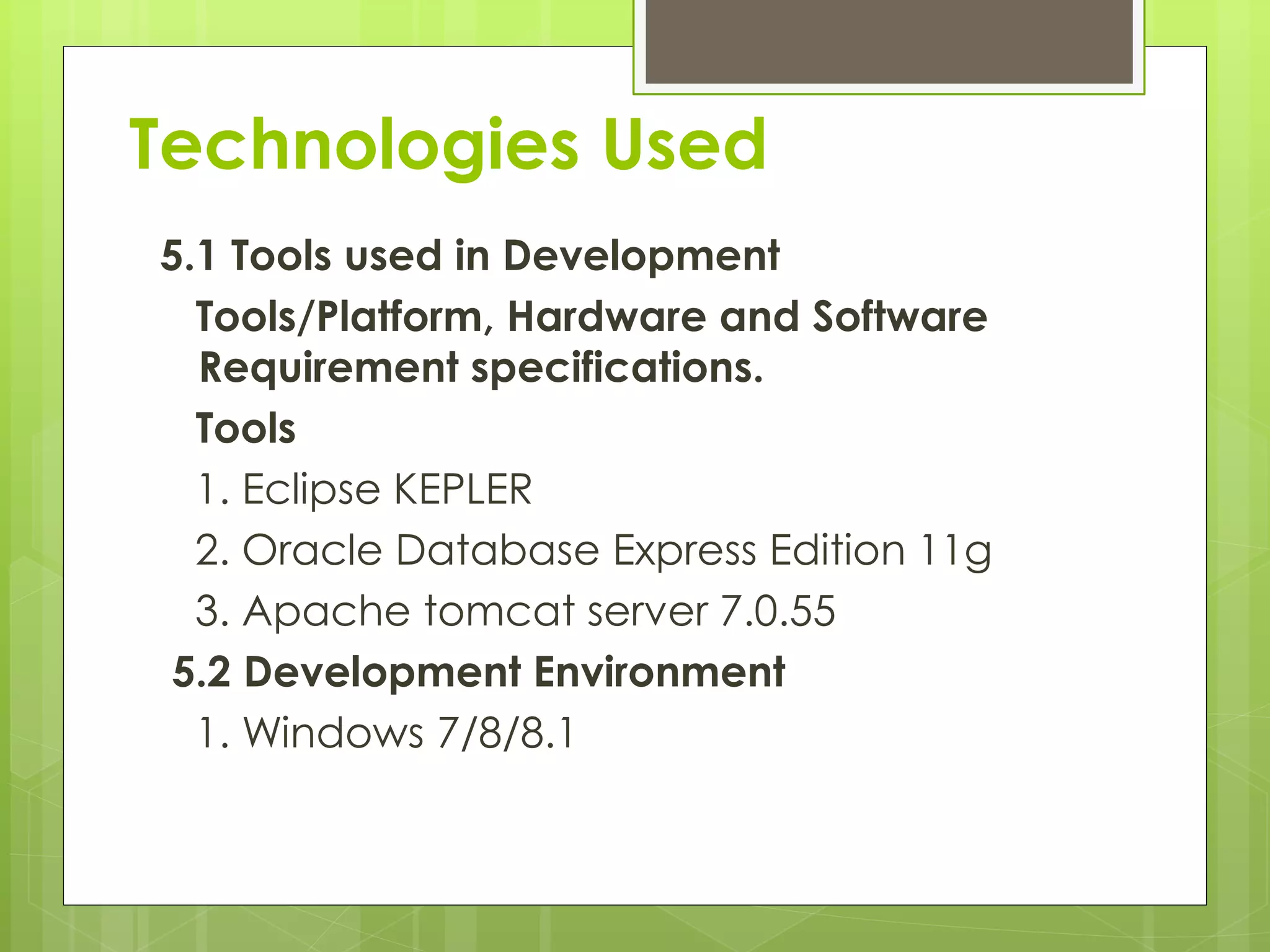
5.1 Tools used in Development
Tools/Platform, Hardware and Software
Requirement specifications.
Tools
1. Eclipse KEPLER
2. Oracle Database Express Edition 11g
3. Apache tomcat server 7.0.55
5.2 Development Environment
1. Windows 7/8/8.1
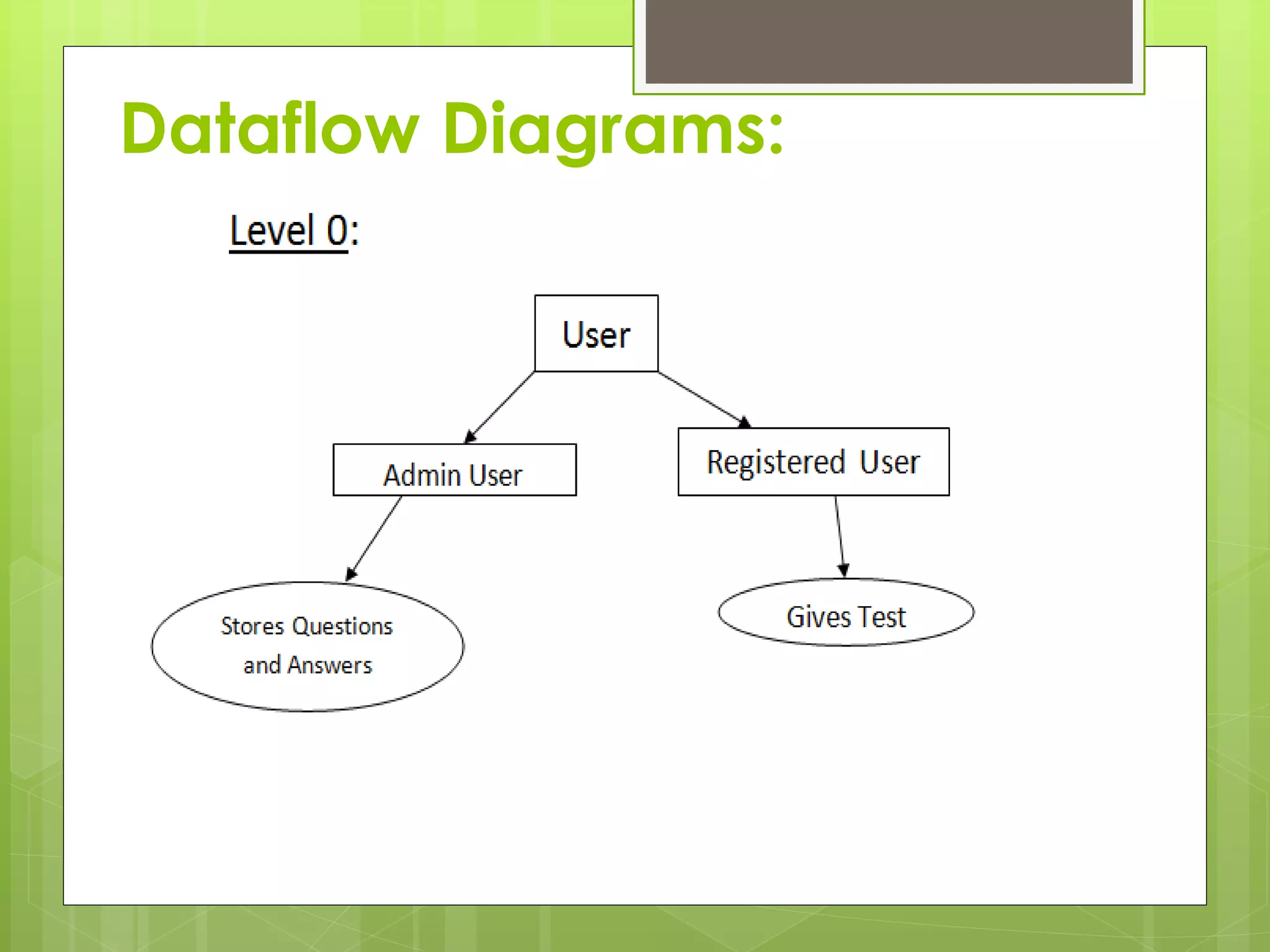
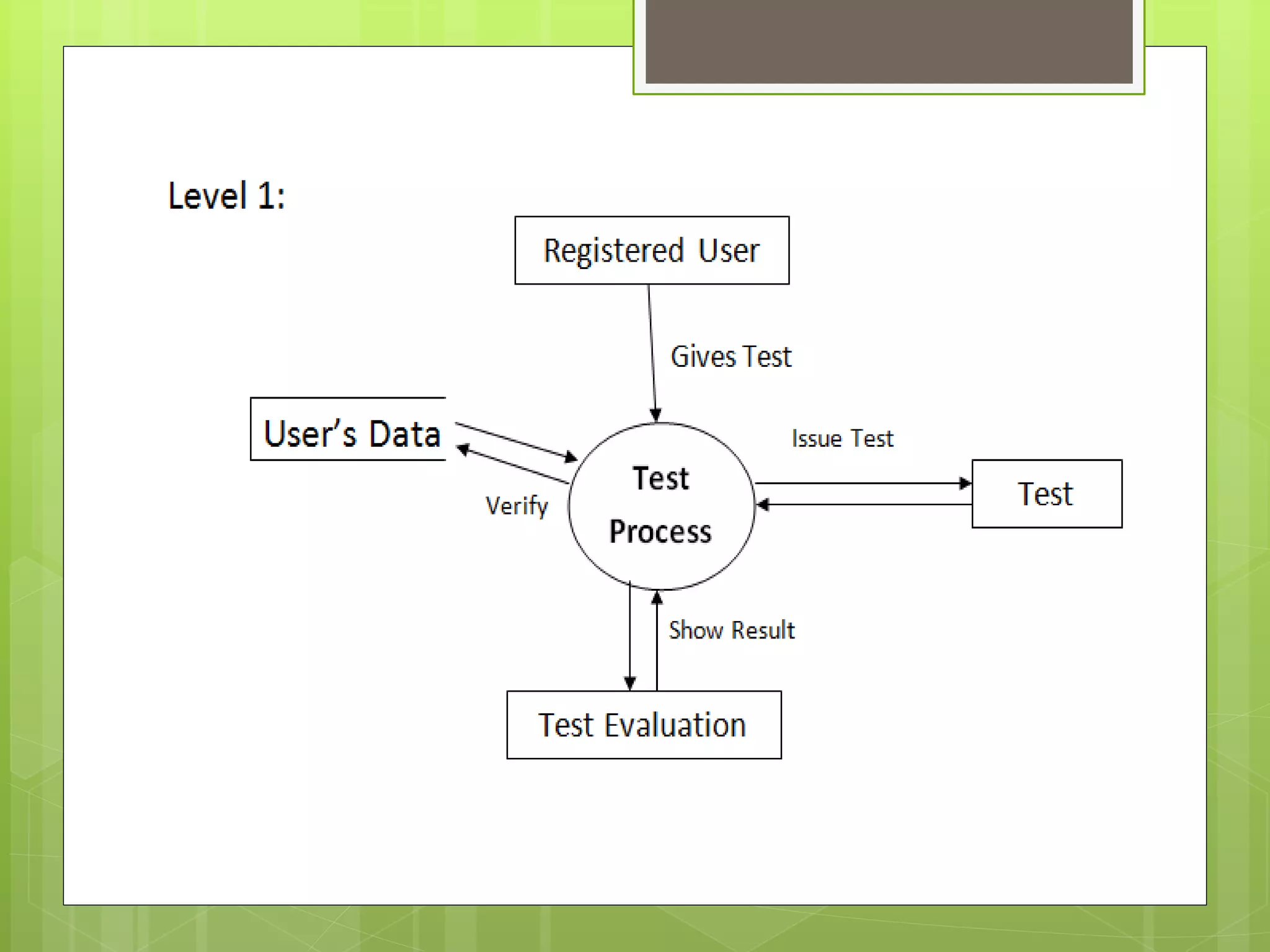
Dataflow Diagrams:
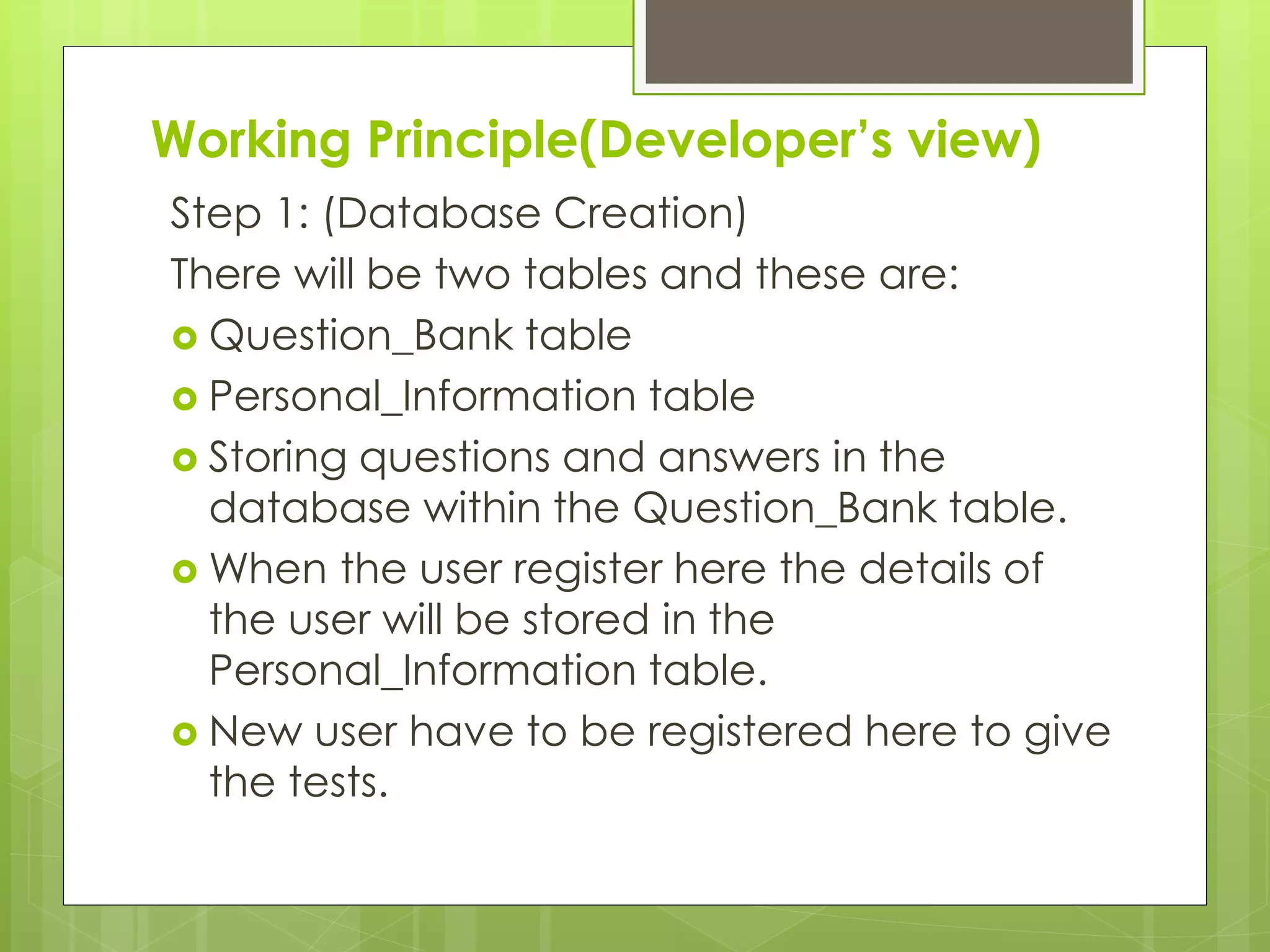
Working Principle(Developer’s view)
Step 1: (Database Creation)
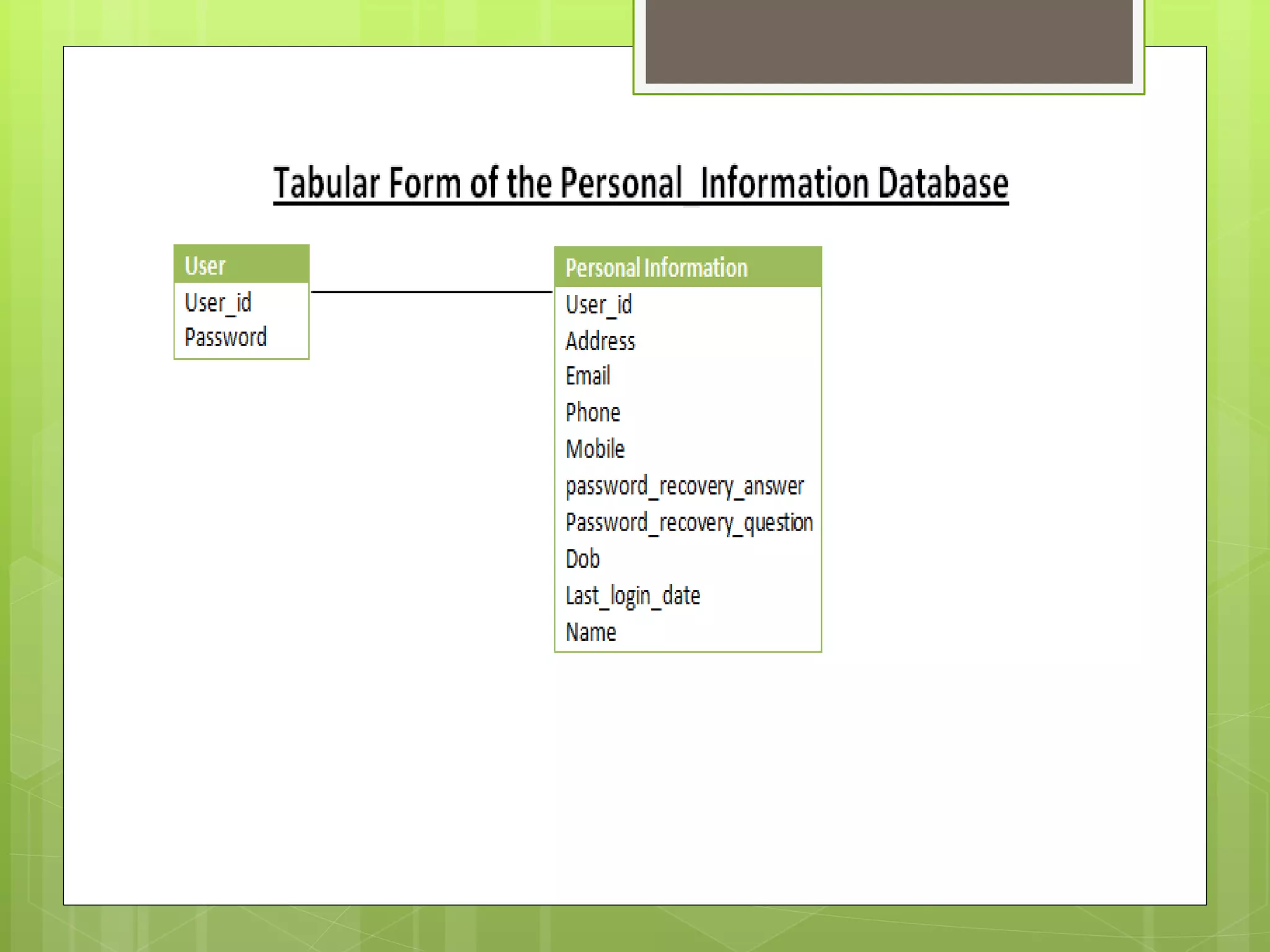
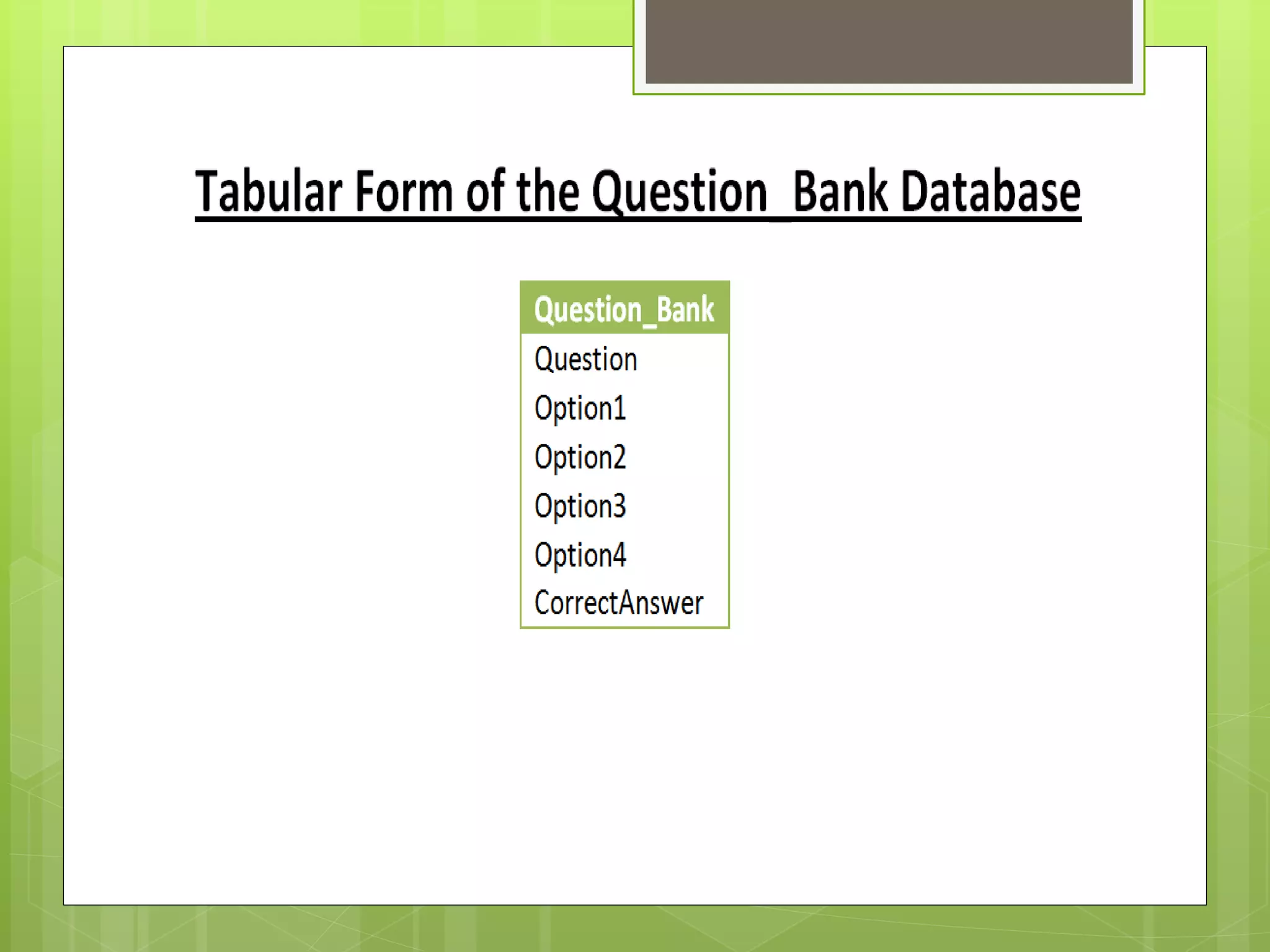
There will be two tables and these are:
ď‚› Question_Bank table
ď‚› Personal_Information table
ď‚› Storing questions and answers in the
database within the Question_Bank table.
ď‚› When the user register here the details of
the user will be stored in the
Personal_Information table.
ď‚› New user have to be registered here to give
the tests.
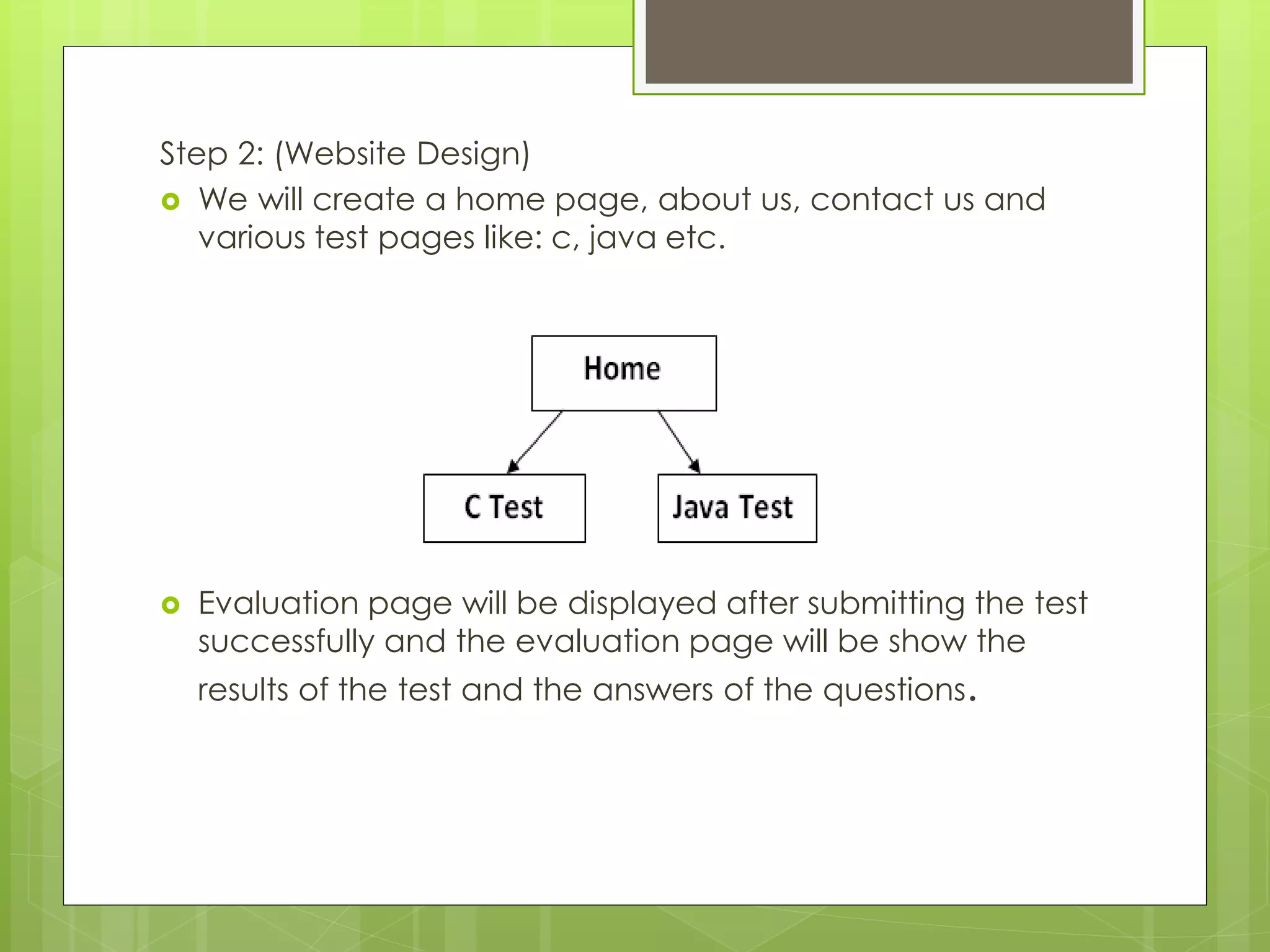
Step 2: (Website Design)
ď‚› We will create a home page, about us, contact us and
various test pages like: c, java etc.
ď‚› Evaluation page will be displayed after submitting the test
successfully and the evaluation page will be show the
results of the test and the answers of the questions.
Step 3: (Logic)
ď‚› When the user registering in this site at that
time the details of the user should be
validated.
ď‚› The given answers will be tested from the
database and the result will be calculated
according to the right answers. Then the
result will be shown on the screen.
Working Principle(User’s View)
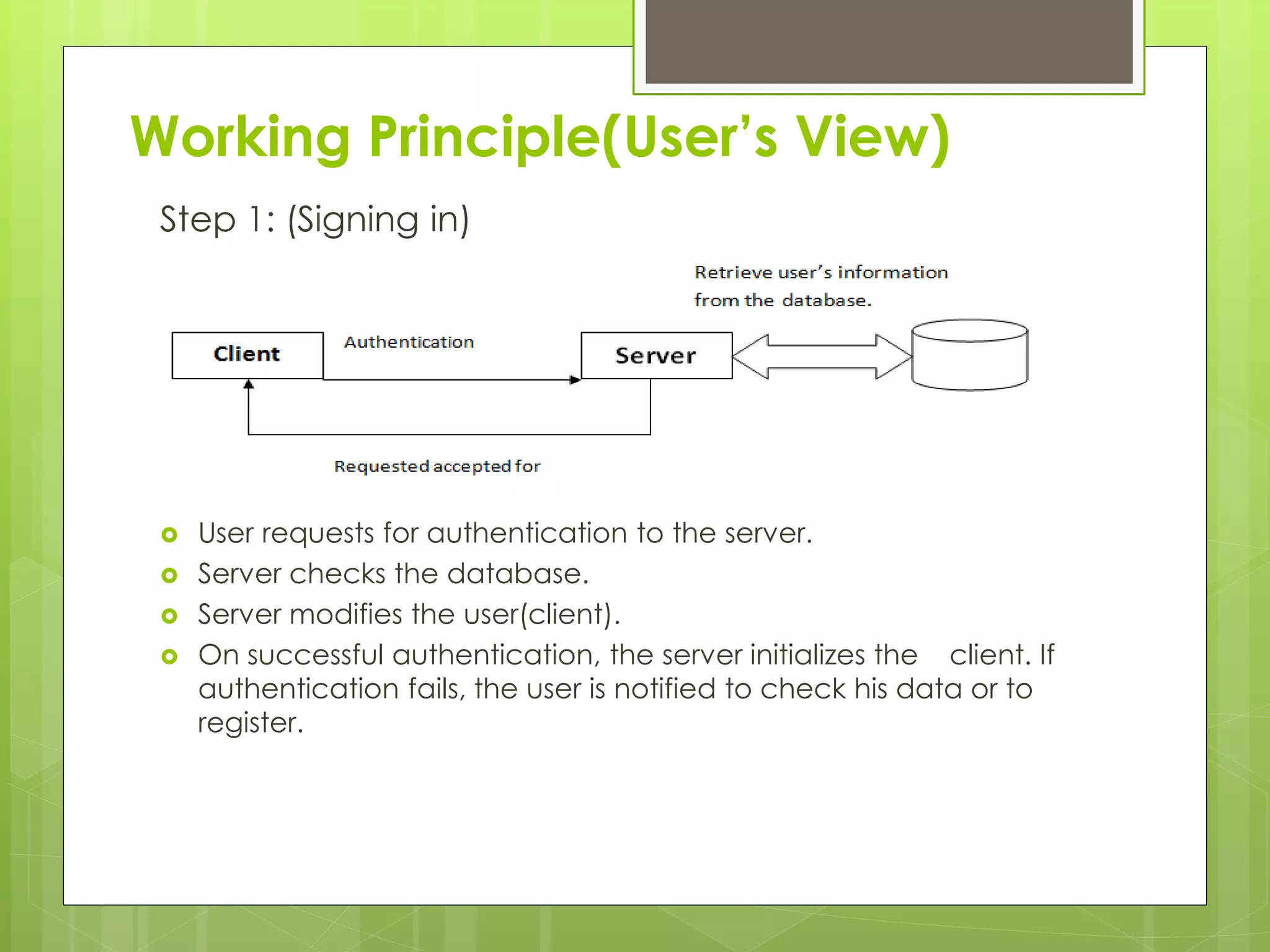
Step 1: (Signing in)
ď‚› User requests for authentication to the server.
ď‚› Server checks the database.
ď‚› Server modifies the user(client).
ď‚› On successful authentication, the server initializes the client. If
authentication fails, the user is notified to check his data or to
register.
Step 2: (Registration)
ď‚› Users can apply for a registration form from the server.
ď‚› The server then provides the form.
ď‚› The user submits the form after filling it up.
ď‚› Server checks the form to ensure the data given in the form does not
violate any constraints.
ď‚› The server updates the database and notifies the user about the
progress.
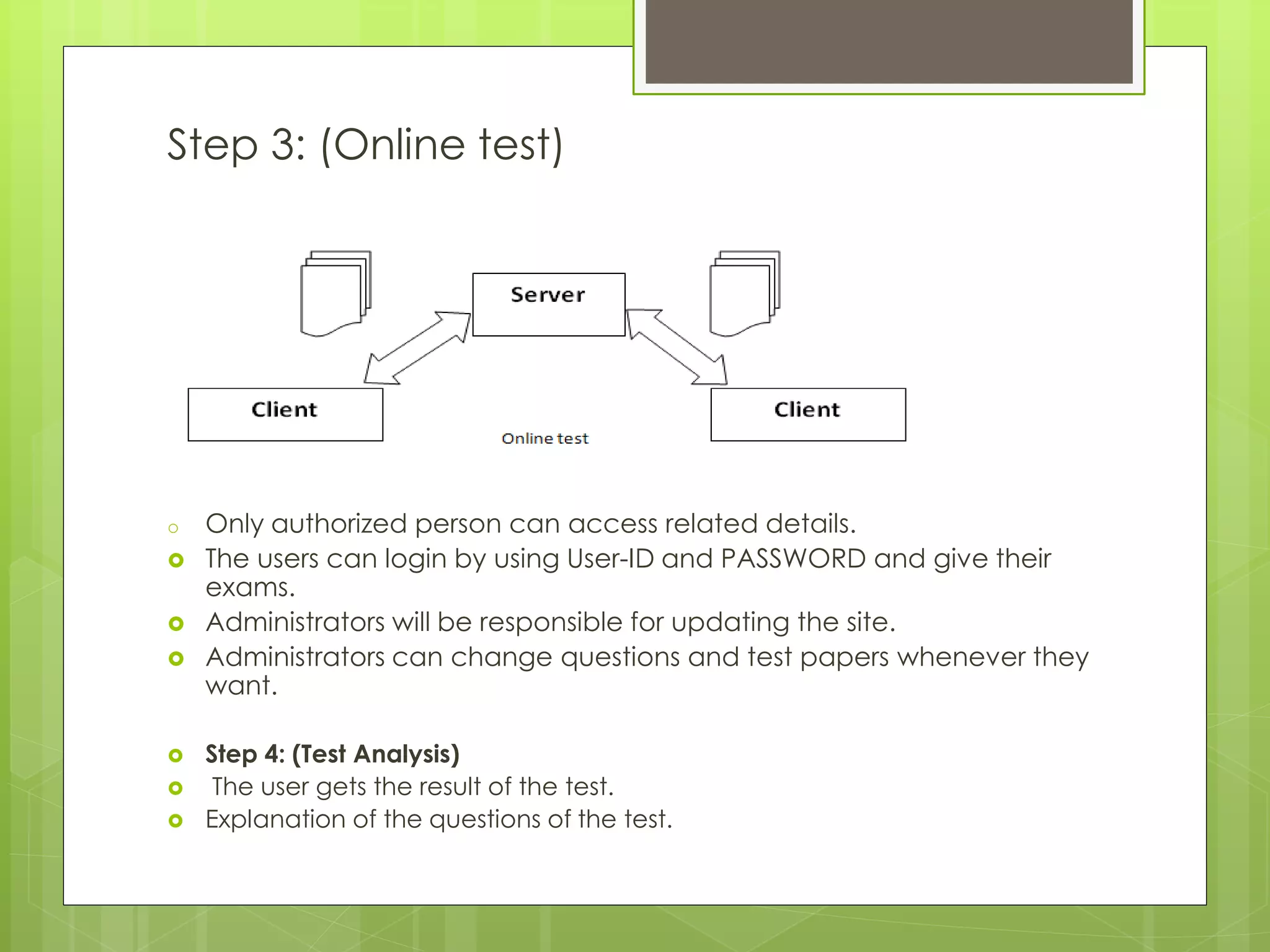
Step 3: (Online test)
o Only authorized person can access related details.
ď‚› The users can login by using User-ID and PASSWORD and give their
exams.
ď‚› Administrators will be responsible for updating the site.
ď‚› Administrators can change questions and test papers whenever they
want.
ď‚› Step 4: (Test Analysis)
ď‚› The user gets the result of the test.
ď‚› Explanation of the questions of the test.
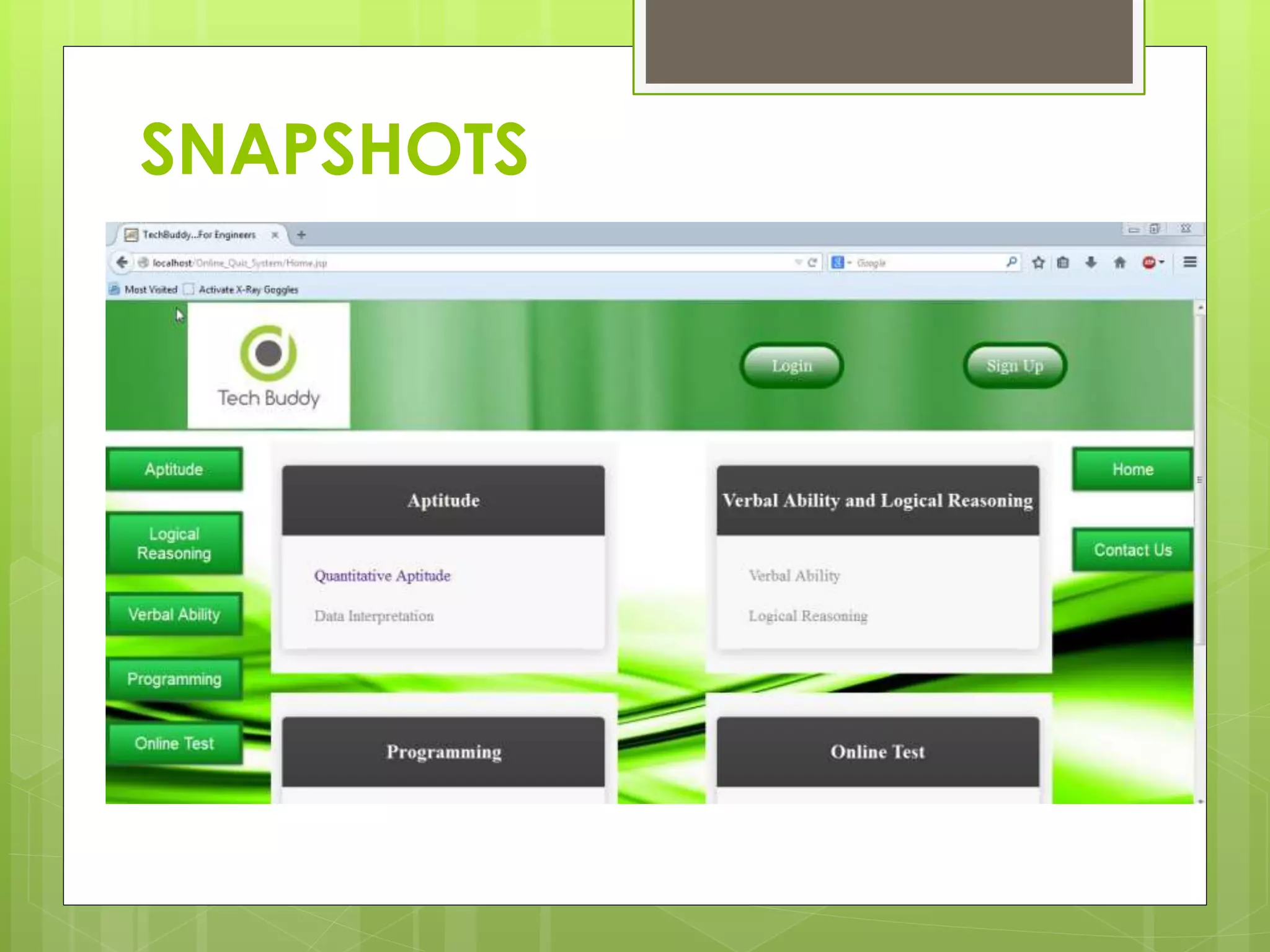
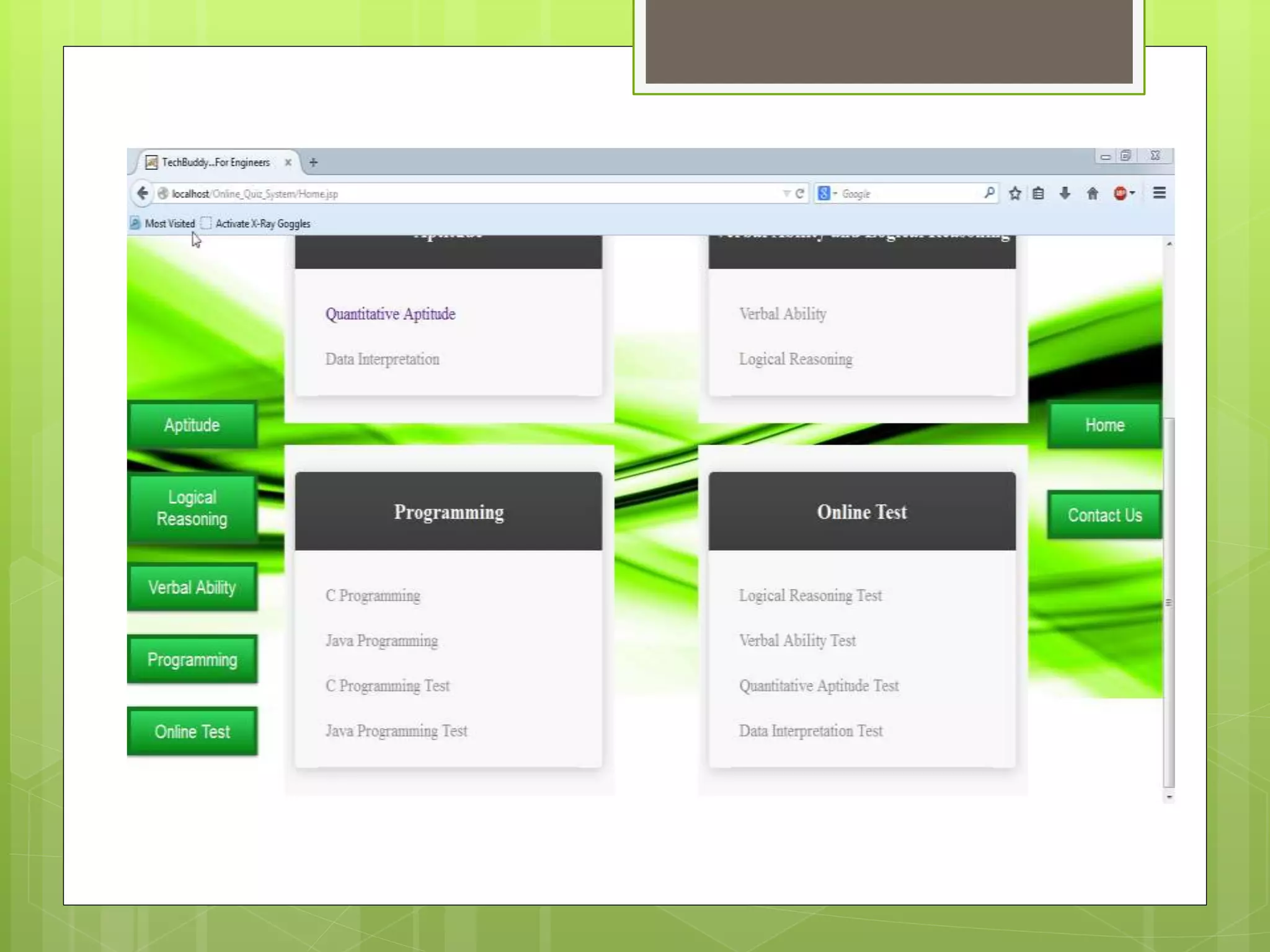
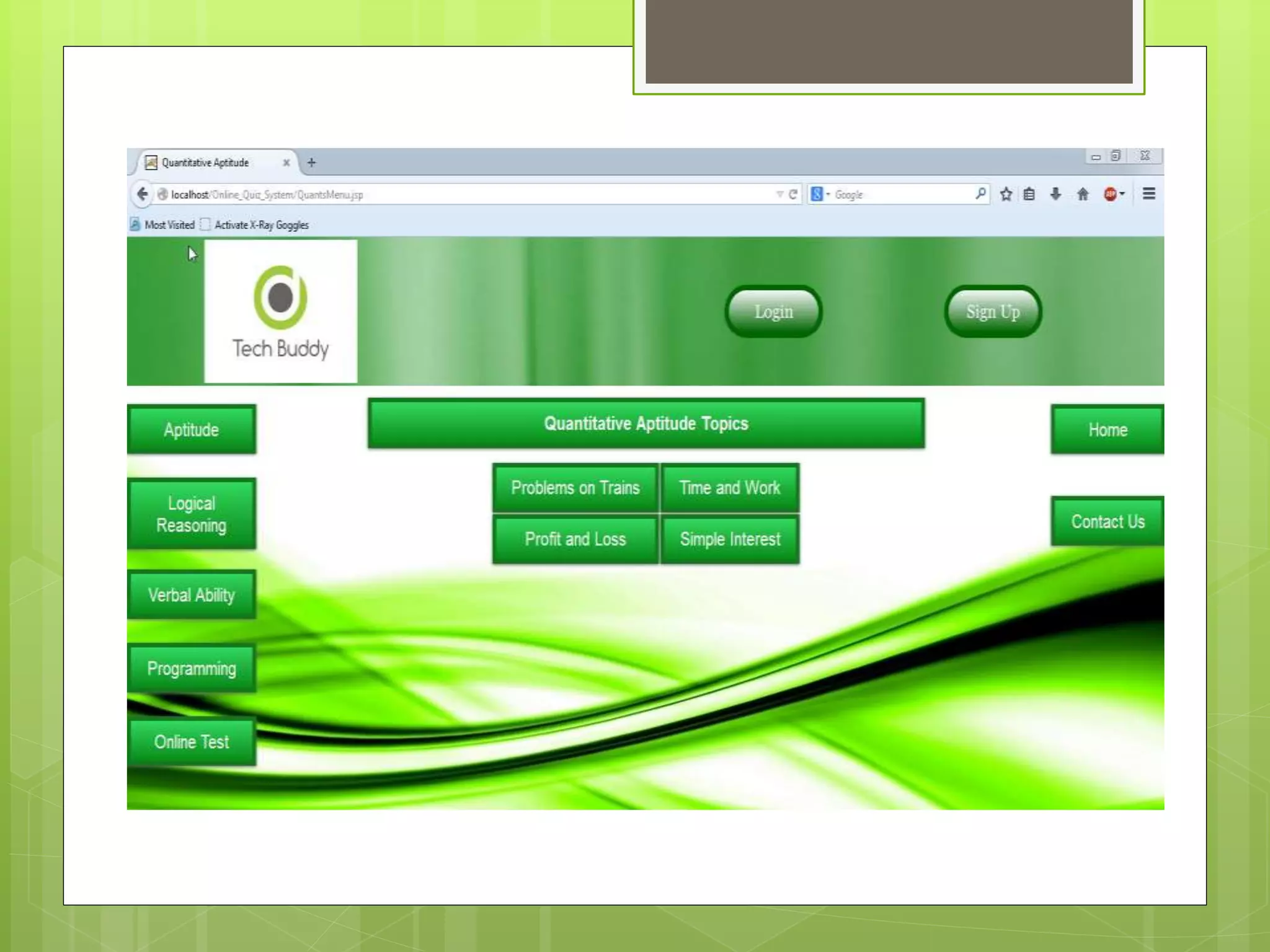
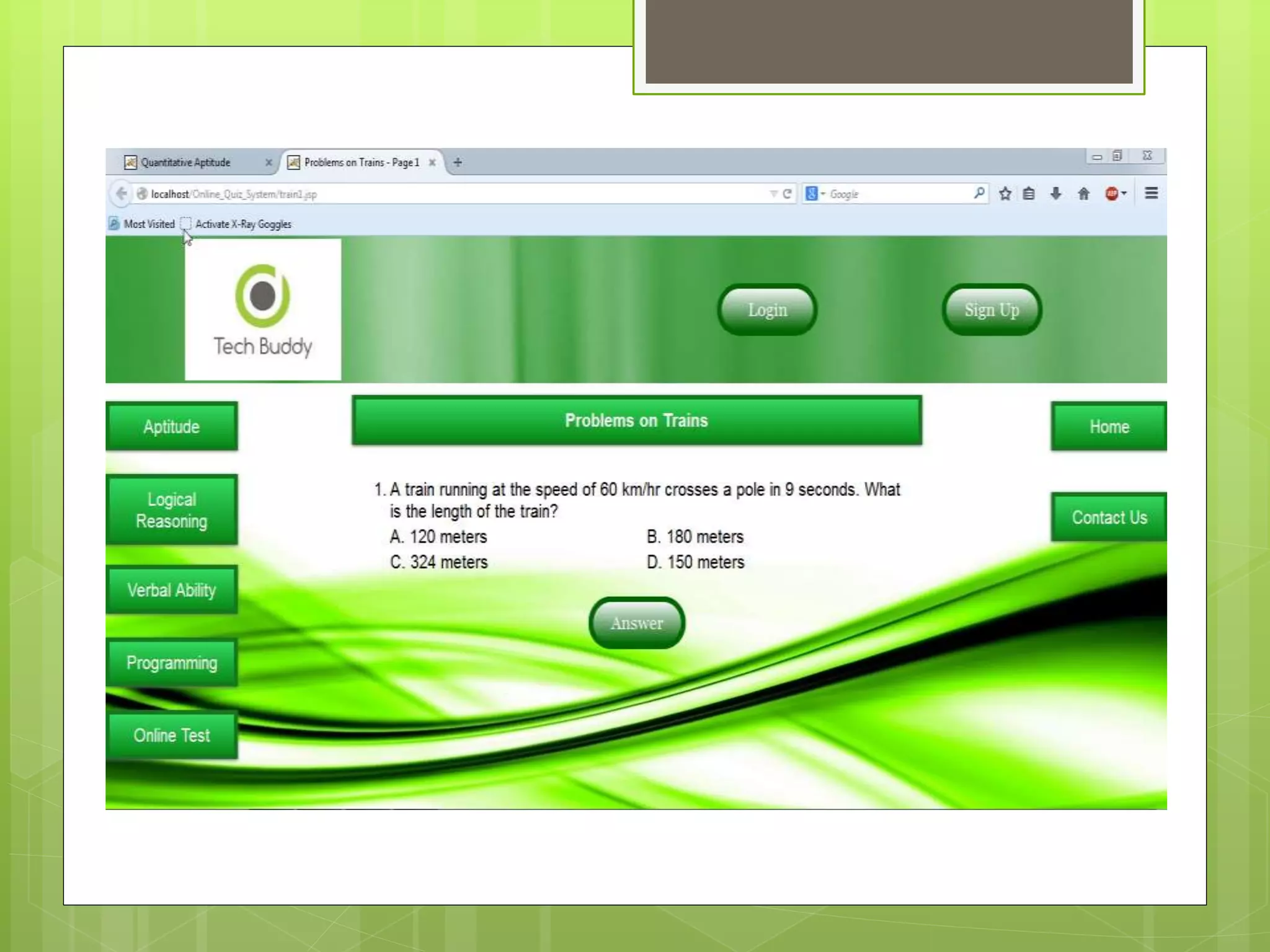
SNAPSHOTS
Benefits and Advantages
ď‚› Allows registered users to take test and view their
result online.
ď‚› Provides a platform where users can choose from a
variety of aptitude tests.
ď‚› Uses can view the progress they have made.
ď‚› Users are allowed to take each test several times.
ď‚› The application also provides hints for difficult
questions.
ď‚› Users can also view explanatory answers.
Conclusion
o This project has helped us in getting a
clearer understanding of real world
application development.
o It has provided us a deeper insight into
connecting databases with servers.
o The entire learning outcome of this project
has proved to be immensely beneficial for
our future application development.

Online quiz system

  • 1.
    Online Quiz System Prepared by:- 1.AvijitKarmakar(11/CSE/17) 2.Satyaki Mitra(11/CSE/49) 3.Pranab Sahoo(11/CSE/59) 4.Souradeep Hazra(11/CSE/51) Project Coordinator:- Abhijit Saha
  • 2.
    Table of contents TopicName Slide No. Introduction 1 Objective and Purpose 2 Brief Description 3-8 Functions 9-10 Technologies Used 11 Data Flow Diagrams 12-14 Working Principle 15-20 Snapshots 21-24 Benefits and advantages 25 Conclusion 26
  • 3.
    Introduction ď‚› We havedesigned this website with the purpose of allowing the students to give exams and view their results. This site is an attempt to remove the existing flaws in the manual system of conducting exams. ď‚› Students are provided the flexibility to choose among different types of aptitude and programming language tests.
  • 4.
    Objective and Purpose ď‚›After learning sophisticated subjects like Database Management System , Networking and JAVA in the field of Computer Science, we did not have much opportunity to use them to develop some real life applications. ď‚› Moreover, we were yet to step into the ocean of web development. These are the reasons which encouraged us to take a topic like this and develop our own online quiz application which covers the areas mentioned above. ď‚› This topic also allowed us to gain the necessary insights to develop a real world application.
  • 5.
  • 6.
  • 9.
    Functions Server End: The functionsof Server End are: ď‚› To register an user who will appear for the first time ď‚› To authenticate an existing user ď‚› And the most important to route the information from source client to appropriate destination client
  • 10.
    Client End: The functionsof the Client End are: ď‚›To instruct the users who want to register ď‚›Provide proper interface to sign-in, login, and test.
  • 11.
    Technologies Used 5.1 Toolsused in Development Tools/Platform, Hardware and Software Requirement specifications. Tools 1. Eclipse KEPLER 2. Oracle Database Express Edition 11g 3. Apache tomcat server 7.0.55 5.2 Development Environment 1. Windows 7/8/8.1
  • 12.
  • 15.
    Working Principle(Developer’s view) Step1: (Database Creation) There will be two tables and these are:  Question_Bank table  Personal_Information table  Storing questions and answers in the database within the Question_Bank table.  When the user register here the details of the user will be stored in the Personal_Information table.  New user have to be registered here to give the tests.
  • 16.
    Step 2: (WebsiteDesign) ď‚› We will create a home page, about us, contact us and various test pages like: c, java etc. ď‚› Evaluation page will be displayed after submitting the test successfully and the evaluation page will be show the results of the test and the answers of the questions.
  • 17.
    Step 3: (Logic) ď‚›When the user registering in this site at that time the details of the user should be validated. ď‚› The given answers will be tested from the database and the result will be calculated according to the right answers. Then the result will be shown on the screen.
  • 18.
    Working Principle(User’s View) Step1: (Signing in)  User requests for authentication to the server.  Server checks the database.  Server modifies the user(client).  On successful authentication, the server initializes the client. If authentication fails, the user is notified to check his data or to register.
  • 19.
    Step 2: (Registration) ď‚›Users can apply for a registration form from the server. ď‚› The server then provides the form. ď‚› The user submits the form after filling it up. ď‚› Server checks the form to ensure the data given in the form does not violate any constraints. ď‚› The server updates the database and notifies the user about the progress.
  • 20.
    Step 3: (Onlinetest) o Only authorized person can access related details. ď‚› The users can login by using User-ID and PASSWORD and give their exams. ď‚› Administrators will be responsible for updating the site. ď‚› Administrators can change questions and test papers whenever they want. ď‚› Step 4: (Test Analysis) ď‚› The user gets the result of the test. ď‚› Explanation of the questions of the test.
  • 21.
  • 25.
    Benefits and Advantages ď‚›Allows registered users to take test and view their result online. ď‚› Provides a platform where users can choose from a variety of aptitude tests. ď‚› Uses can view the progress they have made. ď‚› Users are allowed to take each test several times. ď‚› The application also provides hints for difficult questions. ď‚› Users can also view explanatory answers.
  • 26.
    Conclusion o This projecthas helped us in getting a clearer understanding of real world application development. o It has provided us a deeper insight into connecting databases with servers. o The entire learning outcome of this project has proved to be immensely beneficial for our future application development.