
By: Rohan Walia
http://www.linkedin.com/in/rohanwalia
http://rohanwalia.blogspot.in/
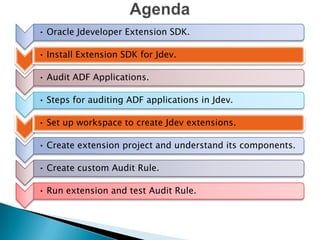
• Oracle Jdeveloper Extension SDK.
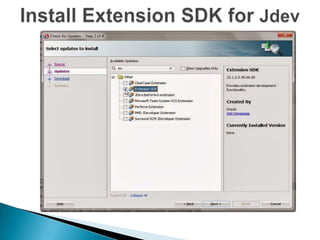
• Install Extension SDK for Jdev.

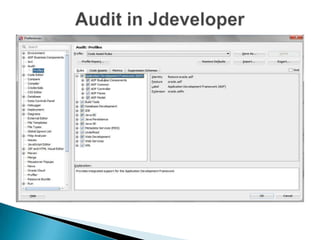
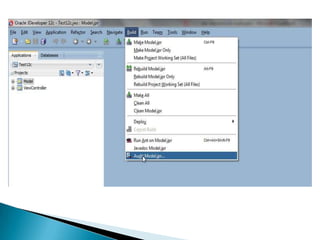
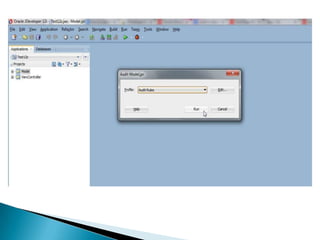
• Audit ADF Applications.
• Steps for auditing ADF applications in Jdev.
• Set up workspace to create Jdev extensions.
• Create extension project and understand its components.
• Create custom Audit Rule.
• Run extension and test Audit Rule.
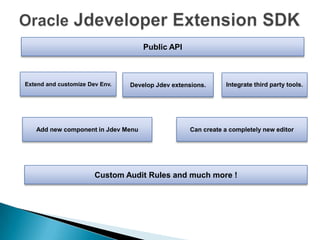
Public API

Extend and customize Dev Env.

Develop Jdev extensions.

Add new component in Jdev Menu

Integrate third party tools.

Can create a completely new editor

Custom Audit Rules and much more !
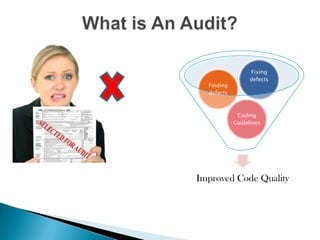
Finding
defects

Fixing
defects

Coding
Guidelines

Improved Code Quality
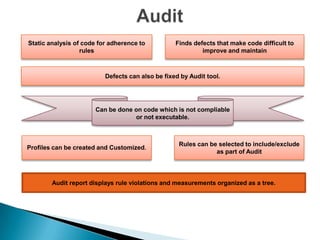
Static analysis of code for adherence to
rules

Finds defects that make code difficult to
improve and maintain

Defects can also be fixed by Audit tool.

Can be done on code which is not compliable
or not executable.

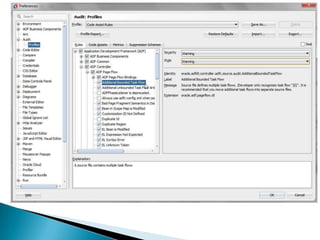
Profiles can be created and Customized.

Rules can be selected to include/exclude
as part of Audit

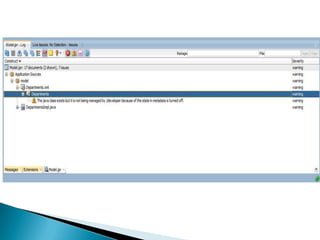
Audit report displays rule violations and measurements organized as a tree.
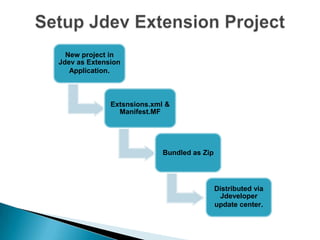
New project in
Jdev as Extension
Application.

Extsnsions.xml &
Manifest.MF

Bundled as Zip

Distributed via
Jdeveloper
update center.
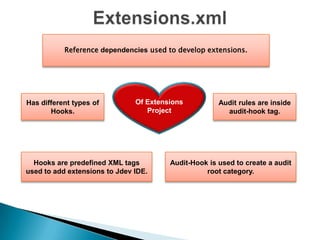
Reference dependencies used to develop extensions.

Has different types of
Hooks.

Of Extensions
Project

Hooks are predefined XML tags
used to add extensions to Jdev IDE.

Audit rules are inside
audit-hook tag.

Audit-Hook is used to create a audit
root category.
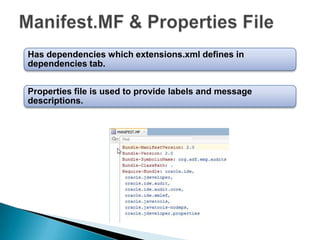
Has dependencies which extensions.xml defines in
dependencies tab.
Properties file is used to provide labels and message
descriptions.
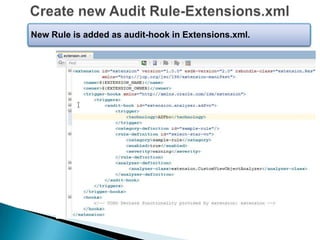
New Rule is added as audit-hook in Extensions.xml.
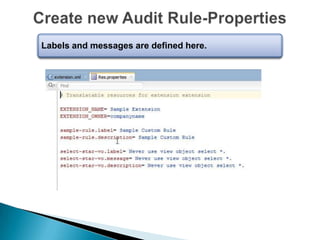
Labels and messages are defined here.
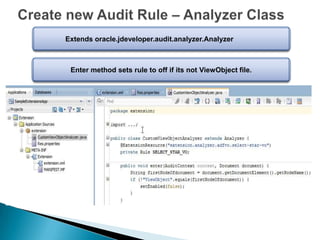
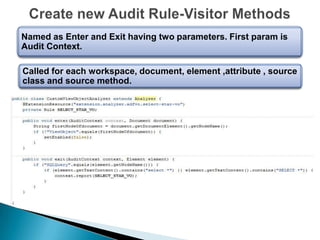
Extends oracle.jdeveloper.audit.analyzer.Analyzer

Enter method sets rule to off if its not ViewObject file.
Named as Enter and Exit having two parameters. First param is
Audit Context.
Called for each workspace, document, element ,attribute , source
class and source method.
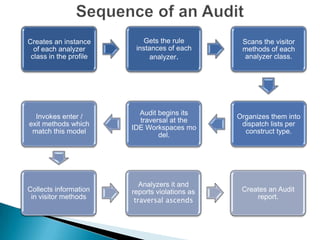
Creates an instance
of each analyzer
class in the profile

Gets the rule
instances of each
analyzer.

Scans the visitor
methods of each
analyzer class.

Invokes enter /
exit methods which
match this model

Audit begins its
traversal at the
IDE Workspaces mo
del.

Organizes them into
dispatch lists per
construct type.

Collects information
in visitor methods

Analyzers it and
reports violations as
traversal ascends

Creates an Audit
report.
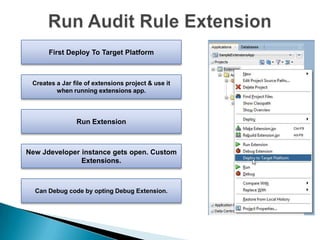
First Deploy To Target Platform

Creates a Jar file of extensions project & use it
when running extensions app.

Run Extension

New Jdeveloper instance gets open. Custom
Extensions.

Can Debug code by opting Debug Extension.
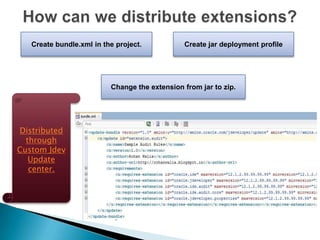
Create bundle.xml in the project.

Create jar deployment profile

Change the extension from jar to zip.

Distributed
through
Custom Jdev
Update
center.


Creating Audit Rules :
https://blogs.oracle.com/jdevextensions/entry/don_t_fear_the_audit



Audit Rules Index Page : www.olrichs.nl/2014/01/index-page-for-audit-rules.html



http://www.olrichs.nl/2013/10/write-your-own-audit-rule-extension-in.html



Distribute extensions : http://www.olrichs.nl/2014/01/distribute-your-extensionwith.html
Jdev Extensions & Custom Audit Rules

Jdev Extensions & Custom Audit Rules

  • 1.
  • 2.
    • Oracle JdeveloperExtension SDK. • Install Extension SDK for Jdev. • Audit ADF Applications. • Steps for auditing ADF applications in Jdev. • Set up workspace to create Jdev extensions. • Create extension project and understand its components. • Create custom Audit Rule. • Run extension and test Audit Rule.
  • 3.
    Public API Extend andcustomize Dev Env. Develop Jdev extensions. Add new component in Jdev Menu Integrate third party tools. Can create a completely new editor Custom Audit Rules and much more !
  • 5.
  • 6.
    Static analysis ofcode for adherence to rules Finds defects that make code difficult to improve and maintain Defects can also be fixed by Audit tool. Can be done on code which is not compliable or not executable. Profiles can be created and Customized. Rules can be selected to include/exclude as part of Audit Audit report displays rule violations and measurements organized as a tree.
  • 13.
    New project in Jdevas Extension Application. Extsnsions.xml & Manifest.MF Bundled as Zip Distributed via Jdeveloper update center.
  • 15.
    Reference dependencies usedto develop extensions. Has different types of Hooks. Of Extensions Project Hooks are predefined XML tags used to add extensions to Jdev IDE. Audit rules are inside audit-hook tag. Audit-Hook is used to create a audit root category.
  • 16.
    Has dependencies whichextensions.xml defines in dependencies tab. Properties file is used to provide labels and message descriptions.
  • 17.
    New Rule isadded as audit-hook in Extensions.xml.
  • 18.
    Labels and messagesare defined here.
  • 19.
    Extends oracle.jdeveloper.audit.analyzer.Analyzer Enter methodsets rule to off if its not ViewObject file.
  • 20.
    Named as Enterand Exit having two parameters. First param is Audit Context. Called for each workspace, document, element ,attribute , source class and source method.
  • 21.
    Creates an instance ofeach analyzer class in the profile Gets the rule instances of each analyzer. Scans the visitor methods of each analyzer class. Invokes enter / exit methods which match this model Audit begins its traversal at the IDE Workspaces mo del. Organizes them into dispatch lists per construct type. Collects information in visitor methods Analyzers it and reports violations as traversal ascends Creates an Audit report.
  • 22.
    First Deploy ToTarget Platform Creates a Jar file of extensions project & use it when running extensions app. Run Extension New Jdeveloper instance gets open. Custom Extensions. Can Debug code by opting Debug Extension.
  • 23.
    Create bundle.xml inthe project. Create jar deployment profile Change the extension from jar to zip. Distributed through Custom Jdev Update center.
  • 25.
     Creating Audit Rules: https://blogs.oracle.com/jdevextensions/entry/don_t_fear_the_audit  Audit Rules Index Page : www.olrichs.nl/2014/01/index-page-for-audit-rules.html  http://www.olrichs.nl/2013/10/write-your-own-audit-rule-extension-in.html  Distribute extensions : http://www.olrichs.nl/2014/01/distribute-your-extensionwith.html