Mahout資料分析基礎入門 
Raymond@hadoopCon 2014 
1
Raymond http://systw.net 
興趣 
• 異常偵測 
• 資料分析 
• 網路安全 
• 程式開發 
現職 
• Acer eDC資安系統部資深專案工程師 
• 康寧專校資訊安全兼任講師 
• 台科大資工所博士生 
2
Acer eDC 
• SoC(資安監控中心) 
• 幫助客戶偵測資安事件 
• 也幫助企業建置專屬SoC平台 
3
我們的任務 
從Log被產生,到轉變為資訊的所有過程 
• 收集各類型Log 
• 整合到SoC 
• 分析並找出重要資訊 
4
我們的目標 
找出危險並告訴客戶 
5
分析是其中一個工作 
for example 
• Statistic 
• Data Mining 
• Machine Learning 
6
就是今天的主題 
資料分析基礎入門 
7
Outline 
• Mahout介紹 
• 快速建立環境 
• 動動手玩分群 
• 動動手玩推薦系統 
• 其他方法 
8
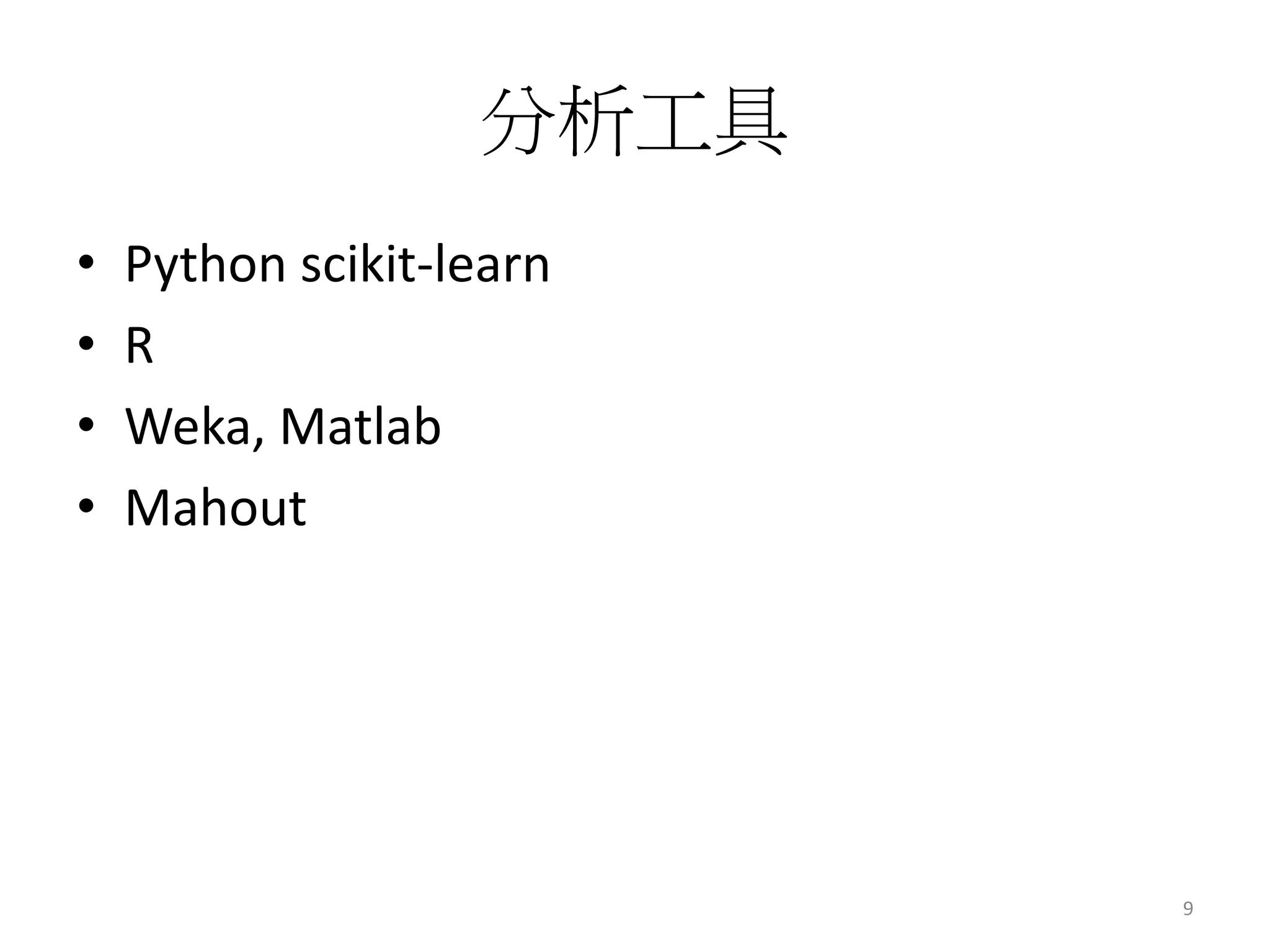
分析工具 
• Python scikit-learn 
• R 
• Weka, Matlab 
• Mahout 
9
https://mahout.apache.org/ 
10
Introduction to Apache Mahout in Youtube, BTI360 
11
Introduction to Apache Mahout in Youtube ,BTI360 
12
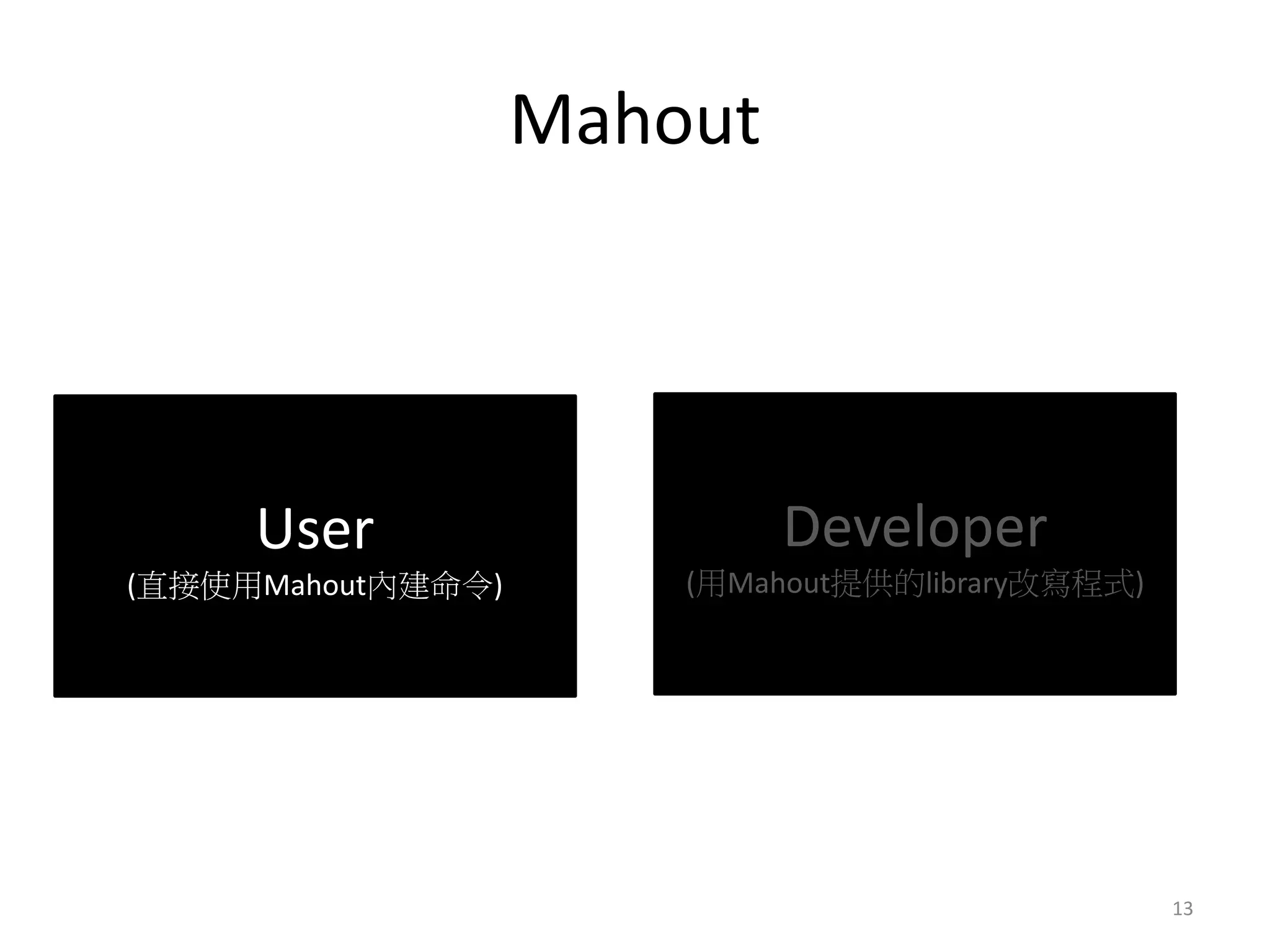
Mahout 
User 
(直接使用Mahout內建命令) 
Developer 
(用Mahout提供的library改寫程式) 
13
什麼時候能用Mahout ? 
• 資料非常巨大ex: Acer eDC 
• 純練習 
14
要用多少節點跑Mahout ? 
• 當你Mahout跑太久的時候ex:2天 
…omit 
14/01/27 10:01:39 INFO driver.MahoutDriver: Program took 151260185 
ms (Minutes: 2521.886416666666667) 
15
Hadoop and Mahout 
快速建立環境 
16
Hadoop 安裝 
• Etu Virtual Appliance 
• Hortonworks 
• 全手工安裝 
17
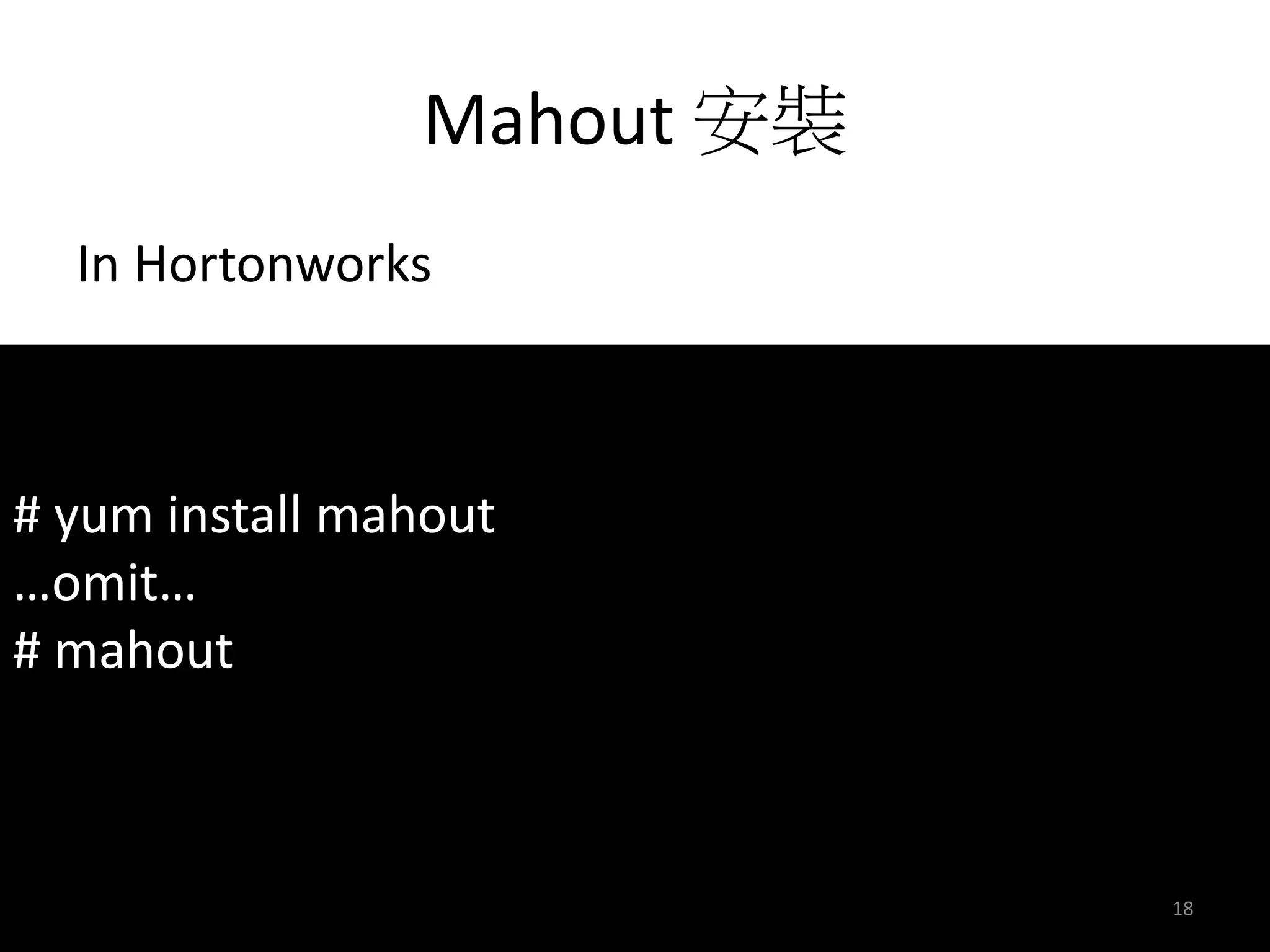
Mahout 安裝 
In Hortonworks 
# yum install mahout 
…omit… 
# mahout 
18
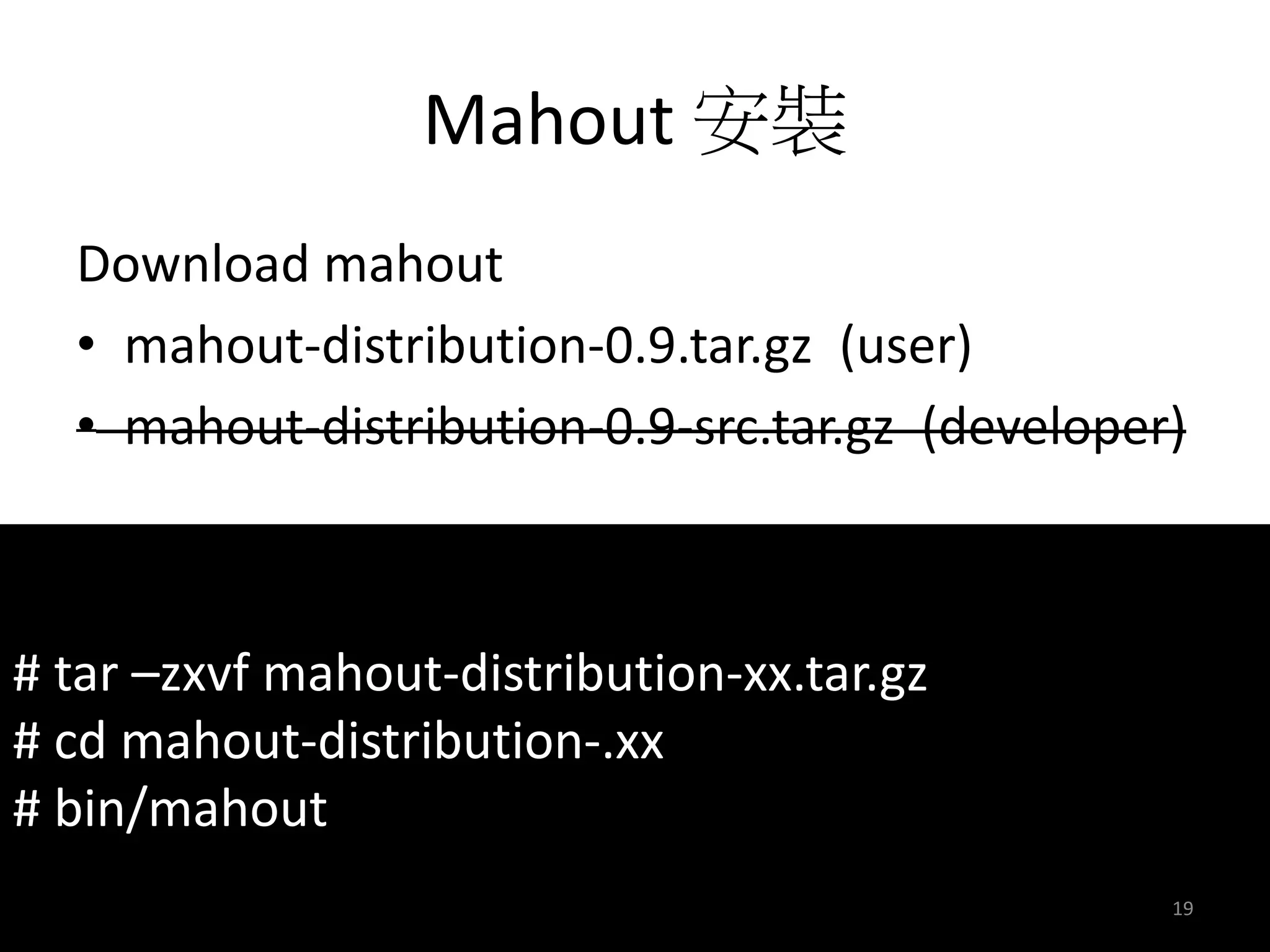
Mahout 安裝 
Download mahout 
• mahout-distribution-0.9.tar.gz (user) 
• mahout-distribution-0.9-src.tar.gz (developer) 
# tar –zxvf mahout-distribution-xx.tar.gz 
# cd mahout-distribution-.xx 
# bin/mahout 
19
執行Mahout 
# mahout 
Error: JAVA_HOME is not set. 
20
執行Mahout 
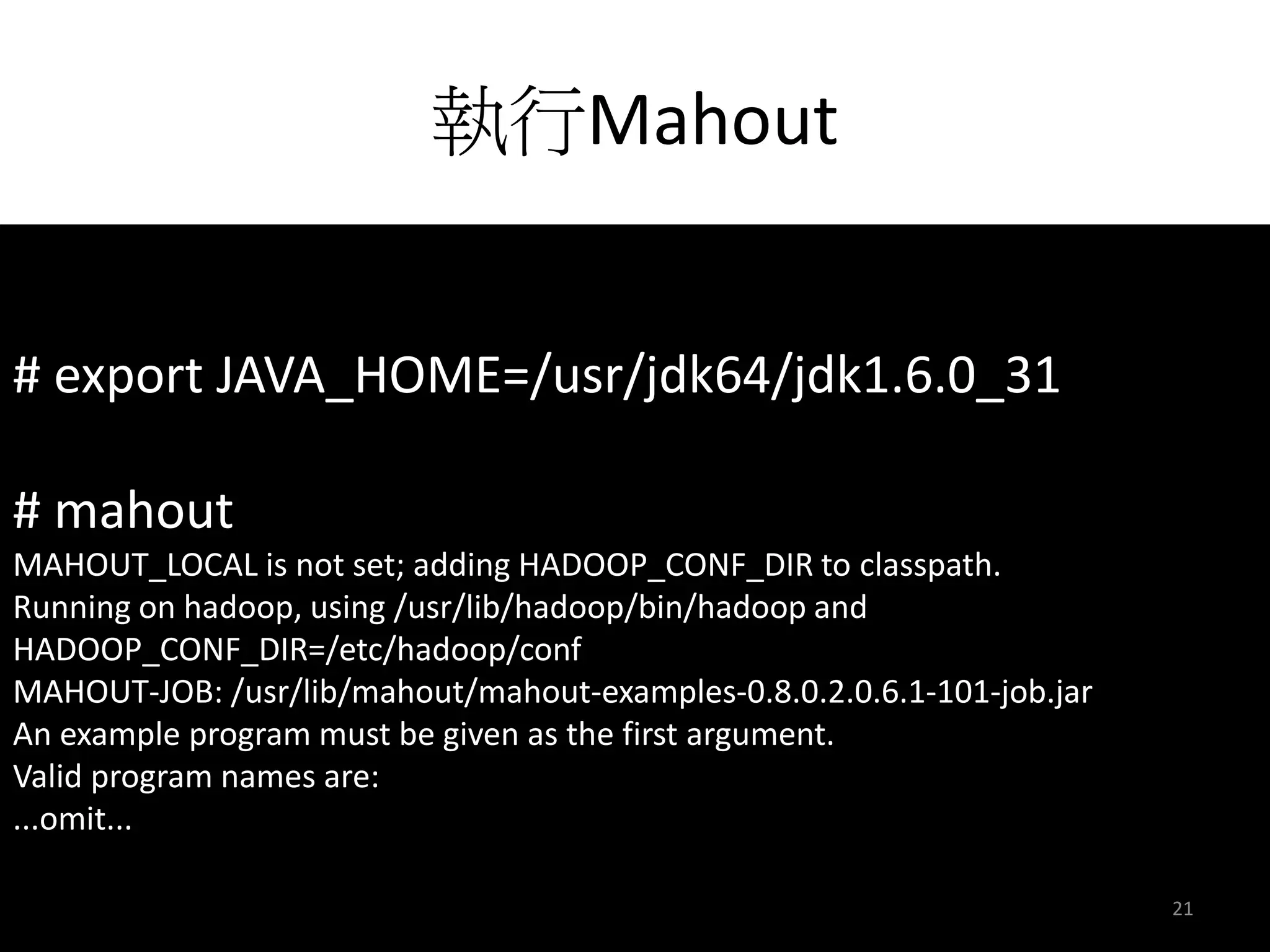
# export JAVA_HOME=/usr/jdk64/jdk1.6.0_31 
# mahout 
MAHOUT_LOCAL is not set; adding HADOOP_CONF_DIR to classpath. 
Running on hadoop, using /usr/lib/hadoop/bin/hadoop and 
HADOOP_CONF_DIR=/etc/hadoop/conf 
MAHOUT-JOB: /usr/lib/mahout/mahout-examples-0.8.0.2.0.6.1-101-job.jar 
An example program must be given as the first argument. 
Valid program names are: 
...omit... 

21
快速的完成環境建立 
22
Clustering 
動動手玩分群 
23
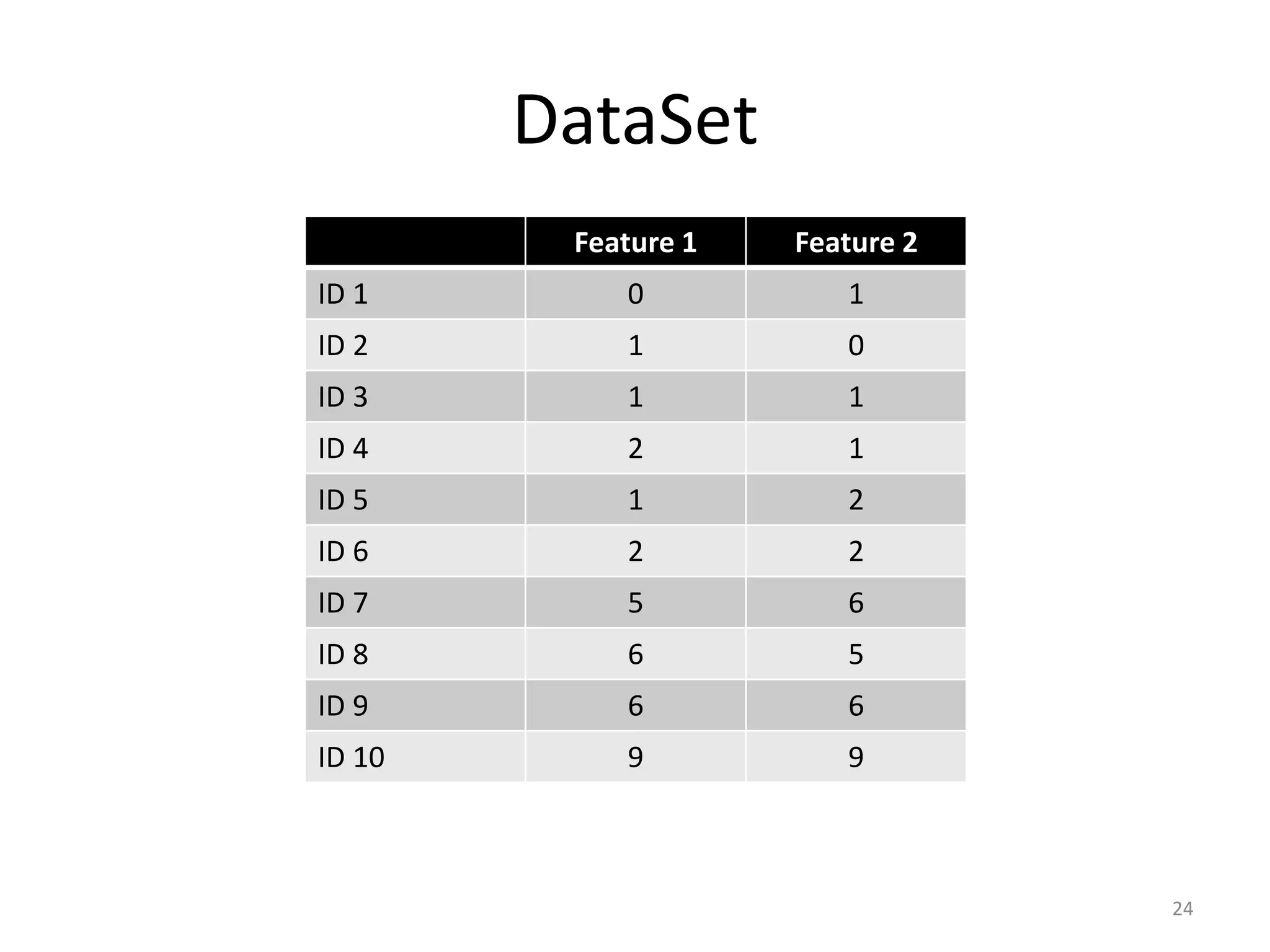
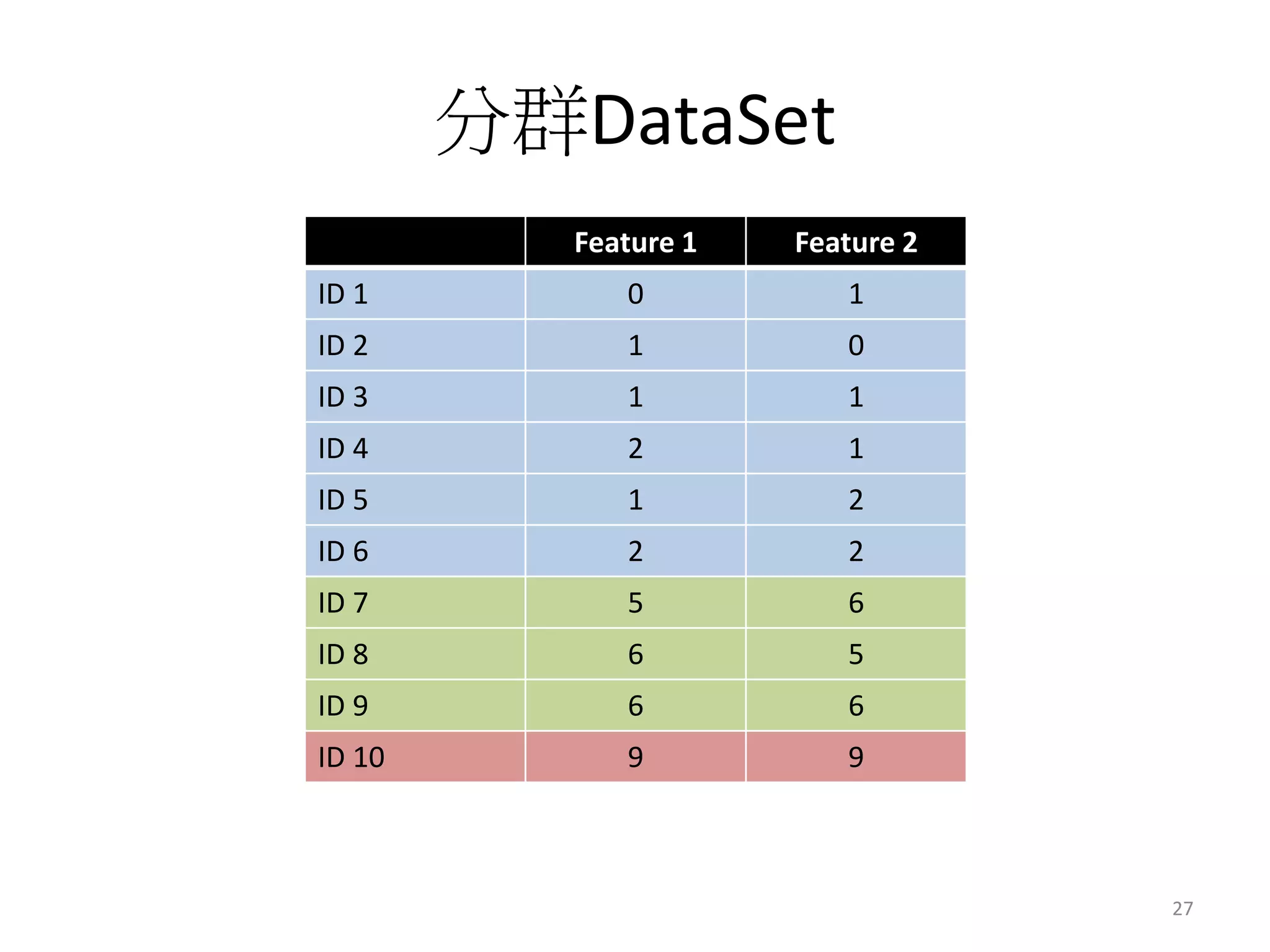
DataSet 
Feature 1 Feature 2 
ID 1 0 1 
ID 2 1 0 
ID 3 1 1 
ID 4 2 1 
ID 5 1 2 
ID 6 2 2 
ID 7 5 6 
ID 8 6 5 
ID 9 6 6 
ID 10 9 9 
24
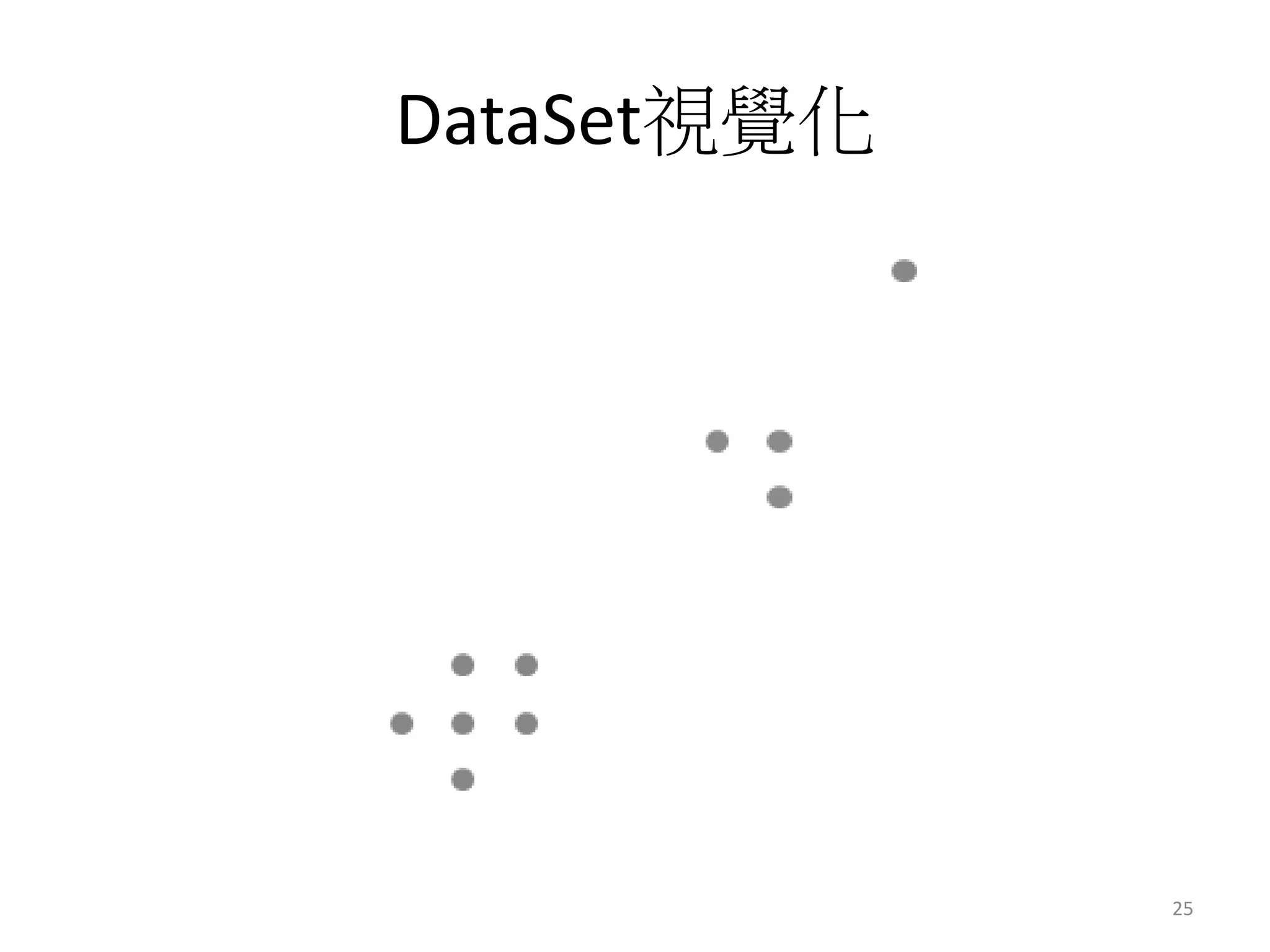
DataSet視覺化 
25
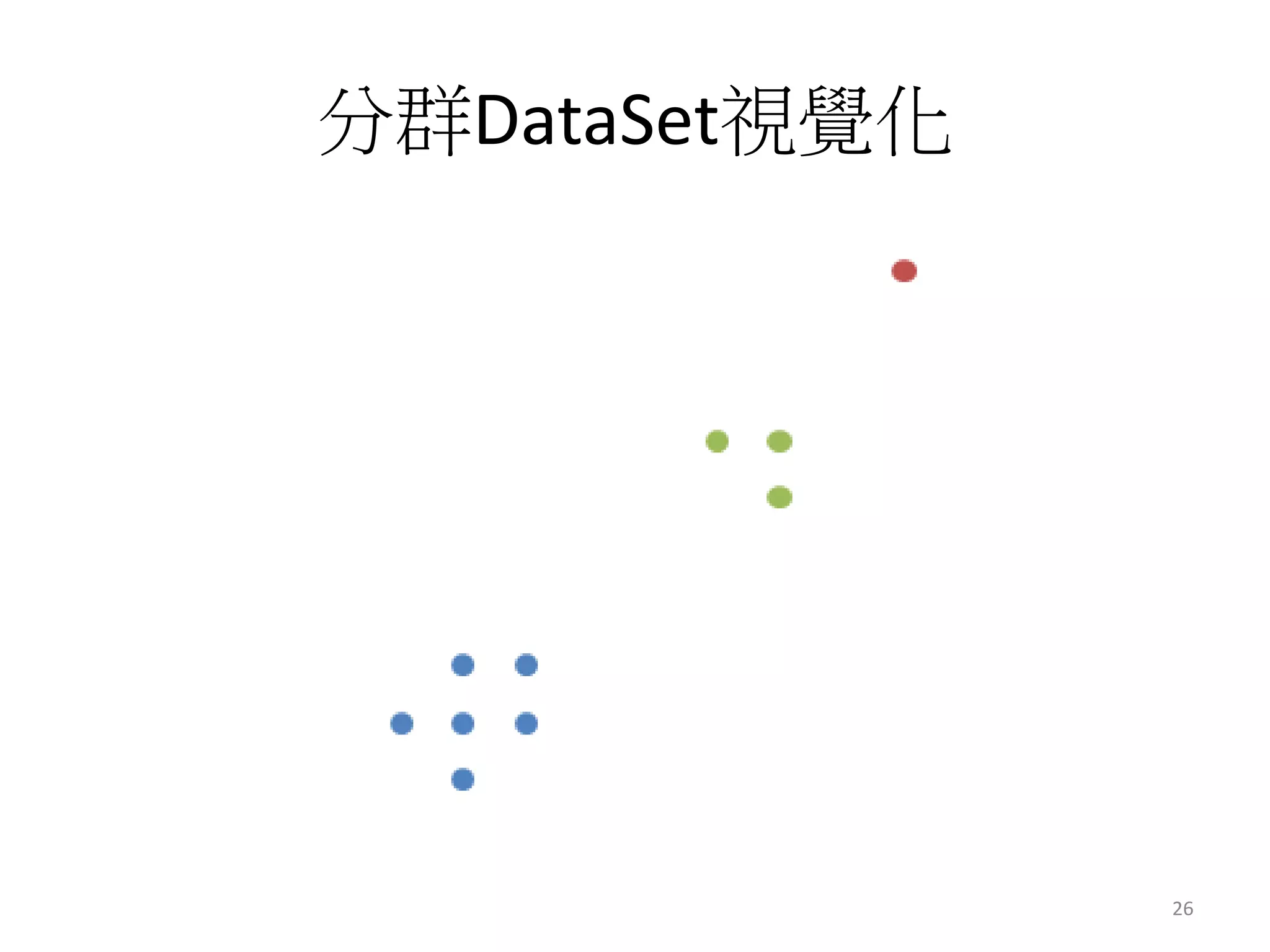
分群DataSet視覺化 
26
分群DataSet 
Feature 1 Feature 2 
ID 1 0 1 
ID 2 1 0 
ID 3 1 1 
ID 4 2 1 
ID 5 1 2 
ID 6 2 2 
ID 7 5 6 
ID 8 6 5 
ID 9 6 6 
ID 10 9 9 
27
分群太簡單了? 
28
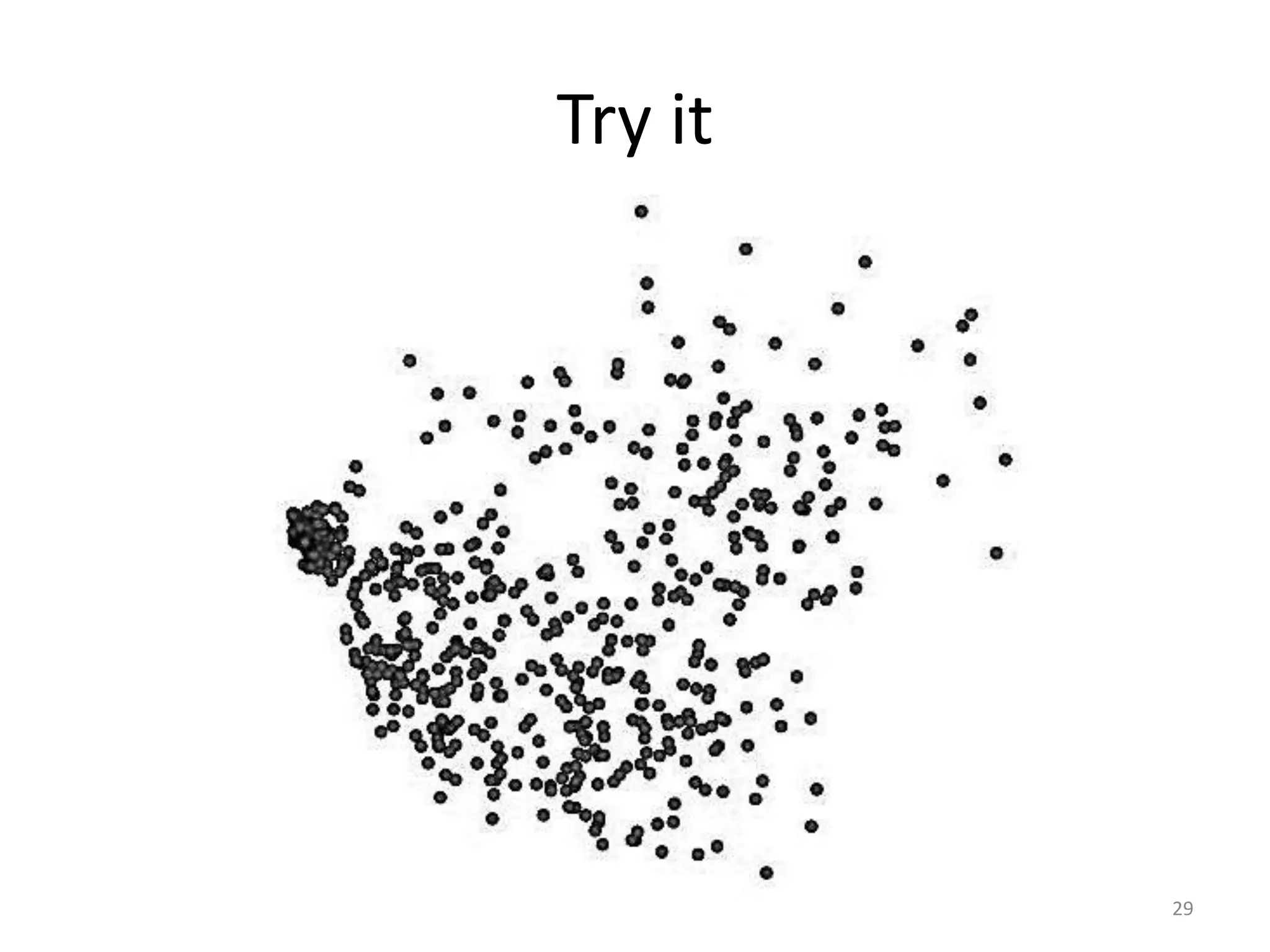
Try it 
29
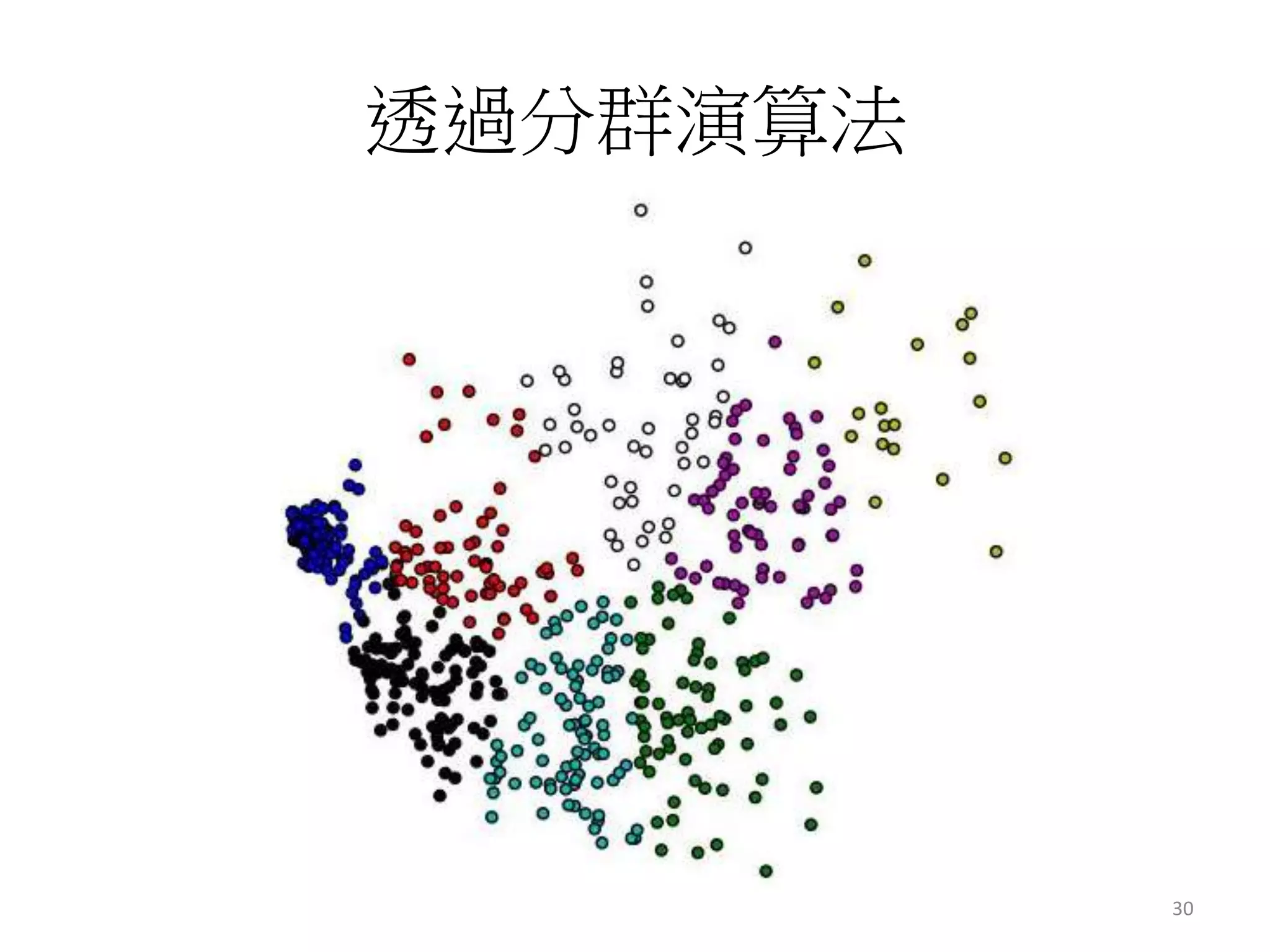
透過分群演算法 
30
分群 
常見應用 
31
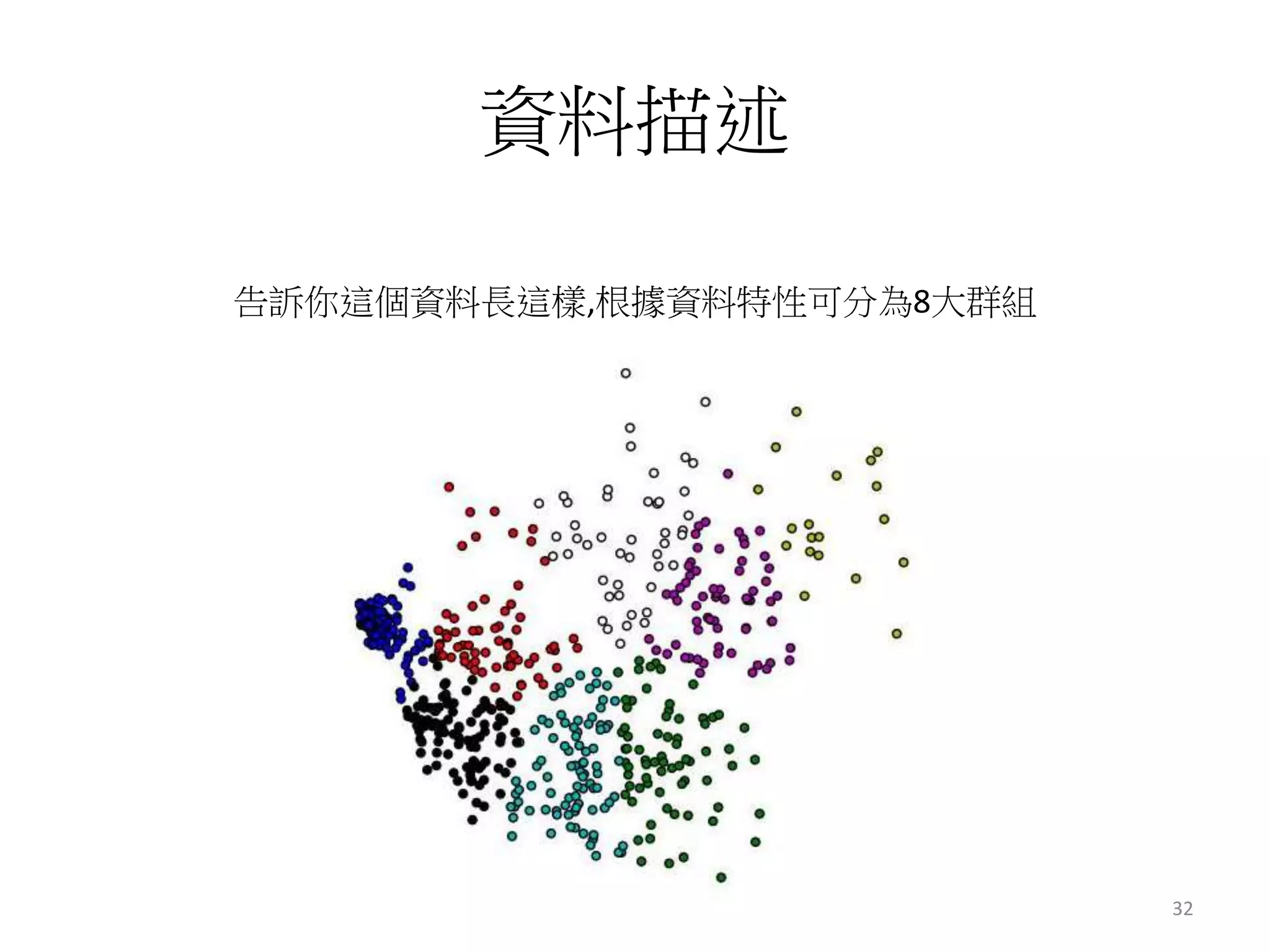
資料描述 
告訴你這個資料長這樣,根據資料特性可分為8大群組 
32
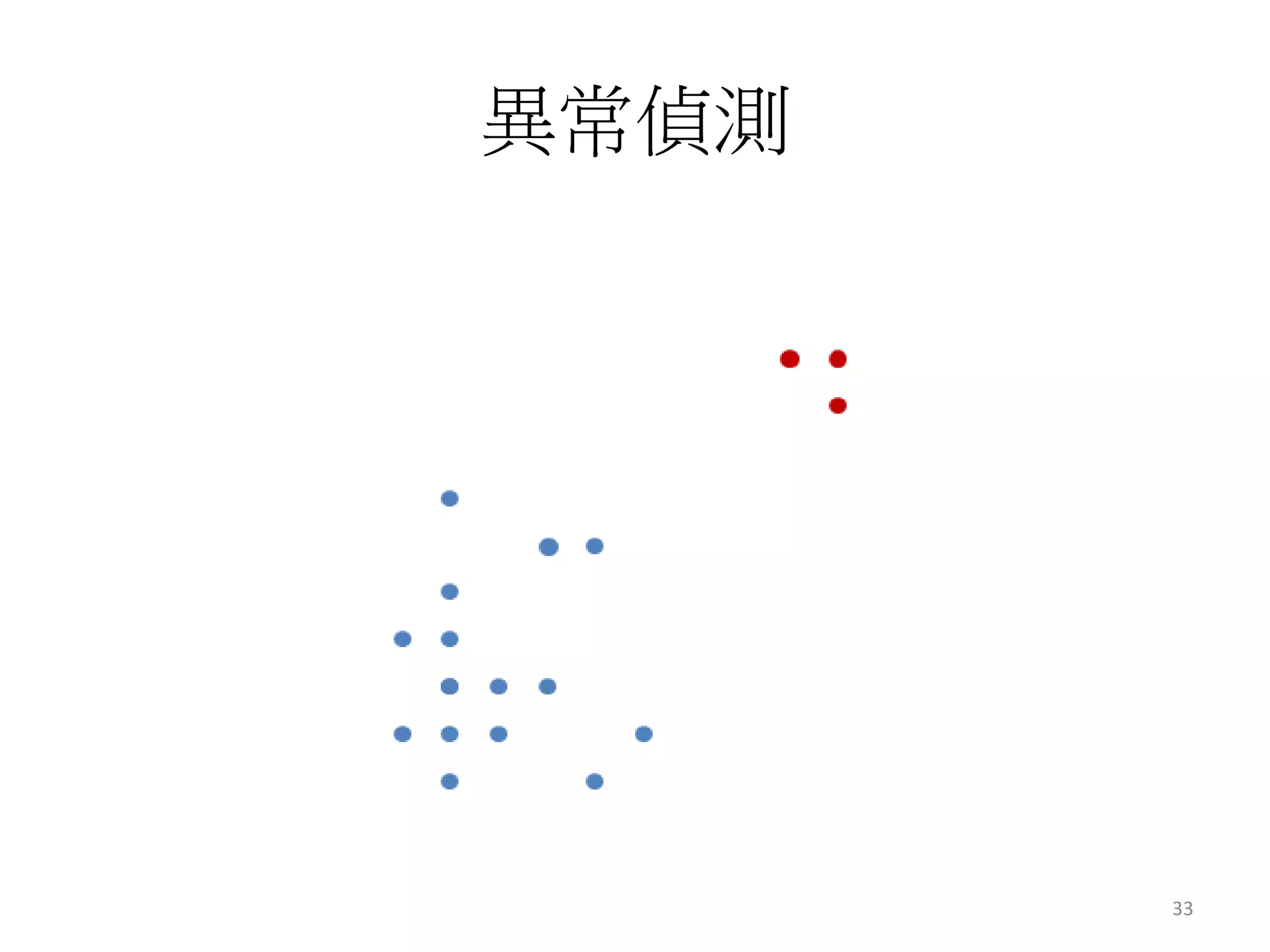
異常偵測 
33
這麼好用 
34
一個指令搞定 
mahout org.apache.mahout.clustering.syntheticcontrol.kmeans.Job 
35
Photo Demo 
36
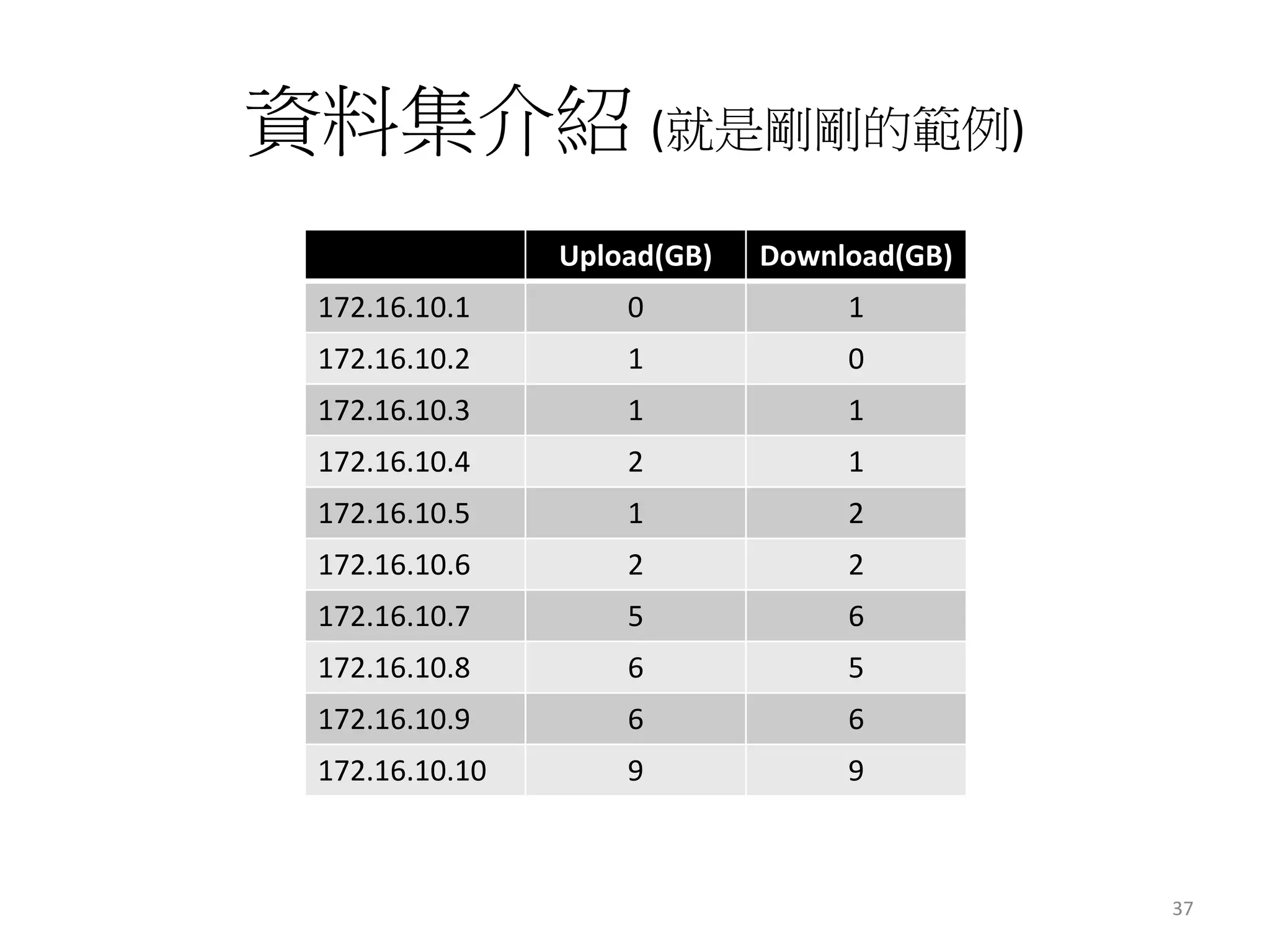
資料集介紹(就是剛剛的範例) 
Upload(GB) Download(GB) 
172.16.10.1 0 1 
172.16.10.2 1 0 
172.16.10.3 1 1 
172.16.10.4 2 1 
172.16.10.5 1 2 
172.16.10.6 2 2 
172.16.10.7 5 6 
172.16.10.8 6 5 
172.16.10.9 6 6 
172.16.10.10 9 9 
37
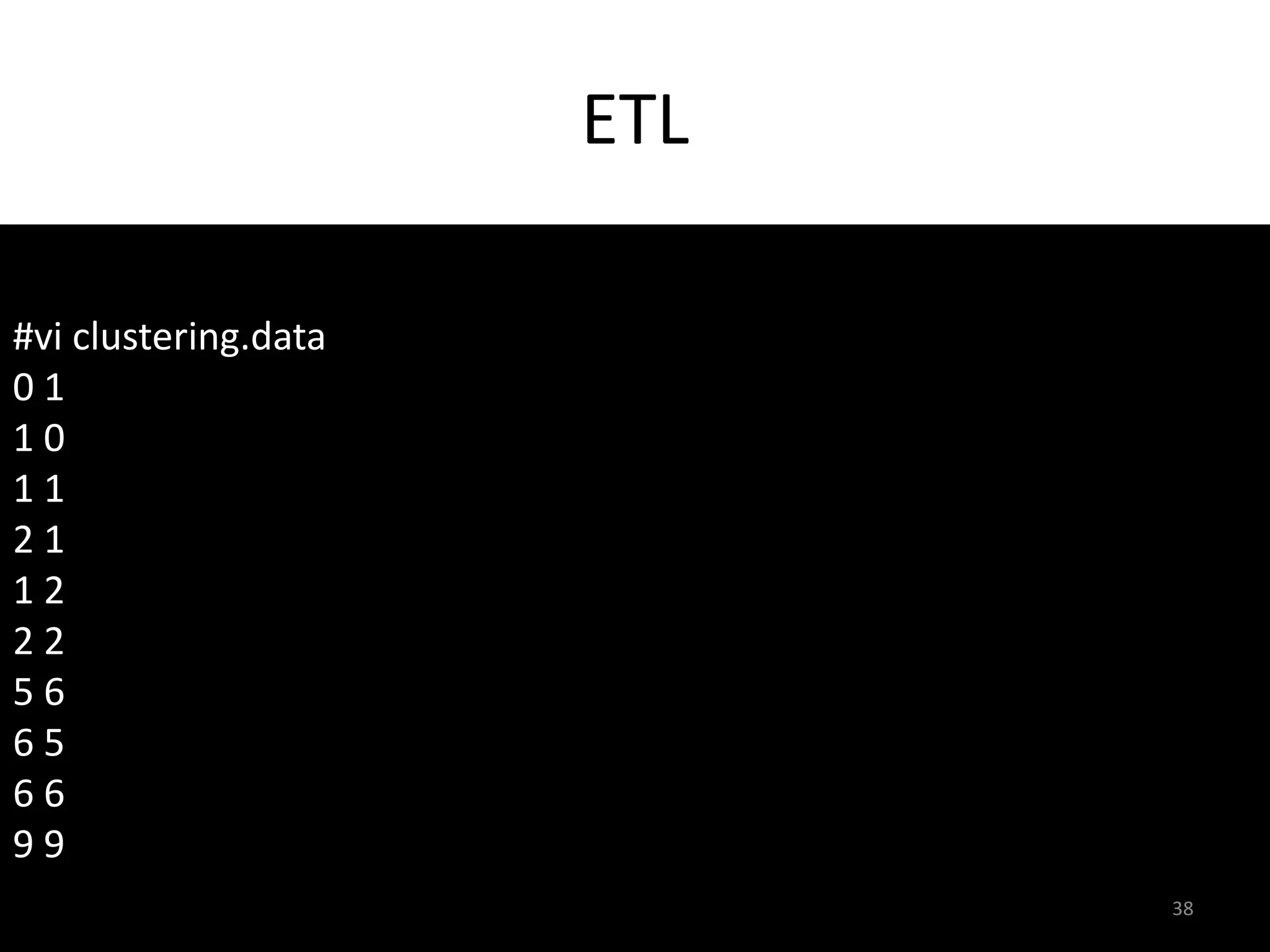
ETL 
#vi clustering.data 
0 1 
1 0 
1 1 
2 1 
1 2 
2 2 
5 6 
6 5 
6 6 
9 9 
38
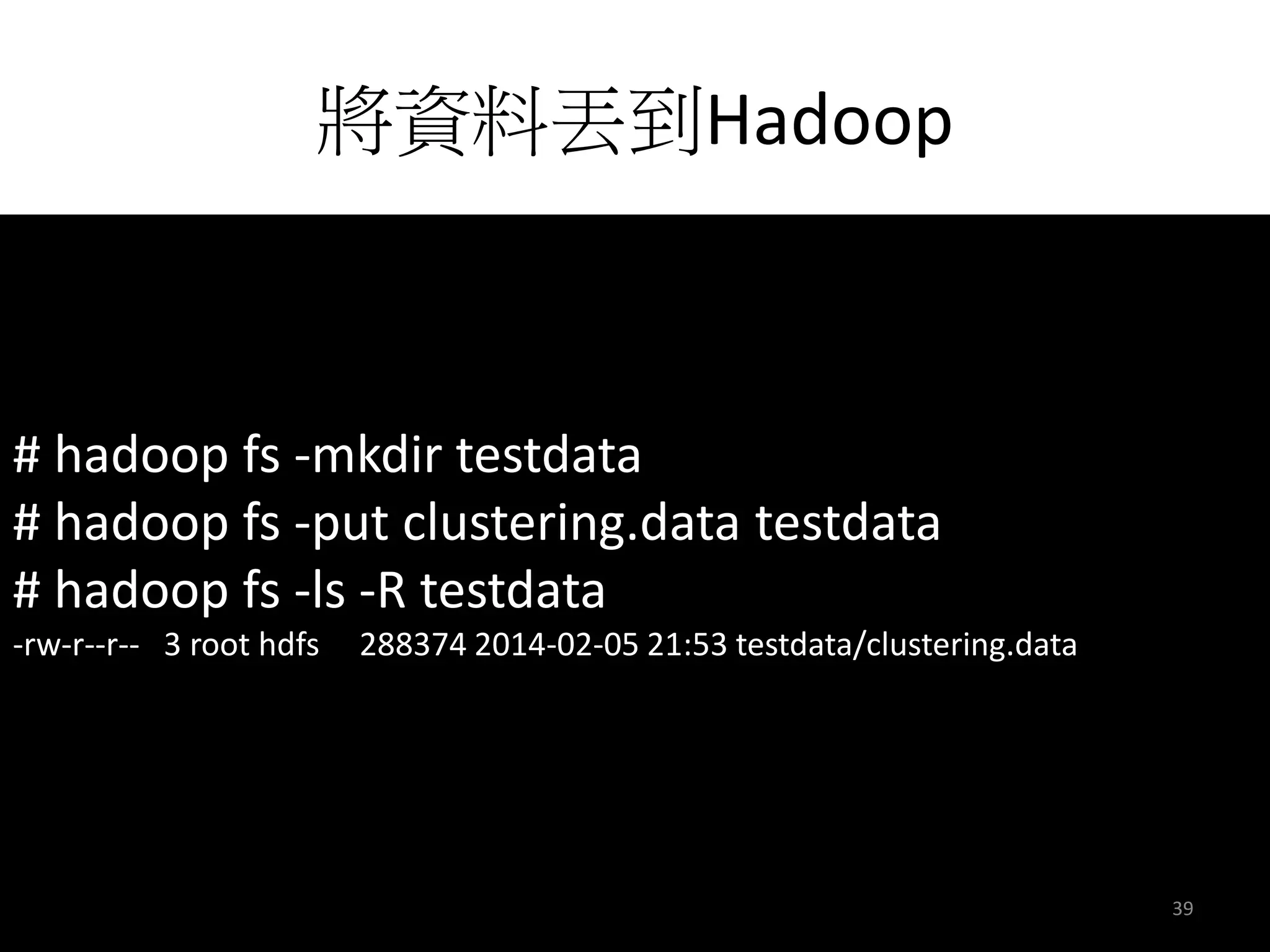
將資料丟到Hadoop 
# hadoop fs -mkdir testdata 
# hadoop fs -put clustering.data testdata 
# hadoop fs -ls -R testdata 
-rw-r--r-- 3 root hdfs 288374 2014-02-05 21:53 testdata/clustering.data 
39
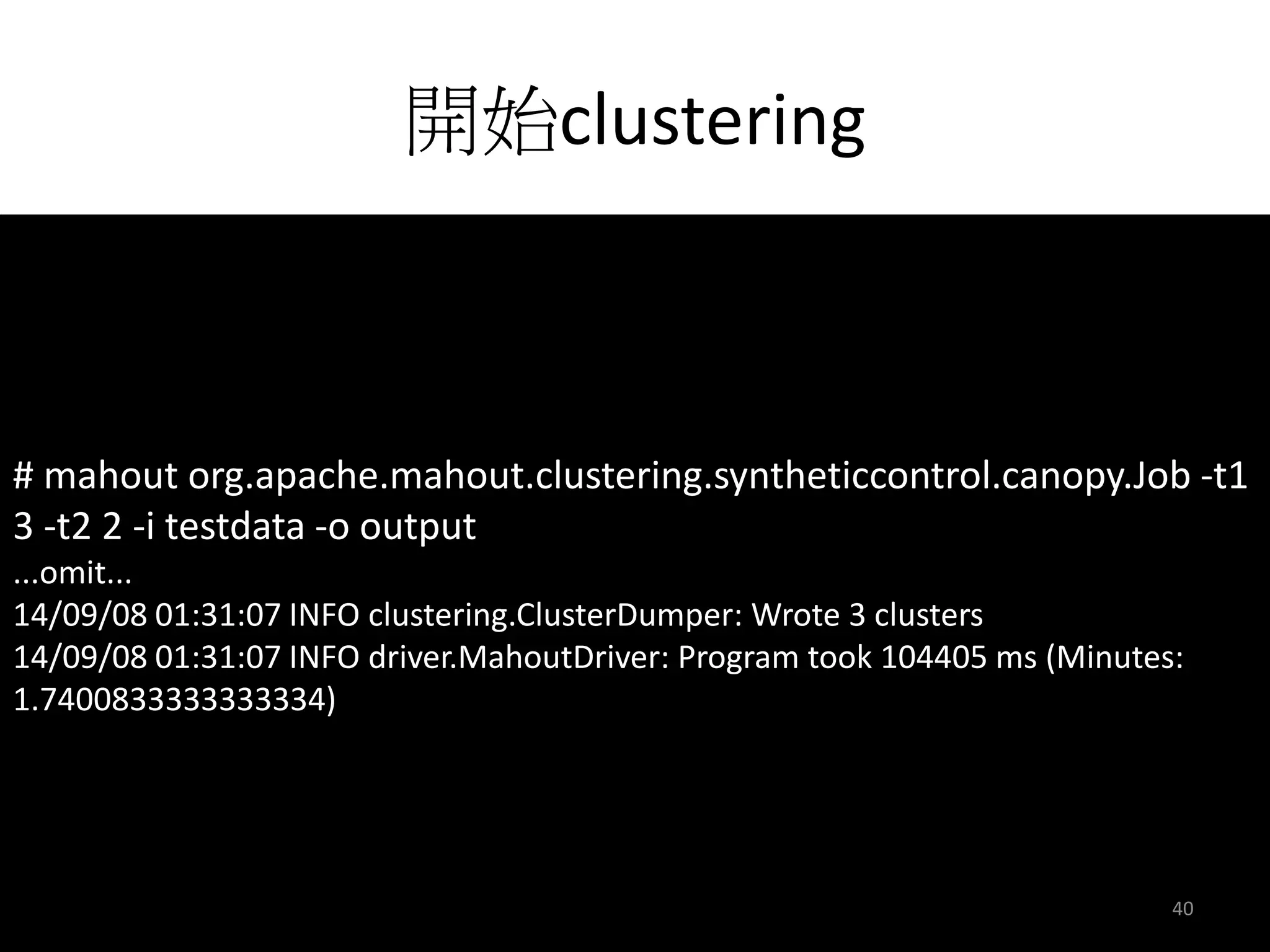
開始clustering 
# mahout org.apache.mahout.clustering.syntheticcontrol.canopy.Job -t1 
3 -t2 2 -i testdata -o output 
...omit... 
14/09/08 01:31:07 INFO clustering.ClusterDumper: Wrote 3 clusters 
14/09/08 01:31:07 INFO driver.MahoutDriver: Program took 104405 ms (Minutes: 
1.7400833333333334) 
40
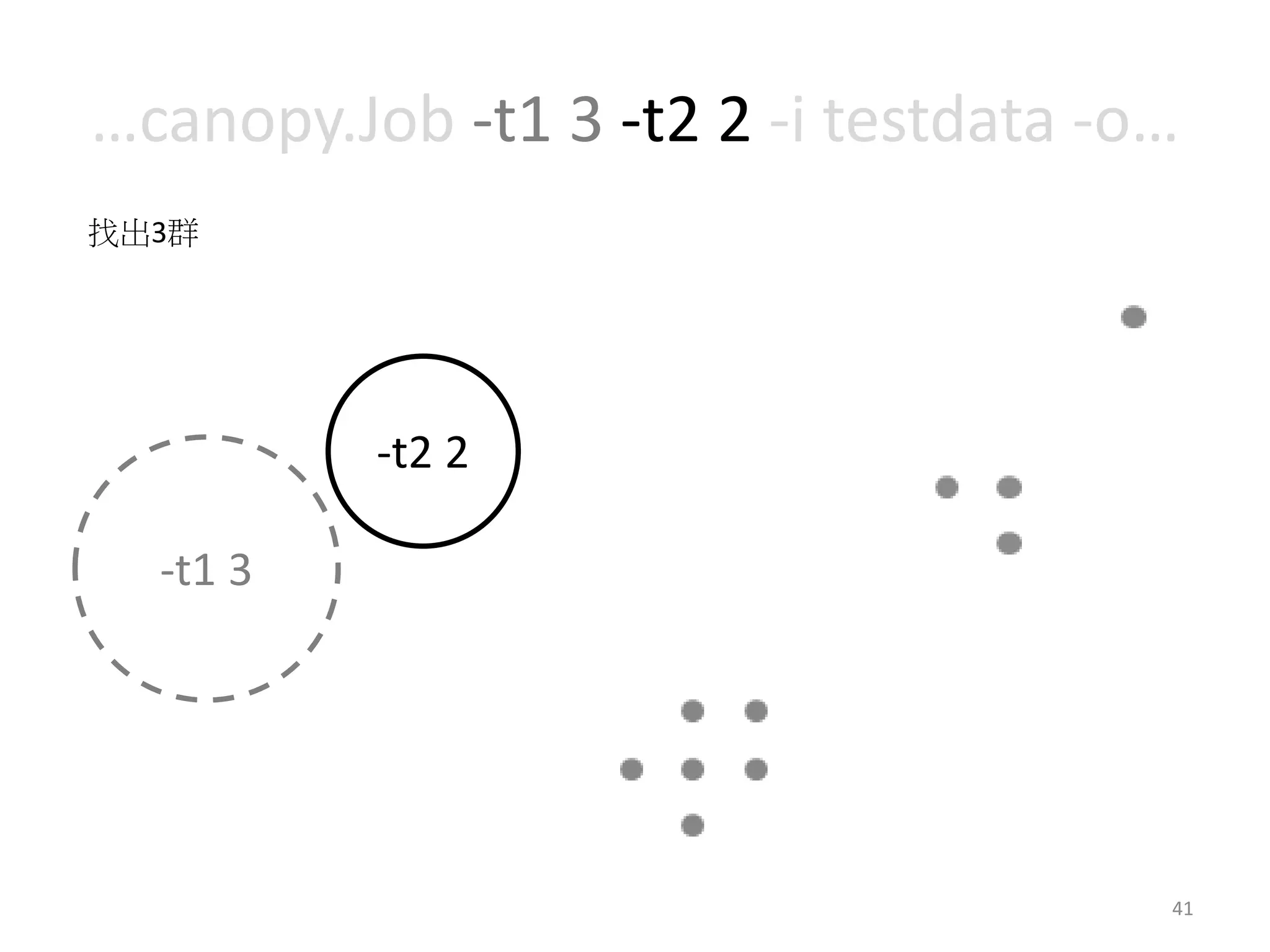
…canopy.Job -t1 3 -t2 2 -i testdata -o… 
41 
-t2 2 
找出3群 
-t1 3
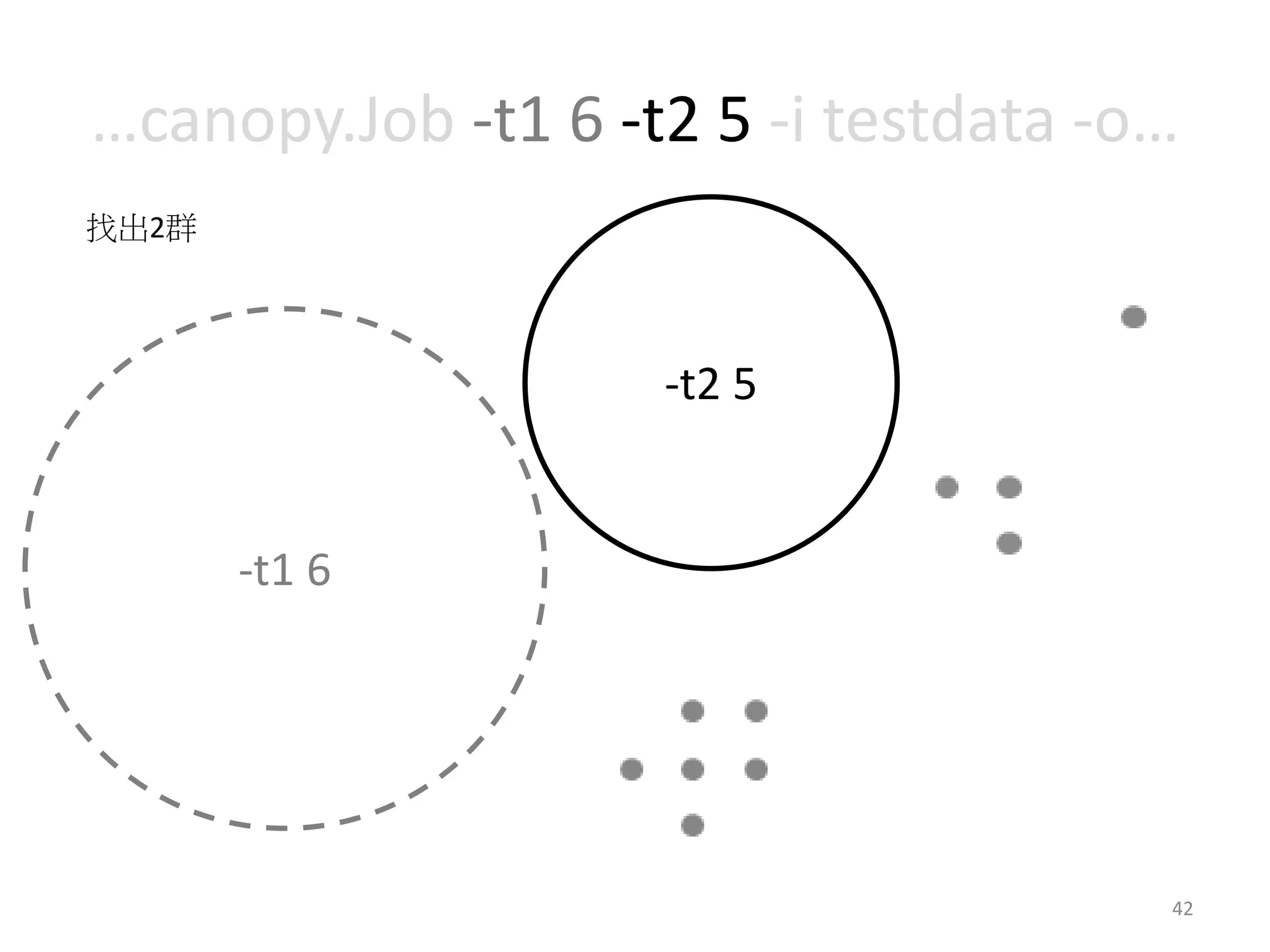
…canopy.Job -t1 6 -t2 5 -i testdata -o… 
42 
-t2 5 
-t1 6 
找出2群
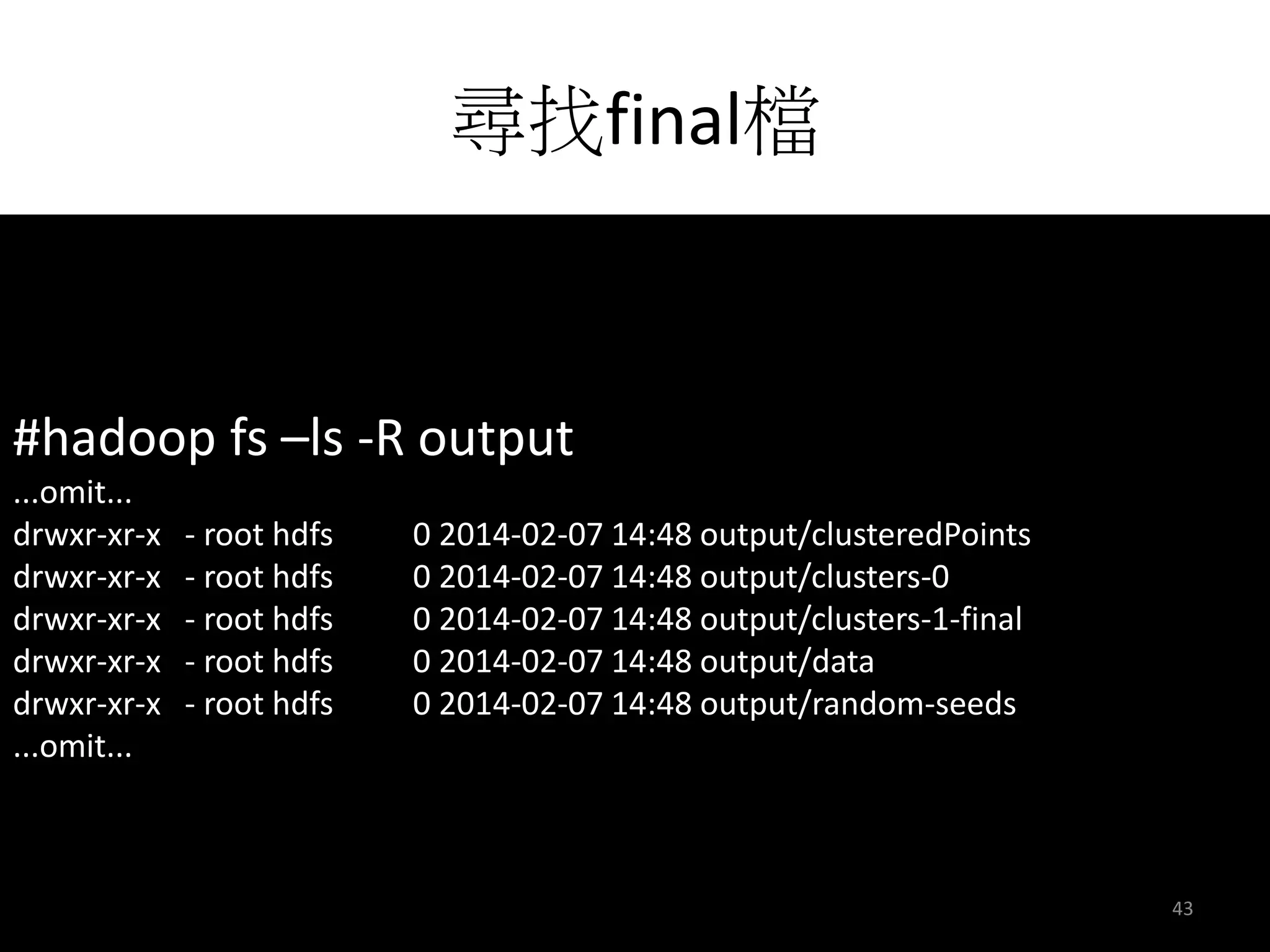
尋找final檔 
#hadoop fs –ls -R output 
...omit... 
drwxr-xr-x - root hdfs 0 2014-02-07 14:48 output/clusteredPoints 
drwxr-xr-x - root hdfs 0 2014-02-07 14:48 output/clusters-0 
drwxr-xr-x - root hdfs 0 2014-02-07 14:48 output/clusters-1-final 
drwxr-xr-x - root hdfs 0 2014-02-07 14:48 output/data 
drwxr-xr-x - root hdfs 0 2014-02-07 14:48 output/random-seeds 
...omit... 
43
輸出結果 
#mahout clusterdump --input output/clusters-1-final --pointsDir output/clusteredPoints 
C-0{n=1 c=[9.000, 9.000] r=[]} 
Weight : [props - optional]: Point: 
1.0: [9.000, 9.000] 
C-1{n=2 c=[5.833, 5.583] r=[0.167, 0.083]} 
Weight : [props - optional]: Point: 
1.0: [5.000, 6.000] 
1.0: [6.000, 5.000] 
1.0: [6.000, 6.000] 
C-2{n=4 c=[1.313, 1.333] r=[0.345, 0.527]} 
Weight : [props - optional]: Point: 
1.0: [1:1.000] 
1.0: [0:1.000] 
1.0: [1.000, 1.000] 
1.0: [2.000, 1.000] 
1.0: [1.000, 2.000] 
1.0: [2.000, 2.000] 
44
視覺化結果 
org.apache.mahout.clustering.display 
45
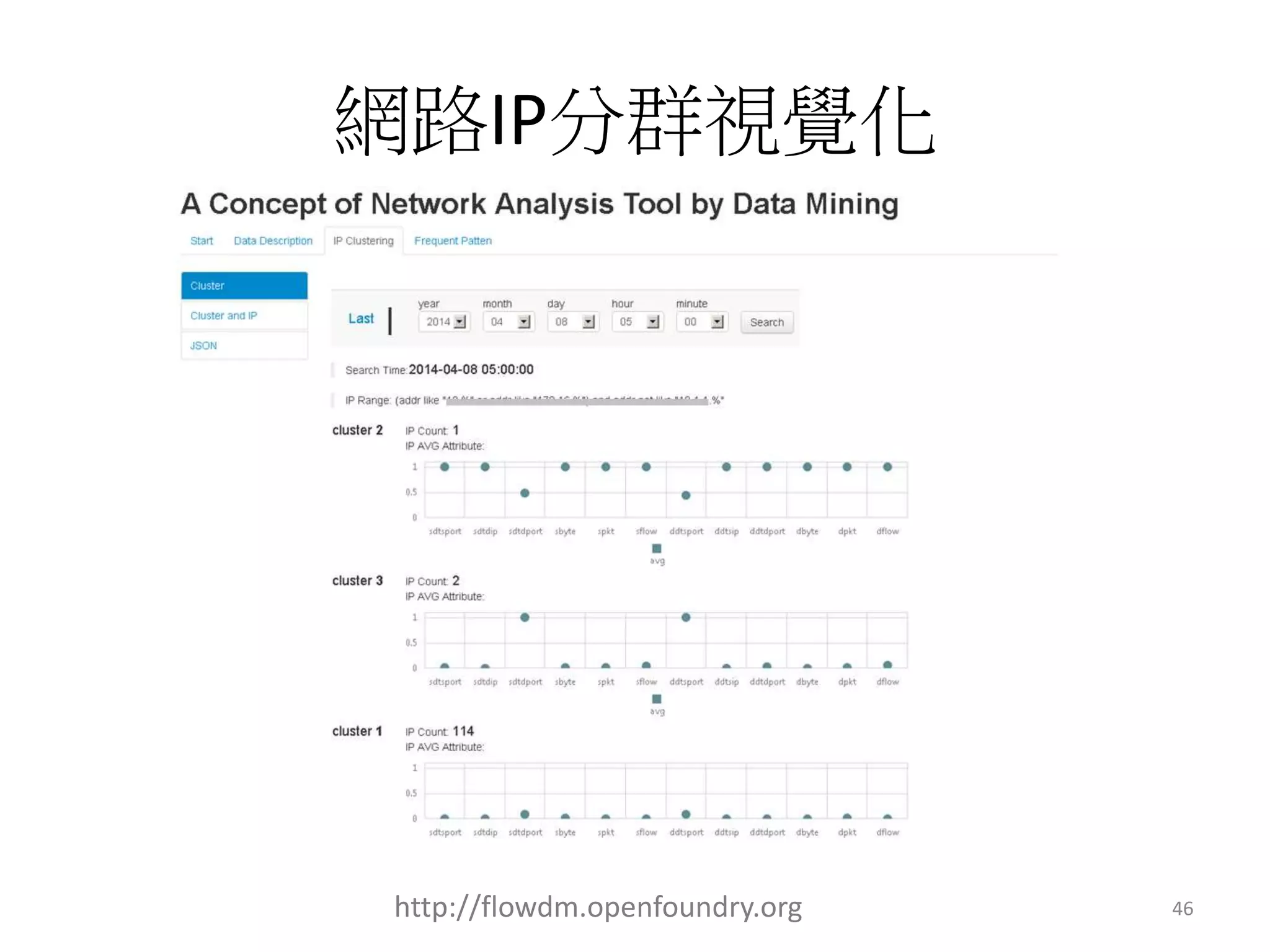
網路IP分群視覺化 
http://flowdm.openfoundry.org 46
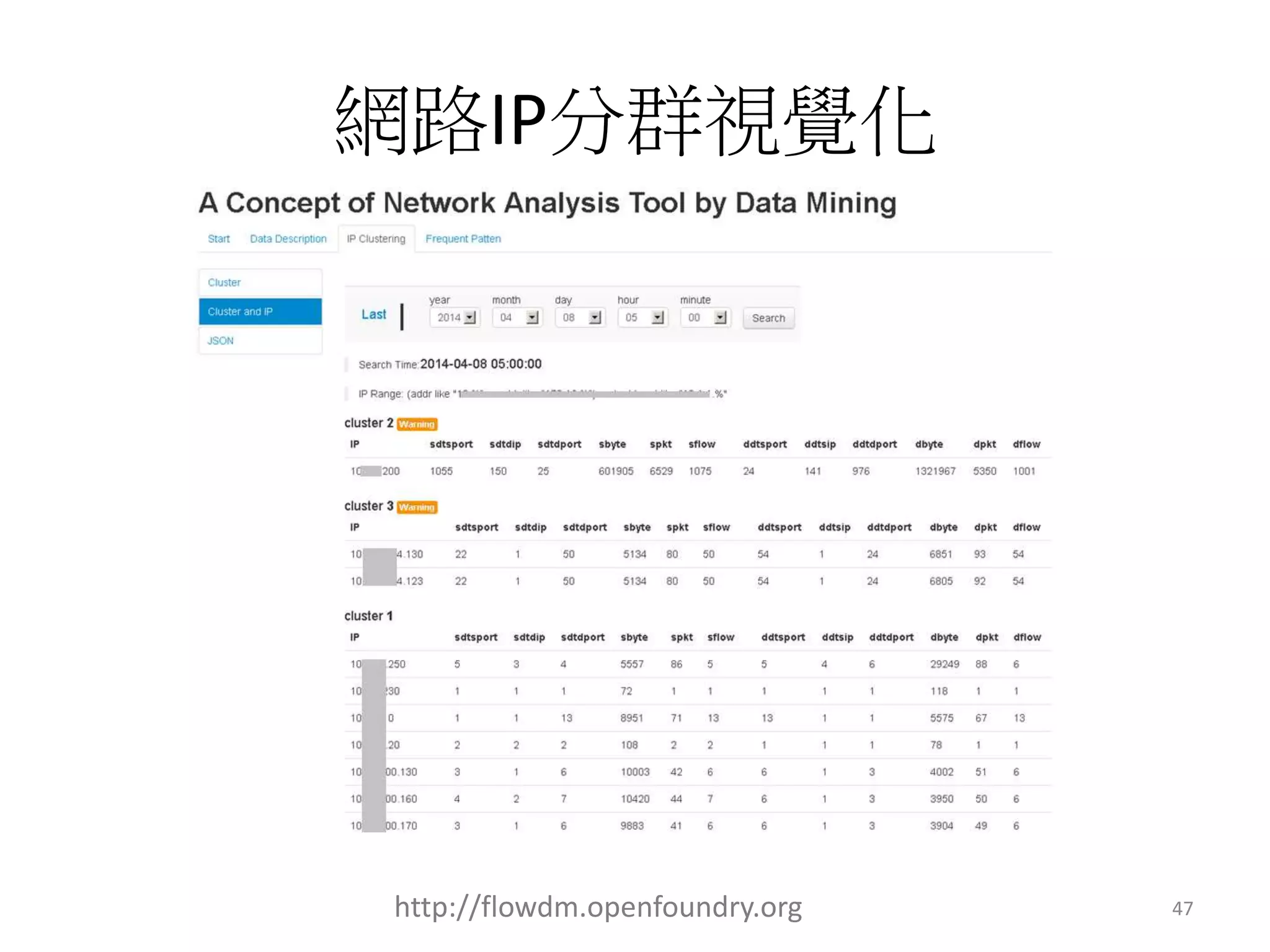
網路IP分群視覺化 
http://flowdm.openfoundry.org 47
恭喜大家 
得到技能”clustering by mahout” 
目前clustering技能點數為1 
48
下一步 
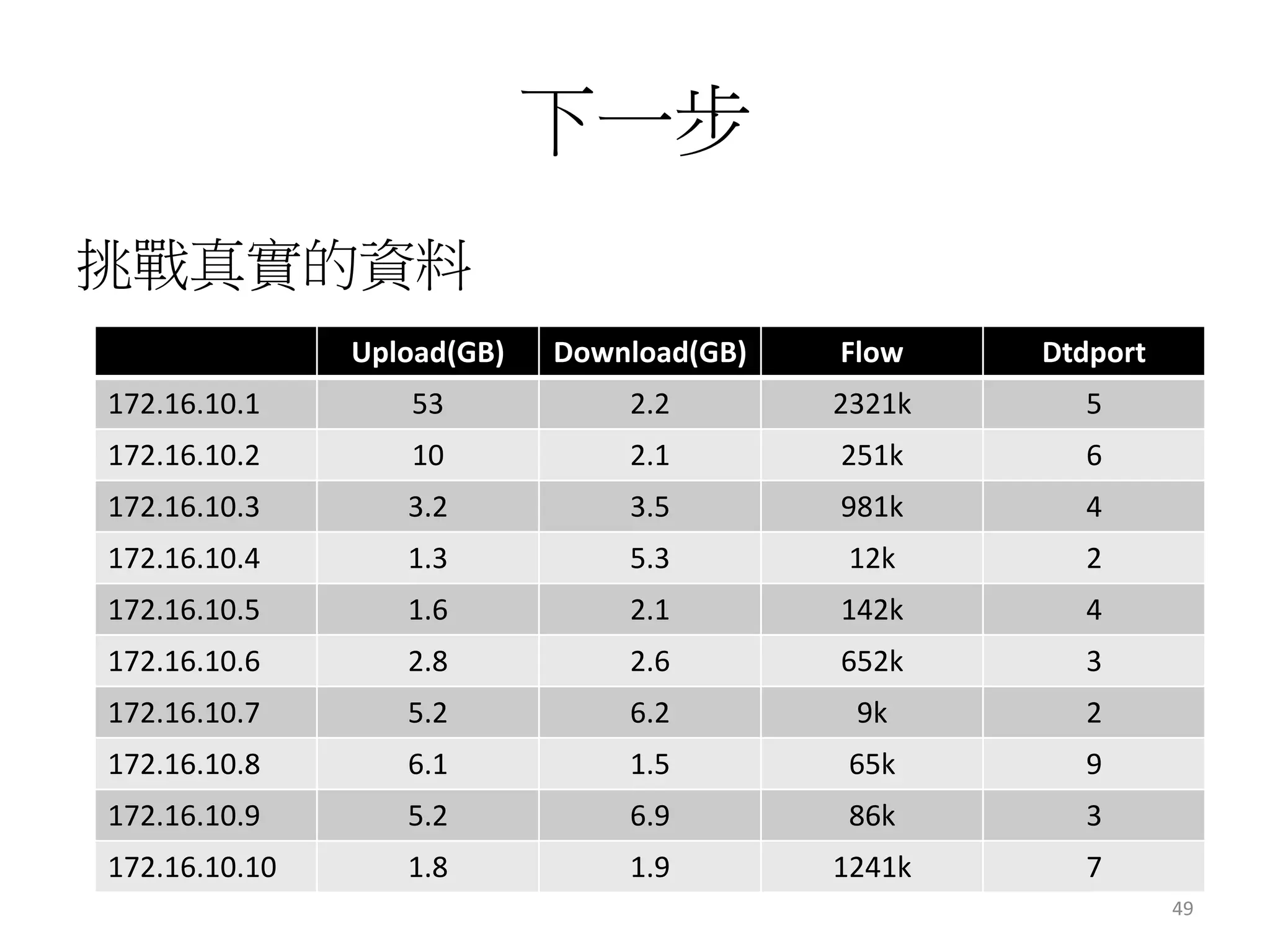
挑戰真實的資料 
Upload(GB) Download(GB) Flow Dtdport 
172.16.10.1 53 2.2 2321k 5 
172.16.10.2 10 2.1 251k 6 
172.16.10.3 3.2 3.5 981k 4 
172.16.10.4 1.3 5.3 12k 2 
172.16.10.5 1.6 2.1 142k 4 
172.16.10.6 2.8 2.6 652k 3 
172.16.10.7 5.2 6.2 9k 2 
172.16.10.8 6.1 1.5 65k 9 
172.16.10.9 5.2 6.9 86k 3 
172.16.10.10 1.8 1.9 1241k 7 
49
下一步 
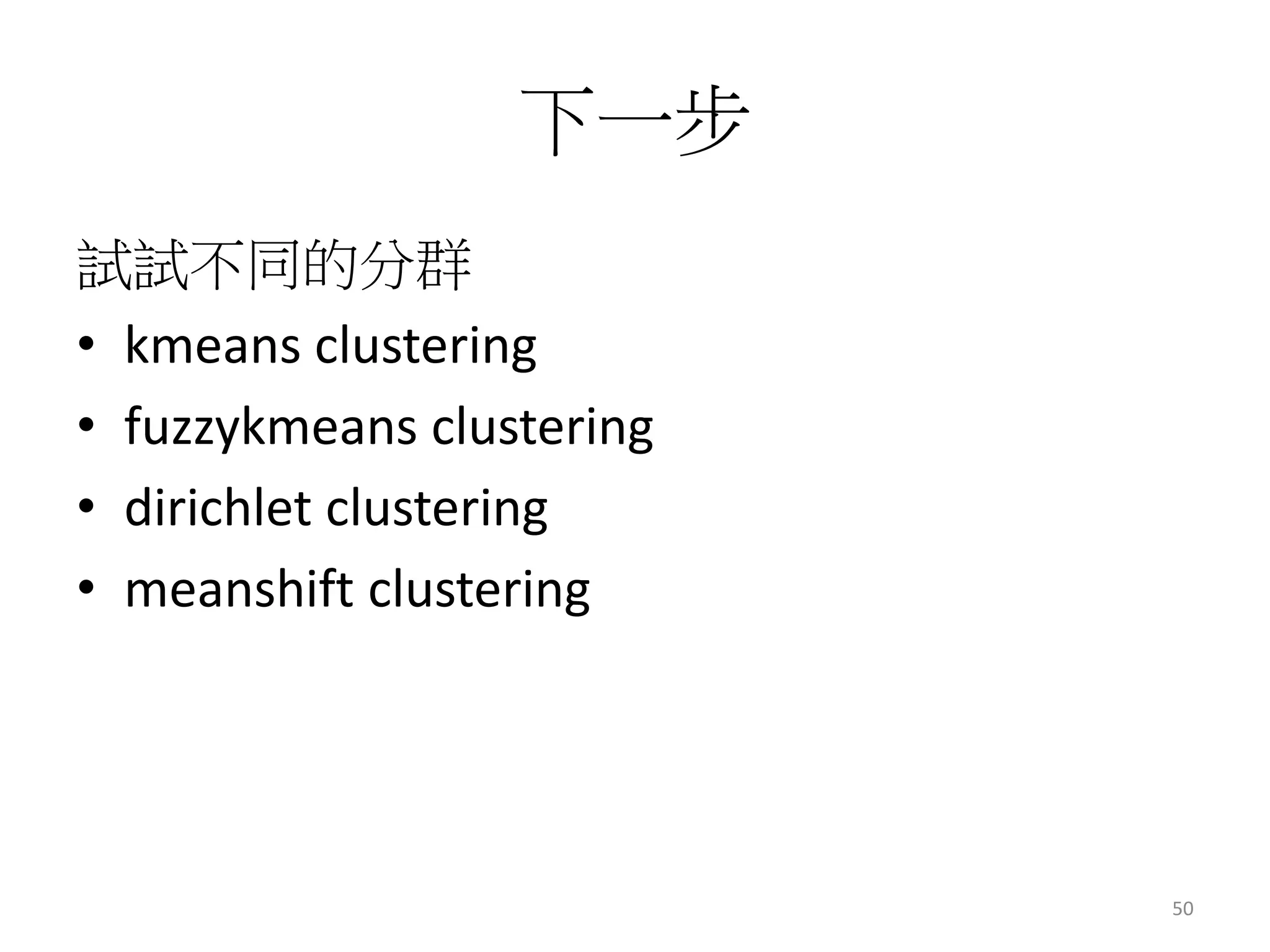
試試不同的分群 
• kmeans clustering 
• fuzzykmeans clustering 
• dirichlet clustering 
• meanshift clustering 
50
Recommendation 
動動手玩推薦系統 
51
推薦系統就在你身邊 
52
常見應用 
53
線上購物 
54
YouTube 
55
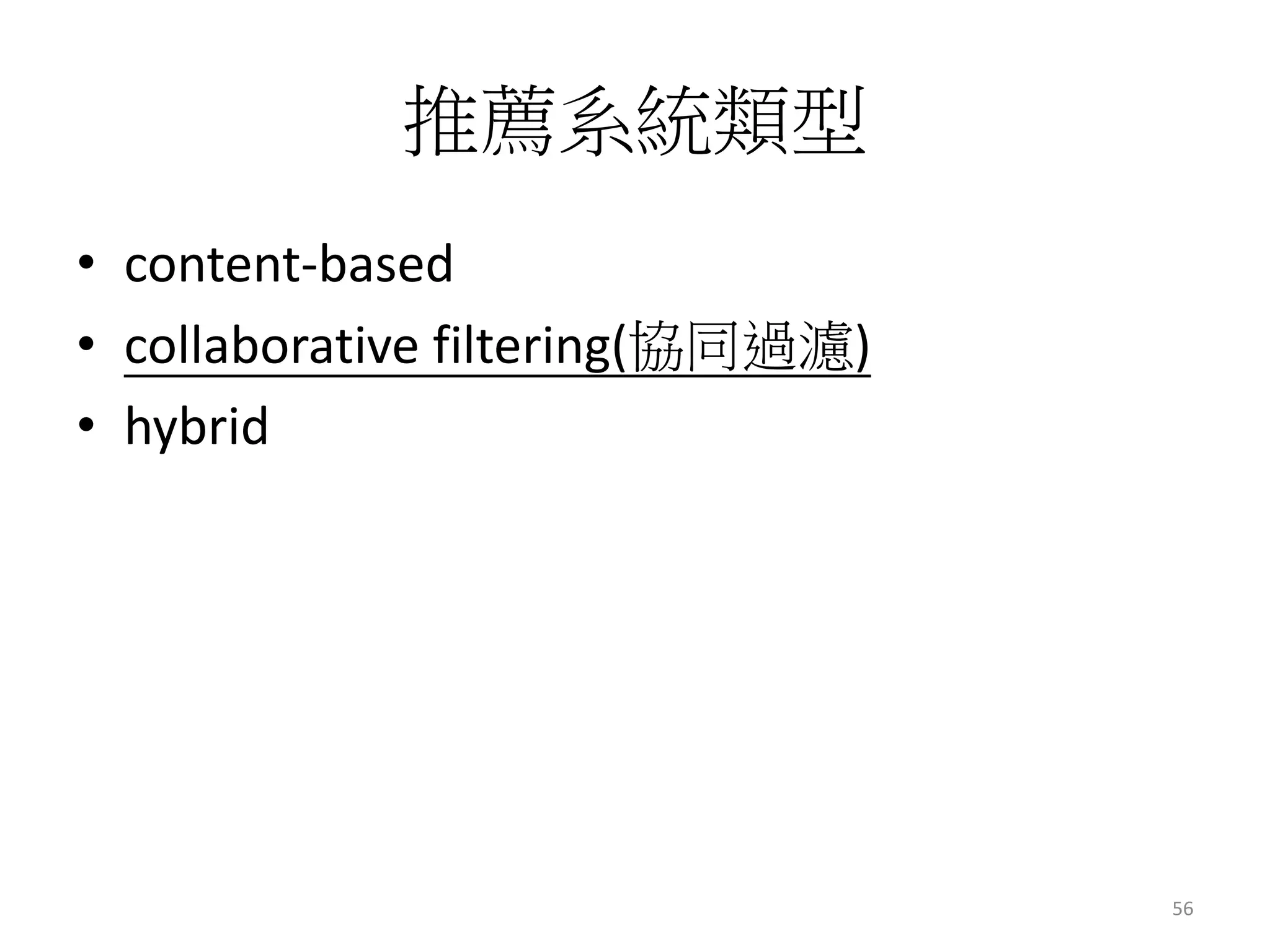
推薦系統類型 
• content-based 
• collaborative filtering(協同過濾) 
• hybrid 
56
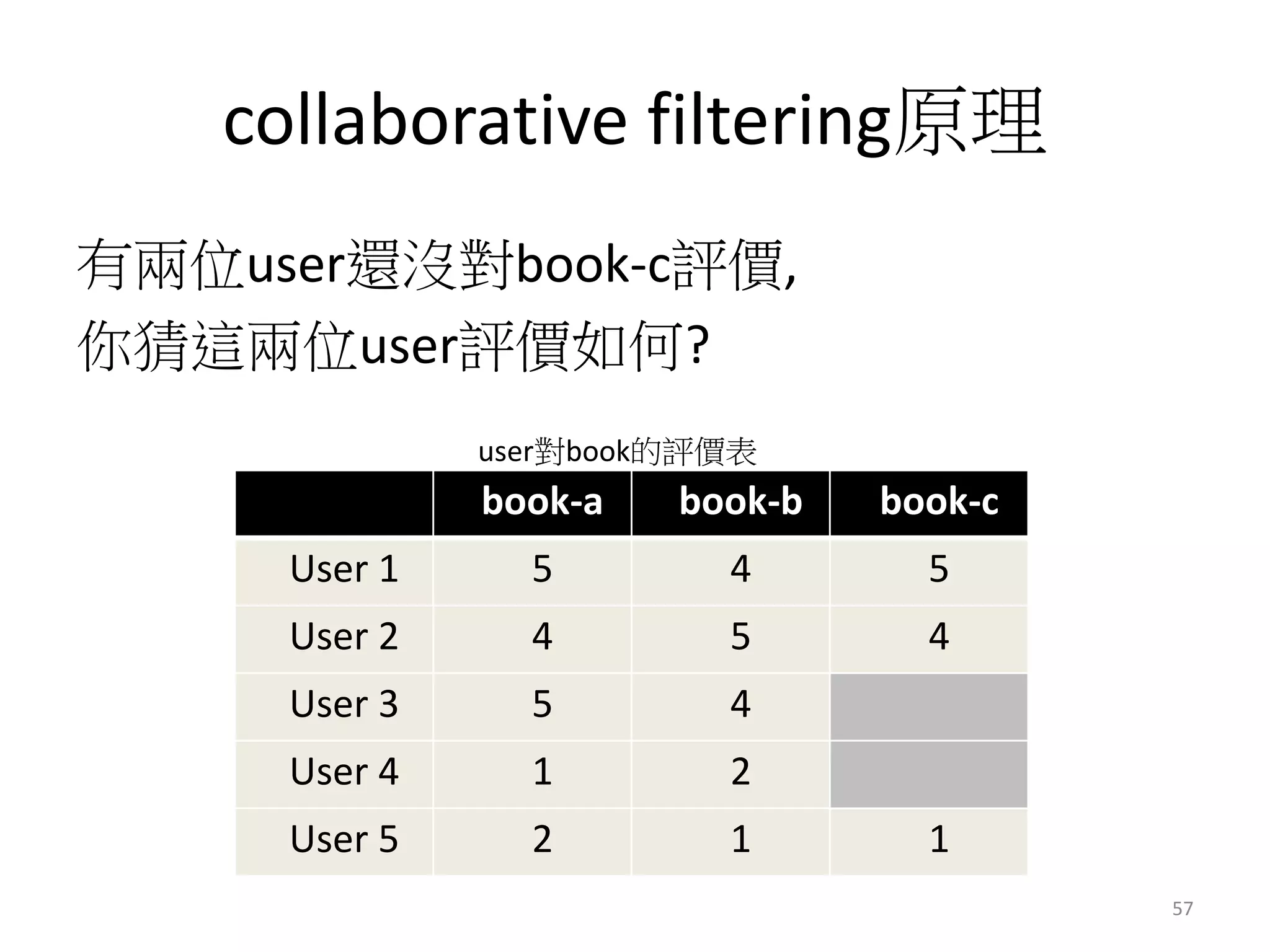
collaborative filtering原理 
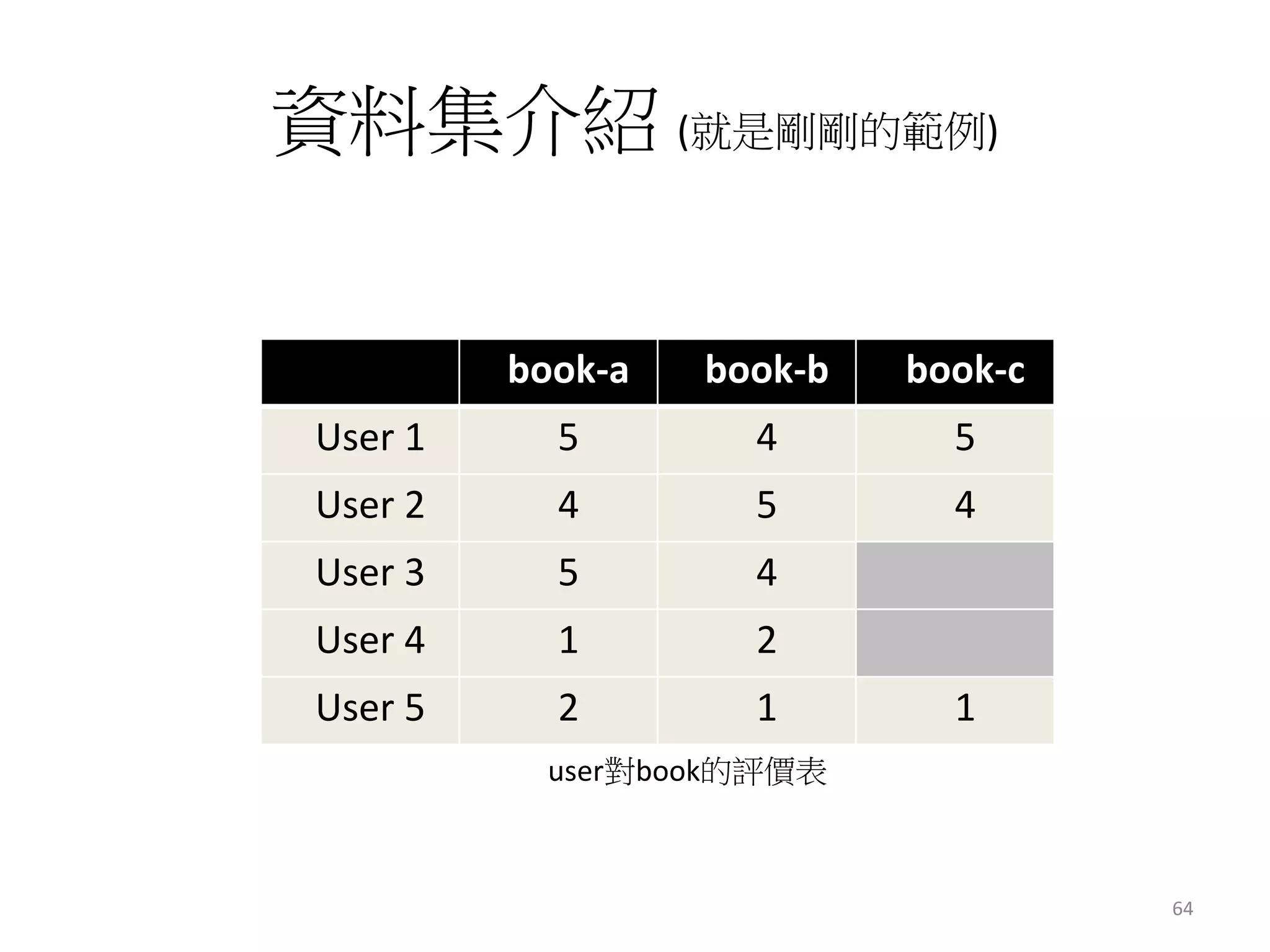
有兩位user還沒對book-c評價, 
你猜這兩位user評價如何? 
user對book的評價表 
book-a book-b book-c 
User 1 5 4 5 
User 2 4 5 4 
User 3 5 4 
User 4 1 2 
User 5 2 1 1 
57
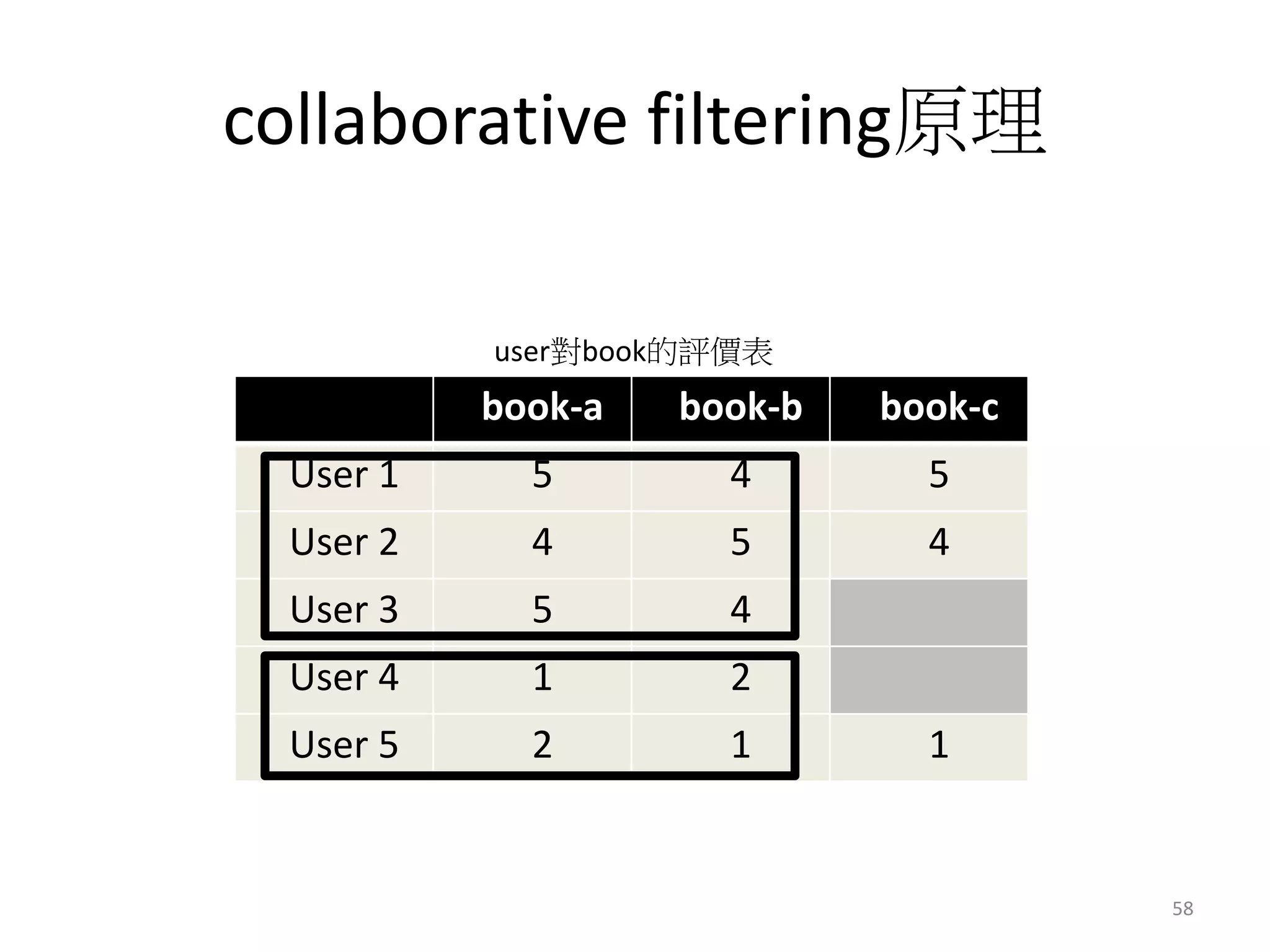
collaborative filtering原理 
user對book的評價表 
book-a book-b book-c 
User 1 5 4 5 
User 2 4 5 4 
User 3 5 4 
User 4 1 2 
User 5 2 1 1 
58
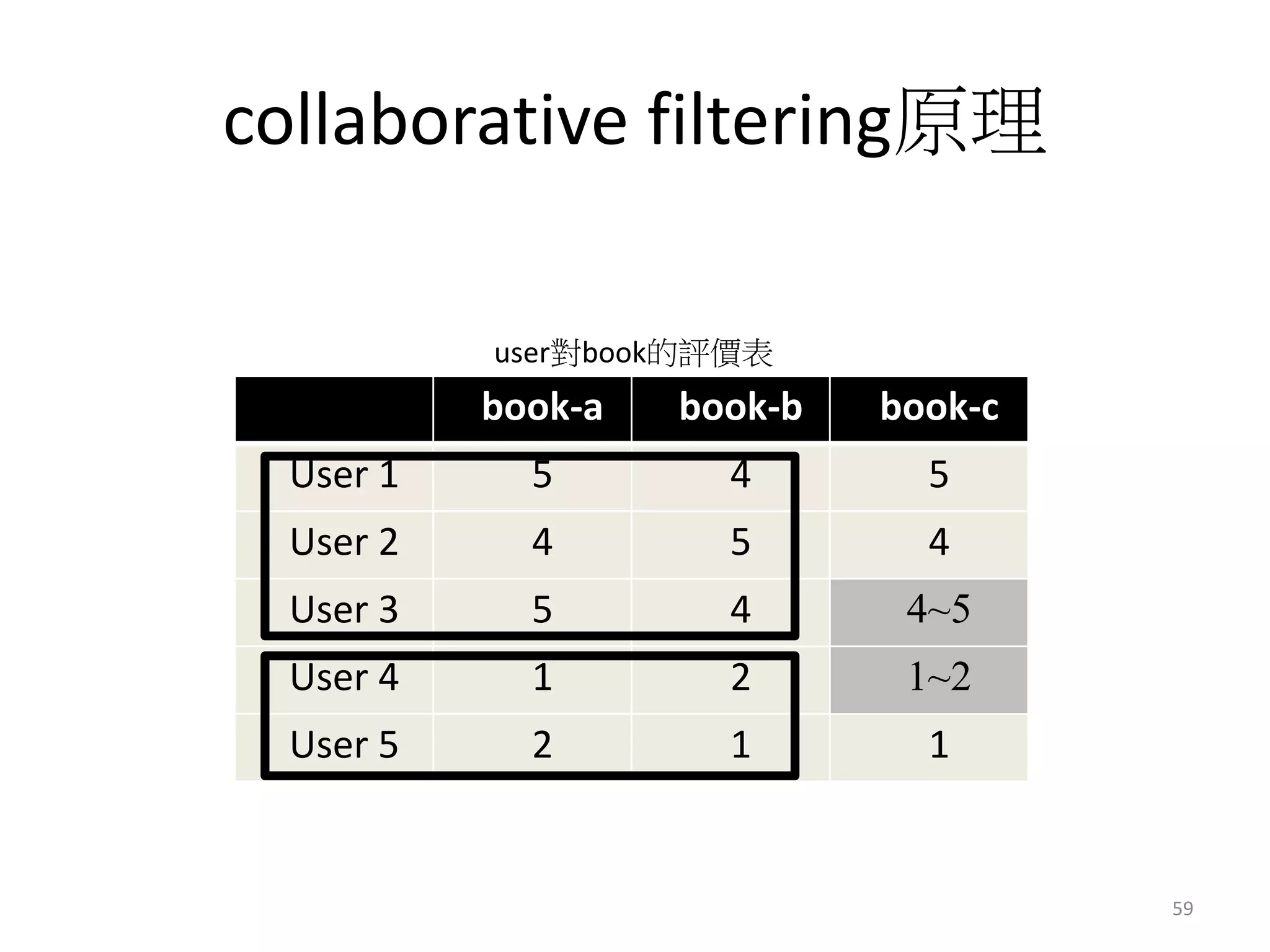
collaborative filtering原理 
user對book的評價表 
book-a book-b book-c 
User 1 5 4 5 
User 2 4 5 4 
User 3 5 4 4~5 
User 4 1 2 1~2 
User 5 2 1 1 
59
推薦系統太簡單了 
60
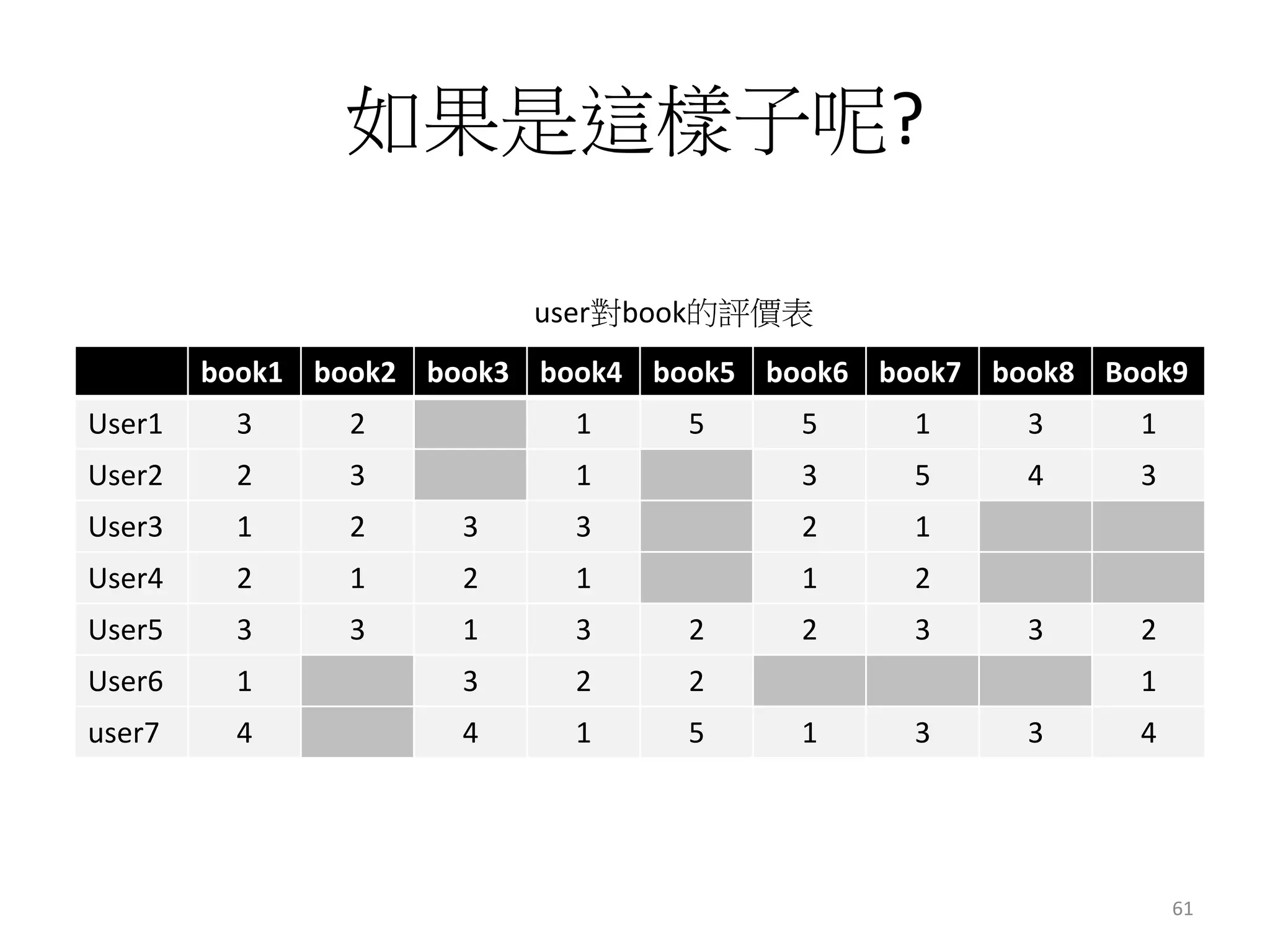
如果是這樣子呢? 
user對book的評價表 
book1 book2 book3 book4 book5 book6 book7 book8 Book9 
User1 3 2 1 5 5 1 3 1 
User2 2 3 1 3 5 4 3 
User3 1 2 3 3 2 1 
User4 2 1 2 1 1 2 
User5 3 3 1 3 2 2 3 3 2 
User6 1 3 2 2 1 
user7 4 4 1 5 1 3 3 4 
61
一個指令搞定 
mahout recommenditembased 
62
Photo Demo 
63
資料集介紹(就是剛剛的範例) 
book-a book-b book-c 
User 1 5 4 5 
User 2 4 5 4 
User 3 5 4 
User 4 1 2 
User 5 2 1 1 
user對book的評價表 
64
ETL 
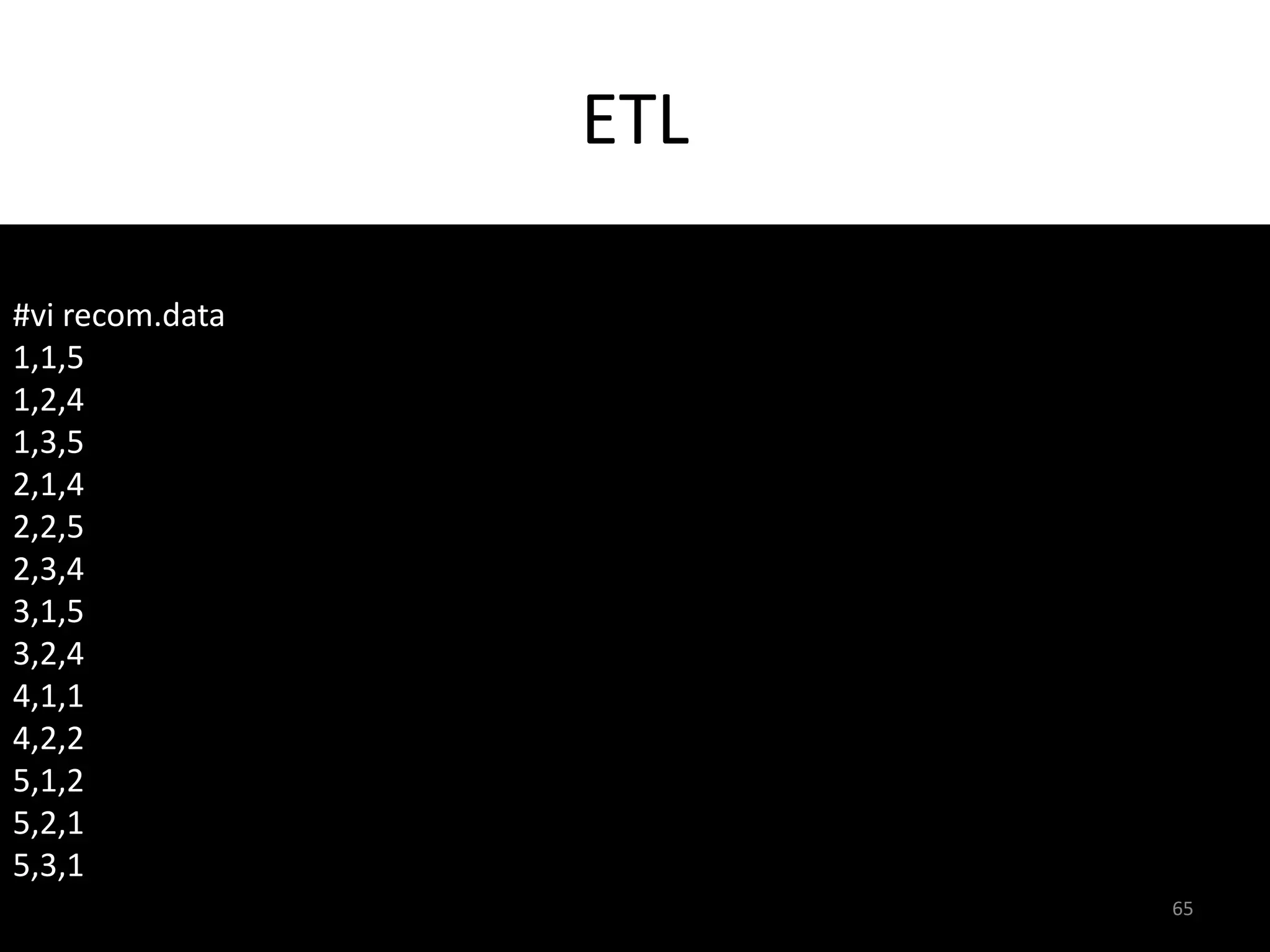
#vi recom.data 
1,1,5 
1,2,4 
1,3,5 
2,1,4 
2,2,5 
2,3,4 
3,1,5 
3,2,4 
4,1,1 
4,2,2 
5,1,2 
5,2,1 
5,3,1 
65
將資料丟到Hadoop 
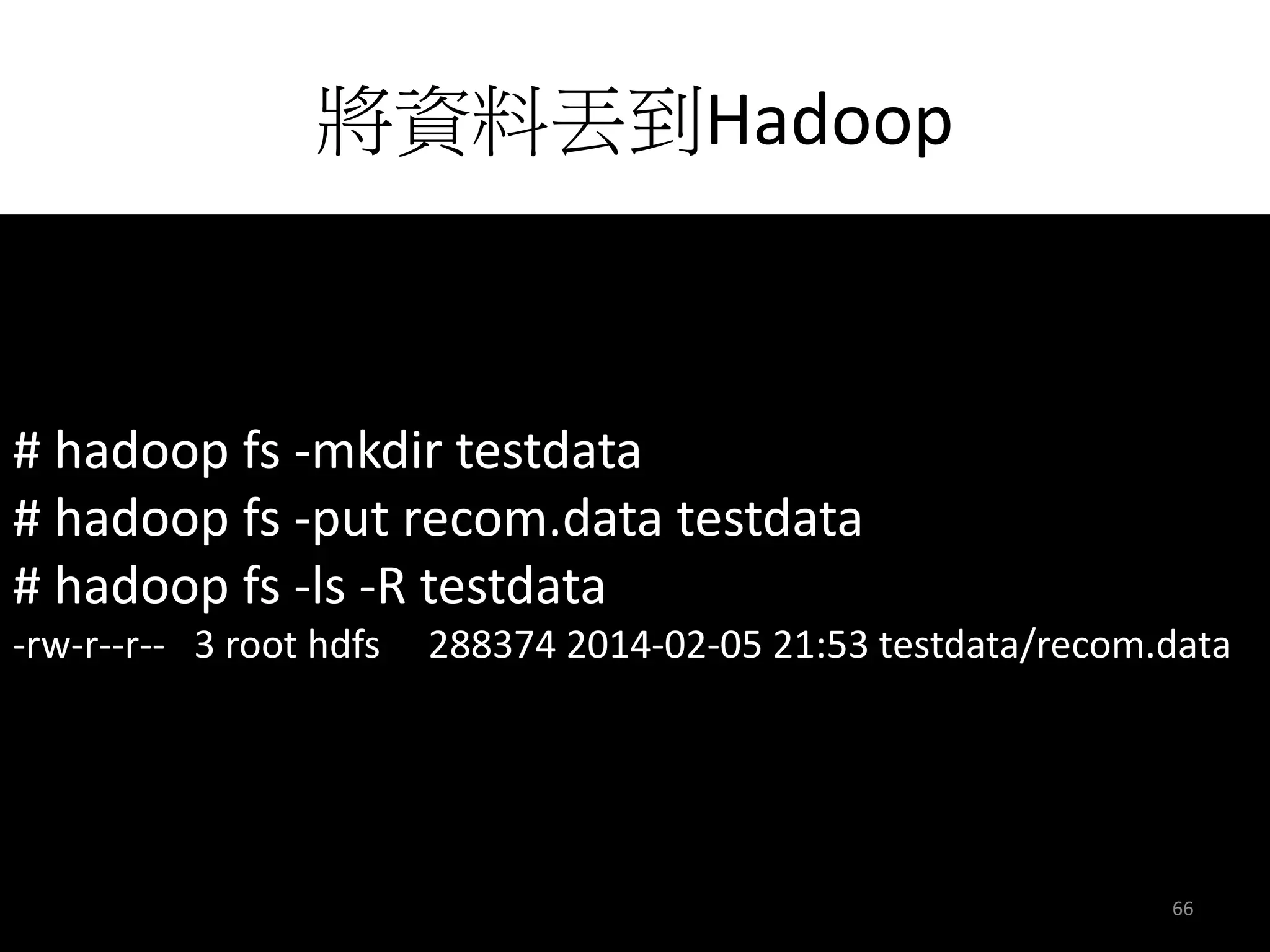
# hadoop fs -mkdir testdata 
# hadoop fs -put recom.data testdata 
# hadoop fs -ls -R testdata 
-rw-r--r-- 3 root hdfs 288374 2014-02-05 21:53 testdata/recom.data 
66
開始Recommendation 
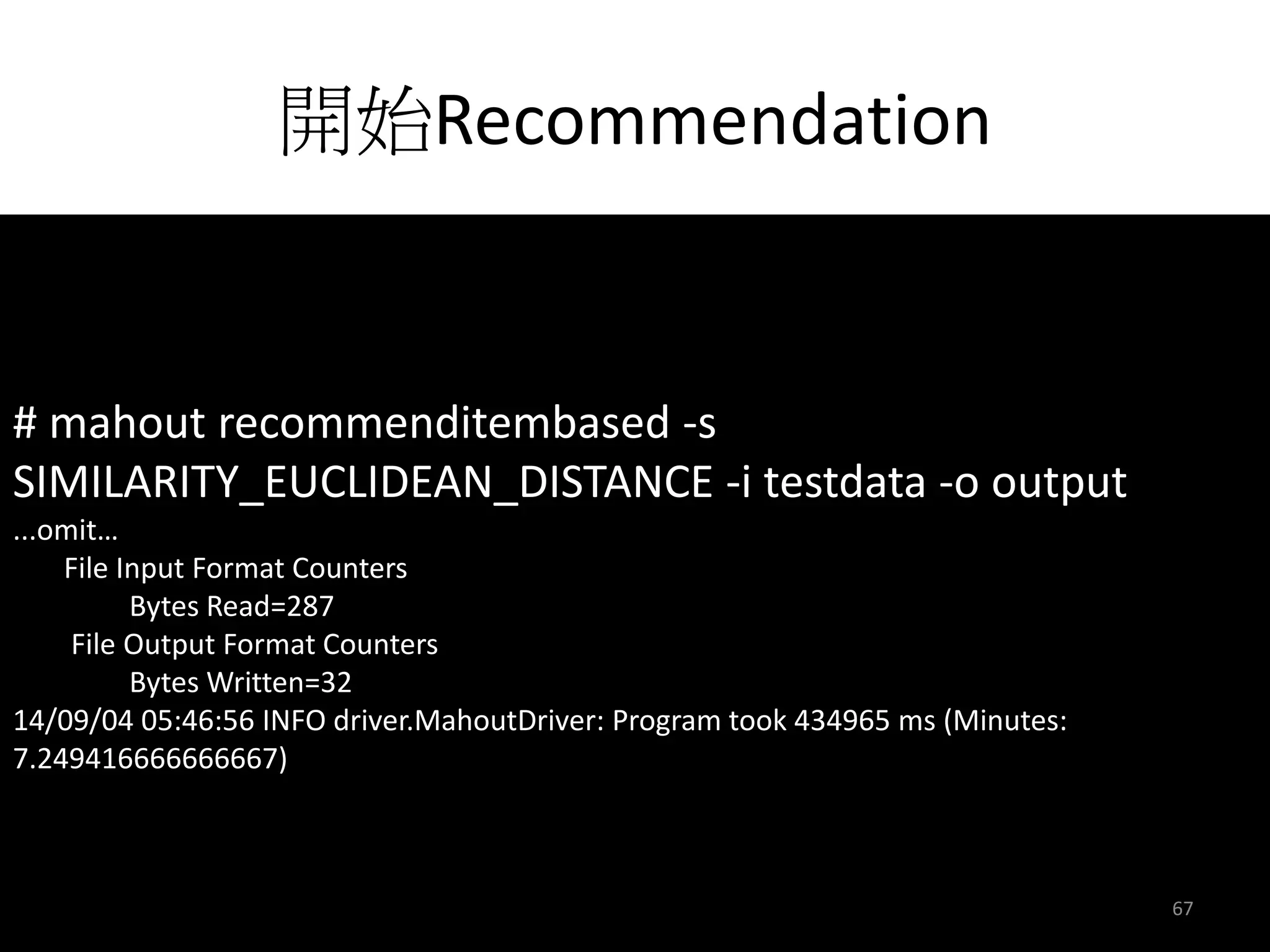
# mahout recommenditembased -s 
SIMILARITY_EUCLIDEAN_DISTANCE -i testdata -o output 
...omit… 
File Input Format Counters 
Bytes Read=287 
File Output Format Counters 
Bytes Written=32 
14/09/04 05:46:56 INFO driver.MahoutDriver: Program took 434965 ms (Minutes: 
7.249416666666667) 
67
顯示推薦結果 
# hadoop fs -cat output/part-r-00000 
3 [3:4.4787264] 
4 [3:1.5212735] 
68
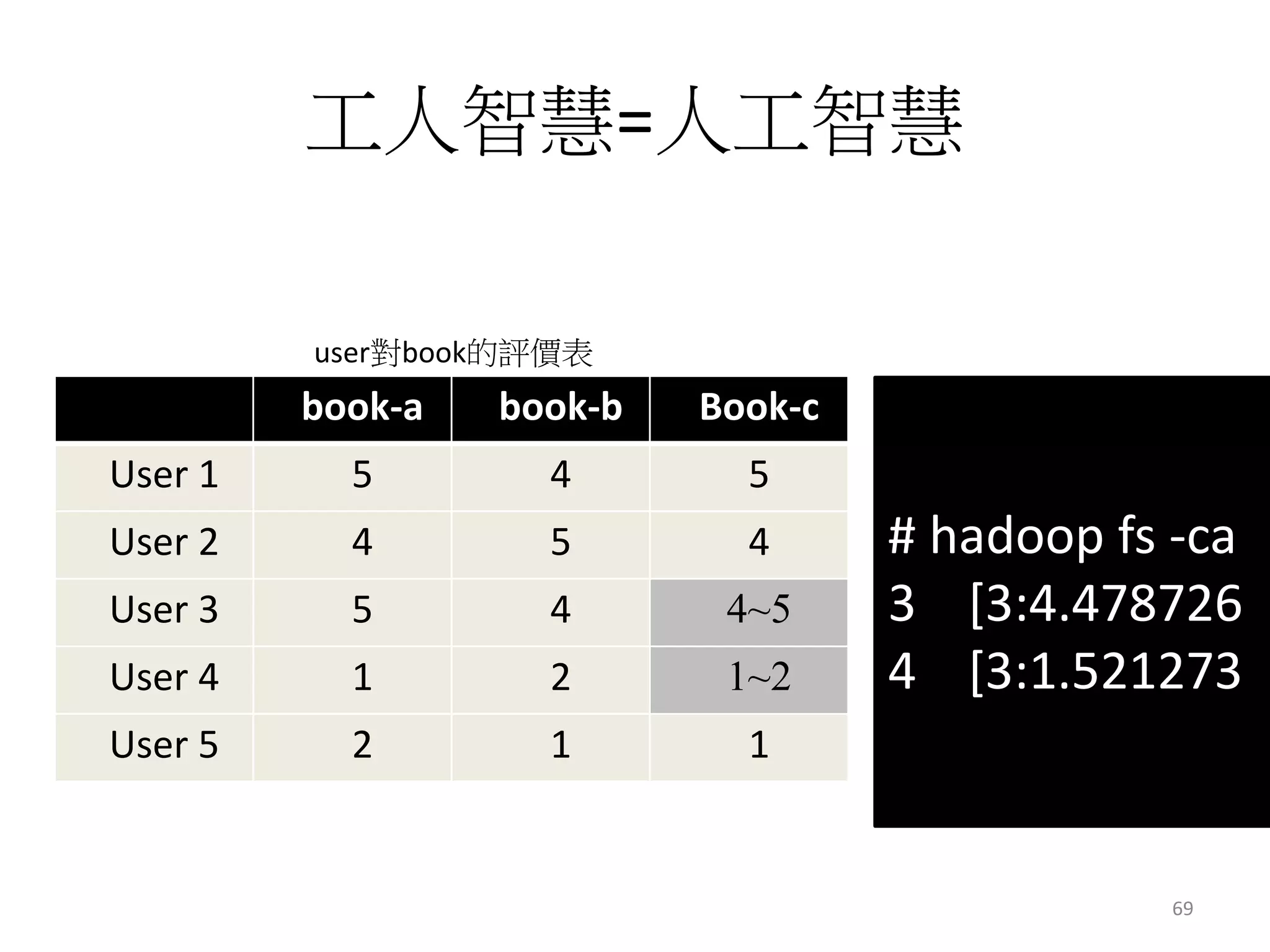
工人智慧=人工智慧 
user對book的評價表 
book-a book-b Book-c 
User 1 5 4 5 
User 2 4 5 4 
User 3 5 4 4~5 
User 4 1 2 1~2 
User 5 2 1 1 
# hadoop fs -ca 
3 [3:4.478726 
4 [3:1.521273 
69
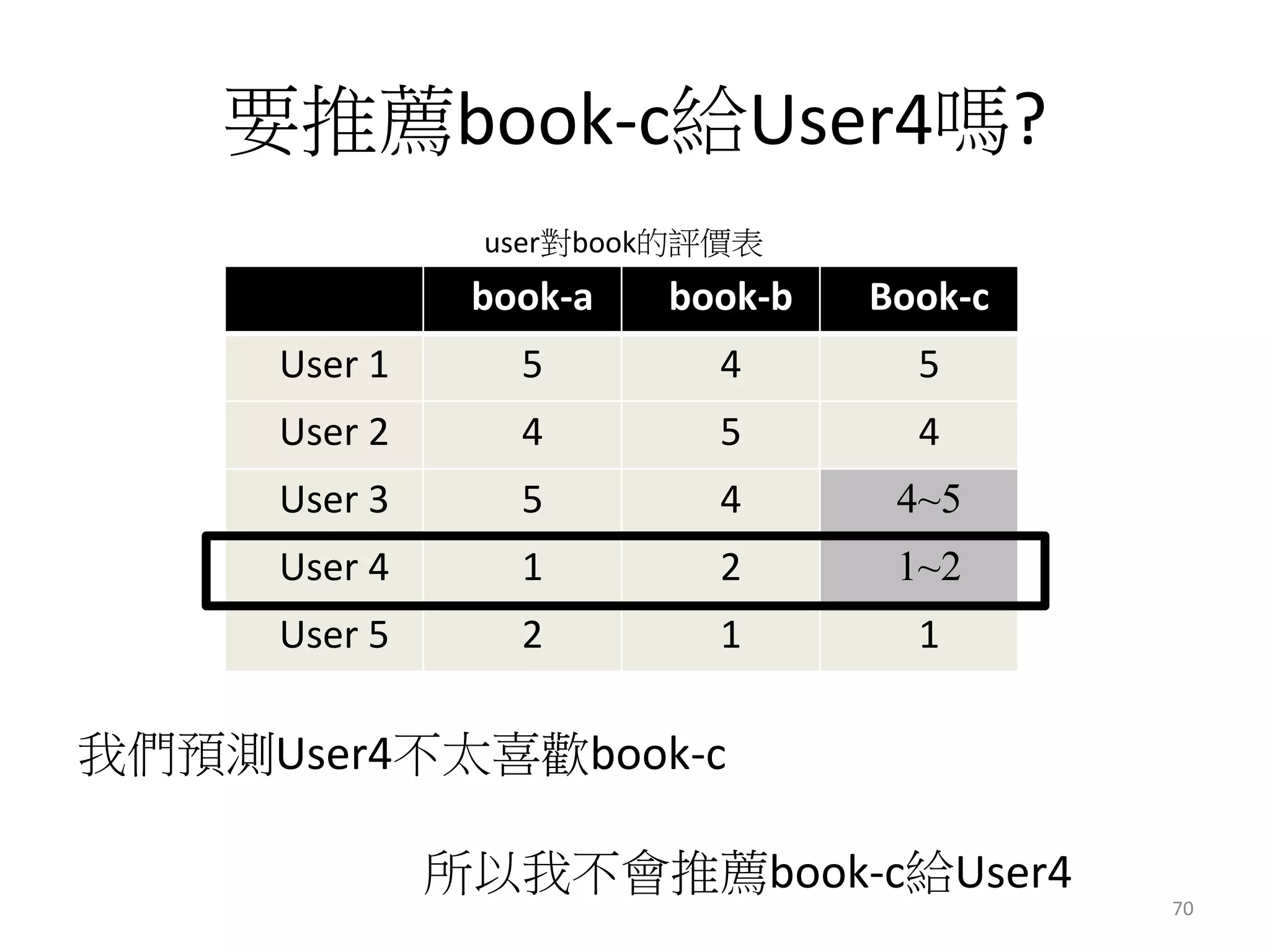
要推薦book-c給User4嗎? 
user對book的評價表 
book-a book-b Book-c 
User 1 5 4 5 
User 2 4 5 4 
User 3 5 4 4~5 
User 4 1 2 1~2 
User 5 2 1 1 
我們預測User4不太喜歡book-c 
所以我不會推薦book-c給User4 
70
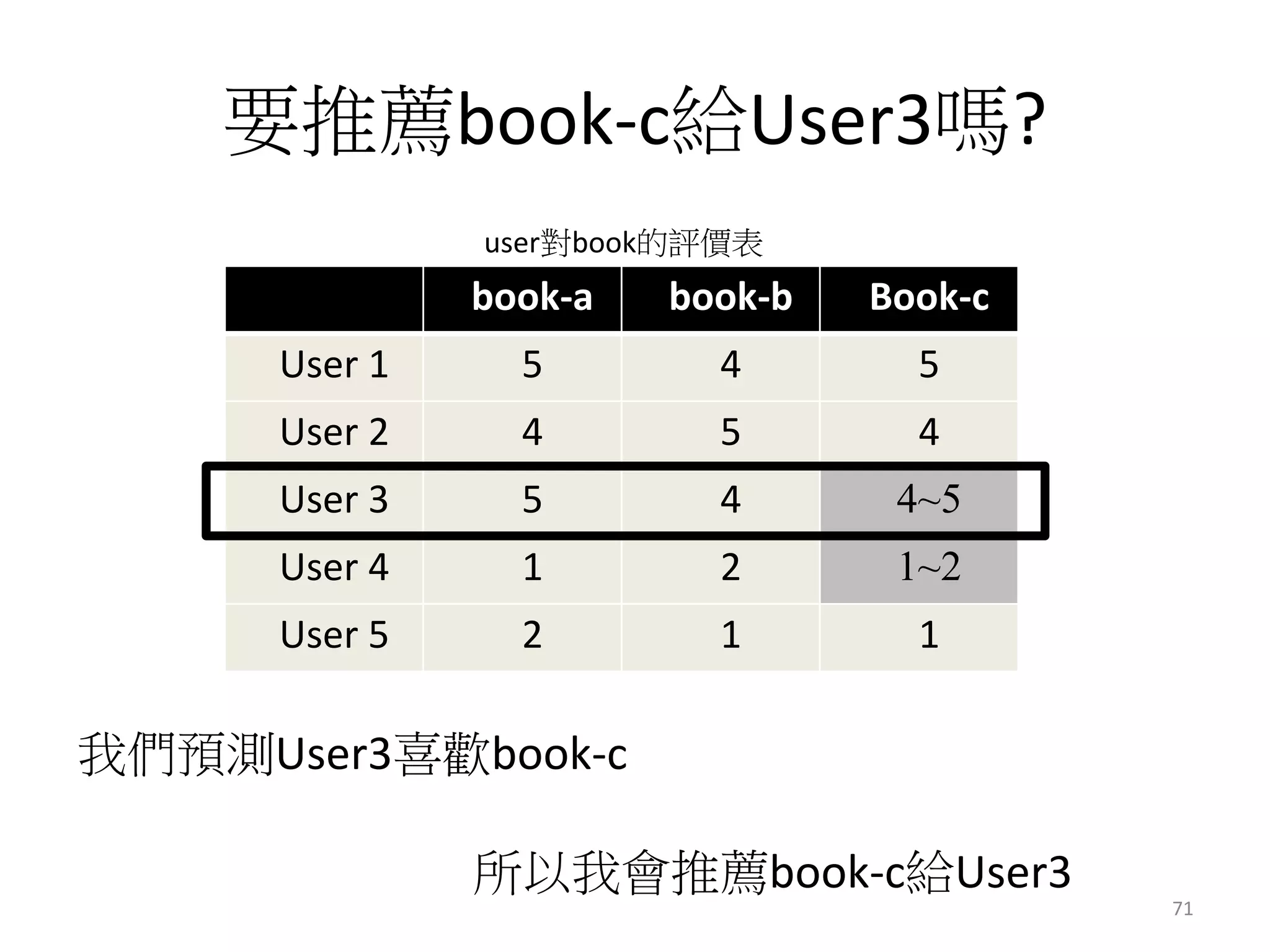
要推薦book-c給User3嗎? 
user對book的評價表 
book-a book-b Book-c 
User 1 5 4 5 
User 2 4 5 4 
User 3 5 4 4~5 
User 4 1 2 1~2 
User 5 2 1 1 
我們預測User3喜歡book-c 
所以我會推薦book-c給User3 
71
在次恭喜大家 
得到技能”recommendation by mahout” 
目前recommendation技能點數為1 
72
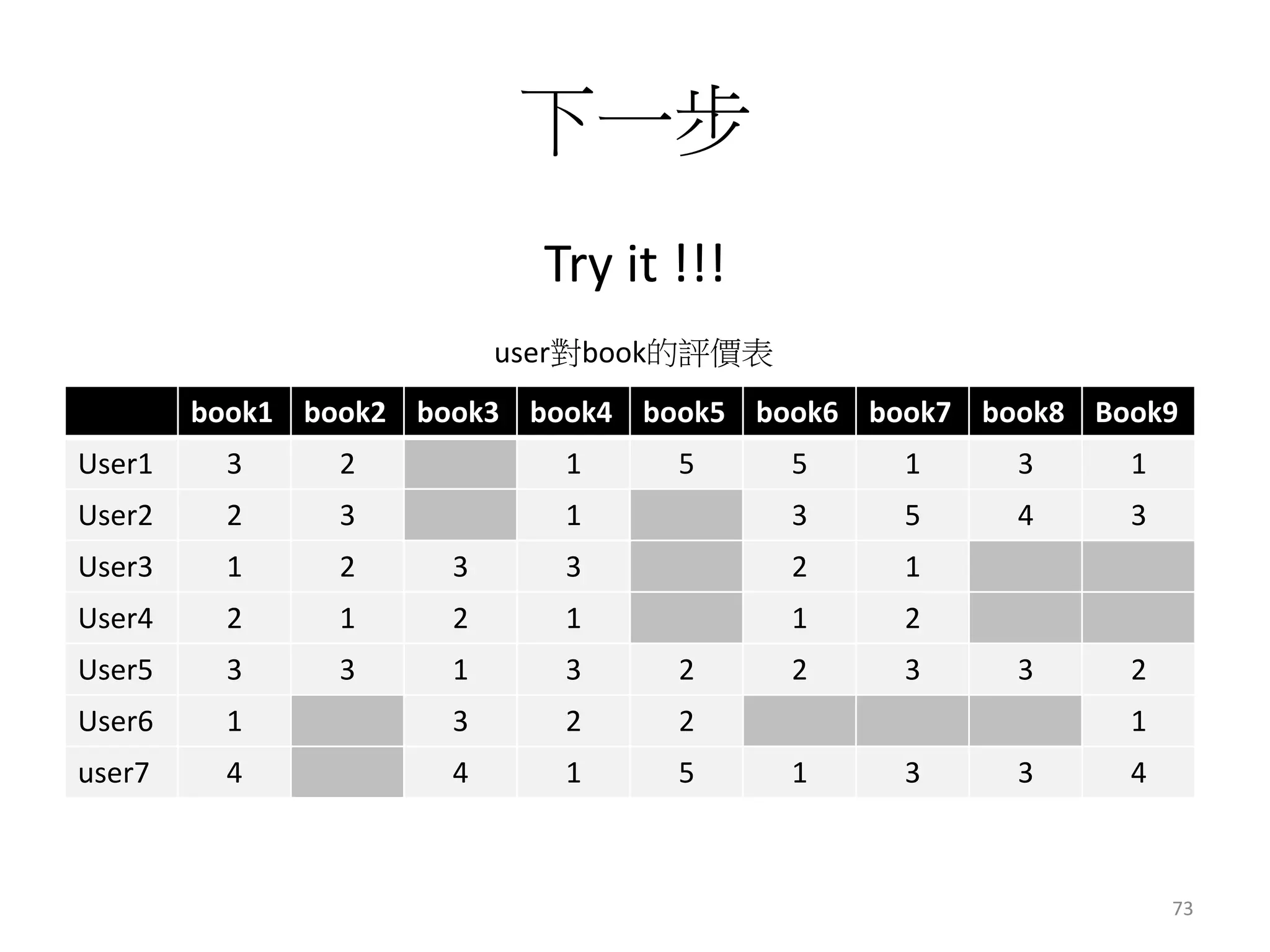
下一步 
Try it !!! 
user對book的評價表 
book1 book2 book3 book4 book5 book6 book7 book8 Book9 
User1 3 2 1 5 5 1 3 1 
User2 2 3 1 3 5 4 3 
User3 1 2 3 3 2 1 
User4 2 1 2 1 1 2 
User5 3 3 1 3 2 2 3 3 2 
User6 1 3 2 2 1 
user7 4 4 1 5 1 3 3 4 
73
Other 
• Frequent pattern analysis 
https://systw.net/note/af/sblog/more.php?id=265 
• Mahout fpgrowth 
https://systw.net/note/af/sblog/more.php?id=292 
74
Other 
• Classification and Predication 
http://systw.net/note/af/sblog/more.php?id=262 
• Mahout logistic 
http://systw.net/note/af/sblog/more.php?id=293 
75
Summary 
• 快速的完成環境建立 
• 一個指令完成clustering 
• 一個指令完成recommendation 
• 其他方法 
76
Thank 
77

Mahout資料分析基礎入門

Editor's Notes

  • #2 看到入門兩個字 就表示這個主題簡單到爆 我的目標是,聽完這場分享後, 不會mahout的人可以馬上能應用 那原本就會的人,…會變更強嗎,…. 其實不會… 因為今天是分享入門, 入門聽在多次,還是入門 所以現在要換場還來得急
  • #15 we have many data from many years
  • #21 # mahout Error: JAVA_HOME is not set. # export JAVA_HOME=/usr/jdk64/jdk1.6.0_31 # mahout MAHOUT_LOCAL is not set; adding HADOOP_CONF_DIR to classpath. Running on hadoop, using /usr/lib/hadoop/bin/hadoop and HADOOP_CONF_DIR=/etc/hadoop/conf MAHOUT-JOB: /usr/lib/mahout/mahout-examples-0.8.0.2.0.6.1-101-job.jar An example program must be given as the first argument. Valid program names are: ...omit...

  • #25 現在假設有個資料集像這樣,10個id,各配上2個特徵值 大家可以自由想像, 這是10個人的身高與體重, 或是IP的流量與連線數, 或是任何事情
  • #26 如果我們把剛剛的表, 畫在一張圖上, 那大概就會長這樣
  • #27 如果我們用分群演算法,依照各id的屬性,就能得到這樣的結果,
  • #29 這張很容易用肉眼看出來, 而且分的很明顯 , 自己就能分了, 幹嘛還要用分群演算法 一定會有人想說, 這麼簡單, 那我自己人工分一分就好了啊, 幹嘛還要讓演算法做 這張圖要小朋友來分也一定分的出來, 就這樣這樣
  • #30 那如果是這張樣呢 要怎麼分?
  • #31 不用擔心, 這時候演算法就很好用了, 一下就能幫你分好
  • #38 0 1 1 0 1 1 2 1 1 2 2 2 5 6 6 5 6 6 9 9
  • #65  1,1,5 1,2,4 1,3,5 2,1,4 2,2,5 2,3,4 3,1,5 3,2,4 4,1,1 4,2,2 5,1,2 5,2,1 5,3,1