Jonathan Bossenger
Let’s Code
Learn.WordPress.org
Developing Blocks without React! - Part 1
2
👋🏽
Welcome!
As you join, please get
your local WordPress
install ready:
Make sure you have your local development
environment ready:
• A local WordPress installation
• A code editor like VSCode or Sublime
Then, let everyone know in the chat where you’re
joining us from…
Hello!
○ My name is Jonathan Bossenger
○ From Cape Town, South Africa
○ Ex-developer turned code instructor
○ Sponsored contributor at Automattic
○ @jon_bossenger in Twitter
Learn.WordPress.org
Let's code!
Developing Blocks
without React!
Jonathan Bossenger
Announcements
○ Welcome!
○ We’ll be presenting in focus mode, but please consider enabling your video.
○ You are welcome to ask questions.
○ You are welcome to unmute to ask questions, or post them in the chat.
Announcements
○ Please consider taking the Learn WordPress Learner Survey
• https://learn.wordpress.org/individual-learner-survey/
○ Make sure your local install is ready
○ If I am going too fast, please let me know!
○ We will be posting this session to https://wordpress.tv/ afterwards
○ For more WordPress focused content please visit https://learn.wordpress.org/
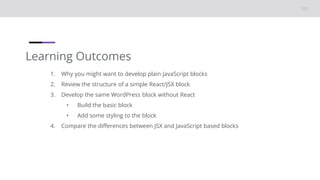
Learning Outcomes
1. Why you might want to develop plain JavaScript blocks
2. Review the structure of a simple React/JSX block
3. Develop the same WordPress block without React
• Build the basic block
• Add some styling to the block
4. Compare the differences between JSX and JavaScript based blocks
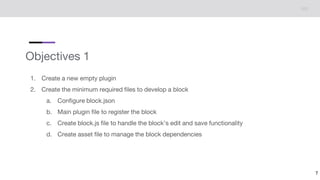
Objectives 1
1. Create a new empty plugin
2. Create the minimum required files to develop a block
a. Configure block.json
b. Main plugin file to register the block
c. Create block.js file to handle the block’s edit and save functionality
d. Create asset file to manage the block dependencies
7
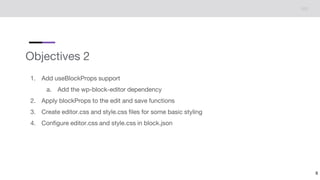
Objectives 2
1. Add useBlockProps support
a. Add the wp-block-editor dependency
2. Apply blockProps to the edit and save functions
3. Create editor.css and style.css files for some basic styling
4. Configure editor.css and style.css in block.json
8
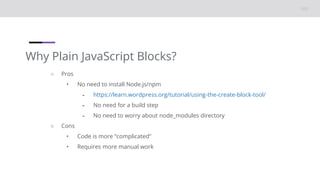
Why Plain JavaScript Blocks?
○ Pros
• No need to install Node.js/npm
⁃ https://learn.wordpress.org/tutorial/using-the-create-block-tool/
⁃ No need for a build step
⁃ No need to worry about node_modules directory
○ Cons
• Code is more “complicated”
• Requires more manual work
10
Let’s code.
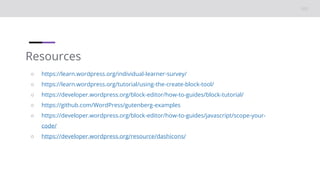
Resources
○ https://learn.wordpress.org/individual-learner-survey/
○ https://learn.wordpress.org/tutorial/using-the-create-block-tool/
○ https://developer.wordpress.org/block-editor/how-to-guides/block-tutorial/
○ https://github.com/WordPress/gutenberg-examples
○ https://developer.wordpress.org/block-editor/how-to-guides/javascript/scope-your-
code/
○ https://developer.wordpress.org/resource/dashicons/
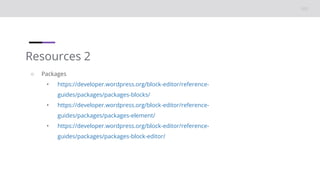
Resources 2
○ Packages
• https://developer.wordpress.org/block-editor/reference-
guides/packages/packages-blocks/
• https://developer.wordpress.org/block-editor/reference-
guides/packages/packages-element/
• https://developer.wordpress.org/block-editor/reference-
guides/packages/packages-block-editor/

Developing Blocks without React - Part 1

  • 1.
  • 2.
    2 👋🏽 Welcome! As you join,please get your local WordPress install ready: Make sure you have your local development environment ready: • A local WordPress installation • A code editor like VSCode or Sublime Then, let everyone know in the chat where you’re joining us from… Hello! ○ My name is Jonathan Bossenger ○ From Cape Town, South Africa ○ Ex-developer turned code instructor ○ Sponsored contributor at Automattic ○ @jon_bossenger in Twitter
  • 3.
  • 4.
    Announcements ○ Welcome! ○ We’llbe presenting in focus mode, but please consider enabling your video. ○ You are welcome to ask questions. ○ You are welcome to unmute to ask questions, or post them in the chat.
  • 5.
    Announcements ○ Please considertaking the Learn WordPress Learner Survey • https://learn.wordpress.org/individual-learner-survey/ ○ Make sure your local install is ready ○ If I am going too fast, please let me know! ○ We will be posting this session to https://wordpress.tv/ afterwards ○ For more WordPress focused content please visit https://learn.wordpress.org/
  • 6.
    Learning Outcomes 1. Whyyou might want to develop plain JavaScript blocks 2. Review the structure of a simple React/JSX block 3. Develop the same WordPress block without React • Build the basic block • Add some styling to the block 4. Compare the differences between JSX and JavaScript based blocks
  • 7.
    Objectives 1 1. Createa new empty plugin 2. Create the minimum required files to develop a block a. Configure block.json b. Main plugin file to register the block c. Create block.js file to handle the block’s edit and save functionality d. Create asset file to manage the block dependencies 7
  • 8.
    Objectives 2 1. AdduseBlockProps support a. Add the wp-block-editor dependency 2. Apply blockProps to the edit and save functions 3. Create editor.css and style.css files for some basic styling 4. Configure editor.css and style.css in block.json 8
  • 9.
    Why Plain JavaScriptBlocks? ○ Pros • No need to install Node.js/npm ⁃ https://learn.wordpress.org/tutorial/using-the-create-block-tool/ ⁃ No need for a build step ⁃ No need to worry about node_modules directory ○ Cons • Code is more “complicated” • Requires more manual work
  • 10.
  • 11.
    Resources ○ https://learn.wordpress.org/individual-learner-survey/ ○ https://learn.wordpress.org/tutorial/using-the-create-block-tool/ ○https://developer.wordpress.org/block-editor/how-to-guides/block-tutorial/ ○ https://github.com/WordPress/gutenberg-examples ○ https://developer.wordpress.org/block-editor/how-to-guides/javascript/scope-your- code/ ○ https://developer.wordpress.org/resource/dashicons/
  • 12.
    Resources 2 ○ Packages •https://developer.wordpress.org/block-editor/reference- guides/packages/packages-blocks/ • https://developer.wordpress.org/block-editor/reference- guides/packages/packages-element/ • https://developer.wordpress.org/block-editor/reference- guides/packages/packages-block-editor/

Editor's Notes

  • #2 TITLE SLIDE: Make a copy of this presentation to your Google Drive, and edit to replace with your details.