


Keeping the frontend
under control with
Symfony and Webpack
Nacho Martín
@nacmartin
nacho@limenius.com
Munich Symfony Meetup
October’16
I write code at Limenius
We build tailor made projects
using mainly Symfony
and React.js
So we have been figuring out how to organize better
the frontend
Nacho Martín
nacho@limenius.com @nacmartin
Why do we need this?
Assetic?
No module loading
No bundle orientation
Not a standard solution for frontenders
Other tools simply have more manpower
behind
Written before the Great Frontend Revolution
Building the Pyramids: 130K man years
Writing JavaScript: 10 man days
JavaScript
Making JavaScript great: NaN man years
JavaScript
Tendencies
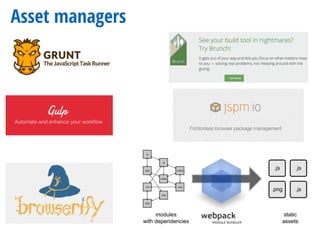
Asset managers
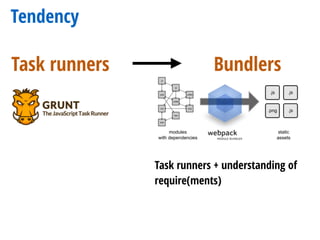
Tendency
Task runners
Tendency
Task runners Bundlers
Task runners + understanding of
require(ments)
Tendency
Task runners Bundlers
Task runners + understanding of
require(ments)
Package management in JS
Server Side (node.js)
Bower
Client side (browser)
Used to be
Package management in JS
Server Side (node.js)
Bower
Client side (browser)
Used to be Now
Everywhere
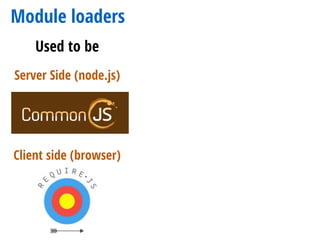
Module loaders
Server Side (node.js)
Client side (browser)
Used to be
Module loaders
Server Side (node.js)
Client side (browser)
Used to be Now
Everywhere
&ES6 Style
Summarizing
Package manager Module loader
Module bundler
Setup
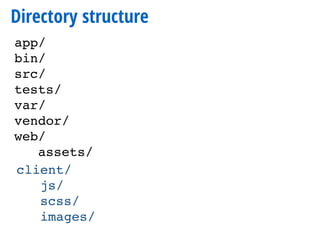
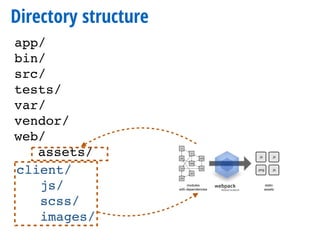
Directory structure
app/
bin/
src/
tests/
var/
vendor/
web/
assets/
Directory structure
app/
bin/
src/
tests/
var/
vendor/
web/
assets/
client/
js/
scss/
images/
Directory structure
app/
bin/
src/
tests/
var/
vendor/
web/
assets/
client/
js/
scss/
images/
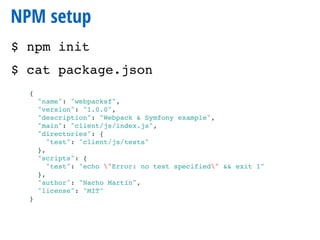
NPM setup
$ npm init
$ cat package.json
{
"name": "webpacksf",
"version": "1.0.0",
"description": "Webpack & Symfony example",
"main": "client/js/index.js",
"directories": {
"test": "client/js/tests"
},
"scripts": {
"test": "echo "Error: no test specified" && exit 1"
},
"author": "Nacho Martín",
"license": "MIT"
}
Install Webpack
$ npm install -g webpack
$ npm install --save-dev webpack
Or, to install it globally
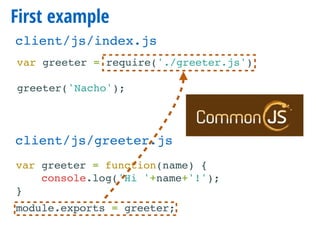
First example
var greeter = require('./greeter.js')
greeter('Nacho');
client/js/index.js
First example
var greeter = require('./greeter.js')
greeter('Nacho');
client/js/index.js
var greeter = function(name) {
console.log('Hi '+name+'!');
}
module.exports = greeter;
client/js/greeter.js
First example
var greeter = require('./greeter.js')
greeter('Nacho');
client/js/index.js
var greeter = function(name) {
console.log('Hi '+name+'!');
}
module.exports = greeter;
client/js/greeter.js
Webpack without configuration
$ webpack client/js/index.js web/assets/build/hello.js
Hash: 4f4f05e78036f9dc67f3
Version: webpack 1.13.2
Time: 100ms
Asset Size Chunks Chunk Names
hi.js 1.59 kB 0 [emitted] main
[0] ./client/js/index.js 57 bytes {0} [built]
[1] ./client/js/greeter.js 66 bytes {0} [built]
Webpack without configuration
<!DOCTYPE html>
<html>
<head>
<meta charset="UTF-8" />
<title>{% block title %}Webpack & Symfony!{% endblock %}</title>
{% block stylesheets %}{% endblock %}
<link rel="icon" type="image/x-icon" href="{{ asset('favicon.ico') }}" />
</head>
<body>
{% block body %}{% endblock %}
{% block javascripts %}
<script src="{{ asset('assets/build/hello.js') }}"></script>
{% endblock %}
</body>
</html>
app/Resources/base.html.twig
Webpack config
module.exports = {
entry: {
hello: './client/js/index.js'
},
output: {
publicPath: '/assets/build/',
path: './web/assets/build',
filename: '[name].js'
}
};
webpack.config.js
Webpack config
module.exports = {
entry: {
hello: './client/js/index.js'
},
output: {
publicPath: '/assets/build/',
path: './web/assets/build',
filename: '[name].js'
}
};
webpack.config.js
Loaders
Now that we have modules,
What about using modern JavaScript?
(without caring about IE support)
Now that we have modules,
What about using modern JavaScript?
(without caring about IE support)
JavaScript ES2015
•Default Parameters
•Template Literals
•Arrow Functions
•Promises
•Block-Scoped Constructs Let and Const
•Classes
•Modules
•…
Why Babel matters
import Greeter from './greeter.js';
let greeter = new Greeter('Hi');
greeter.greet('gentlemen');
class Greeter {
constructor(salutation = 'Hello') {
this.salutation = salutation;
}
greet(name = 'Nacho') {
const greeting = `${this.salutation}, ${name}!`;
console.log(greeting);
}
}
export default Greeter;
client/js/index.js
client/js/greeter.js
Install babel
$ npm install --save-dev babel-core 
babel-loader babel-preset-es2015
Install babel
$ npm install --save-dev babel-core 
babel-loader babel-preset-es2015
module.exports = {
entry: {
hello: './client/js/index.js'
},
output: {
publicPath: '/assets/build/',
path: './web/assets/build',
filename: '[name].js'
},
module: {
loaders: [
{
test: /.js$/,
loader: 'babel-loader',
exclude: /node_modules/
},
]
}
};
webpack.config.js
Install babel
$ npm install --save-dev babel-core 
babel-loader babel-preset-es2015
module.exports = {
entry: {
hello: './client/js/index.js'
},
output: {
publicPath: '/assets/build/',
path: './web/assets/build',
filename: '[name].js'
},
module: {
loaders: [
{
test: /.js$/,
loader: 'babel-loader',
exclude: /node_modules/
},
]
}
};
webpack.config.js
Install babel
$ npm install --save-dev babel-core 
babel-loader babel-preset-es2015
module.exports = {
entry: {
hello: './client/js/index.js'
},
output: {
publicPath: '/assets/build/',
path: './web/assets/build',
filename: '[name].js'
},
module: {
loaders: [
{
test: /.js$/,
loader: 'babel-loader',
exclude: /node_modules/
},
]
}
};
webpack.config.js .babelrc
{
"presets": ["es2015"]
}
Install babel
$ npm install --save-dev babel-core 
babel-loader babel-preset-es2015
module.exports = {
entry: {
hello: './client/js/index.js'
},
output: {
publicPath: '/assets/build/',
path: './web/assets/build',
filename: '[name].js'
},
module: {
loaders: [
{
test: /.js$/,
loader: 'babel-loader',
exclude: /node_modules/
},
]
}
};
webpack.config.js .babelrc
{
"presets": ["es2015"]
}
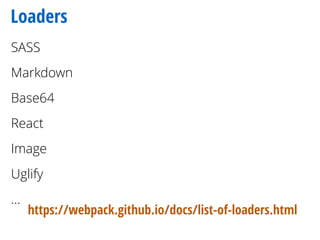
Loaders
SASS
Markdown
Base64
React
Image
Uglify
…
https://webpack.github.io/docs/list-of-loaders.html
Loader gymnastics: (S)CSS
Loading styles
require(‘../css/layout.css');
//…
client/js/index.js
Loading styles: raw*
loaders: [
//…
{ test: /.css$/i, loader: 'raw'},
]
exports.push([module.id, "body {n line-height: 1.5;n padding: 4em 1em;n}nnh2 {n
margin-top: 1em;n padding-top: 1em;n}nnh1,nh2,nstrong {n color: #333;n}nna
{n color: #e81c4f;n}nn", ""]);
Embeds it into JavaScript, but…
*(note: if you are reading the slides, don’t use this loader for css. Use css loader, that will be explained later)
Chaining styles: style
loaders: [
//…
{ test: /.css$/i, loader: ’style!raw'},
]
CSS loader
header {
background-image: url("../img/header.jpg");
}
Problem
CSS loader
header {
background-image: url("../img/header.jpg");
}
url(image.png) => require("./image.png")
url(~module/image.png) => require("module/image.png")
We want
Problem
CSS loader
header {
background-image: url("../img/header.jpg");
}
url(image.png) => require("./image.png")
url(~module/image.png) => require("module/image.png")
We want
Problem
loaders: [
//…
{ test: /.css$/i, loader: ’style!css'},
]
Solution
File loaders
{ test: /.jpg$/, loader: 'file-loader' },
{ test: /.png$/, loader: 'url-loader?limit=10000' },
Copies file as [hash].jpg, and returns the public url
If file < 10Kb: embed it in data URL.
If > 10Kb: use file-loader
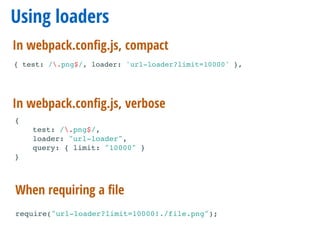
Using loaders
When requiring a file
In webpack.config.js, verbose
{
test: /.png$/,
loader: "url-loader",
query: { limit: "10000" }
}
require("url-loader?limit=10000!./file.png");
{ test: /.png$/, loader: 'url-loader?limit=10000' },
In webpack.config.js, compact
SASS
{ test: /.scss$/i, loader: 'style!css!sass'},
In webpack.config.js, compact
$ npm install --save-dev sass-loader node-sass
Also
{
test: /.scss$/i,
loaders: [ 'style', 'css', 'sass' ]
},
Embedding CSS in JS is good in
Single Page Apps
What if I am not writing a Single Page App?
ExtractTextPlugin
var ExtractTextPlugin = require("extract-text-webpack-plugin");
const extractCSS = new ExtractTextPlugin('stylesheets/[name].css');
const config = {
//…
module: {
loaders: [
{ test: /.css$/i, loader: extractCSS.extract(['css'])},
//…
]
},
plugins: [
extractCSS,
//…
]
};
{% block stylesheets %}
<link href="{{asset('assets/build/stylesheets/hello.css')}}"
rel="stylesheet">
{% endblock %}
app/Resources/base.html.twig
webpack.config.js
ExtractTextPlugin
var ExtractTextPlugin = require("extract-text-webpack-plugin");
const extractCSS = new ExtractTextPlugin('stylesheets/[name].css');
const config = {
//…
module: {
loaders: [
{ test: /.css$/i, loader: extractCSS.extract(['css'])},
//…
]
},
plugins: [
extractCSS,
//…
]
};
{% block stylesheets %}
<link href="{{asset('assets/build/stylesheets/hello.css')}}"
rel="stylesheet">
{% endblock %}
app/Resources/base.html.twig
webpack.config.js
{ test: /.scss$/i, loader: extractCSS.extract(['css','sass'])},
Also
Dev tools
Webpack-watch
$ webpack --watch
Simply watches for changes and recompiles the bundle
Webpack-dev-server
$ webpack-dev-server —inline
http://localhost:8080/webpack-dev-server/
Starts a server.
The browser opens a WebSocket connection with it
and reloads automatically when something changes.
Webpack-dev-server config Sf
{% block javascripts %}
<script src="{{ asset('assets/build/hello.js', 'webpack') }}"></script>
{% endblock %}
app/Resources/base.html.twig
framework:
assets:
packages:
webpack:
base_urls:
- "%assets_base_url%"
app/config/config_dev.yml
parameters:
#…
assets_base_url: 'http://localhost:8080'
app/config/parameters.yml
Webpack-dev-server config Sf
{% block javascripts %}
<script src="{{ asset('assets/build/hello.js', 'webpack') }}"></script>
{% endblock %}
app/Resources/base.html.twig
framework:
assets:
packages:
webpack:
base_urls:
- "%assets_base_url%"
app/config/config_dev.yml
framework:
assets:
packages:
webpack: ~
app/config/config.yml
parameters:
#…
assets_base_url: 'http://localhost:8080'
app/config/parameters.yml
Optional web-dev-server
Kudos Ryan Weaver
class AppKernel extends Kernel
{
public function registerContainerConfiguration(LoaderInterface $loader)
{
//…
$loader->load(function($container) {
if ($container->getParameter('use_webpack_dev_server')) {
$container->loadFromExtension('framework', [
'assets' => [
'base_url' => 'http://localhost:8080'
]
]);
}
});
}
}
Hot module replacement
output: {
publicPath: 'http://localhost:8080/assets/build/',
path: './web/assets/build',
filename: '[name].js'
},
Will try to replace the code without even page reload
$ webpack-dev-server --hot --inline
Hot module replacement
output: {
publicPath: 'http://localhost:8080/assets/build/',
path: './web/assets/build',
filename: '[name].js'
},
Will try to replace the code without even page reload
Needs full URL (so only in dev), or…
$ webpack-dev-server --hot --inline
Hot module replacement
output: {
publicPath: 'http://localhost:8080/assets/build/',
path: './web/assets/build',
filename: '[name].js'
},
$ webpack-dev-server --hot --inline --output-public-path
http://localhost:8080/assets/build/
Will try to replace the code without even page reload
Needs full URL (so only in dev), or…
$ webpack-dev-server --hot --inline
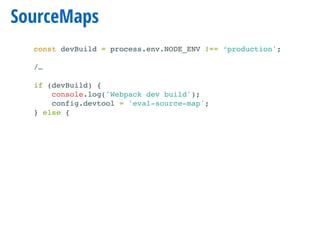
SourceMaps
const devBuild = process.env.NODE_ENV !== ‘production';
/…
if (devBuild) {
console.log('Webpack dev build');
config.devtool = 'eval-source-map';
} else {
SourceMaps
const devBuild = process.env.NODE_ENV !== ‘production';
/…
if (devBuild) {
console.log('Webpack dev build');
config.devtool = 'eval-source-map';
} else {
eval
source-map
hidden-source-map
inline-source-map
eval-source-map
cheap-source-map
cheap-module-source-map
Several options:
Notifier
$ npm install --save-dev webpack-notifier
module.exports = {
//…
plugins: [
new WebpackNotifierPlugin(),
]
};
webpack.config.js
Notifier
$ npm install --save-dev webpack-notifier
module.exports = {
//…
plugins: [
new WebpackNotifierPlugin(),
]
};
webpack.config.js
Notifier
$ npm install --save-dev webpack-notifier
module.exports = {
//…
plugins: [
new WebpackNotifierPlugin(),
]
};
webpack.config.js
Optimize for production
Optimization options
var WebpackNotifierPlugin = require('webpack-notifier');
var webpack = require(‘webpack');
const devBuild = process.env.NODE_ENV !== 'production';
const config = {
entry: {
hello: './client/js/index.js'
},
//…
};
if (devBuild) {
console.log('Webpack dev build');
config.devtool = 'eval-source-map';
} else {
console.log('Webpack production build');
config.plugins.push(
new webpack.optimize.DedupePlugin()
);
config.plugins.push(
new webpack.optimize.UglifyJsPlugin({
compress: {
warnings: false
}
})
);
}
module.exports = config;
Optimization options
var WebpackNotifierPlugin = require('webpack-notifier');
var webpack = require(‘webpack');
const devBuild = process.env.NODE_ENV !== 'production';
const config = {
entry: {
hello: './client/js/index.js'
},
//…
};
if (devBuild) {
console.log('Webpack dev build');
config.devtool = 'eval-source-map';
} else {
console.log('Webpack production build');
config.plugins.push(
new webpack.optimize.DedupePlugin()
);
config.plugins.push(
new webpack.optimize.UglifyJsPlugin({
compress: {
warnings: false
}
})
);
}
module.exports = config;
$ export NODE_ENV=production; webpack
Optimization options
var WebpackNotifierPlugin = require('webpack-notifier');
var webpack = require(‘webpack');
const devBuild = process.env.NODE_ENV !== 'production';
const config = {
entry: {
hello: './client/js/index.js'
},
//…
};
if (devBuild) {
console.log('Webpack dev build');
config.devtool = 'eval-source-map';
} else {
console.log('Webpack production build');
config.plugins.push(
new webpack.optimize.DedupePlugin()
);
config.plugins.push(
new webpack.optimize.UglifyJsPlugin({
compress: {
warnings: false
}
})
);
}
module.exports = config;
$ export NODE_ENV=production; webpack
Bundle visualizer
$ webpack --json > stats.json
https://chrisbateman.github.io/webpack-visualizer/
Bundle visualizer
$ webpack --json > stats.json
https://chrisbateman.github.io/webpack-visualizer/
More than one bundle
Separate entry points
var config = {
entry: {
front: './assets/js/front.js',
admin: './assets/js/admin.js',
},
output: {
publicPath: '/assets/build/',
path: './web/assets/build/',
filename: '[name].js'
},
Vendor bundles
var config = {
entry: {
front: './assets/js/front.js',
admin: './assets/js/admin.js',
'vendor-admin': [
'lodash',
'moment',
'classnames',
'react',
'redux',
]
},
plugins: [
extractCSS,
new webpack.optimize.CommonsChunkPlugin({
name: 'vendor-admin',
chunks: ['admin'],
filename: 'vendor-admin.js',
minChunks: Infinity
}),
Common Chunks
var CommonsChunkPlugin = require(“webpack/lib/optimize/CommonsChunkPlugin”);
module.exports = {
entry: {
page1: "./page1",
page2: "./page2",
},
output: {
filename: "[name].chunk.js"
},
plugins: [
new CommonsChunkPlugin("commons.chunk.js")
]
}
Produces page1.chunk.js, page2.chunk.js and commons.chunk.js
On demand loading
class Greeter {
constructor(salutation = 'Hello') {
this.salutation = salutation;
}
greet(name = 'Nacho', goodbye = true) {
const greeting = `${this.salutation}, ${name}!`;
console.log(greeting);
if (goodbye) {
require.ensure(['./goodbyer'], function(require) {
var goodbyer = require('./goodbyer');
goodbyer(name);
});
}
}
}
export default Greeter;
module.exports = function(name) {
console.log('Goodbye '+name);
}
greeter.js
goodbyer.js
On demand loading
class Greeter {
constructor(salutation = 'Hello') {
this.salutation = salutation;
}
greet(name = 'Nacho', goodbye = true) {
const greeting = `${this.salutation}, ${name}!`;
console.log(greeting);
if (goodbye) {
require.ensure(['./goodbyer'], function(require) {
var goodbyer = require('./goodbyer');
goodbyer(name);
});
}
}
}
export default Greeter;
module.exports = function(name) {
console.log('Goodbye '+name);
}
greeter.js
goodbyer.js
Hashes
output: {
publicPath: '/assets/build/',
path: './web/assets/build',
filename: '[name].js',
chunkFilename: "[id].[hash].bundle.js"
},
Chunks are very configurable
https://webpack.github.io/docs/optimization.html
Practical cases
Provide plugin
plugins: [
new webpack.ProvidePlugin({
_: 'lodash',
$: 'jquery',
}),
]
$("#item")
_.find(users, { 'age': 1, 'active': true });
These just work without requiring them:
Exposing jQuery
{ test: require.resolve('jquery'), loader: 'expose?$!expose?jQuery' },
Exposes $ and jQuery globally in the browser
Dealing with a mess
require('imports?define=>false&exports=>false!blueimp-file-upload/js/vendor/jquery.ui.widget.js');
require('imports?define=>false&exports=>false!blueimp-load-image/js/load-image-meta.js');
require('imports?define=>false&exports=>false!blueimp-file-upload/js/jquery.iframe-transport.js');
require('imports?define=>false&exports=>false!blueimp-file-upload/js/jquery.fileupload.js');
require('imports?define=>false&exports=>false!blueimp-file-upload/js/jquery.fileupload-process.js');
require('imports?define=>false&exports=>false!blueimp-file-upload/js/jquery.fileupload-image.js');
require('imports?define=>false&exports=>false!blueimp-file-upload/js/jquery.fileupload.js');
require('imports?define=>false&exports=>false!blueimp-file-upload/js/jquery.fileupload-validate.js');
require('imports?define=>false&exports=>false!blueimp-file-upload/js/jquery.fileupload-ui.js');
Broken packages that are famous
have people that have figured out how to work
with them
CopyWebpackPlugin for messes
new CopyWebpackPlugin([
{ from: './client/messyvendors', to: './../mess' }
]),
For vendors that are broken,
can’t make work with Webpack but I still need them
(during the transition)
Summary:
Summary:
• What is Webpack
• Basic setup
• Loaders are the bricks of Webpack
• Have nice tools in Dev environment
• Optimize in Prod environment
• Split your bundle as you need
• Tips and tricks
MADRID · NOV 27-28 · 2015
Thanks!
@nacmartin
nacho@limenius.com
http://limenius.com

Keeping the frontend under control with Symfony and Webpack

  • 1.
    Keeping the frontend undercontrol with Symfony and Webpack Nacho Martín @nacmartin nacho@limenius.com Munich Symfony Meetup October’16
  • 2.
    I write codeat Limenius We build tailor made projects using mainly Symfony and React.js So we have been figuring out how to organize better the frontend Nacho Martín nacho@limenius.com @nacmartin
  • 3.
    Why do weneed this?
  • 4.
    Assetic? No module loading Nobundle orientation Not a standard solution for frontenders Other tools simply have more manpower behind Written before the Great Frontend Revolution
  • 5.
    Building the Pyramids:130K man years
  • 6.
    Writing JavaScript: 10man days JavaScript
  • 7.
    Making JavaScript great:NaN man years JavaScript
  • 8.
  • 9.
  • 10.
  • 11.
    Tendency Task runners Bundlers Taskrunners + understanding of require(ments)
  • 12.
    Tendency Task runners Bundlers Taskrunners + understanding of require(ments)
  • 13.
    Package management inJS Server Side (node.js) Bower Client side (browser) Used to be
  • 14.
    Package management inJS Server Side (node.js) Bower Client side (browser) Used to be Now Everywhere
  • 15.
    Module loaders Server Side(node.js) Client side (browser) Used to be
  • 16.
    Module loaders Server Side(node.js) Client side (browser) Used to be Now Everywhere &ES6 Style
  • 17.
  • 18.
  • 19.
  • 20.
  • 21.
  • 22.
    NPM setup $ npminit $ cat package.json { "name": "webpacksf", "version": "1.0.0", "description": "Webpack & Symfony example", "main": "client/js/index.js", "directories": { "test": "client/js/tests" }, "scripts": { "test": "echo "Error: no test specified" && exit 1" }, "author": "Nacho Martín", "license": "MIT" }
  • 23.
    Install Webpack $ npminstall -g webpack $ npm install --save-dev webpack Or, to install it globally
  • 24.
    First example var greeter= require('./greeter.js') greeter('Nacho'); client/js/index.js
  • 25.
    First example var greeter= require('./greeter.js') greeter('Nacho'); client/js/index.js var greeter = function(name) { console.log('Hi '+name+'!'); } module.exports = greeter; client/js/greeter.js
  • 26.
    First example var greeter= require('./greeter.js') greeter('Nacho'); client/js/index.js var greeter = function(name) { console.log('Hi '+name+'!'); } module.exports = greeter; client/js/greeter.js
  • 27.
    Webpack without configuration $webpack client/js/index.js web/assets/build/hello.js Hash: 4f4f05e78036f9dc67f3 Version: webpack 1.13.2 Time: 100ms Asset Size Chunks Chunk Names hi.js 1.59 kB 0 [emitted] main [0] ./client/js/index.js 57 bytes {0} [built] [1] ./client/js/greeter.js 66 bytes {0} [built]
  • 28.
    Webpack without configuration <!DOCTYPEhtml> <html> <head> <meta charset="UTF-8" /> <title>{% block title %}Webpack & Symfony!{% endblock %}</title> {% block stylesheets %}{% endblock %} <link rel="icon" type="image/x-icon" href="{{ asset('favicon.ico') }}" /> </head> <body> {% block body %}{% endblock %} {% block javascripts %} <script src="{{ asset('assets/build/hello.js') }}"></script> {% endblock %} </body> </html> app/Resources/base.html.twig
  • 29.
    Webpack config module.exports ={ entry: { hello: './client/js/index.js' }, output: { publicPath: '/assets/build/', path: './web/assets/build', filename: '[name].js' } }; webpack.config.js
  • 30.
    Webpack config module.exports ={ entry: { hello: './client/js/index.js' }, output: { publicPath: '/assets/build/', path: './web/assets/build', filename: '[name].js' } }; webpack.config.js
  • 31.
  • 32.
    Now that wehave modules, What about using modern JavaScript? (without caring about IE support)
  • 33.
    Now that wehave modules, What about using modern JavaScript? (without caring about IE support)
  • 34.
    JavaScript ES2015 •Default Parameters •TemplateLiterals •Arrow Functions •Promises •Block-Scoped Constructs Let and Const •Classes •Modules •…
  • 35.
    Why Babel matters importGreeter from './greeter.js'; let greeter = new Greeter('Hi'); greeter.greet('gentlemen'); class Greeter { constructor(salutation = 'Hello') { this.salutation = salutation; } greet(name = 'Nacho') { const greeting = `${this.salutation}, ${name}!`; console.log(greeting); } } export default Greeter; client/js/index.js client/js/greeter.js
  • 36.
    Install babel $ npminstall --save-dev babel-core babel-loader babel-preset-es2015
  • 37.
    Install babel $ npminstall --save-dev babel-core babel-loader babel-preset-es2015 module.exports = { entry: { hello: './client/js/index.js' }, output: { publicPath: '/assets/build/', path: './web/assets/build', filename: '[name].js' }, module: { loaders: [ { test: /.js$/, loader: 'babel-loader', exclude: /node_modules/ }, ] } }; webpack.config.js
  • 38.
    Install babel $ npminstall --save-dev babel-core babel-loader babel-preset-es2015 module.exports = { entry: { hello: './client/js/index.js' }, output: { publicPath: '/assets/build/', path: './web/assets/build', filename: '[name].js' }, module: { loaders: [ { test: /.js$/, loader: 'babel-loader', exclude: /node_modules/ }, ] } }; webpack.config.js
  • 39.
    Install babel $ npminstall --save-dev babel-core babel-loader babel-preset-es2015 module.exports = { entry: { hello: './client/js/index.js' }, output: { publicPath: '/assets/build/', path: './web/assets/build', filename: '[name].js' }, module: { loaders: [ { test: /.js$/, loader: 'babel-loader', exclude: /node_modules/ }, ] } }; webpack.config.js .babelrc { "presets": ["es2015"] }
  • 40.
    Install babel $ npminstall --save-dev babel-core babel-loader babel-preset-es2015 module.exports = { entry: { hello: './client/js/index.js' }, output: { publicPath: '/assets/build/', path: './web/assets/build', filename: '[name].js' }, module: { loaders: [ { test: /.js$/, loader: 'babel-loader', exclude: /node_modules/ }, ] } }; webpack.config.js .babelrc { "presets": ["es2015"] }
  • 41.
  • 42.
  • 43.
  • 44.
    Loading styles: raw* loaders:[ //… { test: /.css$/i, loader: 'raw'}, ] exports.push([module.id, "body {n line-height: 1.5;n padding: 4em 1em;n}nnh2 {n margin-top: 1em;n padding-top: 1em;n}nnh1,nh2,nstrong {n color: #333;n}nna {n color: #e81c4f;n}nn", ""]); Embeds it into JavaScript, but… *(note: if you are reading the slides, don’t use this loader for css. Use css loader, that will be explained later)
  • 45.
    Chaining styles: style loaders:[ //… { test: /.css$/i, loader: ’style!raw'}, ]
  • 46.
    CSS loader header { background-image:url("../img/header.jpg"); } Problem
  • 47.
    CSS loader header { background-image:url("../img/header.jpg"); } url(image.png) => require("./image.png") url(~module/image.png) => require("module/image.png") We want Problem
  • 48.
    CSS loader header { background-image:url("../img/header.jpg"); } url(image.png) => require("./image.png") url(~module/image.png) => require("module/image.png") We want Problem loaders: [ //… { test: /.css$/i, loader: ’style!css'}, ] Solution
  • 49.
    File loaders { test:/.jpg$/, loader: 'file-loader' }, { test: /.png$/, loader: 'url-loader?limit=10000' }, Copies file as [hash].jpg, and returns the public url If file < 10Kb: embed it in data URL. If > 10Kb: use file-loader
  • 50.
    Using loaders When requiringa file In webpack.config.js, verbose { test: /.png$/, loader: "url-loader", query: { limit: "10000" } } require("url-loader?limit=10000!./file.png"); { test: /.png$/, loader: 'url-loader?limit=10000' }, In webpack.config.js, compact
  • 51.
    SASS { test: /.scss$/i,loader: 'style!css!sass'}, In webpack.config.js, compact $ npm install --save-dev sass-loader node-sass Also { test: /.scss$/i, loaders: [ 'style', 'css', 'sass' ] },
  • 52.
    Embedding CSS inJS is good in Single Page Apps What if I am not writing a Single Page App?
  • 53.
    ExtractTextPlugin var ExtractTextPlugin =require("extract-text-webpack-plugin"); const extractCSS = new ExtractTextPlugin('stylesheets/[name].css'); const config = { //… module: { loaders: [ { test: /.css$/i, loader: extractCSS.extract(['css'])}, //… ] }, plugins: [ extractCSS, //… ] }; {% block stylesheets %} <link href="{{asset('assets/build/stylesheets/hello.css')}}" rel="stylesheet"> {% endblock %} app/Resources/base.html.twig webpack.config.js
  • 54.
    ExtractTextPlugin var ExtractTextPlugin =require("extract-text-webpack-plugin"); const extractCSS = new ExtractTextPlugin('stylesheets/[name].css'); const config = { //… module: { loaders: [ { test: /.css$/i, loader: extractCSS.extract(['css'])}, //… ] }, plugins: [ extractCSS, //… ] }; {% block stylesheets %} <link href="{{asset('assets/build/stylesheets/hello.css')}}" rel="stylesheet"> {% endblock %} app/Resources/base.html.twig webpack.config.js { test: /.scss$/i, loader: extractCSS.extract(['css','sass'])}, Also
  • 55.
  • 56.
    Webpack-watch $ webpack --watch Simplywatches for changes and recompiles the bundle
  • 57.
    Webpack-dev-server $ webpack-dev-server —inline http://localhost:8080/webpack-dev-server/ Startsa server. The browser opens a WebSocket connection with it and reloads automatically when something changes.
  • 58.
    Webpack-dev-server config Sf {%block javascripts %} <script src="{{ asset('assets/build/hello.js', 'webpack') }}"></script> {% endblock %} app/Resources/base.html.twig framework: assets: packages: webpack: base_urls: - "%assets_base_url%" app/config/config_dev.yml parameters: #… assets_base_url: 'http://localhost:8080' app/config/parameters.yml
  • 59.
    Webpack-dev-server config Sf {%block javascripts %} <script src="{{ asset('assets/build/hello.js', 'webpack') }}"></script> {% endblock %} app/Resources/base.html.twig framework: assets: packages: webpack: base_urls: - "%assets_base_url%" app/config/config_dev.yml framework: assets: packages: webpack: ~ app/config/config.yml parameters: #… assets_base_url: 'http://localhost:8080' app/config/parameters.yml
  • 60.
    Optional web-dev-server Kudos RyanWeaver class AppKernel extends Kernel { public function registerContainerConfiguration(LoaderInterface $loader) { //… $loader->load(function($container) { if ($container->getParameter('use_webpack_dev_server')) { $container->loadFromExtension('framework', [ 'assets' => [ 'base_url' => 'http://localhost:8080' ] ]); } }); } }
  • 61.
    Hot module replacement output:{ publicPath: 'http://localhost:8080/assets/build/', path: './web/assets/build', filename: '[name].js' }, Will try to replace the code without even page reload $ webpack-dev-server --hot --inline
  • 62.
    Hot module replacement output:{ publicPath: 'http://localhost:8080/assets/build/', path: './web/assets/build', filename: '[name].js' }, Will try to replace the code without even page reload Needs full URL (so only in dev), or… $ webpack-dev-server --hot --inline
  • 63.
    Hot module replacement output:{ publicPath: 'http://localhost:8080/assets/build/', path: './web/assets/build', filename: '[name].js' }, $ webpack-dev-server --hot --inline --output-public-path http://localhost:8080/assets/build/ Will try to replace the code without even page reload Needs full URL (so only in dev), or… $ webpack-dev-server --hot --inline
  • 64.
    SourceMaps const devBuild =process.env.NODE_ENV !== ‘production'; /… if (devBuild) { console.log('Webpack dev build'); config.devtool = 'eval-source-map'; } else {
  • 65.
    SourceMaps const devBuild =process.env.NODE_ENV !== ‘production'; /… if (devBuild) { console.log('Webpack dev build'); config.devtool = 'eval-source-map'; } else { eval source-map hidden-source-map inline-source-map eval-source-map cheap-source-map cheap-module-source-map Several options:
  • 66.
    Notifier $ npm install--save-dev webpack-notifier module.exports = { //… plugins: [ new WebpackNotifierPlugin(), ] }; webpack.config.js
  • 67.
    Notifier $ npm install--save-dev webpack-notifier module.exports = { //… plugins: [ new WebpackNotifierPlugin(), ] }; webpack.config.js
  • 68.
    Notifier $ npm install--save-dev webpack-notifier module.exports = { //… plugins: [ new WebpackNotifierPlugin(), ] }; webpack.config.js
  • 69.
  • 70.
    Optimization options var WebpackNotifierPlugin= require('webpack-notifier'); var webpack = require(‘webpack'); const devBuild = process.env.NODE_ENV !== 'production'; const config = { entry: { hello: './client/js/index.js' }, //… }; if (devBuild) { console.log('Webpack dev build'); config.devtool = 'eval-source-map'; } else { console.log('Webpack production build'); config.plugins.push( new webpack.optimize.DedupePlugin() ); config.plugins.push( new webpack.optimize.UglifyJsPlugin({ compress: { warnings: false } }) ); } module.exports = config;
  • 71.
    Optimization options var WebpackNotifierPlugin= require('webpack-notifier'); var webpack = require(‘webpack'); const devBuild = process.env.NODE_ENV !== 'production'; const config = { entry: { hello: './client/js/index.js' }, //… }; if (devBuild) { console.log('Webpack dev build'); config.devtool = 'eval-source-map'; } else { console.log('Webpack production build'); config.plugins.push( new webpack.optimize.DedupePlugin() ); config.plugins.push( new webpack.optimize.UglifyJsPlugin({ compress: { warnings: false } }) ); } module.exports = config; $ export NODE_ENV=production; webpack
  • 72.
    Optimization options var WebpackNotifierPlugin= require('webpack-notifier'); var webpack = require(‘webpack'); const devBuild = process.env.NODE_ENV !== 'production'; const config = { entry: { hello: './client/js/index.js' }, //… }; if (devBuild) { console.log('Webpack dev build'); config.devtool = 'eval-source-map'; } else { console.log('Webpack production build'); config.plugins.push( new webpack.optimize.DedupePlugin() ); config.plugins.push( new webpack.optimize.UglifyJsPlugin({ compress: { warnings: false } }) ); } module.exports = config; $ export NODE_ENV=production; webpack
  • 73.
    Bundle visualizer $ webpack--json > stats.json https://chrisbateman.github.io/webpack-visualizer/
  • 74.
    Bundle visualizer $ webpack--json > stats.json https://chrisbateman.github.io/webpack-visualizer/
  • 75.
  • 76.
    Separate entry points varconfig = { entry: { front: './assets/js/front.js', admin: './assets/js/admin.js', }, output: { publicPath: '/assets/build/', path: './web/assets/build/', filename: '[name].js' },
  • 77.
    Vendor bundles var config= { entry: { front: './assets/js/front.js', admin: './assets/js/admin.js', 'vendor-admin': [ 'lodash', 'moment', 'classnames', 'react', 'redux', ] }, plugins: [ extractCSS, new webpack.optimize.CommonsChunkPlugin({ name: 'vendor-admin', chunks: ['admin'], filename: 'vendor-admin.js', minChunks: Infinity }),
  • 78.
    Common Chunks var CommonsChunkPlugin= require(“webpack/lib/optimize/CommonsChunkPlugin”); module.exports = { entry: { page1: "./page1", page2: "./page2", }, output: { filename: "[name].chunk.js" }, plugins: [ new CommonsChunkPlugin("commons.chunk.js") ] } Produces page1.chunk.js, page2.chunk.js and commons.chunk.js
  • 79.
    On demand loading classGreeter { constructor(salutation = 'Hello') { this.salutation = salutation; } greet(name = 'Nacho', goodbye = true) { const greeting = `${this.salutation}, ${name}!`; console.log(greeting); if (goodbye) { require.ensure(['./goodbyer'], function(require) { var goodbyer = require('./goodbyer'); goodbyer(name); }); } } } export default Greeter; module.exports = function(name) { console.log('Goodbye '+name); } greeter.js goodbyer.js
  • 80.
    On demand loading classGreeter { constructor(salutation = 'Hello') { this.salutation = salutation; } greet(name = 'Nacho', goodbye = true) { const greeting = `${this.salutation}, ${name}!`; console.log(greeting); if (goodbye) { require.ensure(['./goodbyer'], function(require) { var goodbyer = require('./goodbyer'); goodbyer(name); }); } } } export default Greeter; module.exports = function(name) { console.log('Goodbye '+name); } greeter.js goodbyer.js
  • 81.
    Hashes output: { publicPath: '/assets/build/', path:'./web/assets/build', filename: '[name].js', chunkFilename: "[id].[hash].bundle.js" },
  • 82.
    Chunks are veryconfigurable https://webpack.github.io/docs/optimization.html
  • 83.
  • 84.
    Provide plugin plugins: [ newwebpack.ProvidePlugin({ _: 'lodash', $: 'jquery', }), ] $("#item") _.find(users, { 'age': 1, 'active': true }); These just work without requiring them:
  • 85.
    Exposing jQuery { test:require.resolve('jquery'), loader: 'expose?$!expose?jQuery' }, Exposes $ and jQuery globally in the browser
  • 86.
    Dealing with amess require('imports?define=>false&exports=>false!blueimp-file-upload/js/vendor/jquery.ui.widget.js'); require('imports?define=>false&exports=>false!blueimp-load-image/js/load-image-meta.js'); require('imports?define=>false&exports=>false!blueimp-file-upload/js/jquery.iframe-transport.js'); require('imports?define=>false&exports=>false!blueimp-file-upload/js/jquery.fileupload.js'); require('imports?define=>false&exports=>false!blueimp-file-upload/js/jquery.fileupload-process.js'); require('imports?define=>false&exports=>false!blueimp-file-upload/js/jquery.fileupload-image.js'); require('imports?define=>false&exports=>false!blueimp-file-upload/js/jquery.fileupload.js'); require('imports?define=>false&exports=>false!blueimp-file-upload/js/jquery.fileupload-validate.js'); require('imports?define=>false&exports=>false!blueimp-file-upload/js/jquery.fileupload-ui.js'); Broken packages that are famous have people that have figured out how to work with them
  • 87.
    CopyWebpackPlugin for messes newCopyWebpackPlugin([ { from: './client/messyvendors', to: './../mess' } ]), For vendors that are broken, can’t make work with Webpack but I still need them (during the transition)
  • 88.
  • 89.
    Summary: • What isWebpack • Basic setup • Loaders are the bricks of Webpack • Have nice tools in Dev environment • Optimize in Prod environment • Split your bundle as you need • Tips and tricks
  • 90.
    MADRID · NOV27-28 · 2015 Thanks! @nacmartin nacho@limenius.com http://limenius.com