Part II
Process Management
   Chapter 3: Processes


                          1
Process Management

§   The Concept of a Process
§   Process Scheduling
§   Operations on Processes
§   Cooperating Processes
§   Interprocess Communication


                                 2
The Concept of a Process

§   What is a process?
§   Process states
§   Process control block
§   Threads


                                3
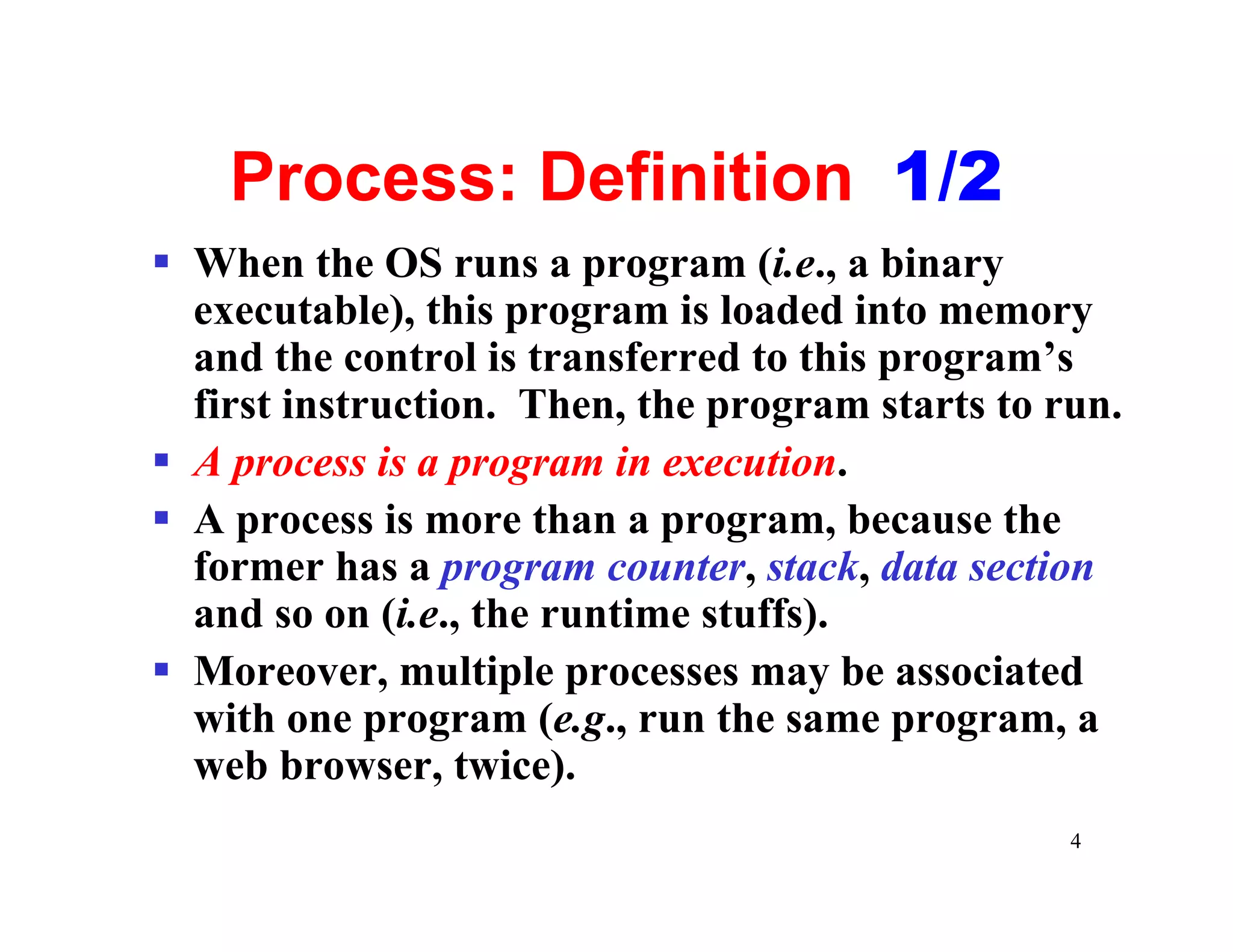
Process: Definition 1/2
§ When the OS runs a program (i.e., a binary
  executable), this program is loaded into memory
  and the control is transferred to this program’s
  first instruction. Then, the program starts to run.
§ A process is a program in execution.
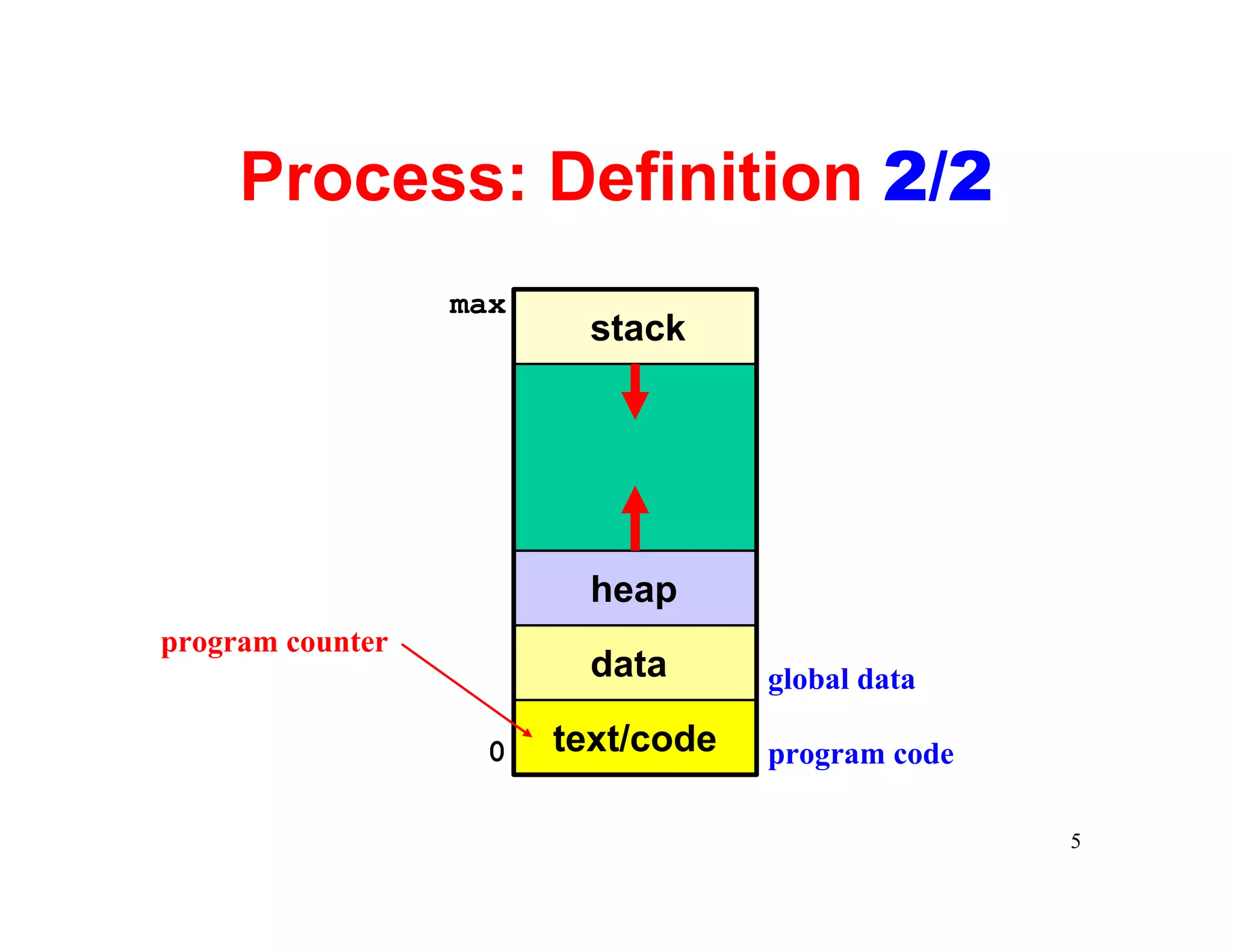
§ A process is more than a program, because the
  former has a program counter, stack, data section
  and so on (i.e., the runtime stuffs).
§ Moreover, multiple processes may be associated
  with one program (e.g., run the same program, a
  web browser, twice).
                                                  4
Process: Definition 2/2
                  max
                          stack


                          heap
program counter
                          data      global data

                   0    text/code   program code

                                                   5
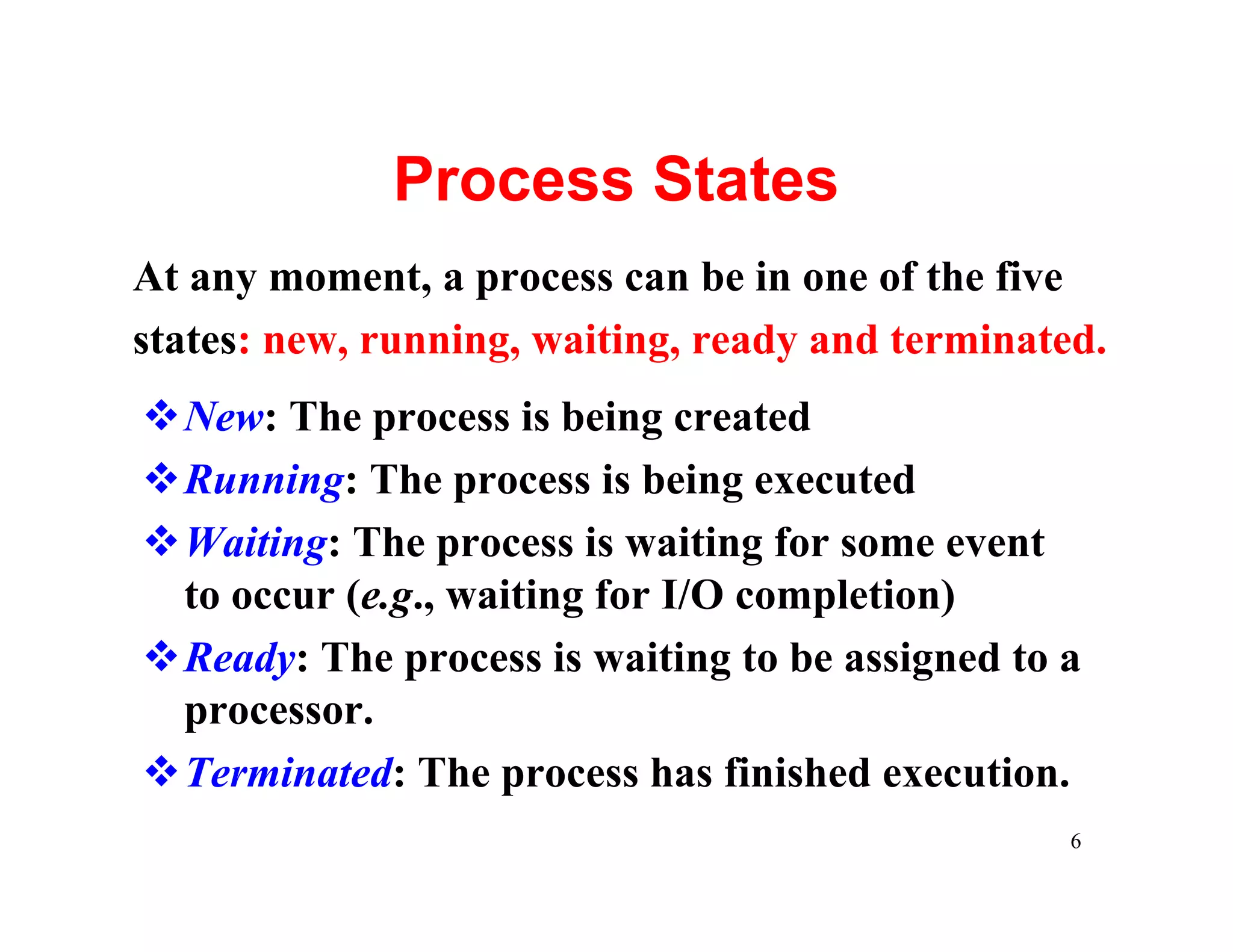
Process States
At any moment, a process can be in one of the five
states: new, running, waiting, ready and terminated.
vNew: The process is being created
vRunning: The process is being executed
vWaiting: The process is waiting for some event
 to occur (e.g., waiting for I/O completion)
vReady: The process is waiting to be assigned to a
 processor.
vTerminated: The process has finished execution.
                                                  6
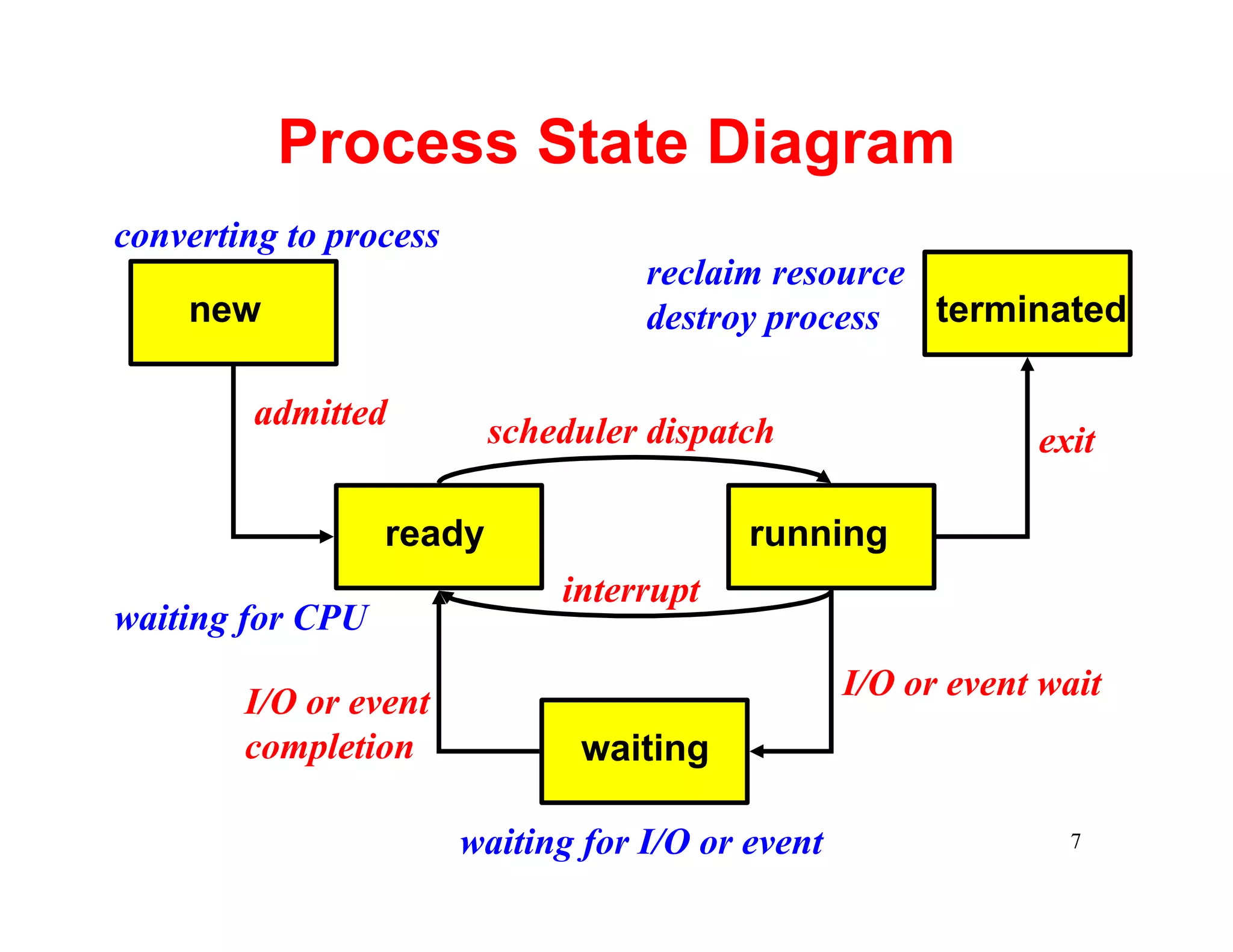
Process State Diagram
converting to process
                                    reclaim resource
    new                             destroy process  terminated

         admitted         scheduler dispatch                   exit

                  ready                    running
                              interrupt
waiting for CPU
                                                   I/O or event wait
        I/O or event
        completion              waiting

                        waiting for I/O or event                 7
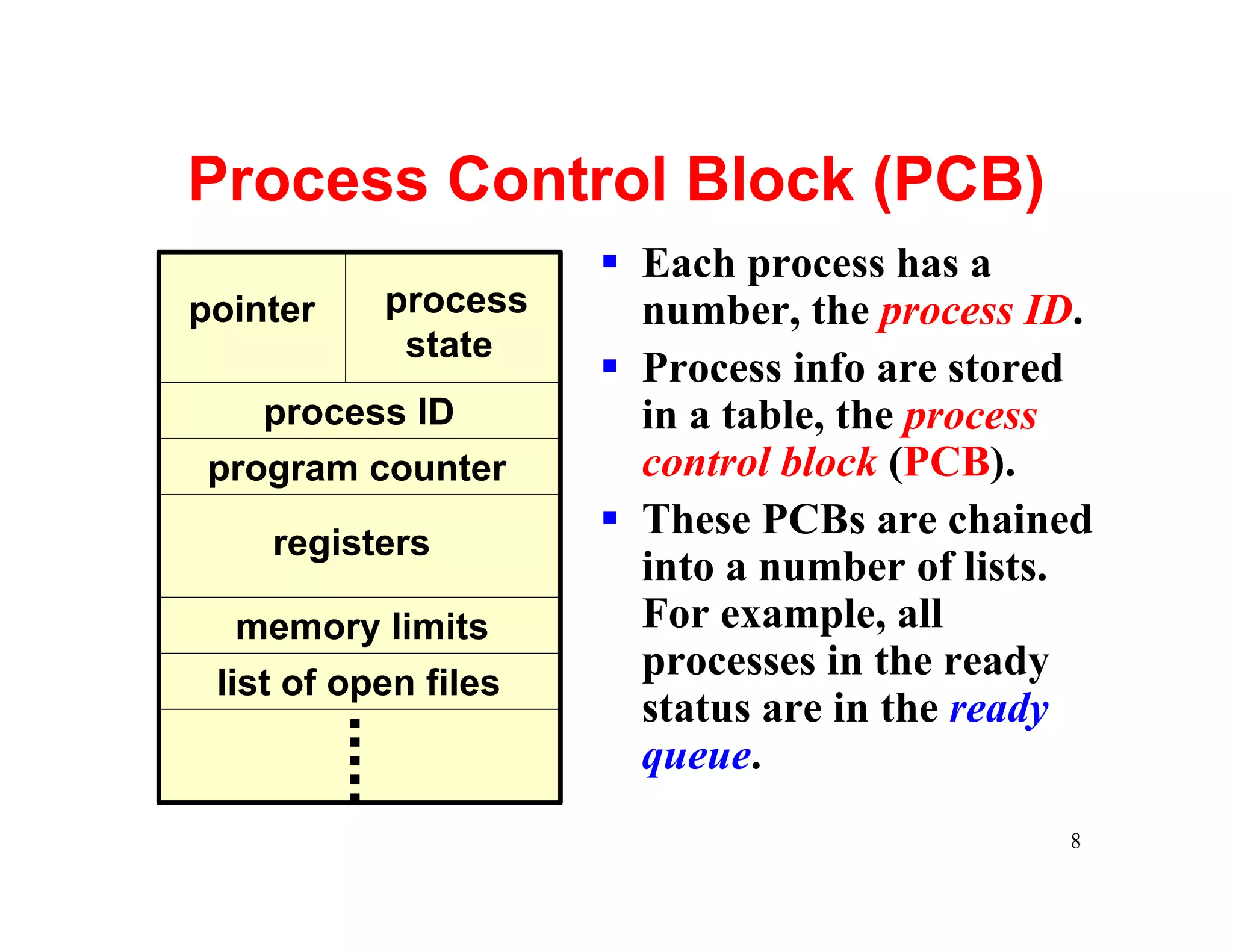
Process Control Block (PCB)
                      § Each process has a
pointer    process      number, the process ID.
            state
                      § Process info are stored
    process ID          in a table, the process
 program counter        control block (PCB).
                      § These PCBs are chained
    registers
                        into a number of lists.
   memory limits        For example, all
 list of open files
                        processes in the ready
                        status are in the ready
                        queue.
                                             8
Process Scheduling
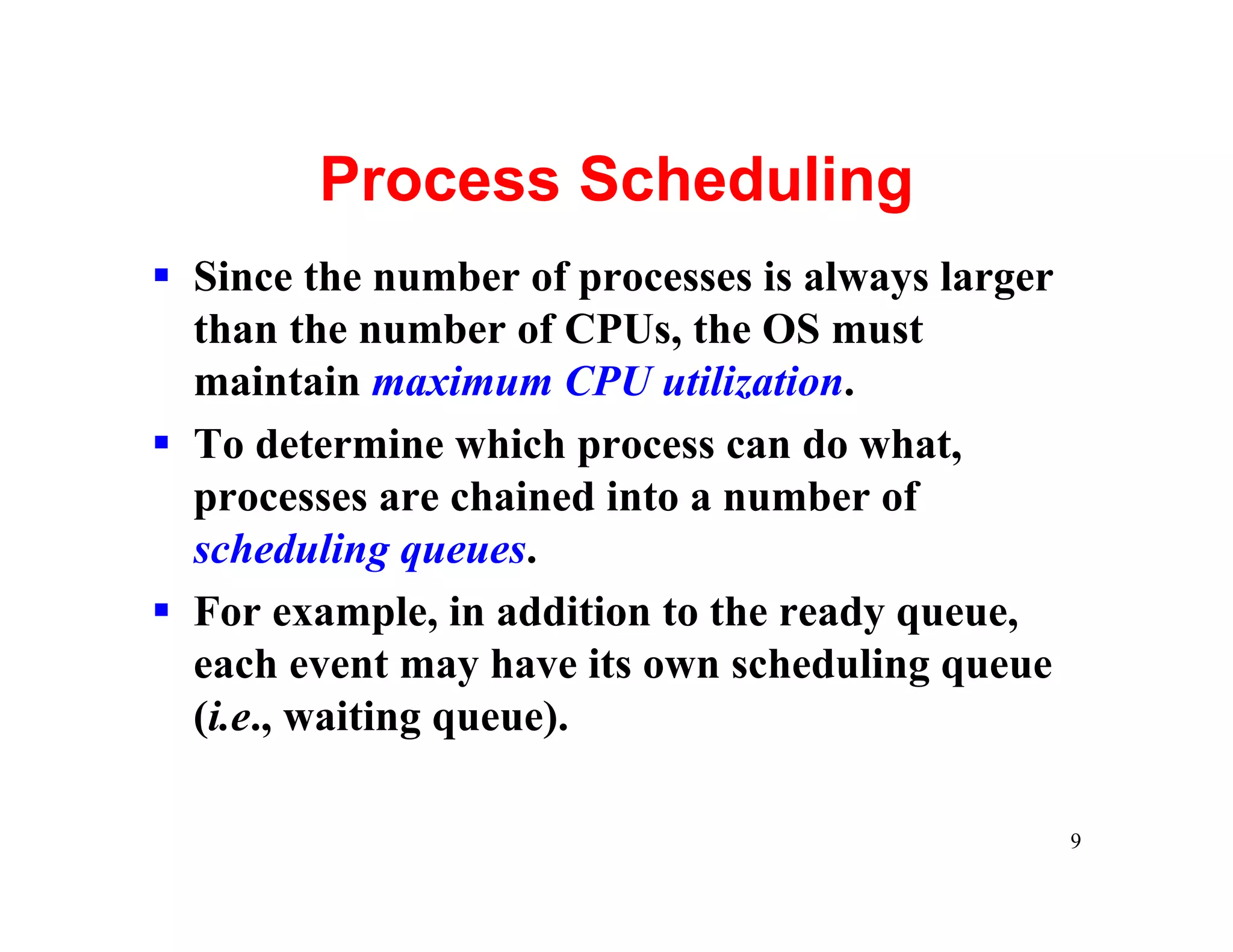
§ Since the number of processes is always larger
  than the number of CPUs, the OS must
  maintain maximum CPU utilization.
§ To determine which process can do what,
  processes are chained into a number of
  scheduling queues.
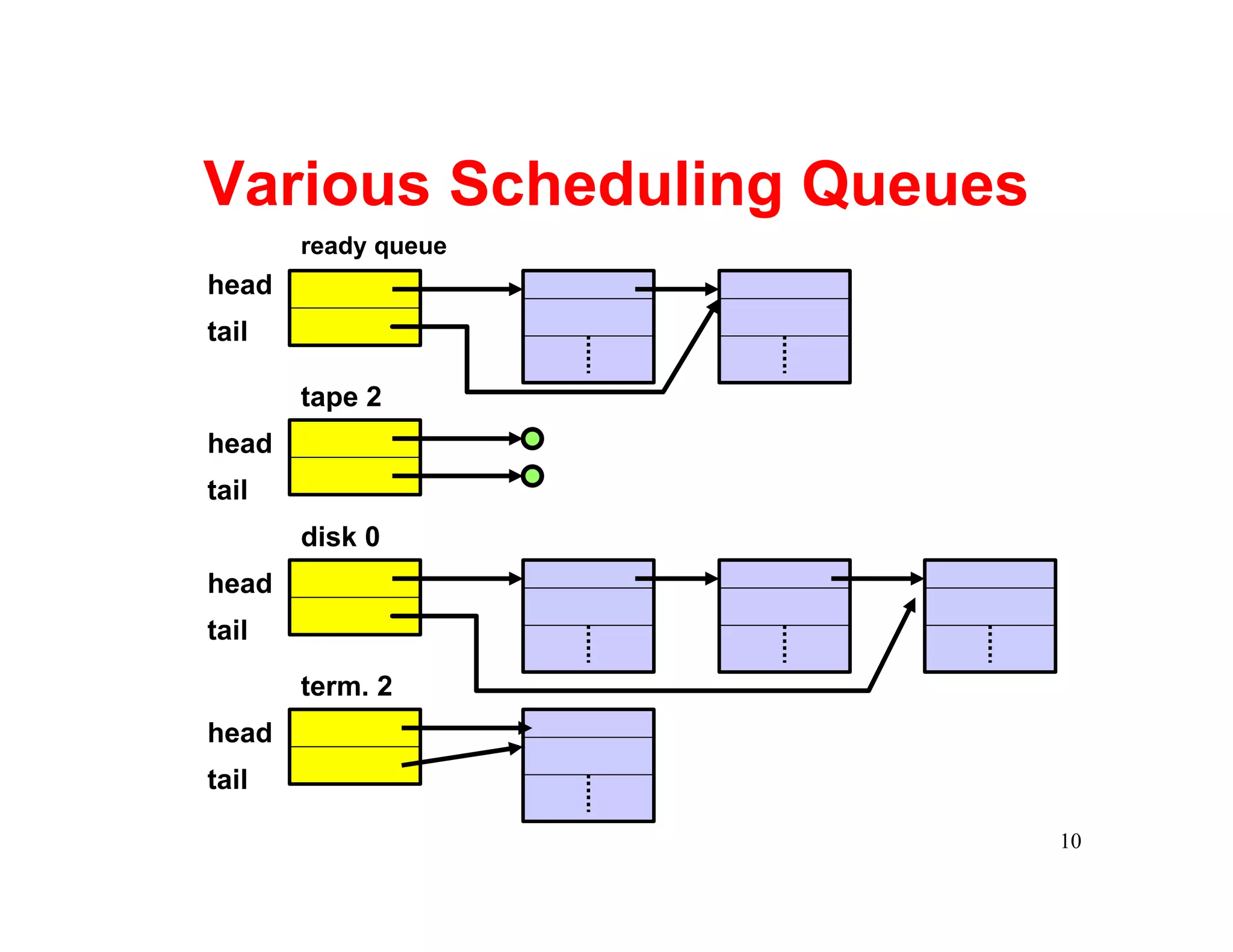
§ For example, in addition to the ready queue,
  each event may have its own scheduling queue
  (i.e., waiting queue).

                                                   9
Various Scheduling Queues
       ready queue
head
tail

       tape 2
head
tail
       disk 0
head
tail

       term. 2
head
tail

                            10
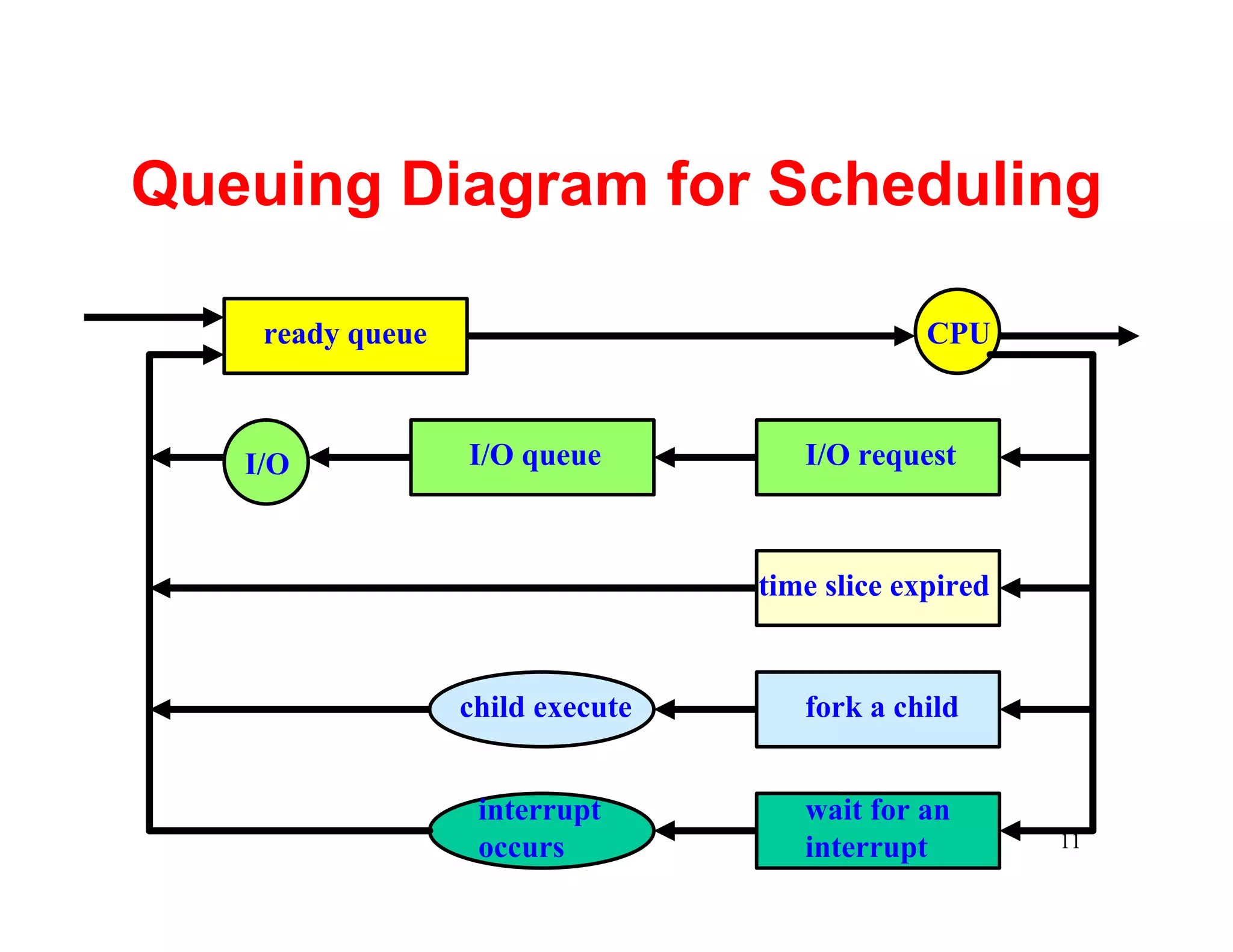
Queuing Diagram for Scheduling

    ready queue                                CPU


   I/O            I/O queue          I/O request


                                  time slice expired


                  child execute      fork a child


                   interrupt         wait for an
                   occurs            interrupt         11
Schedulers
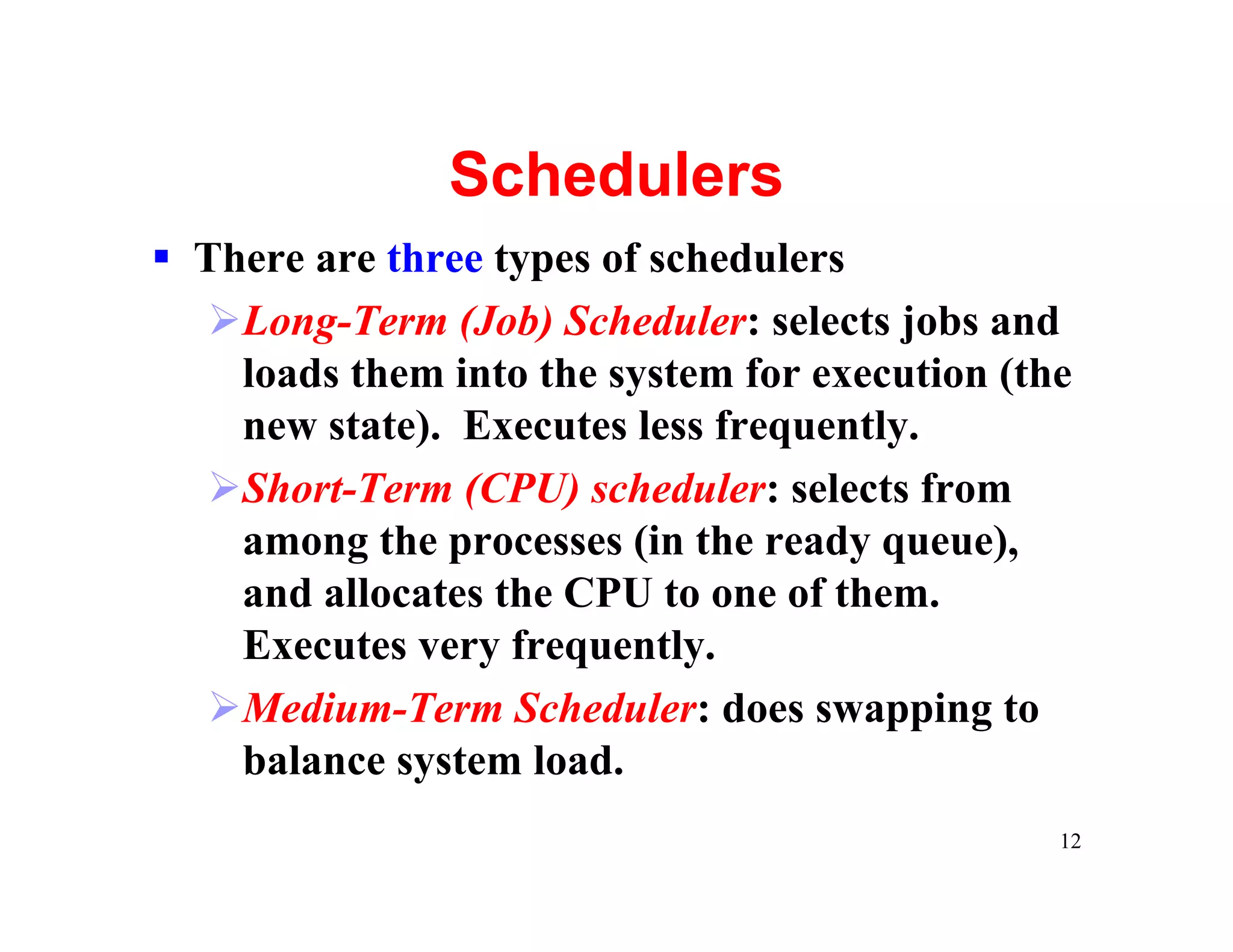
§ There are three types of schedulers
  ØLong-Term (Job) Scheduler: selects jobs and
    loads them into the system for execution (the
    new state). Executes less frequently.
  ØShort-Term (CPU) scheduler: selects from
    among the processes (in the ready queue),
    and allocates the CPU to one of them.
    Executes very frequently.
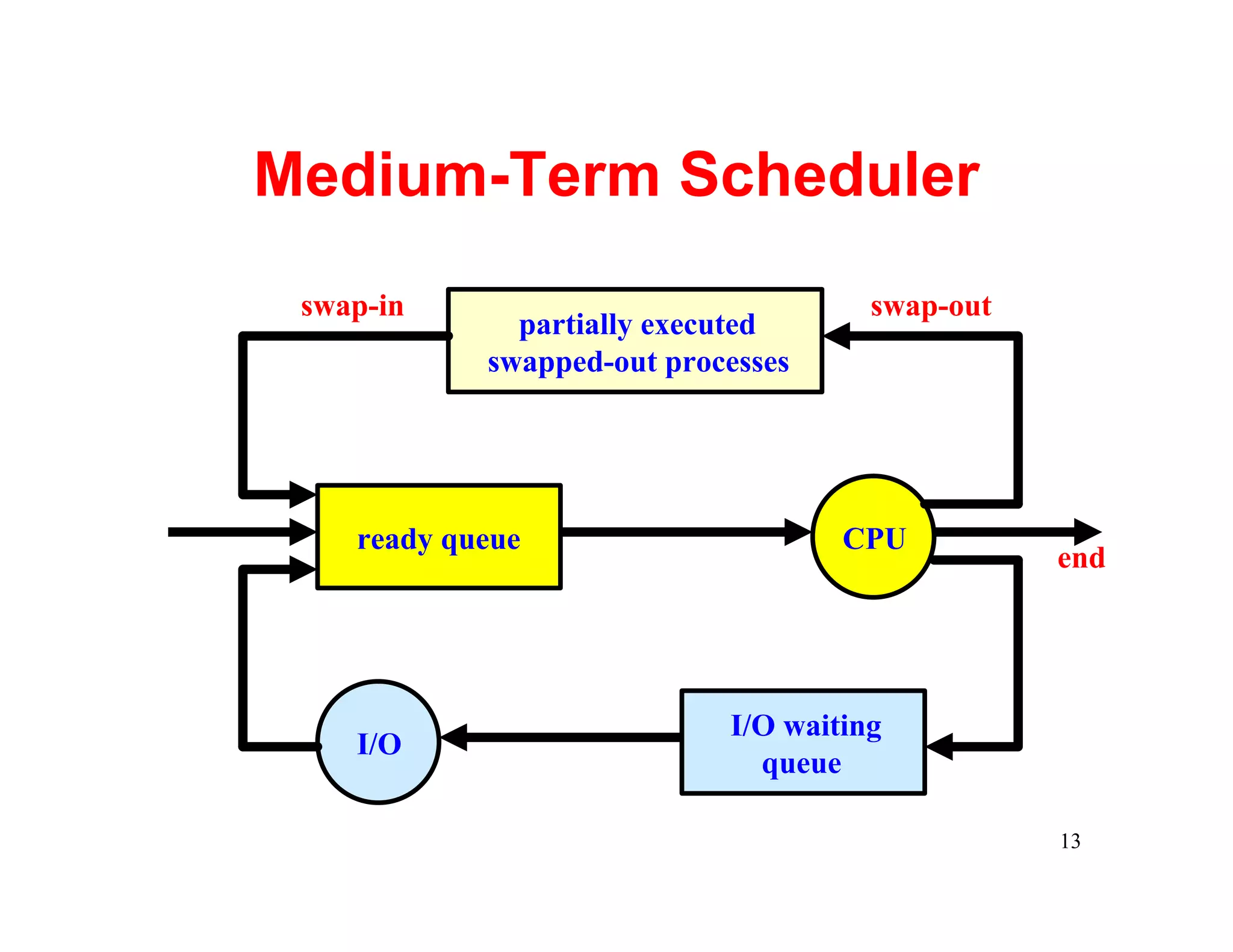
  ØMedium-Term Scheduler: does swapping to
    balance system load.
                                                12
Medium-Term Scheduler
 swap-in                              swap-out
              partially executed
            swapped-out processes


    ready queue                     CPU
                                                 end


                            I/O waiting
    I/O
                              queue

                                                 13
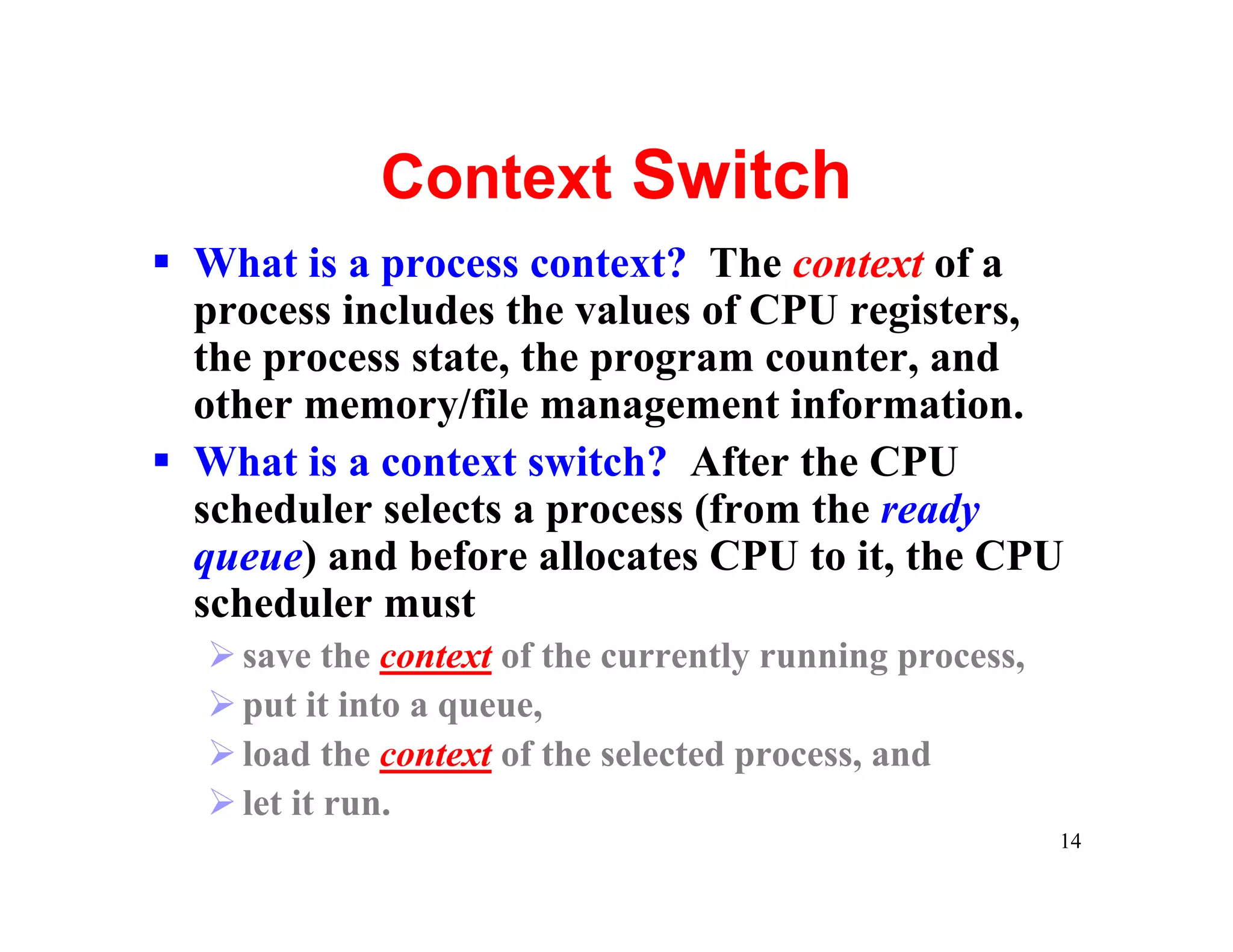
Context Switch
§ What is a process context? The context of a
  process includes the values of CPU registers,
  the process state, the program counter, and
  other memory/file management information.
§ What is a context switch? After the CPU
  scheduler selects a process (from the ready
  queue) and before allocates CPU to it, the CPU
  scheduler must
  Ø save the context of the currently running process,
  Ø put it into a queue,
  Ø load the context of the selected process, and
  Ø let it run.
                                                         14
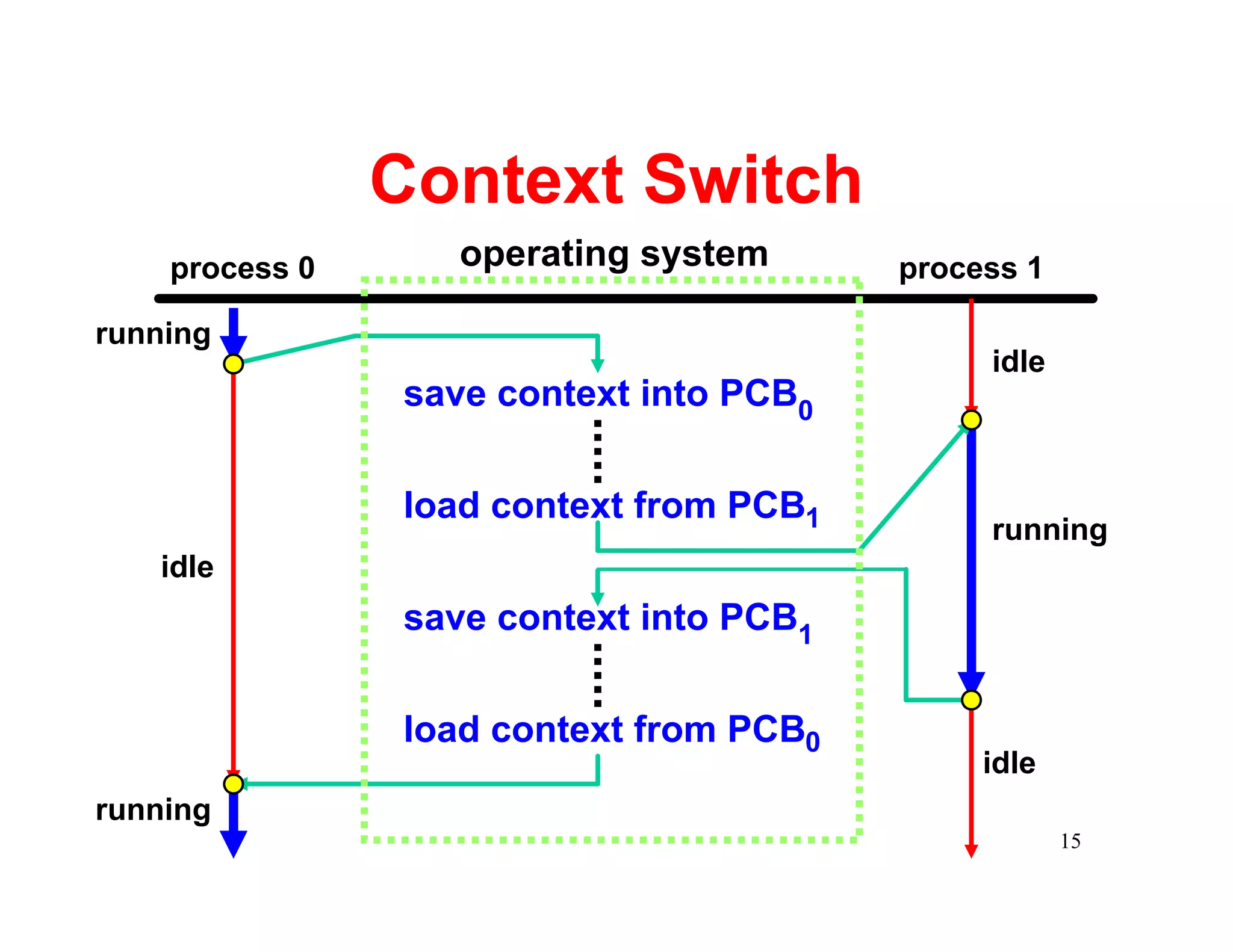
Context Switch
    process 0      operating system      process 1

running
                                              idle
                save context into PCB0


                load context from PCB1
                                              running
   idle
                save context into PCB1


                load context from PCB0
                                              idle
running
                                                     15
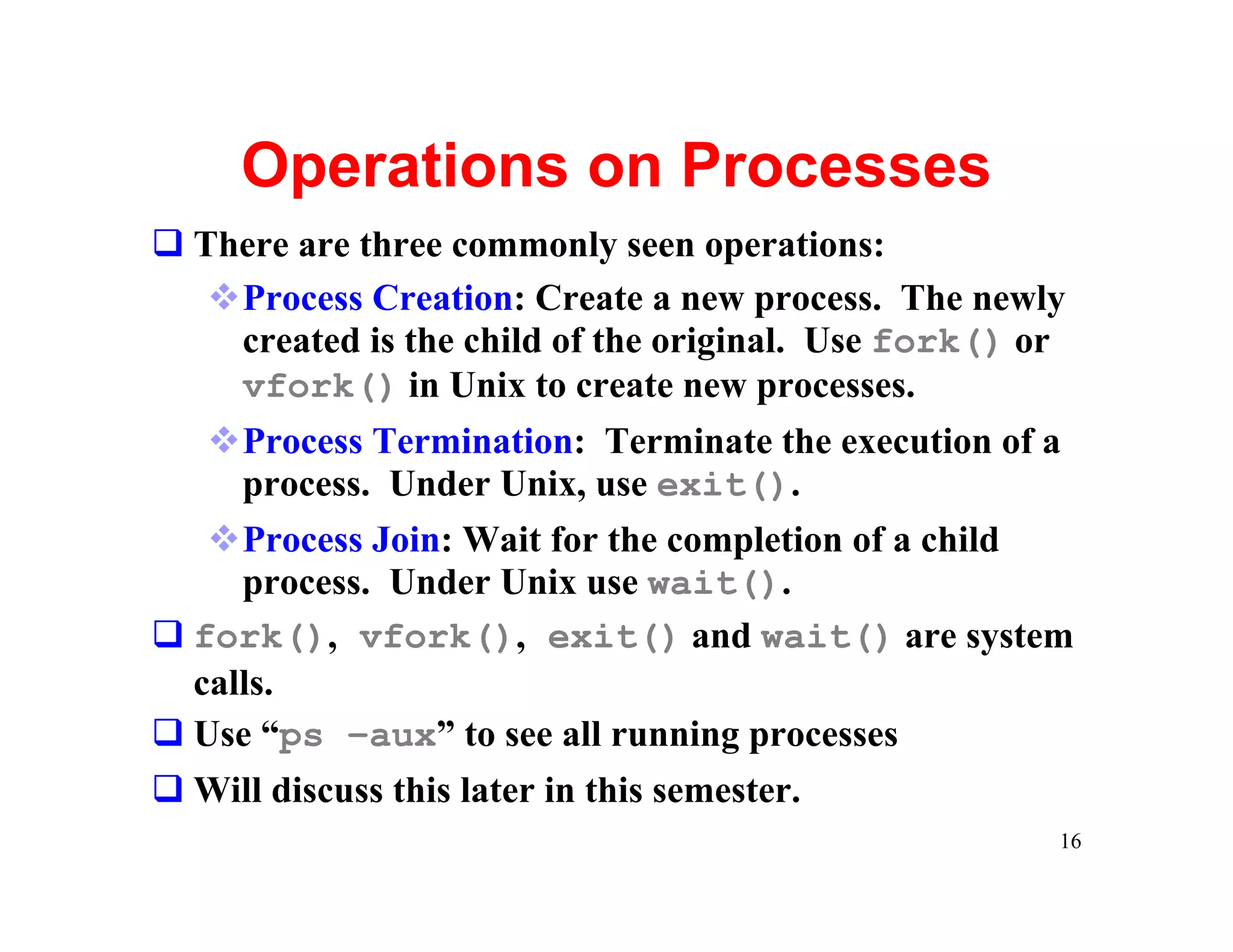
Operations on Processes
q There are three commonly seen operations:
   vProcess Creation: Create a new process. The newly
    created is the child of the original. Use fork() or
    vfork() in Unix to create new processes.
   vProcess Termination: Terminate the execution of a
     process. Under Unix, use exit().
   vProcess Join: Wait for the completion of a child
     process. Under Unix use wait().
q fork(), vfork(), exit() and wait() are system
  calls.
q Use “ps –aux” to see all running processes
q Will discuss this later in this semester.
                                                      16
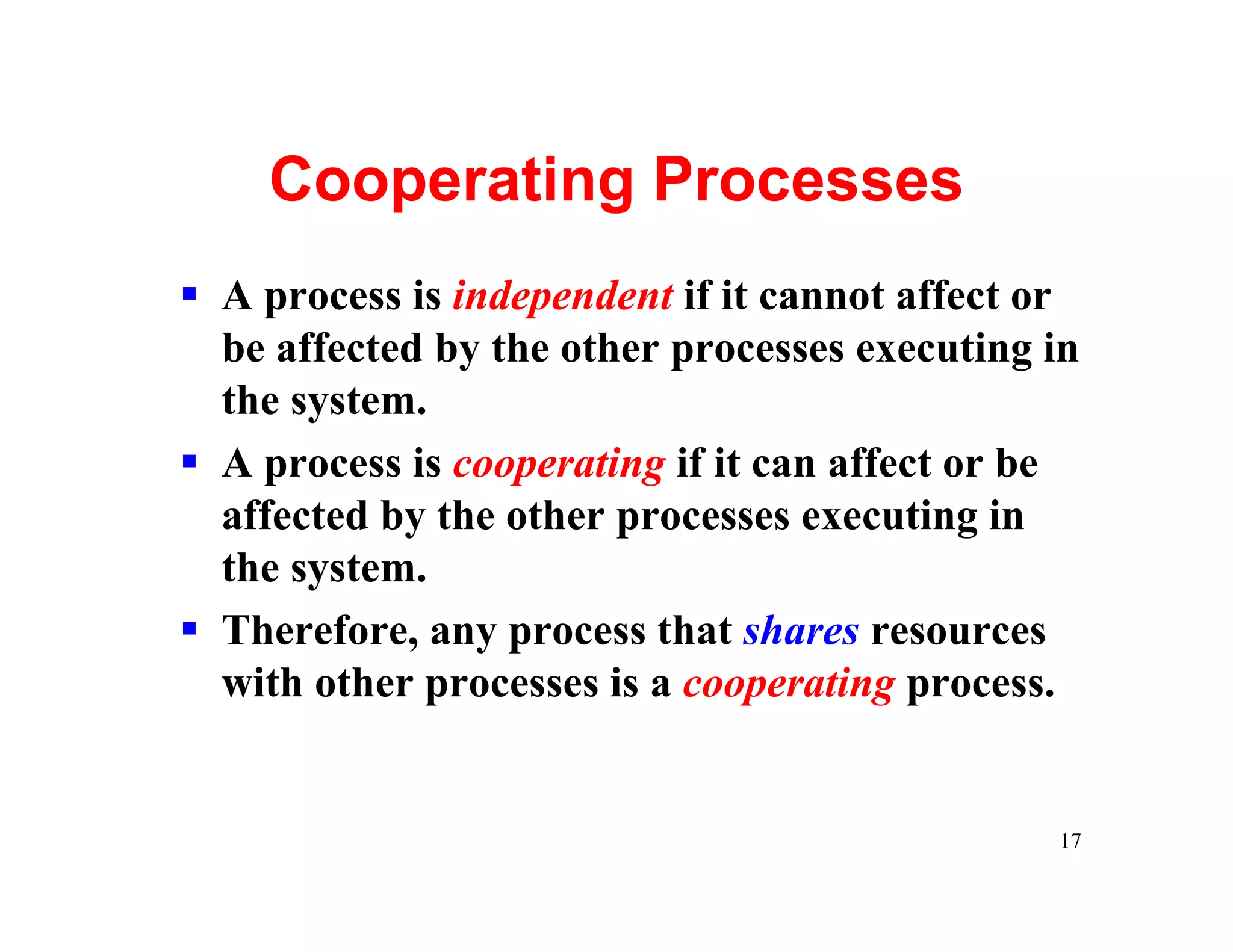
Cooperating Processes
§ A process is independent if it cannot affect or
  be affected by the other processes executing in
  the system.
§ A process is cooperating if it can affect or be
  affected by the other processes executing in
  the system.
§ Therefore, any process that shares resources
  with other processes is a cooperating process.


                                               17
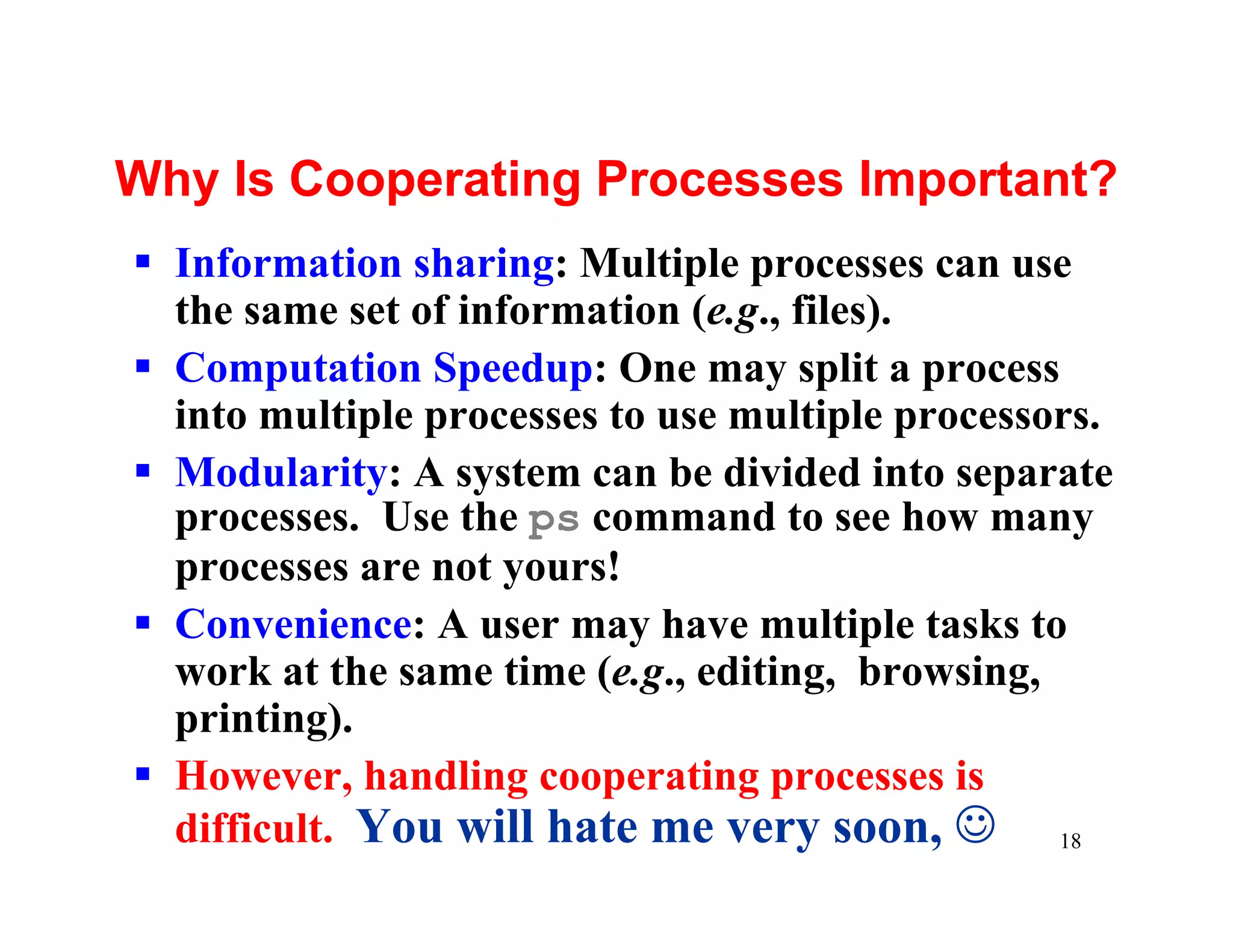
Why Is Cooperating Processes Important?
§ Information sharing: Multiple processes can use
  the same set of information (e.g., files).
§ Computation Speedup: One may split a process
  into multiple processes to use multiple processors.
§ Modularity: A system can be divided into separate
  processes. Use the ps command to see how many
  processes are not yours!
§ Convenience: A user may have multiple tasks to
  work at the same time (e.g., editing, browsing,
  printing).
§ However, handling cooperating processes is
  difficult. You will hate me very soon, J 18
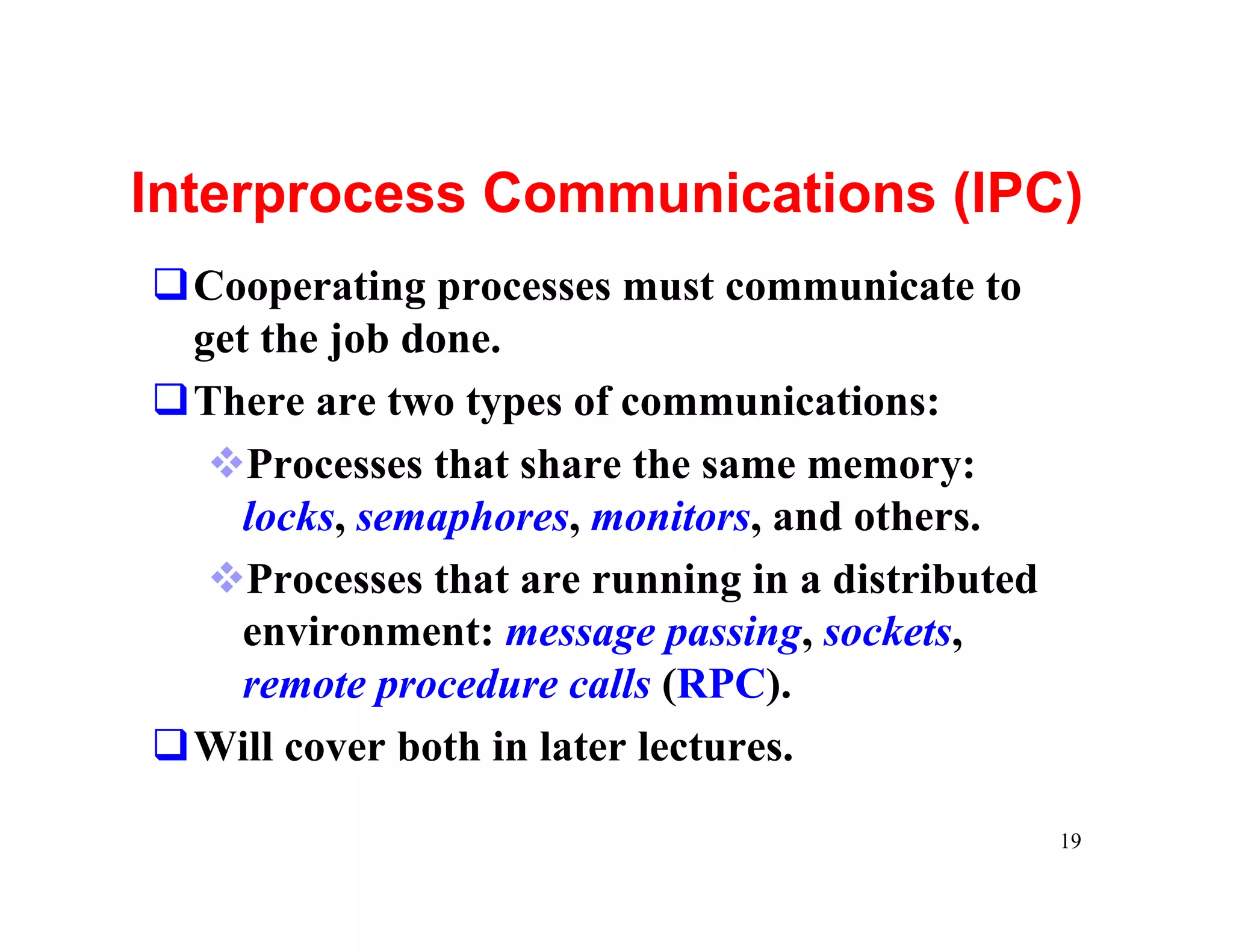
Interprocess Communications (IPC)
qCooperating processes must communicate to
 get the job done.
qThere are two types of communications:
  vProcesses that share the same memory:
    locks, semaphores, monitors, and others.
  vProcesses that are running in a distributed
    environment: message passing, sockets,
    remote procedure calls (RPC).
qWill cover both in later lectures.

                                                 19

Process

  • 1.
    Part II Process Management Chapter 3: Processes 1
  • 2.
    Process Management § The Concept of a Process § Process Scheduling § Operations on Processes § Cooperating Processes § Interprocess Communication 2
  • 3.
    The Concept ofa Process § What is a process? § Process states § Process control block § Threads 3
  • 4.
    Process: Definition 1/2 §When the OS runs a program (i.e., a binary executable), this program is loaded into memory and the control is transferred to this program’s first instruction. Then, the program starts to run. § A process is a program in execution. § A process is more than a program, because the former has a program counter, stack, data section and so on (i.e., the runtime stuffs). § Moreover, multiple processes may be associated with one program (e.g., run the same program, a web browser, twice). 4
  • 5.
    Process: Definition 2/2 max stack heap program counter data global data 0 text/code program code 5
  • 6.
    Process States At anymoment, a process can be in one of the five states: new, running, waiting, ready and terminated. vNew: The process is being created vRunning: The process is being executed vWaiting: The process is waiting for some event to occur (e.g., waiting for I/O completion) vReady: The process is waiting to be assigned to a processor. vTerminated: The process has finished execution. 6
  • 7.
    Process State Diagram convertingto process reclaim resource new destroy process terminated admitted scheduler dispatch exit ready running interrupt waiting for CPU I/O or event wait I/O or event completion waiting waiting for I/O or event 7
  • 8.
    Process Control Block(PCB) § Each process has a pointer process number, the process ID. state § Process info are stored process ID in a table, the process program counter control block (PCB). § These PCBs are chained registers into a number of lists. memory limits For example, all list of open files processes in the ready status are in the ready queue. 8
  • 9.
    Process Scheduling § Sincethe number of processes is always larger than the number of CPUs, the OS must maintain maximum CPU utilization. § To determine which process can do what, processes are chained into a number of scheduling queues. § For example, in addition to the ready queue, each event may have its own scheduling queue (i.e., waiting queue). 9
  • 10.
    Various Scheduling Queues ready queue head tail tape 2 head tail disk 0 head tail term. 2 head tail 10
  • 11.
    Queuing Diagram forScheduling ready queue CPU I/O I/O queue I/O request time slice expired child execute fork a child interrupt wait for an occurs interrupt 11
  • 12.
    Schedulers § There arethree types of schedulers ØLong-Term (Job) Scheduler: selects jobs and loads them into the system for execution (the new state). Executes less frequently. ØShort-Term (CPU) scheduler: selects from among the processes (in the ready queue), and allocates the CPU to one of them. Executes very frequently. ØMedium-Term Scheduler: does swapping to balance system load. 12
  • 13.
    Medium-Term Scheduler swap-in swap-out partially executed swapped-out processes ready queue CPU end I/O waiting I/O queue 13
  • 14.
    Context Switch § Whatis a process context? The context of a process includes the values of CPU registers, the process state, the program counter, and other memory/file management information. § What is a context switch? After the CPU scheduler selects a process (from the ready queue) and before allocates CPU to it, the CPU scheduler must Ø save the context of the currently running process, Ø put it into a queue, Ø load the context of the selected process, and Ø let it run. 14
  • 15.
    Context Switch process 0 operating system process 1 running idle save context into PCB0 load context from PCB1 running idle save context into PCB1 load context from PCB0 idle running 15
  • 16.
    Operations on Processes qThere are three commonly seen operations: vProcess Creation: Create a new process. The newly created is the child of the original. Use fork() or vfork() in Unix to create new processes. vProcess Termination: Terminate the execution of a process. Under Unix, use exit(). vProcess Join: Wait for the completion of a child process. Under Unix use wait(). q fork(), vfork(), exit() and wait() are system calls. q Use “ps –aux” to see all running processes q Will discuss this later in this semester. 16
  • 17.
    Cooperating Processes § Aprocess is independent if it cannot affect or be affected by the other processes executing in the system. § A process is cooperating if it can affect or be affected by the other processes executing in the system. § Therefore, any process that shares resources with other processes is a cooperating process. 17
  • 18.
    Why Is CooperatingProcesses Important? § Information sharing: Multiple processes can use the same set of information (e.g., files). § Computation Speedup: One may split a process into multiple processes to use multiple processors. § Modularity: A system can be divided into separate processes. Use the ps command to see how many processes are not yours! § Convenience: A user may have multiple tasks to work at the same time (e.g., editing, browsing, printing). § However, handling cooperating processes is difficult. You will hate me very soon, J 18
  • 19.
    Interprocess Communications (IPC) qCooperatingprocesses must communicate to get the job done. qThere are two types of communications: vProcesses that share the same memory: locks, semaphores, monitors, and others. vProcesses that are running in a distributed environment: message passing, sockets, remote procedure calls (RPC). qWill cover both in later lectures. 19