Using filesystem capabilities
with rsync
(or, how I learned to stop worrying and love
CAP_DAC_READ_SEARCH)
Hazel Smith
FLOSS UK Unconference 2015
Note: Some slides added subsequent to original talk, in response to questions asked
The use case
● You want to regularly back up the entire filesystem on
fileserver.example.com including all system files
● You're backing up to a remote host, backup.example.com
● You want to set it up in under an hour, and don't want to mess
about installing backup agents
● You don't want your machines connecting to
backup.example.com
● You don't want to create a large backup spool directory on
fileserver.example.com
● You want your backups to be quick and light on network traffic
The problem
Using rsync for remote backup is great, but you have two
main (terrible) choices:
– Key-based SSH from backup.example.com to
root@fileserver.example.com – this is bad because it
means your backup host has full rootly powers on every
host it backs up
– Key-based SSH from fileserver.example.com to
root@backup.example.com – this is bad because it
means every server has root on your backup host :(
– Or, give up and use tarballs/filesystem dumps/...
The solution
● Have backup.example.com back up
fileserver.example.com using rsync over SSH, but:
– Have rsync connect to fileserver.example.com using a
non-root user – we called this user “backuphelper”
– Use filesystem capabilities to allow /usr/bin/rsync to inherit
the specific capability required,
CAP_DAC_READ_SEARCH
– Use pam_cap, a PAM (pluggable authentication modules)
module to grant “backuphelper” the
CAP_DAC_READ_SEARCH capability, but none of the
other rootly powers
– Edit /etc/ssh/sshd_config on fileserver.example.com to
disable password authentication for the backuphelper user
What is PAM?
● The Pluggable Authentication Modules library
– Supports many auth methods, which can be added and
configured easily through library packages and config files.
– Examples include:
● pam_unix, which uses glibc's name service switch –
commonly to authenticate against local /etc/passwd
● pam_krb5, authenticates against a Kerberos V KDC
– Also supports various session/utility modules, e.g.
pam_mkhomedir (creates home directory on first login) and
pam_tmpdir (creates per-user tmp directories on login)
– Supported on Linux, as well as Solaris, Max OS X,
FreeBSD etc
– Standard originally defined by Sun Microsystems in 1995
What are Linux capabilities?
● Division of the rootly powers up into separate distinct
capabilities, e.g.
– CAP_NET_BIND_SERVICE – bind ports <1024
– CAP_DAC_READ_SEARCH – bypass file read permission
checks and directory read and execute permission checks
– CAP_DAC_OVERRIDE – override all discretionary access
controls on (local) filesystems
– See capabilities(7) for more
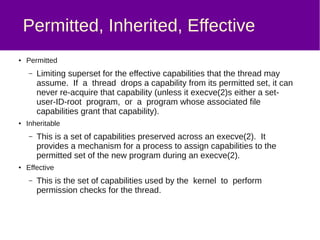
Permitted, Inherited, Effective Sets *
● Permitted set
– Limiting superset for the effective capabilities that the
thread may assume. If a thread drops a capability from its
permitted set, it can never re-acquire that capability (except
by execve'ing a suid-root program, or a program whose
associated file capabilities grant that capability).
● Inheritable set
– Capabilities preserved across an execve(2). Provides a
mechanism for a process to assign capabilities to the
permitted set of the new program during an execve(2).
● Effective
– Capabilities used by the kernel to perform permission
checks for the thread.
* Content of this slide shamelessly taken from the Linux man page, capabilities(7)
Filesystem capabilities
● Allows you to set capabilities on files, so that they gain/can
inherit permissions upon execve(2)
Putting it all together
● Debian packages installed:
– rsync
– libcap2-bin
– libpam-cap
Putting it all together
● Adding CAP_DAC_READ_SEARCH to /usr/bin/rsync:
root@fileserver:~# setcap cap_dac_read_search+ei
/usr/bin/rsync
root@fileserver:~# ls -l /usr/bin/rsync
-rwxr-xr-x 1 root root 409328 Dec 2 2012 /usr/bin/rsync
root@fileserver:~# getcap /usr/bin/rsync
/usr/bin/rsync = cap_dac_read_search+ei
Putting it all together
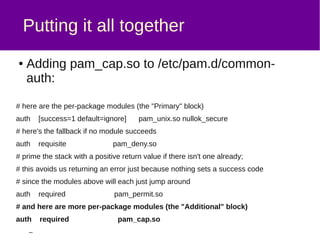
● Adding pam_cap.so to /etc/pam.d/common-auth:
auth [success=1 default=ignore] pam_unix.so nullok_secure
auth requisite pam_deny.so
auth required pam_permit.so
auth required pam_cap.so
Putting it all together
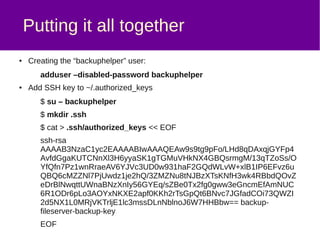
● Creating the “backuphelper” user:
adduser –disabled-password backuphelper
● Add SSH key to ~/.authorized_keys
$ su – backuphelper
$ mkdir .ssh
$ echo “ssh-rsa ...” > .ssh/authorized_keys
Putting it all together
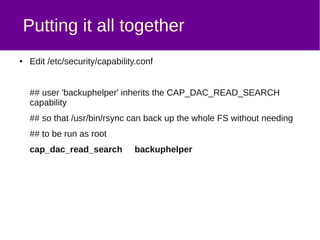
● Edit /etc/security/capability.conf
## user 'backuphelper' inherits the
## CAP_DAC_READ_SEARCH capability so that
## /usr/bin/rsync can back up the whole FS without needing
## to be run as root
cap_dac_read_search backuphelper
Putting it all together
● Modify /etc/ssh/sshd_config so that the SSH daemon will not
permit password authentication for the backuphelper user:
Match User backuphelper
PasswordAuthentication no
Putting it all together
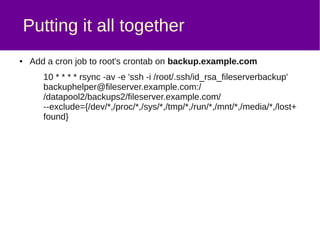
● Add a cron job to root's crontab on backup.example.com
10 * * * * rsync -av -e 'ssh -i /root/.ssh/id_rsa_fileserverbackup'
backuphelper@fileserver.example.com:/
/datapool/backups/fileserver.example.com/
--exclude={/dev/*,/proc/*,/sys/*,/tmp/*,/run/*,/mnt/*,/media/*,/lo
st+found}
*** It was pointed out that I should've used -x (or, “--one-file-system”) instead of a long list of –excludes
Significant caveats
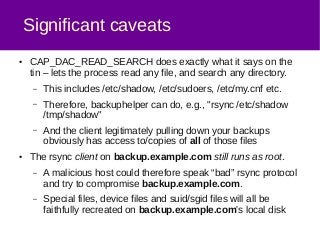
● CAP_DAC_READ_SEARCH does exactly what it says on the
tin – lets the process read any file, and search any directory.
– This includes /etc/shadow, /etc/sudoers, /etc/my.cnf etc.
– Therefore, backuphelper can do, e.g., "rsync /etc/shadow
/tmp/shadow"
– And the client legitimately pulling down your backups
obviously has access to/copies of all of those files
● The rsync client on backup.example.com still runs as root.
– A malicious host could therefore speak “bad” rsync protocol
and try to compromise backup.example.com.
– Special files, device files and suid/sgid files will all be
faithfully recreated on backup.example.com's local disk
Conclusions
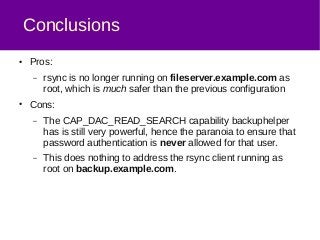
● Pros:
– rsync is no longer running on fileserver.example.com as
root, which is much safer than the previous configuration
● Cons:
– The CAP_DAC_READ_SEARCH capability backuphelper
has is still very powerful, hence the paranoia to ensure that
password authentication is never allowed for that user.
– This does nothing to address the rsync client running as
root on backup.example.com.
Further possibilities
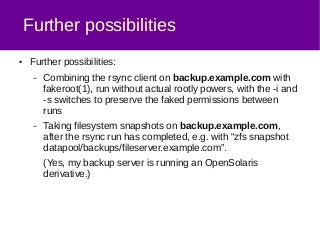
● Further possibilities:
– Combining the rsync client on backup.example.com with
fakeroot(1), run without actual rootly powers, with the -i and
-s switches to preserve the faked permissions between
runs
– Taking filesystem snapshots on backup.example.com,
after the rsync run has completed, e.g. with “zfs snapshot
datapool/backups/fileserver.example.com”.
(Yes, my backup server is running an OpenSolaris
derivative.)
Questions?
About me
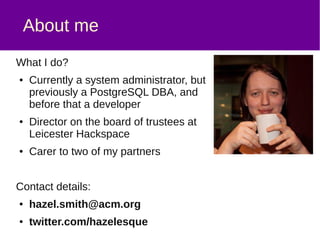
What I do?
● Currently a system administrator, but
previously a PostgreSQL DBA, and
before that a software developer
● Director on the board of trustees at
Leicester Hackspace
● Carer to two of my partners
Contact details:
● hazel.smith@acm.org
● twitter.com/hazelesque
● uk.linkedin.com/in/hazels
Hazel Smith

Using filesystem capabilities with rsync

  • 1.
    Using filesystem capabilities withrsync (or, how I learned to stop worrying and love CAP_DAC_READ_SEARCH) Hazel Smith FLOSS UK Unconference 2015 Note: Some slides added subsequent to original talk, in response to questions asked
  • 2.
    The use case ●You want to regularly back up the entire filesystem on fileserver.example.com including all system files ● You're backing up to a remote host, backup.example.com ● You want to set it up in under an hour, and don't want to mess about installing backup agents ● You don't want your machines connecting to backup.example.com ● You don't want to create a large backup spool directory on fileserver.example.com ● You want your backups to be quick and light on network traffic
  • 3.
    The problem Using rsyncfor remote backup is great, but you have two main (terrible) choices: – Key-based SSH from backup.example.com to root@fileserver.example.com – this is bad because it means your backup host has full rootly powers on every host it backs up – Key-based SSH from fileserver.example.com to root@backup.example.com – this is bad because it means every server has root on your backup host :( – Or, give up and use tarballs/filesystem dumps/...
  • 4.
    The solution ● Havebackup.example.com back up fileserver.example.com using rsync over SSH, but: – Have rsync connect to fileserver.example.com using a non-root user – we called this user “backuphelper” – Use filesystem capabilities to allow /usr/bin/rsync to inherit the specific capability required, CAP_DAC_READ_SEARCH – Use pam_cap, a PAM (pluggable authentication modules) module to grant “backuphelper” the CAP_DAC_READ_SEARCH capability, but none of the other rootly powers – Edit /etc/ssh/sshd_config on fileserver.example.com to disable password authentication for the backuphelper user
  • 5.
    What is PAM? ●The Pluggable Authentication Modules library – Supports many auth methods, which can be added and configured easily through library packages and config files. – Examples include: ● pam_unix, which uses glibc's name service switch – commonly to authenticate against local /etc/passwd ● pam_krb5, authenticates against a Kerberos V KDC – Also supports various session/utility modules, e.g. pam_mkhomedir (creates home directory on first login) and pam_tmpdir (creates per-user tmp directories on login) – Supported on Linux, as well as Solaris, Max OS X, FreeBSD etc – Standard originally defined by Sun Microsystems in 1995
  • 6.
    What are Linuxcapabilities? ● Division of the rootly powers up into separate distinct capabilities, e.g. – CAP_NET_BIND_SERVICE – bind ports <1024 – CAP_DAC_READ_SEARCH – bypass file read permission checks and directory read and execute permission checks – CAP_DAC_OVERRIDE – override all discretionary access controls on (local) filesystems – See capabilities(7) for more
  • 7.
    Permitted, Inherited, EffectiveSets * ● Permitted set – Limiting superset for the effective capabilities that the thread may assume. If a thread drops a capability from its permitted set, it can never re-acquire that capability (except by execve'ing a suid-root program, or a program whose associated file capabilities grant that capability). ● Inheritable set – Capabilities preserved across an execve(2). Provides a mechanism for a process to assign capabilities to the permitted set of the new program during an execve(2). ● Effective – Capabilities used by the kernel to perform permission checks for the thread. * Content of this slide shamelessly taken from the Linux man page, capabilities(7)
  • 8.
    Filesystem capabilities ● Allowsyou to set capabilities on files, so that they gain/can inherit permissions upon execve(2)
  • 9.
    Putting it alltogether ● Debian packages installed: – rsync – libcap2-bin – libpam-cap
  • 10.
    Putting it alltogether ● Adding CAP_DAC_READ_SEARCH to /usr/bin/rsync: root@fileserver:~# setcap cap_dac_read_search+ei /usr/bin/rsync root@fileserver:~# ls -l /usr/bin/rsync -rwxr-xr-x 1 root root 409328 Dec 2 2012 /usr/bin/rsync root@fileserver:~# getcap /usr/bin/rsync /usr/bin/rsync = cap_dac_read_search+ei
  • 11.
    Putting it alltogether ● Adding pam_cap.so to /etc/pam.d/common-auth: auth [success=1 default=ignore] pam_unix.so nullok_secure auth requisite pam_deny.so auth required pam_permit.so auth required pam_cap.so
  • 12.
    Putting it alltogether ● Creating the “backuphelper” user: adduser –disabled-password backuphelper ● Add SSH key to ~/.authorized_keys $ su – backuphelper $ mkdir .ssh $ echo “ssh-rsa ...” > .ssh/authorized_keys
  • 13.
    Putting it alltogether ● Edit /etc/security/capability.conf ## user 'backuphelper' inherits the ## CAP_DAC_READ_SEARCH capability so that ## /usr/bin/rsync can back up the whole FS without needing ## to be run as root cap_dac_read_search backuphelper
  • 14.
    Putting it alltogether ● Modify /etc/ssh/sshd_config so that the SSH daemon will not permit password authentication for the backuphelper user: Match User backuphelper PasswordAuthentication no
  • 15.
    Putting it alltogether ● Add a cron job to root's crontab on backup.example.com 10 * * * * rsync -av -e 'ssh -i /root/.ssh/id_rsa_fileserverbackup' backuphelper@fileserver.example.com:/ /datapool/backups/fileserver.example.com/ --exclude={/dev/*,/proc/*,/sys/*,/tmp/*,/run/*,/mnt/*,/media/*,/lo st+found} *** It was pointed out that I should've used -x (or, “--one-file-system”) instead of a long list of –excludes
  • 16.
    Significant caveats ● CAP_DAC_READ_SEARCHdoes exactly what it says on the tin – lets the process read any file, and search any directory. – This includes /etc/shadow, /etc/sudoers, /etc/my.cnf etc. – Therefore, backuphelper can do, e.g., "rsync /etc/shadow /tmp/shadow" – And the client legitimately pulling down your backups obviously has access to/copies of all of those files ● The rsync client on backup.example.com still runs as root. – A malicious host could therefore speak “bad” rsync protocol and try to compromise backup.example.com. – Special files, device files and suid/sgid files will all be faithfully recreated on backup.example.com's local disk
  • 17.
    Conclusions ● Pros: – rsyncis no longer running on fileserver.example.com as root, which is much safer than the previous configuration ● Cons: – The CAP_DAC_READ_SEARCH capability backuphelper has is still very powerful, hence the paranoia to ensure that password authentication is never allowed for that user. – This does nothing to address the rsync client running as root on backup.example.com.
  • 18.
    Further possibilities ● Furtherpossibilities: – Combining the rsync client on backup.example.com with fakeroot(1), run without actual rootly powers, with the -i and -s switches to preserve the faked permissions between runs – Taking filesystem snapshots on backup.example.com, after the rsync run has completed, e.g. with “zfs snapshot datapool/backups/fileserver.example.com”. (Yes, my backup server is running an OpenSolaris derivative.)
  • 19.
  • 20.
    About me What Ido? ● Currently a system administrator, but previously a PostgreSQL DBA, and before that a software developer ● Director on the board of trustees at Leicester Hackspace ● Carer to two of my partners Contact details: ● hazel.smith@acm.org ● twitter.com/hazelesque ● uk.linkedin.com/in/hazels Hazel Smith