SimWare Framework
the full simulation

What is HLA raised to the power of DDS?
What is SimWare?
Three main pillars
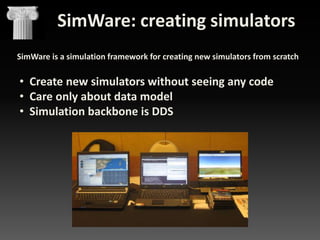
SimWare: creating simulators
SimWare is a simulation framework for creating new simulators from scratch

• Create new simulators without seeing any code
• Care only about data model
• Simulation backbone is DDS
1. Modeler: Data modeling from the FOM
MULATION
HLA data model

 Modeler is the tool for modelling data HLA-Style
 Objetcs and interactions
 HLA data types
 Data models can be saved and loaded
 The tool generates the data library automatically
Output of the Modeler: Library in DDS
MULATION

 Modeler has three outputs:
 Library (DLL or SO) representing data
 Integrated in NCWare SIM
 XML data for GPGUI: For controlling simulation
 XML data for SimDeveloper: For inputs&outputs of the
simulation models
2. SimDeveloper: Simulation models you can really reuse
Based on Matlab/Simulink for making your simulation models inside SimWare framework

 Build your simulation modules with all the power of Matlab/Simulink
 Test your simulation logic
 Reuse your simulation modules

You don´t need
programming skills!
Output of SimDeveloper: Simulation models and services
Recipe for success
1.
2.
3.
4.
5.

Create model in Mathlab
Add the data interface (xml) created with Modeler
Create a library (dll or so)
Modify configuration file
Control it from SimEngine

We just need to add three
elements
1. Publishers and subscribers
2. Methods for control of
state machine (using DDS)
3. Methods for creating
multiple instances
3. Simware PowerLink: Data bridge made easy

HLA Mäk federation

HLA PITCH federation

No programming skills are
needed!!!
Output of PowerLink: Gateways
4. NcWare SIM: Simple but powerful API
Create simulator
ncware::Simulation =ncware::SimFactory::createSimulation("1","airplane",
ncware::TransportType::DDS_OPENSPLICE );
simulationExample->Join();

Nombre

ncware::SimPublisher<Vector3D> * dataPublisher;
dataPublisher=ncware::SimFactory::createPublisher<Vector3D>(simulationExample);
dataPublisher->registerInstanceName (“Boeing747”);
Vector3D * dataVector3D = dataPublisher->Declare( );
dataVector3D->x = 1;
dataVector3D->y = 1;
dataVector3D->z = 1;
dataPublisher ->Send (“Boeing747”, dataVector3D );

Descripción

DDS_OPENSPLICE

Create publisher

Simulation over DDS using the
implementation
of
OpenSplice.

Create subscriber
HLA13_DMSO

Simulation using DMSO RTI
with HLA13.

HLA13_MAK

Simulation using MAK RTI with
HLA13.

HLA13_PITCH

Simulation using PITCH RTI
with HLA13.

HLA1516_NEXTEL

Simulation using SIMWARE
RTI.
Simulation using MAK RTI with
HLA1516.

HLA1516_MAK
HLA1516_PITCH

Simulation using PITCH RTI
with HLA1516.

ncware::ObjectListener<Vector3D> * listenerVector3D = new userListener();
ncware::SimSubscriber<Vector3D> * dataSubscriber =
ncware::SimFactory::createSubscriber<Vector3D> (simulationExample, listenerVector3D);
dataSubscriber->Declare();
void userListener::attribute_received (Vector3D * Data, std::string const & instanceName)
{
std::cout << “ Instance name = " << instanceName << std::endl;
std::cout << " Coordinate X = " << data->x << std::endl;
std::cout << " Coordinate Y = " << data->y << std::endl;
std::cout << " Coordinate Z = " << data->z << std::endl;
}
Summary 1: The Simware Framework: creating the simulator
HLA federation

XML data model

DDS
data
mode
l

XML GUI panels

Data
bridges to
HLA/DIS

Simulation
models
DDS simulation

eHost
Scheduler
Sim engine
Commercial in Confidence
16

Visual

© NEXTEL AEROSPACE DEFENCE & SECURITY S.L., 2012.
Reservados todos los derechos / All Rights Reserved

NcWare Sim
+ data model
User
+ your code
interface
SimWare: managing simulators
SimWare is a simulation framework for managing new simulators and old
simulators in joint simulation

• Manage your new
simulator
• Control the
instances of the
simulation

• Manage old
simulators in joint
simulations
1. eHost: Simulation management
Configuration file
- <config>
<EJEC nid="2" id="3" name="EJEC" HlaFed="Aislado"
HlaSom="Som.xml" SchedFrec="25" HTime="5" GTime="3"
TTime="0" UTime="3" NotIni="no" NotFin="no" NotCierre="no"
Critico="si" NotGrab="si" />
- <EHOST4 nid="2" id="4" name="MOTOR1" SchedSecuencial="si"
NotIni="si" NotFin="si" NotCierre="no" Critico="si" NotGrab="si">
<Mod0 nid="2" id="16" name="Modulo_ModCIRCLE"
type="Modulo_ModCIRCLE" SchedFrec="50" SchedOrden="0"
SchedPrio="1" SchedOffset="0" NotIni="no" NotDisc="no"
NotEstab="no" NotFin="si" NotCierre="no" Critico="si" NotGrab="si"
/>
</EHOST4>
</config>
- <!--

eHost
Simulation
engine

Scheduler

ACS
Simulation
engine

 Scheduler: Is an advanced scheduler for controlling the real time clock
and the state machine. It coordinates and balances many Simulation
Engines that are in different nodes.
 Simulation Engines: Are the simulation engines, manage the Simulation
modules in each simulation node.
Key element of ehost: Configuration file
Scheduler reads the file
- Send data to SimEngine: Know what models to load
- Send data to ACS: Know what panels to use for create instances
- Send tick time during runtime
Sections of the file
- Frequency of simulation
- Configuration/layout of
simulation
- Panels for ACS
- Other information:
- Models that create models
- Info for specific COTS data
representation
2. ACS: Application to Control Simulations
 ACS—Application to Control SimWare simulations, is a GUI that allows to
manage SimWare state machine and simulation assets’ parameters during
execution
SimWare: joint simulations
With SimWare you can manage joint simulator of existing HLA
and DIS simulators

• Connect and
control
•
•
•
•

DIS
Pitch HLA
Mäk HLA
DDS

• Add DDS live
simulations
Summary 2: The Simware Framework: running the simulator
HLA federation

XML data model

XML GUI panels

1
- <config>
<EJEC nid="2"
id="3"
name="EJEC"
HlaFed="Aislado
"
HlaSom="Som.x
ml"
SchedFrec="25"
HTime="5"
GTime="3"
TTime="0"
UTime="3"
NotIni="no"
NotFin="no"
NotCierre="no"
Critico="si"
NotGrab="si" />
- <EHOST4
nid="2" id="4"
name="MOTOR1
" - <!--

Scheduler

2

Sim engine

Sim
models
Commercial in Confidence
22

DDS simulation

eHost

Visual

© NEXTEL AEROSPACE DEFENCE & SECURITY S.L., 2012.
Reservados todos los derechos / All Rights Reserved

User
interface
SimWare RTI
where HLA meets DDS
SimWare RTI : The first RTI to join DDS with HLA RTI
 HLA Run Time Infrastructure designed for real
time performance in large federations
 IEEE 1516 HLA API for virtual and live
simulations
 Use DDS for Data Distribution  functionality
of an HLA RTI with the features, performance,
power and reliability of OMG DDS standard
 No gateways needed to connect HLA to DDS
 Full HLA services support as required in virtual
& live simulations
NOGESI and the evolution of
SimWare
Nogesi milestone
• NOGESI proyect has been the test bed and proof of
concept of SimWare architecture
SimWare Lab
• SimWare Lab has evolved as test bed and
integration laboratory for SimWare

DDS
Laboratory

HLA
SimWare V
• SimWare Framework has evolved:
• NCWare SIM: Improved support for multiple instances of the
simulation objects and interactions.
• SimDeveloper: Ability to integrate simulation assets HLA and DDS
session directly from the Simulink environment, without code
generation.
• Modeler: Improved compatibility between HLA data models and
DDS models, to automatically generate gateways.
• Powerlink: Generation of gateways DIS, adding mapping between
DDS and PDUs models defined in the IEEE 1278.1A-1998.
SimWare RTI II
• SimWare RTI has evolved:
• SimWare RTI: Full support of the HLA standard
1516, including DDM services, time
management, and management of the
federation. Full ownership transfer service.
• Full HLA implementation

DDS

HLA
SimWare LSA: the future
• SimWare future evolution goes to LSA:
• New developments in model reusability.
• DIS over DDS.
• Changes in HLA architecture.
• Open services layer.
Please address any questions about this presentation to:

José Ramón Martínez Salio
Technical Presales Director
jrmartinez@nads.es
@NADS_news

/NEXTELADS

jrmses

Nextel Aerospace

Simware in full

  • 1.
    SimWare Framework the fullsimulation What is HLA raised to the power of DDS?
  • 2.
  • 3.
    SimWare: creating simulators SimWareis a simulation framework for creating new simulators from scratch • Create new simulators without seeing any code • Care only about data model • Simulation backbone is DDS
  • 4.
    1. Modeler: Datamodeling from the FOM MULATION HLA data model  Modeler is the tool for modelling data HLA-Style  Objetcs and interactions  HLA data types  Data models can be saved and loaded  The tool generates the data library automatically
  • 5.
    Output of theModeler: Library in DDS MULATION  Modeler has three outputs:  Library (DLL or SO) representing data  Integrated in NCWare SIM  XML data for GPGUI: For controlling simulation  XML data for SimDeveloper: For inputs&outputs of the simulation models
  • 6.
    2. SimDeveloper: Simulationmodels you can really reuse Based on Matlab/Simulink for making your simulation models inside SimWare framework  Build your simulation modules with all the power of Matlab/Simulink  Test your simulation logic  Reuse your simulation modules You don´t need programming skills!
  • 7.
    Output of SimDeveloper:Simulation models and services Recipe for success 1. 2. 3. 4. 5. Create model in Mathlab Add the data interface (xml) created with Modeler Create a library (dll or so) Modify configuration file Control it from SimEngine We just need to add three elements 1. Publishers and subscribers 2. Methods for control of state machine (using DDS) 3. Methods for creating multiple instances
  • 8.
    3. Simware PowerLink:Data bridge made easy HLA Mäk federation HLA PITCH federation No programming skills are needed!!!
  • 9.
  • 10.
    4. NcWare SIM:Simple but powerful API Create simulator ncware::Simulation =ncware::SimFactory::createSimulation("1","airplane", ncware::TransportType::DDS_OPENSPLICE ); simulationExample->Join(); Nombre ncware::SimPublisher<Vector3D> * dataPublisher; dataPublisher=ncware::SimFactory::createPublisher<Vector3D>(simulationExample); dataPublisher->registerInstanceName (“Boeing747”); Vector3D * dataVector3D = dataPublisher->Declare( ); dataVector3D->x = 1; dataVector3D->y = 1; dataVector3D->z = 1; dataPublisher ->Send (“Boeing747”, dataVector3D ); Descripción DDS_OPENSPLICE Create publisher Simulation over DDS using the implementation of OpenSplice. Create subscriber HLA13_DMSO Simulation using DMSO RTI with HLA13. HLA13_MAK Simulation using MAK RTI with HLA13. HLA13_PITCH Simulation using PITCH RTI with HLA13. HLA1516_NEXTEL Simulation using SIMWARE RTI. Simulation using MAK RTI with HLA1516. HLA1516_MAK HLA1516_PITCH Simulation using PITCH RTI with HLA1516. ncware::ObjectListener<Vector3D> * listenerVector3D = new userListener(); ncware::SimSubscriber<Vector3D> * dataSubscriber = ncware::SimFactory::createSubscriber<Vector3D> (simulationExample, listenerVector3D); dataSubscriber->Declare(); void userListener::attribute_received (Vector3D * Data, std::string const & instanceName) { std::cout << “ Instance name = " << instanceName << std::endl; std::cout << " Coordinate X = " << data->x << std::endl; std::cout << " Coordinate Y = " << data->y << std::endl; std::cout << " Coordinate Z = " << data->z << std::endl; }
  • 11.
    Summary 1: TheSimware Framework: creating the simulator HLA federation XML data model DDS data mode l XML GUI panels Data bridges to HLA/DIS Simulation models DDS simulation eHost Scheduler Sim engine Commercial in Confidence 16 Visual © NEXTEL AEROSPACE DEFENCE & SECURITY S.L., 2012. Reservados todos los derechos / All Rights Reserved NcWare Sim + data model User + your code interface
  • 12.
    SimWare: managing simulators SimWareis a simulation framework for managing new simulators and old simulators in joint simulation • Manage your new simulator • Control the instances of the simulation • Manage old simulators in joint simulations
  • 13.
    1. eHost: Simulationmanagement Configuration file - <config> <EJEC nid="2" id="3" name="EJEC" HlaFed="Aislado" HlaSom="Som.xml" SchedFrec="25" HTime="5" GTime="3" TTime="0" UTime="3" NotIni="no" NotFin="no" NotCierre="no" Critico="si" NotGrab="si" /> - <EHOST4 nid="2" id="4" name="MOTOR1" SchedSecuencial="si" NotIni="si" NotFin="si" NotCierre="no" Critico="si" NotGrab="si"> <Mod0 nid="2" id="16" name="Modulo_ModCIRCLE" type="Modulo_ModCIRCLE" SchedFrec="50" SchedOrden="0" SchedPrio="1" SchedOffset="0" NotIni="no" NotDisc="no" NotEstab="no" NotFin="si" NotCierre="no" Critico="si" NotGrab="si" /> </EHOST4> </config> - <!-- eHost Simulation engine Scheduler ACS Simulation engine  Scheduler: Is an advanced scheduler for controlling the real time clock and the state machine. It coordinates and balances many Simulation Engines that are in different nodes.  Simulation Engines: Are the simulation engines, manage the Simulation modules in each simulation node.
  • 14.
    Key element ofehost: Configuration file Scheduler reads the file - Send data to SimEngine: Know what models to load - Send data to ACS: Know what panels to use for create instances - Send tick time during runtime Sections of the file - Frequency of simulation - Configuration/layout of simulation - Panels for ACS - Other information: - Models that create models - Info for specific COTS data representation
  • 15.
    2. ACS: Applicationto Control Simulations  ACS—Application to Control SimWare simulations, is a GUI that allows to manage SimWare state machine and simulation assets’ parameters during execution
  • 16.
    SimWare: joint simulations WithSimWare you can manage joint simulator of existing HLA and DIS simulators • Connect and control • • • • DIS Pitch HLA Mäk HLA DDS • Add DDS live simulations
  • 17.
    Summary 2: TheSimware Framework: running the simulator HLA federation XML data model XML GUI panels 1 - <config> <EJEC nid="2" id="3" name="EJEC" HlaFed="Aislado " HlaSom="Som.x ml" SchedFrec="25" HTime="5" GTime="3" TTime="0" UTime="3" NotIni="no" NotFin="no" NotCierre="no" Critico="si" NotGrab="si" /> - <EHOST4 nid="2" id="4" name="MOTOR1 " - <!-- Scheduler 2 Sim engine Sim models Commercial in Confidence 22 DDS simulation eHost Visual © NEXTEL AEROSPACE DEFENCE & SECURITY S.L., 2012. Reservados todos los derechos / All Rights Reserved User interface
  • 18.
  • 19.
    SimWare RTI :The first RTI to join DDS with HLA RTI  HLA Run Time Infrastructure designed for real time performance in large federations  IEEE 1516 HLA API for virtual and live simulations  Use DDS for Data Distribution  functionality of an HLA RTI with the features, performance, power and reliability of OMG DDS standard  No gateways needed to connect HLA to DDS  Full HLA services support as required in virtual & live simulations
  • 20.
    NOGESI and theevolution of SimWare
  • 21.
    Nogesi milestone • NOGESIproyect has been the test bed and proof of concept of SimWare architecture
  • 22.
    SimWare Lab • SimWareLab has evolved as test bed and integration laboratory for SimWare DDS Laboratory HLA
  • 23.
    SimWare V • SimWareFramework has evolved: • NCWare SIM: Improved support for multiple instances of the simulation objects and interactions. • SimDeveloper: Ability to integrate simulation assets HLA and DDS session directly from the Simulink environment, without code generation. • Modeler: Improved compatibility between HLA data models and DDS models, to automatically generate gateways. • Powerlink: Generation of gateways DIS, adding mapping between DDS and PDUs models defined in the IEEE 1278.1A-1998.
  • 24.
    SimWare RTI II •SimWare RTI has evolved: • SimWare RTI: Full support of the HLA standard 1516, including DDM services, time management, and management of the federation. Full ownership transfer service. • Full HLA implementation DDS HLA
  • 25.
    SimWare LSA: thefuture • SimWare future evolution goes to LSA: • New developments in model reusability. • DIS over DDS. • Changes in HLA architecture. • Open services layer.
  • 26.
    Please address anyquestions about this presentation to: José Ramón Martínez Salio Technical Presales Director jrmartinez@nads.es @NADS_news /NEXTELADS jrmses Nextel Aerospace