
Why Information
Architecture is Vital for
Effective Information
Management
J. Kevin Parker, CIP, INFO
CEO & Principal Architect at Kwestix
All content © copyright Kwestix LLC (unless otherwise noted). All rights reserved.
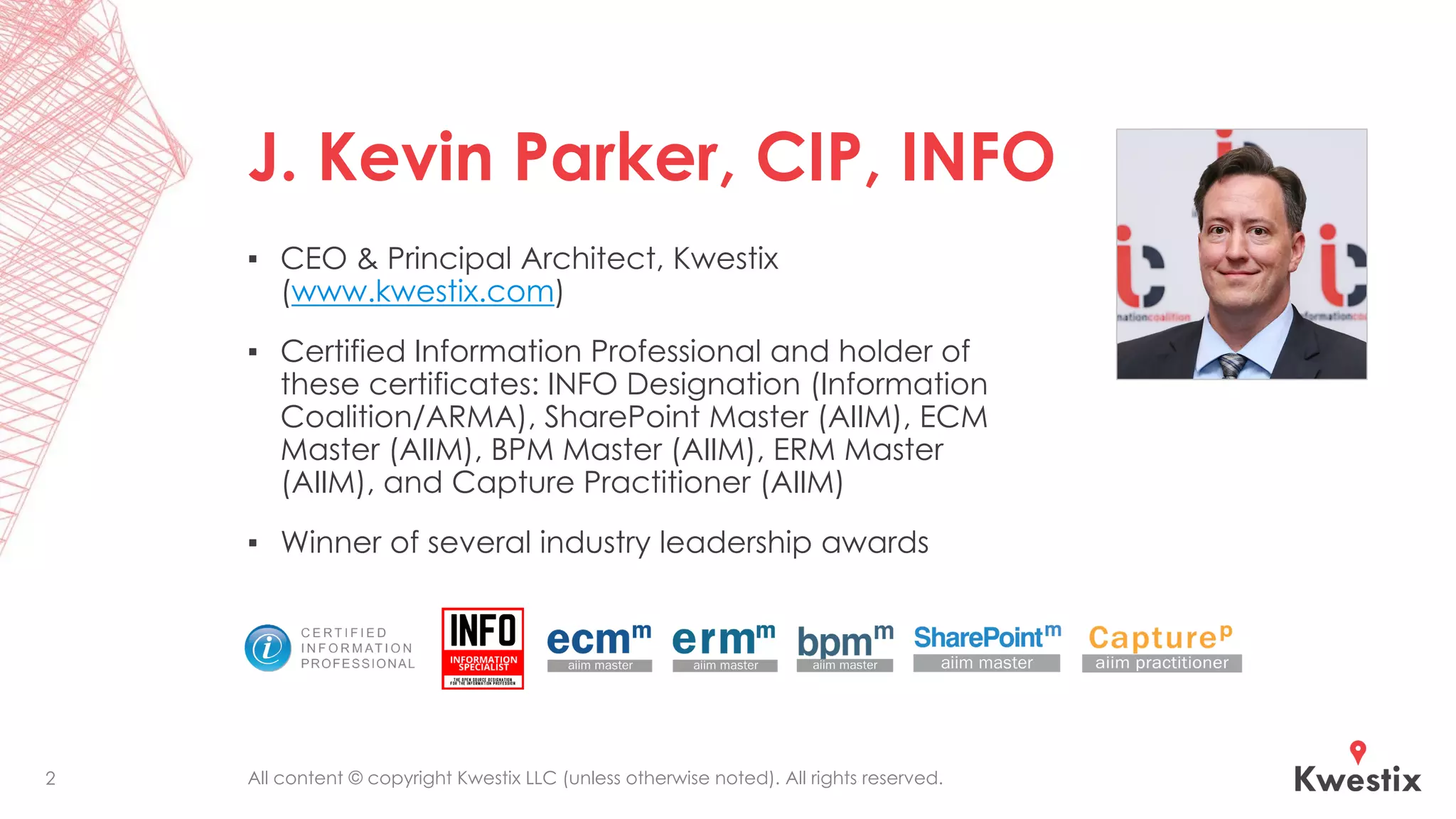
J. Kevin Parker, CIP, INFO
▪ CEO & Principal Architect, Kwestix
(www.kwestix.com)
▪ Certified Information Professional and holder of
these certificates: INFO Designation (Information
Coalition/ARMA), SharePoint Master (AIIM), ECM
Master (AIIM), BPM Master (AIIM), ERM Master
(AIIM), and Capture Practitioner (AIIM)
▪ Winner of several industry leadership awards
2
All content © copyright Kwestix LLC (unless otherwise noted). All rights reserved.
Objectives
The goal of this presentation is to help you:
▪ Discover what problems Information Architecture (IA) helps
information professionals to solve.
▪ Learn what IA really is and how it applies to information
systems and information governance.
▪ Understand and communicate why technology needs IA to
be most effective.
▪ Get started with improving IA in your information
environment.
3
All content © copyright Kwestix LLC (unless otherwise noted). All rights reserved.
What Problems Does
Information Architecture
Solve?
Why do we need IA anyway?
All content © copyright Kwestix LLC (unless otherwise noted). All rights reserved.5
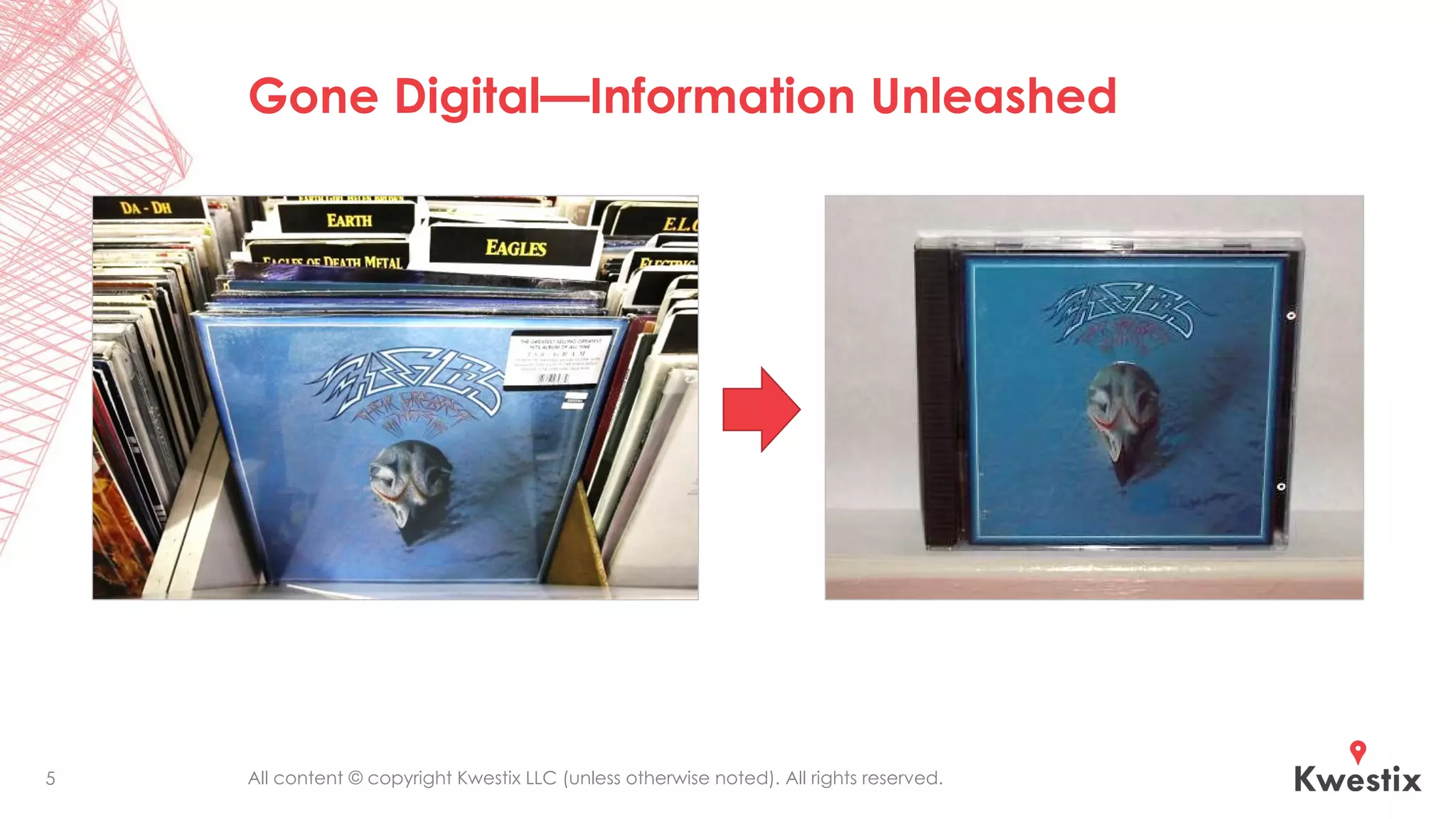
Gone Digital—Information Unleashed
All content © copyright Kwestix LLC (unless otherwise noted). All rights reserved.6
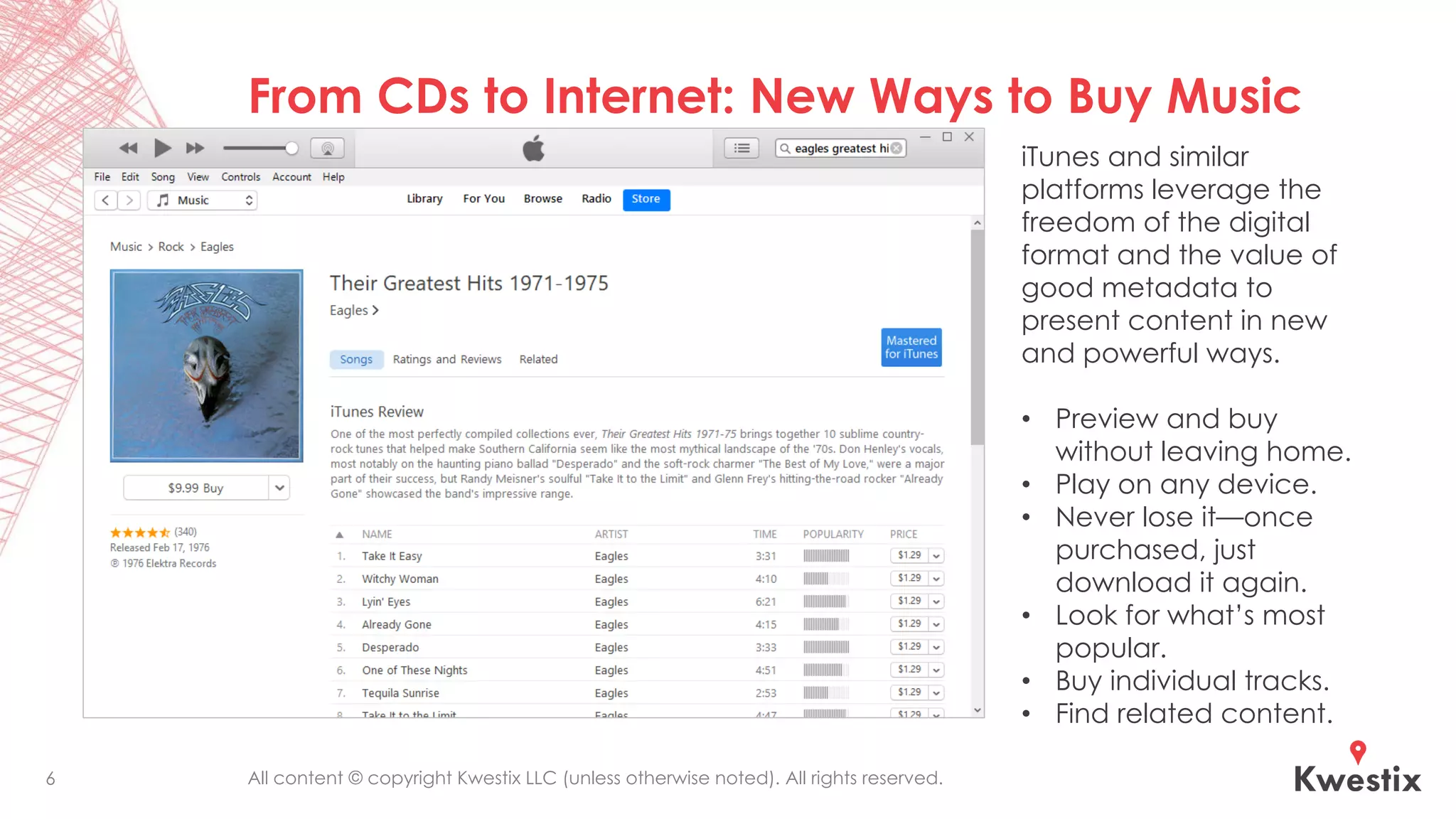
From CDs to Internet: New Ways to Buy Music
iTunes and similar
platforms leverage the
freedom of the digital
format and the value of
good metadata to
present content in new
and powerful ways.
• Preview and buy
without leaving home.
• Play on any device.
• Never lose it—once
purchased, just
download it again.
• Look for what’s most
popular.
• Buy individual tracks.
• Find related content.
All content © copyright Kwestix LLC (unless otherwise noted). All rights reserved.
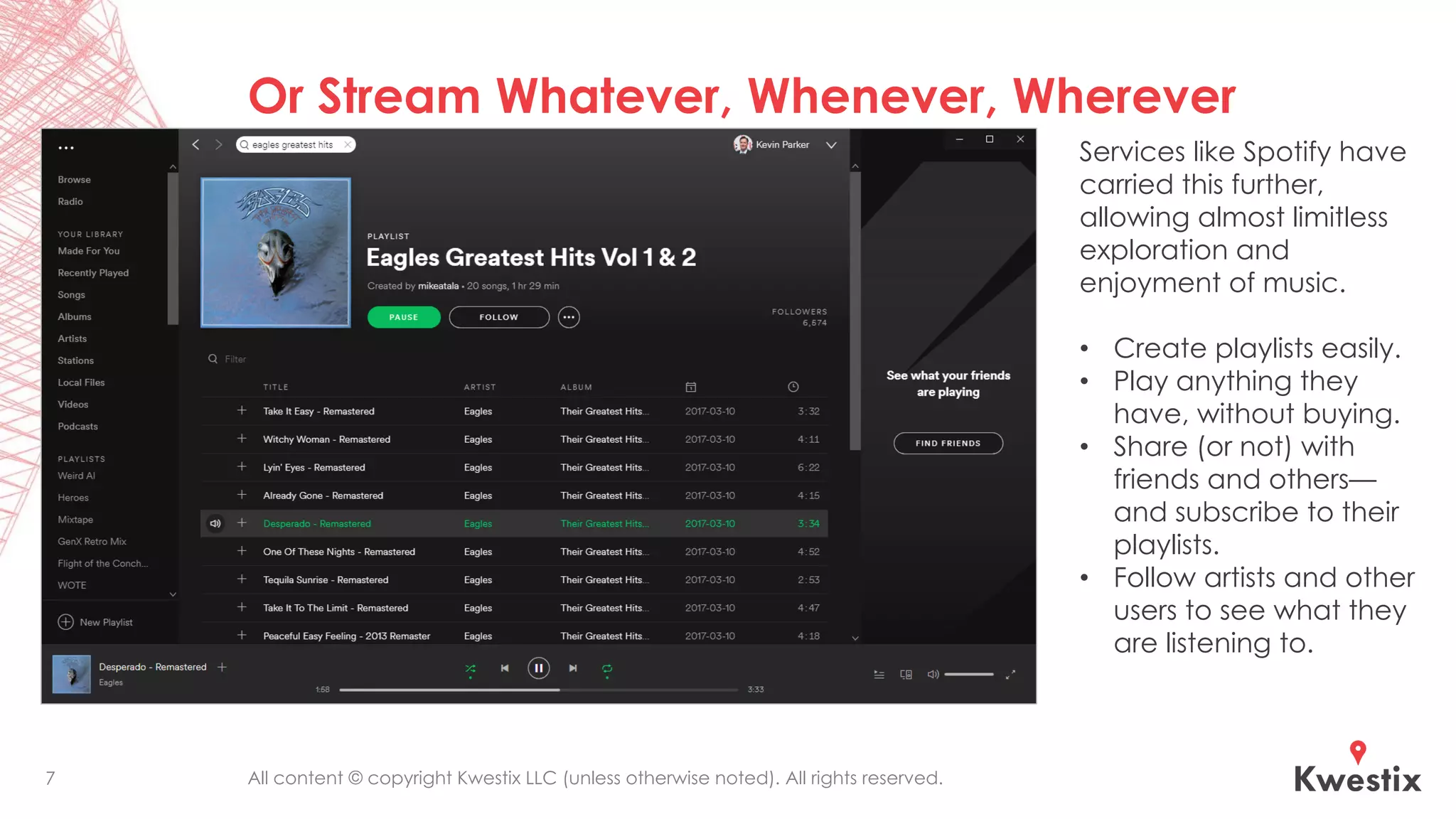
Or Stream Whatever, Whenever, Wherever
7
Services like Spotify have
carried this further,
allowing almost limitless
exploration and
enjoyment of music.
• Create playlists easily.
• Play anything they
have, without buying.
• Share (or not) with
friends and others—
and subscribe to their
playlists.
• Follow artists and other
users to see what they
are listening to.
All content © copyright Kwestix LLC (unless otherwise noted). All rights reserved.
Going Digital Changed
Everything for Content
New Benefits & Opportunities
▪ Content is no longer limited
to physical media.
▪ It is no longer limited to
hierarchical cataloging
and retrieval.
▪ Content is easier to create,
edit, duplicate, and
transmit with incredible
ease and speed.
New Challenges
▪ Piracy of intellectual
property got a LOT easier.
▪ Accidental exposure and
malicious theft of sensitive
data got a lot easier.
▪ Content volumes have
grown exponentially.
▪ There is much greater
competition for people’s
attention, time, and
money.
8
All content © copyright Kwestix LLC (unless otherwise noted). All rights reserved.
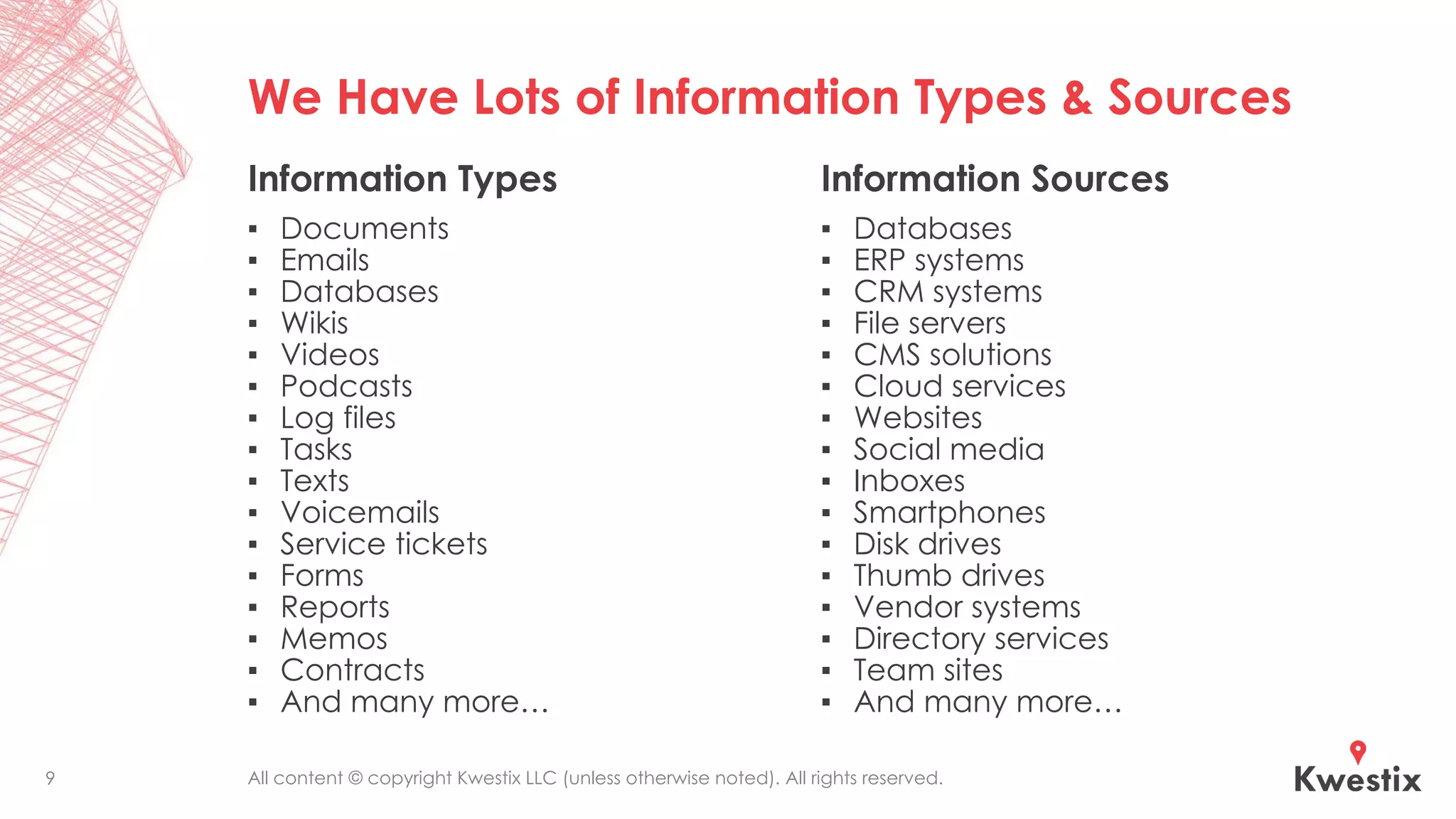
We Have Lots of Information Types & Sources
Information Types
▪ Documents
▪ Emails
▪ Databases
▪ Wikis
▪ Videos
▪ Podcasts
▪ Log files
▪ Tasks
▪ Texts
▪ Voicemails
▪ Service tickets
▪ Forms
▪ Reports
▪ Memos
▪ Contracts
▪ And many more…
Information Sources
▪ Databases
▪ ERP systems
▪ CRM systems
▪ File servers
▪ CMS solutions
▪ Cloud services
▪ Websites
▪ Social media
▪ Inboxes
▪ Smartphones
▪ Disk drives
▪ Thumb drives
▪ Vendor systems
▪ Directory services
▪ Team sites
▪ And many more…
9
All content © copyright Kwestix LLC (unless otherwise noted). All rights reserved.
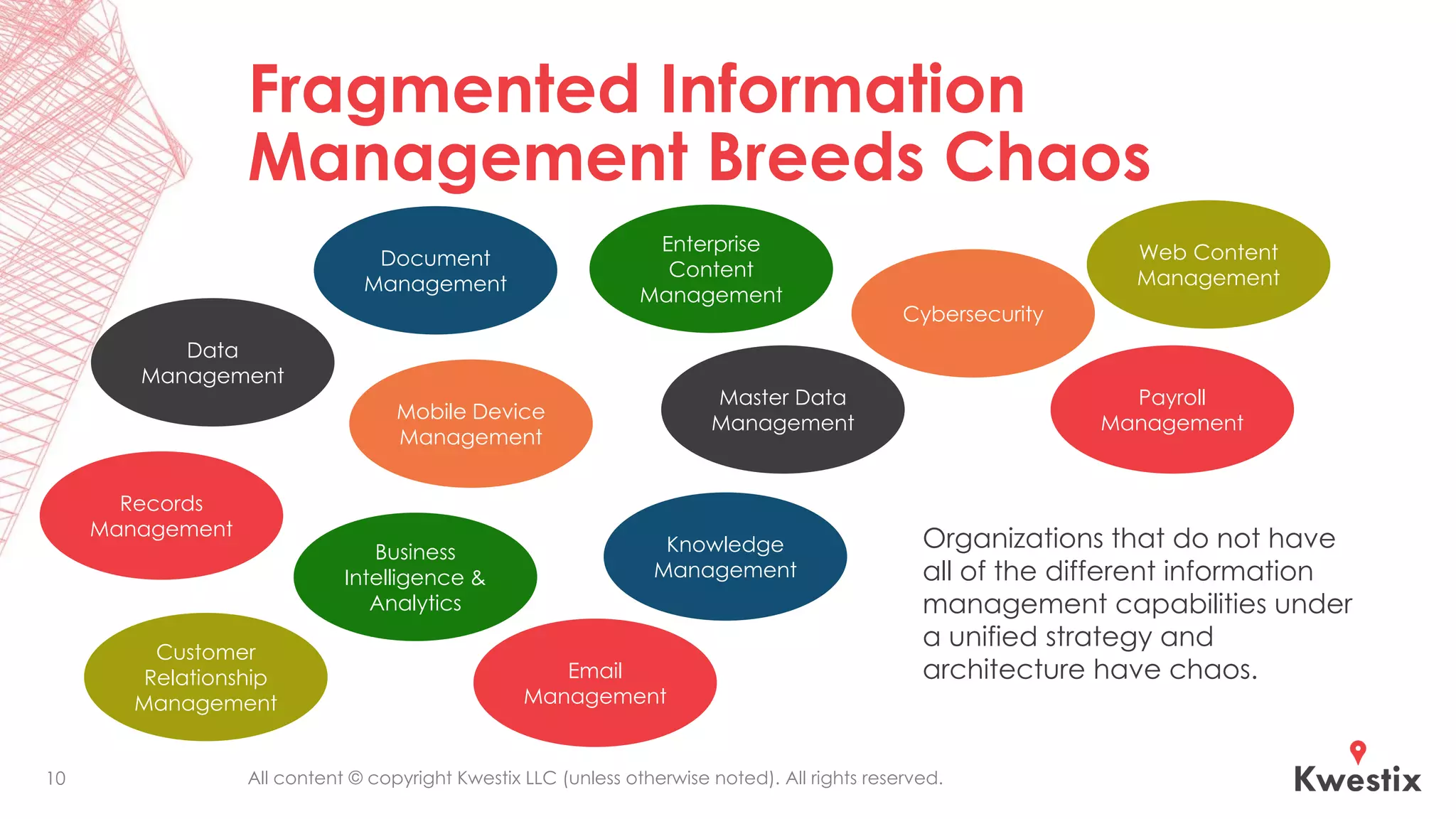
Fragmented Information
Management Breeds Chaos
10
Data
Management
Records
Management
Knowledge
Management
Document
Management
Enterprise
Content
Management
Business
Intelligence &
Analytics
Master Data
Management
Web Content
Management
Customer
Relationship
Management
Email
Management
Mobile Device
Management
Organizations that do not have
all of the different information
management capabilities under
a unified strategy and
architecture have chaos.
Cybersecurity
Payroll
Management
All content © copyright Kwestix LLC (unless otherwise noted). All rights reserved.
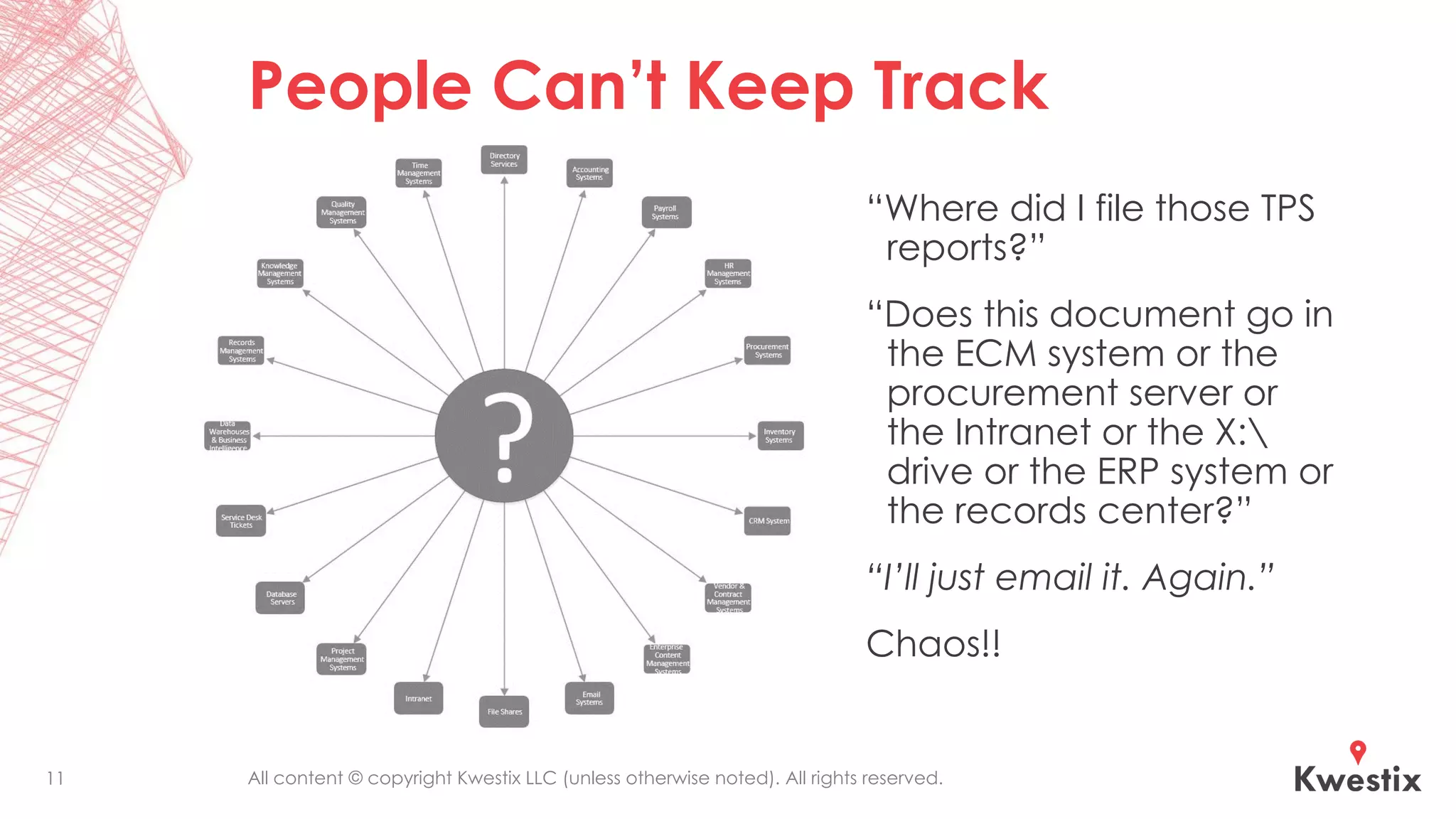
People Can’t Keep Track
“Where did I file those TPS
reports?”
“Does this document go in
the ECM system or the
procurement server or
the Intranet or the X:
drive or the ERP system or
the records center?”
“I’ll just email it. Again.”
Chaos!!
11
All content © copyright Kwestix LLC (unless otherwise noted). All rights reserved.
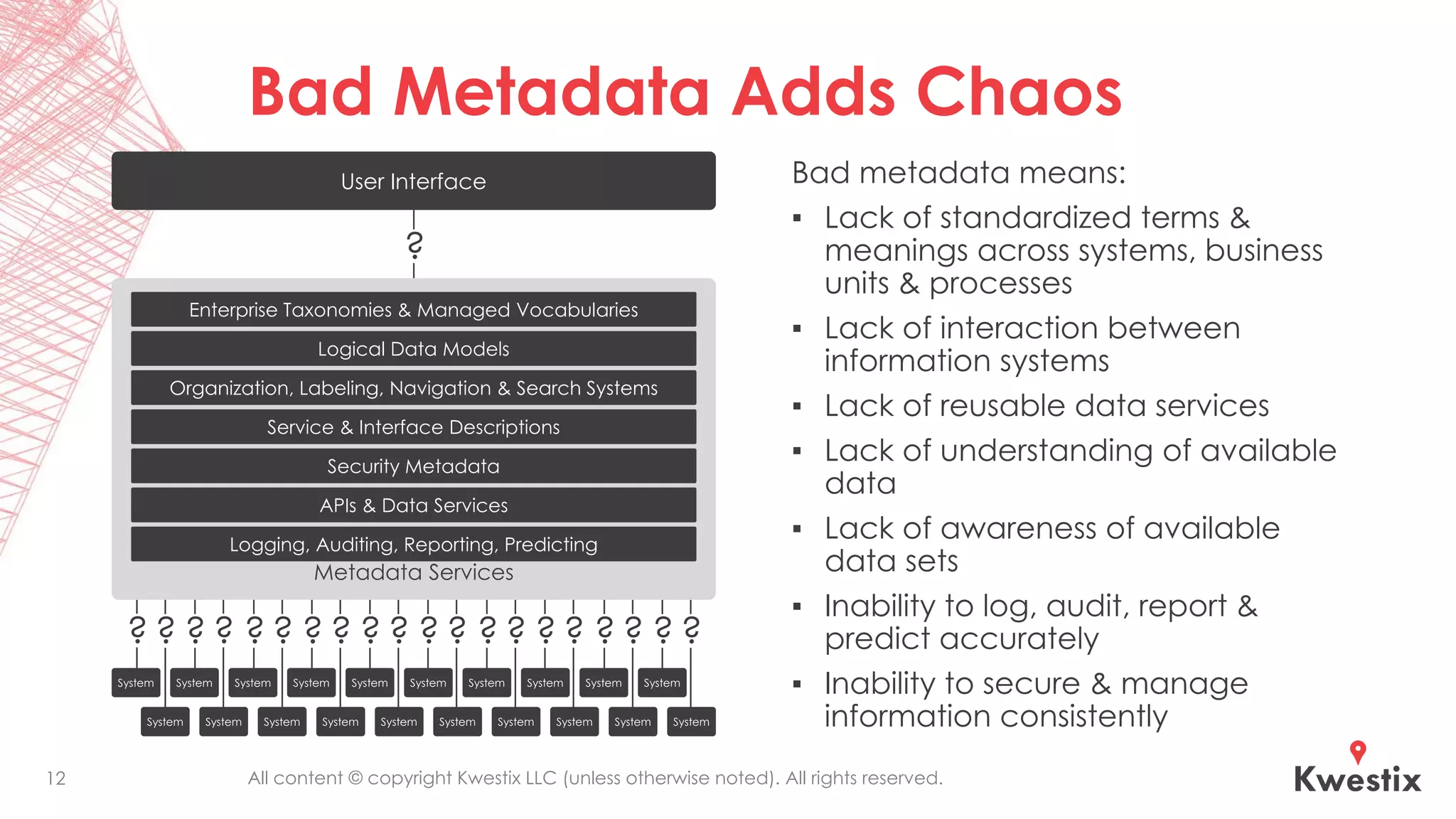
Bad Metadata Adds Chaos
Bad metadata means:
▪ Lack of standardized terms &
meanings across systems, business
units & processes
▪ Lack of interaction between
information systems
▪ Lack of reusable data services
▪ Lack of understanding of available
data
▪ Lack of awareness of available
data sets
▪ Inability to log, audit, report &
predict accurately
▪ Inability to secure & manage
information consistently
12
System System System System System System System System System System
User Interface
Metadata Services
Enterprise Taxonomies & Managed Vocabularies
Organization, Labeling, Navigation & Search Systems
Service & Interface Descriptions
Security Metadata
Logical Data Models
APIs & Data Services
Logging, Auditing, Reporting, Predicting
? ? ? ? ? ? ? ? ? ? ? ? ? ? ? ? ? ? ? ?
?
All content © copyright Kwestix LLC (unless otherwise noted). All rights reserved.
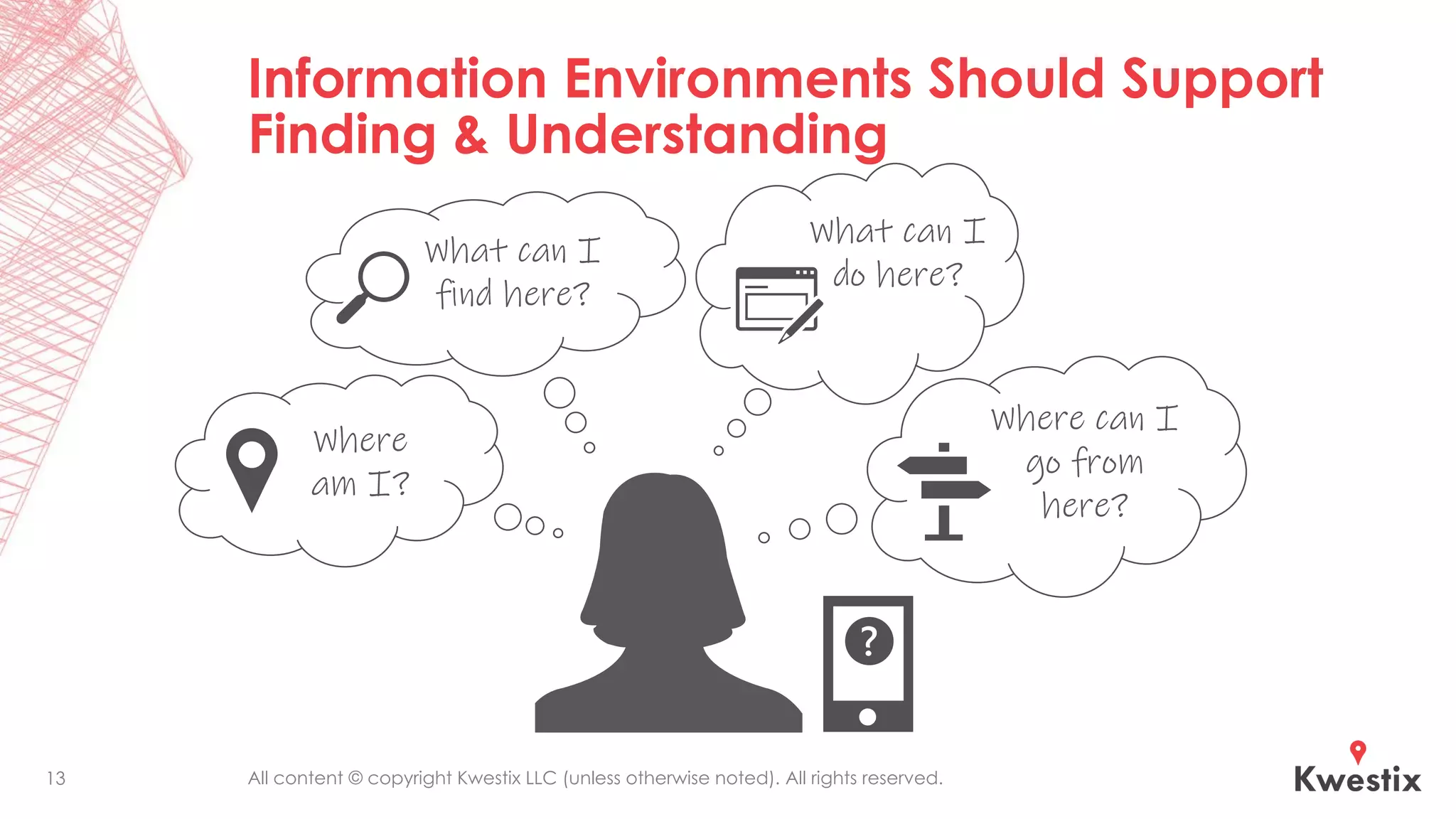
Information Environments Should Support
Finding & Understanding
13
What can I
find here?
Where
am I?
What can I
do here?
Where can I
go from
here?
All content © copyright Kwestix LLC (unless otherwise noted). All rights reserved.
Making Sense of the Messes
Humans need the information and our information
environments—including how we experience them—to make
sense to us. Every ounce of energy spent thinking about how
and why the tools work (or don’t work) the way they do is
energy not going toward doing our jobs and fulfilling our
missions.
Machines can process information much faster!! And they can
identify patterns and connections humans would miss. But do
they identify what is most important? Can they make value
judgments? “Garbage in, garbage out” still applies.
Automating bad processes is still bad. Processing terabytes and
petabytes of information with no guidance and priorities will still
fail to meet expectations.
14
All content © copyright Kwestix LLC (unless otherwise noted). All rights reserved.
Potential Benefits from Better IA & InfoGov
▪ Optimized business processes
▪ Increased productivity
▪ Increased quality
▪ Improved customer experience
▪ Reduced cost
▪ Enterprise information integration
▪ Risk mitigation & compliance
▪ Improved information leadership
15
All content © copyright Kwestix LLC (unless otherwise noted). All rights reserved.
What Do We Mean by
“Information Architecture”?
Known in IA circles as “DTDT” (define the damned thing!).
All content © copyright Kwestix LLC (unless otherwise noted). All rights reserved.
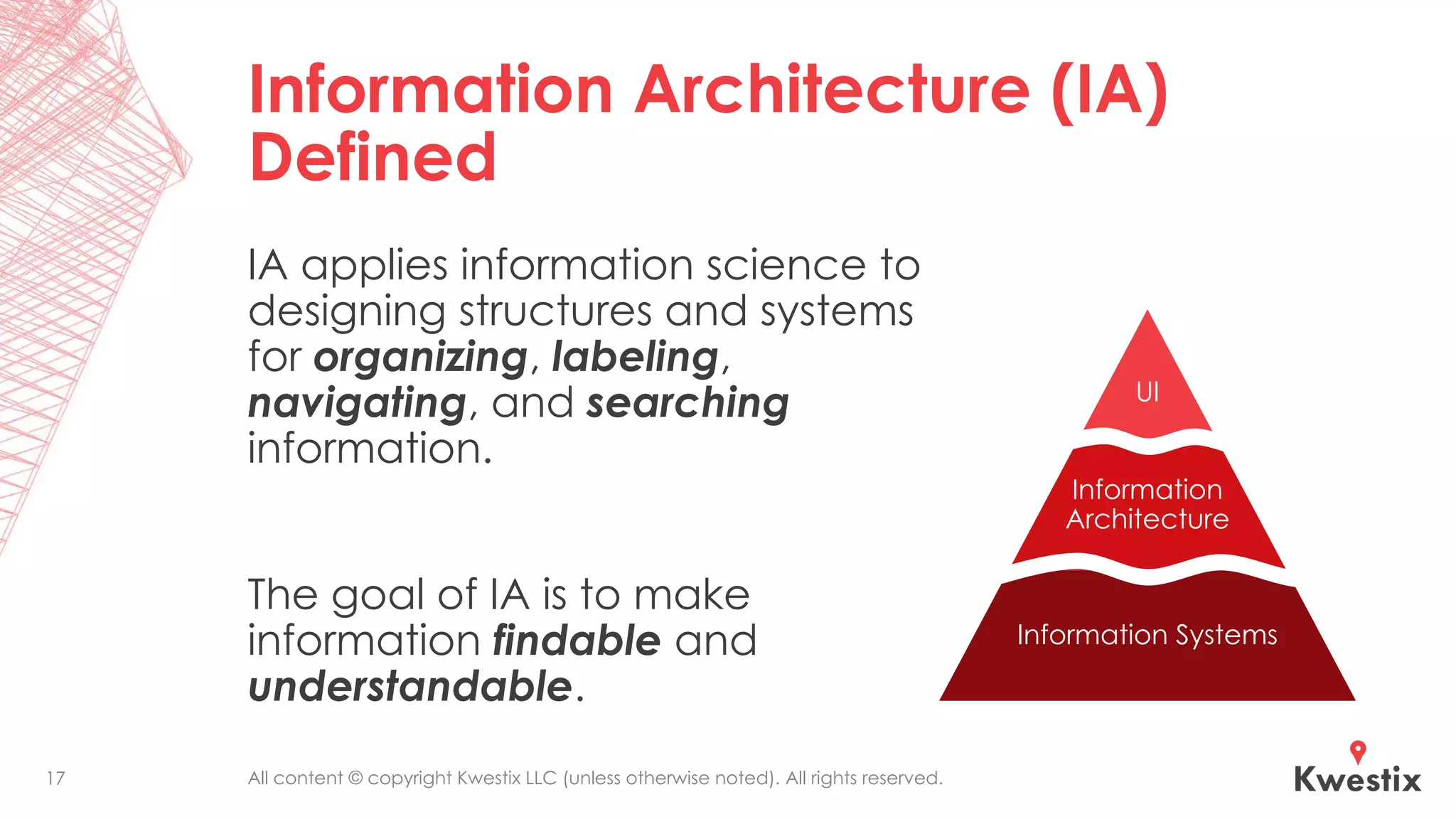
Information Architecture (IA)
Defined
IA applies information science to
designing structures and systems
for organizing, labeling,
navigating, and searching
information.
The goal of IA is to make
information findable and
understandable.
UI
Information
Architecture
Information Systems
17
All content © copyright Kwestix LLC (unless otherwise noted). All rights reserved.18
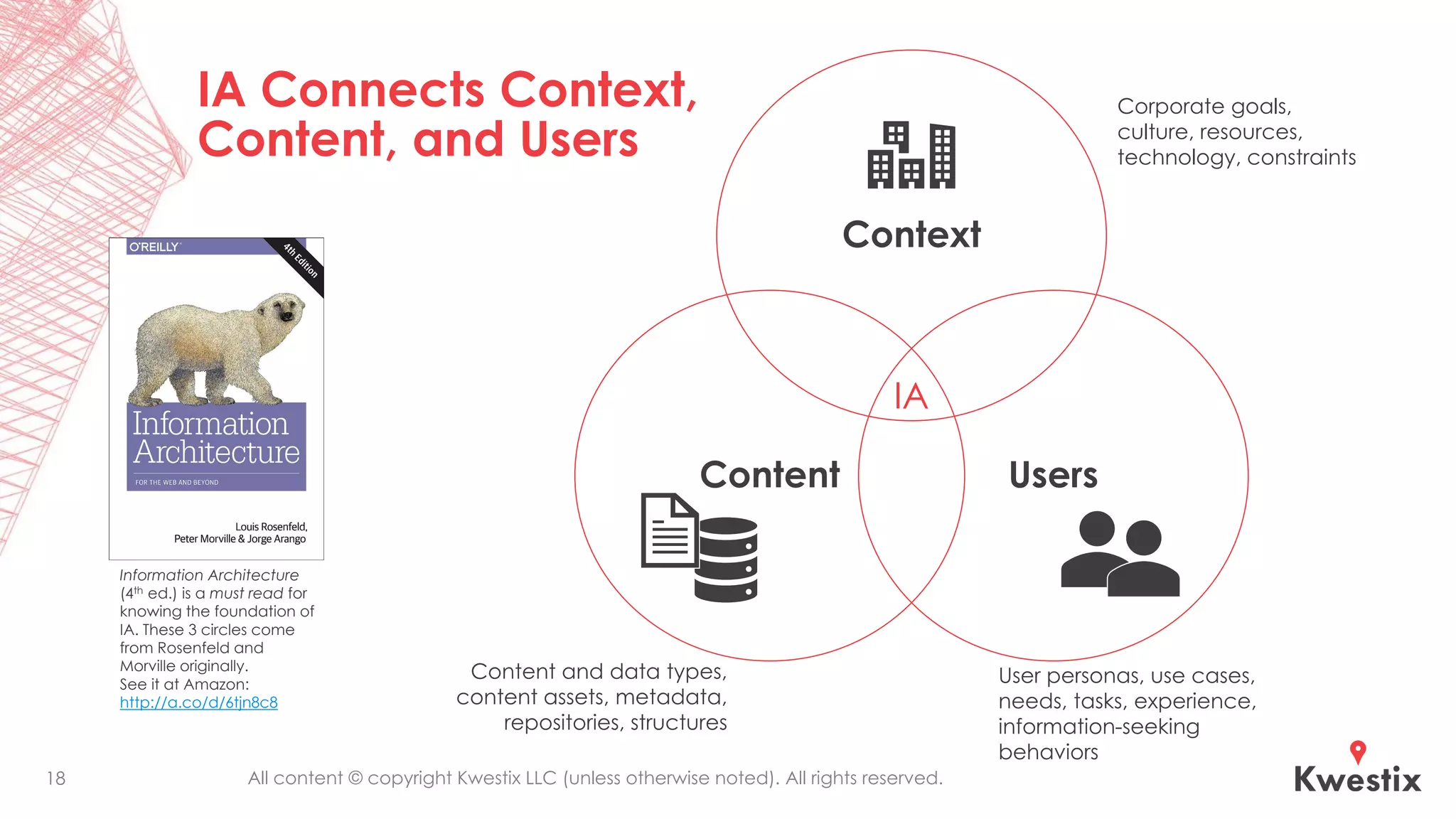
Context
Content Users
IA
Corporate goals,
culture, resources,
technology, constraints
User personas, use cases,
needs, tasks, experience,
information-seeking
behaviors
Content and data types,
content assets, metadata,
repositories, structures
IA Connects Context,
Content, and Users
Information Architecture
(4th ed.) is a must read for
knowing the foundation of
IA. These 3 circles come
from Rosenfeld and
Morville originally.
See it at Amazon:
http://a.co/d/6tjn8c8
All content © copyright Kwestix LLC (unless otherwise noted). All rights reserved.
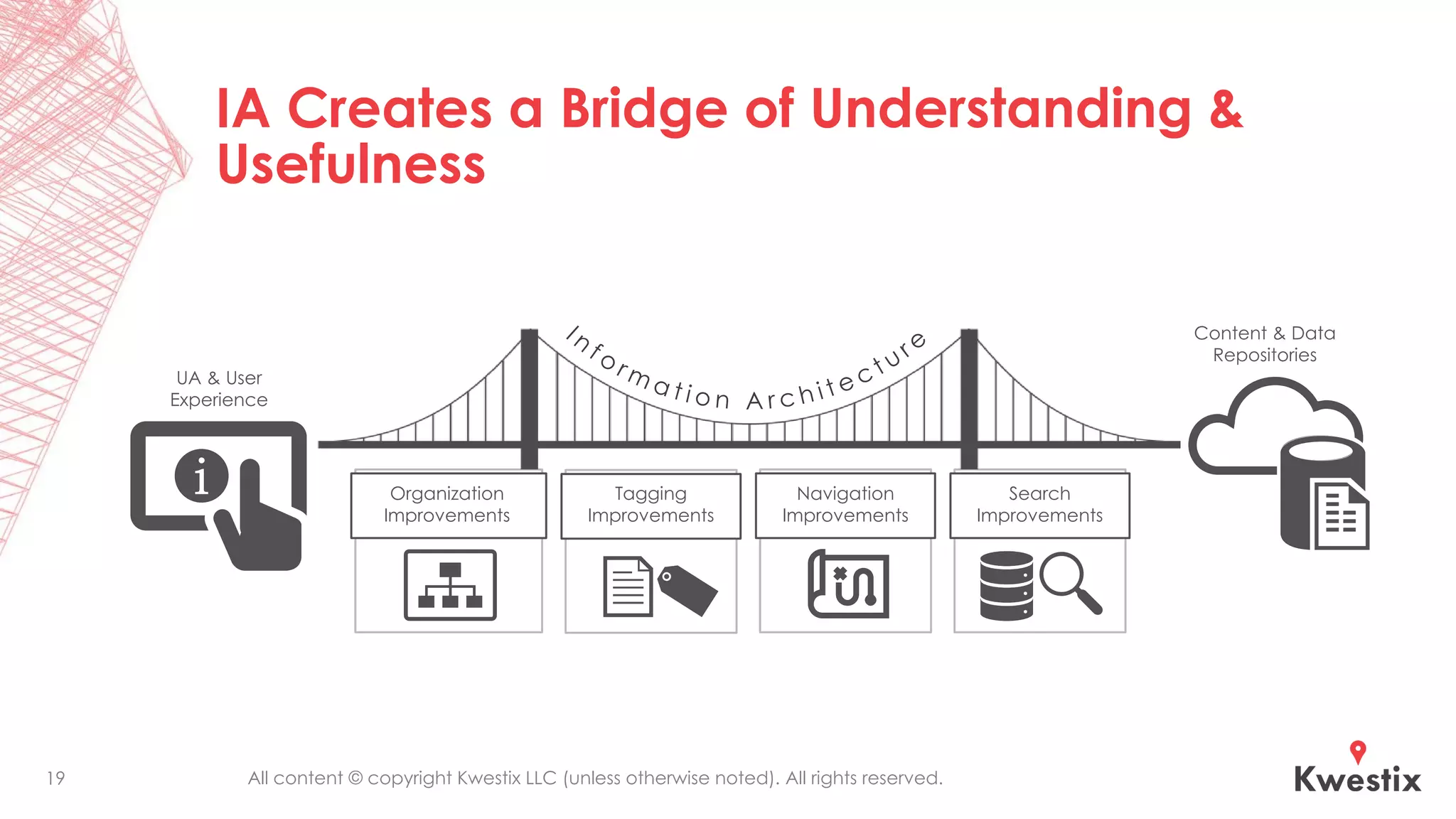
IA Creates a Bridge of Understanding &
Usefulness
19
UA & User
Experience
Content & Data
Repositories
Search
Improvements
Navigation
Improvements
Tagging
Improvements
Organization
Improvements
All content © copyright Kwestix LLC (unless otherwise noted). All rights reserved.
Organization Systems
▪ Are the sites and tools we use easy to understand navigate?
▪ Is it clear to users where they are at any given place?
▪ Are the site organizing structures simple to use and easy to
maintain (are they flexible and scalable)?
▪ What kinds of sites and virtual workspaces should we use,
and how do they relate to each other?
▪ What other information apps do we use, and how do they
relate to our content sites?
20
All content © copyright Kwestix LLC (unless otherwise noted). All rights reserved.
Labeling Systems
▪ Do we have approved sets of terms with clear definitions to
use in labeling and tagging content, libraries, and sites?
▪ Do we have naming schemes to use across collaboration
spaces and sites? Do they work?
▪ Do we use folders in our information environments, and are
there guidelines on how these are named and used?
▪ Do we know how to label the inputs and outputs of each
type of business process?
21
All content © copyright Kwestix LLC (unless otherwise noted). All rights reserved.
Navigation Systems
▪ Are websites and apps easy to browse and navigate?
▪ Are navigation labels and structures clear, consistent, and
useful?
▪ Are navigation elements automatically generated?
Curated? Up to date and accurate?
▪ Do we adequately cater to different information-seeking
behaviors?
22
All content © copyright Kwestix LLC (unless otherwise noted). All rights reserved.
Search Systems
▪ Does search work well within sites and apps?
▪ Is search scoped appropriately in different contexts?
▪ Are users able to search across all related content systems
and provide relevant, consistent results?
▪ Are search analytics actively monitored and is search
continuously tuned to improve the user experience?
23
All content © copyright Kwestix LLC (unless otherwise noted). All rights reserved.
IA in Context for
Information Professionals
How Information Architecture applies to
Information Management, Information
Technology, and Information Governance
All content © copyright Kwestix LLC (unless otherwise noted). All rights reserved.
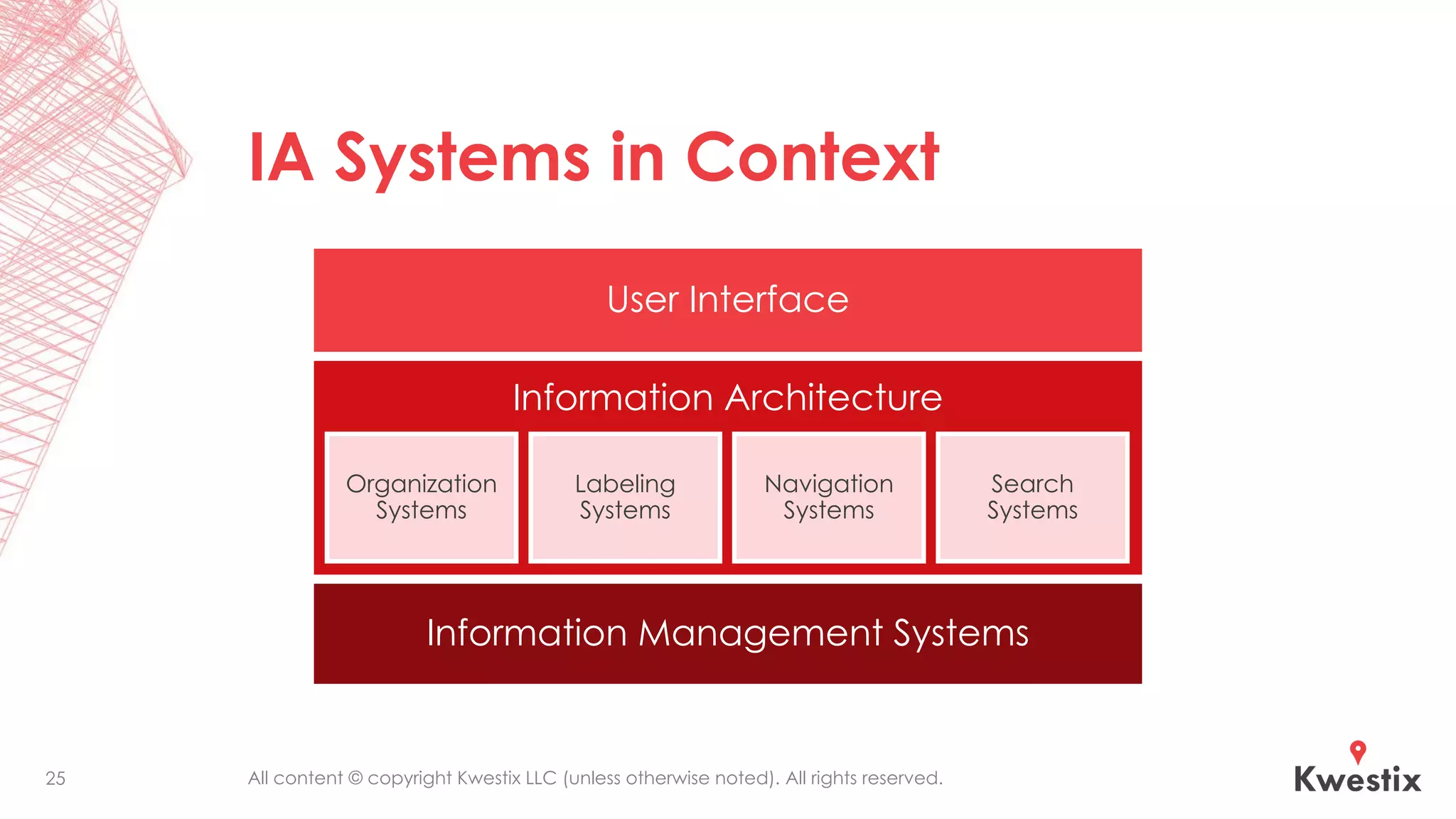
IA Systems in Context
25
Information Architecture
User Interface
Organization
Systems
Labeling
Systems
Navigation
Systems
Search
Systems
Information Management Systems
All content © copyright Kwestix LLC (unless otherwise noted). All rights reserved.
Key Points on the Purposes and
Benefits of IA (1 of 3)
▪ IA relates to both the front end and back end of information
systems.
▪ IA for user interfaces (UI) defines schemes for organizing and
labeling information in websites, applications, mobile
interfaces, and Internet of Things devices for greater clarity
and improved user experiences (UX).
▪ IA for information systems defines data structures, content
repositories, information flows, and metadata for describing
properties, categories, and classifications, all of which are
used for searching, displaying, processing, routing, securing,
and managing information assets throughout their lifecycle.
26
All content © copyright Kwestix LLC (unless otherwise noted). All rights reserved.
Key Points on the Purposes and
Benefits of IA (2 of 3)
▪ IA design for websites and applications considers the
interdependent aspects of Users, Content, and Context.
▪ Enterprise IA, which is closely related to Enterprise
Architecture, considers the interdependent aspects of
people, process, technology, and information for designing
enterprise information systems.
▪ IA design must follow strategic goals and requirements
defined by Information Governance when designing
information architectures for individual systems, system
interfaces, and the entire enterprise information
environment.
27
All content © copyright Kwestix LLC (unless otherwise noted). All rights reserved.
Key Points on the Purposes and
Benefits of IA (3 of 3)
▪ IA defines the work artifacts necessary for well-designed
and usable information environments that follow the
strategic goals and requirements defined by Information
Governance and Cybersecurity.
▪ IA produces artifacts that include taxonomies, ontologies,
sitemaps, wireframes, search strategies, navigation
strategies, records schedules, master data and metadata
plans, data models, and data maps.
▪ IA informs architectures for applications and infrastructure.
28
All content © copyright Kwestix LLC (unless otherwise noted). All rights reserved.
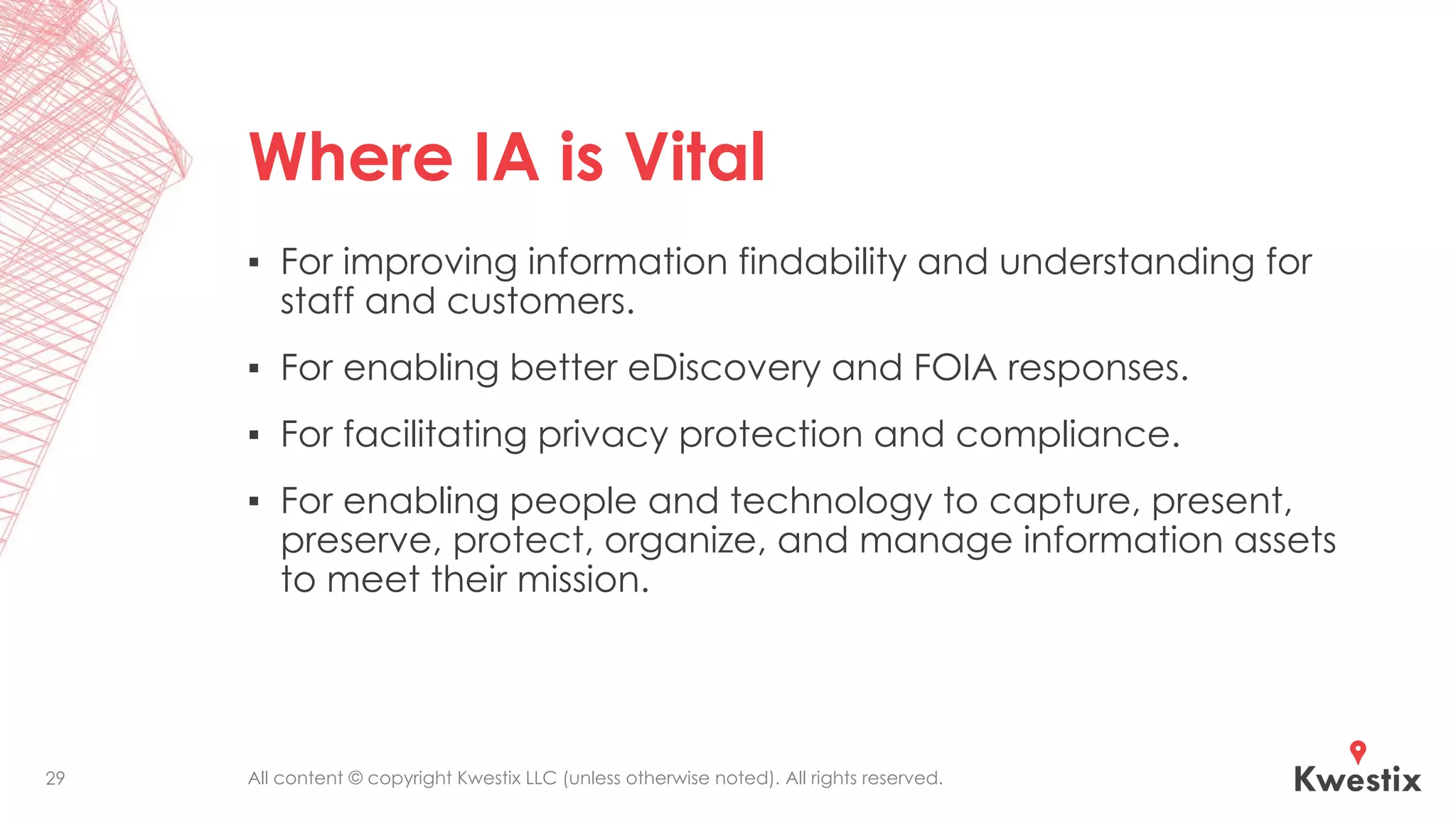
Where IA is Vital
▪ For improving information findability and understanding for
staff and customers.
▪ For enabling better eDiscovery and FOIA responses.
▪ For facilitating privacy protection and compliance.
▪ For enabling people and technology to capture, present,
preserve, protect, organize, and manage information assets
to meet their mission.
29
All content © copyright Kwestix LLC (unless otherwise noted). All rights reserved.
No, Technology Isn’t the
Answer to Your
Information Problems
Why technological advancements are helping
but are not enough on their own without IA
All content © copyright Kwestix LLC (unless otherwise noted). All rights reserved.
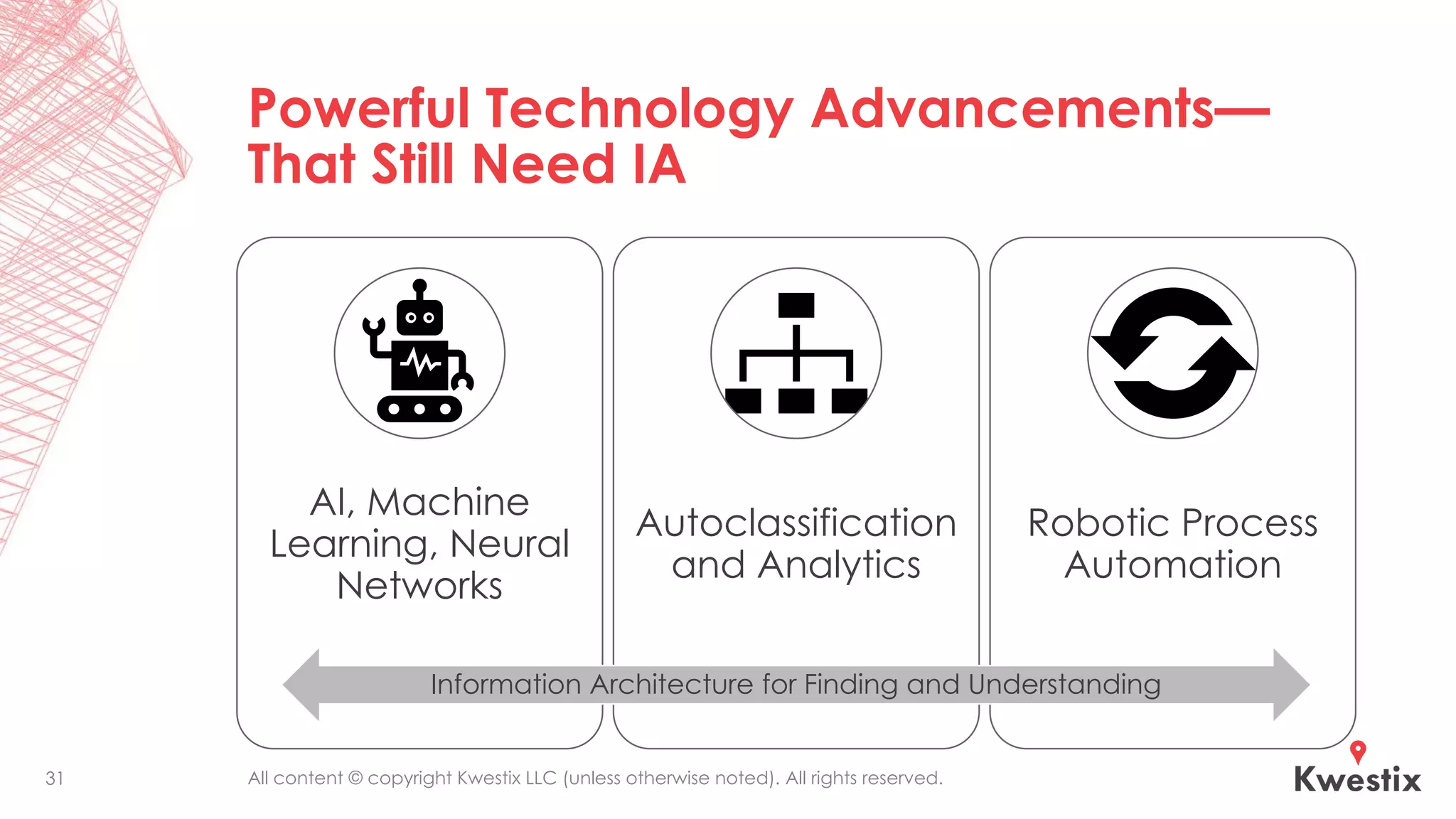
Powerful Technology Advancements—
That Still Need IA
AI, Machine
Learning, Neural
Networks
Autoclassification
and Analytics
Robotic Process
Automation
31
Information Architecture for Finding and Understanding
All content © copyright Kwestix LLC (unless otherwise noted). All rights reserved.
What the Tools Need to Maximize
Their Effectiveness
▪ AI needs IA just like people do, identifying relevant
information stores, priorities, labels, categories, etc. that are
important to a particular organization.
▪ Autoclassification and analytics tools can process and index
enormous amounts of information with greater speed and
consistency than humans, but it still depends on processes,
information stores, content types, categories, and labels
defined by the business.
▪ RPA is automating business processes based on business
logic and structured inputs, thus leveraging pre-existing IA
and UI to work.
“AI is whatever hasn't been done yet.”
32
All content © copyright Kwestix LLC (unless otherwise noted). All rights reserved.
How to Get Started with IA
Build your Information Architecture framework to
support better Information Management
All content © copyright Kwestix LLC (unless otherwise noted). All rights reserved.
Take a Current Inventory &
Measure Maturity
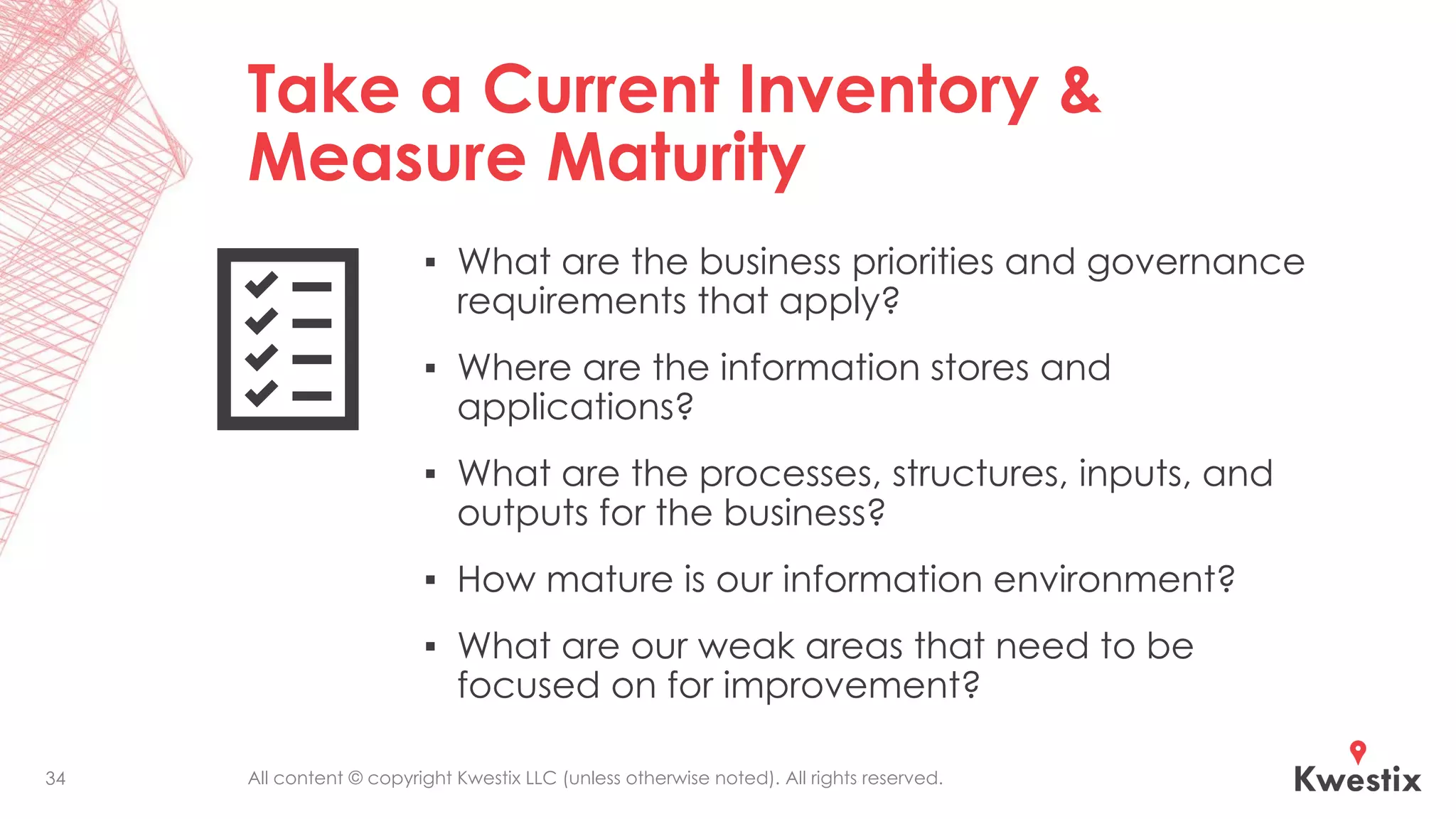
▪ What are the business priorities and governance
requirements that apply?
▪ Where are the information stores and
applications?
▪ What are the processes, structures, inputs, and
outputs for the business?
▪ How mature is our information environment?
▪ What are our weak areas that need to be
focused on for improvement?
34
All content © copyright Kwestix LLC (unless otherwise noted). All rights reserved.
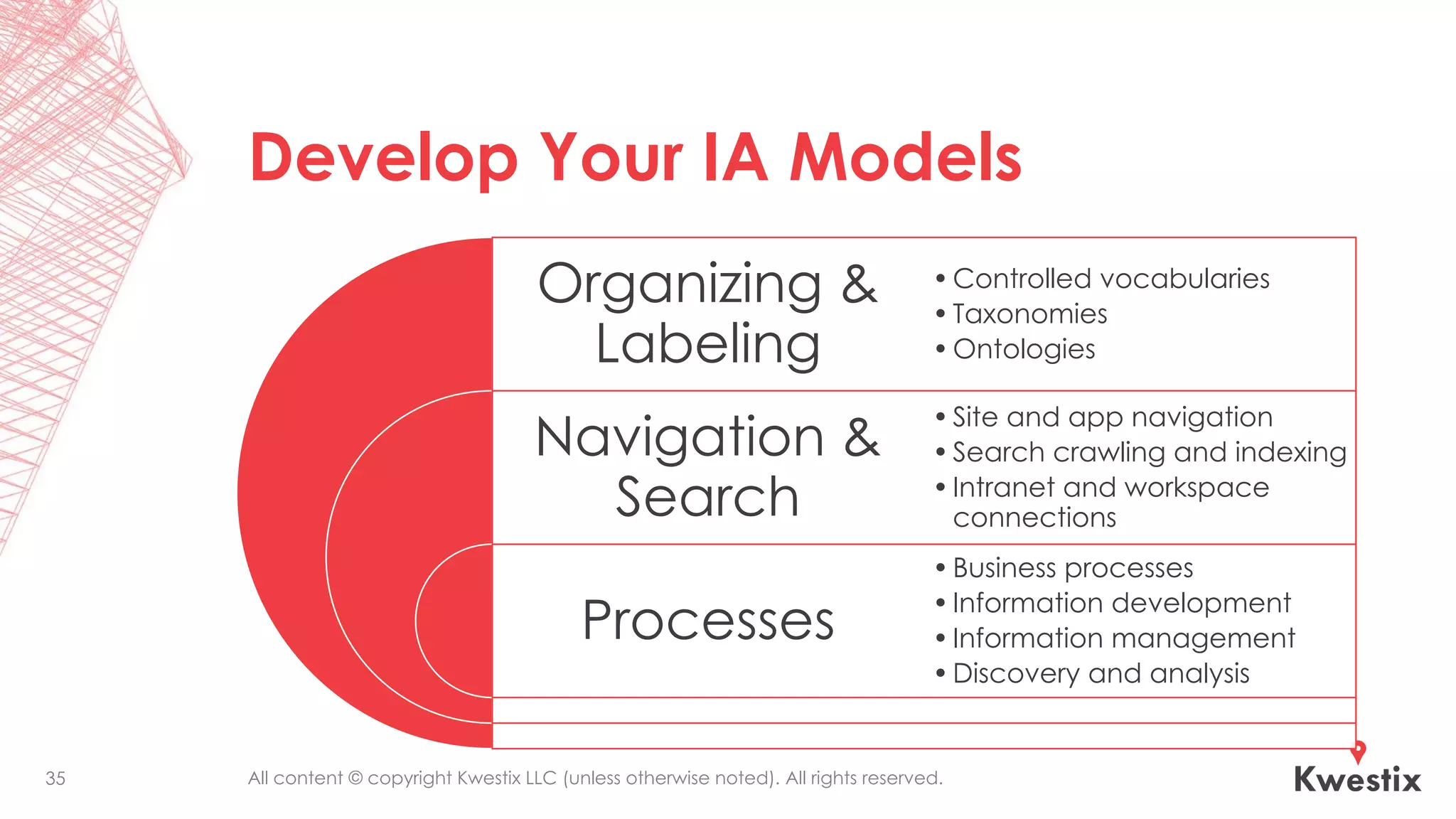
Develop Your IA Models
Organizing &
Labeling
Navigation &
Search
Processes
•Controlled vocabularies
•Taxonomies
•Ontologies
•Site and app navigation
•Search crawling and indexing
•Intranet and workspace
connections
•Business processes
•Information development
•Information management
•Discovery and analysis
35
All content © copyright Kwestix LLC (unless otherwise noted). All rights reserved.
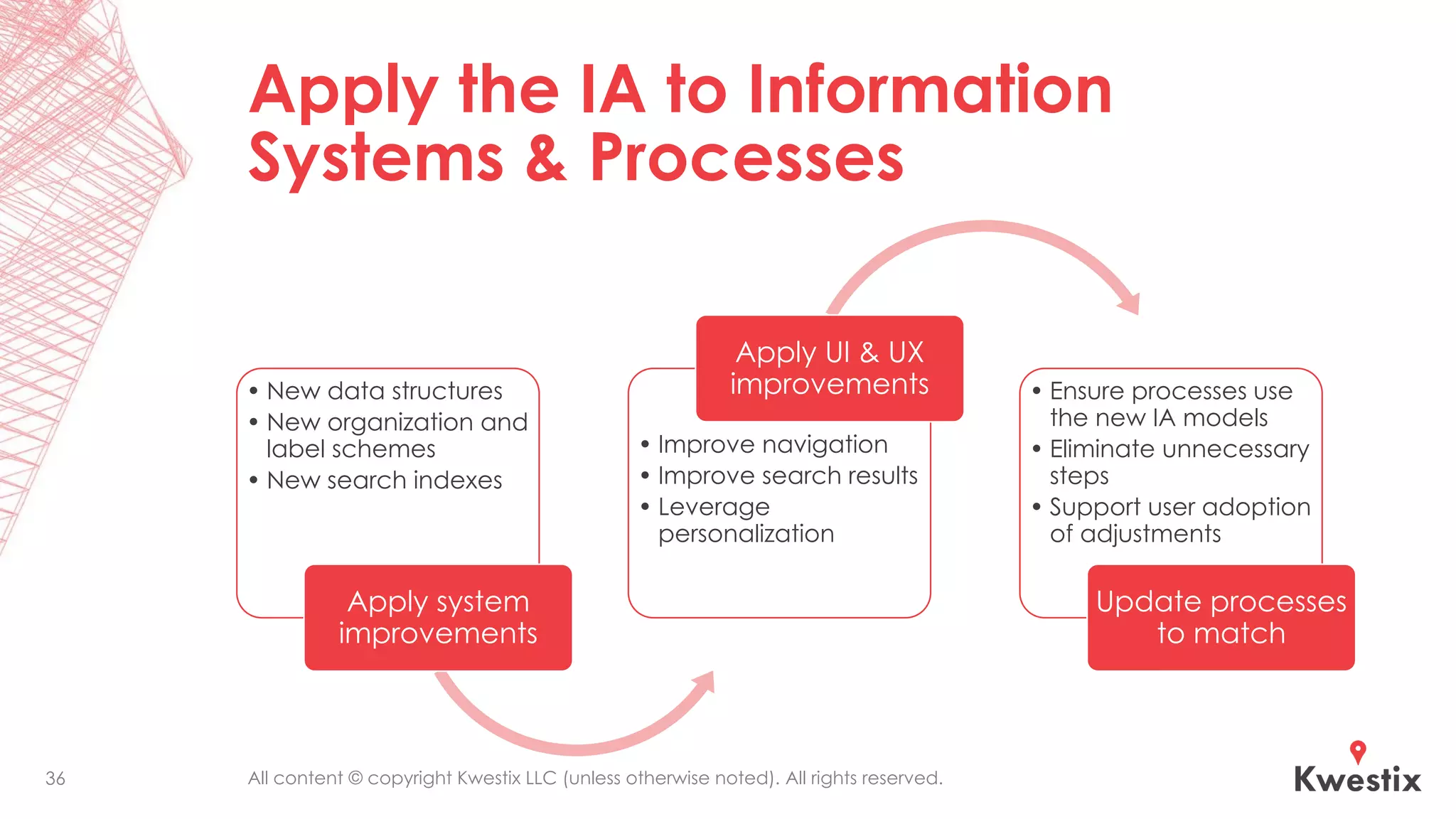
Apply the IA to Information
Systems & Processes
• New data structures
• New organization and
label schemes
• New search indexes
Apply system
improvements
• Improve navigation
• Improve search results
• Leverage
personalization
Apply UI & UX
improvements • Ensure processes use
the new IA models
• Eliminate unnecessary
steps
• Support user adoption
of adjustments
Update processes
to match
36
All content © copyright Kwestix LLC (unless otherwise noted). All rights reserved.
Make IA Part of Governance
▪ Someone needs to “own” Information Architecture. It is NOT
just about design or even IT.
▪ IA for enterprises is naturally a part of Enterprise
Architecture, as it clarifies what is most important about the
business to staff, customers, and everyone.
▪ IA should define some governance requirements for
information systems and those that design, delivery, support,
and use those systems.
37
All content © copyright Kwestix LLC (unless otherwise noted). All rights reserved.
Measure, Improve, Report
▪ After a period of improvement effort, measure maturity
again and compare.
▪ Look for new ways to improve based on the findings.
▪ Report improvements, continuing challenges, and
additional opportunities.
▪ And start the improvement process again.
38
All content © copyright Kwestix LLC (unless otherwise noted). All rights reserved.
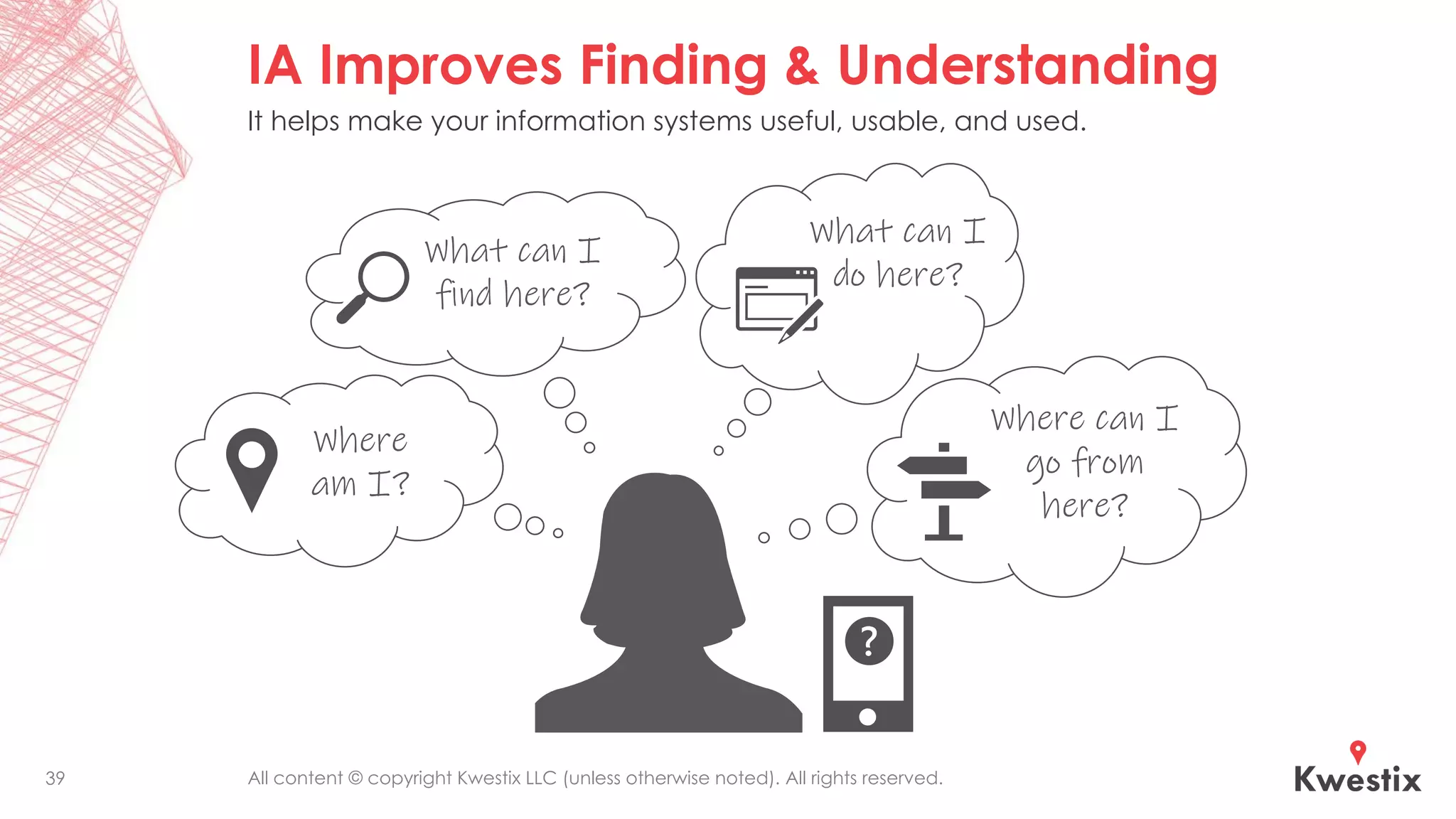
IA Improves Finding & Understanding
39
What can I
find here?
Where
am I?
What can I
do here?
Where can I
go from
here?
It helps make your information systems useful, usable, and used.
Thank you!
@JKevinParker
info@kwestix.com
www.kwestix.com

Why Information Architecture is Vital for Effective Information Management

  • 1.
    Why Information Architecture isVital for Effective Information Management J. Kevin Parker, CIP, INFO CEO & Principal Architect at Kwestix
  • 2.
    All content ©copyright Kwestix LLC (unless otherwise noted). All rights reserved. J. Kevin Parker, CIP, INFO ▪ CEO & Principal Architect, Kwestix (www.kwestix.com) ▪ Certified Information Professional and holder of these certificates: INFO Designation (Information Coalition/ARMA), SharePoint Master (AIIM), ECM Master (AIIM), BPM Master (AIIM), ERM Master (AIIM), and Capture Practitioner (AIIM) ▪ Winner of several industry leadership awards 2
  • 3.
    All content ©copyright Kwestix LLC (unless otherwise noted). All rights reserved. Objectives The goal of this presentation is to help you: ▪ Discover what problems Information Architecture (IA) helps information professionals to solve. ▪ Learn what IA really is and how it applies to information systems and information governance. ▪ Understand and communicate why technology needs IA to be most effective. ▪ Get started with improving IA in your information environment. 3
  • 4.
    All content ©copyright Kwestix LLC (unless otherwise noted). All rights reserved. What Problems Does Information Architecture Solve? Why do we need IA anyway?
  • 5.
    All content ©copyright Kwestix LLC (unless otherwise noted). All rights reserved.5 Gone Digital—Information Unleashed
  • 6.
    All content ©copyright Kwestix LLC (unless otherwise noted). All rights reserved.6 From CDs to Internet: New Ways to Buy Music iTunes and similar platforms leverage the freedom of the digital format and the value of good metadata to present content in new and powerful ways. • Preview and buy without leaving home. • Play on any device. • Never lose it—once purchased, just download it again. • Look for what’s most popular. • Buy individual tracks. • Find related content.
  • 7.
    All content ©copyright Kwestix LLC (unless otherwise noted). All rights reserved. Or Stream Whatever, Whenever, Wherever 7 Services like Spotify have carried this further, allowing almost limitless exploration and enjoyment of music. • Create playlists easily. • Play anything they have, without buying. • Share (or not) with friends and others— and subscribe to their playlists. • Follow artists and other users to see what they are listening to.
  • 8.
    All content ©copyright Kwestix LLC (unless otherwise noted). All rights reserved. Going Digital Changed Everything for Content New Benefits & Opportunities ▪ Content is no longer limited to physical media. ▪ It is no longer limited to hierarchical cataloging and retrieval. ▪ Content is easier to create, edit, duplicate, and transmit with incredible ease and speed. New Challenges ▪ Piracy of intellectual property got a LOT easier. ▪ Accidental exposure and malicious theft of sensitive data got a lot easier. ▪ Content volumes have grown exponentially. ▪ There is much greater competition for people’s attention, time, and money. 8
  • 9.
    All content ©copyright Kwestix LLC (unless otherwise noted). All rights reserved. We Have Lots of Information Types & Sources Information Types ▪ Documents ▪ Emails ▪ Databases ▪ Wikis ▪ Videos ▪ Podcasts ▪ Log files ▪ Tasks ▪ Texts ▪ Voicemails ▪ Service tickets ▪ Forms ▪ Reports ▪ Memos ▪ Contracts ▪ And many more… Information Sources ▪ Databases ▪ ERP systems ▪ CRM systems ▪ File servers ▪ CMS solutions ▪ Cloud services ▪ Websites ▪ Social media ▪ Inboxes ▪ Smartphones ▪ Disk drives ▪ Thumb drives ▪ Vendor systems ▪ Directory services ▪ Team sites ▪ And many more… 9
  • 10.
    All content ©copyright Kwestix LLC (unless otherwise noted). All rights reserved. Fragmented Information Management Breeds Chaos 10 Data Management Records Management Knowledge Management Document Management Enterprise Content Management Business Intelligence & Analytics Master Data Management Web Content Management Customer Relationship Management Email Management Mobile Device Management Organizations that do not have all of the different information management capabilities under a unified strategy and architecture have chaos. Cybersecurity Payroll Management
  • 11.
    All content ©copyright Kwestix LLC (unless otherwise noted). All rights reserved. People Can’t Keep Track “Where did I file those TPS reports?” “Does this document go in the ECM system or the procurement server or the Intranet or the X: drive or the ERP system or the records center?” “I’ll just email it. Again.” Chaos!! 11
  • 12.
    All content ©copyright Kwestix LLC (unless otherwise noted). All rights reserved. Bad Metadata Adds Chaos Bad metadata means: ▪ Lack of standardized terms & meanings across systems, business units & processes ▪ Lack of interaction between information systems ▪ Lack of reusable data services ▪ Lack of understanding of available data ▪ Lack of awareness of available data sets ▪ Inability to log, audit, report & predict accurately ▪ Inability to secure & manage information consistently 12 System System System System System System System System System System System System System System System System System System System System User Interface Metadata Services Enterprise Taxonomies & Managed Vocabularies Organization, Labeling, Navigation & Search Systems Service & Interface Descriptions Security Metadata Logical Data Models APIs & Data Services Logging, Auditing, Reporting, Predicting ? ? ? ? ? ? ? ? ? ? ? ? ? ? ? ? ? ? ? ? ?
  • 13.
    All content ©copyright Kwestix LLC (unless otherwise noted). All rights reserved. Information Environments Should Support Finding & Understanding 13 What can I find here? Where am I? What can I do here? Where can I go from here?
  • 14.
    All content ©copyright Kwestix LLC (unless otherwise noted). All rights reserved. Making Sense of the Messes Humans need the information and our information environments—including how we experience them—to make sense to us. Every ounce of energy spent thinking about how and why the tools work (or don’t work) the way they do is energy not going toward doing our jobs and fulfilling our missions. Machines can process information much faster!! And they can identify patterns and connections humans would miss. But do they identify what is most important? Can they make value judgments? “Garbage in, garbage out” still applies. Automating bad processes is still bad. Processing terabytes and petabytes of information with no guidance and priorities will still fail to meet expectations. 14
  • 15.
    All content ©copyright Kwestix LLC (unless otherwise noted). All rights reserved. Potential Benefits from Better IA & InfoGov ▪ Optimized business processes ▪ Increased productivity ▪ Increased quality ▪ Improved customer experience ▪ Reduced cost ▪ Enterprise information integration ▪ Risk mitigation & compliance ▪ Improved information leadership 15
  • 16.
    All content ©copyright Kwestix LLC (unless otherwise noted). All rights reserved. What Do We Mean by “Information Architecture”? Known in IA circles as “DTDT” (define the damned thing!).
  • 17.
    All content ©copyright Kwestix LLC (unless otherwise noted). All rights reserved. Information Architecture (IA) Defined IA applies information science to designing structures and systems for organizing, labeling, navigating, and searching information. The goal of IA is to make information findable and understandable. UI Information Architecture Information Systems 17
  • 18.
    All content ©copyright Kwestix LLC (unless otherwise noted). All rights reserved.18 Context Content Users IA Corporate goals, culture, resources, technology, constraints User personas, use cases, needs, tasks, experience, information-seeking behaviors Content and data types, content assets, metadata, repositories, structures IA Connects Context, Content, and Users Information Architecture (4th ed.) is a must read for knowing the foundation of IA. These 3 circles come from Rosenfeld and Morville originally. See it at Amazon: http://a.co/d/6tjn8c8
  • 19.
    All content ©copyright Kwestix LLC (unless otherwise noted). All rights reserved. IA Creates a Bridge of Understanding & Usefulness 19 UA & User Experience Content & Data Repositories Search Improvements Navigation Improvements Tagging Improvements Organization Improvements
  • 20.
    All content ©copyright Kwestix LLC (unless otherwise noted). All rights reserved. Organization Systems ▪ Are the sites and tools we use easy to understand navigate? ▪ Is it clear to users where they are at any given place? ▪ Are the site organizing structures simple to use and easy to maintain (are they flexible and scalable)? ▪ What kinds of sites and virtual workspaces should we use, and how do they relate to each other? ▪ What other information apps do we use, and how do they relate to our content sites? 20
  • 21.
    All content ©copyright Kwestix LLC (unless otherwise noted). All rights reserved. Labeling Systems ▪ Do we have approved sets of terms with clear definitions to use in labeling and tagging content, libraries, and sites? ▪ Do we have naming schemes to use across collaboration spaces and sites? Do they work? ▪ Do we use folders in our information environments, and are there guidelines on how these are named and used? ▪ Do we know how to label the inputs and outputs of each type of business process? 21
  • 22.
    All content ©copyright Kwestix LLC (unless otherwise noted). All rights reserved. Navigation Systems ▪ Are websites and apps easy to browse and navigate? ▪ Are navigation labels and structures clear, consistent, and useful? ▪ Are navigation elements automatically generated? Curated? Up to date and accurate? ▪ Do we adequately cater to different information-seeking behaviors? 22
  • 23.
    All content ©copyright Kwestix LLC (unless otherwise noted). All rights reserved. Search Systems ▪ Does search work well within sites and apps? ▪ Is search scoped appropriately in different contexts? ▪ Are users able to search across all related content systems and provide relevant, consistent results? ▪ Are search analytics actively monitored and is search continuously tuned to improve the user experience? 23
  • 24.
    All content ©copyright Kwestix LLC (unless otherwise noted). All rights reserved. IA in Context for Information Professionals How Information Architecture applies to Information Management, Information Technology, and Information Governance
  • 25.
    All content ©copyright Kwestix LLC (unless otherwise noted). All rights reserved. IA Systems in Context 25 Information Architecture User Interface Organization Systems Labeling Systems Navigation Systems Search Systems Information Management Systems
  • 26.
    All content ©copyright Kwestix LLC (unless otherwise noted). All rights reserved. Key Points on the Purposes and Benefits of IA (1 of 3) ▪ IA relates to both the front end and back end of information systems. ▪ IA for user interfaces (UI) defines schemes for organizing and labeling information in websites, applications, mobile interfaces, and Internet of Things devices for greater clarity and improved user experiences (UX). ▪ IA for information systems defines data structures, content repositories, information flows, and metadata for describing properties, categories, and classifications, all of which are used for searching, displaying, processing, routing, securing, and managing information assets throughout their lifecycle. 26
  • 27.
    All content ©copyright Kwestix LLC (unless otherwise noted). All rights reserved. Key Points on the Purposes and Benefits of IA (2 of 3) ▪ IA design for websites and applications considers the interdependent aspects of Users, Content, and Context. ▪ Enterprise IA, which is closely related to Enterprise Architecture, considers the interdependent aspects of people, process, technology, and information for designing enterprise information systems. ▪ IA design must follow strategic goals and requirements defined by Information Governance when designing information architectures for individual systems, system interfaces, and the entire enterprise information environment. 27
  • 28.
    All content ©copyright Kwestix LLC (unless otherwise noted). All rights reserved. Key Points on the Purposes and Benefits of IA (3 of 3) ▪ IA defines the work artifacts necessary for well-designed and usable information environments that follow the strategic goals and requirements defined by Information Governance and Cybersecurity. ▪ IA produces artifacts that include taxonomies, ontologies, sitemaps, wireframes, search strategies, navigation strategies, records schedules, master data and metadata plans, data models, and data maps. ▪ IA informs architectures for applications and infrastructure. 28
  • 29.
    All content ©copyright Kwestix LLC (unless otherwise noted). All rights reserved. Where IA is Vital ▪ For improving information findability and understanding for staff and customers. ▪ For enabling better eDiscovery and FOIA responses. ▪ For facilitating privacy protection and compliance. ▪ For enabling people and technology to capture, present, preserve, protect, organize, and manage information assets to meet their mission. 29
  • 30.
    All content ©copyright Kwestix LLC (unless otherwise noted). All rights reserved. No, Technology Isn’t the Answer to Your Information Problems Why technological advancements are helping but are not enough on their own without IA
  • 31.
    All content ©copyright Kwestix LLC (unless otherwise noted). All rights reserved. Powerful Technology Advancements— That Still Need IA AI, Machine Learning, Neural Networks Autoclassification and Analytics Robotic Process Automation 31 Information Architecture for Finding and Understanding
  • 32.
    All content ©copyright Kwestix LLC (unless otherwise noted). All rights reserved. What the Tools Need to Maximize Their Effectiveness ▪ AI needs IA just like people do, identifying relevant information stores, priorities, labels, categories, etc. that are important to a particular organization. ▪ Autoclassification and analytics tools can process and index enormous amounts of information with greater speed and consistency than humans, but it still depends on processes, information stores, content types, categories, and labels defined by the business. ▪ RPA is automating business processes based on business logic and structured inputs, thus leveraging pre-existing IA and UI to work. “AI is whatever hasn't been done yet.” 32
  • 33.
    All content ©copyright Kwestix LLC (unless otherwise noted). All rights reserved. How to Get Started with IA Build your Information Architecture framework to support better Information Management
  • 34.
    All content ©copyright Kwestix LLC (unless otherwise noted). All rights reserved. Take a Current Inventory & Measure Maturity ▪ What are the business priorities and governance requirements that apply? ▪ Where are the information stores and applications? ▪ What are the processes, structures, inputs, and outputs for the business? ▪ How mature is our information environment? ▪ What are our weak areas that need to be focused on for improvement? 34
  • 35.
    All content ©copyright Kwestix LLC (unless otherwise noted). All rights reserved. Develop Your IA Models Organizing & Labeling Navigation & Search Processes •Controlled vocabularies •Taxonomies •Ontologies •Site and app navigation •Search crawling and indexing •Intranet and workspace connections •Business processes •Information development •Information management •Discovery and analysis 35
  • 36.
    All content ©copyright Kwestix LLC (unless otherwise noted). All rights reserved. Apply the IA to Information Systems & Processes • New data structures • New organization and label schemes • New search indexes Apply system improvements • Improve navigation • Improve search results • Leverage personalization Apply UI & UX improvements • Ensure processes use the new IA models • Eliminate unnecessary steps • Support user adoption of adjustments Update processes to match 36
  • 37.
    All content ©copyright Kwestix LLC (unless otherwise noted). All rights reserved. Make IA Part of Governance ▪ Someone needs to “own” Information Architecture. It is NOT just about design or even IT. ▪ IA for enterprises is naturally a part of Enterprise Architecture, as it clarifies what is most important about the business to staff, customers, and everyone. ▪ IA should define some governance requirements for information systems and those that design, delivery, support, and use those systems. 37
  • 38.
    All content ©copyright Kwestix LLC (unless otherwise noted). All rights reserved. Measure, Improve, Report ▪ After a period of improvement effort, measure maturity again and compare. ▪ Look for new ways to improve based on the findings. ▪ Report improvements, continuing challenges, and additional opportunities. ▪ And start the improvement process again. 38
  • 39.
    All content ©copyright Kwestix LLC (unless otherwise noted). All rights reserved. IA Improves Finding & Understanding 39 What can I find here? Where am I? What can I do here? Where can I go from here? It helps make your information systems useful, usable, and used.
  • 40.