

Open access
repository: How to set
it up in 22 steps
Iryna Kuchma
Open Access Programme Manager
Open Access and the Evolving Scholarly Communication
Environment workshop, July 9 2012, Makerere University


www.eifl.net                             Attribution 3.0 Unported
Making a Case: Explaining the need
 for a repository & the expected
             benefits
Strategic Planning & Business Cases
Defining Scope & Planning Checklists
              Policies
Step 1
Start with a repository Steering Group
(or Project Board, Management Committee,
Working Group, etc.) that undertakes the high
level management of a repository on behalf
of the institution
Involve key stakeholders: senior
management and policy makers, academic
staff, library staff, technical support staff,
other support staff
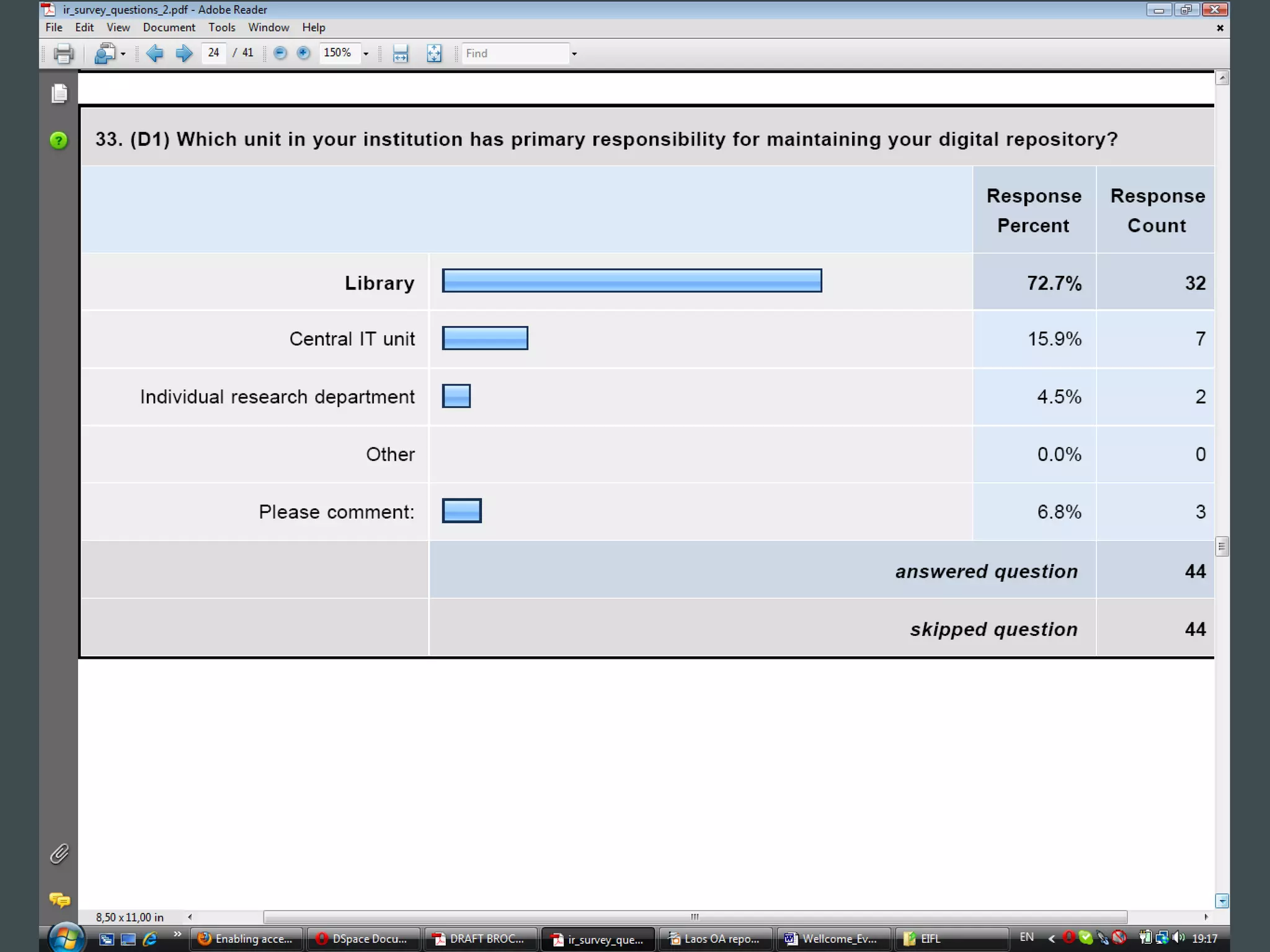
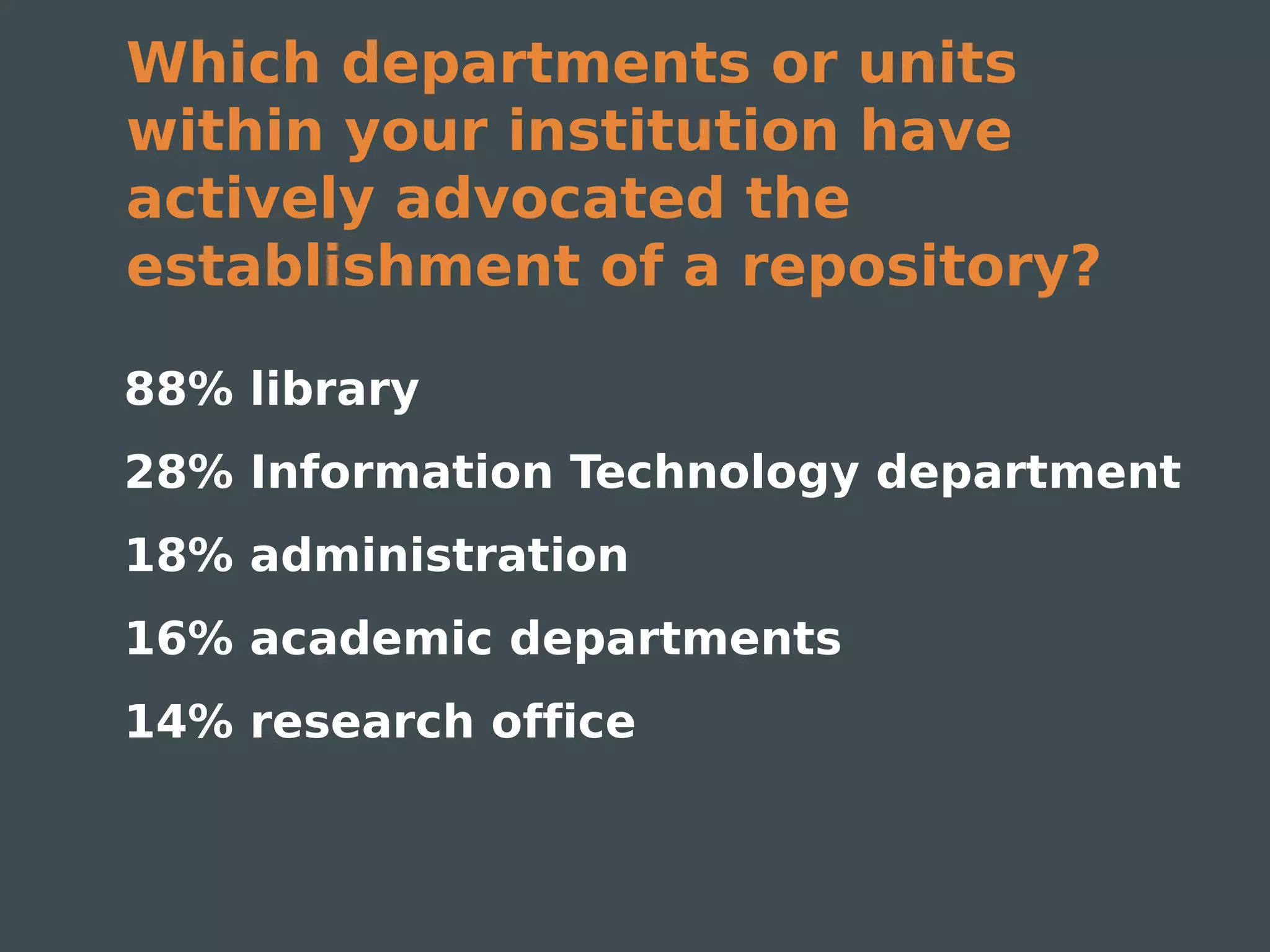
Which departments or units
within your institution have
actively advocated the
establishment of a repository?

88% library
28% Information Technology department
18% administration
16% academic departments
14% research office
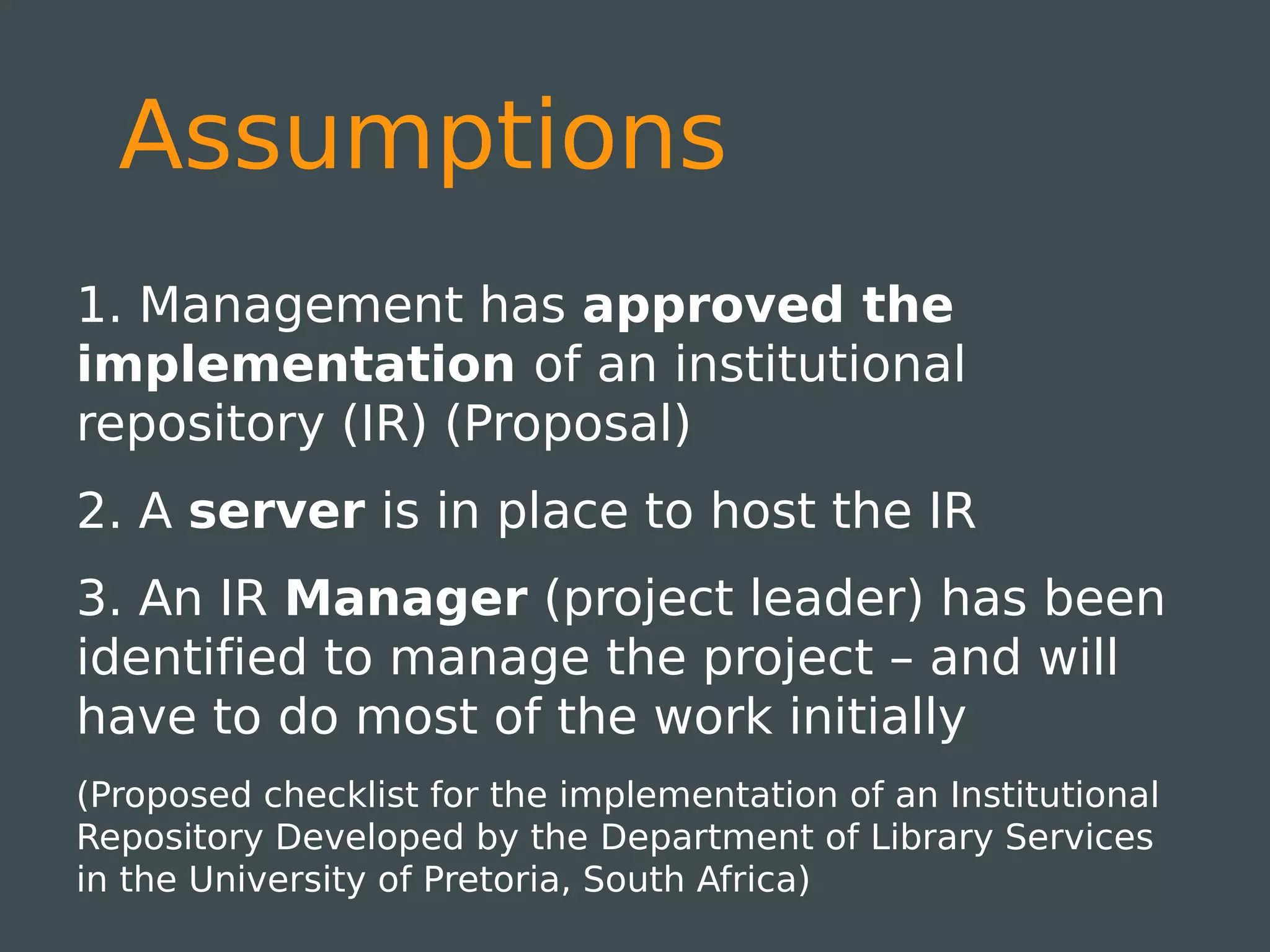
Assumptions
1. Management has approved the
implementation of an institutional
repository (IR) (Proposal)
2. A server is in place to host the IR
3. An IR Manager (project leader) has been
identified to manage the project – and will
have to do most of the work initially
(Proposed checklist for the implementation of an Institutional
Repository Developed by the Department of Library Services
in the University of Pretoria, South Africa)
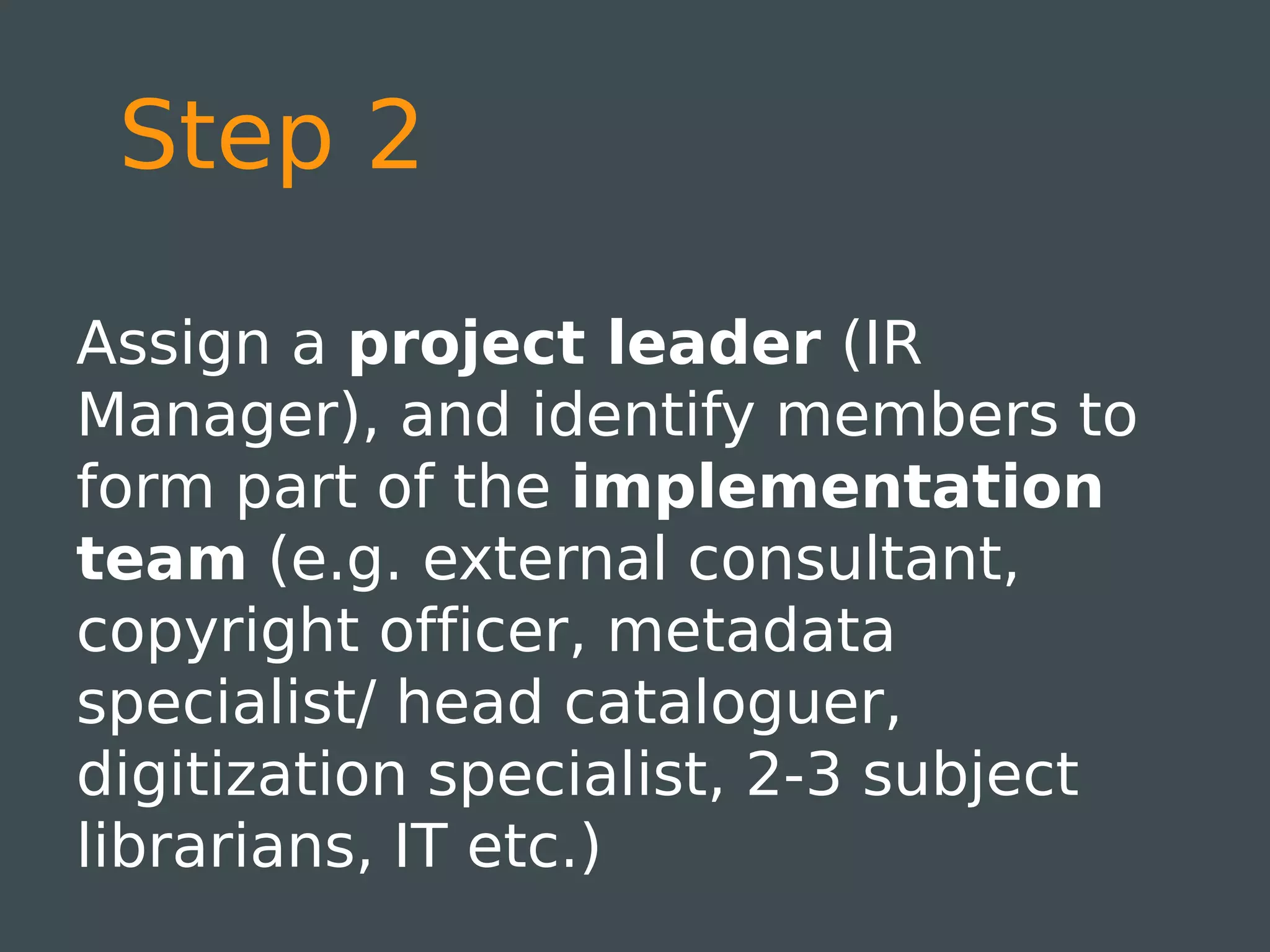
Step 2

Assign a project leader (IR
Manager), and identify members to
form part of the implementation
team (e.g. external consultant,
copyright officer, metadata
specialist/ head cataloguer,
digitization specialist, 2-3 subject
librarians, IT etc.)
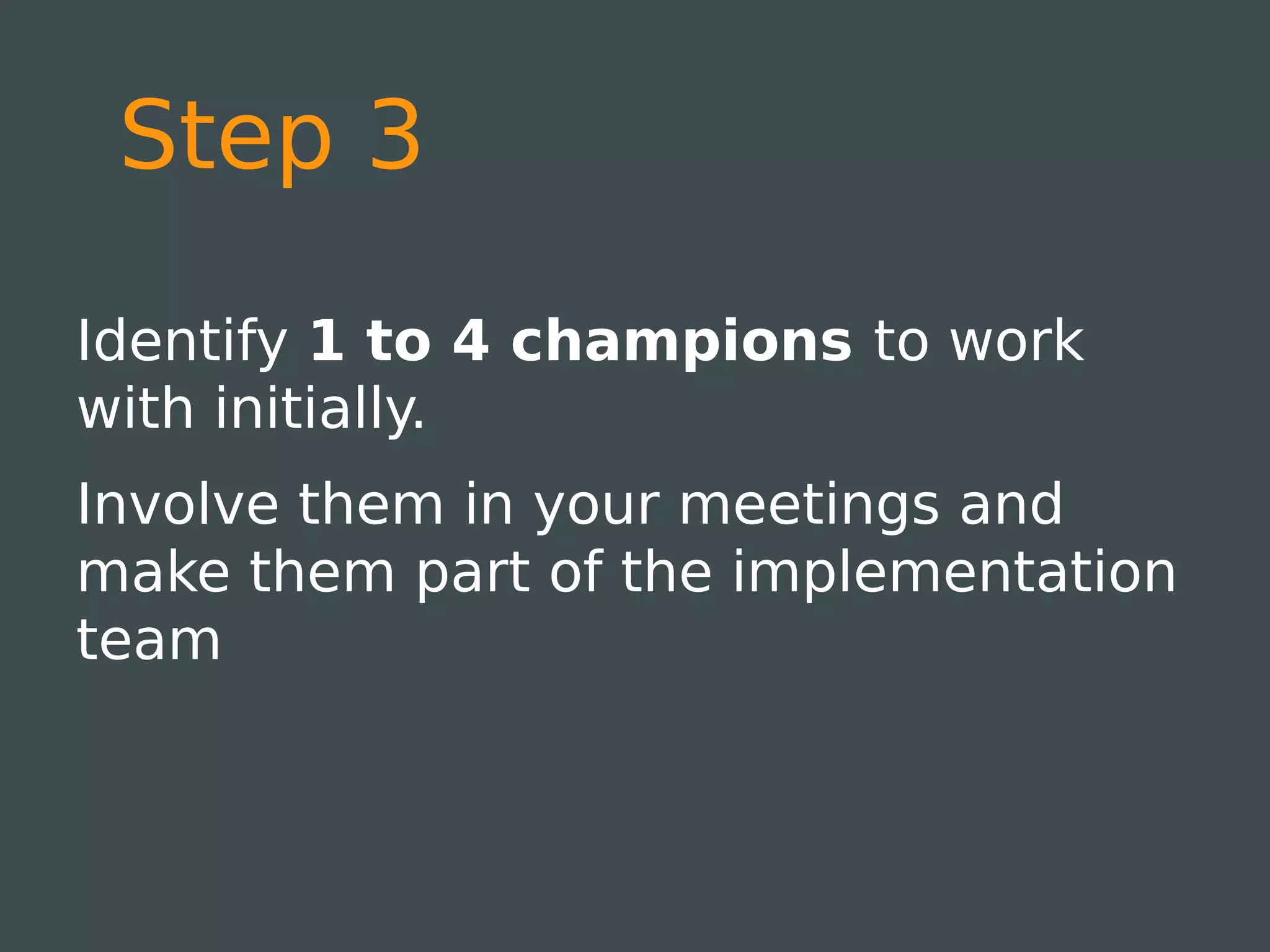
Step 3

Identify 1 to 4 champions to work
with initially.
Involve them in your meetings and
make them part of the implementation
team
Step 4

Conduct a needs analysis & compile
a needs analysis report
(Example: Needs Analysis
http://wiki.lib.sun.ac.za/images/b/b9/Needs_assessment.pdf)
Step 5

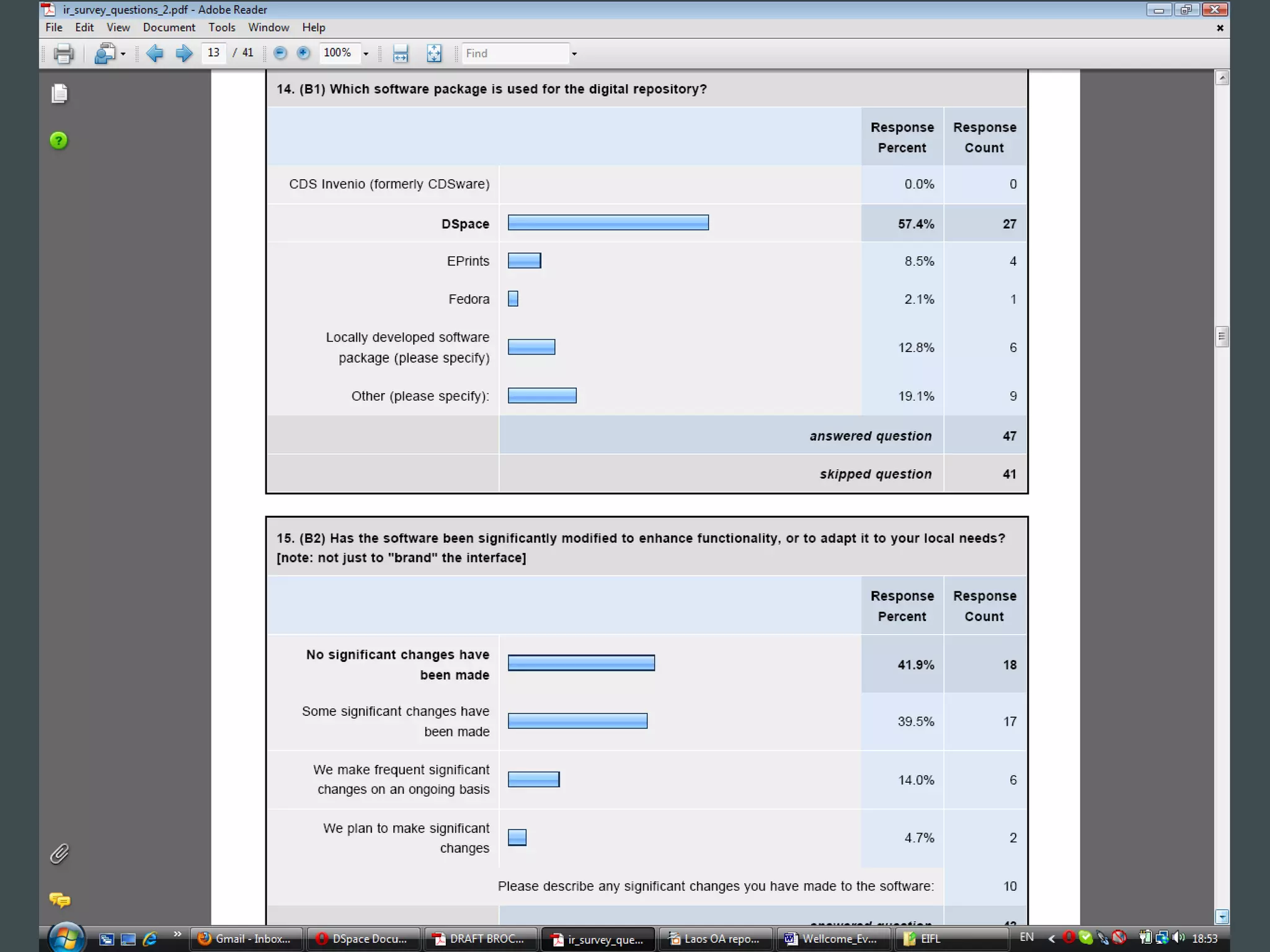
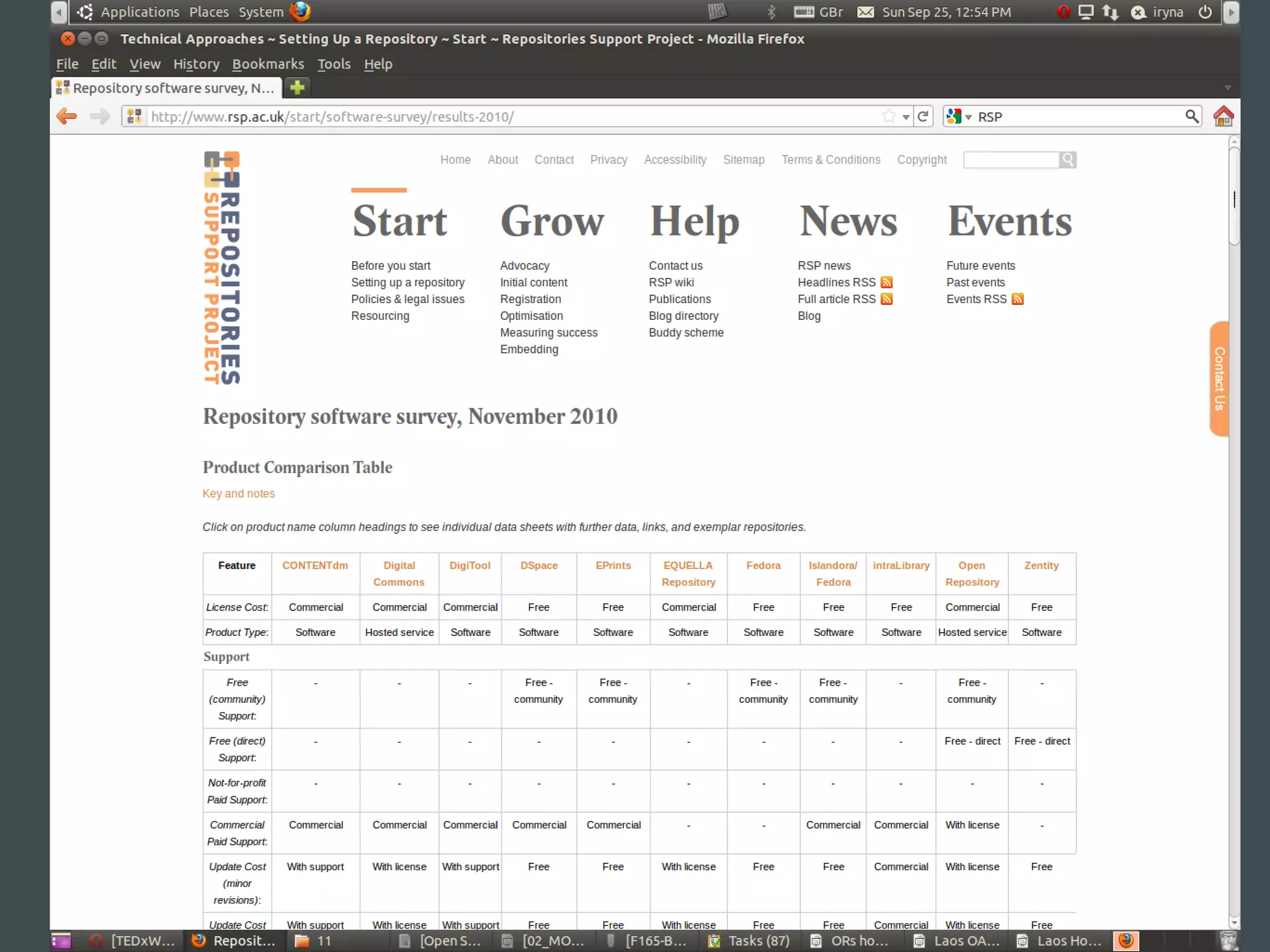
Evaluate available software and
decide on which software to use.
Join the mailing lists.
Steps 6-9

6. Start thinking of a name for the IR
7. Decide on how communities and
collections will be structured within
the IR
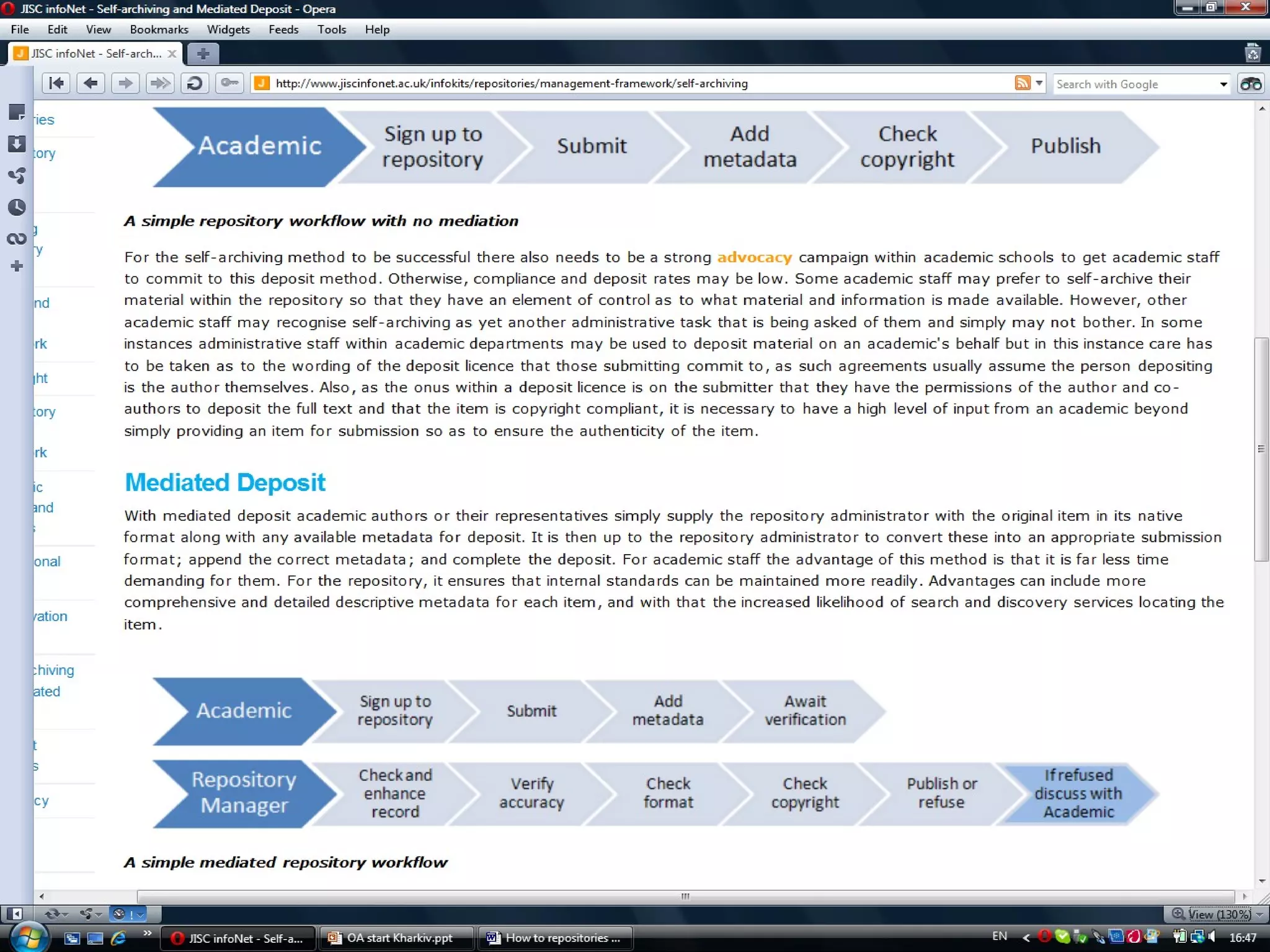
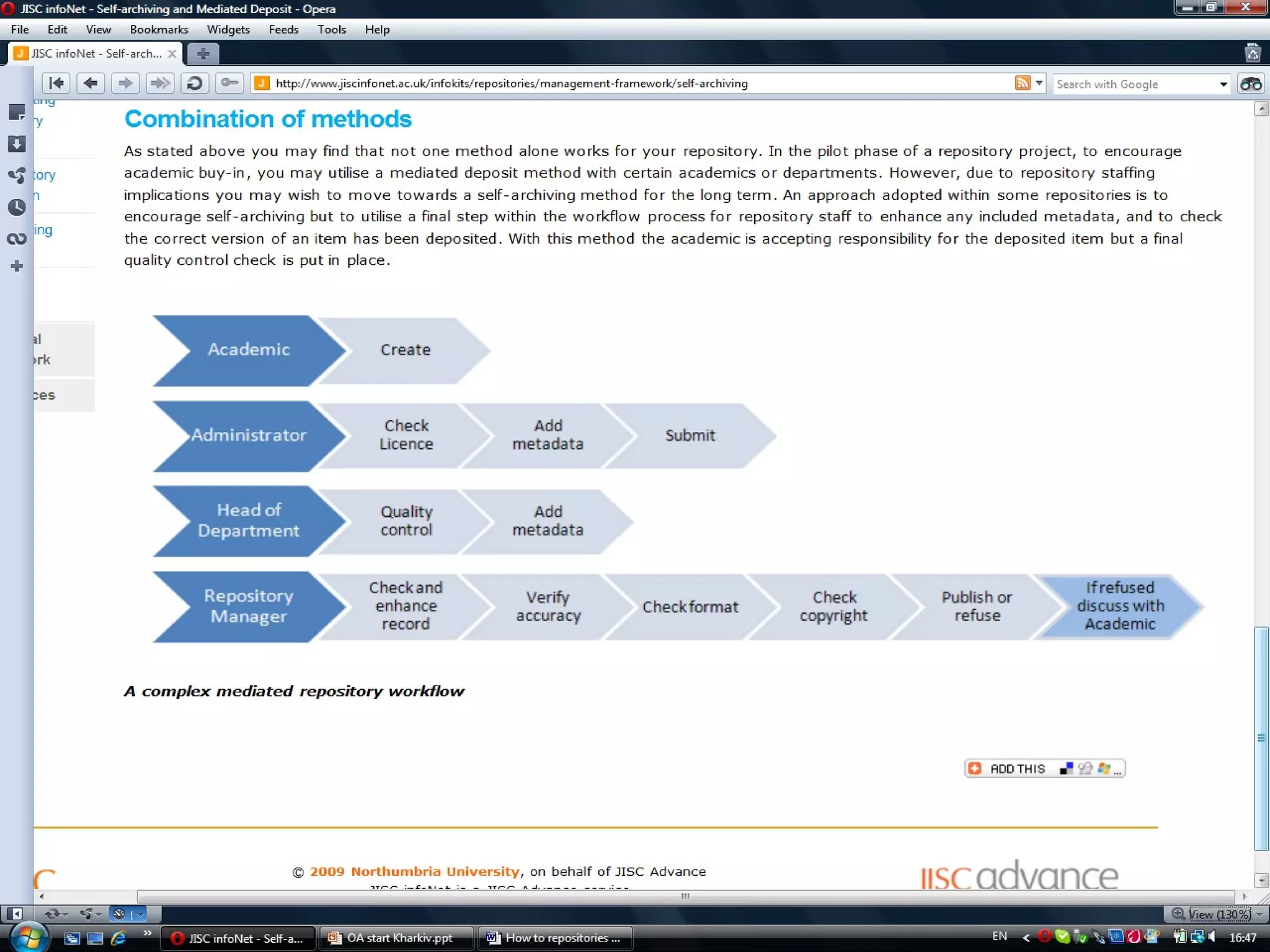
8. Define the workflows
9. Discuss licensing & copyright
issues with the legal department
workflows
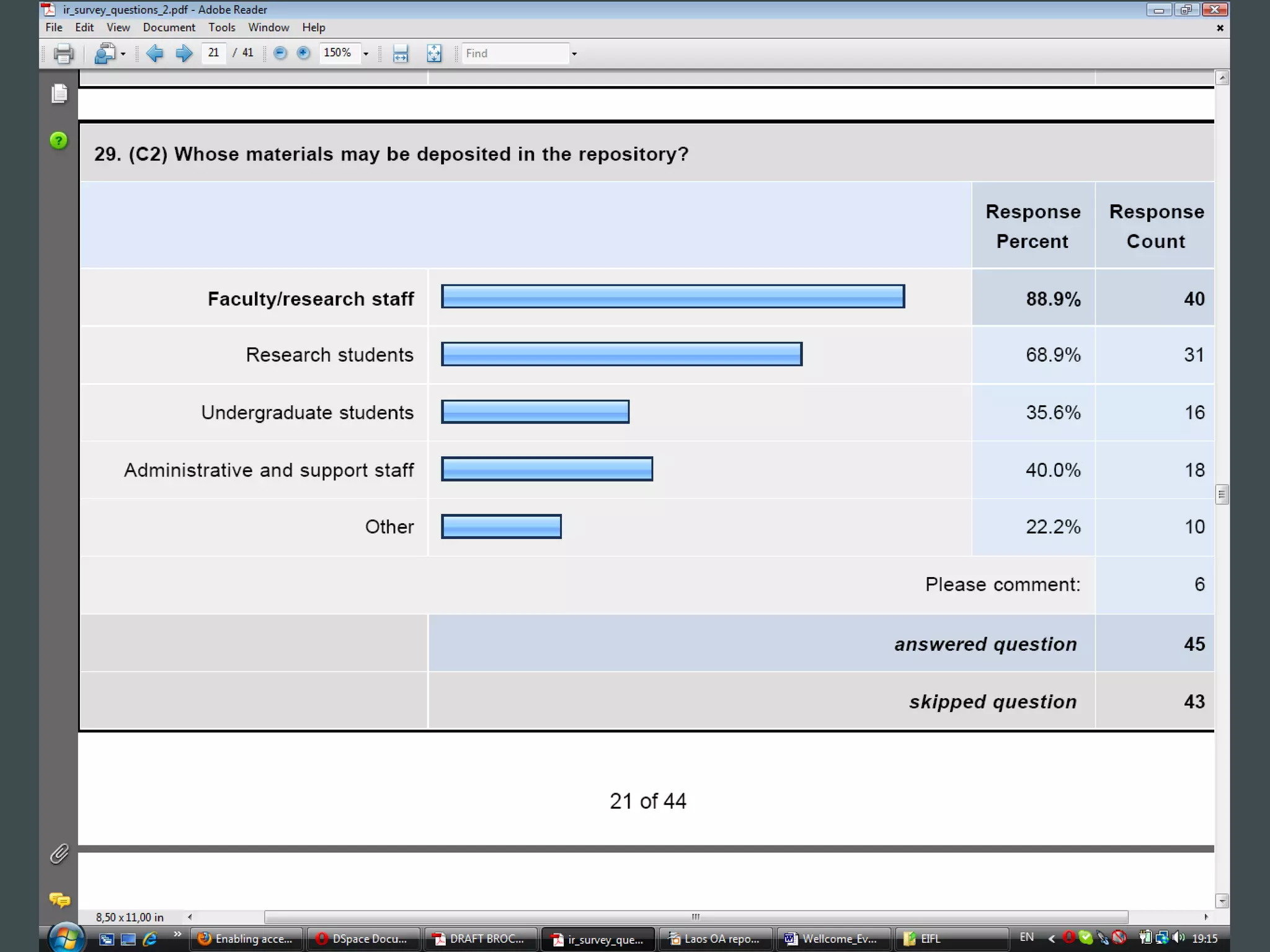
Which statement best describes
the process of depositing of
materials in the repository?

 33% material to be collected by staff members or
 librarians independently of the authors or researchers;
 30% researchers and authors provide content to
 specialised staff members or librarians to deposit into
 the repository;
 17% self-depositing by researchers and authors with
 quality control by specialised staff members;
 13% self-depositing by researchers and authors with
 no quality control by specialised staff members.
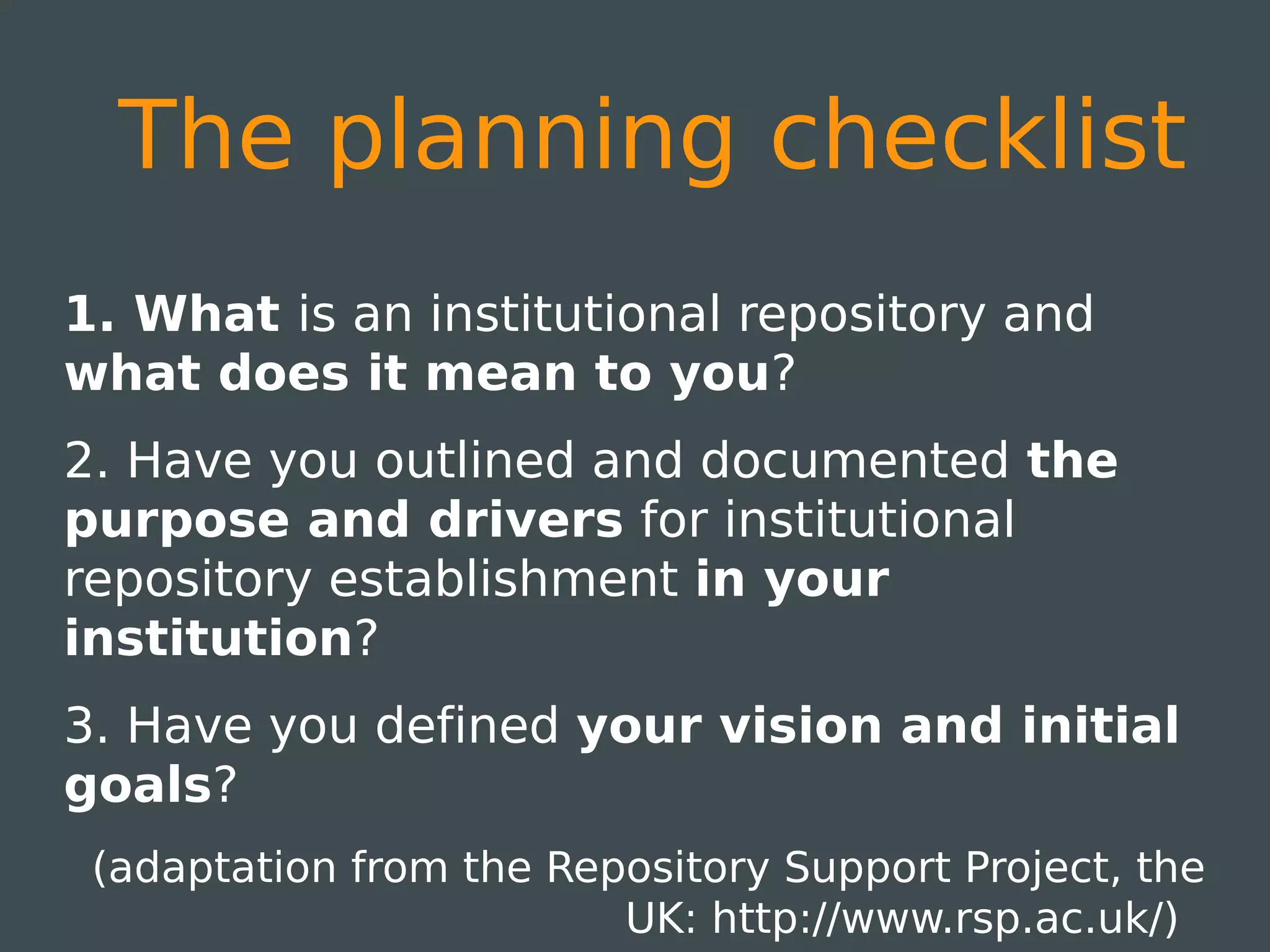
The planning checklist
1. What is an institutional repository and
what does it mean to you?
2. Have you outlined and documented the
purpose and drivers for institutional
repository establishment in your
institution?
3. Have you defined your vision and initial
goals?
 (adaptation from the Repository Support Project, the
                         UK: http://www.rsp.ac.uk/)
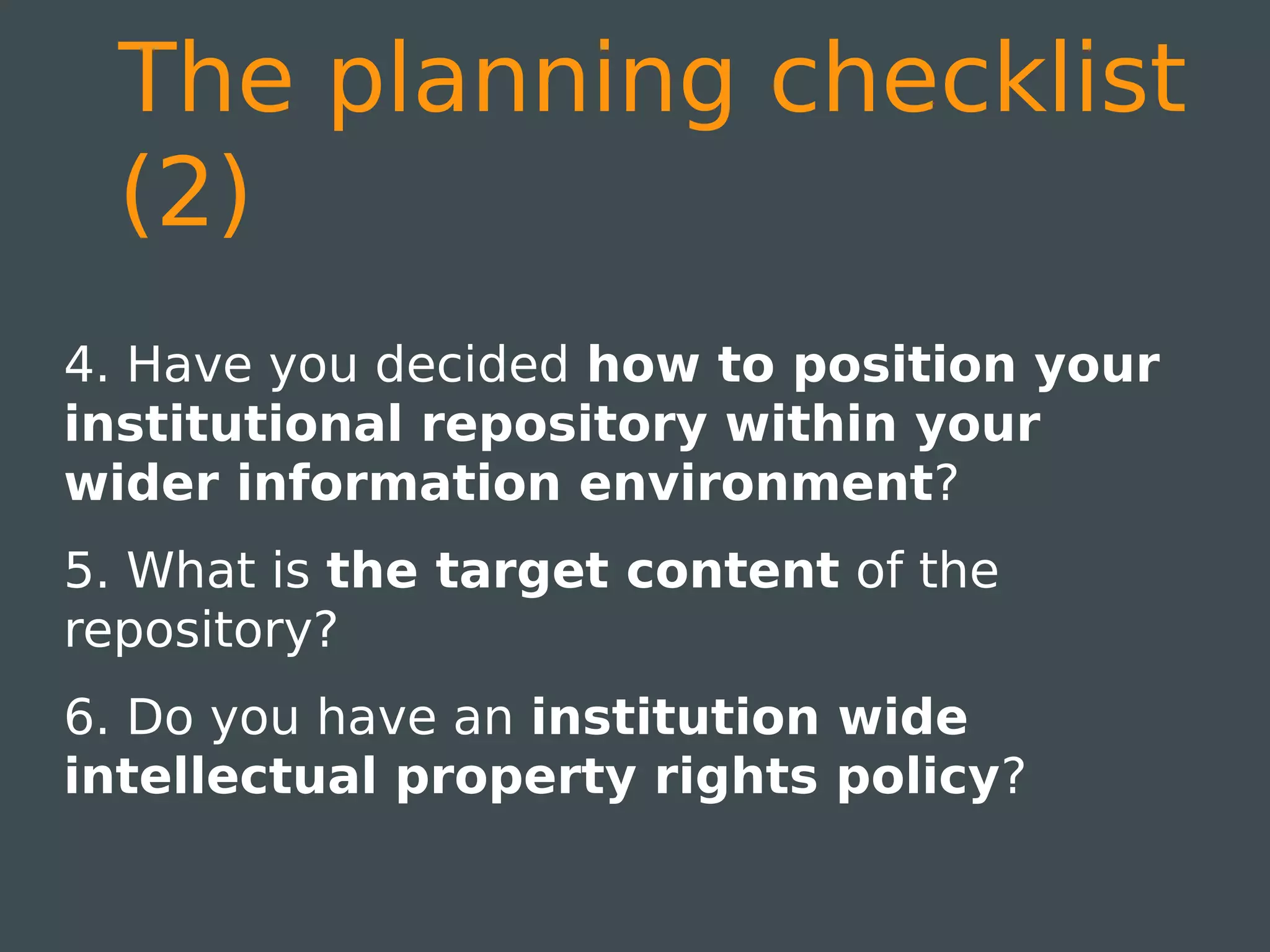
The planning checklist
  (2)
4. Have you decided how to position your
institutional repository within your
wider information environment?
5. What is the target content of the
repository?
6. Do you have an institution wide
intellectual property rights policy?
The planning checklist
  (3)

7. Do any of your Departments already have
other digital stores of publications? How
will you manage duplication, transfer of
resources and metadata, etc.?
8. Does your institution have an information
management strategy?
The planning checklist
  (4)

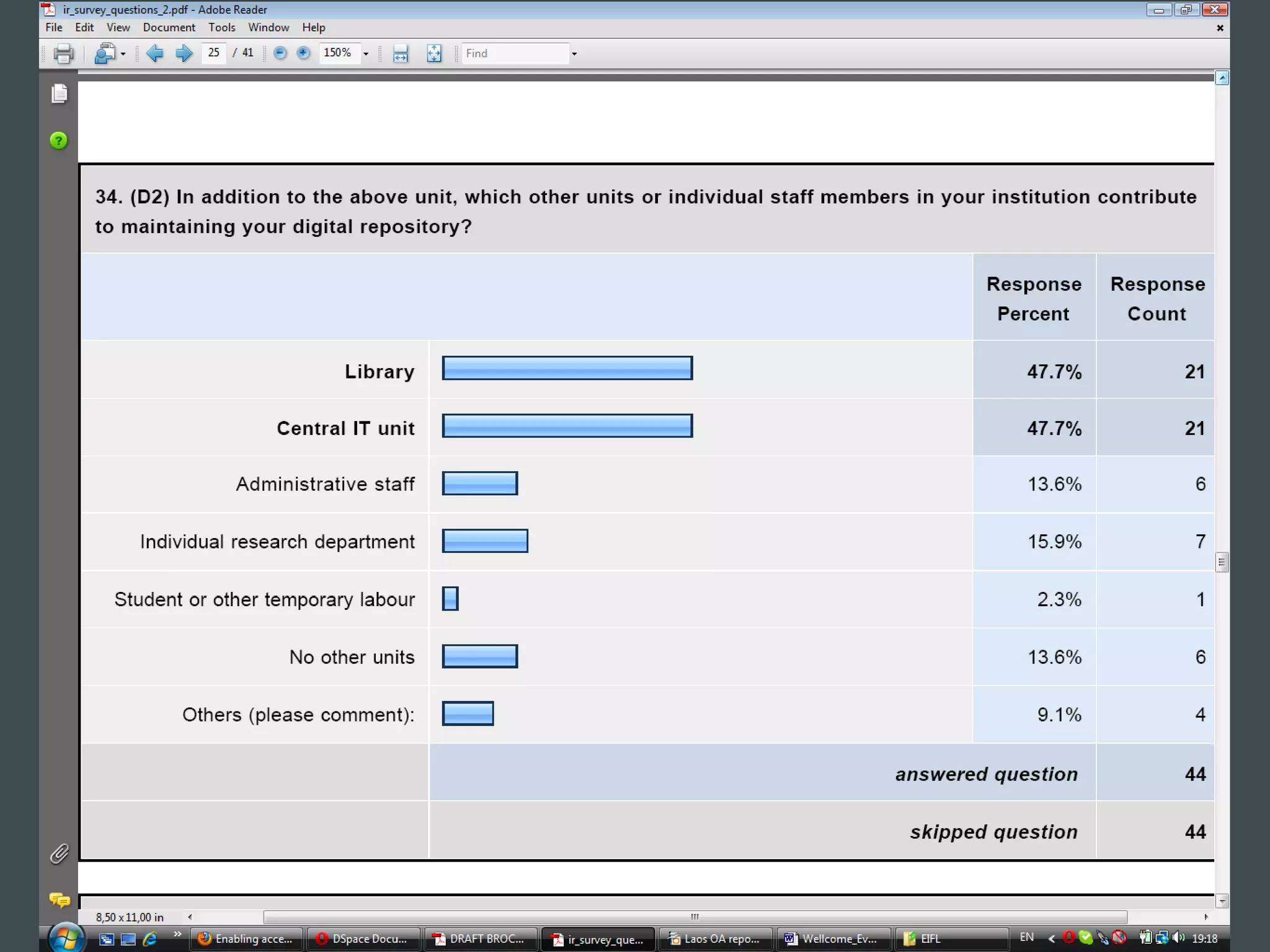
9. Have you defined roles &
responsibilities for your institutional
repository development?
10. What sort of statistics &
management reports will you want from
your institutional repository?
Step 10
Compile a business plan and present to
management.
Examples:
Proposal:
http://wiki.lib.sun.ac.za/images/3/3f/Proposal.pdf

Business Plan:
http://wiki.lib.sun.ac.za/images/2/2c/Business_plan.pdf

Implementation Timeline: http://bit.ly/oysMEX
Steps 11-12
11. Register project with IT & establish a
service level agreement


12. Incorporate IR as part of role description
for cataloguers & subject librarians
Step 13
Start working on IR policy, and continue to
document all important decisions taken. Also
address service definition, open access,
copyright, preservation, metadata standards,
digitization, selection criteria etc
Sample policy
The [repository title] is an OA repository with a set
of services to capture, store, index, and provide
access to scholarship produced by [name of the
institution]. The repository, coordinated by [name of
the university department that coordinates the
project] offers worldwide access to a wide variety of
works: conference proceedings, monographs, book
chapters, peer-reviewed journals and articles,
publicly funded research, reports, theses and
dissertations, working papers and learning objects
are some examples of the scholarly output
represented in the repository.
Sample policy (2)
Powered by [software which you use], the aim
of the repository is to improve dissemination
and visibility of a variety of scholarly materials
throughout the academic communities and
general public and to provide a free and
persistent point of access. The Repository
provides a robust, statewide platform for
saving, discovering and sharing—free of charge
—the instructional, research, historic and
creative materials produced by [name of the
institution].
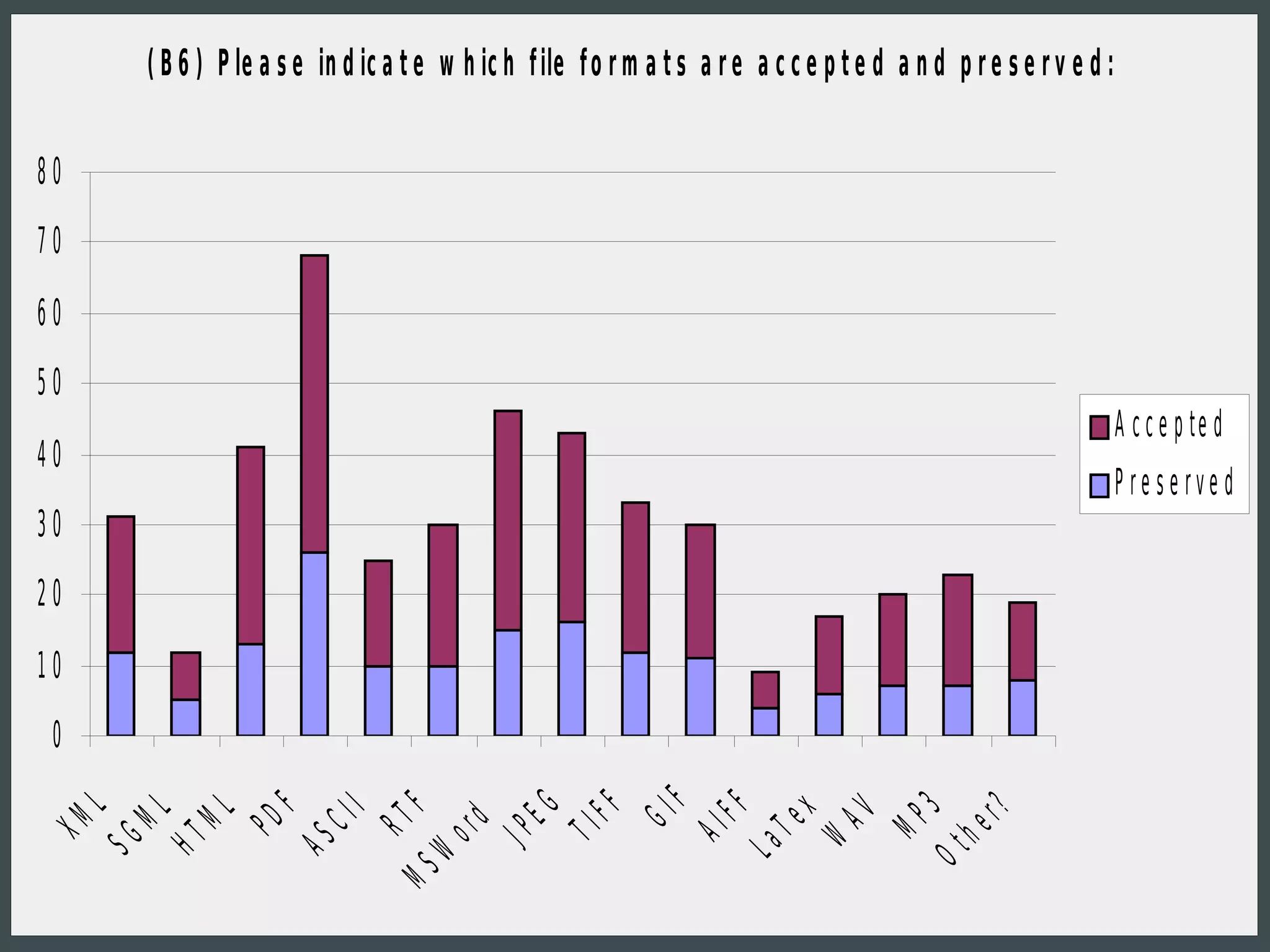
( B 6 ) P le a s e in d ic a t e w h ic h f ile f o r m a t s a r e a c c e p t e d a n d p r e s e r v e d :


80
70

60
50
                                                                                                                          A c c e p te d
40
                                                                                                                          P re se rve d
30
20
10
 0
                                                                  F
                                                  EG
                                                         FF


                                                                        FF
     L


                      F


                                     F


                                                                                               Ot 3
                                                                                                    r?
                              I


                                                                                 x
         ML
              ML


                                                                                      AV
                                                                GI
                            CI


                                            d


                                                                                            MP
                                  RT
                   PD
XM


                                                                              Te


                                                                                                 he
                                                       TI


                                                                      AI
                                          or
                                                JP
          HT
     SG


                         AS


                                                                                    W
                                                                            La
                                       W
                                    MS
●
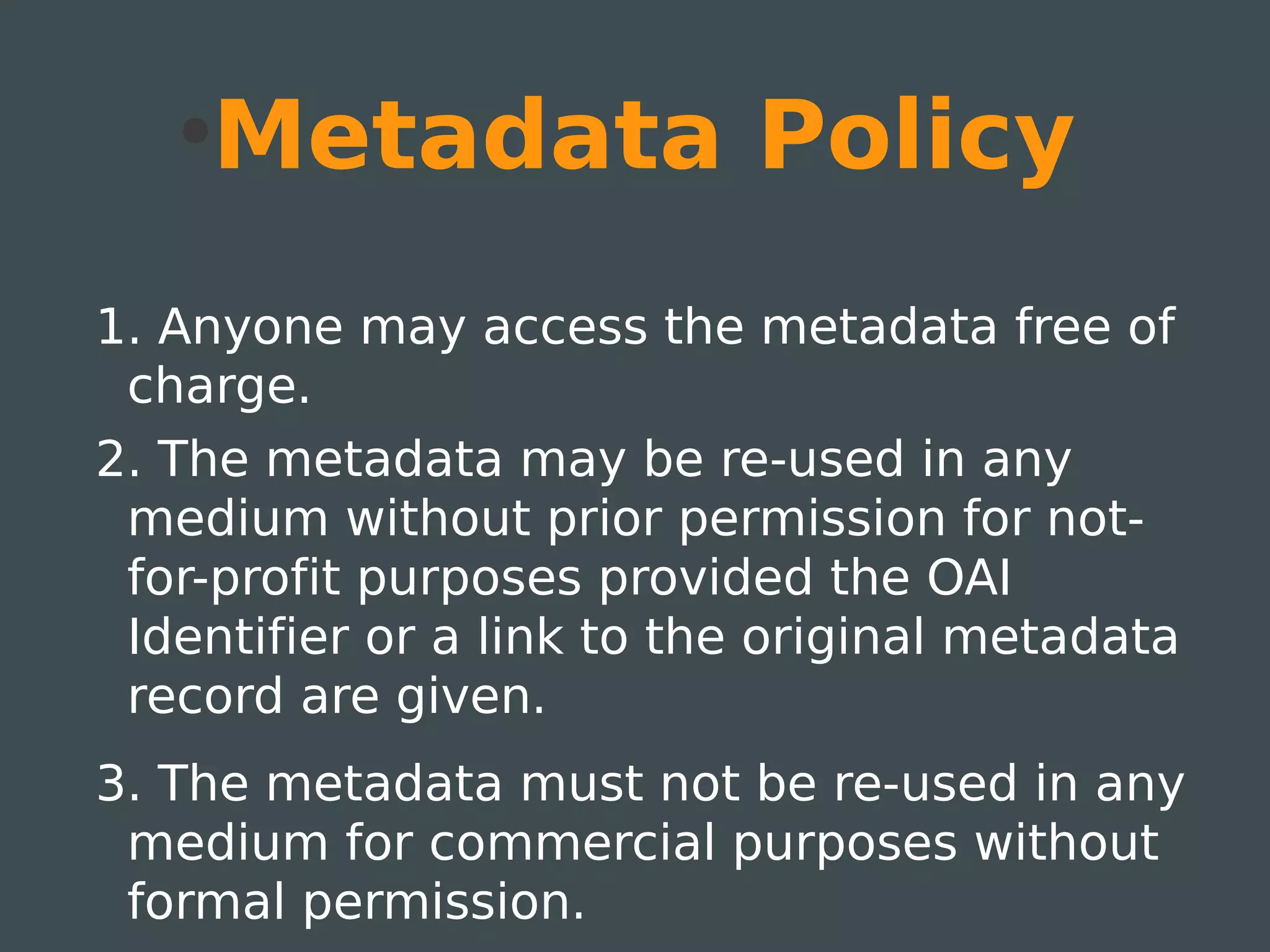
       Metadata Policy
1. Anyone may access the metadata free of
 charge.
2. The metadata may be re-used in any
 medium without prior permission for not-
 for-profit purposes provided the OAI
 Identifier or a link to the original metadata
 record are given.
3. The metadata must not be re-used in any
 medium for commercial purposes without
 formal permission.
Data Policy
1. Anyone may access full items free of charge.
2. Copies of full items generally can be:
   ●
       reproduced, displayed or performed, and given
       to third parties in any format or medium
   ●
       for personal research or study, educational, or
       not-for-profit purposes without prior permission
       or charge provided:
        ●
            the authors, title and full bibliographic details
            are given;
        ●
            a hyperlink and/or URL are given for the original
            metadata page;
        ●
            the content is not changed in any way
Data Policy (2)
3. Full items must not be sold commercially
 in any format or medium without formal
 permission of the copyright holders.


4. This repository is not the publisher; it is
 merely the online archive.
Content Policy
Deposited items may include: working
 drafts; submitted versions (as sent to
 journals for peer-review); accepted
 versions (author's final peer-reviewed
 drafts); published versions (publisher-
 created files)
Items are individually tagged with: their
  version type and date; their peer-review
  status; their publication status.
Step 14-15
14. Identify members which will participate in
the evaluation, and present a training
session on how to use the software.


 15. IT deploys software on developmental
server, implementation team and other role
players evaluate, quality assurance server
& production server
Steps 16-17
16. Create Communities & Collections for
champions and populate in order to
demonstrate to library staff and faculty.
17. Register IR with international
harvesters, search engines, have it listed
on web pages etc 
http://www.jiscinfonet.ac.uk/infokits/repositories
/technical-framework/registering
&   http://www.jiscinfonet.ac.uk/infokits/repositories/technical-framework/search
Steps 18-19
18. Start developing a marketing
presentation (which can be customized for
specific subject areas), marketing leaflets,
training material, online help e.g. copyright
clearance process. Example:
http://wiki.lib.sun.ac.za/images/0/0e/Marketing.pdf

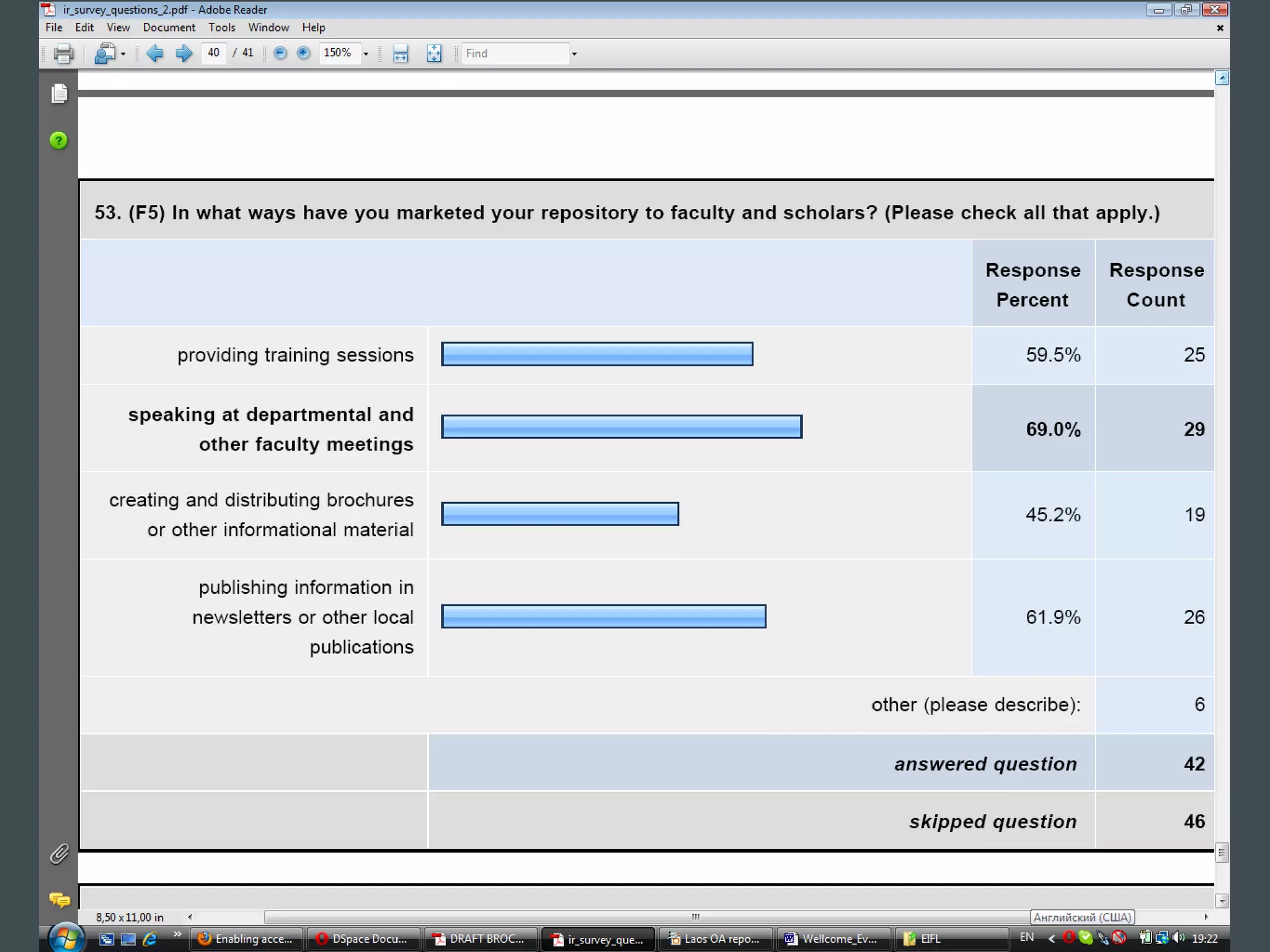
19. Introduce IR to rest of community e.g.
departments, individuals, etc. Host open
sessions over lunch hour, use organisational
newsletters, present at meetings &
conferences. Negotiate for submitters.
Steps 20-21
20. Invite all to register new collections.
Communicate procedure on e.g. IR home
page. Frequently communicate e.g. via e-
mail, monthly newsletter, etc. Frequently
communicate statistics.
21. Launch IR when ready. Invite
administration, heads of faculties &
departments, other key-players, etc.
Step 22
Budget each year and plan for the following
year.


Keep monitoring server capacity.


Stay updated through mailing lists and
reading articles, attending conferences etc.
Staffing requirements
Repository Manager - who manages the
 ‘human’ side of the repository including
 content policies, advocacy, user training
 and a liaison with a wide range of
 institutional departments and external
 contacts.
Staffing requirements
  (2)
 Repository Administrator - who manages
  the technical implementation,
  customisation and management of
  repository software, manages metadata
  fields and quality, creates usage reports
  and tracks the preservation issues.
Some recommendations:
http://bit.ly/qP2gaQ
http://bit.ly/o0zvVk
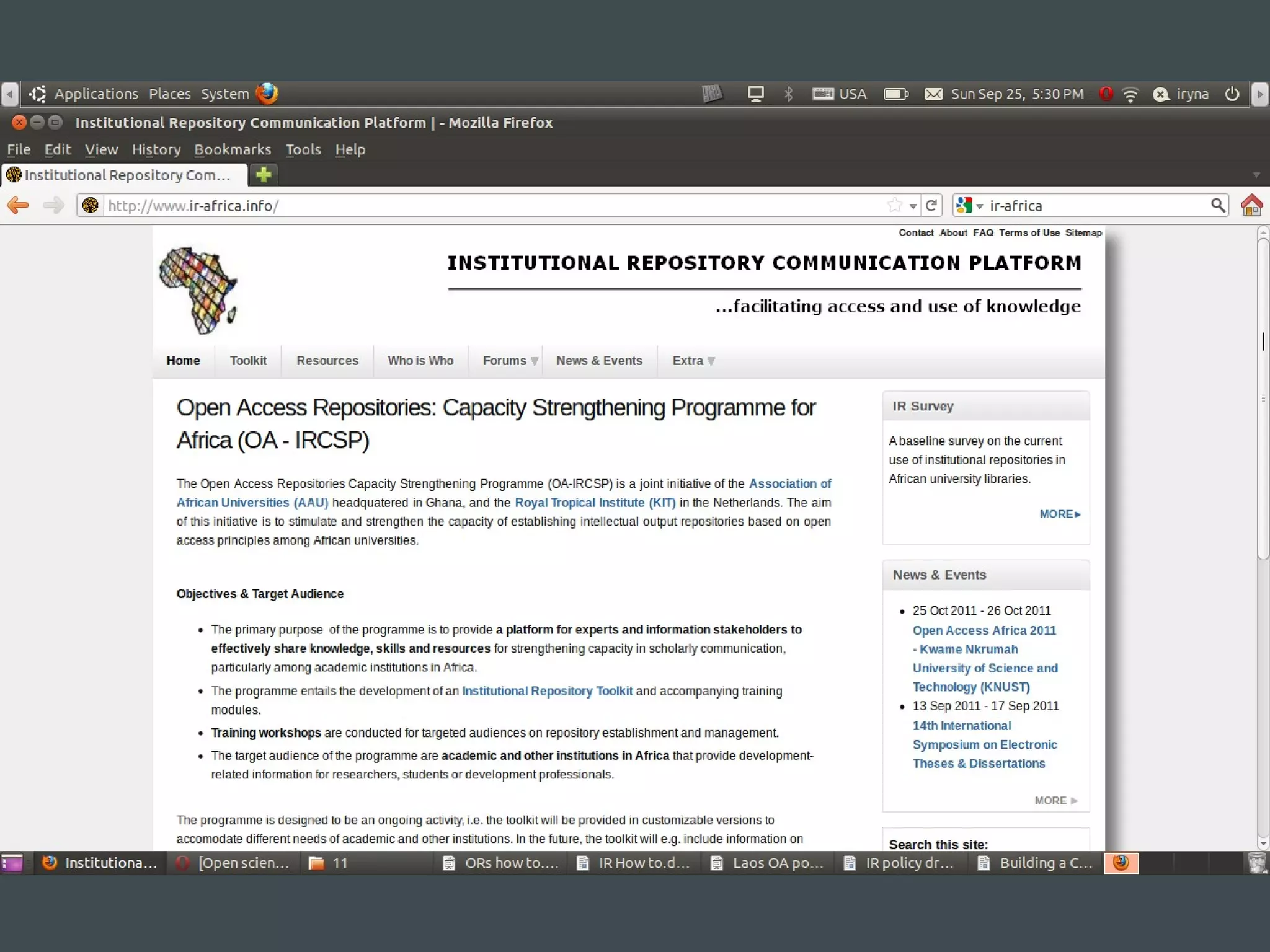
Useful links
The Digital Repositories infoKit:
http://bit.ly/bOpG9F
Open Access Scholarly Information
Sourcebook by Alma Swan and Leslie Chan:
http://www.openoasis.org
SPARC Institutional Repository Checklist &
Resource Guide: http://bit.ly/rdfweE
Creating an Institutional Repository: LEADIRS
Workbook: http://bit.ly/nU13mH
Thank you! Questions?

Open access repository: How to set it up in 22 steps

  • 1.
    Open access repository: Howto set it up in 22 steps Iryna Kuchma Open Access Programme Manager Open Access and the Evolving Scholarly Communication Environment workshop, July 9 2012, Makerere University www.eifl.net Attribution 3.0 Unported
  • 2.
    Making a Case:Explaining the need for a repository & the expected benefits Strategic Planning & Business Cases Defining Scope & Planning Checklists Policies
  • 3.
    Step 1 Start witha repository Steering Group (or Project Board, Management Committee, Working Group, etc.) that undertakes the high level management of a repository on behalf of the institution Involve key stakeholders: senior management and policy makers, academic staff, library staff, technical support staff, other support staff
  • 5.
    Which departments orunits within your institution have actively advocated the establishment of a repository? 88% library 28% Information Technology department 18% administration 16% academic departments 14% research office
  • 6.
    Assumptions 1. Management hasapproved the implementation of an institutional repository (IR) (Proposal) 2. A server is in place to host the IR 3. An IR Manager (project leader) has been identified to manage the project – and will have to do most of the work initially (Proposed checklist for the implementation of an Institutional Repository Developed by the Department of Library Services in the University of Pretoria, South Africa)
  • 7.
    Step 2 Assign aproject leader (IR Manager), and identify members to form part of the implementation team (e.g. external consultant, copyright officer, metadata specialist/ head cataloguer, digitization specialist, 2-3 subject librarians, IT etc.)
  • 8.
    Step 3 Identify 1to 4 champions to work with initially. Involve them in your meetings and make them part of the implementation team
  • 9.
    Step 4 Conduct aneeds analysis & compile a needs analysis report (Example: Needs Analysis http://wiki.lib.sun.ac.za/images/b/b9/Needs_assessment.pdf)
  • 11.
    Step 5 Evaluate availablesoftware and decide on which software to use. Join the mailing lists.
  • 15.
    Steps 6-9 6. Startthinking of a name for the IR 7. Decide on how communities and collections will be structured within the IR 8. Define the workflows 9. Discuss licensing & copyright issues with the legal department
  • 16.
  • 17.
    Which statement bestdescribes the process of depositing of materials in the repository? 33% material to be collected by staff members or librarians independently of the authors or researchers; 30% researchers and authors provide content to specialised staff members or librarians to deposit into the repository; 17% self-depositing by researchers and authors with quality control by specialised staff members; 13% self-depositing by researchers and authors with no quality control by specialised staff members.
  • 20.
    The planning checklist 1.What is an institutional repository and what does it mean to you? 2. Have you outlined and documented the purpose and drivers for institutional repository establishment in your institution? 3. Have you defined your vision and initial goals? (adaptation from the Repository Support Project, the UK: http://www.rsp.ac.uk/)
  • 21.
    The planning checklist (2) 4. Have you decided how to position your institutional repository within your wider information environment? 5. What is the target content of the repository? 6. Do you have an institution wide intellectual property rights policy?
  • 22.
    The planning checklist (3) 7. Do any of your Departments already have other digital stores of publications? How will you manage duplication, transfer of resources and metadata, etc.? 8. Does your institution have an information management strategy?
  • 23.
    The planning checklist (4) 9. Have you defined roles & responsibilities for your institutional repository development? 10. What sort of statistics & management reports will you want from your institutional repository?
  • 24.
    Step 10 Compile abusiness plan and present to management. Examples: Proposal: http://wiki.lib.sun.ac.za/images/3/3f/Proposal.pdf Business Plan: http://wiki.lib.sun.ac.za/images/2/2c/Business_plan.pdf Implementation Timeline: http://bit.ly/oysMEX
  • 26.
    Steps 11-12 11. Registerproject with IT & establish a service level agreement 12. Incorporate IR as part of role description for cataloguers & subject librarians
  • 27.
    Step 13 Start workingon IR policy, and continue to document all important decisions taken. Also address service definition, open access, copyright, preservation, metadata standards, digitization, selection criteria etc
  • 28.
    Sample policy The [repositorytitle] is an OA repository with a set of services to capture, store, index, and provide access to scholarship produced by [name of the institution]. The repository, coordinated by [name of the university department that coordinates the project] offers worldwide access to a wide variety of works: conference proceedings, monographs, book chapters, peer-reviewed journals and articles, publicly funded research, reports, theses and dissertations, working papers and learning objects are some examples of the scholarly output represented in the repository.
  • 29.
    Sample policy (2) Poweredby [software which you use], the aim of the repository is to improve dissemination and visibility of a variety of scholarly materials throughout the academic communities and general public and to provide a free and persistent point of access. The Repository provides a robust, statewide platform for saving, discovering and sharing—free of charge —the instructional, research, historic and creative materials produced by [name of the institution].
  • 30.
    ( B 6) P le a s e in d ic a t e w h ic h f ile f o r m a t s a r e a c c e p t e d a n d p r e s e r v e d : 80 70 60 50 A c c e p te d 40 P re se rve d 30 20 10 0 F EG FF FF L F F Ot 3 r? I x ML ML AV GI CI d MP RT PD XM Te he TI AI or JP HT SG AS W La W MS
  • 33.
    Metadata Policy 1. Anyone may access the metadata free of charge. 2. The metadata may be re-used in any medium without prior permission for not- for-profit purposes provided the OAI Identifier or a link to the original metadata record are given. 3. The metadata must not be re-used in any medium for commercial purposes without formal permission.
  • 34.
    Data Policy 1. Anyonemay access full items free of charge. 2. Copies of full items generally can be: ● reproduced, displayed or performed, and given to third parties in any format or medium ● for personal research or study, educational, or not-for-profit purposes without prior permission or charge provided: ● the authors, title and full bibliographic details are given; ● a hyperlink and/or URL are given for the original metadata page; ● the content is not changed in any way
  • 35.
    Data Policy (2) 3.Full items must not be sold commercially in any format or medium without formal permission of the copyright holders. 4. This repository is not the publisher; it is merely the online archive.
  • 36.
    Content Policy Deposited itemsmay include: working drafts; submitted versions (as sent to journals for peer-review); accepted versions (author's final peer-reviewed drafts); published versions (publisher- created files) Items are individually tagged with: their version type and date; their peer-review status; their publication status.
  • 41.
    Step 14-15 14. Identifymembers which will participate in the evaluation, and present a training session on how to use the software.  15. IT deploys software on developmental server, implementation team and other role players evaluate, quality assurance server & production server
  • 42.
    Steps 16-17 16. CreateCommunities & Collections for champions and populate in order to demonstrate to library staff and faculty. 17. Register IR with international harvesters, search engines, have it listed on web pages etc  http://www.jiscinfonet.ac.uk/infokits/repositories /technical-framework/registering & http://www.jiscinfonet.ac.uk/infokits/repositories/technical-framework/search
  • 43.
    Steps 18-19 18. Startdeveloping a marketing presentation (which can be customized for specific subject areas), marketing leaflets, training material, online help e.g. copyright clearance process. Example: http://wiki.lib.sun.ac.za/images/0/0e/Marketing.pdf 19. Introduce IR to rest of community e.g. departments, individuals, etc. Host open sessions over lunch hour, use organisational newsletters, present at meetings & conferences. Negotiate for submitters.
  • 45.
    Steps 20-21 20. Inviteall to register new collections. Communicate procedure on e.g. IR home page. Frequently communicate e.g. via e- mail, monthly newsletter, etc. Frequently communicate statistics. 21. Launch IR when ready. Invite administration, heads of faculties & departments, other key-players, etc.
  • 46.
    Step 22 Budget eachyear and plan for the following year. Keep monitoring server capacity. Stay updated through mailing lists and reading articles, attending conferences etc.
  • 47.
    Staffing requirements Repository Manager- who manages the ‘human’ side of the repository including content policies, advocacy, user training and a liaison with a wide range of institutional departments and external contacts.
  • 48.
    Staffing requirements (2) Repository Administrator - who manages the technical implementation, customisation and management of repository software, manages metadata fields and quality, creates usage reports and tracks the preservation issues. Some recommendations: http://bit.ly/qP2gaQ http://bit.ly/o0zvVk
  • 50.
    Useful links The DigitalRepositories infoKit: http://bit.ly/bOpG9F Open Access Scholarly Information Sourcebook by Alma Swan and Leslie Chan: http://www.openoasis.org SPARC Institutional Repository Checklist & Resource Guide: http://bit.ly/rdfweE Creating an Institutional Repository: LEADIRS Workbook: http://bit.ly/nU13mH
  • 51.