Md. Badiuzzaman
Executive Director
Mangrove Institute of Science and Technology
Khulna, Bangladesh
bodiuzzaman116@gmail.com
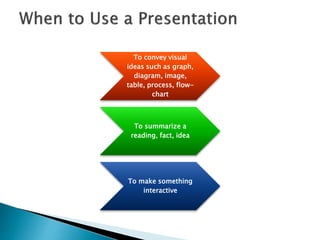
To convey visual
ideas such as graph,
diagram, image,
table, process, flow-
chart
To summarize a
reading, fact, idea
To make something
interactive
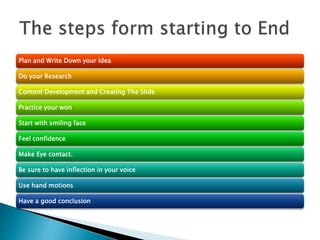
Plan and Write Down your Idea
Do your Research
Content Development and Creating The Slide
Practice your won
Start with smiling face
Feel confidence
Make Eye contact.
Be sure to have inflection in your voice
Use hand motions
Have a good conclusion
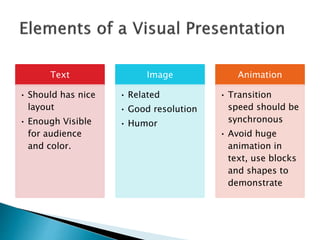
Text
• Should has nice
layout
• Enough Visible
for audience
and color.
Image
• Related
• Good resolution
• Humor
Animation
• Transition
speed should be
synchronous
• Avoid huge
animation in
text, use blocks
and shapes to
demonstrate
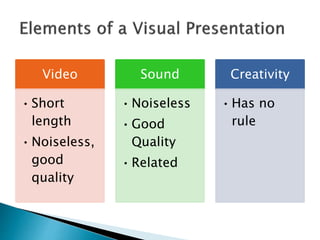
Video
•Short
length
•Noiseless,
good
quality
Sound
•Noiseless
•Good
Quality
•Related
Creativity
•Has no
rule
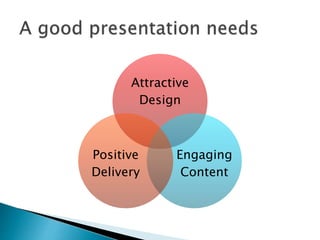
Attractive
Design
Engaging
Content
Positive
Delivery
 Lets Watch an Example . . . .
 Jara has a dog.
 Her dog is called “Spike”
 “Spike” is a pug.
 Or The same slide Could be like this …
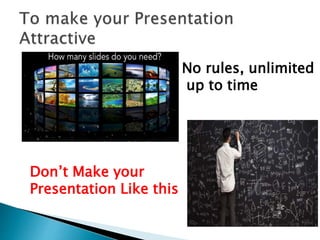
No rules, unlimited
up to time
Don’t Make your
Presentation Like this
 Common Problem is too much text
 t's a common myth that better presentations use fewer slides.
This is simply not the case. I once sent an education conference
presentation to the organizers so they could preview it in
advance of my speaking. They wrote back, concerned that my
45-minute presentation had 116 slides. I looked it over and
realized they were right! I revised it and sent a presentation with
135 slides back to them. I finished my talk with 5 minutes to
spare -- just enough time to take questions -- and the
presentation was a huge success.
 The number of slides in your presentation is irrelevant. What
matters is how well your slides communicate and how much time
you spend talking about each slide. Spending five minutes on
five slides will almost always be more engaging to your students
than spending five minutes on a single slide, even when the
information is exactly the same.
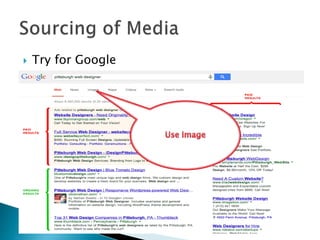
 Try for Google
 Use file extension like .pdf , .ppt, .doc at end
of search string
 Use google translator.
 Don’t Copy directly from other slides from
internet, read, get it on mind, make it as your
won way.
 Go to youtube.com, Slideshare.com
 You are doing this n you are experienced
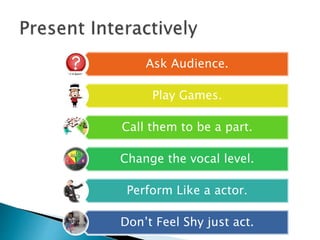
Ask Audience.
Play Games.
Call them to be a part.
Change the vocal level.
Perform Like a actor.
Don’t Feel Shy just act.
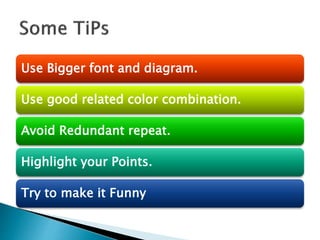
Use Bigger font and diagram.
Use good related color combination.
Avoid Redundant repeat.
Highlight your Points.
Try to make it Funny
Thanks

How to create a Power Point presentation

  • 1.
    Md. Badiuzzaman Executive Director MangroveInstitute of Science and Technology Khulna, Bangladesh bodiuzzaman116@gmail.com
  • 2.
    To convey visual ideassuch as graph, diagram, image, table, process, flow- chart To summarize a reading, fact, idea To make something interactive
  • 3.
    Plan and WriteDown your Idea Do your Research Content Development and Creating The Slide Practice your won Start with smiling face Feel confidence Make Eye contact. Be sure to have inflection in your voice Use hand motions Have a good conclusion
  • 4.
    Text • Should hasnice layout • Enough Visible for audience and color. Image • Related • Good resolution • Humor Animation • Transition speed should be synchronous • Avoid huge animation in text, use blocks and shapes to demonstrate
  • 5.
  • 6.
  • 7.
     Lets Watchan Example . . . .
  • 8.
     Jara hasa dog.  Her dog is called “Spike”  “Spike” is a pug.
  • 9.
     Or Thesame slide Could be like this …
  • 11.
    No rules, unlimited upto time Don’t Make your Presentation Like this
  • 12.
     Common Problemis too much text  t's a common myth that better presentations use fewer slides. This is simply not the case. I once sent an education conference presentation to the organizers so they could preview it in advance of my speaking. They wrote back, concerned that my 45-minute presentation had 116 slides. I looked it over and realized they were right! I revised it and sent a presentation with 135 slides back to them. I finished my talk with 5 minutes to spare -- just enough time to take questions -- and the presentation was a huge success.  The number of slides in your presentation is irrelevant. What matters is how well your slides communicate and how much time you spend talking about each slide. Spending five minutes on five slides will almost always be more engaging to your students than spending five minutes on a single slide, even when the information is exactly the same.
  • 14.
  • 15.
     Use fileextension like .pdf , .ppt, .doc at end of search string  Use google translator.  Don’t Copy directly from other slides from internet, read, get it on mind, make it as your won way.  Go to youtube.com, Slideshare.com
  • 19.
     You aredoing this n you are experienced
  • 21.
    Ask Audience. Play Games. Callthem to be a part. Change the vocal level. Perform Like a actor. Don’t Feel Shy just act.
  • 22.
    Use Bigger fontand diagram. Use good related color combination. Avoid Redundant repeat. Highlight your Points. Try to make it Funny
  • 24.