QGIS Processing
Integration of Geoprocessing Tools in QGIS using Python
Anita Graser
About
Anita Graser
Scientist @ AIT Austrian Institute of Technology
QGIS Project Steering Committee
OSGeo Board of Directors
Moderator on GIS.Stackexchange.com
Author of „Learning QGIS“, „QGIS Map Design“ & „QGIS 2 Cookbook“
@underdarkGIS
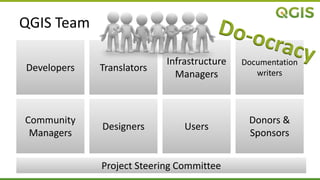
QGIS Team
Developers Translators
Infrastructure
Managers
Community
Managers
Designers Users
Documentation
writers
Donors &
Sponsors
Project Steering Committee
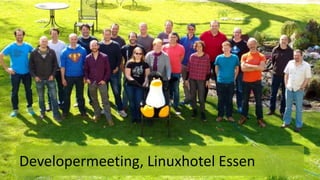
Developermeeting, Linuxhotel Essen
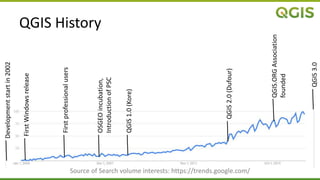
QGIS History
OSGEOincubation,
IntroductionofPSC
Firstprofessionalusers
QGIS1.0(Kore)
QGIS2.0(Dufour)
QGIS.ORGAssociation
founded
QGIS3.0
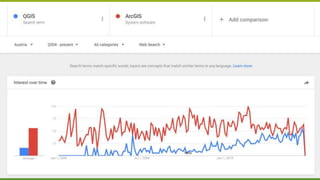
Source of Search volume interests: https://trends.google.com/
FirstWindowsrelease
Developmentstartin2002
QGIS
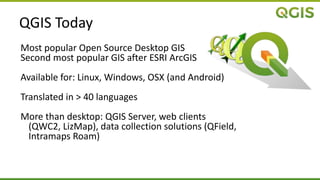
QGIS Today
Most popular Open Source Desktop GIS
Second most popular GIS after ESRI ArcGIS
Available for: Linux, Windows, OSX (and Android)
Translated in > 40 languages
More than desktop: QGIS Server, web clients
(QWC2, LizMap), data collection solutions (QField,
Intramaps Roam)
Python in QGIS
Starting with release 0.9 (October 2007)
PyQGIS API depends on SIP & PyQt4
Used to
 Run commands from console
 Customize actions / tools
 Develop Plugins
 Develop stand-alone applications
http://docs.qgis.org/testing/en/docs/pyqgis_developer_cookbook/intro.html
QGIS Python Plugins
> 600 plugins http://plugins.qgis.org/plugins/
QGIS 2.x  Python 2.7 (Qt4/PyQt4)
QGIS 3.x  Python 3 (Qt5/PyQt5)
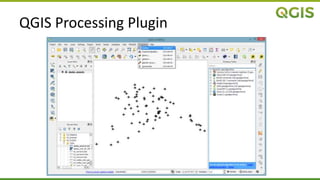
QGIS Processing Plugin
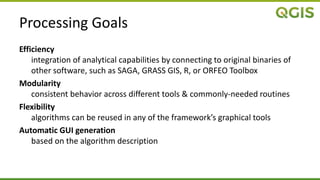
Processing Goals
Efficiency
integration of analytical capabilities by connecting to original binaries of
other software, such as SAGA, GRASS GIS, R, or ORFEO Toolbox
Modularity
consistent behavior across different tools & commonly-needed routines
Flexibility
algorithms can be reused in any of the framework’s graphical tools
Automatic GUI generation
based on the algorithm description
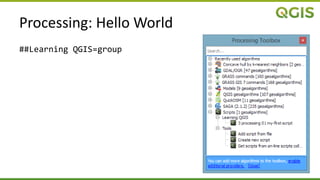
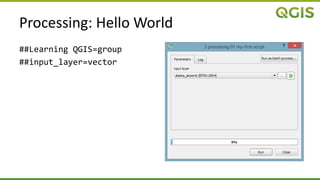
Processing: Hello World
##Learning QGIS=group
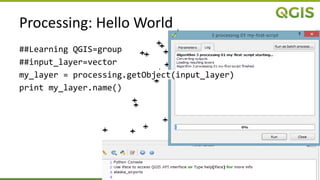
Processing: Hello World
##Learning QGIS=group
##input_layer=vector
##Learning QGIS=group
##input_layer=vector
my_layer = processing.getObject(input_layer)
print my_layer.name()
Processing: Hello World
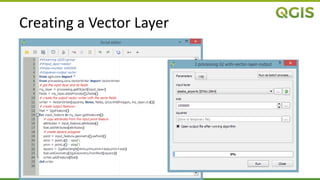
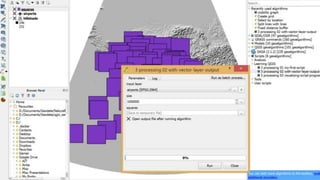
Creating a Vector Layer
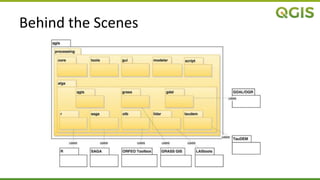
Behind the Scenes
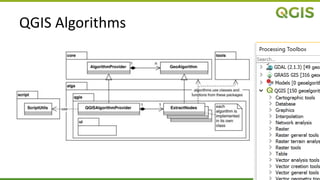
QGIS Algorithms
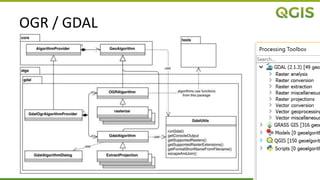
OGR / GDAL
OGR / GDAL
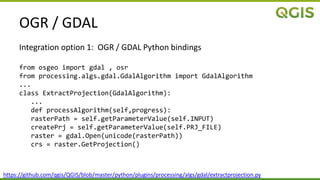
Integration option 1: OGR / GDAL Python bindings
from osgeo import gdal , osr
from processing.algs.gdal.GdalAlgorithm import GdalAlgorithm
...
class ExtractProjection(GdalAlgorithm):
...
def processAlgorithm(self,progress):
rasterPath = self.getParameterValue(self.INPUT)
createPrj = self.getParameterValue(self.PRJ_FILE)
raster = gdal.Open(unicode(rasterPath))
crs = raster.GetProjection()
https://github.com/qgis/QGIS/blob/master/python/plugins/processing/algs/gdal/extractprojection.py
OGR / GDAL
Integration option 2: command line interface using Python’s subprocess
from processing.algs.gdal.GdalAlgorithm import GdalAlgorithm
from processing.algs.gdal.GdalUtils import GdalUtils
...
class ClipByExtent(GdalAlgorithm):
...
def processAlgorithm(self, progress):
out = self.getOutputValue(self.OUTPUT)
...
arguments = []
arguments.append(’-of’)
arguments.append(GdalUtils.getFormatShortNameFromFilename(out))
...
GdalUtils.runGdal([’gdal_translate’, GdalUtils.escapeAndJoin(arguments)],
progress)
https://github.com/qgis/QGIS/blob/master/python/plugins/processing/algs/gdal/ClipByExtent.py
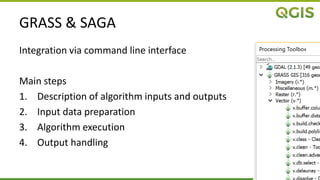
GRASS & SAGA
Integration via command line interface
Main steps
1. Description of algorithm inputs and outputs
2. Input data preparation
3. Algorithm execution
4. Output handling
GRASS & SAGA
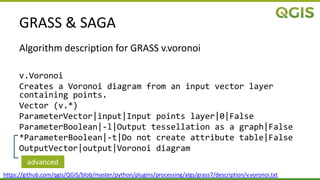
Algorithm description for GRASS v.voronoi
v.Voronoi
Creates a Voronoi diagram from an input vector layer
containing points.
Vector (v.*)
ParameterVector|input|Input points layer|0|False
ParameterBoolean|-l|Output tessellation as a graph|False
*ParameterBoolean|-t|Do not create attribute table|False
OutputVector|output|Voronoi diagram
https://github.com/qgis/QGIS/blob/master/python/plugins/processing/algs/grass7/description/v.voronoi.txt
advanced
R
Standard R syntax
Extended by additional header elements
##Vector processing=group
##showplots
##Layer=vector
##Field=Field Layer
hist(Layer[[Field]], main=paste("Histogram of",Field),
xlab=paste(Field))
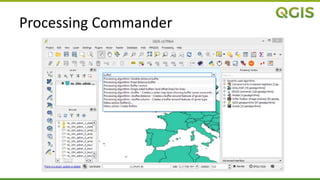
Processing Commander
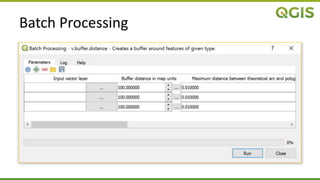
Batch Processing
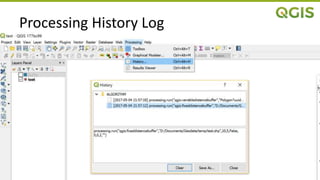
Processing History Log
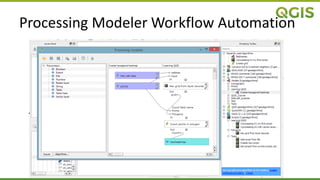
Processing Modeler Workflow Automation
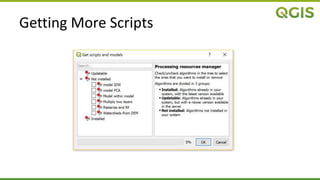
Getting More Scripts
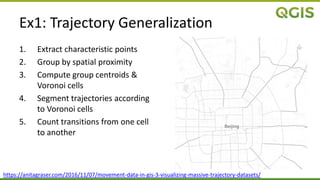
1. Extract characteristic points
2. Group by spatial proximity
3. Compute group centroids &
Voronoi cells
4. Segment trajectories according
to Voronoi cells
5. Count transitions from one cell
to another
https://anitagraser.com/2016/11/07/movement-data-in-gis-3-visualizing-massive-trajectory-datasets/
Ex1: Trajectory Generalization
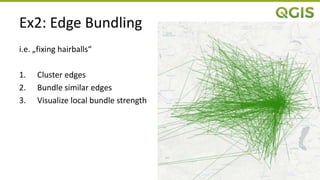
Ex2: Edge Bundling
i.e. „fixing hairballs“
1. Cluster edges
2. Bundle similar edges
3. Visualize local bundle strength
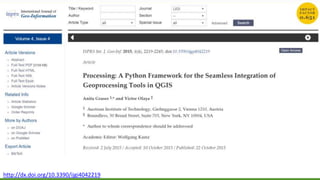
http://dx.doi.org/10.3390/ijgi4042219
Plans
Processing
 Porting Processing core to C++
 Parallel processing support
General
 Migration to Python 3
 PyQGIS API documentation improvements
User conference 2017 in August in Denmark
Contact
Anita Graser
anitagraser@gmx.at
@underdarkGIS
anitagraser.com

QGIS Processing at Linuxwochen Wien / PyDays 2017

Editor's Notes

  • #7 Starting from 0.9 release, QGIS has optional scripting support using Python language. We’ve decided for Python as it’s one of the most favourite languages for scripting. PyQGIS bindings depend on SIP and PyQt4.
  • #8 Starting from 0.9 release, QGIS has optional scripting support using Python language. We’ve decided for Python as it’s one of the most favourite languages for scripting. PyQGIS bindings depend on SIP and PyQt4.
  • #10 Starting from 0.9 release, QGIS has optional scripting support using Python language. We’ve decided for Python as it’s one of the most favourite languages for scripting. PyQGIS bindings depend on SIP and PyQt4. http://docs.qgis.org/testing/en/docs/pyqgis_developer_cookbook/intro.html
  • #31 GDAL (Geospatial Data Abstraction Library) is a translator library for raster and vector geospatial data formats. Traditionally, GDAL used to focus on the raster part of the library and OGR the vector part for simple features. Starting with GDAL 2.0, both parts have been integrated more tightly. Multiple applications, such as QGIS, use this library for reading and writing spatial data. It implements a single raster abstract data model and vector abstract data model for all supported formats. Additionally, GDAL comes with a variety of command line utilities for data translation and processing [19]. The GdalOgrAlgorithmProvider integrates GDAL-based algorithms into the Processing framework, as illustrated in Figure 10. Individual algorithms extend the GdalAlgorithm or OGRAlgorithm class and have been implemented using two different mechanisms: calling the GDAL/OGR Python bindings or using the GDAL command line interface.
  • #32 When GDAL/OGR Python bindings exist for a function, the corresponding GdalAlgorithm or OGRAlgorithm calls GDAL/OGR, as shown in the example in Listing 3, which uses GDAL to extract projection information from an input file.
  • #33 Other algorithms, such as warp, translate, contour or clipping (see Listing 4), are called directly using the command line interface. All algorithms in the GDAL provider that call GDAL tools on the command line rely on the GdalUtils.runGdal() method. This method takes care of preparing the command line based on the parameter values, as well as the platform being used. It also handles the output created by the GDAL algorithms and provides progress indication and logging of output content.
  • #35 Both SAGA and GRASS GIS offer a great number of algorithms, and their executables are included in most QGIS packages, so there is no need to install them separately to have this functionality available. Although both SAGA and GRASS GIS can be called from Python using their corresponding Python APIs, Processing uses their command line interfaces, since these have proven to provide more stability (at least at the time of the initial implementation) and allowed for a quicker implementation of a large number of algorithms. As shown in Figure 11, Processing currently supports SAGA Versions 2.1.2, 2.1.3 and 2.1.4 through the SagaAlgorithm212, SagaAlgorithm213 and SagaAlgorithm214 classes implemented in the saga package, respectively. Similarly, GRASS 6 and 7 are supported through the grass and grass7 packages, as shown in Figure 12. More specifically, SAGA and GRASS GIS integration is achieved using four main steps: description of algorithm inputs and outputs, input data preparation, algorithm execution and output handling. Descriptions of the algorithm inputs and outputs are necessary to automatically create the GUI, run the algorithm, as well as to know which outputs will be generated. This information is stored in a separate file for each algorithm. The location of these description files can be accessed using SagaUtils.sagaDesriptionPath() and GrassUtils.grassDescriptionPath(), respectively. Both SAGA and GRASS provide methods to describe their algorithms. These methods simplify the integration, since it is not necessary to create the algorithm description files manually. Listing 5 shows an example description for the GRASS GIS v.voronoi algorithm, which features one input and one output, as well as two configuration parameters. The second integration step is the preparation of the input datasets. This is necessary since SAGA and GRASS GIS use their own formats for vector and raster data, and layers in popular formats that are supported by QGIS cannot be directly used by them. Therefore, Processing takes care of converting layers into the required formats before calling the algorithm. This provides a seamless integration into QGIS, allowing the user to use data, even if it is stored in a format that is not natively supported by SAGA or GRASS GIS. Additionally, in the case of vector layers, the data conversion can also make SAGA and GRASS GIS aware of feature selections by converting only the selected features before calling the algorithm. In the third integration step, the algorithm is executed using either the original input layer (if the data type is natively supported) or the converted layers. The final and fourth integration step is the handling of outputs. Processing receives the output generated by SAGA/GRASS GIS and adds it to the current QGIS project. If the output format specified by the user is not supported by SAGA/GRASS GIS, Processing will take care of converting the output before loading the layer. For instance, SAGA does support conversion from its native raster format into TIFF format, but cannot produce a TIFF file directly. Therefore, if the user specifies a TIFF output, it is necessary to first create a native SAGA raster layer, which can then be converted to TIFF by calling the SAGA conversion algorithm. Depending on the format, data conversions for both input and output are performed using functions provided by QGIS or the external application. Conversions using SAGA/GRASS GIS require several calls to the application. Therefore, all calls necessary to convert data and run the algorithm are written to a script file using SagaUtils.createSagaBatchJobFileFromSagaCommands() and GrassUtils.createGrassBatchJobFileFromGrassCommands(), respectively, which is then executed in one go.
  • #39 R is a system for statistical computation and graphics. It consists of a language plus a run-time environment to run programs stored in script files [22]. The R project also provides packages, functions, classes and methods for handling spatial data [23]. Processing integrates R into QGIS, enabling users to run R scripts from within QGIS and use QGIS layers as inputs. Figure 13 shows the classes of the r package. Similar to the SAGA/GRASS GIS integration, R integration includes data conversion routines for inputs and outputs, and it runs R on the command line using RUtils.executeRAlgorithm(). The main difference is that the RAlgorithmProvider does not offer any predefined algorithms. Instead, it enables the users to create their own algorithms, which can be written using a built-in text editor and can be stored and used in future sessions. The location of the R scripts can be accessed using RUtils.RScriptsFolder(). R scripts in Processing use the standard R syntax extended by additional header elements (represented by code lines starting with double hashes ##), which provide the information Processing needs to understand the context, as well as the inputs and outputs of the algorithms. An example using R to compute and display a histogram is given in Listing 6.
  • #46 https://anitagraser.com/2016/11/07/movement-data-in-gis-3-visualizing-massive-trajectory-datasets/
  • #48 http://dx.doi.org/10.3390/ijgi4042219