1
Education’s IT Partner
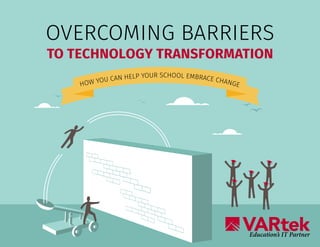
OVERCOMING BARRIERS
TO TECHNOLOGY TRANSFORMATION
HOW YOU CAN HELP YOUR SCHOOL EMBRACE CHANGE
2
Technology is always moving forward, and finding a new tool or strategy
that fits your school’s needs is an exciting opportunity. It’s thrilling to realize
that a change in technology can have a positive impact on a student’s achievement, a teacher’s
effectiveness, or a parent’s satisfaction.
Unfortunately, the change you are
excited about may not be as welcomed
by the people who will be implementing
it. When team members resist
technology transformation initiatives,
key projects can face serious barriers.
Here are five common
barriers to change and
strategies for removing them.
2
33
STAKEHOLDERS CAUSE UNNECESSARY DELAYS.
Team members who are worried about change will find ways to stall it, throwing
out objections such as “It’s not in the budget” or “It will create too much instability
among the staff.” The idea of change can make people feel out of control, so they
often will try to put off the discomfort of change for as long as possible.
BARRIER 1
SOLUTION
Communicate that, while timing for
change is never perfect, technology
transformation is a vital part of
school strategy. Create a long-term
implementation plan that ensures the
new technology is in the budget and shows staff how
they fit into, and will benefit from, the changes.
44
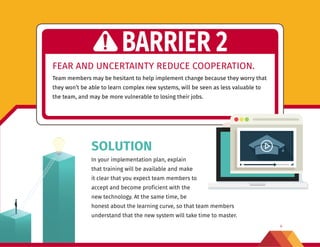
FEAR AND UNCERTAINTY REDUCE COOPERATION.
Team members may be hesitant to help implement change because they worry that
they won’t be able to learn complex new systems, will be seen as less valuable to
the team, and may be more vulnerable to losing their jobs.
BARRIER 2
SOLUTION
In your implementation plan, explain
that training will be available and make
it clear that you expect team members to
accept and become proficient with the
new technology. At the same time, be
honest about the learning curve, so that team members
understand that the new system will take time to master.
55
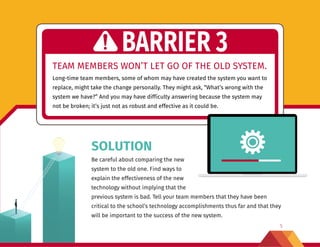
TEAM MEMBERS WON’T LET GO OF THE OLD SYSTEM.
Long-time team members, some of whom may have created the system you want to
replace, might take the change personally. They might ask, “What’s wrong with the
system we have?” And you may have difficulty answering because the system may
not be broken; it’s just not as robust and effective as it could be.
BARRIER 3
SOLUTION
Be careful about comparing the new
system to the old one. Find ways to
explain the effectiveness of the new
technology without implying that the
previous system is bad. Tell your team members that they have been
critical to the school’s technology accomplishments thus far and that they
will be important to the success of the new system.
6
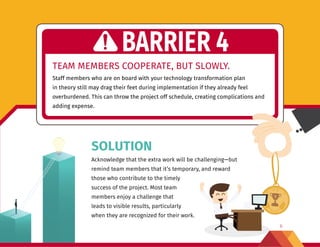
TEAM MEMBERS COOPERATE, BUT SLOWLY.
Staff members who are on board with your technology transformation plan
in theory still may drag their feet during implementation if they already feel
overburdened. This can throw the project off schedule, creating complications and
adding expense.
BARRIER 4
SOLUTION
Acknowledge that the extra work will be challenging—but
remind team members that it’s temporary, and reward
those who contribute to the timely
success of the project. Most team
members enjoy a challenge that
leads to visible results, particularly
when they are recognized for their work.
6
777
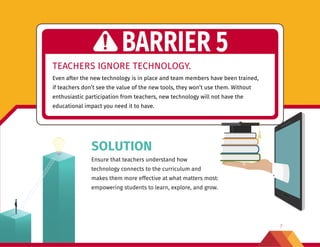
TEACHERS IGNORE TECHNOLOGY.
Even after the new technology is in place and team members have been trained,
if teachers don’t see the value of the new tools, they won’t use them. Without
enthusiastic participation from teachers, new technology will not have the
educational impact you need it to have.
BARRIER 5
SOLUTION
Ensure that teachers understand how
technology connects to the curriculum and
makes them more effective at what matters most:
empowering students to learn, explore, and grow.
8
Education’s IT Partner
YOUR PARTNER IN CHANGE
VARtek helps schools achieve their technology goals. From consultation that
helps you build an effective plan, to expert operations leadership and project
management, to IT staffing, our services can help you make technology work.
Our mission is to help you. You want to give students an education that
prepares them for college, careers, and life. As education’s partner for managed
IT services, we can deliver the training, support, and expertise you need to
make your vision a reality.
To find out more about VARtek, visit www.vartek.com or call us at 800-954-2524.

Overcoming Barriers to Technology Transformation

  • 1.
    1 Education’s IT Partner OVERCOMINGBARRIERS TO TECHNOLOGY TRANSFORMATION HOW YOU CAN HELP YOUR SCHOOL EMBRACE CHANGE
  • 2.
    2 Technology is alwaysmoving forward, and finding a new tool or strategy that fits your school’s needs is an exciting opportunity. It’s thrilling to realize that a change in technology can have a positive impact on a student’s achievement, a teacher’s effectiveness, or a parent’s satisfaction. Unfortunately, the change you are excited about may not be as welcomed by the people who will be implementing it. When team members resist technology transformation initiatives, key projects can face serious barriers. Here are five common barriers to change and strategies for removing them. 2
  • 3.
    33 STAKEHOLDERS CAUSE UNNECESSARYDELAYS. Team members who are worried about change will find ways to stall it, throwing out objections such as “It’s not in the budget” or “It will create too much instability among the staff.” The idea of change can make people feel out of control, so they often will try to put off the discomfort of change for as long as possible. BARRIER 1 SOLUTION Communicate that, while timing for change is never perfect, technology transformation is a vital part of school strategy. Create a long-term implementation plan that ensures the new technology is in the budget and shows staff how they fit into, and will benefit from, the changes.
  • 4.
    44 FEAR AND UNCERTAINTYREDUCE COOPERATION. Team members may be hesitant to help implement change because they worry that they won’t be able to learn complex new systems, will be seen as less valuable to the team, and may be more vulnerable to losing their jobs. BARRIER 2 SOLUTION In your implementation plan, explain that training will be available and make it clear that you expect team members to accept and become proficient with the new technology. At the same time, be honest about the learning curve, so that team members understand that the new system will take time to master.
  • 5.
    55 TEAM MEMBERS WON’TLET GO OF THE OLD SYSTEM. Long-time team members, some of whom may have created the system you want to replace, might take the change personally. They might ask, “What’s wrong with the system we have?” And you may have difficulty answering because the system may not be broken; it’s just not as robust and effective as it could be. BARRIER 3 SOLUTION Be careful about comparing the new system to the old one. Find ways to explain the effectiveness of the new technology without implying that the previous system is bad. Tell your team members that they have been critical to the school’s technology accomplishments thus far and that they will be important to the success of the new system.
  • 6.
    6 TEAM MEMBERS COOPERATE,BUT SLOWLY. Staff members who are on board with your technology transformation plan in theory still may drag their feet during implementation if they already feel overburdened. This can throw the project off schedule, creating complications and adding expense. BARRIER 4 SOLUTION Acknowledge that the extra work will be challenging—but remind team members that it’s temporary, and reward those who contribute to the timely success of the project. Most team members enjoy a challenge that leads to visible results, particularly when they are recognized for their work. 6
  • 7.
    777 TEACHERS IGNORE TECHNOLOGY. Evenafter the new technology is in place and team members have been trained, if teachers don’t see the value of the new tools, they won’t use them. Without enthusiastic participation from teachers, new technology will not have the educational impact you need it to have. BARRIER 5 SOLUTION Ensure that teachers understand how technology connects to the curriculum and makes them more effective at what matters most: empowering students to learn, explore, and grow.
  • 8.
    8 Education’s IT Partner YOURPARTNER IN CHANGE VARtek helps schools achieve their technology goals. From consultation that helps you build an effective plan, to expert operations leadership and project management, to IT staffing, our services can help you make technology work. Our mission is to help you. You want to give students an education that prepares them for college, careers, and life. As education’s partner for managed IT services, we can deliver the training, support, and expertise you need to make your vision a reality. To find out more about VARtek, visit www.vartek.com or call us at 800-954-2524.