Chatbots with Serverless
Srushith R
@SrushithR
srushith@codeops.tech
Agenda
• What are chatbots and why?
• Demo
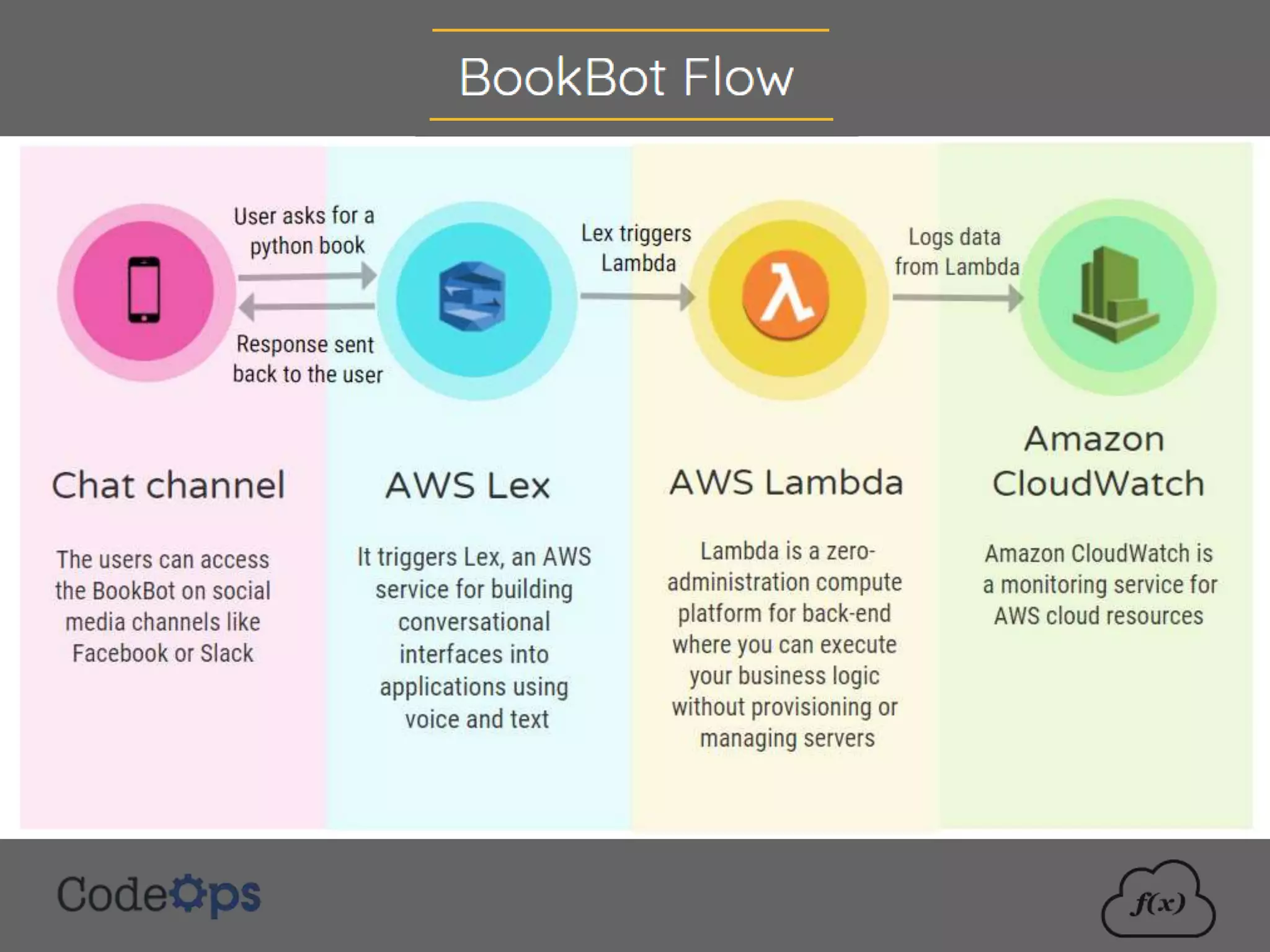
• Example chatbot: Amazon BookBot
• AWS Lambda
• AWS Lex
2
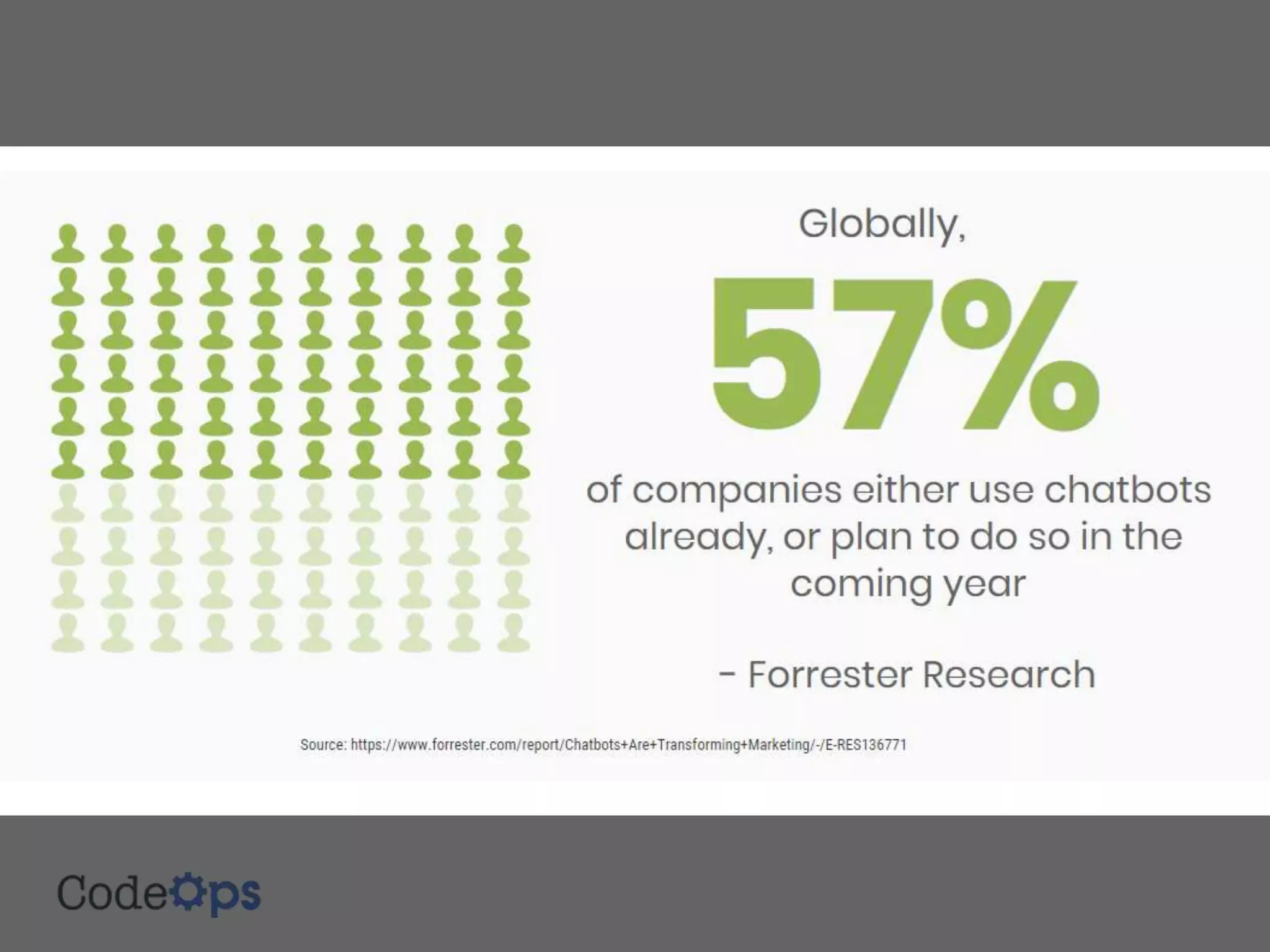
What are Chatbots and why?
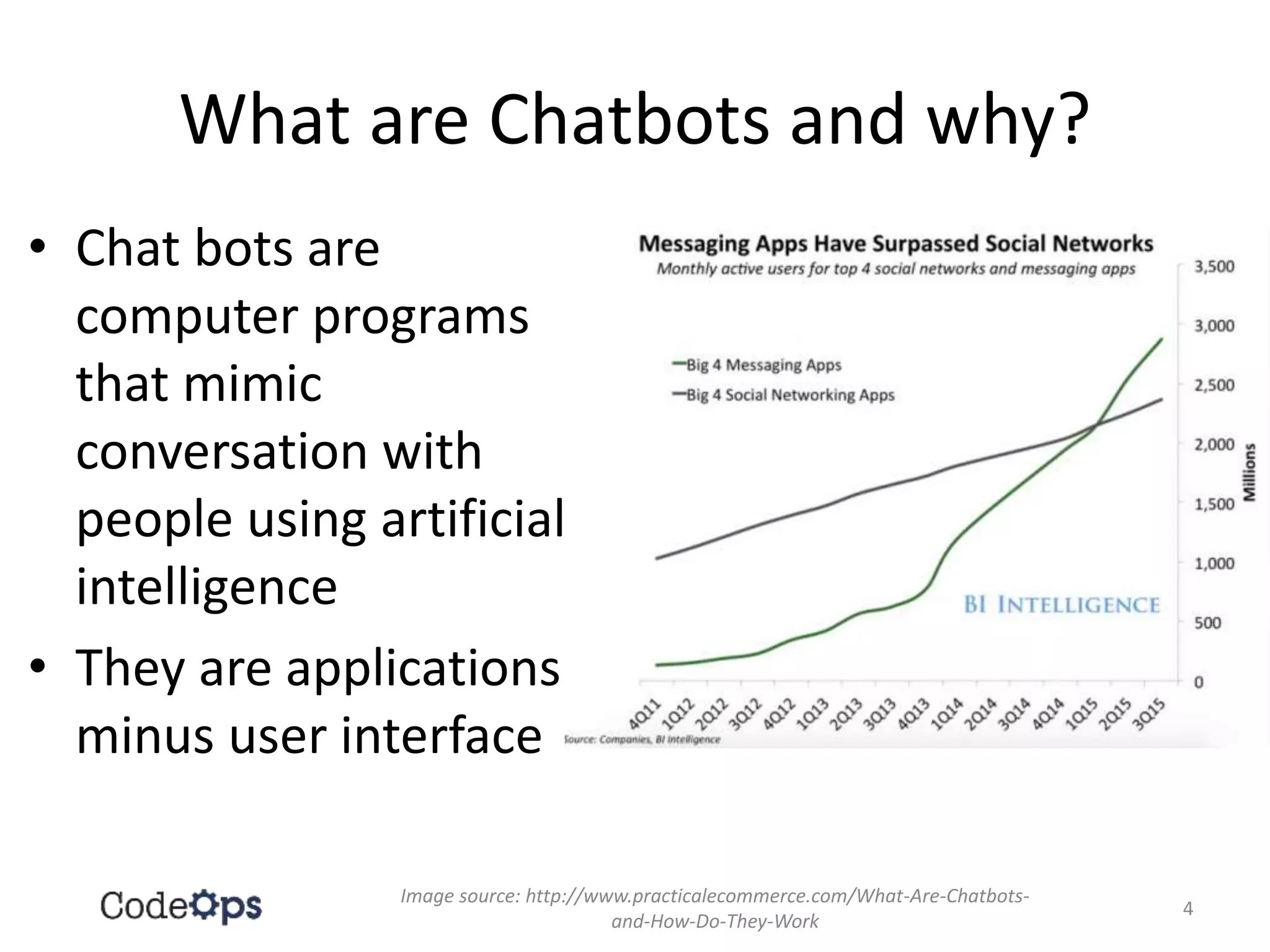
• Chat bots are
computer programs
that mimic
conversation with
people using artificial
intelligence
• They are applications
minus user interface
4
Image source: http://www.practicalecommerce.com/What-Are-Chatbots-
and-How-Do-They-Work
AWS Lex
Image source: https://aws.amazon.com/lex/
6
AWS Lex
• Amazon Lex is a service for building
conversational interfaces into any application
using voice and text
• Powered by the same technology as Alexa,
Amazon Lex provides you with the tools to tackle
challenging deep learning problems, such as
speech recognition and language understanding,
through an easy-to-use fully managed service
• Amazon Lex scales automatically, so you don’t
need to worry about managing infrastructure
Text source: https://aws.amazon.com/lambda/details/
7
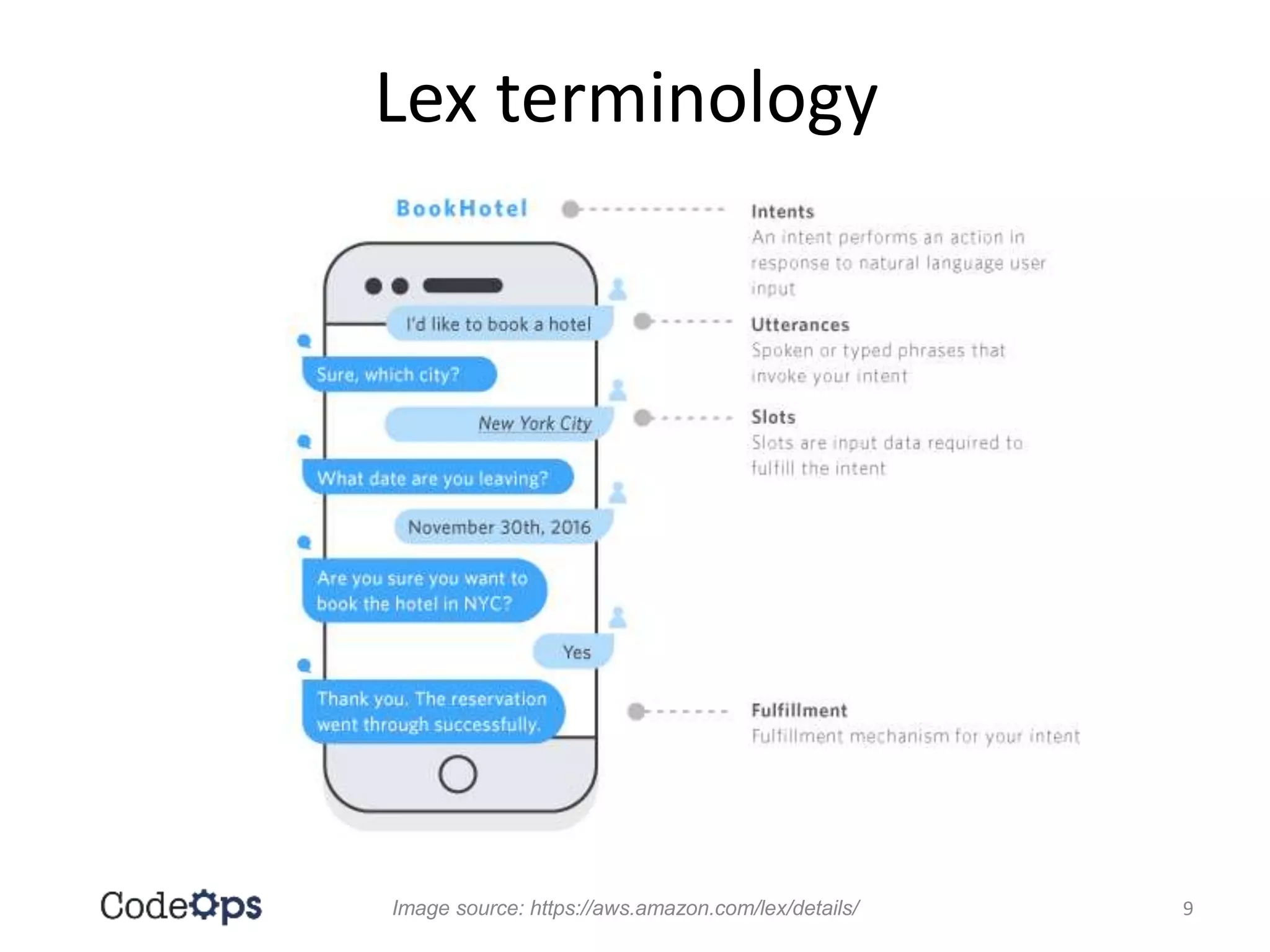
Lex terminology
Image source: https://aws.amazon.com/lex/details/ 9
What is Amazon Bookbot all about?
• This is a bot for buying books – ‘Amazon
BookBot’
• You can interact with this bot to find out
relevant technical books on the given topic
available in Amazon
• For each book, you can find out book details
(author, price, reviews, availability, etc.)
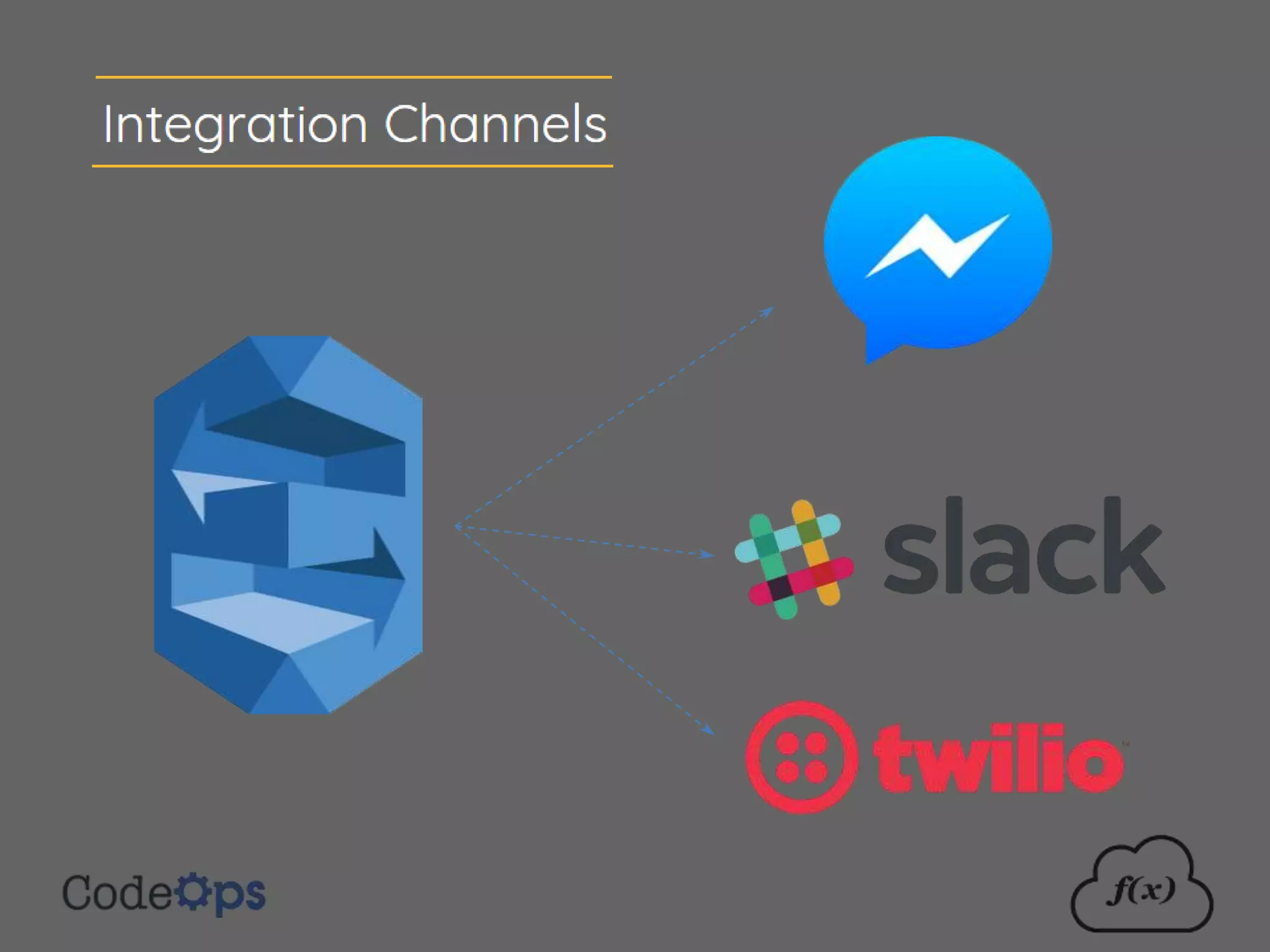
• This bot can be integrated with
FaceBook/Slack
10
Technologies
• Amazon Web Services
– AWS Lex – for Natural Language Processing (NLP)
– AWS Lambda – for the back-end serverless
function(s)
• Python 2.7 – for the serverless function code
– python-amazon-simple-product-api 2.2.11 - A
Python wrapper for the Amazon.com Product
Advertising API (for getting book information from
Amazon)
11
Installation (for hands-on)
• AWS account
– Preferably AWS CLI installed
• Python 2.7 installed
• Python module installed: python-amazon-
simple-product-api 2.2.11
Note: The Python module and the source code
must be available in the same folder (for
uploading into AWS Lambda)
12
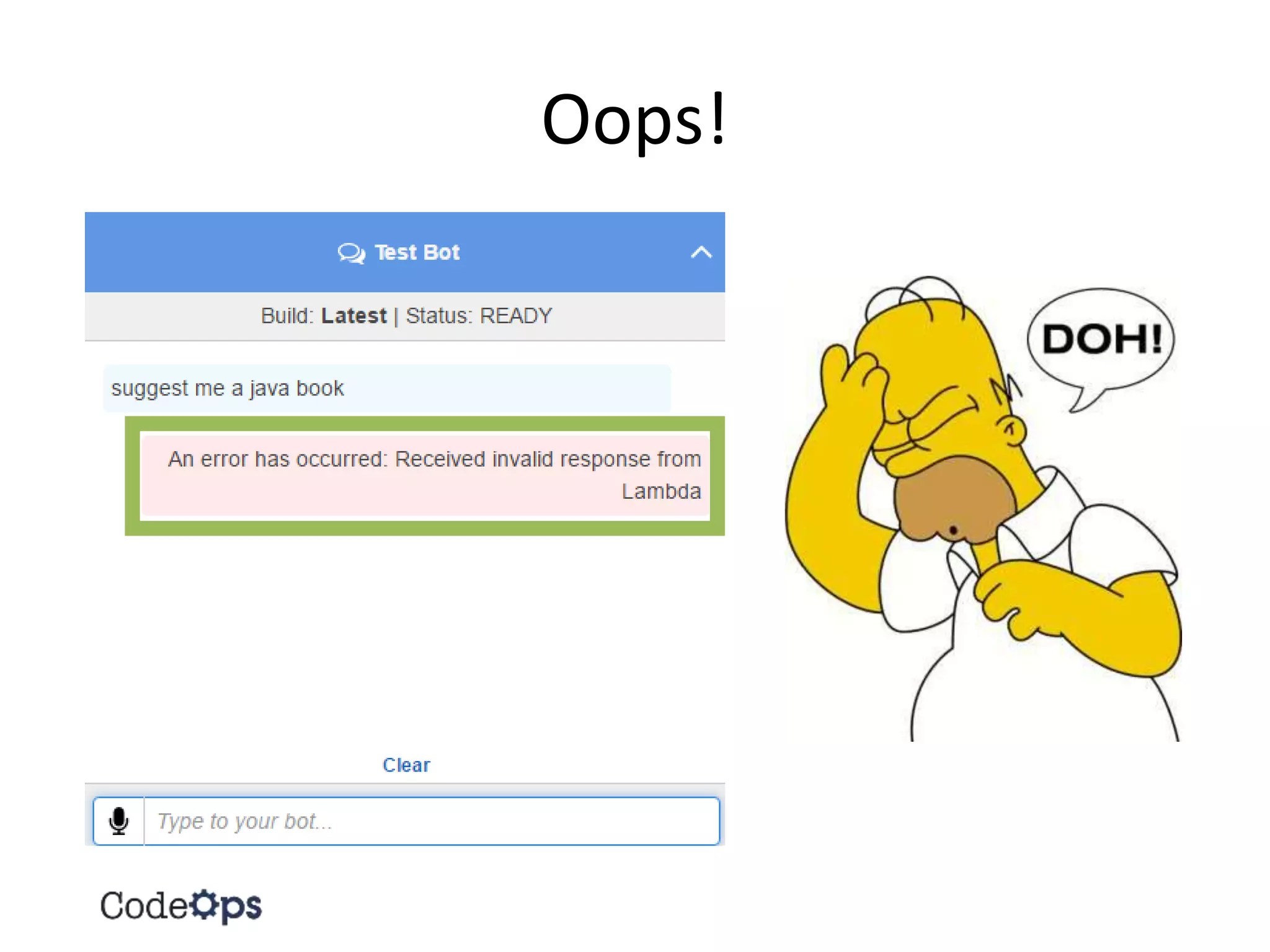
Oops!
Why me?
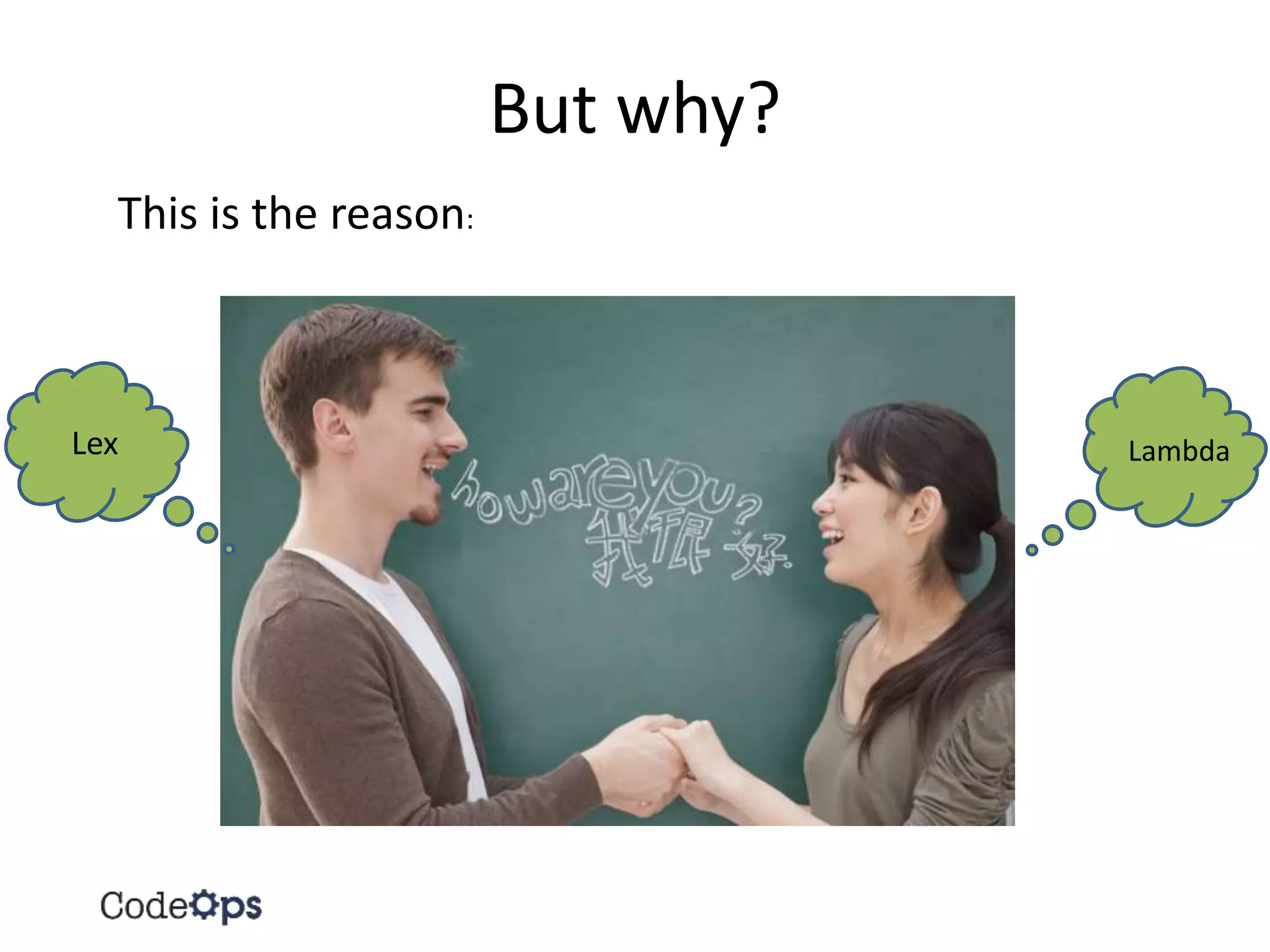
But why?
This is the reason:
Lex Lambda
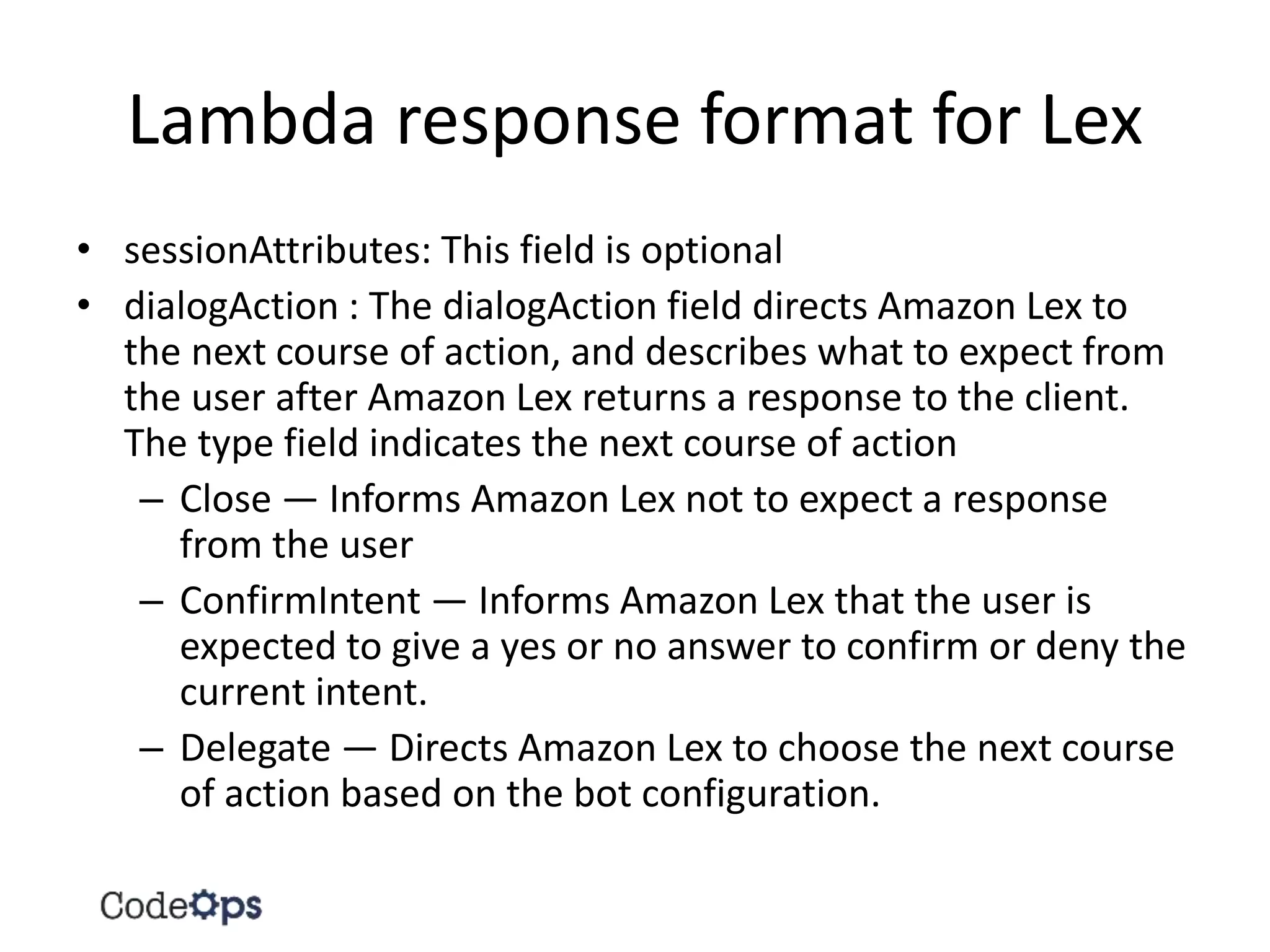
Lambda response format for Lex
• sessionAttributes: This field is optional
• dialogAction : The dialogAction field directs Amazon Lex to
the next course of action, and describes what to expect from
the user after Amazon Lex returns a response to the client.
The type field indicates the next course of action
– Close — Informs Amazon Lex not to expect a response
from the user
– ConfirmIntent — Informs Amazon Lex that the user is
expected to give a yes or no answer to confirm or deny the
current intent.
– Delegate — Directs Amazon Lex to choose the next course
of action based on the bot configuration.
Useful resources
• https://aws.amazon.com/lambda/details/
• https://aws.amazon.com/lex/details/
• https://aws.amazon.com/documentation/lex/
• https://aws.amazon.com/documentation/lam
bda/
30
31

Chatbots with Serverless

  • 1.
    Chatbots with Serverless SrushithR @SrushithR srushith@codeops.tech
  • 2.
    Agenda • What arechatbots and why? • Demo • Example chatbot: Amazon BookBot • AWS Lambda • AWS Lex 2
  • 4.
    What are Chatbotsand why? • Chat bots are computer programs that mimic conversation with people using artificial intelligence • They are applications minus user interface 4 Image source: http://www.practicalecommerce.com/What-Are-Chatbots- and-How-Do-They-Work
  • 6.
    AWS Lex Image source:https://aws.amazon.com/lex/ 6
  • 7.
    AWS Lex • AmazonLex is a service for building conversational interfaces into any application using voice and text • Powered by the same technology as Alexa, Amazon Lex provides you with the tools to tackle challenging deep learning problems, such as speech recognition and language understanding, through an easy-to-use fully managed service • Amazon Lex scales automatically, so you don’t need to worry about managing infrastructure Text source: https://aws.amazon.com/lambda/details/ 7
  • 8.
    Lex terminology Image source:https://aws.amazon.com/lex/details/ 9
  • 9.
    What is AmazonBookbot all about? • This is a bot for buying books – ‘Amazon BookBot’ • You can interact with this bot to find out relevant technical books on the given topic available in Amazon • For each book, you can find out book details (author, price, reviews, availability, etc.) • This bot can be integrated with FaceBook/Slack 10
  • 10.
    Technologies • Amazon WebServices – AWS Lex – for Natural Language Processing (NLP) – AWS Lambda – for the back-end serverless function(s) • Python 2.7 – for the serverless function code – python-amazon-simple-product-api 2.2.11 - A Python wrapper for the Amazon.com Product Advertising API (for getting book information from Amazon) 11
  • 11.
    Installation (for hands-on) •AWS account – Preferably AWS CLI installed • Python 2.7 installed • Python module installed: python-amazon- simple-product-api 2.2.11 Note: The Python module and the source code must be available in the same folder (for uploading into AWS Lambda) 12
  • 14.
  • 15.
  • 16.
    But why? This isthe reason: Lex Lambda
  • 17.
    Lambda response formatfor Lex • sessionAttributes: This field is optional • dialogAction : The dialogAction field directs Amazon Lex to the next course of action, and describes what to expect from the user after Amazon Lex returns a response to the client. The type field indicates the next course of action – Close — Informs Amazon Lex not to expect a response from the user – ConfirmIntent — Informs Amazon Lex that the user is expected to give a yes or no answer to confirm or deny the current intent. – Delegate — Directs Amazon Lex to choose the next course of action based on the bot configuration.
  • 19.
    Useful resources • https://aws.amazon.com/lambda/details/ •https://aws.amazon.com/lex/details/ • https://aws.amazon.com/documentation/lex/ • https://aws.amazon.com/documentation/lam bda/ 30
  • 20.