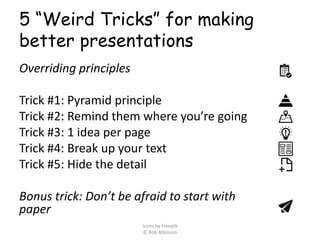
5 “Weird Tricks” for making
better presentations
Overriding principles
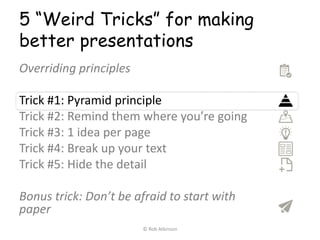
Trick #1: Pyramid principle
Trick #2: Remind them where you’re going
Trick #3: 1 idea per page
Trick #4: Break up your text
Trick #5: Hide the detail
Bonus trick: Don’t be afraid to start with
paper
Icons by Freepik
© Rob Atkinson
Always do these three things!
• Know your audience
• Know what type of presentation it’s
going to be
• Keep it simple
© Rob Atkinson
5 “Weird Tricks” for making
better presentations
Overriding principles
Trick #1: Pyramid principle
Trick #2: Remind them where you’re going
Trick #3: 1 idea per page
Trick #4: Break up your text
Trick #5: Hide the detail
Bonus trick: Don’t be afraid to start with
paper
© Rob Atkinson
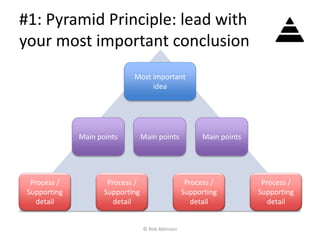
#1: Pyramid Principle: lead with
your most important conclusion
Most important
idea
Main points Main pointsMain points
Process /
Supporting
detail
Process /
Supporting
detail
Process /
Supporting
detail
Process /
Supporting
detail
© Rob Atkinson
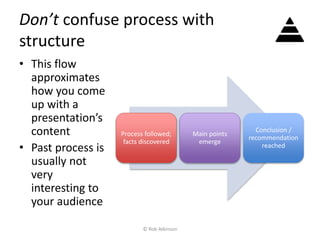
Don’t confuse process with
structure
• This flow
approximates
how you come
up with a
presentation’s
content
• Past process is
usually not
very
interesting to
your audience
Process followed;
facts discovered
Main points
emerge
Conclusion /
recommendation
reached
© Rob Atkinson
5 “Weird Tricks” for making
better presentations
Overriding principles
Trick #1: Pyramid principle
Trick #2: Remind them where you’re going
Trick #3: 1 idea per page
Trick #4: Break up your text
Trick #5: Hide the detail
Bonus trick: Don’t be afraid to start with
paper
© Rob Atkinson
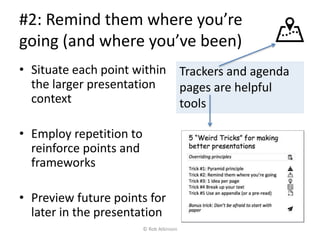
#2: Remind them where you’re
going (and where you’ve been)
• Situate each point within
the larger presentation
context
• Employ repetition to
reinforce points and
frameworks
• Preview future points for
later in the presentation
Trackers and agenda
pages are helpful
tools
© Rob Atkinson
5 “Weird Tricks” for making
better presentations
Overriding principles
Trick #1: Pyramid principle
Trick #2: Remind them where you’re going
Trick #3: 1 idea per page
Trick #4: Break up your text
Trick #5: Hide the detail
Bonus trick: Don’t be afraid to start with
paper
© Rob Atkinson
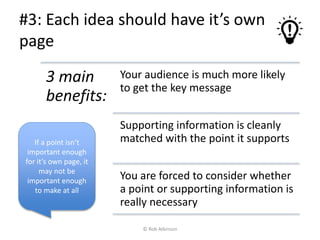
#3: Each idea should have it’s own
page
3 main
benefits:
Your audience is much more likely
to get the key message
Supporting information is cleanly
matched with the point it supports
You are forced to consider whether
a point or supporting information is
really necessary
If a point isn’t
important enough
for it’s own page, it
may not be
important enough
to make at all
© Rob Atkinson
5 “Weird Tricks” for making
better presentations
Overriding principles
Trick #1: Pyramid principle
Trick #2: Remind them where you’re going
Trick #3: 1 idea per page
Trick #4: Break up your text
Trick #5: Hide the detail
Bonus trick: Don’t be afraid to start with
paper
© Rob Atkinson
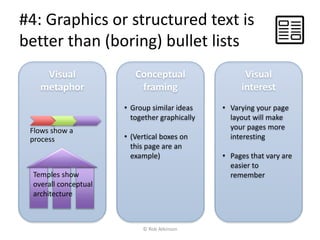
#4: Graphics or structured text is
better than (boring) bullet lists
Visual
metaphor
Conceptual
framing
• Group similar ideas
together graphically
• (Vertical boxes on
this page are an
example)
Flows show a
process
Visual
interest
• Varying your page
layout will make
your pages more
interesting
• Pages that vary are
easier to
rememberTemples show
overall conceptual
architecture
© Rob Atkinson
5 “Weird Tricks” for making
better presentations
Overriding principles
Trick #1: Pyramid principle
Trick #2: Remind them where you’re going
Trick #3: 1 idea per page
Trick #4: Break up your text
Trick #5: Hide the detail
Bonus trick: Don’t be afraid to start with
paper
© Rob Atkinson
#5: If you need more detail, use a
pre-read or an appendix
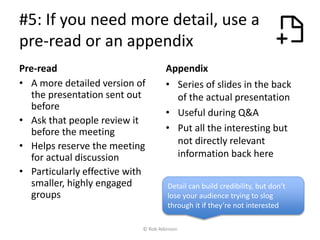
Pre-read
• A more detailed version of
the presentation sent out
before
• Ask that people review it
before the meeting
• Helps reserve the meeting
for actual discussion
• Particularly effective with
smaller, highly engaged
groups
Appendix
• Series of slides in the back
of the actual presentation
• Useful during Q&A
• Put all the interesting but
not directly relevant
information back here
Detail can build credibility, but don’t
lose your audience trying to slog
through it if they’re not interested
© Rob Atkinson
5 “Weird Tricks” for making
better presentations
Overriding principles
Trick #1: Pyramid principle
Trick #2: Remind them where you’re going
Trick #3: 1 idea per page
Trick #4: Break up your text
Trick #5: Hide the detail
Bonus trick: Don’t be afraid to start with
paper
© Rob Atkinson
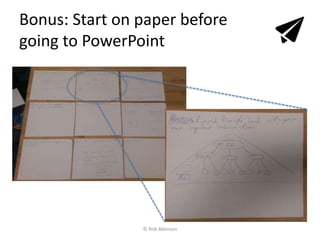
Bonus: Start on paper before
going to PowerPoint
© Rob Atkinson
Appendix
© Rob Atkinson
If I had a lot of detail behind my
process, I could keep it back here
in case anyone asked
(This isn’t really
that kind of
presentation)
© Rob Atkinson

5 Weird Presentation Tricks: How to make great PPT presentations

  • 1.
    5 “Weird Tricks”for making better presentations Overriding principles Trick #1: Pyramid principle Trick #2: Remind them where you’re going Trick #3: 1 idea per page Trick #4: Break up your text Trick #5: Hide the detail Bonus trick: Don’t be afraid to start with paper Icons by Freepik © Rob Atkinson
  • 2.
    Always do thesethree things! • Know your audience • Know what type of presentation it’s going to be • Keep it simple © Rob Atkinson
  • 3.
    5 “Weird Tricks”for making better presentations Overriding principles Trick #1: Pyramid principle Trick #2: Remind them where you’re going Trick #3: 1 idea per page Trick #4: Break up your text Trick #5: Hide the detail Bonus trick: Don’t be afraid to start with paper © Rob Atkinson
  • 4.
    #1: Pyramid Principle:lead with your most important conclusion Most important idea Main points Main pointsMain points Process / Supporting detail Process / Supporting detail Process / Supporting detail Process / Supporting detail © Rob Atkinson
  • 5.
    Don’t confuse processwith structure • This flow approximates how you come up with a presentation’s content • Past process is usually not very interesting to your audience Process followed; facts discovered Main points emerge Conclusion / recommendation reached © Rob Atkinson
  • 6.
    5 “Weird Tricks”for making better presentations Overriding principles Trick #1: Pyramid principle Trick #2: Remind them where you’re going Trick #3: 1 idea per page Trick #4: Break up your text Trick #5: Hide the detail Bonus trick: Don’t be afraid to start with paper © Rob Atkinson
  • 7.
    #2: Remind themwhere you’re going (and where you’ve been) • Situate each point within the larger presentation context • Employ repetition to reinforce points and frameworks • Preview future points for later in the presentation Trackers and agenda pages are helpful tools © Rob Atkinson
  • 8.
    5 “Weird Tricks”for making better presentations Overriding principles Trick #1: Pyramid principle Trick #2: Remind them where you’re going Trick #3: 1 idea per page Trick #4: Break up your text Trick #5: Hide the detail Bonus trick: Don’t be afraid to start with paper © Rob Atkinson
  • 9.
    #3: Each ideashould have it’s own page 3 main benefits: Your audience is much more likely to get the key message Supporting information is cleanly matched with the point it supports You are forced to consider whether a point or supporting information is really necessary If a point isn’t important enough for it’s own page, it may not be important enough to make at all © Rob Atkinson
  • 10.
    5 “Weird Tricks”for making better presentations Overriding principles Trick #1: Pyramid principle Trick #2: Remind them where you’re going Trick #3: 1 idea per page Trick #4: Break up your text Trick #5: Hide the detail Bonus trick: Don’t be afraid to start with paper © Rob Atkinson
  • 11.
    #4: Graphics orstructured text is better than (boring) bullet lists Visual metaphor Conceptual framing • Group similar ideas together graphically • (Vertical boxes on this page are an example) Flows show a process Visual interest • Varying your page layout will make your pages more interesting • Pages that vary are easier to rememberTemples show overall conceptual architecture © Rob Atkinson
  • 12.
    5 “Weird Tricks”for making better presentations Overriding principles Trick #1: Pyramid principle Trick #2: Remind them where you’re going Trick #3: 1 idea per page Trick #4: Break up your text Trick #5: Hide the detail Bonus trick: Don’t be afraid to start with paper © Rob Atkinson
  • 13.
    #5: If youneed more detail, use a pre-read or an appendix Pre-read • A more detailed version of the presentation sent out before • Ask that people review it before the meeting • Helps reserve the meeting for actual discussion • Particularly effective with smaller, highly engaged groups Appendix • Series of slides in the back of the actual presentation • Useful during Q&A • Put all the interesting but not directly relevant information back here Detail can build credibility, but don’t lose your audience trying to slog through it if they’re not interested © Rob Atkinson
  • 14.
    5 “Weird Tricks”for making better presentations Overriding principles Trick #1: Pyramid principle Trick #2: Remind them where you’re going Trick #3: 1 idea per page Trick #4: Break up your text Trick #5: Hide the detail Bonus trick: Don’t be afraid to start with paper © Rob Atkinson
  • 15.
    Bonus: Start onpaper before going to PowerPoint © Rob Atkinson
  • 16.
  • 17.
    If I hada lot of detail behind my process, I could keep it back here in case anyone asked (This isn’t really that kind of presentation) © Rob Atkinson