THE
ENTERPRISE IT
CHECKLIST
FOR DOCKER
OPERATIONS
Nicola Kabar
Solutions Architect
Docker
@nicolakabar
1. The Enterprise IT Goal:
Deliver Value to Customers,
Fast!
2. Docker is at the center of it all
3. Biggest
challenge is
moving to
production in
time to prove
value
Docker
Production
Readiness
Checklist for
Enterprise IT
The Checklist
 Infrastructure
 Orchestration
Management
 Image Distribution
 Security
 Network
 Storage
 Logging and
Monitoring
 Integration
 Disaster Recovery
 Testing
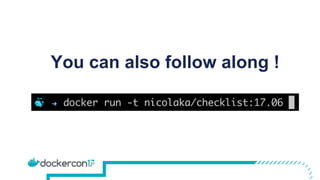
You can also follow along !
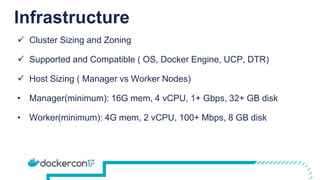
Infrastructure
 Cluster Sizing and Zoning
 Supported and Compatible ( OS, Docker Engine, UCP, DTR)
 Host Sizing ( Manager vs Worker Nodes)
• Manager(minimum): 16G mem, 4 vCPU, 1+ Gbps, 32+ GB disk
• Worker(minimum): 4G mem, 2 vCPU, 100+ Mbps, 8 GB disk
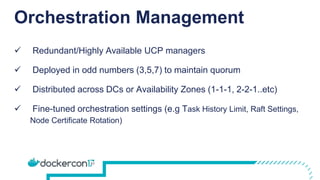
Orchestration Management
 Redundant/Highly Available UCP managers
 Deployed in odd numbers (3,5,7) to maintain quorum
 Distributed across DCs or Availability Zones (1-1-1, 2-2-1..etc)
 Fine-tuned orchestration settings (e.g Task History Limit, Raft Settings,
Node Certificate Rotation)
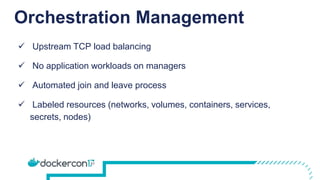
Orchestration Management
 Upstream TCP load balancing
 No application workloads on managers
 Automated join and leave process
 Labeled resources (networks, volumes, containers, services,
secrets, nodes)
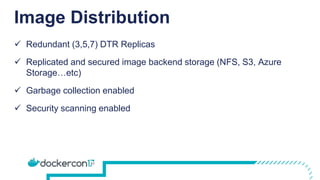
Image Distribution
 Redundant (3,5,7) DTR Replicas
 Replicated and secured image backend storage (NFS, S3, Azure
Storage…etc)
 Garbage collection enabled
 Security scanning enabled
Security
 Utilize Docker EE RBAC Model ( Subjects, Grants, Roles, Collection,
Resource)
 AD/LDAP groups mapped to teams and organizations
 Docker Content Trust Signing and Enforcement
 Regular Run of Docker Security Bench
Security
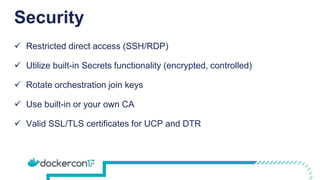
 Restricted direct access (SSH/RDP)
 Utilize built-in Secrets functionality (encrypted, controlled)
 Rotate orchestration join keys
 Use built-in or your own CA
 Valid SSL/TLS certificates for UCP and DTR
Network
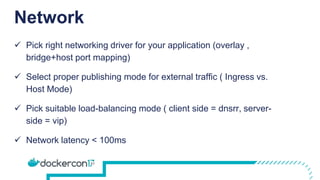
 Pick right networking driver for your application (overlay ,
bridge+host port mapping)
 Select proper publishing mode for external traffic ( Ingress vs.
Host Mode)
 Pick suitable load-balancing mode ( client side = dnsrr, server-
side = vip)
 Network latency < 100ms
Network
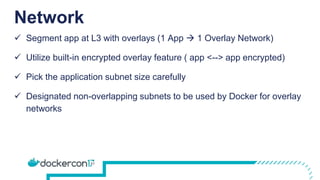
 Segment app at L3 with overlays (1 App  1 Overlay Network)
 Utilize built-in encrypted overlay feature ( app <--> app encrypted)
 Pick the application subnet size carefully
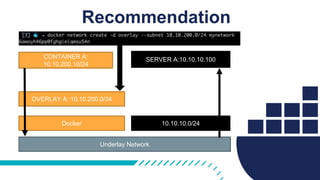
 Designated non-overlapping subnets to be used by Docker for overlay
networks
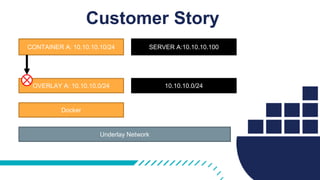
OVERLAY A: 10.10.10.0/24 10.10.10.0/24
CONTAINER A: 10.10.10.10/24 SERVER A:10.10.10.100
Docker
Underlay Network
Customer Story
OVERLAY A: 10.10.200.0/24
10.10.10.0/24
CONTAINER A:
10.10.200.10/24
SERVER A:10.10.10.100
Docker
Underlay Network
Recommendation
Customer Story
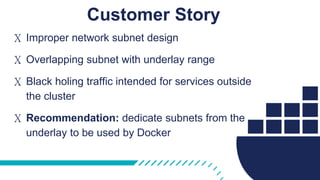
X Improper network subnet design
X Overlapping subnet with underlay range
X Black holing traffic intended for services outside
the cluster
X Recommendation: dedicate subnets from the
underlay to be used by Docker
Storage
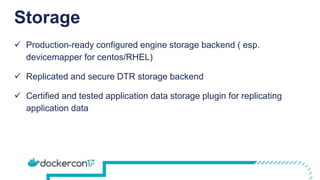
 Production-ready configured engine storage backend ( esp.
devicemapper for centos/RHEL)
 Replicated and secure DTR storage backend
 Certified and tested application data storage plugin for replicating
application data
Logging and Monitoring
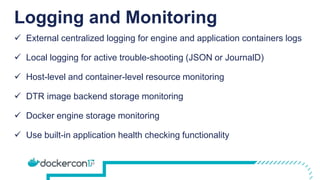
 External centralized logging for engine and application containers logs
 Local logging for active trouble-shooting (JSON or JournalD)
 Host-level and container-level resource monitoring
 DTR image backend storage monitoring
 Docker engine storage monitoring
 Use built-in application health checking functionality
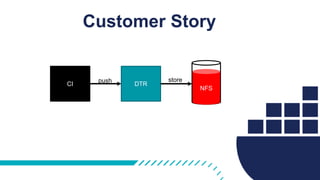
Customer Story
DTRCI
push store
NFS
Customer Story
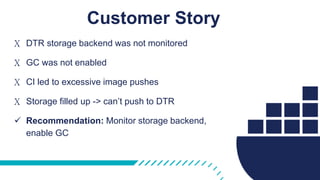
X DTR storage backend was not monitored
X GC was not enabled
X CI led to excessive image pushes
X Storage filled up -> can’t push to DTR
 Recommendation: Monitor storage backend,
enable GC
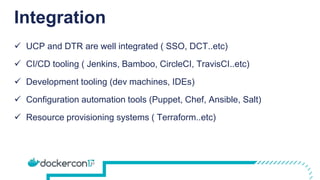
Integration
 UCP and DTR are well integrated ( SSO, DCT..etc)
 CI/CD tooling ( Jenkins, Bamboo, CircleCI, TravisCI..etc)
 Development tooling (dev machines, IDEs)
 Configuration automation tools (Puppet, Chef, Ansible, Salt)
 Resource provisioning systems ( Terraform..etc)
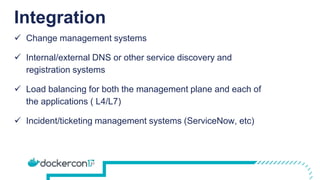
Integration
 Change management systems
 Internal/external DNS or other service discovery and
registration systems
 Load balancing for both the management plane and each of
the applications ( L4/L7)
 Incident/ticketing management systems (ServiceNow, etc)
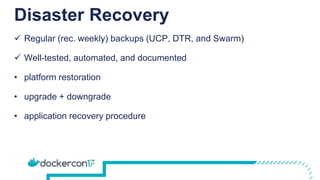
Disaster Recovery
 Regular (rec. weekly) backups (UCP, DTR, and Swarm)
 Well-tested, automated, and documented
• platform restoration
• upgrade + downgrade
• application recovery procedure
Customer Story
Backup
UCP
Backup
DTR
Backup
Swarm
Backup
DTR
Storage
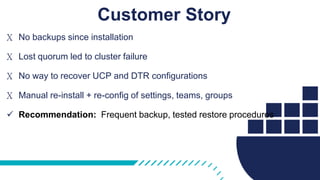
Customer Story
X No backups since installation
X Lost quorum led to cluster failure
X No way to recover UCP and DTR configurations
X Manual re-install + re-config of settings, teams, groups
 Recommendation: Frequent backup, tested restore procedures
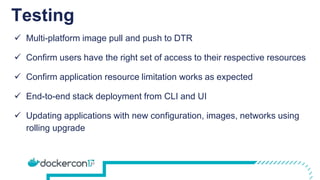
Testing
 Multi-platform image pull and push to DTR
 Confirm users have the right set of access to their respective resources
 Confirm application resource limitation works as expected
 End-to-end stack deployment from CLI and UI
 Updating applications with new configuration, images, networks using
rolling upgrade
Docker Success Center
success.docker.com
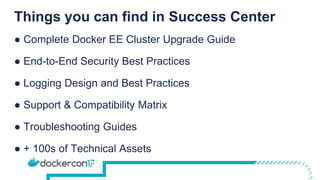
Things you can find in Success Center
● Complete Docker EE Cluster Upgrade Guide
● End-to-End Security Best Practices
● Logging Design and Best Practices
● Support & Compatibility Matrix
● Troubleshooting Guides
● + 100s of Technical Assets
Key Takeaways
 Define a readiness checklist for an
accelerated, smooth and successful path to
production
 Design the Docker Enterprise platform
based on recommended architectures
 Deliver to Differentiate
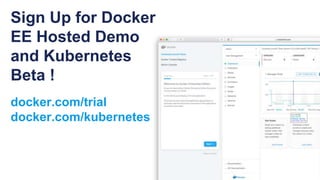
Sign Up for Docker
EE Hosted Demo
and Kubernetes
Beta !
docker.com/trial
docker.com/kubernetes
Thanks!
Questions?
@nicolakabar

The Enterprise IT Checklist for Docker Operations

  • 1.
    THE ENTERPRISE IT CHECKLIST FOR DOCKER OPERATIONS NicolaKabar Solutions Architect Docker @nicolakabar
  • 2.
    1. The EnterpriseIT Goal: Deliver Value to Customers, Fast!
  • 3.
    2. Docker isat the center of it all
  • 4.
    3. Biggest challenge is movingto production in time to prove value
  • 5.
  • 6.
    The Checklist  Infrastructure Orchestration Management  Image Distribution  Security  Network  Storage  Logging and Monitoring  Integration  Disaster Recovery  Testing
  • 7.
    You can alsofollow along !
  • 8.
    Infrastructure  Cluster Sizingand Zoning  Supported and Compatible ( OS, Docker Engine, UCP, DTR)  Host Sizing ( Manager vs Worker Nodes) • Manager(minimum): 16G mem, 4 vCPU, 1+ Gbps, 32+ GB disk • Worker(minimum): 4G mem, 2 vCPU, 100+ Mbps, 8 GB disk
  • 9.
    Orchestration Management  Redundant/HighlyAvailable UCP managers  Deployed in odd numbers (3,5,7) to maintain quorum  Distributed across DCs or Availability Zones (1-1-1, 2-2-1..etc)  Fine-tuned orchestration settings (e.g Task History Limit, Raft Settings, Node Certificate Rotation)
  • 10.
    Orchestration Management  UpstreamTCP load balancing  No application workloads on managers  Automated join and leave process  Labeled resources (networks, volumes, containers, services, secrets, nodes)
  • 11.
    Image Distribution  Redundant(3,5,7) DTR Replicas  Replicated and secured image backend storage (NFS, S3, Azure Storage…etc)  Garbage collection enabled  Security scanning enabled
  • 12.
    Security  Utilize DockerEE RBAC Model ( Subjects, Grants, Roles, Collection, Resource)  AD/LDAP groups mapped to teams and organizations  Docker Content Trust Signing and Enforcement  Regular Run of Docker Security Bench
  • 13.
    Security  Restricted directaccess (SSH/RDP)  Utilize built-in Secrets functionality (encrypted, controlled)  Rotate orchestration join keys  Use built-in or your own CA  Valid SSL/TLS certificates for UCP and DTR
  • 14.
    Network  Pick rightnetworking driver for your application (overlay , bridge+host port mapping)  Select proper publishing mode for external traffic ( Ingress vs. Host Mode)  Pick suitable load-balancing mode ( client side = dnsrr, server- side = vip)  Network latency < 100ms
  • 15.
    Network  Segment appat L3 with overlays (1 App  1 Overlay Network)  Utilize built-in encrypted overlay feature ( app <--> app encrypted)  Pick the application subnet size carefully  Designated non-overlapping subnets to be used by Docker for overlay networks
  • 16.
    OVERLAY A: 10.10.10.0/2410.10.10.0/24 CONTAINER A: 10.10.10.10/24 SERVER A:10.10.10.100 Docker Underlay Network Customer Story
  • 17.
    OVERLAY A: 10.10.200.0/24 10.10.10.0/24 CONTAINERA: 10.10.200.10/24 SERVER A:10.10.10.100 Docker Underlay Network Recommendation
  • 18.
    Customer Story X Impropernetwork subnet design X Overlapping subnet with underlay range X Black holing traffic intended for services outside the cluster X Recommendation: dedicate subnets from the underlay to be used by Docker
  • 19.
    Storage  Production-ready configuredengine storage backend ( esp. devicemapper for centos/RHEL)  Replicated and secure DTR storage backend  Certified and tested application data storage plugin for replicating application data
  • 20.
    Logging and Monitoring External centralized logging for engine and application containers logs  Local logging for active trouble-shooting (JSON or JournalD)  Host-level and container-level resource monitoring  DTR image backend storage monitoring  Docker engine storage monitoring  Use built-in application health checking functionality
  • 21.
  • 22.
    Customer Story X DTRstorage backend was not monitored X GC was not enabled X CI led to excessive image pushes X Storage filled up -> can’t push to DTR  Recommendation: Monitor storage backend, enable GC
  • 23.
    Integration  UCP andDTR are well integrated ( SSO, DCT..etc)  CI/CD tooling ( Jenkins, Bamboo, CircleCI, TravisCI..etc)  Development tooling (dev machines, IDEs)  Configuration automation tools (Puppet, Chef, Ansible, Salt)  Resource provisioning systems ( Terraform..etc)
  • 24.
    Integration  Change managementsystems  Internal/external DNS or other service discovery and registration systems  Load balancing for both the management plane and each of the applications ( L4/L7)  Incident/ticketing management systems (ServiceNow, etc)
  • 25.
    Disaster Recovery  Regular(rec. weekly) backups (UCP, DTR, and Swarm)  Well-tested, automated, and documented • platform restoration • upgrade + downgrade • application recovery procedure
  • 26.
  • 27.
    Customer Story X Nobackups since installation X Lost quorum led to cluster failure X No way to recover UCP and DTR configurations X Manual re-install + re-config of settings, teams, groups  Recommendation: Frequent backup, tested restore procedures
  • 28.
    Testing  Multi-platform imagepull and push to DTR  Confirm users have the right set of access to their respective resources  Confirm application resource limitation works as expected  End-to-end stack deployment from CLI and UI  Updating applications with new configuration, images, networks using rolling upgrade
  • 29.
  • 30.
    Things you canfind in Success Center ● Complete Docker EE Cluster Upgrade Guide ● End-to-End Security Best Practices ● Logging Design and Best Practices ● Support & Compatibility Matrix ● Troubleshooting Guides ● + 100s of Technical Assets
  • 31.
    Key Takeaways  Definea readiness checklist for an accelerated, smooth and successful path to production  Design the Docker Enterprise platform based on recommended architectures  Deliver to Differentiate
  • 32.
    Sign Up forDocker EE Hosted Demo and Kubernetes Beta ! docker.com/trial docker.com/kubernetes
  • 33.

Editor's Notes

  • #6 This talks is all about sharing a checklist that can accelerate your CaaS production readiness
  • #7 High Availability require 3,5,7 managers to match application requirements. Settings include task history limit, snapshotting limits, key rotation frequency, scheduling strategy...etc
  • #8 High Availability require 3,5,7 managers to match application requirements. Settings include task history limit, snapshotting limits, key rotation frequency, scheduling strategy...etc
  • #9 Managers 16 G memory 4 vCPU 1+ Gbps Network BW 32 GB Storage
  • #10 High Availability require 3,5,7 managers to match application requirements. Settings include task history limit, snapshotting limits, key rotation frequency, scheduling strategy...etc - Fine tune orchestration setting (Task History Limit = 1) Node Certificate Expiry Setting Raft Settings)
  • #11 High Availability require 3,5,7 managers to match application requirements. Settings include task history limit, snapshotting limits, key rotation frequency, scheduling strategy...etc - Fine tune orchestration setting (Task History Limit = 1) Node Certificate Expiry Setting Raft Settings)
  • #13 Role-based access control providing right level of access to the various team members
  • #15 (bridge for local services, overlay for secured west<>east traffic, or macvlan for north<>south ingress traffic)