How knowing git can make
your life easier
by Feu Mourek
Git Good
Feu Mourek (they / them)
Developer at Netways 2016 to 2020
Developer Advocate at Icinga from 2020
Git / GitLab Trainer since 2019
Passionate about:
Teaching, Accessibility,
Inclusiveness, Old Cars
My Twitter is @the_feufeu
Agenda
1. Learning about Git
2. Working with Git, instead of around
3. Which workflow fits you?
4. Sharing this knowledge
Learning Git
- What is Git?
- Where does it come from?
- Start small, understand, move on
- Practice on CLI
- Do I really need to know all of these commands?
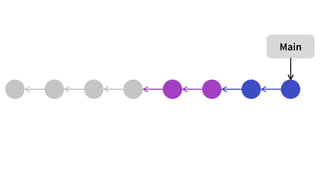
What is a commit?
- Think of it as snapshots
- Only saves differences to the last commit
- Contains general meta information
- Author
- Time
- Message with description and references
- Pointer to previous commit
- One of many point in the projects history
Good Commits
- Configure your name and email
- One commit contains one topic
- If needed split your commits
- Make your commit messages short and precise
- Add references if you can
- Use the staging area:
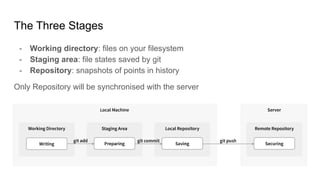
The Three Stages
- Working directory: files on your filesystem
- Staging area: file states saved by git
- Repository: snapshots of points in history
Only Repository will be synchronised with the server
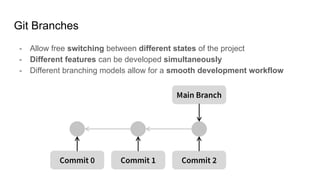
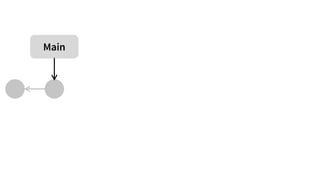
Git Branches
- Allow free switching between different states of the project
- Different features can be developed simultaneously
- Different branching models allow for a smooth development workflow
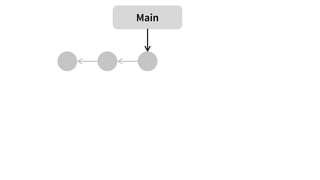
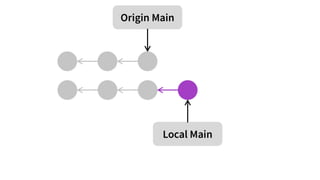
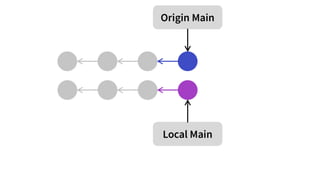
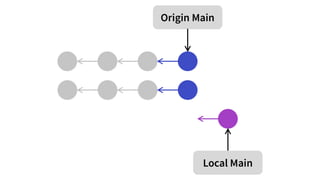
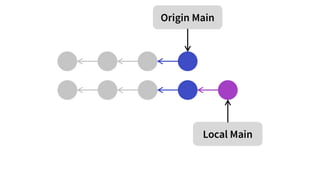
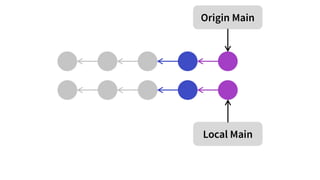
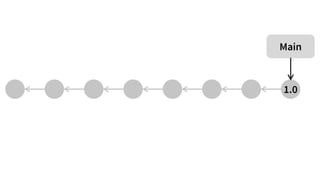
Centralised Workflow
- Small projects (1-3 Developers)
- Working on a single branch
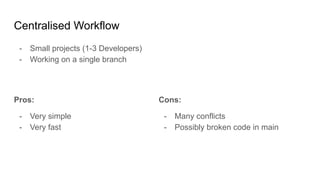
Centralised Workflow
- Small projects (1-3 Developers)
- Working on a single branch
Pros:
- Very simple
- Very fast
Cons:
- Many conflicts
- Possibly broken code in main
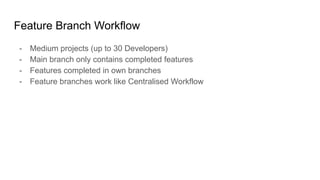
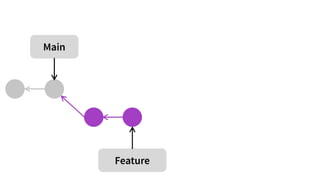
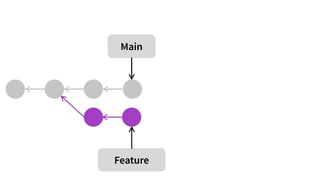
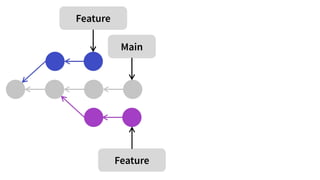
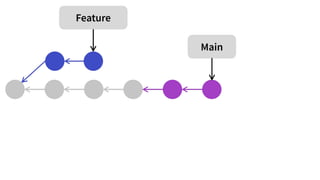
Feature Branch Workflow
- Medium projects (up to 30 Developers)
- Main branch only contains completed features
- Features completed in own branches
- Feature branches work like Centralised Workflow
Feature Branch Workflow
- Medium projects (up to 30 Developers)
- Main branch only contains completed features
- Features completed in own branches
- Feature branches work like Centralised Workflow
Pros:
- Stable main
- Less interference with others
- Good for reviews
Cons:
- Communication about features
- No release ready main
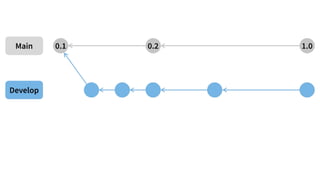
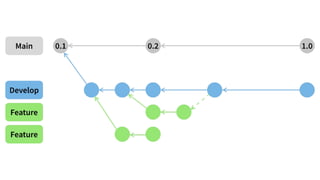
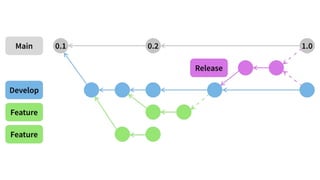
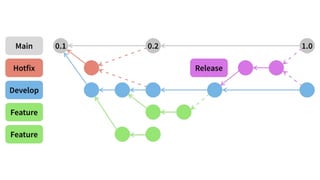
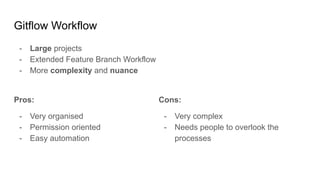
Gitflow Workflow
- Large projects
- Extended Feature Branch Workflow
- More complexity and nuance
Gitflow Workflow
- Large projects
- Extended Feature Branch Workflow
- More complexity and nuance
Pros:
- Very organised
- Permission oriented
- Easy automation
Cons:
- Very complex
- Needs people to overlook the
processes
Merge Conflicts
- They happen to us all
- And they look scarier than they are
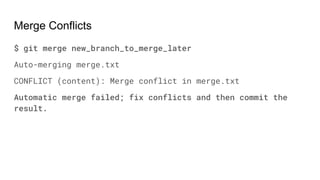
Merge Conflicts
$ git merge new_branch_to_merge_later
Auto-merging merge.txt
CONFLICT (content): Merge conflict in merge.txt
Automatic merge failed; fix conflicts and then commit the
result.
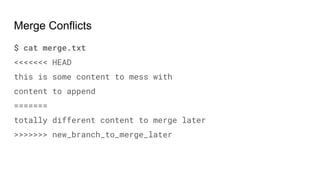
Merge Conflicts
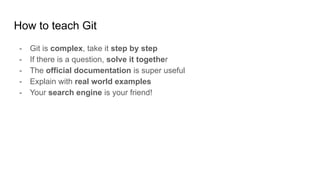
$ cat merge.txt
<<<<<<< HEAD
this is some content to mess with
content to append
=======
totally different content to merge later
>>>>>>> new_branch_to_merge_later
Merge Conflicts
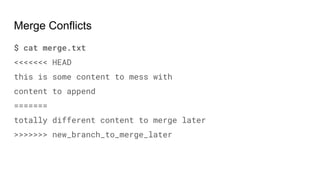
$ git add merge.txt
$ git commit -m "merged and resolved the conflict in
merge.txt"
Merge Conflicts
$ cat merge.txt
<<<<<<< HEAD
this is some content to mess with
content to append
=======
totally different content to merge later
>>>>>>> new_branch_to_merge_later
How to teach Git
- Git is complex, take it step by step
- If there is a question, solve it together
- The official documentation is super useful
- Explain with real world examples
- Your search engine is your friend!
Thanks for being here with me!
Twitter
@the_feufeu
GitHub Repo
github.com/NETWAYS/gitlab-training
Trainings
netways.de/en/trainings

OSMC 2022 | Git Good – How knowing git can make your life easier by Feu Mourek

  • 1.
    How knowing gitcan make your life easier by Feu Mourek Git Good
  • 2.
    Feu Mourek (they/ them) Developer at Netways 2016 to 2020 Developer Advocate at Icinga from 2020 Git / GitLab Trainer since 2019 Passionate about: Teaching, Accessibility, Inclusiveness, Old Cars My Twitter is @the_feufeu
  • 4.
    Agenda 1. Learning aboutGit 2. Working with Git, instead of around 3. Which workflow fits you? 4. Sharing this knowledge
  • 5.
    Learning Git - Whatis Git? - Where does it come from? - Start small, understand, move on - Practice on CLI - Do I really need to know all of these commands?
  • 6.
    What is acommit? - Think of it as snapshots - Only saves differences to the last commit - Contains general meta information - Author - Time - Message with description and references - Pointer to previous commit - One of many point in the projects history
  • 7.
    Good Commits - Configureyour name and email - One commit contains one topic - If needed split your commits - Make your commit messages short and precise - Add references if you can - Use the staging area:
  • 8.
    The Three Stages -Working directory: files on your filesystem - Staging area: file states saved by git - Repository: snapshots of points in history Only Repository will be synchronised with the server
  • 9.
    Git Branches - Allowfree switching between different states of the project - Different features can be developed simultaneously - Different branching models allow for a smooth development workflow
  • 10.
    Centralised Workflow - Smallprojects (1-3 Developers) - Working on a single branch
  • 17.
    Centralised Workflow - Smallprojects (1-3 Developers) - Working on a single branch Pros: - Very simple - Very fast Cons: - Many conflicts - Possibly broken code in main
  • 18.
    Feature Branch Workflow -Medium projects (up to 30 Developers) - Main branch only contains completed features - Features completed in own branches - Feature branches work like Centralised Workflow
  • 26.
    Feature Branch Workflow -Medium projects (up to 30 Developers) - Main branch only contains completed features - Features completed in own branches - Feature branches work like Centralised Workflow Pros: - Stable main - Less interference with others - Good for reviews Cons: - Communication about features - No release ready main
  • 27.
    Gitflow Workflow - Largeprojects - Extended Feature Branch Workflow - More complexity and nuance
  • 32.
    Gitflow Workflow - Largeprojects - Extended Feature Branch Workflow - More complexity and nuance Pros: - Very organised - Permission oriented - Easy automation Cons: - Very complex - Needs people to overlook the processes
  • 33.
    Merge Conflicts - Theyhappen to us all - And they look scarier than they are
  • 34.
    Merge Conflicts $ gitmerge new_branch_to_merge_later Auto-merging merge.txt CONFLICT (content): Merge conflict in merge.txt Automatic merge failed; fix conflicts and then commit the result.
  • 35.
    Merge Conflicts $ catmerge.txt <<<<<<< HEAD this is some content to mess with content to append ======= totally different content to merge later >>>>>>> new_branch_to_merge_later
  • 36.
    Merge Conflicts $ gitadd merge.txt $ git commit -m "merged and resolved the conflict in merge.txt"
  • 37.
    Merge Conflicts $ catmerge.txt <<<<<<< HEAD this is some content to mess with content to append ======= totally different content to merge later >>>>>>> new_branch_to_merge_later
  • 38.
    How to teachGit - Git is complex, take it step by step - If there is a question, solve it together - The official documentation is super useful - Explain with real world examples - Your search engine is your friend!
  • 39.
    Thanks for beinghere with me! Twitter @the_feufeu GitHub Repo github.com/NETWAYS/gitlab-training Trainings netways.de/en/trainings