Tutorials Pointwebsite
User Interface Review and Analysis
By:
Morteza Zakeri
University of Arak
:: User Interface Design Principles and Techniques Course
March 15
Contents
• Website at a Glance
• URL
• Goal of Design
• Mission
• UI General Features
• Simplicity
• Menus and Icons
• Colors
• UI Good Points
• Fast Loading
• Ease of Learn and Use
• Responsive Design
• Efficient Grouping
• UI Weak Points
• Different Appearances
• Browser Dependency
• Good Advices
8-Mar-15 Tutorial Point UI Analysis :: M. Zakeri – University of Arak 2 of 28
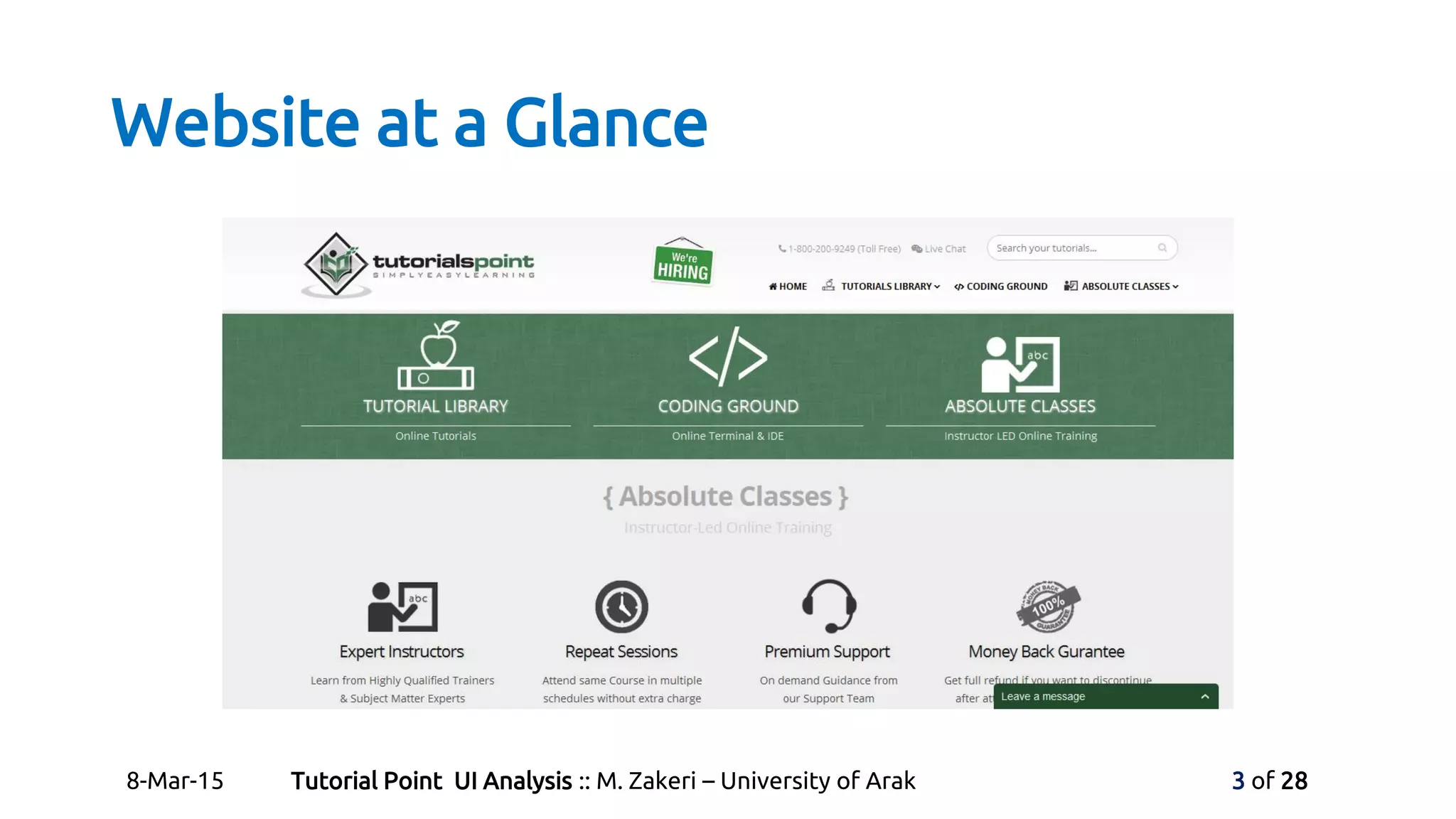
Website at a Glance
8-Mar-15 Tutorial Point UI Analysis :: M. Zakeri – University of Arak 3 of 28
Website at a Glance
• Website URL
• http://www.tutorialspoint.com/
• Goal of Design
• Originated from the idea that there exists a class of readers who
respond better to online content.
• Mission
• Deliver Simply Easy Learning programming and computer
science.
8-Mar-15 Tutorial Point UI Analysis :: M. Zakeri – University of Arak 4 of 28
UI General Features: Simplicity
• Tutorials Point is a very simple website.
• Uses a famous rule: Simple is Beautiful!
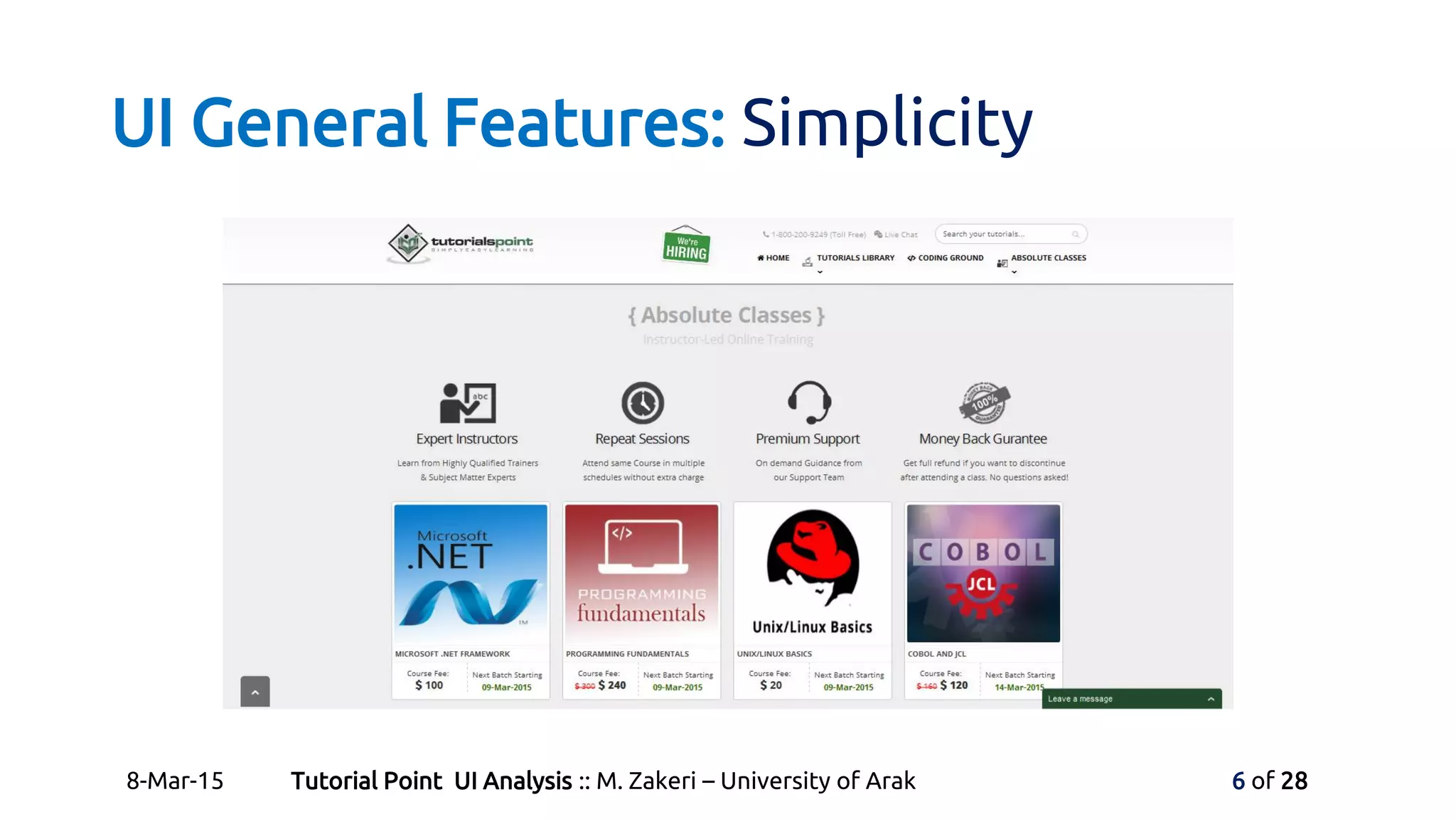
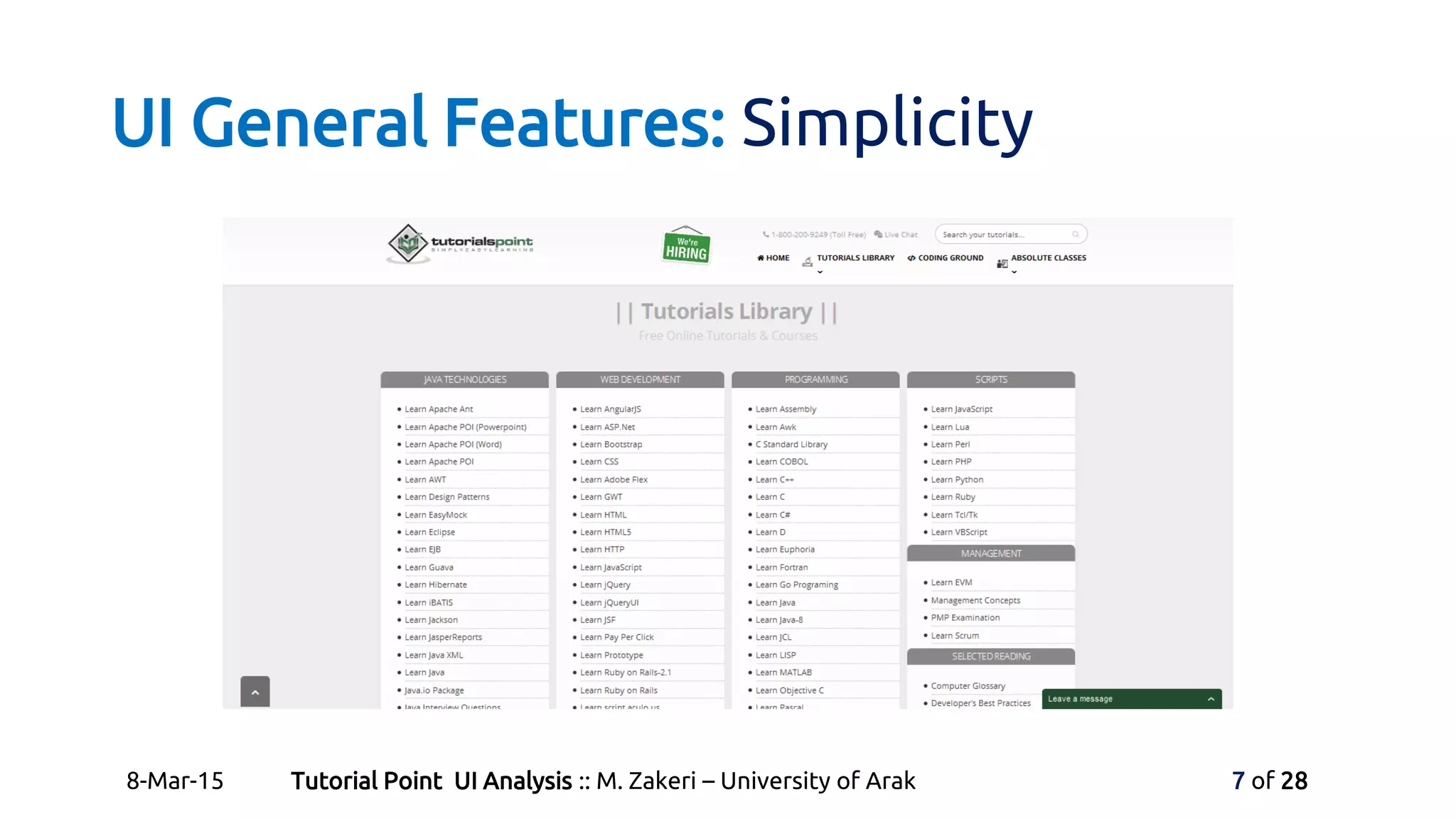
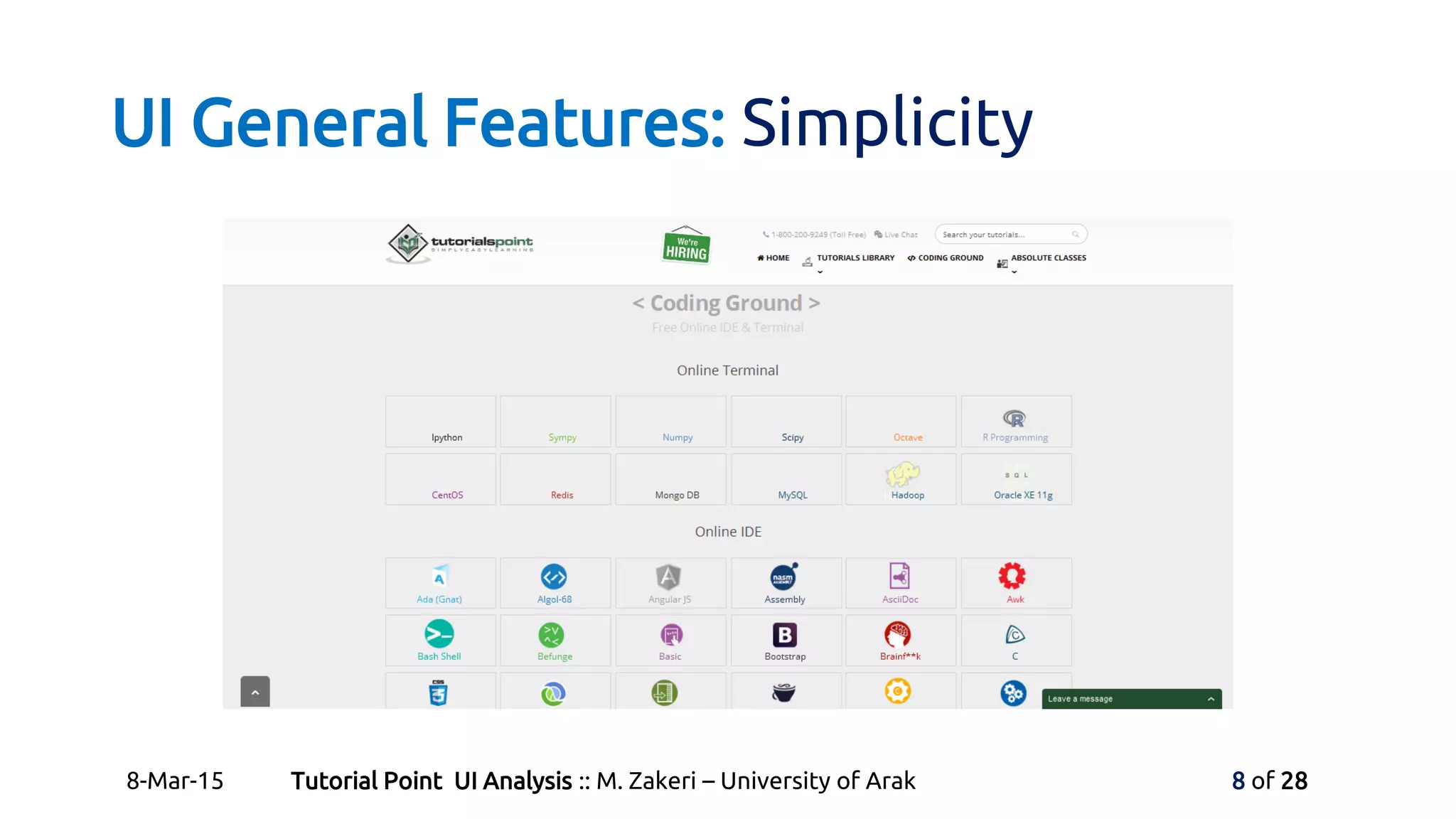
• Include 3 main part:
• Absolute Classes (Instructor-Led Online Training)
• Tutorials Library (Free Online Tutorials & Courses)
• Coding Ground (Free Online IDE & Terminal)
8-Mar-15 Tutorial Point UI Analysis :: M. Zakeri – University of Arak 5 of 28
UI General Features: Simplicity
8-Mar-15 Tutorial Point UI Analysis :: M. Zakeri – University of Arak 6 of 28
UI General Features: Simplicity
8-Mar-15 Tutorial Point UI Analysis :: M. Zakeri – University of Arak 7 of 28
UI General Features: Simplicity
8-Mar-15 Tutorial Point UI Analysis :: M. Zakeri – University of Arak 8 of 28
UI General Features: Menus and Icons
• Tutorials Point is not a menu-base website.
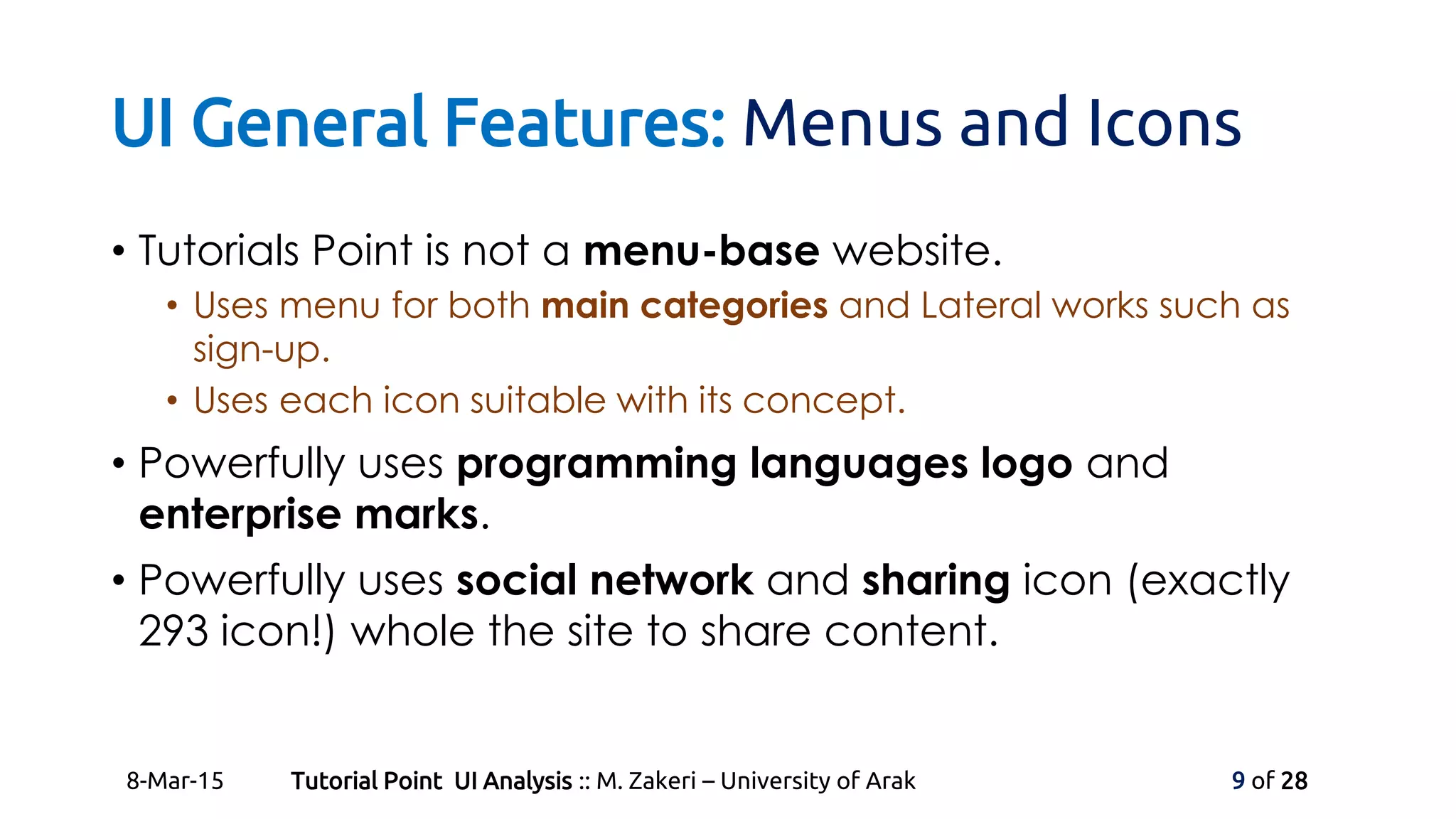
• Uses menu for both main categories and Lateral works such as
sign-up.
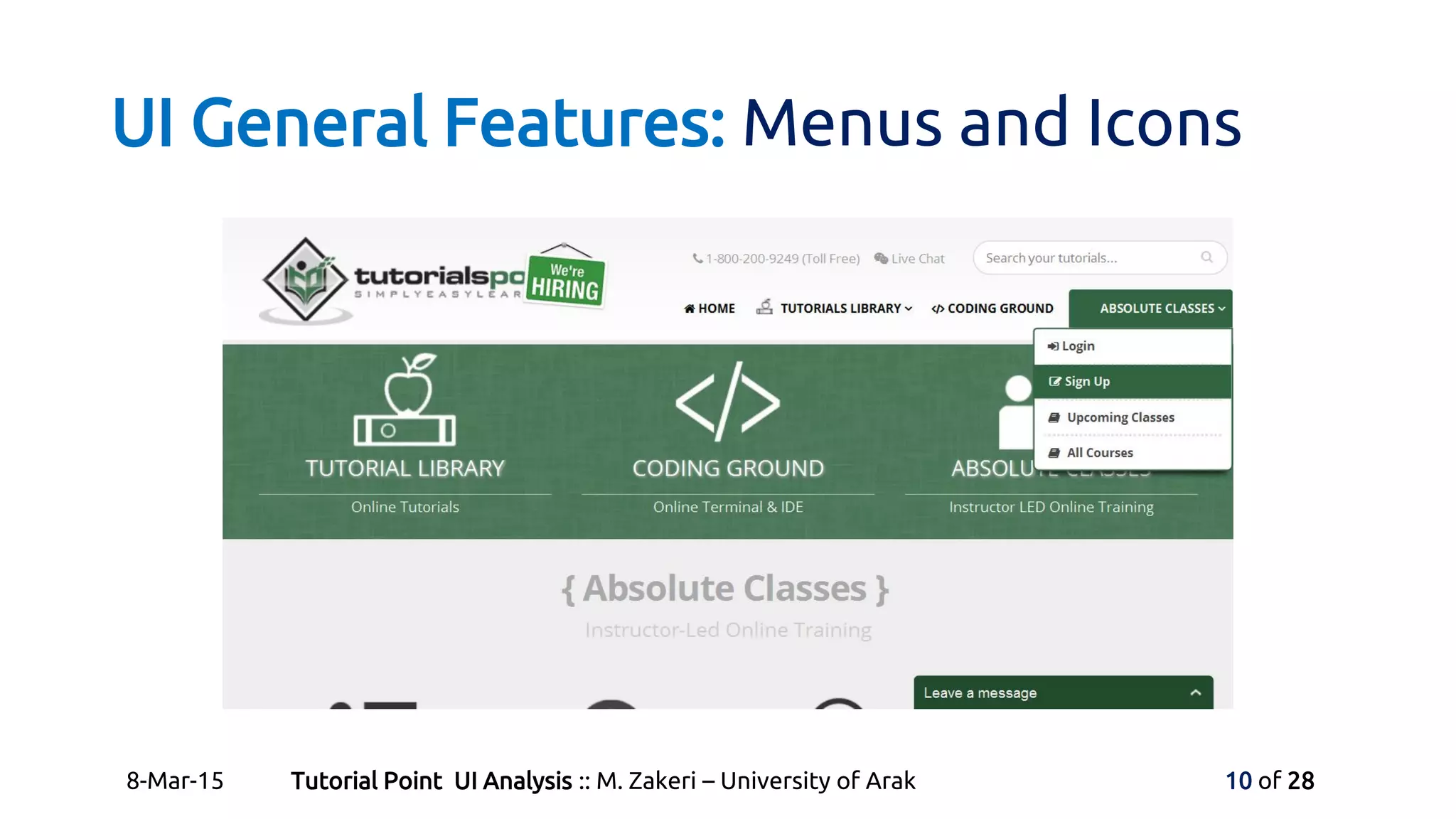
• Uses each icon suitable with its concept.
• Powerfully uses programming languages logo and
enterprise marks.
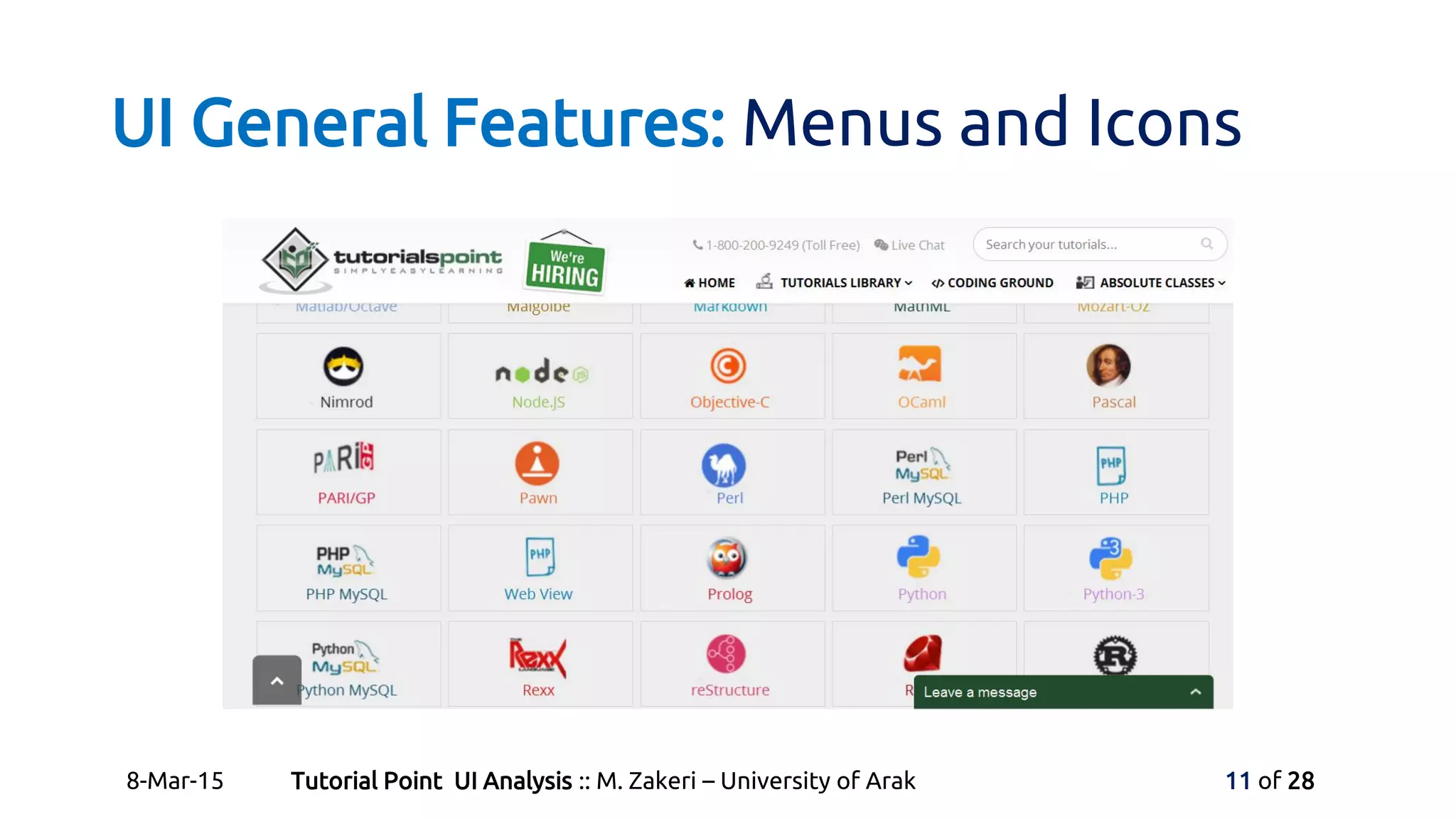
• Powerfully uses social network and sharing icon (exactly
293 icon!) whole the site to share content.
8-Mar-15 Tutorial Point UI Analysis :: M. Zakeri – University of Arak 9 of 28
UI General Features: Menus and Icons
8-Mar-15 Tutorial Point UI Analysis :: M. Zakeri – University of Arak 10 of 28
UI General Features: Menus and Icons
8-Mar-15 Tutorial Point UI Analysis :: M. Zakeri – University of Arak 11 of 28
UI General Features: Menus and Icons
8-Mar-15 Tutorial Point UI Analysis :: M. Zakeri – University of Arak 12 of 28
UI General Features: Colors
• Uses white background and other basic colors to keep
simple.
• Uses the jade green color for high light and leading all
over the main site.
• Some times uses coloring to categorize contents.
• Colors can be used more efficient at this site, we talk
about this later.
8-Mar-15 Tutorial Point UI Analysis :: M. Zakeri – University of Arak 13 of 28
UI Good Points: Fast Loading
• As a text-based website we expect to have a high load-
speed.
• Average Load time
• (1.302 Seconds), 53% of sites are slower.
(http://www.alexa.com/siteinfo)
8-Mar-15 Tutorial Point UI Analysis :: M. Zakeri – University of Arak 14 of 28
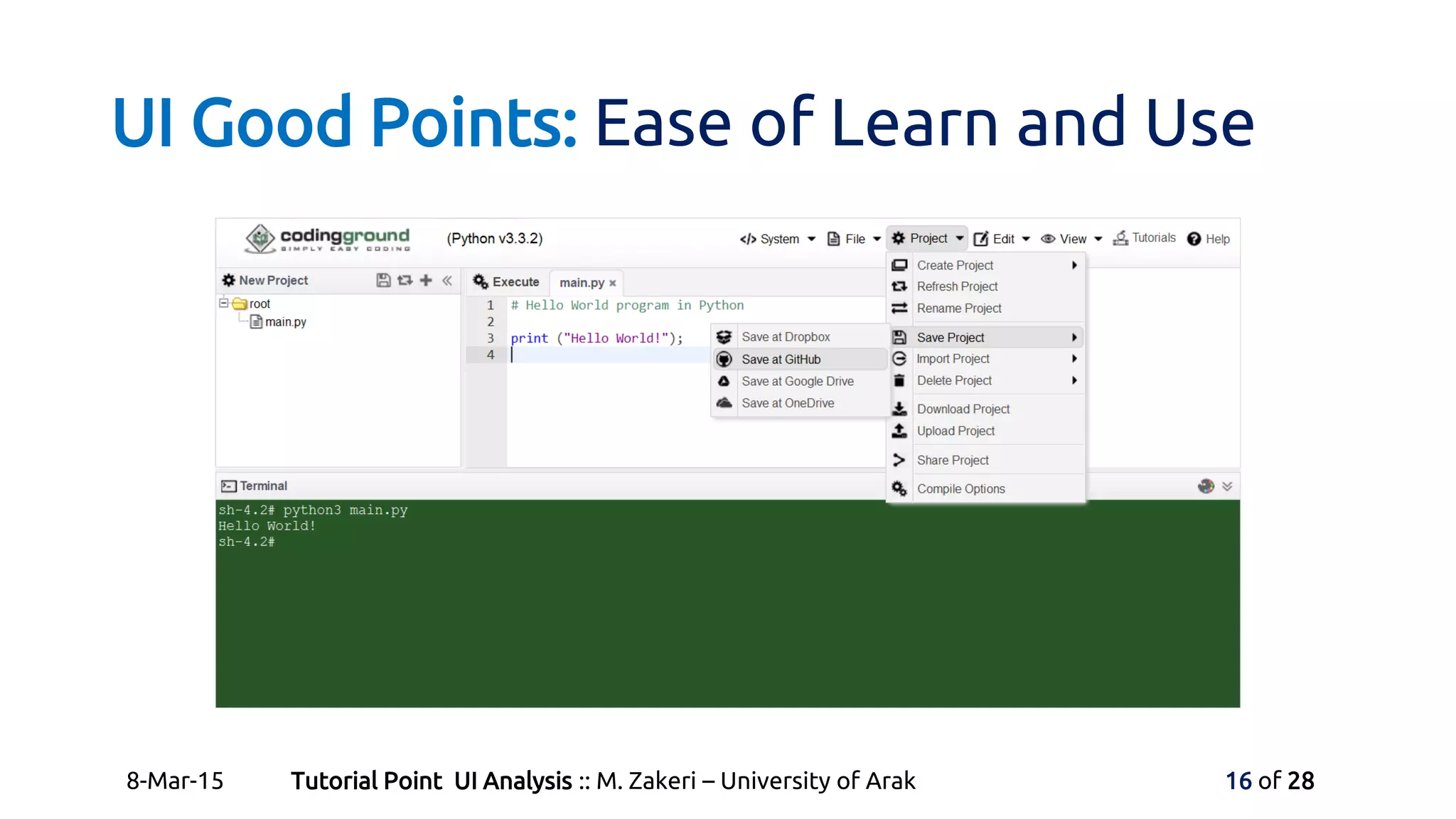
UI Good Points: Ease of Learn and Use
• There is nothing to learn about using this website but it
learns you everything!
• Site is based on organizational hyperlinks and simple HTML
webpages.
8-Mar-15 Tutorial Point UI Analysis :: M. Zakeri – University of Arak 15 of 28
UI Good Points: Ease of Learn and Use
8-Mar-15 Tutorial Point UI Analysis :: M. Zakeri – University of Arak 16 of 28
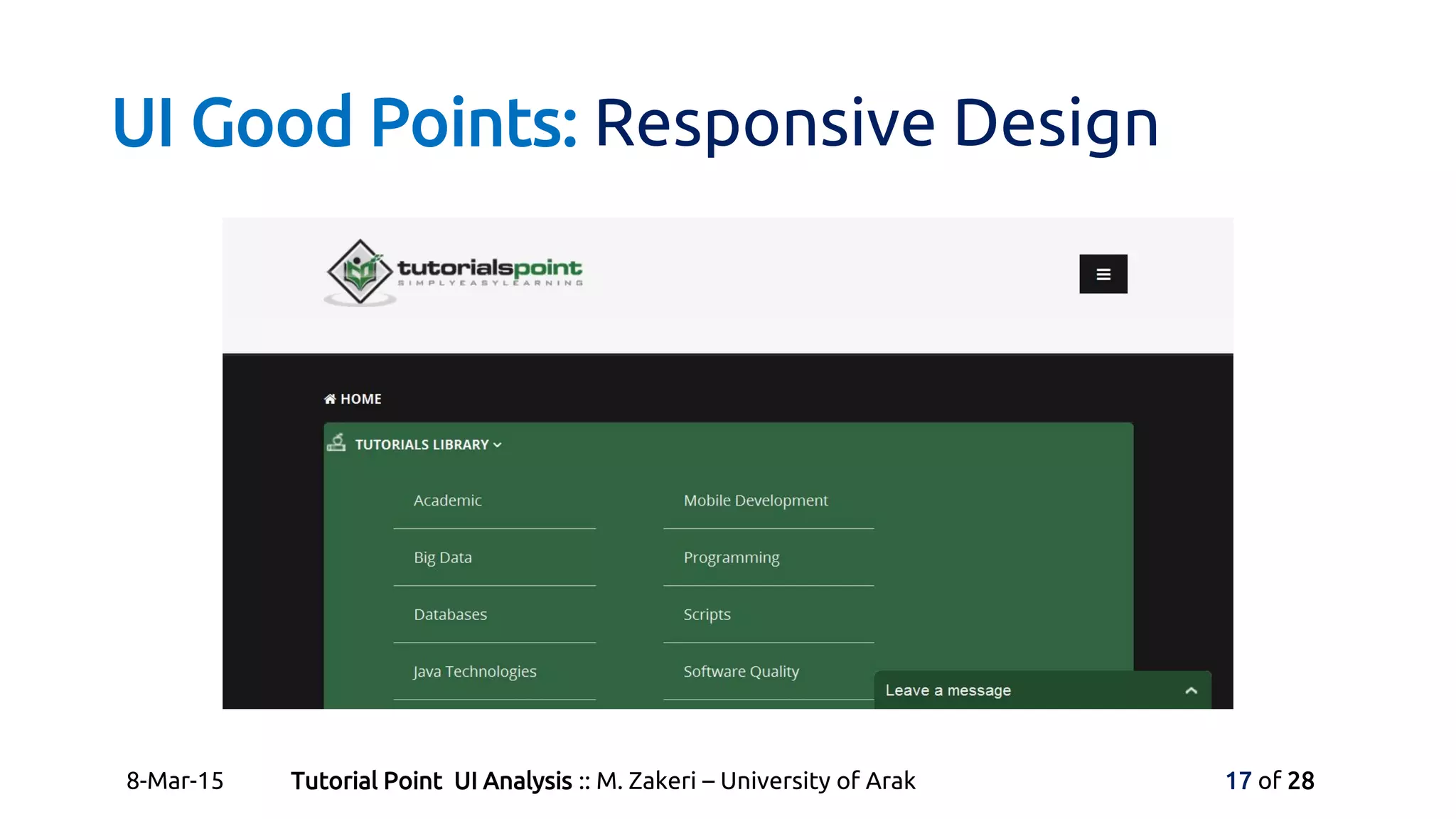
UI Good Points: Responsive Design
8-Mar-15 Tutorial Point UI Analysis :: M. Zakeri – University of Arak 17 of 28
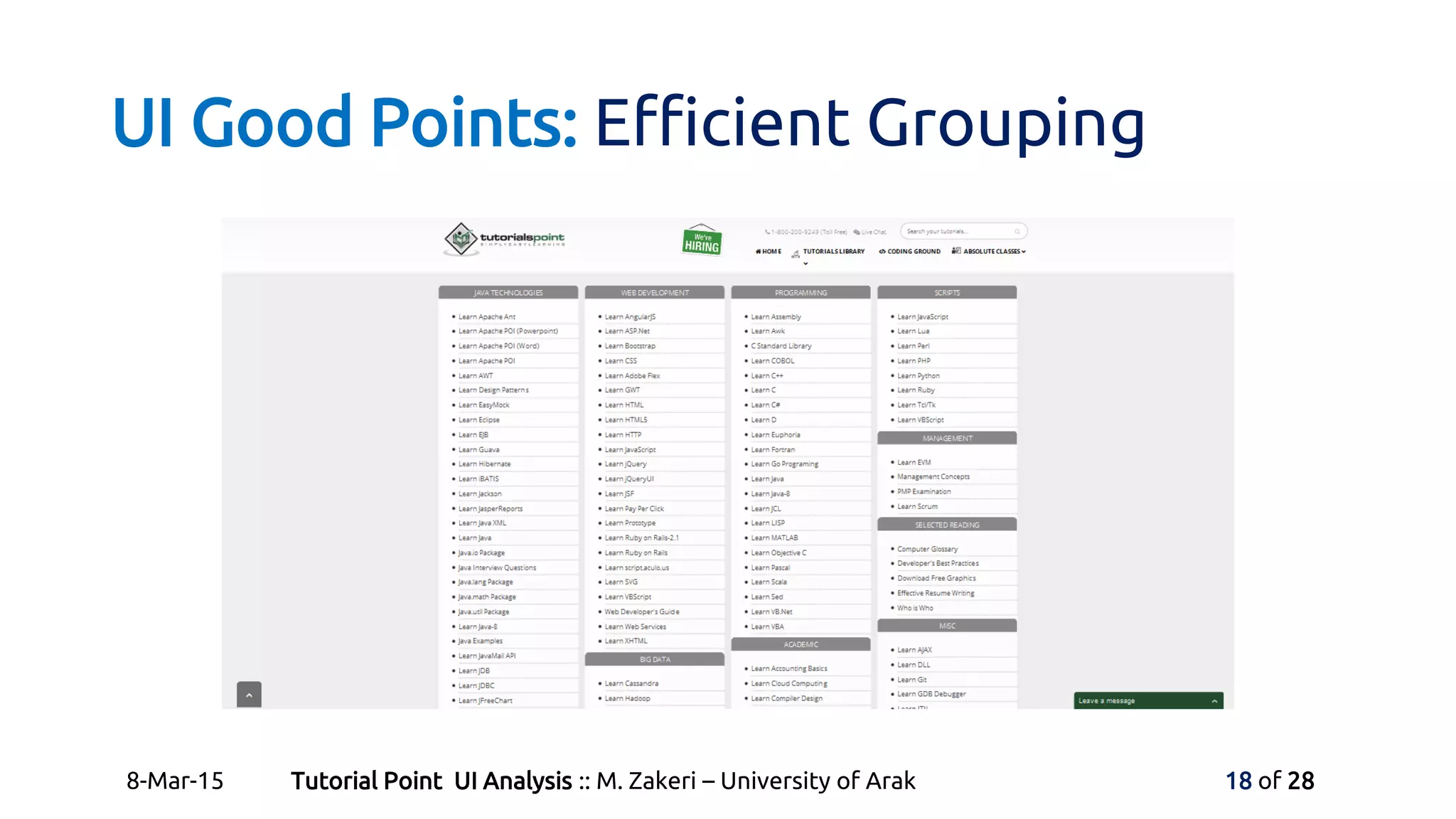
UI Good Points: Efficient Grouping
8-Mar-15 Tutorial Point UI Analysis :: M. Zakeri – University of Arak 18 of 28
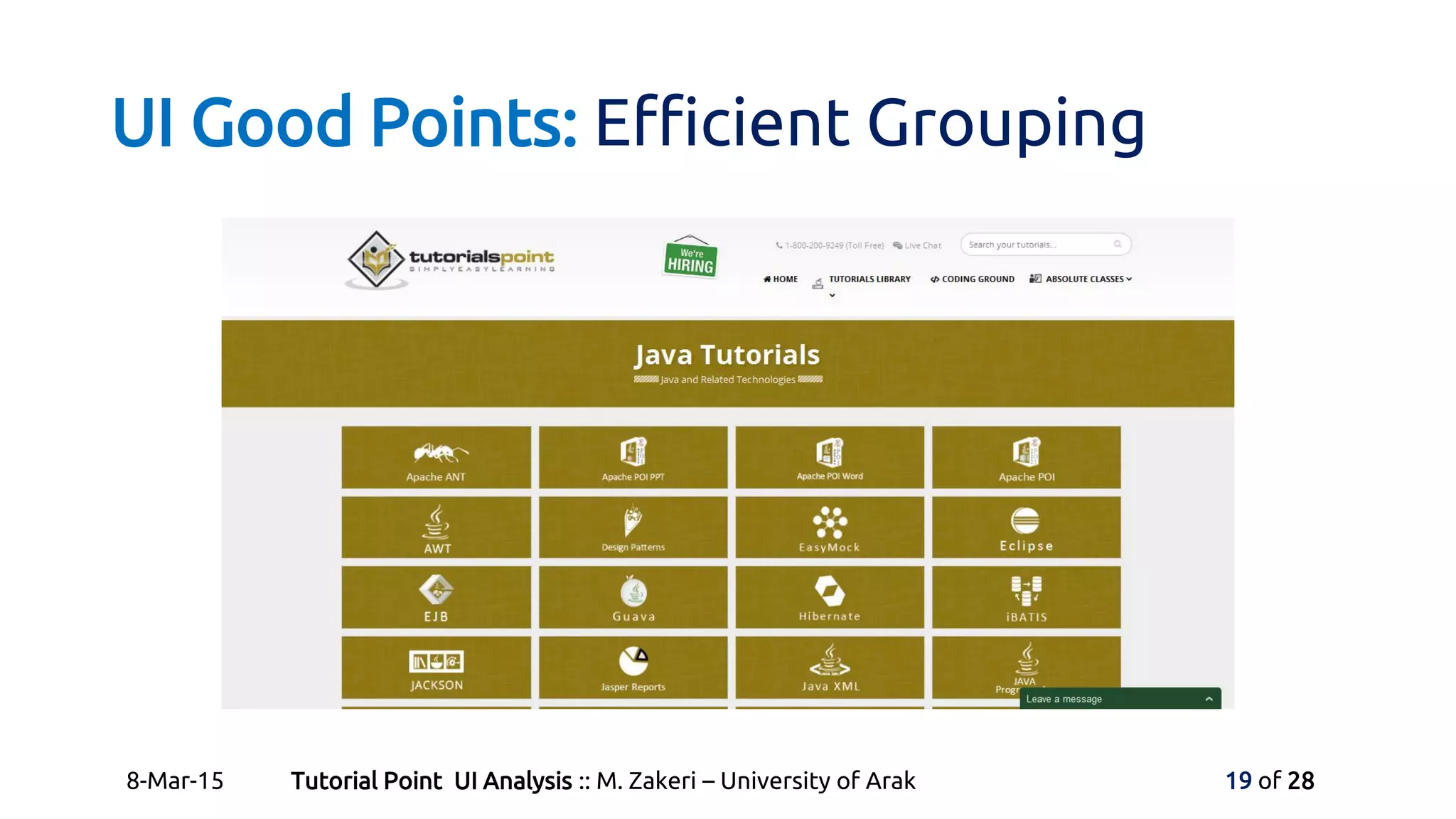
UI Good Points: Efficient Grouping
8-Mar-15 Tutorial Point UI Analysis :: M. Zakeri – University of Arak 19 of 28
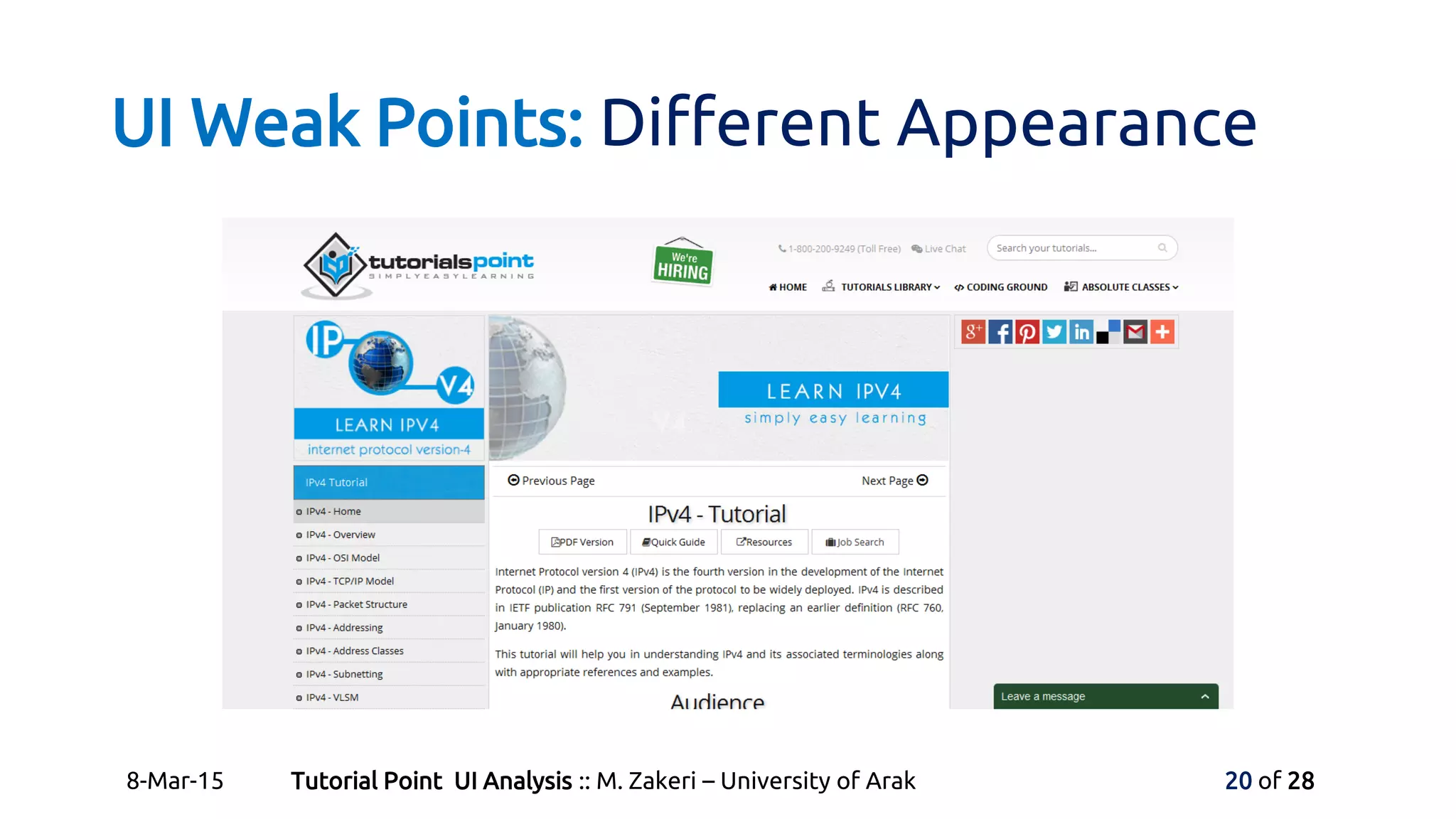
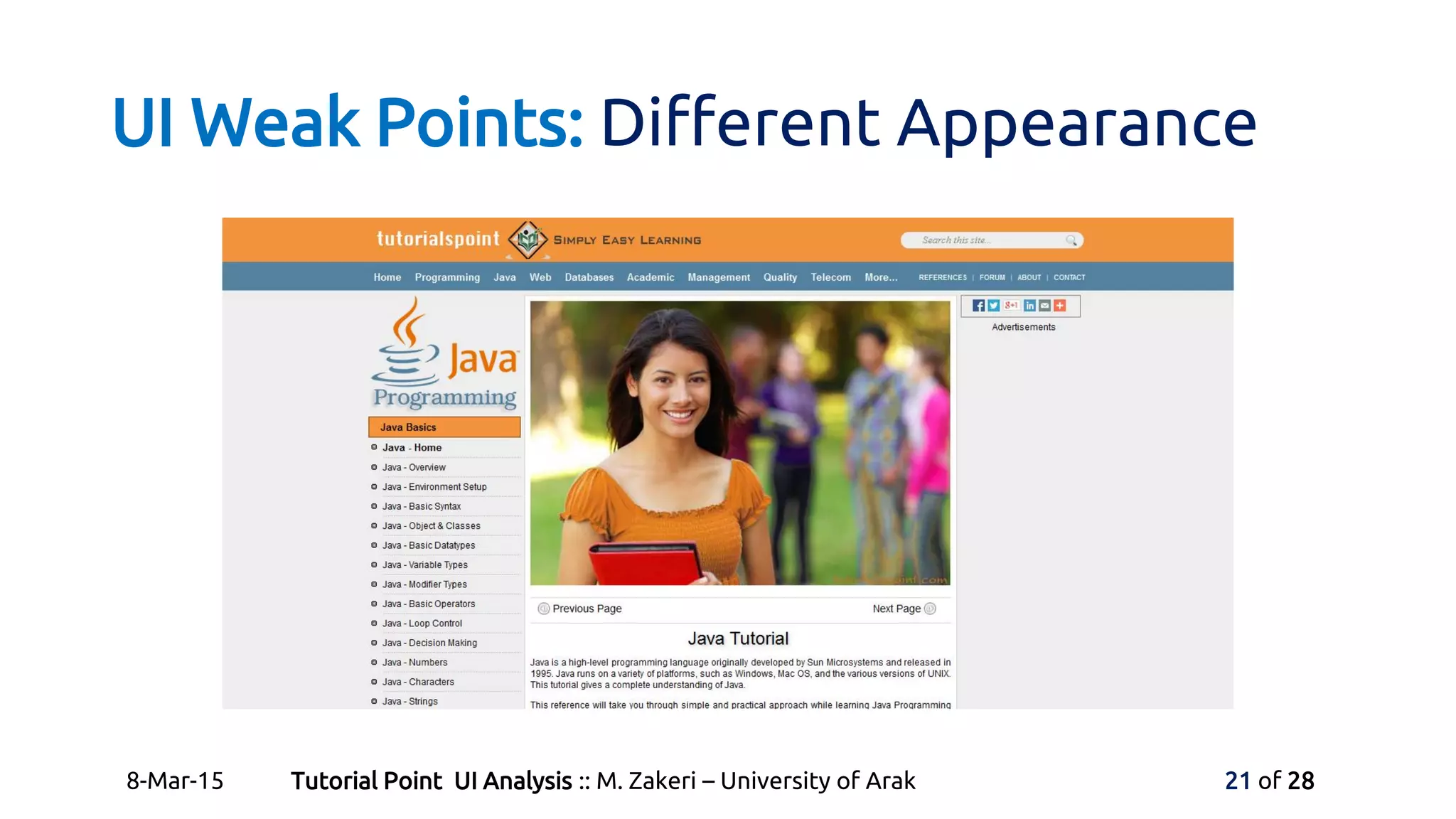
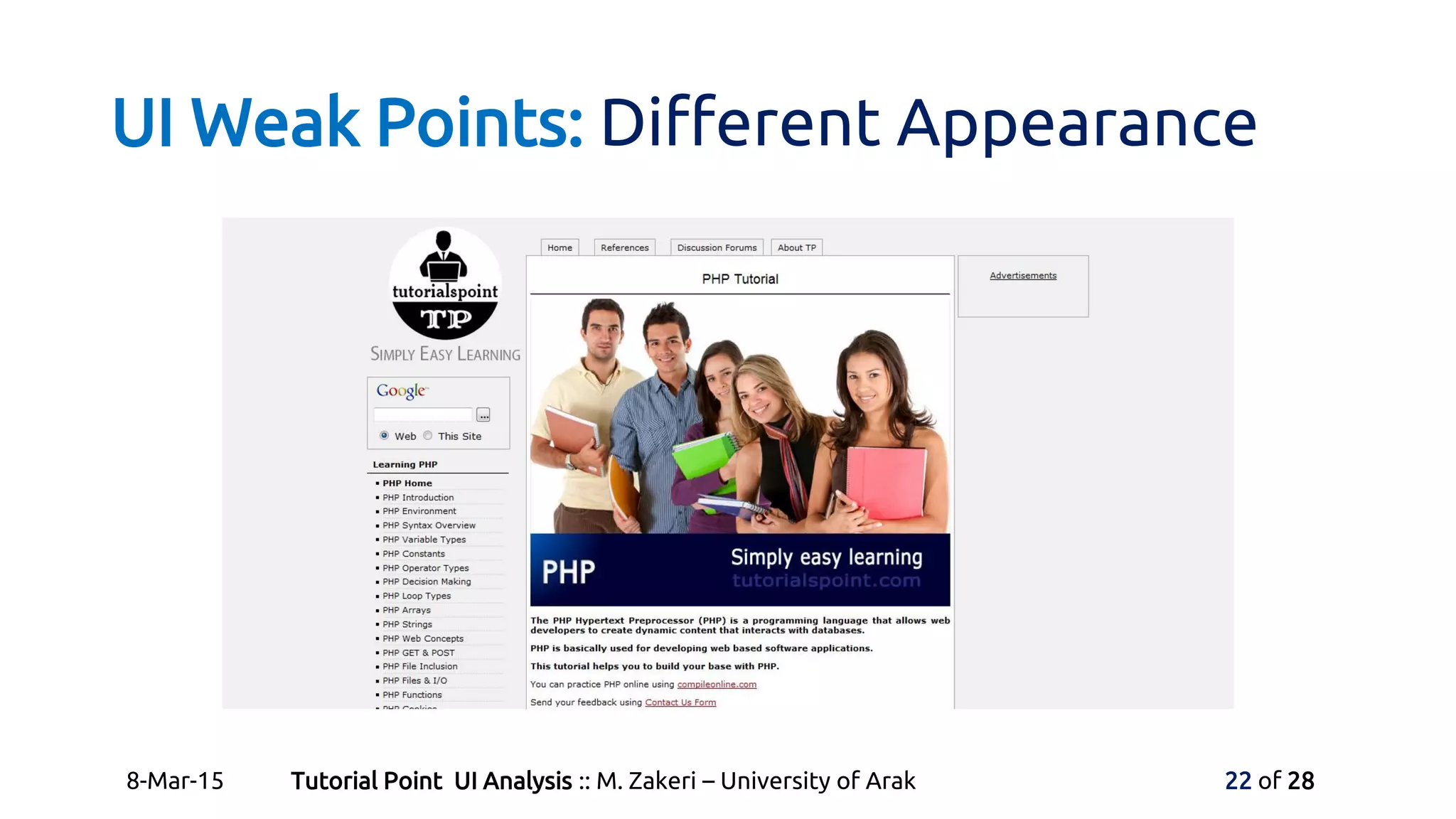
UI Weak Points: Different Appearance
8-Mar-15 Tutorial Point UI Analysis :: M. Zakeri – University of Arak 20 of 28
UI Weak Points: Different Appearance
8-Mar-15 Tutorial Point UI Analysis :: M. Zakeri – University of Arak 21 of 28
UI Weak Points: Different Appearance
8-Mar-15 Tutorial Point UI Analysis :: M. Zakeri – University of Arak 22 of 28
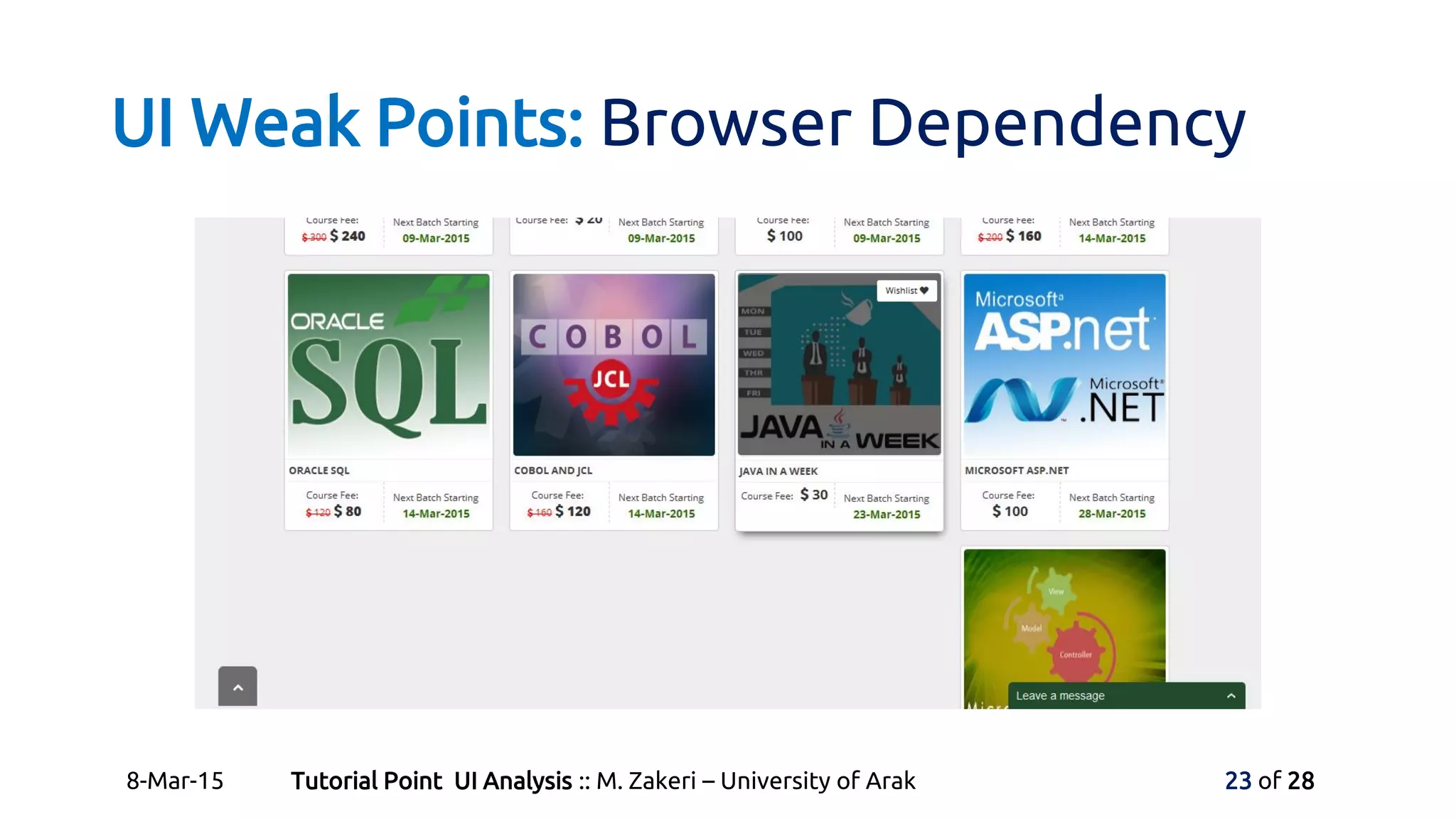
UI Weak Points: Browser Dependency
8-Mar-15 Tutorial Point UI Analysis :: M. Zakeri – University of Arak 23 of 28
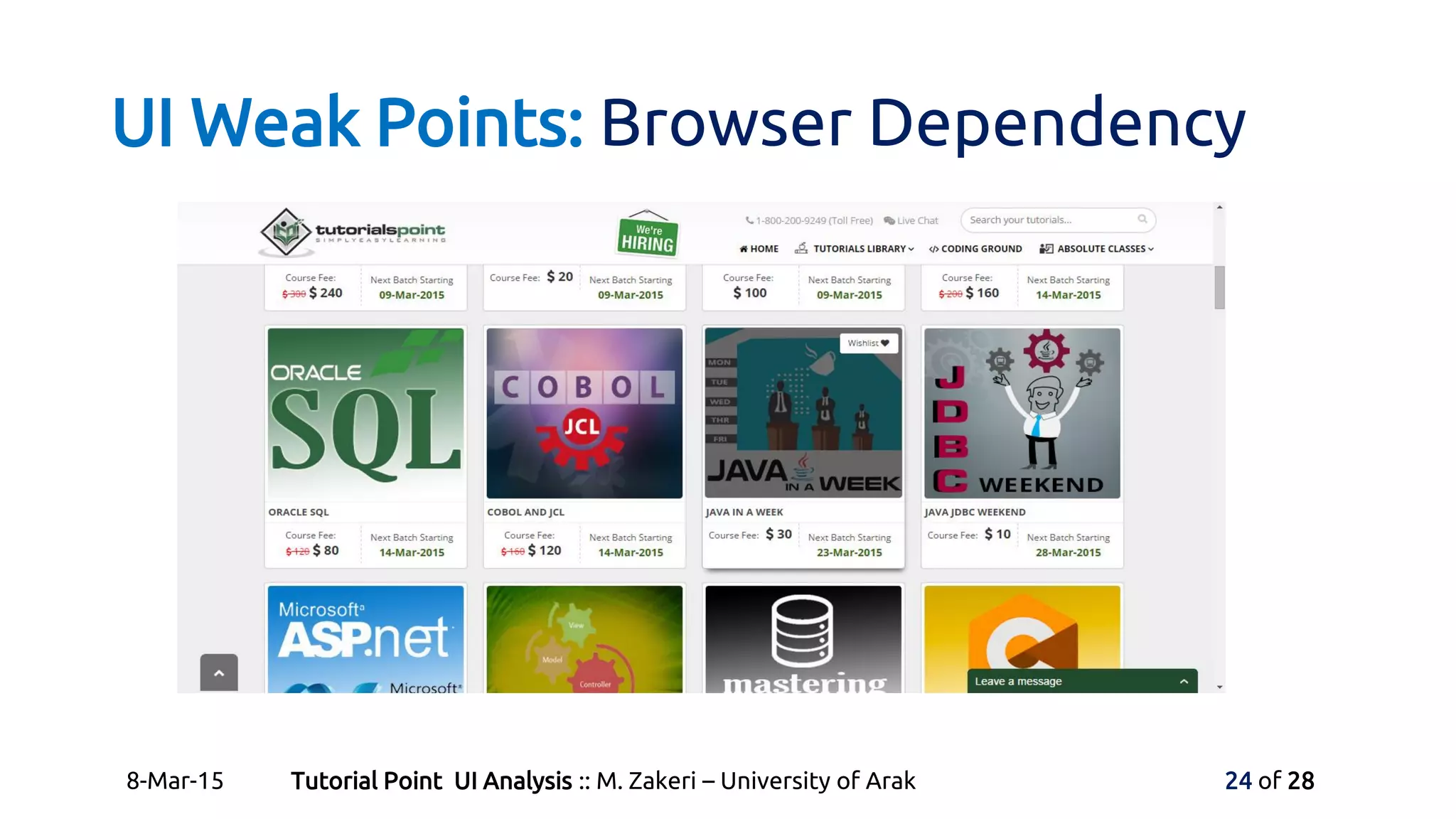
UI Weak Points: Browser Dependency
8-Mar-15 Tutorial Point UI Analysis :: M. Zakeri – University of Arak 24 of 28
Good Advices: Using Site Master
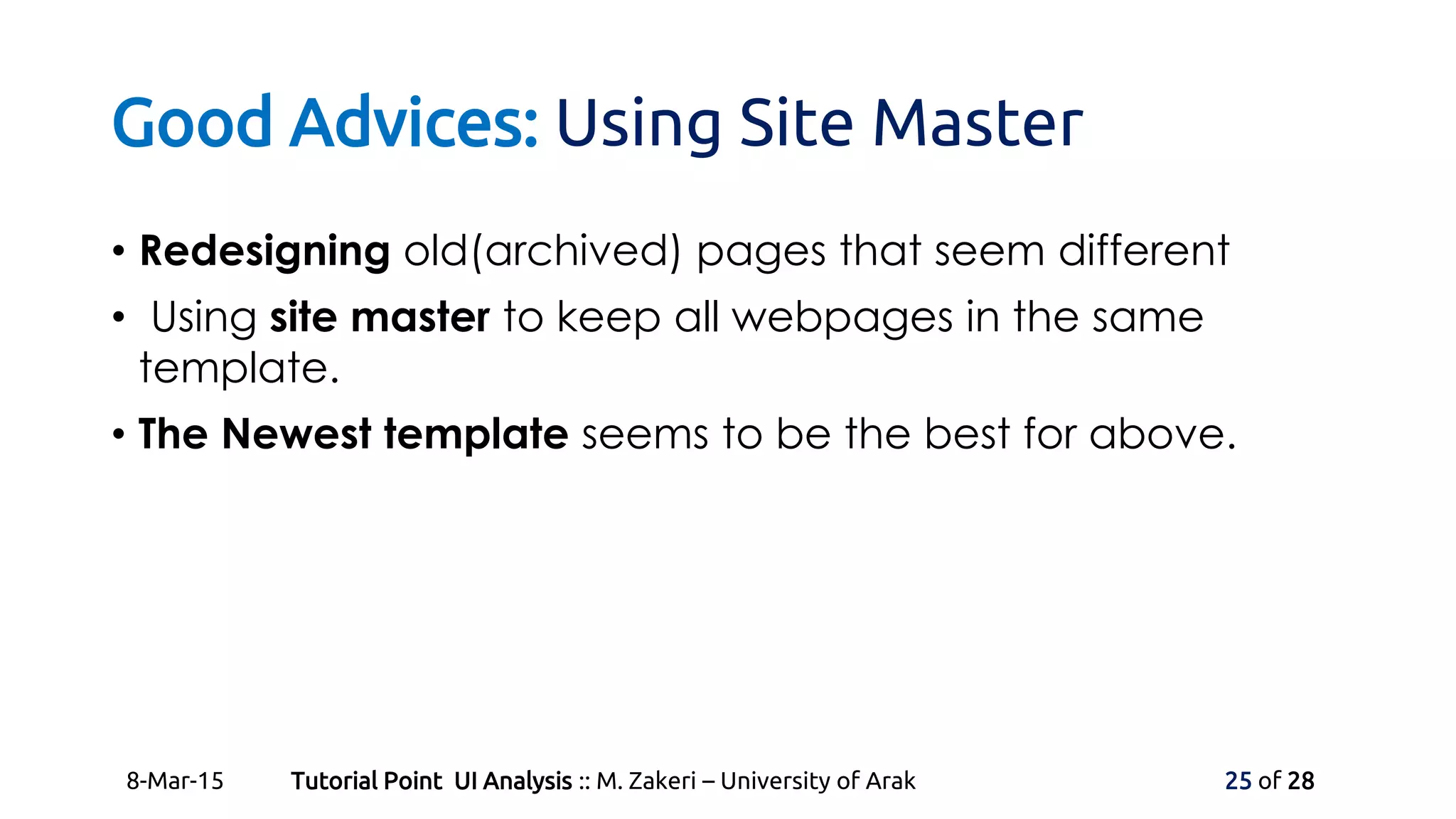
• Redesigning old(archived) pages that seem different
• Using site master to keep all webpages in the same
template.
• The Newest template seems to be the best for above.
8-Mar-15 Tutorial Point UI Analysis :: M. Zakeri – University of Arak 25 of 28
Good Advices: More on Coloring
• Using systematic coloring to categorize contents and
keep them all over the website.
• Use more coloring to highlight separate categories,
specially in the main page of the website.
• Finally, I congratulate Tutorials Point team for their
excellent website and teamwork!
8-Mar-15 Tutorial Point UI Analysis :: M. Zakeri – University of Arak 26 of 28
Reference and Web-links
• The Essential Guide to User
Interface Design Book Slides
• Wilbert O. Galitz, A. Davoodi-jam
• Tutorials Point Website,
• http://www.tutorialspoint.com/
8-Mar-15 Tutorial Point UI Analysis :: M. Zakeri – University of Arak 27 of 28
Thank you for your attention.
Slides available on:
• http://micropedia.ir/course

Tutorialspoint UI Analysis

  • 1.
    Tutorials Pointwebsite User InterfaceReview and Analysis By: Morteza Zakeri University of Arak :: User Interface Design Principles and Techniques Course March 15
  • 2.
    Contents • Website ata Glance • URL • Goal of Design • Mission • UI General Features • Simplicity • Menus and Icons • Colors • UI Good Points • Fast Loading • Ease of Learn and Use • Responsive Design • Efficient Grouping • UI Weak Points • Different Appearances • Browser Dependency • Good Advices 8-Mar-15 Tutorial Point UI Analysis :: M. Zakeri – University of Arak 2 of 28
  • 3.
    Website at aGlance 8-Mar-15 Tutorial Point UI Analysis :: M. Zakeri – University of Arak 3 of 28
  • 4.
    Website at aGlance • Website URL • http://www.tutorialspoint.com/ • Goal of Design • Originated from the idea that there exists a class of readers who respond better to online content. • Mission • Deliver Simply Easy Learning programming and computer science. 8-Mar-15 Tutorial Point UI Analysis :: M. Zakeri – University of Arak 4 of 28
  • 5.
    UI General Features:Simplicity • Tutorials Point is a very simple website. • Uses a famous rule: Simple is Beautiful! • Include 3 main part: • Absolute Classes (Instructor-Led Online Training) • Tutorials Library (Free Online Tutorials & Courses) • Coding Ground (Free Online IDE & Terminal) 8-Mar-15 Tutorial Point UI Analysis :: M. Zakeri – University of Arak 5 of 28
  • 6.
    UI General Features:Simplicity 8-Mar-15 Tutorial Point UI Analysis :: M. Zakeri – University of Arak 6 of 28
  • 7.
    UI General Features:Simplicity 8-Mar-15 Tutorial Point UI Analysis :: M. Zakeri – University of Arak 7 of 28
  • 8.
    UI General Features:Simplicity 8-Mar-15 Tutorial Point UI Analysis :: M. Zakeri – University of Arak 8 of 28
  • 9.
    UI General Features:Menus and Icons • Tutorials Point is not a menu-base website. • Uses menu for both main categories and Lateral works such as sign-up. • Uses each icon suitable with its concept. • Powerfully uses programming languages logo and enterprise marks. • Powerfully uses social network and sharing icon (exactly 293 icon!) whole the site to share content. 8-Mar-15 Tutorial Point UI Analysis :: M. Zakeri – University of Arak 9 of 28
  • 10.
    UI General Features:Menus and Icons 8-Mar-15 Tutorial Point UI Analysis :: M. Zakeri – University of Arak 10 of 28
  • 11.
    UI General Features:Menus and Icons 8-Mar-15 Tutorial Point UI Analysis :: M. Zakeri – University of Arak 11 of 28
  • 12.
    UI General Features:Menus and Icons 8-Mar-15 Tutorial Point UI Analysis :: M. Zakeri – University of Arak 12 of 28
  • 13.
    UI General Features:Colors • Uses white background and other basic colors to keep simple. • Uses the jade green color for high light and leading all over the main site. • Some times uses coloring to categorize contents. • Colors can be used more efficient at this site, we talk about this later. 8-Mar-15 Tutorial Point UI Analysis :: M. Zakeri – University of Arak 13 of 28
  • 14.
    UI Good Points:Fast Loading • As a text-based website we expect to have a high load- speed. • Average Load time • (1.302 Seconds), 53% of sites are slower. (http://www.alexa.com/siteinfo) 8-Mar-15 Tutorial Point UI Analysis :: M. Zakeri – University of Arak 14 of 28
  • 15.
    UI Good Points:Ease of Learn and Use • There is nothing to learn about using this website but it learns you everything! • Site is based on organizational hyperlinks and simple HTML webpages. 8-Mar-15 Tutorial Point UI Analysis :: M. Zakeri – University of Arak 15 of 28
  • 16.
    UI Good Points:Ease of Learn and Use 8-Mar-15 Tutorial Point UI Analysis :: M. Zakeri – University of Arak 16 of 28
  • 17.
    UI Good Points:Responsive Design 8-Mar-15 Tutorial Point UI Analysis :: M. Zakeri – University of Arak 17 of 28
  • 18.
    UI Good Points:Efficient Grouping 8-Mar-15 Tutorial Point UI Analysis :: M. Zakeri – University of Arak 18 of 28
  • 19.
    UI Good Points:Efficient Grouping 8-Mar-15 Tutorial Point UI Analysis :: M. Zakeri – University of Arak 19 of 28
  • 20.
    UI Weak Points:Different Appearance 8-Mar-15 Tutorial Point UI Analysis :: M. Zakeri – University of Arak 20 of 28
  • 21.
    UI Weak Points:Different Appearance 8-Mar-15 Tutorial Point UI Analysis :: M. Zakeri – University of Arak 21 of 28
  • 22.
    UI Weak Points:Different Appearance 8-Mar-15 Tutorial Point UI Analysis :: M. Zakeri – University of Arak 22 of 28
  • 23.
    UI Weak Points:Browser Dependency 8-Mar-15 Tutorial Point UI Analysis :: M. Zakeri – University of Arak 23 of 28
  • 24.
    UI Weak Points:Browser Dependency 8-Mar-15 Tutorial Point UI Analysis :: M. Zakeri – University of Arak 24 of 28
  • 25.
    Good Advices: UsingSite Master • Redesigning old(archived) pages that seem different • Using site master to keep all webpages in the same template. • The Newest template seems to be the best for above. 8-Mar-15 Tutorial Point UI Analysis :: M. Zakeri – University of Arak 25 of 28
  • 26.
    Good Advices: Moreon Coloring • Using systematic coloring to categorize contents and keep them all over the website. • Use more coloring to highlight separate categories, specially in the main page of the website. • Finally, I congratulate Tutorials Point team for their excellent website and teamwork! 8-Mar-15 Tutorial Point UI Analysis :: M. Zakeri – University of Arak 26 of 28
  • 27.
    Reference and Web-links •The Essential Guide to User Interface Design Book Slides • Wilbert O. Galitz, A. Davoodi-jam • Tutorials Point Website, • http://www.tutorialspoint.com/ 8-Mar-15 Tutorial Point UI Analysis :: M. Zakeri – University of Arak 27 of 28
  • 28.
    Thank you foryour attention. Slides available on: • http://micropedia.ir/course