Securing Mobile
Devices in
the Workplace
Six tips for midsize businesses

Brought to you by
Overview
Mobile devices have changed where and how we
work. And while this newfound mobility has made
us innovative and more efficient, it has also provided
a bit of a security headache. As mobile devices
and the subsequent BYOD movement have become
more prevalent in the workplace, companies are
increasingly losing controlled access to their data
and applications.

Brought to you by
Key Recommendations
Here are six tips that can make your company more
secure in the era of mobile devices and BYOD:
1. Apply mobile device management software
2. Rethink your perimeter strategy
3. Classify, classify, classify
4. Make security relatable and understandable
5. Undertake a functional exercise
6. Be prepared for devices that will inevitably get lost
Brought to you by
TIP #1

Apply mobile device
management software to
employee devices.
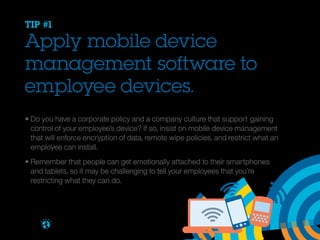
• Do you have a corporate policy and a company culture that support 	gaining 		
	 control of your employee’s device? If so, insist on mobile device management 		
	 that will enforce encryption of data, remote wipe policies, and restrict what an 		
	 employee can install.
• Remember that people can get emotionally attached to their smartphones
	 and tablets, so it may be challenging to tell your employees that you’re 				
	 restricting what they can do.

Brought to you by
TIP #2

Rethink your perimeter
strategy to accommodate
multiple types of users
and assets.
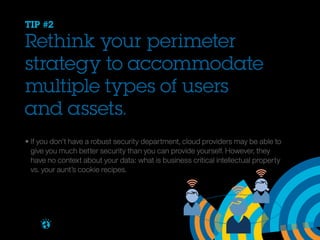
• If you don’t have a robust security department, cloud providers may be able to 			
	 give you much better security than you can provide yourself. However, they 				
	 have no context about your data: what is business critical intellectual property 			
	 vs. your aunt’s cookie recipes.

Brought to you by
TIP #3

Classify, classify, classify.
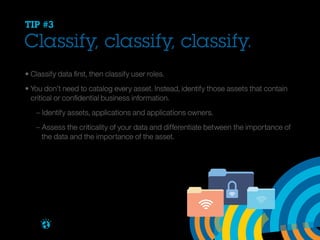
• Classify data first, then classify user roles.
• You don’t need to catalog every asset. Instead, identify those assets that contain 		
	 critical or confidential business information.
		 – Identify assets, applications and applications owners.
		 – Assess the criticality of your data and differentiate between the importance of 		
		 the data and the importance of the asset.

Brought to you by
TIP #4

Identify the most important
business information and
then make decisions from the
inside-out.
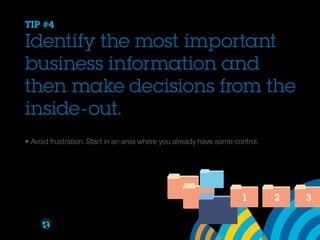
• Avoid frustration. Start in an area where you already have some control.

1
Brought to you by

2

3
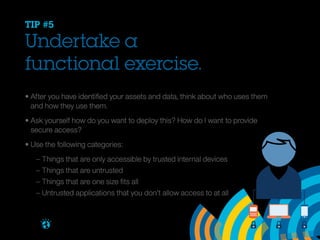
TIP #5

Undertake a
functional exercise.
• After you have identified your assets and data, think about who uses them
	 and how they use them.
• Ask yourself how do you want to deploy this? How do I want to provide
	 secure access?
• Use the following categories:


Brought to you by

– Things that are only accessible by trusted internal devices
– Things that are untrusted
– Things that are one size fits all
– Untrusted applications that you don’t allow access to at all
TIP #6

Be prepared for devices that
will inevitably get lost.
• Safeguard all email. It can contain everything from cat pictures to weapons 				
	 systems schematics.
• Install remote wipe function on all devices.
• Make sure endpoint management supports “find my device” capability.
• Enforce password protection, data encryption, and other strong security
	 practices on mobile devices through MDM.
• Enable the option to erase all data on devices after five login failures.

Brought to you by
Getting started
Traditional defenses are no longer enough. In the era
of mobile devices, you need to develop a proactive
security plan now before your company becomes just
another victim.
Learn more

Brought to you by

Download the IBM white paper,
“Integrated IT Security for Midsized Businesses”.

Securing Mobile Devices in the Workplace - Six Tips For Midsize Businesses

  • 1.
    Securing Mobile Devices in theWorkplace Six tips for midsize businesses Brought to you by
  • 2.
    Overview Mobile devices havechanged where and how we work. And while this newfound mobility has made us innovative and more efficient, it has also provided a bit of a security headache. As mobile devices and the subsequent BYOD movement have become more prevalent in the workplace, companies are increasingly losing controlled access to their data and applications. Brought to you by
  • 3.
    Key Recommendations Here aresix tips that can make your company more secure in the era of mobile devices and BYOD: 1. Apply mobile device management software 2. Rethink your perimeter strategy 3. Classify, classify, classify 4. Make security relatable and understandable 5. Undertake a functional exercise 6. Be prepared for devices that will inevitably get lost Brought to you by
  • 4.
    TIP #1 Apply mobiledevice management software to employee devices. • Do you have a corporate policy and a company culture that support gaining control of your employee’s device? If so, insist on mobile device management that will enforce encryption of data, remote wipe policies, and restrict what an employee can install. • Remember that people can get emotionally attached to their smartphones and tablets, so it may be challenging to tell your employees that you’re restricting what they can do. Brought to you by
  • 5.
    TIP #2 Rethink yourperimeter strategy to accommodate multiple types of users and assets. • If you don’t have a robust security department, cloud providers may be able to give you much better security than you can provide yourself. However, they have no context about your data: what is business critical intellectual property vs. your aunt’s cookie recipes. Brought to you by
  • 6.
    TIP #3 Classify, classify,classify. • Classify data first, then classify user roles. • You don’t need to catalog every asset. Instead, identify those assets that contain critical or confidential business information. – Identify assets, applications and applications owners. – Assess the criticality of your data and differentiate between the importance of the data and the importance of the asset. Brought to you by
  • 7.
    TIP #4 Identify themost important business information and then make decisions from the inside-out. • Avoid frustration. Start in an area where you already have some control. 1 Brought to you by 2 3
  • 8.
    TIP #5 Undertake a functionalexercise. • After you have identified your assets and data, think about who uses them and how they use them. • Ask yourself how do you want to deploy this? How do I want to provide secure access? • Use the following categories: Brought to you by – Things that are only accessible by trusted internal devices – Things that are untrusted – Things that are one size fits all – Untrusted applications that you don’t allow access to at all
  • 9.
    TIP #6 Be preparedfor devices that will inevitably get lost. • Safeguard all email. It can contain everything from cat pictures to weapons systems schematics. • Install remote wipe function on all devices. • Make sure endpoint management supports “find my device” capability. • Enforce password protection, data encryption, and other strong security practices on mobile devices through MDM. • Enable the option to erase all data on devices after five login failures. Brought to you by
  • 10.
    Getting started Traditional defensesare no longer enough. In the era of mobile devices, you need to develop a proactive security plan now before your company becomes just another victim. Learn more Brought to you by Download the IBM white paper, “Integrated IT Security for Midsized Businesses”.