What have you
learnt about
technologies from
the process of
constructing this
media product?
Question 6
Adobe InDesign
 This is what I used the most when constructing my
magazine. I had never used it before so it was
totally new to me. I managed to have some
practise on this software with the preliminary task.
I found it okay to use just different, once I got the
hang of doing the simple things like creating new
layers and creating text boxes and inserting
images I was fine and I understood how to use it.
I spent hours on this to create my magazine I
thought it was easy to use and eventually I think I
was able to make a good media product.
Photoshop
 I found this at first extremely hard to use, there
were so many ways of editing the images. After
practising using the software I got the hang of
tasks like removing the background on images I
did this by re doing it over and over again until I
was happy with how the image looked. Once
again I got the hang of this I found it easy to use
just time consuming when removing the
background as I had to be very careful to make
sure I didn’t get rid of a tiny bit of the actual
image.
Blogger
 I had never even heard of blogger before starting this
media product. But I used this regularly throughout the
progress of my music magazine production.
 I uploaded drafts all the way through this progress of
creating a magazine including drawn drafts and then the
progresses of the progression of each page of the
magazine.
 I found it easy to use, just annoying now and then when I
wanted an image and text in a certain place sometimes I
found it hard to arrange it how I would like. I like the way
though how everything has been presented as it looks
professional and sophisticated.
Prezi
 Prezi is another online site that I have used throughout
the construction of my music magazine. I have used
this to display my research for the magazines and also
my evaluation of the final product.
 It is a creative way of displaying work and an attractive
way of displaying work. Before media studies I had only
seen an RE teacher use this previously I had never
used it myself but now I use it not only for media but for
other subjects I'm studying as a way of planning/
revising. I think it is a very good online application an is
extremely easy to use.
PowerPoint& SlideShare
 I have always used PowerPoint I think it is really easy
to use and is again a good way of presenting work as
you can get creative with it too. I used this to create my
mission statement and mood board and also for the
evaluation.
 SlideShare I felt was easy to use but time consuming
when putting it onto my blog as the PowerPoints can
sometimes change after uploading it to SlideShare
which then meant you had to go back and adjust it.
Other than this minor issue I think it is a great way of
producing and showing work.
Digital Camera
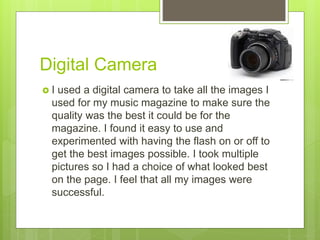
 I used a digital camera to take all the images I
used for my music magazine to make sure the
quality was the best it could be for the
magazine. I found it easy to use and
experimented with having the flash on or off to
get the best images possible. I took multiple
pictures so I had a choice of what looked best
on the page. I feel that all my images were
successful.
Internet and laptop
 During the construction of my magazine I have used
the internet a lot to help me with my work, I have used
it t research magazines to get inspiration and also
Blogger, Prezi, SlideShare are all online applications.
 All the software's I have used have been on the laptop,
all the work I have done apart from the drawn drafts
have been using the laptop. I have always loved using
laptops and by the construction of this music magazine
I have found different softwares to use in the future. I
have really enjoyed using technology and finding new
ones and combining it with what I already knew.

Question 6

  • 1.
    What have you learntabout technologies from the process of constructing this media product? Question 6
  • 2.
    Adobe InDesign  Thisis what I used the most when constructing my magazine. I had never used it before so it was totally new to me. I managed to have some practise on this software with the preliminary task. I found it okay to use just different, once I got the hang of doing the simple things like creating new layers and creating text boxes and inserting images I was fine and I understood how to use it. I spent hours on this to create my magazine I thought it was easy to use and eventually I think I was able to make a good media product.
  • 3.
    Photoshop  I foundthis at first extremely hard to use, there were so many ways of editing the images. After practising using the software I got the hang of tasks like removing the background on images I did this by re doing it over and over again until I was happy with how the image looked. Once again I got the hang of this I found it easy to use just time consuming when removing the background as I had to be very careful to make sure I didn’t get rid of a tiny bit of the actual image.
  • 4.
    Blogger  I hadnever even heard of blogger before starting this media product. But I used this regularly throughout the progress of my music magazine production.  I uploaded drafts all the way through this progress of creating a magazine including drawn drafts and then the progresses of the progression of each page of the magazine.  I found it easy to use, just annoying now and then when I wanted an image and text in a certain place sometimes I found it hard to arrange it how I would like. I like the way though how everything has been presented as it looks professional and sophisticated.
  • 5.
    Prezi  Prezi isanother online site that I have used throughout the construction of my music magazine. I have used this to display my research for the magazines and also my evaluation of the final product.  It is a creative way of displaying work and an attractive way of displaying work. Before media studies I had only seen an RE teacher use this previously I had never used it myself but now I use it not only for media but for other subjects I'm studying as a way of planning/ revising. I think it is a very good online application an is extremely easy to use.
  • 6.
    PowerPoint& SlideShare  Ihave always used PowerPoint I think it is really easy to use and is again a good way of presenting work as you can get creative with it too. I used this to create my mission statement and mood board and also for the evaluation.  SlideShare I felt was easy to use but time consuming when putting it onto my blog as the PowerPoints can sometimes change after uploading it to SlideShare which then meant you had to go back and adjust it. Other than this minor issue I think it is a great way of producing and showing work.
  • 7.
    Digital Camera  Iused a digital camera to take all the images I used for my music magazine to make sure the quality was the best it could be for the magazine. I found it easy to use and experimented with having the flash on or off to get the best images possible. I took multiple pictures so I had a choice of what looked best on the page. I feel that all my images were successful.
  • 8.
    Internet and laptop During the construction of my magazine I have used the internet a lot to help me with my work, I have used it t research magazines to get inspiration and also Blogger, Prezi, SlideShare are all online applications.  All the software's I have used have been on the laptop, all the work I have done apart from the drawn drafts have been using the laptop. I have always loved using laptops and by the construction of this music magazine I have found different softwares to use in the future. I have really enjoyed using technology and finding new ones and combining it with what I already knew.