Data Fluency
BUILDING EFFECTIVE DATA COMMUNICATION SKILLS IN YOUR
UNIVERSITY
MARTHA HORLER
Who I am
Martha Horler – Senior Data Management Officer (Manchester Metropolitan
University)
13 years' experience in higher education
Student focused roles, followed by data management roles
Experience in course administration, student engagement, quality processes,
project management, data management, systems development
m.horler@mmu.ac.uk
@thedatagoddess
All slides are on www.thedatagoddess.com, and they will also go on the
AUA site later
What we will cover
•Data literacy vs data fluency
•Data fluency framework
•Data governance tools
•Data protection
•Resources
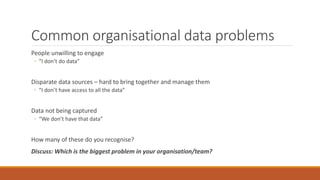
Common organisational data problems
People unwilling to engage
◦ “I don’t do data”
Disparate data sources – hard to bring together and manage them
◦ “I don’t have access to all the data”
Data not being captured
◦ “We don’t have that data”
How many of these do you recognise?
Discuss: Which is the biggest problem in your organisation/team?
Data Literacy vs. Data Fluency
Data Literacy
The ability to read data products
Understanding of data formats
Able to understand a table or chart
Able to pick out key points from data
Data Fluency
The ability to read and write data products
Ability to change data between formats
Able to create tables or charts
Able to manipulate data to find answers
Data Fluency Framework
Get the Post Its Ready!
Make a note of any actions given that you think might be of particular relevance to you or your
team.
Write each one on a post it note
We will come back to these later
Data Fluency for Individuals
Data Consumer
Understanding the jargon of data:
◦ Correlation vs. causation, statistical significance, regression to the mean, confounding factors
Atomic data vs. summarised data
Key questions to ask of any data product:
◦ Where does the data come from?
◦ Is the information trustworthy?
◦ Is it a sample or does it include everyone? – How were they chosen?
◦ What can you learn from it?
◦ What can you do with it?
◦ Is the format hiding anything?
In a world of information overload, we need to make sure we are focusing on the bits that
prompt us to take action, not the ‘nice to know’ bits
Data Consumer actions you could take
Take a course in basic statistics
◦ https://www.udacity.com/course/intro-to-statistics--st101 is a free online course
Take note of how statistics are used in the sector
◦ Keep an eye out for HESA stats, or government publications
Become familiar with different presentation techniques
◦ http://www.dailyinfographic.com/ is a good source of new infographics
Find out how your own University statistics are presented
◦ Can you find out how they were calculated?
Data Author
Learning a range of tools, from beginner to more advanced:
◦ Presentation tools: PowerPoint, Prezi, Keynote
◦ Spreadsheet tools: Excel, Google Spreadsheets
◦ Statistical analysis packages: R, SAS, SPSS
◦ Visual analysis tools: Tableau, QlikView
◦ General data management skills: data transformation, data formats, data quality tools
Bridging the gap between your data and your intended audience
◦ What will motivate an audience to action?
◦ Knowing what to leave out, even if it might be of interest
◦ Creating a logical structure and narrative flow to your data product
Pay attention to good design principles (see Stephen Few’s book)
Courses on EDX / MS Virtual Academy
Student Enquiry System – a Case Study
MMU has had an enquiries logging system since 2013, used for tracking basic queries at the
hubs, and more complicated referrals on enrolment or document submission
Until early 2016, the data was not being used to its potential
After completing an online course on Excel, I used it’s PowerPivot tool to create a simple
dashboard that is now used regularly to make staffing level decisions on the front line hubs.
Created over an afternoon, it became a useful tool for exploring the data
This will likely be the prototype for a more advanced reporting tool when the enquiries system is
replaced
Find out what tools you have in your organisation and learn how to use them
Do online courses
Take courses with your training department/IT function
Practise creating reports or presentations with different formats
When asked for data, try giving it in a variety of formats and ask for feedback
Learn how to move data between different formats e.g. Excel to CSV to Access database
Read up on good design principles
Keep up to date on trends – be aware of new tools
Data Author actions you could take
Data Skills Development
Do you know what training is available currently? What training would you like to have?
This is only the start!
We also need to change things at an organisational level
Data Fluency for Organisations
Data Fluent Culture
Leading by example – set and communicate expectations
Determine organisation terminology and definitions – a common vocabulary
Celebrate effective data use and products
Use data to inform decisions and actions – act on the data you have
Support training for staff
Establish the key metrics for the organisation – know what you can measure
Be transparent about how data is sourced and manipulated
Data Culture actions you could take
Encourage your staff to do online courses on Excel/Access and other products
(Prezi?)
Start building a glossary of data/statistical terms and ask your teams to
contribute – then use them in your work
Encourage your team to be critical of information and ask about its source
What decisions do you make that would benefit from data to back them up?
(Hint – most of them!)
Data Product Ecosystem
Train data authors on the design skills for communicating data
Invest in suite of tools for authors to use – consistency where possible
Set standards of visualisation design principles
Inventory your data products – then make centrally available in a catalogue
Build in feedback mechanisms so that data products can improve over time
Encourage discussion of the products – are decisions being made as a result of them
Take inspiration from Apple Store
Data Governance Tools
Business Glossary
Metadata Management
Data Profiling
Data Quality Management
Master Data Management
Reference Data Management
Information Policy Management
Big Data Tools – Hadoop/NoSQL
Ecosystem actions you could take
Find out if training on organisational design standards is available
Investigate tools on the market and how they could help your organisation
Share the knowledge and skills you learn with your team and wider
organisation
Encourage the use of data in any organisation-wide projects you are involved
in
Discussion
What actions could you take to move towards data fluency?
What support would you need to achieve them?
What can you do tomorrow?
General Data Protection Regulation
Adopted April 2016, and will enter into application 25 May 2018 after a two-year transition
period
Key changes:
◦ Appointment of a Data Protection Officer
◦ Right to erasure of personal data
◦ Increased sanctions for data breaches
◦ Explicit consent required
◦ Data portability
Check the Information Commissioner’s Office website for more details: ico.org.uk
Resources
Data Fluency: Empowering Your Organization with Effective Data
Communication - 978-1118851012
DAMA Guide to Data Management - 978-1935504023
Data Governance Tools - 978-1583478448
http://www.juiceanalytics.com/
Microsoft Virtual Academy
Coursera / Edx
Thank You!
m.horler@mmu.ac.uk
@thedatagoddess
www.thedatagoddess.com
Any questions?

Data Fluency - AUA Conference

  • 1.
    Data Fluency BUILDING EFFECTIVEDATA COMMUNICATION SKILLS IN YOUR UNIVERSITY MARTHA HORLER
  • 2.
    Who I am MarthaHorler – Senior Data Management Officer (Manchester Metropolitan University) 13 years' experience in higher education Student focused roles, followed by data management roles Experience in course administration, student engagement, quality processes, project management, data management, systems development m.horler@mmu.ac.uk @thedatagoddess All slides are on www.thedatagoddess.com, and they will also go on the AUA site later
  • 3.
    What we willcover •Data literacy vs data fluency •Data fluency framework •Data governance tools •Data protection •Resources
  • 4.
    Common organisational dataproblems People unwilling to engage ◦ “I don’t do data” Disparate data sources – hard to bring together and manage them ◦ “I don’t have access to all the data” Data not being captured ◦ “We don’t have that data” How many of these do you recognise? Discuss: Which is the biggest problem in your organisation/team?
  • 5.
    Data Literacy vs.Data Fluency Data Literacy The ability to read data products Understanding of data formats Able to understand a table or chart Able to pick out key points from data Data Fluency The ability to read and write data products Ability to change data between formats Able to create tables or charts Able to manipulate data to find answers
  • 6.
  • 7.
    Get the PostIts Ready! Make a note of any actions given that you think might be of particular relevance to you or your team. Write each one on a post it note We will come back to these later
  • 8.
    Data Fluency forIndividuals
  • 9.
    Data Consumer Understanding thejargon of data: ◦ Correlation vs. causation, statistical significance, regression to the mean, confounding factors Atomic data vs. summarised data Key questions to ask of any data product: ◦ Where does the data come from? ◦ Is the information trustworthy? ◦ Is it a sample or does it include everyone? – How were they chosen? ◦ What can you learn from it? ◦ What can you do with it? ◦ Is the format hiding anything? In a world of information overload, we need to make sure we are focusing on the bits that prompt us to take action, not the ‘nice to know’ bits
  • 12.
    Data Consumer actionsyou could take Take a course in basic statistics ◦ https://www.udacity.com/course/intro-to-statistics--st101 is a free online course Take note of how statistics are used in the sector ◦ Keep an eye out for HESA stats, or government publications Become familiar with different presentation techniques ◦ http://www.dailyinfographic.com/ is a good source of new infographics Find out how your own University statistics are presented ◦ Can you find out how they were calculated?
  • 13.
    Data Author Learning arange of tools, from beginner to more advanced: ◦ Presentation tools: PowerPoint, Prezi, Keynote ◦ Spreadsheet tools: Excel, Google Spreadsheets ◦ Statistical analysis packages: R, SAS, SPSS ◦ Visual analysis tools: Tableau, QlikView ◦ General data management skills: data transformation, data formats, data quality tools Bridging the gap between your data and your intended audience ◦ What will motivate an audience to action? ◦ Knowing what to leave out, even if it might be of interest ◦ Creating a logical structure and narrative flow to your data product Pay attention to good design principles (see Stephen Few’s book)
  • 14.
    Courses on EDX/ MS Virtual Academy
  • 15.
    Student Enquiry System– a Case Study MMU has had an enquiries logging system since 2013, used for tracking basic queries at the hubs, and more complicated referrals on enrolment or document submission Until early 2016, the data was not being used to its potential After completing an online course on Excel, I used it’s PowerPivot tool to create a simple dashboard that is now used regularly to make staffing level decisions on the front line hubs. Created over an afternoon, it became a useful tool for exploring the data This will likely be the prototype for a more advanced reporting tool when the enquiries system is replaced
  • 16.
    Find out whattools you have in your organisation and learn how to use them Do online courses Take courses with your training department/IT function Practise creating reports or presentations with different formats When asked for data, try giving it in a variety of formats and ask for feedback Learn how to move data between different formats e.g. Excel to CSV to Access database Read up on good design principles Keep up to date on trends – be aware of new tools Data Author actions you could take
  • 17.
    Data Skills Development Doyou know what training is available currently? What training would you like to have? This is only the start! We also need to change things at an organisational level
  • 19.
    Data Fluency forOrganisations
  • 20.
    Data Fluent Culture Leadingby example – set and communicate expectations Determine organisation terminology and definitions – a common vocabulary Celebrate effective data use and products Use data to inform decisions and actions – act on the data you have Support training for staff Establish the key metrics for the organisation – know what you can measure Be transparent about how data is sourced and manipulated
  • 22.
    Data Culture actionsyou could take Encourage your staff to do online courses on Excel/Access and other products (Prezi?) Start building a glossary of data/statistical terms and ask your teams to contribute – then use them in your work Encourage your team to be critical of information and ask about its source What decisions do you make that would benefit from data to back them up? (Hint – most of them!)
  • 23.
    Data Product Ecosystem Traindata authors on the design skills for communicating data Invest in suite of tools for authors to use – consistency where possible Set standards of visualisation design principles Inventory your data products – then make centrally available in a catalogue Build in feedback mechanisms so that data products can improve over time Encourage discussion of the products – are decisions being made as a result of them Take inspiration from Apple Store
  • 24.
    Data Governance Tools BusinessGlossary Metadata Management Data Profiling Data Quality Management Master Data Management Reference Data Management Information Policy Management Big Data Tools – Hadoop/NoSQL
  • 25.
    Ecosystem actions youcould take Find out if training on organisational design standards is available Investigate tools on the market and how they could help your organisation Share the knowledge and skills you learn with your team and wider organisation Encourage the use of data in any organisation-wide projects you are involved in
  • 27.
    Discussion What actions couldyou take to move towards data fluency? What support would you need to achieve them? What can you do tomorrow?
  • 28.
    General Data ProtectionRegulation Adopted April 2016, and will enter into application 25 May 2018 after a two-year transition period Key changes: ◦ Appointment of a Data Protection Officer ◦ Right to erasure of personal data ◦ Increased sanctions for data breaches ◦ Explicit consent required ◦ Data portability Check the Information Commissioner’s Office website for more details: ico.org.uk
  • 29.
    Resources Data Fluency: EmpoweringYour Organization with Effective Data Communication - 978-1118851012 DAMA Guide to Data Management - 978-1935504023 Data Governance Tools - 978-1583478448 http://www.juiceanalytics.com/ Microsoft Virtual Academy Coursera / Edx
  • 30.