Taking the Next Step with Twitter:
Tips for Live Chat Participation
and Moderation
Melissa A. Venable, PhD
OnlineColleges.net
@Melissa_Venable
@IOLblog
NCDA 2015 - #NCDAdenver
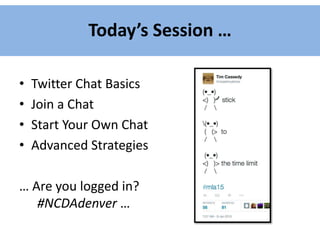
Today’s Session …
• Twitter Chat Basics
• Join a Chat
• Start Your Own Chat
• Advanced Strategies
… Are you logged in?
#NCDAdenver …
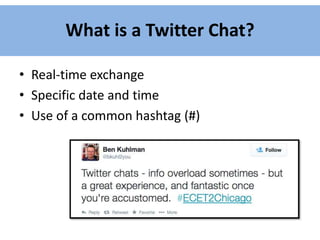
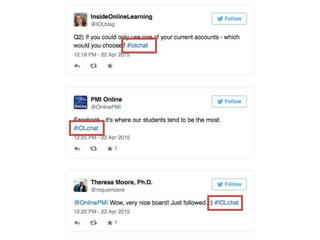
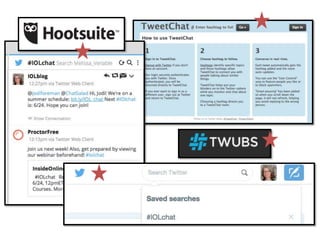
What is a Twitter Chat?
• Real-time exchange
• Specific date and time
• Use of a common hashtag (#)
What are the benefits of a live chat?
• Range of purposes and communication needs:
– Community building
– Networking opportunities
– Professional development
– Marketing and promotion
• Twitter is: widely used, free platform; easy access
• Multiple audiences out there: students, alumni,
clients, colleagues, employers
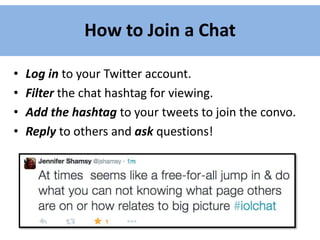
How to Join a Chat
• Log in to your Twitter account.
• Filter the chat hashtag for viewing.
• Add the hashtag to your tweets to join the convo.
• Reply to others and ask questions!
How to Start a New Chat
 Before
 During
 After
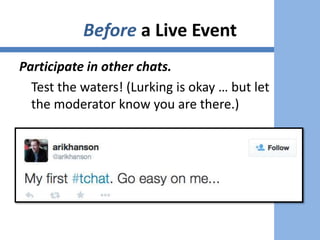
Before a Live Event
Participate in other chats.
Test the waters! (Lurking is okay … but let
the moderator know you are there.)
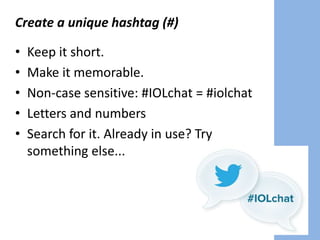
Create a unique hashtag (#)
• Keep it short.
• Make it memorable.
• Non-case sensitive: #IOLchat = #iolchat
• Letters and numbers
• Search for it. Already in use? Try
something else...
Decide on a discussion topic and format:
• Q & A
• Open Discussion
• Open Mike
• Single Question
• Conference Edition
• Special Events
Develop specific questions in advance!
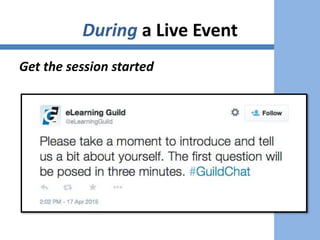
Announce the time and date (multiple times).
Recruit an assistant
Start slowly - run a “test” chat
During a Live Event
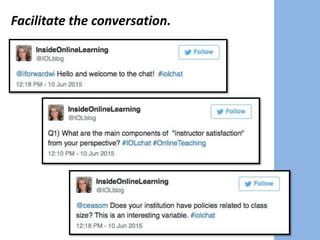
Get the session started
Facilitate the conversation.
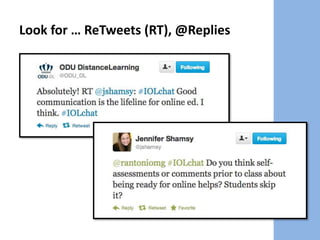
Look for … ReTweets (RT), @Replies
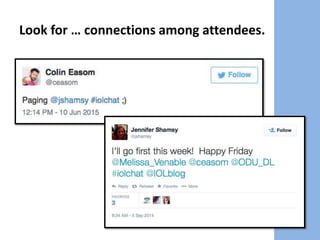
Look for … connections among attendees.
Manage the chat logistics.
• Open multiple tabs/windows.
– Chat tool
– Document with questions, prompts
– Twitter search
– Twitter account: notifications page
• Have a plan B and C.
• Monitor your time.
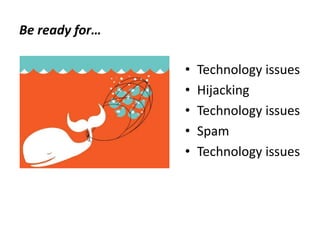
Be ready for…
• Technology issues
• Hijacking
• Technology issues
• Spam
• Technology issues
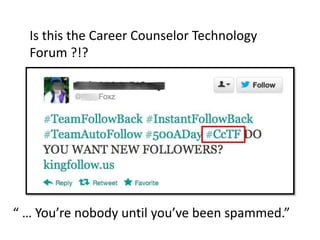
Is this the Career Counselor Technology
Forum ?!?
“ … You’re nobody until you’ve been spammed.”
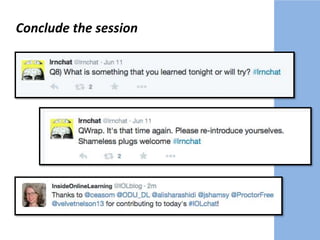
Conclude the session
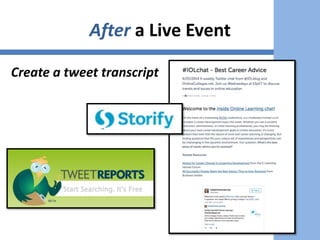
After a Live Event
Create a tweet transcript
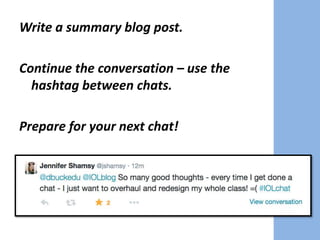
Write a summary blog post.
Continue the conversation – use the
hashtag between chats.
Prepare for your next chat!
A Few Advanced Strategies to Try
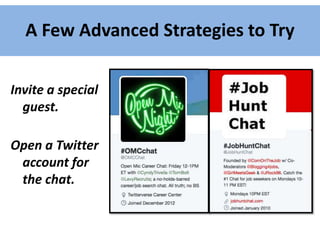
Invite a special
guest.
Open a Twitter
account for
the chat.
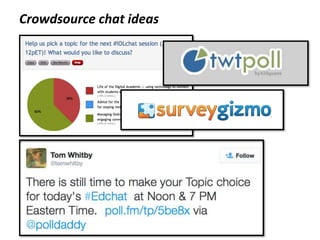
Crowdsource chat ideas
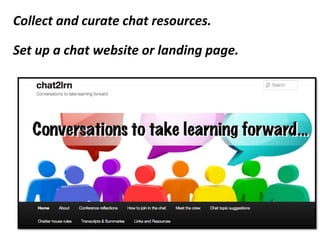
Collect and curate chat resources.
Set up a chat website or landing page.
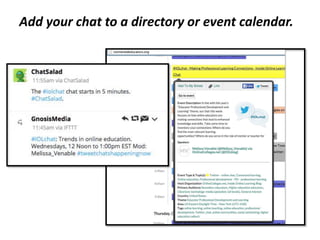
Add your chat to a directory or event calendar.
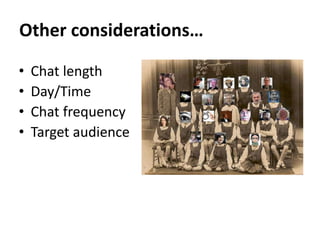
Other considerations…
• Chat length
• Day/Time
• Chat frequency
• Target audience
Recommendations …
• Go with the flow
• Focus on function, the tools
change
• It’s not the numbers - it’s the
networking!
• Have an idea? Just try it –
there’s not one “right” way.
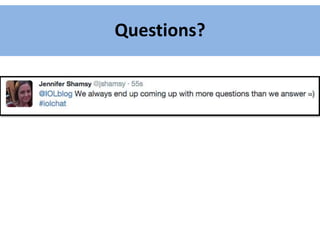
Questions?
Resources
• Implementing Live Twitter Chat Discussion
Sessions [PDF] http://bit.ly/TwitterChatGuide
• Chat Directories:
– http://chatsalad.com/
– http://tweetreports.com/twitter-chat-schedule/
– http://twubs.com/twitter-chats
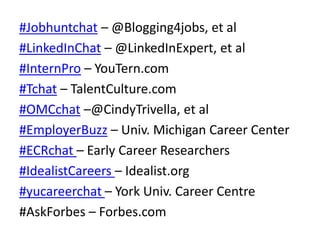
#Jobhuntchat – @Blogging4jobs, et al
#LinkedInChat – @LinkedInExpert, et al
#InternPro – YouTern.com
#Tchat – TalentCulture.com
#OMCchat –@CindyTrivella, et al
#EmployerBuzz – Univ. Michigan Career Center
#ECRchat – Early Career Researchers
#IdealistCareers – Idealist.org
#yucareerchat – York Univ. Career Centre
#AskForbes – Forbes.com
Thank you!
Melissa A. Venable, PhD
OnlineColleges.net
#IOLchat & @IOLblog
@Melissa_Venable
melissa.a.venable@gmail.com
Image credits:
• Slide 28: Class picture, lindacq, CC:BY-SA
• Slide 29: Bird, marek.sotak, CC:BY
• Slide 19: Whale, Shovelling Son, CC:BY-NC-SA
• Title Slide: Two birds, cobalt123, CC:BY-NC-SA

Tips for Twitter Chat Participation and Moderation

  • 1.
    Taking the NextStep with Twitter: Tips for Live Chat Participation and Moderation Melissa A. Venable, PhD OnlineColleges.net @Melissa_Venable @IOLblog NCDA 2015 - #NCDAdenver
  • 3.
    Today’s Session … •Twitter Chat Basics • Join a Chat • Start Your Own Chat • Advanced Strategies … Are you logged in? #NCDAdenver …
  • 4.
    What is aTwitter Chat? • Real-time exchange • Specific date and time • Use of a common hashtag (#)
  • 6.
    What are thebenefits of a live chat? • Range of purposes and communication needs: – Community building – Networking opportunities – Professional development – Marketing and promotion • Twitter is: widely used, free platform; easy access • Multiple audiences out there: students, alumni, clients, colleagues, employers
  • 7.
    How to Joina Chat • Log in to your Twitter account. • Filter the chat hashtag for viewing. • Add the hashtag to your tweets to join the convo. • Reply to others and ask questions!
  • 9.
    How to Starta New Chat  Before  During  After
  • 10.
    Before a LiveEvent Participate in other chats. Test the waters! (Lurking is okay … but let the moderator know you are there.)
  • 11.
    Create a uniquehashtag (#) • Keep it short. • Make it memorable. • Non-case sensitive: #IOLchat = #iolchat • Letters and numbers • Search for it. Already in use? Try something else...
  • 12.
    Decide on adiscussion topic and format: • Q & A • Open Discussion • Open Mike • Single Question • Conference Edition • Special Events Develop specific questions in advance!
  • 13.
    Announce the timeand date (multiple times). Recruit an assistant Start slowly - run a “test” chat
  • 14.
    During a LiveEvent Get the session started
  • 15.
  • 16.
    Look for …ReTweets (RT), @Replies
  • 17.
    Look for …connections among attendees.
  • 18.
    Manage the chatlogistics. • Open multiple tabs/windows. – Chat tool – Document with questions, prompts – Twitter search – Twitter account: notifications page • Have a plan B and C. • Monitor your time.
  • 19.
    Be ready for… •Technology issues • Hijacking • Technology issues • Spam • Technology issues
  • 20.
    Is this theCareer Counselor Technology Forum ?!? “ … You’re nobody until you’ve been spammed.”
  • 21.
  • 22.
    After a LiveEvent Create a tweet transcript
  • 23.
    Write a summaryblog post. Continue the conversation – use the hashtag between chats. Prepare for your next chat!
  • 24.
    A Few AdvancedStrategies to Try Invite a special guest. Open a Twitter account for the chat.
  • 25.
  • 26.
    Collect and curatechat resources. Set up a chat website or landing page.
  • 27.
    Add your chatto a directory or event calendar.
  • 28.
    Other considerations… • Chatlength • Day/Time • Chat frequency • Target audience
  • 29.
    Recommendations … • Gowith the flow • Focus on function, the tools change • It’s not the numbers - it’s the networking! • Have an idea? Just try it – there’s not one “right” way.
  • 30.
  • 31.
    Resources • Implementing LiveTwitter Chat Discussion Sessions [PDF] http://bit.ly/TwitterChatGuide • Chat Directories: – http://chatsalad.com/ – http://tweetreports.com/twitter-chat-schedule/ – http://twubs.com/twitter-chats
  • 32.
    #Jobhuntchat – @Blogging4jobs,et al #LinkedInChat – @LinkedInExpert, et al #InternPro – YouTern.com #Tchat – TalentCulture.com #OMCchat –@CindyTrivella, et al #EmployerBuzz – Univ. Michigan Career Center #ECRchat – Early Career Researchers #IdealistCareers – Idealist.org #yucareerchat – York Univ. Career Centre #AskForbes – Forbes.com
  • 33.
    Thank you! Melissa A.Venable, PhD OnlineColleges.net #IOLchat & @IOLblog @Melissa_Venable melissa.a.venable@gmail.com
  • 34.
    Image credits: • Slide28: Class picture, lindacq, CC:BY-SA • Slide 29: Bird, marek.sotak, CC:BY • Slide 19: Whale, Shovelling Son, CC:BY-NC-SA • Title Slide: Two birds, cobalt123, CC:BY-NC-SA

Editor's Notes

  • #2 How many of you have twitter accounts? Are active? How many have participated in a live chat?
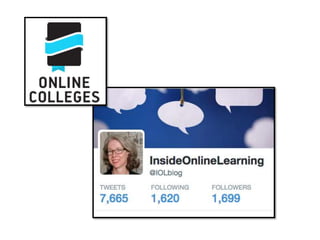
  • #3 Began ~June 2012 Weekly topics Home page #IOLchat @Melissa_Venable @IOLblog
  • #4 Recommendations and resources throughout!
  • #5 Unified discussion Who sees what in their stream?
  • #6 Who can see who’s tweets?
  • #11 [[Melissa]] Facilitating a live chat comes down to three sets of tasks – Before During After, At the end of the session we’ll provide these in the format of a checklist with more detail, but for this session we’ll introduce the basics. …
  • #12 [[Melissa]] Facilitating a live chat comes down to three sets of tasks – Before During After, At the end of the session we’ll provide these in the format of a checklist with more detail, but for this session we’ll introduce the basics. …
  • #13 [[Melissa]] Facilitating a live chat comes down to three sets of tasks – Before During After, At the end of the session we’ll provide these in the format of a checklist with more detail, but for this session we’ll introduce the basics. …
  • #14 [[Melissa]] Facilitating a live chat comes down to three sets of tasks – Before During After, At the end of the session we’ll provide these in the format of a checklist with more detail, but for this session we’ll introduce the basics. …
  • #15 [[Melissa]]
  • #16 [[Melissa]]
  • #17 Creating a vibe - Create a vibe – workshop or break room? Structure Interaction
  • #18 Creating a vibe - Create a vibe – workshop or break room? Structure Interaction
  • #19 [[Melissa]]
  • #20 Internet connection, ….
  • #22 [[Melissa]]
  • #23 [[Melissa]]
  • #24 [[Melissa]]
  • #26 One of the things we’ve done to help us with the decisions along the way is …. Scheduling Topics Topic generation – TwtPoll, SurveyGizmo, staff ideas Feedback – June, December surveys