Creating Web Chat
With Flask-SocketIO
Linggar Primahastoko
x@linggar.asia
Flask?
Flask is a microframework for Python based
on Werkzeug, Jinja 2 and good intentions.
http://flask.pocoo.org/
SocketIO
Socket.IO enables real-time bidirectional event-
based communication.
It works on every platform, browser or device,
focusing equally on reliability and speed.
https://socket.io/
Why SocketIO?

Bidirectional Communication

Async

Real Time

Fast
What can we do with SocketIO

Real Time Analytics

Binary Streaming (Since Socket.io v1.0)

Instant Messaging

Document Collaboration
Flask-SocketIO
Flask-SocketIO gives Flask applications access
to low latency bi-directional communications
between the clients and the server. The client-
side application can use any of the SocketIO
official clients libraries in Javascript, C++, Java
and Swift, or any compatible client to establish
a permanent connection to the server.
https://flask-socketio.readthedocs.io
Why Flask-SocketIO

Simple Implementation

Rich of Features

Fast to be developed
Requirements
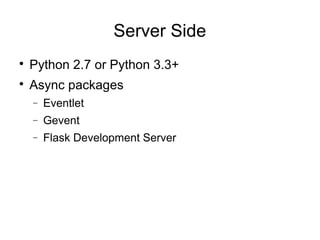
Server Side

Python 2.7 or Python 3.3+

Async packages
− Eventlet
− Gevent
− Flask Development Server
Client Side

Official Socket.IO Javascript client library
Getting Started
Server Init
from flask import Flask, render_template
from flask_socketio import SocketIO
app = Flask(__name__)
app.config['SECRET_KEY'] = 'secret!'
socketio = SocketIO(app)
if __name__ == '__main__':
socketio.run(app)
Client init
<script type="text/javascript"
src="//cdnjs.cloudflare.com/ajax/libs/socket.io/1.
3.6/socket.io.min.js"></script>
<script type="text/javascript" charset="utf-8">
var socket = io.connect('http://' +
document.domain + ':' + location.port);
socket.on('connect', function() {
socket.emit('my event', {data: 'I'm
connected!'});
});
On Connect
https://github.com/miguelgrinberg/Flask-SocketIO/blob/master/example/app.py
Background task
https://github.com/miguelgrinberg/Flask-SocketIO/blob/master/example/app.py
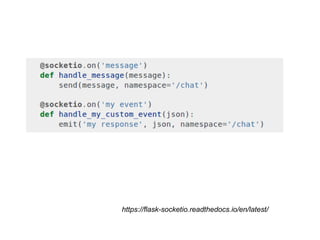
Sending Message

Send
− implemented for compatibility with vanilla
WebSocket interface
− Only send string

Emit
− feature of Socket.IO
− Can send object
https://flask-socketio.readthedocs.io/en/latest/
Namespace
Socket.IO allows you to “namespace” your
sockets, which essentially means assigning
different endpoints or paths.
This is a useful feature to minimize the number of
resources (TCP connections) and at the same
time separate concerns within your application
by introducing separation between
communication channels.
https://socket.io/docs/rooms-and-namespaces
Receiving message
index.html
index.html
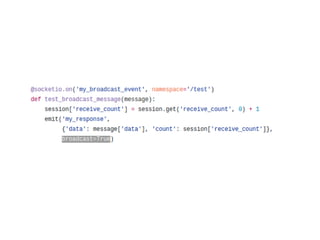
app.py
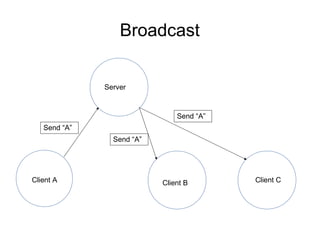
Broadcast
Send “A”
Send “A”
Send “A”
Client A Client B Client C
Server
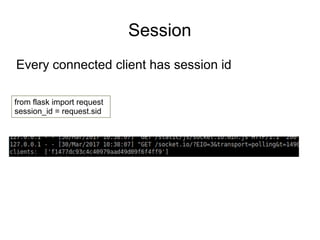
Session
Every connected client has session id
from flask import request
session_id = request.sid
Room
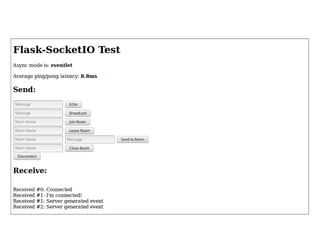
Flask-SocketIO Built-in Function:

rooms

join_room

leave_room

close_room
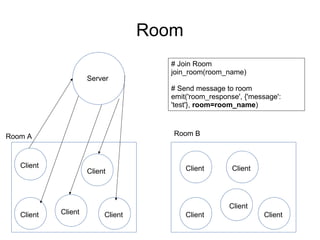
Room
Room A Room B
Server
Client
Client
Client ClientClient
Client Client
Client
Client
Client
# Join Room
join_room(room_name)
# Send message to room
emit('room_response', {'message':
'test'}, room=room_name)
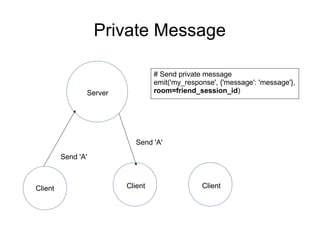
Private Message
Client Client Client
Server
Send 'A'
Send 'A'
# Send private message
emit('my_response', {'message': 'message'},
room=friend_session_id)
What's next?
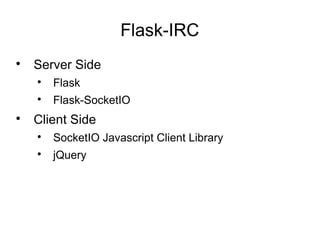
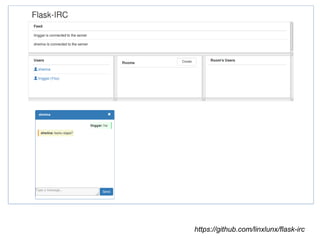
Flask-IRC

Server Side

Flask

Flask-SocketIO

Client Side

SocketIO Javascript Client Library

jQuery
https://github.com/linxlunx/flask-irc
Thank You!

Webchat using flask socket io