REAL-TIME CHAT WITH
NODE.JS & SOCKET.IO
https://nareshit.com/courses/advanced-java-online-training
INTRODUCTION
In today's digital era, real-time communication is more important
than ever. Whether it's a simple messaging system or a
collaborative workspace, building a real-time chat app is a
valuable skill for any web developer. In this article, we'll walk you
through how to build a real-time chat application using Node.js
and Socket.io.
https://nareshit.com/courses/advanced-java-online-training
WHAT IS SOCKET.IO?
Socket.io is a JavaScript library that enables real-time, bidirectional
communication between web clients and servers. It works on every
platform, browser, and device, and it's ideal for building chat
applications, gaming servers, live notifications, and collaborative tools.
Before we begin, make sure you have the following:
Node.js and npm installed
Basic knowledge of JavaScript and Node.js
A text editor like VS Code
PREREQUISITES
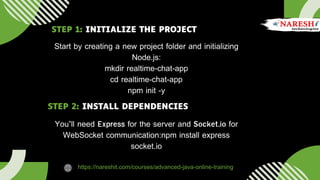
Start by creating a new project folder and initializing
Node.js:
mkdir realtime-chat-app
cd realtime-chat-app
npm init -y
You’ll need Express for the server and Socket.io for
WebSocket communication:npm install express
socket.io
https://nareshit.com/courses/advanced-java-online-training
STEP 1: INITIALIZE THE PROJECT
STEP 2: INSTALL DEPENDENCIES
STEP 3: CREATE THE SERVER
Create a file named server.js:
const express = require('express');
const http = require('http');
const socketIo = require('socket.io');
const app = express();
const server = http.createServer(app);
const io = socketIo(server);
// Serve static files
app.use(express.static('public'));
io.on('connection', (socket) => {
console.log('A user connected');
socket.on('chat message', (msg) => {
io.emit('chat message', msg);
});
socket.on('disconnect', () => {
console.log('A user disconnected');
});
});
server.listen(3000, () => {
console.log('Server running on
http://localhost:3000');
});
STEP 4: CREATE THE FRONTEND
Inside a public folder, create an index.html:
<!DOCTYPE html>
<html lang="en">
<head>
<meta charset="UTF-8">
<title>Real-Time Chat App</title>
<style>
body { font-family: Arial; }
#messages { list-style: none; padding: 0; }
li { padding: 5px 10px; }
input { padding: 10px; width: 300px; }
</style>
</head>
<body>
<h2>Real-Time Chat App</h2>
<ul id="messages"></ul>
<form id="form">
<input id="input" autocomplete="off" placeholder="Type your message..." /><button>Send</button>
</form>
<script src="/socket.io/socket.io.js"></script>
<script>
const socket = io();
const form = document.getElementById('form');
const input = document.getElementById('input');
const messages = document.getElementById('messages');
form.addEventListener('submit', (e) => {
e.preventDefault();
if (input.value) {
socket.emit('chat message', input.value);
input.value = '';
}
});
socket.on('chat message', (msg) => {
const li = document.createElement('li');
li.textContent = msg;
messages.appendChild(li);
});
</script>
</body>
</html>
Start your server:
node server.js
Visit http://localhost:3000 in your browser. Open multiple tabs or browsers to test real-time
communication.
STEP 5: RUN YOUR CHAT APP
Usernames and login system
Private messaging
Chat rooms or channels
Message timestamps
Storing messages in a database (MongoDB, for example)
KEY FEATURES YOU CAN ADD
Using Node.js and Socket.io, building a real-time chat application becomes
straightforward and efficient. This foundational knowledge opens the door to more
complex features and can be extended into scalable real-time systems for various use
cases.
Whether you're building a live support system or a multiplayer game lobby, mastering
real-time communication is a must for modern developers.
CONCLUSION
https://nareshit.com/courses/advanced-java-online-training
THANK YOU
2nd Floor, Durga Bhavani Plaza, Ameerpet, Hyderabad, 500016.
+91 8179191999
https://nareshit.com/courses/advanced-java-online-training
support@nareshit.com
CONTACT US

Real-Time Chat with Node.js & Socket.io

  • 1.
    REAL-TIME CHAT WITH NODE.JS& SOCKET.IO https://nareshit.com/courses/advanced-java-online-training
  • 2.
    INTRODUCTION In today's digitalera, real-time communication is more important than ever. Whether it's a simple messaging system or a collaborative workspace, building a real-time chat app is a valuable skill for any web developer. In this article, we'll walk you through how to build a real-time chat application using Node.js and Socket.io. https://nareshit.com/courses/advanced-java-online-training
  • 3.
    WHAT IS SOCKET.IO? Socket.iois a JavaScript library that enables real-time, bidirectional communication between web clients and servers. It works on every platform, browser, and device, and it's ideal for building chat applications, gaming servers, live notifications, and collaborative tools. Before we begin, make sure you have the following: Node.js and npm installed Basic knowledge of JavaScript and Node.js A text editor like VS Code PREREQUISITES
  • 4.
    Start by creatinga new project folder and initializing Node.js: mkdir realtime-chat-app cd realtime-chat-app npm init -y You’ll need Express for the server and Socket.io for WebSocket communication:npm install express socket.io https://nareshit.com/courses/advanced-java-online-training STEP 1: INITIALIZE THE PROJECT STEP 2: INSTALL DEPENDENCIES
  • 5.
    STEP 3: CREATETHE SERVER Create a file named server.js: const express = require('express'); const http = require('http'); const socketIo = require('socket.io'); const app = express(); const server = http.createServer(app); const io = socketIo(server); // Serve static files app.use(express.static('public')); io.on('connection', (socket) => { console.log('A user connected'); socket.on('chat message', (msg) => { io.emit('chat message', msg); }); socket.on('disconnect', () => { console.log('A user disconnected'); }); }); server.listen(3000, () => { console.log('Server running on http://localhost:3000'); });
  • 6.
    STEP 4: CREATETHE FRONTEND Inside a public folder, create an index.html: <!DOCTYPE html> <html lang="en"> <head> <meta charset="UTF-8"> <title>Real-Time Chat App</title> <style> body { font-family: Arial; } #messages { list-style: none; padding: 0; } li { padding: 5px 10px; } input { padding: 10px; width: 300px; } </style> </head> <body> <h2>Real-Time Chat App</h2> <ul id="messages"></ul> <form id="form"> <input id="input" autocomplete="off" placeholder="Type your message..." /><button>Send</button>
  • 7.
    </form> <script src="/socket.io/socket.io.js"></script> <script> const socket= io(); const form = document.getElementById('form'); const input = document.getElementById('input'); const messages = document.getElementById('messages'); form.addEventListener('submit', (e) => { e.preventDefault(); if (input.value) { socket.emit('chat message', input.value); input.value = ''; } }); socket.on('chat message', (msg) => { const li = document.createElement('li'); li.textContent = msg; messages.appendChild(li); }); </script> </body> </html>
  • 8.
    Start your server: nodeserver.js Visit http://localhost:3000 in your browser. Open multiple tabs or browsers to test real-time communication. STEP 5: RUN YOUR CHAT APP Usernames and login system Private messaging Chat rooms or channels Message timestamps Storing messages in a database (MongoDB, for example) KEY FEATURES YOU CAN ADD
  • 9.
    Using Node.js andSocket.io, building a real-time chat application becomes straightforward and efficient. This foundational knowledge opens the door to more complex features and can be extended into scalable real-time systems for various use cases. Whether you're building a live support system or a multiplayer game lobby, mastering real-time communication is a must for modern developers. CONCLUSION https://nareshit.com/courses/advanced-java-online-training
  • 10.
    THANK YOU 2nd Floor,Durga Bhavani Plaza, Ameerpet, Hyderabad, 500016. +91 8179191999 https://nareshit.com/courses/advanced-java-online-training support@nareshit.com CONTACT US