JSON Learning
Khaled Md. Saifullah
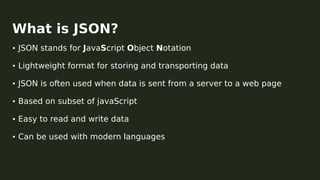
• JSON stands for JavaScript Object Notation
• Lightweight format for storing and transporting data
• JSON is often used when data is sent from a server to a web page
• Based on subset of javaScript
• Easy to read and write data
• Can be used with modern languages
What is JSON?
◆ Number 0 1 3.1416 1.2e10
◆ String “Hello World!” “John Doe”
◆ Boolean true false
◆ Array [1,5,6,8,10,3.5] [“Red”,”Green”,”White”,”Blue”]
◆ Object {“name”:”Jane Doe”} {“age”:25}
Data Types
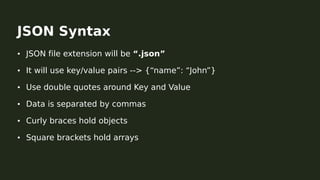
• JSON file extension will be “.json”
• It will use key/value pairs --> {“name”: “John”}
• Use double quotes around Key and Value
• Data is separated by commas
• Curly braces hold objects
• Square brackets hold arrays
JSON Syntax
[
{
“name”: ”Mr. X”,
“age”: 22,
“email”:”mrX@gmail.com”,
},
{
“name”: ”Mr. Y”,
“age”: 25,
“email”:”mrY@gmail.com”,
}
]
Example
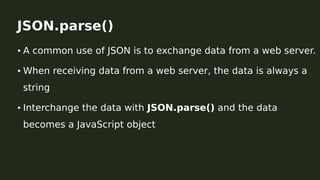
• A common use of JSON is to exchange data from a web server.
• When receiving data from a web server, the data is always a
string
• Interchange the data with JSON.parse() and the data
becomes a JavaScript object
JSON.parse()
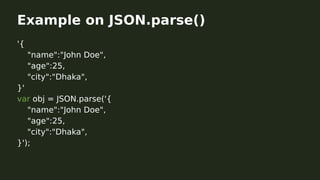
'{
"name":"John Doe",
"age":25,
"city":"Dhaka",
}'
var obj = JSON.parse('{
"name":"John Doe",
"age":25,
"city":"Dhaka",
}');
Example on JSON.parse()
• A common use of JSON is to exchange data from a web server
• When sending data to a web server, the data has to be a string
• Convert a JavaScript object into a string with JSON.stringify()
JSON.stringify()
var obj = {
name: "John Doe",
age: 25,
city: "Dhaka",
};
var jsonData = JSON.stringify();
Example on JSON.stringify()
1. https://www.w3schools.com/js/js_json_intro.asp
2. https://opensource.adobe.com/Spry/samples/data_region/JSON
DataSetSample.html
3. https://developer.mozilla.org/en-
US/docs/Web/JavaScript/Reference/Global_Objects/JSON
Reference
https://github.com/Monmoy042/jsonLearning
More on JSON

JSON Learning

  • 1.
  • 2.
    • JSON standsfor JavaScript Object Notation • Lightweight format for storing and transporting data • JSON is often used when data is sent from a server to a web page • Based on subset of javaScript • Easy to read and write data • Can be used with modern languages What is JSON?
  • 3.
    ◆ Number 01 3.1416 1.2e10 ◆ String “Hello World!” “John Doe” ◆ Boolean true false ◆ Array [1,5,6,8,10,3.5] [“Red”,”Green”,”White”,”Blue”] ◆ Object {“name”:”Jane Doe”} {“age”:25} Data Types
  • 4.
    • JSON fileextension will be “.json” • It will use key/value pairs --> {“name”: “John”} • Use double quotes around Key and Value • Data is separated by commas • Curly braces hold objects • Square brackets hold arrays JSON Syntax
  • 5.
    [ { “name”: ”Mr. X”, “age”:22, “email”:”mrX@gmail.com”, }, { “name”: ”Mr. Y”, “age”: 25, “email”:”mrY@gmail.com”, } ] Example
  • 6.
    • A commonuse of JSON is to exchange data from a web server. • When receiving data from a web server, the data is always a string • Interchange the data with JSON.parse() and the data becomes a JavaScript object JSON.parse()
  • 7.
    '{ "name":"John Doe", "age":25, "city":"Dhaka", }' var obj= JSON.parse('{ "name":"John Doe", "age":25, "city":"Dhaka", }'); Example on JSON.parse()
  • 8.
    • A commonuse of JSON is to exchange data from a web server • When sending data to a web server, the data has to be a string • Convert a JavaScript object into a string with JSON.stringify() JSON.stringify()
  • 9.
    var obj ={ name: "John Doe", age: 25, city: "Dhaka", }; var jsonData = JSON.stringify(); Example on JSON.stringify()
  • 10.
    1. https://www.w3schools.com/js/js_json_intro.asp 2. https://opensource.adobe.com/Spry/samples/data_region/JSON DataSetSample.html 3.https://developer.mozilla.org/en- US/docs/Web/JavaScript/Reference/Global_Objects/JSON Reference
  • 11.