Mobile devices (iPad, Tablets, and Mobile Devices)
have become a favorite tool of REALTORS®. Today
we will show you a few apps to leverage your
mobile devices in a listing presentation that make
you stand out and save you TIME.
Learn the latest mobile applications and strategies
to bring the world into your customer’s home.
 Describe iPad and Droid apps to simplify the real
estate transaction
 Illustrate how mobile devices will save all parties
to the transaction time, money and energy
 Set up devices for real time delivery of
information
http://bit.ly/LPMRED15
With a paperless office
through utilizing the
C L O U D
your devices become
windows to your data
4
#1 Evernote 6
Bring all emails, documents,
notes, text messages and
voicemails into one
transaction folder.
7
8
9
10
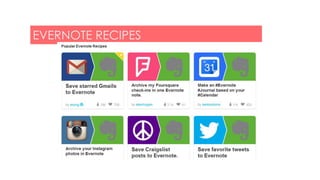
#2 IFTTT
EVERNOTE RECIPES
11
Using filters/rules, have all emails
mentioning buyer or seller names go to
a note in Evernote.
12
13
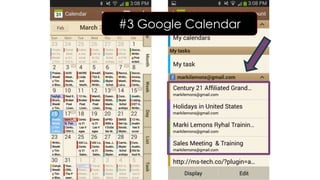
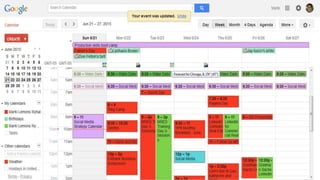
#3 Google Calendar 14
Google Voice or other voicemails
with transcribed text can be
forwarded to transaction notebook,
and link to audio goes with it.
#4 Google Voice
19
<object type="application/x-shockwave-flash"
data="https://clients4.google.com/voice/embed/embedPlayer"
width="100%" height="64"><param name="movie"
value="https://clients4.google.com/voice/embed/embedPlayer"
/><param name="wmode" value="transparent" /><param
name="FlashVars"
value="u=00186729678006403840&k=AHwOX_CiEyvxRldcmynm2EMNKbO6I
R8q-GryMCcD4XMx-
ZXm3KySNEvkjJKevNUXuNHzyFWc3w5CT_cMnz0S9UkPDxPQFWMOae7ZryQ
AYLNLy4IrUhGPl1iASTFglm2ddG9jBR_aCNuCOoREykGaM0fAw7uXdJo5BtCb
_4gWbcRr3l_bLhiAHo4&baseurl=https://clients4.google.com/voice&autoPl
ay=false" /></object>
21
http://goo.gl/forms/mOuihoz1Z1
#5 Google Forms
#6 Dropbox 22
23
#7 Mobile HUD Tool 24
Listing Presentations From Any Device Presentation

Listing Presentations From Any Device Presentation

Editor's Notes

  • #7 As one workspace that lives across your phone, tablet, and computer, Evernote is the place you write free from distraction, collect information, find what you need, and present your ideas to the world. https://blog.evernote.com/blog/2014/05/27/save-time-documenting-processes-2/
  • #11 IFTTT lets you create powerful connections with one simple statement — if this then that. Activate your Channels and create Recipes on IFTTT! Channels are services like Facebook, Gmail, Twitter, as well as devices like Philips Hue, Belkin WeMo, and UP by Jawbone. Recipes are connections between your Channels that unlock entirely new ways for your services and devices to communicate with each other.
  • #15 Get the official Google Calendar app for your Android phone and tablet to save time and make the most of every day. • A new Schedule View - See your schedule at a glance with photos and maps of the places you’re going. • Events from Gmail - Flight, hotel, concert, restaurant reservations and more are added to your calendar automatically. • Assists to fill in your calendar - You can quickly create events with smart suggestions for event titles, places and people. • Different ways to view your calendar - Speedily switch between viewing a single day to getting an overview of multiple days at once. • All your calendars in one, easy place - Google Calendar works with all calendars on your phone, including Exchange.
  • #19 Make cheap international calls with your Google number. Send free text messages. Place calls and send text messages showing your Google number. Listen to voicemail and read transcripts.