Don’t “Click here:”
    The Intersection of Usability,
       Accessibility, and SEO
   Wake Tech Community College
       February 17th, 2011
        David Minton @DH_David
Managing Partner @DesignHammer

                         1
Overview

• What are Usability, Accessibility, and Search
  Engine Optimization (SEO)?
• What could Usability, Accessibility, and
  SEO have in common?


                      2
Why worry about
Usability, Accessibility,
      and SEO?

            3
Search Engine Optimization

“In my experience, the traffic difference from
position #1 to position #11 is…something
closer to 1/100th of the visits.”

                                  Rand Fishkin
                   CEO & Co-Founder of SEOmoz


                     4
Usability
“It’s quite normal for e-commerce sites to
increase sales by 100% or more as a result of
usability. More important, they can probably
avoid 9 of 10 returns by eliminating most mis-
designed items (a 1,000% improvement of the
error rate metric).”

               Jakob Nielsen, Nielsen Norman Group
                   “the guru of Web page usability”


                      5
Accessibility
“Companies that do not consider accessibility
in their Web site or product development will
come to regret that decision, because we
intend to use every tool at our disposal to
ensure that people with disabilities have equal
access to technology…”

                                    Thomas E. Perez,
         Asst. Attorney General, US Dept. of Justice
      2010 Jacobus tenBroek Disability Law Symposium

                        6
A classic blunder
 Can 3 billion web pages be wrong?


                 7
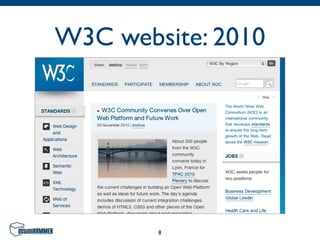
W3C website: 2010


        8
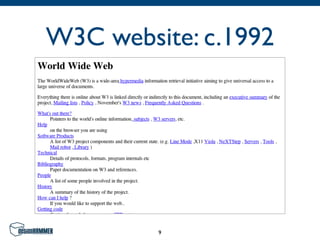
W3C website: c.1992


         9
“Click here”


• Emerged sometime between 1992 & 1995
• Became popular


                  10
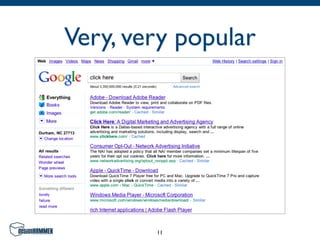
Very, very popular


        11
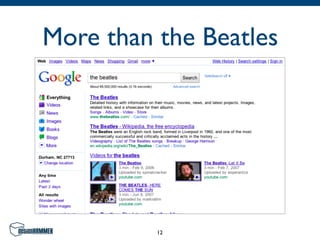
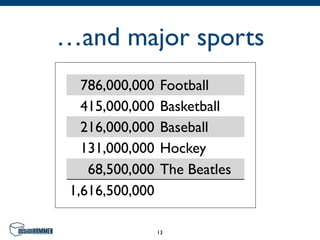
More than the Beatles


          12
…and major sports
   786,000,000    Football
   415,000,000    Basketball
   216,000,000    Baseball
   131,000,000    Hockey
    68,500,000    The Beatles
 1,616,500,000

                 13
“Click here” is bad usability
   “Explain what users will find at the other
   end of the link, and include some of the key
   information-carrying terms in the anchor
   text itself to enhance scannability and SEO.
   Don't use ‘click here’ or other
   non-descriptive link text.”

                               Jakob Nielsen
         Top Ten Web Design Mistakes of 2005

                      14
Does anyone listen?


• Can 3.3 billion web pages be wrong?
• “Click here” prevails!


                    15
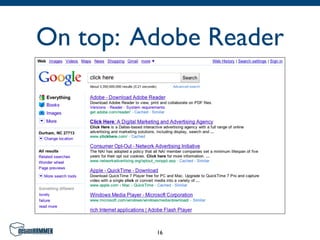
On top: Adobe Reader


         16
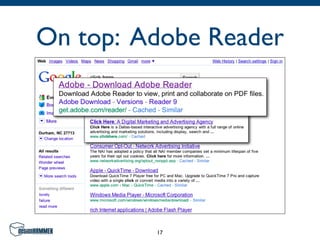
On top: Adobe Reader


         17
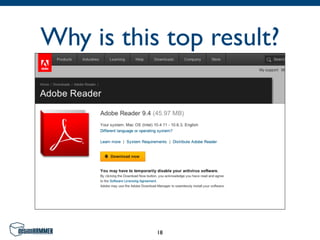
Why is this top result?


           18
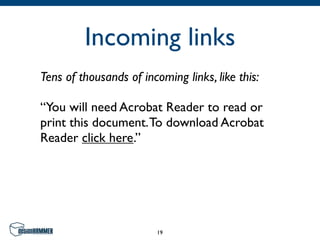
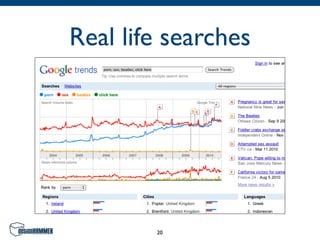
Incoming links
Tens of thousands of incoming links, like this:

“You will need Acrobat Reader to read or
print this document. To download Acrobat
Reader click here.”


                         19
Real life searches


        20
“Click here” is bad SEO


• Some are swayed by SEO angle
• “Click here” still prevails, mostly


                       21
Types of Users
Three samples — how different are they?


                  22
Three sample groups

• Sighted human
• Sight-impaired human
• Robot

                   23
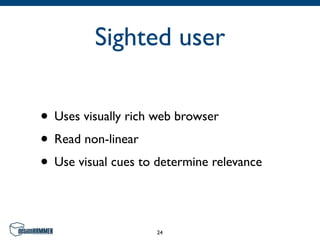
Sighted user

• Uses visually rich web browser
• Read non-linear
• Use visual cues to determine relevance

                     24
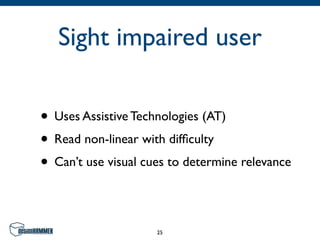
Sight impaired user

• Uses Assistive Technologies (AT)
• Read non-linear with difficulty
• Can’t use visual cues to determine relevance

                     25
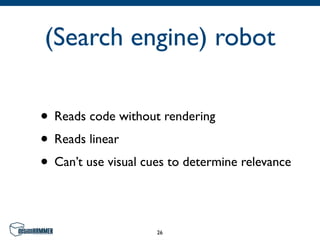
(Search engine) robot

• Reads code without rendering
• Reads linear
• Can’t use visual cues to determine relevance

                     26
What do they have in
    common?


         27
Usability
“Usability means making sure something works
well, and that a person* of average ability or
experience can use it for it’s intended purpose
without getting hopelessly frustrated.”

          Steve Krug, Author — Don't Make Me Think:
           A Common Sense Approach to Web Usability

              *be they sighted, sight-impaired, or a robot


                        28
Structure vs.
Presentation
Appearances may be deceiving


             29
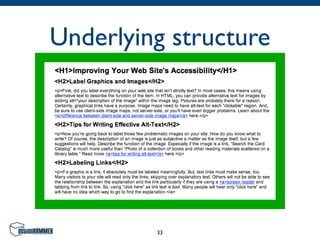
Structure tags

HTML tags used to identify the significance of
content, such as:

• <title> — document title
• <h1> — level one headline
• <p> — paragraph

                     30
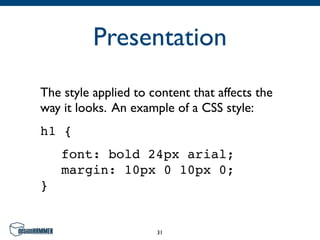
Presentation
The style applied to content that affects the
way it looks. An example of a CSS style:
h1 {
! font: bold 24px arial;
! margin: 10px 0 10px 0;
}


                      31
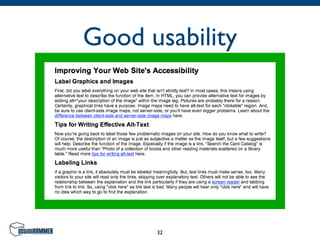
Good usability


      32
Underlying structure


         33
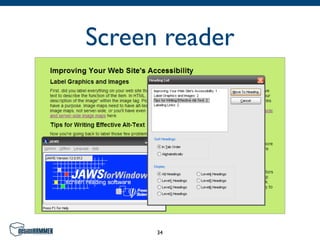
Screen reader


      34
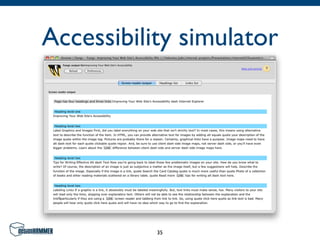
Accessibility simulator


           35
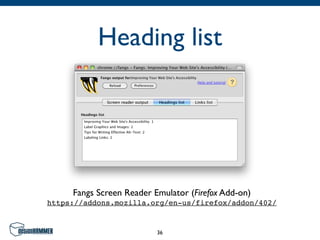
Heading list


     Fangs Screen Reader Emulator (Firefox Add-on)
https://addons.mozilla.org/en-us/firefox/addon/402/


                          36
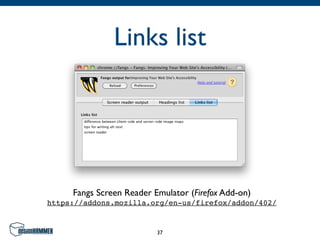
Links list


     Fangs Screen Reader Emulator (Firefox Add-on)
https://addons.mozilla.org/en-us/firefox/addon/402/


                          37
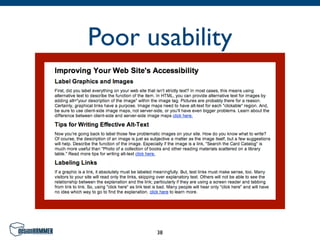
Poor usability


      38
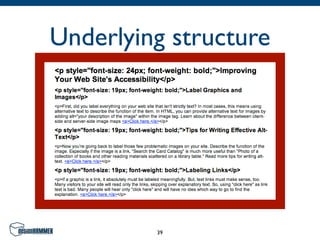
Underlying structure


         39
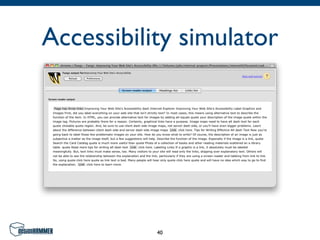
Accessibility simulator


           40
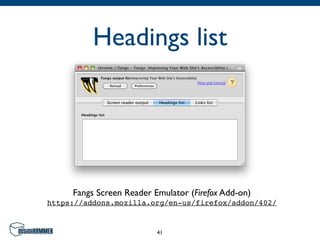
Headings list


     Fangs Screen Reader Emulator (Firefox Add-on)
https://addons.mozilla.org/en-us/firefox/addon/402/


                          41
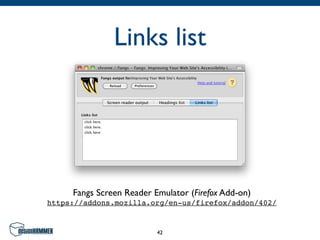
Links list


     Fangs Screen Reader Emulator (Firefox Add-on)
https://addons.mozilla.org/en-us/firefox/addon/402/


                          42
Images
Don’t miss an opportunity!


            43
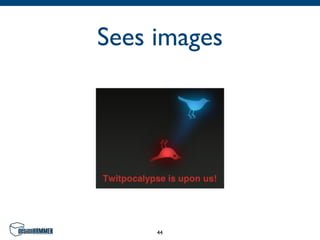
Sees images


     44
Images
 What a sight-impaired user &
(Search Engine) robot may see


             45
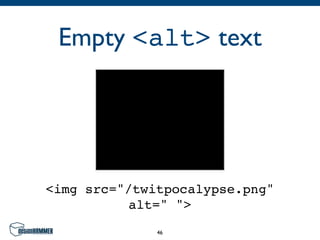
Empty <alt> text


<img src="/twitpocalypse.png"
          alt=" ">
              46
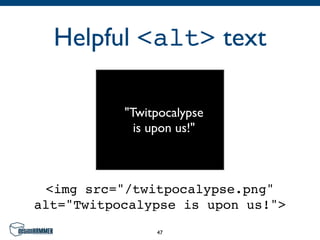
Helpful <alt> text

           "Twitpocalypse
             is upon us!"


 <img src="/twitpocalypse.png"
alt="Twitpocalypse is upon us!">
                47
Types of Disabilities
 Four classes, each with different needs


                   48
Types of disabilities
• Visual
  •   Blind

  •   Low vision

  •   Color blind

• Hearing
• Mobility
• Cognitive and Learning Disabilities
                     49
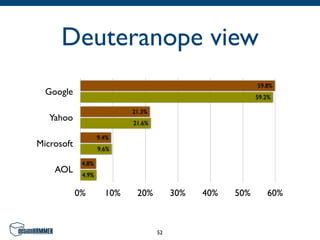
Color Deficits
Don’t rely on color to express information


                    50
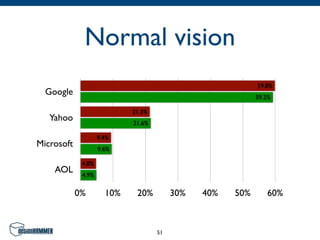
Normal vision
                                                           59.8%
  Google                                                   59.2%

                            21.3%
   Yahoo                    21.6%

                    9.4%
Microsoft           9.6%

             4.8%
    AOL      4.9%


            0%        10%    20%         30%   40%   50%      60%


                                    51
Deuteranope view
                                                           59.8%
  Google                                                   59.2%

                            21.3%
   Yahoo                    21.6%

                    9.4%
Microsoft           9.6%

             4.8%
    AOL      4.9%


            0%        10%    20%         30%   40%   50%      60%


                                    52
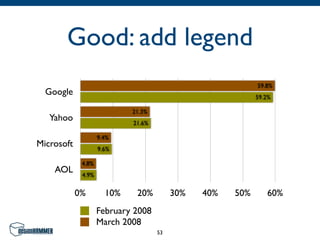
Good: add legend
                                                           59.8%
  Google                                                   59.2%

                            21.3%
   Yahoo                    21.6%

                    9.4%
Microsoft           9.6%

             4.8%
    AOL      4.9%


            0%        10%    20%         30%   40%   50%      60%
                    February 2008
                    March 2008
                                    53
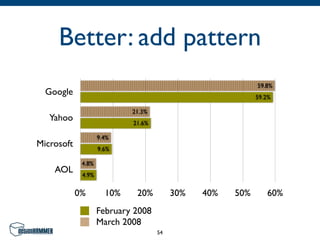
Better: add pattern
                                                           59.8%
  Google                                                   59.2%

                            21.3%
   Yahoo                    21.6%

                    9.4%
Microsoft           9.6%

             4.8%
    AOL      4.9%


            0%        10%    20%         30%   40%   50%      60%
                    February 2008
                    March 2008
                                    54
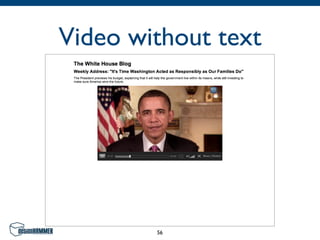
Audio & Video
What a hearing disabled user may experience


                    55
Video without text


        56
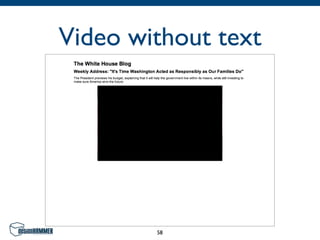
Audio & Video
   What a hearing disabled user &
(Search Engine) robot may experience


                 57
Video without text


        58
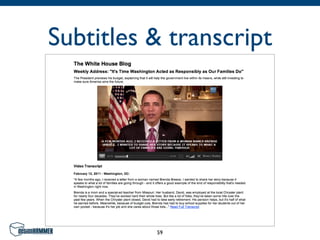
Subtitles & transcript


          59
Prada S.p.A.
Case study: style over substance


               60
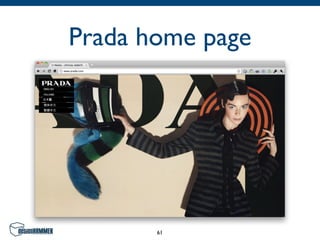
Prada home page


       61
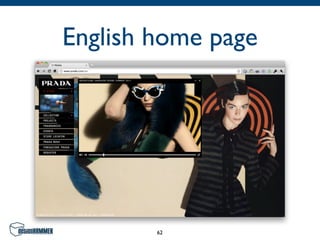
English home page


        62
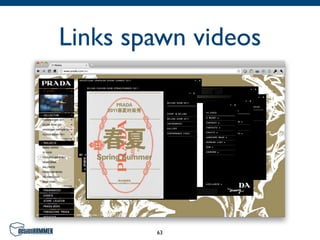
Links spawn videos


        63
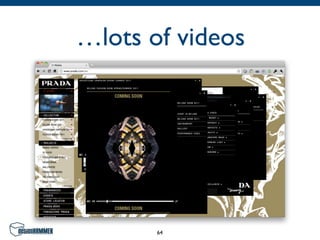
…lots of videos


       64
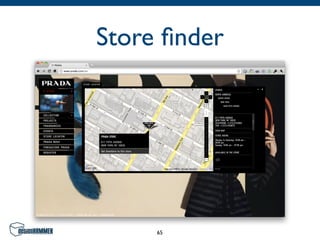
Store finder


     65
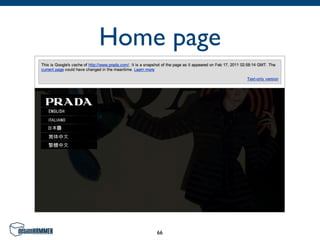
Home page


    66
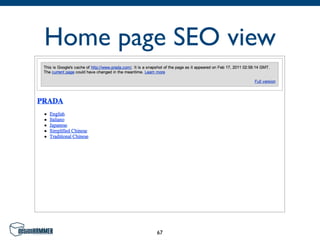
Home page SEO view


        67
Prada Online Store
    Sighted user experience


              68
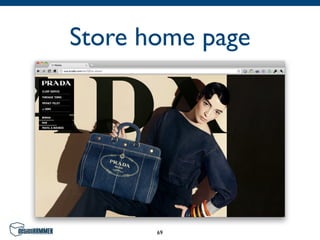
Store home page


       69
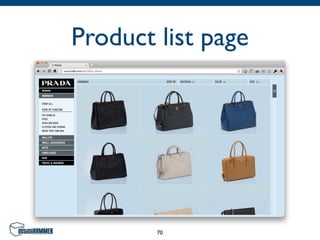
Product list page


        70
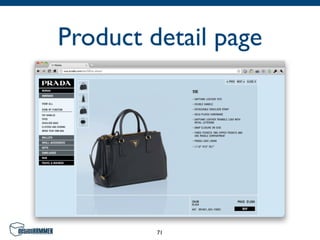
Product detail page


         71
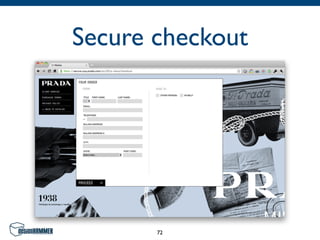
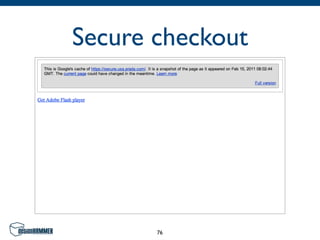
Secure checkout


       72
Prada Online Store
Search Engine & sight-impaired user experience


                      73
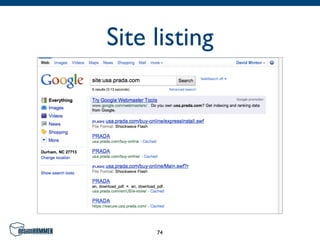
Site listing


     74
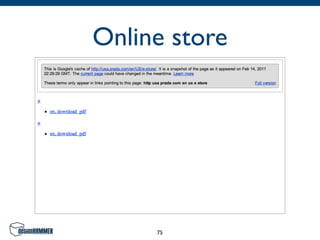
Online store


     75
Secure checkout


       76
Levi Strauss & Co.
 Case study: hard working website


                77
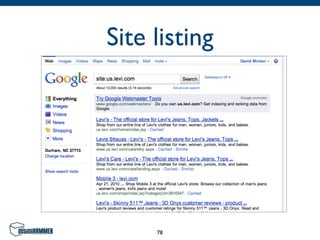
Site listing


     78
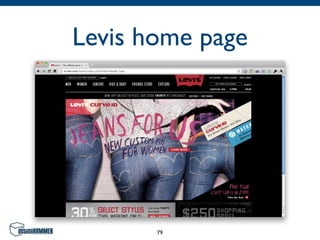
Levis home page


       79
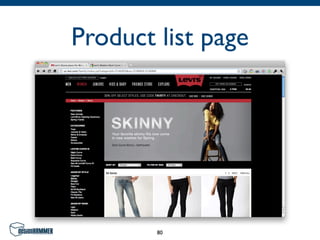
Product list page


        80
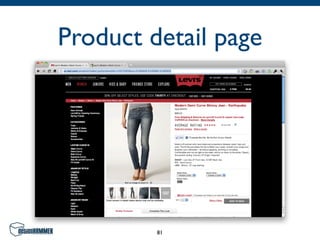
Product detail page


         81
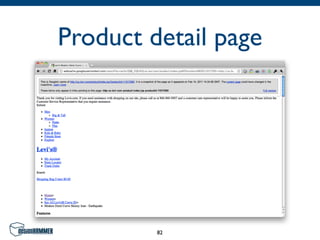
Product detail page


         82
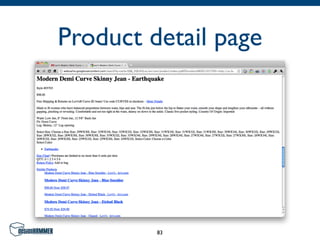
Product detail page


         83
It Doesn’t End Here
There are many Usability pitfalls out there.


                     84
Other Hurdles
• Audio and video
• Flash and AJAX
• Frames and framesets
• Dependence on visual cues
• Insufficient Structural HTML tags
• Poorly written content
                    85
Conclusion

• Call it Usability, Accessibility, or SEO; it’s all
  about Usability in one form or another.
• If you do nothing else, SEO best practices
  can help improve usability for sighted as
  well as sight-impaired users.


                        86
David Minton
Managing Partner @DesignHammer
          @DH_David
    www.designhammer.com


              87

New and Improved: The Intersection of Usability, Accessibility, and SEO