Bring Your Own Lunch Webinar
“How to get more out of Moodle”
Snigdha Nag, Senior Lecturer, City Law School
#TakeTheLEaD #BYOL #GoTeamCity
How to get more out of Moodle…
How to get more out of moodle…
■Why should I get more out of moodle? What’s in it for me?
What’s in it for my students?
■Moodle labels: what are they? How can they help?
■Using and embedding video
■What are wikis and how can you use them?
■Making better use of Reading Lists
■Top tips from super users and the Ed Tech team
■Where you can find advice and guidance
■Q&A – over to you!
Why would I want to get more out of
Moodle?
■ Reaching out - internationally
■ Accommodate learning styles
■ Reinforcement
■ Communities of practice
■ Free up face to face time
■ Efficient use of class time - flipped learning
■ Encourages independent thinking, learning and
working
Getting more out of Moodle: what’s in it for me?
“It enables you to vary the activities in your classes
which keeps interest high/prevents student boredom.
Raises the impression (if only slightly) that the tutor is
sufficiently tech-savvy not to be from another planet or
geological period (and hence has enough in common
with device-wielding students to be worth listening to).”
A Senior Lecturer & Barrister,
Bar Professional Training Course,
City Law School
Getting more out of moodle: what’s in it for
students?
“If something can be online, many students increasingly
expect it to be online. IT provides them with flexibility, and
fits better with the sort of learning techniques now used in
schools.
Just ask the students you teach how they would like
things to be delivered, and how they learn!”
Professor Susan Blake, Barrister, LLM Course
Director and BPTC tutor
What’s it in for tutors?
As a student facing tool it allows us to demonstrate to our students that we,
and our modules as an extension, are accessible, logical and thorough.
As a tutor tool it allows us to monitor student engagement and to create a
repository for relevant information and activities."
What’s in it for students?
"All the information is in one place.
Content, deadlines, assessments. Simple."
Alexander Mills
Senior Lecturer, Barrister, BPTC, City Law School
Top tip #1: Conditional Release (CR) of
your Moodle materials
CR is best used with linear course material to achieve mastery of
course content (knowledge), which filters later into application of
knowledge in another context.
■ CR should be based on your students’ quiz scores/grades
■ CR suits linear course material
■ Students report CR assists in obtaining course mastery, increasing
learning and grades;
■ CR helps lower performing students engage
■ CR creates flexibility – this helps those who’ve fallen behind in a course
Further reading:
Fisher, LS; Gardner, JG; Brinthaupt, TM; Raffo, DM (2014); “Conditional Release of Course Materials: Assessing Best Practice
Recommendations”, MERLOT Journal of Online Learning and Teaching, Vol. 10, No. 2, June 2014. [online] Available:
http://jolt.merlot.org/vol10no2/fisher_0614.pdf
Gardner, JG; Fisher, LS; Raffo, DM; & Brinthaupt, TM; (2011). “Best practices for using conditional release in online classes”.
International Journal of Instructional Technology and Distance Learning, 8(10), 3-16. [online], Available:
http://www.itdl.org/Journal/Oct_11/Oct_11.pdf
What you can do with Labels
■A Moodle label can add text, images, multimedia or
code to your Moodle course.
■Label: why a link you share is useful, define/explain
and e-learning task, explain fit with face to face
session (blended/flipped learning), set out
timeframe/deadlines
■Online learning tasks need greater explanation.
■Pictures and video will brighten your module –
students will engage more.
Labels, How-To: https://docs.moodle.org/33/en/Using_Label
Video lesson: https://youtu.be/TgpHjaQsYxQ
Further guidance:
https://sleguidance.atlassian.net/wiki/spaces/Moodle/pages/3080308/Labels+Quickstart+Guide
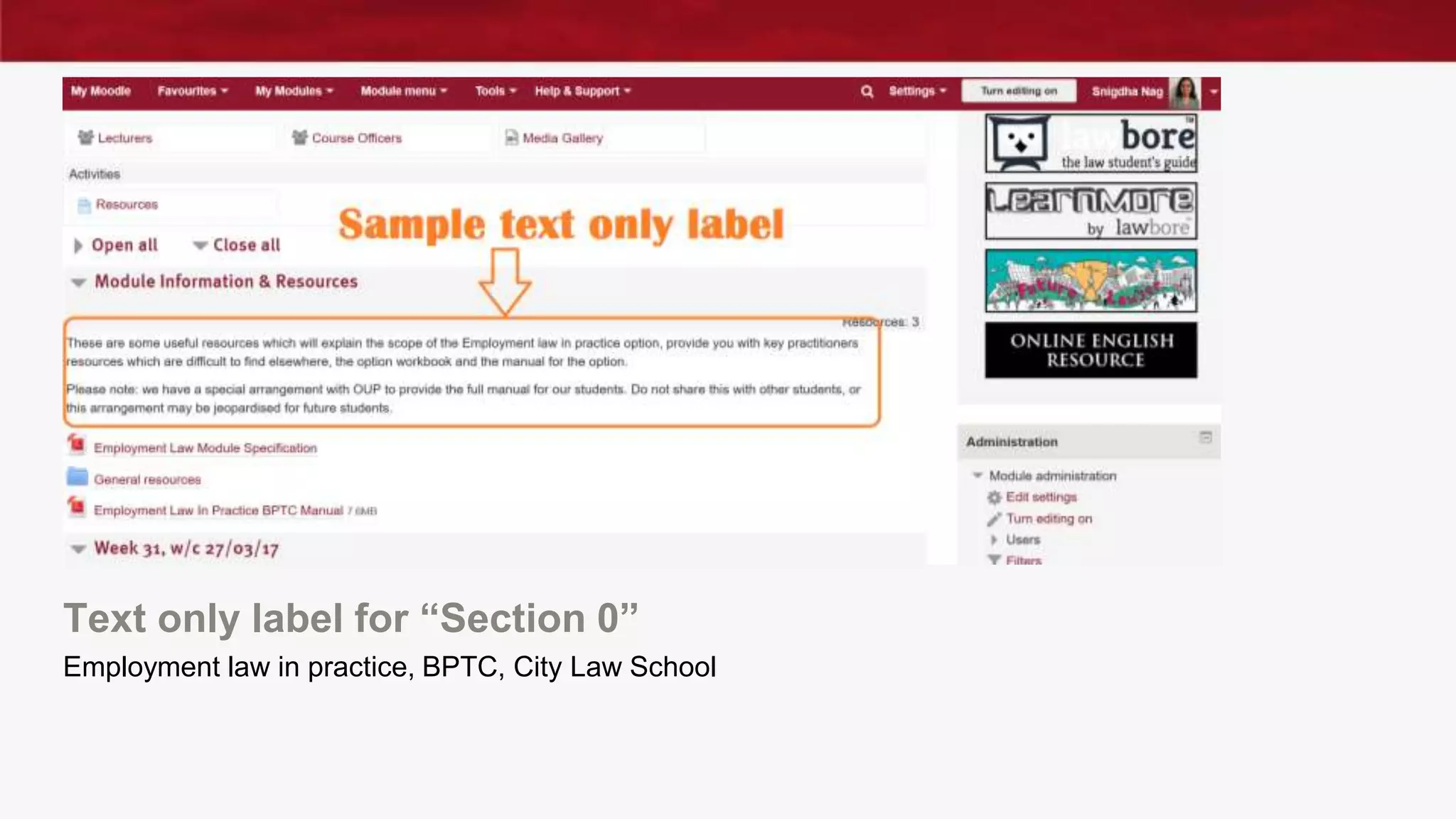
Text only label for “Section 0”
Employment law in practice, BPTC, City Law School
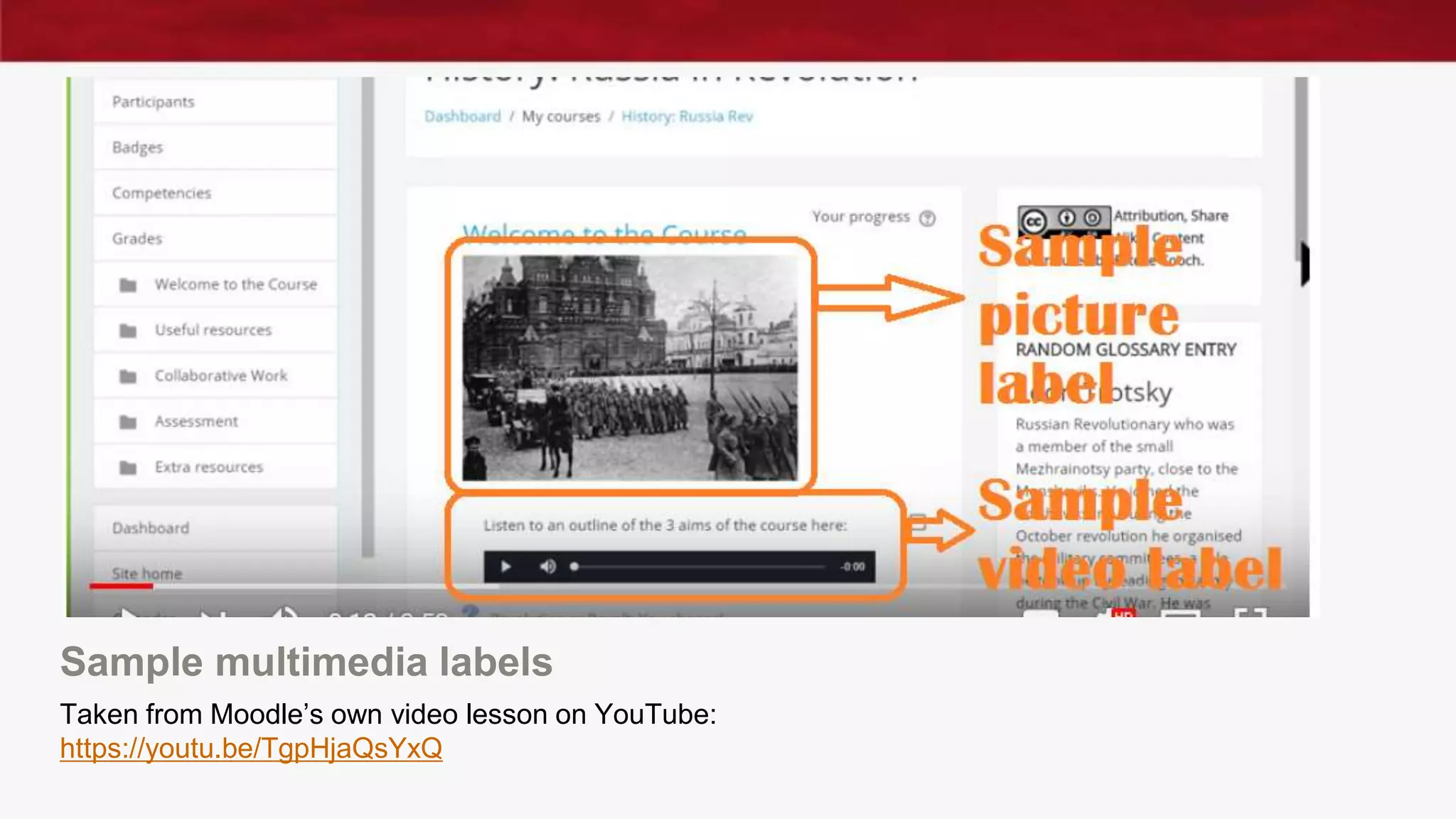
Sample multimedia labels
Taken from Moodle’s own video lesson on YouTube:
https://youtu.be/TgpHjaQsYxQ
Using and embedding video – with labels
This saves a click and gives a better student learning
experience, if you use the Label tool in Moodle, you can use the
embed code from Mediaspace to embed them, steps below:
■ Click on + Add an activity or resource.
■ Under Resources, select the Label resource and click Add.
■ Click the Toggle Toolbar icon (Toolbar Toggle) to expand the editor
options.
■ Click the button labelled < >, a HTML editor window will open.
■ Paste the code from Mediaspace here and click Update.
■ Click Save and return to course to see
the embedded video.
Santanu Vasant, Educational Technologist, LEaD
Top tip #2: Discussion board/Forum work can
lighten the load for you and for students
■ Students demonstrate understanding and synthesis of reading and
learning in a low impact way - you can typically require them to write
only 300-500 words, plus references.
■ Low impact for you, as there is less for you to mark and give feedback
upon, speeding up the process and keeping your workload down.
■ Students and tutors will need to familiarise themselves with netiquette
and effective use of forums/discussion boards online. Do not assume
either know about this!
Further reading:
Sull, CE; (2011), “Creating Effective Responses to Student Discussion Postings”, Faculty Focus, Blog post, 2 June 2011. [online]
Available: https://www.facultyfocus.com/articles/online-education/creating-effective-responses-to-student-discussion-postings/
TeacherStream LLC (2009) “Mastering Online Discussion Board Facilitation – Resource Guide” PDF guidance document,
Edutopia, precise date unknown. [Online] available: https://www.edutopia.org/pdfs/stw/edutopia-onlinelearning-mastering-online-
discussion-board-facilitation.pdf
Pappas, C (2015) "10 Netiquette Tips For Online Discussions", blog post, 6 June 2015, [Online] Available:
https://elearningindustry.com/10-netiquette-tips-online-discussions
What are wikis and how can you use them?
■Think Wikipedia: collaboratively created internet content –
watch this: https://youtu.be/-dnL00TdmLY
■Way of students working collaboratively outside of class
■Can be used to get students to pick out main points of
their reading, collect their references together and create
a summary of a topic
■Or could be used for Problem based learning –
collaboratively working on the solution to a problem
Unknown, (2016), “OU Wiki” guidance for students, web page, 2 March 2016;
[online] Available:
https://sleguidance.atlassian.net/wiki/spaces/Moodle/pages/3080324/OU+Wiki
Top tip #3: Use Moodle/TurnItIn for feedback
and recycle
“When giving general feedback each year on practice assessments, do
not hesitate to pass off last year’s fb as this year’s fb. (i.e. by saying
“here are the ways in which your work could have been improved”).
This is quite acceptable because the errors will typically be identical to
the ones from a year ago. If students get the impression that this list of
errors has been compiled from their own class’s results it does not
matter. If an error is not their own they will assume that it was someone
else’s from their class. The fact that it came from a student 3 years ago
does not matter if the fb is useful.”
A Senior Lecturer & Barrister, Bar Professional
Training Course, City Law School
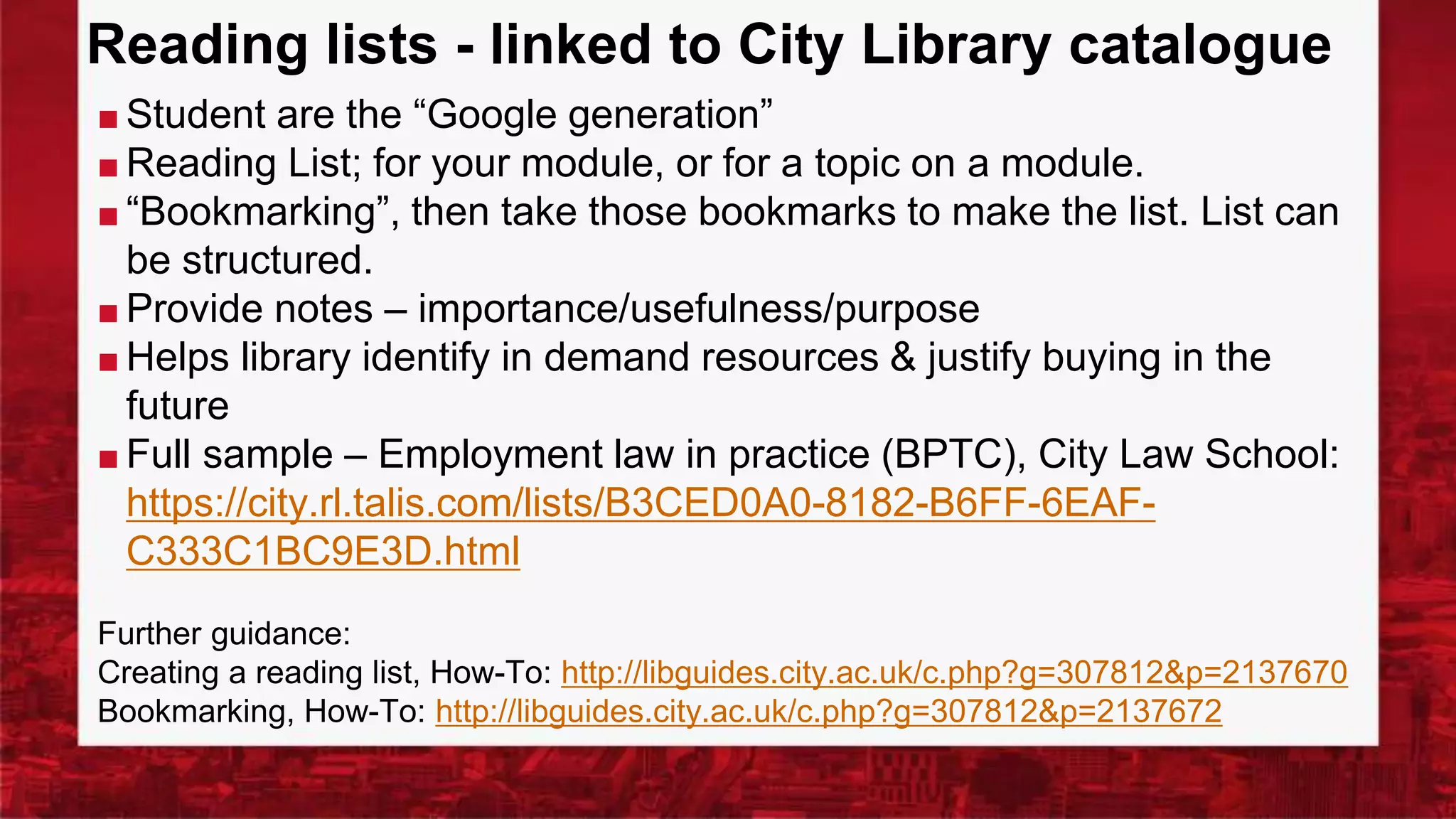
Reading lists - linked to City Library catalogue
■ Student are the “Google generation”
■ Reading List; for your module, or for a topic on a module.
■ “Bookmarking”, then take those bookmarks to make the list. List can
be structured.
■ Provide notes – importance/usefulness/purpose
■ Helps library identify in demand resources & justify buying in the
future
■ Full sample – Employment law in practice (BPTC), City Law School:
https://city.rl.talis.com/lists/B3CED0A0-8182-B6FF-6EAF-
C333C1BC9E3D.html
Further guidance:
Creating a reading list, How-To: http://libguides.city.ac.uk/c.php?g=307812&p=2137670
Bookmarking, How-To: http://libguides.city.ac.uk/c.php?g=307812&p=2137672
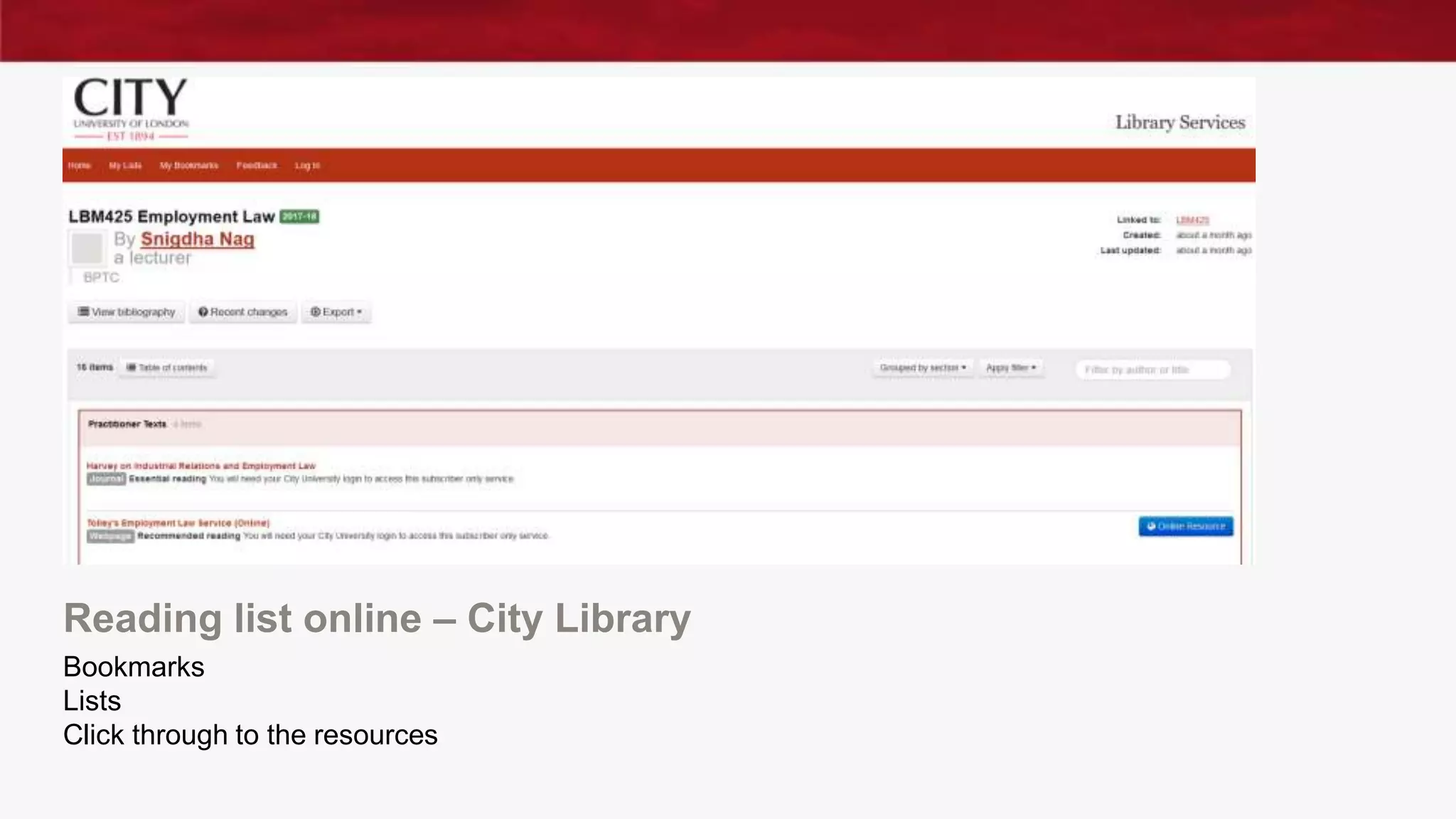
Reading list online – City Library
Bookmarks
Lists
Click through to the resources
Top Tip #4: Be mobile (device) friendly
■Don’t forget – some of your students will be accessing
Moodle using their smartphones or tablets. Equally,
documents in Word are not always compatible from
device to device. Upload documents as PDFs, ideally. Try
to make your Moodle page “mobile” friendly, where
possible.
Further reading:
Hanley, T; (2017), “Top 5 tips for Moodle mobile design”, Blog post, 1 August 2017.
[Online] Available: https://blogs.city.ac.uk/learningatcity/2017/08/01/top-5-tips-for-moodle-
mobile-design/
Fox, O; (2017), “Moodle 3.2: Maximise the City Course Format”, Blog post, 3 August
2017. [Online] Available: https://blogs.city.ac.uk/learningatcity/2017/08/03/moodle-3-2-
maximise-the-city-course-format/
Blended learning, Flipped learning, Course
design
Further reading:
■ https://sleguidance.atlassian.net/wiki/spaces/BL/pages/36962416/The+blend
ed+learning+design+framework
■ https://sleguidance.atlassian.net/wiki/spaces/BL/pages/36962499/Designing
+effective+online+activities
■ Littlejohn, A & Pegler, C; (2007), “Preparing for Blended E-Learning”,
Routledge, Abingdon
■ Tobin, T; Honeycutt, B (2017) “Improve the Flipped Classroom with
Universal Design for Learning”; In ed Vu, P; Fredrikson, S; Moore, C;
“Handbook of Research on Innovative Pedagogies and Technologies for
Online Learning in Higher Education” (2017), IGI Global, Hershey, PA, USA;
[online] Available: http://mathcs.duq.edu/~tobin/cv/20170301.IGI.UDL.pdf
A final warning…
Copyright!
■Don’t upload copyrighted materials.
■If you use City Library Reading lists, the library may be
able to digitise materials for you in a legally
permissible way.
Please read:
https://www.city.ac.uk/__data/assets/pdf_file/0008/3616
82/Top-Copyright-Tips-for-Teaching.pdf
Digitising:
http://libguides.city.ac.uk/c.php?g=307812&p=2457148
Any questions?
Thank you for your time.

How to get more out of Moodle

  • 1.
    Bring Your OwnLunch Webinar “How to get more out of Moodle” Snigdha Nag, Senior Lecturer, City Law School #TakeTheLEaD #BYOL #GoTeamCity
  • 2.
    How to getmore out of Moodle…
  • 3.
    How to getmore out of moodle… ■Why should I get more out of moodle? What’s in it for me? What’s in it for my students? ■Moodle labels: what are they? How can they help? ■Using and embedding video ■What are wikis and how can you use them? ■Making better use of Reading Lists ■Top tips from super users and the Ed Tech team ■Where you can find advice and guidance ■Q&A – over to you!
  • 4.
    Why would Iwant to get more out of Moodle? ■ Reaching out - internationally ■ Accommodate learning styles ■ Reinforcement ■ Communities of practice ■ Free up face to face time ■ Efficient use of class time - flipped learning ■ Encourages independent thinking, learning and working
  • 5.
    Getting more outof Moodle: what’s in it for me? “It enables you to vary the activities in your classes which keeps interest high/prevents student boredom. Raises the impression (if only slightly) that the tutor is sufficiently tech-savvy not to be from another planet or geological period (and hence has enough in common with device-wielding students to be worth listening to).” A Senior Lecturer & Barrister, Bar Professional Training Course, City Law School
  • 6.
    Getting more outof moodle: what’s in it for students? “If something can be online, many students increasingly expect it to be online. IT provides them with flexibility, and fits better with the sort of learning techniques now used in schools. Just ask the students you teach how they would like things to be delivered, and how they learn!” Professor Susan Blake, Barrister, LLM Course Director and BPTC tutor
  • 7.
    What’s it infor tutors? As a student facing tool it allows us to demonstrate to our students that we, and our modules as an extension, are accessible, logical and thorough. As a tutor tool it allows us to monitor student engagement and to create a repository for relevant information and activities." What’s in it for students? "All the information is in one place. Content, deadlines, assessments. Simple." Alexander Mills Senior Lecturer, Barrister, BPTC, City Law School
  • 8.
    Top tip #1:Conditional Release (CR) of your Moodle materials CR is best used with linear course material to achieve mastery of course content (knowledge), which filters later into application of knowledge in another context. ■ CR should be based on your students’ quiz scores/grades ■ CR suits linear course material ■ Students report CR assists in obtaining course mastery, increasing learning and grades; ■ CR helps lower performing students engage ■ CR creates flexibility – this helps those who’ve fallen behind in a course Further reading: Fisher, LS; Gardner, JG; Brinthaupt, TM; Raffo, DM (2014); “Conditional Release of Course Materials: Assessing Best Practice Recommendations”, MERLOT Journal of Online Learning and Teaching, Vol. 10, No. 2, June 2014. [online] Available: http://jolt.merlot.org/vol10no2/fisher_0614.pdf Gardner, JG; Fisher, LS; Raffo, DM; & Brinthaupt, TM; (2011). “Best practices for using conditional release in online classes”. International Journal of Instructional Technology and Distance Learning, 8(10), 3-16. [online], Available: http://www.itdl.org/Journal/Oct_11/Oct_11.pdf
  • 9.
    What you cando with Labels ■A Moodle label can add text, images, multimedia or code to your Moodle course. ■Label: why a link you share is useful, define/explain and e-learning task, explain fit with face to face session (blended/flipped learning), set out timeframe/deadlines ■Online learning tasks need greater explanation. ■Pictures and video will brighten your module – students will engage more. Labels, How-To: https://docs.moodle.org/33/en/Using_Label Video lesson: https://youtu.be/TgpHjaQsYxQ Further guidance: https://sleguidance.atlassian.net/wiki/spaces/Moodle/pages/3080308/Labels+Quickstart+Guide
  • 10.
    Text only labelfor “Section 0” Employment law in practice, BPTC, City Law School
  • 11.
    Sample multimedia labels Takenfrom Moodle’s own video lesson on YouTube: https://youtu.be/TgpHjaQsYxQ
  • 12.
    Using and embeddingvideo – with labels This saves a click and gives a better student learning experience, if you use the Label tool in Moodle, you can use the embed code from Mediaspace to embed them, steps below: ■ Click on + Add an activity or resource. ■ Under Resources, select the Label resource and click Add. ■ Click the Toggle Toolbar icon (Toolbar Toggle) to expand the editor options. ■ Click the button labelled < >, a HTML editor window will open. ■ Paste the code from Mediaspace here and click Update. ■ Click Save and return to course to see the embedded video. Santanu Vasant, Educational Technologist, LEaD
  • 13.
    Top tip #2:Discussion board/Forum work can lighten the load for you and for students ■ Students demonstrate understanding and synthesis of reading and learning in a low impact way - you can typically require them to write only 300-500 words, plus references. ■ Low impact for you, as there is less for you to mark and give feedback upon, speeding up the process and keeping your workload down. ■ Students and tutors will need to familiarise themselves with netiquette and effective use of forums/discussion boards online. Do not assume either know about this! Further reading: Sull, CE; (2011), “Creating Effective Responses to Student Discussion Postings”, Faculty Focus, Blog post, 2 June 2011. [online] Available: https://www.facultyfocus.com/articles/online-education/creating-effective-responses-to-student-discussion-postings/ TeacherStream LLC (2009) “Mastering Online Discussion Board Facilitation – Resource Guide” PDF guidance document, Edutopia, precise date unknown. [Online] available: https://www.edutopia.org/pdfs/stw/edutopia-onlinelearning-mastering-online- discussion-board-facilitation.pdf Pappas, C (2015) "10 Netiquette Tips For Online Discussions", blog post, 6 June 2015, [Online] Available: https://elearningindustry.com/10-netiquette-tips-online-discussions
  • 14.
    What are wikisand how can you use them? ■Think Wikipedia: collaboratively created internet content – watch this: https://youtu.be/-dnL00TdmLY ■Way of students working collaboratively outside of class ■Can be used to get students to pick out main points of their reading, collect their references together and create a summary of a topic ■Or could be used for Problem based learning – collaboratively working on the solution to a problem Unknown, (2016), “OU Wiki” guidance for students, web page, 2 March 2016; [online] Available: https://sleguidance.atlassian.net/wiki/spaces/Moodle/pages/3080324/OU+Wiki
  • 15.
    Top tip #3:Use Moodle/TurnItIn for feedback and recycle “When giving general feedback each year on practice assessments, do not hesitate to pass off last year’s fb as this year’s fb. (i.e. by saying “here are the ways in which your work could have been improved”). This is quite acceptable because the errors will typically be identical to the ones from a year ago. If students get the impression that this list of errors has been compiled from their own class’s results it does not matter. If an error is not their own they will assume that it was someone else’s from their class. The fact that it came from a student 3 years ago does not matter if the fb is useful.” A Senior Lecturer & Barrister, Bar Professional Training Course, City Law School
  • 16.
    Reading lists -linked to City Library catalogue ■ Student are the “Google generation” ■ Reading List; for your module, or for a topic on a module. ■ “Bookmarking”, then take those bookmarks to make the list. List can be structured. ■ Provide notes – importance/usefulness/purpose ■ Helps library identify in demand resources & justify buying in the future ■ Full sample – Employment law in practice (BPTC), City Law School: https://city.rl.talis.com/lists/B3CED0A0-8182-B6FF-6EAF- C333C1BC9E3D.html Further guidance: Creating a reading list, How-To: http://libguides.city.ac.uk/c.php?g=307812&p=2137670 Bookmarking, How-To: http://libguides.city.ac.uk/c.php?g=307812&p=2137672
  • 17.
    Reading list online– City Library Bookmarks Lists Click through to the resources
  • 18.
    Top Tip #4:Be mobile (device) friendly ■Don’t forget – some of your students will be accessing Moodle using their smartphones or tablets. Equally, documents in Word are not always compatible from device to device. Upload documents as PDFs, ideally. Try to make your Moodle page “mobile” friendly, where possible. Further reading: Hanley, T; (2017), “Top 5 tips for Moodle mobile design”, Blog post, 1 August 2017. [Online] Available: https://blogs.city.ac.uk/learningatcity/2017/08/01/top-5-tips-for-moodle- mobile-design/ Fox, O; (2017), “Moodle 3.2: Maximise the City Course Format”, Blog post, 3 August 2017. [Online] Available: https://blogs.city.ac.uk/learningatcity/2017/08/03/moodle-3-2- maximise-the-city-course-format/
  • 19.
    Blended learning, Flippedlearning, Course design Further reading: ■ https://sleguidance.atlassian.net/wiki/spaces/BL/pages/36962416/The+blend ed+learning+design+framework ■ https://sleguidance.atlassian.net/wiki/spaces/BL/pages/36962499/Designing +effective+online+activities ■ Littlejohn, A & Pegler, C; (2007), “Preparing for Blended E-Learning”, Routledge, Abingdon ■ Tobin, T; Honeycutt, B (2017) “Improve the Flipped Classroom with Universal Design for Learning”; In ed Vu, P; Fredrikson, S; Moore, C; “Handbook of Research on Innovative Pedagogies and Technologies for Online Learning in Higher Education” (2017), IGI Global, Hershey, PA, USA; [online] Available: http://mathcs.duq.edu/~tobin/cv/20170301.IGI.UDL.pdf
  • 20.
    A final warning… Copyright! ■Don’tupload copyrighted materials. ■If you use City Library Reading lists, the library may be able to digitise materials for you in a legally permissible way. Please read: https://www.city.ac.uk/__data/assets/pdf_file/0008/3616 82/Top-Copyright-Tips-for-Teaching.pdf Digitising: http://libguides.city.ac.uk/c.php?g=307812&p=2457148
  • 21.